2M+ followers watch us recover data on YouTube, TikTok & Instagram - watch real cases ↗

Computer Repair · Middletown NJ

Computer Repair in Middletown, NJ

Fast, honest computer repair for any desktop or laptop, home or business. From a PC running slow or stuck on a blue screen to a machine that won't turn on, our Lincroft NJ techs fix it right, with a free estimate, a price you approve first, and a 90-day warranty. Walk in or call (732) 933-7717.

(732) 933-7717
  • Same-day diagnostics
  • 90-day warranty
  • Walk-ins welcome
  • Free estimate
Watch us work

The lab 2 million people already watch

Lead technician Joseph Montanti films real recovery cases, from head swaps and chip-offs to water damage and board-level repairs, watched by millions across YouTube, TikTok, Instagram and Facebook. The same hands and the same bench that earned hundreds of millions of views are the ones your computer lands on when you walk into our Lincroft lab.

1.1M+ YouTube
470K+ Facebook
400K+ TikTok
290K+ Instagram
Your local computer shop

The shop Middletown trusts for any computer

MDrepairs is a local computer repair shop serving Middletown and all of Monmouth County from our lab at 644 Newman Springs Road in Lincroft. We fix every kind of computer, desktop towers, all-in-ones, custom and gaming builds, and laptops from Dell, HP, Lenovo, Acer, ASUS, MSI and Apple, with fair quotes, quality parts, and service you can count on.

What sets us apart is who is behind the bench. We are the data-recovery lab that millions of people follow online, where lead technician Joseph Montanti documents real repairs and recoveries watched hundreds of millions of times. That same component-level skill and attention to detail goes into every computer repair we take on. When you walk in, you talk to the person who actually fixes your machine. For a free quote in the Middletown NJ area, call 732-933-7717 or use our online quote form.

We keep the whole process simple and fair. Every repair begins with a flat diagnostic so you know exactly what is wrong before you spend anything on the fix, and you get a clear, written price you approve before any work starts, no surprises on the invoice and no pressure to add things you do not need. Most desktop and laptop repairs are finished within 24 to 72 hours, with same-day service on quick jobs and rush turnaround available when you are in a hurry. And because your information is precious, we treat your data with care on every single job, handling it confidentially and backing it up before any work that could put it at risk.

What we fix

Every common computer problem, one local shop

From everyday slowdowns to dead machines, here are the computer repairs Middletown and Monmouth County customers bring to us most. Don't see your issue? It is still worth a free quote, call 732-933-7717.

  • Slow computer tune-ups

    We clear out malware, clean up startup, refresh the OS and add an SSD or RAM so an old PC feels new again.

  • Computer won’t turn on

    No-power diagnosis: power supply, power button, DC jack, motherboard or a swollen laptop battery, fixed at the root.

  • Virus & malware removal

    Ransomware, spyware, browser hijackers and pop-up adware removed while your documents, photos and programs stay intact.

  • Blue screen of death (BSOD)

    We read the stop code and run hardware tests to find the real cause, failing RAM, a dying drive or a bad driver.

  • SSD & hard drive upgrades

    Swap a slow mechanical drive for a fast SSD or NVMe, clone your data over, and cut boot times from minutes to seconds.

  • RAM & memory upgrades

    More memory for smoother multitasking, heavier apps and a longer life out of the computer you already own.

  • Motherboard & power supply

    Component-level board work, capacitor and power-supply replacement, and DC-jack repair on laptops.

  • Operating system repair

    Windows or macOS reinstall, boot repair, corrupted-file fixes and driver cleanup, with your files backed up first.

  • Data transfer & backup

    Move everything to a new computer, recover files from a failing drive, and set up a backup so it never happens again.

  • Overheating & fan repair

    Re-paste the processor, clean the heatsinks and replace noisy or failed fans so the machine runs cool and quiet.

Repair or replace?

Is it worth repairing your computer?

We will always give you a straight answer. As a rule of thumb, if the fix costs less than about half the price of a comparable new computer and the rest of the hardware is sound, repairing is the smart move, especially with an SSD upgrade that makes an older PC feel new.

Usually worth repairing

  • The fault is a single failed part (drive, power supply, RAM, fan) and the rest of the hardware is healthy.
  • The repair costs less than about half the price of a comparable new computer.
  • The machine is only a few years old and still meets your needs once it is fixed and upgraded.
  • You want to keep your existing setup, software, and the files exactly as they are.

Replacement may make sense

  • The motherboard is dead on a machine that is already old and would cost more to fix than it is worth.
  • You need a big jump in performance (heavy video, gaming, or modern software the hardware can’t handle).
  • Repeated failures across multiple components signal the whole machine is at end of life.

Either way, the diagnostic tells us exactly what is going on. If repairing isn't worth it, we will say so, and we can still help you move your files to a new machine so nothing is lost. The mistake we see most often is people replacing a computer that only needed a sixty-dollar power supply or a quick SSD upgrade, and the opposite, sinking real money into a machine that was always going to keep failing. Our job is to keep you from either one. We have no interest in selling you parts you do not need, and because we are the lab that recovers data for people across the country, our reputation depends on giving you the honest answer, not the expensive one.

Brands we service

Every major computer brand, plus custom builds

Windows or Apple, big-box or hand-built, if it is a computer, we repair it.

  • Dell
  • HP
  • Lenovo
  • Acer
  • ASUS
  • MSI
  • Apple iMac & MacBook
  • Microsoft Surface
  • Custom & gaming builds
Before you visit

What to do before you bring your computer in

A few simple things make your repair faster and protect your data. None of them are required, when in doubt, just bring the machine in and we'll take it from there.

  1. Stop using it if files matter

    If the computer is acting strange and the data is not backed up, the safest thing is to power it off and bring it in. Continuing to use a failing drive can make data harder to recover.

  2. Note what it’s doing

    A quick description, won’t turn on, blue screen, very slow, strange noise, when it started, helps us diagnose faster. A photo of any error message is gold.

  3. Bring the charger

    For laptops, bring the power adapter so we can test the charging circuit. For desktops, the tower alone is usually fine, no need to lug the monitor unless the screen is the problem.

  4. Know your password (if you can)

    If you remember your login, it speeds up testing. If you don’t, that’s okay, we can still diagnose the hardware and talk through options.

Computer repair, in depth

A closer look at the repairs we do every day

The faults below are the ones we see most in Middletown and across Monmouth County. Here is how we diagnose and fix each one, why most of them cost far less than a new computer, and what you can expect when you bring your machine to our Lincroft lab.

01 / Speed it up, don’t replace it

Why your computer slowed down, and how we make it fast again

A computer that has slowed to a crawl is one of the most common reasons people walk into our Lincroft shop, and it is almost always fixable for a fraction of the cost of a new machine.

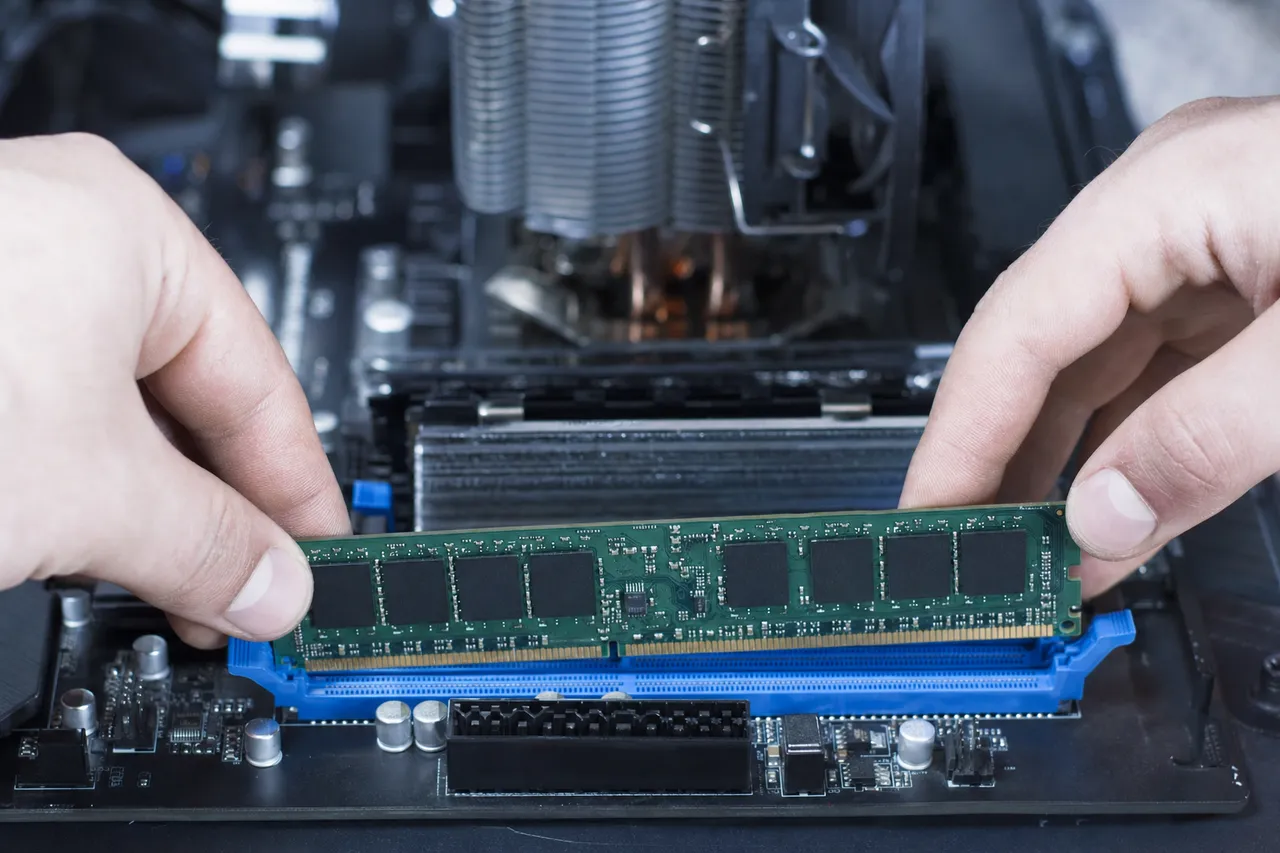
A technician seating a DDR memory module into a desktop motherboard during a computer upgrade

The single biggest cause of a slow computer is an aging mechanical hard drive. Spinning drives wear out and slow down with age, and Windows or macOS spends most of its time waiting on that drive to read and write. Swapping it for a solid-state drive (SSD) is the most dramatic upgrade you can make: boot times drop from a minute or more down to seconds, programs open instantly, and a five-year-old computer suddenly feels brand new. We clone your existing system onto the new SSD so nothing is lost, you simply get the same machine, only faster.

The second culprit is memory. If your computer chokes when you have a few browser tabs and a couple of programs open, it is starved for RAM. Adding memory lets the machine keep more open at once without grinding to a halt. We check what your motherboard supports and install the right modules so you get the smoothest result your hardware allows.

Software clutter and malware finish the picture. Over the years, startup programs pile up, junk accumulates, and hidden malware can quietly steal performance. A full tune-up clears all of that, removes any infection, refreshes the operating system, and leaves your computer clean, fast, and stable, with every one of your files exactly where you left it.

Overheating is the cause people forget. When the thermal paste between the processor and its cooler dries out, or the heatsinks clog with dust, the computer protects itself by throttling down, which feels exactly like a slow machine. We open it up, clean the cooling system, re-paste the processor, and replace any failed fans, so the hardware can finally run at full speed again. In a typical case, an SSD upgrade, a memory bump, a malware cleanup, and a thermal service together turn a frustrating old computer into one that is genuinely pleasant to use, and you spend a small fraction of what a new machine would cost.

02 / Dead computer rescue

When your computer won’t turn on at all

A computer that shows no signs of life is alarming, but a no-power fault is usually one of a handful of known causes, and most are very repairable.

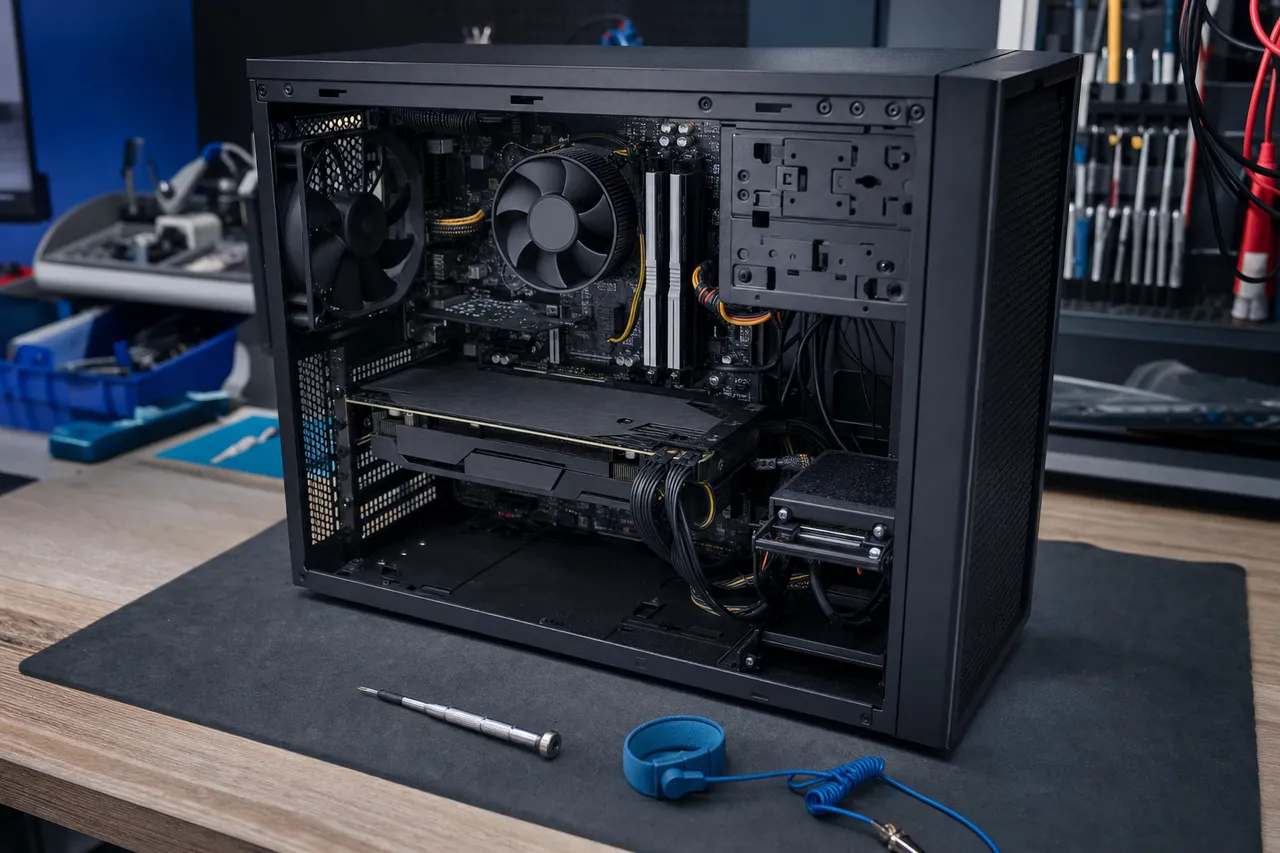
An open desktop PC tower on a repair bench with the side panel removed exposing the motherboard and components

On a desktop, the most frequent cause is a failed power supply unit. Power supplies are consumable parts that degrade over time, and when one fails the whole machine goes dark. Replacing it is a straightforward, affordable fix. We test the supply, the power button, and the front-panel wiring to confirm the fault before we replace anything, so you never pay for a part you did not need.

If the power supply is good, the trail leads to the motherboard, the RAM, or the processor power circuitry. A computer that powers on for a second and shuts off, or lights up but never reaches the screen, points to a board-level issue. This is where our component-level repair experience matters: we can diagnose and often repair the board itself instead of condemning the whole machine, the kind of work most local shops send away.

On a laptop, no power often comes down to a dead DC jack, a frayed charger, or a swollen battery. We repair charging ports, replace batteries safely, and test the charging circuit so your laptop holds a charge and powers on reliably again.

There is one situation where a no-power fault matters even more: when the files on the machine have not been backed up. A computer that will not boot does not mean your data is gone, in most cases the drive is perfectly healthy and only the computer around it has failed. Because data recovery is our core specialty, we can pull your documents, photos, and work off a dead machine safely, and either move them to a repaired computer or hand them back on a drive. So even in the worst case, where a machine truly is beyond economical repair, you do not lose what mattered most.

03 / Clean, stable, protected

Virus removal, ransomware, and the blue screen of death

Pop-ups you cannot close, a browser that hijacks your searches, files held hostage, or a sudden blue screen, these are scary, but they are everyday work for us.

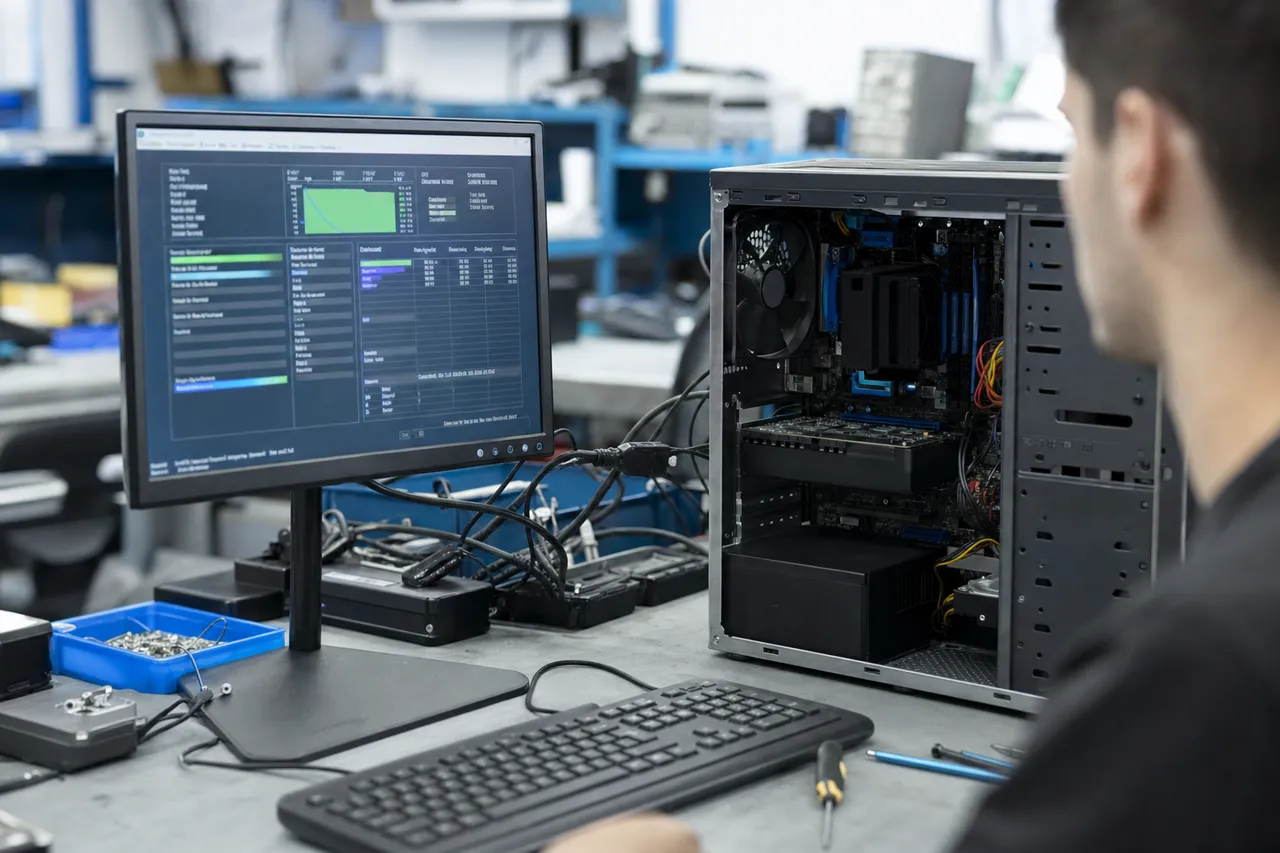
A desktop computer connected to a monitor showing a hardware diagnostic interface on a repair bench

Virus and malware removal is one of our most-requested services. We remove ransomware, spyware, adware, browser hijackers, and rootkits while protecting your documents, photos, and installed programs. Before we touch anything risky we back up your important files, so even in the rare case a clean reinstall is the safest path, nothing of yours is lost. As the data-recovery lab trusted by millions online, protecting what is on your drive is the heart of how we work.

The blue screen of death is Windows stopping itself to prevent damage after a critical error. The cause can be failing RAM, a drive that is dying, an overheating processor, a bad driver, or corrupted system files. Rather than just clearing the message and hoping, we read the stop code and run targeted hardware tests to find the true source, then fix it at the root so the crashes actually stop.

Once a machine is clean and stable, we set you up to stay that way: a proper backup, sensible protection, and advice on the habits that keep a computer healthy. The goal is not just to fix today’s problem but to keep you out of the shop for a long time.

A word on the scams that send a lot of people to us. If a full-screen warning tells you your computer is infected and to call a phone number, that message is itself the scam, and the number leads to fake technicians who want remote access and a payment. Never call it. Real protection software never demands you phone a hotline. Bring the machine to us instead, we will tell you honestly whether anything is actually wrong, remove whatever is there, and make sure no one has remote access to your computer.

Ransomware deserves a special mention because it is the one infection that goes straight for your files, locking your photos and documents and demanding payment to unlock them. Paying rarely works and only funds the next attack. The real defense is a good backup, which is why we set one up as part of recovering a machine, and our data-recovery experience means that when an attack does strike, we have the best possible shot at getting your information back without ever dealing with the criminals behind it.

Computer acting up? Get a free quote from a real local technician.

Call (732) 933-7717
04 / We fix both

Desktops, laptops, all-in-ones, custom and gaming builds

No matter what shape your computer takes, the same bench and the same technicians handle it. Here is how the work differs across the machines we see most.

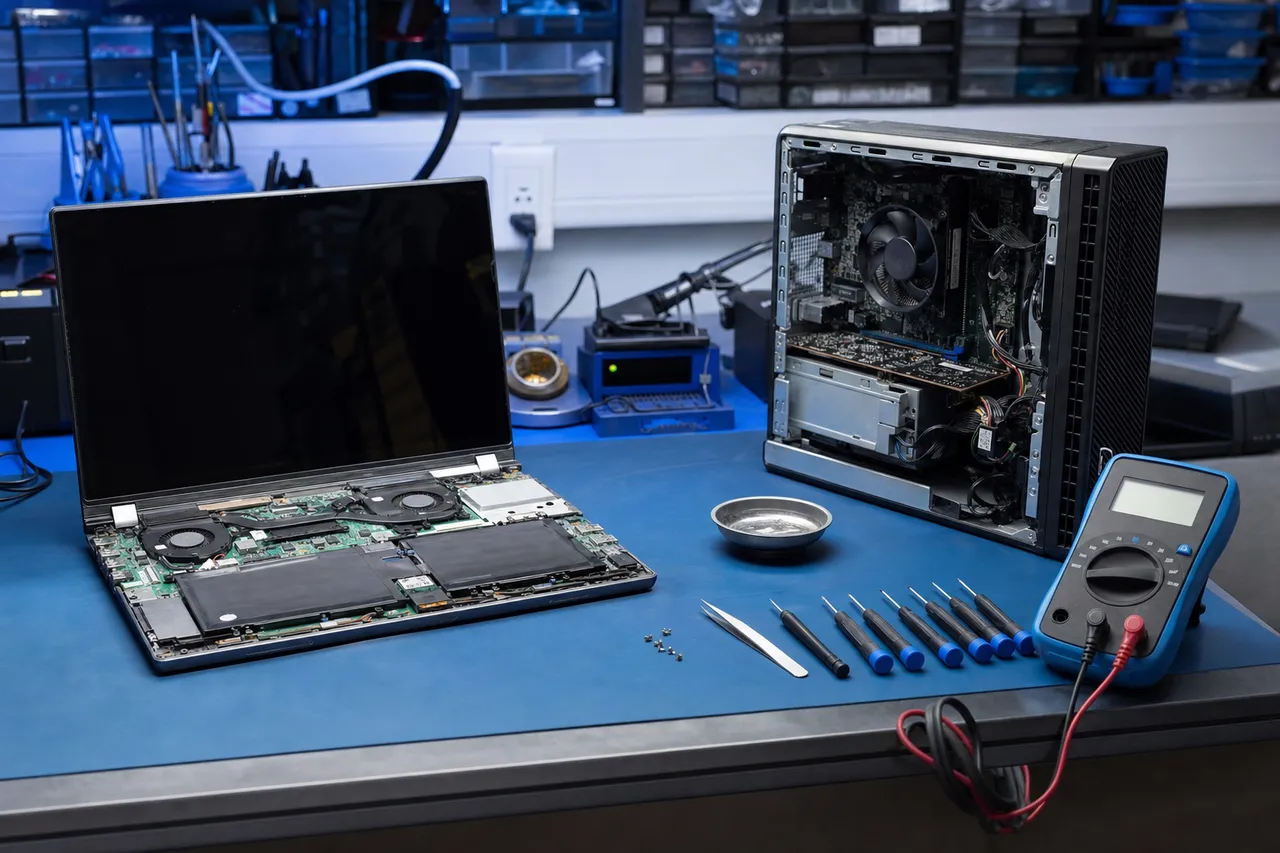
A repair bench with a Windows laptop opened next to a desktop PC with its side panel removed

Desktop towers are the most upgradeable computers, which makes them very rewarding to repair. Drives, memory, power supplies, fans, and graphics cards are all serviceable, so a desktop is rarely a write-off. We also build and repair custom and gaming rigs, including cooling, thermal-paste service, and high-performance storage upgrades for demanding workloads.

Laptops are tighter and more delicate. Cracked screens, failing hinges, dead charging ports, swollen batteries, and liquid spills are the common jobs, alongside the same drive, memory, and software work. We replace laptop screens, batteries, and keyboards across Dell, HP, Lenovo, Acer, ASUS, and MSI, and we handle board-level faults that other shops cannot.

All-in-one computers, where the whole machine lives behind the screen, take extra care to open and service safely. For Apple machines specifically, we have dedicated pages: see our iMac repair and MacBook repair services. Whatever the form factor, you get the same honest diagnosis, the same warranty, and the same local, in-person service.

The upgrade path is where a desktop really shines over a laptop. Because a tower has room and standard parts, we can add storage, drop in more memory, fit a better graphics card, improve the cooling, and clean up the cabling, turning a tired computer into one that comfortably handles a few more years of work or play. Laptops are more constrained, but even there an SSD and a memory upgrade usually deliver the single biggest improvement for the money. Whichever you own, we will tell you the upgrades that are actually worth doing for the way you use the machine, and skip the ones that would not make a real difference.

05 / Keep your team running

Computer repair and IT support for local businesses

When a work computer goes down, every hour costs money. Businesses, home offices, schools, and practices around Monmouth County rely on us to get their machines back fast.

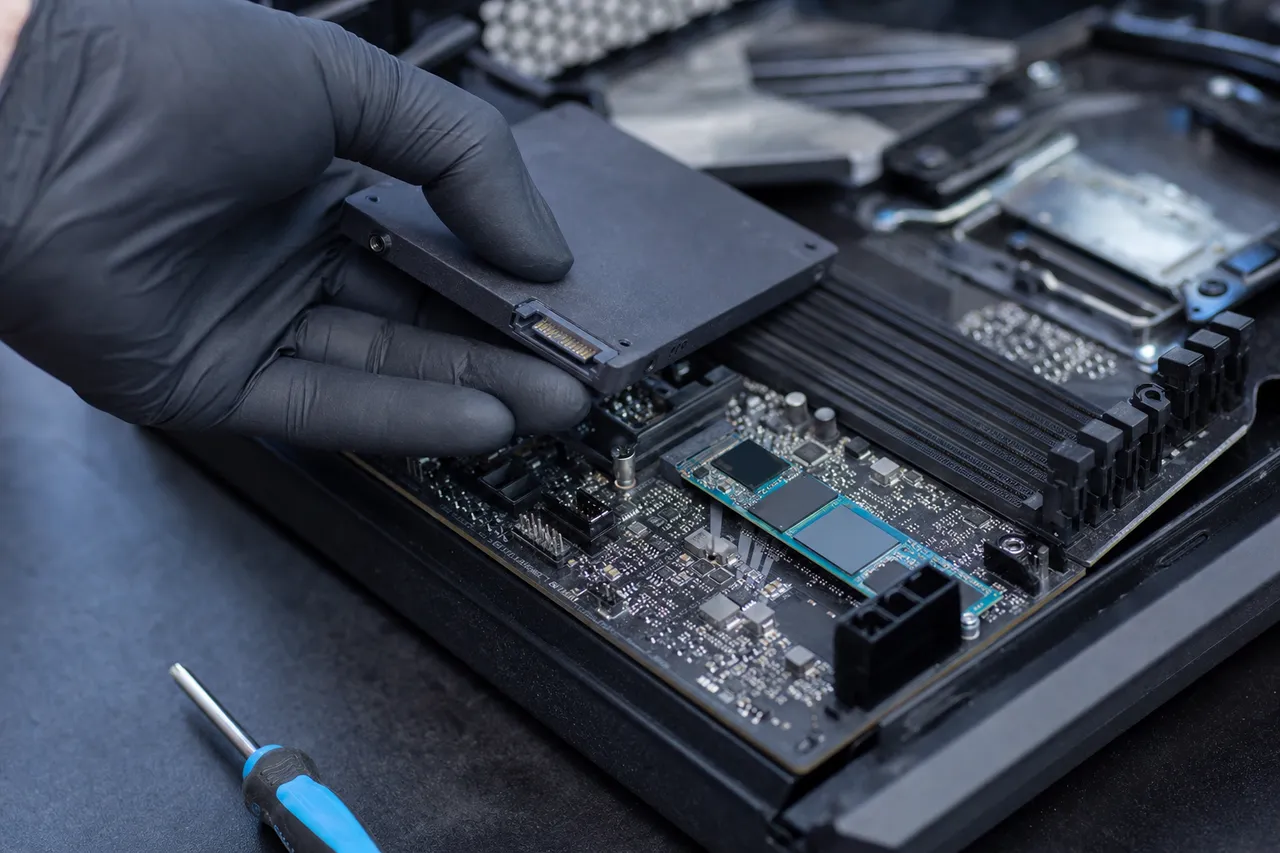
A gloved hand installing an SSD and an NVMe drive into a desktop PC on a repair bench

We repair business workstations and laptops with the fast turnaround your operation needs, and we work around your schedule so your team stays productive. From a single front-desk PC to a fleet of office machines, we handle the same hardware and software faults at a professional pace, with clear communication the whole way.

Upgrades and migrations are a big part of business work. Rolling out SSDs and memory across a set of aging machines is one of the most cost-effective things a small business can do for productivity, and we make it painless: clone the systems, move the data, and hand back computers that run like new without the expense of replacing them all.

Most of all, we give you straight advice. We will tell you honestly when a machine is worth repairing and when your money is better spent on a replacement, so your IT budget goes exactly where it should. No upselling, no jargon, just a local shop you can actually talk to.

Protecting business data is part of every job we do. We handle your files with strict confidentiality, back them up before any risky work, and, because data recovery is our specialty, we can rescue critical information from a failed business drive when it counts. For a small business, an unexpected drive failure on the one machine that holds the books or the customer records can be devastating, and having a local lab that can both repair the computer and recover the data, all in one place, is exactly the kind of support that keeps a company running through a bad day.

Same-day diagnostics, walk-ins welcome, and a 90-day warranty on every computer repair.

How it works

How your computer repair goes

Four simple steps, no surprises, no pressure, and a price you approve before we lift a screwdriver.

  1. Free estimate

    Bring the computer in and we run a full hardware and software diagnostic to pinpoint the exact fault, no guesswork, no pressure to fix.

  2. A price you approve first

    You get a clear written quote explaining the problem, the fix, and the cost. Nothing happens until you say yes.

  3. Expert repair

    Using professional tools we perform the component-level or software repair, back up your data first whenever there is any risk to it.

  4. Testing & 90-day warranty

    Every machine is stress-tested before pickup and backed by our 90-day warranty, so you leave confident it is truly fixed.

Why MDrepairs

Why Middletown chooses us for computer repair

Expert diagnostics, honest advice, and secure handling from the team trusted by millions to recover data, all from a local shop you can walk into.

  • A local Lincroft NJ shop, not a mail-away counter, drop off and talk to the tech who fixes it
  • The data-recovery lab millions already watch online, so your files are in expert hands
  • Honest repair-or-replace advice with no pressure to overspend
  • Component-level board repair most shops send away
  • Free estimate and a price you approve before any work begins
  • Most repairs back in your hands within 24 to 72 hours
Monmouth County NJ

Local computer repair near you

Our lab sits right in the middle of Monmouth County in Lincroft, an easy drop-off from anywhere nearby. We have a dedicated local computer repair page for each town we serve, with directions, drive times and the issues we see most in your area. Find computer repair in your town:

Don't see your town listed here? We still serve every community across Monmouth County and the surrounding area, so just give us a call and we will help you get your computer fixed.

Call (732) 933-7717
Right in Monmouth County

Computer repair you can drive to

Our lab sits at 644 Newman Springs Road in Lincroft, in the heart of Monmouth County and just minutes from Middletown, Red Bank, Holmdel, Hazlet and Tinton Falls. Because we are local, you get something the big mail-away services and faceless chains can’t offer: you hand your computer to the person who repairs it, you get a real answer in plain language, and you pick it up nearby, usually within a few days. There is no shipping a machine across the country and waiting, no call center, no guessing what is happening to your computer.

We are open Monday through Friday, 10am to 6pm. Walk in for a free estimate, or call 732-933-7717 to talk through the problem first. Whether you are around the corner in Lincroft or coming from elsewhere in the county, you will get the same fast, honest, in-person service, backed by a 90-day warranty on every repair.

FAQs

Computer repair FAQ

Straight answers to the questions Middletown computer owners ask us most.

How much does computer repair cost in Middletown, NJ?

Every repair starts with a flat diagnostic so you know the exact problem before you spend a dollar on the fix. Common jobs such as a virus cleanup, an SSD upgrade, a power-supply swap, or a fresh operating-system install fall into clear price bands, and we give you a firm written quote you approve before we begin. You only pay for the repair once you say yes, and the diagnostic is credited toward the work.

Should I repair my computer or just buy a new one?

It depends on the machine and the fault. A simple rule: if the repair costs less than about half the price of a comparable new computer and the rest of the hardware is sound, repairing is the smart move, especially with an SSD upgrade that makes an older PC feel new. We give you a straight recommendation either way, with no pressure to spend more than you need to.

How long does a computer repair take?

Most desktop and laptop repairs are finished within 24 to 72 hours once parts are in hand. Quick fixes like a tune-up, a RAM upgrade, or a virus removal are often same-day or next-day. If a job needs a part we have to order, we tell you the timeline up front and offer rush service for urgent cases so you are never left guessing.

Do you also recover data, or only repair computers?

Both, and that is exactly why people bring their computers here. MDrepairs is first and foremost a data-recovery lab, so if a machine arrives dead or a drive fails, the same bench that repairs your computer can rescue the documents, photos and work stored on it. Start with our hard drive data recovery service, or just bring the computer in and we handle both sides under one roof.

Do you fix both desktop PCs and laptops?

Yes. We repair every kind of computer: desktop towers, all-in-ones, gaming rigs, custom builds, and laptops from Dell, HP, Lenovo, Acer, ASUS, MSI and more, plus Apple machines. Whether it is a tower that will not power on or a laptop with a cracked screen, the same bench and the same techs handle it.

My computer will not turn on. Can you fix it?

In most cases, yes. A computer that will not power on usually comes down to a failed power supply, a bad power button or DC jack, a dead motherboard, faulty RAM, or a swollen battery on a laptop. Our diagnostic isolates the exact cause, and we tell you what it takes to bring it back to life and whether the repair is worth it before any work begins.

Why is my computer running so slow, and can you speed it up?

A slow computer is almost always fixable and rarely needs replacing. The usual culprits are an aging hard drive, too little memory, malware, a clogged startup, or a failing thermal paste that throttles the processor. Upgrading to an SSD and adding RAM transforms an old machine, and a full tune-up with malware removal restores speed for a fraction of the cost of a new PC.

Can you remove a virus or malware without wiping my files?

In the large majority of cases, yes. We remove viruses, ransomware, spyware, browser hijackers and pop-up adware while preserving your documents, photos and programs. We also back up your important data first as a safeguard, so even in the rare case a full reinstall is the safest path, your files come through intact.

What is the blue screen of death and can you repair it?

A blue screen (often called a BSOD) means Windows hit a critical error and stopped to protect itself. The cause can be failing RAM, a dying drive, a bad driver, overheating, or corrupted system files. We read the stop code and run hardware tests to find the real source, then fix it at the root rather than just clearing the symptom.

Is my data safe during a computer repair?

Yes. Your data stays confidential and is accessed only by our technicians when a repair requires it. Before any risky work we offer to back up your files, and as the data-recovery lab trusted by millions online, protecting what is on your drive is the core of everything we do.

Do you offer computer repair for businesses?

We do. Local businesses, home offices, schools and practices around Monmouth County rely on us for workstation repairs, fast turnaround to limit downtime, SSD and memory upgrades across a fleet, data migration to new machines, and honest advice on whether to repair or replace. We work around your schedule so your team stays productive.

Do I need an appointment, or can I just walk in?

Walk-ins are welcome at our Lincroft lab during business hours, and you are also free to call ahead or book a time so we can have the bench ready for you. Either way you get a free estimate first and a price you approve before any repair starts.

Do you repair Apple computers too?

Yes. Alongside Windows PCs we service iMacs and MacBooks, from drive and SSD upgrades to screen and logic-board repairs. If you have an all-in-one iMac or a MacBook, see our dedicated iMac repair and MacBook repair pages, or just bring it in and we will take care of it.

Reviews

What our customers say

  • Joe at MDrepairs was absolutely on point. Had to bring an old android of mine back to life and I know it was no easy task. MDrepairs was the 3rd company I called and the only ones that were able to get the job done. He had to go above and beyond by sourcing parts from a donor phone. The repair was done ahead of time and he communicated the entire time. Very straight forward process and I couldn't be any happier! I recommend MDrepairs for any cellphone work and will contact them first next time. Thanks again!

    Donato Guerrera Google Review
  • Lost my SSD after a hard reset and i thought the world ended. After 2 days of stress and hell, i made the trip and dropped my drive to these guys that i kept watching their insta videos and never thought that i would be one of their customers. I paid the rush fee and within 24 hours and a few extra minutes my business came back to life like tragedy never struck in the first place. They saved everything i thought i lost. Great guys, awesome communication. So if you are like me, and one day you lost your data, photos, videos and what not, take a deep breath and call these guys. Life is not over yet until you give them a chance to help you. Fairly priced for the job, definitely some money saving compare to those big companies on the internet, that quote you thousands of dollars making you question if what you lost is priceless indeed as they are ready to charge you an arm and a leg. So with all that ordeal in mind, I Would highly recommend MD anytime, to anyone!!

    miron trache Google Review
  • Thanks for the memories! We had this device for almost 10 years. It contained some of the earliest memories of our kids. My wife was devastated when it randomly stopped working. I saw an MD Repairs video and thought I'd give it a shot. Joe was great to work with, very responsive, and was able to restore pictures and videos from our family's early days. Thank you so very much!

    Rob Knight Google Review
  • Where do I start! So appreciative of MDRepairs! They not only fixed my phone, but they went above and beyond by backing up all my data and sending it too. Felt confident from the moment I started working with them! HIGHLY recommend!

    Matt Robinson Google Review
  • I brought a broken external hard drive in for repair, and had an excellent experience working with Joe. He was super accommodating and really took the time to explain everything in detail. Turned out, the drive was completely shot and required some surgery to recover the data. His work is masterful! Highly recommend if you're looking for someone who's both knowledgeable and fair.

    Sean Moran Google Review
  • Great service!!! After 3 other companies failed to fix it MDrepairs fixed my water damaged phone with years of photos on it. Worth every penny! Recommend to everyone!

    Gary Pitcher Google Review
  • I used MDrepairs to retrieve files that were lost after a hard drive failure. All communication from MDrepairs was prompt and professional. The files were sent on a flash drive and I was so impressed with how quickly they were able to complete the process and send out the flash drive. The cost was very fair. I highly recommend using MDrepirs if the need arises.

    Kathie Lange Google Review
  • Very professional and got done what we needed.

    Aaron Kasper Google Review

Broken or slow computer? Let's fix it.

Free estimate, a price you approve first, and a 90-day warranty on every repair. Bring it to our Lincroft NJ lab or call (732) 933-7717.

(732) 933-7717