
My husband was struck and killed while riding his motorcycle to work and the DPS officers said they could not find his phone. His shattered phone sat outside for three days, one in which it rained, before a friend of ours thoroughly searched the site and found it. I brought it to a ubreakifix store and they said there was nothing that could be done. I searched online and found MDrepairs. They were able to recover everything off the phone. I cannot thank them enough.
- 4.6 319 reviews
- 2M+ followers
- In-house microsoldering lab NJ
- No data, no charge recovery guarantee
- All 50 states free insured shipping
iPhone Data Recovery
MDRepairs provides professional iPhone data recovery service for dead, water damaged, boot-looping, and physically broken iPhones - every model from iPhone 3GS to iPhone 16 and beyond. We recover photos, messages, contacts, notes, and app data like WhatsApp using microsoldering and chip-level extraction at our Lincroft, NJ iPhone data recovery lab.
Unlike most shops that outsource phone recovery, every recovery is performed in-house by our technicians. Whether you need to recover data from a dead iPhone, a water damaged iPhone, or a device with no backup - we serve clients nationwide through our secure mail-in program with free insured shipping. No data, no charge.
Follow Our Work
Professional iPhone Data Recovery Lab Backed By 2M+ Followers
MDrepairs is a professional data recovery lab - and we prove it on camera. Our lead technician Joseph Montanti documents real iPhone recovery cases from logic board diagnostics and microsoldering to full data extraction. Over 2 million followers across YouTube and social media watch us recover data from iPhones that other labs said were impossible.
- 1.1M+ YouTube Subscribers
- 400K+ TikTok Followers
- 290K+ Instagram Followers
- 470K+ Facebook Followers
Testimonials
What Our Customers Say
Pricing
How Much Does It Cost to Recover Data From an iPhone?
iPhone data recovery price depends on the model and severity of damage. Standard motherboard repairs cost less, while advanced CPU and NAND transplants require more time and precision. Read our full breakdown of iPhone data recovery cost by model and failure type.
Every case starts here
Every case starts with a $100 diagnostic evaluation that determines exactly what's wrong and what it will cost. If you proceed, the fee is fully applied toward the total recovery cost.
Fill out the Get a Quote form for a personalized estimate based on your model and damage type. For a full breakdown of all our recovery services and pricing tiers, visit our data recovery pricing page.
- iPhone 16 / 17 Series
- $1,500
- CPU / NAND Swap
- $2,500
CPU/NAND swaps are required when the motherboard is cracked, broken in half, or liquid damaged beyond repair. The CPU and storage are transplanted to a donor board.
We Accept
- Credit Cards
- PayPal
- Cash App
- ACH
- Apple Pay
Financing Options
- AffirmSplit payments up to 12 months
- Afterpay4 interest-free split payments
Payment is collected only after recovery is complete - we email you proof that your data was successfully recovered before requesting payment.
Types of Data We Recover From iPhones
We recover every type of data stored on your iPhone - whether you need to recover data from a broken iPhone, a water damaged device, or a phone that simply won't turn on.
-
iPhone Photo Recovery
Need to recover photos from a broken iPhone? We extract your entire Camera Roll - photos, Live Photos, videos, slow-motion clips, and screenshots - from every album including Recently Deleted and hidden folders. For many families, years of irreplaceable memories live exclusively on their iPhone, and iPhone photo recovery is the most common reason clients contact us.
-
iPhone Message Recovery
Recover text messages from a broken iPhone - complete SMS and iMessage history, including conversations, group chats, shared media, and attachments. Whether it's sentimental conversations or critical business communications, we recover the full thread history with timestamps intact.
-
iPhone WhatsApp Recovery & App Data
We recover WhatsApp messages from dead iPhones and all other installed apps, including full conversations with media attachments, Telegram chats, Signal messages, Viber histories, and app-specific documents. Any data stored locally on the device is included in the iTunes backup we create during recovery.
-
Contacts & Call Logs
Your complete contact list with all associated details - phone numbers, email addresses, physical addresses, notes, and contact photos. We also recover your full call history, including incoming, outgoing, and missed calls with timestamps and durations.
-
Notes & Reminders
All Apple Notes content, including text notes, checklists, sketches, scanned documents, embedded photos, and table data. We also recover Reminders, Voice Memos, and any locally saved documents from the Files app. Many professionals rely on Notes for meeting records, research, and ideas that exist nowhere else.
-
Calendars, Mail & More
Calendar events and appointments, Safari bookmarks and browsing history, saved passwords from Keychain, Health app data, Wallet passes, and all other locally stored information. When we create a full iTunes backup, it captures virtually everything on the device - giving you a complete snapshot of your iPhone's data.
During recovery, we create a full iTunes backup - a complete copy of everything on the device. You can restore this backup to a new iPhone or browse individual files using free tools like iMazing. Visit our recovered data portal for step-by-step instructions.
Our service is designed for physically damaged or non-functional iPhones - not for undeleting intentionally removed files. iPhones use hardware encryption that makes deleted files permanently inaccessible, even with forensic tools. If your phone is working but you've deleted files, check iCloud or the Recently Deleted folder first. If the phone is dead, broken, or water damaged - that's exactly what we specialize in.
Why iPhone Data Recovery Is Different From Other Devices
-
Full-Disk Encryption
Unlike hard drives or flash drives, every iPhone uses full-disk encryption tied to the CPU. We can't read data from the NAND chip directly - the iPhone must power on and unlock to access anything. This makes component-level motherboard repair essential for all recoveries.
-
CPU + NAND Pairing
The CPU and NAND flash chip are uniquely paired on every iPhone. Your data cannot be accessed unless both components are present and functional. If either chip is cracked or destroyed, the data is permanently unrecoverable.
-
No Partial Recovery
iPhone recovery is all-or-nothing. Once the device boots and unlocks, we recover everything - photos, messages, notes, contacts, and all app data. There's no such thing as a partial extraction with iPhones.
-
Logic Board Repair Required
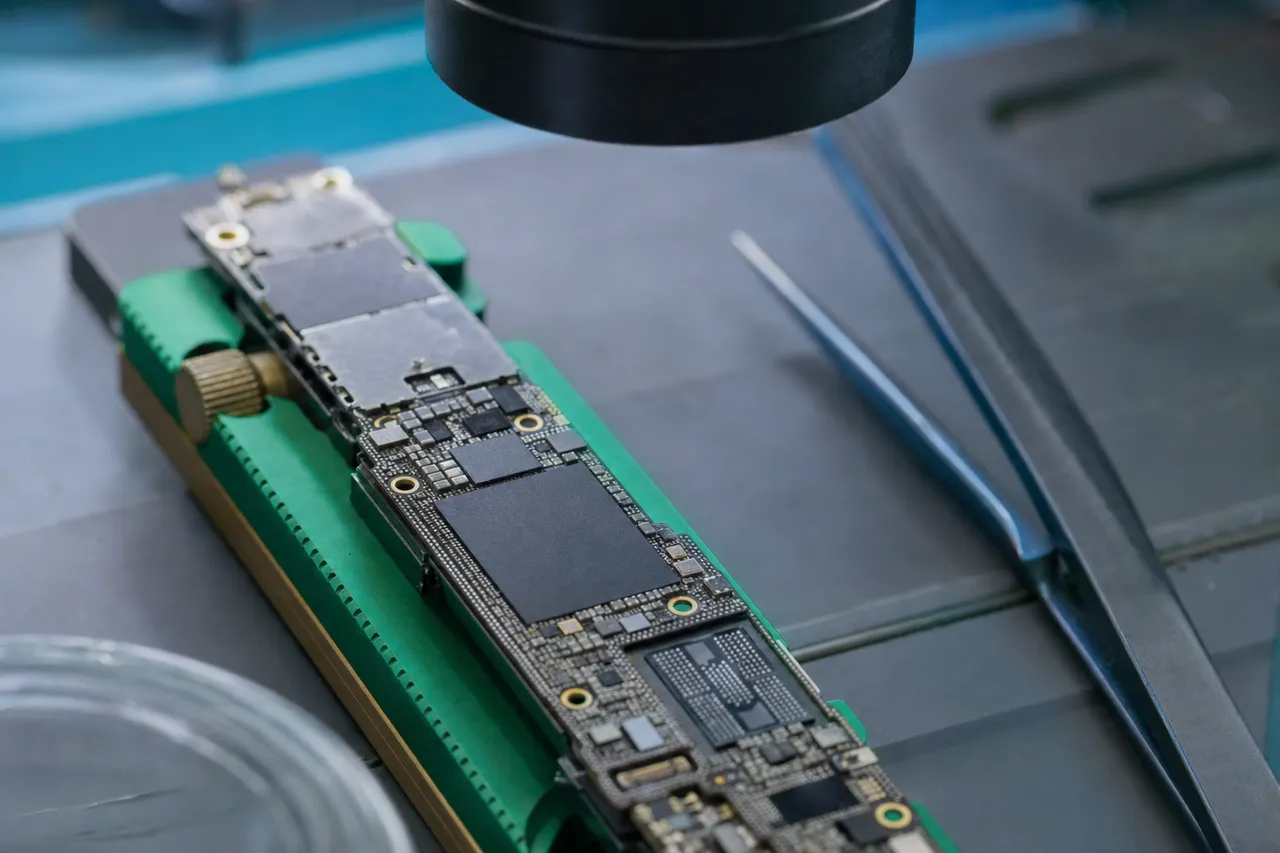
Every case requires iPhone microsoldering and component-level diagnostics. We use thermal cameras, oscilloscopes, and microscopes to locate faults, repair damaged traces, and restore the phone to a bootable state long enough to create a backup.
Sandwich board CPU + NAND TRANSPLANT
- 01 Separate the sandwich Newer iPhones stack two board layers - they must be split first.
- 02 Controlled heat Precise temperature frees the chips without cooking them.
- 03 Lift the SoC + NAND pair The chips move together - the pairing keeps your data decryptable.
- 04 Boot & read on a donor The pair boots on a donor board and a full backup comes off.
Illustrative bench sequence - the SoC and NAND are cryptographically paired, so they always travel together.
How Long Does iPhone Data Recovery Take?
Standard turnaround is approximately 4-5 weeks. Need it faster? Choose a rush tier and your device moves to the front of the queue.
- Standard Included4-5 Weeks
Included with every recovery. Your iPhone enters our queue and is worked on in the order received.
- Priority Rush +$2505-7 Days
Your device jumps ahead in the queue and work begins within 1-5 business days.
- Urgent Rush +$5001-2 Days
Work begins immediately. Ideal for emergency recoveries.
- Emergency Same Day +$1,000Same Day
Highest priority. Your device is worked on the same day it arrives.
How iPhone Data Recovery Works
-
Submit a Quote & Ship Your iPhone
Fill out our quote form or call us. We'll send you a free prepaid insured shipping label. Package your iPhone securely and drop it off at any UPS location. Your device typically arrives at our lab in 2-3 business days.
-
Logic Board Diagnostics
Our technicians disassemble your iPhone and perform component-level diagnostics using thermal cameras, oscilloscopes, and microscopes. We test for short circuits, assess liquid damage, evaluate chip integrity, and determine the best recovery approach. This is covered by the $100 diagnostic fee.
-
Recovery Quote & Approval
After diagnostics, we provide a detailed assessment and exact recovery quote. You decide whether to proceed - if you do, the diagnostic fee is applied toward the total cost. No surprises, no hidden fees.
-
Microsoldering & Data Extraction
We perform motherboard repair to get your iPhone to power on and reach a usable state. Once the device boots and is unlocked, we create a full iTunes backup containing your notes, contacts, messages, photos, and app data. For severely damaged boards, we may transplant the CPU and NAND to a donor board.
-
Data Delivered
We send proof of recovery before requesting payment. Your recovered data is delivered via our secure data delivery portal or shipped on an external drive. All data is securely wiped from our systems after you confirm receipt.
Common Causes of iPhone Data Loss
Understanding what happened to your iPhone helps us plan the most effective recovery approach.
-
Liquid & Water Damage
Whether your iPhone fell in a pool, toilet, ocean, lake, or bathtub - or was exposed to rain, spilled coffee, or humidity - liquid can reach the motherboard within seconds. Corrosion begins immediately and spreads quickly - especially under the CPU and NAND where your data lives. Saltwater and sugary liquids cause the most aggressive damage. The single best thing you can do is stop trying to charge or power on the phone and send it to our lab immediately.
-
Physical Impact, Drops & Crush Damage
A dropped iPhone can crack the motherboard, shatter microscopic solder connections under the CPU, or physically damage the NAND storage chip. Even if the screen looks fine, internal components can be jarred loose or fractured. We handle dropped iPhone data recovery from every scenario - phones dropped from balconies, iPhones run over by cars, bent iPhones, and devices with severe crush damage. In extreme cases, we perform a full CPU and NAND transplant to a donor board.
-
Battery & Power Failure
A failing or swollen battery can cause an iPhone to stop powering on entirely, but the data remains intact on the NAND chip. In some cases, a degraded battery can cause voltage irregularities that damage the power management IC or Tristar charging chip, preventing the phone from booting even with a new battery. These are component-level faults that require microsoldering to repair.
-
Short Circuits
Electrical shorts on the motherboard can be caused by liquid exposure, faulty third-party chargers, or component degradation over time. A shorted component draws excessive current, generating heat and preventing the iPhone from booting. We use thermal cameras to locate the short and then perform precision microsoldering to remove or replace the faulty component.
-
Failed Repairs & Long Screw Damage
One of the most heartbreaking scenarios we see is iPhones that were perfectly recoverable before a repair shop made things worse. Improperly removing the screen, tearing flex cables, damaging CPU pads during chip removal, applying too much heat during a reball attempt, or long screw damage (where a screw that's too long punctures the motherboard and severs traces near the CPU) - all of these can turn a straightforward recovery into a complex and expensive one. Long screw damage is particularly common on iPhone 7 and iPhone 8 models. If your iPhone was previously repaired or opened by another shop, let us know so we can factor that into our diagnostic approach.
-
Software & Update Failures
A botched iOS update, failed restore, or iPhone boot loop can render a device unusable. Common symptoms include an iPhone stuck on the Apple logo, iPhone black screen, iPhone blue screen, or iTunes displaying iPhone error 14, iPhone error 4013, or iPhone error 4014. While software issues alone don't typically require motherboard repair, many of these failures are symptoms of an underlying hardware problem - like a failing NAND chip or marginal solder joint that gives out during a firmware update. We diagnose the root cause before recommending a recovery path.
Regardless of how your iPhone was damaged, recovery hinges on one question: are the CPU and NAND still intact? If they are, recovery is possible. If either is physically cracked or destroyed, the data is gone due to Apple's hardware encryption. We verify this during diagnostics and give you a clear answer before you commit.
We work on iPhones damaged in every way imaginable - from phones that went through washing machines to devices run over by cars. If you're unsure whether your iPhone is recoverable, submit a free quote and describe what happened.
iPhone Data Recovery by Model
Each iPhone generation presents unique recovery challenges based on its internal architecture, chip design, and board layout.
- Legacy
iPhone 3GS / 4 / 5 Series
The earliest iPhones we recover data from. The iPhone 3GS was the first model to introduce hardware encryption, and the iPhone 4 introduced the A4 chip with full-disk encryption. These older devices have simpler board layouts and larger components, making logic board repair somewhat more straightforward. However, sourcing donor boards for these vintage models can be challenging, which impacts turnaround time. Recovery pricing starts at $500-$800 for these models. Despite their age, we regularly recover precious family photos and messages from these devices - data that often spans back over a decade.
- Mid-Range
iPhone 6 / 6s / 7 / 8 / SE
These models represent the bulk of our recovery cases. The iPhone 6 era introduced larger logic boards with more complex power management systems, while the iPhone 7 removed the headphone jack and introduced a new Taptic Engine - changes that altered the internal layout significantly. The iPhone 7 and 8 series use more advanced packaging for the CPU, making pad repair more delicate. SE models (2020, 2022) share internals with other generations but in a compact form factor. Recovery for these models typically costs $1,500.
- Modern
iPhone X / XS / 11 Series
The iPhone X marked a major design shift with a stacked logic board - two PCB layers sandwiched together to make room for the larger battery and Face ID components. This stacked design means component-level repair requires separating and re-bonding the two halves, adding complexity to every recovery. The A11 through A13 chips in these models use more advanced packaging with finer pitch connections. Despite these challenges, our success rate remains excellent when the CPU and NAND are intact. Recovery costs $1,500 for these models.
Learn more about iPhone 11 data recovery and what makes the A13 Bionic unique.
- Current
iPhone 12 / 13 / 14 / 15 Series
Apple's latest designs continue the stacked board architecture with increasingly miniaturized components. The iPhone 12 introduced 5G with the Qualcomm X55 modem, while the iPhone 13 brought the A15 Bionic and diagonal camera layout. The iPhone 14 Pro moved to the A16 Bionic with further packaging density, and the iPhone 15 switched to USB-C across the entire lineup. These newer models feature more advanced thermal management and more tightly integrated components, which means liquid damage can spread faster and affect more critical areas simultaneously. Recovery costs $1,500 for these models.
- Latest
iPhone 16 / 17 Series
The newest iPhone generations push component density and chip integration even further. The iPhone 16 uses Apple's 3nm A18 chip, the Camera Control button, and USB-C with Power Delivery - all of which create new failure points our lab is equipped to handle. Logic boards are engineered with virtually zero wasted space, and recovery requires the most advanced techniques and newest donor boards in our inventory. Due to the recency of these models and the higher cost of replacement parts, recovery pricing starts at $1,500. If your iPhone 16 or later needs data recovery, request a quote for a detailed assessment.
- Special
iPhone SE & Mini Models
The iPhone SE line reuses internals from flagship models in a smaller chassis - the SE (2020) shares the iPhone 8's logic board, while the SE (2022) is based on the iPhone 13 platform. iPhone Mini models (12 Mini, 13 Mini) pack full flagship hardware into a compact form factor. Recovery procedures for SE and Mini models follow the same approach as their full-size counterparts, with pricing based on the internal generation rather than the external design. The compact size of these devices doesn't affect recovery difficulty since the critical components are the same.
Not sure which iPhone model you have? Our technicians identify the exact model during diagnostics using the internal model number on the logic board. When you submit a quote request, just describe the phone as best you can (color, size, approximate year) and we'll handle the rest. Every iPhone model from the 3GS onward uses hardware encryption, which is why microsoldering is always required to access your data - regardless of the model.
Free insured shipping nationwide - $100 diagnostic credited - no data, no charge.
Dead & Broken iPhone Data Recovery, Explained in Depth
From water damage and dead boards to Apple's encryption and how we deliver your data - a full walkthrough of how our Lincroft, NJ lab recovers iPhones other shops give up on. Every scenario, in the order it matters.
Common Scenario
Recover Data from a Water Damaged iPhone
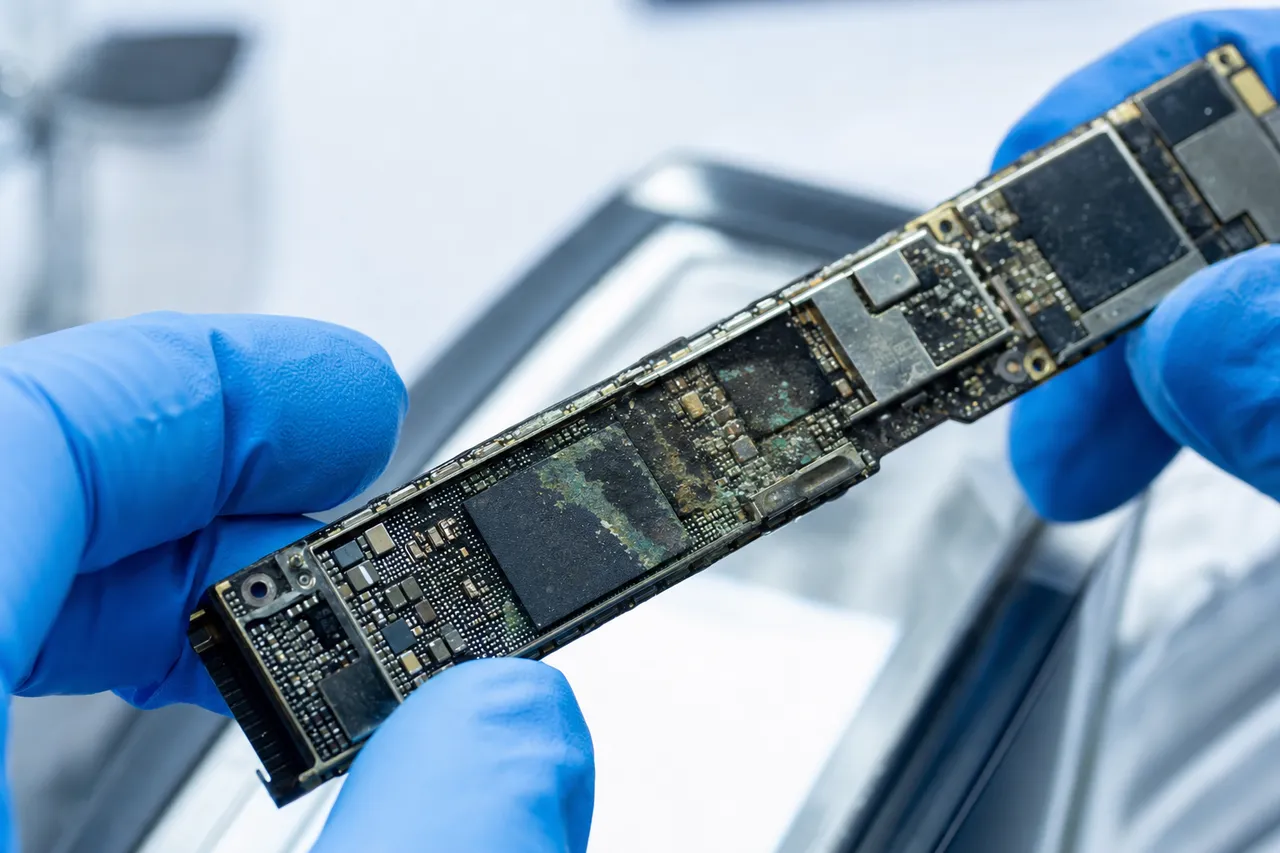
Water damaged iPhone data recovery is one of our most common services. Whether your iPhone fell in a pool, toilet, ocean, sink, or washing machine - or was simply exposed to moisture - liquid intrusion causes serious internal damage even if the phone looks fine on the outside.
Despite Apple's water resistance marketing (IP67, IP68), iPhones are not waterproof. The seals degrade after drops, screen replacements, and normal wear. We see "water-resistant" iPhones with catastrophic liquid damage on a weekly basis.
Corrosion starts immediately after contact with water, especially on the motherboard under the CPU and NAND. We use thermal cameras and microscopes to locate short circuits and damaged traces, then perform microsoldering to repair the board and get the phone to power on long enough to create a full backup.
The type of liquid matters. Clean fresh water causes the least damage, while saltwater, chlorinated pool water, and sugary liquids like coffee or soda cause much faster corrosion. Saltwater can destroy microscopic traces within hours - speed of treatment is critical for ocean-damaged devices.
Important: If your iPhone has been exposed to liquid, avoid charging or powering it on. Do not put it in rice - this is a myth that wastes critical time. Send it to our lab as soon as possible. Learn more about recovering data from a broken phone.
Dead iPhone
iPhone Won't Turn On? Dead iPhone Data Recovery
If your iPhone is completely dead - iPhone black screen, no response to charging, no signs of life - we can still recover your data. Can you recover data from a dead iPhone? Yes. A dead phone doesn't mean dead data - the CPU, NAND, and EEPROM may be fully intact, which means your contacts, notes, messages, and photos are still there. Whether it's dead iPhone data recovery or broken iPhone data recovery, the approach is the same: fix the board, boot the phone, extract everything.
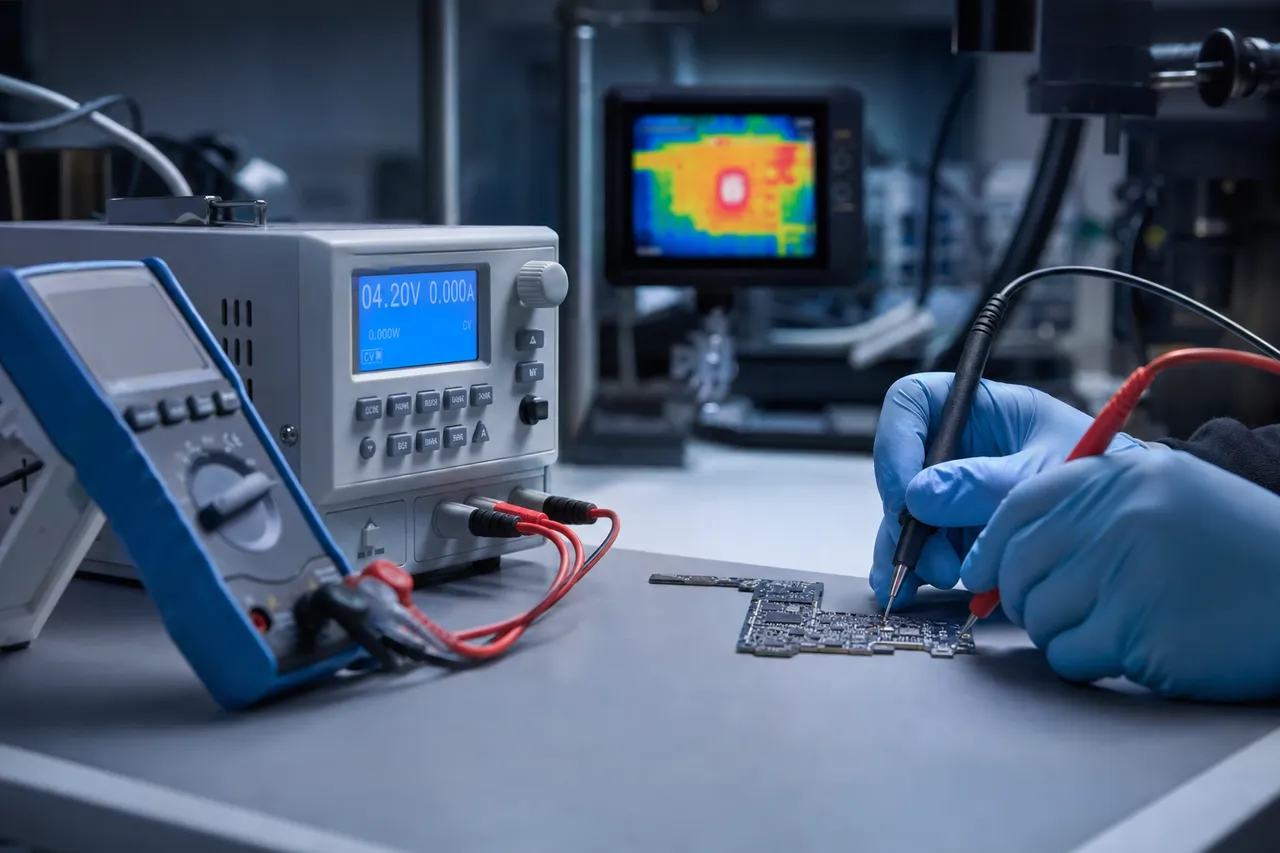
At MDRepairs, we don't just try a new battery. We perform advanced motherboard diagnostics to locate the exact component failure. Common causes include failed PMICs, blown capacitors, corroded charging circuits, damaged Tristar or Hydra chips, and broken CPU connections. Each failure has distinct thermal and electrical signatures.
Many iPhones that appear completely dead are suffering from a single failed component that can be replaced in hours. The PMIC is the most common culprit - when it fails, the iPhone receives no power at all, even though the board and storage are perfectly fine. A failed Tristar or Hydra chip (often from long screw damage) can prevent charging or USB communication entirely.
Once we identify and repair the fault, we boot the iPhone and create a working iTunes backup. This is true iPhone data recovery without backup - we don't need iCloud or iTunes to already have a copy. We extract everything directly from the device. Read our full guide on how to recover data from a broken iPhone for a detailed look at the process.
Advanced Recovery
iPhone NAND Recovery: CPU & Chip Swap Explained
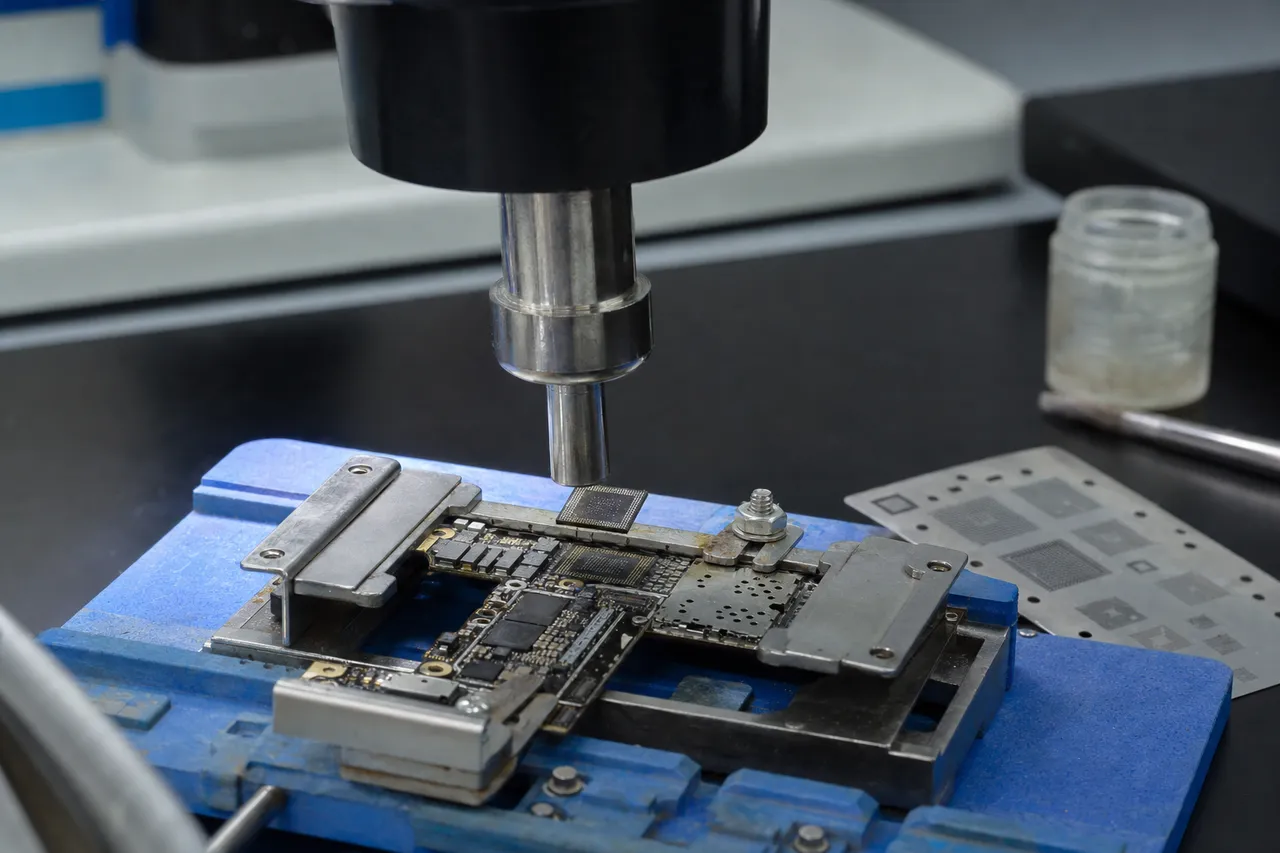
In some cases, an iPhone's motherboard is too damaged to repair - submerged in saltwater for days, physically snapped from severe impact, or wrecked by a botched repair at another shop. Even when the board itself is beyond saving, we can still recover your data as long as the CPU and NAND flash chip are intact.
We transplant both chips together to a working donor motherboard, preserving their encrypted pairing. This lets us boot the phone, unlock it, and create a full iTunes backup. This advanced technique is featured in many of our YouTube videos and serves as our last-resort method when standard board repair fails. CPU/NAND swap pricing is $2,500 flat due to the highly specialized labor involved.
Trace Restoration
iPhone CPU Repair & Trace Restoration
To recover data from any iPhone, the CPU must be fully functional. It must communicate with the logic EEPROM on the iPhone's motherboard to retrieve the encryption keys that unlock the NAND storage. Without this communication, your data remains locked and inaccessible.
In some cases, the CPU can become damaged from a hard drop or a failed repair attempt - such as when a technician removes the chip without proper technique, ripping or damaging the microscopic pads underneath. This breaks essential connections between the CPU and the board.
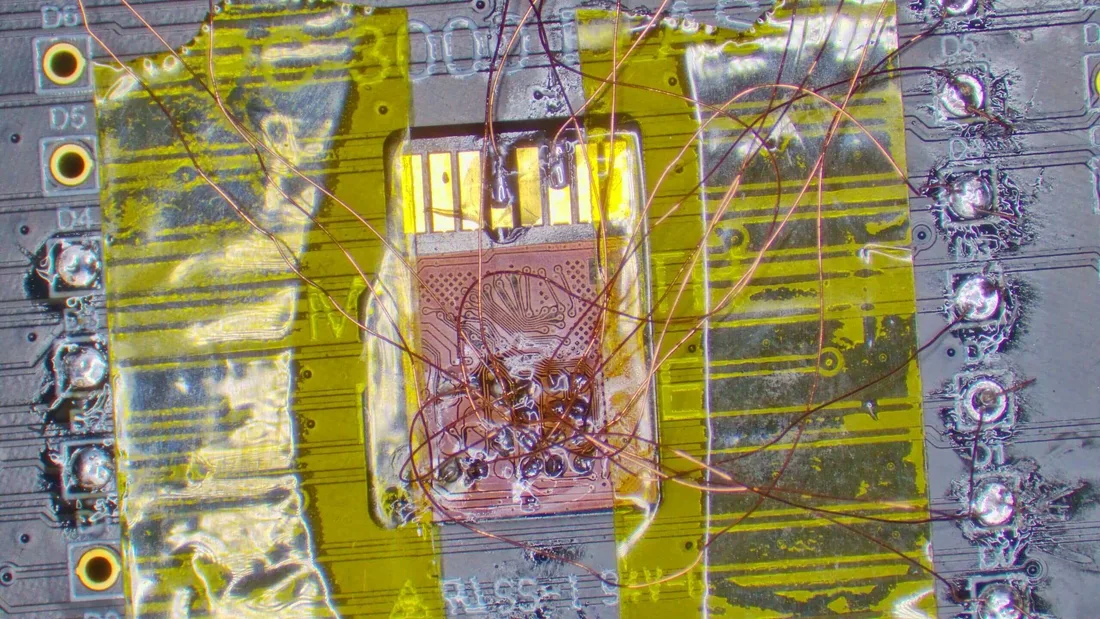
MDRepairs specializes in delicate CPU repair. We restore damaged traces directly on the chip, often under a microscope, using micro-jumpers and precision soldering. These jobs can take several hours to a full day depending on the number of torn connections. This level of component-level repair is rarely offered by most shops - but it's exactly what's needed when you're trying to recover irreplaceable data from a severely damaged iPhone.
Random Shutdowns
iPhone Randomly Shutting Off - Data Recovery
If your iPhone shuts off on its own, freezes randomly, or powers down overnight while sitting idle, you're not alone. This issue is often caused by a short circuit on the motherboard - not just a dead battery or software bug.
When an iPhone powers off on its own - especially after sitting idle - it's often because the power management system is compromised or a voltage line fails under load. The phone might turn on briefly, then shut down again, and eventually stop booting entirely.
We use advanced diagnostics like thermal imaging and board schematics to pinpoint the fault and restore stability to the board. Once repaired, we extract your data - messages, contacts, photos, videos, and app data - even if the phone doesn't fully boot on its own.
Tip: Avoid repeated charging or force restarts. Let our lab handle the diagnostics and recovery professionally - repeated power attempts on a shorted board can cause additional damage.
Success Rates
iPhone Data Recovery Success Rates
Our success rate is 100% when the CPU, NAND, and EEPROM are intact. The vast majority of iPhones we receive have working storage chips - it's the surrounding power circuitry, charging components, or corroded traces that have failed. This is exactly the scenario our motherboard repair process resolves.
100% success when the CPU, NAND & EEPROM are intact
Cases where recovery is not possible: if the CPU or NAND is physically cracked, shattered, or corroded through the chip packaging. This can result from extreme impact (phone crushed by a vehicle), prolonged saltwater submersion, or botched repair attempts where chips were improperly removed. We always provide a straightforward assessment during diagnostics - if recovery isn't viable, we'll explain why, return your device, and you pay only the diagnostic fee.
Encryption
iPhone Encryption: Why You Can't Recover Data Without Professional Help
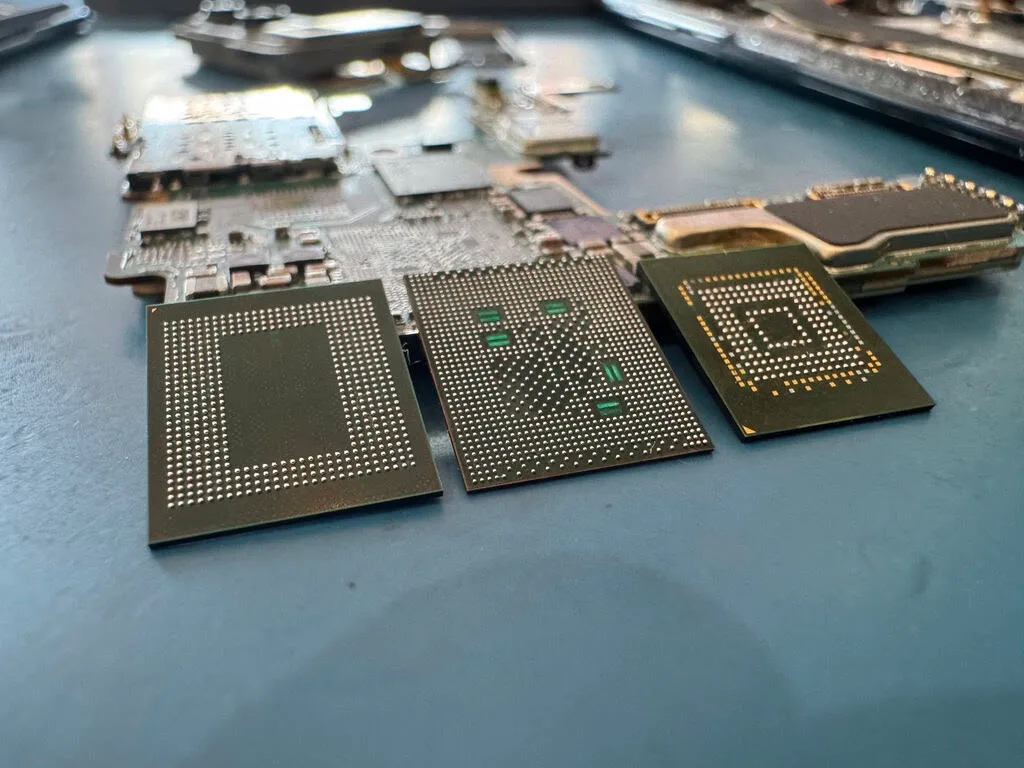
This is why our recovery process centers entirely on iPhone logic board repair. We fix whatever is preventing the phone from powering on, boot into iOS, authenticate with the passcode or Face ID, and create a standard iTunes backup while the phone is alive and unlocked. If the original board is too damaged, we transplant the CPU and NAND together to a donor - preserving their cryptographic bond. This is iPhone chip level repair at its most advanced.
Apple Secure Enclave
As explained above, iPhones use hardware-level encryption that permanently binds the CPU and NAND. But the practical implications of this go further than most people realize. You cannot desolder the NAND chip, read it with an external reader, and decrypt the contents - the decryption key doesn't exist outside the CPU silicon. You cannot swap the NAND to a different phone's board - the processor on that board has a different key. And no iPhone data recovery software can bypass hardware encryption on a phone that won't power on.
It's also worth noting that Apple's encryption applies equally to every file type. There's no way to selectively extract "just photos" or "just messages" - the device must fully boot first. Apple does not offer any data recovery service - the Apple Store will recommend replacing the device. Apple does not perform motherboard repair or microsoldering. AppleCare does not cover data recovery. For actual recovery from a non-functional iPhone, you need a specialized lab.
Choosing a Lab
Choosing the Right iPhone Data Recovery Service
Searching for iPhone data recovery near me? Most local shops can't do this work. Retrieving data from a dead or damaged iPhone requires advanced tools, deep knowledge of Apple's encrypted architecture, and hands-on experience with motherboard repair. Very few labs are truly proficient.
Most phone repair shops and even many recovery services act as middlemen - they accept your device and ship it to someone else who does the actual motherboard-level work. This adds cost, delays turnaround, and increases risk. When evaluating services, be wary of companies that don't show their lab, don't explain their process, or quote prices well below industry standards. A $300 iPhone recovery quote almost certainly means outsourced work or a misunderstanding of what's involved.
Also be cautious of services claiming they can recover "deleted" data from iPhones or bypass the passcode. Apple's encryption makes both impossible. Any company making these claims is either uninformed or misleading you.
At MDRepairs, we perform every recovery in-house. We diagnose, repair, and extract the data ourselves. Our mail-in iPhone data recovery program gives you direct access to the lab doing the actual work - no need to search for iPhone data recovery near me when you can ship your device straight to our technicians.
If your data is important, trust a team that's actually doing the work, with a proven track record and real recovery cases documented on YouTube.
Software Myth
iPhone Data Recovery Software Doesn't Work on Dead Phones
If you've searched for "how to recover data from a dead iPhone," you've likely found software tools like Dr.Fone, iMyFone, Tenorshare, and PhoneRescue promising to extract data from broken iPhones. Here's the catch: none of them work if your iPhone won't power on.
Every iPhone recovery software tool communicates with the phone's operating system through USB. The phone must be turned on, connected, and typically unlocked. If your iPhone is dead, water damaged, or stuck in a boot loop, there's nothing for the software to talk to. No program can bypass Apple's hardware encryption - these tools simply read data the phone is already sharing.
These tools only help with one narrow scenario: recovering recently deleted files from a working, unlocked iPhone. And even then, effectiveness is limited because Apple discards encryption keys for deleted storage blocks.
The same applies to iTunes and iCloud. If the iPhone won't turn on, iTunes can't detect it. If it's not on WiFi, iCloud can't sync. If it's stuck on the Apple logo, DFU mode or iPhone recovery mode will erase all data - that's a factory reset, not a recovery method.
True iPhone data recovery from dead, damaged, and non-functional devices requires physical motherboard repair and microsoldering. There are no software shortcuts. If your iPhone shows "iPhone Unavailable" or "Security Lockout," read our guide on why iPhone data usually can't be recovered from a locked device - and the rare cases where it can. Our $100 diagnostic gives you an expert assessment - and if we can't recover your data, that's all you'll ever pay.
Stolen Device Protection
iPhones With Stolen Device Protection Enabled
If your iPhone has Stolen Device Protection (SDP) enabled, we can still recover your data - but with one important difference. When SDP is active, Apple requires Face ID or passcode authentication to create a local backup. Because of this, we cannot transfer your data to a USB drive or external storage.
Instead, we will need to back up your data directly to your iCloud account. You'll need to provide your iCloud credentials so we can complete the backup. Your data will then be accessible through iCloud on any of your Apple devices.
If you're unsure whether SDP is enabled on your device, don't worry - we'll identify this during diagnostics and walk you through the process.
Business & Enterprise
Business & Enterprise iPhone Data Recovery
iPhones are the primary communication and documentation tool for millions of professionals. When a business-critical iPhone fails, the data loss extends far beyond personal photos - it can include client communications, contract details, proprietary files, financial records, and evidence needed for legal proceedings.
MDRepairs provides professional iPhone data recovery services for businesses of all sizes, from solo entrepreneurs who rely on a single device to enterprise IT departments managing fleets of company-issued iPhones. We understand the urgency of business recovery and offer Priority Rush and Emergency Same-Day service tiers to minimize downtime.
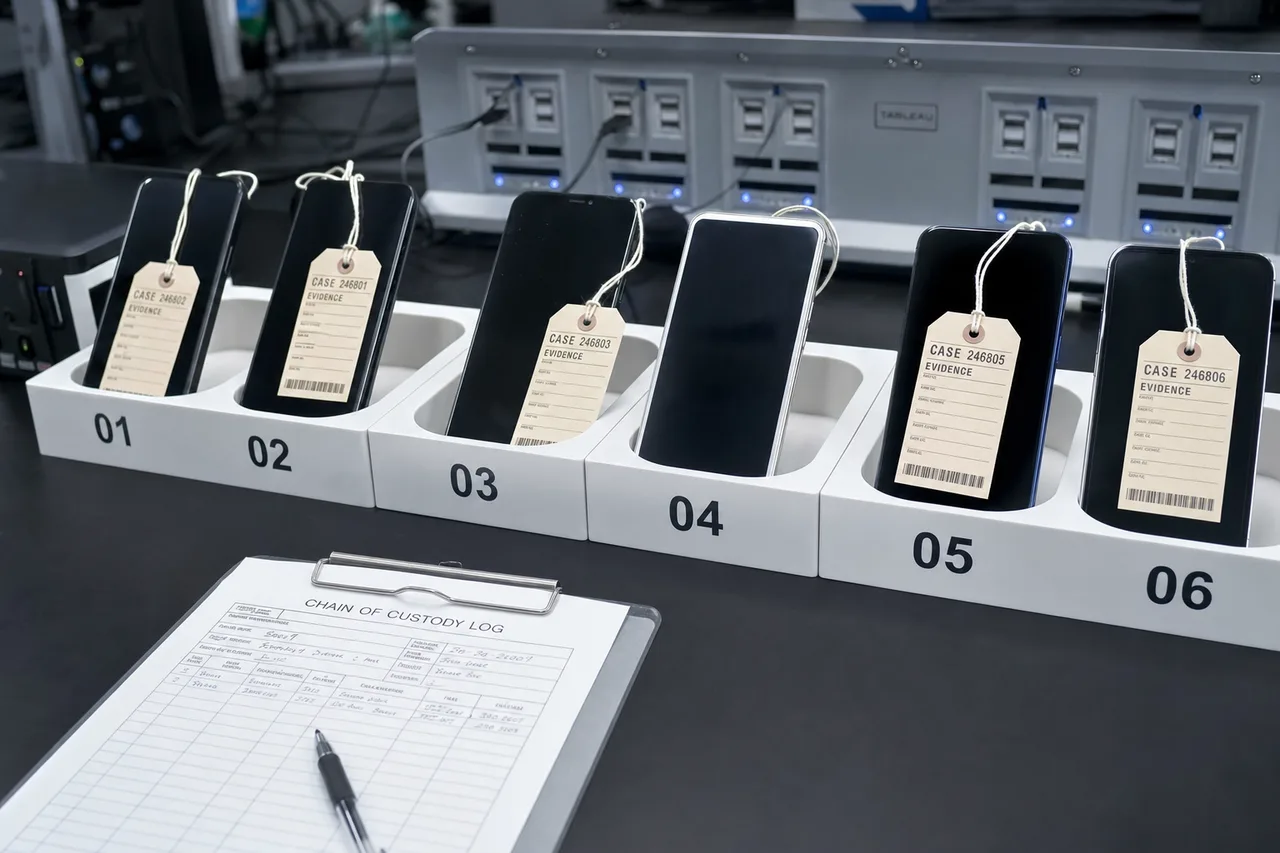
Our business recovery service includes everything that comes with our standard consumer service, plus additional considerations for corporate environments. We can provide formal chain-of-custody documentation for legal or compliance purposes. We handle devices managed by MDM (Mobile Device Management) platforms. And we can deliver recovered data in whatever format your organization requires - full iTunes backup, extracted individual file types, or direct iCloud restoration.
For law firms, insurance companies, and other organizations that may need iPhone data for litigation or investigation purposes, we provide detailed reports of the recovery process, the condition of the device upon receipt, and the methods used to extract the data. All work is performed in our Lincroft, NJ facility with strict security protocols - your data never leaves our lab, and we never access, view, or copy any information beyond what's necessary for the recovery.
If your business has multiple devices that need recovery, or if you'd like to establish an ongoing relationship for priority service, learn more about our partnership program for businesses and repair shops.
After Recovery
After Recovery: How You Receive Your iPhone Data
Once we boot your iPhone and create a full backup, we email you proof of recovery - typically a screenshot or file listing showing photo counts, message threads, and app data. Payment is only collected after you've confirmed the recovery was successful.
Your data is then delivered through our secure data delivery portal or shipped on a USB drive for larger backups.
With the iTunes backup file in hand, you can restore it to a new iPhone using iTunes or Finder, transferring all your photos, messages, contacts, apps, and settings. You can also browse the backup using tools like iMazing or iExplorer to extract individual files without restoring. Switching to Android? Check our data transfer guide.
After you confirm receipt, all copies are securely wiped from our systems.
What to Do When Your iPhone Dies
The actions you take immediately after your iPhone stops working can make or break a successful recovery.
Do This
- Stop using it immediately.If your iPhone got wet, fell hard, or stopped working suddenly - set it down and leave it alone. Every additional attempt to power it on risks causing more damage to the logic board.
- Keep it powered off.Do not plug it into a charger, connect it to a computer, or press any buttons. Charging a liquid-damaged or shorted board can cause irreversible damage to the CPU, NAND, or power management circuitry.
- Store it in a dry, room-temperature environment.Avoid leaving your iPhone in a hot car, direct sunlight, or freezing temperatures. Extreme temperatures can accelerate corrosion or cause thermal stress on already-compromised solder joints.
- Contact a professional lab.The sooner a qualified technician examines your iPhone, the better your chances. Submit a quote request to start the process - we'll provide a free shipping label and initial assessment at no obligation.
- Document what happened.Write down exactly what happened and when - dropped in water, fell from a height, stopped working overnight, etc. This information helps our technicians plan their diagnostic approach and prioritize the most likely failure points.
Don't Do This
- Don't put it in rice.This is the most common myth in phone repair. Rice does not remove moisture from inside an iPhone. It can introduce starch dust into ports and connectors, and it gives people false hope while corrosion continues spreading internally. Rice delays professional treatment - which is the one thing that actually matters.
- Don't use a hair dryer or heat gun.Applying heat to a damaged iPhone can reflow solder joints in unintended ways, warp the logic board, or cause moisture to migrate deeper into the device. Leave thermal work to professionals with proper equipment.
- Don't take it to a phone repair shop.Most cell phone repair shops specialize in screen replacements and battery swaps - not iPhone microsoldering. Many shops will attempt basic repairs that can make your data unrecoverable, or they'll simply tell you nothing can be done and suggest you buy a new phone.
- Don't attempt DIY repair.YouTube tutorials for iPhone repair are designed for cosmetic fixes, not data recovery. Opening an iPhone and attempting board-level work without proper tools and training almost always results in additional damage - torn flex cables, scratched boards, damaged CPU pads, and stripped screws.
- Don't wait weeks or months.If your iPhone has liquid damage, corrosion spreads every day it sits untreated. The longer you wait, the more damage occurs to critical components. Some customers contact us months after a water incident and by then the corrosion has reached the CPU or NAND, making recovery impossible.
We understand that losing access to your iPhone can be stressful. The good news is that in the vast majority of cases, your data is still there. The CPU and NAND are remarkably resilient - our job is to repair the surrounding circuitry well enough to boot the phone one last time and extract everything. If you're unsure about your situation, call us at 732-933-7717 for a free phone assessment.
iPhone Data Recovery Lab - Tools & Equipment
iPhone data recovery is among the most complex work in the data recovery industry. Our Lincroft, NJ lab is equipped with specialized tools purpose-built for component-level iPhone repair and data extraction.
-
Thermal Imaging Cameras
Detect short circuits and failing components by visualizing heat signatures on the logic board.
-
Oscilloscopes & Multimeters
Board-level electrical testing to trace power rails, verify signal integrity, and identify component failures.
-
High-Powered Microscopes
Precision inspection of microscopic pads, traces, and solder joints for CPU repair and micro-jumper work.
-
Rework Stations
Chip-level reflow, reballing, and component removal/replacement with precise temperature control.
-
iPhone NAND Recovery Tools
Specialized tools to interface with encrypted NAND storage for iPhone NAND recovery, data extraction, and backup creation.
-
Programmable Power Supplies
Controlled power delivery to boot damaged iPhones safely without triggering additional short circuits.
iPhone Data Recovery vs. Other Devices
How iPhone data recovery compares to other device types we service at MDRepairs.
-
iPhone vs. Android Recovery
Android devices like Samsung Galaxy phones use a different encryption architecture. While modern Android phones also use full-disk encryption, the implementation varies by manufacturer. Some Android devices allow chip-off NAND reading with decryption, while others require a boot-and-backup approach similar to iPhones. The motherboard repair and microsoldering skills transfer directly. If you have an Android device that needs recovery, visit our cell phone data recovery page for details.
-
iPhone vs. iPad Recovery
iPad data recovery uses the same encryption architecture and boot-and-backup approach as iPhone recovery. The primary difference is physical: iPads have larger logic boards with more accessible components, which can simplify certain repairs. However, iPads are more susceptible to flex-related damage due to their larger glass surfaces and thinner chassis. If you need data from a damaged iPad, the same techniques we use for iPhones apply.
-
iPhone Data Recovery vs. iPhone Repair
These are two distinct services. iPhone repair makes the phone usable again - replacing screens, batteries, and cameras. Data recovery has a completely different goal: we repair the motherboard just enough to boot the device one time and extract a backup. The microsoldering techniques overlap, but the end goal is different. If your phone just needs a screen or battery, our repair service is faster and less expensive.
-
Can Apple Recover Data from a Dead iPhone?
No. Apple does not offer any iPhone data recovery service. Apple data recovery simply does not exist - if you bring a dead or water damaged iPhone to the Apple Store or Genius Bar, they will attempt basic troubleshooting - force restart, DFU restore - and if those don't work, they'll recommend purchasing a replacement. Apple does not perform motherboard repair, microsoldering, or chip-level data extraction. AppleCare does not cover data recovery. Their service model is to swap the entire device, which means your data stays on the old motherboard and goes in the bin. This does not mean your data is unrecoverable - it means Apple doesn't have the tools or business model to recover it. A specialized lab like MDRepairs can.
-
Mail-In vs. Local iPhone Recovery
Many people assume they need a local shop for iPhone data recovery, but very few local shops have the equipment or expertise for motherboard repair and microsoldering. Most will tell you nothing can be done or quietly ship your phone to a specialist lab - adding cost and delay. Our nationwide mail-in program connects you directly to the lab doing the work. We provide free insured UPS shipping labels, your device arrives in 2-3 business days, and you get the same expert service whether you're in New Jersey, California, Texas, or anywhere else in the country.
Whether you have an iPhone, iPad, Samsung Galaxy, or another mobile device, MDRepairs has the component-level expertise to recover your data. Our cell phone data recovery service covers all major brands and models. If you're not sure which service you need, submit a quote with a description of your device and the problem, and we'll point you in the right direction.
Talk to the technician who does the board work - not a call center.
iPhone Data Recovery - Frequently Asked Questions
Straight answers on cost, turnaround, model support, and how we get your data back - drawn from the questions we hear every day.
-
How much does iPhone data recovery cost?
Pricing depends on the iPhone model and the extent of damage. Standard motherboard repairs for data recovery range from $500 to $1,500 depending on your model. Advanced CPU/NAND chip swaps for severely damaged boards are $2,500 flat. Our $100 diagnostic determines the exact issue, and we provide a firm quote before you commit. -
Can you recover data from a completely dead iPhone?
Yes. As long as the CPU, NAND, and EEPROM are intact, we recover all your data - messages, photos, contacts, notes, and app data - even if the iPhone is completely dead, shows no signs of life, or won't respond to charging. -
Can Apple recover data from a dead iPhone?
No. Apple does not offer data recovery services. The Apple Store and Genius Bar will attempt basic troubleshooting and then recommend replacing the device. Apple does not perform motherboard repair or microsoldering. For actual data recovery from a non-functional iPhone, you need a specialized lab like MDRepairs. -
Can you recover data from an iPhone without a backup?
Yes. iPhone data recovery without backup is our core service. We don't need an existing iCloud or iTunes backup - we repair the motherboard to boot the device and create a new backup directly from the phone. As long as the CPU and NAND are intact, we extract everything regardless of whether you ever backed up to iCloud or a computer. -
Can you recover photos from a broken iPhone without a backup?
Yes. We specialize in iPhone data recovery without backup - recovering photos, videos, messages, and app data from iPhones with no iCloud or iTunes backup, even when the phone won't turn on. We repair the motherboard to get the phone to boot, then create a full backup directly from the device. -
My iPhone won't turn on - can you still recover data?
Absolutely. iPhone won't turn on data recovery is one of our most common cases. A non-responsive iPhone usually has a failed power component - not destroyed storage. We diagnose and repair the specific component failure, get the phone to boot, and extract a full backup of all your data. -
Can you recover data from a water damaged iPhone?
Yes. Water damage is one of our most common recovery scenarios. We recover data from liquid-damaged iPhones every day, including severe corrosion, saltwater damage, and rusted components. Avoid powering on a wet iPhone and send it to our lab as soon as possible. -
How long does iPhone data recovery take?
Standard turnaround is approximately 4-5 weeks. Rush Service (+$250) puts your device at the front of the queue, starting within 1-5 business days. Urgent Rush (+$500) and Emergency Same-Day (+$1,000) options are also available. -
Cracked screen iPhone data recovery - is it possible?
Yes. A broken screen does not affect your ability to recover data as long as the internal components - CPU, NAND, and EEPROM - are still functional. We can repair the board and extract data regardless of screen condition. -
Can you recover deleted data from an iPhone?
No. iPhones use full-disk encryption, and once data is deleted, it becomes permanently inaccessible - even with advanced tools. Unlike hard drives, there's no undelete option. Our service recovers data from damaged or non-functional iPhones, not from intentional deletion. -
Do you provide mail-in iPhone data recovery?
Yes. We serve all 50 states through our secure mail-in program with free prepaid insured shipping labels. Fill out our quote form, ship your iPhone to our Lincroft, NJ lab, and we handle the rest. -
What happens if you can't recover my data?
You only pay the $100 diagnostic fee. During diagnostics, if we determine the CPU or NAND is damaged beyond repair, we'll explain our findings and return your device at no additional cost. -
Can you recover WhatsApp messages from an iPhone?
Yes. We can recover full WhatsApp conversations, attachments, and media stored on the device, even without a cloud backup. Once the iPhone boots and is backed up, all app data including WhatsApp is included. -
What if my iPhone has been opened or repaired before?
We can still recover data from previously opened devices. However, failed repair attempts - especially poor CPU removal - can increase the difficulty and risk. Please let us know if your phone has been worked on before so we can factor that into our diagnostic approach. -
Do you recover data from iPhones with Stolen Device Protection?
Yes, but we will need to back up your data to your iCloud account. When Stolen Device Protection is enabled, Apple requires Face ID or passcode authentication to create a local backup, so we cannot transfer data to USB or external storage. -
Will my data be kept private and secure?
Absolutely. Your data never leaves our facility, and we never access, view, or copy any of your private information. All recovery work is performed in-house with strict chain-of-custody protocols. Data is securely wiped from our systems after you confirm receipt. -
Can you recover data from an iPhone that was in saltwater?
Yes, though saltwater causes the most aggressive form of corrosion. Salt accelerates oxidation on the logic board, and the damage spreads rapidly - often reaching critical components like the CPU and NAND within days. If your iPhone was submerged in saltwater (ocean, pool with salt chlorination), time is critical. Do not rinse it with fresh water, do not try to dry it, and do not charge it. Send it to our lab as quickly as possible. We've successfully recovered data from iPhones that spent extended time in the ocean, but earlier intervention always yields better results. -
Can you recover data from an iPhone with a cracked screen?
A cracked screen alone does not prevent data recovery. The screen is an output and input device - it doesn't store any data. What matters is the condition of the logic board and its critical components (CPU, NAND, EEPROM). We regularly recover data from iPhones with completely shattered screens. In fact, if the internal components are undamaged, a cracked screen is one of the simplest recovery scenarios we handle. The phone doesn't even need a working screen for us to create the backup. -
Do I need to know my iPhone's passcode for recovery?
Yes. Due to Apple's encryption, we need the device to be unlocked to create a backup. This means you must provide your passcode, and for devices with Face ID, we may need to get the device to a state where Face ID works or where the passcode can be entered. We cannot bypass iPhone passcodes or Apple's security features - nor would we attempt to. If you've forgotten your passcode, there may still be options depending on your specific situation. Contact us to discuss. -
Can you fix an iPhone stuck in a boot loop?
Yes. A boot loop - where the iPhone repeatedly shows the Apple logo and restarts - is usually caused by either a software corruption or a hardware fault on the logic board. We diagnose the root cause: if it's a hardware issue like a failing NAND chip or marginal solder joint, we repair the board. If it's a software issue, we may be able to extract data without board-level work. Either way, the goal is the same - get the phone to a stable booted state and create a full backup. -
How do you deliver my recovered data?
We deliver recovered data through our secure data delivery portal as a downloadable iTunes backup file. You can also request delivery on a USB flash drive or external hard drive shipped to your address. The iTunes backup can be restored to a new iPhone directly through iTunes or Finder, or you can use tools like iMazing to browse and extract individual files (photos, messages, etc.) without restoring to a device. -
Can I restore the backup to a new iPhone?
Yes. The backup we create is a standard iTunes backup - the same format Apple uses. You can restore it to any compatible iPhone using iTunes on Windows or Finder on Mac. When you restore from our backup, your new iPhone will have all your photos, messages, contacts, notes, app data, settings, and everything else from the recovered device. It's like picking up exactly where you left off. For help with the restoration process, check our guide on how to transfer data to a new phone. -
What's the difference between data recovery and iPhone repair?
Standard iPhone repair is designed to make the phone usable again for daily use - replacing screens, batteries, cameras, and other components. Data recovery has a different goal: we repair the logic board just enough to get the phone to boot one time and create a backup. The phone may not be suitable for continued use after recovery - we're focused on extracting your data, not returning a working device. If your phone just needs a standard repair (screen, battery, charging port), our iPhone repair service may be more appropriate. -
Is it possible to recover data from an iPhone that's been in a fire?
It depends on the severity of the fire damage. If the motherboard is charred, warped, or the CPU/NAND chips are visibly damaged from extreme heat, recovery may not be possible. However, if the phone was exposed to smoke, moderate heat, or a brief fire and the motherboard is still structurally intact, we can often recover the data. The CPU and NAND are remarkably heat-resistant for short exposures. Send us photos of the device and we'll provide an assessment before you ship it. -
Can you recover data from an iPhone that another shop couldn't fix?
Yes - this is actually a significant portion of our caseload. Many customers come to us after one or more local shops have told them the phone is unrecoverable or after a repair attempt made things worse. Most phone repair shops don't have the equipment or training for motherboard-level microsoldering. We regularly recover data from devices that other shops failed on. However, if a previous repair attempt caused physical damage to the CPU pads or NAND, recovery becomes more difficult and may require a CPU/NAND transplant. -
Do you work on Samsung Galaxy and other Android phones too?
Yes. While this page focuses on iPhone recovery, we provide cell phone data recovery for all major brands including Samsung Galaxy, Google Pixel, OnePlus, LG, Motorola, and other Android devices. Android recovery techniques differ from iPhone recovery due to different encryption implementations, but the component-level repair skills are the same. Visit our cell phone data recovery page for details on Android recovery. -
Is there iPhone data recovery near me?
Unless you happen to be near one of the few labs in the country with actual motherboard microsoldering capability, the best option is our mail-in service. Most "iPhone data recovery near me" results are shops that outsource the work anyway, adding cost and delay. With MDRepairs, you ship directly to the lab performing the repair - free insured shipping, 2-3 day delivery, and the same expert service whether you're local to New Jersey or across the country. -
My iPhone fell in water - what should I do?
Whether your iPhone fell in a toilet, pool, lake, or ocean - the most important thing is to stop trying to power it on or charge it. Do not put it in rice. Each power-on attempt can worsen short circuits on the logic board. Keep the device powered off, store it in a dry place, and contact our lab as soon as possible. The sooner we receive a water damaged iPhone, the better the recovery outcome - corrosion spreads every day the phone sits untreated. -
How do I ship my iPhone for mail-in recovery?
After you submit a quote form, we'll email you a free prepaid insured shipping label via UPS. Place your iPhone in a small box with padding (bubble wrap, paper, or even socks work fine) and drop it off at any UPS location. The package is fully insured during transit. Your iPhone typically arrives at our Lincroft, NJ lab within 2-3 business days. Visit our mail-in data recovery page for detailed shipping instructions and tips for packaging your device safely. -
Can you recover voicemails and voice memos from an iPhone?
Yes. The iTunes backup we create includes all Voice Memos recordings, saved voicemails (if your carrier supports Visual Voicemail), and any audio files stored on the device. Voice Memos are especially common in business and legal recovery cases where clients have used their iPhone to record meetings, interviews, or personal notes. All audio files are included in the complete backup. -
What if my iPhone is physically bent or broken in half?
A physically bent or broken iPhone is one of the most serious recovery scenarios because the logic board itself may be fractured. If the CPU and NAND are on opposite sides of the break, or if either chip is cracked, recovery requires a CPU/NAND transplant to a donor board - our most advanced and time-intensive procedure. If both chips are intact and undamaged, we can transplant them together. This is priced at $2,500 flat due to the extreme precision required.
Ready When You Are
Ready to Recover Your iPhone Data?
Get started with a free quote. We'll evaluate your situation, send you a prepaid shipping label, and begin diagnostics as soon as your iPhone arrives.
iPhone Data Recovery Service - All 50 States
You don't need a local iPhone data recovery service. MDRepairs serves customers in all 50 states through our secure mail-in program with free insured shipping. Your device arrives at our NJ lab in 2-3 business days. The best results come from specialized equipment and experienced technicians, not physical proximity.