2M+ followers watch us recover data on YouTube, TikTok & Instagram - watch real cases ↗

Western Digital Data Recovery

Lost data on your Western Digital hard drive? MDrepairs is a professional hard drive data recovery lab in Lincroft, NJ specializing in all WD drives - from WD Blue desktop drives and WD Black gaming drives to My Passport and My Book external storage. Whether your WD drive is clicking, not detected, or showing corrupted files, our certified technicians recover data other labs cannot. We handle all Western Digital internal and external hard drives, including WD Red NAS drives, WD Purple surveillance drives, and WD Gold enterprise drives. Every case starts with a $100 professional diagnostic that gives you a detailed report on the issue, recovery likelihood, and exact pricing. We serve customers nationwide through our secure mail-in program with free insured shipping both ways.

We recover data from failed, dropped, and non-detecting Western Digital drives - SMR translator rebuilds, Marvell ROM transfers, head-stack swaps, and hardware-encrypted My Passport and My Book work, all done in our own New Jersey lab, never shipped to a middleman.

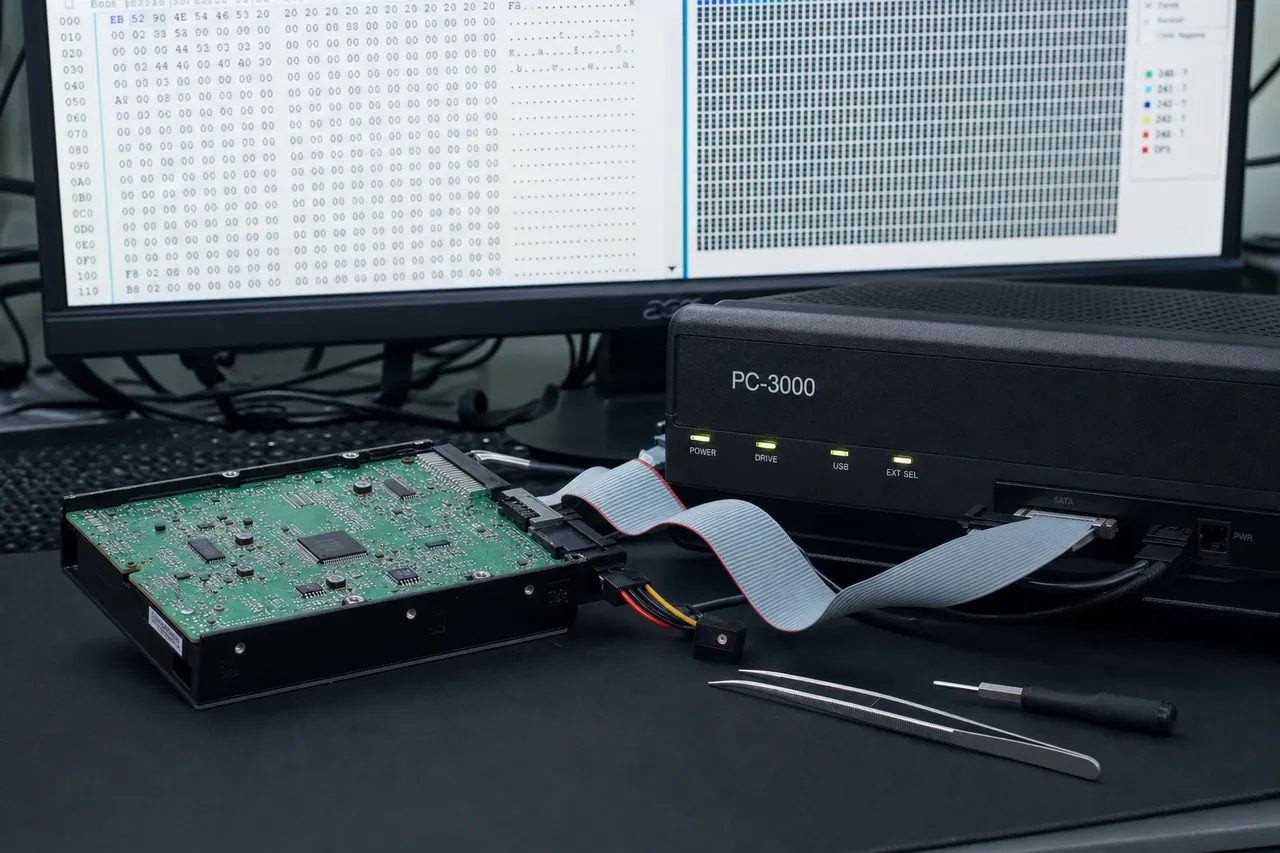
A WD drive that clicks, buzzes, or disappears almost always means a physical or firmware failure - crashed read/write heads, a seized motor, a failed USB bridge board, or a corrupted translator in the System Area. We image failing drives sector-by-sector on PC-3000 with matched WD donor parts, then rebuild your files from the clone - your original is never written to. Clients nationwide use our secure mail-in program.

Follow Our Work

Professional Data Recovery Lab Backed By 2M+ Followers

MDrepairs founder Joseph Montanti has built one of the most-followed data recovery channels online with over 2 million followers across YouTube, TikTok, and Instagram. Watch real Western Digital recoveries from our Class 100 cleanroom lab in Lincroft, New Jersey. Our transparent approach lets you see exactly how professional data recovery works - from opening WD drives in the cleanroom to reuniting customers with irreplaceable files. Every Western Digital recovery we perform uses manufacturer-specific tools and techniques developed through years of hands-on experience with WD firmware and hardware architectures.

  • 1.1M+YouTube Subscribers
  • 400K+TikTok Followers
  • 290K+Instagram Followers
  • 470K+Facebook Followers
Documented on Camera

Western Digital Recoveries Documented on Video

Watch real Western Digital recoveries from start to finish - every diagnosis, head swap, firmware repair, and data extraction documented on camera.

  • Western Digital 1TB - Rejected by Another Lab as Unrecoverable

    Drive
    Western Digital WD10JMVW (1TB portable)
    Failure
    Physical impact bent the internal chassis, throwing off the precise alignment between the read/write heads and platter surfaces. Another lab examined this drive and declared it unrecoverable.
    Recovery
    We identified the chassis deformation as the root cause, transplanted the platter stack into a matched donor chassis to restore proper head alignment, and imaged the drive. Nearly all data recovered from a case another lab turned away.
  • Western Digital USB Drive - Multi-Stage Recovery with Translator Failure

    Drive
    Western Digital WD20SDRW (2TB USB drive)
    Failure
    Crashed read/write heads with a USB-only PCB, requiring conversion to SATA for professional tool access. Mid-recovery, the drive's translator module failed - a critical firmware component that maps logical sectors to physical locations on the platters.
    Recovery
    We extracted the ROM, converted the USB interface to SATA, and began imaging with donor heads. When the translator failed, our pre-recovery service area backups allowed us to rebuild it and continue. Four separate donor head stacks were required to complete the full image. All data recovered.
  • WD My Passport 5TB - Clicking from Failed Head Stack

    Drive
    Western Digital My Passport (5TB portable)
    Failure
    Repetitive clicking on power-up - the classic symptom of a failed read/write head stack. The heads could no longer read the servo tracks needed to position themselves over data, causing the drive to click and reset in a loop.
    Recovery
    We converted the USB-only PCB to a SATA interface for compatibility with our PC-3000 diagnostic platform, then performed a full head stack assembly swap using a matched donor. Clean imaging with no complications. All data recovered - irreplaceable family photos and years of personal files intact.
  • Western Digital WD20EARS - Two-Pass Head Isolation Recovery

    Drive
    Western Digital WD20EARS (2TB desktop)
    Failure
    Partial head stack failure - one head in the stack degraded while the others remained functional. Continued operation on the failing head risked damaging its corresponding platter surface and losing data permanently.
    Recovery
    We used a two-pass strategy. First, we disabled the failing head at the firmware level and imaged all data accessible from the healthy heads. Then we swapped in a fresh donor head stack and ran a second pass to recover the remaining data from the previously disabled head's surface. Full data recovered across both passes.
Coverage

Western Digital Models We Recover

MDrepairs recovers data from every Western Digital drive ever manufactured - from legacy WD Caviar drives to the latest WD Blue SN580 NVMe SSDs. We hold the firmware tools, donor parts inventory, and cleanroom facilities to handle any WD recovery. Below is a partial list of the models we service regularly.

WD Blue - Desktop & Laptop

  • WD Blue 500GB (WD5000AZLX)
  • WD Blue 1TB (WD10EZEX)
  • WD Blue 2TB (WD20EZAZ)
  • WD Blue 4TB (WD40EZAX)
  • WD Blue SA510 SSD
  • WD Blue SN570 NVMe
  • WD Blue SN580 NVMe

WD Black - High Performance

  • WD Black 1TB (WD1003FZEX)
  • WD Black 2TB (WD2003FZEX)
  • WD Black 4TB (WD4005FZBX)
  • WD Black 6TB (WD6004FZBA)
  • WD Black SN770 NVMe
  • WD Black SN850X NVMe

WD Red - NAS

  • WD Red 2TB (WD20EFAX)
  • WD Red 4TB (WD40EFAX)
  • WD Red 6TB (WD60EFAX)
  • WD Red Plus 8TB
  • WD Red Plus 10TB
  • WD Red Plus 12TB
  • WD Red Pro 14TB
  • WD Red Pro 16TB
  • WD Red Pro 18TB

WD Purple - Surveillance

  • WD Purple 1TB (WD11PURZ)
  • WD Purple 2TB (WD23PURZ)
  • WD Purple 4TB (WD43PURZ)
  • WD Purple 8TB (WD84PURZ)
  • WD Purple Pro 12TB

WD Gold & Ultrastar - Enterprise

  • WD Gold 4TB (WD4003FRYZ)
  • WD Gold 6TB (WD6003FRYZ)
  • WD Gold 8TB (WD8004FRYZ)
  • WD Gold 10TB
  • WD Gold 14TB
  • WD Gold 16TB
  • WD Gold 18TB
  • WD Gold 20TB
  • WD Ultrastar DC HC550
  • WD Ultrastar DC HC560
  • WD Ultrastar DC HC570
  • WD Ultrastar DC HC580

My Passport - Portable

  • My Passport 1TB
  • My Passport 2TB
  • My Passport 4TB
  • My Passport 5TB
  • My Passport Ultra 1TB
  • My Passport Ultra 2TB
  • My Passport Ultra 4TB
  • My Passport SSD 1TB
  • My Passport SSD 2TB

My Book - Desktop External

  • My Book 4TB
  • My Book 6TB
  • My Book 8TB
  • My Book 10TB
  • My Book 12TB
  • My Book 14TB
  • My Book Duo 16TB
  • My Book Duo 24TB
  • My Book Duo 36TB

WD Elements & EasyStore

  • WD Elements 1TB
  • WD Elements 2TB
  • WD Elements 4TB
  • WD Elements 5TB
  • WD Elements SE SSD
  • WD EasyStore 1TB
  • WD EasyStore 2TB
  • WD EasyStore 4TB
  • WD EasyStore 5TB
  • WD EasyStore 8TB
  • WD EasyStore 12TB
  • WD EasyStore 14TB
  • WD EasyStore 16TB
  • WD EasyStore 18TB

My Cloud NAS

  • My Cloud Home 4TB
  • My Cloud Home 8TB
  • My Cloud Home Duo 12TB
  • My Cloud EX2 Ultra
  • My Cloud EX4100
  • My Cloud PR2100
  • My Cloud PR4100

Legacy WD & SanDisk SSD

  • WD Caviar Green 1TB
  • WD Caviar Green 2TB
  • WD Caviar Black 1TB
  • WD Caviar Blue 500GB
  • WD SanDisk Extreme SSD
  • WD SanDisk Extreme Pro SSD
$100 diagnostic - No data, no charge - Free shipping
Failure Modes

Common Western Digital Drive Failures

From clicking My Passports to firmware-locked My Books, here are the WD failures we diagnose and recover most often.

  • Clicking or Ticking Sounds

    WD drives produce a repetitive clicking sound when the read/write heads are unable to locate the firmware zone or service tracks. This is common in My Passport and WD Elements drives after drops or impacts. Requires cleanroom head replacement with compatible WD donor heads.

  • Drive Not Detected

    Western Digital external drives frequently fail to appear in Disk Management or Finder due to a failed USB-to-SATA bridge board, PCB failure, or seized spindle motor. WD My Book models are especially prone to PCB-level encryption issues requiring specialized recovery.

  • Firmware Corruption

    WD drives store critical firmware modules on the platters in a reserved System Area. Corruption in modules like the translator, defect list, or SMART data can make the drive inaccessible even with healthy hardware. Our firmware tools can read, repair, and rewrite WD firmware modules.

  • Motor Seizure / Spinup Failure

    Western Digital drives may fail to spin up due to a seized spindle motor or failed motor controller on the PCB. The drive either makes no sound at all or produces a brief buzzing sound. Recovery requires platter transplant in a cleanroom or motor repair depending on the specific WD drive family.

  • Bad Sectors & Degraded Media

    WD drives develop bad sectors over time due to platter degradation, weak heads, or manufacturing defects. Symptoms include extremely slow performance, freezing, blue screens, and corrupted files. Our imaging tools can work around bad sectors using custom read parameters tuned for WD drive architectures.

  • Encryption & Password Issues

    Many WD My Passport and My Book drives use hardware-level AES 256-bit encryption tied to the USB bridge board. If the bridge board fails, standard data recovery from the bare drive yields encrypted data. Our lab has specialized tools to handle WD hardware encryption and decrypt the recovered data.

Our Process

How We Recover Your Data

A clear, four-step path from a failed WD drive to your files back in hand - with a firm quote before any work begins.

  1. Free Quote

    Ship your Western Digital drive to our lab using our prepaid shipping label or drop it off in person. We perform a comprehensive evaluation to determine the failure type, assess platter condition, and identify the exact recovery approach needed for your specific WD model.

  2. Diagnosis & Quote

    Our technicians run a full diagnostic using WD-specific firmware tools and imaging hardware. You receive a detailed report explaining the failure, an itemized quote, and the expected recovery timeline. The $100 diagnostic fee applies to all cases.

  3. Recovery

    Upon approval, we begin the recovery using our Class 100 cleanroom for any physical work. WD drives requiring head swaps, platter transplants, or firmware repairs are handled with manufacturer-specific donor parts from our extensive WD inventory. We create a sector-by-sector image before extracting your files.

  4. Verification & Return

    We compile a complete file listing for your review. Once you verify the recovered data, we transfer everything to a new external drive and ship it back to you with free insured shipping. If we cannot recover your target data, you only pay the diagnostic fee - that is our no data, no charge guarantee.

Transparent Pricing

Western Digital Recovery Pricing

Every Western Digital recovery starts with a $100 diagnostic fee. Final pricing depends on the failure type, drive model, and complexity. Below are our standard pricing tiers for WD drive recoveries.

Logical / Firmware Recovery

$650 - $1,200

Data recovery from drives with logical errors, accidental deletion, formatting, file system corruption, or firmware failures. Includes PC-3000 firmware module repair and sector-level imaging.

  • Accidental deletion recovery
  • File system corruption repair
  • Firmware module restoration
  • Partition table reconstruction
  • Bad sector bypass imaging
$100 diagnostic applied to cost

Head Swap / Mechanical Recovery

$1,000 - $2,000

Recovery from clicking, buzzing, or non-spinning drives requiring clean bench work - head replacements, motor repair, stiction recovery, or spindle motor service.

  • Failed read/write head replacement
  • Motor failure repair
  • Stiction recovery (heads stuck to platter)
  • Clean bench head transplant with donor
  • PC-3000 selective head imaging
$100 diagnostic applied to cost

Platter / Severe Damage Recovery

$999 - $2,500+

Recovery from drives with platter surface damage, contamination, scoring from head crashes, or drives that failed at other labs. Includes helium drive recovery ($2,000 - $3,500+).

  • Scratched platter recovery
  • Contamination and debris removal
  • Head crash damage recovery
  • Multi-platter transplant
  • Conservative imaging around damaged zones
$100 diagnostic applied to cost
Helium Drive Recovery $2,000 - $3,500+

All pricing includes the $100 diagnostic fee. No data, no charge. If we cannot recover your target files, you only pay the diagnostic fee.

See full pricing
Timeline

Western Digital Recovery Turnaround Times

Diagnostic turnaround depends on your selected service tier. Rush options are available when you need answers faster. Recovery time is quoted after diagnostics are complete - the tiers below are how soon we begin, not the full recovery time.

Every data recovery case at MDrepairs begins with a $100 diagnostic evaluation - external inspection, PCB testing, motor current analysis, and controlled spin-up with head monitoring. You receive a detailed report within 48 hours with recovery likelihood, expected data yield, and timeline. The $100 is applied toward your final recovery cost. If we cannot recover your target files, you pay only the $100 diagnostic fee - no data, no charge.

  • 4 - 5 weeks

    Standard

    No surcharge

    The typical wait before your WD drive reaches our bench in the standard queue, measured from receipt.

  • 5 - 7 days

    Priority Rush

    +$250

    Your drive jumps to the front of the queue. Ideal for business-critical data where a few days matter.

  • 1 - 2 days

    Urgent Rush

    +$500

    Dedicated technician for time-sensitive cases, with expedited handling from the moment it lands.

  • Fastest

    Same Day

    Emergency

    +$1,000

    Immediate start. Highest priority, mission-critical situations that cannot wait.

The times above are how soon we begin diagnosing your drive - not the full turnaround. Recovery time is quoted after diagnostics. Mail-in adds free 2nd-Day-Air UPS each way (USA, excluding islands).

Free insured shipping nationwide - $100 diagnostic credited - no data, no charge.

Mail-In Service

Secure Mail-In Hard Drive Recovery from Anywhere

Free 2nd-Day-Air prepaid labels to all 50 states - the same in-house cleanroom expertise as our in-person service, with real-time status updates. Your drive is typically in our Lincroft, New Jersey lab within 2 - 3 business days, and return shipping is free too.

  • Free prepaid label, both ways
  • Fully insured, 2nd-Day-Air UPS
  • Real-time status updates
Mail-In Your Drive

Free 2nd-Day-Air UPS shipping covers the USA, excluding islands.

How Mail-In Works
  1. 1

    Contact Us

    Request a free quote and we’ll send you a prepaid, insured shipping label - printed right on the mail-in form.

  2. 2

    Ship Your Drive

    Pack your drive securely and drop it at any UPS location. Shipping is free both ways - free 2nd-Day-Air UPS, fully insured.

  3. 3

    We Recover Your Data

    Your drive is diagnosed and recovered by our lead technician Joseph Montanti using PC-3000 and DeepSpar tools in our professional clean-bench environment.

  4. 4

    Data Returned

    Your recovered data ships back on a new drive - free 2nd-Day-Air UPS, insured, and verified before it leaves our lab.

Security Protocol

Data Privacy & Chain of Custody

Your data is handled under strict chain-of-custody procedures from intake to secure destruction.

  1. Intake Logging

    Every drive is photographed and logged with a unique case number, serial, model, and condition on arrival.

  2. Restricted Access

    Only your assigned technician handles your drive. No shared workstations, no exceptions.

  3. No Browsing Data

    We never open or view your files. Integrity is verified through checksums and file structure only.

  4. Secure Delivery

    Data is transferred to a new drive and shipped back to you. All copies are purged after confirmation.

  5. Drive Return

    Your new drive is returned with your recovered data.

After Recovery

What You Receive After Recovery

  • Your Recovered Data

    Your files are delivered on a new external hard drive shipped directly to you, or we send you a password-protected download link for secure retrieval. We include a file listing so you can verify everything before we purge our copies.

  • Your Original Drive

    After recovery is complete, you choose what happens to your original drive - we can return it to you, hold it for a specified period, or securely destroy it. All copies of your data on our systems are purged after you confirm receipt.

  • Ongoing Support

    Need help accessing your recovered files, transferring data to a new device, or setting up backups to prevent future data loss? Our team is available after delivery to help you get back on track.

Western Digital, In Depth

Everything We Know About Recovering WD Drives

From firmware architecture and hardware encryption to head swaps, NAS arrays, SSDs, and prevention - the full picture of how MDrepairs gets data back from every Western Digital drive.

WD Recovery Capability

Complete Guide to Western Digital Data Recovery

Western Digital is one of the world's largest hard drive manufacturers, producing drives that store critical data for millions of consumers, businesses, and enterprises worldwide. When a Western Digital drive fails, the data stored on it can seem permanently lost - but professional data recovery can retrieve files from even severely damaged WD drives. At MDrepairs, our Lincroft, New Jersey lab specializes in Western Digital data recovery across every product line and failure type.
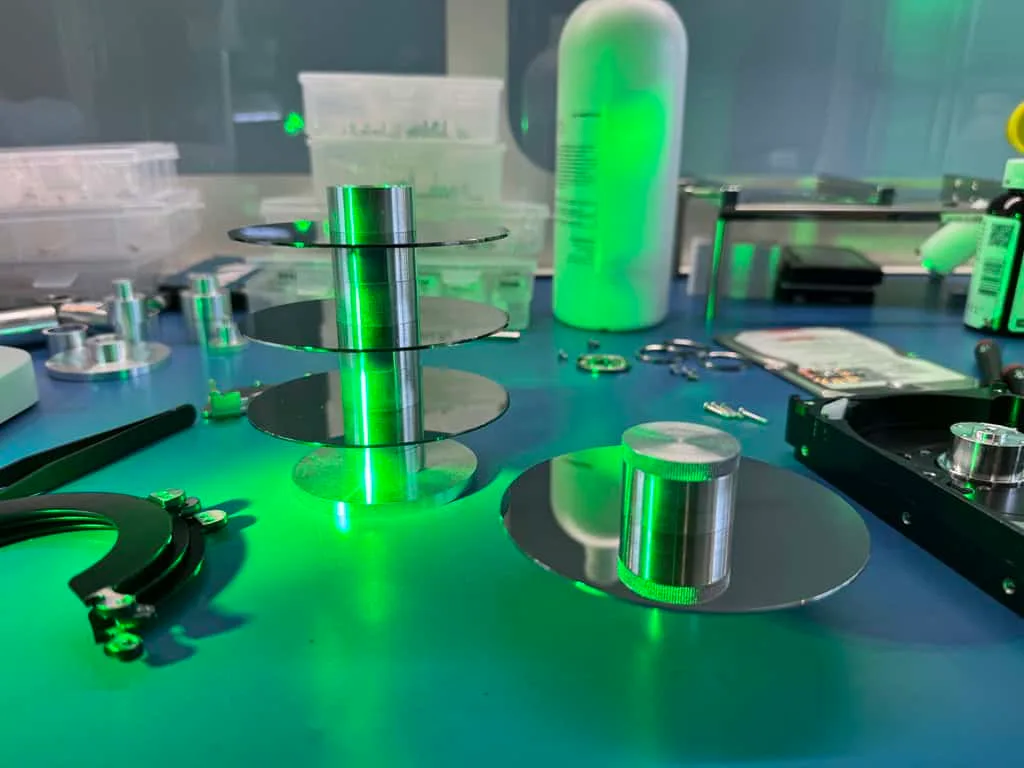
Mirror-finish hard drive platters exposed on the recovery bench under clean, even lab lighting

Why Western Digital Drives Fail

Western Digital hard drives, like all mechanical storage devices, contain precision components operating within extremely tight tolerances. The read/write heads float just nanometers above the spinning platters, reading and writing data through magnetic fields. Any disruption to this delicate system can result in data loss. Physical impacts, power surges, manufacturing defects, firmware bugs, and simple wear over time all contribute to drive failures. WD drives are generally reliable, but no hard drive lasts forever. The average lifespan of a Western Digital drive is 3-5 years under normal use conditions, though many drives last much longer and some fail much sooner. Environmental factors like heat, humidity, and vibration significantly affect drive longevity. Drives used in demanding applications like NAS arrays, surveillance systems, and gaming rigs tend to experience more stress and may fail earlier than drives in light-duty desktop use.

MDrepairs Western Digital Recovery Capabilities

Our lab maintains an extensive inventory of Western Digital donor drives spanning every product family and generation. This is critical because WD head swaps require donor heads from drives with matching head maps, firmware versions, and platter counts. A WD Blue 1TB from one manufacturing batch may require different donor heads than the same model from a different batch. Our donor inventory covers thousands of WD drive configurations, allowing us to match donors quickly and accurately. We use professional-grade data recovery hardware including PC-3000 and DeepSpar systems that support Western Digital-specific firmware access. These tools can read and modify WD firmware modules stored in the System Area of the platters, repair corrupted translators and defect lists, reset SMART data, and unlock drives stuck in various error states. For WD drives with hardware encryption - common in My Passport and My Book product lines - our tools can extract and manage encryption keys to ensure recovered data is fully decrypted and usable. Every physical recovery is performed in our Class 100 cleanroom facility. This controlled environment has fewer than 100 particles per cubic foot of air, preventing contamination that could cause additional damage to exposed platters during head swaps, platter transplants, and other invasive procedures. A single fingerprint or dust particle on an exposed platter can destroy the data in that region permanently, which is why professional cleanroom work is non-negotiable for physical WD drive recovery.
Product Lines

Western Digital Product Lines and Common Failure Modes

Western Digital organizes its consumer and enterprise drives into color-coded product lines, each designed for specific use cases. Understanding which product line your drive belongs to helps predict common failure modes and recovery requirements.

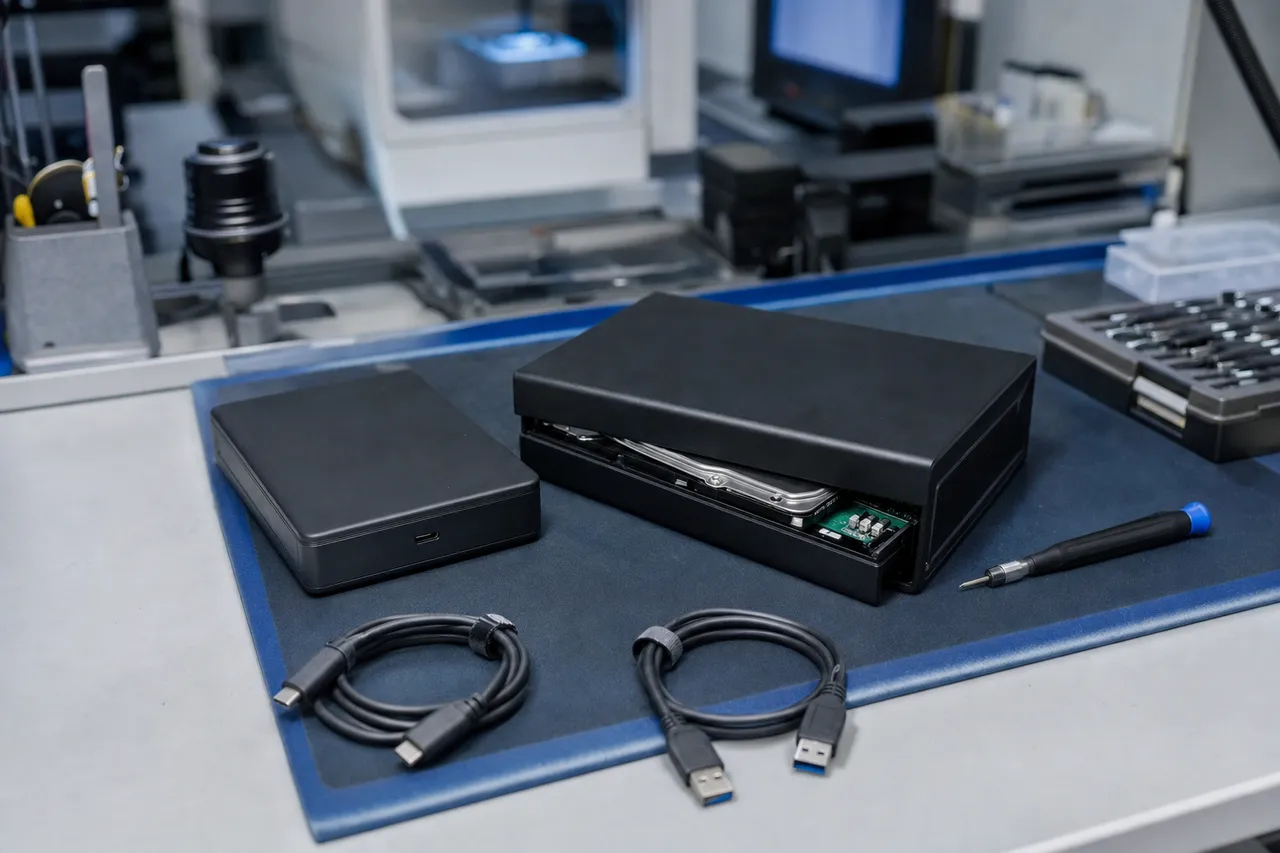
A portable USB external hard drive and a larger desktop external hard drive on a clean technician workbench

WD Blue - Desktop and Laptop Drives

WD Blue drives are Western Digital's mainstream consumer drives designed for everyday desktop and laptop use. Available in both 3.5-inch and 2.5-inch form factors as well as SATA and NVMe SSDs, WD Blue drives prioritize a balance of performance, reliability, and value. Common failures in WD Blue drives include bad sector accumulation from aging media, firmware corruption after improper shutdowns, and head degradation from prolonged heavy use. WD Blue drives typically use fewer platters and heads than higher-capacity models, which generally simplifies the recovery process and keeps costs in the logical to moderate mechanical range.

WD Black - High-Performance Drives

WD Black drives are designed for gamers, content creators, and power users who need maximum performance. These drives spin at 7,200 RPM and feature larger caches and more aggressive firmware tuning for speed. The higher spindle speed and performance tuning mean WD Black drives run hotter and experience more mechanical stress than WD Blue drives. Common failures include head crashes from thermal expansion, motor bearing wear from sustained high-speed operation, and firmware issues related to the aggressive caching algorithms. WD Black NVMe SSDs like the SN770 and SN850X can also fail due to controller issues or NAND degradation.

WD Red - NAS Drives

WD Red drives are engineered for network-attached storage systems that run 24/7. They feature vibration-dampening technology (3D Active Balance Plus) and are firmware-tuned for RAID compatibility with features like TLER (Time-Limited Error Recovery). Despite their NAS-optimized design, WD Red drives do fail - often after years of continuous operation. Common failures include gradual head degradation, bad sector accumulation in heavily-written areas, and motor bearing failure. WD Red drives in RAID arrays present additional recovery challenges because the RAID configuration must be reconstructed alongside the physical drive recovery. The WD Red Plus and WD Red Pro lines offer enhanced durability for more demanding multi-bay NAS environments.

WD Purple - Surveillance Drives

WD Purple drives are designed for security camera DVR and NVR systems, optimized for constant sequential write operations from multiple camera streams. These drives prioritize write performance over read speed and are designed to handle the always-on nature of surveillance recording. Common failures include platter surface degradation from continuous writes, head wear from non-stop operation, and firmware issues specific to the AllFrame technology used in WD Purple drives. Recovery from WD Purple drives often involves working with proprietary surveillance video formats that require specialized reconstruction beyond standard file recovery.

WD Gold - Enterprise Drives

WD Gold drives are Western Digital's enterprise-class drives designed for data centers, servers, and high-availability storage systems. With 7,200 RPM spindle speeds, massive cache sizes, and vibration protection for multi-drive rack environments, WD Gold drives are built for reliability under demanding conditions. When they do fail, it is often after extensive service life with millions of hours of operation. Common failures include head crashes from vibration interference in dense rack configurations, firmware corruption from abrupt power events, and controller board failure. WD Gold recoveries are often higher complexity due to the large capacities (up to 20TB) and multi-platter configurations that require precise head and platter alignment during cleanroom work.

My Passport, My Book, WD Elements & EasyStore - External Drives

Western Digital's external drive lines are among the most popular consumer storage products in the world. My Passport drives are compact portable drives, My Book drives are desktop external drives, WD Elements are budget-friendly externals, and EasyStore drives are retail-exclusive high-capacity models. These external drives are the most common WD drives we see for recovery at MDrepairs. They are frequently dropped, knocked off desks, disconnected improperly, and subjected to power surges. My Passport and My Book drives also feature hardware-level AES 256-bit encryption that adds complexity to recovery if the USB bridge board is damaged.

Hardware Encryption

WD Hardware Encryption and Its Impact on Data Recovery

One of the most critical factors in Western Digital external drive recovery is hardware encryption. Since approximately 2010, Western Digital has implemented hardware-level AES 256-bit encryption on most My Passport and My Book external drives. This encryption is always active - even if the user never sets a password - and is managed by the USB-to-SATA bridge controller chip on the drive's external enclosure PCB.

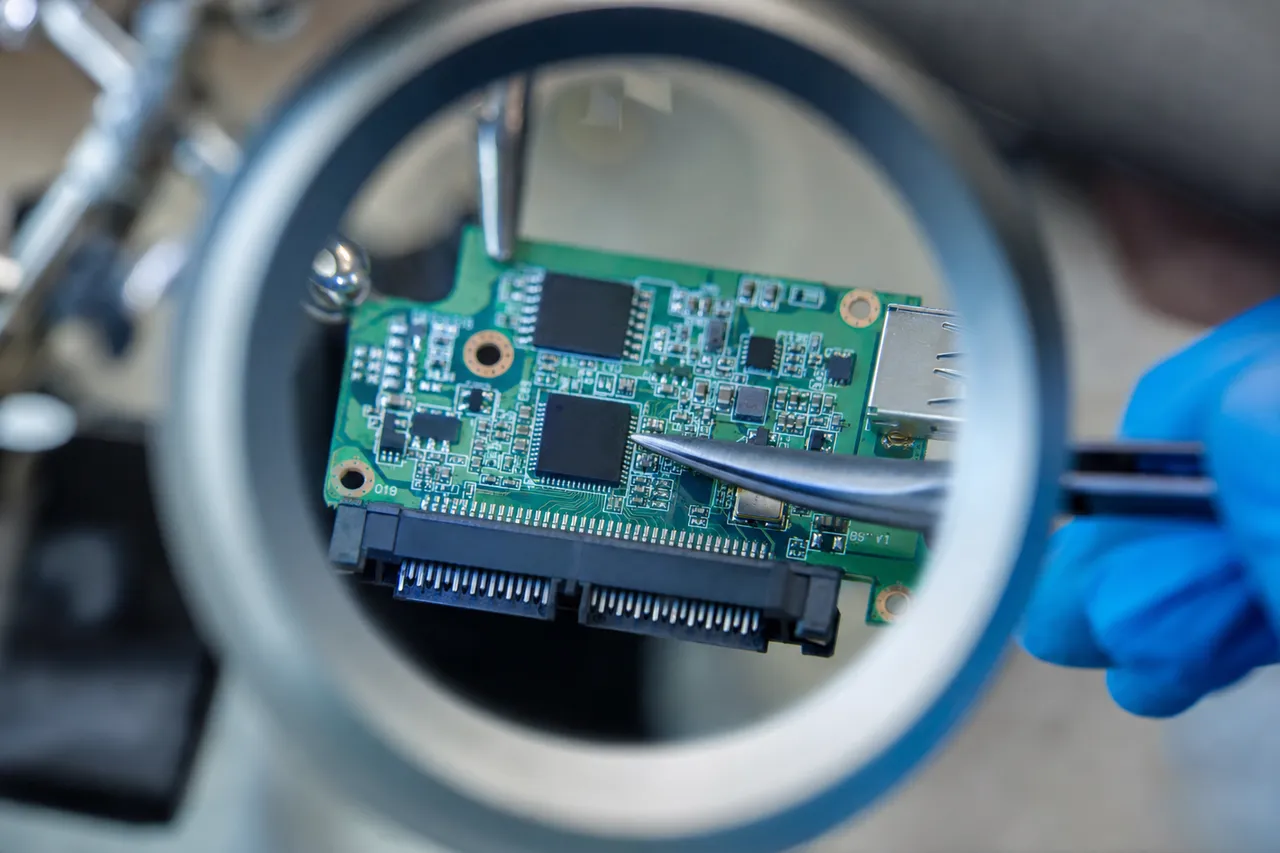
Macro close-up of a USB-to-SATA bridge controller board removed from an external drive enclosure, held with tweezers under magnification

How WD Hardware Encryption Works

When data is written to a WD My Passport or My Book drive through the USB interface, the bridge controller encrypts the data before it reaches the platters. When data is read back, the bridge controller decrypts it on the fly. The encryption key is stored within the bridge controller chip itself. This means that if you remove the bare drive from the enclosure and connect it directly to a SATA port, all data on the platters is encrypted and unreadable without the original encryption key from the bridge board. This design has significant implications for data recovery. In cases where the drive itself has failed mechanically (clicking heads, seized motor), the encryption key on the bridge board is still intact and can be used to decrypt the data after recovery. However, if the bridge board is damaged - from a power surge, liquid spill, or component failure - both the drive and the encryption key may need to be recovered. If the bridge board is destroyed and the encryption key is lost, the data on the platters is effectively unrecoverable because AES 256-bit encryption cannot be brute-forced with current technology.

MDrepairs Approach to WD Encrypted Drives

Our lab has developed specialized procedures for handling WD encrypted drives. When we receive a WD My Passport or My Book for recovery, we first assess the bridge board and encryption controller. If the bridge board is functional, we extract the encryption key and store it securely before proceeding with the physical recovery. If the bridge board is damaged, we attempt to repair the specific components related to the encryption controller. In most cases, the encryption key can be recovered even from a partially damaged bridge board because the key is stored in non-volatile memory within the controller chip. For cases where the bridge board is severely damaged, we have the capability to desolder the encryption controller chip and read the key directly from it using specialized equipment. This is a delicate procedure but has a high success rate in our lab. Once we have the encryption key, we can proceed with the physical recovery - head swap, platter transplant, or firmware repair - and then decrypt the recovered image using the extracted key.

Which WD Drives Are Encrypted

Not all Western Digital drives use hardware encryption. Internal drives like WD Blue, WD Black, WD Red, WD Purple, and WD Gold do not have hardware encryption - their data is stored in plain text on the platters. Hardware encryption is primarily found in WD external drives including My Passport, My Passport Ultra, My Book, and some WD Elements models manufactured after 2014. If you are unsure whether your WD external drive is encrypted, our lab can determine this during the initial evaluation. The bridge controller model number typically indicates whether encryption is present - chips like the Initio INIC-3637EN and JMicron JMS578 are common encrypted controllers in WD external drives.

Firmware Architecture

Western Digital Firmware Architecture and Recovery

Western Digital hard drives rely on sophisticated firmware to manage every aspect of drive operation - from translating logical block addresses to physical head and cylinder locations, to managing defect lists, to controlling head positioning and read/write parameters. This firmware is stored partly on a ROM chip on the PCB and partly in a reserved area on the platters called the System Area (SA). When WD firmware becomes corrupted, the drive may be completely inaccessible even though the platters and heads are physically healthy.

A bare Western Digital hard drive PCB connected by ribbon cable to a PC-3000 data-recovery terminal, with a monitor showing firmware module hex data and a drive service-area map

Key WD Firmware Modules

Western Digital firmware consists of dozens of modules, each responsible for a specific function. The most critical modules for data recovery include the translator module, which maps logical block addresses (LBAs) to physical locations on the platters. If the translator is corrupted, the drive cannot locate any data even though it is physically intact on the platters. The defect list (P-List and G-List) tracks manufacturing defects and defects that developed during use. Corruption in the defect list can cause the drive to hang, return read errors, or become completely unresponsive. The SMART module stores self-monitoring data including temperature history, reallocated sector counts, and power-on hours. While SMART corruption typically does not prevent data access directly, it can trigger the drive to enter a protective state where it refuses normal commands. The adaptive parameters module stores calibration data unique to each individual drive - head fly height offsets, write current values, and servo tuning parameters. This module is drive-specific and cannot be copied from a donor drive, which is why simply swapping PCBs between WD drives rarely works as a data recovery method.

Common WD Firmware Failures

Western Digital drives are susceptible to several firmware failure patterns that we see regularly at MDrepairs. One of the most common is translator corruption following an abrupt power loss while the drive was writing to the System Area. The drive spins up and the heads load, but the drive is not detected in BIOS or returns incorrect capacity information. Another common pattern is defect list overflow, where the G-List fills up from ongoing bad sector reallocation until the drive cannot manage any more defects and becomes unstable or unresponsive. WD drives from certain manufacturing batches are known to develop firmware issues more frequently. The so-called slow-responding WD drives - particularly certain WD Green and WD Red models from 2013-2016 - have a known issue where the drive becomes progressively slower as internal firmware operations consume increasing amounts of processing time. Eventually the drive becomes so slow that it effectively hangs and the operating system marks it as failed.

Firmware Recovery Process

Our WD firmware recovery process uses professional-grade tools that can communicate directly with the drive's microcontroller in factory mode, bypassing normal ATA/SATA protocols. This allows us to read firmware modules from the System Area, analyze them for corruption, and make targeted repairs. In cases where the System Area is severely damaged, we can rebuild critical modules using data from the drive's ROM and information extracted from the platter surfaces. The goal is always to restore the firmware to a functional state that allows us to image the user data area completely, rather than attempting to access data through a corrupted firmware layer that may silently skip or mismap sectors.

Physical Recovery

Physical Recovery: WD Head Swaps and Platter Transplants

Physical failures in Western Digital hard drives - clicking, buzzing, scraping, or complete silence - require hands-on work in a cleanroom environment. The two most common physical recovery procedures for WD drives are head swaps and platter transplants, both of which MDrepairs performs regularly in our Class 100 cleanroom facility.

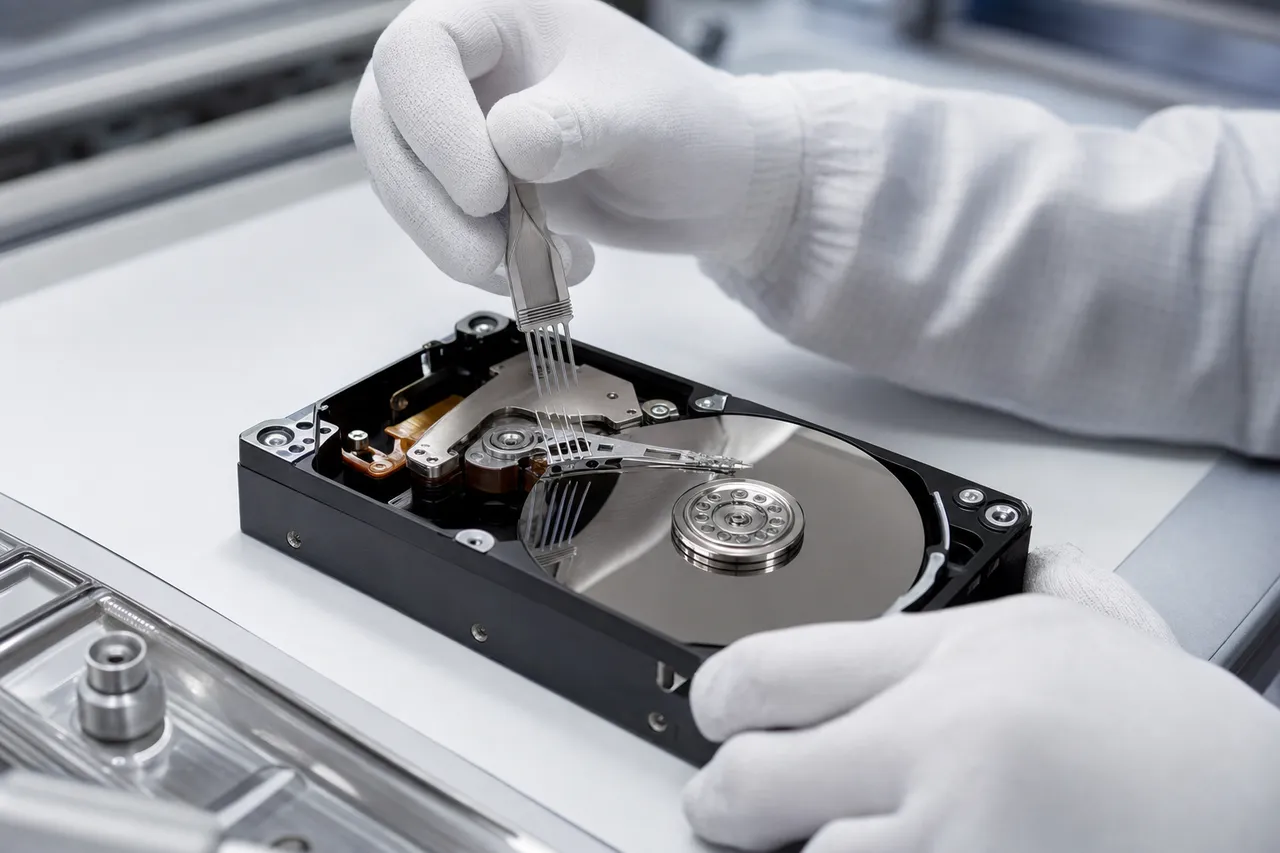
An opened hard drive with platters exposed and a head-swap comb tool lifting the read-write head stack inside a cleanroom workstation

WD Head Swap Procedure

A head swap involves replacing the failed read/write head stack assembly (HSA) in a Western Digital drive with a compatible head stack from a donor drive. This is the most common physical recovery procedure and is required when the heads have crashed onto the platter surface, become stuck to the platter (stiction), or developed electrical faults that prevent them from reading data. The procedure involves opening the drive in the cleanroom, carefully removing the failed head stack using specialized tools, and installing the donor head stack with precise alignment. WD head swaps are more complex than they might seem because compatibility requirements are strict. The donor heads must come from a drive with the same model number, similar manufacturing date, matching head map configuration, and compatible firmware version. A WD Blue 1TB manufactured in Thailand in January 2022 may require different donor heads than the same model manufactured in Malaysia in June 2022. Our lab maintains a donor inventory of over 2,000 Western Digital drives specifically for this purpose, organized by model, date code, and head map. When a donor match is not in stock, we source compatible drives from our supply network, typically within 1-3 business days.

Platter Transplant Procedure

A platter transplant is a more invasive procedure required when the drive's motor has seized, the motor bearings have failed, or the drive chassis itself is damaged (from severe drops, crushing, or fire). In a platter transplant, the platters are removed from the failed drive and installed in a healthy donor drive chassis with a working motor and a compatible head stack. This is the most difficult data recovery procedure and requires extreme precision - the platters must be kept in the exact same order and orientation, and the spacing between platters must match the original configuration to within microns. Western Digital drives present specific challenges for platter transplants depending on the product line. WD drives with helium-filled chambers (common in high-capacity WD Gold, WD Red, and WD EasyStore models above 8TB) are sealed units that cannot be opened in a standard cleanroom without losing the helium atmosphere. Our lab has developed procedures for working with helium WD drives that minimize exposure time and allow successful recovery even from these sealed units. Single-platter WD drives like the 2.5-inch My Passport models are generally easier to transplant than multi-platter 3.5-inch drives that require precise platter spacing and alignment.

Post-Swap Imaging

After a successful head swap or platter transplant, the WD drive is connected to our imaging hardware for a careful, controlled sector-by-sector copy. We do not attempt to read the drive normally because the new heads may not be perfectly matched to the platters, and aggressive reading could damage them before we capture all the data. Our imaging tools use custom read parameters - reduced read retries, optimized head positioning, and strategic reading patterns that start with the most critical data areas. For WD drives with known bad sectors, we use multi-pass imaging that captures good sectors first and then makes progressively more aggressive attempts on difficult areas. This approach maximizes the amount of recoverable data while minimizing stress on the donor heads.

Logical Recovery

Logical Data Recovery from Western Digital Drives

Not all Western Digital data recovery cases require cleanroom work. A significant portion of the WD drives we receive at MDrepairs have physically healthy hardware but have experienced logical data loss - meaning the data has been deleted, the drive has been formatted, the file system has become corrupted, or the partition table has been damaged. Logical recoveries are generally less complex and less expensive than physical recoveries, but they still require professional tools and expertise to ensure maximum data retrieval.

Accidental Deletion on WD Drives

When files are deleted from a Western Digital drive, the data is not immediately erased from the platters. Instead, the file system marks the space as available for reuse. Until that space is overwritten by new data, the deleted files can typically be recovered in full. The key factor in successful deletion recovery is minimizing use of the drive after the deletion occurs. Every new file written to the drive risks overwriting the deleted data. If you have accidentally deleted important files from your WD drive, the best course of action is to stop using the drive immediately and contact a professional data recovery lab. Our logical recovery tools perform deep scans of the WD drive's platters to locate file signatures, reconstruct file system metadata, and rebuild directory structures. For NTFS-formatted WD drives (the default for Windows users), we can often recover files with their original filenames, folder structures, and timestamps intact. For exFAT-formatted drives (common on WD external drives for cross-platform compatibility), recovery is similarly effective. For macOS users with HFS+ or APFS-formatted WD drives, we have specialized tools that handle Apple's file system structures.

Formatted WD Drive Recovery

Formatting a Western Digital drive - whether quick format or full format - does not necessarily destroy the data. A quick format simply rewrites the file system structures (boot sector, file allocation table, root directory) without touching the actual data on the platters. This means that after a quick format, virtually all data is recoverable using professional tools. A full format writes zeros to every sector on the drive, which does destroy the data - however, many users who think they performed a full format actually performed a quick format, so recovery is still worth attempting. WD external drives formatted on a Mac are particularly common recovery cases. Users frequently format their WD My Passport or Elements drive to APFS or HFS+ for Mac use, not realizing that the format process destroyed the existing Windows file system and all associated data. Our tools can scan below the new file system layer to locate and recover files from the previous file system. Success rates for formatted drive recovery are generally very high - typically 95-100% for quick formats where the drive has not been reused extensively.

File System Corruption

File system corruption on WD drives can occur from improper ejection, power loss during write operations, software crashes, or malware. Symptoms include Windows prompting to format the drive, the drive showing as RAW in Disk Management, files and folders appearing corrupted or with garbled names, and general instability when accessing the drive. Our recovery process involves analyzing the corrupted file system structures, identifying the type and extent of corruption, and using a combination of automated and manual techniques to reconstruct the original file system and extract accessible data. In severe corruption cases, we bypass the damaged file system entirely and perform a raw scan of the platter surface to locate files by their signatures.

NAS & RAID

WD NAS and RAID Data Recovery

Western Digital NAS (Network-Attached Storage) products - including the My Cloud Home, My Cloud EX2 Ultra, My Cloud EX4100, My Cloud PR2100, and My Cloud PR4100 - use WD Red or WD Red Pro drives in single-drive or multi-drive RAID configurations. When these systems fail, data recovery is more complex than a standard single-drive recovery because it involves both the physical drive recovery and the RAID array reconstruction. Learn more on our dedicated RAID data recovery page.

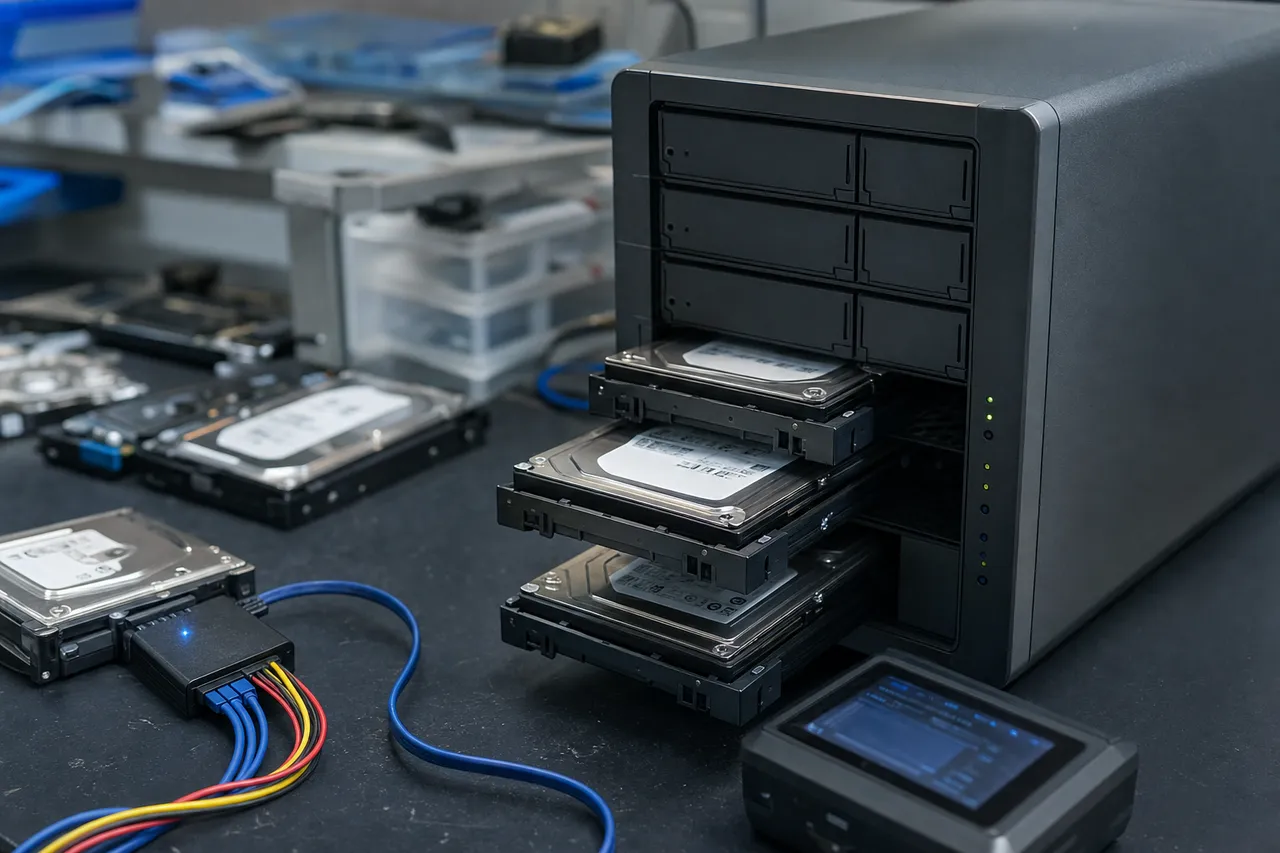
A multi-bay NAS enclosure on a workbench with several hard drives partially pulled from their caddies and a diagnostic device connected

Common WD NAS Failure Scenarios

The most common WD NAS failure we see at MDrepairs is a degraded RAID array where one drive has failed and a second drive fails during the rebuild process. RAID 5 arrays are particularly vulnerable to this scenario because the rebuild process places enormous stress on the remaining drives - reading every sector on every drive in the array. If any surviving drive has even a small number of weak sectors that were not previously detected, the rebuild will fail and the array collapses. With WD Red drives in continuous NAS use, gradual media degradation makes this dual-failure scenario more likely as the drives age. Another common scenario is firmware failure on the WD My Cloud NAS controller itself. The NAS operating system may become corrupted from a failed update, power loss, or software bug, rendering the NAS inaccessible even though the drives inside are healthy. In these cases, the drives can often be recovered by reading them directly and reconstructing the Linux-based file system (typically EXT4 or Btrfs) and RAID configuration outside of the NAS enclosure.

WD NAS Recovery Process

Our WD NAS recovery process begins with evaluating each drive individually. We assess the physical health of every drive in the array, image any drives that are failing or degraded, and catalog the RAID configuration parameters - stripe size, disk order, offset, and rotation pattern. For WD My Cloud devices, we also examine the NAS firmware and configuration data stored on the drives to extract RAID metadata. Once all drives are imaged, we use RAID reconstruction software to rebuild the virtual array from the drive images. This process requires precise knowledge of the RAID parameters, which we extract from a combination of the NAS firmware metadata and analysis of the data patterns on the drives. For RAID 5 arrays, we can reconstruct the array even with one missing or severely damaged drive by calculating the missing data from the parity information on the remaining drives. For RAID 1 (mirroring) configurations common in 2-bay WD NAS units, a single healthy drive contains the complete dataset.

WD NAS Encryption Considerations

Some WD My Cloud NAS devices offer volume encryption. If encryption was enabled, we need the encryption passphrase or key to decrypt the recovered data. Unlike the hardware encryption on WD external drives, NAS encryption is software-based and the key is derived from the user's password. If you have enabled encryption on your WD NAS and have forgotten the password, recovery of encrypted volumes may not be possible. We always recommend that WD NAS users document their encryption passwords and store them separately from the NAS itself. For unencrypted WD NAS recoveries - which represent the majority of cases we handle - the recovery success rate is very high. Even in dual-drive failure scenarios, we can typically recover 90-100% of data by combining partial recoveries from each failed drive and using RAID parity to fill in gaps.

WD SSD Recovery

Western Digital SSD Data Recovery

While Western Digital is best known for its mechanical hard drives, the company also manufactures a growing line of solid-state drives including the WD Blue SA510, WD Blue SN570, WD Blue SN580, WD Black SN770, WD Black SN850X, and various SanDisk-branded SSDs (Western Digital acquired SanDisk in 2016). SSD data recovery presents fundamentally different challenges compared to traditional hard drive recovery, and our lab is equipped to handle both. See our SSD data recovery page for more detail.

A solid-state drive circuit board under inspection with its NAND flash memory chips and controller visible

How WD SSDs Differ from WD Hard Drives

Western Digital SSDs have no moving parts - data is stored in NAND flash memory chips controlled by a dedicated controller chip. There are no platters, heads, or motors to fail mechanically. However, WD SSDs can still fail due to controller malfunction, NAND flash wear-out, firmware corruption, power surge damage to the controller or NAND chips, and logical corruption from improper shutdowns or encryption issues. The recovery approach for WD SSDs is entirely different from mechanical drives and requires specialized equipment and techniques.

WD SSD Failure Types

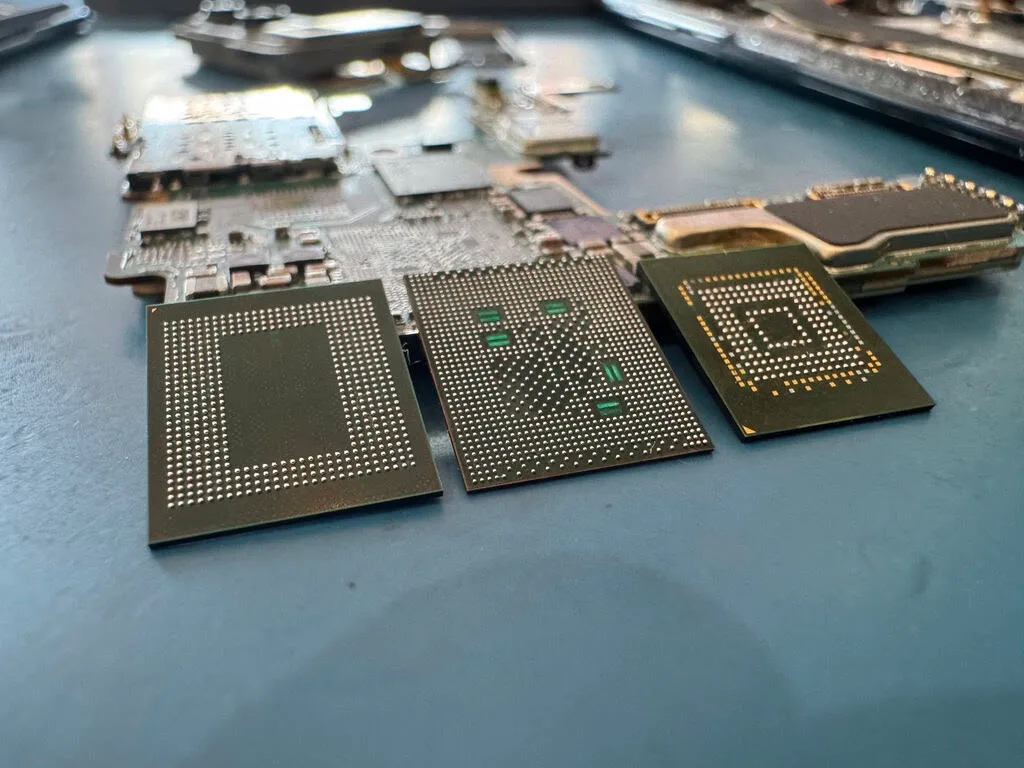
The most common WD SSD failure we see is controller failure, where the SSD's controller chip malfunctions and the drive is no longer detected by the computer or appears with zero capacity. The data on the NAND flash chips is typically intact, but the controller can no longer access or present it. Recovery in these cases may involve direct NAND chip reading - desoldering the NAND flash memory chips from the SSD's circuit board and reading them individually using specialized NAND readers. The raw data must then be reassembled using the controller's specific data interleaving and mapping algorithms. Firmware corruption is another common issue with WD SSDs. The SSD's firmware manages wear leveling, garbage collection, TRIM operations, and the Flash Translation Layer (FTL) that maps logical addresses to physical NAND locations. Corruption in any of these firmware components can render the SSD inaccessible. In some cases, we can repair the firmware using vendor-specific tools that communicate with the WD SSD controller in diagnostic mode. In other cases, the firmware damage is too severe and NAND chip-off recovery is required.

TRIM and Its Impact on WD SSD Recovery

One critical difference between WD SSD recovery and WD hard drive recovery is the TRIM command. When files are deleted on an SSD with TRIM enabled (the default on all modern operating systems), the SSD's controller actively erases the NAND blocks that contained the deleted data. This means that deleted file recovery from a WD SSD is often not possible if TRIM has been executed - unlike a traditional hard drive where deleted data persists until overwritten. If you need to recover deleted files from a WD SSD, time is critical. Power off the SSD immediately and do not connect it to a computer that might issue TRIM commands. Contact our lab for guidance on the best approach for your specific situation. For WD SSD failures that are not related to deletion - controller failure, firmware corruption, physical damage - TRIM does not affect the recovery because the data was not intentionally deleted. In these cases, our recovery success rates for WD SSDs are comparable to those for mechanical drives, assuming the NAND flash chips themselves are not physically damaged.

Prevention

Preventing Data Loss on Western Digital Drives

While MDrepairs can recover data from most failed Western Digital drives, prevention is always better than recovery. Understanding how to properly use, maintain, and back up your WD drives can significantly reduce your risk of data loss.

Proper Handling of WD External Drives

Western Digital external drives - My Passport, My Book, WD Elements, and EasyStore - are the most common WD drives we see for recovery, and physical damage from drops and impacts is the leading cause. Always place external drives on a stable, flat surface away from the edge of desks and tables. Never move a desktop external drive (My Book, EasyStore) while it is powered on, as the spinning platters are vulnerable to shock damage. For portable drives (My Passport, Elements), avoid placing them in bags with heavy items that could apply pressure or cause impacts during transport. Always use the Safely Remove Hardware function in Windows or the Eject function on Mac before disconnecting a WD external drive. Removing a drive while it is actively reading or writing data can corrupt the file system, damage the firmware, or - in worst cases - cause a head crash as the drive attempts to park the heads during an unexpected disconnection. Power surges are another major threat to WD external drives. Use a quality surge protector for desktop external drives and avoid plugging them into outlets that experience frequent voltage fluctuations.

Monitoring WD Drive Health

Western Digital provides the WD Dashboard software (formerly WD Drive Utilities) that can monitor the SMART health data of your WD drives. Regularly checking SMART data can provide early warning of impending drive failure. Key SMART attributes to monitor include Reallocated Sector Count (attribute 5), Current Pending Sector Count (attribute 197), and Uncorrectable Sector Count (attribute 198). Any non-zero value in these attributes indicates that the drive is developing bad sectors and should be backed up immediately. Rising temperature readings can also indicate a drive that is struggling mechanically or has inadequate cooling. For WD NAS drives, the NAS operating system typically provides drive health monitoring. Enable email notifications for any drive health warnings so you can replace a degrading drive before it fails completely. In RAID configurations, never ignore a degraded array warning - replace the failed drive and allow the rebuild to complete as soon as possible. Running a degraded RAID array for an extended period dramatically increases the risk of catastrophic array failure.

Backup Strategy for WD Drive Users

The 3-2-1 backup rule is the gold standard: keep at least three copies of your important data, on at least two different types of media, with at least one copy stored offsite or in the cloud. If your primary storage is a WD internal drive, back up to a WD external drive and a cloud service. If your primary storage is a WD external drive, understand that external drives are not backups - they are single points of failure. An external drive used as your only copy of important data is one drop, one surge, or one firmware glitch away from total data loss. Western Digital's own WD Backup software and Acronis True Image WD Edition (included free with WD drives) provide automated backup capabilities that can help maintain regular backups without manual intervention. Set up scheduled backups and verify periodically that the backup is actually running and that the backed-up data is accessible and intact. A backup that has silently failed is worse than no backup at all because it provides false confidence.

Why MDrepairs

Why Choose MDrepairs for Western Digital Data Recovery

When your Western Digital drive fails and your data is at risk, choosing the right data recovery lab is one of the most important decisions you will make. The wrong choice can result in further damage to your drive, permanent data loss, and wasted money. Here is why MDrepairs is the right choice for your Western Digital data recovery.

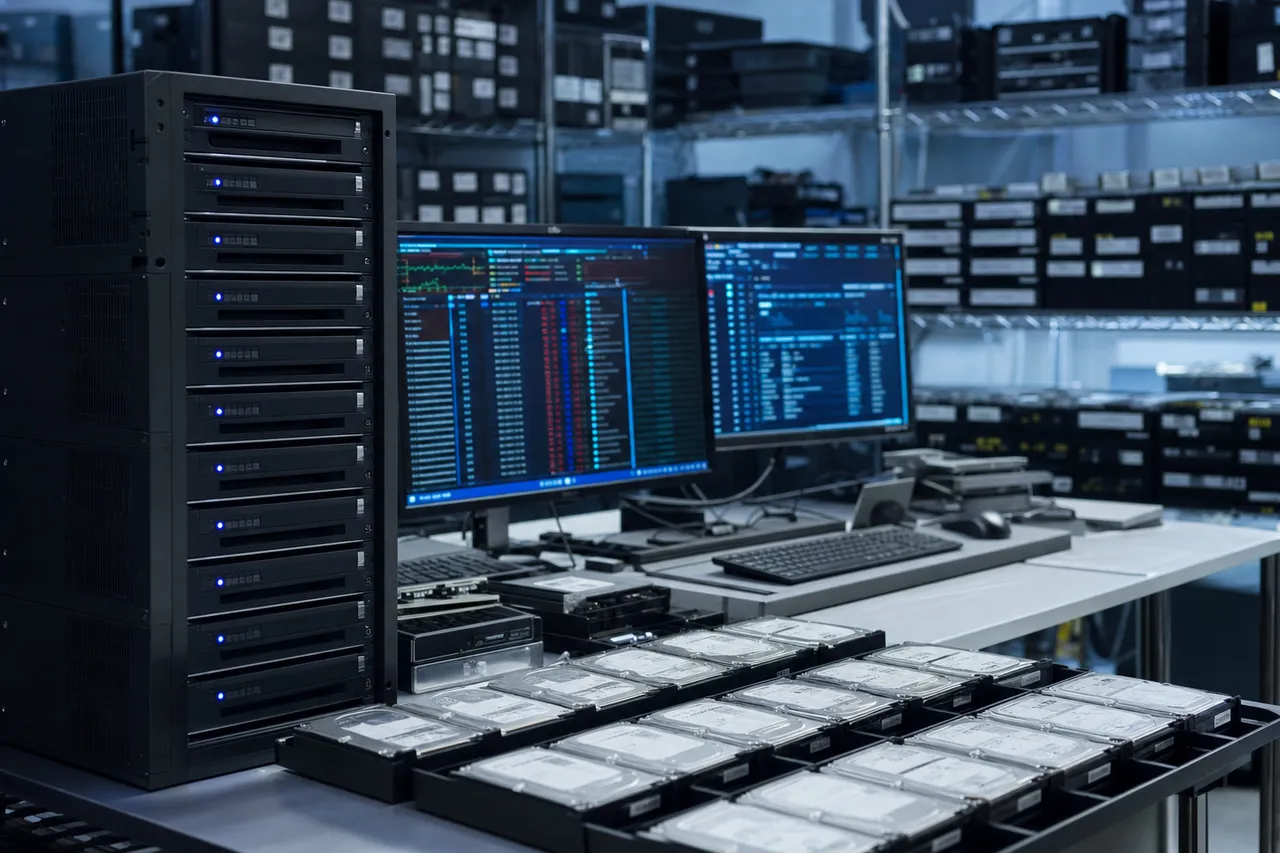
A professional data recovery lab with a rack of labeled enterprise drives and monitors showing drive diagnostics

WD-Specific Expertise

MDrepairs has recovered data from thousands of Western Digital drives across every product line - WD Blue, WD Black, WD Red, WD Purple, WD Gold, My Passport, My Book, WD Elements, WD EasyStore, My Cloud NAS, and WD SSDs. Our technicians understand WD firmware architecture, hardware encryption implementation, head compatibility requirements, and model-specific failure patterns. This specialized knowledge translates directly into higher success rates and faster turnaround times for WD recovery cases.

Extensive WD Donor Parts Inventory

Physical WD drive recovery requires compatible donor parts - specifically, read/write head assemblies that match the failed drive's exact specifications. Our lab maintains an inventory of over 2,000 Western Digital donor drives organized by model number, manufacturing date, head map, and firmware version. This extensive inventory means we can begin physical recovery work immediately in most cases without waiting days or weeks to source a compatible donor. For rare or unusual WD models, we have relationships with suppliers that can provide compatible donors quickly.

Professional-Grade Recovery Tools

Our lab uses the same professional data recovery hardware and software used by the top recovery labs worldwide. For Western Digital drives, this includes PC-3000 with the WD firmware module for detailed firmware access and repair, DeepSpar Disk Imager for controlled sector-by-sector imaging, and specialized NAND readers for WD SSD recovery. These tools cost tens of thousands of dollars and require extensive training and experience to use effectively. They provide capabilities that no consumer-grade data recovery software can match, especially for physically damaged or firmware-corrupted WD drives.

Class 100 Cleanroom

Every physical Western Digital drive recovery at MDrepairs is performed in our Class 100 cleanroom. This is not a modified workbench with a HEPA filter - it is a purpose-built cleanroom environment that meets ISO 14644-1 Class 5 standards with continuous air filtration and positive pressure to prevent particle infiltration. The cleanroom is essential for any procedure that involves opening a WD hard drive, as even microscopic contamination on exposed platters can cause irreversible damage. Many budget recovery shops attempt physical recoveries outside of a cleanroom or in inadequate facilities, which can destroy data that a properly equipped lab could have recovered.

Transparent Pricing and No Data, No Charge

We believe in straightforward pricing with no hidden fees, surprise charges, or bait-and-switch tactics. Every WD recovery starts with a $100 diagnostic fee that covers the full evaluation, failure diagnosis, and recovery quote. If you approve the quoted price, the diagnostic fee is included in the total. If we cannot recover your target data, you pay only the $100 diagnostic fee - that is our no data, no charge guarantee. We will never pressure you into approving a recovery or charge you for data we did not recover.

Nationwide Service with Free Shipping

While our lab is located in Lincroft, New Jersey, we serve customers across the entire United States through our mail-in data recovery program. We provide a prepaid, insured shipping label for you to send your WD drive to our lab, and we ship the recovered data back to you on a new external drive with free insured shipping. The entire process can be managed remotely - from initial contact to final delivery - without ever visiting our lab in person. For local customers in the Monmouth County, NJ area, walk-in drop-off and pickup is available during business hours.

Founded by Joseph Montanti

MDrepairs was founded by Joseph Montanti, a data recovery specialist whose work has been followed by over 2 million people across YouTube, TikTok, and Instagram. Joseph's transparent approach to data recovery - showing real recoveries, explaining techniques, and educating consumers - has made MDrepairs one of the most trusted names in the industry. When you send your Western Digital drive to MDrepairs, you are trusting it to a lab led by someone who has built his reputation on honesty, skill, and results. Call us at 732-933-7717 or submit a free quote request to get started with your WD data recovery today.

Mail-In Process

Mail-In Western Digital Data Recovery Process

Most of our Western Digital data recovery customers are located outside of New Jersey and use our convenient mail-in service. The mail-in process is designed to be simple, secure, and worry-free from start to finish.

Step 1: Contact Us

Reach out to MDrepairs by calling 732-933-7717, submitting a free quote request through our website, or sending an email. Provide details about your Western Digital drive - the model, capacity, what happened, and what data you need recovered. Our team will provide initial guidance and answer any questions you have about the recovery process, pricing, and timeline. There is no obligation and no cost for this initial consultation.

Step 2: Ship Your WD Drive

We provide a prepaid, insured FedEx shipping label for domestic shipments. Package your Western Digital drive securely - wrap it in anti-static material, cushion it with bubble wrap or foam, and place it in a sturdy box. For WD external drives, ship the complete unit including the enclosure and USB cable, as the enclosure's bridge board may contain encryption keys needed for recovery. For WD internal drives removed from a computer or NAS, package the bare drive carefully to prevent any impact during transit. We will send you detailed packing instructions along with the shipping label.

Step 3: Evaluation and Diagnosis

When your WD drive arrives at our Lincroft, NJ lab, we log it into our secure tracking system and begin the evaluation process. The diagnostic typically takes 1-3 business days and includes visual inspection of the drive, PCB assessment, listening for mechanical symptoms, connecting the drive to our diagnostic hardware, and running WD-specific firmware diagnostics. You receive a detailed diagnostic report via email explaining exactly what failed, what recovery procedures are needed, and a firm price quote. There are no surprises - the quoted price is the final price.

Step 4: Recovery and Verification

Once you approve the quote, our technicians begin the recovery work. Standard turnaround is 4-5 weeks, with rush options available for time-sensitive cases. As we make progress, we keep you updated via email and phone. When recovery is complete, we generate a file listing and send it to you for review. You can verify that your target files have been recovered before we ship anything back. This verification step ensures you are satisfied with the results before the case is closed.

Step 5: Data Return

Your recovered data is transferred to a new external drive (included in the recovery cost) and shipped back to you via FedEx with insurance and tracking. Shipping is free - we cover the cost both ways. Upon delivery, we recommend verifying the data on the return drive and then creating additional backups immediately. We retain a secure copy of your recovered data for 30 days as a safety net, after which it is permanently and securely erased from our systems.

Security and Privacy

We understand that your Western Digital drive may contain sensitive personal, business, or financial data. All drives at MDrepairs are stored in a secure, access-controlled facility. Our staff follows strict data handling protocols - your data is never viewed, copied, or shared beyond what is necessary for the recovery process. We are happy to sign NDAs or other confidentiality agreements for customers who require additional assurance. When your case is complete and the retention period has passed, all copies of your data on our systems are securely erased using DoD 5220.22-M compliant methods.

Talk to the engineer working on your WD drive - not a call center.

Prevention

Prevent Future Hard Drive Data Loss

  • The 3-2-1 Backup Rule

    Keep 3 copies of your data, on 2 different types of media, with 1 copy stored offsite or in the cloud. This is the industry standard for data protection and guards against drive failure, theft, fire, and ransomware.

  • Monitor Drive Health

    Use free tools like CrystalDiskInfo (Windows) or DriveDx (Mac) to check your hard drive's SMART status regularly. Reallocated sectors and pending errors are early warnings that a drive is failing - back up immediately if you see them. Read our complete guide on how to check hard drive health for step-by-step instructions on Windows, Mac, and Linux.

  • Replace Aging Drives

    Hard drives have a typical lifespan of 3-5 years under normal use. If your drive is older than 4 years or shows any SMART warnings, replace it proactively and clone your data to the new drive before the old one fails completely.

Already experiencing symptoms? Try our free HDD Diagnostic Tool or call 732-933-7717 .

Questions & Answers

Western Digital Data Recovery FAQ

Straight answers on cost, turnaround, encryption, failure types, and how we get your data back - drawn from the questions we hear every day.

  • Western Digital does not operate a walk-in consumer recovery lab, and its warranty covers drive replacement, not your data. WD instead maintains a short list of third-party data recovery partners, and recovery through any professional lab is a separate paid service either way. MDrepairs is an independent lab in Lincroft, NJ that works on WD drives every day - WD-specific firmware tools, a large matched-donor inventory, hardware-encryption handling for My Passport and My Book, and a no data, no charge guarantee.
  • That click-click-click-then-spin-down pattern is the classic WD head-failure signature. On power-up the drive loads its read/write heads and tries to calibrate; when the heads or the preamplifier chip on the head stack have failed, the drive retries initialization - typically three times - then parks the heads and spins down to protect the platters. It is especially common on My Passport and WD Elements portables after a drop or a knock. Do not keep power-cycling the drive: every attempt risks platter damage. Recovery is a cleanroom head-stack swap with a matched WD donor, followed by controlled imaging.
  • Yes. WD My Passport drives are among the most common devices on our bench, and most are recoverable. The typical failures - clicking heads after a drop, a failed USB bridge board, firmware or translator corruption, and seized motors - all have established recovery procedures. My Passport recovery also has to handle the built-in hardware encryption: the data on the platters is AES-encrypted by the bridge board even if you never set a password, so we preserve or extract the encryption key as part of every recovery. Our dedicated WD My Passport recovery service covers the full process, and our YouTube channel documents many real My Passport cases end to end.
  • Western Digital data recovery at MDrepairs ranges from $650-$1,200 for logical and firmware recoveries (deleted files, formatting, corruption, firmware faults) to $1,000-$2,000 for mechanical recoveries (clicking, head failure, motor issues) to $999-$2,500+ for severe cases (platter transplants, scratched platters, multi-drive NAS). Every case starts with a $100 diagnostic fee. If we cannot recover your data, you only pay the diagnostic fee.
  • Standard turnaround for WD data recovery is 4-5 weeks. We offer Priority Rush (5-7 days, +$250), Urgent Rush (1-2 days, +$500), and Emergency Same-Day (+$1,000) options for time-sensitive cases. The diagnostic phase typically takes 1-3 business days regardless of the turnaround tier selected.
  • Yes. A clicking WD drive typically indicates failed or damaged read/write heads. Our technicians perform head swaps in a Class 100 cleanroom using compatible WD donor heads from our extensive inventory. We have a high success rate with clicking WD drives including My Passport, My Book, WD Elements, and all internal WD drive models.
  • Yes. WD My Passport drives commonly stop being detected due to USB bridge board failure, head failure, motor seizure, or firmware corruption. Our lab can diagnose the exact cause and perform the appropriate recovery - whether that involves bridge board repair, cleanroom head swap, or firmware restoration. We also handle the hardware encryption present on My Passport drives.
  • Yes. Most WD My Passport and My Book drives manufactured after 2010 use hardware-level AES 256-bit encryption managed by the USB bridge board - even if you never set a password. This means recovery requires preserving or extracting the encryption key from the bridge board. Our lab has specialized tools and procedures for handling WD hardware encryption during recovery.
  • Yes. Dropped WD drives - especially external models like My Passport and WD Elements - commonly suffer head crashes, stiction (heads stuck to platters), or platter scoring from impact. Our cleanroom technicians evaluate the platter surfaces and perform the appropriate recovery procedure. Even drives with minor platter scratches can often yield significant data recovery.
  • Yes. WD My Book drives that won't power on typically have a failed power supply, damaged PCB, or blown fuse on the enclosure's bridge board. We diagnose the specific failure, repair or bypass the power delivery issue, and proceed with recovery. If the bridge board is damaged, we take special care to preserve the encryption keys before any repair work.
  • Yes. If the drive was quick-formatted (the default in Windows and macOS), the data is typically fully recoverable because a quick format only rewrites file system metadata without erasing the actual data. Even after a full format, partial recovery may be possible depending on how much data was overwritten. Stop using the drive immediately after formatting and contact our lab.
  • If MDrepairs cannot recover the specific files you need from your Western Digital drive, you pay only the $100 diagnostic fee. You are never charged for a recovery that does not meet your requirements. We define success based on your target data - not on recovering any random files from the drive.
  • Yes. We recover data from individual WD Red, WD Red Plus, and WD Red Pro drives as well as complete NAS arrays. For multi-drive NAS recoveries, we can reconstruct RAID 0, RAID 1, RAID 5, RAID 6, and RAID 10 configurations. We service all WD NAS platforms including My Cloud Home, My Cloud EX2 Ultra, My Cloud EX4100, and My Cloud PR series.
  • Yes. We recover data from WD Blue SA510, WD Blue SN570, WD Blue SN580, WD Black SN770, WD Black SN850X, and SanDisk-branded SSDs. SSD recovery techniques differ from hard drive recovery and may involve controller repair, firmware restoration, or NAND chip-off reading depending on the failure type.
  • Yes. MDrepairs provides free insured shipping both ways for all data recovery cases. We send you a prepaid FedEx label to ship your WD drive to our lab in Lincroft, NJ, and we ship the recovered data back to you on a new external drive with insurance and tracking at no additional cost.
  • Contact us by phone (732-933-7717) or through our website to request a free shipping label. Wrap your WD drive in anti-static material, cushion it with bubble wrap, and place it in a sturdy box. For external drives, include the enclosure and USB cable. We provide detailed packing instructions with every shipping label to ensure your drive arrives safely.
  • Yes. Water damage to WD drives can corrode the PCB components, contaminate the platters, and damage the head stack assembly. Our recovery process involves carefully cleaning the drive components, assessing platter surface integrity, and performing the appropriate recovery in our cleanroom. Success rates vary depending on the type of water exposure and how quickly the drive is brought to us after the incident.
  • We recover data from every Western Digital drive model ever manufactured, including WD Blue, WD Black, WD Red, WD Red Plus, WD Red Pro, WD Purple, WD Purple Pro, WD Gold, WD Ultrastar, My Passport, My Passport Ultra, My Passport SSD, My Book, My Book Duo, WD Elements, WD EasyStore, My Cloud, and all legacy WD Caviar drives. We also handle SanDisk-branded SSDs manufactured by Western Digital.
  • Yes. We regularly receive WD drives that other labs could not recover or made worse during their attempt. Our advanced tools, extensive donor inventory, and WD-specific expertise allow us to succeed where others fail. We evaluate every previously-attempted drive honestly and let you know the realistic prospects before you commit to our recovery fee.
  • Absolutely. All WD drives at MDrepairs are stored in a secure, access-controlled facility. Our staff follows strict data handling protocols - your data is never viewed, copied, or shared beyond what is necessary for recovery. We retain recovered data for 30 days as a safety net, then securely erase it. We are happy to sign NDAs upon request.
  • Western Digital drives fail due to physical damage (drops, impacts, power surges), mechanical wear (head degradation, motor bearing failure), firmware corruption (translator errors, defect list overflow), and logical issues (accidental deletion, formatting, file system corruption). Environmental factors like heat, humidity, and vibration also contribute to drive failure over time.
  • Yes. We recover data from WD Purple and WD Purple Pro surveillance drives used in DVR and NVR systems. Recovery may involve both physical drive repair and reconstruction of proprietary surveillance video formats. We can often recover specific date/time ranges needed for insurance claims or investigations.
  • Yes. WD EasyStore drives are retail-exclusive external drives that use standard WD internal drives (often WD White Label, which are WD Red or WD Blue equivalents). We recover from all EasyStore capacities from 1TB to 18TB. Like other WD external drives, EasyStore models may use hardware encryption that our lab is equipped to handle.
  • Yes. While our standard process recovers all accessible data from the drive, we can prioritize specific files or folders that are most important to you. After recovery, we provide a complete file listing so you can verify that your target data has been recovered. Our no data, no charge policy is based on recovering your specific target files.
  • WD Blue drives are for everyday desktop/laptop use. WD Black drives are high-performance drives for gaming and content creation. WD Red drives are NAS-optimized for 24/7 operation. WD Purple drives are surveillance-optimized for continuous recording. WD Gold drives are enterprise-grade for data centers and servers. Each has different firmware tuning and durability characteristics, but we recover from all of them.
  • Only if the drive is physically healthy and detected by your computer. Software recovery tools work for logical issues like deleted files or formatting on a working drive. If your WD drive is clicking, buzzing, not detected, or making unusual sounds, do not run recovery software - it can cause further head damage and make professional recovery more difficult or impossible. Power off the drive and contact a professional lab.
  • Yes. Our Emergency tier provides same-day start with a dedicated technician for an additional $1,000 surcharge. Emergency service is ideal for mission-critical business data, legal deadlines, or irreplaceable files needed urgently. Contact us at 732-933-7717 to arrange emergency service for your Western Digital drive.
  • Power off the drive immediately. Do not attempt to restart it, run diagnostic software, or open the enclosure. Each power cycle with damaged heads risks further platter damage and reduces the chance of successful recovery. Keep the drive in a safe, dry location and contact MDrepairs at 732-933-7717 or submit a free quote request through our website. The sooner a clicking WD drive reaches our lab, the better the recovery prospects.
Talk To A Technician

Ready to Recover Your Western Digital Data?

Every recovery starts with a free quote and our no data, no charge guarantee. Call us directly at 732-933-7717 or get started online - we provide free insured shipping both ways.