2M+ followers watch us recover data on YouTube, TikTok & Instagram - watch real cases ↗

NVMe SSD Data Recovery

Lost data on your NVMe SSD? MDrepairs is a professional SSD data recovery lab in Lincroft, NJ specializing in all NVMe M.2 solid state drives - from Samsung 980 Pro and 990 Pro to WD Black SN850X, Crucial P5 Plus, and every PCIe Gen 3, Gen 4, and Gen 5 NVMe drive on the market. Whether your NVMe SSD is not detected in BIOS, disappeared mid-use, or shows a controller failure, our PC-3000 SSD diagnostics and chip-off NAND recovery tools handle failures other labs cannot.

Every case starts with a $100 professional diagnostic that identifies the exact failure - controller, firmware, NAND, or logical - and provides a firm recovery quote. We serve customers nationwide through our secure mail-in program with free insured shipping both ways. No data, no charge on the recovery.

Act fast: TRIM on NVMe

If you accidentally deleted files from an NVMe SSD, power off the drive immediately. NVMe drives process TRIM far more aggressively than SATA SSDs - TRIM zeros out deleted blocks within seconds, and once garbage collection runs those blocks are gone for good. Do not keep using the computer, do not run software recovery on the original drive, and contact our lab right away. The sooner you act, the more we can recover.

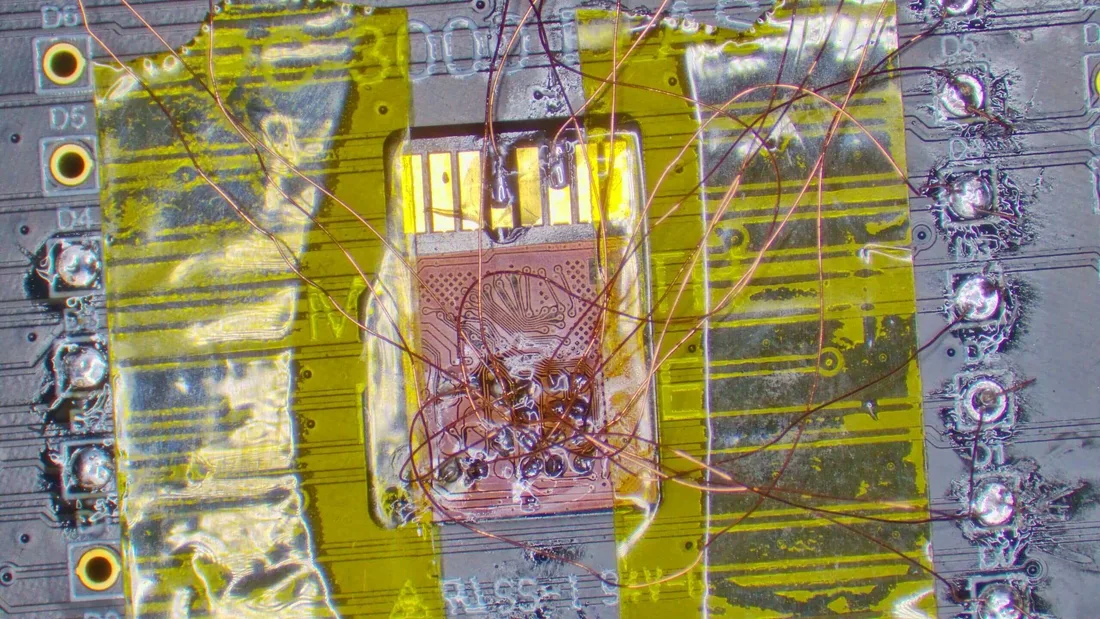
A real SD-card direct flash recovery showing pad access, soldering, and raw flash readout.
Follow Our Work

Professional Data Recovery Lab Backed By 2M+ Followers

With over 2 million followers across YouTube, TikTok, Instagram, and Facebook, MDrepairs is one of the most-watched data recovery labs in America. The featured Short is an SD card direct flash recovery, not an NVMe SSD case: Joseph removes the coating with a laser, exposes copper pads, solders to a reader adapter, and reads the flash directly. The connection to NVMe recovery is the NAND-level discipline behind the work. When an NVMe drive will not identify, our diagnostic looks at power, controller behavior, firmware access, NAND health, and the safest path to recover the data before you approve the quote.

  • 1.1M+YouTube subscribers
  • 400K+TikTok followers
  • 290K+Instagram followers
  • 470K+Facebook followers
(732) 933-7717
What Our Customers Say

Real NVMe Recoveries, Real People

Gamers, video editors, photographers, researchers, and business owners - here is what they say after we got their files back.

  • My Samsung 980 Pro 2TB suddenly stopped showing up in BIOS. Had all my video editing projects on it - years of client work. MDrepairs diagnosed a controller failure on the Elpis chip and recovered every single file. Incredible work.

    Samsung 980 Pro 2TBRyan M. - Google Review

  • Samsung 990 Pro 1TB in my gaming PC died after a power outage. Windows wouldn't even see it in disk management. Joseph and the team got back all my game saves, screenshots, and streaming recordings. The priority rush service was worth it.

    Samsung 990 Pro 1TBJessica L. - Google Review

  • WD Black SN850X 2TB failed in my PS5. All my save data, captures, and downloaded games gone. MDrepairs recovered everything off the NVMe drive even though Sony couldn't help. Free shipping both ways made it painless.

    WD Black SN850X 2TBDavid K. - Google Review

  • My Crucial P5 Plus 1TB went read-only and then completely unresponsive. Had my entire photography portfolio on it - over 600GB of RAW files. MDrepairs pulled everything off using chip-off recovery. Professional from start to finish.

    Crucial P5 Plus 1TBMichelle T. - Google Review

  • Sabrent Rocket 4 Plus 2TB died in my workstation with months of 3D rendering projects. Other recovery labs quoted me $3,000+. MDrepairs did the full recovery for a fraction of that and got back 100% of my files. Cannot recommend enough.

    Sabrent Rocket 4 Plus 2TBAndrew S. - Google Review

  • SK Hynix P41 Platinum 1TB in my laptop suddenly disappeared mid-use. Lost my dissertation research - 3 years of work. MDrepairs recovered the complete drive including files I thought were corrupted. I cried when I got the file list.

    SK Hynix P41 Platinum 1TBKaren W. - Google Review

  • Intel 670p 2TB started throwing I/O errors and then wouldn't mount. Had my small business accounting files and customer database on it. MDrepairs diagnosed QLC NAND degradation and still recovered everything. Lifesavers.

    Intel 670p 2TBTom H. - Google Review

  • Corsair MP600 Pro 2TB from my video editing rig failed after a firmware update. The drive was completely bricked. MDrepairs fixed the Phison E18 controller firmware and recovered all my 4K project files. Fast turnaround on the rush service.

    Corsair MP600 Pro 2TBNicole R. - Yelp Review

  • Seagate FireCuda 530 1TB died in my gaming laptop with years of game development assets. MDrepairs handled the Phison controller failure and got back every file. Joseph kept me updated throughout the entire process.

    Seagate FireCuda 530 1TBBrian P. - Google Review

  • Kingston KC3000 2TB stopped being detected after my desktop crashed during a Windows update. Had all my music production sessions on it. MDrepairs recovered the complete drive - every DAW project, every sample library. Worth every penny.

    Kingston KC3000 2TBLaura C. - Google Review

Supported Models

NVMe SSD Models We Recover

MDrepairs recovers data from every NVMe SSD manufacturer and model - M.2 2280, M.2 2230, U.2, and EDSFF form factors across PCIe Gen 3, Gen 4, and Gen 5 interfaces. Whether your drive uses a Samsung Elpis, Phison E18/E26, Silicon Motion SM2264, WD custom, or Intel/Solidigm controller, our lab has the tools and firmware-level expertise to get your data back.

Samsung

  • Samsung 970 EVO Plus 250GB (NVMe Gen 3)
  • Samsung 970 EVO Plus 500GB (NVMe Gen 3)
  • Samsung 970 EVO Plus 1TB (NVMe Gen 3)
  • Samsung 970 EVO Plus 2TB (NVMe Gen 3)
  • Samsung 980 500GB (NVMe Gen 3)
  • Samsung 980 1TB (NVMe Gen 3)
  • Samsung 980 Pro 250GB (NVMe Gen 4)
  • Samsung 980 Pro 500GB (NVMe Gen 4)
  • Samsung 980 Pro 1TB (NVMe Gen 4)
  • Samsung 980 Pro 2TB (NVMe Gen 4)
  • Samsung 990 Pro 1TB (NVMe Gen 4)
  • Samsung 990 Pro 2TB (NVMe Gen 4)
  • Samsung 990 Pro 4TB (NVMe Gen 4)
  • Samsung 990 EVO 1TB (NVMe Gen 5x1)
  • Samsung 990 EVO 2TB (NVMe Gen 5x1)
  • Samsung 990 EVO Plus 1TB (NVMe Gen 5)
  • Samsung 990 EVO Plus 2TB (NVMe Gen 5)
  • Samsung 990 EVO Plus 4TB (NVMe Gen 5)

Western Digital

  • WD Black SN770 250GB (NVMe Gen 4)
  • WD Black SN770 500GB (NVMe Gen 4)
  • WD Black SN770 1TB (NVMe Gen 4)
  • WD Black SN770 2TB (NVMe Gen 4)
  • WD Black SN850X 1TB (NVMe Gen 4)
  • WD Black SN850X 2TB (NVMe Gen 4)
  • WD Black SN850X 4TB (NVMe Gen 4)
  • WD Black SN770M 500GB (M.2 2230)
  • WD Black SN770M 1TB (M.2 2230)
  • WD Black SN770M 2TB (M.2 2230)
  • WD Blue SN580 / SN550

Crucial & Micron

  • Crucial P3 500GB (NVMe Gen 3)
  • Crucial P3 1TB (NVMe Gen 3)
  • Crucial P3 2TB (NVMe Gen 3)
  • Crucial P3 4TB (NVMe Gen 3)
  • Crucial P3 Plus 500GB (NVMe Gen 4)
  • Crucial P3 Plus 1TB (NVMe Gen 4)
  • Crucial P3 Plus 2TB (NVMe Gen 4)
  • Crucial P3 Plus 4TB (NVMe Gen 4)
  • Crucial P5 Plus 500GB (NVMe Gen 4)
  • Crucial P5 Plus 1TB (NVMe Gen 4)
  • Crucial P5 Plus 2TB (NVMe Gen 4)
  • Crucial T700 1TB (NVMe Gen 5)
  • Crucial T700 2TB (NVMe Gen 5)
  • Crucial T700 4TB (NVMe Gen 5)

Sabrent

  • Sabrent Rocket 4 Plus 500GB (NVMe Gen 4)
  • Sabrent Rocket 4 Plus 1TB (NVMe Gen 4)
  • Sabrent Rocket 4 Plus 2TB (NVMe Gen 4)
  • Sabrent Rocket 4 Plus 4TB (NVMe Gen 4)
  • Sabrent Rocket Q 1TB (NVMe Gen 3)
  • Sabrent Rocket Q 2TB (NVMe Gen 3)
  • Sabrent Rocket Q 4TB (NVMe Gen 3)
  • Sabrent Rocket Q4 1TB (NVMe Gen 4)

SK Hynix & Intel / Solidigm

  • SK Hynix P41 Platinum 500GB (NVMe Gen 4)
  • SK Hynix P41 Platinum 1TB (NVMe Gen 4)
  • SK Hynix P41 Platinum 2TB (NVMe Gen 4)
  • SK Hynix P31 Gold 500GB (NVMe Gen 3)
  • SK Hynix P31 Gold 1TB (NVMe Gen 3)
  • SK Hynix P31 Gold 2TB (NVMe Gen 3)
  • Intel 670p 512GB (NVMe Gen 3)
  • Intel 670p 1TB (NVMe Gen 3)
  • Intel 670p 2TB (NVMe Gen 3)
  • Intel 760p 256GB (NVMe Gen 3)
  • Intel 760p 512GB (NVMe Gen 3)
  • Intel 760p 1TB (NVMe Gen 3)

Corsair & Seagate

  • Corsair MP600 Pro 1TB (NVMe Gen 4)
  • Corsair MP600 Pro 2TB (NVMe Gen 4)
  • Corsair MP600 Pro 4TB (NVMe Gen 4)
  • Corsair MP700 1TB (NVMe Gen 5)
  • Corsair MP700 2TB (NVMe Gen 5)
  • Seagate FireCuda 530 500GB (NVMe Gen 4)
  • Seagate FireCuda 530 1TB (NVMe Gen 4)
  • Seagate FireCuda 530 2TB (NVMe Gen 4)
  • Seagate FireCuda 530 4TB (NVMe Gen 4)
  • Seagate FireCuda 540 1TB (NVMe Gen 5)
  • Seagate FireCuda 540 2TB (NVMe Gen 5)

Kingston

  • Kingston KC3000 512GB (NVMe Gen 4)
  • Kingston KC3000 1TB (NVMe Gen 4)
  • Kingston KC3000 2TB (NVMe Gen 4)
  • Kingston KC3000 4TB (NVMe Gen 4)
  • Kingston NV2 250GB (NVMe Gen 4x4)
  • Kingston NV2 500GB (NVMe Gen 4x4)
  • Kingston NV2 1TB (NVMe Gen 4x4)
  • Kingston NV2 2TB (NVMe Gen 4x4)

Phison, Silicon Motion & more

  • Phison E18 Controller-Based Drives
  • Phison E26 Controller-Based Drives
  • Silicon Motion SM2264 Controller-Based Drives
  • Silicon Motion SM2262EN Controller-Based Drives
  • Inland Performance Plus 1TB (NVMe Gen 4)
  • Inland Performance Plus 2TB (NVMe Gen 4)
  • Teamgroup T-Force Cardea A440 1TB (NVMe Gen 4)
  • Teamgroup T-Force Cardea A440 2TB (NVMe Gen 4)
  • ADATA XPG Gammix S70 Blade 1TB (NVMe Gen 4)
  • ADATA XPG Gammix S70 Blade 2TB (NVMe Gen 4)
  • MSI Spatium M480 1TB (NVMe Gen 4)
  • MSI Spatium M480 2TB (NVMe Gen 4)
  • Lexar NM790 1TB (NVMe Gen 4)
  • Lexar NM790 2TB (NVMe Gen 4)
  • Lexar NM790 4TB (NVMe Gen 4)
  • Enterprise U.2 & EDSFF drives
$100 diagnostic · No data, no charge · Free shipping
Common Failures

Common NVMe SSD Failures

If your NVMe SSD shows any of these, stop using the system and contact our lab. In most cases the NAND flash - where your data lives - is intact.

  • Controller Failure

    The NVMe controller chip - Samsung Elpis, Phison E18, or Silicon Motion SM2264 - stops responding, making the drive invisible to your system. NVMe controllers manage all data flow between the PCIe bus and NAND chips. When they fail, the drive disappears from BIOS entirely. Our lab works directly with the controller at the firmware level or bypasses it completely with chip-off recovery.

  • NAND Flash Wear-Out

    Every NAND cell in your NVMe SSD has a limited number of program/erase cycles. TLC NAND typically endures 1,000-3,000 cycles while QLC manages 500-1,000. As cells degrade, the drive develops uncorrectable bit errors, bad blocks accumulate, and data becomes inaccessible. We read NAND chips directly and reconstruct data even from heavily worn drives.

  • Firmware Corruption

    NVMe SSDs depend on complex firmware to manage the flash translation layer, wear leveling, and error correction. Failed firmware updates, unexpected power loss during writes, or firmware bugs can corrupt these critical tables. The drive may show in BIOS but refuse to initialize, or it may disappear completely. We repair firmware structures to restore data access.

  • Thermal Damage

    NVMe SSDs generate significantly more heat than SATA drives due to their high-speed PCIe interface. Sustained temperatures above 70C degrade NAND cells and stress controller solder joints. Drives without adequate heatsinks or in poorly ventilated cases are especially vulnerable. Thermal damage can cause intermittent disconnects that escalate to permanent failure.

  • Not Detected in BIOS

    One of the most common NVMe failures - the drive simply vanishes from BIOS and device manager. This can result from controller failure, PCIe link training issues, power delivery problems on the M.2 slot, or corrupted firmware. Our diagnostic process identifies the root cause and applies the appropriate recovery technique.

  • Sudden Disappearance During Use

    Your NVMe drive is working normally, then suddenly drops out of the operating system without warning. The system may freeze, blue screen, or simply stop recognizing the drive. This often indicates thermal throttling that escalated to shutdown, a failing controller, or intermittent power delivery issues that became permanent.

  • M.2 Connector Damage

    The gold-finger PCIe connector on M.2 NVMe drives is fragile. Bent pins, oxidized contacts, cracked PCBs near the connector, or physical damage from improper insertion can sever the connection between the drive and motherboard. Our lab can repair connector-level damage or bypass it entirely through direct NAND access.

  • Read-Only Mode

    When an NVMe SSD detects excessive bad blocks or critical firmware errors, it may enter a protective read-only state. While this preserves existing data, the drive becomes unusable and may eventually fail entirely. Some drives skip read-only mode and go straight to unresponsive. We recover data from both scenarios using controller-level and chip-off techniques.

Our Process

How We Recover Your Data

Five clear steps from your first call to your recovered files back in your hands.

  1. Free Consultation

    Call 732-933-7717 or submit our online form. Describe what happened to your NVMe SSD - when it failed, what symptoms you noticed, and what data you need recovered. We provide an initial assessment, estimated pricing, and free insured shipping labels nationwide.

  2. $100 NVMe Diagnostic

    Once your NVMe SSD arrives at our Lincroft, NJ lab, we connect it to our PC-3000 SSD diagnostic platform and identify the exact failure. We determine whether the issue is controller-based, firmware-related, NAND degradation, or logical - and provide a firm quote with a file listing before any recovery work begins.

  3. Recovery Execution

    After you approve the quote, our technicians begin recovery using the appropriate technique for your failure type. This may include firmware repair, controller-level data extraction, flash translation layer reconstruction, or full chip-off NAND recovery where each memory chip is desoldered and read individually.

  4. Verification and File List

    Every recovered file is verified for integrity - we check file headers, directory structures, and sample files across the recovery. You receive a complete file listing so you can confirm your critical data has been recovered before finalizing. If we cannot recover your target files, you owe nothing beyond the $100 diagnostic fee.

  5. Secure Data Return

    Your recovered data is transferred to a new external drive or cloud storage at your choice. We ship it back with free insured shipping and securely erase all copies from our lab systems within 30 days. Your original NVMe SSD is returned alongside your recovered data.

Transparent Pricing

NVMe SSD Recovery Pricing

NVMe SSD recovery pricing depends on the failure type and complexity. Every case begins with a $100 diagnostic that identifies the exact issue and provides a firm, no-surprise quote before any recovery work starts.

Every case starts here

All pricing includes the $100 diagnostic fee. No data, no charge - if we can't recover your target files, you only pay the diagnostic fee.

See full pricing

Logical / Firmware Recovery

$350 - $800

File system corruption, accidental deletion, partition damage, or firmware table repair. The controller and NAND are functional but the drive's logical structure needs reconstruction.

  • File system and partition repair
  • Firmware table reconstruction
  • Deleted file recovery
  • FTL mapping restoration
  • $100 diagnostic included
  • No data, no charge

Chip-Off NAND Recovery

$900 - $2,000

The controller is non-functional and cannot be repaired. Each NAND flash chip is desoldered from the PCB, read individually with specialized hardware, and the data is reassembled using the drive's original mapping algorithms.

  • NAND chip desoldering
  • Individual chip imaging
  • ECC error correction
  • Data reassembly and reconstruction
  • $100 diagnostic included
  • No data, no charge

Final price confirmed after diagnostic - no surprises.

Timeline

Turnaround Times

Turnaround time depends on the failure complexity and current lab volume. NVMe controller failures and firmware repairs typically fall within standard timelines. Chip-off NAND recovery may require additional time for the desoldering, imaging, and reconstruction process. Rush options are available for time-sensitive cases.

  • Standard 4-5 Weeks No surcharge

    Full assessment with recovery options and pricing.

  • Priority Rush 5-7 Days +$250

    Jumps to the front of the queue.

  • Urgent Rush 1-2 Days +$500

    Dedicated technician for time-sensitive cases.

  • Emergency Same Day +$1,000

    Immediate start. Highest priority, mission-critical.

Free insured shipping nationwide - $100 diagnostic credited - no data, no charge.

Security Protocol

Data Privacy & Chain of Custody

Your data is handled under strict chain-of-custody procedures from intake to secure destruction.

  1. Intake Logging

    Every drive is photographed and logged with a unique case number, serial, model, and condition on arrival.

  2. Restricted Access

    Only your assigned technician handles your drive. No shared workstations, no exceptions.

  3. No Browsing Data

    We never open or view your files. Integrity is verified through checksums and file structure only.

  4. Secure Delivery

    Data is transferred to a new drive and shipped back to you. All copies are purged after confirmation.

  5. Drive Return

    Your new drive is returned with your recovered data.

After Recovery

What You Receive After Recovery

  • Your Recovered Data

    Your files are delivered on a new external hard drive shipped directly to you, or we send you a password-protected download link for secure retrieval. We include a file listing so you can verify everything before we purge our copies.

  • Your Original Drive

    After recovery is complete, you choose what happens to your original drive - we can return it to you, hold it for a specified period, or securely destroy it. All copies of your data on our systems are purged after you confirm receipt.

  • Ongoing Support

    Need help accessing your recovered files, transferring data to a new device, or setting up backups to prevent future data loss? Our team is available after delivery to help you get back on track.

Real Recovery Cases

NVMe SSD Data Recovery - Our Lab & Expertise

See how our professional data recovery lab handles real cases - the same equipment, techniques, and expertise we use for every recovery.

  • Direct Flash Recovery Example

    Drive

    SD card direct readout - related NAND-level work

    In this video

    The related Short shows an SD card that would not mount. Joseph removes the protective coating with a laser, exposes the copper data pads, solders wires to a reader adapter, and reads the flash directly.

    Our approach

    That clip is not an NVMe SSD case, but it demonstrates the same careful flash diagnostics, pad access, soldering control, and raw data handling that matter when an NVMe controller or board failure blocks normal access.

    Watch on YouTube
  • NVMe Diagnostic Workflow

    Drive

    Failed NVMe SSD - controller, firmware, NAND, and board checks

    In this video

    When an NVMe SSD is invisible in BIOS, drops offline, enters read-only mode, or reports the wrong capacity, the first job is to identify whether the failure is electrical, firmware-level, controller-related, or NAND-related.

    Our approach

    Our $100 diagnostic checks power rails, controller behavior, firmware access, NAND health, and recovery options before any invasive work. If recovery is viable, you get a clear quote and file-list path before approving the case.

    Watch on YouTube
  • A failed drive board clamped under a microscope on the data recovery bench during controller-level diagnostics
    Western Digital WD_BLACK SN850X 2TB NVMe

    Dead NVMe SSD - Controller Failure Requiring Direct NAND Access

    Failure

    This Western Digital SN850X NVMe SSD failed suddenly during a Windows update, leaving the client's gaming PC unable to boot. The drive was completely invisible to the system BIOS despite being properly seated in the M.2 slot. Our initial diagnostics revealed the SanDisk/WD proprietary controller had suffered an internal latch-up condition - a failure mode where internal transistor states become locked due to voltage transients, permanently disabling the controller's ability to initialize. The PCIe link never established, meaning no NVMe commands could reach the NAND flash storage. The client had over 800GB of irreplaceable game development project files, 3D models, source code repositories, and texture assets stored on this drive as their only copy.

    Recovery

    Because the controller was permanently non-functional, we proceeded with a technological mode recovery through our PC-3000 SSD platform. We identified the specific NAND configuration - BiCS5 112-layer TLC flash organized in a 4-plane architecture across 8 CE channels - and built a custom chip configuration profile to read each NAND die at its optimal voltage thresholds. The flash translation layer was reconstructed by analyzing the metadata pages within each NAND block, mapping the logical block addresses back to their physical locations across all NAND packages. We resolved the XOR-based data scrambling and the controller-specific ECC encoding, then reassembled the complete logical drive image. All 800GB of project files recovered with full directory structure intact, verified by the client through file-by-file comparison against their partial cloud backup.

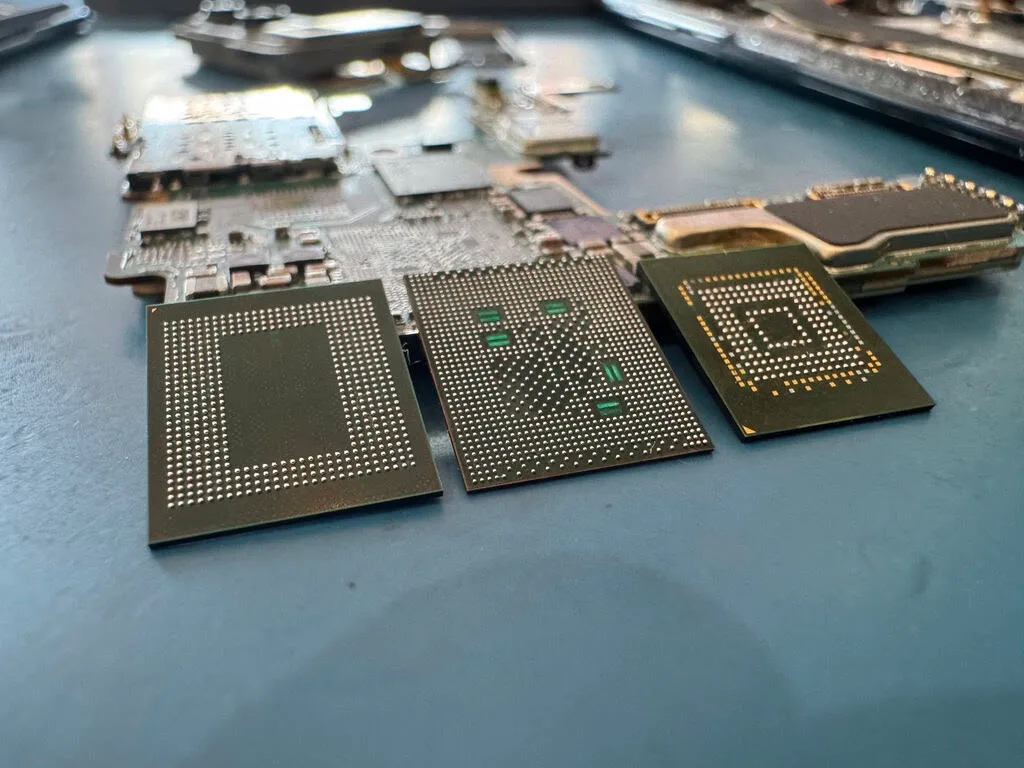
  • Close-up of board-level micro-soldering under magnification, the technique used to desolder NAND packages for chip-off recovery
    Samsung PM9A1 512GB NVMe (OEM laptop drive)

    NVMe Chip-Off Recovery - Fire-Damaged Laptop SSD Extraction

    Failure

    This Samsung OEM NVMe drive was extracted from a laptop that sustained fire and smoke damage in a house fire. The laptop's motherboard was destroyed - the PCIe slot connector had melted and several components on the NVMe drive's PCB had visible heat damage including discoloration and warped solder joints. The controller chip showed signs of thermal stress with microscopic cracks visible under magnification. The NAND flash packages, while discolored from smoke exposure, appeared structurally intact because they are positioned on the opposite side of the PCB from the controller and were somewhat shielded by the laptop's chassis during the fire. The client was desperate to recover family photos spanning 15 years, including photos of a deceased family member that existed nowhere else.

    Recovery

    We performed a full chip-off recovery, carefully desoldering each NAND flash package using our temperature-controlled BGA rework station. Because of the existing heat damage, we used a significantly lower thermal profile than standard - ramping temperatures very slowly to avoid thermal shock to the already-stressed solder joints and BGA substrate. Each chip was cleaned, reballed with fresh solder spheres, and placed into our NAND reader fixture. We read all four NAND packages successfully on the first attempt despite the fire damage - the Samsung V-NAND 3D structure proved remarkably resilient. The raw NAND dumps were processed through our Samsung-specific reconstruction pipeline, resolving the proprietary data scrambling, wear leveling mappings, and ECC corrections. We recovered the complete filesystem including all 47,000 family photos, documents, and the client's entire music library. The client was overcome with emotion when we confirmed the photos of their late father were all intact.

Call (732) 933-7717
Our Lab & Expertise

NVMe SSD Data Recovery, In Depth

Everything we know about recovering NVMe drives - the PCIe protocol, every major controller, NAND types, FTL failures, thermal damage, gaming, laptops, chip-off, RAID, and enterprise.

The Protocol

NVMe Technology Deep Dive: PCIe Protocol, NVMe Specification, and Why It Matters for Recovery

NVMe - Non-Volatile Memory Express - is not just a faster version of SATA. It is a fundamentally different storage protocol designed from the ground up for flash memory connected directly to the CPU through the PCIe (Peripheral Component Interconnect Express) bus. Understanding this architecture is essential for grasping why NVMe SSD data recovery requires different tools, different expertise, and different approaches compared to traditional SATA SSD or hard drive recovery.

The legacy AHCI (Advanced Host Controller Interface) protocol that SATA drives use was designed in the early 2000s for spinning hard drives. It supports a single command queue with a depth of 32 commands - meaning the storage device can only process 32 pending I/O requests at a time. NVMe, by contrast, supports up to 65,535 I/O queues, each capable of holding 65,536 commands. This massive parallelism allows NVMe drives to saturate modern PCIe bandwidth, delivering sequential read speeds exceeding 7,000 MB/s on Gen 4 drives and over 14,000 MB/s on Gen 5 drives.

For data recovery, this architectural difference has profound implications. NVMe drives use a completely different command set than SATA drives. The NVMe specification defines commands like Identify, Get Log Page, Format NVM, and vendor-specific commands that data recovery tools must support natively. A recovery tool designed for SATA drives simply cannot communicate with an NVMe controller - the protocols are incompatible at the hardware level. Our PC-3000 SSD platform supports the full NVMe command set, including vendor-specific diagnostic commands for Samsung, Western Digital, Phison, Silicon Motion, and other controller manufacturers.

The PCIe interface also changes the physical connection between the drive and recovery equipment. SATA drives use a standardized data and power connector that recovery tools can interface with easily. NVMe M.2 drives use the M.2 edge connector with a specific key notch (M-key for NVMe, B-key for SATA, or B+M for dual compatibility), and our lab has dedicated M.2 adapters and PCIe carrier boards that provide stable, reliable connections during the recovery process. For U.2 enterprise NVMe drives, we use SFF-8639 connectors and dedicated U.2-to-PCIe adapters.

The NVMe specification has evolved through multiple versions - NVMe 1.0, 1.1, 1.2, 1.3, 1.4, and the current NVMe 2.0 - each adding features that affect data storage and recovery. NVMe 1.3 introduced sanitize commands and namespace management, which changed how data erasure and drive partitioning work. NVMe 1.4 added persistent memory region support and improved endurance group management. NVMe 2.0, the current specification, reorganized the command set into separate specifications (NVMe Base, NVMe Command Set, NVMe Transport) and added zoned namespaces (ZNS) that change how data is physically organized on the NAND chips.

One of the most significant differences between NVMe and SATA from a recovery perspective is how the drive handles power loss. SATA drives have well-established power loss protection circuits and the AHCI protocol handles unexpected disconnections gracefully. NVMe drives, operating at much higher speeds with more data in flight, are more vulnerable to power loss events. When an NVMe drive loses power during a write operation, the flash translation layer (FTL) may be left in an inconsistent state, unflushed data in the DRAM write cache is lost, and the drive's internal metadata can become corrupted. Modern NVMe drives include power loss protection (PLP) capacitors - small capacitors on the PCB that provide enough energy to flush the DRAM cache to NAND during a power failure - but not all consumer drives include this feature, and the capacitors themselves can fail over time.

At MDrepairs, we work with NVMe drives at every level of the protocol stack - from PCIe link training and NVMe controller initialization to firmware-level command injection and direct NAND chip access. Our understanding of the NVMe specification allows us to diagnose failures that other labs cannot identify, and our chip-off capabilities mean we can recover data even when the NVMe controller is completely non-functional. Whether your drive uses PCIe Gen 3 x4, Gen 4 x4, or the latest Gen 5 x4 interface, our lab has the hardware and expertise to recover your data.

Samsung

Samsung NVMe SSD Recovery: 970 EVO Plus, 980 Pro, 990 Pro, and the Elpis Controller

Samsung is by far the most popular NVMe SSD brand we see in our lab, accounting for roughly 40% of all NVMe recovery cases at MDrepairs. This is no surprise - Samsung dominates the consumer NVMe market with their 970 EVO Plus, 980, 980 Pro, 990 Pro, and 990 EVO lineups. Each generation brings faster speeds, denser NAND, and new controller architectures that require specific recovery knowledge.

Samsung NVMe SSD board under inspection - the V-NAND flash packages and Elpis controller on the circuit board

The Samsung 970 EVO Plus, released in 2019, uses Samsung's Phoenix controller paired with 96-layer V-NAND TLC. This drive was the gold standard for PCIe Gen 3 NVMe performance and remains widely used. The Phoenix controller is well-documented in the data recovery community, and our PC-3000 SSD platform has mature support for its firmware structure. Common failures we see with the 970 EVO Plus include controller lockups after power loss, firmware corruption that causes the drive to identify with zero capacity, and NAND degradation in heavily-used drives that have exceeded their TBW (Terabytes Written) endurance rating.

The Samsung 980 (non-Pro) was Samsung's first DRAM-less NVMe SSD, using Host Memory Buffer (HMB) technology instead of onboard DRAM for the flash translation layer cache. This cost-reduction measure has recovery implications - without dedicated DRAM, the drive relies on the host system's memory to cache FTL mappings, and a portion of the NAND itself is used as a pseudo-SLC cache for burst writes. When the 980 fails, the FTL state on the NAND may be less consistent than on DRAM-equipped drives because mapping updates were being cached in host memory when the failure occurred. Our recovery process accounts for this by scanning the NAND for multiple FTL snapshots and selecting the most complete version.

The Samsung 980 Pro introduced the Samsung Elpis controller - a significant leap in performance that also changed the recovery landscape. The Elpis controller is a custom 8nm ARM-based processor that Samsung designed specifically for PCIe Gen 4 NVMe drives. It manages eight NAND channels (compared to five on the Phoenix) and supports speeds up to 7,000 MB/s sequential read. From a recovery perspective, the Elpis controller introduced a new firmware architecture with different FTL structures, different vendor-specific NVMe command sets, and different internal error handling compared to the Phoenix controller. Our lab invested significant time building Elpis-specific recovery capabilities, and we now have comprehensive firmware maps for the 980 Pro across all capacity variants.

The Samsung 990 Pro, which uses an updated version of the Elpis controller with Samsung's latest 176-layer V-NAND, has been particularly interesting from a failure perspective. Early batches of the 990 Pro experienced a well-documented firmware bug that caused rapid health degradation - drives would lose hundreds of health percentage points in weeks, with the SMART attribute for available spare dropping precipitously. Samsung eventually released firmware updates to address this issue, but many drives had already sustained damage before the fix was available. We have recovered data from numerous 990 Pro drives affected by this firmware issue, where the drive entered read-only mode or became completely unresponsive after the health degradation reached critical levels.

Samsung's in-house NAND fabrication is both an advantage and a complication for recovery. Because Samsung manufactures their own V-NAND (vertical NAND), the page sizes, block structures, and ECC algorithms are proprietary. Samsung's current 176-layer and 236-layer V-NAND uses a unique charge trap flash (CTF) cell design that differs from the floating gate technology used by some other manufacturers. When performing chip-off recovery on Samsung NVMe drives, we must account for Samsung's specific NAND organization, including their proprietary ECC (error-correcting code) implementation, page pairing schemes, and block management algorithms.

For Samsung NVMe recovery, our process typically begins with attempting controller-level access through the PC-3000 SSD platform. We use Samsung-specific diagnostic commands to query the drive's internal state, read firmware logs, and determine the failure mode. If the controller is responsive but the FTL is corrupted, we can often rebuild the flash translation layer using recovery algorithms that parse the NAND for mapping data. If the controller is non-responsive - a dead Elpis or Phoenix chip - we proceed to chip-off recovery, desoldering each V-NAND package and reading it with our NAND readers. The data is then reassembled using our knowledge of Samsung's NAND organization and FTL algorithms.

Common Samsung NVMe failures we handle include: drive not detected after power loss (FTL corruption), drive shows 0 bytes capacity (firmware initialization failure), drive detected but all data appears gone (logical corruption or TRIM-related), slow performance degrading to complete failure (NAND wear-out), and sudden death with no warning (controller failure). Regardless of the failure mode, our Samsung NVMe recovery success rate remains consistently high because of our deep familiarity with Samsung's hardware and firmware architecture.

Western Digital

WD Black NVMe SSD Recovery: SN770, SN850X, and Western Digital's Custom Controller Architecture

Western Digital's WD Black SN770 and SN850X are among the most popular NVMe SSDs for gaming PCs, creative workstations, and PlayStation 5 upgrades. WD's NVMe drives use a unique combination of in-house controllers and SanDisk/Kioxia NAND flash - a legacy of Western Digital's acquisition of SanDisk in 2016. This vertical integration gives WD complete control over their drive's architecture, but it also means recovery requires WD-specific expertise that many labs lack.

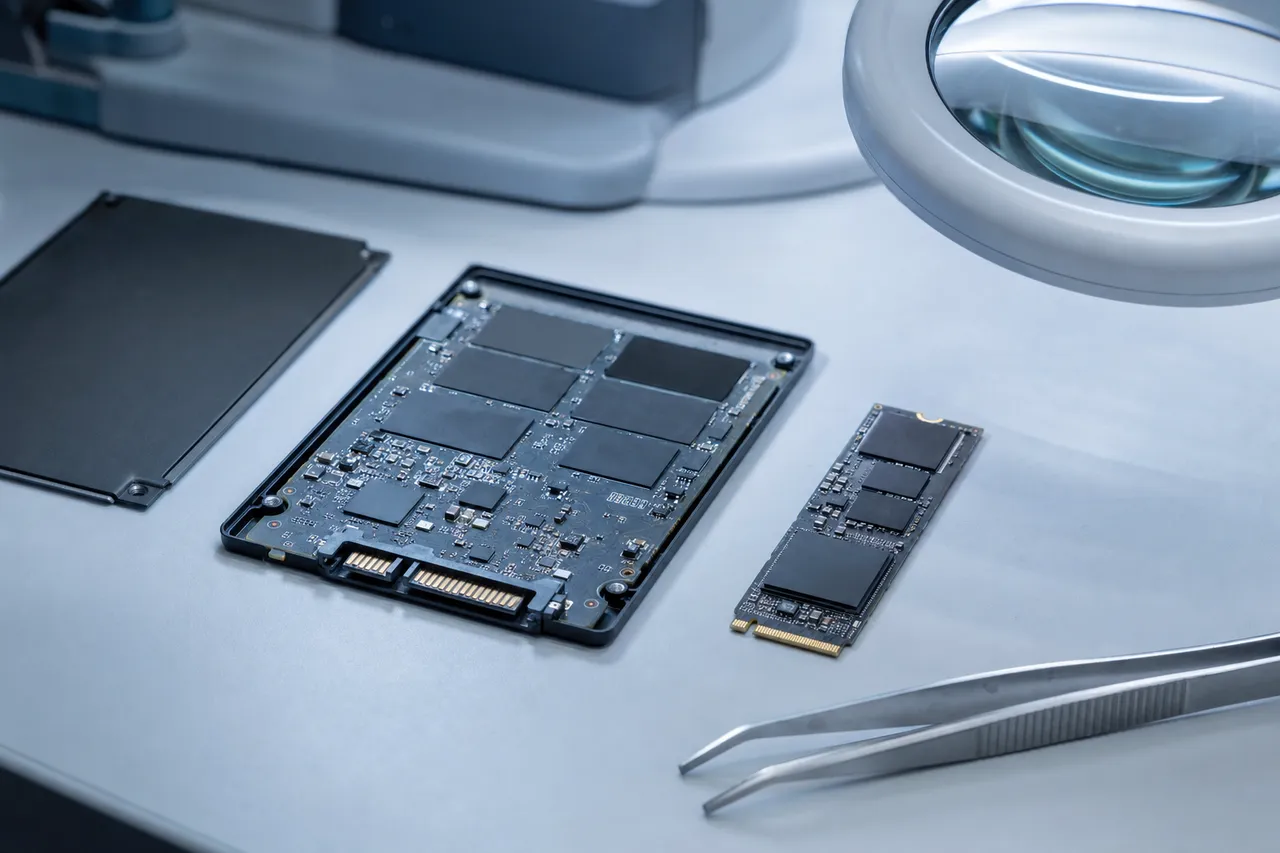
WD Black NVMe M.2 SSD on the bench beside a 2.5-inch SSD opened to expose its controller and NAND flash chips

The WD Black SN770 uses Western Digital's in-house controller paired with their BiCS5 (112-layer) 3D TLC NAND flash manufactured by Kioxia (the former Toshiba Memory division). Like Samsung's 980, the SN770 is a DRAM-less design that uses Host Memory Buffer (HMB) for FTL caching. This design decision, while reducing cost and power consumption, introduces specific recovery challenges. The SN770's FTL relies on the host system's memory, and the NAND-resident FTL backup may not always reflect the most recent state. During recovery, we account for potential FTL inconsistencies by scanning multiple metadata regions across the NAND to reconstruct the most complete mapping table.

The WD Black SN850X represents WD's flagship Gen 4 NVMe drive, featuring an upgraded in-house controller with DRAM cache, 112-layer BiCS5 TLC NAND, and sequential read speeds up to 7,300 MB/s. The SN850X has been widely adopted as a PS5 expansion drive due to its performance profile matching Sony's recommended specifications. We see a significant number of SN850X drives from PS5 systems - typically after power surges, system crashes, or situations where the PS5 was moved or bumped during operation.

Western Digital's custom controller architecture differs substantially from the Phison and Silicon Motion controllers used by most other NVMe brands. WD designs their own ASIC controller silicon, and their firmware is developed entirely in-house. This means the NVMe vendor-specific command set, the FTL implementation, the error handling algorithms, and the internal diagnostic interfaces are all proprietary to Western Digital. Data recovery tools must specifically support WD's controller variants - a generic NVMe recovery approach will not work.

Our PC-3000 SSD platform includes dedicated support modules for Western Digital NVMe controllers, including the ability to read firmware logs, access drive health telemetry, perform controlled firmware initialization, and extract data through WD's vendor-specific interfaces. When controller-level access fails, we perform chip-off recovery using our knowledge of Kioxia BiCS NAND architecture - including the page sizes, block organization, ECC structure, and data scrambling algorithms specific to WD's implementation.

The WD Black SN770M deserves special mention as it uses the M.2 2230 form factor - a shorter, smaller board design used in the Steam Deck, Microsoft Surface devices, and some ultraportable laptops. The compact 2230 form factor places the controller and NAND in very tight proximity, which creates thermal management challenges. We see SN770M failures related to thermal stress more frequently than with standard 2280 drives, particularly in Steam Deck consoles where ventilation is limited and gaming sessions can be extended.

Common WD NVMe failures we recover include: SN850X not detected after PS5 system crash (FTL corruption), SN770 intermittent disconnections escalating to permanent failure (thermal or controller degradation), SN770M dead after extended gaming session (thermal damage), and all WD models experiencing sudden death after power interruption. Western Digital's firmware handles power loss differently than Samsung's, and our recovery process is tailored accordingly - we know which metadata regions to prioritize, how WD's garbage collection state affects data integrity, and where to find FTL backup copies in WD's NAND layout.

We also handle WD Blue SN580 and older SN550 drives, which use earlier generations of WD's controller technology. While these are technically categorized as mainstream rather than performance drives, they use the same fundamental architecture and our WD-specific recovery capabilities apply equally to all Western Digital NVMe product lines. Whether your WD drive is from a gaming PC, a creative workstation, or a PS5, our lab has the tools and controller-level knowledge to recover your data.

Controllers

Understanding NVMe Controllers: Phison, Silicon Motion, Samsung Elpis, and WD Custom

The controller is the brain of every NVMe SSD - a specialized processor that manages all data flow between the host computer's PCIe bus and the NAND flash memory chips. Understanding the major NVMe controller families is essential for data recovery because each controller uses different firmware architectures, different flash translation layer implementations, and different error handling strategies. When a controller fails or its firmware becomes corrupted, recovery success depends on the technician's familiarity with that specific controller's internals.

Phison is one of the two dominant third-party NVMe controller manufacturers, and their controllers power a huge variety of NVMe brands. The Phison E12 was their breakthrough Gen 3 controller, found in drives from Corsair (MP510), Seagate (FireCuda 510), Sabrent (Rocket), and many others. The E12 uses a dual-core ARM Cortex-R5 processor with eight NAND channels and supports up to 8TB of TLC or QLC NAND. From a recovery perspective, the E12's firmware structure is well-understood in our lab, and we can repair FTL corruption, address controller lockups, and extract data through Phison's vendor-specific NVMe commands.

The Phison E16 was the industry's first PCIe Gen 4 NVMe controller, debuting in 2019 in drives like the Corsair MP600 and Sabrent Rocket 4.0. It was essentially an E12 with a PCIe Gen 4 interface added, which meant the firmware architecture was similar. This made the E16 relatively straightforward to work with for recovery purposes - technicians familiar with the E12 could apply much of the same knowledge.

The Phison E18 represented a major architectural leap - a new triple-core ARM Cortex-R5 design with improved LDPC (Low-Density Parity-Check) error correction that delivers dramatically better data integrity over the life of the drive. The E18 powers flagship drives including the Corsair MP600 Pro, Seagate FireCuda 530, Sabrent Rocket 4 Plus, and Kingston KC3000. The E18's firmware is significantly more complex than the E12/E16, with a new FTL implementation that handles wear leveling, garbage collection, and error correction differently. Our lab has invested substantial time developing E18-specific recovery capabilities, including FTL reconstruction algorithms and firmware repair procedures tailored to the E18's unique architecture.

The Phison E26, their Gen 5 controller, powers the latest flagship drives including the Corsair MP700, Crucial T700, and MSI Spatium M570. Based on a dual-core ARM Cortex-R5 design with improved NAND interface speeds, the E26 delivers sequential read speeds exceeding 12,000 MB/s. The E26 introduced a new firmware platform with enhanced error correction, improved thermal management algorithms, and a redesigned FTL. As more E26-based drives enter the market and begin to age, we are continuously updating our recovery capabilities for this controller family.

Silicon Motion (SMI) is the other major third-party controller manufacturer. Their SM2262EN was a popular Gen 3 controller found in drives like the ADATA XPG SX8200 Pro, HP EX950, and various Kingston models. The SM2262EN uses a dual-core ARM architecture with four NAND channels and is known for its efficient power management and strong performance. Silicon Motion's firmware architecture differs significantly from Phison's - SMI uses a different FTL data structure, different NAND block management algorithms, and different vendor-specific NVMe commands for diagnostics and recovery.

The Silicon Motion SM2264 is their flagship Gen 4 controller, competing directly with the Phison E18. It uses an octa-core ARM Cortex-R8 design - the most cores of any consumer NVMe controller - which provides substantial processing power for ECC correction, data compression, and FTL management. The SM2264 powers drives from various brands, and its sophisticated error correction capabilities can sometimes mask early NAND degradation, meaning the drive appears healthy until failure is sudden and catastrophic. Our recovery tools detect this scenario and apply appropriate NAND-level recovery techniques.

Samsung and Western Digital design their own controllers entirely in-house, as discussed in their dedicated sections. Samsung's Elpis controller family and WD's custom controllers each have completely proprietary firmware architectures. This vertical integration means these manufacturers have complete control over the hardware-firmware interface, which can improve drive reliability but also means recovery requires manufacturer-specific expertise. Our lab maintains separate recovery profiles for Samsung, WD, Phison, Silicon Motion, and other controller families, ensuring we apply the correct tools and techniques for each drive.

When an NVMe drive arrives at our lab, the first step in diagnosis is identifying the controller. We do this through the NVMe Identify command (when the drive is responsive), visual PCB inspection (identifying the controller IC markings), or inference from the drive model and manufacturing date. Once the controller is identified, we select the appropriate recovery module in our PC-3000 platform and begin the diagnostic process using controller-specific commands and procedures. This controller-first approach is essential for efficient and successful NVMe data recovery.

NAND Flash

NAND Flash Types in NVMe SSDs: TLC, QLC, 3D NAND Layers, and Recovery Implications

The NAND flash memory chips inside your NVMe SSD are where your data physically resides, and the type of NAND - SLC, MLC, TLC, or QLC - fundamentally affects both the drive's performance characteristics and the complexity of data recovery. Understanding NAND technology at the cell level is critical for our recovery technicians because it determines the voltage thresholds we must work with, the error correction challenges we face, and the likelihood of successful recovery when the drive fails.

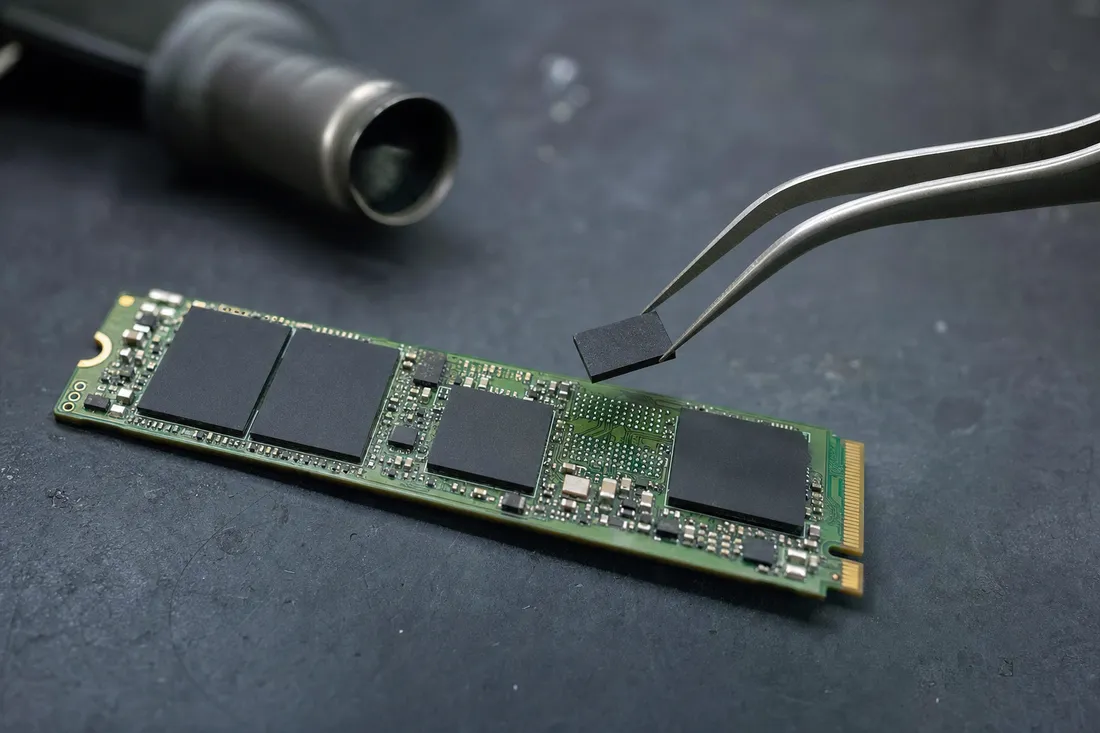
Macro view of an M.2 NVMe SSD with a single NAND flash chip lifted by tweezers above an empty solder pad for direct reading

SLC (Single-Level Cell) NAND stores one bit per cell, meaning each cell exists in one of two voltage states - programmed or erased, representing 0 or 1. SLC NAND is the most durable and reliable, enduring approximately 100,000 program/erase cycles, but it is also the most expensive per gigabyte. SLC is rarely used in consumer NVMe SSDs today, though some enterprise NVMe drives still use it for critical metadata storage. When we encounter SLC NAND during recovery, the wide voltage margins between states make data extraction relatively straightforward even from degraded cells.

MLC (Multi-Level Cell) NAND stores two bits per cell across four voltage states. MLC offers a good balance of endurance (approximately 3,000-10,000 P/E cycles), performance, and cost. Samsung's 970 Pro was one of the last consumer NVMe SSDs to use MLC NAND, and many enterprise NVMe drives continue to use it. MLC recovery is more complex than SLC because the four voltage states are closer together, meaning cell degradation can cause voltage drift that makes distinguishing between states more difficult. However, MLC's generous voltage margins compared to TLC and QLC still provide relatively favorable recovery conditions.

TLC (Triple-Level Cell) NAND stores three bits per cell across eight voltage states, and it dominates the current NVMe SSD market. The Samsung 980 Pro, 990 Pro, WD Black SN850X, Crucial P5 Plus, SK Hynix P41 Platinum, and most other flagship NVMe drives all use TLC NAND. The eight voltage states in TLC are much more tightly packed than MLC's four states, meaning the voltage margins between adjacent states are narrower. This tighter packing makes TLC more susceptible to read disturb errors, data retention loss, and voltage drift from cell degradation. For recovery, this means our NAND readers must work with much finer voltage resolution to correctly distinguish between the eight states, and our ECC algorithms must handle higher raw bit error rates.

QLC (Quad-Level Cell) NAND stores four bits per cell across sixteen voltage states. Drives like the Intel 670p, Sabrent Rocket Q, and some Crucial and Samsung models use QLC NAND to achieve lower cost per gigabyte at the expense of endurance (500-1,000 P/E cycles) and sustained write performance. From a recovery perspective, QLC represents the most challenging NAND type. Sixteen voltage states crammed into the same voltage range as SLC's two states means the margins are extremely narrow. Cell degradation, temperature fluctuations, or read disturb effects can easily shift a cell's voltage across a threshold boundary, causing bit errors. Our recovery from QLC drives requires the most sophisticated error correction algorithms and the most precise NAND reading equipment to achieve successful results.

Modern NVMe SSDs use 3D NAND (also called V-NAND by Samsung), where memory cells are stacked vertically in layers rather than spread across a flat (planar) surface. This vertical stacking dramatically increases storage density without shrinking the physical cell size, which actually improves reliability compared to aggressively-shrunk planar NAND. Current generation 3D NAND reaches impressive layer counts: Samsung's V-NAND is at 236 layers, Micron (Crucial) uses 232 layers, SK Hynix has reached 238 layers, and Kioxia (WD) uses 218 layers in their BiCS8 process.

Higher layer counts improve density but introduce new failure modes. The vertical channel that connects all layers of cells becomes increasingly difficult to manufacture uniformly as layer counts grow. Manufacturing defects, inter-cell interference between adjacent layers, and charge leakage through the vertical channel can all cause data errors that develop over time. During chip-off recovery, we must account for these 3D-specific failure patterns - certain layers or blocks may have higher error rates than others, and our reconstruction algorithms weight data from different NAND regions accordingly.

Every NVMe SSD employs a pseudo-SLC cache - a portion of the TLC or QLC NAND operated in SLC mode (one bit per cell) to provide a burst of fast write performance. Data written to the SLC cache is later relocated to the main TLC or QLC storage area during idle time through a process called folding. During recovery, we must account for data that may still reside in the SLC cache area (not yet folded to its final location), data in the main TLC/QLC area, and metadata about which areas contain valid data versus stale copies. Our recovery tools understand the SLC cache management algorithms used by each controller family, allowing us to correctly locate and prioritize the most current version of each data block.

The ECC (Error Correcting Code) system is another critical consideration for NVMe recovery. Modern drives use LDPC (Low-Density Parity-Check) codes that can correct dozens of bit errors per page, allowing the drive to function reliably even as NAND cells degrade. When performing chip-off recovery, we must replicate this ECC correction process outside the drive's controller - applying the appropriate LDPC decoding algorithms to each page of raw NAND data to produce correct, usable data. Our NAND recovery tools support the LDPC implementations used by all major NVMe controller families, ensuring maximum data integrity during the reconstruction process.

Firmware / FTL

Firmware Translation Layer (FTL) Failures: The Hidden Cause Behind Most NVMe SSD Data Loss

The Flash Translation Layer - FTL - is the most critical piece of software running inside your NVMe SSD, and its failure is the single most common cause of NVMe data loss we encounter at MDrepairs. The FTL is a complex software layer running on the NVMe controller that translates the logical block addresses (LBAs) used by your operating system into physical NAND flash addresses where data is actually stored. Without a functioning FTL, the controller has no way to know where any of your data is located across the drive's NAND chips - even though the data itself may be perfectly intact.

Understanding why the FTL exists requires understanding a fundamental limitation of NAND flash memory: unlike a hard drive's magnetic platters, NAND flash cannot overwrite data in place. To change even a single byte, the entire block containing that byte must be erased first, then the complete block rewritten with the new data. NAND blocks are large - typically 4-16 MB in modern 3D NAND - so erasing and rewriting an entire block for every small change would be devastatingly slow. The FTL solves this by writing new data to a fresh page in a different block, then updating its internal mapping table to point the LBA to the new physical location. The old location is marked as invalid, and eventually the block containing only invalid pages is erased and recycled through garbage collection.

The FTL mapping table is essentially a massive lookup table - for a 2TB NVMe SSD with 4KB pages, the FTL must track approximately 500 million logical-to-physical page mappings. This table is too large to store in the controller's SRAM, so it is cached in the drive's DRAM (or host memory for HMB drives) during operation and periodically checkpointed to the NAND flash. When you power on the drive, the controller loads the FTL from NAND into DRAM and begins servicing I/O requests. When you power off gracefully, the controller writes the current FTL state back to NAND. The problem occurs when power is lost unexpectedly - the DRAM contents are lost, and the FTL state on NAND may not reflect the most recent mappings.

FTL corruption manifests in several ways. The drive may appear in BIOS but show zero capacity because the controller cannot parse its own mapping tables. The drive may be detected but show as unformatted or empty because the FTL is pointing to wrong locations or has lost track of where data begins. The drive may enter a boot loop where it repeatedly tries and fails to initialize its FTL, causing it to appear and disappear from the system. In the worst case, the drive may not be detected at all because the FTL initialization failure causes the controller to hang before completing PCIe link training.

Our FTL recovery process begins with identifying which FTL implementation the drive uses - Samsung, WD, Phison, and Silicon Motion all implement their FTL differently. We use the PC-3000 SSD platform to access the drive's internal state through vendor-specific NVMe commands. These commands allow us to read firmware logs, check the FTL checkpoint status, and determine the nature of the corruption. In many cases, we can repair the FTL in place by loading a recovery firmware module that rebuilds the mapping tables from metadata scattered across the NAND flash.

Each FTL implementation stores metadata redundantly - there are primary and backup mapping tables, checkpoint timestamps, and block validity markers distributed across the NAND. When the primary FTL is corrupted, we can often reconstruct a working FTL from these backup structures. The process involves scanning the NAND for valid mapping data, cross-referencing timestamps to determine the most recent consistent state, and building a reconstructed FTL that the controller can use to access data. This process is controller-specific and requires intimate knowledge of how each manufacturer organizes their FTL metadata.

When controller-level FTL repair is not possible - for example, when the controller itself is dead - we perform FTL reconstruction as part of the chip-off recovery process. After desoldering and reading all NAND chips, our software analyzes the raw NAND data to locate FTL metadata, reconstruct the logical-to-physical mapping, and reassemble the data in the correct logical order. This is the most technically demanding part of chip-off NVMe recovery because the FTL data structures are interleaved with user data across all NAND chips, and they must be correctly interpreted to produce a valid disk image.

Power loss during specific operations creates particularly severe FTL corruption. If power is lost during garbage collection (when the drive is moving valid data and erasing blocks), the FTL may have partially updated mappings - some pointing to old locations, some to new. If power is lost during SLC cache folding (when TLC/QLC data is being relocated from the SLC cache to its final location), data may exist in both the cache and the main area with conflicting FTL entries. Our recovery algorithms are designed to handle these inconsistent states, analyzing block timestamps and sequence numbers to determine which copy of each data page is the most current and valid.

At MDrepairs, FTL recovery is our most common NVMe SSD repair type, and our success rate for FTL-related failures is among our highest. The data is typically fully intact on the NAND - the drive just lost its roadmap. With the right tools and expertise, we rebuild that roadmap and deliver your data back to you complete and intact.

Thermal

Thermal Throttling and Heat-Related NVMe SSD Failures

Heat is the number one environmental threat to NVMe SSDs, and thermal management failures are an increasingly common cause of NVMe data loss we encounter at MDrepairs. Unlike SATA SSDs, which operate at relatively modest speeds and generate minimal heat, NVMe drives push data through the PCIe bus at rates exceeding 7,000 MB/s on Gen 4 and 14,000 MB/s on Gen 5. This extreme throughput generates substantial heat in the controller chip and NAND packages - and when that heat is not properly managed, it can cause both temporary performance degradation and permanent hardware damage.

NVMe controllers are essentially specialized processors running at clock speeds between 500 MHz and over 1 GHz. Like any processor, they generate heat proportional to their workload. A Samsung Elpis controller drawing 3-5 watts under sustained load produces significant heat concentrated in a tiny chip package. The NAND flash packages also generate heat during write operations as electrons are forced through oxide layers into floating gates or charge traps. Combined, a Gen 4 NVMe SSD under sustained write load can generate 8-12 watts of heat - a significant amount for a device the size of a stick of gum.

Thermal throttling is the NVMe drive's built-in defense against overheating. When the controller's thermal sensor detects temperatures approaching a critical threshold - typically 70-80C depending on the manufacturer - the drive reduces its operating speed to lower heat generation. Samsung drives begin throttling around 70C, while some Phison-based drives can tolerate up to 80C before throttling kicks in. During throttling, the drive may drop from 7,000 MB/s to under 1,000 MB/s, dramatically slowing system performance but protecting the hardware from damage.

The problem occurs when thermal conditions are severe enough that throttling cannot prevent damage, or when thermal cycling (repeated heating and cooling) gradually weakens solder joints and component connections. NVMe SSDs installed in M.2 slots located beneath graphics cards, in compact ITX cases with poor airflow, or in laptops with inadequate thermal management are particularly vulnerable. We frequently see drives that have experienced months of thermal stress - running at elevated temperatures day after day - until a solder joint cracks, a NAND package develops internal delamination, or the controller suffers permanent damage from electromigration.

Thermal damage to NAND flash is particularly insidious because it accelerates cell degradation. Each NAND cell has an oxide layer that traps electrons to represent data. At elevated temperatures, these trapped electrons gain enough thermal energy to escape through the oxide layer - a process called charge leakage or data retention loss. The hotter the NAND operates, the faster data retention degrades. A TLC cell that would retain data for years at 40C might lose data in months at 70C and weeks at 85C. This means drives that have operated at elevated temperatures may have experienced accelerated NAND aging far beyond what their P/E cycle count would suggest.

We see a distinct pattern of thermal failures in certain system configurations. Gaming PCs with NVMe drives mounted under graphics cards are a frequent source of recovery cases - the GPU can heat the M.2 slot area to 60-80C during gaming sessions. PlayStation 5 consoles are another common source, as the internal M.2 slot sits near the APU and has limited airflow even with the heatsink Sony provides. Compact NUC-style PCs and thin laptops that prioritize portability over thermal headroom round out the most common thermal failure scenarios.

When a thermally-damaged NVMe drive arrives at our lab, the recovery approach depends on the extent of the damage. If the controller is functional but NAND degradation has caused data errors, we can often extract data through the controller using enhanced error correction and multiple read passes at different voltage thresholds. If solder joints have cracked due to thermal cycling, we may be able to repair the connection or bridge the broken joint to restore connectivity. If the controller is permanently damaged by heat, we proceed to chip-off recovery, desoldering the NAND packages (a process that actually requires precise thermal management itself - we use controlled heating profiles to avoid further damage to the NAND chips during desoldering).

Prevention is always better than recovery. If you use an NVMe SSD, we recommend installing a heatsink (even a basic aluminum heatsink provides significant benefit), ensuring adequate case airflow around the M.2 slot, monitoring drive temperatures using tools like CrystalDiskInfo or Samsung Magician, and avoiding sustained heavy workloads in poorly-ventilated enclosures. However, if thermal damage has already occurred and your data is at risk, our lab has the expertise to recover from even severe heat-related NVMe failures.

Gaming & PS5

NVMe SSDs in Gaming PCs and PS5: Recovery Challenges for Gamers

NVMe SSDs have become essential components in gaming - from high-end gaming PCs that demand fast load times to the PlayStation 5 that uses an NVMe SSD as its primary and expandable storage. At MDrepairs, gamers represent a growing segment of our NVMe recovery cases, and their drives present unique recovery challenges related to how gaming systems use NVMe storage, the environments these drives operate in, and the types of data at risk.

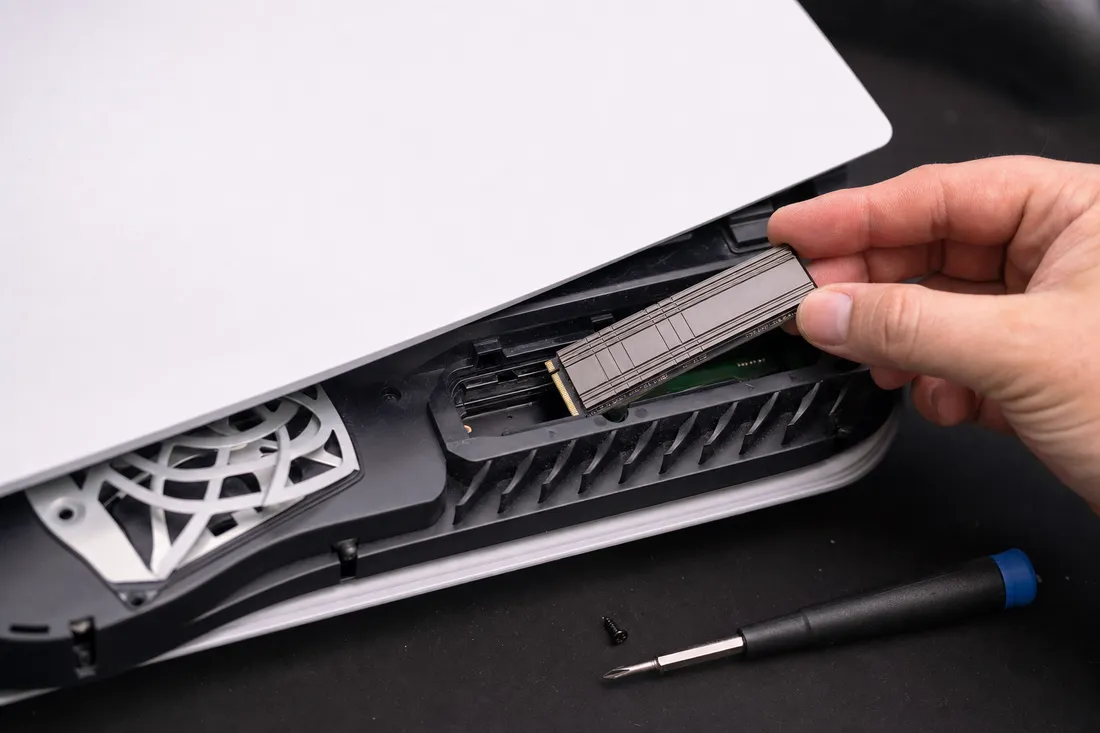
An M.2 NVMe SSD with a heatsink being installed into the expansion storage slot of a modern game console

The PlayStation 5 uses a custom 825GB NVMe SSD as its internal storage, and Sony officially supports M.2 NVMe expansion drives in the console's expansion slot. Popular PS5 expansion drives include the Samsung 980 Pro, WD Black SN850X, Seagate FireCuda 530, and Samsung 990 Pro - all PCIe Gen 4 drives that meet Sony's performance requirements. The PS5 formats its internal and expansion NVMe drives with a proprietary file system that standard PC recovery tools cannot read. This means recovering data from a PS5 NVMe drive requires specialized tools that understand Sony's file system structure, including save data organization, game installation layouts, and media gallery storage.

PS5 NVMe recovery cases commonly involve the expansion drive becoming unreadable after a system crash, power outage, or firmware update failure. When this happens, the PS5 typically prompts the user to format the drive - which would destroy all data. We strongly advise against formatting and instead recommend sending the drive to our lab for professional recovery. Common recoverable data includes game saves that were not backed up to PlayStation Plus cloud storage, screenshot and video capture galleries, and game installation data that avoids lengthy re-downloads on slow internet connections.

Gaming PCs present different NVMe challenges. High-performance gaming systems often push NVMe drives to their thermal limits, especially when the M.2 slot is located near the graphics card or in a compact case with restricted airflow. We regularly see NVMe drives from gaming PCs that have failed due to thermal stress - the drive worked fine for months or years, gradually accumulating heat damage until the controller or NAND gave out. Gamers also tend to perform frequent, large write operations (installing and uninstalling games, recording gameplay footage, running OBS for streaming), which accelerates NAND wear on drives that are already operating at elevated temperatures.

Another common gaming PC recovery scenario involves drives that fail after BIOS updates or system overclocking. Aggressive memory overclocking (XMP/EXPO profiles) can sometimes cause instability in the PCIe bus, leading to data corruption on the NVMe drive. BIOS updates can change PCIe configuration settings, reset NVMe mode from PCIe Gen 4 to Gen 3 (or vice versa), or alter power delivery to the M.2 slot - any of which can trigger NVMe initialization failures. We have recovered data from drives that appeared dead after a BIOS update but were actually experiencing a PCIe link training mismatch rather than true hardware failure.

Steam Deck and handheld gaming PC recovery is an emerging category. The Steam Deck uses an M.2 2230 NVMe SSD - the shorter form factor that is physically smaller and more delicate than the standard 2280 size. Many Steam Deck users upgrade their internal drive to higher-capacity 2230 NVMe models like the WD Black SN770M or Sabrent Rocket 2230. These compact drives, operating in a handheld device with limited cooling, are vulnerable to both thermal issues and physical shock damage. We have recovered data from 2230 NVMe drives that were damaged by drops, liquid exposure, or connector damage from improper installation.

Data types at risk in gaming NVMe failures include: irreplaceable game save files (especially for games without cloud save support), years of screenshots and video captures, streaming and content creation recordings, game modification files and custom configurations, and personal files that users store alongside games on their NVMe drive. For professional streamers and content creators, losing a gaming NVMe drive can mean losing not just save data but revenue-generating content - unedited footage, stream VODs, and thumbnail assets.

Our gaming NVMe recovery process accounts for these specific use cases. For PS5 drives, we use tools that understand Sony's file system and can recover save data, media, and installation files. For gaming PC drives, we identify whether the failure is truly hardware-related or potentially a configuration issue that can be resolved without invasive recovery. For Steam Deck and handheld drives, we handle the delicate 2230 form factor with appropriate tools and techniques. Regardless of the gaming platform, our goal is the same - recover every recoverable file and return it to you as quickly as possible.

Laptops

NVMe SSDs in Laptops and Ultrabooks: Recovery Considerations for Mobile Devices

Laptops and ultrabooks are the most common source of NVMe SSD recovery cases at MDrepairs. Modern laptops almost universally use M.2 NVMe SSDs as their primary storage - these compact drives provide the performance and form factor that thin, portable computers require. However, the laptop environment introduces specific stresses and failure modes that desktop NVMe drives rarely encounter, and understanding these laptop-specific challenges is essential for successful recovery.

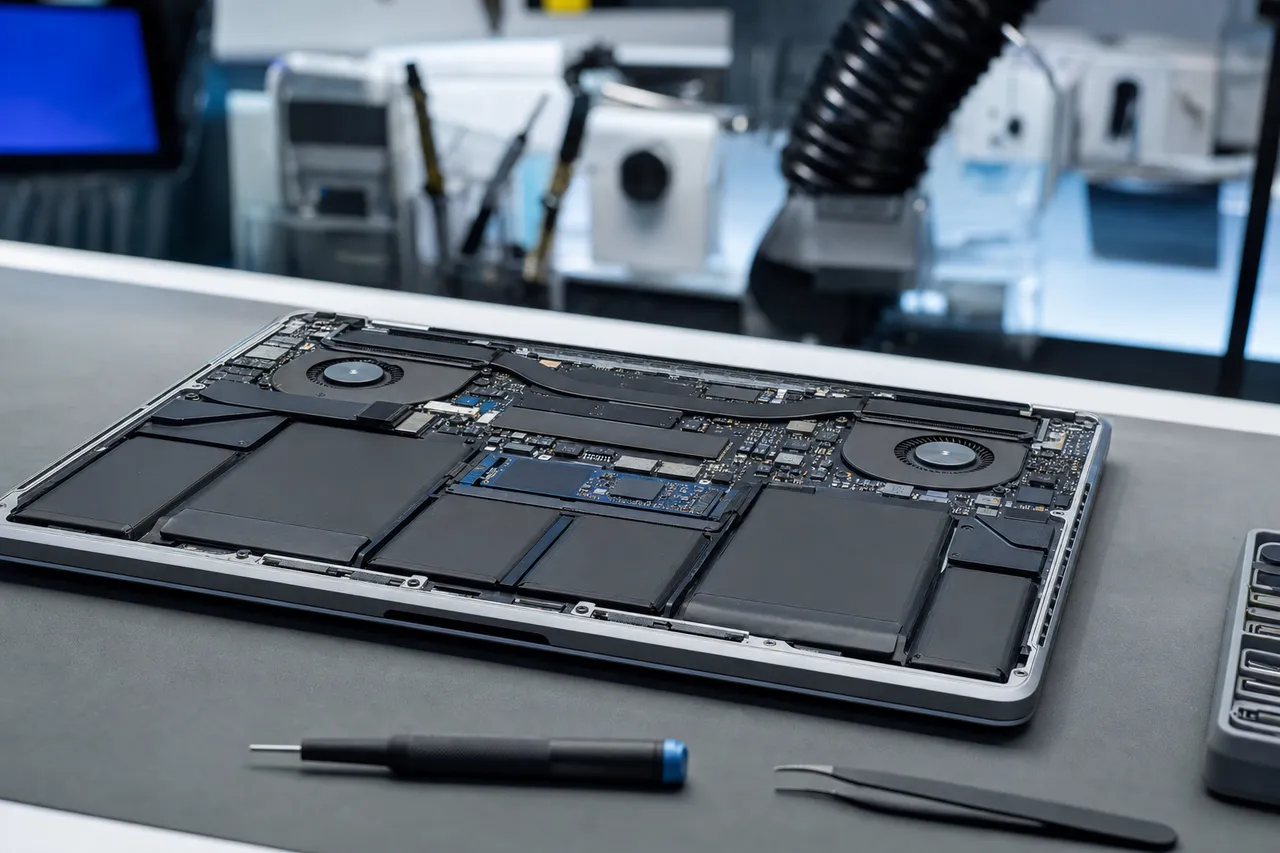
An open laptop on a repair bench with its bottom panel removed, exposing the internal M.2 NVMe SSD, battery and motherboard

Physical impact is the single most common cause of NVMe failure in laptops. While NVMe SSDs have no moving parts (unlike hard drives), they are not immune to physical damage. A drop or impact can crack the PCB, break solder joints connecting the controller or NAND chips to the board, damage the M.2 connector's gold fingers, or cause the drive to shift in its socket. We frequently see NVMe drives from laptops that were dropped - the drive may have been working perfectly before the impact and then suddenly be undetectable. Our lab examines the drive under magnification to identify physical damage, and we can often repair cracked traces, re-solder broken connections, or proceed to chip-off recovery if the PCB damage is too extensive to repair.

Laptop NVMe drives also face unique thermal challenges. Thin laptops and ultrabooks have extremely limited thermal headroom - the NVMe drive shares the chassis's thermal budget with the CPU, GPU (if present), and battery. Many laptop manufacturers do not include NVMe heatsinks or thermal pads, relying instead on the laptop's general airflow (which is already struggling to cool the processor). Under sustained workloads like video editing, software compilation, or gaming, the NVMe drive can reach temperatures that trigger throttling or, over time, cause cumulative heat damage.

Battery and power-related failures are another laptop-specific concern. Laptops experience power transitions that desktops do not - sleep, hibernation, battery depletion, and lid close/open cycles all create power state changes that the NVMe drive must handle. When a laptop battery depletes completely, the NVMe drive may not have time to flush its write cache or save its FTL state, creating the same corruption risk as a desktop power outage. Sleep state transitions can also fail if the NVMe driver or firmware has bugs, leaving the drive in an undefined state that requires a cold reboot to resolve - and repeated forced reboots can compound FTL corruption.

Liquid damage affects laptop NVMe drives more frequently than any other NVMe application. Coffee spills, rain exposure, and humidity damage can reach the M.2 slot and corrode the drive's contacts, short circuit components, or damage the controller and NAND packages. When a liquid-damaged laptop arrives at our lab, we carefully inspect the NVMe drive for corrosion and contamination. Mild corrosion on the M.2 connector can be cleaned and the drive may be functional. More severe liquid damage may require component-level repair or chip-off recovery.

Many modern laptops use soldered NVMe storage - the NAND and controller are soldered directly to the laptop's motherboard rather than installed as a removable M.2 module. Apple's Mac lineup has used soldered storage since 2016, and increasingly Windows laptops from manufacturers like Dell, Lenovo, and HP are following suit. Soldered storage recovery is significantly more complex because we cannot simply remove the drive from the laptop - we must either work with the entire motherboard or desolder the individual NAND chips from the board for chip-off recovery. Our lab handles soldered storage recovery regularly, with the necessary hot air and infrared rework stations for safely desoldering BGA NAND packages from laptop motherboards.

Enterprise laptops add another layer of complexity with hardware encryption. Many business laptops use NVMe drives with hardware-based self-encrypting drive (SED) features using TCG Opal or IEEE 1667 standards. When these drives fail, the data is encrypted at the hardware level, and recovery must account for the encryption state. If the encryption keys are managed by the laptop's TPM (Trusted Platform Module) or BitLocker, the recovery process must preserve the ability to decrypt the data after extraction. Our lab works with encrypted NVMe drives regularly and understands the interplay between NVMe SED features, TPM-based key management, and BitLocker or FileVault encryption.

Common laptop NVMe recovery scenarios we handle include: laptop dropped and NVMe stopped working (physical impact damage), laptop got wet and won't boot (liquid damage affecting NVMe), laptop died and won't turn on but data is needed from the NVMe (motherboard failure requiring NVMe removal and external reading), sudden NVMe failure after Windows update (firmware or driver incompatibility), and NVMe data needed from a stolen/damaged laptop (chip-off from recovered motherboard). Our lab handles all of these scenarios with appropriate techniques matched to the specific failure mode and laptop configuration.

Chip-Off

Chip-Off Recovery for NVMe SSDs: When the Controller Cannot Be Saved

Chip-off recovery is the most technically demanding and invasive data recovery technique we perform at MDrepairs, and it represents the last resort for NVMe SSDs with non-functional controllers. When every other recovery avenue has been exhausted - when the controller is dead, firmware repair is impossible, and the drive cannot be made to communicate through any diagnostic interface - chip-off recovery allows us to bypass the controller entirely and read data directly from the NAND flash memory chips. This technique has saved data from drives that every other lab has declared unrecoverable.

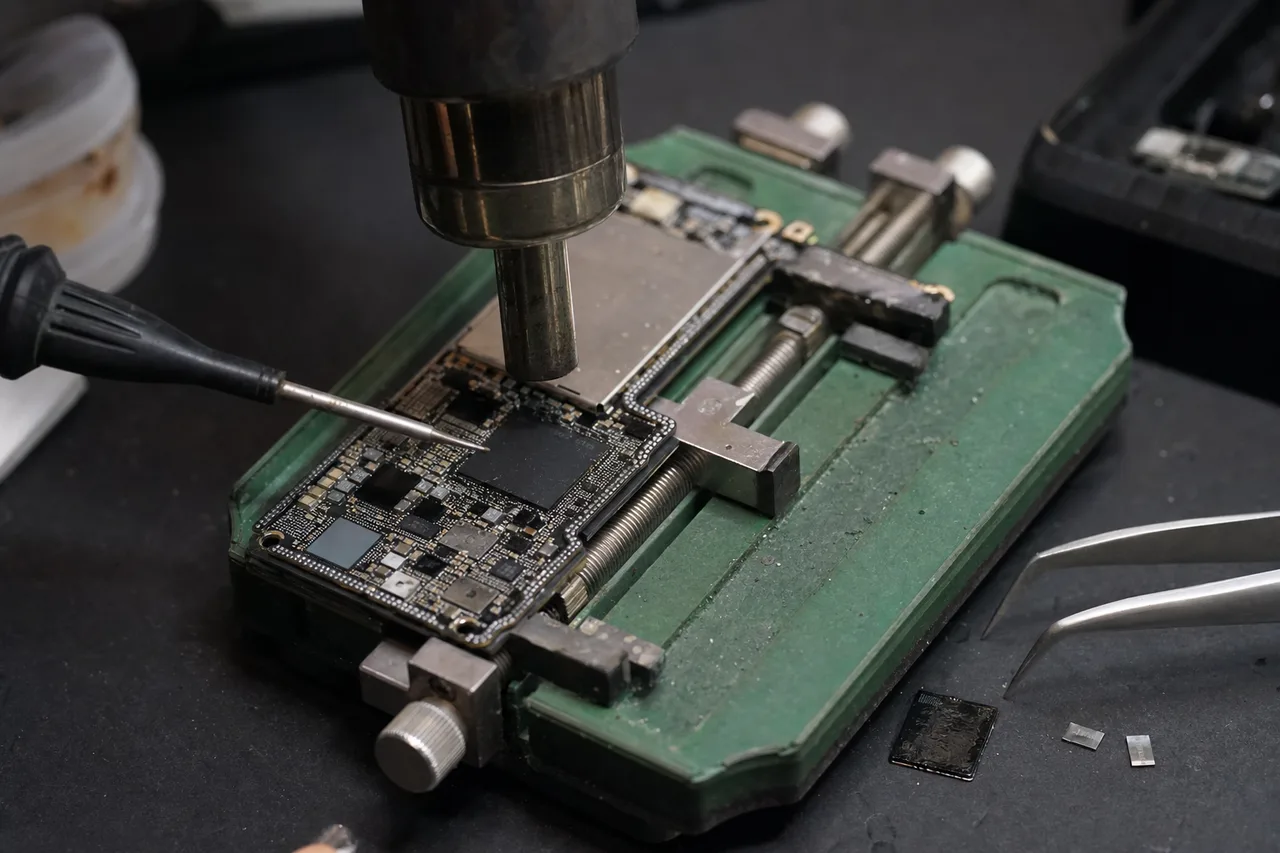
A circuit board clamped in a holder under a microscope during board-level micro-soldering, the technique used to desolder NAND for chip-off recovery

The chip-off process begins with a detailed examination of the NVMe drive's PCB under magnification. We identify every component - the controller chip, DRAM cache (if present), NAND flash packages, power management ICs, and passive components. We photograph and document the board layout because we will need to reference the physical NAND chip positions later during data reconstruction. The position of each NAND package on the board corresponds to a specific channel on the controller, and this channel assignment determines how data was interleaved across the chips during normal operation.

Desoldering NAND chips from an NVMe SSD requires specialized equipment and precise technique. NVMe drives use BGA (Ball Grid Array) packaging for their NAND chips - the chips are connected to the PCB through an array of tiny solder balls on the underside of the package. We use a combination of infrared preheating (to bring the entire PCB to a base temperature without shocking the components) and focused hot air from a precision rework station to melt the solder balls and lift each NAND package from the board. The temperature profile is critical - too little heat and the chip won't release, too much and the NAND cells inside the package can be damaged by thermal stress.

Modern NVMe SSDs typically contain between two and eight NAND packages, depending on the drive's capacity and the NAND density. A 1TB drive might have two 512GB NAND packages, while a 4TB drive might have eight 512GB packages. Each package may actually contain multiple NAND dies stacked vertically inside the package - Samsung's 176-layer V-NAND packages can contain up to 16 stacked dies in a single package, for example. Our NAND readers can address individual dies within a multi-die package, which is essential for complete data extraction.

Once desoldered, each NAND package is placed in a specialized reader that makes contact with the BGA pads and allows us to send raw NAND commands to the memory chips. We use readers from major data recovery equipment manufacturers that support the specific NAND interface protocols used by different manufacturers - ONFI (Open NAND Flash Interface) for most Western manufacturers and Toggle DDR for Samsung. The reader sends page read commands, block erase commands (only for testing, never during recovery), and parameter page reads to identify the NAND's geometry - page size, pages per block, blocks per plane, planes per die, and dies per package.

Reading the raw NAND data is a time-consuming process. A single 512GB NAND package with 16KB pages, 2048 pages per block, and thousands of blocks per die can take several hours to read completely. We perform multiple read passes at different voltage thresholds to maximize data quality, especially for TLC and QLC NAND where cell degradation may have shifted voltage levels. The raw data from each pass is compared, and the best reading for each page is selected through a process similar to voting - if three out of four passes agree on a bit value, that value is accepted.

After all NAND chips have been read, the real challenge begins - data reconstruction. The raw NAND data is not stored in a simple, linear format. The controller interleaved data across multiple NAND channels, planes, and dies to maximize performance. Data was also scrambled (XOR-encrypted with a known pattern to balance the distribution of 0s and 1s across cells), ECC-encoded (with LDPC parity data appended to each page), and organized according to the controller's FTL scheme. Our reconstruction software must reverse all of these transformations to produce a usable disk image.

The reconstruction process involves several steps: identifying the data scrambling pattern and removing it, applying LDPC error correction to fix bit errors in each page, determining the NAND channel interleaving order (which chip held which data), reconstructing the flash translation layer to map physical NAND locations to logical disk addresses, and finally assembling the reconstructed pages into a complete disk image that can be mounted and browsed as a normal drive. Each step requires controller-specific knowledge - the interleaving pattern, scrambling algorithm, ECC parameters, and FTL structure all vary by controller manufacturer and model.

Chip-off recovery for NVMe SSDs is more complex than for SATA SSDs or USB drives because NVMe controllers use more NAND channels (typically eight versus four for SATA), wider data interleaving, and more sophisticated FTL algorithms. The raw data volumes are also larger - reading eight NAND packages from a 4TB NVMe drive produces 4+ terabytes of raw NAND data that must be processed. Despite this complexity, our lab maintains a high chip-off success rate for NVMe drives because we have invested in the specialized equipment, software tools, and technical expertise required for this demanding recovery technique.

RAID & Arrays

NVMe RAID and Multi-Drive Recovery: Rebuilding Striped and Mirrored NVMe Arrays

NVMe RAID arrays - multiple NVMe SSDs configured as a single logical volume for performance, redundancy, or both - represent some of the most complex data recovery cases we handle at MDrepairs. As NVMe SSDs have become affordable and widespread, RAID configurations using NVMe drives have become common in workstations, servers, gaming PCs, and creative production systems. When an NVMe RAID array fails, the recovery process must address both the individual drive failures and the RAID-level data organization.

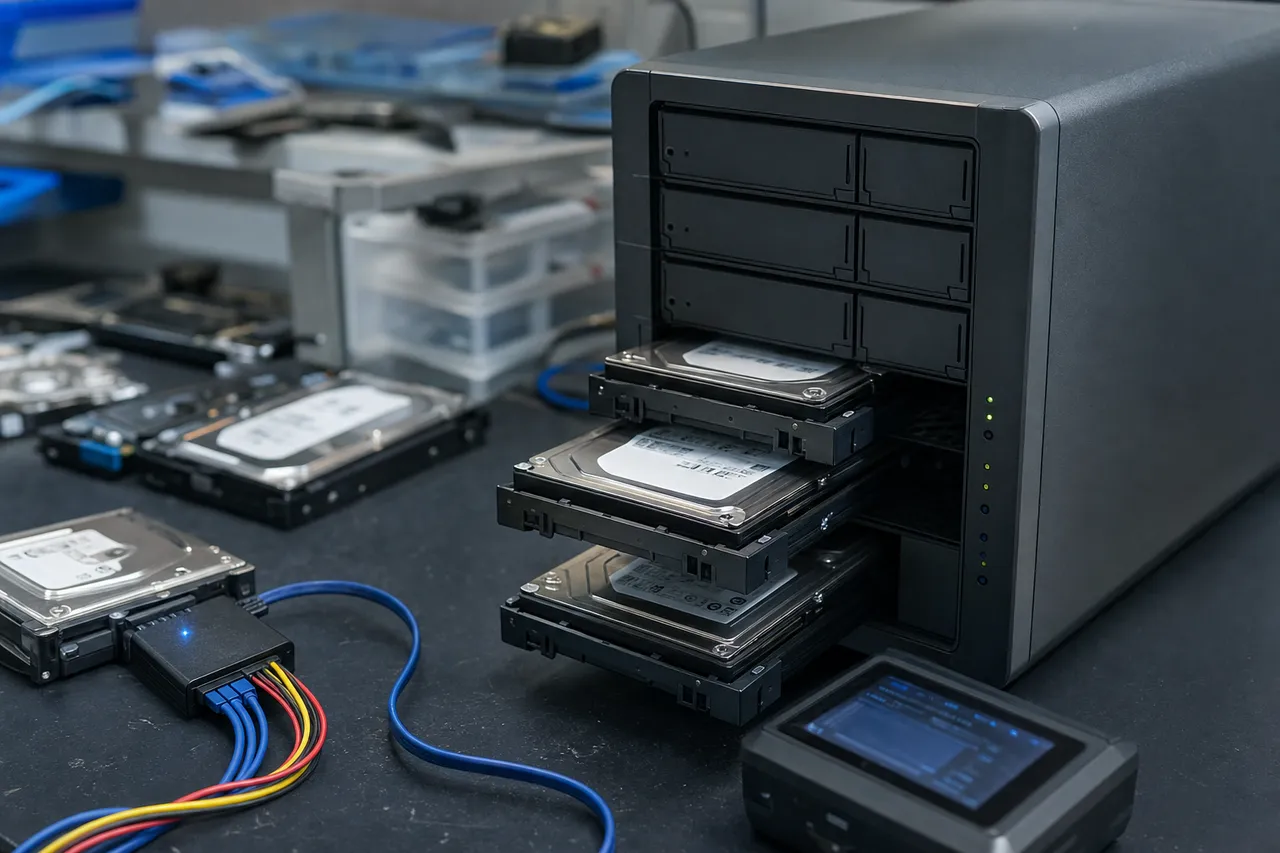
A multi-bay NAS / RAID enclosure on a workbench with drives pulled from their caddies, connected for multi-drive recovery

RAID 0 (striping) is the most common NVMe RAID configuration we encounter, particularly in gaming PCs and video editing workstations. RAID 0 splits data across two or more NVMe drives in alternating blocks (stripes), effectively multiplying the available bandwidth. Two NVMe Gen 4 drives in RAID 0 can deliver sequential read speeds exceeding 14,000 MB/s - double the speed of a single drive. The critical limitation of RAID 0 is that it provides no redundancy - if any single drive in the array fails, the entire array is inaccessible because the data is incomplete without every drive's contribution.

Recovering from a RAID 0 failure involving NVMe drives requires us to first recover data from the failed drive individually (using whichever technique is appropriate - firmware repair, controller-level extraction, or chip-off), then reconstruct the RAID 0 stripe pattern using data from all drives in the array. The RAID stripe size (typically 64KB, 128KB, or 256KB), the drive order within the array, and the RAID metadata format (which depends on the RAID controller or software RAID implementation) must all be correctly identified for successful reconstruction. Our RAID recovery tools support all common RAID implementations including motherboard BIOS RAID (Intel RST, AMD RAIDXpert), Windows Storage Spaces, Linux mdadm, and hardware RAID controllers from LSI/Broadcom, Adaptec, and others.

RAID 1 (mirroring) NVMe configurations are less common but appear in workstations and servers where data availability is critical. RAID 1 writes identical data to two NVMe drives simultaneously, providing redundancy - if one drive fails, the other contains a complete copy. Recovery from a RAID 1 failure is generally straightforward if only one drive has failed, as the surviving drive contains all data. However, we encounter cases where both drives in a RAID 1 have failed (often due to a power surge or controller failure affecting both drives simultaneously), or where the RAID metadata on the surviving drive is corrupted, preventing the system from recognizing it as a valid RAID member.

RAID 5 and RAID 10 NVMe configurations appear primarily in server and workstation environments. RAID 5 distributes parity data across all drives, allowing the array to survive a single drive failure. RAID 10 combines mirroring and striping for both performance and redundancy. These more complex RAID levels require correspondingly more complex recovery procedures - we must understand the parity distribution pattern, the stripe rotation, and the RAID metadata format to reconstruct the array correctly.

Software-defined NVMe storage, including Windows Storage Spaces Direct (S2D), ZFS with NVMe vdevs, and Linux LVM across multiple NVMe drives, introduces additional recovery complexity. These software storage layers add their own metadata, checksums, and data organization on top of the underlying NVMe drives. Recovery requires understanding both the NVMe drive-level data organization and the software storage layer's data structures. Our lab has experience with all major software-defined storage platforms and can reconstruct volumes from their component NVMe drives.

Direct Storage, a technology used in modern gaming PCs and the PS5, allows the GPU to read data directly from the NVMe SSD bypassing the CPU. While Direct Storage does not fundamentally change how data is stored on the NVMe drive, it can interact with RAID configurations in unexpected ways - particularly when multiple NVMe drives are configured for game storage. We have handled recovery cases involving Direct Storage-optimized game installations across NVMe RAID arrays, ensuring that the recovered data is usable with the gaming platform it was originally created for.

When a multi-drive NVMe recovery case arrives at our lab, we document the complete array configuration - number of drives, RAID level, stripe size, controller type, and operating system. Each drive is diagnosed individually and recovered as needed. Then our RAID reconstruction specialists assemble the recovered drive images into a coherent array, verify the RAID parameters, and extract the data. For large NVMe RAID arrays (we have handled arrays exceeding 32TB), the reconstruction process can take several days due to the sheer volume of data that must be processed and verified.

Prevention

Preventing NVMe SSD Failure: Best Practices for Protecting Your Data

While MDrepairs is here to recover your data when NVMe SSD failure strikes, prevention is always preferable to recovery. NVMe SSDs are remarkably reliable compared to mechanical hard drives - they have no moving parts, no read/write heads to crash, and no spinning platters to fail. However, they are not invulnerable, and understanding the common causes of NVMe failure can help you take proactive steps to protect your data and extend the life of your drive.

Thermal management is the single most impactful thing you can do to protect your NVMe SSD. Install a heatsink on every NVMe drive - even a basic aluminum heatsink can reduce operating temperatures by 15-20C, which dramatically extends both the drive's performance lifespan and its data retention capability. If your motherboard includes an integrated M.2 heatsink, use it. If your M.2 slot is located beneath a graphics card, consider using the other M.2 slot (if available) or adding supplemental case fans to improve airflow in that area. Monitor drive temperatures using tools like CrystalDiskInfo (Windows), Samsung Magician (Samsung drives), or WD Dashboard (WD drives) - if your drive regularly exceeds 70C under load, address the cooling situation before damage occurs.

Power protection is the second most important preventive measure. As discussed in the FTL section, unexpected power loss is the most common cause of NVMe FTL corruption. Use an uninterruptible power supply (UPS) on any desktop system with an NVMe boot drive or important data. A basic UPS that provides even 5-10 minutes of battery backup gives your system enough time for a graceful shutdown during a power outage. For laptops, avoid letting the battery drain to zero - most operating systems initiate hibernation before the battery is completely depleted, but this process can fail if the battery degrades suddenly or the system is under heavy load.

Firmware updates should be approached carefully. NVMe firmware updates can fix bugs, improve performance, and address security vulnerabilities - but a firmware update that goes wrong can brick the drive. Before applying any firmware update, ensure your system has a stable power supply (plug in your laptop, use a UPS on your desktop), close all applications, and back up critical data. Never interrupt a firmware update in progress. If your drive is working well and there is no specific bug fix or security patch you need, consider whether the update is worth the risk. Samsung, WD, Crucial, and other manufacturers typically provide release notes that describe what each firmware update changes - read them before deciding to update.

SMART monitoring provides early warning of impending NVMe failure. NVMe drives expose health information through SMART (Self-Monitoring, Analysis, and Reporting Technology) attributes including available spare capacity, media and data integrity errors, temperature, and critical warnings. The most important attributes to monitor are: Available Spare (percentage of reserved blocks remaining - if this drops below the threshold, the drive is approaching end of life), Media and Data Integrity Errors (should be zero - any non-zero value indicates NAND problems), and Critical Warning (a bitmask that indicates temperature threshold exceeded, reliability degradation, or volatile memory backup failure). Tools like CrystalDiskInfo, smartmontools, and manufacturer-specific utilities can monitor these attributes and alert you to developing problems.

Backup strategy is ultimately the most important protection against data loss, regardless of whether you follow every other recommendation. The 3-2-1 backup rule remains the gold standard: maintain at least three copies of important data, on at least two different types of media, with at least one copy stored offsite (or in the cloud). Cloud backup services like Backblaze, Carbonite, or iDrive provide automated, continuous backup for relatively low cost. Local backups to an external hard drive or NAS provide fast recovery when needed. Time Machine (Mac) and File History (Windows) offer built-in backup solutions that work with minimal configuration.

Write endurance management can extend your NVMe drive's lifespan. Consumer NVMe drives are rated for a specific number of terabytes written (TBW) - for example, a Samsung 990 Pro 2TB is rated for 1,200 TBW. While most users will never approach this limit during the drive's useful life, certain workloads can consume write endurance rapidly. Virtual machine disks, database servers, blockchain nodes, and Chia farming are notorious for generating extreme write volumes. If your workload is write-intensive, choose a drive with a higher endurance rating, monitor the percentage used attribute in SMART data, and consider distributing writes across multiple drives to reduce the burden on any single drive.

Physical protection matters even for solid-state storage. While NVMe SSDs have no moving parts, they can still be damaged by physical impact, static discharge, or liquid exposure. Handle NVMe drives by their edges, avoid touching the gold connector pins, use an anti-static wrist strap when installing or removing drives, and never force a drive into an M.2 slot (if it does not slide in smoothly, check the key notch alignment). Store unused NVMe drives in anti-static bags in a cool, dry location - extreme temperatures and humidity can degrade NAND data retention even when the drive is not powered on.

NVMe vs SATA

NVMe vs SATA SSD Recovery: Key Differences in Approach and Complexity

At MDrepairs, we recover data from both NVMe and SATA SSDs, and understanding the differences between these two technologies is important for customers trying to assess their recovery options. While both NVMe and SATA SSDs use NAND flash memory to store data, the similarities largely end there - the interface protocol, controller architecture, performance characteristics, failure modes, and recovery techniques differ substantially between the two technologies.

The most fundamental difference is the interface. SATA SSDs communicate through the AHCI protocol over the SATA bus, which provides a maximum theoretical bandwidth of 600 MB/s (SATA III). NVMe SSDs communicate through the NVMe protocol over the PCIe bus, which provides 3,500 MB/s per lane on Gen 3, 8,000 MB/s per lane on Gen 4, and 16,000 MB/s per lane on Gen 5 - with most NVMe drives using four lanes (x4). This bandwidth difference means NVMe controllers process data at dramatically higher rates, which affects how the controller manages its internal caches, FTL, and error correction - all of which have recovery implications.

From a physical connection standpoint, SATA SSDs use either the standard 2.5-inch form factor with a SATA data and power connector, or the M.2 form factor with a B-key or B+M-key edge connector. NVMe SSDs use the M.2 form factor with an M-key edge connector, the U.2 form factor with an SFF-8639 connector (enterprise), or the newer EDSFF (Enterprise and Data Center SSD Form Factor). The M.2 form factor can be confusing because both SATA and NVMe drives can use M.2 - but the key notch is different, and the protocols are completely incompatible. Our lab has dedicated adapters for every form factor and key type.

Controller complexity is dramatically different between SATA and NVMe SSDs. SATA SSD controllers are relatively simple - they manage four or fewer NAND channels, handle a single command queue with 32 commands, and operate at modest clock speeds. Common SATA controllers include the Silicon Motion SM2259, Phison S12, and Samsung MKX. NVMe controllers are substantially more complex - they manage up to eight or more NAND channels, handle up to 65,535 I/O queues, and operate at much higher clock speeds to keep up with PCIe bandwidth. This complexity means there are more things that can go wrong with an NVMe controller, and diagnosing the specific failure mode requires deeper controller knowledge.

FTL implementations differ between SATA and NVMe controllers. SATA SSDs have been on the market since the late 2000s, and their FTL implementations are well-established and thoroughly documented in the data recovery community. Most SATA SSD FTL structures have been reverse-engineered and are supported by standard recovery tools. NVMe FTL implementations are newer, more complex (to handle the higher parallelism and throughput), and some - particularly in newer Gen 4 and Gen 5 controllers - are still being actively documented and supported by recovery tool manufacturers. This does not mean NVMe recovery is impossible - it means it requires more specialized expertise and more current tooling.

TRIM and garbage collection behavior differs between SATA and NVMe implementations. SATA TRIM uses the DATA SET MANAGEMENT command defined in the ATA specification, while NVMe TRIM uses the Dataset Management command defined in the NVMe specification. While both accomplish the same goal (informing the drive which blocks are no longer in use), the NVMe implementation is typically more aggressive and efficient due to the higher command throughput. This means NVMe drives may zero out deleted data faster than SATA drives, reducing the window for deleted file recovery. If you have accidentally deleted files from an NVMe SSD, act immediately - power off the drive to prevent garbage collection from zeroing out the deleted blocks.

Chip-off recovery complexity is generally higher for NVMe SSDs than SATA SSDs. NVMe drives use more NAND channels (increasing the interleaving complexity), larger NAND packages (with more stacked dies), and more sophisticated data scrambling and ECC schemes. A chip-off recovery from an eight-channel NVMe drive with eight NAND packages is substantially more complex than a four-channel SATA drive with four NAND packages - the number of possible interleaving patterns is exponentially larger, and the data reconstruction process takes correspondingly longer.

Recovery pricing reflects these complexity differences. NVMe SSD recovery generally costs more than equivalent SATA SSD recovery because the diagnostic process takes longer, the tools are more expensive, and the chip-off reconstruction is more complex. However, success rates for both technologies are comparable when the recovery is performed by a lab with proper NVMe expertise and tooling. At MDrepairs, we invest continuously in NVMe-specific recovery capabilities to ensure we can handle the latest drives and controller generations.

One area where NVMe and SATA recovery are similar is the importance of acting quickly after failure. For both technologies, the sooner you stop using the failed drive and send it for professional recovery, the better the outcome. Do not attempt software recovery tools on a drive that is making unusual noises (SATA) or not being detected (NVMe) - these tools require a functioning drive to work, and running them on a failing drive can make the situation worse. Power off the system, remove the drive if possible, and contact our lab for a free consultation.

Enterprise

Enterprise NVMe Recovery: U.2, EDSFF, and Data Center SSD Challenges

Enterprise NVMe SSDs - the high-endurance, high-capacity drives used in servers, storage arrays, and data center infrastructure - represent some of the most critical and complex recovery cases we handle at MDrepairs. While consumer NVMe drives may contain someone's photos, documents, or game saves, enterprise NVMe drives often hold business-critical databases, financial records, healthcare data, or infrastructure that entire organizations depend on. The stakes are higher, the drives are more complex, and the recovery requires a different level of expertise.

A professional enterprise data-recovery lab with a rack of servers, labeled enterprise drives, and monitors showing drive diagnostics

Enterprise NVMe drives use different form factors than consumer drives. The U.2 form factor (formerly SFF-8639) is a 2.5-inch drive with a specialized connector that provides four PCIe lanes, power, and sideband signals. U.2 drives are designed for hot-swap server bays and include features like dual-port capability, power loss protection, and enhanced endurance ratings. Our lab has U.2-to-PCIe adapters and dedicated server chassis for working with these drives in their native environment. The EDSFF (Enterprise and Data Center SSD Form Factor) is a newer form factor available in three variants - E1.S (short), E1.L (long), and E3.S (wide) - designed to optimize thermal management, density, and serviceability in data center environments. We have adapters and carrier boards for all EDSFF variants.

Enterprise NVMe drives differ from consumer drives in several important ways that affect recovery. First, they typically use higher-endurance NAND - enterprise drives may use MLC NAND, high-endurance TLC, or even SLC for critical metadata storage. This higher-quality NAND generally means better data retention and fewer bit errors during recovery, which is favorable for chip-off recovery outcomes. Second, enterprise drives almost universally include power loss protection (PLP) - large capacitors on the PCB that provide enough energy to flush DRAM write cache to NAND during an unexpected power loss. This PLP feature significantly reduces the risk of FTL corruption from power failures, though it does not eliminate it entirely (the capacitors degrade over time and can fail).

Enterprise NVMe controllers are more complex than their consumer counterparts. Controllers from Marvell (used in many OEM enterprise SSDs), Broadcom, Samsung (PM9A3, PM983), Intel/Solidigm (D5-P5336, D7-P5620), Kioxia (CD8 series), and Micron (9400 series) include features like multi-namespace support, end-to-end data protection with T10-DIF (Data Integrity Field), NVMe-oF (NVMe over Fabrics) support for network-attached storage, and SR-IOV (Single Root I/O Virtualization) for VM-direct storage access. These features add complexity to the recovery process because the drive's internal data organization may include multiple logical namespaces, additional integrity metadata interleaved with user data, and configuration data related to network or virtualization features.

Data center NVMe failures often involve multiple drives simultaneously. A power event, cooling failure, or controller bug affecting a rack of servers can cause multiple NVMe drives to fail at the same time. These mass-failure events are the most critical cases we handle - the customer may have lost an entire RAID array, a storage pool, or even a complete storage cluster. Our lab can process multiple enterprise NVMe drives simultaneously, recovering each drive individually and then reconstructing the storage infrastructure (RAID, ZFS, VMFS, Ceph, etc.) from the recovered drive images.

Encryption on enterprise NVMe drives is more prevalent and more complex than on consumer drives. Enterprise SSDs commonly implement TCG Enterprise (for SAS/SATA) or TCG Opal 2.0 (increasingly common on enterprise NVMe) self-encrypting drive features. In data center environments, encryption keys are often managed by a centralized key management server (KMS) using KMIP (Key Management Interoperability Protocol). When an enterprise NVMe drive fails, the recovery process must preserve the encrypted data and work with the customer's key management infrastructure to decrypt the recovered data. If encryption keys are available, we can decrypt the recovered data as part of our recovery process. If keys are not available, we can still recover the encrypted data blocks, though decryption becomes the customer's responsibility.

Over-provisioning on enterprise NVMe drives is significantly higher than on consumer drives - enterprise drives may reserve 20-30% of their raw NAND capacity for over-provisioning, compared to 7-13% on consumer drives. This additional over-provisioning improves endurance and sustained write performance, but it also affects recovery because a larger portion of the NAND contains over-provisioning metadata rather than user data. Our recovery tools account for the over-provisioning ratio when reconstructing data from enterprise drives, ensuring we correctly identify and extract user data versus drive-internal overhead.

Enterprise NVMe recovery often requires immediate response. A failed server or storage array can cost a business thousands of dollars per hour in downtime. We offer emergency and urgent rush services for enterprise customers, with same-day diagnostics and prioritized recovery execution. For customers with active support contracts, we can coordinate directly with their IT team to ensure the fastest possible recovery turnaround. Contact our lab at 732-933-7717 for immediate assistance with enterprise NVMe recovery cases.

Talk to the engineer who does the work - not a call center.

FAQ

Frequently Asked Questions

Straight answers on cost, turnaround, TRIM, FTL, chip-off, PS5, and how we get your data back from a failed NVMe drive - drawn from the questions we hear every day.

  • Yes. An NVMe drive not detected in BIOS is one of our most common recovery cases. This typically indicates a controller failure, firmware corruption, or PCIe link training issue. Our PC-3000 SSD platform can communicate with NVMe controllers that standard motherboards cannot, and we can extract data through vendor-specific diagnostic commands. If the controller is completely dead, we perform chip-off NAND recovery.
  • NVMe SSD recovery at MDrepairs ranges from $350 to $2,000 depending on the failure type. Logical and firmware recoveries range from $350-$800, controller and FTL failures from $600-$1,200, and chip-off NAND recovery from $900-$2,000. Every case starts with a $100 diagnostic that provides a firm quote before any recovery work begins. No data, no charge - if we cannot recover your files, you pay only the diagnostic fee.
  • TRIM can make deleted file recovery more difficult on NVMe SSDs because it instructs the drive to zero out blocks that are no longer in use. NVMe drives process TRIM commands more aggressively than SATA drives due to higher command throughput. If you have accidentally deleted files, immediately power off the drive to prevent garbage collection from zeroing out the deleted data, and contact our lab. The sooner you act, the better the chances of recovery.
  • Standard turnaround is 4-5 weeks. Priority rush (5-7 days) is available for +$250, urgent rush (1-2 days) for +$500, and emergency same-day service for +$1,000. The actual recovery time depends on the failure type - firmware repairs may be completed quickly once diagnosed, while chip-off recovery requires additional time for desoldering, reading, and data reconstruction.
  • A sudden NVMe disappearance during use typically indicates thermal throttling that escalated to thermal shutdown, a controller failure, or an intermittent power delivery problem on the M.2 slot. Do not restart your computer repeatedly - each restart attempt can worsen FTL corruption. Power off, remove the drive, and contact our lab for a free consultation.
  • Software recovery tools only work when the NVMe drive is detected by your system and the NAND data is accessible through normal read commands. If your drive is not detected, shows wrong capacity, or has a controller failure, software tools cannot help and attempting to use them may waste valuable time. For physical or firmware failures, professional recovery with specialized hardware is required. If your drive is detected and you simply deleted files, you can try software tools - but power off the drive first and work from a clone, never the original.
  • Chip-off recovery involves desoldering the individual NAND flash memory chips from the NVMe drive's PCB and reading them directly with specialized hardware. It is used when the NVMe controller is completely non-functional and cannot be repaired. The raw NAND data is then reassembled using knowledge of the controller's data organization algorithms. It is the most complex and expensive recovery technique but can save data from drives other labs declare unrecoverable.
  • We can recover the encrypted data from a failed NVMe SSD. If you have the BitLocker recovery key, FileVault recovery key, or the self-encrypting drive password, we can decrypt the data as part of the recovery process. If you do not have the encryption keys, we can still recover the encrypted data blocks, but decryption becomes your responsibility. Hardware encryption (SED) is managed at the controller level, and our recovery preserves the encrypted data for decryption with the appropriate key.
  • A drive showing 0 bytes or incorrect capacity typically indicates firmware corruption - the drive's initialization tables are damaged, preventing it from reporting its true capacity to the system. This is a recoverable failure. Our PC-3000 SSD platform can access the drive's firmware through vendor-specific commands, repair the corrupted tables, and restore access to your data.
  • Absolutely. Samsung NVMe drives are the most common drives we recover. Our lab has extensive experience with Samsung's Elpis controller, V-NAND architecture, and proprietary firmware. We handle all Samsung NVMe failures including controller death, FTL corruption, NAND degradation, and the 990 Pro health degradation firmware bug that affected early production units.
  • We recover all NVMe SSD brands including Samsung, Western Digital, Crucial/Micron, SK Hynix, Intel/Solidigm, Sabrent, Corsair, Seagate, Kingston, Phison-based drives, Silicon Motion-based drives, ADATA, Teamgroup, MSI, Lexar, Inland, and enterprise drives from all manufacturers. If it uses the NVMe protocol, we can recover it.
  • NVMe recovery can be slightly more expensive than SATA SSD recovery because NVMe controllers are more complex, the drives use more NAND channels (increasing chip-off complexity), and the diagnostic tooling is more specialized. However, the difference is not dramatic - both fall within similar price ranges, and the $100 diagnostic fee is the same regardless of drive type.
  • NVMe (Non-Volatile Memory Express) is a storage protocol designed specifically for flash memory connected through the PCIe bus. Unlike SATA SSDs that use the older AHCI protocol and are limited to ~550 MB/s, NVMe SSDs can reach 7,000+ MB/s on Gen 4 and 14,000+ MB/s on Gen 5. NVMe drives typically use the M.2 form factor - a small card that plugs directly into the motherboard.
  • Yes. We regularly recover data from PS5 NVMe expansion drives including Samsung 980 Pro, WD Black SN850X, and Seagate FireCuda 530. The PS5 uses a proprietary file system, and our tools can recover game saves, screenshots, video captures, and other data from failed PS5 NVMe drives. Do not let the PS5 format the drive - send it to us first.
  • Yes. Western Digital NVMe drives use custom in-house controllers and Kioxia NAND, and our lab has dedicated recovery support for WD's proprietary controller architecture. We handle all WD NVMe failures including SN850X drives from PS5 consoles, SN770 drives from gaming PCs, and SN770M 2230 drives from Steam Decks and ultrabooks.
  • Yes. M.2 2230 is the shorter NVMe form factor used in Steam Deck, Microsoft Surface devices, and some ultraportable laptops. We have the appropriate adapters and tools for the 2230 form factor, and we handle the same range of failures - controller failure, firmware corruption, NAND degradation, and physical damage from drops or liquid exposure.
  • Yes. While NVMe SSDs have thermal throttling to slow the drive before damage occurs, sustained high temperatures (above 70C) accelerate NAND cell degradation, weaken solder joints through thermal cycling, and can cause controller damage through electromigration. NVMe drives without heatsinks in poorly ventilated cases are especially at risk. We recommend always using a heatsink and monitoring drive temperatures.
  • NVMe SSDs have no moving parts and should not make any sounds. If you hear clicking or buzzing from your computer, it is likely coming from another component (hard drive, fan, or coil whine from the motherboard or GPU). However, if your NVMe SSD has failed simultaneously with the sounds, the source of the noise may have caused a power event that damaged the SSD. Contact our lab to diagnose the NVMe failure.
  • Yes. We handle enterprise NVMe recovery including U.2 and EDSFF form factor drives from servers and storage arrays. We understand the urgency of business data loss and offer rush services to minimize downtime. We also handle multi-drive recovery for NVMe RAID arrays and storage pools. Contact us at 732-933-7717 for immediate assistance with business-critical NVMe recovery.
  • Yes. A failed firmware update is one of the more common NVMe failures we see. The drive may be completely bricked - not detected in BIOS at all - because the firmware was partially written and the controller cannot initialize. Our tools can access the drive's boot ROM and firmware regions through low-level interfaces, repair or replace the corrupted firmware, and extract your data.
  • We recover individual NVMe drives from RAID arrays and then reconstruct the RAID configuration from the recovered drive images. We support all RAID levels (0, 1, 5, 6, 10) and all common RAID implementations including Intel RST, AMD RAIDXpert, Windows Storage Spaces, Linux mdadm, ZFS, and hardware RAID controllers. Send all drives from the array - even ones that appear to be working - for the best reconstruction results.
  • The FTL is software running on the NVMe controller that maps logical addresses (what your OS sees) to physical NAND locations (where data is actually stored). It fails most commonly due to unexpected power loss - the FTL state in DRAM is lost before it can be saved to NAND. A corrupted FTL means the controller cannot find your data even though it is physically intact on the NAND chips. FTL repair is one of our most common and most successful recovery types.
  • Yes. Your recovered data is transferred to a new external drive (included in the recovery cost) and shipped back with free insured shipping. We can also provide cloud upload for smaller recoveries if you prefer. Your original NVMe SSD is returned alongside the recovered data. All copies are securely erased from our systems within 30 days.
  • Yes. Power surges can damage the NVMe controller, corrupt the flash translation layer, fry the power management circuitry, or damage the NAND flash itself. Enterprise NVMe drives with power loss protection capacitors are more resistant but not immune. Consumer NVMe drives are particularly vulnerable to power surges. We recommend using a UPS or surge protector to protect your system and data.
  • Call 732-933-7717 or submit our online form for a free consultation. We will provide a prepaid, insured shipping label so you can send your NVMe drive to our lab at no cost. Pack the drive in an anti-static bag inside a padded box. Once we receive it, we perform the $100 diagnostic and contact you with a firm quote and file listing before proceeding with recovery. Free insured return shipping is included.

Ready to Recover Your Data?

$100 professional diagnostic on every case. No data, no charge. Free insured shipping nationwide.

Call (732) 933-7717