
Professional hard drive recovery service. They recovered all my data from a clicking Seagate drive in under two weeks. Transparent pricing and great communication throughout.
- 4.6 319 reviews
- 2M+ followers
- Board-level Apple lab NJ
MacBook Data Recovery
Your MacBook's storage isn't a removable drive - it's soldered directly to the logic board and encrypted by Apple's T2 or Apple Silicon security processor. When that board dies, your data is locked inside a chip that no Apple Store, no Genius Bar, and no ordinary repair shop can touch. MacBook data recovery at this level demands board-level micro-soldering, encrypted NAND extraction, and the one technique that actually works on dead boards: CPU/NAND/EEPROM swap - physically transplanting the processor (which holds your Secure Enclave encryption keys), NAND flash chips, and EEPROMs onto a known-good donor logic board. MDrepairs is one of the few labs in the country that performs this procedure in-house. We are a professional data recovery facility in Lincroft, NJ with over 2 million social media followers, a 4.6 Google rating, and the chip-level tools required for MacBook Pro, MacBook Air, iMac, Mac Mini, and Mac Studio recovery - including M1, M2, M3, M4, and all T2-equipped models.
Every MacBook data recovery case starts with a $100 professional diagnostic. We pinpoint the exact failure - liquid damage, kernel panic, FileVault lockout, dead logic board, or corrupted NVMe storage - and give you a firm quote before any work begins. Outside New Jersey? We offer free insured mail-in shipping nationwide so you never have to leave your house. From MacBook Pro data recovery to MacBook Air data recovery to Apple Silicon and T2 chip data recovery, we pull files from soldered SSDs that everyone else calls unrecoverable. No data, no charge - call 732-933-7717.
Can Data Be Recovered from a Dead MacBook?
Yes - but not with recovery software. Every MacBook since 2016 stores your data on NAND chips soldered to the logic board and encrypted by the T2 chip or Apple Silicon. When the machine will not power on, no app can see that storage: recovery happens at board level - repairing the board's power delivery, or transplanting the CPU, NAND, and EEPROMs to a donor board so the original encryption keys can unlock your files.
-
Apple replaces - it does not recover
An Apple Store "repair" for a dead board is a board swap. Your data leaves with the old board. If the files matter, recover first, repair second - here is how our process works.
-
The encryption keys live in the CPU
The Secure Enclave inside the T2 or M-series chip holds the only keys that can decrypt the NAND. That is why the CPU must be repaired in place or moved with the NAND to a donor board - and why you should have your FileVault password or recovery key ready.
-
Chip-off reads only gibberish here
Desoldering the NAND and reading it raw - the classic SSD lab move - produces encrypted noise on a T2 or Apple Silicon Mac, because the keys never leave the CPU. Labs still selling "chip-off MacBook recovery" are quoting a technique that cannot work. See what honest recovery costs.
See How We Recover Data
Watch two related lab clips and see the kind of controlled diagnostics, microscope work, and storage-level recovery skills we bring to MacBook data recovery.
What Our Customers Say
4.6
Verified Google reviews No data, no charge - every case earns its rating
Apple Mac Models We Recover
MDrepairs recovers data from every Mac with soldered or integrated storage - MacBook Pro, MacBook Air, iMac, Mac Mini, Mac Studio, and Mac Pro. Apple's proprietary storage architecture, T2 security chip, and Apple Silicon processors require board-level expertise and specialized tools that most recovery labs lack. Below is a comprehensive list of Mac models we service.
-
MacBook Pro
-
MacBook Air
-
iMac
-
Mac Mini
-
Mac Studio
-
Mac Pro
$100 diagnostic. No data, no charge. Free shipping nationwide.
Common MacBook Data Loss Scenarios
-
Liquid Damage / Spill
Coffee, water, and beverage spills are the number one killer of MacBooks - and the leading cause of data loss we see in our lab. Liquid seeps under BGA components, corrodes solder joints, and shorts critical power rails on the logic board. The damage is often progressive: a MacBook that works fine after a spill can die days later as corrosion spreads. Our technicians perform ultrasonic cleaning, remove corrosion under a stereo microscope, and micro-solder replacement components to restore board function and data access. When board-level repair alone can bring the Mac back to life, that's the fastest and most cost-effective path to your files.
-
T2 Security Chip Failure
The Apple T2 chip in 2018 - 2020 Intel MacBooks acts as the SSD controller and hardware encryption engine - every byte of data on the NAND is encrypted through it. When the T2 fails due to firmware corruption, power surge, or liquid damage, the Mac sees no storage device at all. There is no software workaround. Our lab uses specialized hardware diagnostic tools to interface with the T2 at the board level and restore communication between the chip and NAND. If the T2 itself is beyond repair but the CPU, NAND, and EEPROMs survived, we perform a CPU/NAND/EEPROM swap to a known-good donor board - transplanting the critical components that hold your encryption keys and data to a working motherboard.
-
Apple Silicon Crash / Failure
On M1, M2, M3, and M4 Macs, Apple moved the SSD controller and Secure Enclave directly into the processor itself. That means when an Apple Silicon chip fails, your storage is completely inaccessible - there is no secondary path to the NAND. Chip-off extraction does not work here because the data is hardware-encrypted and the decryption keys live in the CPU's Secure Enclave. Our recovery method for catastrophic Apple Silicon failure is a CPU/NAND/EEPROM swap: we transplant the original CPU (which holds the encryption keys), NAND packages, and EEPROMs to a donor working motherboard. As long as the CPU silicon survived, your data is recoverable.
-
FileVault Locked / Recovery Key Lost
FileVault full-disk encryption on macOS is tied to the T2 chip or Apple Silicon Secure Enclave - not just your password. If you've lost your FileVault recovery key and can't log in, or if a firmware update corrupted the encryption state, most shops will tell you the data is gone. Our lab works at the hardware level to restore the authentication pathway between the security processor and the encrypted NAND. In many cases, we can repair the board-level failure preventing FileVault from unlocking and recover your data without the recovery key, as long as the security hardware that holds the encryption keys is intact.
-
Kernel Panic / No Boot Loop
Repeating kernel panics, the flashing question mark folder, the spinning globe that never loads, or an infinite reboot loop - these symptoms mean your MacBook can't find or load its operating system. Your data is almost certainly still on the NAND, but you can't get to it because storage is soldered to the logic board and can't be removed and plugged into another machine. Our technicians bypass the boot process entirely, diagnose whether the failure is a corrupted file system, failing NAND block, or a board-level hardware fault, and extract your data directly at the hardware level without relying on macOS to boot.
-
SSD Controller Failure
The storage controller - built into the T2 chip on Intel Macs or the Apple Silicon SoC on M-series Macs - manages every read and write to the soldered NAND flash. When this controller fails, the Mac reports no internal storage in Disk Utility, Recovery Mode, and even DFU mode. The NAND chips still hold your data, but nothing on the board can talk to them. Our first approach is always board-level repair to restore controller function. If the controller is permanently dead, we perform a CPU/NAND/EEPROM swap - moving the storage chips, CPU, and supporting components to a working donor board that can communicate with the NAND and decrypt your data.
-
Logic Board Failure
A dead logic board doesn't necessarily mean dead data. Power delivery failures, blown capacitors, shorted ICs, and failed voltage regulators can all kill a MacBook while leaving the NAND and CPU completely intact. Our technicians diagnose the exact point of failure using board schematics, thermal imaging, and micro-probing under a stereo microscope. When the fault is repairable - a blown MOSFET, corroded connector, or failed power IC - we micro-solder the fix and restore full data access. For catastrophic board damage where repair isn't viable, we perform a CPU/NAND/EEPROM swap to a donor motherboard, preserving the encryption relationship between your CPU's Secure Enclave and NAND storage.
-
Accidental Deletion / Failed Time Machine
Emptied the Trash, erased the wrong APFS volume, ran a clean macOS install over your data, or lost your only Time Machine backup? On MacBook SSDs with TRIM enabled, deleted data has a ticking clock - once TRIM processes the deleted blocks, the NAND physically erases them and the data is gone for good. The critical step is to stop using the Mac immediately. If you act fast and the TRIM garbage collection hasn't completed, we can recover deleted files by reading the NAND at the hardware level before the blocks are wiped. Time is the single biggest factor in these cases - contact us before powering the Mac on again.
-
Physical Drop / Impact Damage
A dropped or crushed MacBook can suffer internal component displacement, cracked solder joints on the logic board, and fractured NAND packages - even when the external case looks fine. Impact forces flex the logic board and can break the microscopic solder connections between BGA chips and the PCB, killing power delivery or storage communication. Our technicians diagnose impact damage using X-ray imaging and stereo microscope inspection to identify cracked joints, displaced chips, and hairline PCB fractures invisible to the naked eye. We then micro-solder the damaged connections, reball BGA components, or perform a CPU/NAND/EEPROM swap if the board damage is too extensive to repair in place.
Call (732) 933-7717 Not sure which applies? We diagnose the exact failure before any work begins.
How We Recover Your Data
-
Free Consultation
Call 732-933-7717 or submit our secure online form. Tell us what happened - liquid spill, no power, kernel panic, FileVault lock - and a recovery engineer will walk you through your options, expected timeline, and pricing range. We'll send free insured shipping labels so your MacBook or bare logic board arrives safely at our lab.
-
$100 Board-Level Diagnostic
At our Lincroft, NJ lab, we put your MacBook under the microscope - literally. Using BGA rework stations and PC-3000 diagnostic platforms, we trace the failure to the exact component: T2 or Apple Silicon processor, NAND flash, power management IC, or liquid corrosion path. You receive a detailed diagnostic report and a firm, no-surprise quote before we touch a single solder joint.
-
Precision Recovery
Our engineers execute the recovery using Apple-specific board-level techniques refined across hundreds of MacBook cases. Depending on the failure, that means repairing the logic board to restore native data access, bypassing T2/Apple Silicon encryption at the hardware level, or performing a CPU/NAND/EEPROM transplant to a known-good donor board when the original board is beyond repair. Every step is performed under magnification with medical-grade precision.
-
Verification & Return
Every recovered file is verified for integrity - documents open, photos render, videos play without artifacts. Your data is transferred to a new external drive and shipped back with free insured shipping. No data, no charge: if we can't recover your target files, you pay only the $100 diagnostic fee.
Pricing
MacBook Data Recovery Pricing
MacBook data recovery pricing reflects the complexity of Apple's soldered, encrypted storage architecture. A simple logical recovery from a healthy board costs far less than a hardware-level T2 bypass or a full CPU/NAND transplant from a liquid-destroyed logic board. Every case starts with our $100 board-level diagnostic - you get a firm quote and a detailed failure report before any recovery work begins. No data, no charge.
Every case starts here
All pricing includes the $100 diagnostic fee. No data, no charge. If we can't recover your target files, you only pay the diagnostic fee.
Standard
Logical and software-level recovery for MacBooks with functional hardware. Covers accidental deletion, file system corruption, failed macOS updates, and APFS volume repair on boards that still power on and pass diagnostics.
- APFS file system repair
- Deleted file recovery
- macOS corruption repair
- Time Machine data extraction
- Free return shipping
Advanced
Most CommonBoard-level hardware recovery for MacBooks with component failures, repairable liquid damage, or encrypted storage requiring T2/Apple Silicon bypass. We repair the logic board at the component level to restore native data access.
- T2 / Apple Silicon bypass
- Board-level component repair
- FileVault encrypted recovery
- Liquid damage board restoration
- Free return shipping
Critical
CPU, NAND, and EEPROM transplant for MacBooks with catastrophic logic board failure or irreparable liquid damage. The CPU holds the Secure Enclave decryption keys - if the CPU survived, we transplant it along with the NAND and EEPROM to a known-good donor motherboard to unlock and recover your data.
- CPU / NAND / EEPROM transplant
- Donor motherboard sourcing
- Secure Enclave key preservation
- Full encrypted data reconstruction
- Free return shipping
Final price confirmed after diagnostic - no surprises.
Turnaround Times
Standard turnaround is 4-5 weeks for MacBook data recovery. Board-level repairs that restore data access may complete faster. CPU/NAND/EEPROM swap cases involving donor board sourcing and component transplant may require additional time. Rush options available for time-sensitive cases.
Standard turnaround
4-5 weeks
Full assessment with recovery options and pricing.
Rush pricing is added on top of your recovery quote and reflects how soon we begin your case. Final turnaround is confirmed after the $100 diagnostic.
Free insured shipping nationwide - $100 diagnostic credited - no data, no charge.
Mail-In MacBook Data Recovery
Outside New Jersey? You never have to leave your house. We offer free insured shipping nationwide - all 50 states - for your MacBook or bare logic board. Most devices arrive at our Lincroft, NJ lab within a few business days, and we begin the diagnostic immediately.
- 1
Get your free quote
Call 732-933-7717 or request a quote - we send free insured shipping labels.
- 2
Pack and ship
Pack your MacBook or logic board safely; ship it free with the provided insured label.
- 3
$100 diagnostic + firm quote
We diagnose the exact failure and send a firm, no-surprise quote before any recovery work.
- 4
Recover and return
We recover your data, verify every file, and ship it back on a new drive with free insured shipping. No data, no charge.
Free insured shipping covers all 50 states, both ways. No data, no charge.
Data Privacy & Chain of Custody
Your data is handled under strict chain-of-custody procedures from intake to secure destruction - in our own Lincroft, NJ lab, never outsourced.
-
Intake Logging
Every MacBook is photographed and logged with a unique case number, model, serial, and condition on arrival.
-
Restricted Access
Only your assigned technician handles your device and its logic board. No shared workstations, no exceptions.
-
No Browsing Data
We never open or view your files. Integrity is verified through checksums and file structure only.
-
Secure Delivery
Data is transferred to a new drive and shipped back to you with free insured shipping. All copies are purged after confirmation.
-
Device Return
Your MacBook or logic board is returned along with your recovered data.
What You Receive After Recovery
-
Your Recovered Data
Your files are delivered on a new external drive shipped directly to you, or we send a password-protected download link for secure retrieval. We include a file listing so you can verify everything before we purge our copies.
-
Your Original MacBook
After recovery is complete, you choose what happens to your MacBook or logic board - we can return it, hold it for a specified period, or securely destroy it. All copies of your data on our systems are purged after you confirm receipt.
-
Ongoing Support
Need help accessing your recovered files, transferring data to a new Mac, or setting up Time Machine and iCloud to prevent future loss? Our team is available after delivery to help you get back on track.
MacBook Data Recovery - Our Lab & Expertise
Understanding how Apple's MacBook storage works - and why it is fundamentally different from any other laptop - explains why MacBook data recovery demands board-level expertise and chip-level tools. Below is a deep dive into the architecture, the failures, and the techniques our Lincroft, NJ lab uses to recover data from soldered, encrypted Macs.
Case Study - T2 Liquid Damage
T2 Chip MacBook Pro Recovery - Liquid Damage Board-Level Repair
Drive: MacBook Pro 2020 13-inch (Intel, T2 Chip)
The failure
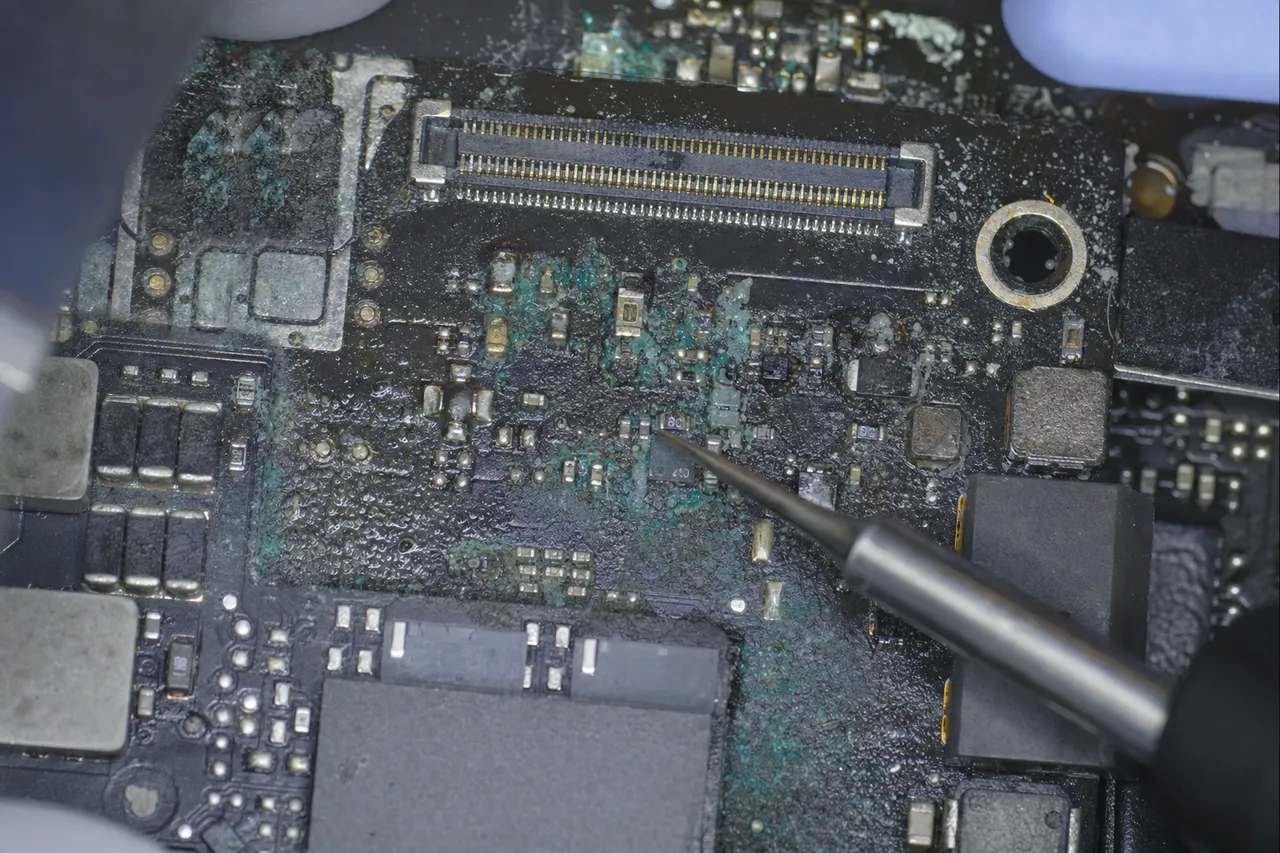
The owner spilled an entire glass of water across the keyboard of their 2020 MacBook Pro 13-inch while working late at night. The machine immediately shut down and would not power on afterward. They made the common mistake of placing the MacBook in rice for 48 hours before attempting to power it on, which did nothing to address the internal corrosion already spreading across the logic board. By the time the MacBook arrived at our lab, visible corrosion was present on multiple board components near the keyboard connector, including traces running to the T2 security chip. Apple Store inspection declared the machine a total loss - logic board replacement at $799 with all data lost. The owner had 4 years of graduate research data, a completed thesis draft, thousands of research photos from fieldwork, and personal documents spanning a decade.
The recovery
Our board-level inspection under 50x magnification revealed corrosion on three critical trace paths between the T2 chip and the NAND flash packages, plus a corroded resistor in the T2 power delivery circuit. We ultrasonically cleaned the entire board, then performed micro-soldering repairs on the damaged traces using 0.1mm copper wire jumpers under the microscope. The corroded resistor was replaced with a matching component from a donor board. After repair, the T2 chip initialized successfully and we gained read access to the encrypted NAND storage. We imaged the complete 512GB volume, decrypted it with the client's FileVault password, and verified all files. Complete recovery - thesis, research data, fieldwork photos, and 10 years of personal documents. Total repair and extraction time was 12 days.
Case Study - M1 CPU/NAND Swap
MacBook Air M1 CPU/NAND Swap - Catastrophic Board Failure Recovery
Drive: MacBook Air 2020 (Apple M1, 256GB)
The failure
A 2020 MacBook Air M1 was plugged into a faulty third-party USB-C charger that delivered an overvoltage spike, destroying the M1 processor's power management circuitry and rendering the entire logic board non-functional. The machine showed zero signs of life - no LED indicator, no fan activity, no response to any key combination or SMC reset attempt. The M1 processor was confirmed dead through board-level probing. With the M1 dead, there was no conventional path to access the NAND flash storage because Apple Silicon integrates the storage controller, encryption engine, and Secure Enclave into the processor die. The owner - a freelance graphic designer - had her entire portfolio, active client projects in Adobe Illustrator and Photoshop, and 3 years of design assets totaling approximately 200GB stored locally with no external backup.
The recovery
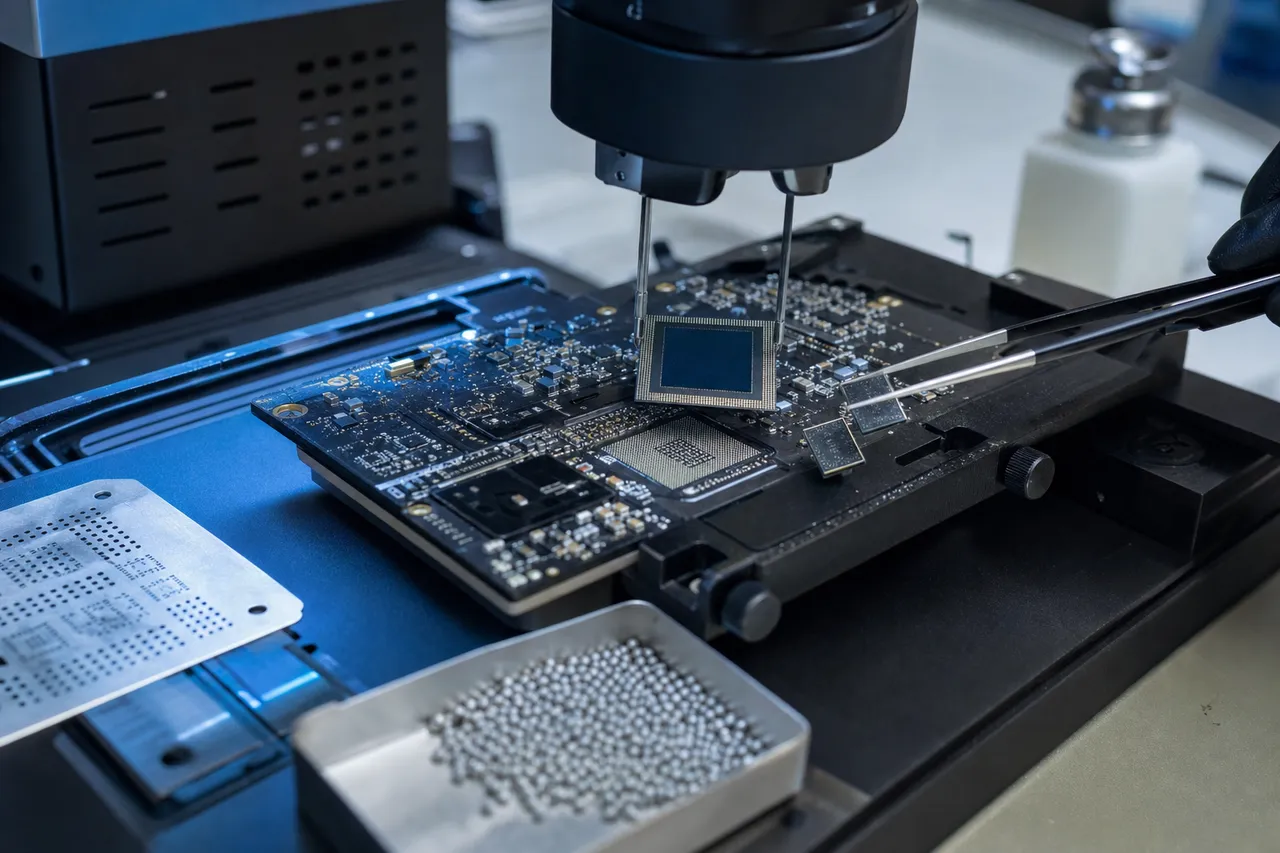
With the M1 processor confirmed dead but the NAND flash packages, M1 CPU die, and EEPROMs physically intact, we proceeded with a CPU/NAND/EEPROM transplant - the correct recovery method for Apple Silicon Macs with destroyed logic boards. We carefully desoldered the M1 processor (which contains the Secure Enclave and its encryption keys), both NAND flash BGA packages, and the board EEPROMs from the dead logic board using our precision BGA rework station with Apple-specific thermal profiles. All three component groups were then transplanted onto a known-good donor MacBook Air M1 logic board. Because the original M1 CPU retained its Secure Enclave keys, and the original NAND packages contained the encrypted data written by that specific CPU, the donor board booted successfully with full access to the encrypted storage - the CPU, NAND, and EEPROMs functioned together exactly as they had on the original board. We imaged the complete volume and verified every file. Complete recovery of 193GB - full design portfolio, all active Illustrator and Photoshop project files, and the entire 3-year design asset library. Recovery time was 14 days.
Storage Architecture
MacBook Storage Architecture: From Removable SSDs to Soldered NAND
Understanding how Apple's MacBook storage has evolved over the past decade is critical for understanding why MacBook data recovery is fundamentally different from - and more complex than - recovering data from any other laptop. Apple has progressively moved from user-accessible, removable storage modules to fully soldered NAND flash packages that are permanently integrated into the logic board, creating a recovery landscape that demands board-level expertise and chip-level tools.
From 2013 through 2015, MacBook Pro and MacBook Air models used proprietary but removable PCIe SSD modules. These Apple-specific M.2-like blades connected to the logic board through a proprietary connector and could be physically removed and read using adapter cards in another Mac or a specialized reader. While the form factor was proprietary (preventing off-the-shelf M.2 drives from fitting), the data was stored on standard NAND flash managed by a standard SSD controller - typically a SanDisk or Samsung chipset. Recovery from these older Macs is relatively straightforward: remove the SSD module, connect it to a working machine through an adapter, and image the drive.
Everything changed in 2016 when Apple released the redesigned MacBook Pro with Touch Bar. This generation soldered the NAND flash packages directly to the logic board, eliminating any removable storage component. The flash controller was integrated into a custom Apple controller chip that managed storage, the System Management Controller, and audio processing. This design choice improved performance (by optimizing the connection between controller and NAND) and reliability (by eliminating a physical connector that could fail), but it created a data recovery nightmare. When the logic board died, there was no drive to pull out. The storage was physically part of the dead board.
In 2018, Apple introduced the T2 security chip across its Mac lineup. The T2 was a game-changer for security - and a game-changer for data recovery complexity. The T2 chip serves as the SSD controller for all NAND flash storage on the logic board, handles hardware encryption (AES-256 in real-time), manages Secure Boot, and controls the Secure Enclave where encryption keys are stored. Every byte written to the NAND flash passes through the T2 chip and is encrypted before storage. This means that even if you could somehow read the raw NAND flash, the data would be encrypted gibberish without the encryption keys held by the T2. Recovering data from a T2 Mac requires either getting the T2 chip to cooperate or extracting the encryption keys from the T2's secure storage - neither of which is trivial.
The T2 chip affected MacBook Pro 13-inch and 15-inch (2018-2020), MacBook Pro 16-inch (2019), MacBook Air (2018-2020), iMac 27-inch (2020), iMac Pro (2017), Mac Mini (2018), and Mac Pro (2019). Each of these machines has its NAND flash permanently soldered to the logic board with all data encrypted by the T2. A dead T2 chip means encrypted, inaccessible storage. A dead logic board means a dead T2 chip. This is why so many Apple Store and third-party repair shops tell T2 Mac owners that their data is simply gone - they lack the tools and expertise to work with the T2 at the board level.
In late 2020, Apple began the transition to Apple Silicon with the M1 chip, which pushed integration even further. The M1 combines the CPU, GPU, Neural Engine, memory controller, AND the SSD controller into a single system-on-chip (SoC). There is no separate T2 chip - the M1 handles everything the T2 did, plus everything the Intel CPU did. The NAND flash packages are still soldered to the logic board, still encrypted, and now the only pathway to the data runs through the M1 processor itself. If the M1 dies, there is no secondary chip to fall back on. The only option is a CPU/NAND/EEPROM swap - transplanting the processor (which holds the encryption keys in the Secure Enclave), the NAND flash packages, and the EEPROMs to a known-good donor logic board. This is the most complex data recovery procedure we perform.
Subsequent Apple Silicon generations - M1 Pro, M1 Max, M1 Ultra, M2, M2 Pro, M2 Max, M2 Ultra, M3, M3 Pro, M3 Max, M4, M4 Pro, M4 Max - all follow this same architecture. The SSD controller is inside the processor. The NAND is soldered to the board. Everything is encrypted. Each new generation introduces refinements to the encryption scheme, the NAND interleaving pattern, and the flash translation layer algorithms, meaning our recovery procedures must be continuously updated as Apple releases new silicon. A technique that works on an M1 MacBook Air may not work identically on an M3 MacBook Pro.
Apple's NAND flash packages themselves are sourced from multiple suppliers - primarily Kioxia (formerly Toshiba) and SK Hynix, with some Samsung and Western Digital (SanDisk) packages in certain configurations. Apple uses proprietary packaging and labeling, so the packages do not look like standard NAND chips from these manufacturers. The page geometry, block structure, and interface protocol are all Apple-customized. During a CPU/NAND/EEPROM swap, we must match the donor board to the exact model and configuration of the original, ensuring that the transplanted processor, NAND packages, and EEPROMs communicate correctly on the new board. A mismatched donor or incorrect component placement yields no data access.
This architectural evolution - from removable SSDs to soldered NAND, from standard controllers to T2, from T2 to integrated Apple Silicon - represents a continuous escalation in data recovery difficulty. Each step gave Apple customers better security and performance but made data recovery harder. At MDrepairs, we have invested in the specialized tools, training, and procedures needed to recover data from every generation of this evolving architecture, from the earliest 2013 removable blades through the latest M4 Max soldered NAND packages.
The T2 Security Chip
T2 Security Chip and Data Recovery Challenges
The Apple T2 security chip, introduced in 2017 with the iMac Pro and expanded across the Mac lineup in 2018, represents one of the most significant challenges in modern data recovery. The T2 is a custom Apple-designed ARM-based processor that handles an extraordinary range of critical functions: it serves as the SSD controller for all internal storage, provides real-time AES-256 hardware encryption for every byte written to NAND flash, manages the Secure Enclave where encryption keys and biometric data are stored, controls Secure Boot to prevent unauthorized operating system loading, processes audio input and output, manages the FaceTime camera, and handles the System Management Controller functions. Understanding the T2's role in storage is essential for understanding why T2 Mac data recovery is so complex.
Every read and write operation to the MacBook's internal storage passes through the T2 chip. When an application saves a file, the data flows from the Intel CPU through the T2's storage controller, gets encrypted by the T2's AES engine using a key stored in the Secure Enclave, and then is written to the soldered NAND flash packages. When the file is read back, the process reverses - the T2 reads the encrypted data from NAND, decrypts it, and passes it to the CPU. At no point does unencrypted data exist on the NAND flash. This encryption is always active and cannot be disabled, even if the user has not turned on FileVault. Apple calls this hardware-level encryption distinct from FileVault, which adds a second layer of user-password-based encryption on top.
When the T2 chip fails - whether from liquid damage, power surge, component-level defect, or firmware corruption - all storage access is immediately and completely lost. The Intel CPU cannot access the NAND flash directly because there is no data path between the CPU and the NAND that bypasses the T2. The NAND flash packages themselves may be perfectly healthy, with every byte of your data physically intact, but without a functioning T2 to decrypt and serve that data, it is inaccessible through any normal means.
T2 chip failures manifest in several ways. The most common symptom is a MacBook that will not power on at all - no fan spin, no chime, no display. This occurs when the T2's power delivery circuitry is damaged (often from liquid exposure) or when the T2's firmware is so corrupted that it cannot initialize. Another common manifestation is the flashing question mark folder, indicating that the T2 cannot locate a bootable volume even though the NAND flash is present. In some cases, the Mac powers on but shows no internal storage in Disk Utility or Recovery Mode - the T2 is partially functional but cannot communicate with the NAND. And in rarer cases, the T2 enters a DFU (Device Firmware Update) mode loop where Apple Configurator attempts to restore the firmware but fails repeatedly.
Our approach to T2 Mac recovery depends on the nature and severity of the T2 failure. In many cases, the T2 chip itself is not dead - it is simply unable to function due to damage to supporting components on the logic board. The T2 requires stable power delivery from multiple voltage regulators, intact communication buses to the NAND flash packages, and a functioning clock signal. Liquid damage commonly destroys one or more of these supporting components while leaving the T2 die itself undamaged. In these cases, we perform board-level micro-soldering repairs - replacing damaged resistors, capacitors, voltage regulators, and repairing corroded traces - to restore the T2's operating environment. Once the T2 initializes, we can access the storage.
Board-level repair for T2 data access is our preferred recovery method because it preserves the original encryption pathway. The T2 holds the Data Encryption Key (DEK) for the NAND flash in its Secure Enclave. If we can get the T2 to function, it will decrypt the data natively and we can extract it through normal data transfer methods - Target Disk Mode, DFU mode data extraction, or by booting into a recovery environment. This approach avoids the immense complexity of trying to extract encryption keys from the Secure Enclave or attempting to crack the AES-256 encryption.
When the T2 chip itself is genuinely destroyed - the silicon die is cracked, the internal circuitry has been damaged by a severe power event, or the chip has been physically damaged by liquid intrusion into the BGA package - board-level repair cannot restore its function. In these cases, we perform a CPU/NAND/EEPROM swap - we desolder the NAND flash packages, the T2 chip itself, and the critical EEPROMs from the dead logic board and transplant them onto a known-good donor board of the same model. Because the T2 chip holds the encryption keys in its Secure Enclave, moving the T2 along with the NAND preserves the original encryption pathway. The donor board provides the working power delivery, clock signals, and supporting circuitry that the original board can no longer supply. When the transplanted T2 initializes on the donor board, it can decrypt and serve the data from the transplanted NAND packages as if it were still on the original board. Success depends on the T2 silicon die being intact - if the die itself is cracked or burned through, the Secure Enclave and its encryption keys may be unrecoverable.
The T2 chip also enforces Apple's Secure Boot policy, which complicates diagnostic procedures. Secure Boot ensures that only Apple-signed operating systems can run on the Mac, preventing us from booting third-party recovery environments directly. We work within Apple's security framework - using DFU mode, Apple Configurator, and Apple's own recovery tools - while supplementing with our specialized hardware diagnostic equipment that can probe the T2's communication buses directly. This combination of Apple's official tools and our board-level diagnostic capabilities gives us the broadest possible access to T2-protected storage.
One critical piece of advice for T2 Mac owners: if your Mac is still partially functional - it powers on but won't boot, or it boots but shows storage errors - do not attempt to use Apple Configurator to restore the T2 firmware. A T2 firmware restore erases the Secure Enclave, which destroys the encryption keys for your data. Once those keys are gone, your data is permanently encrypted with no recovery path. If data recovery is your priority, power the Mac off and contact a professional lab before attempting any firmware operations.
Apple Silicon
Apple Silicon (M1/M2/M3/M4) Data Recovery
Apple Silicon - the M1, M2, M3, and M4 families of processors and their Pro, Max, and Ultra variants - represents the most integrated computer architecture Apple has ever built and the most challenging data recovery scenario in the industry. Unlike Intel Macs with separate T2 chips, Apple Silicon integrates the SSD controller, encryption engine, Secure Enclave, Neural Engine, GPU, and CPU into a single monolithic system-on-chip. When an Apple Silicon processor fails, every function fails simultaneously, including all pathways to the soldered NAND flash storage.
The M1 chip, released in November 2020, was the first Apple Silicon processor for Macs. It appeared in the MacBook Air (2020), MacBook Pro 13-inch (2020), and Mac Mini (2020). The M1's SSD controller supports up to 2TB of NAND flash storage with hardware AES-256 encryption, achieving read speeds up to 3.4 GB/s. The M1 Pro and M1 Max, released in October 2021 for the MacBook Pro 14-inch and 16-inch, expanded storage support to 4TB and 8TB respectively with faster interfaces. The M1 Ultra, released in March 2022 for the Mac Studio, doubled the M1 Max's capabilities by combining two M1 Max dies.
The M2 generation followed in 2022-2023, with the base M2 in the MacBook Air and MacBook Pro 13-inch, the M2 Pro and M2 Max in the MacBook Pro 14-inch and 16-inch, and the M2 Ultra in the Mac Studio and Mac Pro. The M3 generation arrived in late 2023 and 2024, bringing the M3, M3 Pro, and M3 Max to the MacBook Pro lineup and the M3 to the iMac 24-inch. The M4 generation began shipping in late 2024, with the M4 in the MacBook Pro 14-inch, iPad Pro, iMac, and Mac Mini, and the M4 Pro and M4 Max in higher-end configurations.
Each Apple Silicon generation refines the storage controller implementation, the encryption scheme, and the NAND interface protocol. From a data recovery perspective, this means our tools and procedures must be updated with each new chip release. A NAND reconstruction algorithm calibrated for the M1's data interleaving pattern will not produce correct results when applied to M3 NAND dumps. The page geometry, scrambling sequences, ECC parameters, and interleave patterns differ between generations and sometimes between chip variants within the same generation (M3 vs. M3 Pro, for example).
Apple Silicon Mac failures fall into several categories. The most common is complete non-responsiveness - the Mac shows no sign of life when the power button is pressed. This can result from power delivery failure (a common consequence of using faulty third-party USB-C chargers or power strips without surge protection), SoC failure from thermal events or manufacturing defects, or liquid damage that shorts critical power rail components. Unlike Intel Macs where a dead CPU still left the T2 and storage accessible through DFU mode, a dead Apple Silicon processor means there is no alternative path to the storage controller.
Another common failure pattern is the Mac powering on but displaying no internal storage. The Apple Silicon processor initializes partially - enough to display the recovery screen or Apple logo - but the SSD controller subsystem within the SoC fails to enumerate the NAND flash packages. This can indicate NAND flash failure (worn-out or degraded flash cells), SSD controller firmware corruption within the SoC, or a failed flash translation layer that prevents the controller from mapping logical addresses to physical NAND locations. In some of these cases, DFU mode restoration through Apple Configurator can repair the firmware issue, but this risks erasing the Secure Enclave data. We always attempt non-destructive recovery methods first.
For Apple Silicon Macs where the processor is completely dead, our recovery procedure involves a CPU/NAND/EEPROM swap - transplanting the Apple Silicon processor, the NAND flash packages, and the EEPROMs from the dead logic board onto a known-good donor board of the same model. Because the Apple Silicon SoC contains the SSD controller, the Secure Enclave with encryption keys, and the CPU all in one chip, the entire processor must be moved along with the NAND and EEPROMs to preserve the encryption pathway. Apple Silicon Macs typically have 2-4 NAND packages depending on storage capacity. The donor board provides working power delivery, USB-C controllers, and supporting circuitry while the transplanted components handle all storage access and decryption natively.
The encryption challenge is even more significant with Apple Silicon than with T2. On T2 Macs, the Secure Enclave was in the T2 chip, which was separate from the CPU - it was theoretically possible to probe the T2 independently. On Apple Silicon, the Secure Enclave is embedded within the SoC die itself. This is precisely why the CPU/NAND/EEPROM swap approach is essential for Apple Silicon recovery - moving just the NAND without the processor would yield only encrypted data with no path to the decryption keys. By transplanting the Apple Silicon processor alongside the NAND and EEPROMs to a donor board, we preserve the Secure Enclave and its stored encryption keys. Success depends on the SoC silicon die being intact - if the die is physically damaged (cracked from impact or burned from a severe power event), the Secure Enclave and its keys may be unrecoverable.
Apple Silicon has also introduced the concept of effaceable storage - a dedicated region of NAND flash that Apple can instantly wipe to perform a cryptographic erase. When a Mac is erased through Recovery Mode or Apple Configurator, Apple does not actually overwrite all the NAND flash (which would take a long time for large drives). Instead, it destroys the encryption keys in the effaceable storage region, making all the encrypted data permanently unreadable. This is fast (seconds instead of hours) and effective. For data recovery, it means that if someone has already erased the Mac through official channels, the data is cryptographically gone even though it physically exists on the NAND. We cannot reverse a cryptographic erase.
Despite these formidable challenges, our Apple Silicon Mac recovery success rate remains high for the most common failure scenarios - particularly liquid damage, power surge damage, and component-level failures where the NAND flash and key material are intact. The key is getting the Mac to our lab as quickly as possible after failure, without any DIY repair or firmware restoration attempts that could compromise the Secure Enclave data or trigger an inadvertent cryptographic erase.
MacBook Pro
MacBook Pro Data Recovery: 13-Inch, 14-Inch, and 16-Inch Models
The MacBook Pro is Apple's flagship professional laptop and the Mac model we recover most frequently at MDrepairs. Across all screen sizes - the legacy 13-inch, the current 14-inch, and the 16-inch - the MacBook Pro serves creative professionals, developers, business users, and students who store critically important data on their machines. Understanding the specific hardware configurations and common failure patterns of each MacBook Pro generation helps us provide faster, more targeted recovery services.
The MacBook Pro 13-inch spans the longest production run, from the 2016 redesign through the final M2 model in 2022. The 2016 and 2017 models use Intel processors with Apple's custom storage controller and soldered NAND - no T2 chip yet, but storage is still non-removable. These are somewhat easier to recover because the storage encryption, while present, does not use the full T2 Secure Enclave framework. The 2018, 2019, and 2020 Intel models added the T2 chip, introducing full hardware encryption and Secure Boot. The 2020 M1 and 2022 M2 models moved to Apple Silicon with its integrated storage controller. Each transition increased recovery complexity.
The MacBook Pro 15-inch (2016-2019) and its successor, the MacBook Pro 16-inch (2019-present), follow a similar progression. The 15-inch 2016 and 2017 models have soldered storage without T2. The 15-inch 2018 and 2019 models have T2. The 16-inch debuted in 2019 with the T2 chip (Intel) and transitioned to Apple Silicon with the M1 Pro/M1 Max in 2021, continuing through M2 Pro/M2 Max (2023), M3 Pro/M3 Max (2023), and M4 Pro/M4 Max (2024). The 16-inch models often have the largest storage configurations (up to 8TB on M-Max models), making successful recovery particularly valuable for professional users.
The MacBook Pro 14-inch was introduced in 2021 alongside the 16-inch, replacing the 13-inch as the compact pro option. The 14-inch has always been Apple Silicon - M1 Pro/Max, M2 Pro/Max, M3/M3 Pro/Max, and M4/M4 Pro/Max. These machines represent the current state of the art in Apple integration, with the fastest storage (up to 7.4 GB/s reads on M3 Max and later), the largest capacities, and the most complex recovery scenarios.
Liquid damage is the number one cause of MacBook Pro data loss across all screen sizes and generations. The MacBook Pro's keyboard sits directly above the logic board, and any liquid that penetrates the keyboard drains directly onto critical components. Coffee and sugary beverages are particularly destructive because they leave corrosive residue that continues damaging components even after the liquid dries. We see a predictable pattern: the spill happens, the owner shuts down or the Mac shuts itself down, the owner waits a few hours or days, tries to power on, and the Mac is dead. By this point, corrosion has already begun spreading across the board.
For liquid-damaged MacBook Pros, speed matters. The sooner we receive the machine, the less corrosion damage we need to work around. We perform ultrasonic cleaning of the entire logic board to halt corrosion, then assess which components have been damaged. Common liquid damage repair targets include the T2/Apple Silicon power delivery circuitry (voltage regulators and their support components), the NAND flash bus connections (traces between the controller and NAND packages), and the USB-C port controller (which can prevent charging and thus prevent any recovery attempts). If we can repair enough components to restore T2/Apple Silicon function and NAND communication, we can extract data through the native encryption pipeline.
Logic board failure without liquid damage is the second most common MacBook Pro issue. These failures are often caused by power surges (using faulty chargers, charging through unprotected power strips during storms), thermal stress (prolonged operation at high temperatures, particularly in professional workloads like video editing and 3D rendering), and component aging or manufacturing defects. The 2018-2019 MacBook Pro 15-inch models had a documented issue with the flexible flat cable connecting the display to the logic board, which could cause display failures that were sometimes misdiagnosed as logic board failures. Accurate diagnosis is critical - we do not want to perform an expensive logic board recovery when the actual failure is a replaceable cable.
MacBook Pro keyboard and trackpad failures, while not directly related to data storage, can prevent users from entering their FileVault password at boot. If the keyboard fails on a FileVault-encrypted MacBook Pro and the user cannot type their password, the data is effectively locked. We can bypass this by connecting external input devices through USB-C or by accessing the storage through alternative boot methods that do not require keyboard input for decryption.
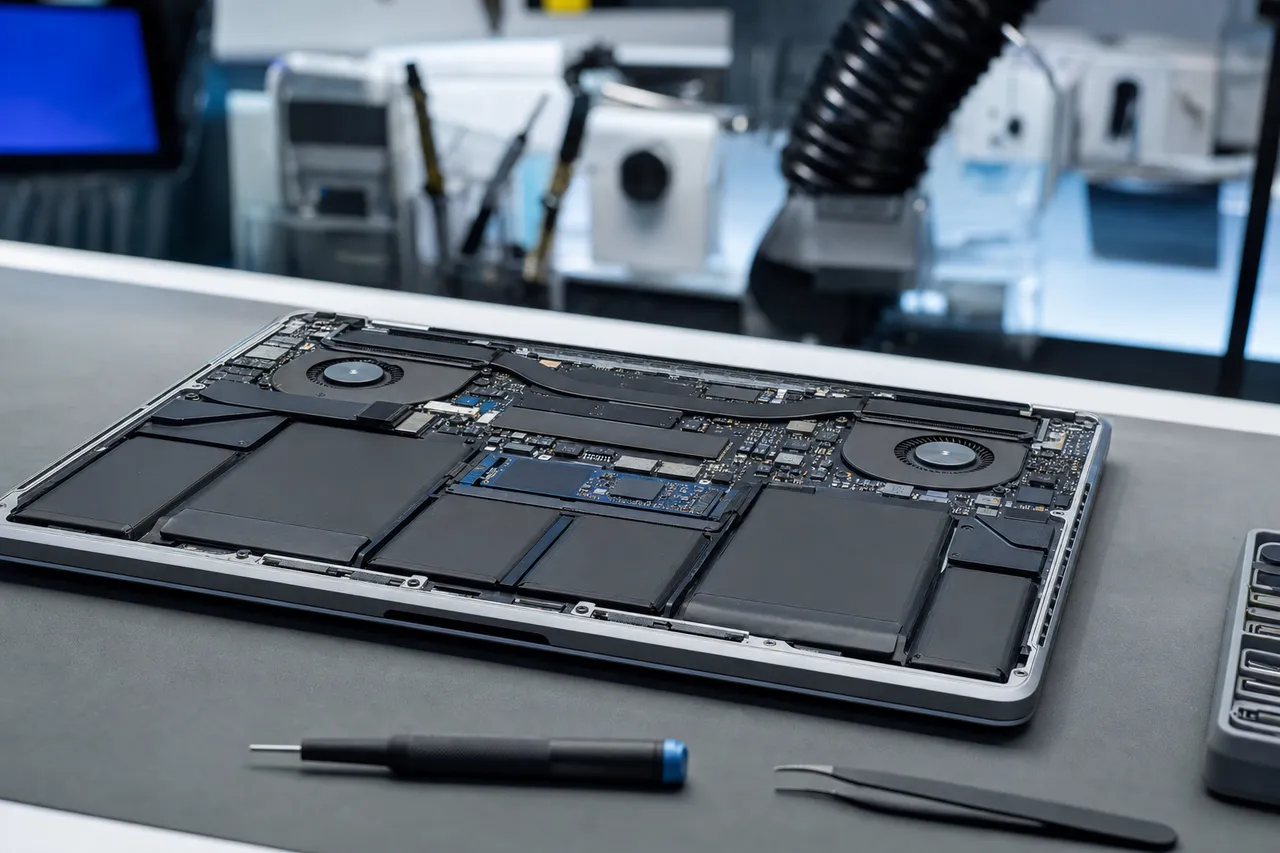
For MacBook Pro users who need their data recovered, we recommend sending the entire MacBook rather than attempting to remove the logic board yourself. The MacBook Pro's logic board is secured with dozens of specialized screws, connected by multiple flex cables, and surrounded by the battery (which is glued in and can be dangerous if punctured). Improper disassembly can cause additional damage - particularly to the delicate NAND flash BGA connections on the bottom of the logic board. We handle complete MacBook Pro disassembly in our lab with proper tools and experience.
MacBook Air
MacBook Air Data Recovery
The MacBook Air is Apple's most popular laptop by sales volume, which means it is also one of the most common Mac models in our recovery lab. The MacBook Air's thin, lightweight design makes it a favorite of students, travelers, and everyday users - but that thinness comes with trade-offs that affect both failure likelihood and recovery procedures. The MacBook Air has limited thermal dissipation (the M1 model famously has no fan), a smaller battery that is more susceptible to unexpected shutdowns, and a chassis that provides less physical protection for the logic board than the thicker MacBook Pro.
The modern MacBook Air recovery timeline starts with the 2018 Retina model, which introduced the T2 chip and soldered storage to the Air lineup. Before 2018, MacBook Air models (2013-2017) used removable proprietary PCIe SSD modules that can be recovered by simply removing the SSD and connecting it to a reader - no board-level work required. If you have a pre-2018 MacBook Air, recovery is straightforward and relatively inexpensive. If you have a 2018 or later model, you are dealing with soldered, encrypted storage that requires the full board-level recovery treatment.
The 2018 and 2019 MacBook Air models use Intel processors with the T2 chip. These share the same recovery challenges as the corresponding MacBook Pro models: the T2 encrypts all NAND storage, and a dead T2 means inaccessible data. The 2020 MacBook Air came in two variants - an Intel model with T2 and an M1 model with Apple Silicon. The M1 MacBook Air was a breakthrough product that sold in enormous quantities, and we now see M1 MacBook Air failures regularly. The 2022 M2 MacBook Air (in both 13-inch and the new 15-inch size) and the 2024 M3 MacBook Air continue the Apple Silicon architecture.
The MacBook Air M1, despite being an excellent machine, has specific failure patterns we encounter repeatedly. The fanless design means the M1 chip operates at higher sustained temperatures than in the MacBook Pro or Mac Mini, which both have active cooling. While the M1 is designed to handle these temperatures, prolonged thermal stress can contribute to solder joint fatigue on the NAND flash BGA packages over time. We have seen M1 MacBook Air units where intermittent NAND communication failures - storage disappearing and reappearing - preceded a total failure. If your M1 MacBook Air is exhibiting intermittent storage issues, back up immediately and contact us.
Another M1/M2/M3 MacBook Air vulnerability is the USB-C charging circuit. The MacBook Air uses its two USB-C ports for both data and charging, and a power event on either port can propagate voltage spikes to the logic board. Faulty third-party USB-C chargers, damaged cables, and surges from unprotected outlets have caused MacBook Air logic board failures in our experience. The M1 and M2 MacBook Air are particularly sensitive because they have only two USB-C ports, both of which are on the same side of the board and share power delivery circuitry - a surge on one port can damage the other port's controller and the main power delivery to the SoC.
MacBook Air liquid damage follows a different pattern than MacBook Pro liquid damage because of the Air's construction. The MacBook Air's logic board is smaller and positioned differently within the chassis, and the keyboard uses a different mechanism. Liquid spills tend to pool around the battery and bottom of the logic board before reaching critical components. This can give MacBook Air owners slightly more time before corrosion reaches the T2/Apple Silicon and NAND flash compared to the MacBook Pro, where the logic board sits directly under the keyboard. However, this does not mean you should delay seeking professional help - corrosion spreads unpredictably, and every hour counts.
Student and academic users are our largest MacBook Air recovery demographic. The MacBook Air's combination of affordability, portability, and performance makes it the go-to laptop for college students, graduate researchers, and educators. Unfortunately, student users are also the demographic least likely to maintain reliable backups - they often rely solely on the MacBook Air's internal storage for coursework, research data, thesis drafts, and personal files spanning their entire academic career. When a MacBook Air fails during finals week or before a thesis deadline, the data loss can have serious academic consequences. We offer priority rush options specifically for academic emergency cases.
The MacBook Air 15-inch, introduced in 2023 with the M2 chip and updated to M3 in 2024, is Apple's newest Air form factor. It is still too early to identify generation-specific failure patterns for the 15-inch model, but its larger logic board and display assembly introduce more flex cable connections and a larger surface area for potential liquid damage. We expect the 15-inch Air to follow similar recovery patterns to the 13-inch model given the shared Apple Silicon architecture and NAND configuration.
For MacBook Air recovery, we strongly recommend sending the complete machine to our lab rather than attempting to remove the logic board. The MacBook Air's ultra-thin design means components are packed extremely tightly, with the battery glued directly adjacent to the logic board. Amateur disassembly risks puncturing the lithium-polymer battery (which can cause a thermal event) or damaging the fine-pitch NAND flash connections on the board. Let our technicians handle the disassembly safely.
Desktop Macs
iMac, Mac Mini, and Mac Studio Recovery
While MacBook laptops represent the majority of our Apple recovery cases, desktop Macs - the iMac, Mac Mini, and Mac Studio - present their own unique recovery challenges. These machines serve different use cases (professional workstations, home offices, creative studios, development environments) and have different hardware configurations that affect our recovery approach.
The iMac has gone through a significant transition in recent years. The Intel iMac 27-inch (2017-2020) used either a standalone SSD, a hard drive, or Apple's Fusion Drive - a hybrid configuration that paired a small SSD with a larger HDD and presented them as a single volume. Fusion Drive recovery is uniquely complex because data is dynamically distributed between the SSD and HDD portions based on access frequency. If either component fails, or if the Fusion Drive logical pairing breaks, the volume becomes inaccessible and we must recover data from both components separately and reconstruct the unified volume.
The 2019 and 2020 iMac 27-inch models added the T2 chip, bringing the same encrypted soldered storage architecture found in MacBook Pros. The iMac 24-inch, introduced in 2021 with the M1 chip and continued with M3 (2023) and M4 (2024), uses fully soldered storage integrated with Apple Silicon - identical to the MacBook recovery scenario. The iMac's larger logic board and better thermal management mean we see fewer heat-related failures than in MacBooks, but the iMac is not immune to power surge damage (desktop machines are connected to AC power continuously, making them more susceptible to surge events) and component aging.
Mac Mini recovery has become increasingly common as the Mac Mini has grown in popularity as a professional workstation and server. The Mac Mini (2018) with Intel and T2 chip, the M1 Mac Mini (2020), the M2/M2 Pro Mac Mini (2023), and the M4/M4 Pro Mac Mini (2024) all use soldered storage. The Mac Mini is particularly popular as a headless server for web hosting, media serving, and software development - users often run them 24/7 in rack mounts or server closets with minimal monitoring. When a Mac Mini server fails, the data loss can include production databases, application code, media libraries, and automation scripts that took years to configure.
The Mac Studio, introduced in 2022, is Apple's most powerful compact desktop. Available with M1 Max/M1 Ultra (2022), M2 Max/M2 Ultra (2023), and M4 Max (2024), the Mac Studio is typically used by video editors, 3D artists, music producers, and other creative professionals who push the machine to its limits daily. Mac Studio storage configurations go up to 8TB on Ultra models, making them some of the highest-capacity recovery cases we handle. The Mac Studio's active cooling and robust power delivery make hardware failures less common than in MacBooks, but when they do occur, the value of the data at stake is often extremely high - professional creative work that may represent months or years of effort.
The Mac Pro deserves special mention. The 2019 Mac Pro (Intel Xeon W) used modular Apple SSDs - proprietary but removable - that could be transferred to another 2019 Mac Pro for data access. This was the last Mac to offer removable internal storage. The 2023 Mac Pro (M2 Ultra) switched to soldered storage like every other modern Mac. Mac Pro users are almost exclusively professionals with high-value data - video production houses, research institutions, large enterprises - and the recovery stakes are correspondingly high.
For all desktop Mac recoveries, the diagnostic process is similar to MacBook recovery: we identify the failure point (logic board, storage controller, NAND flash, or power delivery), determine whether board-level repair can restore data access, and proceed with a CPU/NAND/EEPROM swap to a donor board if board repair is not viable. Desktop Macs have the advantage of better component accessibility (no battery glued to the logic board, more space between components) but the disadvantage of potentially larger storage capacities that increase the number of NAND packages and EEPROMs that must be transplanted during a swap procedure.
One important note for iMac owners: if you are considering bringing your iMac to our lab, you do not need to ship the entire machine with its display. We can work from the logic board alone. If you are comfortable removing the display (the 2017-2020 iMac 27-inch display is held by adhesive strips), you can ship just the internal components, reducing shipping cost and damage risk. However, if you prefer, we accept complete iMacs and handle all disassembly in our lab.
FileVault Encryption
FileVault Encryption and MacBook Data Recovery
FileVault is Apple's full-disk encryption technology, and it is enabled by default on every new Mac running macOS Ventura and later. FileVault encrypts the entire startup volume using XTS-AES-128 encryption with a 256-bit key, making the contents unreadable without proper authentication. For data recovery purposes, FileVault adds a critical layer of complexity that must be addressed after the physical recovery is complete - without the user's password or recovery key, even a perfectly recovered NAND dump is just encrypted noise.
Understanding how FileVault interacts with the Mac's hardware encryption is important. Modern Macs have two layers of encryption. The first layer is hardware encryption performed by the T2 chip or Apple Silicon processor - this is always active, encrypts all NAND flash data, and uses a Data Encryption Key (DEK) stored in the Secure Enclave. This hardware encryption is transparent and cannot be disabled. The second layer is FileVault, which wraps the volume encryption key with the user's login password (or recovery key), adding password-based access control on top of the hardware encryption. When FileVault is enabled, both layers must be satisfied to access data: the hardware DEK must be available (T2/Apple Silicon must be functional or the key must be extracted), AND the FileVault password or recovery key must be provided.
When a Mac fails with FileVault enabled, the recovery process must address both encryption layers. If we can repair the logic board sufficiently to restore T2/Apple Silicon function (our preferred approach), the hardware encryption is handled natively - the T2/Apple Silicon decrypts the NAND data in real-time as we read it. We then need the customer's FileVault password or recovery key to unlock the volume and access the file system. If the customer has their password, this is straightforward. If they have lost their password, the 28-character FileVault recovery key (generated when FileVault was first enabled) is the backup. If both are lost, the data is encrypted and unrecoverable - no lab, no government agency, and no amount of computing power can crack XTS-AES-128 encryption.
FileVault recovery keys can be stored in several places. Apple offers to store the recovery key in iCloud during FileVault setup - if the customer chose this option, they can retrieve it from iforgot.apple.com or by calling Apple Support. The recovery key can also be stored in a company's MDM (Mobile Device Management) system for enterprise-managed Macs. And many users wrote down the recovery key when FileVault was first enabled, often storing it in a desk drawer, safe, or password manager. We always ask customers about their FileVault status and recovery key availability before beginning recovery work, because there is no point in performing an expensive board-level repair or CPU/NAND/EEPROM swap if the customer cannot provide FileVault credentials afterward.
There are some nuances to FileVault behavior that affect recovery. On Macs where the user has enabled automatic login (the Mac boots directly to the desktop without asking for a password), FileVault is technically still active but the volume is automatically unlocked during boot using credentials stored in the Secure Enclave. If we can get the Mac to boot normally - even if only to a recovery environment - the FileVault volume may auto-unlock, giving us access without requiring the password. This is another reason we always attempt board-level repair and native boot before resorting to a CPU/NAND/EEPROM swap on a donor board.
For T2 Macs specifically, Apple implemented a feature where the T2 can lock the storage after 10 failed password attempts, requiring the FileVault recovery key for subsequent access. This anti-brute-force measure means that if someone (or an automated process) has repeatedly entered wrong passwords on the customer's Mac before we receive it, the storage may be in a locked state that requires the recovery key regardless of whether the customer knows their password. We encounter this occasionally with enterprise Macs where IT policies or remote management tools have triggered the lockout.
Institutional and enterprise FileVault configurations add another dimension. Organizations using MDM platforms like Jamf, Mosyle, or Kandji can escrow FileVault recovery keys to their management server. When a company-owned Mac fails and needs data recovery, the IT department can retrieve the escrowed recovery key from the MDM console. We work directly with IT departments in these scenarios, providing the technical recovery while they handle the encryption credentials. For personal Macs, we guide customers through the process of locating their recovery key and verifying it before we complete the recovery.
One scenario we encounter frequently is a Mac that has been erased through Find My Mac. When a Mac is reported stolen or lost and the owner triggers a remote erase through Find My, macOS performs a cryptographic erase - it destroys the encryption keys rather than overwriting the NAND. This is instantaneous and irreversible. If a customer brings us a Mac that has been remotely erased through Find My, we cannot recover the data. The NAND flash physically contains the encrypted data, but the keys needed to decrypt it have been cryptographically destroyed. We always verify the erase status of a Mac during our diagnostic to avoid wasting the customer's time and money on an unrecoverable case.
Liquid Damage
Liquid Damage MacBook Recovery
Liquid damage is the single most common cause of MacBook data loss, and it is also one of the most time-sensitive. When liquid enters a MacBook's chassis, it begins a chemical reaction with the logic board's copper traces, solder joints, and component leads that progressively destroys electrical connections. This corrosion process accelerates when the board is powered - the electrical current flowing through wet components drives electrolytic corrosion that can eat through copper traces in hours. Understanding the mechanics of liquid damage and the urgency of professional intervention is critical for anyone whose MacBook has been exposed to liquid.
Not all liquids cause equal damage. Water - while still harmful - is the least destructive because it contains minimal dissolved minerals and no sugars. Distilled water causes even less damage than tap water. Coffee, tea, juice, soda, and alcoholic beverages are progressively worse because they contain sugars, acids, and other compounds that leave conductive residue on the board after the liquid evaporates. This residue continues causing shorts and corrosion long after the visible liquid has dried. Red wine and fruit juice are among the worst because of their high acidity and sugar content. We have seen MacBook logic boards that appeared dry but were covered in a thin, invisible layer of sugary residue that was actively corroding traces.
The immediate response to a MacBook liquid spill should be: power off immediately (hold the power button for 5 seconds), unplug from any power source, flip the MacBook upside down to let liquid drain out, and do not attempt to power it on again. Do not put it in rice - rice does nothing to address corrosion and can leave starch particles inside the machine. Do not use a hair dryer - heat can accelerate corrosion and damage components. Do not wait to see if it dries out and works - every hour of delay allows corrosion to spread further.
When a liquid-damaged MacBook arrives at our lab, we begin with complete disassembly and board-level inspection. We remove the logic board from the chassis, strip all connectors and shields, and examine every square millimeter of the board under magnification. We document the extent and location of corrosion, identify which components and traces are affected, and assess whether the damage reaches the T2/Apple Silicon processor and NAND flash packages - the critical components for data access.
Our cleaning process uses professional ultrasonic cleaning equipment with specialized PCB cleaning solutions (not water or isopropyl alcohol, which are inadequate for removing the types of residue left by beverages). Ultrasonic cleaning uses high-frequency sound waves to create microscopic cavitation bubbles that scrub contaminants from every surface, including underneath BGA chip packages where no brush or swab can reach. This thorough cleaning halts the corrosion process and removes conductive residue that could cause continued shorts.
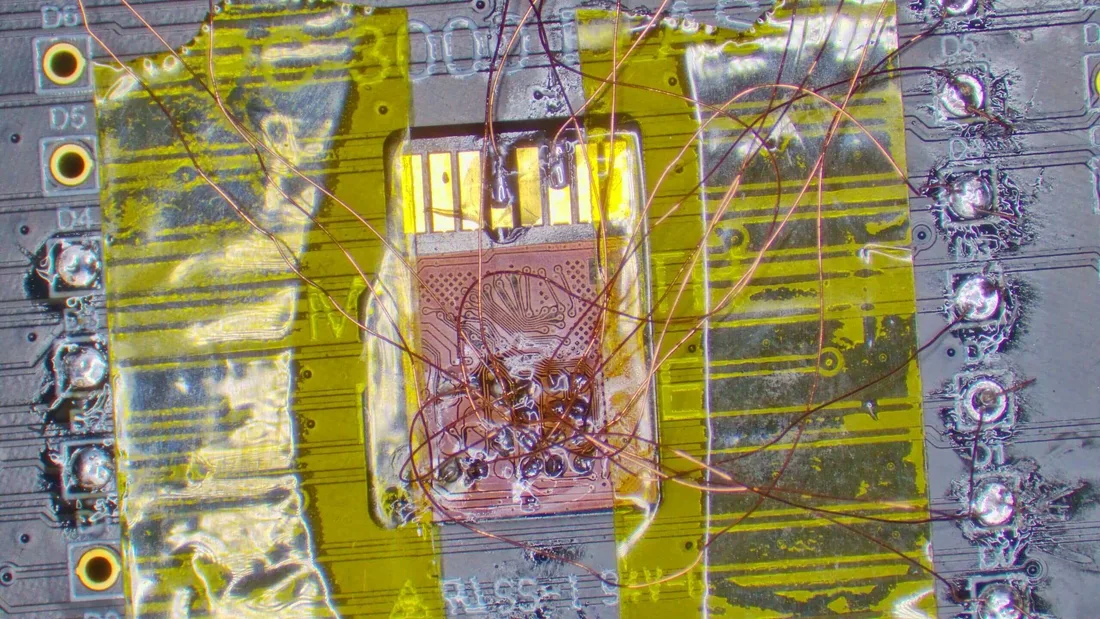
After cleaning, we assess the board under magnification to identify damaged components and traces. Common liquid damage repair targets on MacBook logic boards include: the PPBUS_G3H power rail and its associated MOSFETs, which provide the main system power; the SSD power enable circuitry, which controls voltage delivery to the NAND flash packages; the SMC or T2/Apple Silicon power management components; the USB-C port controller ICs; and the fine-pitch traces connecting the T2/Apple Silicon to the NAND flash BGA packages. Damaged traces are repaired using micro-soldering techniques - we run jumper wires (as thin as 0.05mm) to bridge corroded trace segments, and we replace damaged SMD components (resistors, capacitors, MOSFETs, ICs) with matching parts from donor boards.
The goal of liquid damage repair for data recovery is not to fully restore the MacBook to working condition - it is to restore enough functionality to access the storage. We do not need the display to work, the keyboard to function, or WiFi to connect. We need the T2/Apple Silicon to initialize, communicate with the NAND flash, and allow us to read data through our diagnostic interface. This focused approach means we can often achieve data access even from severely damaged boards that would never function as complete MacBooks again. We repair only what is necessary for storage access, which keeps costs lower and timelines shorter than a full board repair.
For liquid-damaged MacBooks where board repair cannot restore T2/Apple Silicon function - cases where the processor die itself is damaged, or corrosion has destroyed the NAND bus traces beyond repair - we proceed to a CPU/NAND/EEPROM swap - transplanting the processor, NAND flash packages, and EEPROMs from the liquid-damaged board onto a known-good donor board of the same model. Interestingly, the NAND flash BGA packages and processor die are remarkably resistant to liquid damage. Their hermetically sealed packages protect the silicon inside from moisture, and the solder balls that connect them to the board are more resistant to corrosion than the fine copper traces elsewhere on the board. In many severe liquid damage cases, the NAND packages and processor are perfectly healthy even when the rest of the board is destroyed - we just need to move them to a working donor board that provides clean power delivery and intact supporting circuitry.
Insurance and warranty considerations are important for liquid damage cases. AppleCare+ covers accidental damage including liquid spills (with a deductible), but Apple's repair process for liquid damage involves replacing the entire logic board - and they do not transfer data from the old board. If data recovery is your priority, do not send a liquid-damaged MacBook to Apple for repair before contacting us. Once Apple replaces the logic board, the original board (with your data) may be destroyed or recycled. Contact us first, let us recover your data, and then pursue repair or replacement through Apple.
Logic Board Failure
Logic Board Failure and Data Access
MacBook logic board failures that are not caused by liquid damage account for a significant portion of our recovery cases. These failures result from power events, thermal stress, component aging, manufacturing defects, and physical damage from drops or impacts. Understanding the common non-liquid failure modes helps MacBook owners recognize when professional data recovery is needed and what to expect from the process.
Power surge damage is one of the most destructive failure modes for MacBook logic boards. A voltage spike from a faulty charger, an unprotected outlet during a lightning storm, or a malfunctioning power strip can send excessive voltage into the MacBook's USB-C charging circuit. The USB-C Power Delivery specification allows negotiation of voltages up to 20V, and the MacBook's charging controller manages this negotiation. When a surge bypasses or overwhelms the protection circuitry, it can damage the USB-C port controller IC (typically a CD3217 or similar chip), the power management IC (PMIC) that distributes voltage across the board, and in severe cases, the T2/Apple Silicon processor itself. We frequently see cascade failures where a single surge damages multiple components along the power delivery chain.
Thermal damage in MacBooks accumulates over time. The MacBook Pro's active cooling (fans) prevents catastrophic overheating during normal operation, but prolonged high-temperature operation - 4K video exports, 3D rendering, compiling large codebases - can stress solder joints and contribute to electromigration in fine-pitch circuits. The MacBook Air's fanless design (M1 and M2 models) is particularly susceptible to thermal stress because the processor relies entirely on passive heat dissipation through the aluminum chassis. In hot environments (summer in a car, a desk next to a heating vent), the M1 MacBook Air can sustain temperatures that accelerate component aging.
Manufacturing defects, while uncommon in Apple products, do occur. Apple has acknowledged specific defect-related issues in several MacBook generations: the 2016-2017 MacBook Pro display cable failures, the 2018-2019 MacBook Pro keyboard failures (which could indirectly cause logic board issues through debris ingress), and various battery swelling issues that can physically deform the logic board. Some manufacturing defects manifest as intermittent failures that worsen over time - the MacBook works normally most of the time but occasionally crashes, freezes, or fails to detect storage, until one day the failure becomes permanent.
When we receive a MacBook with a non-liquid logic board failure, our diagnostic process involves systematic probing of the board's power rails and critical circuits. We measure voltages at key test points to identify where the power delivery chain breaks down. We test the T2/Apple Silicon processor's communication buses for activity. We check the NAND flash power rails to determine if the storage is receiving power. We probe the SSD bus connections between the controller and NAND packages. This systematic approach identifies the specific component or circuit that has failed, guiding our repair strategy.
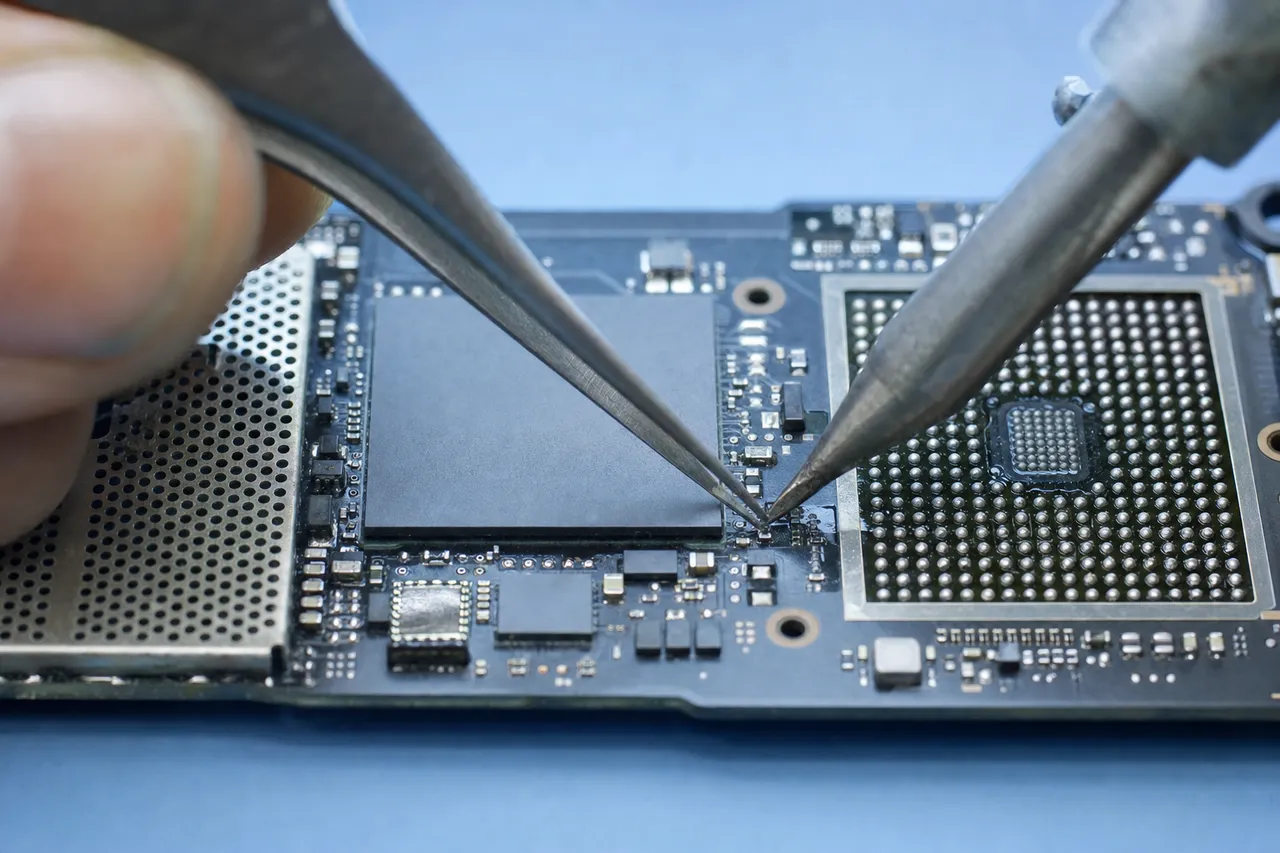
Board-level repair for data access from non-liquid failures typically involves replacing failed SMD components - PMICs, MOSFETs, voltage regulators, port controller ICs, or passive components (resistors and capacitors) that have failed open or short. We source replacement components from donor boards (salvaged from MacBooks with other types of damage) or from electronic component suppliers. Each component is installed using precision hot air and soldering iron work under microscope magnification. After component replacement, we re-test the power rails and communication buses to verify that the repair has restored functionality to the critical circuits needed for storage access.
Drop and impact damage represents another category of logic board failure. When a MacBook is dropped, the impact forces can crack solder joints (particularly under large BGA packages like the T2 chip or Apple Silicon processor), fracture PCB traces, and in extreme cases, crack the silicon die within a chip. BGA crack repairs involve reflowing or reballing the affected chip - heating the BGA package to reflow the solder balls and re-establish electrical connections. This is a delicate procedure that requires precise temperature control to avoid damaging the chip or adjacent components. Not all BGA cracks can be repaired - if the silicon die inside the package is cracked, the chip must be replaced (which is generally not possible for T2 or Apple Silicon processors, making a CPU/NAND/EEPROM swap to a donor board the only data recovery option).
For MacBook users experiencing intermittent failures - the Mac works sometimes but crashes unexpectedly, storage occasionally disappears in Disk Utility, or the Mac takes multiple attempts to boot - we strongly recommend immediate data backup followed by professional assessment. Intermittent failures almost always progress to permanent failures, and the transition can happen without warning. Backing up while the Mac is still functional is infinitely easier and cheaper than recovering data after a permanent failure. If you cannot back up because the failures are too frequent, contact us for a diagnostic - we may be able to stabilize the board long enough for a controlled data extraction.
The Swap Procedure
CPU/NAND/EEPROM Swap Recovery for Apple Devices
CPU/NAND/EEPROM swap recovery is the most technically demanding procedure we perform, and it is the method of last resort for MacBooks and other Apple devices where the logic board cannot be repaired to restore native storage access. Unlike traditional chip-off recovery used on non-Apple devices - where NAND flash is desoldered and read independently - Apple's hardware encryption architecture makes standalone NAND reading useless. Every byte on the NAND is encrypted by the Secure Enclave inside the T2 chip or Apple Silicon processor. The encryption keys never leave the processor die. This means the only viable recovery path for a catastrophically failed Apple logic board is to transplant the processor, the NAND flash packages, and the EEPROMs to a known-good donor logic board of the same model - preserving the complete encryption pathway so the data can be decrypted natively.
The swap procedure begins with sourcing an appropriate donor board. The donor must be the same MacBook model and board revision as the failed unit - a 2020 MacBook Air M1 donor board for a 2020 MacBook Air M1 recovery, for example. Board revisions matter because Apple changes component layouts, NAND bus routing, and power delivery designs between revisions. We maintain an inventory of tested donor boards across MacBook Pro, MacBook Air, iMac, Mac Mini, and Mac Studio models to minimize sourcing delays.
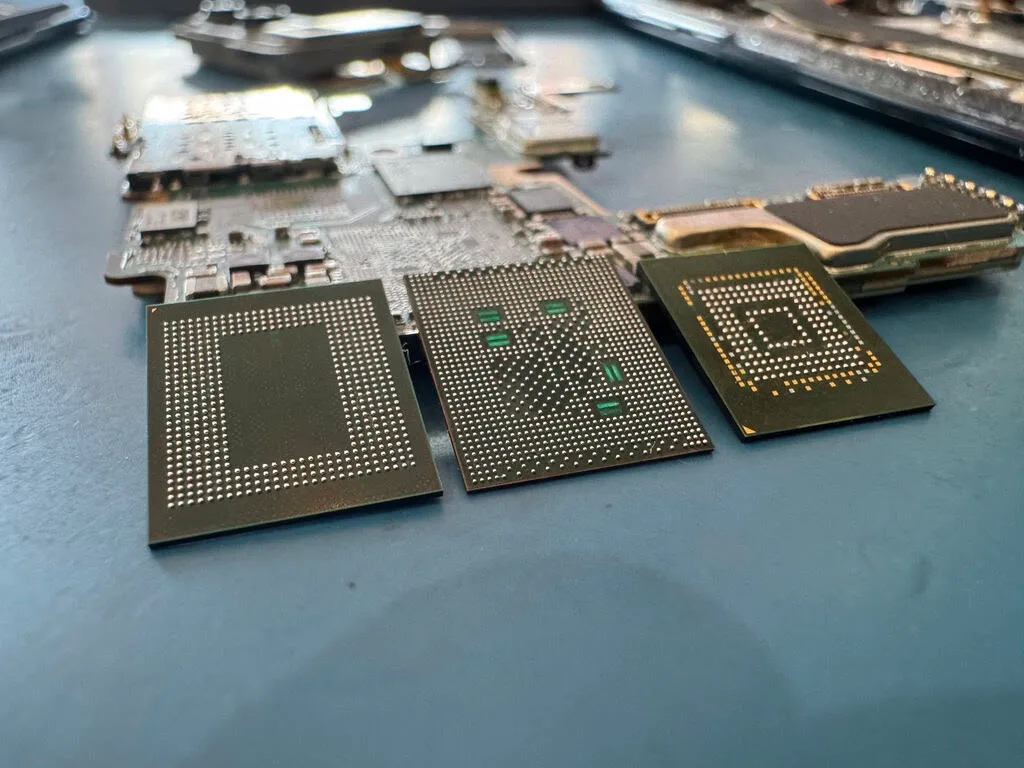
The first step is desoldering the critical components from the failed logic board. On T2 Intel Macs, this means removing the T2 chip, all NAND flash packages (typically 1-4 BGA packages depending on storage capacity), and the associated EEPROMs that store calibration and configuration data the T2 needs during initialization. On Apple Silicon Macs, we remove the Apple Silicon processor (M1, M2, M3, M4, or their Pro/Max/Ultra variants), the NAND packages, and the EEPROMs. Each component is a BGA (Ball Grid Array) package with hundreds of solder balls that must be cleanly separated from the board without damaging the silicon die inside.
Desoldering requires precision BGA rework equipment with controlled temperature profiles. Apple's lead-free solder has a melting point around 217 degrees Celsius, but the silicon dies inside the processor and NAND packages can be damaged by temperatures above 260 degrees Celsius - a narrow operating window that requires careful thermal management. We use bottom-side preheating to raise the board to 150-180 degrees Celsius uniformly, then apply focused top-side hot air at 240-250 degrees Celsius directly over each component until the solder reflows and the package can be lifted. The entire process is monitored with thermocouple sensors to ensure we stay within safe temperature limits. The processor die - which contains the Secure Enclave holding the encryption keys - is the most critical component. Any thermal damage to the processor die means loss of the encryption keys and, with them, all access to the data.
Once removed, each component is carefully cleaned - residual solder and flux are removed from the BGA pads using soldering wick and isopropyl alcohol under microscope magnification. The solder balls are then reballed (fresh solder balls applied to the BGA pads) to prepare each component for installation on the donor board. Reballing requires a precision stencil matched to each component's ball pitch and layout. Apple uses different BGA configurations for different processor and NAND generations, so the correct stencil must be selected for each component.
The donor board preparation is equally critical. We desolder and discard the donor board's original processor, NAND packages, and EEPROMs - these belong to a different encryption domain and are not compatible with the customer's data. The donor board's BGA pads are cleaned, inspected for damage (lifted pads, corroded traces), and prepared for the incoming components. Any damage to the donor board's pads or traces must be repaired before proceeding - a single broken connection between the processor and NAND can prevent data access.
With all components cleaned, reballed, and the donor board prepared, we perform the swap installation. Each component is placed on its corresponding BGA footprint on the donor board using a precision placement system, then reflowed using the same controlled temperature profile used for removal. The installation sequence matters - the processor is typically installed first, followed by the NAND packages, then the EEPROMs. After each component is installed, we verify solder joint quality using visual inspection under high magnification and, where possible, X-ray imaging to confirm that all BGA balls have properly bonded without bridges or voids.
After all components are installed, the donor board is reassembled with a power source and our diagnostic interface. The moment of truth is the first power-on: if the transplanted processor initializes correctly on the donor board, it will detect the transplanted NAND packages through the NAND bus, use its Secure Enclave to retrieve the encryption keys, and present the storage as an accessible volume. When this works - and it does in the majority of cases where the processor die is undamaged - the data appears exactly as it was on the original Mac. We can then extract the data through DFU mode, Target Disk Mode (on older Macs), or by booting into a recovery environment.
If FileVault is enabled, the volume will be encrypted with the user's password or recovery key on top of the hardware encryption. The hardware layer is handled natively by the transplanted processor - this is the entire point of the swap approach. We then need the customer's FileVault credentials to unlock the volume, just as they would on their original Mac. The CPU/NAND/EEPROM swap preserves both encryption layers intact, making it the only method that provides a complete, native decryption pathway for Apple devices.
The swap procedure is time-intensive, typically requiring 2-3 weeks for a straightforward case and potentially longer for high-capacity configurations with many NAND packages or when donor board sourcing is required for less common models. Despite its complexity, our CPU/NAND/EEPROM swap success rate exceeds 80% for cases where the processor die and NAND flash are physically undamaged. The primary factors that reduce success are severe damage to the processor die (which destroys the Secure Enclave and encryption keys), physical damage to the NAND packages from impact or extreme heat, and heavily degraded NAND flash cells with uncorrectable bit errors. For cases with healthy processor and NAND silicon, the swap procedure is highly effective even when the original logic board is completely destroyed - because we are not trying to fix the old board. We are moving the components that matter to a board that already works.
One important distinction: CPU/NAND/EEPROM swap is fundamentally different from the chip-off NAND reading approach used for non-Apple devices like Android phones or standard SSDs. In those devices, the NAND data is either unencrypted or encrypted with keys that can be extracted from the NAND itself. For Apple devices, the encryption keys are locked inside the Secure Enclave on the processor die and cannot be read externally. Desoldering just the NAND from an Apple device and reading it independently would produce only AES-256 encrypted data with no viable decryption path. The swap approach solves this by keeping the processor (and its Secure Enclave) paired with the NAND, exactly as Apple designed it - we simply provide a new, working board for the original components to operate on.
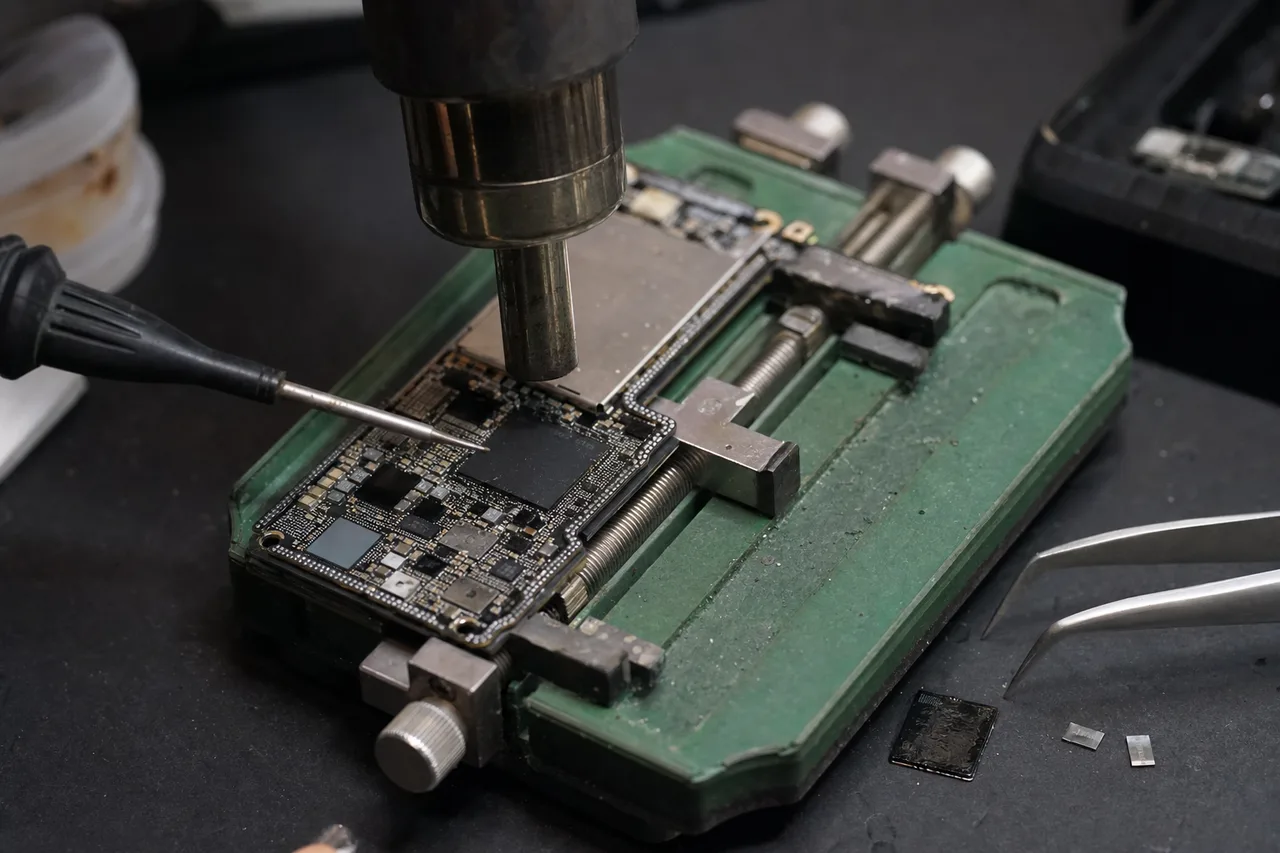
Mac vs. PC
Mac vs. PC Data Recovery - Key Differences
Customers who have previously dealt with data recovery from a Windows PC or a standard SSD often assume that Mac data recovery works the same way. In reality, recovering data from a modern Mac is fundamentally different from recovering data from a PC, and understanding these differences helps set accurate expectations for timeline, cost, and recovery approach. The differences span hardware architecture, file systems, encryption, and security frameworks.
The most fundamental difference is hardware accessibility. In a typical Windows PC or laptop, the SSD is a discrete component - an M.2 drive, a 2.5-inch SATA drive, or an NVMe drive - that can be physically removed and connected to another machine or a recovery tool like the PC-3000 SSD. Even if the PC's motherboard is completely dead, the SSD can be extracted and worked on independently. Modern Macs have eliminated this possibility. The NAND flash is soldered to the logic board and managed by the T2 chip or Apple Silicon processor. You cannot remove a 'drive' from a MacBook because there is no separate drive - the storage is an integral part of the logic board assembly.
This architectural difference has profound implications for recovery cost and timeline. A standard PC SSD recovery involves connecting the drive to diagnostic equipment and working with the SSD's controller and firmware directly - the PC's motherboard is irrelevant. A Mac recovery requires working with the Mac's logic board because the logic board IS the storage device. If the logic board has failed, we must either repair it (board-level micro-soldering) or perform a CPU/NAND/EEPROM swap to a donor board - both of which are significantly more complex, time-consuming, and expensive than standard SSD recovery procedures.
File system differences also matter. Windows PCs typically use NTFS (Windows 10/11) or occasionally FAT32/exFAT for external storage. Mac uses APFS (Apple File System, introduced in 2017) or the legacy HFS+ (Mac OS Extended). APFS is a modern file system designed specifically for flash storage, with features like copy-on-write, space sharing between volumes, native encryption support, and snapshots. These features make APFS more resilient to certain types of corruption but also more complex to reconstruct when the file system metadata is damaged. Standard data recovery tools designed for NTFS cannot read APFS volumes, and vice versa. Our lab uses specialized APFS parsing tools that understand the unique structures of Apple's file system.
Encryption is another major differentiator. While Windows PCs can use BitLocker encryption, it is not always enabled by default - many Windows PCs have unencrypted storage, which makes recovery simpler because the raw data from the SSD is immediately readable. Modern Macs have mandatory hardware encryption (always-on AES-256 through the T2/Apple Silicon) plus optional FileVault encryption that is enabled by default on new Mac setups. This dual encryption layer means that Mac data recovery always involves an encryption step, even for the most basic cases. PC recovery may or may not involve encryption, depending on whether BitLocker was enabled.
The security boot process differs significantly. Macs with T2 or Apple Silicon implement Secure Boot, which ensures only Apple-signed operating systems can run. This prevents us from booting a custom recovery environment directly on the Mac hardware - we cannot simply boot a Linux live USB with recovery tools, as we routinely do with Windows PCs. We must work within Apple's security framework using DFU mode, Target Disk Mode (on older Macs), Apple Configurator, or our proprietary hardware diagnostic tools. This limits our software-based recovery options compared to the wide array of third-party tools available for PC recovery.
Recovery pricing reflects these differences. A standard PC SSD data recovery - connecting the drive to PC-3000 SSD for firmware repair or logical extraction - typically costs $350-$800 depending on the failure type. MacBook data recovery starts at a similar price for software-level issues on functional hardware but can reach $1,200-$2,500 for T2/Apple Silicon bypass or CPU/NAND/EEPROM swap recovery - procedures that simply do not exist in the PC recovery workflow because they are not needed (the PC's SSD can be removed and worked on directly).
Turnaround times also differ. A firmware-level PC SSD recovery might complete in a few days to a week. MacBook recovery involving board-level repair or CPU/NAND/EEPROM swap typically takes 2-5 weeks due to the additional complexity. The multi-step process - board disassembly, component-level diagnosis, micro-soldering repair or CPU/NAND/EEPROM transplant to a donor board, data extraction, decryption - has more stages and more potential complications than a standard SSD recovery.
Despite these differences, the core principle is the same: if the NAND flash memory cells that store your data are physically intact, recovery is possible. Whether that data lives on a removable NVMe SSD in a Windows laptop or on soldered NAND packages under a dead Apple Silicon processor, the data exists as electrical charges in flash memory cells. The challenge - and our expertise - lies in creating a path to read those cells and reconstruct meaningful data from what we find. For PCs, that path is relatively straightforward. For Macs, it requires board-level skills and Apple-specific knowledge that set Mac recovery apart as a specialized discipline within the data recovery field.
Prevention & Backup
Preventing MacBook Data Loss: Time Machine, iCloud, and Backup Strategies
The most important thing any MacBook owner can do to protect their data is implement a reliable backup strategy before a failure occurs. Data recovery is effective, but it is always more expensive, more time-consuming, and more stressful than having a working backup. Apple provides excellent built-in backup tools - Time Machine and iCloud - that, when properly configured, can make data loss a minor inconvenience rather than a crisis. Understanding these tools and supplementing them with additional backup measures provides comprehensive data protection.
Time Machine is Apple's built-in backup system and, when used correctly, is one of the best consumer backup solutions available. Time Machine creates incremental backups to an external drive - the first backup copies everything, and subsequent backups only copy files that have changed since the last backup. Time Machine keeps hourly backups for the past 24 hours, daily backups for the past month, and weekly backups for all previous months, automatically deleting the oldest backups when the drive is full. This versioning means you can recover not just the latest version of a file, but previous versions from any point in your backup history.
The critical requirement for Time Machine is that the backup drive must be connected for backups to run. This is where many MacBook users fail - they buy an external drive, set up Time Machine, and then stop connecting the drive regularly. Time Machine only protects you if backups are current. For desktop Macs (iMac, Mac Mini, Mac Studio), keeping a Time Machine drive permanently connected is easy. For MacBook users, we recommend either: (1) a USB-C external drive that you connect every evening for automatic overnight backups, (2) a network-attached Time Machine drive (like a Synology NAS with Time Machine support) that backs up over WiFi whenever you are on your home network, or (3) an always-connected USB-C hub with a dedicated Time Machine drive at your primary workspace.
iCloud provides a complementary cloud-based backup layer. With iCloud Drive enabled, your Desktop, Documents, Photos, and other data sync to Apple's cloud servers automatically. The free tier provides only 5GB, which is woefully insufficient for most users - upgrading to iCloud+ at $2.99/month (200GB) or $9.99/month (2TB) is strongly recommended. With sufficient iCloud storage, your Desktop and Documents folders are continuously synced, meaning that if your MacBook dies, you can sign into a new Mac or access icloud.com and find your files waiting. iCloud Photos backs up your entire photo library separately.
However, iCloud has important limitations for data protection. It is a sync service, not a true backup. If you delete a file from your Mac, it is also deleted from iCloud (though recently deleted files can be recovered from icloud.com for 30 days). If your Mac has a ransomware infection that encrypts your files, those encrypted files sync to iCloud, replacing the good versions. iCloud also does not back up applications, system settings, or files stored outside of the designated sync folders. For these reasons, iCloud should supplement - not replace - a proper Time Machine backup.
For truly comprehensive protection, we recommend the 3-2-1 backup rule: maintain 3 copies of your important data, on 2 different types of media, with 1 copy stored offsite. A practical implementation for MacBook users: (1) the original data on your MacBook's internal storage, (2) a Time Machine backup on a local external drive, and (3) a cloud backup service like Backblaze ($7/month for unlimited computer backup), Carbonite, or CrashPlan. This ensures that even if your MacBook and your Time Machine drive are both destroyed (house fire, theft, flood), your data survives in the cloud.
Backblaze deserves special mention for Mac users. Unlike iCloud, Backblaze is a true backup service - it continuously backs up your entire Mac (including external drives if desired) to the cloud, maintaining all files regardless of deletions on the local machine. Backblaze offers 30-day version history (extendable to 1 year for an additional fee), so you can recover previous versions of files. At $7/month for unlimited backup, it is one of the most cost-effective insurance policies available for your data.
For professional users with large working files (video editors, photographers, 3D artists, music producers), local backup is essential because cloud backup of large files is impractical - uploading terabytes of 4K video footage over even a fast internet connection takes days or weeks. These users should consider a multi-drive Time Machine setup with rotation: two external drives, alternated daily or weekly, with one always offsite. This way, even if your workspace suffers a catastrophic event, the offsite drive has a recent backup.
APFS snapshots provide an additional safety net that many Mac users do not know about. macOS automatically creates APFS snapshots before system updates and at regular intervals. These snapshots capture the state of the file system at a specific point in time and can be used to recover files that were modified or deleted since the snapshot was taken. However, snapshots are stored on the same internal drive as your data - if the drive fails, the snapshots fail with it. Snapshots protect against software-level issues (accidental deletion, bad updates) but not hardware failure.
Finally, verify your backups regularly. A backup that has silently failed is worse than no backup at all, because it provides false confidence. Open your Time Machine preferences monthly and confirm that recent backups have completed. Periodically test restoring a file from Time Machine to verify the backup integrity. Check your iCloud storage usage to ensure it has not filled up (which stops syncing). And for cloud backup services, verify that the backup agent is running and that backup sizes are reasonable for your data volume. A few minutes of verification can prevent the devastating discovery that your backups stopped working months ago.
APFS File System
Apple APFS File System and Recovery Considerations
Apple File System (APFS), introduced in 2017 with macOS High Sierra, is the file system used by every modern Mac. APFS replaced the aging HFS+ (Mac OS Extended) and was designed from the ground up for flash storage - SSDs, NAND flash, and other solid-state media. Understanding APFS is important for data recovery because its architecture, features, and failure modes differ significantly from the NTFS and ext4 file systems used on PCs and Linux systems.
APFS is a copy-on-write (CoW) file system, which means that when a file is modified, APFS writes the new data to a different location on the storage rather than overwriting the original data in place. The original data remains intact until the file system metadata is updated to point to the new location. This CoW approach has significant benefits for data integrity - if a power failure occurs during a write operation, the original data is still intact because it was never overwritten. It also has benefits for data recovery - recently overwritten files may still have their old data present on the NAND, providing a recovery opportunity that would not exist with an overwrite-in-place file system.
APFS uses a container-based architecture where a single APFS container spans the entire physical drive, and multiple APFS volumes can exist within that container. These volumes share the container's free space dynamically - a feature Apple calls space sharing. A typical Mac has at least three APFS volumes within its container: the System volume (read-only macOS system files), the Data volume (user data and applications), and the Preboot and Recovery volumes. When recovering Mac data, the Data volume is our primary target, though we image the entire container to preserve all metadata and cross-volume references.
APFS encryption integrates natively with the file system. When FileVault is enabled, APFS handles the encryption at the volume level, with each volume potentially having its own encryption key. The hardware encryption from the T2/Apple Silicon sits below APFS - the drive's raw NAND is encrypted at the hardware level, and APFS's encryption sits on top. This layered encryption means that APFS metadata structures (container superblocks, volume headers, B-trees) are themselves encrypted, which prevents us from parsing the file system without first satisfying the encryption requirements.
APFS B-tree structures store all file system metadata - file names, directory structure, file extents (which NAND blocks store which file's data), timestamps, and permissions. The B-trees are the roadmap to your data. When APFS metadata becomes corrupted - from power loss during writes, NAND degradation causing bit errors in metadata blocks, or software bugs - the file system loses track of where files are located. Recovery from APFS metadata corruption involves parsing the B-tree structures, identifying and bypassing corrupted nodes, and reconstructing the file-to-extent mapping from available metadata. In severe cases, we perform a raw scan of the volume looking for file signatures (JPEG headers, PDF headers, document magic bytes) to locate files that have lost their metadata entries entirely.
APFS snapshots, as mentioned earlier, are point-in-time copies of the file system metadata. Each snapshot records the state of all B-trees at the moment it was created. When a file is modified or deleted after a snapshot, the snapshot retains references to the original data blocks, which are preserved until the snapshot is deleted. During recovery, we examine all available snapshots to find versions of files that may have been modified, deleted, or corrupted since the snapshot was taken. This can be particularly valuable for recovering files that were accidentally deleted - if a snapshot predates the deletion, the file can be recovered from the snapshot's B-tree references.
TRIM interaction with APFS is a critical factor for deleted file recovery on Macs. When you empty the Trash or delete files in APFS, the file system issues TRIM commands to the underlying storage controller (T2 or Apple Silicon), which marks the corresponding NAND blocks for garbage collection. Once garbage collection physically erases those blocks, the data is permanently gone. The speed at which TRIM processes varies - it can happen within seconds for recently deleted files on an idle system, or it may be deferred for minutes or hours during heavy use. This is why we emphasize powering off the Mac immediately after accidental deletion - every moment the Mac remains powered on gives TRIM another opportunity to erase your deleted data.
APFS Fusion Drive configurations (used in some iMacs) add another layer of complexity. A Fusion Drive combines a small SSD with a larger HDD into a single APFS container. APFS manages the data tiering automatically, placing frequently accessed data on the faster SSD and less-used data on the HDD. When a Fusion Drive fails, we must recover both the SSD and HDD components, then reconstruct the APFS container from the combined data. If only one component has failed, the APFS container metadata may reference data on the failed component, requiring both components for a complete recovery. This is one of the more complex APFS recovery scenarios we handle.
For Mac users running virtual machines (Parallels, VMware Fusion, UTM), APFS stores the VM disk images as large sparse files on the Data volume. These VM images can be several hundred gigabytes in size and contain NTFS or other file systems within them. Recovering VM disk images requires recovering the APFS container first, then extracting the VM image file, then parsing the file system within the VM image. We regularly recover Parallels VMs containing Windows environments with critical business applications and data.
Talk to the engineer who does the board-level work - not a call center.
MacBook Data Recovery FAQ
Straight answers on cost, turnaround, the T2 and Apple Silicon chips, FileVault, and how we recover data from a soldered, encrypted MacBook - drawn from the questions we hear every day.
-
Can data be recovered from a dead MacBook?
Yes, in most cases. A dead MacBook - no power, no chime, no image - typically has a power delivery failure on the logic board, not necessarily storage failure. MDrepairs diagnoses the specific component that has failed, repairs it to restore T2/Apple Silicon function and storage access, and extracts your data. If board repair is not possible, we proceed with a CPU/NAND/EEPROM swap to a donor board. -
Can Apple recover data from a MacBook?
No. Apple does not offer data recovery services. When you bring a failed MacBook to an Apple Store or authorized repair center, they replace the logic board - which means your data on the original board is lost. Apple's repair process prioritizes returning you a working machine, not recovering your data. If data recovery is your priority, contact MDrepairs at 732-933-7717 before sending your MacBook to Apple. -
How much does MacBook data recovery cost?
MacBook data recovery at MDrepairs ranges from $350 to $2,500 depending on the failure type. Software-level recovery costs $350 - $800. T2/Apple Silicon board-level recovery costs $800 - $1,500. CPU/NAND/EEPROM swap for catastrophic failures costs $1,200 - $2,500. Every case starts with a $100 diagnostic that includes a detailed assessment and firm quote. No data, no charge. Call 732-933-7717 for a free consultation. -
Can you recover data from an M1, M2, M3, or M4 MacBook?
Yes. When an Apple Silicon processor dies, MDrepairs performs a CPU/NAND/EEPROM swap - we transplant the original CPU (which contains the Secure Enclave and encryption keys), NAND flash chips, and EEPROMs to a compatible working donor logic board. This restores the exact hardware environment needed to decrypt and access your data. This is the most advanced MacBook recovery procedure we perform, and it is the only technically valid approach because the encryption keys are bound to the original CPU. -
What is the T2 security chip and how does it affect data recovery?
The T2 chip is Apple's custom security processor used in 2018-2020 Intel Macs. It acts as the SSD controller and encrypts all data on the soldered NAND flash via the Secure Enclave. When the T2 fails, all storage access is lost because every read/write passes through the T2. Recovery requires either repairing the T2's supporting circuitry on the original board, or performing a CPU/NAND/EEPROM swap - transplanting the T2 (which holds the encryption keys), NAND flash, and EEPROMs to a working donor logic board. -
Does MacBook data recovery void my warranty?
Data recovery means opening the MacBook and working directly on the logic board, and Apple can decline warranty service on a machine that shows third-party repair - so treat recovery and warranty as separate paths. In practice the conflict is rare: Apple does not offer data recovery at any price, AppleCare explicitly excludes data, and an Apple repair for a failed board is a board replacement that discards your data with the old board. If your MacBook is still covered and the data matters, the usual play is to recover the data first, then let Apple handle the hardware - tell us the machine is going back to Apple and we plan the work accordingly. -
Can you recover data from a MacBook with a soldered SSD?
Yes. Every MacBook since 2016 has soldered NAND flash storage that cannot be removed conventionally. At MDrepairs, we recover data from soldered storage through board-level repair (restoring T2/Apple Silicon function to access the NAND natively) or CPU/NAND/EEPROM swap (transplanting the CPU, NAND flash chips, and EEPROMs to a known-good donor logic board). Both methods require specialized micro-soldering tools and Apple-specific expertise that our Lincroft, NJ lab has refined across hundreds of MacBook recovery cases. -
Can you recover data from a liquid-damaged MacBook?
Yes. Liquid damage is our most common MacBook recovery scenario at MDrepairs. We perform ultrasonic board cleaning, micro-soldering repair of corroded components, and if necessary, CPU/NAND/EEPROM swap to a donor board. The sooner you send the MacBook after the spill, the better - corrosion spreads progressively. Do not put it in rice or attempt to power it on. Call us at 732-933-7717 immediately. -
Can you recover data from a FileVault-encrypted MacBook?
Yes, but you will need to provide your FileVault password or recovery key after we complete the physical recovery. FileVault uses AES encryption that cannot be bypassed without credentials. If you stored your recovery key in iCloud, you can retrieve it from iforgot.apple.com. Without the password or recovery key, the data cannot be decrypted. -
How long does MacBook data recovery take?
Standard turnaround at MDrepairs is 4-5 weeks. Board-level repairs may complete faster. CPU/NAND/EEPROM swap cases may take longer due to donor board sourcing and transplant complexity. We offer Priority Rush (5-7 days, +$250), Urgent Rush (1-2 days, +$500), and Emergency (same day, +$1,000) options for time-sensitive cases. -
What if you can't recover my MacBook data?
If we cannot recover your target files, you pay only the $100 diagnostic fee - no data, no charge. We provide a detailed explanation of why recovery was not possible (destroyed NAND, cryptographic erase, unrecoverable encryption keys) so you understand the outcome. MDrepairs never proceeds with paid recovery work without your approval after the diagnostic. -
My MacBook shows a flashing question mark folder. Is my data lost?
The flashing question mark folder means the Mac cannot find a bootable volume. This can indicate NAND flash failure, SSD controller failure within the T2/Apple Silicon, firmware corruption, or file system corruption. Your data may still be intact on the NAND - the Mac simply cannot locate it during boot. MDrepairs diagnoses the specific cause and recovers data through board-level repair or CPU/NAND/EEPROM swap. -
Do I need to send my whole MacBook or just the logic board?
Either option works. We accept complete MacBooks and handle all disassembly in our Lincroft, NJ lab. If you are comfortable removing the logic board yourself, you can ship just the board to reduce shipping weight and cost. We recommend sending the complete MacBook if you are not experienced with Apple hardware disassembly. -
Is MacBook data recovery more expensive than regular SSD recovery?
Generally yes. Standard SSD recovery involves connecting a removable drive to diagnostic equipment - the computer's motherboard is irrelevant. MacBook recovery requires working with the logic board itself because the storage is soldered to it. Board-level repair and CPU/NAND/EEPROM swap procedures add complexity and time, which increases cost compared to standard SSD recovery. -
Can you recover data from a MacBook that was erased through Find My?
No. When a Mac is erased through Find My, Apple performs a cryptographic erase - it destroys the encryption keys rather than overwriting the data. Without those keys, the encrypted data on the NAND is permanently unreadable. No lab can reverse a cryptographic erase. If your Mac was remotely erased, the data cannot be recovered. -
Do you recover data from iMac, Mac Mini, and Mac Studio?
Yes. MDrepairs recovers data from all Mac desktops including iMac (all sizes), Mac Mini, Mac Studio, and Mac Pro. Modern desktop Macs use the same soldered storage and T2/Apple Silicon architecture as MacBooks, requiring the same board-level and CPU/NAND/EEPROM swap recovery techniques. We also handle Fusion Drive recovery from older iMacs. -
What is a CPU/NAND/EEPROM swap?
A CPU/NAND/EEPROM swap is the process of transplanting the original CPU (which contains the Secure Enclave encryption keys), NAND flash memory chips, and EEPROMs from a failed MacBook logic board onto a compatible working donor board. Once all three components are installed on the donor board, the system boots and decrypts the storage normally because the encryption key chain is preserved. This is the correct last-resort recovery method for MacBooks with catastrophic board failure - it works because the encryption keys travel with the CPU, not the board. MDrepairs maintains an inventory of donor boards for all MacBook generations in our Lincroft, NJ lab. -
Why doesn't chip-off recovery work on modern MacBooks?
Traditional NAND chip-off - desoldering flash chips and reading them independently - does not work on any MacBook with a T2 chip or Apple Silicon processor. The reason is hardware encryption: all data on the NAND is encrypted by the Secure Enclave inside the CPU, and the decryption keys never leave the CPU die. Reading the raw NAND produces only encrypted gibberish with no path to decryption. That is why MDrepairs uses CPU/NAND/EEPROM swap instead - by keeping the CPU and NAND together on a working donor board, the encryption keys remain paired with the data they protect. -
Can you recover data from older MacBooks with removable SSDs?
Yes, and it is typically easier and less expensive than modern MacBook recovery. MacBook Pro and MacBook Air models from 2013-2015 used proprietary but removable PCIe SSD modules. We remove the SSD module, connect it to an adapter, and image the drive directly - no board-level work required. Recovery from these older models costs less and completes faster. -
My MacBook won't boot. What should I do before sending it in?
You can attempt to boot into Recovery Mode (hold Command+R during startup on Intel Macs, or hold the power button on Apple Silicon Macs). If you can access Disk Utility, check if the internal storage appears. However, do not run First Aid, reinstall macOS, or erase anything - these actions can worsen the situation. If Recovery Mode does not work or storage is not visible, power off and contact MDrepairs at 732-933-7717. -
Can you recover data from a MacBook with a cracked screen?
A cracked screen alone does not affect data recovery at all. The display is completely separate from the storage system. If the MacBook powers on normally with a cracked screen, you can connect an external display and back up your data yourself. If the MacBook does not power on, the issue is likely the logic board (not the screen), and MDrepairs can recover data through our standard board-level procedures. -
Do you offer free shipping for MacBook data recovery?
Yes. MDrepairs provides free insured shipping labels for sending your MacBook to our lab in Lincroft, NJ, and free insured return shipping for your recovered data on a new external drive. This applies to all customers nationwide - all 50 states. Ship the complete MacBook or just the logic board. -
Can you recover data after a failed macOS update?
Yes. Failed macOS updates can corrupt the APFS file system or damage the boot volume. In most cases, the user data on the Data volume is intact even if the System volume is corrupted. MDrepairs accesses the storage through diagnostic tools that bypass the damaged boot process and extracts your files directly from the APFS Data volume. -
Can you recover data from a MacBook that was in a fire or flood?
Potentially yes. NAND flash chips are surprisingly resilient to environmental damage. If the NAND packages and CPU on the logic board are physically intact (not melted or shattered), a CPU/NAND/EEPROM swap to a donor board can recover data even from boards that are otherwise completely destroyed. MDrepairs assesses the component condition during the $100 diagnostic. -
Can you recover a failed Time Machine backup drive?
Yes. If your Time Machine backup drive has failed, MDrepairs can recover it using our standard external drive recovery procedures. Time Machine backups on external drives are stored in APFS or HFS+ format. Once we recover the drive, we can extract specific files, folders, or the entire backup set for restoration to a new Mac. -
Are third-party USB-C chargers safe for my MacBook?
Quality third-party USB-C chargers from reputable brands (Anker, Belkin) that are USB-IF certified are generally safe. Cheap, uncertified chargers from unknown brands are a significant risk - they may deliver incorrect voltages or lack surge protection, potentially damaging the MacBook's power delivery circuitry and logic board. We see multiple MacBook failures per month caused by faulty third-party chargers at our Lincroft, NJ lab. -
What should I do right now if I just spilled liquid on my MacBook?
Power off immediately by holding the power button for 5 seconds. Unplug from power. Flip it upside down on a towel to drain excess liquid. Do NOT put it in rice, use a hair dryer, or attempt to power it on. Contact MDrepairs at 732-933-7717 immediately. The faster we receive the MacBook at our Lincroft, NJ lab, the less corrosion damage we need to work around. Time is critical with liquid damage.
MacBook Data Recovery by State
We recover MacBook data for customers in all 50 states. Our secure mail-in program serves every state with prepaid insured shipping, so wherever your MacBook is, you get the same board-level lab recovery and the same no data, no charge promise.
Prepaid insured shipping both ways
- Alabama
- Alaska
- Arizona
- Arkansas
- California
- Colorado
- Connecticut
- Delaware
- Florida
- Georgia
- Hawaii
- Idaho
- Illinois
- Indiana
- Iowa
- Kansas
- Kentucky
- Louisiana
- Maine
- Maryland
- Massachusetts
- Michigan
- Minnesota
- Mississippi
- Missouri
- Montana
- Nebraska
- Nevada
- New Hampshire
- New Jersey
- New Mexico
- New York
- North Carolina
- North Dakota
- Ohio
- Oklahoma
- Oregon
- Pennsylvania
- Puerto Rico
- Rhode Island
- South Carolina
- South Dakota
- Tennessee
- Texas
- Utah
- Vermont
- Virginia
- Washington
- Wisconsin
- Wyoming
Get Started
Ready to Recover Your MacBook Data?
Whether your MacBook was hit by a liquid spill, a dead logic board, a failed T2 or Apple Silicon chip, or a lost FileVault key - our Lincroft, NJ lab can help. $100 diagnostic, firm quote up front, and no data, no charge. Free insured shipping nationwide.
319 reviews 4.6 rating All 50 states