
My daughter's iPad Pro 12.9 fell into the pool. Apple said the data was gone forever. MDrepairs recovered every single photo and video - over 50,000 files spanning 6 years. Joseph called me personally to walk through everything they found. Absolutely incredible service.
- 4.6 319 reviews
- 2M+ followers
- Board-level Apple lab NJ
iPad Data Recovery
iPads store everything on soldered NAND flash chips that cannot be removed, swapped, or accessed through any external port - making iPad data recovery one of the most technically demanding services in the industry. MDrepairs is a professional data recovery lab in Lincroft, NJ that specializes in recovering data from all iPad models: iPad Pro 12.9" and 11", iPad Air, standard iPad, and iPad Mini. We handle the failures that Apple stores and general repair shops cannot - water damage with no power, shattered screens with unresponsive digitizers, iPads stuck in boot loops, and devices that simply refuse to turn on. Our lab performs board-level micro-soldering and NAND chip-off extraction to retrieve photos, videos, messages, notes, and documents from iPads that other providers declare unrecoverable. We also recover data from iPhones, MacBooks, and offer free insured mail-in recovery nationwide.
Every iPad recovery begins with a $100 professional diagnostic where we identify the exact failure point - logic board, NAND storage, power management IC, display circuitry, or charging system - and provide a detailed assessment before any recovery work starts. We serve customers across all 50 states through our free insured shipping program. No data, no charge on the recovery - if we cannot retrieve your target files, you pay only the diagnostic fee.
See How We Recover Data
Watch related lab clips that show the same careful diagnosis, microscope work, and flash-level recovery skills we bring to iPad data recovery.
What Our Customers Say
4.6
Verified Google reviews No data, no charge - every case earns its rating
iPad Models We Recover
MDrepairs recovers data from every iPad model Apple has ever manufactured - from the original iPad released in 2010 through the latest iPad Pro with M4 chip. Every iPad uses soldered NAND flash storage that requires board-level expertise to access when the device fails. Below is a comprehensive list of iPad models we service regularly.
-
iPad Pro
-
iPad Air
-
iPad Mini
-
iPad (standard)
$100 diagnostic. No data, no charge. Free shipping nationwide.
Common iPad Failures We Recover
From liquid damage and dead logic boards to disabled lockouts and accidental erasure, our lab recovers data from every iPad failure mode - usually without ever needing the device to power on.
-
Water & Liquid Damage
iPads are not waterproof. Pool submersion, spilled drinks, rain exposure, and bathroom humidity cause corrosion on the logic board that spreads rapidly. Liquid bridges connections between microscopic components, causing short circuits that damage power management ICs, the CPU, and NAND storage controllers. Our lab performs ultrasonic cleaning and board-level micro-soldering to restore data access from water-damaged iPads - even devices that have been submerged for extended periods.
-
Cracked Screen - No Display
A shattered iPad screen does not mean your data is lost, but it does mean you cannot interact with the device to back it up. When the LCD and digitizer are both damaged, the iPad may still be running but you cannot see or touch anything. Apple will replace the iPad but erase your data. We extract data from iPads with destroyed screens without needing to repair the display - accessing storage at the board level to retrieve photos, videos, messages, and app data.
-
Won't Turn On - Dead iPad
An iPad that will not power on could have a failed battery, a damaged charging circuit, a dead power management IC (PMIC), a shorted capacitor on the logic board, or catastrophic CPU failure. We use DC power supply analysis and thermal imaging to identify exactly which component has failed. Many dead iPads can be revived through targeted micro-soldering repairs. When the logic board cannot be repaired, we extract data directly from the NAND storage chips.
-
Disabled - Passcode Locked
After too many incorrect passcode attempts, iPads display 'iPad is disabled, connect to iTunes.' Connecting to iTunes triggers a factory restore that erases all data. Children, coworkers, and even pocket touches can trigger this lockout. Our lab recovers data from disabled iPads without performing a restore, preserving your photos, videos, messages, and app data. This requires board-level access to the NAND storage, bypassing the lockout state entirely.
-
Boot Loop - Stuck on Apple Logo
An iPad caught in a boot loop repeatedly shows the Apple logo, sometimes with a progress bar, before restarting endlessly. This is typically caused by failed iPadOS updates, corrupted system files, or NAND storage errors that prevent the operating system from loading. iTunes restore will fix the boot loop but erases all data. We extract data from boot-looping iPads at the storage level without performing a restore, preserving your complete data set.
-
Bent iPad Pro
iPad Pro models - particularly the 2018 and 2020 12.9-inch and 11-inch - are susceptible to bending due to their thin aluminum chassis. A bent iPad Pro can suffer cracked logic board traces, severed solder connections, and fractured BGA chip mounts that cause intermittent failures or complete device death. We use X-ray inspection and microscopic examination to identify exactly where the bend has damaged internal connections, then perform board-level repairs or NAND extraction.
-
Charging Port Failure
When an iPad stops charging, the issue is often not the port itself but the Tristar or Hydra IC on the logic board - the chip that manages USB communication and charging negotiation. A damaged Lightning or USB-C port, a failed Tristar IC, or a blown charging circuit capacitor can all prevent the iPad from charging and eventually power on. We diagnose and repair these board-level charging failures to restore power and recover your data.
-
Accidental Deletion & Factory Reset
Accidentally deleted photos, wiped the iPad through Settings, or performed an iTunes restore you immediately regretted. iPads use the APFS file system with TRIM, which means deleted data can be permanently erased quickly. The faster you stop using the device after deletion, the better the recovery chances. We perform low-level NAND analysis to recover files that have not yet been overwritten by TRIM and garbage collection operations.
Call (732) 933-7717
No data, no charge. You only pay the $100 diagnostic.
How We Recover Your Data
A simple, transparent process - from your first call to verified data back in your hands. Free shipping both ways, a firm quote before any work begins, and no recovery fee unless we succeed.
-
Free Consultation
Call 732-933-7717 or submit our online form. Describe your iPad failure - water damage, cracked screen, won't turn on, disabled, boot loop - and we'll provide an initial assessment, expected timeline, and free insured shipping labels to send your iPad to our lab.
-
$100 Diagnostic Evaluation
Once your iPad arrives at our Lincroft, NJ lab, we perform a comprehensive diagnostic using DC power supply analysis, thermal imaging, and microscopic board inspection. We identify the exact failure point - logic board, NAND, PMIC, display circuitry, or charging system - and provide a firm quote before any recovery work begins.
-
Professional Recovery
Using iPad-specific recovery procedures, we perform board-level micro-soldering repairs, NAND chip-off extraction, or direct data access depending on your failure type. Apple's proprietary storage architecture and encryption require specialized tools and techniques that our lab has refined across thousands of iOS device recoveries.
-
Verification & Return
We verify every recovered file for integrity - photos display correctly, videos play without corruption, documents open properly. Your recovered data is transferred to a new external drive and shipped back with free insured shipping. No data, no charge - if we can't recover your target files, you pay only the $100 diagnostic.
Pricing
iPad Data Recovery Pricing
iPad recovery pricing depends on the failure type, iPad model, and complexity of the board-level work required. Logical recoveries from accessible devices are less expensive than chip-off NAND extraction from dead logic boards. Every case includes our $100 diagnostic with a firm quote before recovery begins.
Every case starts here
All pricing includes the $100 diagnostic fee. No data, no charge. If we can't recover your target files, you only pay the diagnostic fee.
Standard
Logical data extraction from iPads with screen damage, disabled state, or software issues where the logic board is functional. Includes data extraction from accessible NAND through board-level interface.
- Screen-damaged iPad extraction
- Disabled iPad data recovery
- Boot loop data extraction
- Software corruption recovery
- Free return shipping
Advanced
Most CommonBoard-level micro-soldering repair for iPads with power management failures, charging circuit damage, water damage requiring component replacement, or logic board trace repair.
- Water damage board repair
- PMIC replacement & repair
- Tristar/Hydra IC repair
- Logic board trace repair
- Free return shipping
Critical
NAND chip-off extraction for iPads with catastrophic logic board failure, severe physical damage, or cases where board-level repair is not possible. Direct reading of soldered NAND chips.
- NAND chip-off extraction
- Direct NAND chip reading
- Full data reconstruction
- Encrypted storage handling
- Free return shipping
Final price confirmed after diagnostic - no surprises.
Turnaround Times
Standard turnaround is 3-5 weeks for iPad data recovery. Board-level repairs may complete faster when parts are available. Rush options available: Priority Rush (5-7 business days, +$250), Urgent Rush (1-2 business days, +$500).
Standard turnaround
4 - 5 weeks
No surcharge. Full assessment with recovery options and pricing.
Need it faster? Rush options
-
5 - 7 business days
Priority Rush
+$250Jumps to the front of the queue.
-
1 - 2 business days
Urgent Rush
+$500Dedicated technician for time-sensitive cases.
-
Same Day
Emergency
+$1,000Immediate start. Highest priority, mission-critical.
Rush options move your iPad ahead in the queue so we begin sooner. The exact recovery time is confirmed after diagnostics and depends on the failure type.
Free insured shipping nationwide - $100 diagnostic credited - no data, no charge.
Mail-In iPad Data Recovery
We serve customers across all 50 states through our free insured shipping program. Send us your iPad and you never have to leave your house - most devices arrive at our Lincroft, NJ lab within a few business days, and we begin the diagnostic immediately.
- 1
Get your free quote
Call 732-933-7717 or request a quote - we send free insured shipping labels.
- 2
Pack and ship
Pack your iPad safely; ship it free with the provided insured label.
- 3
$100 diagnostic + firm quote
We diagnose the exact failure and send a firm quote before any recovery work begins.
- 4
Recover and return
We recover your data, verify every file, and ship it back on a new drive with free insured shipping. No data, no charge.
Data Privacy & Chain of Custody
Your data is handled under strict chain-of-custody procedures from intake to secure destruction - in our own Lincroft, NJ lab, never outsourced.
-
Intake Logging
Every iPad is photographed and logged with a unique case number, model, serial, and condition on arrival.
-
Restricted Access
Only your assigned technician handles your iPad and its logic board. No shared workstations, no exceptions.
-
No Browsing Data
We never open or view your files. Integrity is verified through checksums and file structure only.
-
Secure Delivery
Data is transferred to a new drive and shipped back to you with free insured shipping. All copies are purged after confirmation.
-
Device Return
Your iPad is returned along with your recovered data, or securely destroyed at your request.
What You Receive After Recovery
-
Your Recovered Data
Your files are delivered on a new external drive shipped directly to you, or we send a password-protected download link for secure retrieval. We include a file listing so you can verify everything before we purge our copies.
-
Your Original iPad
After recovery is complete, you choose what happens to your iPad - we can return it, hold it for a specified period, or securely destroy it. All copies of your data on our systems are purged after you confirm receipt.
-
Ongoing Support
Need help accessing your recovered files, moving data to a new iPad, or setting up iCloud and local backups to prevent future loss? Our team is available after delivery to help you get back on track.
iPad Data Recovery - Our Lab & Expertise
Understanding why iPad data recovery is one of the most technically challenging services in the industry requires understanding how iPads store data at the hardware level. An iPad's entire storage subsystem is permanently soldered to the logic board and cryptographically bound to the device's processor. Below is a deep dive into that architecture, the failures we see, and the board-level and chip-off techniques our Lincroft, NJ lab uses.
Case Study
iPad Pro NAND Chip-Off Recovery - Catastrophic Board Failure
Drive: iPad Pro 11" 3rd Generation M1
The failure
This iPad Pro 11-inch 3rd generation with M1 chip suffered a catastrophic logic board failure following a power surge during a thunderstorm while the device was connected to a wall charger. The owner - a freelance graphic designer - reported hearing a faint pop sound before the iPad's screen went completely black. All subsequent power-on attempts failed: no Apple logo, no charging indicator, no sound, no response whatsoever. The 1TB model contained the designer's entire professional portfolio spanning 5 years, including original Procreate illustration files, Adobe Illustrator project files synced through Sidecar workflows, client presentation decks, and signed contracts stored in PDF format. The total irreplaceable data exceeded 800GB. Multiple repair facilities including Apple's own mail-in service confirmed that the logic board was beyond repair - the power surge had destroyed the power management integrated circuit cluster and caused secondary damage to surrounding components. The M1 chip's integrated memory controller further complicated matters because the storage encryption keys are tied to the specific processor, meaning simply reading the NAND chips without the M1's cooperation would yield encrypted, unusable data. The designer was told by three separate recovery services that the data was permanently lost.
The recovery
MDrepairs accepted this case as a chip-off NAND extraction with the understanding that Apple's hardware encryption presented a significant technical challenge. Our senior technician began by performing an exhaustive damage assessment using X-ray imaging of the logic board to map all internal layer damage without further disturbing the components. The X-ray confirmed that while the PMIC cluster and several voltage regulators were destroyed, the M1 processor package and the NAND flash packages appeared physically intact. Rather than attempting a full board repair - which would have required replacing over a dozen destroyed components with uncertain results - our technician took a targeted approach: repairing only the minimum power delivery path needed to boot the M1 processor and establish communication with the NAND controller embedded within the M1 package. This required replacing the main PMIC, rebuilding three power rail filter capacitors, and bridging two severed PCB traces on inner layers accessed through precision micro-via drilling. After 14 hours of board-level work, the M1 processor initialized successfully, the NAND controller authenticated with the storage chips, and we were able to extract the complete decrypted data set - 847GB of files including every Procreate project, all client deliverables, and the complete contract archive. The designer called it the single most important service anyone had ever performed for his career.
Case Study
Water-Damaged iPad Recovery - Saltwater Submersion
Drive: iPad 9th Generation
The failure
This iPad 9th generation with A13 Bionic chip was submerged in ocean saltwater for approximately 2 minutes after falling from a boat while the owner was on vacation in the Florida Keys. Saltwater is exponentially more corrosive than freshwater due to its high sodium chloride concentration, which acts as an electrolyte that dramatically accelerates galvanic corrosion between dissimilar metals on the logic board. The owner retrieved the iPad from shallow water, rinsed it with freshwater at the marina, and had it shipped to our lab within 48 hours. The 256GB iPad contained 3 years of the owner's children's school artwork photographed for preservation, over 15,000 family vacation photos including photos from the trip during which the iPad was lost, hundreds of voice memos, and the family's shared grocery and household management apps with years of accumulated data. The iPad showed absolutely no signs of life - no charging indicator, no response to button presses, and no recognition by iTunes when connected to a computer. A local repair shop in Florida opened the iPad and told the owner the logic board was covered in green corrosion and that recovery was impossible. The shop recommended MDrepairs after seeing our saltwater recovery work on social media.
The recovery
When the iPad arrived at our lab, we immediately began the disassembly and decontamination process. The logic board showed extensive green copper chloride corrosion - the telltale signature of saltwater exposure - covering approximately 40% of the board surface, concentrated around the CPU, NAND flash packages, and the connector ribbon cable interfaces. Our team performed a multi-stage ultrasonic cleaning process specifically designed for saltwater corrosion: first a heated deionized water bath to dissolve salt crystal deposits, followed by our specialized board cleaning solution calibrated to break down copper chloride compounds without damaging component underfill or BGA solder balls. After three complete cleaning cycles and 4 hours in a precision drying chamber, microscopic inspection revealed that while the corrosion had been removed, it had already caused irreversible damage to the Tristar IC, the audio codec IC, two display connector components, and numerous passive components across three power rails. We systematically replaced every damaged component - a total of 9 ICs and 14 passive components - using donor parts sourced from our inventory of iPad 9th generation logic boards. The micro-soldering work took approximately 8 hours across two sessions. After all replacements, DC power supply testing showed a clean power-on signature, and the iPad booted successfully to the home screen. We extracted the complete data set of 189GB: all 15,000+ family photos, the children's school artwork archive, voice memos, app data, and the family's complete message history. The customer specifically noted that the photos from the boat trip - taken just hours before the iPad fell into the ocean - were all recovered perfectly.
Deep Dive
iPad Storage Architecture and Why Recovery Is So Difficult
Understanding why iPad data recovery is one of the most technically challenging services in the data recovery industry requires understanding how iPads store data at the hardware level. Unlike a laptop hard drive or external SSD that can be removed and connected to another system, an iPad's entire storage subsystem is permanently soldered to the logic board and cryptographically bound to the device's processor. This architecture makes iPads incredibly secure and reliable during normal use, but it creates extraordinary obstacles when something goes wrong and you need to retrieve your data from a non-functional device.
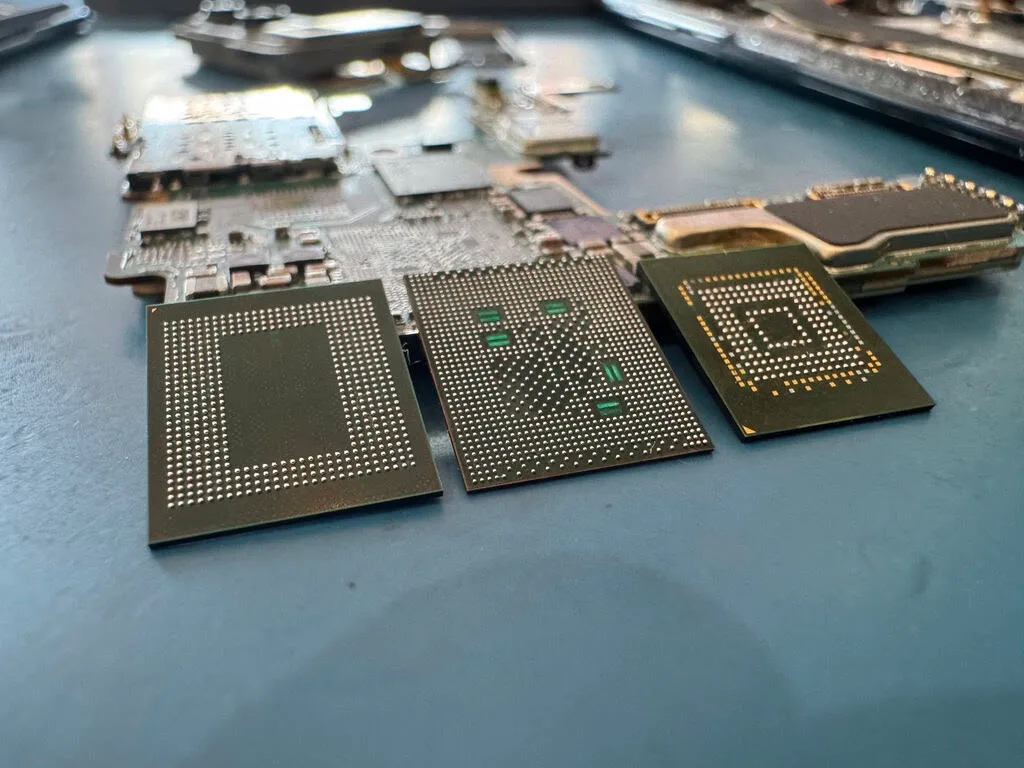
Every iPad uses NAND flash memory chips that are soldered directly to the main logic board using ball grid array (BGA) connections - hundreds of tiny solder balls that form the electrical connection between the chip and the circuit board. These NAND chips cannot be removed without specialized rework equipment, and even then, the raw data stored on them is encrypted by Apple's hardware encryption engine. The encryption key is generated and stored within the processor itself - the A-series or M-series system-on-chip (SoC) - meaning the NAND data is mathematically useless without cooperation from the specific processor it was paired with during initial iPad setup.
Apple's A-series processors (A4 through A17 Pro) and M-series processors (M1, M2, M4) each integrate a dedicated Secure Enclave Processor (SEP) - a physically isolated coprocessor that manages all encryption operations independently from the main CPU cores. The SEP generates a unique device-specific encryption key during manufacturing that is fused into the silicon and cannot be read externally. Every block of data written to the NAND flash is encrypted with this key using AES-256 encryption before it reaches the storage chips. This means that even if you could perfectly read every bit stored on the NAND chips, you would have 256-bit AES encrypted data with no way to decrypt it without the SEP's cooperation.
This is fundamentally different from traditional hard drive or SSD recovery where you can remove the storage medium, connect it to another system or specialized reader, and access the data directly. With iPad recovery, the data, the processor, the encryption keys, and the logic board are an inseparable unit. If any component in this chain fails - the processor, the power management system, the display circuitry, or the NAND itself - the entire system becomes inaccessible through normal means. This is why Apple Store employees consistently tell customers that data cannot be recovered from a broken iPad: within Apple's standard repair framework, it genuinely cannot be. They replace the device and the old one's data is lost.
Professional data recovery labs like MDrepairs approach this problem differently. Instead of replacing the broken iPad, we repair it - at least enough for the processor and NAND to communicate and decrypt the stored data. This requires board-level micro-soldering expertise that goes far beyond standard iPad repair. We are not replacing screens or batteries; we are repairing and replacing individual components that are smaller than a grain of rice, soldered with connections that are thinner than a human hair, on a circuit board that has up to 12 layers of copper traces stacked on top of each other. A single misplaced solder ball or severed trace can prevent the entire system from functioning.
The iPad's file system adds another layer of complexity. All modern iPads use Apple's APFS (Apple File System), which was designed specifically for flash storage and includes features like copy-on-write metadata, space sharing between volumes, and aggressive TRIM support. APFS TRIM tells the NAND controller to erase data blocks as soon as files are deleted, which means that unlike traditional hard drives where deleted files remain on the platters until overwritten, deleted iPad data can be physically erased within seconds or minutes of deletion. This makes accidental deletion recovery on iPads extremely time-sensitive - the faster you stop using the device, the more data can potentially be recovered.
The storage capacities available across the iPad lineup also affect recovery complexity. Base-model iPads with 32GB or 64GB of storage use a single NAND flash package, while high-capacity iPad Pro models with 1TB or 2TB of storage use multiple NAND packages with data striped across them. Recovering data from a multi-chip configuration requires reading and reassembling data from each chip in the correct interleaving order, which adds significant complexity to any chip-off recovery procedure. The M-series iPad Pro models add yet another complication: the M1 and M2 chips integrate the memory controller directly into the processor package, creating an even tighter coupling between the SoC and the storage subsystem.
Despite all of these technical challenges, iPad data recovery is absolutely possible in the majority of cases - it simply requires the right equipment, the right expertise, and the right approach. At MDrepairs, we have invested in the specialized micro-soldering stations, NAND reading equipment, and Apple-specific diagnostic tools needed to handle every iPad model from the original A4-powered iPad through the latest M-series iPad Pro. Our success rate on iPad recoveries reflects years of experience navigating Apple's complex storage architecture and finding creative solutions when standard approaches fail.
Deep Dive
iPad Pro Data Recovery - M-Series and A-Series Models
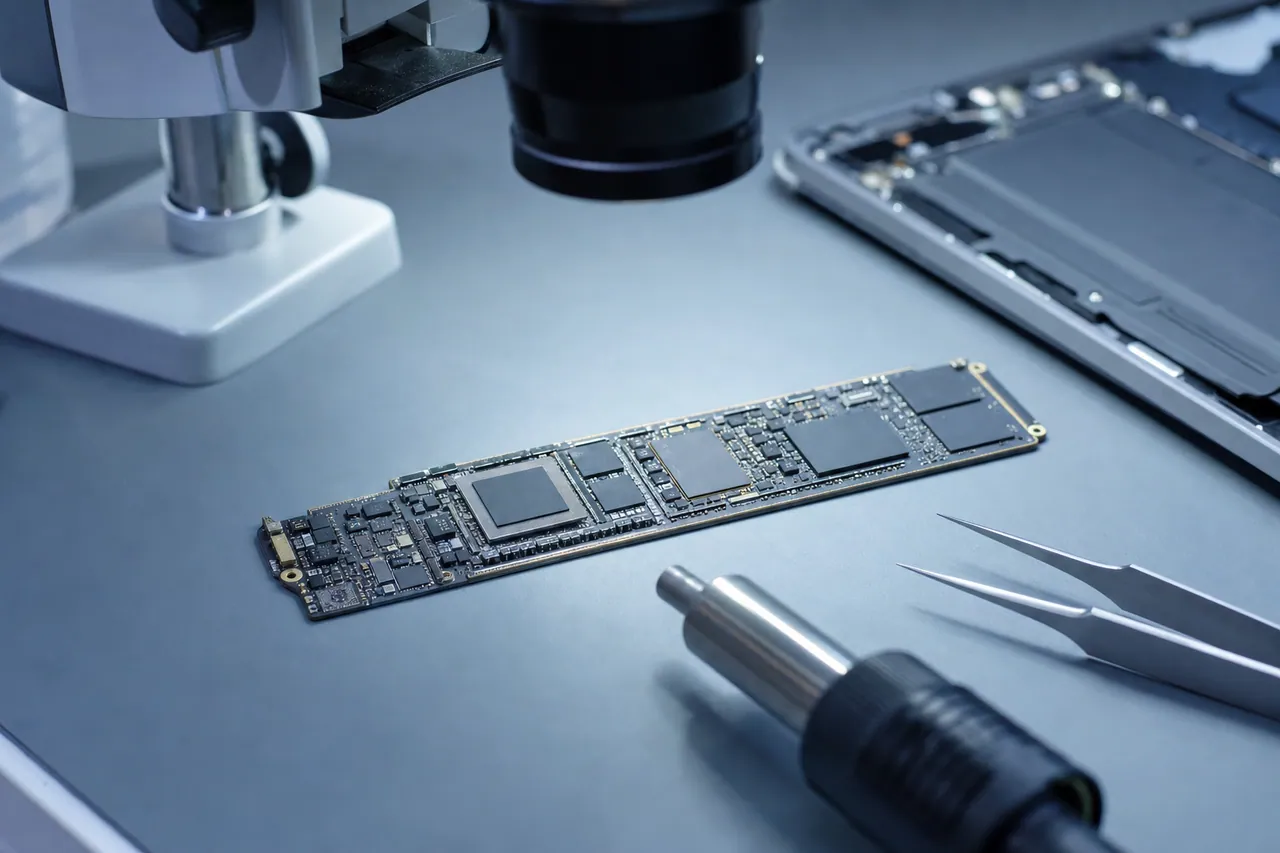
The iPad Pro is Apple's most powerful tablet line and, from a data recovery perspective, its most complex. iPad Pro models are frequently used by creative professionals, business executives, students in graduate programs, and artists who rely on the device as their primary computing platform. When an iPad Pro fails, the data at stake often has significant professional or financial value - Procreate illustrations, Final Cut Pro projects, Keynote presentations, GoodNotes notebooks, and business documents that exist nowhere else.
The iPad Pro 12.9-inch line spans six generations, each with distinct internal architectures that affect our recovery approach. The 1st generation (2015) uses the A9X processor with 4GB of RAM and was the first iPad to offer 256GB of storage. The 2nd generation (2017) upgraded to the A10X Fusion with 4GB of RAM. The 3rd generation (2018) introduced the A12X Bionic and was the first iPad Pro to switch from Lightning to USB-C, also introducing Face ID instead of Touch ID. The 4th generation (2020) used the A12Z Bionic - essentially the same chip as the A12X with all GPU cores enabled. The 5th generation (2021) introduced the M1 chip - the same processor used in MacBook Air and MacBook Pro - with up to 16GB of unified memory and up to 2TB of storage. The 6th generation (2022) upgraded to the M2 chip with further performance improvements.
The iPad Pro 11-inch line follows a similar progression starting from the 1st generation (2018) with A12X through the 4th generation (2022) with M2. Both the 11-inch and 12.9-inch models within the same generation share identical logic board architecture, which means our recovery procedures are consistent across screen sizes within a generation. However, the thinner 11-inch chassis makes it slightly more vulnerable to bend-related damage, and the 12.9-inch model's larger battery presents different power delivery characteristics during diagnostic testing.
M-series iPad Pro models (M1 and M2) present unique recovery challenges compared to their A-series predecessors. The M1 and M2 chips integrate the memory controller, neural engine, and media engine into a single unified architecture package. This means the processor has even tighter control over the NAND flash access pathway, and the encryption subsystem is more deeply embedded within the SoC. From a practical recovery standpoint, this means the M-series processor must be functional - at least partially - for any data recovery to succeed. If the M1 or M2 chip itself is damaged beyond repair, the data encrypted on the NAND becomes inaccessible with current technology.
The most common iPad Pro failure we encounter in our lab is logic board damage caused by physical impact. The iPad Pro's thin aluminum chassis - particularly the 2018 and later models with flat edges - provides minimal structural protection for the logic board inside. A drop onto a hard surface, a heavy object placed on top of the iPad in a bag, or even prolonged pressure in a backpack can flex the chassis enough to crack solder connections on the logic board. These cracks can be invisible to the naked eye but catastrophic to the device's operation. We use X-ray imaging and microscopic inspection to locate these fractures, then repair them through precision micro-soldering.
iPad Pro water damage recovery follows the same general procedure as other iPads but with additional complexity due to the Pro's more sophisticated power management system. M-series iPad Pro models have complex voltage regulation circuits with multiple power rails that must all be functional for the processor to boot. A single corroded voltage regulator or shorted filter capacitor can prevent the entire system from starting. Our water damage repair process involves ultrasonic board cleaning followed by systematic testing of every power rail and replacement of any damaged components in the power delivery chain.
Another significant iPad Pro failure category is charging system failures caused by damage to the USB-C port or its associated controller ICs. When an iPad Pro's USB-C port is damaged - from cable yanking, liquid exposure, or debris insertion - the Tristar (older models) or Hydra (newer models) IC that manages USB communication can be destroyed. This chip is responsible for negotiating power delivery and data transfer protocols with the connected cable or charger. When it fails, the iPad cannot charge, and without charge, the battery eventually dies and the device becomes completely non-functional. We replace failed Tristar and Hydra ICs through micro-soldering to restore charging capability and data access.
For creative professionals who use iPad Pro as their primary work device, we understand the urgency and irreplaceability of the data. A Procreate artist with thousands of hours invested in original illustrations, a videographer with Final Cut Pro timelines, or an architect with CAD drawings in Shapr3D - these files represent months or years of creative and professional work. We prioritize communication throughout the iPad Pro recovery process, providing regular updates and, when possible, targeted file listings so you know exactly what we are recovering before the full extraction is complete.
Deep Dive
iPad Air Data Recovery
The iPad Air occupies the middle ground in Apple's tablet lineup - more capable than the base iPad, more affordable than the iPad Pro - and it has become one of the most popular iPad models for students, educators, business professionals, and everyday users. Since its introduction in 2013, the iPad Air has evolved through six generations, each bringing significant internal changes that affect how we approach data recovery for these devices.
The original iPad Air (2013) was a landmark device: the first full-sized iPad thin enough and light enough to hold comfortably in one hand, powered by the A7 processor - the first 64-bit mobile chip in a tablet. The iPad Air 2 (2014) added Touch ID and the A8X processor in an even thinner design. The iPad Air 3 (2019) jumped to the A12 Bionic after Apple skipped the Air branding for several years. The iPad Air 4 (2020) introduced a major redesign with flat edges, USB-C replacing Lightning, Touch ID moved to the power button, and the A14 Bionic chip. The iPad Air 5 (2022) brought the M1 chip - the same processor from the iPad Pro - into the Air line. The iPad Air M2 (2024) continued this trend with the M2 chip and introduced 11-inch and 13-inch size options for the first time.
Each generation uses different NAND flash configurations, different power management architectures, and different processor packages, which means our recovery procedures must be tailored to the specific iPad Air model. For example, the older iPad Air 1 and 2 use the Lightning connector and separate A7/A8X processors with external NAND packages, while the iPad Air M2 uses USB-C, an integrated M2 chip with unified memory architecture, and a more advanced NAND configuration. The recovery tools and techniques we use for an iPad Air 2 differ significantly from those we use for an iPad Air M2.
The iPad Air is particularly popular in education environments, where schools deploy hundreds or thousands of units managed through Apple School Manager and mobile device management (MDM) platforms. When a school-owned iPad Air fails, the data at stake includes student work, teacher lesson plans, educational app progress data, and assessment records. We work with school IT administrators to recover data from fleet-managed iPad Air devices while respecting MDM policies and enrollment configurations.
Student-owned iPad Airs are another major category in our lab. College students frequently use iPad Air models as their primary note-taking and study device, with apps like Notability, GoodNotes, and Apple Notes containing entire semesters of handwritten lecture notes, annotated PDF textbooks, and study materials. When a student's iPad Air fails mid-semester - particularly during finals - the urgency is extreme. We offer rush processing for student devices during academic crunch periods, understanding that the difference between recovering notes before an exam and recovering them after can have a real impact on academic outcomes.
The most common iPad Air failure we see is the device refusing to turn on after a period of non-use. A student sets their iPad Air on a shelf for summer break, and when they try to power it on for the fall semester, nothing happens. This is typically caused by a completely depleted battery that has dropped below the minimum voltage threshold the power management IC requires to initiate a charge cycle. In many cases, the battery itself is fine - it just needs to be brought back above the threshold through controlled charging at the board level. We connect directly to the battery terminals with a precision power supply, slowly bring the cell voltage up to a safe level, and then allow the iPad's normal charging circuit to take over.
Water damage is another frequent iPad Air failure, often from spilled drinks in coffee shops, libraries, and study lounges. The iPad Air's thin design means liquid can quickly reach the logic board through speaker grilles and button openings. Our ultrasonic cleaning and component replacement procedures for iPad Air water damage follow the same proven methodology we use across all iPad models, with component-level repairs tailored to the specific Air generation's board layout and power management architecture.
iPad Air models from the 4th generation onward use USB-C charging, making them susceptible to the same Tristar/Hydra IC failures we see in iPad Pro models. The USB-C port also introduces the possibility of liquid intrusion through the port opening, which can corrode the USB-C connector pins and damage the associated controller ICs. We diagnose and repair these charging pathway failures as part of our iPad Air data recovery service.
For iPad Air owners: the single most important thing you can do when your device fails is stop trying to fix it yourself. Do not attempt to force-restart a water-damaged iPad Air. Do not connect a dead iPad Air to multiple chargers hoping one will work. Do not open the device if you are not trained in iPad repair - the ribbon cables connecting the battery and display to the logic board are fragile and easily torn, which can turn a recoverable situation into a much more difficult one. Power the device off, keep it dry, and contact our lab for professional diagnosis.
Deep Dive
iPad Mini Data Recovery
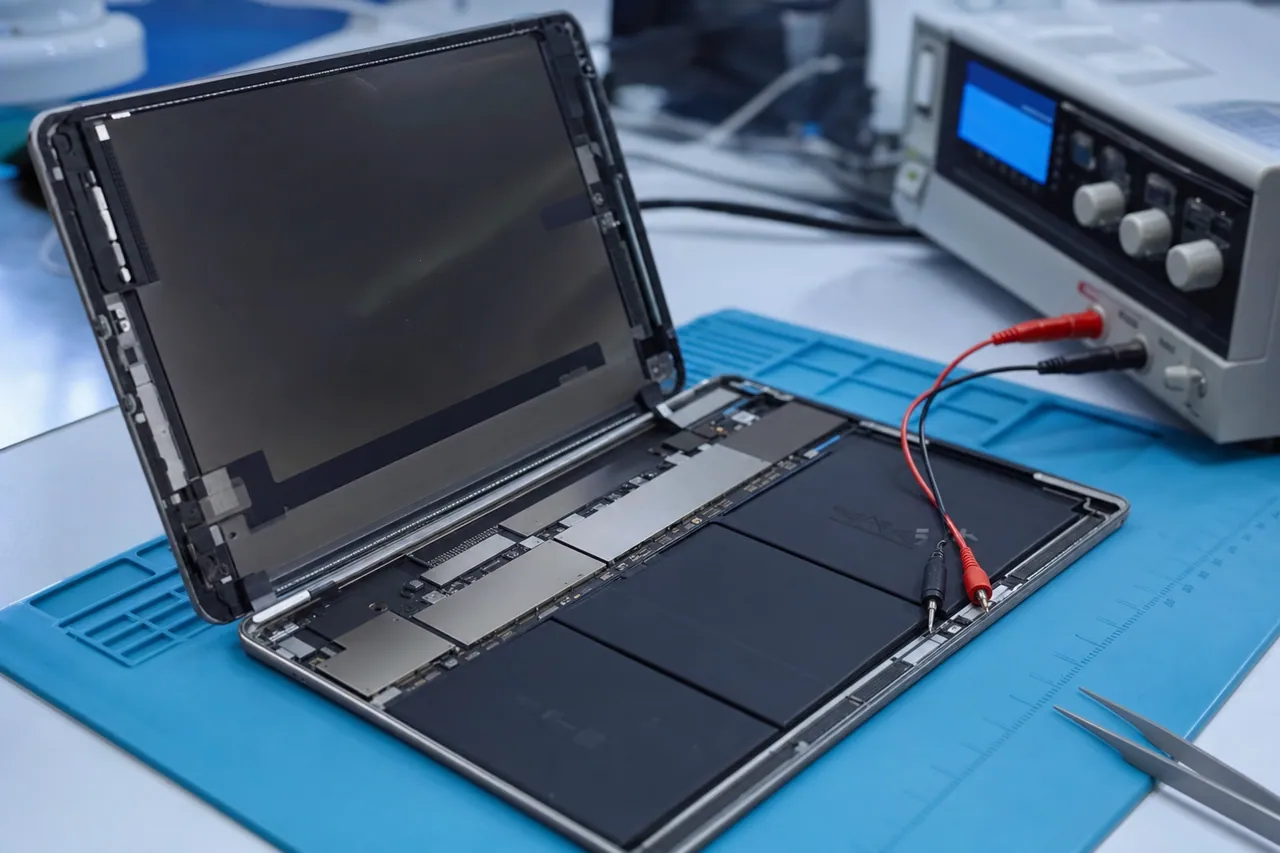
The iPad Mini is Apple's compact tablet - smaller and lighter than the standard iPad, making it ideal for children, commuters, field workers, and anyone who prioritizes portability over screen size. Since the original iPad Mini launched in 2012, Apple has released six generations, with the latest iPad Mini 6 offering the A15 Bionic chip, USB-C connectivity, and a redesigned chassis with thinner bezels. Despite its smaller form factor, the iPad Mini contains the same fundamental storage architecture as its larger siblings, and data recovery procedures are equally complex.
The iPad Mini holds a unique position in our recovery workload because it is disproportionately used by two groups with extremely valuable data: young children and elderly users - demographics that are least likely to maintain regular backups. Parents frequently hand an iPad Mini to toddlers and young children as an entertainment and education device, and over the years these devices accumulate irreplaceable photos and videos of children growing up, children's first drawings in art apps, recorded audio of children's early speech, and years of educational app progress. When a child drops the iPad Mini from a high chair, steps on it, submerges it in a sink, or enters the wrong passcode enough times to disable it, the data loss can be devastating because it is almost never backed up to iCloud or a computer.
Elderly users frequently use iPad Mini as their primary device for staying connected with family - video calls, iMessage conversations with children and grandchildren, and photo sharing. They also use it for reading, email, and increasingly for telehealth appointments where medical information is exchanged. When an elderly user's iPad Mini fails, we often find that the device is the only place these communications, photos, and memories exist. The combination of infrequent backups and high emotional value makes iPad Mini recoveries some of the most personally impactful cases we handle.
From a technical standpoint, the iPad Mini's compact design creates some specific recovery challenges. The logic board is smaller and more densely packed with components than the standard iPad or iPad Pro boards, requiring finer-pitch micro-soldering tools and steadier hands during component replacement. The smaller battery has less thermal mass, meaning it is more susceptible to temperature-related degradation during long-term storage - a dead iPad Mini that has sat in a drawer for two years may have a battery that has swollen or leaked, potentially causing secondary damage to the logic board.
The iPad Mini 6 (2021) introduced a significant design change that affects both vulnerability and recovery. The new design features an 8.3-inch Liquid Retina display with thin bezels and flat edges similar to the iPad Pro and iPad Air 4. While the modern design is aesthetically appealing, the thinner bezels mean less protective frame material around the display, making the screen more vulnerable to impact damage. The switch from Lightning to USB-C also introduced the same Tristar/Hydra IC vulnerability discussed elsewhere on this page - a damaged USB-C port can take out the charging controller IC and render the entire device non-functional.
Earlier iPad Mini generations (1st through 5th) use the Lightning connector and older A-series processors. The iPad Mini 1st generation (A5 processor), in particular, is now old enough that we see failures caused by simple component aging - electrolytic capacitors drying out, solder joints weakening from thermal cycling over a decade of use, and NAND flash cells reaching their program-erase cycle limits. These age-related failures can be subtle, with the iPad Mini gradually becoming slower, experiencing more frequent app crashes, and eventually refusing to boot entirely as the NAND accumulates too many bad blocks for the file system to remain coherent.
The iPad Mini 4 and Mini 5 are particularly common in our lab because they hit a sweet spot of being old enough to start failing but new enough that users still have important data on them. The iPad Mini 4 (A8 processor, 2015) is now approaching a decade old, and units that have been in heavy daily use are beginning to show age-related NAND degradation. The iPad Mini 5 (A12 Bionic, 2019) is more commonly affected by the standard failure modes - drops, water damage, and charging failures - rather than age-related degradation.
For iPad Mini recovery cases involving children's devices, we pay special attention to app data recovery. Many parents do not realize that their child's years of progress in educational apps like ABCmouse, Khan Academy Kids, or Duolingo - along with creative work in drawing apps, photos taken with the camera, and videos recorded - are stored locally on the device and will be lost if the iPad Mini is replaced or restored without data extraction. We recover app data along with photos, videos, and other standard data categories, ensuring that nothing is lost in the transfer to the customer's new device.
Deep Dive
Water-Damaged iPad Recovery - Complete Process
Water damage is the single most common cause of catastrophic iPad failure that brings customers to our lab. Unlike a cracked screen or a dead battery - failures that are obvious and immediate - water damage is insidious. It can cause instant death if the iPad short-circuits while powered on, or it can cause slow degradation over days or weeks as corrosion silently eats away at the microscopic connections on the logic board. Understanding what happens when water enters an iPad, and what to do about it, can mean the difference between a successful recovery and permanent data loss.
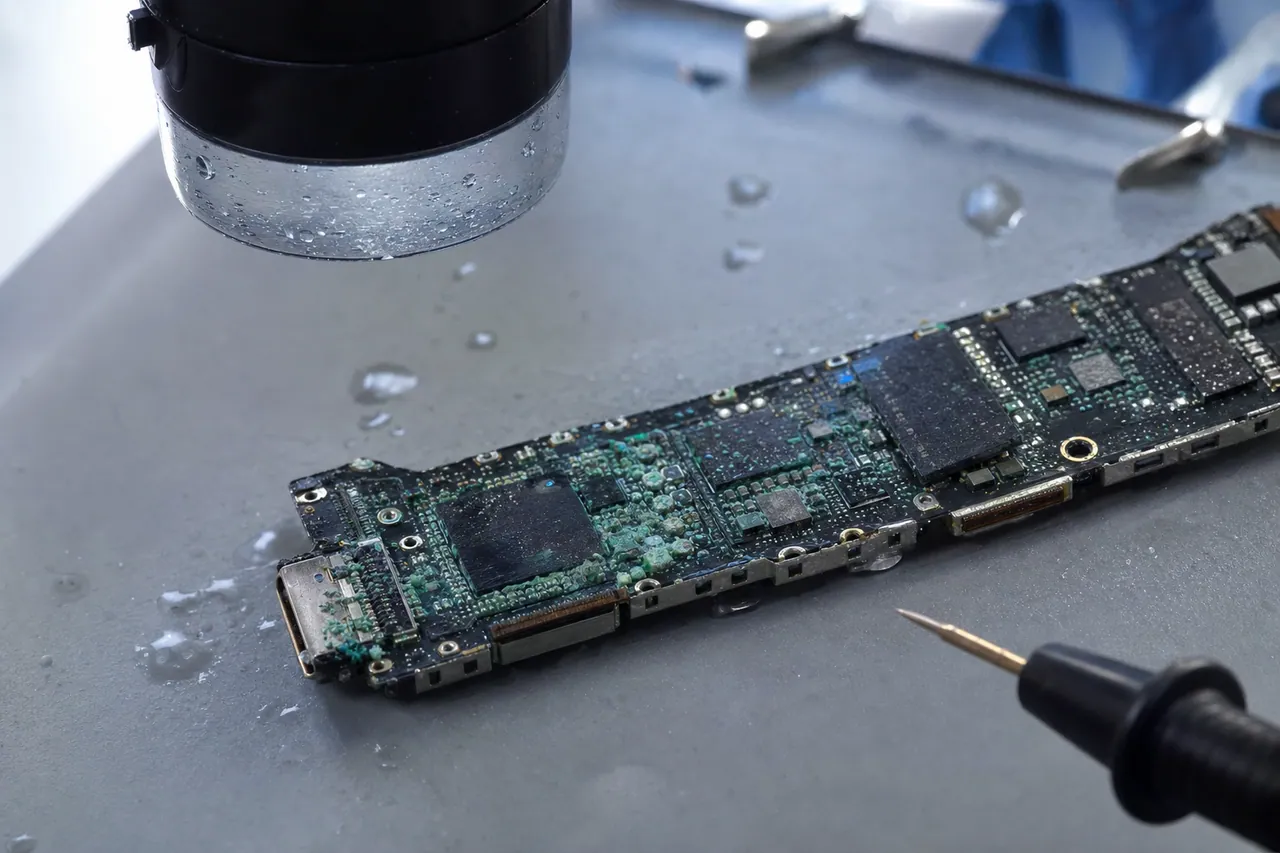
When liquid enters an iPad, it reaches the logic board through any available opening: speaker grilles, microphone ports, the Lightning or USB-C connector, the SIM card tray on cellular models, and any gaps between the display assembly and the chassis created by prior damage or manufacturing tolerances. Once on the logic board, the liquid does two things simultaneously. First, it creates electrical bridges between circuit traces and component pins that were never meant to be connected - these shorts can cause immediate component damage if the iPad is powered on. Second, it initiates electrochemical corrosion, where the combination of liquid, dissolved minerals, and the electrical potential between different metals on the board causes rapid oxidation and material breakdown.
The type of liquid matters enormously. Pure distilled water causes relatively little immediate corrosion because it contains few dissolved minerals to act as electrolytes. Tap water is worse due to chlorine, fluoride, and mineral content. Coffee and juice are significantly worse because they contain acids, sugars, and organic compounds that accelerate corrosion and leave sticky residues that trap moisture. Saltwater - from ocean exposure, pool water with salt chlorination, or even human sweat - is the most destructive because sodium chloride is an extremely effective electrolyte that drives galvanic corrosion at an accelerated rate. We have seen saltwater-exposed iPad logic boards develop visible green copper chloride corrosion within hours of exposure.
The single most important thing to do when an iPad gets wet is to power it off immediately and keep it off. If the iPad is already off (submerged while sleeping), do not try to turn it on to check if it works. Every moment an iPad is powered on with liquid on the logic board, electrical current is flowing through unintended pathways, potentially destroying components that were initially undamaged. The second most important step is to avoid the rice myth. Placing a wet iPad in rice does not effectively remove moisture from the device's internals - the rice cannot reach or absorb liquid that has pooled on the logic board inside the sealed chassis. Worse, rice introduces starch dust particles that can get into the Lightning or USB-C port and speaker openings, where they combine with residual moisture to create a paste that actually traps water against the board and accelerates corrosion.
When a water-damaged iPad arrives at our lab, we begin with immediate disassembly. We remove the display assembly, disconnect the battery, and remove the logic board from the chassis. Every minute the logic board sits with residual moisture accelerates the corrosion process, so speed matters. We photograph the board under magnification to document the initial extent and pattern of corrosion before cleaning - this documentation helps us identify which components are most likely to have suffered damage.
Our cleaning process uses an ultrasonic bath with a specialized cleaning solution formulated for electronics. The ultrasonic transducer generates high-frequency sound waves that create millions of microscopic cavitation bubbles in the cleaning solution. These bubbles implode with enough force to dislodge corrosion deposits, mineral residues, and organic contaminants from component surfaces, underneath BGA chip packages, and inside connector housings - areas that no amount of manual scrubbing with a brush could reach. We precisely control the bath temperature, frequency, and cleaning duration based on the type of liquid exposure and the severity of corrosion observed during initial inspection.
After ultrasonic cleaning, the board goes through a series of rinse cycles using progressively purer solvents to remove all cleaning solution residues, followed by a controlled drying period in a precision temperature and humidity chamber. Rushing the drying process with excessive heat can damage temperature-sensitive components; leaving residual moisture can restart the corrosion process. We verify complete dryness through visual inspection under 40x magnification and electrical testing of critical measurement points before proceeding to the diagnostic phase.
Post-cleaning diagnosis involves powering the board through our bench power supply while monitoring current draw at each stage of the boot sequence. A healthy iPad logic board follows a predictable current draw pattern as each subsystem initializes: baseline quiescent current, then a step up as the processor begins booting, followed by additional steps as the display controller, storage controller, and other peripherals come online. Deviations from this expected pattern tell us exactly which subsystem has sustained damage. We then use thermal imaging to identify components that are drawing excessive current - a sign of internal damage - and replace them through micro-soldering.
The most commonly damaged components in water-damaged iPads are, in order of frequency: the Tristar/Hydra USB controller IC, power management IC (PMIC), audio codec IC, display connector and associated ICs, and passive components (capacitors, resistors, and inductors) in the power delivery circuits. The Tristar IC is most frequently damaged because it is located near the Lightning or USB-C port - the most common liquid entry point. The PMIC is the second most common casualty because it manages all power rails on the board, and a short circuit on any rail can damage the PMIC itself. We maintain an extensive inventory of these commonly damaged components, sourced from donor boards, so we can perform immediate replacements without waiting for parts.
Our success rate on water-damaged iPad recovery depends heavily on the type of liquid, the duration of exposure, whether the device was powered on during exposure, and how quickly the customer sought professional help. Fresh water exposure with immediate power-off and prompt professional attention yields the highest success rates - above 85%. Saltwater exposure or prolonged powered-on exposure reduces success rates, but even severe cases can often be recovered through extensive component replacement and, when necessary, NAND chip-off extraction. The key message: act fast, power off, skip the rice, and get the iPad to a professional lab as quickly as possible.
Deep Dive
iPad Won't Turn On - Causes and Recovery Methods
An iPad that will not turn on is one of the most common and most stressful failure scenarios we encounter. The device shows no response to button presses, no Apple logo, no charging indicator - just a blank, black screen. The absence of any visual feedback makes it impossible for the user to determine whether the problem is minor (a dead battery that just needs charging) or catastrophic (a destroyed logic board with no hope of repair). Understanding the range of causes behind a dead iPad helps explain why professional diagnosis is essential before concluding that data is lost.
The most benign cause of an iPad that won't turn on is a completely depleted battery. All iPad batteries are lithium-polymer cells that can be damaged by deep discharge - when the battery voltage drops below approximately 2.8 volts per cell, the internal protection circuit disconnects the cell from the device's power management system to prevent damage from over-discharge. Once this threshold is crossed, the iPad's normal charging circuit may not recognize the battery, creating a catch-22: the battery is too dead to charge through the normal process. We resolve this by connecting directly to the battery terminals with a precision power supply, slowly bringing the cell voltage up above the threshold, and then allowing the iPad's standard charging circuit to resume normal operation. In many cases, this is all that is needed - the iPad powers on with all data intact.
A failed power management integrated circuit (PMIC) is a more serious cause of a dead iPad. The PMIC is a large, complex chip on the logic board responsible for generating and regulating every voltage rail the system needs: the CPU core voltage, the RAM voltage, the NAND flash voltage, the display backlight voltage, the audio amplifier voltage, and many more. If the PMIC fails - from a power surge, liquid exposure, or manufacturing defect - no subsystem receives power and the iPad is completely dead. PMIC replacement is a demanding micro-soldering operation because the chip has hundreds of tiny solder connections and is located in a thermally sensitive area of the board near the processor. We use specialized rework equipment with precisely controlled temperature profiles to remove the failed PMIC and install a replacement without damaging surrounding components.
The Tristar IC (on older iPads) or Hydra IC (on newer models) manages USB communication and power negotiation between the iPad and the connected charger or computer. When this chip fails, the iPad cannot negotiate charging power from any source, which means the battery gradually depletes until the device dies. A failed Tristar/Hydra IC often presents first as intermittent charging problems - the iPad charges with some cables but not others, charges slowly, or shows the charging indicator intermittently - before progressing to complete inability to charge. By the time the iPad stops turning on, the actual failure may have been present for weeks or months, with the battery finally reaching zero. We replace the Tristar/Hydra IC and restore normal charging functionality, which typically allows the iPad to boot with all data intact once the battery has recharged.
Short circuits on the logic board are another common cause of a dead iPad. A short circuit occurs when two electrical connections that should be separate are bridged - by a conductive contaminant (liquid, metallic debris), a failed component creating an internal short, or a cracked PCB trace rerouting current through an unintended path. When a short circuit occurs, the protection circuits on the board prevent the system from powering on to avoid further damage. We identify short circuits using DC power supply analysis (measuring current draw with the board disconnected from the battery) and thermal imaging (locating the component that is drawing excessive current and generating heat). Once we identify the shorted component, we remove and replace it, clearing the short and allowing the iPad to power on normally.
CPU or SoC failure is the most severe cause of a dead iPad because the processor is irreplaceable in practical terms. If the A-series or M-series processor itself has failed - from an extreme power surge, severe physical impact directly to the chip package, or a rare manufacturing defect - the iPad cannot be repaired because the processor is a custom Apple design that is not available as a replacement part, and even if it were, it contains the unique encryption keys paired to the NAND storage. CPU failure is fortunately uncommon, representing less than 5% of dead iPad cases in our experience. We identify CPU failure through systematic elimination of all other possible causes, combined with direct testing of the processor's response to initialization commands through the debug interface.
Physical damage to internal connectors and flex cables can also render an iPad completely non-functional. The battery connects to the logic board through a flex cable with a press-fit connector. The display connects through one or two flex cables depending on the model. If any of these connections are damaged - by a drop that dislodges a connector, a prior repair that tore a cable, or corrosion that degraded the connector pins - the iPad may not power on even though the logic board itself is perfectly functional. We inspect all internal connections during our diagnostic process and repair or replace damaged connectors and cables as needed.
For every dead iPad that arrives at our lab, our diagnostic process follows a systematic protocol: visual inspection for physical damage, connector verification, battery voltage measurement, DC power supply current analysis, thermal imaging for short circuit detection, component-level testing of the PMIC, Tristar/Hydra, and other critical ICs, and finally processor communication testing. This systematic approach allows us to identify the exact failure point and provide an accurate quote and timeline before any repair work begins. The diagnostic fee is $100, and if we cannot recover your data, you pay only that diagnostic fee - no data, no charge.
Deep Dive
Cracked Screen iPad Data Recovery
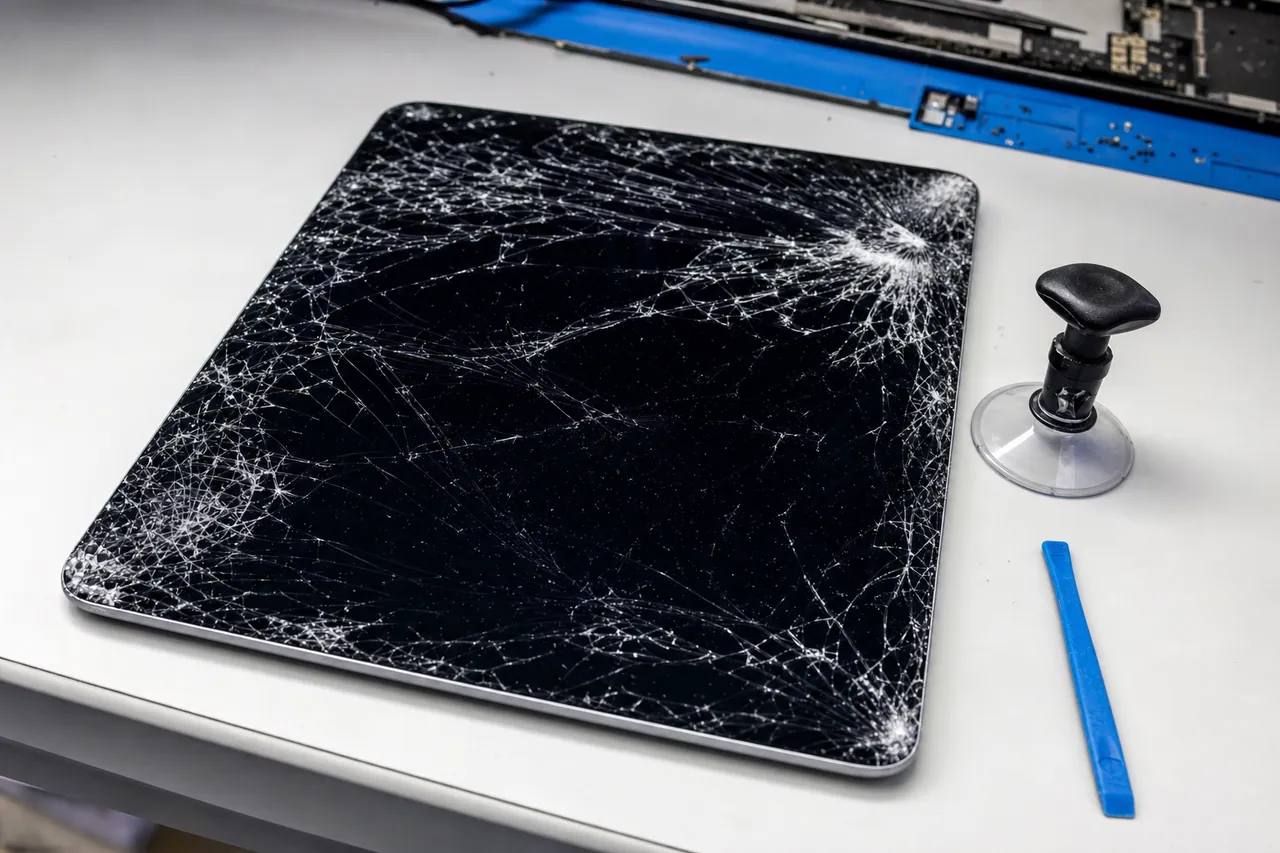
A cracked iPad screen is one of the most visually alarming device failures, but from a data recovery perspective, it is often one of the more straightforward cases we handle - provided the logic board underneath is intact. The critical distinction is between an iPad with a cracked glass that still displays an image and responds to touch versus an iPad with a completely destroyed display assembly that shows nothing and accepts no input. Both scenarios are recoverable, but they require different approaches and have very different cost structures.
When an iPad screen cracks but the LCD beneath the glass continues to display and the digitizer continues to respond to touch, the data is technically still accessible. You can use the iPad, navigate to Settings, perform a backup to iCloud or a computer, and then have the screen replaced. In these cases, professional data recovery is usually unnecessary - though many customers contact us because their iPad screen is cracked in a way that makes touch input unreliable or impossible even though the display still works. For these cases, we can use assistive technologies like VoiceOver, Switch Control, or an external Bluetooth keyboard to navigate the iPad and initiate a backup without needing touch input on the damaged screen area.
The more challenging scenario - and the one that fills our recovery queue - is when the iPad screen is so severely damaged that there is no display output and no touch response. This typically happens with high-impact drops where the LCD panel is destroyed along with the glass, or when the flex cable connecting the display assembly to the logic board is torn or disconnected by the impact force. In these cases, you cannot see anything on screen, you cannot enter your passcode, and you cannot authorize a backup or data transfer. The iPad may be fully functional internally - processor running, storage intact, data preserved - but the lack of display and touch input makes it a black box.
Apple's approach to this situation is frustrating for customers: they will replace the iPad (or the display assembly on newer models) but require a factory restore as part of the process, which erases all data. Their justification is that they cannot verify device ownership without screen input, and their repair procedures are designed around device replacement rather than data preservation. This policy exists for security reasons, but it means that millions of customers with perfectly recoverable data are told their photos, videos, and documents are gone forever.
Our approach is fundamentally different. For iPads with destroyed screens where the logic board is functional, we extract data without replacing or repairing the screen at all. We access the iPad's storage at the board level, bypassing the need for screen interaction entirely. The specific technique depends on the iPad model, the iOS version, and the device's security configuration (passcode, Face ID, Touch ID), but the result is the same: complete data extraction without any screen-based interaction.
For iPads where the display is destroyed but the board is also damaged (a common combination in severe drops), we first repair the logic board through micro-soldering, then extract the data. In some cases, we can temporarily connect a known-good display assembly from our parts inventory to verify board functionality and access the data, then return the customer's original iPad along with their recovered data on an external drive.
Screen damage combined with water exposure is the worst combination because liquid can enter the iPad through cracks in the display glass. When a cracked iPad is exposed to rain, a spilled drink, or humidity that condenses inside the device, the water has a direct path to the logic board through the broken screen seal. These dual-damage cases require both our water damage cleaning and repair procedures and our screen-bypass data extraction techniques.
The cost of cracked screen data recovery varies significantly based on whether the logic board is intact. If only the screen is damaged and the board is fully functional, recovery typically falls in our Standard pricing tier ($300-$600). If the board is also damaged and requires component-level repair, the case moves into our Advanced tier ($600-$1,200). Cases requiring NAND chip-off extraction due to severe board damage from the same impact that destroyed the screen fall into our Critical tier ($1,000-$2,000).
One important note for customers considering screen repair through a third-party repair shop: if your goal is data recovery rather than device repair, do not have the screen replaced first. Third-party screen replacements can introduce additional problems - ESD damage from improper handling, torn flex cables, dislodged connectors - that can convert a straightforward recovery case into a much more complex one. Send the iPad to us with the broken screen intact, and let us handle the data extraction in our controlled lab environment where we can manage all risk factors.
For business and enterprise customers with fleet iPads that have suffered screen damage, we offer batch processing where multiple devices can be recovered simultaneously with consistent pricing. School districts, hospitals, and companies that deploy iPad fleets are frequent users of this service, particularly after incidents where multiple devices are damaged in a single event (transport accidents, facility floods, storage room incidents).
Deep Dive
Disabled and Passcode-Locked iPad Recovery
Few iPad failure scenarios cause more frustration and heartbreak than the dreaded 'iPad is disabled' message. This lockout occurs after too many incorrect passcode attempts, and Apple's built-in response - connecting to iTunes for a factory restore - erases every piece of data on the device. For parents whose toddlers have tapped random numbers on the lock screen, employees who forgot a passcode they rarely use, and families who inherited an iPad from a deceased relative, the disabled state feels like a digital death sentence for the data stored inside.
Understanding how iPad passcode lockout works helps explain why recovery is possible but requires specialized expertise. When you set a passcode on an iPad, the device creates a cryptographic key derived from your passcode combined with a hardware key stored in the Secure Enclave Processor (SEP). This combined key is used to encrypt the data encryption keys that protect the contents of the NAND flash storage. When you enter your passcode correctly, the SEP derives the key, unlocks the data encryption keys, and the iPad boots normally with full access to your data. When the wrong passcode is entered, the SEP increments a failure counter and introduces escalating time delays - 1 minute after 5 failures, 5 minutes after 6, 15 minutes after 7, and so on - before eventually displaying the 'disabled' message after 10 consecutive failures.
The 'connect to iTunes' disabled state is actually a security policy decision, not a hardware limitation. The data on the NAND flash is still encrypted with the same keys, the SEP still holds the hardware component of the encryption key, and the NAND still contains all of your photos, videos, messages, and documents in encrypted form. Apple's decision to require a factory restore at this point is a security measure - they would rather erase the device than risk unauthorized access - but it means that users who legitimately own the data are forced to choose between their data and their device.
Professional data recovery from disabled iPads works differently depending on the iPad model, iPadOS version, and the specific circumstances of the lockout. The recovery techniques we use are constantly evolving and are among the most closely guarded methods in the data recovery industry. What we can say publicly is that our approach focuses on accessing the NAND storage at a level below the passcode enforcement mechanism, working with the device's own hardware encryption system rather than trying to bypass it. The data is recovered in its decrypted, usable form - the same photos, videos, messages, and app data that were accessible before the lockout occurred.
The most common scenario we encounter is parent-child lockouts. A parent hands their iPad to a 2-year-old to watch a video. The child exits the video app, finds the lock screen, and begins pressing random numbers. Young children can rack up dozens or hundreds of incorrect passcode attempts in minutes, quickly escalating through the time-delay stages to the disabled state. The parent then faces the devastating realization that years of family photos - first steps, birthday parties, holiday celebrations - exist only on this now-disabled iPad. We recover from this exact scenario multiple times every month.
Deceased family member iPads are another significant category. When a family member passes away, their iPad may be passcode-protected with a code that no one else knows. Apple's policy requires either the deceased person's passcode, their Apple ID credentials, or a court order to unlock the device - processes that can take months, may not succeed, and in the case of a court order, still result in Apple performing a procedure that may not preserve all data. Families come to us when they need access to photos, messages, notes, and documents from their loved one's iPad and cannot navigate Apple's posthumous access procedures.
Corporate iPad lockouts occur when an employee leaves the company (voluntarily or otherwise) and the company-owned iPad is left passcode-locked with the former employee's personal code. If the device was not enrolled in MDM with a management passcode override, the company is locked out of their own hardware with potentially sensitive business data trapped inside. We assist businesses in recovering data from these locked corporate iPads while maintaining appropriate documentation and authorization protocols.
Important considerations for disabled iPad recovery: our ability to recover data depends on several factors including the iPad model, the iPadOS version installed, and the device's hardware condition. Not every disabled iPad case is recoverable - some combinations of newer hardware and software versions present challenges that current technology cannot overcome. This is why our diagnostic process is essential: we evaluate each disabled iPad individually and provide an honest assessment of recovery feasibility before any work begins. Our no data, no charge policy means you never pay for recovery unless we successfully retrieve your target files.
If your iPad is currently disabled but not yet showing the 'connect to iTunes' message - if it is still in a timed lockout stage - do not connect it to iTunes or a Mac running Finder. Do not attempt to update the software. Do not attempt to restore. Each of these actions can result in data erasure. Power the device off, keep it safe, and contact our lab. The sooner we can evaluate the device, the more options we have for recovery.
Deep Dive
iPad NAND Chip-Off Recovery Process
NAND chip-off recovery represents the most advanced and technically demanding procedure in our iPad data recovery arsenal. It is the method of last resort - used when the iPad's logic board is so severely damaged that it cannot be repaired to a functional state, meaning we cannot rely on the device's own processor and encryption engine to decrypt and deliver the stored data. Chip-off recovery involves physically removing the NAND flash memory packages from the iPad's logic board, reading the raw data stored on them, and then reconstructing usable files from the encrypted, interleaved, error-corrected data that the NAND contains.
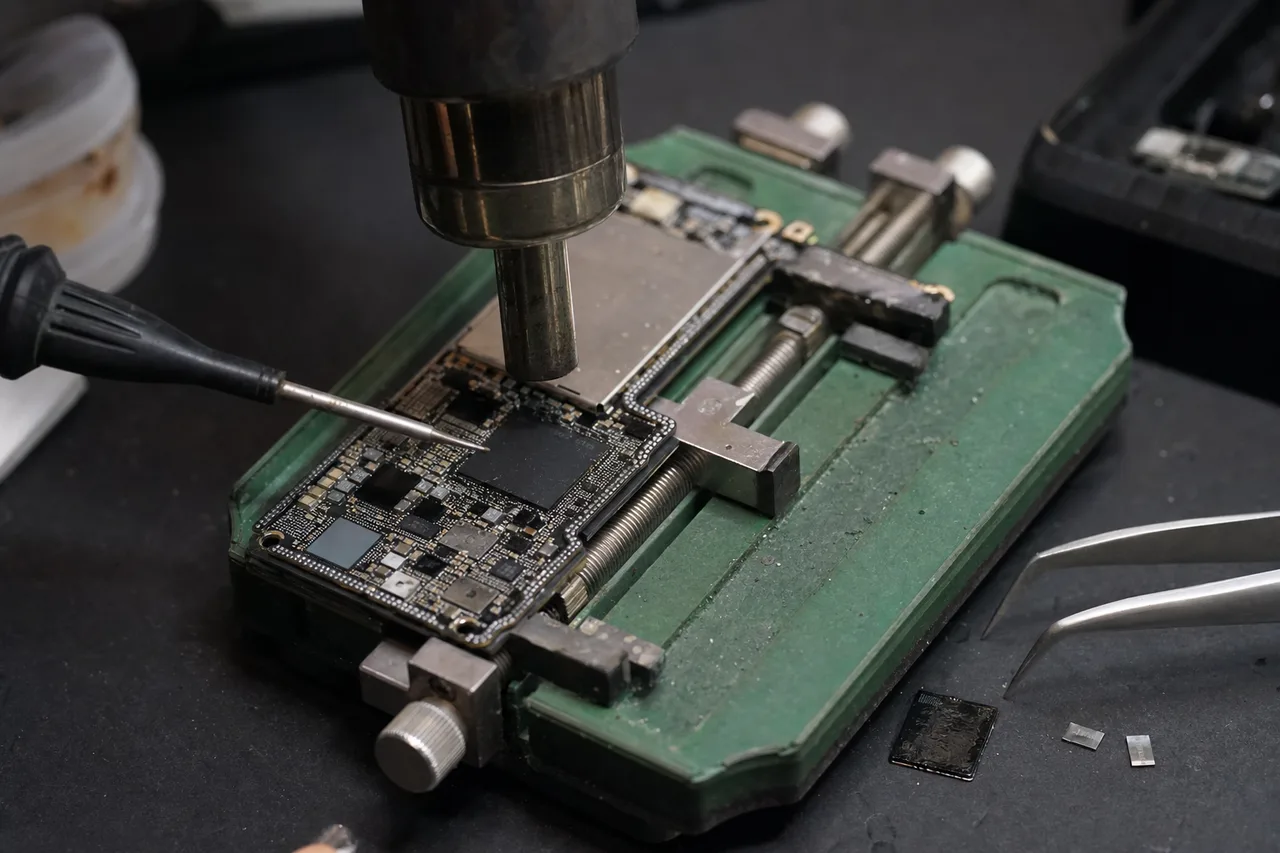
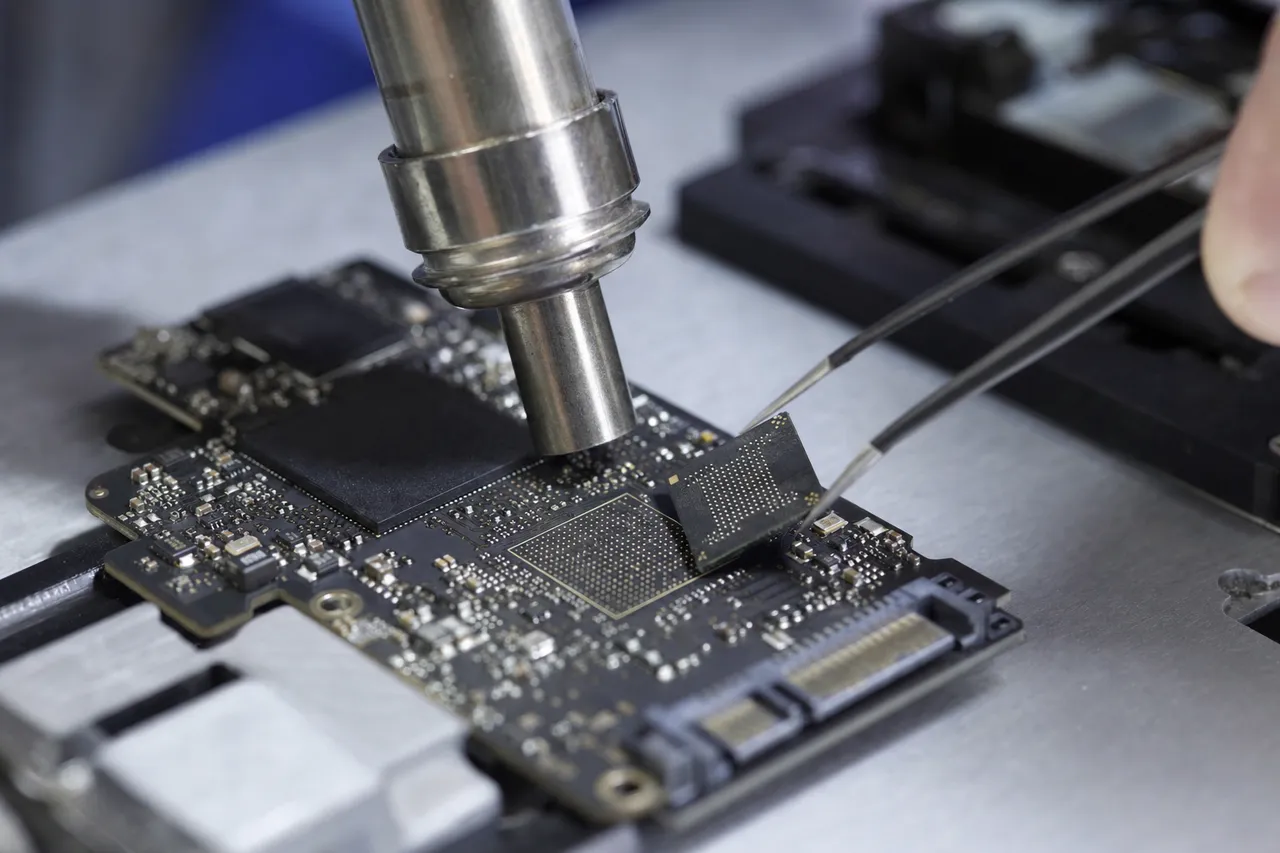
The chip-off process begins with the physical removal of the NAND flash BGA (Ball Grid Array) packages from the logic board. iPad NAND packages are typically 12mm x 16mm BGA components with hundreds of solder balls connecting them to the PCB. Removing these packages without damaging them requires a precisely controlled reflow process: the board is pre-heated on an infrared bottom heater to bring the entire assembly to a uniform baseline temperature, then a focused hot-air nozzle is directed at the specific NAND package to bring the solder balls to their melting point. The temperature profile must be carefully managed - too cold and the solder balls do not release cleanly, too hot and the NAND chip's internal wire bonds or die attach can be damaged. Once the solder reaches liquidus temperature, the chip is gently lifted from the board with vacuum tweezers.
After removal, the NAND package must be prepared for reading. The bottom of the chip is covered with residual solder from the BGA balls, which must be cleaned to present flat, solderable pads for the reading socket or adapter. We use a combination of solder wick, flux, and careful hot-air work to remove excess solder and clean the pads without applying enough heat to damage the chip. The cleaned chip is then placed in a precision BGA socket or soldered to a custom adapter board that maps the chip's pinout to our NAND reader hardware.
Reading the raw NAND data is where deep expertise becomes essential. Apple uses custom NAND controllers and proprietary data encoding schemes that are not publicly documented. The data stored on the NAND is not laid out in a simple, linear fashion - it is interleaved across multiple planes within the chip, distributed across multiple dies within the package (high-capacity iPads use multi-die NAND packages), encoded with Apple's proprietary error correction algorithms, and encrypted with AES-256 hardware encryption. Simply reading the raw bits from the NAND gives you encrypted, interleaved, error-corrected data that looks like random noise.
The encryption challenge is the most significant obstacle in iPad chip-off recovery. As discussed earlier, Apple's hardware encryption uses keys that are generated and stored within the Secure Enclave Processor inside the A-series or M-series SoC. If the SoC is destroyed - which is why chip-off is necessary - those encryption keys are theoretically inaccessible. This is by Apple's design: hardware encryption is specifically intended to make chip-off recovery impossible for unauthorized parties. However, there are specific scenarios and specific iPad generations where the encryption can be handled through advanced techniques that we do not discuss publicly for security reasons. The feasibility depends on the specific iPad model, the iOS version, and the nature of the encryption implementation.
For iPad models where chip-off recovery with full decryption is feasible, the data reconstruction process after reading the raw NAND is a multi-step algorithmic exercise. First, we must determine the correct interleaving pattern - how data blocks are distributed across the NAND planes and dies. Then we must apply the appropriate ECC (error correction code) to fix any bit errors in the raw data, using Apple's specific ECC parameters for that NAND configuration. Then we must handle the decryption using whatever key material is available. Finally, we must parse the resulting data stream to reconstruct the APFS file system structure, directory tree, and individual files.
This entire process - from chip removal to final file reconstruction - can take days to weeks depending on the complexity of the case, the condition of the NAND chips (damaged chips may require multiple read passes with different parameters), and the specific iPad model's encryption and storage architecture. It is labor-intensive, requires specialized equipment that costs tens of thousands of dollars, and demands expertise that takes years to develop. This is reflected in the pricing: chip-off iPad recovery falls in our Critical tier at $1,000-$2,000.
Not every iPad chip-off case is successful. If the NAND chips themselves are physically damaged - cracked, burned, or corroded - the data may be unreadable even with direct chip access. If the encryption cannot be handled for the specific iPad model and iOS version, the data may be readable but not decryptable. We are transparent about these limitations during the diagnostic phase, providing an honest assessment of recovery feasibility and expected outcomes before any chip-off work begins. Our no data, no charge policy applies to chip-off cases: if we cannot recover your target files, you pay only the $100 diagnostic fee.
Despite these challenges, chip-off recovery has saved data from iPads that every other approach failed to recover - devices with burned logic boards from house fires, iPads crushed in car accidents, and tablets recovered from flood damage where the board was too corroded for repair. When the data is truly irreplaceable and all other options have been exhausted, chip-off recovery provides one final opportunity to retrieve what matters most.
Deep Dive
iPad vs iPhone Data Recovery - Key Differences
Customers who have experience with iPhone data recovery - or who have browsed our iPhone data recovery page - often ask how iPad recovery compares. While iPads and iPhones share the same iOS/iPadOS operating system foundation, the same APFS file system, and similar Apple silicon processors, there are meaningful differences in their hardware design, failure modes, and recovery procedures that affect both the complexity and cost of data recovery.
The most obvious physical difference is size, and size matters for data recovery in several ways. iPad logic boards are larger than iPhone logic boards, which generally means components are more spread out and slightly easier to access during micro-soldering work. However, the larger board size also means more potential points of failure - more power rails, more connector locations, more passive components that can fail. A dropped iPad transmits impact force across a larger surface area, which can cause damage at multiple points simultaneously rather than the more concentrated impact patterns we typically see in dropped iPhones.
Battery architecture differs significantly between iPads and iPhones. iPads use larger lithium-polymer battery cells - typically in the range of 19 to 40 watt-hours compared to the iPhone's 10 to 18 watt-hours. The larger battery provides more stored energy, which means a short circuit on an iPad logic board can cause more severe damage before the protection circuits activate. Conversely, the larger battery takes longer to fully deplete, meaning a non-functional iPad may retain battery charge for weeks or months after failing, which can be advantageous for recovery - a residual charge can help us determine whether the power management circuit is functional during initial diagnostic testing.
Display technology creates different vulnerability profiles. iPads use larger LCD or OLED panels with correspondingly larger glass surfaces, making them more susceptible to screen damage from drops and impacts. The larger display also means more surface area for pressure damage - sitting on an iPad, stacking heavy objects on top of it, or even the pressure of items in a tightly packed bag can crack the glass and damage the LCD. iPhones, being smaller and thicker relative to their screen size, are somewhat more resistant to pressure-based screen damage, though their screens are by no means immune.
The iPad's use case creates unique data recovery challenges that iPhones typically do not present. iPads are frequently shared devices - passed between family members, used by children, or deployed in business settings where multiple users access the same device. This shared usage pattern means that disabled-state lockouts from incorrect passcode attempts are far more common on iPads than on iPhones. The owner of an iPhone almost always knows their own passcode; the owner of a family iPad may have a passcode that their 3-year-old bypassed through persistent button-mashing. We see significantly more disabled-state iPad recoveries than disabled iPhone recoveries as a percentage of total cases.
Storage capacity ranges also differ between the device families. While both iPads and iPhones now offer up to 1TB or 2TB of storage in top-tier configurations, iPads in the mid-range tend to have larger storage than comparable iPhones because users store more local content on tablets - movies for offline viewing, large app libraries, extensive photo collections used for reference or display. This means iPad recoveries often involve larger data sets, which increases the time required for data extraction and verification but does not fundamentally change the technical approach.
From a repair and recovery perspective, one advantage iPads have over iPhones is that their larger internal volume makes them easier to disassemble and work on. iPad batteries are typically held in place with adhesive pull tabs that, while stubborn, are more accessible than the tightly packed battery adhesive in modern iPhones. The logic board connectors are larger and slightly more forgiving during disconnection and reconnection. These ergonomic advantages of the larger form factor can reduce the risk of accidental damage during the disassembly and recovery process.
Pricing for iPad recovery is generally comparable to iPhone recovery for similar failure types. A water-damaged iPad with corrosion on the logic board requires the same type of ultrasonic cleaning, microscopic inspection, and component replacement as a water-damaged iPhone - the components are different, but the skill level and equipment required are equivalent. Chip-off NAND extraction costs are similar between devices. The main pricing difference is that iPads with simple screen-damage data extraction may be slightly less expensive than equivalent iPhone cases because the larger iPad form factor makes certain extraction procedures more straightforward.
Whether you need iPhone data recovery or iPad data recovery, our lab uses the same professional-grade equipment, the same systematic diagnostic process, and the same no data, no charge guarantee. Both device families are core competencies of our lab, and our technicians are equally experienced with the nuances of each platform.
Deep Dive
iPad for Business - Enterprise Data Recovery
iPads have transformed business operations across virtually every industry. Retail stores use them as point-of-sale systems and inventory management terminals. Restaurants use them for table-side ordering and kitchen display systems. Airlines use them as electronic flight bags for pilots. Hospitals use them for patient records access at the bedside. Construction companies use them for on-site project management and blueprint access. Real estate agents use them for property showings and contract signing. When a business iPad fails, the data at stake often extends beyond the device itself - it can include transaction records, customer data, employee information, and operational documentation that the business depends on for daily operations and regulatory compliance.
Enterprise iPad data recovery presents unique challenges beyond the technical aspects of the recovery itself. Business iPads are frequently enrolled in Mobile Device Management (MDM) platforms like Jamf, VMware Workspace ONE, Microsoft Intune, or Mosyle. MDM enrollment adds a management layer that controls device policies, app deployment, and security settings. When recovering data from an MDM-enrolled iPad, we must work within the constraints of the management profile - certain data may be containerized in managed apps, encryption policies may be enforced at the MDM level, and the device may have restrictions that affect our recovery approach. We coordinate with client IT departments to understand the MDM configuration and ensure our recovery process preserves the data while respecting corporate security policies.
Point-of-sale (POS) iPad failures are particularly time-sensitive because a non-functional POS terminal directly affects revenue. Restaurants, retail stores, and service businesses that rely on iPad-based POS systems like Square, Toast, Clover, or Shopify POS can lose transaction records, customer tabs, inventory adjustments, and employee time clock data when the iPad fails. While most POS platforms maintain cloud backups of transaction data, locally stored configuration settings, offline transactions that haven't synced, and customized workflows can be lost if the iPad is replaced without data recovery. We offer priority processing for business POS iPad cases, understanding that every day without the recovered data may affect the business's ability to reconcile accounts and maintain accurate records.
Healthcare iPads present the highest-stakes enterprise recovery scenarios due to the sensitivity and regulatory protection of medical data. Hospitals, clinics, and individual practitioners who use iPads for patient records access, medical imaging review, clinical note-taking, and telehealth consultations are subject to HIPAA regulations that mandate specific handling procedures for protected health information (PHI). When we recover data from a healthcare iPad, we follow strict chain-of-custody procedures, ensure all recovered data is transferred using encrypted media, and can execute Business Associate Agreements (BAAs) with healthcare clients as required under HIPAA. Our lab's physical security, data handling procedures, and destruction protocols for failed media align with healthcare industry requirements.
Educational institution iPad recoveries represent a high-volume segment of our enterprise work. School districts that deploy thousands of iPads through Apple School Manager face inevitable device failures - student drops, liquid damage from lunch spills, charging failures from shared charging carts, and battery degradation from the intensive daily use cycle of charge-discharge-charge that school deployments create. We work with school IT departments to provide batch recovery services where multiple failed iPads are processed simultaneously at consistent per-device pricing. We can also recover specific students' data from a shared device when individual student accounts are configured through Apple School Manager.
For business customers, we understand that iPad data recovery is often just one component of a larger incident response. A warehouse iPad that fails during inventory may trigger questions about data integrity across the entire inventory management system. A sales iPad that dies during a client meeting may affect contract documentation and CRM records. We provide detailed recovery reports documenting exactly what data was recovered, file integrity verification results, and timestamps - information that business customers need for compliance documentation, insurance claims, and internal incident reports.
Data security during the recovery process is a primary concern for enterprise clients. We maintain strict data confidentiality throughout the recovery lifecycle: devices are logged and tracked with unique case numbers, stored in a secure facility with access controls, worked on by authorized technicians only, and returned or securely destroyed according to client instructions. We can sign non-disclosure agreements (NDAs) and other data protection agreements as required by corporate legal departments. Recovered data is provided on encrypted external drives, and all working copies are securely erased from our systems after the case is closed and the client confirms receipt.
If your business has an iPad failure affecting critical data or operations, contact our lab at 732-933-7717 for an enterprise recovery consultation. We will work with your IT team to understand the device's configuration, the data at stake, and any compliance requirements, then provide a clear recovery plan with timeline and pricing. Our free insured shipping program is available for business customers nationwide, and we offer priority processing for time-sensitive enterprise cases.
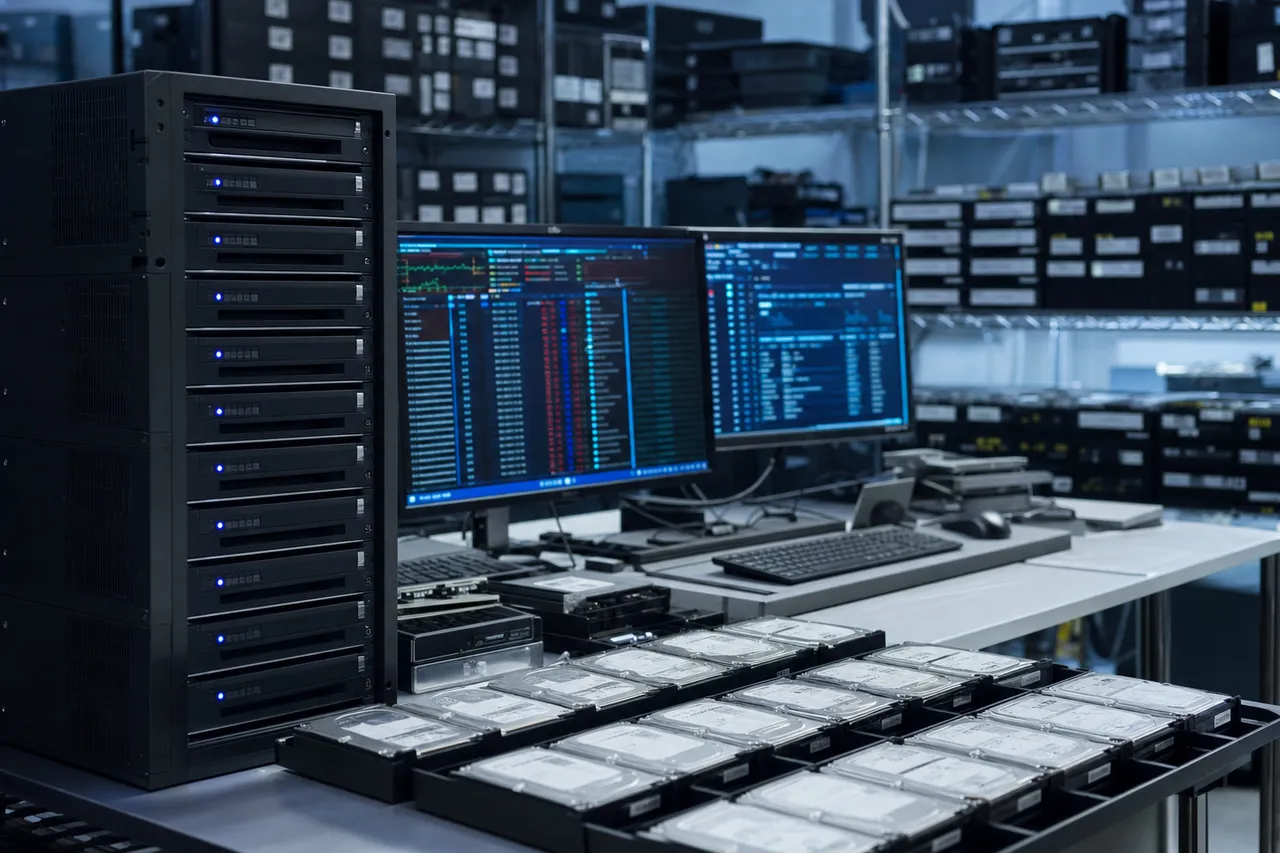
Deep Dive
Preventing iPad Data Loss - Backups, iCloud, and Best Practices
The best iPad data recovery is the one you never need. While our lab exists to rescue data when disasters happen, the reality is that a comprehensive backup strategy eliminates the risk of permanent data loss from any iPad failure - whether it is water damage, a shattered screen, a disabled lockout, or a logic board failure that destroys the device entirely. The challenge is that most iPad users either do not back up at all, back up inconsistently, or believe they are backing up when their backup has actually been failing for months.
Apple provides two built-in backup methods for iPads: iCloud Backup and local backup via Finder (Mac) or iTunes (Windows). iCloud Backup is the most convenient - it runs automatically every night when the iPad is connected to power, locked, and connected to Wi-Fi. However, iCloud Backup requires several conditions to be met simultaneously, and if any one condition fails, the backup does not run. The most common reason iCloud Backups stop working is insufficient iCloud storage space. Apple provides 5GB of free iCloud storage, which is woefully inadequate for backing up an iPad with hundreds of gigabytes of photos and videos. When iCloud runs out of space, backups silently stop, and many users do not notice until they need the backup and discover it is months or years out of date.
To ensure iCloud Backup is actually working, go to Settings > [your name] > iCloud > iCloud Backup and check the date and time of the last successful backup. If the last backup was more than a week ago, something is preventing automatic backups from completing. Common causes include: insufficient iCloud storage (upgrade from the Settings > [your name] > iCloud > Manage Account Storage screen), unstable Wi-Fi that disconnects during the lengthy backup upload, the iPad not being connected to power overnight, or an iOS bug that occasionally prevents backup scheduling from triggering. We recommend checking your backup status at least once a month - a 30-second check that can save you thousands of dollars and months of anguish if your iPad eventually fails.
Local backups through Finder or iTunes provide a complete copy of your iPad's data on your Mac or PC. These backups are faster than iCloud because they transfer over USB rather than uploading over the internet, they are not limited by iCloud storage capacity, and they capture app data that iCloud Backup may skip. The downside is that local backups require you to physically connect the iPad to a computer and initiate the backup manually - a step that most users intend to do regularly but rarely follow through on. We recommend setting a recurring monthly calendar reminder to run a local backup. The 15-30 minutes it takes to complete the backup is insignificant compared to the alternative of losing years of data.
Encrypted local backups (enabled by checking 'Encrypt local backup' in Finder or iTunes) are superior to non-encrypted local backups because encrypted backups include data that non-encrypted backups skip: saved passwords, Wi-Fi settings, website history, health data, and HomeKit configuration. There is no meaningful performance penalty for encryption - the backup takes roughly the same amount of time - so there is no reason not to enable it. Just make sure you store the encryption password somewhere safe, because without it, the backup is permanently inaccessible.
iCloud Photo Library (now called iCloud Photos) deserves special mention because it is both a backup solution and a potential trap. When iCloud Photos is enabled, your photos and videos are uploaded to iCloud and can be accessed from any Apple device. This sounds like a comprehensive backup, but there is a critical setting that many users enable without understanding the consequences: 'Optimize iPad Storage.' When this option is enabled, the iPad replaces full-resolution photos and videos with smaller thumbnails to save local storage space, keeping the full-resolution versions only in iCloud. If you then cancel your iCloud storage subscription, or if your account is compromised and your iCloud photos are deleted, the full-resolution versions are gone and your iPad only has low-resolution thumbnails. Make sure you understand whether your iCloud Photos setup is truly protecting your data or just giving you the illusion of protection.
Beyond Apple's built-in backup tools, we recommend the 3-2-1 backup strategy for truly irreplaceable iPad data: 3 copies of your data, on 2 different types of media, with 1 copy stored off-site. For iPad users, this might look like: the original data on your iPad (copy 1), an iCloud Backup (copy 2, cloud-based and off-site), and a local backup on your computer's external drive (copy 3, different media type). If any single point of failure occurs - your iPad dies, Apple's servers have an outage, or your computer's drive fails - you still have at least one complete copy of your data.
Physical protection is the other half of data loss prevention. A quality iPad case with corner protection and a raised lip around the screen significantly reduces the risk of drop damage. A screen protector adds another layer of defense against screen cracks. Keeping the iPad away from water - particularly in kitchens, bathrooms, and pool areas - eliminates the most common cause of catastrophic iPad failure. And supervising young children's access to the iPad prevents both physical damage and passcode lockout situations that can trap data behind a disabled screen.
Despite the best prevention efforts, accidents happen. Kids drop things, coffee spills, electronics fail. When they do, MDrepairs is here. But we would much rather see you scroll past this page with a fully backed-up iPad than contact us in a panic because your only copy of irreplaceable data is trapped inside a broken device. Back up your iPad today. Check that the backup is current. Then set a reminder to check again next month. Your future self will thank you.
Talk to the engineer who does the board-level work - not a call center.
iPad Data Recovery FAQ
Straight answers on cost, turnaround, water damage, disabled iPads, chip-off recovery, and how we get your data back from a soldered, encrypted iPad - drawn from the questions we hear every day.
-
Can data be recovered from a dead iPad?
In most cases, yes. A dead iPad could have a depleted battery, failed power management IC, short circuit, or charging system failure - all of which are repairable. We use DC power supply analysis and thermal imaging to identify the exact failure point. If the logic board cannot be repaired, we can attempt NAND chip-off extraction as a last resort. -
Can Apple recover data from an iPad?
No - Apple repairs or replaces the device, it does not offer data recovery. Their repair process typically involves a factory restore that erases all data. Our service prioritizes data recovery - we repair the board only enough to extract data, and if repair isn't possible, we use chip-level extraction methods Apple does not offer. -
How much does iPad data recovery cost?
iPad recovery ranges from $300 to $2,000 depending on the failure type. Screen-damaged or software-issue iPads: $300 - $600. Water damage and board-level repairs: $600 - $1,200. NAND chip-off extraction for catastrophic failures: $1,000 - $2,000. Every case starts with a $100 diagnostic and a firm quote before work begins. -
How do I get photos off an iPad that won't turn on?
First, check iCloud: if the iPad was syncing, your photos may already be safe at icloud.com and no recovery is needed. If they only lived on the device, stop charging and power-cycling it - the photos sit in NAND storage soldered to the logic board, and getting them back means board-level lab work: repairing the power circuitry just enough to extract the data, or chip-level methods if the board is beyond repair. We return everything on a new drive or secure download link. -
Can you recover data from a water-damaged iPad?
Yes. Water damage is our most common iPad recovery case. We perform ultrasonic cleaning of the logic board, replace corroded components through micro-soldering, and extract your data. Success rates depend on the liquid type, exposure duration, and how quickly you seek professional help. Power the iPad off immediately and do not attempt the rice trick - it makes things worse. -
Can you recover data from a disabled iPad?
Yes. We recover data from iPads locked out due to too many incorrect passcode attempts without performing a factory restore. Our board-level approach preserves your photos, videos, messages, and app data. Recovery feasibility depends on the iPad model and iPadOS version - our diagnostic will determine what is possible for your specific device. -
Can you recover data from an iPad with a cracked screen?
Yes. We extract data from iPads with completely destroyed screens - no display, no touch response - without needing to repair the screen. We access your data at the board level, bypassing the need for screen interaction entirely. This is one of our most common and straightforward recovery cases when the logic board is intact. -
How long does iPad data recovery take?
Standard turnaround is 3-5 weeks. Board-level repairs may complete faster when components are available. Rush options: Priority Rush (5-7 business days, +$250), Urgent Rush (1-2 business days, +$500). We provide timeline estimates during the diagnostic phase. -
Can you recover photos from an iPad that was factory reset?
Potentially, but time is critical. iPads use APFS with TRIM, which erases data blocks after deletion. If the iPad has not been used extensively after the reset, some data may remain on the NAND. Power off the iPad immediately and contact us - every hour of use after a reset reduces recovery chances. -
What data can you recover from an iPad?
Everything stored on the device: photos, videos, contacts, messages (iMessage and SMS), Notes, app data (GoodNotes, Procreate, etc.), documents, Safari bookmarks, call history, voice memos, calendar events, and more. We provide a detailed file listing during the recovery process. -
What if you can't recover my iPad data?
No data, no charge. If we cannot recover your target files, you pay only the $100 diagnostic fee. You receive a detailed report explaining what we found and why recovery was not possible. We never charge for unsuccessful recovery work. -
My iPad is stuck in a boot loop. Can you recover the data?
Yes. Boot loops are typically caused by corrupted iPadOS files, failed updates, or NAND storage errors. We extract data at the storage level without performing a restore, preserving your complete data set including photos, videos, messages, and app data. -
Do you recover data from all iPad models?
Yes. We recover from every iPad ever made - iPad Pro (all generations), iPad Air (all generations), iPad Mini (all generations), and standard iPad (all generations). From the original 2010 iPad through the latest M-series iPad Pro, our lab has the tools and expertise for every model. -
Is iPad data recovery different from iPhone recovery?
The fundamentals are similar - both use soldered NAND, Apple processors, and hardware encryption. However, iPads have larger logic boards, different component layouts, larger batteries, and different power management architectures. Our lab handles both device families with equal expertise and comparable pricing. See our iPhone data recovery service for details. -
Can you recover data from a bent iPad Pro?
Yes. Bent iPad Pro models often have cracked logic board traces or severed solder connections. We use X-ray imaging and microscopic inspection to locate the damage, then repair it through precision micro-soldering. If board repair isn't feasible, we attempt NAND chip-off extraction. -
Do I need to send my iPad to your lab?
Yes. iPad data recovery requires board-level work in our Lincroft, NJ lab. We provide free insured shipping labels to send your iPad to us and free insured return shipping with your recovered data. We serve customers in all 50 states through our mail-in program. -
Should I try to fix my iPad myself before sending it?
No. DIY repair attempts - especially on water-damaged or non-functional iPads - frequently cause additional damage that makes professional recovery harder or impossible. Torn flex cables, ESD damage, and dislodged components are common results of untrained iPad disassembly. Send the iPad to us as-is. -
Can you recover data from an iPad that's been in a fire?
Potentially yes. NAND flash chips can survive significant heat. If the logic board is too damaged for repair but the NAND chips are physically intact, chip-off extraction can recover data. Success depends on the severity of heat exposure and whether the NAND packages themselves are damaged. -
Can you recover data from an iPad with a dead battery?
Yes. A dead battery is one of the simpler failures we handle. If the battery is just deeply depleted, we bring it back above the charging threshold with our bench power supply. If the battery has physically failed (swollen, leaking), we can bypass it and power the logic board directly to extract data. -
Do you recover data from cellular (LTE/5G) iPad models?
Yes. Cellular and Wi-Fi iPad models have nearly identical logic boards and storage architectures. The cellular modem adds a small additional component but does not affect our data recovery procedures or pricing. -
Can you recover deleted messages from an iPad?
Potentially, if the iPad has not been heavily used since the messages were deleted. Deleted messages may persist in the NAND until TRIM and garbage collection erase the underlying data blocks. The faster you stop using the device after deletion, the better the chances. -
Can you recover Procreate files from a damaged iPad?
Yes. Procreate files (.procreate format) are stored locally on the iPad and are included in our standard data extraction. We recover the native Procreate project files with all layers, history, and settings intact, so you can continue working on them on a new device. -
My child's iPad was damaged. Can you recover their school work?
Yes. We regularly recover educational app data, student work, and school-related files from children's iPads. This includes app progress data, documents created in school apps, photos, and any other locally stored content. We understand the urgency when school work is at stake. -
Do you offer rush service for iPad recovery?
Yes. Priority Rush (5-7 business days, +$250) and Urgent Rush (1-2 business days, +$500) are available. Rush pricing is in addition to the standard recovery fee. Contact us at 732-933-7717 to discuss rush options for your case. -
Can you recover data from an iPad that was run over by a car?
Potentially yes. Severe physical damage often destroys the screen and chassis but leaves the NAND chips intact. We assess the logic board for reparability and, if necessary, perform chip-off NAND extraction. The outcome depends on whether the NAND packages survived the impact. -
What should I do right now if my iPad just failed?
Power it off immediately. Do not attempt to charge it, restart it, or connect it to a computer. Do not put it in rice. Keep it in a dry place. Call MDrepairs at 732-933-7717 for a free consultation and free insured shipping labels. The faster you act, the better the recovery outcome.
Get Started
Ready to Recover Your iPad Data?
Whether your iPad was dropped in water, has a shattered screen, won't turn on, is disabled, or is stuck in a boot loop - our Lincroft, NJ lab recovers data from all iPad models. $100 diagnostic, firm quote up front, and no data, no charge. Free insured shipping nationwide.
319 reviews 4.6 rating All 50 states