
Joe at MDrepairs was absolutely on point. Had to bring an old android of mine back to life and I know it was no easy task. MDrepairs was the 3rd company I called and the only ones that were able to get the job done. He had to go above and beyond by sourcing parts from a donor phone. The repair was done ahead of time and he communicated the entire time. Very straight forward process and I couldn't be any happier! I recommend MDrepairs for any cellphone work and will contact them first next time. Thanks again!
Mail-In Data Recovery
Start Your Data Recovery the Right Way
Easily send your storage device to us for professional data recovery using our secure mail-in service. Complete our online form, carefully package your storage media or device, and ship it to our Middletown, NJ location. We'll keep you informed throughout the recovery process and securely return your recovered data once the work is complete.
- Free prepaid UPS label
- Insured both ways
- Never outsourced
- No data, no charge
Follow Our Work
Professional Data Recovery Lab Backed By 2M+ Followers
MDrepairs is a professional data recovery lab - and we prove it on camera. Our lead technician Joseph Montanti documents real recovery cases from diagnosis to data delivery. Over 2 million followers across YouTube and social media watch us recover data from hard drives, phones, SSDs, and more that other labs couldn't.
- 1.1M YouTube Subscribers
- 400K TikTok Followers
- 290K Instagram Followers
- 470K Facebook Followers
Live Far Away? Here's How Our Mail-In Service Works
For a quote or more information, please use the . If you're ready to mail in your device, complete the Mail-In Form and include your name, ticket number, and return address inside the box. Ship your device to the address below. After submitting the form, you'll receive a ticket number via text or email. We'll send you a diagnostic and estimate before starting the recovery. No payment is required upfront-you'll receive an invoice by email to pay via card or PayPal once the service is complete.
- 1
Get a quote (optional)
Want pricing first? Use the Get a Quote form for an estimated price range, turnaround time, and answers to your questions. No data, no charge - you only pay if we recover your files.
- 2
Get your free UPS label instantly
Complete the Mail-In Form with your device and contact details and a prepaid UPS 2nd Day Air label arrives right away - insured and tracked. Submitting the form automatically creates your ticket.
Start Mail-In Process - 3
Pack it and drop it at any UPS
Include your name, ticket number, and return address inside the box, then drop it at any UPS location. We notify you by text and email the moment your package is received.
- 4
Diagnosed, recovered, returned
We send a diagnostic and estimate before any recovery work. You see photo proof your files are back, pay by card or PayPal once complete, and your data ships home on new media - return shipping free.
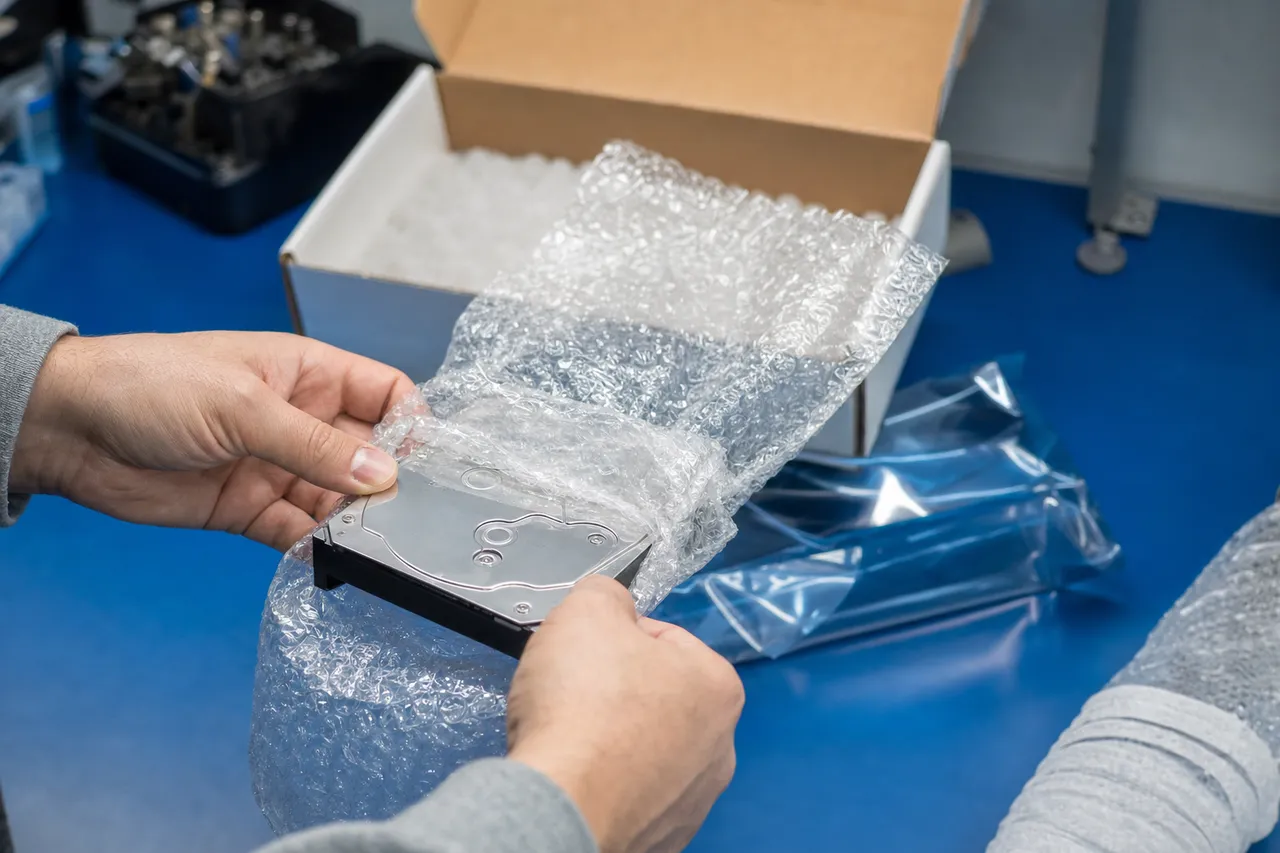
Is It Safe to Mail a Hard Drive for Data Recovery?
Yes. Mailing a failed drive to a lab is how most professional data recovery happens - the majority of the devices we recover arrive by UPS from all 50 states on our free prepaid 2nd Day Air labels, insured and tracked in both directions. A drive that has already failed rides safely in a padded box; the real danger to your data is powering the device back on and retrying, not the trip.
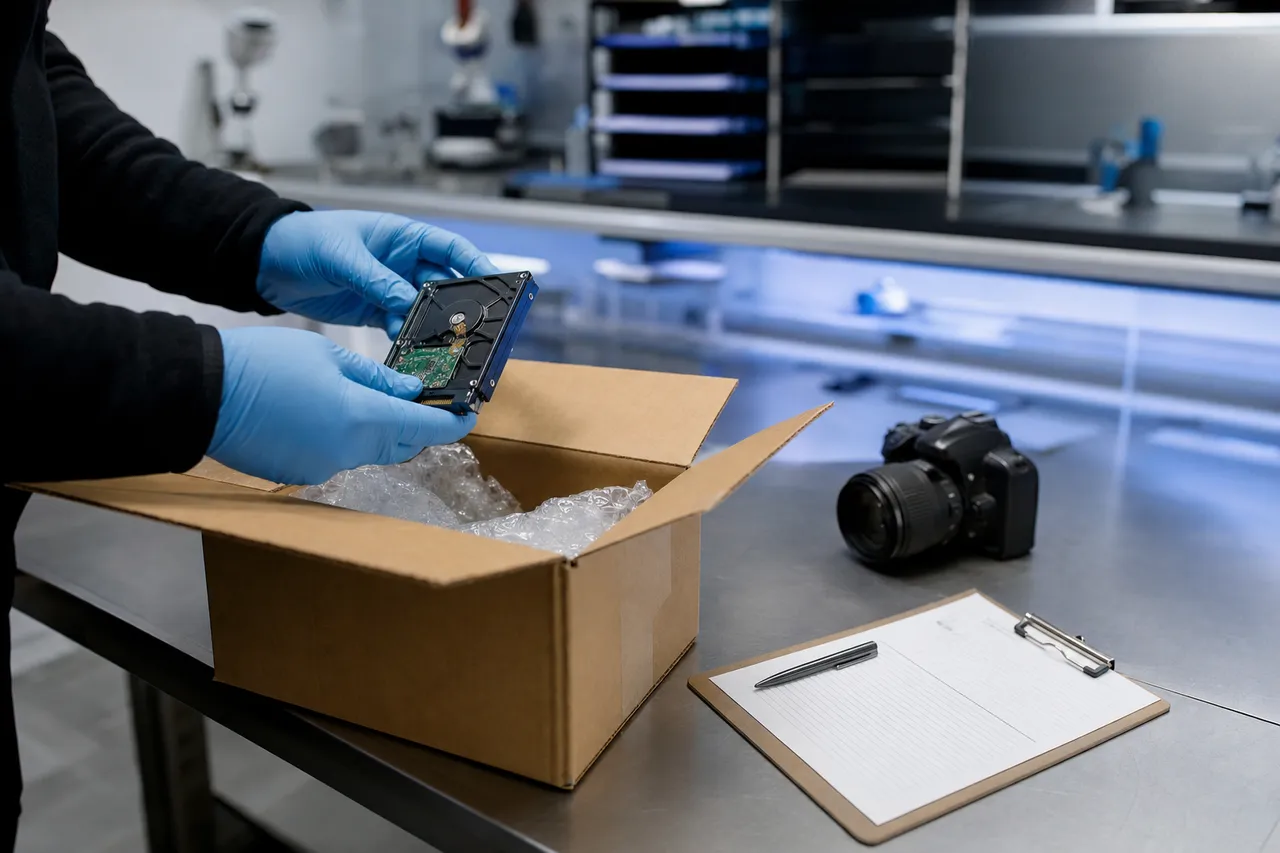
The moment your package reaches the lab it is photographed, logged against your ticket, and handled under the documented chain of custody below - and we confirm arrival by text and email. If the drive is clicking, beeping, or not detected, do not keep testing it before you ship: every power-on risks more damage, and shipping it well-packed is the safest thing you can do for it.
How Do I Package a Hard Drive for Shipping?
Bag it, pad it about 2 inches on every side, box it snug, and put your name and ticket number inside. That is the whole recipe - attach the prepaid UPS label from the Mail-In Form, drop it at any UPS location, and keep your tracking number.
-
Bag the bare drive
Anti-static bag if you have one; a zip-top bag works in a pinch. Send the bare drive or the external as-is - never the whole computer when the drive alone will do.
-
Pad it - 2 inches every side
Wrap the drive in about 2 inches of bubble wrap on all sides and seat it in a snug box so nothing shifts. A small box inside a larger padded box is even better.
-
Name + ticket number inside
Drop a note with your name and ticket number into the box before closing it - it ties your device to your case the moment it is opened at the intake bench.
-
Seal it and label it
Tape every seam, attach the prepaid UPS 2nd Day Air label from the Mail-In Form, and drop the box at any UPS location. Insured, tracked - we confirm when it arrives.
Full Chain of Custody
Every device is documented, tracked, and handled under structured internal controls from intake through return.
-
Documented Intake
- Device photographed and uploaded to our system upon arrival
- Serial numbers and identifiers recorded
- Condition assessed and logged
- Unique ticket association created
-
Professional Recovery Tools
- PC-3000 systems used
- Professional-grade recovery equipment
- Controlled, dedicated work environment
- All recovery performed in-house
-
Controlled Access
- Authorized technician handling only
- Secured storage when not active
- No untracked transfers or third-party handoffs
- Physical access log maintained throughout
-
Verification & Secure Return
- Data transferred to new media
- File integrity checks performed
- Client notified with recovery report
- Insured shipment available on request
-
Recovered in our own lab
Your device is diagnosed and recovered in-house at our Lincroft, New Jersey facility - never shipped off to a third party. Every recovery is performed on professional-grade equipment in a controlled, dedicated work environment.
-
No data, no charge
You only pay if we successfully recover your files. We email you a picture as proof that the recovery worked before any payment is due, and no payment is required upfront - you receive an invoice once the service is complete.
-
Tracked end to end
From the moment your package arrives, your device is photographed, logged against a unique ticket, and tracked through a documented chain of custody. Follow live status any time in your customer portal.
The information below applies to mobile devices
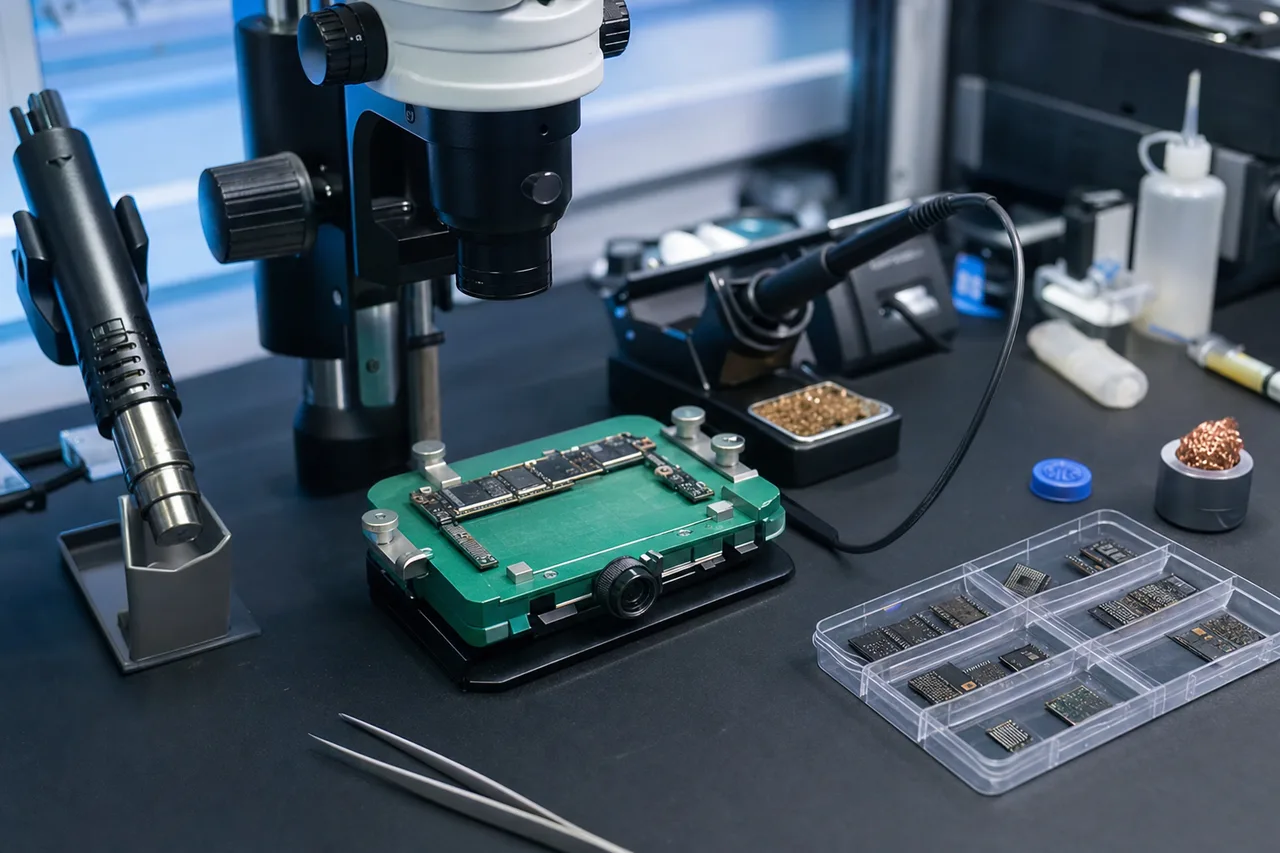
We must know your device's passcode to recover your data, and we cannot bypass your iCloud-locked iPhone.
-
Passcode Bypass & Device Compatibility Notice
If you have an iPhone 7 Plus and below we can bypass your passcode, please get in touch with us for pricing. If your iPhone is disabled we can only extract your data if it is on iOS 12 and below. If you have an old Android phone we can most likely bypass your code, but please ask us first before mailing it in. Lastly, If you have an Android phone with a Mediatek CPU, we can bypass your code.
-
Forensic Lock Screen Bypass
If you have a Newer iPhone / Newer Android, and need to bypass the lock screen code, we can refer you to someone who does forensic data recovery but be prepared to spend $3750 to bypass the lock screen to recover your data.
-
Liquid Damage Data Recovery Only
Liquid-damaged devices are only worth recovering data from as other issues may arise from corrosion in the future.
-
How Your Data Is Delivered
When your data is recovered, your original device remains intact and is never wiped. For mobile devices, we create a secure iTunes or Android backup and extract your data into an easy-to-read file structure, providing both the original backup and the extracted files. For hard drives, SSDs, and other storage devices, recovered data is transferred to an external hard drive or flash drive and mailed back with your device. When file size allows, or for international customers, we can also provide secure download links for digital delivery. The delivery method is chosen based on data size, device type, and customer location to ensure the safest and most convenient transfer possible.
Not sure about your device? before you ship it.
Diagnostics & Pricing
Data Recovery Diagnostics
We charge a $100 diagnostic fee for all devices, including hard drives, flash drives, SD cards, SSDs, and cell phones. This fee covers the time and expertise required to perform a detailed evaluation of your device, including disassembly (when necessary), board-level inspection, and assessment of recovery potential. If you choose to proceed with the recovery, the diagnostic fee will be applied toward the final cost. Please note that if a hard drive has been previously opened, the $100 diagnostic fee becomes a non-refundable deposit due to the additional work required to assess prior handling.
Advanced platter work includes a $500 inspection deposit.
Recovery pricing itself runs from the $100 diagnostic up to $3,500+ for the most severe platter-damage and rush cases - simple flash drive repairs start around $150, hard drives run $650 to $2,000, and phones $1,000 to $1,500. Every device's full range is published in our pricing guide, and the quote you approve after the diagnostic is firm.
By selecting one of our Rush Service options on the mail-in form, your device will be prioritized ahead of the standard queue for immediate attention. Choose Priority Rush ($250) for service within 5-7 days, Urgent Rush ($500) for service within 1-2 days, or Emergency Same-Day ($1,000) for same-day processing. To opt in, please check the appropriate box on the mail-in form.
Choose your device
Need a hardware repair instead of data recovery? Mail-In Device Now.
Happy Customer Reviews
4.6
Our Mail-In Data Recovery Youtube Videos
View Our YouTube ChannelQuestions
Mail-in questions.
More on costs in our pricing guide.
How does mail-in data recovery work? +
For a quote, use the Get a Quote form. When you are ready to send your device, complete the Mail-In Form and you will instantly receive a free prepaid UPS 2nd Day Air label. Pack your device, include your name and ticket number inside the box, and drop it at any UPS location. We confirm by text and email when it arrives, send you a diagnostic and estimate, and recover your data in our New Jersey lab.
Is it safe to mail a hard drive for data recovery? +
Yes - safer than most people expect. Your drive ships on a free prepaid UPS 2nd Day Air label, insured and tracked the whole way, and most of the devices we recover arrive exactly this way from all 50 states. A drive that has already failed tolerates a padded box just fine; what destroys drives is powering them back up and retrying, not the truck ride. Pack it with a couple of inches of padding on every side, keep your tracking number, and we confirm by text and email the moment it arrives at the lab.
How do I package a hard drive for shipping? +
Wrap the bare drive in an anti-static bag if you have one (a zip-top bag works in a pinch), then in about 2 inches of bubble wrap on every side, and place it in a snug box so it cannot shift - a box inside a box is even better. Put a note with your name and ticket number inside, tape every seam, and attach the prepaid UPS label from the Mail-In Form. Do not ship a drive loose in a padded envelope, and do not send the whole computer when the drive alone will do.
Who pays for shipping? +
We do - both ways. The prepaid UPS 2nd Day Air label to send your device in is free, insured, and tracked, and return shipping is free when you proceed with the recovery. Free labels cover the USA, excluding islands. Return shipping is only charged if the recovery is not approved, the device is unfixable, or you are outside the USA.
How long does mail-in data recovery take? +
Plan on 2 - 3 business days for your device to reach our New Jersey lab on the free UPS 2nd Day Air label, then approximately 4-5 weeks in the standard queue before the diagnostic begins. Rush options move you ahead of the queue: Priority Rush ($250) for service within 5-7 days, Urgent Rush ($500) within 1-2 days, or Emergency Same-Day ($1,000). Your recovered data ships back 2nd Day Air as well, so transit adds less than a week round trip.
How do I get my data back? +
On new media, never just your broken device. For hard drives, SSDs, and other storage we transfer the recovered files to a new external drive or flash drive and mail it back along with your original device. For phones we create a secure backup and extract your data into an easy-to-read file structure, providing both. When file size allows, or for international customers, we can deliver by secure download link instead - and you see photo proof the recovery succeeded before you pay.
What is the diagnostic fee? +
We charge a $100 diagnostic fee for all devices, including hard drives, flash drives, SD cards, SSDs, and cell phones. This fee covers the time and expertise required to perform a detailed evaluation of your device, including disassembly (when necessary), board-level inspection, and assessment of recovery potential. If you choose to proceed with the recovery, the diagnostic fee will be applied toward the final cost. Please note that if a hard drive has been previously opened, the $100 diagnostic fee becomes a non-refundable deposit due to the additional work required to assess prior handling.
When and how do I pay? +
After the service is complete we will text and email you a link to pay by card or PayPal. We will email you a picture as proof that the recovery was successful before payment. We accept credit card, paypal, cash app, ACH, and Apple Pay. Financing Options: Affirm - split payments up to 12 months. Afterpay - 4 split payments.
How long does the data recovery take? +
It will take approximately 4-5 weeks for your device to reach the top of our queue and for us to begin the diagnostic process. By selecting one of our Rush Service options on the mail-in form, your device will be prioritized ahead of the standard queue for immediate attention. Choose Priority Rush ($250) for service within 5-7 days, Urgent Rush ($500) for service within 1-2 days, or Emergency Same-Day ($1,000) for same-day processing.
Is shipping really free? +
Yes - the prepaid UPS 2nd Day Air label to send your device in is free, insured, and tracked. Return shipping is also free when you proceed with the recovery. If the recovery is not approved, the device is unfixable, or you are outside the USA, return shipping will be charged.
What if I do not receive a ticket number? +
Submitting the Mail-In Form automatically creates a ticket and you receive a ticket number by text or email. If you do not see it, check your spam folder first. If it is not there, call 732-933-7717 or email us, and please save your tracking number and reply with the tracking details (a photo is fine).
Can you recover data from a locked phone? +
We must know your device passcode to recover your data, and we cannot bypass an iCloud-locked iPhone. We can bypass the passcode on iPhone 7 Plus and below (contact us for pricing), and disabled iPhones can be recovered only on iOS 12 and below. We can usually bypass older Android phones and Android phones with a MediaTek CPU - please ask us first before mailing it in. For a newer iPhone or Android lock-screen bypass we can refer you to a forensic specialist (expect around $3,750).
What if I would rather drop it off in person? +
You are welcome to. Visit the lab at 644 Newman Springs Road, Suite A, Lincroft, NJ 07738, Monday-Friday 10am-6pm.
Ready to send it in?
Let's get your data back.
Free prepaid label, insured both ways, recovered in our own lab - and no charge for recovery if we can't succeed.
Existing customer? Track your case →