2M+ followers watch us recover data on YouTube, TikTok & Instagram - watch real cases ↗

Tablet Repair · Middletown NJ

Tablet Repair in Middletown, NJ

Fast, honest tablet repair for every platform, iPad, Samsung Galaxy Tab, Microsoft Surface, Amazon Fire and more. Cracked screens and glass, dying batteries, charging ports and water damage, fixed right by our Lincroft NJ techs, with a free estimate, a price you approve first, and a 90-day warranty. Walk in or call (732) 933-7717.

(732) 933-7717
  • Same-day fixes
  • 90-day warranty
  • Walk-ins welcome
  • Free estimate
Watch us work

The lab 2 million people already watch

Lead technician Joseph Montanti films real recovery cases, from head swaps and chip-offs to water damage and board-level repairs, watched by millions across YouTube, TikTok, Instagram and Facebook. The same hands and the same bench that earned hundreds of millions of views are the ones your tablet lands on when you walk into our Lincroft lab.

1.1M+ YouTube
470K+ Facebook
400K+ TikTok
290K+ Instagram
Your local tablet repair shop

The shop Middletown trusts for any tablet

MDrepairs is a local tablet repair shop serving Middletown and all of Monmouth County from our lab at 644 Newman Springs Road in Lincroft. We repair every kind of tablet, Apple iPad, Samsung Galaxy Tab, Microsoft Surface, Amazon Fire, Lenovo and more, from cracked screens and glass to tired batteries, charging ports, water damage and tablets that will not turn on, with fair quotes, quality parts, and many repairs finished the same day.

What sets us apart is who is behind the bench. We are the data-recovery lab that millions of people follow online, where lead technician Joseph Montanti films real recoveries and board-level repairs watched hundreds of millions of times. That same micro-soldering skill goes into every tablet repair, including soldered charging ports and board faults that big-box counters and chains send away. When you walk in, you talk to the person who actually fixes your tablet. For a free quote in the Middletown NJ area, call 732-933-7717 or use our online quote form.

We keep the whole process simple and fair. Every repair begins with a free estimate so you know exactly what is wrong and what it costs before you spend anything, and you get a clear, written price you approve before any work starts, including whether yours is a money-saving glass-only repair or a full-assembly job, with no surprises and no pressure to add things you do not need. And because your photos, notes and files are precious, a standard repair never touches your data, and when a tablet is too far gone to fix, our recovery lab can still rescue what is on it.

What we fix

Every common tablet problem, one local shop

From shattered screens to tablets that took a swim, here are the tablet repairs Middletown and Monmouth County customers bring to us most, on every major platform. Don't see your issue? It is still worth a free quote, call 732-933-7717.

  • Cracked tablet screens

    Shattered glass, dead spots, lines or no touch, fixed with glass-only or full-assembly replacement on iPad, Galaxy Tab, Surface, Fire and Lenovo.

  • Glass & digitizer replacement

    When only the outer glass is cracked but the display still works, we replace just the glass on tablets built that way, and save you money.

  • Tablet battery replacement

    A tablet that dies in an hour, shuts off with charge left, or has a swollen pack lifting the screen, restored to all-day life with a fresh cell.

  • Tablet won’t charge

    A tablet that charges only at an angle, charges slowly, or refuses to charge, cleaned or port-replaced, including board-level soldered ports.

  • Tablet won’t turn on

    A dead, frozen or boot-looping tablet diagnosed at the root, battery, charge circuit, board fault or software, with a clear answer first.

  • Water & liquid damage

    Spilled on, dropped in water or the sink? We open it fast, clean the corrosion off the board, and give your tablet and its files the best shot.

  • Surface & 2-in-1 repair

    Microsoft Surface and detachable tablets, glued screens, the Surface Connect port, batteries and Type Cover keyboard issues, handled in-house.

  • Data recovery from dead tablets

    When the tablet is gone but the photos and files matter most, our data-recovery lab can rescue them, even from a tablet that won’t power on.

Every platform

The tablets we repair

Unlike a phone counter that only really knows iPhones, we repair tablets across the board. For Apple-specific depth, see our iPad repair page, but every brand below is welcome at our Lincroft lab.

  • Apple iPad

    iPad Pro 11" & 12.9", iPad Air, iPad Mini and the standard iPad, every generation.

  • Samsung Galaxy Tab

    Galaxy Tab S series and the budget-friendly Tab A line, including the larger Ultra sizes.

  • Microsoft Surface

    Surface Pro, Surface Go and Surface Laptop tablets, plus their detachable Type Cover keyboards.

  • Amazon Fire

    Fire HD and Fire HD Plus tablets, common cracked-screen and charging-port repairs done affordably.

  • Lenovo & Android

    Lenovo Tab, plus Google, Huawei, TCL and other Android slates of every size.

  • Kids & budget tablets

    Rugged kids tablets and value brands, often cheaper to repair than parents expect.

Tablet repair, in depth

A closer look at the tablet repairs we do every day

The problems below are the ones we see most in Middletown and across Monmouth County, on tablets of every platform. Here is how we diagnose and fix each one, why most cost far less than a new tablet, and what you can expect when you bring your tablet to our Lincroft lab.

01 / Know before you pay

Glass-only vs full screen-assembly, and why it matters

The single biggest thing that decides the cost of a tablet screen repair is whether your tablet has a fused display or a separate glass layer, and understanding it can save you real money or stop you from overpaying.

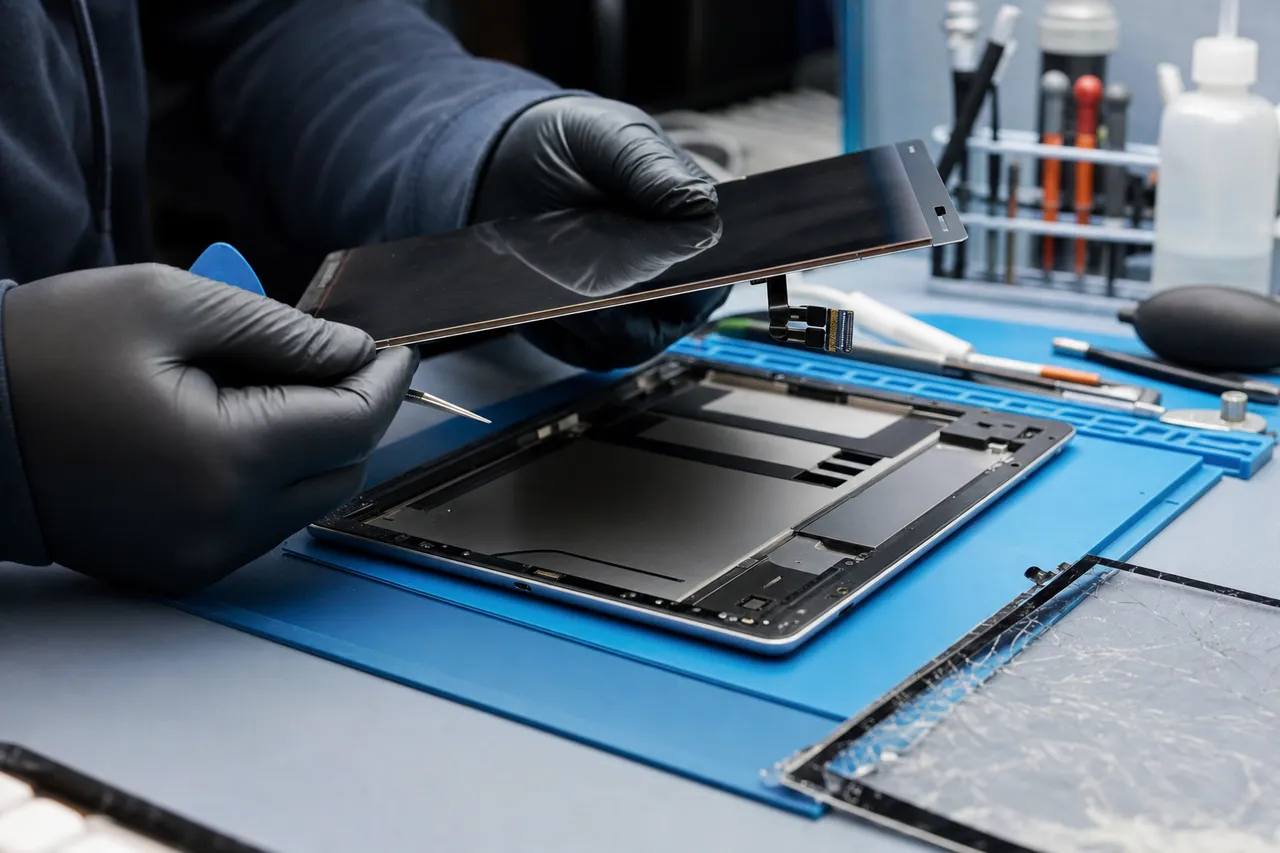
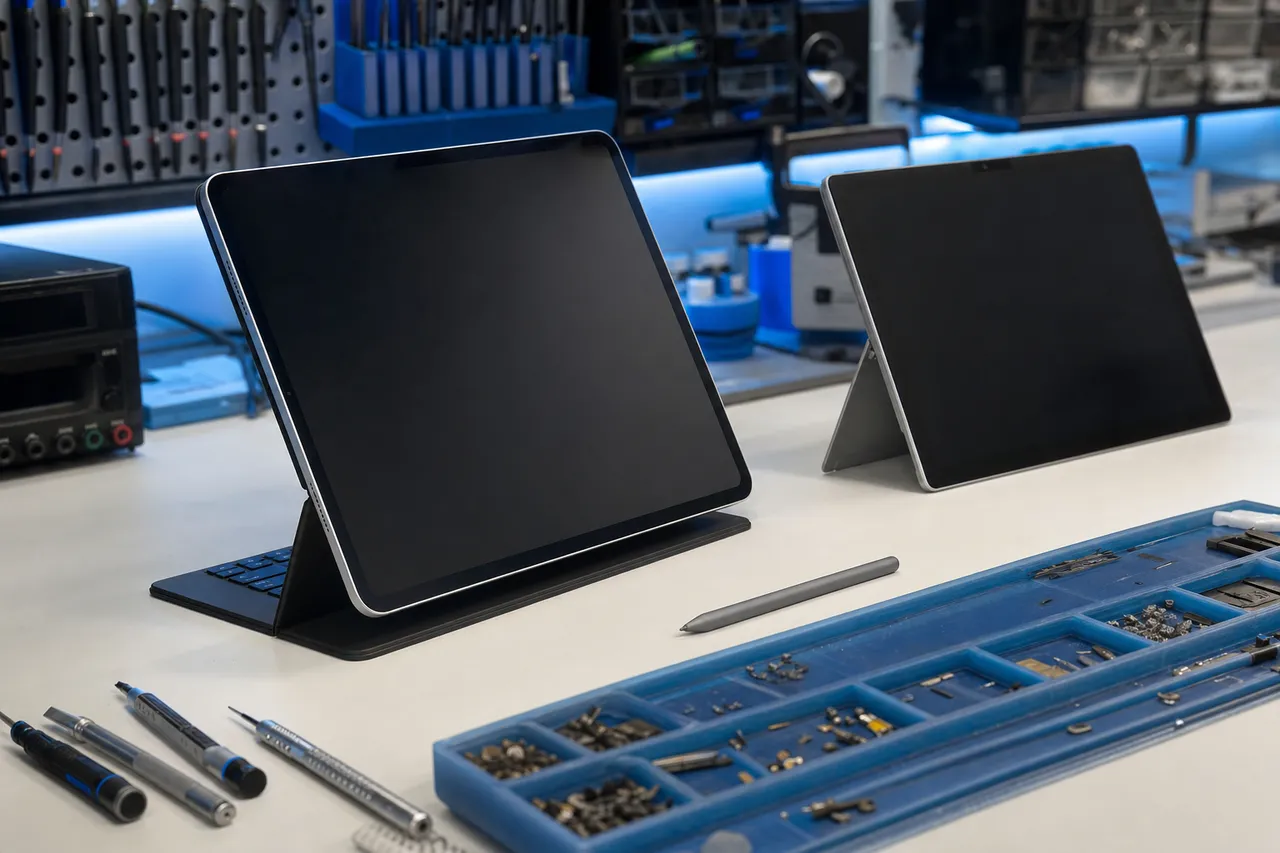
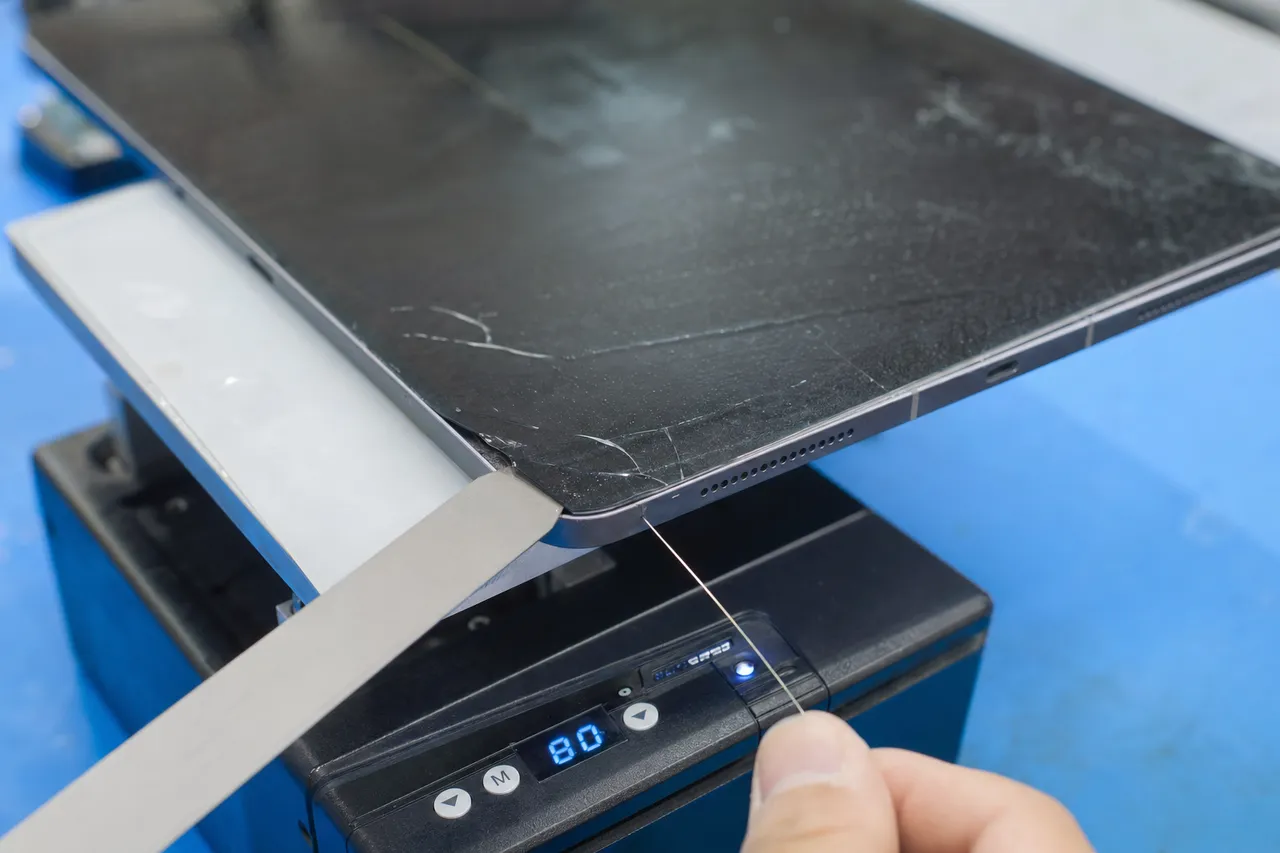
A tablet face-down on a heat plate while a thin pry blade separates the cracked outer glass digitizer from the LCD panel beneath

Every tablet screen is built from two layers that can break independently: the outer glass with the touch digitizer that senses your fingers, and the LCD or OLED display panel underneath that produces the picture. On many older tablets and most budget models, those two layers are separate pieces. If you drop one of those and only the outer glass cracks while the display underneath still shows a clean, clear image with working colors, we can often replace just the glass digitizer. That is a much cheaper repair than swapping the whole screen, and on the right tablet it is the honest, money-saving fix.

Modern premium tablets are a different story. To make screens thinner, brighter and more responsive, manufacturers laminate the glass and the display panel together into a single sealed assembly. Current iPads, high-end Samsung Galaxy Tab S models and Surface devices are built this way. On a fused tablet, even a small crack in the outer glass means the entire display assembly has to be replaced, because the glass cannot be separated from the panel without destroying it. That is why a cracked screen on a flagship tablet costs significantly more than the same crack on a budget tablet, and why a one-size-fits-all price quoted over the phone is usually wrong.

This is exactly why we never give a blind price. When you bring your tablet in, the first thing we do is identify the precise model and determine how its screen is built, then we tell you whether yours is a glass-only candidate or a full-assembly job and quote it accordingly. You get a firm written price for the actual repair your specific tablet needs, with no guessing and no bait-and-switch. It is also why the same brand can have very different repair costs across its lineup, an older standard iPad and a 12.9-inch iPad Pro are worlds apart in how the screen comes apart.

There is one more practical reason this distinction matters: timing. A small crack on a tablet with a separate glass layer is worth fixing early, because if it spreads into the display panel underneath, you go from an inexpensive glass repair to a full and far pricier assembly replacement. On a fused tablet the math is different, but a crack still lets in dust and moisture and the sharp edge can cut you, so it is worth addressing before it worsens. Whatever your tablet, we will give you a straight read on whether the repair can wait a little or is better done now, so you can make the smart financial call.

02 / Touch & display, restored

Cracked tablet screen and digitizer repair

A cracked tablet screen is the most common reason people bring a tablet to our Lincroft shop, and across every platform we see, it is almost always a repair, not a reason to replace the device.

A technician lifting a replacement tablet display assembly with its ribbon flex cables away from an opened aluminum tablet chassis

Tablets crack in ways phones do not. Their large, flat screens flex more, they get propped up and knocked over, and kids drop them constantly, so we see everything from a single corner crack to a fully spider-webbed panel. Because the glass and the touch digitizer work together, a drop can leave you with cracked glass that still responds to touch, a screen that has gone dark in patches, lines running across the display, areas that no longer register your finger, or a touchscreen that taps things on its own. None of those mean the tablet is finished, they mean the display or digitizer needs replacing, and that is core work for us.

The right replacement depends entirely on the tablet, which is the multi-platform reality of this repair. A budget Amazon Fire, a mid-range Galaxy Tab and a 12.9-inch iPad Pro use very different panels with very different prices and procedures, and a Microsoft Surface is glued so firmly that opening it safely is a job in itself. We work across all of them, identify the exact panel your tablet needs, and use proper heat-and-separation tools so the chassis, cameras and internal connectors are protected during the swap. The goal is a screen that looks and responds exactly like the day you bought it.

Quality matters even more on a tablet than on a phone because you spend so long looking at that large screen. A cheap, low-grade panel can look dim, render color poorly, lose touch accuracy over time or fail within weeks, which is a frustrating outcome on a device you read, draw and watch on. We fit quality assemblies that match how your tablet left the factory, properly cure the adhesive so the screen bonds correctly and does not lift at the edges, and back every screen repair with our 90-day warranty.

Stylus and pen support is one more thing we check after a tablet screen repair, because it is easy to overlook and important to the people who rely on it. If you use an Apple Pencil on an iPad, an S Pen on a Galaxy Tab, or the Surface Pen, the digitizer has to read pressure and tilt correctly for drawing and note-taking to feel right. We make sure pen input, palm rejection and multi-touch all work properly before you pick up, so artists, students and note-takers get their full tablet back, not just a screen that lights up.

03 / All-day power again

Tablet battery replacement and swollen-battery safety

If your tablet dies far faster than it used to, shuts off with charge still showing, or has a screen that is starting to lift at one edge, the battery, not the tablet, is almost certainly the problem.

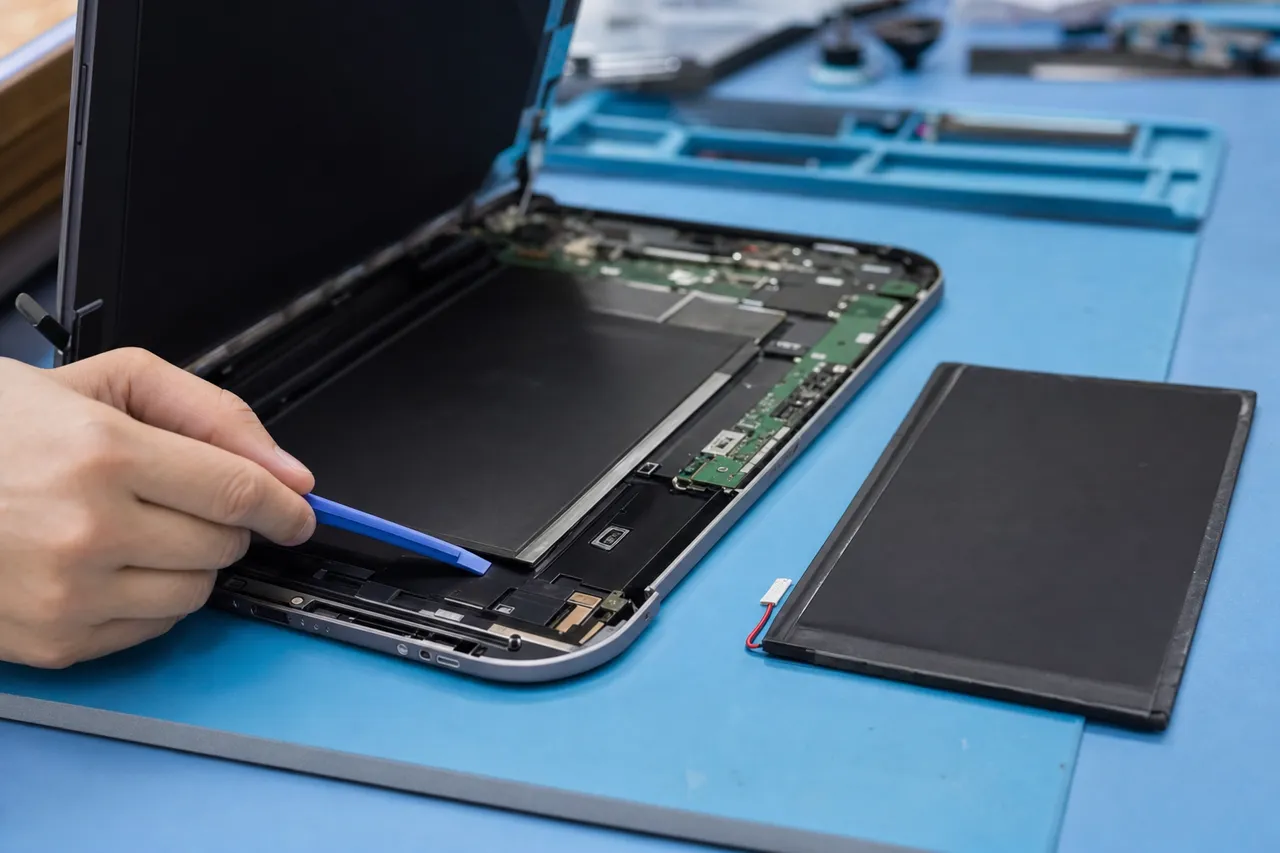
An opened thin tablet on a repair bench with its display lifted aside exposing the large flat lithium battery pack and the green logic board

A tablet battery is a large lithium cell with a limited number of charge cycles, typically a few hundred full charges before it noticeably weakens. Because tablets often sit unused for stretches and then get heavily used for video or games, their batteries age in their own way, and over time the cell holds less and less power. A tablet that once lasted a long movie or a school day starts needing a charger by mid-morning, lags when you open apps, or shuts off unexpectedly even when the battery indicator says there is charge left. People often assume the whole tablet is worn out when a fresh battery would bring it right back.

A battery replacement is one of the most worthwhile tablet repairs because the improvement is immediate and the cost is a fraction of a new device. We open the tablet carefully, release the old battery, which on most tablets is held in with strong adhesive that takes patience to remove safely, and fit a quality replacement cell. You get back the same tablet you know, with all your apps, files and settings exactly in place, except it lasts through your day again. For a kid’s tablet, a kitchen tablet or a work tablet, that is the difference between a frustrating paperweight and a device you actually reach for.

The safety side of tablet batteries is something we take seriously, because a large failing cell can swell significantly. A swollen tablet battery pushes against the screen from behind and can lift the whole display up off the frame, create a visible gap or bulge, make the tablet rock on a flat table, or warp the chassis. If you ever see your tablet screen separating or bulging, stop using it and bring it in promptly, do not press the screen back down or try to puncture the battery, as that is genuinely dangerous. We remove swollen batteries safely, dispose of them properly, and fit a fresh cell so your tablet is safe to hold and use again.

A few simple habits help a new tablet battery last, and we will share them when you pick up. Heat is the real enemy of lithium cells, so avoid leaving a tablet charging on a hot windowsill or in a car, and topping it up through the day is gentler than always draining it to zero. Tablets that live on a charger as a kitchen display or a kids device benefit from being unplugged once full when practical. None of this is complicated, and with a quality replacement and reasonable care a fresh battery will give your tablet years of dependable life.

Tablet acting up? Get a free quote from a real local technician.

Call (732) 933-7717
04 / Reliable charging

Charging port repair when your tablet won’t charge

A tablet that charges only when you wiggle the cable, charges painfully slowly, or refuses to charge at all is one of the most common and most fixable problems we see, and it is rarely the tablet giving up.

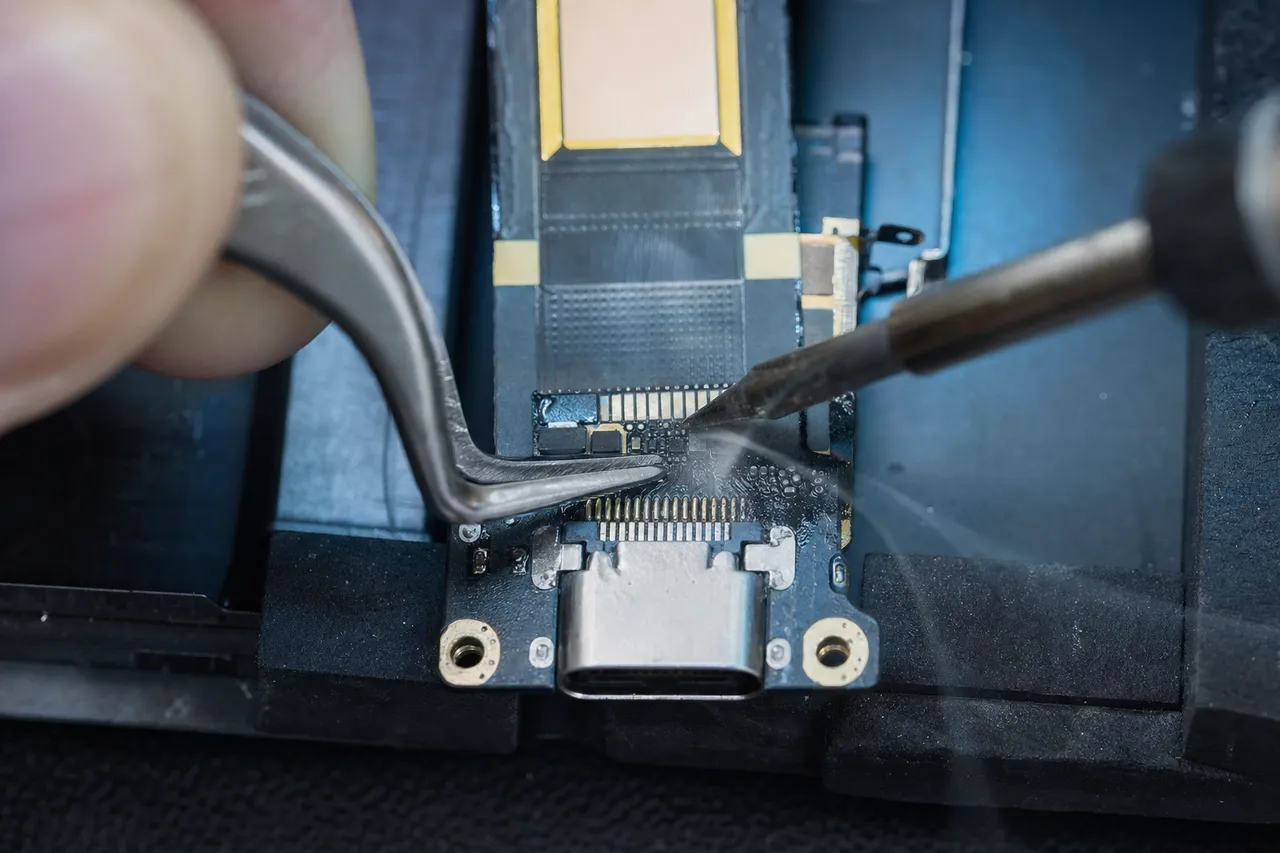
Extreme macro of a tablet USB-C charging port flex being soldered under a microscope on a micro-soldering bench

The most frequent cause is simply a dirty port, and tablets are especially prone to it. They get tossed in bags, used by kids, and left on dusty surfaces, so lint, crumbs and debris pack into the charging port over months until the cable can no longer seat fully. In a lot of cases, what looks like a dying tablet is solved by a careful, proper cleaning of the port with no parts required. We always check for that first, because the honest, inexpensive fix is the right one, and we would rather clean a port than sell you a repair you do not need.

When cleaning is not enough, the port itself is usually worn or damaged. A tablet charging port takes a beating from thousands of plug-ins, the weight of a cable dangling while the tablet is propped up, and the occasional yank, so the tiny pins inside bend, wear out or break. On some tablets the port is a plug-in flex cable we can swap relatively quickly, but on many modern tablets, including iPads and premium Galaxy Tabs, the USB-C charging port is soldered directly to the logic board. Replacing one of those takes board-level micro-soldering, the exact work most tablet counters and mall kiosks send away or refuse, and the everyday work of our data-recovery lab.

Microsoft Surface adds its own charging twist that we are set up to handle. Many Surface devices charge through the magnetic Surface Connect port rather than USB-C, and that connector and its internal circuitry can fail in their own ways. We diagnose whether the problem is the magnetic port, the cable, the internal charging circuit or the battery, and repair accordingly. Across every platform, if a tablet charges fine wirelessly on supported models but not by cable, that points squarely at the port, and we follow the evidence to the real fault rather than guessing.

A word on charging accessories, because they cause more tablet trouble than people expect. Tablets draw more power than phones, so an underpowered charger or a frayed cable that worked fine on a phone can leave a tablet charging at a crawl or cutting in and out, mimicking a broken port exactly. When you bring a charging problem in, bring the charger and cable you normally use so we can test the whole chain, not just the tablet. Sometimes the genuinely good news is that your tablet is fine and a worn cable or a too-weak charger was the culprit, and we would much rather tell you that than charge you for a repair.

05 / Act fast, save it

Water and liquid damage rescue for tablets

A tablet that took a spill, went in the tub, or got rained on is a race against time, and what you do in the first hour, plus how fast you get it to us, makes all the difference to whether it survives.

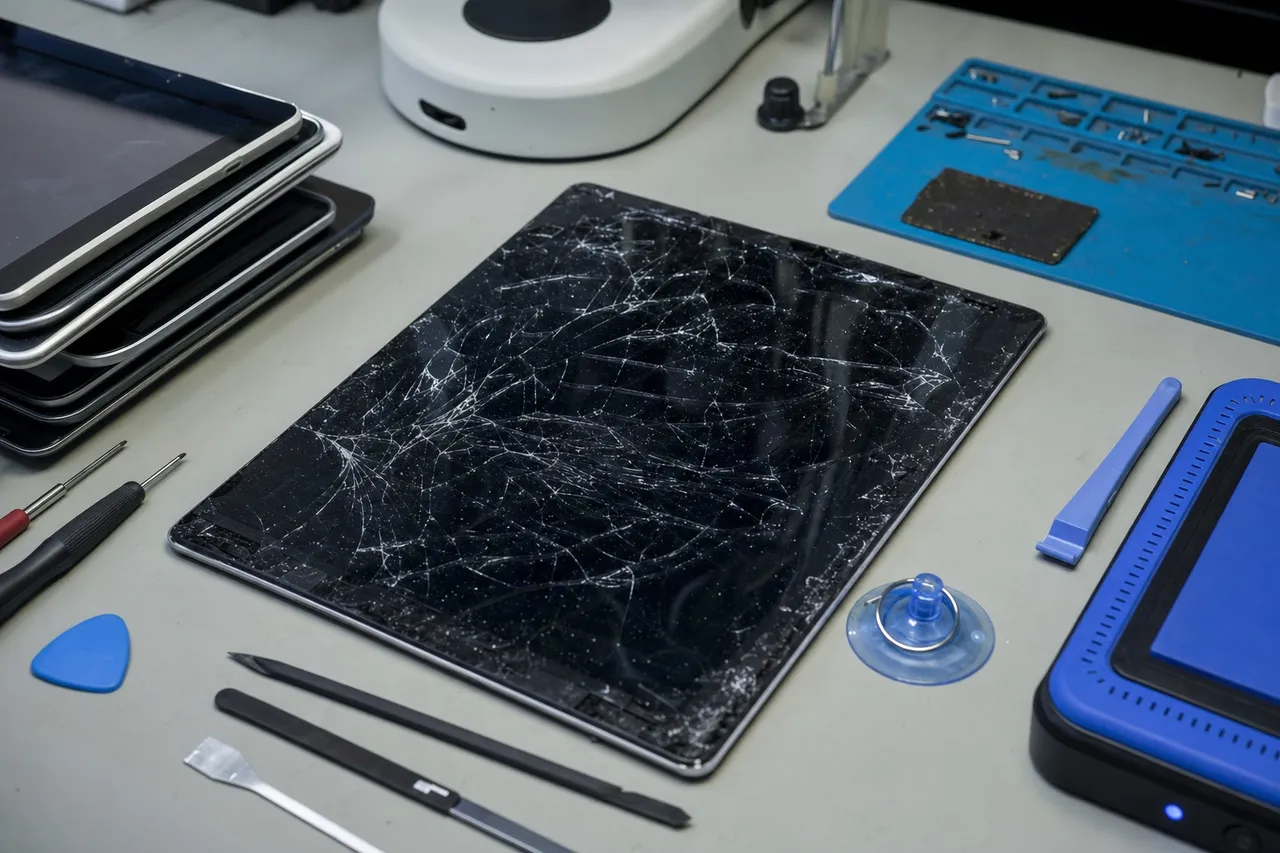
A large modern tablet with a cracked screen on a clean repair bench surrounded by precision tools, a heat pad and a parts tray

Liquid damage on a tablet, just like on any device, is not really about the water itself, it is about what the water leaves behind. As moisture dries inside the tablet it leaves minerals and begins corroding the tiny connections on the logic board, and that corrosion keeps spreading and doing damage long after the tablet feels dry on the outside. This is why a tablet can seem fine for a day or two after a spill and then suddenly stop charging, lose its screen, or die completely. The single best thing you can do is stop the corrosion early, which means getting the tablet opened and professionally cleaned as soon as possible.

Please skip the rice trick, because it does not work and it wastes the time that actually matters. Rice cannot reach or neutralize the corrosion already forming on the board, and the days spent waiting only let the damage advance. The right first steps are simple: power the tablet off immediately, do not plug it in to charge, do not keep pressing the power button to see if it turns on, and bring it to us quickly. Powering on or charging a wet tablet can short the board and turn a tablet we might have saved into one that is beyond help.

In our lab we open the tablet, which on glued and sealed models is careful work in itself, inspect the board under a microscope, and clean the liquid and corrosion off using the proper tools and an ultrasonic cleaning process where it helps. We trace which components were affected, repair or replace what is damaged, and test the tablet thoroughly. Water damage is genuinely unpredictable and no honest shop can promise a result before they look, but our board-level experience gives your tablet a far better chance than a screen-swap counter that cannot work at the component level.

And if a tablet truly cannot be revived, your story is not over, because this is where being a data-recovery lab sets us apart. The photos, school work, drawings, documents and downloads on a water-damaged tablet are usually what people care about most, and even when a tablet will not power on, we can often recover that data directly from its memory. So when you bring us a tablet that took a swim, you are not just hoping for a repair, you are putting it in the hands of the team that recovers data professionally, which is the best possible outcome whichever way the repair goes.

06 / iPad to Surface

Surface, Galaxy Tab, Fire and every other tablet

The thing that sets a true tablet repair shop apart from a phone counter is being able to handle every platform properly, and that is exactly what we do, from the easiest Fire tablet to the most stubbornly glued Surface.

A detachable 2-in-1 tablet with its magnetic keyboard cover folded back standing on a clean repair bench beside a stylus pen

Microsoft Surface devices deserve special mention because they are some of the hardest tablets to repair and the ones most shops turn away. The display on a Surface is bonded with extremely strong adhesive, and opening one without cracking the glass or damaging the internals takes the right heat, the right tools and real patience, the kind of careful work our bench is built for. We handle Surface Pro, Surface Go and Surface Laptop cracked screens and digitizers, battery replacement, the magnetic Surface Connect charging port, and the detachable Type Cover keyboard, so a Surface owner does not have to ship the device off to the manufacturer and wait.

Samsung Galaxy Tab repairs span a huge range, from the affordable Tab A line that students and families buy by the millions to the large, premium Tab S and Tab Ultra models with their big AMOLED screens and S Pen support. We replace cracked Galaxy Tab screens, swap worn batteries, repair charging ports, and make sure S Pen input works correctly afterward. Because the Tab lineup is so broad, identifying the exact model is the first step to quoting it honestly, since a small Tab A and a giant Tab S Ultra are very different repairs.

Apple iPad is the tablet we see most, across the iPad Pro, iPad Air, iPad Mini and standard iPad, every generation. For the deepest Apple-specific detail, fused-display nuances, Apple Pencil support across models and iPad-only quirks, we keep a dedicated iPad repair page, but rest assured every iPad is welcome here as part of our full multi-platform service. The same goes for Amazon Fire tablets, which are inexpensive enough that people assume they are throwaways, yet a cracked Fire screen or charging port is often very affordable to fix.

Beyond the big names, we repair Lenovo Tab, Google, Huawei, TCL and the rugged kids tablets that take an incredible beating, plus the value brands sold at big-box stores. The common thread is that you get one local shop that genuinely knows tablets across the board, rather than a counter that only really handles iPhones and guesses at everything else. Whatever brand sits in your bag or on your kitchen counter, bring it in and we will diagnose it for free and tell you honestly what it needs and what it will cost.

Before you visit

What to do before you bring your tablet in

A few simple things make your repair faster and protect your data. None of them are required, when in doubt, just bring the tablet in and we'll take it from there.

  1. Back it up if you can

    If the tablet still powers on, a quick backup to iCloud, Google, OneDrive or a computer protects your photos, notes and files. A standard screen or battery repair never touches your data, but a backup is smart insurance, and if you are not sure how, we are glad to help.

  2. Know your passcode and account

    We may need to power the tablet on and test the touchscreen, cameras and charging after a repair, which means unlocking it. Knowing your passcode, and your Apple ID, Google or Microsoft password if asked, lets us fully verify the fix before you leave.

  3. If it got wet, power it off now

    Do not try to charge a wet tablet and skip the rice, it does nothing for corrosion. Power the tablet off and bring it in as fast as possible. With liquid damage, every hour counts toward whether we can save it and the files on it.

  4. Bring the keyboard or stylus if related

    You do not need the box or charger, just the tablet itself. But if a detachable keyboard, a stylus like the Apple Pencil or S Pen, or a specific charger is part of the problem, bring it too so we can test the real cause.

Same-day fixes on common tablet repairs, walk-ins welcome, and a 90-day warranty on every job.

How it works

How your tablet repair goes

Four simple steps, no surprises, no pressure, and a price you approve before we open the tablet.

  1. Free estimate

    Bring your tablet in and we identify the exact problem and your model, then quote it, no pressure to fix.

  2. A price you approve first

    You get a clear written price explaining the fault, the repair, whether it is a glass-only or full-assembly job, and the cost. Nothing happens until you say yes.

  3. Expert repair

    Using professional heat-separation and micro-tools we replace the screen, glass, battery or port, with board-level work on the jobs that need it.

  4. Tested & 90-day warranty

    We test the touch, display, charging and buttons before you pick up, with adhesive properly cured, all backed by our 90-day warranty.

Repair or replace?

Is it worth repairing your tablet?

We will always give you a straight answer. For most tablets, a screen, glass, battery or charging-port repair costs a fraction of a new device and keeps the tablet you already know, with all your apps, files and settings exactly where they are.

Usually worth repairing

  • A cracked screen, worn battery or charging port on a premium tablet you otherwise like, an iPad, Galaxy Tab S or Surface.
  • The repair costs far less than a comparable new tablet, which is the case for the great majority of repairs.
  • You want to keep your apps, notes, drawings and downloads in place without setting up a new device.
  • The fault is a single part, and the rest of the tablet works perfectly once it is fixed.

Replacement may make sense

  • A very old or low-cost tablet with severe damage, where a full-assembly screen approaches the price of a new one.
  • Multiple major faults at once, where the combined repair approaches the tablet's replacement value.
  • The tablet no longer gets software updates and the damage simply made the timing to upgrade clear.

Either way, a quick diagnosis tells us exactly what is going on, including whether your tablet is a money-saving glass-only repair or a full-assembly job. If repairing isn't worth it on your tablet, we will say so plainly, and we can still get your photos, files and data off it so nothing is lost when you move to a new device. The mistake we see most is people replacing a perfectly good premium tablet over a cracked screen, an affordable fix, and the opposite, pouring money into an old budget tablet that is genuinely at the end of the road. Our job is to keep you from either one. We have no interest in selling you a repair you do not need, and because we are the lab that recovers data for people across the country, our reputation depends on giving you the honest answer.

Why MDrepairs

Why Middletown chooses us for tablet repair

Every platform, honest prices, and board-level skill from the team trusted by millions to recover data, all from a local shop you can walk into.

  • A local Lincroft NJ shop, not a kiosk or a shipping label, you hand your tablet to the tech who fixes it
  • The data-recovery lab millions already watch online, so your files are in expert hands
  • Board-level micro-soldering most tablet counters and chains can’t do in-house
  • Every platform under one roof, iPad, Galaxy Tab, Surface, Fire and Lenovo alike
  • Free estimate and a price you approve before any work begins
  • Most common tablet repairs back in your hands fast, many the same day
Monmouth County NJ

Local tablet repair near you

We are right in the middle of Monmouth County in Lincroft, an easy drop-off from Middletown, Red Bank, Holmdel, Hazlet and Tinton Falls. Explore our other local repair and recovery services:

Don't see your device or town listed? We serve all of Monmouth County, just call and we'll help.

Call (732) 933-7717
Right in Monmouth County

Tablet repair you can walk into

Our lab sits at 644 Newman Springs Road in Lincroft, in the heart of Monmouth County and just minutes from Middletown, Red Bank, Holmdel, Hazlet and Tinton Falls. Because we are local, you get something a big-box counter or a faceless chain can’t offer: you hand your tablet to the person who repairs it, you get a real answer in plain language, and in most cases you pick it up nearby within a day or two. There is no shipping your tablet across the country and waiting, no call center, no guessing what is happening to it.

We are open Monday through Friday, 10am to 6pm. Walk in for a free estimate, or call 732-933-7717 to talk through the problem first so we can have the right parts ready for your tablet model. Whether you are around the corner in Lincroft or coming from elsewhere in the county, you will get the same fast, honest, in-person service across every tablet platform, backed by a 90-day warranty on every repair.

FAQs

Tablet repair FAQ

Straight answers to the questions Middletown tablet owners ask us most.

How much does tablet screen repair cost?

It depends heavily on the model, because tablet screens are not all built the same way. Some tablets fuse the outer glass and the LCD or OLED panel into one sealed assembly, which costs more to replace, while others let us replace just the cracked outer glass digitizer for far less. A small budget Fire tablet, a mid-range Galaxy Tab and a 12.9-inch iPad Pro are three very different repairs. That is exactly why every visit starts with a free estimate: we identify your exact model, tell you whether it is a glass-only or full-assembly job, and give you a firm written price before any work begins.

Is it worth repairing my tablet, or should I just replace it?

For most tablets, repairing is the smart move. A new premium tablet can cost many hundreds of dollars, while a screen, battery or charging-port repair is a fraction of that and keeps the device you already know with all your apps and files in place. We will always give you a straight answer: if the fault is a single part and the rest of the tablet is healthy, fixing it makes sense, and if a particular tablet truly is not worth repairing, we will tell you honestly and help you get your data off it. We have no interest in selling you a repair you do not need.

How long does a tablet repair take?

Many common tablet repairs, like a battery replacement or a charging-port cleaning, can be finished the same day you drop the tablet off. Screen and glass replacements often take a little longer because the adhesive needs time to cure properly for a strong, lasting bond, so those are typically ready within 24 to 72 hours depending on your model and whether we have the part on hand. When you bring your tablet in, we give you a realistic timeline up front, and if we need to order a part for a less common model, we tell you before you commit.

Is my data safe during a tablet repair, and can you recover it if my tablet is dead?

A standard screen, glass, battery or charging-port repair does not touch your data, everything stays exactly where it was, though we always recommend a backup first as a safeguard. And if your tablet is dead or water-damaged and the photos, documents and files on it are what matter most, you are in the right place: MDrepairs is first and foremost a data-recovery lab, so we can often rescue the data even from a tablet that will not power on, starting with our iPad data recovery service for Apple tablets. That combination of repair and recovery under one roof is something most tablet repair counters simply cannot offer.

What tablet brands do you repair in Middletown, NJ?

We repair every major tablet platform, not just one. That includes Apple iPad (Pro, Air, Mini and the standard iPad), the full Samsung Galaxy Tab S and Tab A lineup, Microsoft Surface (Pro, Go and Laptop tablets), Amazon Fire tablets, and Lenovo, plus Google, Huawei and other Android slates. If it is a tablet, bring it to our Lincroft lab and we will diagnose it for free, regardless of who made it.

What is the difference between glass-only and full screen-assembly replacement?

A tablet display has two layers that can break: the outer glass with the touch digitizer, and the LCD or OLED panel underneath that shows the picture. On some tablets, usually older or budget models, those layers are separate, so if only the glass is cracked but the display still shows a clear image, we can replace just the glass and save you money. On most modern premium tablets, including current iPads and high-end Galaxy Tabs, the glass and panel are laminated into one fused assembly, so even a small glass crack means replacing the whole unit. We tell you which kind your tablet is up front so the quote matches the real repair.

My tablet will not charge or turn on. Can you fix it?

In most cases, yes, and it is one of the most common tablet problems we see. A tablet that will not charge often has nothing more than a dirty or worn charging port, lint and debris pack into the port over time until the cable can no longer seat. When cleaning is not enough, the port itself may be worn or, on many tablets, soldered to the board and in need of board-level micro-soldering. A tablet that will not turn on at all could be a dead battery, the charge circuit or a board fault. We diagnose the real cause for free and tell you exactly what it needs before you spend anything.

Can you replace a tablet battery that drains fast or has swollen?

Yes. Tablet batteries are large lithium cells that wear out after a few hundred charge cycles, so an older tablet that once lasted for hours starts dying quickly, shutting off with charge left, or refusing to hold a charge. A fresh battery brings it right back to life. We also handle the safety side: a failing tablet battery can swell and push the screen up off the frame or create a visible gap around the edges. If you see your tablet screen lifting or bulging, stop using it and bring it in, do not press it back down. We remove swollen batteries safely and fit a quality replacement.

Do you repair Microsoft Surface tablets and 2-in-1 devices?

Yes. Surface devices are some of the trickiest tablets to open because the display is heavily glued, but our board-level experience makes us comfortable with them. We handle Surface Pro, Surface Go and Surface Laptop cracked screens and digitizers, battery replacement, charging issues including the magnetic Surface Connect port, and the detachable Type Cover keyboard. The same goes for other 2-in-1 detachable tablets and their keyboard covers. If your Surface or convertible tablet has a hardware fault, we can take a look.

My tablet got wet. What should I do?

Power it off right away, do not try to charge it, and do not put it in rice, which does nothing for the corrosion already starting inside. Bring it to us as fast as you can. Liquid leaves minerals behind that corrode the board long after the tablet feels dry, so the sooner we open it, clean the liquid off, and treat the corrosion, the better your chances. Water damage is unpredictable and no honest shop can promise a result before they look, but our board-level skill gives a wet tablet, and the photos and files on it, the best possible shot.

Do you fix cracked tablet glass even when the screen still works?

Yes, and it is worth doing sooner rather than later. A cracked tablet screen lets dust and moisture reach the layers underneath and leaves sharp edges that can cut you, and a small crack often spreads into dead spots, lines or unresponsive touch areas. On tablets with separate glass and display layers, repairing the glass early can save you from a much pricier full-assembly replacement down the road. Bring it in and we will give you an honest opinion on whether yours can wait a little or should be fixed now.

Do I need an appointment, or can I walk in? Is there a warranty?

Walk-ins are welcome at our Lincroft lab during business hours, and you are also free to call ahead at 732-933-7717 so we can have the right parts ready for your tablet model. Either way you get a free estimate first and a price you approve before any repair starts. Every tablet repair we do is backed by our 90-day warranty covering the parts we install and the workmanship, and because we are a local shop, you deal with the same technician who did the work if anything is ever not right.

Reviews

What our customers say

  • Joe at MDrepairs was absolutely on point. Had to bring an old android of mine back to life and I know it was no easy task. MDrepairs was the 3rd company I called and the only ones that were able to get the job done. He had to go above and beyond by sourcing parts from a donor phone. The repair was done ahead of time and he communicated the entire time. Very straight forward process and I couldn't be any happier! I recommend MDrepairs for any cellphone work and will contact them first next time. Thanks again!

    Donato Guerrera Google Review
  • Lost my SSD after a hard reset and i thought the world ended. After 2 days of stress and hell, i made the trip and dropped my drive to these guys that i kept watching their insta videos and never thought that i would be one of their customers. I paid the rush fee and within 24 hours and a few extra minutes my business came back to life like tragedy never struck in the first place. They saved everything i thought i lost. Great guys, awesome communication. So if you are like me, and one day you lost your data, photos, videos and what not, take a deep breath and call these guys. Life is not over yet until you give them a chance to help you. Fairly priced for the job, definitely some money saving compare to those big companies on the internet, that quote you thousands of dollars making you question if what you lost is priceless indeed as they are ready to charge you an arm and a leg. So with all that ordeal in mind, I Would highly recommend MD anytime, to anyone!!

    miron trache Google Review
  • Thanks for the memories! We had this device for almost 10 years. It contained some of the earliest memories of our kids. My wife was devastated when it randomly stopped working. I saw an MD Repairs video and thought I'd give it a shot. Joe was great to work with, very responsive, and was able to restore pictures and videos from our family's early days. Thank you so very much!

    Rob Knight Google Review
  • Where do I start! So appreciative of MDRepairs! They not only fixed my phone, but they went above and beyond by backing up all my data and sending it too. Felt confident from the moment I started working with them! HIGHLY recommend!

    Matt Robinson Google Review
  • I brought a broken external hard drive in for repair, and had an excellent experience working with Joe. He was super accommodating and really took the time to explain everything in detail. Turned out, the drive was completely shot and required some surgery to recover the data. His work is masterful! Highly recommend if you're looking for someone who's both knowledgeable and fair.

    Sean Moran Google Review
  • Great service!!! After 3 other companies failed to fix it MDrepairs fixed my water damaged phone with years of photos on it. Worth every penny! Recommend to everyone!

    Gary Pitcher Google Review
  • I used MDrepairs to retrieve files that were lost after a hard drive failure. All communication from MDrepairs was prompt and professional. The files were sent on a flash drive and I was so impressed with how quickly they were able to complete the process and send out the flash drive. The cost was very fair. I highly recommend using MDrepirs if the need arises.

    Kathie Lange Google Review
  • Very professional and got done what we needed.

    Aaron Kasper Google Review

Cracked or broken tablet? Let's fix it.

Free estimate, a price you approve first, and a 90-day warranty on every repair. iPad, Galaxy Tab, Surface and more. Bring it to our Lincroft NJ lab or call (732) 933-7717.

(732) 933-7717