
I had a Maxtor DiamondMax 10 sitting in a closet for 15 years. MDrepairs recovered every photo and document. I never thought I would see those files again.
- 4.6 319+ Google reviews
- 2M+ followers
- Serving all 50 states
Maxtor Data Recovery
Lost data on your Maxtor hard drive? MDrepairs is a professional hard drive data recovery lab in Lincroft, NJ with expertise in legacy and modern Maxtor drives - from DiamondMax and OneTouch series to newer Seagate-manufactured Maxtor branded drives. We maintain donor part inventories for discontinued Maxtor models that other labs no longer support.
Every case starts with a $100 professional diagnostic that gives you a detailed report on the issue and recovery options. We serve customers nationwide through our secure mail-in program. No data, no charge on the recovery.
Reviews
What Our Customers Say
4.6
Hard Drive Data Recovery Cases Documented on Video
Watch real hard drive recoveries from start to finish - every diagnosis, repair, and data extraction documented on camera.
Maxtor Models We Recover
MDrepairs recovers data from every Maxtor hard drive ever manufactured, including legacy IDE/PATA models from the original Maxtor Corporation and newer SATA and USB drives produced by Seagate under the Maxtor brand after the 2006 acquisition. If your model is not listed below, we still recover it. Contact us for a $100 professional diagnostic.
- Maxtor DiamondMax Plus 8
- Maxtor DiamondMax Plus 9
- Maxtor DiamondMax 10
- Maxtor DiamondMax 11
- Maxtor DiamondMax 16
- Maxtor DiamondMax 17
- Maxtor DiamondMax 20
- Maxtor DiamondMax 21
- Maxtor DiamondMax 22
- Maxtor DiamondMax 23
- Maxtor MaXLine II
- Maxtor MaXLine III
- Maxtor MaXLine Pro 500
- Maxtor OneTouch
- Maxtor OneTouch II
- Maxtor OneTouch III
- Maxtor OneTouch 4
- Maxtor OneTouch 4 Plus
- Maxtor OneTouch 4 Mini
- Maxtor BlackArmor
- Maxtor Shared Storage
- Maxtor Shared Storage Plus
- Maxtor Shared Storage II
- Maxtor M3 Portable
- Maxtor D3 Station
- Maxtor Z1 SSD
- Maxtor 6Y080L0
- Maxtor 6Y120L0
- Maxtor 6Y160M0
- Maxtor 6Y200M0
- Maxtor 6L080J4
- Maxtor 6B200M0
- Maxtor 6B300S0
- Maxtor 6V250F0
- Maxtor 7V300F0
- Maxtor STM3160815AS
- Maxtor STM3250310AS
- Maxtor STM3320620AS
- Maxtor STM3500630AS
- Maxtor STM31000340AS
$100 diagnostic · No data, no charge · Free shipping
Common Maxtor Drive Failures
-
Head Crash from Age
Many Maxtor drives are 15 to 20 years old. Lubricant on the platters dries out over time, causing heads to scrape the surface when the drive is powered on after years of storage. Our clean bench head swap process recovers data even after contact damage.
-
Firmware Corruption
Maxtor drives from different eras use vastly different firmware architectures. Early models stored firmware on separate chips while later models use service area modules on the platters. MDrepairs has firmware tools covering every Maxtor generation.
-
Motor Seizure / Stiction
Maxtor drives stored in attics, basements, or closets for years commonly develop stiction where the heads stick to the platters or the spindle motor seizes from bearing degradation. We use specialized unsticking procedures and motor transplants to free seized drives.
-
PCB Failure
Older Maxtor PCBs are prone to burnt TVS diodes, failed motor controller chips, and capacitor degradation. Unlike modern drives, many Maxtor boards require ROM chip transfers and adaptive data matching. We maintain a library of compatible Maxtor PCBs for donor swaps.
-
Bad Sectors and Media Degradation
Magnetic media degrades over time, especially on early Maxtor platters manufactured before modern glass substrate technology. Sectors that were readable a decade ago may now return errors. Our PC-3000 imaging handles bad sector recovery with multiple pass strategies.
-
IDE/PATA Interface Issues
Many legacy Maxtor drives use the older 40-pin IDE/PATA interface that modern computers no longer support. Improper adapter use can cause detection failures or data corruption. MDrepairs has native IDE controllers and proper adapters for every legacy Maxtor interface.
-
Encryption on External Models
Newer Maxtor external drives like the M3 Portable and D3 Station use Seagate hardware encryption tied to the original PCB. If the board fails, the encryption key must be preserved during repair or the data becomes inaccessible. We handle encrypted Maxtor USB drives routinely.
-
Physical Damage and Contamination
Maxtor drives pulled from old systems often arrive with dust contamination, corrosion from humidity, or physical shock damage from rough handling. Our ISO Class 5 clean bench allows us to safely open, clean, and recover drives affected by environmental exposure.
How We Recover Your Data
-
Free Quote & Shipping
Contact MDrepairs by phone at 732-933-7717 or submit the online quote form. We provide a prepaid insured shipping label so you can mail your Maxtor drive to our Lincroft, NJ lab at no cost.
-
$100 Diagnostic Assessment
Our technicians examine your Maxtor drive in our clean bench environment, identify the exact failure, and determine the recovery approach. The $100 diagnostic fee is applied toward your total cost if you proceed.
-
Recovery Plan & Quote
We provide a detailed quote based on the diagnosis. You will know the exact tier and price range before any recovery work begins. No surprises, no hidden fees. If you decline, you pay only the $100 diagnostic.
-
Data Recovery & Imaging
Using PC-3000, donor parts sourced for your specific Maxtor model, and clean bench procedures, we recover your data sector by sector. We generate a file listing for your review before finalizing.
-
Data Return & Verification
Recovered files are transferred to a new external drive or cloud upload per your preference. We verify file integrity, provide the complete file listing, and ship your data back with free insured return shipping.
Hard Drive Recovery Pricing
MDrepairs uses transparent, tier-based pricing for all Maxtor data recovery cases. Your final cost depends on the type of failure, not the amount of data recovered. Every case begins with a $100 diagnostic assessment that is applied toward your recovery cost if you proceed. If we cannot recover your target files, you pay only the $100 diagnostic fee. No data, no charge. Maxtor drives span several decades of technology, so recovery complexity varies from simple logical repairs to sourcing rare donor parts for discontinued models.
-
Logical / Firmware Recovery
$650 - $1,200
Data recovery from drives with logical errors, accidental deletion, formatting, file system corruption, or firmware failures. Includes PC-3000 firmware module repair and sector-level imaging.
- Accidental deletion recovery
- File system corruption repair
- Firmware module restoration
- Partition table reconstruction
- Bad sector bypass imaging
- $100 diagnostic applied to cost
- Most Common
Head Swap / Mechanical Recovery
$1,000 - $2,000
Recovery from clicking, buzzing, or non-spinning drives requiring clean bench work - head replacements, motor repair, stiction recovery, or spindle motor service.
- Failed read/write head replacement
- Motor failure repair
- Stiction recovery (heads stuck to platter)
- Clean bench head transplant with donor
- PC-3000 selective head imaging
- $100 diagnostic applied to cost
-
Platter / Severe Damage Recovery
$999 - $2,500+
Recovery from drives with platter surface damage, contamination, scoring from head crashes, or drives that failed at other labs. Includes helium drive recovery ($2,000 - $3,500+).
- Scratched platter recovery
- Contamination and debris removal
- Head crash damage recovery
- Multi-platter transplant
- Conservative imaging around damaged zones
- $100 diagnostic applied to cost
All pricing includes the $100 diagnostic fee. No data, no charge. If we can't recover your target files, you only pay the diagnostic fee.
Turnaround Times
Every data recovery case at MDrepairs begins with a $100 diagnostic evaluation - external inspection, PCB testing, motor current analysis, and controlled spin-up with head monitoring. You receive a detailed report within 48 hours with recovery likelihood, expected data yield, and timeline. The $100 is applied toward your final recovery cost. If we cannot recover your target files, you pay only the $100 diagnostic fee - no data, no charge.
- 4 - 5 Weeks Standard No surcharge
Full assessment with recovery options and pricing.
- 5 - 7 Days Priority Rush +$250
Jumps to the front of the queue.
- 1 - 2 Days Urgent Rush +$500
Dedicated technician for time-sensitive cases.
- Same Day Emergency +$1,000
Immediate start. Highest priority, mission-critical.
Free insured shipping nationwide - $100 diagnostic credited - no data, no charge.
Maxtor Data Recovery - Recovery Cases
See how our lab handles real data recovery cases - from initial diagnosis through final data delivery.
-
Hard Drive Recovery - Bent Chassis Declared Unrecoverable
-
USB Drive Recovery - Multi-Stage Translator Failure
-
Clicking Drive Recovery - Failed Head Stack Replacement
-
Two-Pass Head Isolation - Partial Head Failure Recovery
Data Privacy & Chain of Custody
Your data is handled under strict chain-of-custody procedures from intake to secure destruction.
-
Intake Logging
Every drive is photographed and logged with a unique case number, serial, model, and condition on arrival.
-
Restricted Access
Only your assigned technician handles your drive. No shared workstations, no exceptions.
-
No Browsing Data
We never open or view your files. Integrity is verified through checksums and file structure only.
-
Secure Delivery
Data is transferred to a new drive and shipped back to you. All copies are purged after confirmation.
-
Drive Return
Your new drive is returned with your recovered data.
What You Receive After Recovery
-
Your Recovered Data
Your files are delivered on a new external hard drive shipped directly to you, or we send you a password-protected download link for secure retrieval. We include a file listing so you can verify everything before we purge our copies.
-
Your Original Drive
After recovery is complete, you choose what happens to your original drive - we can return it to you, hold it for a specified period, or securely destroy it. All copies of your data on our systems are purged after you confirm receipt.
-
Ongoing Support
Need help accessing your recovered files, transferring data to a new device, or setting up backups to prevent future data loss? Our team is available after delivery to help you get back on track.
Maxtor Data Recovery Guide
Everything you need to know about recovering data from legacy and modern Maxtor drives - their history, the DiamondMax series, IDE/PATA challenges, donor sourcing, and recovering decades-old drives.
The History of Maxtor and the Seagate Acquisition
Maxtor Corporation was founded in 1982 in San Jose, California, and quickly became one of the major hard drive manufacturers in the personal computing era. Throughout the 1980s and 1990s, Maxtor competed directly with Seagate, Western Digital, and Quantum for market share in the desktop and enterprise storage segments. The company was known for producing reliable, affordable hard drives that found their way into millions of home computers, workstations, and entry-level servers worldwide.
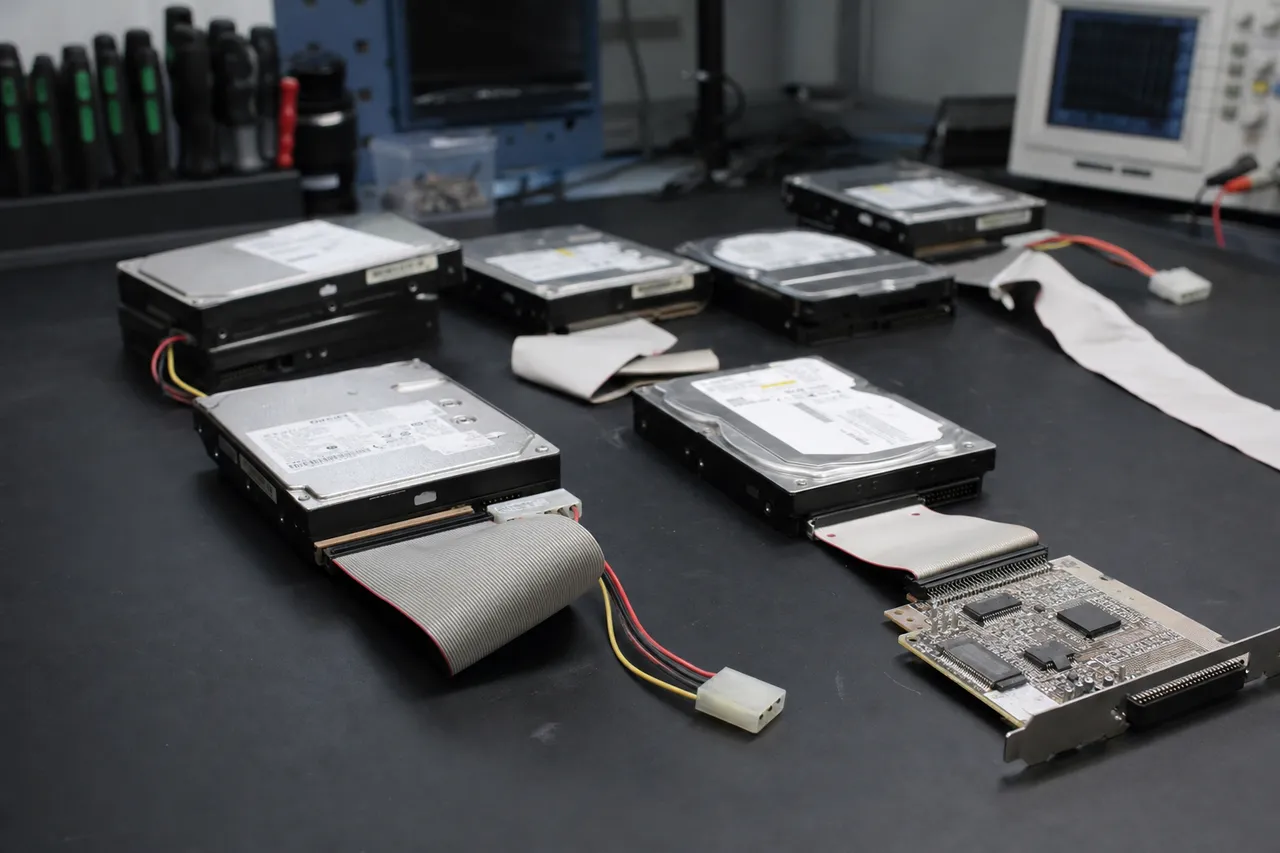
In 2001, Maxtor acquired Quantum's hard drive division, which significantly expanded their product portfolio and manufacturing capacity. This acquisition brought the MaXLine series of enterprise drives into the Maxtor lineup and pushed the company into third place among global hard drive manufacturers by volume. At its peak, Maxtor shipped tens of millions of drives per year and maintained manufacturing facilities in Singapore and China.
The pivotal moment in Maxtor's history came on December 21, 2005, when Seagate Technology announced its intention to acquire Maxtor Corporation for approximately $1.9 billion. The deal closed on May 19, 2006, and Seagate absorbed Maxtor's operations, engineering talent, and intellectual property. Following the acquisition, Seagate gradually phased out the Maxtor brand for internal drives but continued using the name on select external storage products, particularly budget-oriented portable and desktop drives sold in European and Asian markets.
For data recovery purposes, this history matters enormously. Pre-acquisition Maxtor drives use entirely different firmware architectures, head designs, platter compositions, and PCB layouts than post-acquisition Seagate-manufactured drives carrying the Maxtor label. At MDrepairs, we maintain separate diagnostic procedures, donor inventories, and firmware libraries for each era of Maxtor production. A DiamondMax Plus 9 from 2004 has nothing in common internally with a Maxtor M3 Portable from 2017, even though both carry the Maxtor name.
Understanding which era your Maxtor drive belongs to is the first step in any successful recovery. Our technicians identify the exact manufacturing date, factory of origin, and firmware family during the initial diagnostic, which ensures we use the correct tools and procedures from the start. This historical knowledge is one of the reasons MDrepairs maintains a higher success rate on legacy Maxtor drives than shops that treat all hard drives the same.
DiamondMax Series Recovery: From Plus 8 to DiamondMax 23
The DiamondMax series was Maxtor's flagship consumer hard drive line and represents the vast majority of Maxtor drives we see at MDrepairs. Spanning from the DiamondMax Plus 8 through the DiamondMax 23, this product family covered capacities from 20GB to 1TB and transitioned from IDE/PATA to SATA interfaces over its production run. Each generation introduced changes in platter density, head technology, and firmware structure that directly impact how we approach data recovery.
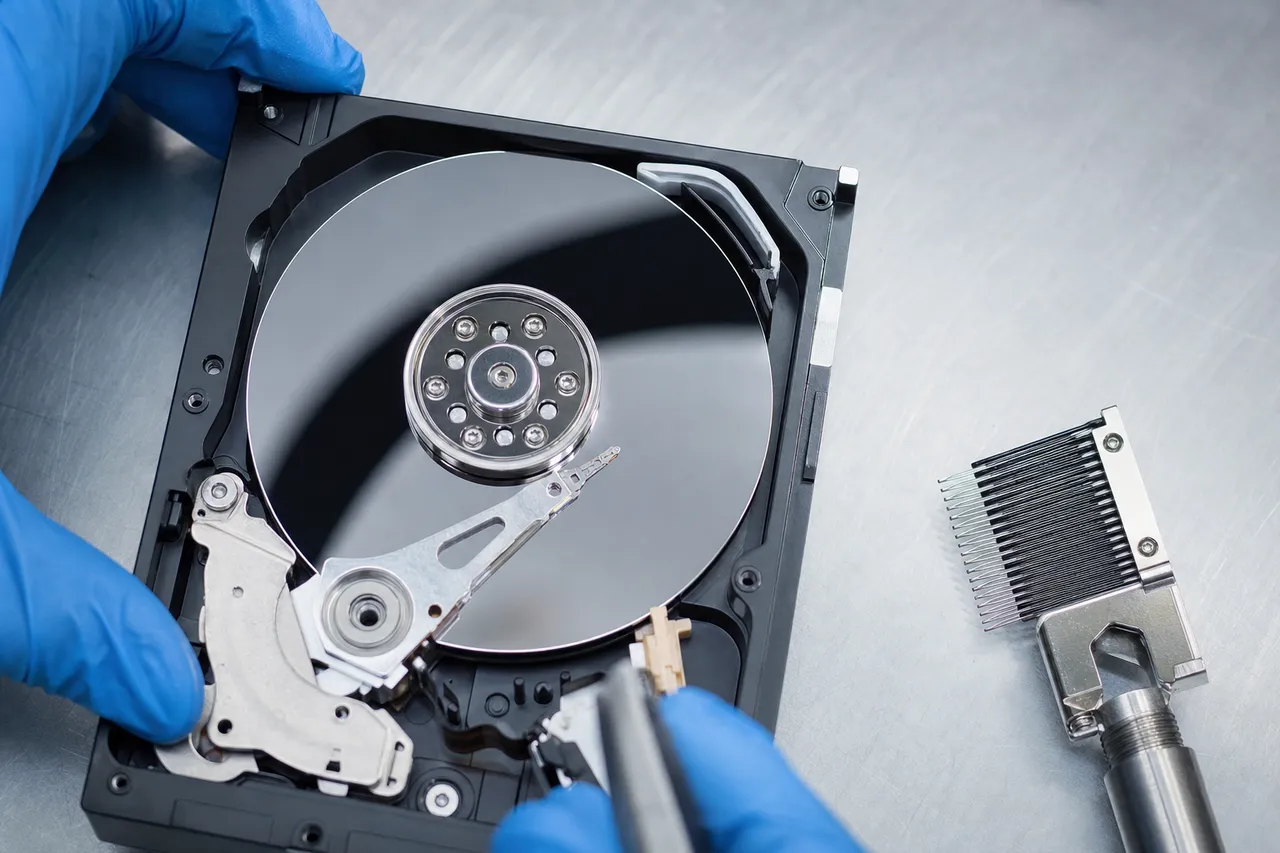
The DiamondMax Plus 8 and Plus 9 were workhorses of the early 2000s desktop market. These drives used fluid dynamic bearings (a relatively new technology at the time) and featured capacities up to 200GB on IDE interfaces. The Plus 9, in particular, was one of the most popular OEM drives of its era, shipping in Dell, HP, and Gateway computers by the millions. Recovery from these models typically involves addressing age-related head degradation and stiction, since most surviving units have been in storage for over a decade.
The DiamondMax 10 marked Maxtor's full transition to perpendicular magnetic recording and native SATA interfaces on consumer drives. These drives are notably more reliable in long-term storage than their predecessors, but they introduced a new firmware platform that requires different diagnostic tools. The DiamondMax 11 through 17 continued iterating on this platform with increased platter density and improved error correction.
DiamondMax 20 and 21 drives were produced during the transition period around the Seagate acquisition. Some units from this era use hybrid firmware that contains elements of both Maxtor and Seagate architectures, making them particularly challenging for inexperienced recovery labs. MDrepairs uses PC-3000 with custom scripts designed specifically for these transitional models. The DiamondMax 22 and 23 are essentially Seagate Barracuda drives with Maxtor branding. They use Seagate firmware, Seagate head designs, and Seagate platter technology. Recovery procedures for these models follow our standard Seagate protocols, but identifying them correctly is critical because applying Maxtor-era techniques to these drives can cause additional damage.
Across all DiamondMax generations, MDrepairs maintains compatible donor drives, firmware modules, and head stacks. We stock over 50 different DiamondMax variants in our donor inventory, which means most DiamondMax recoveries can begin immediately without waiting for parts to arrive. If you have a DiamondMax drive of any generation, contact MDrepairs at 732-933-7717 for a $100 professional diagnostic.
Legacy IDE/PATA Challenges in Maxtor Recovery
A significant percentage of Maxtor hard drives use the IDE/PATA (Parallel ATA) interface, which was the standard connection for desktop hard drives from the mid-1980s through roughly 2007. Modern computers have completely abandoned this interface in favor of SATA and NVMe, which creates immediate challenges when attempting to access or recover data from legacy Maxtor drives. At MDrepairs, we maintain dedicated IDE infrastructure specifically for these older drives.
The first challenge is basic connectivity. IDE drives use a 40-pin ribbon cable and require a compatible controller to communicate with diagnostic software. Consumer USB-to-IDE adapters sold online are unreliable for data recovery because they often fail to properly handle drives with firmware issues, bad sectors, or degraded read performance. Professional recovery requires native IDE controllers installed in dedicated workstations, which is exactly what we use in our lab.
The second challenge involves master/slave configuration. IDE drives use jumper pins to determine whether they operate as the primary (master) or secondary (slave) device on a shared cable. Incorrect jumper settings can prevent detection entirely or cause conflicts that corrupt the drive's operating parameters. Many Maxtor drives have unique jumper configurations that differ from other manufacturers, and the jumper diagram on the drive label is often worn or illegible after years of storage.
Power delivery presents another concern with legacy Maxtor IDE drives. These drives use the older 4-pin Molex power connector and typically require 5V and 12V rails within tight tolerances. Aging power supplies or cheap adapters can deliver unstable voltage that causes the drive to spin up and down repeatedly, potentially worsening existing damage. Our lab uses regulated, dedicated power supplies with voltage monitoring for every IDE recovery case.
Transfer speeds on IDE interfaces are significantly slower than modern SATA, which means imaging a degraded Maxtor IDE drive can take substantially longer. A 200GB drive with extensive bad sectors might require 5 to 7 days of continuous imaging with multiple head passes and parameter adjustments. MDrepairs uses PC-3000 UDMA, which is purpose-built for IDE drive diagnostics and provides the most reliable imaging possible through this legacy interface.
File system considerations add another layer of complexity. Many legacy Maxtor drives were formatted with FAT32 or early NTFS versions under Windows 98, ME, 2000, or XP. These older file systems and their specific implementations can require specialized parsing during recovery, particularly when the file system itself has degraded alongside the physical media. If you have a legacy Maxtor IDE drive, do not attempt to connect it using a cheap USB adapter. The risk of causing additional damage is significant. Instead, ship it to MDrepairs where we have the proper infrastructure to safely image and recover your data.
Sourcing Donor Parts for Discontinued Maxtor Drives
One of the most critical aspects of mechanical hard drive recovery is having access to compatible donor parts, specifically matching head stacks, PCBs, and in some cases complete motor assemblies. For current-production drives from Seagate and Western Digital, sourcing donors is straightforward because millions of identical units are available. Maxtor drives present a fundamentally different challenge because the company stopped manufacturing drives under its own designs in 2006, making compatible donors increasingly scarce with each passing year.
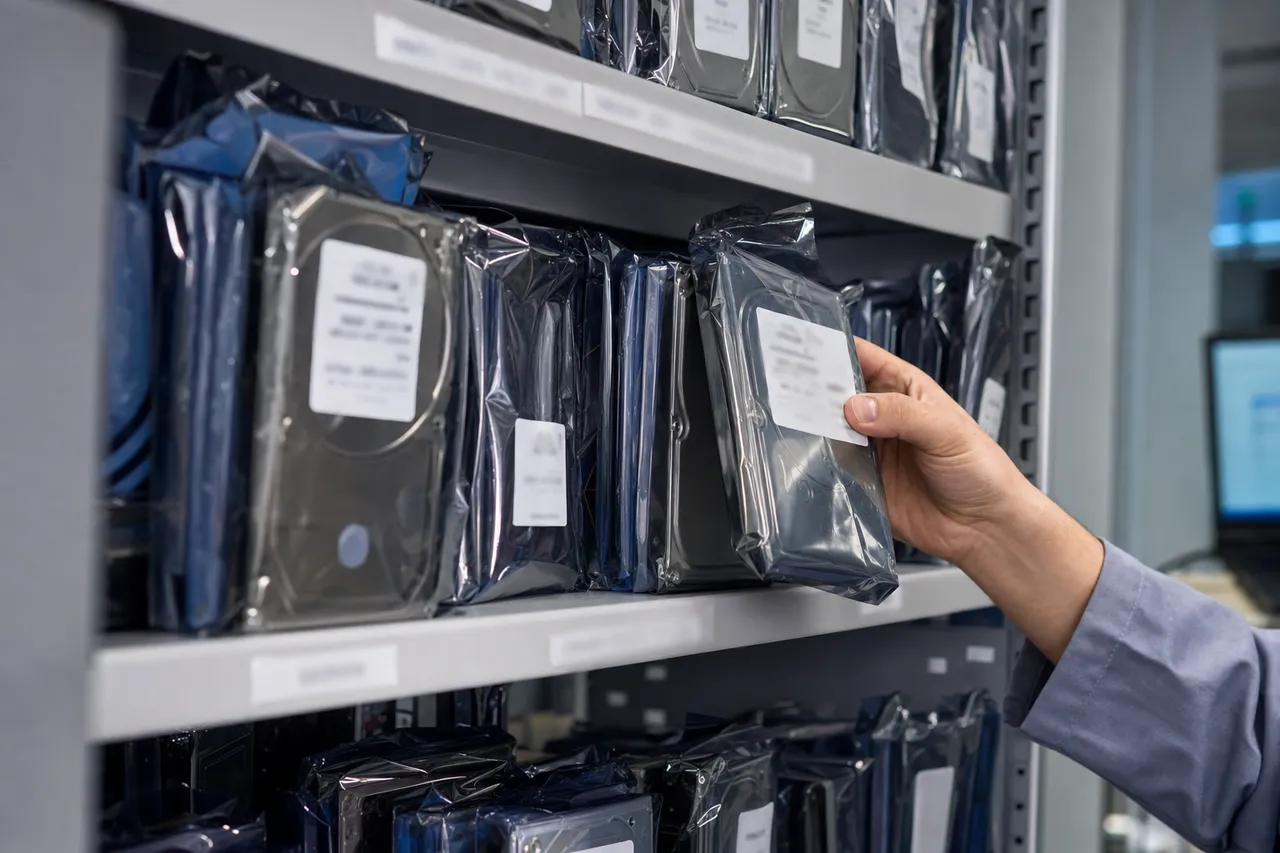
Head compatibility is the most important and most difficult donor matching requirement. Maxtor drives require donor heads from the same model family, with matching firmware revision, head count, and ideally from the same manufacturing batch. A DiamondMax Plus 9 with model number 6Y120L0 cannot accept heads from a DiamondMax 10 or even from a Plus 9 with a different revision letter. The tolerances are measured in nanometers, and an incompatible head stack will either fail to read or actively damage the platters.
MDrepairs maintains one of the largest Maxtor donor inventories in the data recovery industry. Over the years, we have acquired bulk quantities of new-old-stock and tested-good Maxtor drives specifically for use as donors. Our inventory includes DiamondMax Plus 8, Plus 9, 10, 11, 16, 17, 20, 21, 22, and 23 models, as well as MaXLine II and III enterprise drives, and various OneTouch external models. Each donor is cataloged by model number, firmware revision, head count, date code, and manufacturing site.
For particularly rare models, we maintain relationships with donor networks and specialty suppliers worldwide. If a specific Maxtor model is not in our immediate inventory, we can typically source a compatible donor within days rather than weeks. This network is especially valuable for early Maxtor models from the late 1990s, which are becoming genuinely difficult to find in functional condition.
PCB compatibility follows similar principles but with additional considerations unique to Maxtor drives. Many pre-2004 Maxtor drives store adaptive calibration data on the PCB ROM chip rather than on the platters. This means a simple board swap will not work. The original ROM chip must be desoldered and transferred to the donor PCB, or the adaptive data must be read and written using specialized equipment. MDrepairs has the tools and experience to handle both approaches for every Maxtor PCB generation.
Motor transplants are the rarest form of donor work but are sometimes necessary for Maxtor drives with seized spindle bearings. This procedure involves transferring the platters from the patient drive to the motor assembly of a compatible donor, maintaining exact alignment and cleanliness throughout. The scarcity of Maxtor donor parts is a reality that will only increase over time. If you have a failed Maxtor drive that contains important data, we strongly recommend pursuing recovery sooner rather than later while compatible donors are still available.
Firmware Differences Between Maxtor Eras
Hard drive firmware is the low-level software that controls every aspect of drive operation, from motor spin-up and head positioning to error correction and defect management. Maxtor's firmware architecture changed dramatically across different product generations, and understanding these differences is essential for successful data recovery. At MDrepairs, we maintain firmware expertise spanning every era of Maxtor production.
Early Maxtor drives from the late 1990s used relatively simple firmware stored primarily on ROM chips soldered to the PCB. These drives have fewer firmware modules and less complex service areas compared to later models. Recovery from firmware issues on these early drives typically involves chip-level work: reading, modifying, and rewriting ROM data using specialized programmers. The upside is that these firmware platforms are well-documented and predictable.
The DiamondMax Plus 8 and Plus 9 generation introduced a more sophisticated firmware architecture with a larger service area written to reserved tracks on the platters. This service area contains defect lists (P-list and G-list), adaptive calibration parameters, SMART data, and firmware code modules. When service area corruption occurs on these models, the drive may not spin up, may spin up but not be detected, or may be detected with incorrect capacity. PC-3000 can read and repair most service area issues on these drives.
The MaXLine enterprise series used a hardened version of the consumer firmware with additional features for RAID environments, including time-limited error recovery (TLER) and enhanced defect management. These enterprise-specific firmware features must be properly handled during recovery to avoid triggering protective routines that can lock the drive.
The transitional period between 2005 and 2007 produced drives with hybrid firmware that represents the most challenging era for recovery specialists. Some DiamondMax 20 and 21 models use firmware that appears to be Maxtor-based but contains Seagate elements, while others are essentially Seagate firmware with Maxtor model numbers. Identifying the correct firmware family is critical because applying the wrong diagnostic routines can overwrite service area data and make recovery impossible.
Post-acquisition Maxtor drives, including the DiamondMax 22, DiamondMax 23, and external drives like the M3 Portable and D3 Station, use standard Seagate firmware platforms. The DiamondMax 22 and 23 use Seagate's Barracuda 7200.11 and 7200.12 firmware respectively. The M3 Portable uses Seagate's Samsung-derived firmware for 2.5-inch drives, complete with hardware encryption modules. MDrepairs uses the PC-3000 diagnostic platform, which provides complete firmware access for every Maxtor generation. Firmware-level recovery falls into our Tier 1 pricing ($650 to $1,200) when no physical damage is present.
Common Age-Related Failures in Maxtor Hard Drives
Maxtor hard drives occupy a unique position in the data recovery industry: a large installed base of drives that are overwhelmingly 15 to 25 years old. Time itself is the primary enemy of these drives, and the failure modes we see in our lab are dominated by age-related degradation rather than the manufacturing defects or sudden mechanical failures that characterize newer drives. Understanding these age-related failure patterns helps set realistic expectations for recovery outcomes.
Lubricant degradation is the most common age-related failure we encounter in Maxtor drives. Every hard drive uses a thin layer of lubricant on the platter surface to reduce friction between the read/write heads and the magnetic media during normal operation. Over 15 to 20 years, this lubricant dries out, thickens, or migrates unevenly across the platter surface. When a drive with degraded lubricant is powered on after years of storage, the heads may stick to the platter surface (stiction) or encounter enough friction to prevent proper flying height, resulting in immediate head failure or gradual surface damage.
Bearing degradation affects both the spindle motor and the head actuator assembly. Maxtor drives from the early 2000s were among the first consumer drives to widely adopt fluid dynamic bearings, which were a significant improvement over ball bearings for noise and vibration. However, the fluid in these bearings can degrade over decades, leading to increased friction, uneven rotation, and eventually complete seizure. A seized spindle motor prevents the platters from spinning, while degraded actuator bearings cause imprecise head positioning and read errors.
Magnetic media degradation is a subtle but significant concern for drives of this age. The magnetic coating on hard drive platters is designed to retain data reliably for a certain period under normal conditions, but 20 years pushes the boundaries of what any manufacturer intended. We commonly see Maxtor drives where the data is physically present on the platters but certain sectors have degraded to the point where the magnetic signal is too weak for normal read operations. PC-3000's multi-pass imaging with adjustable read parameters can often extract data from these weakened sectors.
Capacitor and component aging on the PCB is another frequent issue. Electrolytic capacitors on Maxtor PCBs have a finite lifespan and can dry out, bulge, or leak over 15 to 20 years. Failed capacitors cause power delivery problems that may present as the drive not spinning, spinning erratically, or failing to initialize its firmware. We inspect and test every PCB component during diagnosis and can replace failed capacitors or perform full board transplants as needed.
Corrosion from environmental exposure affects Maxtor drives stored in non-climate-controlled environments. Basements, attics, garages, and storage units expose drives to humidity cycling that promotes oxidation on electrical contacts, PCB traces, and even the head assembly connectors. The combination of these age-related factors means that legacy Maxtor drive recovery often requires more time and more careful handling than recovering a modern drive that failed from a single cause. If you have an old Maxtor drive with important data, the best time to attempt recovery is now, as these drives continue to degrade even while sitting unpowered in storage.
Maxtor OneTouch External Drive Recovery
The Maxtor OneTouch series was one of the most popular external hard drive lines of the mid-2000s, offering consumers an easy way to back up their data with a single button press. The lineup included the original OneTouch, OneTouch II, OneTouch III, OneTouch 4, OneTouch 4 Plus, and OneTouch 4 Mini. These drives combined Maxtor's internal hard drives with USB 2.0 (and later USB 3.0) bridge boards inside distinctive silver or black enclosures. MDrepairs has extensive experience recovering data from every OneTouch model.
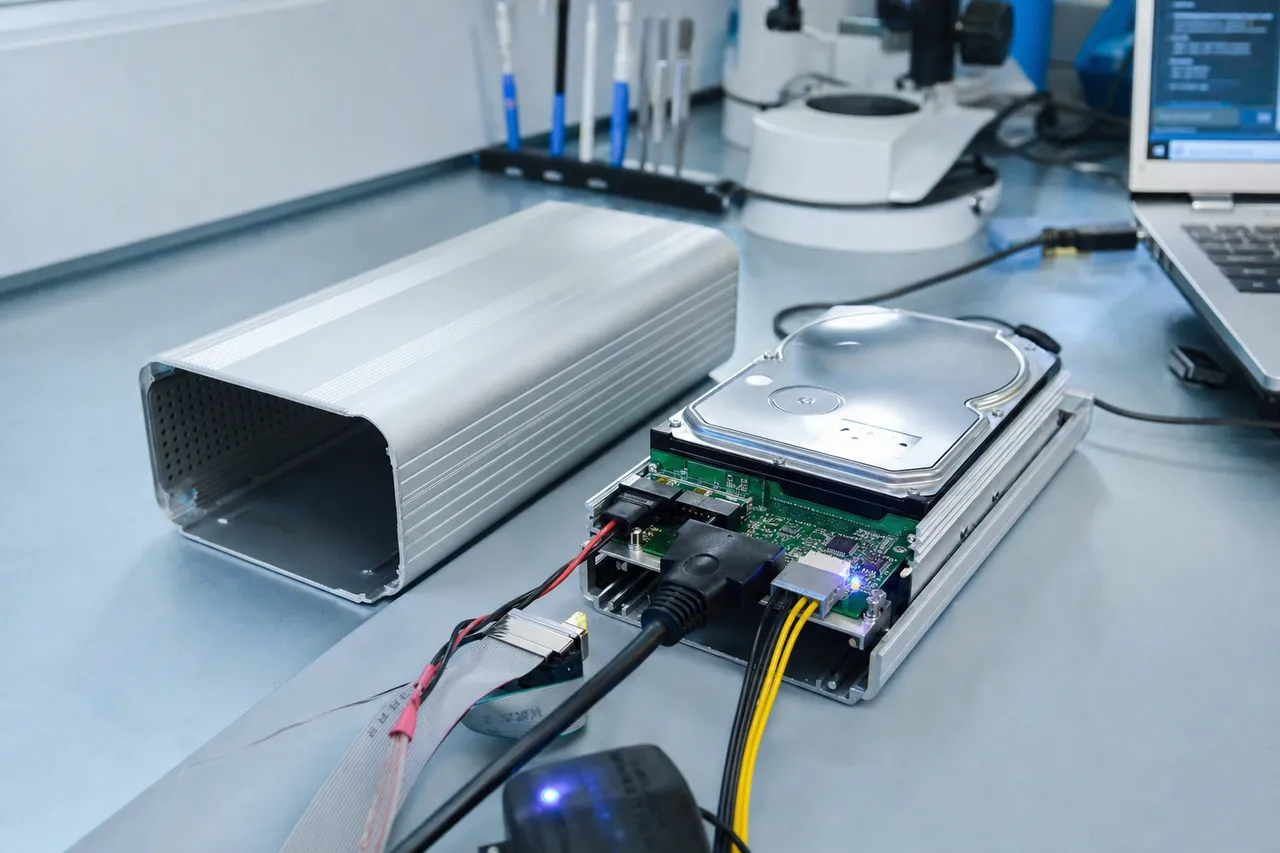
The original OneTouch and OneTouch II used Maxtor DiamondMax internal drives with a USB 2.0 bridge board. These models are straightforward from a recovery perspective because the internal drive can be removed from the enclosure and connected directly to our diagnostic equipment via its native IDE interface. The bridge boards in these models do not use encryption, so the data is accessible once the internal drive is properly imaged.
The OneTouch III introduced FireWire 400 connectivity alongside USB 2.0 and used larger-capacity DiamondMax drives. Recovery procedures are similar to the earlier models, with the added option of using the FireWire interface for diagnostics if the USB bridge has failed. The OneTouch III bridge boards are known for a higher-than-average failure rate due to a voltage regulation issue that can damage both the bridge board and the internal drive's PCB simultaneously.
The OneTouch 4 series represented the final generation of genuine Maxtor external drives. The OneTouch 4 and OneTouch 4 Plus used SATA-based internal drives and USB 2.0 bridge boards. The OneTouch 4 Mini was a portable 2.5-inch model. These drives were released around the time of the Seagate acquisition, so the internal drives may be either late-generation Maxtor units or early Seagate-manufactured drives depending on the manufacturing date.
Common failure modes specific to OneTouch drives include bridge board failure from power surges (the external power supply is a known weak point), USB connector damage from cable tension, and the same age-related internal drive failures that affect all Maxtor drives of this era. We also see a significant number of OneTouch drives with failed Maxtor Backup software partitions, where the proprietary backup format must be properly parsed to recover the actual user files.
The Maxtor Backup software used a proprietary file format that stored backup sets in a non-standard structure. If your OneTouch drive is physically functional but you cannot access your backup files on a modern computer, MDrepairs can parse these legacy backup formats and extract your original files and folder structure. For OneTouch drives with physical failures, the recovery process involves removing the internal drive from the enclosure, diagnosing the specific failure, performing any necessary repairs, imaging the drive with PC-3000, and then reconstructing the file system. If you have a Maxtor OneTouch drive that has failed, do not attempt to open the enclosure yourself.
Clean Bench Process for Maxtor Hard Drive Recovery
Every Maxtor hard drive that requires physical repair, whether it is a head swap, motor transplant, platter cleaning, or internal inspection, must be opened and worked on inside a controlled clean environment. At MDrepairs, we use an ISO Class 5 laminar flow clean bench that provides a continuous stream of HEPA-filtered air across the work surface, ensuring that particulate contamination is kept below the threshold that could damage exposed hard drive platters.
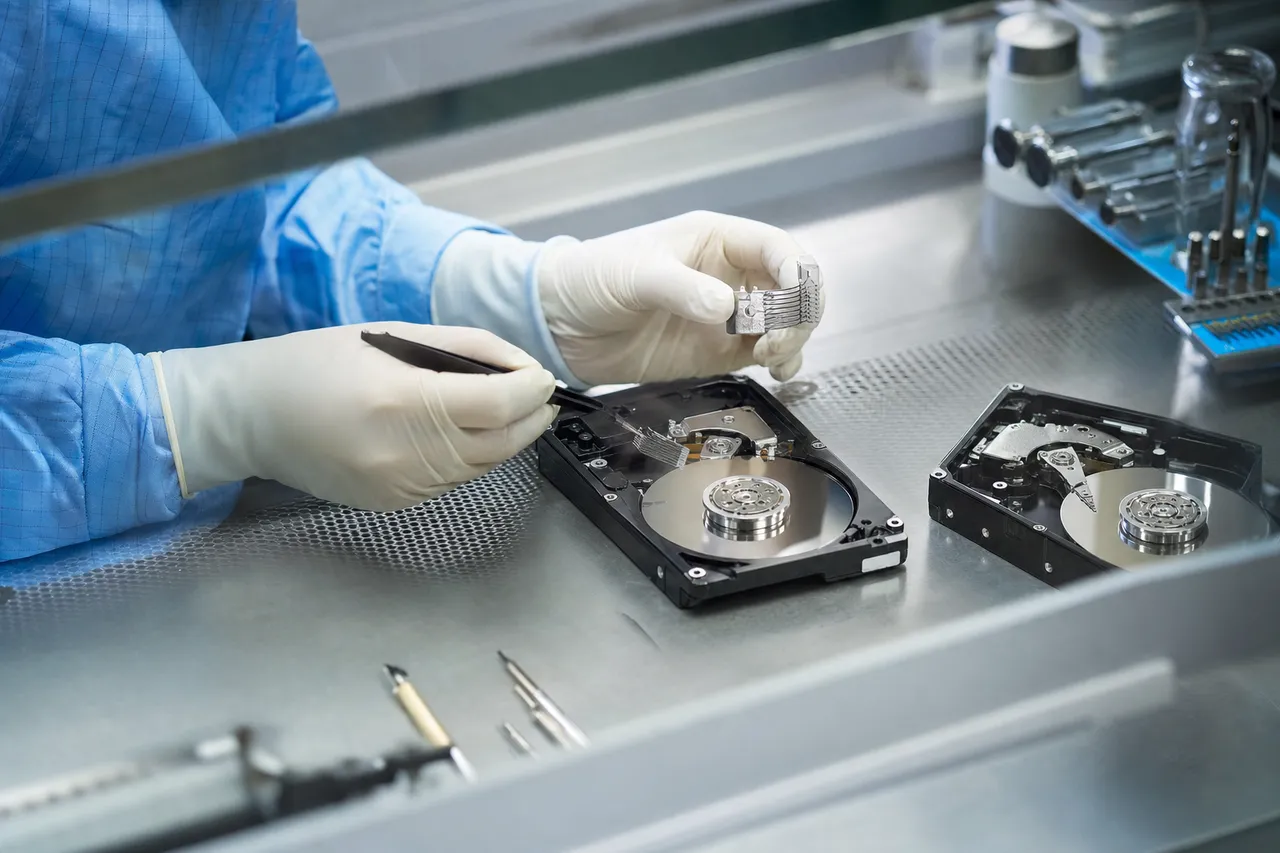
Hard drive platters spin at speeds between 5,400 and 7,200 RPM (10,000 to 15,000 RPM for some enterprise models), and the read/write heads fly at a height of approximately 5 to 10 nanometers above the platter surface. For reference, a human fingerprint is about 600 nanometers thick, and a single dust particle is typically 1,000 to 5,000 nanometers in diameter. Any contamination introduced during an open-drive procedure can cause a head crash that destroys the very data we are trying to recover.
The clean bench process for a typical Maxtor head swap begins with the drive being powered off and brought to the clean bench. The technician removes the top cover using precision Torx drivers, taking care to note the exact positions of any platters, spacers, and clamp components. For older Maxtor models, the cover screws may use different Torx sizes than modern drives, and some early models use Phillips screws, which require different tooling.
Once the drive is open, the technician performs a visual inspection of the platters under magnification. This inspection reveals any surface damage such as circular scoring (indicating a head crash), particulate contamination, or lubricant migration patterns. For drives that have been stored for many years, it is common to find the heads stuck to the platter surface. These must be carefully freed using specialized tools that apply controlled force without scratching the media.
Head removal is performed using custom head comb tools designed for each specific drive family. Maxtor drives from different eras use different head stack geometries, so the correct comb must be selected based on the exact model. The comb slides between the heads and platters, separating them safely and allowing the entire head stack assembly to be lifted out of the drive. The donor head stack is then installed using the reverse procedure, with the comb ensuring the new heads are properly positioned over the platters before being released.
After the new heads are installed and the drive is reassembled, it is connected to our PC-3000 diagnostic system for initial power-on testing. The drive is spun up in a controlled manner, and the firmware is verified to ensure the new heads are properly calibrated. For Maxtor drives requiring platter cleaning (common after head crashes that deposited debris on the platter surface), the technician uses lint-free cleanroom wipes and specialized cleaning solutions to gently remove contamination without damaging the magnetic coating. The entire clean bench process is documented with photographs and notes at each stage, which serves both as a quality control measure and as documentation for the customer.
Recovering Data from 10 to 20 Year Old Hard Drives
At MDrepairs, a growing percentage of our Maxtor recovery cases involve drives that are 10 to 20 years old or even older. These vintage drives present a unique combination of challenges that requires specialized knowledge, equipment, and patience. Whether your old Maxtor drive contains family photos from the early 2000s, business records from a company that has since closed, or personal files from a previous chapter of your life, we understand that the data on these drives can be irreplaceable.
The first question customers ask about old drives is whether recovery is even possible after so many years. The answer is almost always yes, with some caveats. Magnetic data on hard drive platters is remarkably persistent. Drives stored in reasonable conditions (room temperature, low humidity, protected from physical shock) can retain readable data for decades. We have successfully recovered data from Maxtor drives manufactured in the late 1990s, proving that age alone does not make recovery impossible.
However, the probability of physical complications increases significantly with age. As discussed elsewhere on this page, lubricant degradation, bearing wear, capacitor aging, and media degradation are all time-dependent failure modes. An old Maxtor drive that was working fine when it was last powered off may develop stiction or bearing seizure simply from sitting in storage. This is not a defect in the drive but an inevitable consequence of aging mechanical components.
Our approach to vintage Maxtor drives is deliberately conservative. We never apply power to an old drive without first performing a thorough external inspection. We check for signs of corrosion, physical damage, and proper jumper settings. We verify that our power supply is delivering clean, stable voltage appropriate for the drive's requirements. And we use our PC-3000 system to control the initial spin-up process, monitoring for any signs of mechanical distress that would require us to power down immediately.
If the drive spins up successfully and is detected by our diagnostic system, we begin imaging immediately using the most conservative read parameters possible. The goal is to capture as much data as possible on the first pass before the aging drive mechanism has a chance to degrade further. We prioritize critical sectors such as the file system metadata, directory structures, and user-specified target areas. For drives that do not spin up or are not detected, we proceed to physical diagnosis in our clean bench.
One important consideration for very old drives is file system and operating system compatibility. Maxtor drives from the late 1990s and early 2000s may contain FAT16, FAT32, or early NTFS file systems formatted under Windows 95, 98, ME, 2000, or XP. Some may have been used in early Linux systems with ext2 or ext3 file systems. Our recovery software handles all of these legacy file systems and can reconstruct directory structures even when the file system metadata is partially damaged. We encourage anyone with an old Maxtor drive containing important data to pursue recovery sooner rather than later. Every year that passes makes donor parts scarcer and increases the likelihood of additional age-related degradation.
Choosing a Recovery Provider for Legacy Maxtor Drives
Selecting the right data recovery provider for a legacy Maxtor drive is more consequential than choosing a provider for a modern drive. The margin for error is smaller because the drives are older, replacement parts are limited, and an unsuccessful recovery attempt by an inexperienced shop can make subsequent recovery by a qualified lab significantly more difficult or even impossible. Here is what to look for and what to avoid when choosing a recovery provider for your Maxtor drive.
First and most importantly, verify that the provider has actual experience with Maxtor drives specifically. Many data recovery companies market themselves as capable of recovering all brands, but their actual experience may be limited to current-production Seagate and Western Digital models. Maxtor drives, especially pre-acquisition models, require familiarity with legacy firmware platforms, IDE interfaces, and discontinued head designs that younger technicians may never have encountered. At MDrepairs, our technicians have been working with Maxtor drives since these were current-production models.
Second, confirm that the provider maintains a donor parts inventory that includes Maxtor models. This is a critical question because donor availability is the single biggest bottleneck in legacy drive recovery. A provider who needs to source a Maxtor donor from scratch may face weeks of delay and significant additional cost, or they may simply declare the drive unrecoverable rather than invest the time in finding parts. MDrepairs stocks hundreds of Maxtor donor drives covering every major model family.
Third, ensure the provider uses professional diagnostic equipment such as the PC-3000 from ACE Laboratory. This platform provides the deepest level of access to Maxtor firmware and is the industry standard for professional data recovery. Consumer-level tools and freeware recovery software are completely inadequate for drives with firmware corruption, mechanical damage, or degraded media.
Fourth, look for transparent pricing with a no-data, no-charge guarantee. Reputable recovery providers will offer a fixed diagnostic fee that is applied toward the total cost if you proceed, and they will not charge for recovery if they cannot retrieve your target data. MDrepairs charges a $100 diagnostic that is credited toward your recovery cost, and we guarantee that if we cannot recover your data, you pay only the $100 diagnostic fee.
Fifth, be extremely cautious of providers who offer unusually low prices for hard drive recovery. Professional data recovery requires expensive equipment, a clean room environment, skilled technicians, and an inventory of donor parts. A provider offering to recover a mechanically failed Maxtor drive for $200 is either cutting corners, using unqualified staff, or planning to upsell once they have your drive. Quality Maxtor recovery typically falls in the $650 to $2,500 range depending on the type of failure.
Sixth, never send your drive to a provider who wants to attempt recovery before providing a quote. The proper process is: diagnostic assessment, detailed quote, customer approval, then recovery work. Finally, avoid DIY recovery attempts on legacy Maxtor drives. Opening a hard drive outside of a clean environment will introduce contamination, and attempting firmware repairs with consumer software can overwrite critical service area data. MDrepairs has direct experience with every Maxtor model ever produced, maintains an extensive donor inventory, uses PC-3000 diagnostic equipment, and offers transparent tier-based pricing with a no-data no-charge guarantee.
Talk to the engineer working on your Maxtor drive - not a call center.
Frequently Asked Questions
Straight answers on Maxtor data recovery - cost, turnaround, legacy drives, donor parts, and how we get your data back.
-
Can you recover data from old Maxtor drives that are 15 to 20 years old?
Yes. MDrepairs regularly recovers data from Maxtor drives manufactured in the early 2000s and even the late 1990s. Magnetic data on hard drive platters is remarkably persistent, and our lab has the legacy equipment, donor parts, and firmware expertise needed to work with drives of any age. The sooner you pursue recovery, the better, as age-related degradation is an ongoing process. -
Does Maxtor still exist?
No. Seagate acquired Maxtor in 2006 and retired the brand after a short run of Seagate-built, Maxtor-badged products (the later OneTouch and M3/D3 portables). No new Maxtor drives have been made in well over a decade - which is exactly why recovery matters: the DiamondMax, Fireball, and OneTouch drives still sitting in closets and old PCs are often the only copy of decades-old files. MDrepairs keeps donor parts and legacy IDE/PATA tooling for these discontinued models and recovers them routinely in our Lincroft, NJ lab. -
How much does Maxtor data recovery cost?
Pricing depends on the type of failure. Logical and firmware recoveries range from $650 to $1,200. Head swaps and mechanical repairs range from $1,000 to $2,000. Severe damage cases including scratched platters range from $999 to $2,500+. Every case starts with a $100 diagnostic that is applied toward your total cost. Request a free quote. -
My Maxtor drive is clicking. What does that mean?
Clicking typically indicates a failed or failing read/write head assembly. Power off the drive immediately and do not attempt to run it further. Continued operation with failed heads can cause platter damage. Ship the drive to MDrepairs for a proper clean bench diagnosis. -
Is there a risk in powering on an old Maxtor drive?
Yes, there is some risk. Old drives can develop stiction (heads stuck to platters) or bearing seizure that may cause additional damage if the drive is powered on without proper precautions. Ship it to MDrepairs where we can perform a controlled, monitored power-on using professional diagnostic equipment. -
My Maxtor drive uses an IDE/PATA connection. Can you still recover it?
Absolutely. A large percentage of Maxtor drives use the legacy 40-pin IDE/PATA interface. Our lab maintains native IDE controllers and professional-grade interface equipment specifically for these older drives. -
How long does Maxtor data recovery take?
Standard turnaround is 4 to 5 weeks with no surcharge. Priority Rush is 5 to 7 days for an additional $250. Urgent Rush is 1 to 2 days for an additional $500. Emergency same-day service is available for $1,000 extra. -
Can you recover data from a Maxtor OneTouch external drive?
Yes. We recover data from every generation of the Maxtor OneTouch series, including the original OneTouch, OneTouch II, OneTouch III, OneTouch 4, OneTouch 4 Plus, and OneTouch 4 Mini. We handle both bridge board failures and internal drive failures. -
What is stiction and why does it affect old Maxtor drives?
Stiction occurs when the read/write heads become physically stuck to the platter surface due to degraded lubricant. This is extremely common in Maxtor drives stored for 10 or more years. MDrepairs has specialized procedures to safely free stuck heads without damaging the platter surface. -
Should I try a USB-to-IDE adapter on my old Maxtor drive?
We strongly recommend against this. Consumer USB-to-IDE adapters provide limited power regulation and cannot properly handle drives with firmware issues or degraded mechanics. Send the drive to MDrepairs instead. -
Do you have donor parts for discontinued Maxtor drives?
Yes. MDrepairs maintains one of the largest Maxtor donor inventories in the industry, covering DiamondMax, MaXLine, OneTouch, and other model families. We stock compatible head stacks, PCBs, and motor assemblies for drives spanning from the late 1990s through the Seagate acquisition era. -
What if you cannot recover my data?
MDrepairs operates on a no data, no charge policy. If we cannot recover your target files, you pay only the $100 diagnostic fee. -
What Maxtor models do you recover?
We recover data from every Maxtor model ever produced, including the DiamondMax series (Plus 8 through DiamondMax 23), MaXLine enterprise drives, OneTouch external drives, BlackArmor, Shared Storage NAS devices, and newer Seagate-manufactured Maxtor products like the M3 Portable, D3 Station, and Z1 SSD. -
What is the difference between a pre-acquisition Maxtor drive and a post-acquisition one?
Seagate acquired Maxtor in 2006. Pre-acquisition drives use Maxtor's own firmware, head designs, and platter technology. Post-acquisition drives are Seagate-manufactured drives with Maxtor branding. The recovery approach differs significantly between the two eras. -
Do you offer free shipping for Maxtor drive recovery?
Yes. MDrepairs provides free insured shipping both ways on every case. We send you a prepaid shipping label to mail your Maxtor drive to our Lincroft, NJ lab, and we ship your recovered data back at no additional cost. -
Can you recover data from a Maxtor drive that was in a fire or flood?
We evaluate fire and flood damaged drives on a case-by-case basis. Water damage is often recoverable if the platters have not been physically scratched. Fire damage depends on the temperatures reached. Contact us at 732-933-7717 to describe the situation. -
Do Maxtor M3 Portable drives use encryption?
Yes. The Maxtor M3 Portable and D3 Station external drives are manufactured by Seagate and use hardware-level encryption tied to the USB bridge PCB. MDrepairs has the tools and expertise to handle encrypted Maxtor external drives. -
What is a head swap and does my Maxtor drive need one?
A head swap replaces the failed read/write heads with compatible heads from a matching donor drive, performed in a clean environment. Your Maxtor drive likely needs a head swap if it is clicking, not spinning up despite the motor being functional, or was diagnosed with head failure. -
Can you recover a Maxtor drive from a RAID array?
Yes. MDrepairs recovers data from RAID arrays using Maxtor MaXLine enterprise drives and DiamondMax consumer drives. We can recover individual failed drives and reconstruct RAID 0, RAID 1, RAID 5, and RAID 6 volumes. -
How do you return my recovered data?
We transfer your recovered files to a new external hard drive or offer secure cloud upload, depending on your preference. The external drive is included in your recovery cost. All return shipping is free and insured. -
Is my data kept private during the recovery process?
Absolutely. MDrepairs treats every recovery case with strict confidentiality. Our technicians interact with your data only at the sector level during imaging and verify recovery using file listings and metadata, not by opening individual files. -
Can you recover data from a Maxtor drive that another company failed to recover?
Yes. Many customers come to MDrepairs after another shop was unable to recover their Maxtor drive. Our success rate on second-attempt cases is high because we have specialized Maxtor donor parts and firmware expertise that many general recovery shops lack. -
Can you recover deleted files from a Maxtor drive?
Yes. Deleted file recovery from a functional Maxtor drive falls into our Tier 1 pricing ($650 to $1,200). When files are deleted, the data typically remains on the platters until overwritten. If the drive has not been heavily used since deletion, recovery success rates are very high. -
What tools do you use for Maxtor data recovery?
MDrepairs uses the PC-3000 diagnostic and imaging platform from ACE Laboratory, the industry standard for professional hard drive recovery. For physical repairs, we use an ISO Class 5 clean bench, precision driver sets, head comb tools, and specialized cleaning supplies. -
How do I ship my Maxtor drive to MDrepairs?
Contact us at 732-933-7717 or submit a free quote online and we will send you a prepaid, insured shipping label. Pack your drive in an anti-static bag with bubble wrap in a sturdy box. Our lab address is 644 Newman Springs Road, Suite A, Lincroft, NJ 07738. -
Do you recover Maxtor Shared Storage NAS drives?
Yes. The Maxtor Shared Storage, Shared Storage Plus, and Shared Storage II were network-attached storage devices using internal Maxtor hard drives with a Linux-based file system. MDrepairs can recover data from these NAS devices regardless of whether the failure is in the network hardware, internal drive, or file system.
Ready to Recover Your Data?
Get your Maxtor drive into our Lincroft, NJ lab. Free insured shipping both ways, a $100 diagnostic, and our no data, no charge guarantee - even on drives other labs have turned away.