
Professional hard drive recovery service. They recovered all my data from a clicking Seagate drive in under two weeks. Transparent pricing and great communication throughout.
- 4.6 319 reviews
- 2M+ followers
- Nationwide service
Samsung SSD Data Recovery
Need Samsung SSD data recovery? MDRepairs recovers data from failed, corrupted, and not-detected Samsung solid-state drives - EVO, PRO, and QVO series, NVMe and SATA, portable T-series, and enterprise PM drives. If your Samsung SSD is no longer detected, won't show up in your computer, dropped to read-only, vanished from BIOS - or reports SATAFIRM S11 or 0 bytes of capacity - our New Jersey lab gets your files back.
Samsung's in-house Elpis, Phoenix, Pablo, and MKX controllers, AES-256 encryption lock, and proprietary V-NAND require specialized tools most labs lack. We use PC-3000 SSD diagnostics, firmware reconstruction, and chip-off V-NAND extraction to get your data back.
Reviews
What Our Customers Say
4.6
Samsung SSD Models We Recover
MDrepairs recovers data from every Samsung SSD ever manufactured - consumer SATA, NVMe, portable, and enterprise models. Samsung's in-house controllers (Phoenix, Elpis, Pablo) and proprietary V-NAND require specialized knowledge and tools that most labs lack. Below is a partial list of Samsung SSD models we service regularly.
SATA SSDs
2.5-inch - MKX controller- 870 EVO 250GB
- 870 EVO 500GB
- 870 EVO 1TB
- 870 EVO 2TB
- 870 EVO 4TB
- 870 QVO 1TB
- 870 QVO 2TB
- 870 QVO 4TB
- 870 QVO 8TB
- 860 EVO 250GB
- 860 EVO 500GB
- 860 EVO 1TB
- 860 EVO 2TB
- 860 EVO 4TB
- 860 Pro 256GB
- 860 Pro 512GB
- 860 Pro 1TB
- 860 Pro 2TB
- 860 Pro 4TB
- 850 EVO 120GB
- 850 EVO 250GB
- 850 EVO 500GB
- 850 EVO 1TB
- 850 Pro 128GB
- 850 Pro 256GB
- 850 Pro 512GB
- 850 Pro 1TB
NVMe SSDs
M.2 PCIe - Phoenix / Elpis / Pablo- 990 Pro 1TB
- 990 Pro 2TB
- 990 Pro 4TB
- 990 EVO 1TB
- 990 EVO 2TB
- 990 EVO Plus 1TB
- 990 EVO Plus 2TB
- 990 EVO Plus 4TB
- 980 Pro 250GB
- 980 Pro 500GB
- 980 Pro 1TB
- 980 Pro 2TB
- 980 250GB
- 980 500GB
- 980 1TB
- 970 EVO Plus 250GB
- 970 EVO Plus 500GB
- 970 EVO Plus 1TB
- 970 EVO Plus 2TB
- 970 EVO 250GB
- 970 EVO 500GB
- 970 EVO 1TB
- 970 EVO 2TB
- 970 Pro 512GB
- 970 Pro 1TB
- 960 EVO 250GB
- 960 EVO 500GB
- 960 EVO 1TB
- 960 Pro 512GB
- 960 Pro 1TB
- 960 Pro 2TB
Portable SSDs
External USB-C - T-series- T9 1TB
- T9 2TB
- T9 4TB
- T7 500GB
- T7 1TB
- T7 2TB
- T7 Shield 1TB
- T7 Shield 2TB
- T7 Shield 4TB
- T7 Touch 500GB
- T7 Touch 1TB
- T7 Touch 2TB
- T5 250GB
- T5 500GB
- T5 1TB
- T5 2TB
- T5 EVO 2TB
- T5 EVO 4TB
- T5 EVO 8TB
- T3 250GB
- T3 500GB
- T3 1TB
- T3 2TB
- T1 250GB
- T1 500GB
- T1 1TB
Enterprise SSDs
Data-center NVMe & SATA - PM series- PM9A3 960GB (NVMe)
- PM9A3 1.92TB (NVMe)
- PM9A3 3.84TB (NVMe)
- PM9A3 7.68TB (NVMe)
- PM893 240GB (SATA)
- PM893 480GB (SATA)
Don't see your exact model? We recover every Samsung SSD - if Samsung made it, we can recover it.
Common Samsung SSD Failures
Samsung SSDs fail in brand-specific ways driven by their proprietary controllers, firmware, and V-NAND. There is no clicking or beeping - no moving parts - so the symptom is how the drive presents to your system. Here is what we see most.
-
SATAFIRM S11 Firmware Corruption
Your Samsung SATA SSD reports as "SATAFIRM S11" in BIOS instead of its proper model name, shows 0MB or 8MB capacity, and all data becomes inaccessible. The MKX controller cannot load its primary firmware modules because the firmware module directory in the NAND service area is corrupted. Your data is intact - the drive has simply lost the ability to read its own firmware.
Firmware-level repair needed -
0 Bytes / 8MB Capacity Bug
A 1TB or 2TB Samsung drive suddenly reports only 8MB - or 0 bytes - of capacity. Corruption in the firmware capacity-management module makes the controller read the wrong drive size during initialization and refuse access. The NAND still holds every file. We rebuild the capacity module with correct parameters using PC-3000 SSD to restore the drive.
Firmware module rebuild -
980 Pro Rapid Health Degradation
A widely reported firmware defect drove early 980 Pro drives from 99% to 0% SMART health in weeks, with rising read errors that end in complete non-detection. The wear-leveling bug burns through NAND endurance far faster than normal. Drives caught early recover through the Elpis controller; severely degraded units need chip-off NAND extraction.
Act fast - send it in -
Controller Failure (MKX / Elpis)
After a power surge, overheating, or a manufacturing defect, the Samsung controller dies completely - no BIOS detection, no LED activity, nothing. Because the controller is the only path to the NAND, firmware-level repair becomes impossible and we move to chip-off recovery: desoldering the V-NAND packages and reading them directly.
Chip-off likely needed -
AES-256 Encryption Lock
Every Samsung SSD from the 850 series onward encrypts all data with always-on AES 256-bit hardware encryption, even with no user password set. During chip-off recovery the raw NAND data is unusable until we extract the Data Encryption Key from the firmware service area or controller key storage and decrypt the reassembled image.
Encryption key extraction -
Portable Drop / Connector Damage
A dropped T5, T7, or T9 portable SSD stops appearing on any computer - usually because the impact fractured the USB-C connector or cracked the USB-to-NVMe bridge solder joints, not because the storage failed. We rework the connector or bypass the bridge entirely and connect to the internal NVMe module directly to image your data.
Connector rework / bypass
How We Recover Your Data
A clear, four-step path from your first call to your recovered files - with a firm quote before any recovery work begins and no charge if we cannot recover your target files.
-
Free Consultation
Call 732-933-7717 or submit our online form. Describe your Samsung SSD failure symptoms - SATAFIRM S11 in BIOS, 0 bytes capacity, no detection, read-only mode - and we'll provide an initial assessment, expected timeline, and free insured shipping labels.
-
$100 Diagnostic Evaluation
Once your Samsung SSD arrives at our Lincroft, NJ lab, we perform a comprehensive diagnostic using PC-3000 SSD. We identify the exact failure - controller, firmware module, NAND degradation, or connector damage - and provide a firm quote with a detailed file listing before any recovery work begins.
-
Professional Recovery
Using Samsung-specific recovery procedures, we repair firmware tables, rebuild flash translation layers, or perform chip-off NAND extraction depending on your failure type. Samsung's proprietary controllers and V-NAND architecture require specialized techniques that our lab has refined across thousands of Samsung SSD cases.
-
Verification & Return
We verify every recovered file for integrity - documents open correctly, photos display properly, videos play without corruption. Your recovered data is transferred to a new external drive and shipped back with free insured shipping. No data, no charge - if we can't recover your target files, you pay only the $100 diagnostic.
Pricing
Samsung SSD Recovery Pricing
Samsung SSD recovery ranges from $350 to $2,000 depending on the failure type - firmware repair, controller-level recovery, or chip-off V-NAND extraction. Every case starts with a $100 diagnostic that is applied toward your recovery cost.
Every case starts here
All pricing includes the $100 diagnostic fee, which includes a detailed assessment and a firm quote. No data, no charge - if we cannot recover your target files, you pay only the diagnostic.
Standard
Most CommonFirmware-level repairs on a drive whose controller still responds - SATAFIRM S11, the 0 bytes / 8MB capacity bug, and corrupted FTL or module directories. Repaired through PC-3000 SSD with vendor-specific commands.
- SATAFIRM S11 firmware repair
- 0 bytes / 8MB capacity bug
- Firmware module directory rebuild
- Flash translation layer reconstruction
Advanced
Controller-level recovery when the Samsung controller is failing or locked but communication can be stabilized. We extract encryption keys and FTL tables and image the drive through the controller path.
- MKX / Phoenix / Elpis / Pablo controller faults
- Encryption key + FTL extraction
- Safe-mode imaging at reduced clocks
- Read-only / degraded drive recovery
Critical
Chip-off NAND recovery for dead controllers or physical damage. V-NAND packages are desoldered, read individually, then reassembled and decrypted using Samsung-specific interleave and ECC algorithms.
- V-NAND BGA desoldering and reading
- Interleave + ECC reconstruction
- AES-256 decryption from extracted key
- Drop / surge / fire / flood damage
Final price confirmed after diagnostic - no surprises.
Samsung SSD down? $100 diagnostic credited, free insured shipping, no data, no charge.
SSD Data Recovery Turnaround Times
SSD recovery turnaround depends on the complexity of the failure and recovery method required. Chip-off cases require additional time for NAND reading and data reconstruction. Rush options are available for all service tiers - the tiers below are how soon we begin, not the full recovery time.
-
4 - 5 weeks
Standard
No surcharge
Full assessment with recovery options and pricing. The typical wait before your SSD reaches our bench in the standard queue, measured from receipt.
-
5 - 7 days
Priority Rush
+$250
Your SSD jumps to the front of the queue. Ideal for business-critical data where a few days matter.
-
1 - 2 days
Urgent Rush
+$500
Dedicated technician for time-sensitive cases, with expedited handling from the moment it lands.
-
Same Day
Emergency
+$1,000
Immediate start. Highest priority, mission-critical situations that can’t wait.
The times above are how soon we begin diagnosing your SSD - not the full turnaround. Recovery time is quoted after diagnostics, and depends on the failure (see below). Mail-in adds free 2nd-Day-Air UPS each way (USA, excluding islands).
What Affects SSD Recovery Time?
Once work starts, the failure type sets how long the recovery itself takes
-
Logical & Firmware
FastestAccidental deletion, formatting, corrupted partitions, and controller firmware/translator faults. No physical NAND work - typically the quickest turnaround once on the bench.
-
Controller Failure
ModerateA failed SSD controller blocks access to otherwise-healthy NAND. We use PC-3000 SSD and controller-specific firmware tools to restore communication and image the drive - more involved than a logical case, faster than full chip-off.
-
Chip-Off / NAND
LongestWhen the controller cannot be revived, we read the raw NAND directly - desoldering the chips, dumping each one, then reconstructing the data through XOR, ECC, and interleave de-scrambling. Chip-off cases need the most time for NAND reading and data reconstruction.
-
Shipping Time
Free · 2nd-day airMail-in ships free 2nd-Day-Air UPS both ways (USA, excluding islands) - you print the prepaid label right on the mail-in form. Local New Jersey customers who drop off at our Lincroft lab skip transit entirely.
Secure Mail-In SSD Recovery from Anywhere
Free 2nd-Day-Air prepaid labels to all 50 states - the same in-house lab expertise as our in-person service, with real-time status updates. Your SSD is typically in our Lincroft, New Jersey lab within 2 - 3 business days, and return shipping is free too.
- Free prepaid label, both ways
- Fully insured, 2nd-Day-Air UPS
- Real-time status updates
Free 2nd-Day-Air UPS shipping covers the USA, excluding islands.
How Mail-In Works
- 1
Contact Us
Request a free quote and we’ll send you a prepaid, insured shipping label - printed right on the mail-in form.
- 2
Ship Your SSD
Pack your SSD securely in an anti-static bag and drop it at any UPS location. Shipping is free both ways - free 2nd-Day-Air UPS, fully insured.
- 3
We Recover Your Data
Your SSD is diagnosed and recovered by our lead technician Joseph Montanti using PC-3000 SSD, chip-off equipment, and specialized NAND reading tools in our professional lab.
- 4
Data Returned
Your recovered data is shipped back on a new drive - free 2nd-Day-Air UPS, insured, fast and secure, and verified before it leaves our lab.
Professional SSD Data Recovery Lab in Lincroft, NJ
Located at 644 Newman Springs Road, Suite A in Lincroft, Monmouth County, New Jersey - our lab is equipped with PC-3000 SSD, chip-off NAND extraction hardware, and controller-specific firmware tools. Walk-in drop-off available for local NJ customers.
Data Privacy & Chain of Custody
Your data is handled under strict chain-of-custody procedures from intake to secure destruction.
-
Intake Logging
Every SSD is photographed and logged with a unique case number, serial, model, controller type, and condition on arrival.
-
Restricted Access
Only your assigned technician handles your SSD. No shared workstations, no exceptions.
-
No Browsing Data
We never open or view your files. Integrity is verified through checksums and file structure only.
-
Secure Delivery
Data is transferred to a new drive and shipped back to you. All copies are purged after confirmation.
-
SSD Return or Destruction
Your original SSD is returned or securely destroyed per your instructions. Recovered data ships on new media.
Real Samsung SSD Recovery Cases
Every recovery we perform is documented from intake through data delivery, in the same Lincroft, NJ lab and cleanroom you see in our recovery videos. Here are representative Samsung cases that illustrate the failures we handle and the methods we use.
-
Samsung SSD Diagnostic Workflow
- Initial checks
- When a Samsung SSD will not identify, shows the wrong capacity, drops offline, or becomes read-only, we start with electrical checks, controller behavior, firmware access, NAND health, and board inspection before attempting recovery.
- Recovery path
- Depending on the failure, Samsung SSD recovery may involve firmware-level access, PC-3000 SSD work, microscope inspection, BGA rework, NAND reads, ECC correction, and file system reconstruction. You receive the diagnostic findings and quote before recovery work begins.
-
Samsung 870 EVO - 8MB Capacity Bug Recovery
- The failure
- This Samsung 870 EVO 2TB suddenly reported only 8MB of capacity - a different but equally devastating firmware bug that affects Samsung's SATA SSD line. Unlike the SATAFIRM S11 bug which corrupts drive identification, the 8MB capacity bug corrupts the capacity module within the firmware system area, causing the controller to report a tiny fraction of the drive's actual storage capacity. The client powered the drive on and off multiple times trying to fix the issue, and even attempted third-party firmware repair software they found online, which actually made the situation worse by partially overwriting some firmware metadata. They had 1.8TB of wedding and event photography - thousands of RAW files from dozens of professional shoots - with no backup because they trusted the SSD's reliability over their previous hard drive storage.
- Our recovery
- The client's attempts at self-repair had complicated the recovery but hadn't caused permanent damage. We connected the drive to our PC-3000 SSD platform in technological mode and analyzed the firmware system area damage. The capacity module had been corrupted by the original failure and further damaged by the third-party tool's write attempts. We rebuilt the capacity module from scratch using parameters extracted from the drive's NAND configuration and the intact portions of the original firmware metadata. After restoring the correct 2TB capacity parameters and repairing the associated firmware consistency checks, the flash translation layer loaded successfully and all logical block addresses resolved to their correct physical NAND locations. The complete 1.8TB of photography data was recovered - every RAW file opened correctly in Lightroom and the client's catalog database was fully intact. We provided the data on a new external SSD and strongly recommended implementing a proper backup strategy using the 3-2-1 method.
-
Samsung 990 Pro NVMe - Rapid Health Degradation Recovery
- The failure
- This Samsung 990 Pro 2TB experienced the widely-reported rapid health degradation issue that affected early production runs of this model. Samsung's SMART health indicator dropped from 99% to 0% within weeks - far faster than the normal wear rate for TLC NAND flash. The drive began producing increasing read error rates, then started hanging during file access operations, and finally became completely undetectable by the system BIOS. Samsung acknowledged this as a firmware bug affecting the wear leveling algorithm, which was causing excessive and unnecessary write amplification that burned through the NAND endurance budget at roughly 50x the normal rate. The client - a video editor - had 1.5TB of active project files including 4K ProRes footage, After Effects compositions, and Premiere Pro project files that represented three months of client work with delivery deadlines approaching.
- Our recovery
- The NAND flash in this drive had sustained genuine wear damage from the firmware bug's excessive write amplification, making this more complex than a typical firmware repair. We accessed the drive through PC-3000 SSD in technological mode and found that while the controller firmware was still partially functional, multiple NAND blocks had exceeded their endurance limits and were producing uncorrectable ECC errors. We performed a comprehensive NAND health assessment, identifying which physical blocks still contained readable data and which had degraded beyond recovery. Using adaptive read voltage optimization - systematically adjusting the read reference voltages for each NAND page type (lower, middle, upper for TLC) - we maximized the number of successfully read pages. For the small percentage of pages with persistent errors, we applied our proprietary soft-decision LDPC decoding algorithms that extract additional reliability information from the raw NAND cell voltages. Final result: 99.7% of all data recovered, with the 0.3% data loss limited to temporary cache files and system logs. All client video projects, footage, and compositions recovered intact.
-
Samsung T7 Portable SSD - Drop Damage USB-C Recovery
- The failure
- This Samsung T7 portable SSD was knocked off a desk onto a hardwood floor while actively transferring files. The impact fractured the internal USB-C connector where it attaches to the main circuit board, severing the data lines between the USB bridge controller and the NVMe SSD module inside. The drive was completely undetectable when plugged into any computer - no power LED activity, no USB device enumeration, nothing. The client tried multiple cables and computers before bringing it to us. Physical inspection under magnification revealed the connector had partially separated from the PCB, with three of the four high-speed data pads lifted from their solder connections. The client had their entire dissertation research - five years of doctoral work including data sets, analysis scripts, drafts, and source materials - stored exclusively on this portable drive.
- Our recovery
- We disassembled the T7 enclosure to access the internal PCB and assessed the connector damage under our stereo microscope. The USB-C connector's data pads had cleanly separated from the PCB traces, and two of the traces had lifted slightly from the board substrate. Rather than attempting a risky connector reattachment that could damage the lifted traces further, we bypassed the USB bridge controller entirely. We desoldered the internal NVMe module - a compact BGA-packaged SSD - from the T7's circuit board and mounted it in our custom M.2 adapter fixture, connecting it directly to our PC-3000 SSD platform via PCIe. The NVMe module itself was completely undamaged - the impact damage was limited to the USB-C connector assembly. The drive's internal hardware encryption presented an additional challenge since Samsung T7 drives encrypt all data by default even without a user-set password, but because we had the original bridge controller chip, we were able to extract the encryption keys and decrypt the drive image. All dissertation files recovered - five years of research saved from a single two-foot drop.
Samsung SSD Data Recovery - Our Lab & Expertise
A deep technical reference on Samsung SSD architecture, controllers, V-NAND, firmware corruption, and recovery - the knowledge our lab has built across thousands of Samsung cases.
The Architecture
Samsung SSD Technology Overview
Samsung Electronics dominates the global SSD market with an estimated 30-35% market share across consumer, enterprise, and OEM segments. This dominance stems from Samsung's unique position as one of the only companies that designs and manufactures every critical SSD component in-house: the NAND flash memory, the controller chip, the DRAM cache, and the firmware. This vertical integration gives Samsung exceptional control over drive performance, reliability, and cost - but it also means that recovering data from a failed Samsung SSD requires specialized knowledge of proprietary hardware and software that no other manufacturer uses.
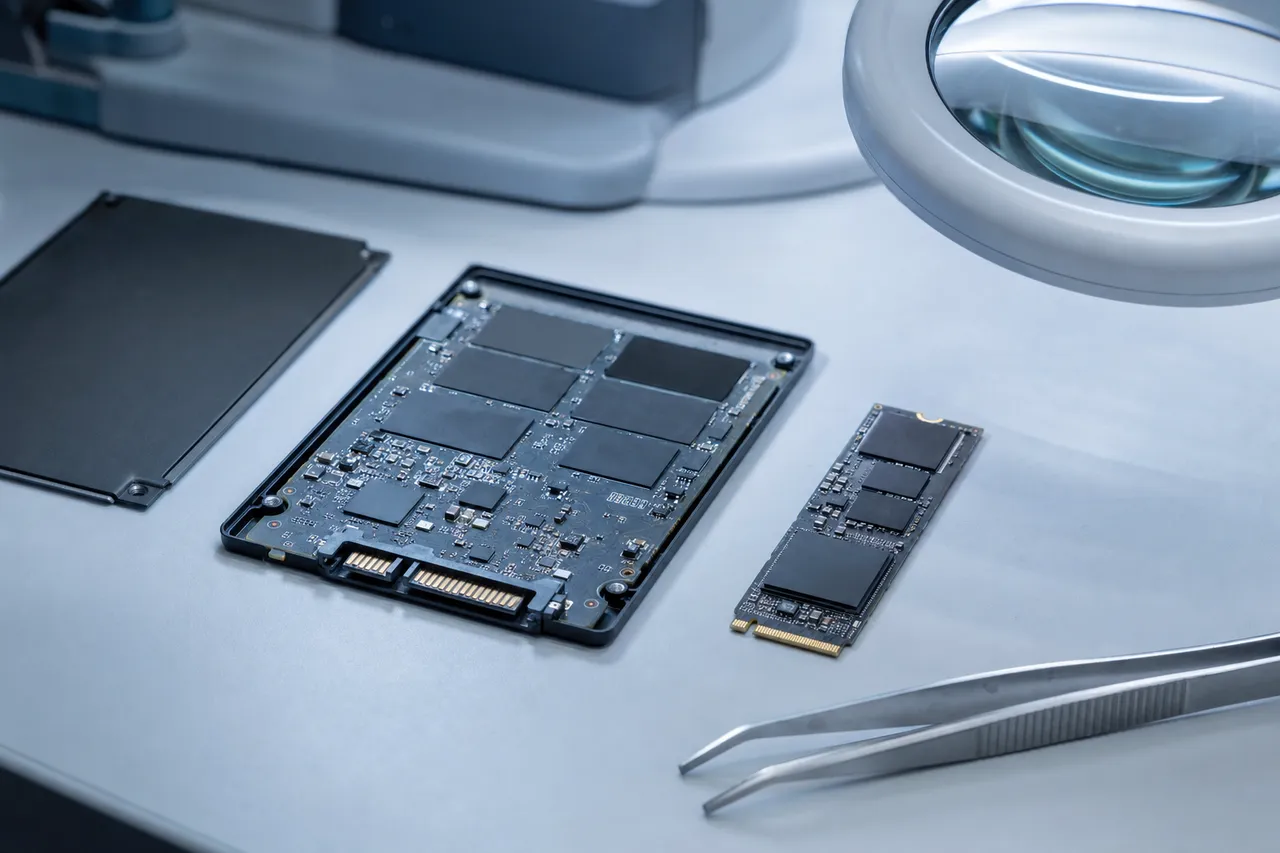
Samsung's consumer SSD lineup spans three major interfaces. The SATA line includes the 850 EVO, 860 EVO, 870 EVO, and their Pro and QVO variants - these are 2.5-inch drives that connect via the SATA III interface at up to 560 MB/s. The NVMe line includes the 960, 970, 980, and 990 series - M.2 form factor drives that connect via PCIe and deliver speeds from 3,500 MB/s to over 7,400 MB/s on the latest 990 Pro. The portable line includes the T1, T3, T5, T7, and T9 - external USB-C drives built around the same internal components as their desktop counterparts but enclosed in rugged, pocket-sized housings.
What makes Samsung SSD recovery fundamentally different from other brands is Samsung's proprietary controller architecture. While most SSD manufacturers use third-party controllers from Silicon Motion, Phison, or Marvell, Samsung designs its own. The MKX controller powers SATA drives, the Phoenix controller handles older NVMe models, the Elpis controller runs the 980 Pro and 990 Pro, and the Pablo controller powers the latest 990 EVO and 990 EVO Plus. Each controller has unique firmware structures, unique flash translation layer implementations, and unique failure modes that require Samsung-specific recovery procedures.
Samsung's V-NAND (Vertical NAND) technology stacks memory cells vertically in layers - currently up to 236 layers in their 8th generation V-NAND. This 3D stacking increases storage density and improves endurance compared to planar NAND, but it also creates complex data mapping structures that must be understood during chip-off recovery. When we desolder V-NAND chips from a Samsung SSD for direct reading, we need to reverse-engineer the specific interleaving pattern, page mapping, and error correction scheme used by that particular drive model and firmware version.
The flash translation layer (FTL) is perhaps the most critical piece of Samsung's SSD architecture from a recovery perspective. The FTL is the firmware component that maps logical block addresses (what your operating system sees) to physical NAND locations (where data is actually stored). Samsung's FTL implementation is proprietary and differs significantly between controller generations. When firmware corruption occurs, the FTL mapping can be partially or completely destroyed, meaning the drive literally loses track of where your data is stored across billions of NAND cells. Reconstructing a corrupted Samsung FTL requires specialized tools and extensive knowledge of Samsung's mapping algorithms.
870 EVO / SATA
Samsung 870 EVO Recovery: The World's Most Popular SATA SSD
The Samsung 870 EVO is the best-selling SATA SSD in history. Launched in January 2021 as the successor to the wildly popular 860 EVO, the 870 EVO improved sequential performance to 560/530 MB/s read/write while maintaining Samsung's reputation for reliability. Available in 250GB, 500GB, 1TB, 2TB, and 4TB capacities, the 870 EVO uses Samsung's MKX controller paired with their 3-bit MLC (TLC) V-NAND and up to 2GB of LPDDR4X DRAM cache. Its endurance ratings range from 150 TBW for the 250GB model to 2,400 TBW for the 4TB variant.
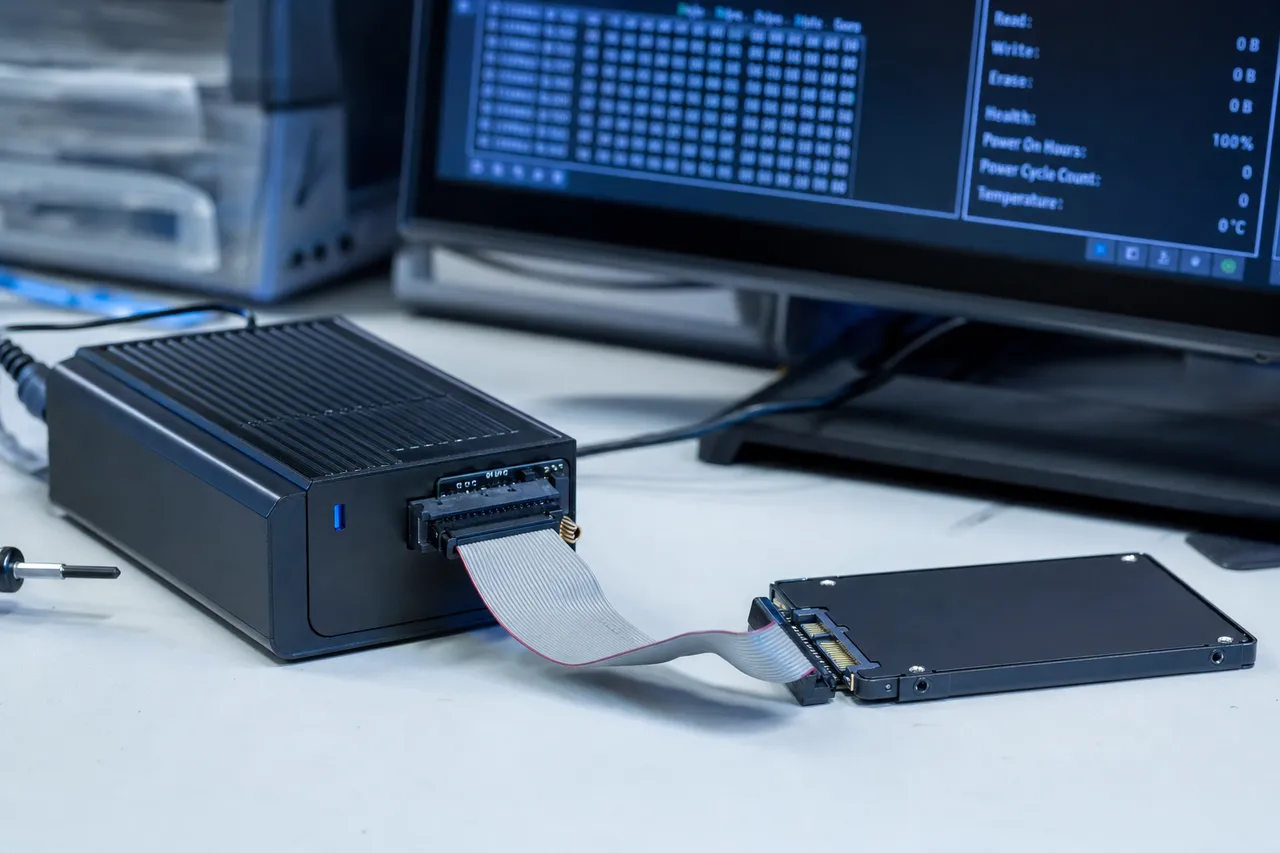
Despite these impressive specifications, the 870 EVO is one of the Samsung SSDs we see most frequently in our lab - simply because of the sheer volume sold worldwide. The most common failure we encounter is the 8MB or 0 bytes capacity bug, where the drive suddenly reports a tiny fraction of its actual capacity. This failure originates in the firmware's capacity management module. The drive's controller reads corrupted capacity parameters during initialization and presents the wrong drive size to the host system. Your data remains intact on the NAND chips, but the controller refuses to provide access because it believes the drive is only 8MB in size.
To recover from the 870 EVO capacity bug, we connect the drive to our PC-3000 SSD diagnostic platform, which communicates with the Samsung MKX controller through proprietary vendor-specific commands that bypass the normal SATA protocol. We access the firmware service area - a hidden partition on the NAND that stores all firmware modules - and identify the corrupted capacity module. We then rebuild the module with correct parameters, restore the drive's factory capacity, and verify that the flash translation layer mapping is intact. In most cases, this firmware-level repair results in complete data recovery with 100% of files recovered.
Another frequent 870 EVO failure is the SATAFIRM S11 bug, where the drive's model string in BIOS changes from 'Samsung SSD 870 EVO' to 'SATAFIRM S11.' This indicates a more severe firmware corruption that affects the drive's identity module in addition to capacity and FTL modules. The recovery process is similar but requires rebuilding multiple firmware modules and verifying the complete firmware module table before the drive will initialize properly.
The 870 EVO can also suffer from controller failure, particularly after power surges or electrical events. When the MKX controller dies, the drive produces no response at all - no BIOS detection, no LED activity, nothing. In these cases, we perform chip-off recovery: carefully desoldering the V-NAND packages from the PCB, reading each chip individually using specialized NAND readers, and then reassembling the data using Samsung's specific interleaving and page mapping algorithms. This is the most complex and time-intensive Samsung SSD recovery procedure, but it achieves excellent results even when the controller is completely destroyed.
We also see 870 EVO drives that have been pushed well beyond their rated endurance. While Samsung rates the 1TB model for 600 TBW, drives used in write-heavy applications like video surveillance, database servers, or cryptocurrency mining can hit this limit much sooner than expected. As the NAND cells wear out, the drive accumulates uncorrectable read errors, drops to read-only mode, and eventually stops responding. Early intervention - ideally while the drive is still in read-only mode - gives us the best recovery outcome because the data is still accessible through the controller rather than requiring chip-off extraction.
980 / 990 Pro NVMe
Samsung 980 Pro and 990 Pro NVMe Recovery
The Samsung 980 Pro and 990 Pro represent Samsung's flagship NVMe SSD lines, targeting enthusiasts, content creators, gamers, and professionals who need maximum storage performance. The 980 Pro, released in September 2020, was Samsung's first PCIe 4.0 consumer SSD, using the Elpis controller to deliver up to 7,000 MB/s sequential read speeds. The 990 Pro, launched in November 2022, pushed those numbers even higher with up to 7,450 MB/s reads and 6,900 MB/s writes, also using an updated Elpis controller paired with Samsung's 6th generation V-NAND.
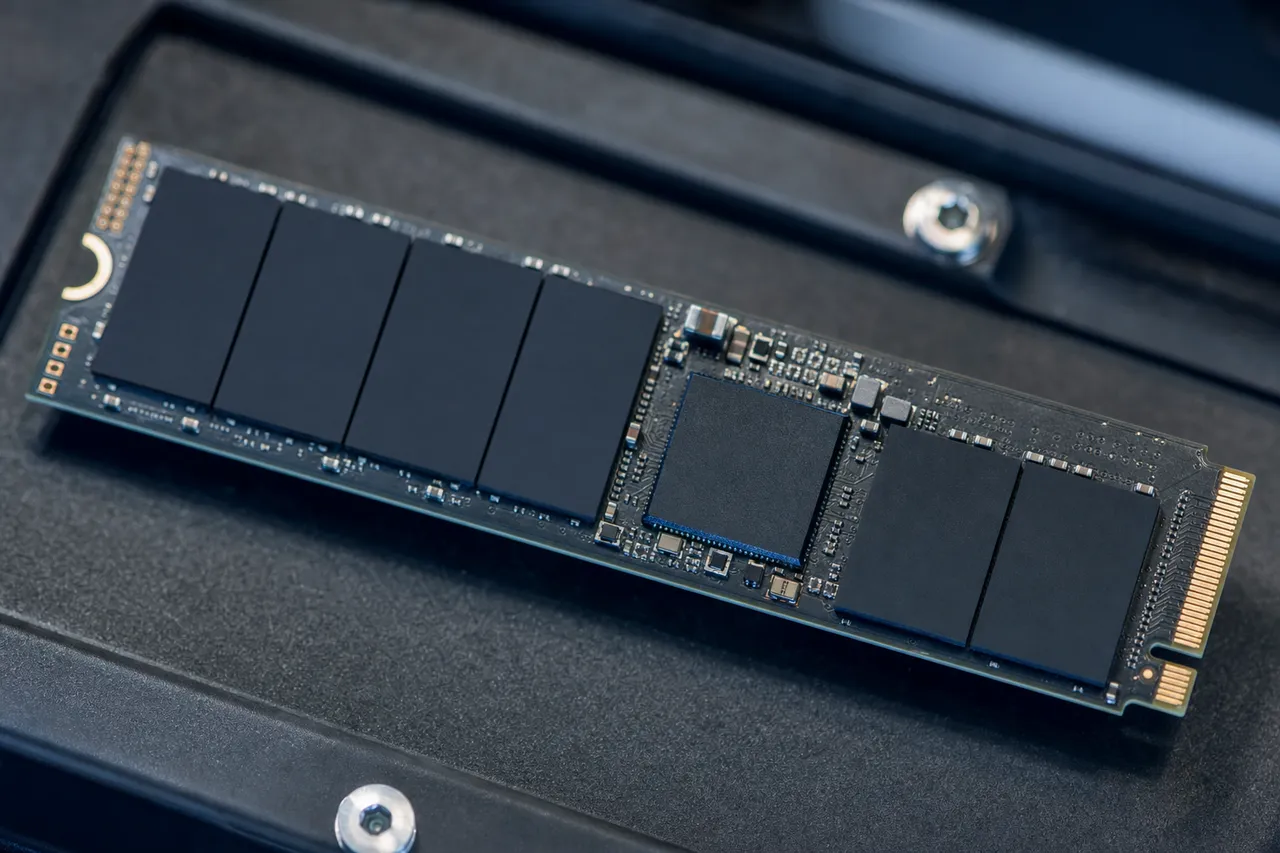
The 980 Pro became infamous in the data recovery community for a critical firmware defect that caused rapid and premature health degradation. Starting in mid-2022, reports surfaced of 980 Pro drives losing SMART health percentage at an alarming rate - some dropping from 99% to 0% health in a matter of weeks or months, far exceeding any normal wear pattern. Samsung acknowledged the issue and released firmware updates (5B2QGXA7 and later), but drives that had already degraded could not be restored by the firmware update alone. Many of these drives eventually failed completely, losing all data access.
We have recovered data from hundreds of 980 Pro drives affected by this health degradation bug. The failure mechanism involves the drive's firmware incorrectly reporting NAND wear status, which triggers increasingly aggressive wear leveling and garbage collection operations that further stress already-marginal cells. This creates a feedback loop where the drive's attempts to preserve data actually accelerate its own failure. By the time the drive reaches 0% health and stops responding, significant portions of the NAND may have genuinely degraded to the point of producing uncorrectable bit errors.
Recovering a 980 Pro with the health degradation bug requires a multi-step approach. First, we attempt firmware-level repair through the PC-3000 SSD platform, which can communicate with the Elpis controller through NVMe vendor-specific commands. If the controller is still responsive, we can often rebuild the FTL, correct the wear status reporting, and extract data through the normal NVMe interface. If the controller has locked up or the NAND degradation is too severe for the controller to handle, we proceed to chip-off recovery - desoldering the V-NAND BGA packages from the M.2 PCB and reading them directly.
The 990 Pro has been more reliable overall, but it is not immune to failures. We see 990 Pro drives with firmware corruption caused by unexpected power loss during heavy writes, controller lockups triggered by thermal throttling issues in poorly ventilated enclosures or laptop chassis, and FTL corruption from abnormal shutdown sequences. The 990 Pro's advanced firmware includes improved power-loss protection compared to the 980 Pro, but no SSD is completely immune to firmware corruption when power is cut during a critical write operation.
Both the 980 Pro and 990 Pro are popular choices for PlayStation 5 storage expansion, which creates a unique recovery scenario. PS5 users often have game save data, captured screenshots, and recorded video that cannot be re-downloaded from PlayStation Network. When these drives fail in a PS5, the data is formatted in the PS5's proprietary file system, which adds an additional layer of complexity to the recovery process. Our lab handles PS5-formatted Samsung NVMe drives regularly and can recover game saves and captured media that would otherwise be permanently lost.
One critical note for 980 Pro and 990 Pro owners: if your drive is still being detected but showing signs of distress - slow performance, SMART warnings, intermittent disconnections - stop using it immediately and contact us. The longer a degrading NVMe SSD continues operating, the more NAND cells fail, and the harder (and more expensive) recovery becomes. A firmware-level repair on a drive that is still partially functional is significantly faster and more affordable than chip-off recovery on a drive that has been run to complete failure.
T-Series Portable
Samsung T5, T7, and T9 Portable SSD Recovery
Samsung's portable SSD line - the T5, T7, T7 Shield, T7 Touch, T9, and their predecessors the T1 and T3 - are among the most popular external storage devices worldwide. These compact, rugged drives are favorites of photographers, videographers, musicians, and business professionals who need fast, reliable storage on the go. Unfortunately, their portable nature also makes them uniquely vulnerable to physical damage from drops, liquid exposure, and connector stress that desktop SSDs rarely experience.
The Samsung T7, released in 2020, is currently the most common portable SSD we receive for recovery. It uses an internal NVMe SSD based on Samsung's Elpis controller, connected to the external USB 3.2 Gen 2 Type-C port through a USB-to-NVMe bridge chip. This bridge chip adds an additional potential failure point that desktop SSDs do not have. When a T7 fails, we must first determine whether the failure is in the bridge chip, the USB-C connector, the internal NVMe drive, or the controller and NAND themselves. Each failure point requires a different recovery approach.
The most common T7 failure we see is connector damage from drops or cable yanking. The USB-C port on the T7 is surface-mounted to a small internal PCB, and impact forces can crack solder joints, tear traces, or fracture the connector housing. When this happens, the drive stops appearing on any computer - not because the data storage components are damaged, but because the physical data path is broken. We repair these connector failures by reworking the damaged solder joints under microscope magnification, replacing the USB-C port component, or in severe cases, bypassing the USB interface entirely and connecting directly to the internal NVMe drive's M.2 pads.
The T7 Shield adds IP65-rated dust and water resistance with a rugged silicone outer shell, which provides significantly better drop protection than the standard T7. However, the internal components are still vulnerable to severe impacts, and we do see T7 Shield drives with internal damage after falls onto hard surfaces from significant heights. The T7 Touch adds fingerprint authentication for hardware encryption, which creates an additional recovery consideration - if the encryption key management system is damaged, we must work with Samsung's hardware encryption implementation to access the encrypted NAND contents.
Samsung's T5, while older, is still extremely popular and we continue to receive T5 drives regularly for recovery. The T5 uses a SATA-based internal drive with a USB 3.1 Gen 2 bridge, making it internally different from the NVMe-based T7. This means recovery procedures differ between the two models. T5 failures tend to be more firmware-related (including SATAFIRM S11 occurrences on the internal SATA drive) while T7 failures lean more toward connector damage and bridge chip issues.
The newest T9, launched in 2023, uses an NVMe drive with PCIe 4.0 speeds through a USB 3.2 Gen 2x2 interface, delivering transfer speeds up to 2,000 MB/s. The T9 is built with a more robust internal design than its predecessors, but its higher performance also means higher operating temperatures, and we have seen early T9 failures related to thermal management issues during sustained large transfers. When a T9 overheats and shuts down mid-transfer, it can leave the file system or FTL in a corrupted state that prevents the drive from mounting cleanly afterward.
For all Samsung portable SSD recoveries, we strongly recommend not attempting to open the drive's enclosure yourself. The internal components are tightly packed and secured with adhesive. Improper disassembly can damage the delicate M.2 or SATA connector on the internal drive, sever flex cables, or introduce static discharge to the sensitive NAND chips. Send the complete drive to our lab intact and let our technicians perform the disassembly in a controlled environment with proper ESD protection.
Controllers
Samsung Controllers: Phoenix, Elpis, and Pablo
Understanding Samsung's controller architecture is essential for effective data recovery because Samsung is one of the only SSD manufacturers that designs its own controllers. While competitors rely on third-party controller chips from Silicon Motion, Phison, or Marvell - controllers that are well-documented in the recovery community - Samsung's proprietary controllers have unique firmware structures, unique diagnostic interfaces, and unique failure modes that require specialized expertise.
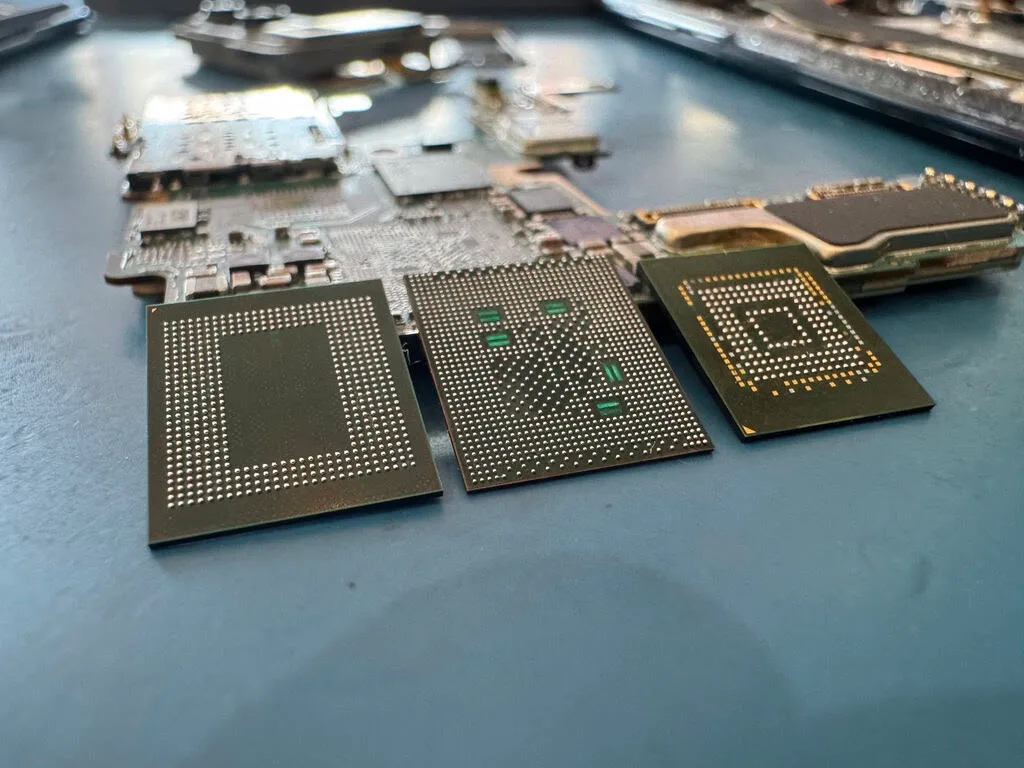
The Samsung MKX controller powers all of Samsung's consumer SATA SSDs, including the 850 EVO, 860 EVO, 870 EVO, and their Pro and QVO variants. The MKX is a triple-core ARM Cortex-R4 design manufactured on Samsung's own 28nm fabrication process. It implements Samsung's proprietary firmware with modules for wear leveling, garbage collection, error correction (LDPC), encryption (AES 256-bit), TRIM processing, and the critical flash translation layer. The MKX's firmware service area is stored on the NAND itself in a hidden partition that is not accessible through normal SATA commands - accessing it requires vendor-specific ATA commands that only specialized recovery tools like PC-3000 SSD support.
The Samsung Phoenix controller was Samsung's first in-house NVMe controller, debuting in the 950 Pro and later used in the 960 series. The Phoenix is a 5-core design built on 28nm, with dedicated cores for the host interface, flash management, and error correction. While largely superseded by newer designs, Phoenix-based drives like the 960 EVO and 960 Pro remain in active use and still come into our lab regularly. The Phoenix controller's NVMe vendor-specific command set differs from the MKX's ATA vendor-specific commands, requiring different diagnostic procedures and tools.
The Samsung Elpis controller, introduced with the 980 Pro in 2020, represents a significant leap in performance and complexity. The Elpis is an 8-core ARM-based design fabricated on Samsung's 8nm process, supporting PCIe 4.0 x4 with NVMe 1.3c compliance. It manages up to 128 V-NAND flash dies simultaneously and implements advanced ECC algorithms, multi-level cell error correction, and Samsung's proprietary thermal management system. The Elpis also introduced Samsung's enhanced power-loss protection circuitry, though as the 980 Pro health degradation bug demonstrated, the controller's firmware can still have serious defects.
The Samsung Pablo controller debuted with the 990 EVO in 2024, designed for Samsung's hybrid SATA/NVMe drives that support both PCIe 4.0 x4 and PCIe 5.0 x2 interfaces. The Pablo represents Samsung's move toward a more unified controller architecture that can serve both consumer and OEM markets. From a recovery perspective, the Pablo introduces new firmware module structures and a different FTL implementation than the Elpis, requiring updated recovery procedures. As the Pablo is relatively new, the recovery community is still building expertise with this controller's specific failure modes and diagnostic interfaces.
When any Samsung controller fails catastrophically - whether from power surge, overheating, or manufacturing defect - the standard firmware-level recovery approach becomes impossible because the controller is the interface through which we access the NAND. In these cases, we must resort to chip-off recovery: physically removing the V-NAND BGA packages from the PCB, reading each chip using a universal NAND reader, and then algorithmically reassembling the data by reverse-engineering the specific controller's data striping pattern, page mapping scheme, and ECC parameters. This requires deep knowledge of how each Samsung controller interleaves data across the NAND array - knowledge that differs between the MKX, Phoenix, Elpis, and Pablo architectures.
Samsung also uses custom controllers in their enterprise and OEM drives. The PM series (PM893, PM883, PM9A3, PM9C1a) use enterprise-grade controllers with different firmware, different diagnostic interfaces, and different failure characteristics than the consumer controllers. Recovering data from enterprise Samsung SSDs requires understanding these distinct controller platforms and their unique firmware ecosystems. Our lab maintains PC-3000 SSD modules and chip-off configurations for every major Samsung controller generation.
SATAFIRM S11
SATAFIRM S11 and Samsung Firmware Corruption
SATAFIRM S11 is arguably the most well-known firmware bug in SSD history. The term refers to a failure mode where a Samsung SATA SSD's model identification string changes from its proper name (e.g., 'Samsung SSD 870 EVO 1TB') to the generic string 'SATAFIRM S11' in the system BIOS and disk management utilities. When this occurs, the drive typically reports 0MB or 8MB capacity, and no data is accessible through normal means. The name 'SATAFIRM S11' appears to be a fallback identification string hardcoded into the Samsung MKX controller's bootstrap code, displayed when the controller cannot load its primary firmware modules from NAND.
The SATAFIRM S11 bug can affect virtually any Samsung SATA SSD that uses the MKX controller family, including the 840 EVO, 850 EVO, 850 Pro, 860 EVO, 860 Pro, 870 EVO, 870 QVO, and their various capacity variants. The root cause is corruption of the firmware module directory - a critical data structure stored in the NAND service area that tells the controller where each firmware module is located and how to load them during initialization. When this directory is corrupted, the controller falls back to a minimal boot mode where it can communicate over SATA but cannot access any user data.
Multiple triggers can cause SATAFIRM S11 corruption. The most common are unexpected power loss during a firmware write operation (such as garbage collection or wear leveling table updates), failed firmware updates from Samsung Magician software, power surges or electrical instability, and in rare cases, spontaneous bit rot in the NAND cells that store the firmware modules. We have also seen SATAFIRM S11 appear after BIOS updates, system crashes during heavy disk I/O, and even as a consequence of aggressive third-party disk utilities that issue commands that interfere with Samsung's firmware housekeeping operations.
Recovering from SATAFIRM S11 requires direct access to the Samsung MKX controller's service mode through vendor-specific ATA commands. Using the PC-3000 SSD platform, we issue a sequence of commands that put the controller into a diagnostic state where we can read and write the firmware service area directly. We first create a complete backup of the current firmware state - even though it is corrupted, this backup is essential in case the firmware contains encrypted data keys or custom configuration parameters unique to that specific drive.
The actual repair process involves rebuilding the firmware module directory from scratch. We analyze the NAND service area to locate surviving firmware modules, reconstruct the module mapping table, and write the corrected directory back to the drive. In some cases, individual firmware modules are also corrupted and must be repaired or replaced with known-good copies from drives of the same model, firmware version, and capacity. The flash translation layer module requires particular care - if the FTL is corrupted along with the firmware directory, we must also rebuild the logical-to-physical address mapping that links your files to their actual NAND locations.
After firmware repair, we perform a controlled initialization of the drive and verify that the correct capacity is reported, the SMART data is accessible, and the file system structures are intact. We then image the entire drive sector-by-sector to create a safe working copy before attempting any file system repair or data extraction. This approach ensures that if anything goes wrong during the extraction process, we can always go back to the raw image.
One important caution for anyone experiencing the SATAFIRM S11 bug: do not attempt to use Samsung Magician, third-party firmware flashers, or disk utility software to fix the drive yourself. These tools can overwrite critical firmware structures and NAND service area data that we need for recovery. Every firmware write operation risks pushing the drive from a recoverable state to an unrecoverable one. Power the drive off, disconnect it from your system, and send it to a professional lab as-is. The chances of successful recovery are highest when the drive arrives in its current failed state without any intervention attempts.
V-NAND
Samsung V-NAND Technology and Failure Modes
Samsung pioneered 3D NAND flash memory with the introduction of V-NAND (Vertical NAND) in 2013, and this technology underpins every modern Samsung SSD. Unlike traditional planar NAND that arranges memory cells in a single flat layer, V-NAND stacks cells vertically in multiple layers - Samsung's latest 8th generation V-NAND reaches 236 layers. This vertical stacking increases storage density, improves write endurance, reduces power consumption, and enables larger capacities in smaller form factors. Understanding V-NAND architecture is crucial for data recovery because the 3D structure creates unique failure patterns and recovery challenges.
Each V-NAND die contains billions of individual memory cells organized into blocks, pages, and planes. A cell stores data by trapping electrical charge in a floating gate or charge trap layer - Samsung uses a charge trap flash (CTF) design that improves reliability compared to floating gate designs. Each cell can store one bit (SLC), two bits (MLC), three bits (TLC), or four bits (QLC) depending on the drive model. Samsung's consumer drives primarily use TLC V-NAND (870 EVO, 980 Pro, 990 Pro), while the 870 QVO and some portable models use QLC V-NAND for maximum capacity at lower cost.
The distinction between TLC and QLC matters significantly for data recovery. QLC cells must distinguish between 16 different voltage levels to represent 4 bits of data, compared to only 8 levels for TLC. This tighter voltage margin means QLC cells are more susceptible to read disturb errors, retention loss, and voltage threshold drift over time. When a QLC Samsung SSD begins to fail, it often produces more uncorrectable bit errors than an equivalent TLC drive, which can make chip-off recovery more challenging. The error correction algorithms must work harder to reconstruct valid data from noisier NAND reads.
Samsung's V-NAND implements several internal reliability mechanisms that affect recovery. Advanced LDPC (Low-Density Parity-Check) error correction can correct hundreds of bit errors per NAND page, providing a significant buffer against normal cell degradation. Samsung's firmware also implements read retry mechanisms - when a page read produces too many errors for the standard ECC to handle, the controller can adjust read voltage thresholds and retry the read operation with different sensing parameters. During chip-off recovery, we replicate these read retry mechanisms externally, systematically adjusting voltage thresholds to find the optimal reading conditions for degraded cells.
Temperature and retention are major factors in Samsung V-NAND failure. NAND cells lose their stored charge over time - a phenomenon called data retention loss - and this process accelerates at higher temperatures. Samsung rates their consumer SSDs for data retention of one year at 30 degrees Celsius while powered off. In practice, SSDs stored in hot environments (attics, cars, sun-facing rooms) can lose data much faster. We regularly see Samsung SSDs that were left powered off in warm storage for extended periods and now produce read errors or fail to mount. The data is often still largely intact but requires specialized reading techniques to extract it from cells with degraded charge levels.
Program/erase cycling - the fundamental write mechanism in NAND flash - gradually damages cell structures with each cycle. Samsung's V-NAND offers excellent endurance specifications (600 TBW for a 1TB 870 EVO, 1,200 TBW for a 1TB 990 Pro), but drives used in write-heavy workloads can approach these limits. As cells wear out, the firmware remaps data to spare blocks, but eventually the spare block pool is exhausted and the drive enters a critical state. Samsung SSDs typically transition to read-only mode when wear reaches critical levels - this is actually a protective mechanism designed to preserve your data. If your Samsung SSD has gone read-only, contact us immediately. Data in read-only mode is much easier to recover than data from a drive that has been pushed past read-only into complete failure.
Samsung's V-NAND data layout during chip-off recovery is particularly complex. Data is striped across multiple NAND dies in an interleaved pattern for performance, with each die containing multiple planes that are written simultaneously. The controller manages this interleaving transparently, but when we remove the chips and read them individually, we must reconstruct the correct interleaving pattern to reassemble meaningful data. Samsung's interleaving algorithms vary between controller generations and firmware versions, and incorrectly reconstructing the interleave pattern produces scrambled data. Our lab maintains detailed interleave maps for every Samsung controller and firmware revision we have encountered.
Enterprise PM Series
Enterprise Samsung SSD Recovery: PM and PM9A Series
Samsung dominates the enterprise SSD market with their PM series drives, found in data centers, servers, NAS systems, and professional workstations worldwide. The enterprise lineup includes SATA models like the PM883 and PM893, and NVMe models like the PM9A1, PM9A3, and PM9C1a. These drives are designed for higher endurance, better consistency, and longer lifespans than consumer models, but they still fail - and when they do, the stakes are often significantly higher because enterprise drives frequently contain business-critical data, database files, virtual machine images, or production workloads with no backup.
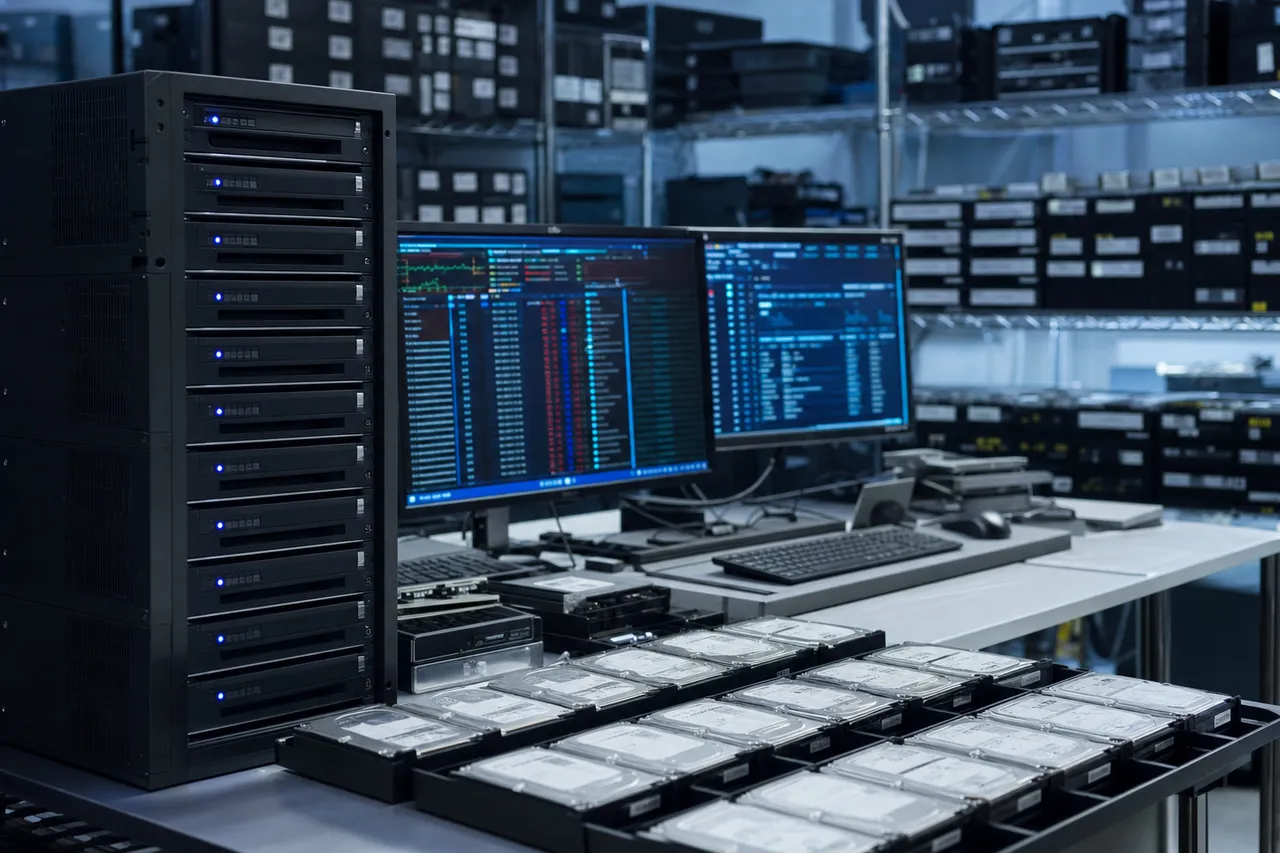
The Samsung PM9A3 is one of the most common enterprise NVMe drives we recover. Used in Dell, HP, Lenovo, and Supermicro servers, the PM9A3 uses Samsung's Elpis controller (the same family used in the consumer 980 Pro) with enterprise-specific firmware optimizations for power-loss protection, endurance management, and consistent latency. Available in capacities from 960GB to 15.36TB, the PM9A3 is rated for 1 DWPD (Drive Write Per Day) endurance over a 5-year lifespan - meaning the 3.84TB model can sustain writing 3.84TB of data every day for five years before reaching its rated endurance limit.
Enterprise Samsung SSD failures differ from consumer failures in several important ways. First, enterprise drives are typically under much heavier and more sustained workloads, which means wear-related failures are more common. The PM9A3's higher endurance rating helps, but drives in write-heavy applications like database transaction logging, video surveillance storage, or cache tiers can still exhaust their rated program/erase cycles prematurely. Second, enterprise environments often subject drives to more thermal stress from densely packed server chassis, compounded by adjacent drives and CPUs generating heat. Thermal cycling accelerates NAND degradation and can cause intermittent controller lockups.
The PM893 and PM883 enterprise SATA SSDs use Samsung's MKX controller family but with enterprise firmware that includes enhanced error handling, power-loss data protection with capacitor-backed caches, and predictive failure monitoring. These drives can experience the same SATAFIRM S11 firmware corruption as consumer SATA models, though the enterprise firmware's more robust power-loss protection makes this somewhat less common. When a PM893 does present as SATAFIRM S11, the recovery procedure is similar to consumer drives but must account for the enterprise firmware's different module structure and security configurations.
Many enterprise Samsung SSDs implement hardware-level encryption that is always active, even if the end user has not configured an encryption password. Samsung calls this Self-Encrypting Drive (SED) technology, compliant with the TCG Opal 2.0 specification. The drive generates an encryption key during manufacturing, and all data written to the NAND is encrypted with this key. The key is stored in a protected area of the drive's firmware. This means that even during chip-off recovery, the raw NAND data is encrypted and unusable without the encryption key. We must first extract the encryption key from the firmware service area - or from the controller's internal key storage - before the recovered NAND data can be decrypted.
RAID configurations add another layer of complexity to enterprise Samsung SSD recovery. Many of the PM series drives we receive come from RAID arrays - RAID 0, RAID 5, RAID 6, or RAID 10 configurations - where multiple drives must be recovered and their data reassembled according to the RAID stripe parameters. In some cases, the RAID controller itself has failed or a rebuild operation has gone wrong, requiring us to reconstruct the RAID array manually from the individual drive images. Our lab handles these multi-drive enterprise Samsung SSD recovery scenarios regularly, including cases involving 8, 12, or even 24 drives from a single server or storage array.
For enterprise customers, we understand that downtime costs money. Our priority rush and emergency turnaround options are specifically designed for business-critical enterprise recovery scenarios where every hour of downtime has a measurable financial impact. We can begin work on enterprise Samsung SSD cases within hours of receiving the drive, with same-day diagnostics and around-the-clock recovery work for emergency cases.
SSD vs HDD
Samsung SSD vs. HDD Recovery: Key Differences
Customers who have previously experienced hard drive recovery often assume that SSD recovery works the same way. In reality, Samsung SSD recovery is fundamentally different from hard drive recovery in nearly every respect - the failure modes, the recovery tools, the techniques, the timeline, and even the factors that determine whether recovery is possible at all. Understanding these differences helps set realistic expectations and underscores why Samsung SSD recovery requires specialized expertise that general hard drive recovery labs may not possess.
Hard drives store data magnetically on spinning metal platters. When a hard drive fails - whether from a head crash, motor failure, or firmware corruption - the data remains on the platters in a stable magnetic state indefinitely. Even severely damaged platters can often yield significant data through careful head replacement, platter transplantation, or targeted surface reading. The data does not degrade simply because the drive is powered off or because time has passed. This magnetic persistence is why hard drive recovery success rates are generally high, often above 90% for mechanically failed drives.
Samsung SSDs store data as electrical charges in NAND flash memory cells. These charges are inherently less stable than magnetic states - they leak over time (data retention loss), they degrade with each write cycle (endurance wear), and they can be irreversibly zeroed by the drive's own TRIM and garbage collection processes. When you delete a file on a Samsung SSD and the operating system issues a TRIM command, the SSD's controller marks those NAND blocks for erasure, and the garbage collection process physically zeroes them out. Once TRIMmed, that data is gone permanently - no recovery tool, no matter how advanced, can read charges from cells that have been intentionally erased.
This TRIM behavior is the single biggest difference between SSD and HDD recovery, and it is especially important for Samsung drives because Samsung's firmware is aggressive about processing TRIM commands quickly. If you accidentally delete files or format a Samsung SSD, and the drive remains powered on and connected to a TRIM-aware operating system for even a short time, the deleted data may already be physically erased from the NAND. This is why we strongly advise: if you accidentally delete files from a Samsung SSD, power it off immediately and do not reconnect it to your computer. The faster you stop the drive from processing TRIM commands, the more data we can potentially recover.
The tools used for Samsung SSD recovery also differ dramatically from hard drive tools. Hard drive recovery relies on clean room environments for platter work, donor drives for head swaps, and magnetic imaging tools for reading platters. Samsung SSD recovery uses PC-3000 SSD for firmware-level diagnostics and repair, specialized NAND readers for chip-off extraction, and advanced algorithms for data reconstruction from raw NAND dumps. There is virtually no physical overlap between the toolsets required for hard drive recovery and Samsung SSD recovery.
Recovery timelines also differ. Hard drive recovery - particularly cases requiring head replacement or platter work - often completes within a few days once the correct donor parts are sourced. Samsung SSD recovery can vary dramatically: a firmware-level SATAFIRM S11 repair might be completed in a single day, while a complex chip-off recovery from a dead controller with encrypted V-NAND could take two to three weeks of painstaking work. The variability is higher because SSD failures span a wider range of severity levels, from simple firmware glitches to catastrophic NAND degradation requiring cell-by-cell error correction.
One area where Samsung SSDs actually have an advantage over hard drives is resilience to physical impact. Hard drives are extremely vulnerable to drops and vibration because even tiny disruptions can cause the read/write heads to contact the spinning platters, causing a head crash that scores the magnetic surface. Samsung SSDs have no moving parts, making them far more resistant to physical shock. A Samsung T7 portable SSD can survive a fall that would destroy a portable hard drive. However, this does not make Samsung SSDs immune to physical damage - drops can still crack solder joints, damage connectors, or fracture the PCB, all of which we repair regularly in our lab.
Chip-Off
Chip-Off Recovery for Samsung SSDs
Chip-off recovery is the last-resort technique for Samsung SSDs with completely dead controllers, catastrophic PCB damage, or failure modes that prevent any communication with the drive through normal interfaces. It involves physically removing the NAND flash memory chips from the SSD's circuit board, reading each chip individually using specialized hardware, and then algorithmically reassembling the data from the raw chip dumps. For Samsung SSDs, chip-off recovery is particularly complex due to Samsung's proprietary V-NAND architecture, unique data interleaving patterns, and in many cases, hardware encryption that is active by default.
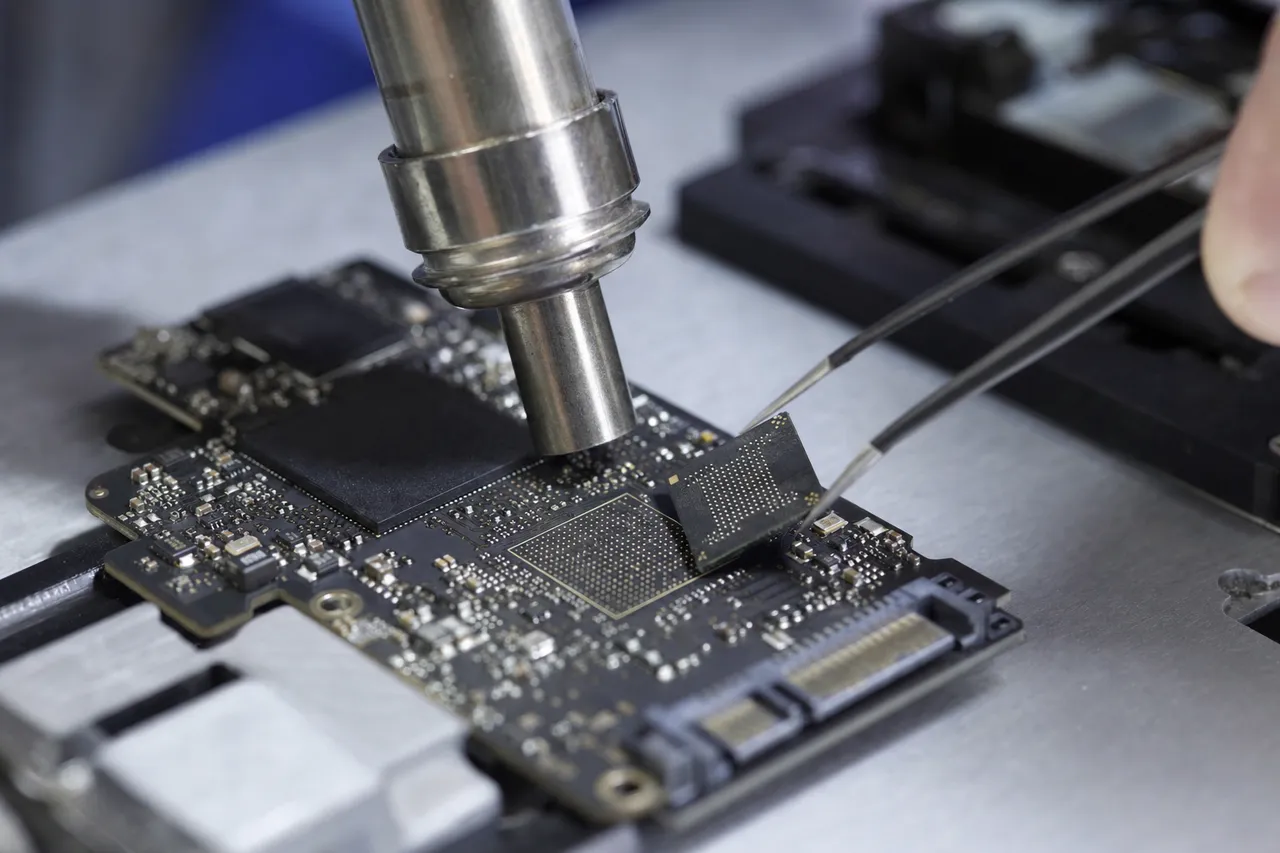
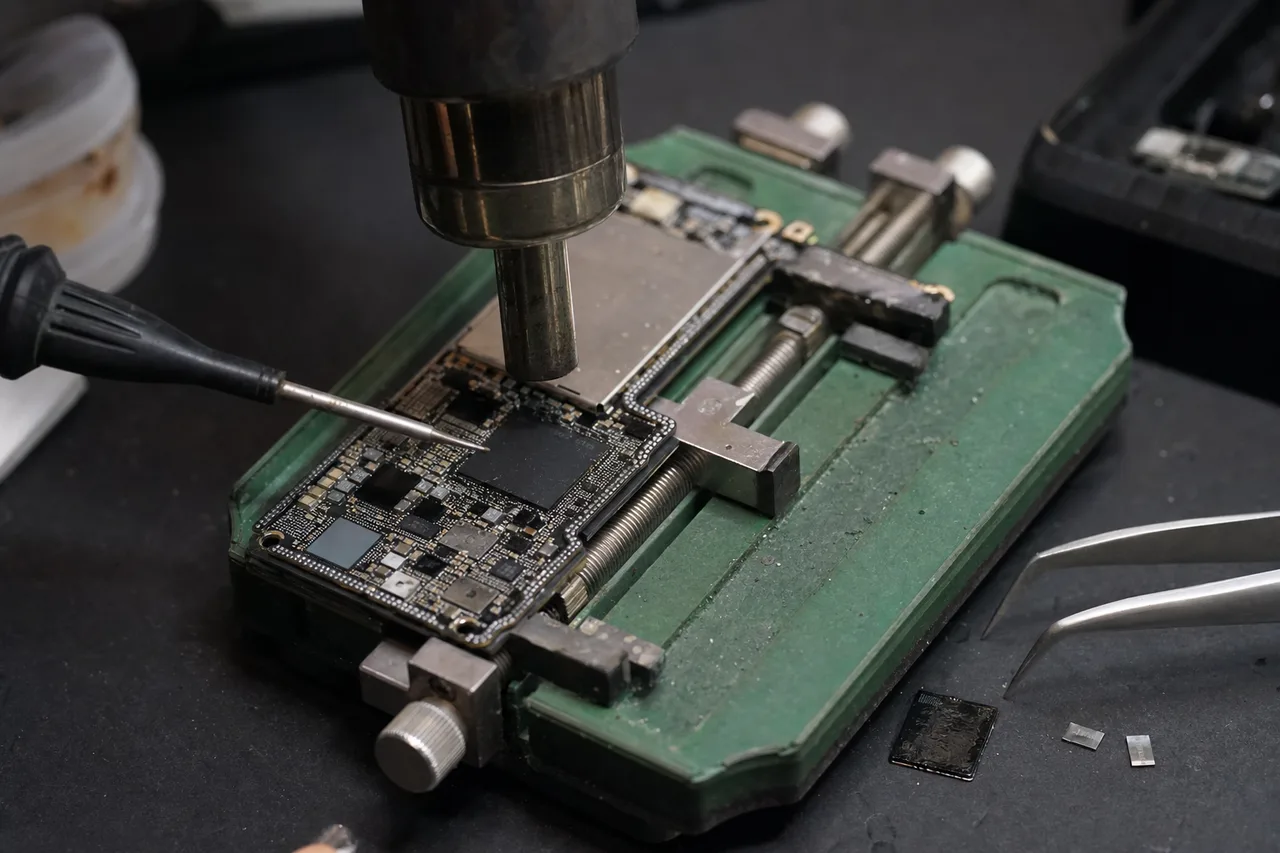
The chip-off process for Samsung SSDs begins with careful PCB preparation and chip removal. Samsung's V-NAND packages are BGA (Ball Grid Array) components with hundreds of tiny solder balls connecting each chip to the circuit board. We use a precision hot air rework station with controlled temperature profiles to desolder each NAND package without damaging the silicon die inside. Samsung's lead-free solder requires higher temperatures than older leaded solder, and the multi-die packages used in high-capacity drives are particularly sensitive to thermal stress. Overheating during removal can damage the NAND die itself, making data recovery impossible from that chip.
Once removed, each NAND package is placed in a specialized BGA socket connected to a universal NAND reader. Samsung's V-NAND chips use proprietary page sizes, block structures, and interface timings that differ from the ONFI (Open NAND Flash Interface) standard used by most other manufacturers. Our NAND readers are configured with Samsung-specific read parameters - including the correct page size (typically 16KB or 18KB including spare area), block size, and read command sequences - to extract raw data from each chip.
Reading Samsung V-NAND chips is further complicated by the multi-die package structure. A single Samsung V-NAND BGA package can contain 4, 8, or even 16 individual NAND dies stacked vertically inside. Each die is accessed through separate chip enable signals, and the reader must address each die individually. A Samsung 990 Pro 2TB, for example, contains NAND packages with 16 dies each - meaning a single physical chip yields 16 separate raw data dumps that must all be correctly identified and sequenced during reassembly.
The most challenging phase of Samsung chip-off recovery is data reconstruction - reassembling coherent data from the raw NAND dumps. Samsung's controllers stripe data across multiple chips in a specific interleave pattern for performance, and this pattern is not documented publicly. We have reverse-engineered the interleave patterns for each Samsung controller generation through careful analysis of known data patterns and extensive testing. The reconstruction process involves determining the correct chip order, die order within each package, page mapping scheme, and data scrambling algorithm used by the specific controller and firmware version.
Samsung's hardware encryption adds yet another layer. Most Samsung SSDs from the 850 series onward implement AES 256-bit hardware encryption that is always active. Even if the user never set an encryption password, the drive's controller encrypts all data before writing it to NAND using an internally generated Data Encryption Key (DEK). During normal operation, the controller handles encryption and decryption transparently. During chip-off recovery, we must extract this DEK from the drive - typically from the firmware service area on the NAND or from non-volatile storage within the controller chip itself - before the reconstructed data can be decrypted into usable files.
Despite these complexities, chip-off recovery achieves excellent results for Samsung SSDs in the hands of experienced technicians. Our success rate for chip-off Samsung SSD recovery exceeds 85%, with most cases recovering the vast majority of user data. The keys to success are proper chip removal technique (preserving die integrity), correct read parameters (extracting clean raw data), accurate interleave reconstruction (assembling data in the correct order), and successful encryption key extraction (decrypting the reassembled data). Each of these steps requires specialized equipment and Samsung-specific knowledge that our lab has developed across thousands of Samsung SSD recovery cases.
MacBooks & Laptops
Samsung SSDs in MacBooks and Laptops
Samsung SSDs are the most commonly installed aftermarket storage upgrade in laptops, and they also ship as OEM components in many Dell, HP, Lenovo, ASUS, and Acer laptops. The compact M.2 form factor of Samsung's NVMe drives (970 EVO Plus, 980 Pro, 990 Pro) makes them ideal replacements for factory-installed drives, while the 2.5-inch form factor of the 870 EVO fits older laptops with SATA drive bays. When these laptop-installed Samsung SSDs fail, the recovery scenario includes laptop-specific considerations that affect the diagnosis and recovery process.
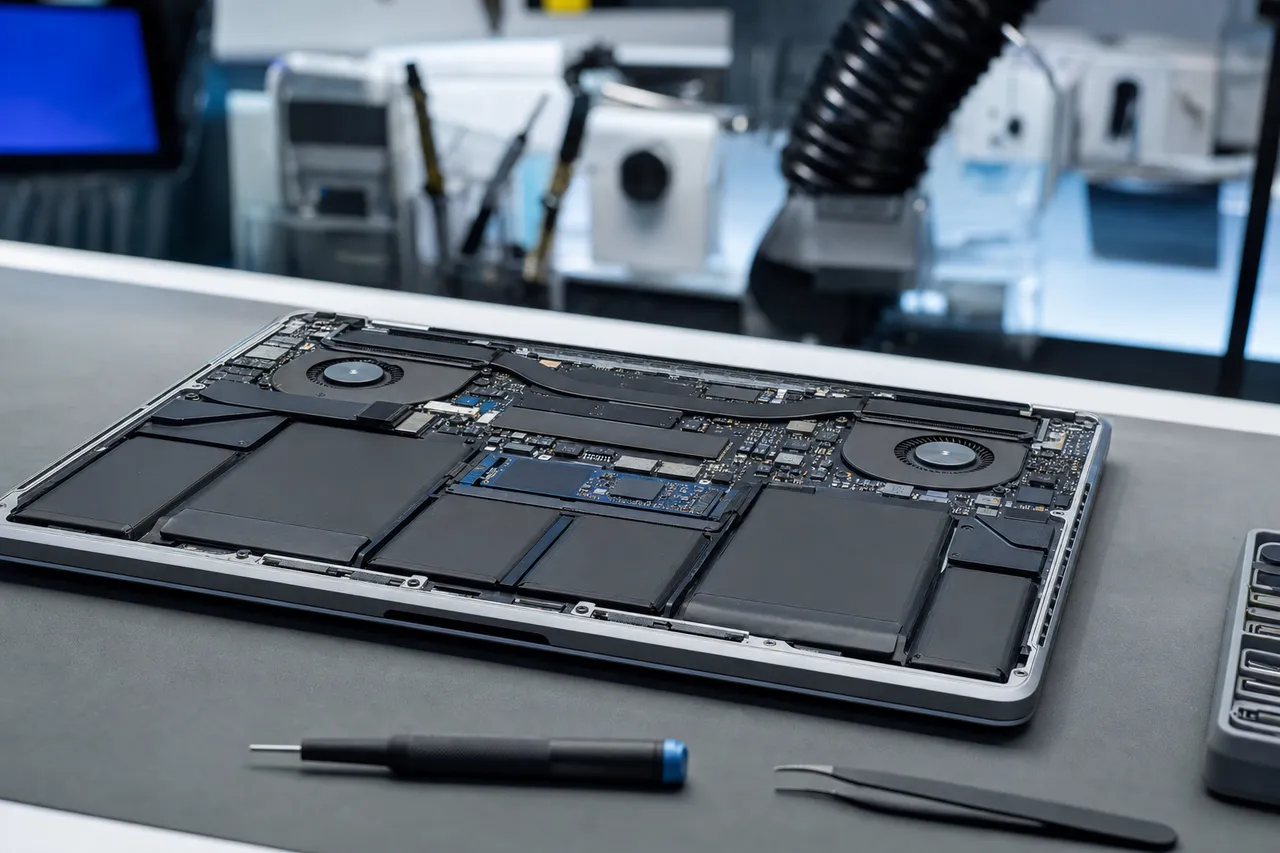
Apple MacBooks present a particularly interesting case. While Apple uses custom-designed SSDs soldered directly to the logic board in recent MacBook models (2016 and later), many older MacBook Pro and MacBook Air models from 2013-2015 use removable M.2 SSDs that are proprietary Apple form factors but internally similar to standard NVMe drives. Some Mac users have also installed Samsung NVMe drives in older Mac Pro desktops, external Thunderbolt enclosures, or in Mac mini systems using third-party adapters. When these Samsung drives fail in a Mac environment, the data is formatted in Apple's APFS (Apple File System) or the older HFS+ file system, both of which require specific parsing tools during recovery.
APFS on Samsung SSDs adds recovery complexity because APFS is optimized for flash storage and uses features like space sharing, cloning, and snapshots that interact with the drive's flash translation layer in ways that NTFS and ext4 do not. When a Samsung SSD with APFS suffers firmware corruption or FTL damage, the APFS metadata structures may reference logical addresses that no longer map correctly to physical NAND locations. Reconstructing APFS volumes from a Samsung SSD with FTL corruption requires both Samsung firmware expertise and APFS file system expertise - a combination that few labs possess.
FileVault encryption, Apple's full-disk encryption system, is another consideration for Samsung SSDs used in Macs. If FileVault was enabled, the entire volume is encrypted with AES-XTS 128-bit encryption using a key derived from the user's login password and stored in the Mac's Secure Enclave (on T2 or M-series Macs) or in a recovery key partition. Recovering data from a FileVault-encrypted Samsung SSD requires the user's password or recovery key after we have completed the physical data recovery. We cannot bypass FileVault encryption, but as long as the customer has their password or recovery key, we can decrypt the recovered data.
Windows laptops with Samsung SSDs present their own challenges. BitLocker encryption, commonly enabled by default on Windows 10 and 11 Pro systems, encrypts the entire volume using the laptop's TPM (Trusted Platform Module) chip. When a Samsung SSD is removed from its original laptop for recovery, the TPM binding is broken and BitLocker will require the recovery key to decrypt the data. We advise customers to locate their BitLocker recovery key (typically stored in their Microsoft account, Active Directory, or printed on paper) before sending their Samsung SSD for recovery.
Laptop-installed Samsung SSDs are also more susceptible to certain failure modes due to the laptop environment. Laptops are more likely to experience sudden power loss (battery dying during writes), physical impact (drops and bumps while in a bag), thermal stress (inadequate cooling in thin laptops), and abrupt shutdowns (closing the lid during a firmware operation). All of these events can trigger Samsung firmware corruption or FTL damage. We see a disproportionate number of Samsung 980 Pro and 990 Pro failures from laptop installations where the drive was operating at high temperatures in a poorly ventilated chassis - particularly in gaming laptops where sustained game loads keep the SSD hot for extended periods.
For laptop users considering a Samsung SSD upgrade, we strongly recommend enabling Samsung's built-in power-loss protection and keeping firmware up to date through Samsung Magician. We also recommend maintaining regular backups using Time Machine (Mac), Windows Backup, or third-party backup software. No SSD is immune to failure, and the convenience and speed of Samsung SSDs should always be paired with a robust backup strategy to protect your data.
Prevention
Preventing Samsung SSD Failure
While no SSD is immune to failure, proper care and maintenance can significantly extend the life of your Samsung SSD and reduce the risk of data loss. Samsung designs their drives for years of reliable operation, but environmental factors, usage patterns, and system configurations all play a role in long-term drive health. Implementing these preventive measures costs nothing and can help you avoid the stress and expense of data recovery.
Keep Samsung firmware up to date. Samsung releases firmware updates through their Magician software that fix known bugs, improve stability, and optimize performance. The 980 Pro health degradation bug, for example, was addressed through a firmware update that prevented further incorrect wear reporting. However, there is an important caveat: firmware updates carry a small risk of failure, and if a firmware update is interrupted by power loss or system crash, it can brick the drive. Always perform firmware updates with your laptop connected to AC power (not battery), close all other applications, and never force-restart your computer during an update. If Samsung Magician shows a firmware update available, install it - but do so carefully.
Monitor SMART data regularly. Samsung Magician provides an easy-to-read dashboard showing your drive's health percentage, total data written, temperature, and other SMART attributes. Third-party tools like CrystalDiskInfo also read Samsung SMART data. Pay attention to three key metrics: percentage used (which reflects NAND wear), reallocated sector count (which indicates failing NAND blocks being replaced by spare blocks), and temperature. If percentage used exceeds 90%, start planning for drive replacement and ensure you have current backups. If reallocated sector count is climbing steadily, the drive is actively degrading and replacement should be prioritized.
Manage thermal conditions. Samsung NVMe SSDs - particularly the 980 Pro and 990 Pro - generate significant heat during sustained read/write operations. When temperatures exceed the drive's thermal throttling threshold (typically around 80-83 degrees Celsius), the controller reduces performance to prevent thermal damage. Repeated thermal throttling events stress the controller and NAND, potentially shortening drive life. Ensure your M.2 SSD has a heatsink installed (most modern motherboards include one), maintain adequate case airflow, and avoid placing your laptop on soft surfaces that block ventilation during heavy disk operations.
Protect against power events. Power surges, brownouts, and unexpected shutdowns are among the leading causes of Samsung SSD firmware corruption. Use a quality surge protector or UPS (Uninterruptible Power Supply) for desktop systems. For laptops, avoid letting the battery drain to 0% during disk-intensive operations. Samsung's consumer SSDs include basic power-loss protection (a small capacitor that provides enough power to flush the write cache during sudden power loss), but this protection has limits - a severe surge can still overwhelm it and damage the controller or corrupt firmware modules.
Enable TRIM and manage write amplification. TRIM helps maintain SSD performance and longevity by informing the drive about deleted blocks that can be reused. Modern operating systems (Windows 10/11, macOS, Linux) enable TRIM by default for NVMe and SATA SSDs, but it is worth verifying that TRIM is active. You can check in Windows by running 'fsutil behavior query DisableDeleteNotify' in Command Prompt - a result of 0 means TRIM is enabled. Reducing unnecessary writes also extends SSD life: disable Windows page file if you have sufficient RAM, minimize system restore points, and avoid defragmenting an SSD (defrag is for hard drives and actually harms SSDs by generating unnecessary write cycles).
Implement a robust backup strategy. This is by far the most important preventive measure. No amount of firmware updates, temperature management, or surge protection guarantees that your Samsung SSD will not fail - they all will eventually. The question is whether your data is protected when that failure occurs. Follow the 3-2-1 backup rule: maintain 3 copies of important data, on 2 different types of media, with 1 copy stored offsite or in the cloud. Automated backup solutions like Windows Backup, macOS Time Machine, Backblaze, or Acronis True Image can protect your data continuously without requiring manual effort. A $5/month cloud backup subscription is infinitely cheaper than data recovery.
Avoid risky operations. Do not use third-party secure erase tools or partition management software on Samsung SSDs unless absolutely necessary - these tools issue low-level commands that can corrupt the firmware if something goes wrong. Do not interrupt Samsung Magician during any operation. Do not hot-swap Samsung NVMe drives (remove or insert them while the system is powered on) unless your system explicitly supports NVMe hot-swap. And if your Samsung SSD starts behaving strangely - intermittent disconnections, slow performance, unexpected SMART warnings - treat it as a warning sign and immediately back up your data rather than hoping the problem resolves itself.
Talk to the engineer who reads the V-NAND - not a call center.
Related Resources
More guides on SSD recovery, deleted-file recovery, and what data recovery costs.
Samsung SSD Data Recovery FAQ
Straight answers on SATAFIRM S11, the 0 bytes / 8MB capacity bug, the 980 Pro health bug, cost, turnaround, encryption, and chip-off - drawn from the Samsung questions we hear every day.
-
My Samsung SSD is not detected in BIOS at all. Can you still recover data?
Yes. Complete non-detection is one of the most common Samsung SSD failure symptoms and is usually caused by controller failure, catastrophic firmware corruption, or power delivery component failure. We use PC-3000 SSD to attempt communication with the controller through vendor-specific commands. If the controller is completely dead, we perform chip-off NAND recovery - physically removing and reading the V-NAND chips to extract your data directly from the flash memory.
-
How much does Samsung SSD data recovery cost?
Samsung SSD recovery ranges from $350 to $2,000 depending on the failure type. Firmware repairs like SATAFIRM S11 typically cost $350-$800. Controller-level recovery runs $600-$1,200. Chip-off NAND recovery for dead controllers or physical damage costs $900-$2,000. Every case starts with a $100 diagnostic that includes a detailed assessment and firm quote before any recovery work begins. No data, no charge.
-
What causes sudden death in Samsung SSDs?
Samsung SSD sudden death - where the drive works fine one moment and is completely dead the next - can be caused by controller failure from power surges, catastrophic firmware corruption from interrupted write operations, power delivery component failure on the PCB, or manufacturing defects in the controller or NAND. The sudden nature of the failure means there are usually no warning signs. Regular backups are the only protection against sudden death failures.
-
Should I try Samsung Magician to fix my failed Samsung SSD?
No. If your Samsung SSD has failed and you want to recover data, do not run Samsung Magician or any other diagnostic/repair software. These tools can overwrite critical firmware structures and NAND service area data that we need for recovery. Every write operation to the drive risks pushing it from a recoverable state to an unrecoverable one. Power the drive off, disconnect it, and contact MDrepairs for professional diagnosis.
-
Is data recoverable from a Samsung SSD after TRIM has run?
Once TRIM has processed and garbage collection has physically erased the NAND blocks, that data is permanently gone - no recovery method can restore it. This is why we strongly advise powering off your Samsung SSD immediately if you accidentally delete files or format the drive. The faster you disconnect the drive from a TRIM-aware operating system, the more data we can potentially recover. If you are unsure whether TRIM has run, send the drive to us for evaluation.
-
What is the SATAFIRM S11 bug on Samsung SSDs?
SATAFIRM S11 is a firmware corruption failure where Samsung SATA SSDs (840 EVO through 870 EVO) lose their proper model identification and report as "SATAFIRM S11" in your computer's BIOS. The drive shows 0MB or 8MB capacity and all data becomes inaccessible. This is caused by corruption of the firmware module directory stored on the NAND flash. MDrepairs repairs the firmware tables using PC-3000 SSD to restore drive identification and recover your data. Your files are typically still intact on the NAND chips - the drive has simply lost the ability to read its own firmware.
-
Can you recover data from a Samsung 980 Pro with the health degradation bug?
Yes. We have recovered data from hundreds of Samsung 980 Pro drives affected by the rapid health degradation bug that caused drives to report 0% SMART health and eventually fail. Depending on the severity, we use firmware-level repair through the Elpis controller or chip-off NAND extraction to recover your data. The sooner you send the drive after noticing health degradation, the higher the recovery success rate.
-
My Samsung SSD shows 0 bytes or 8MB capacity. Can you fix this?
Yes, this is one of the most common Samsung SSD failures we recover. The 0 bytes or 8MB capacity bug is caused by corruption in the firmware's capacity management module. The drive's controller reads incorrect capacity parameters during startup and presents the wrong size to your system. Your data remains intact on the NAND chips. We rebuild the corrupted firmware modules using PC-3000 SSD to restore the correct capacity and recover all your files.
-
My Samsung SSD went read-only. What should I do?
If your Samsung SSD has entered read-only mode, act quickly. Read-only mode is a protective feature that activates when the drive detects critical NAND degradation or firmware instability. While in read-only mode, your data is still accessible. Copy what you can immediately, then contact MDrepairs. A drive in read-only mode is much easier and less expensive to recover than one that has progressed to complete failure. Do not try to write to the drive or run repair utilities.
-
Can you recover data from a Samsung T7 portable SSD that was dropped?
Yes. Dropped Samsung T7 drives are one of our most common portable SSD recovery cases. Drops typically damage the USB-C connector, bridge chip, or internal connections rather than the NAND storage. We repair or bypass the damaged components to access the internal NVMe drive and recover your data. Even T7 drives with cracked PCBs or shattered connectors are usually recoverable because the NAND chips themselves are quite resilient to impact.
-
Can you recover data from an encrypted Samsung SSD?
Samsung SSDs from the 850 series onward implement always-on AES 256-bit hardware encryption. During normal operation, the controller handles encryption transparently. During recovery, we extract the Data Encryption Key from the drive's firmware service area to decrypt your data. If you also have BitLocker (Windows), FileVault (Mac), or Samsung's password protection enabled, you will need to provide your password or recovery key after we complete the physical recovery.
-
How long does Samsung SSD recovery take?
Standard turnaround for Samsung SSD recovery is 4-5 weeks. Firmware-level repairs like SATAFIRM S11 may complete faster. We offer Priority Rush (5-7 days, +$250), Urgent Rush (1-2 days, +$500), and Emergency (same day, +$1,000) options for time-sensitive cases. Your diagnostic is completed first with a firm quote, and you choose the turnaround speed that fits your timeline and budget.
-
Do you recover data from Samsung enterprise SSDs like the PM9A3?
Yes. We recover data from all Samsung enterprise SSDs including the PM9A3, PM9A1, PM893, PM883, and PM9C1a series. Enterprise Samsung SSDs use different firmware and controller configurations than consumer models, and may implement TCG Opal 2.0 self-encrypting drive technology. Our lab has the tools and expertise to handle enterprise-specific recovery scenarios including RAID array reconstruction from multiple Samsung enterprise drives.
-
What is chip-off recovery and when is it needed for Samsung SSDs?
Chip-off recovery involves physically desoldering the V-NAND flash memory chips from the Samsung SSD's circuit board, reading each chip individually with specialized NAND readers, and algorithmically reassembling the data. It is needed when the Samsung controller is completely dead, the PCB is severely damaged, or the drive has suffered catastrophic failure that prevents any communication through normal interfaces. Chip-off is the most complex and expensive recovery method but achieves excellent results even when the controller is destroyed.
-
Do you offer free shipping for Samsung SSD recovery?
Yes. We provide free insured shipping labels for sending your Samsung SSD to our lab in Lincroft, NJ, and free insured return shipping for your recovered data on a new external drive. This applies to all customers nationwide - all 50 states. The shipping labels are emailed to you after your initial consultation.
-
What Samsung SSD models do you recover?
We recover data from every Samsung SSD ever manufactured. This includes consumer SATA drives (850 EVO/Pro, 860 EVO/Pro, 870 EVO/QVO), NVMe drives (960 EVO/Pro, 970 EVO/Pro, 980/980 Pro, 990 Pro/990 EVO), portable drives (T1, T3, T5, T7, T7 Shield, T7 Touch, T9), and enterprise drives (PM883, PM893, PM9A1, PM9A3, PM9C1a). If Samsung made it, we can recover it.
-
Can you recover a Samsung SSD from a PS5?
Yes. Samsung 980 Pro and 990 Pro are popular PS5 storage expansion drives. When they fail in a PS5, the data is in Sony's proprietary file system format. We can recover game saves, screenshots, and captured video from PS5-formatted Samsung NVMe drives. Some of this data cannot be re-downloaded from PlayStation Network, making professional recovery the only option.
-
How is Samsung SSD recovery different from hard drive recovery?
Samsung SSD recovery is fundamentally different from hard drive recovery. Hard drives store data magnetically on spinning platters - the data is stable and persistent. Samsung SSDs store data as electrical charges in NAND cells - charges that can leak, degrade, or be erased by TRIM. SSD recovery uses completely different tools (PC-3000 SSD, NAND readers) versus hard drive recovery (clean rooms, head donors). SSD recovery also requires firmware-level expertise specific to Samsung's proprietary controllers and V-NAND architecture.
-
Can you recover data from a Samsung SSD that was in a fire or flood?
Potentially yes. Samsung SSDs are more resilient to fire and water damage than hard drives because they have no moving parts or sensitive magnetic surfaces. The NAND flash chips can survive significant heat and moisture exposure. If the NAND packages are physically intact, chip-off recovery can extract data from the flash memory even if the PCB, controller, and other components are destroyed. Send the drive to us for evaluation - we will assess the NAND chip condition during the $100 diagnostic.
-
What is the success rate for Samsung SSD data recovery?
Our Samsung SSD recovery success rate varies by failure type. Firmware-level repairs (SATAFIRM S11, capacity bugs) have a very high success rate exceeding 90%. Controller-level recovery success rates are around 85-90%. Chip-off NAND recovery success rates are approximately 85%. Cases involving severe NAND degradation or post-TRIM erasure have lower success rates. We provide an honest assessment during the $100 diagnostic so you know your chances before committing to recovery.
-
Do you need the original laptop or computer to recover a Samsung SSD?
No. Just send us the Samsung SSD itself - you do not need to send your entire laptop or computer. We connect the drive to our diagnostic equipment directly. The only exception is if you have BitLocker enabled and your recovery key is stored in the laptop's TPM chip. In that case, you will need to provide your BitLocker recovery key (usually available in your Microsoft account) so we can decrypt the recovered data.
-
Can you clone my Samsung SSD to a new drive after recovery?
Yes. After recovering your data, we transfer all recovered files to a new external hard drive that is included with your recovery. If you prefer, we can also provide the data on a new Samsung SSD of your choice (drive cost additional). We verify every recovered file for integrity before transfer - documents open correctly, photos display properly, videos play without corruption.
-
My Samsung SSD makes clicking or beeping sounds. Is that normal?
No. Samsung SSDs have no moving parts and should be completely silent during operation. If you hear clicking or beeping from a Samsung SSD, it is likely coming from a different component in your system (a hard drive, fan, or power supply). If your Samsung SSD is malfunctioning but silent, that is expected SSD failure behavior - SSDs fail silently, unlike hard drives which often make audible sounds when failing.
-
What should I do if my Samsung SSD fails?
Stop using the drive immediately. Do not run Samsung Magician, disk utilities, chkdsk, fsck, or any repair software. Do not format or repartition the drive. Power it off and disconnect it from your computer. Contact MDrepairs at 732-933-7717 for a free consultation. We will assess your situation, provide shipping instructions with a free insured label, and give you an expected timeline. The less you do to the drive after failure, the better your recovery chances.
-
Do you guarantee Samsung SSD data recovery?
No lab can guarantee 100% data recovery from any failed storage device. What we do guarantee is our no data, no charge policy: if we cannot recover your target files, you pay only the $100 diagnostic fee. We also guarantee transparency - you receive a detailed diagnostic report and firm price quote before any recovery work begins, and we never proceed without your approval. Our Samsung SSD recovery success rates are among the highest in the industry.
Get Started
Ready to Recover Your Data?
Power off your Samsung SSD, stop running repair tools, and let our New Jersey lab take it from here. Free consultation, free insured shipping, a firm quote before any work, and no data, no charge.
4.6 stars - 319 reviews - serving all 50 states from Lincroft, NJ