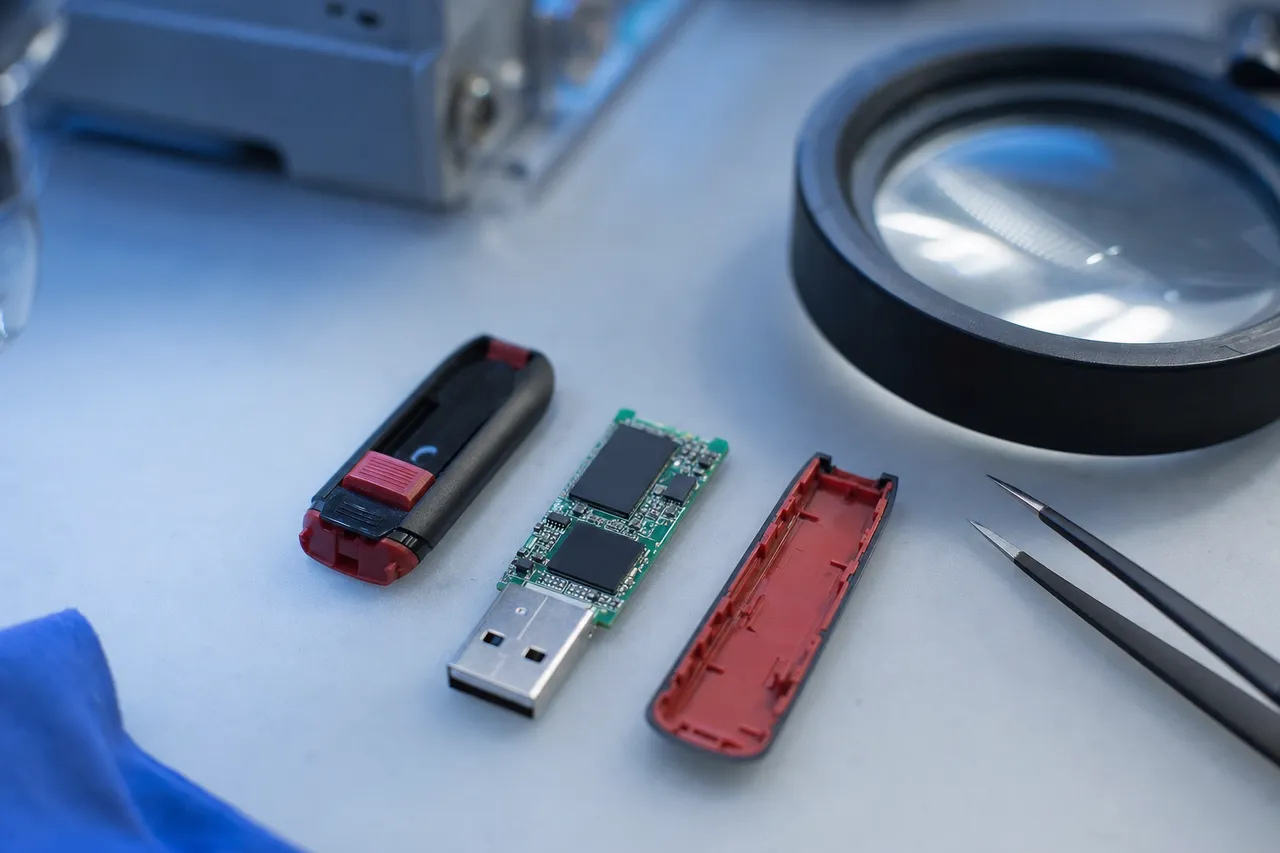
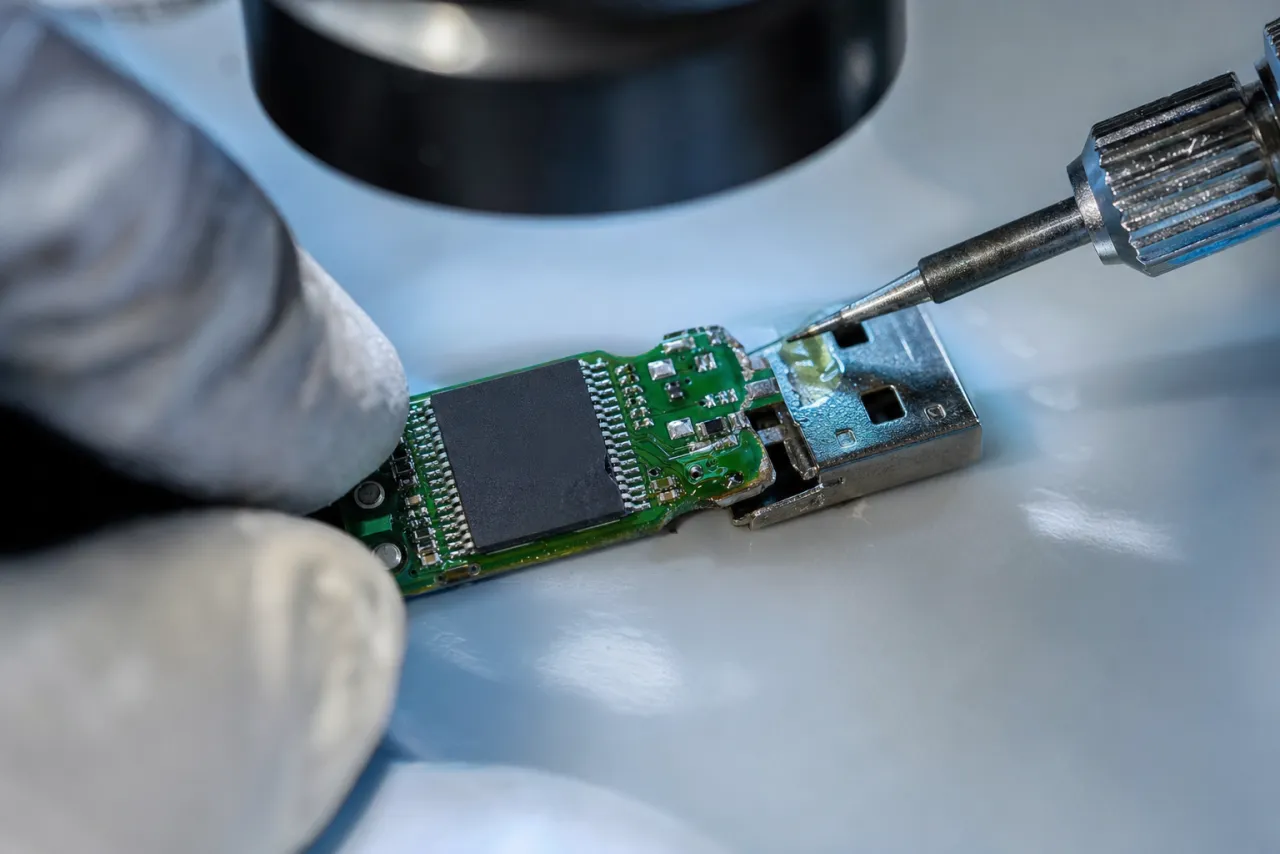
Lost files on your USB flash drive? MDrepairs is a professional data recovery lab in Lincroft, NJ that specializes in recovering data from every type of USB flash drive, thumb drive, and USB stick - from SanDisk Cruzer and Kingston DataTraveler models to Samsung BAR Plus, PNY Turbo, Corsair Voyager, and dozens of other brands. USB flash drives fail without warning - snapped connectors, unrecognized devices, corrupted file systems, and dead controllers are the most common failures we see in our lab every week. Our chip-level NAND recovery tools extract data directly from the memory chip when the controller and circuit board are beyond repair.
Every case starts with a $100 professional diagnostic that gives you a detailed assessment of the USB controller, NAND flash condition, and recovery options before any work begins. We serve customers across all 50 states through our secure mail-in program with free insured shipping both ways. No data, no charge - if we cannot recover your target files, you pay only the diagnostic fee.
Recovery software has a real place - and hard physical limits. Here is the split we give
people on the phone every day, before any pitch.
Try software first - really
Drive works, files deleted or formatted
If the drive still shows up on your computer and the problem is deleted files or an
accidental format, recovery software genuinely works - USB sticks don't run TRIM, so
deleted data usually sits there until it is overwritten. PhotoRec is
free and open source; try it before paying anyone, including us.
Recover to a different drive, never back onto the stick
Stop saving anything to the drive immediately
Don't format when Windows offers to "fix" it
If the drive freezes your computer, disconnects mid-scan, or the software returns
corrupted files, stop - that is hardware failing, and forcing more reads makes it worse.
Software physically can't help
Snapped connector, dead controller, monolith
If the connector snapped off, the drive is detected by nothing, or it is a monolithic
stick with everything in one chip, no software on earth can reach your files - the
computer can't even power the NAND. That is bench work: micro-soldering, trace repair,
and direct NAND reads.
Watch Direct Flash Recovery Closely Related to USB Drives
This Short is an SD card recovery, not a USB stick recovery, but it shows the same direct-flash work used when a USB drive's connector, controller, or board prevents normal access. Joseph removes the SD card coating with a laser, exposes copper data pads, solders wires to a reader adapter, and reads the flash directly. For dead USB flash drives, snapped connectors, and damaged monolithic flash devices, our diagnostic looks for the safest way to bypass the failed interface, read the NAND, rebuild the file system, and return a verified file list before you approve recovery.
1.1M+YouTube Subscribers
400K+TikTok Followers
290K+Instagram Followers
470K+Facebook Followers
Reviews
What Our Customers Say
★★★★★
My SanDisk Cruzer Glide 64GB snapped right off while it was plugged into my laptop. It had 3 years of business proposals and client contracts on it. MDrepairs performed a chip-off recovery and got back every single file. The folder structure was completely intact. Incredible work.
★★★★★
My Kingston DataTraveler 128GB stopped being recognized by any computer. It had my entire master's thesis, research data, and defense presentation on it. Two weeks before my defense. MDrepairs diagnosed a dead controller and recovered everything. They literally saved my degree.
★★★★★
I accidentally ran over my Samsung BAR Plus USB drive in my driveway. The metal casing was bent and crushed. MDrepairs extracted the NAND chip from the wreckage and recovered all 47GB of music production files - stems, masters, everything. No other lab would even take the case.
★★★★★
My PNY Turbo Attache 256GB USB drive went through the washing machine in my scrubs pocket. It had 4 years of nursing school notes, study guides, and clinical reports. MDrepairs cleaned the corrosion and recovered every file. Their mail-in process from Texas was seamless.
★★★★★
Our law firm had a Corsair Flash Voyager GTX with depositions, case briefs, and privileged client communications. It suddenly showed as RAW format. MDrepairs recovered every document with original timestamps - critical for our chain of custody requirements. Outstanding professionalism.
★★★★★
My daughter's school project was on a cheap 32GB USB stick that just died. She was in tears - months of work for her senior capstone. MDrepairs treated it like it was the most important case in the world. Every file recovered, every photo, every video clip. Thank you so much.
★★★★★
I had an IronKey encrypted USB drive from my old company with personal files I needed. The drive locked itself after too many password attempts. MDrepairs was upfront about the challenges of encrypted recovery and managed to recover my personal documents. Honest and skilled.
★★★★★
My Lexar JumpDrive 64GB had every family photo from 2015-2022 on it. One day it just stopped showing up on my Mac. MDrepairs recovered 38GB of photos and videos - even some I had deleted years ago. I cried when I saw my late mother's photos were recovered. Worth every penny.
★★★★★
A contractor handed me a USB drive with our entire building renovation plans, permits, and inspection reports. The connector pins were bent and the drive was not detected. MDrepairs fixed the connection issue and recovered all the files in 3 days on rush service. Saved our construction timeline.
★★★★★
I bought what I thought was a 512GB USB drive online and it corrupted all my music files after filling up at 32GB - it was a counterfeit drive. MDrepairs recovered about 28GB of my original music recordings and confirmed the drive was fake. Lesson learned, but at least I got my files back.
USB Flash Drives We Recover
USB Flash Drives We Recover
MDrepairs recovers data from every USB flash drive brand and model - from the most popular consumer thumb drives to enterprise-grade encrypted USB devices. USB flash drives use NAND flash memory controlled by a microcontroller, and our lab has the chip-level tools and firmware expertise to handle every generation, connector type, and capacity. Below is a partial list of the USB flash drive models we service regularly.
HP x796w / x755w, Verbatim, ADATA, Patriot, Apricorn, iStorage
$100 diagnostic · No data, no charge · Free shipping
Common Failures
Common USB Flash Drive Failures
Broken Connector / Snapped USB
The most common physical failure we see - the USB connector snaps, cracks, or separates from the circuit board when the drive is bumped while plugged in, stepped on, or bent in a pocket. The NAND flash chip inside is almost always undamaged. We repair the broken traces on the PCB or perform a chip-off extraction to recover your data directly from the memory chip, bypassing the damaged connector entirely.
USB Drive Not Recognized
You plug in your flash drive and nothing happens - no drive letter, no notification, no detection in Disk Management or Device Manager. This is typically caused by controller chip failure, firmware corruption, or damaged USB interface circuitry. Our lab uses specialized USB protocol analyzers and controller-specific diagnostic tools to identify the failure point and recover data by communicating directly with the NAND flash memory.
Bent or Damaged Pins
The metal pins inside the USB-A connector get bent, pushed back, or broken from repeated insertion, forceful connection, or plugging into the wrong port orientation. Bent pins can cause intermittent connections, partial detection, or complete failure. We repair damaged pins under magnification and restore the electrical connection to the controller. When pin damage extends to the PCB, we bypass the connector entirely.
Water and Liquid Damage
USB flash drives that go through the washing machine, get dropped in water, or are exposed to spilled liquids. Water corrodes the controller chip, contact pins, and solder joints within hours. We clean corrosion at the component level under microscope, stabilize the circuitry, and perform chip-off NAND recovery when the controller and board are too damaged to repair. Quick action after water exposure improves recovery chances significantly.
Firmware Failure
The USB drive's internal firmware - the software that manages how the controller communicates with the NAND memory - becomes corrupted. Symptoms include the drive showing as 0 bytes, appearing as an unknown device, showing the wrong capacity, or being detected but inaccessible. Firmware failures are common after unsafe ejection, power surges, or using the drive across multiple operating systems. Our lab has firmware repair tools for all major USB controller manufacturers.
Overheated / Electrical Damage
USB flash drives damaged by power surges, faulty USB ports, cheap USB hubs, or being left in hot vehicles. Electrical overvoltage can burn the controller chip instantly, while sustained heat degrades NAND flash cell retention. We assess the controller and NAND damage independently - if the controller is fried but the NAND is intact, chip-off recovery can still retrieve your data.
Data Corruption / Format Errors
Your USB drive is detected but shows corrupted files, asks you to format, displays RAW file system, or shows 0 bytes used. Common after unsafe removal, power loss during writes, virus infections, or file system table damage. We rebuild the file system structure at the sector level and recover your complete directory tree with original filenames, folder hierarchy, and file metadata intact.
Counterfeit / Fake Capacity Drive
Counterfeit USB drives sold online report false capacities - a 32GB drive that claims to be 512GB will appear to work until it overwrites your data. When the real capacity is exceeded, previously saved files become corrupted or disappear. We identify counterfeit drives, determine the real capacity, and recover whatever data was stored within the actual NAND capacity. We can also confirm authenticity for insurance or legal claims.
Our Process
How We Recover Your Data
01
Free Consultation & Shipping
Call 732-933-7717 or submit a free quote. We send you a prepaid, insured shipping label. Pack your USB flash drive securely and ship it to our Lincroft, NJ lab at no cost.
02
$100 Professional Diagnostic
Our technicians examine the USB connector, controller chip, and NAND flash memory under magnification. We identify the exact failure - physical damage, controller death, firmware corruption, or NAND degradation - and provide a detailed recovery quote.
03
Recovery & Verification
Using controller-specific tools, firmware repair utilities, or chip-off NAND extraction, we recover your files. Every recovered file is verified for integrity. You receive a complete file listing before approving the final recovery.
04
Data Return & Free Shipping
Your recovered data is transferred to a new USB drive or external hard drive and shipped back to you with free insured shipping. We securely wipe all copies from our systems after you confirm receipt.
Transparent Pricing
How Much Does It Cost to Recover Files From a Flash Drive?
Logical recovery runs $200 to $500, controller and firmware failures
run $350 to $800, and chip-off NAND extraction for physically damaged
drives runs $500 to $1,200. Every case begins with a $100 professional
diagnostic that identifies the exact issue and provides a firm quote before any recovery
work begins. No data, no charge - if we cannot recover your target files, you pay only
the diagnostic fee.
Every case starts here
All pricing includes the $100 diagnostic fee. No data, no charge - if we can't recover your target files, you only pay the diagnostic fee.
File system corruption, accidental deletion, format errors, partition damage, or virus-related data loss on a physically healthy USB flash drive.
$100 diagnostic included
File system rebuild & repair
Deleted file recovery
Format recovery
Complete file listing before approval
Free return shipping
Controller / Firmware
Most Common
$350 - $800
USB controller chip failure, firmware corruption, drive showing wrong capacity, not recognized by any computer, or intermittent detection requiring board-level repair.
$100 diagnostic included
Controller-specific diagnostics
Firmware repair & reprogramming
USB connector repair
Board-level trace repair
Free return shipping
Chip-Off NAND Recovery
$500 - $1,200
Physical extraction of the NAND flash memory chip when the controller and circuit board are destroyed - snapped drives, severe water damage, burned components, or crushed drives.
$100 diagnostic included
NAND chip desoldering & extraction
Raw NAND image acquisition
ECC error correction
File system reconstruction
Free return shipping
All pricing includes the $100 diagnostic. No data, no charge.
Timeline
How Long Does USB Flash Drive Recovery Take?
Standard turnaround is 4-5 weeks at no surcharge; Priority Rush (+$250) completes in 5-7
days, Urgent Rush (+$500) in 1-2 business days, and Emergency service (+$1,000) starts the
same day. Most USB flash drive recoveries are completed within our standard turnaround
window. Rush options are available for time-sensitive cases - business deadlines, legal
proceedings, academic submissions, or any situation where you need your data back fast.
4-5 WeeksStandardNo surcharge
Full assessment with recovery options and pricing.
The majority of our USB drive recovery customers are mail-in clients from across the country. We provide free insured shipping labels both ways, and your drive is handled in-house at our Lincroft, New Jersey lab. Pack your drive with padding in a small box, include all broken pieces if the connector is damaged, and you only pay if we successfully recover your target files.
2Pack your USB drive with padding and ship it free - include all broken pieces.
3We diagnose, quote, and recover - you approve before any work.
4Your data ships back on new media with free insured shipping.
Real Recovery Cases
Flash Drive & USB Stick Data Recovery - Our Lab & Expertise
See how our professional data recovery lab handles real cases - the same equipment, techniques, and expertise we use for every recovery.
Flash Storage Chip-Off Recovery - NAND Extraction Process
Drive
SanDisk Cruzer Blade 32GB USB Flash Drive
Failure
A small business owner's SanDisk Cruzer Blade stopped being recognized by any computer after being used at a hotel business center. Device Manager displayed "Unknown USB Device (Device Descriptor Request Failed)" - the classic sign of a dead USB controller chip. The drive contained the only copies of 7 years of QuickBooks company files, payroll records, vendor contracts, and tax documents needed for an upcoming IRS audit. Two local computer repair shops had already told the owner the data was gone and the drive was beyond repair.
Recovery
Our diagnostic confirmed the SM3267 USB controller chip had suffered an irreversible electrical failure, but the TSOP48 NAND flash memory chip remained intact and readable. We carefully desoldered the NAND chip from the PCB using our BGA rework station, then mounted it on our PC-3000 Flash reader for a full raw dump. Using Visual NAND Reconstructor, we rebuilt the ECC correction parameters, reconstructed the logical-to-physical page mapping specific to SanDisk's firmware layout, and reassembled the FAT32 file system. Every QuickBooks file, all payroll records, every vendor contract, and the complete tax document archive were recovered intact - 28GB of irreplaceable business data. The client received their recovered data on an encrypted external drive 3 business days before their IRS audit deadline.
Direct Flash Recovery - Laser-Exposed Pads
Drive
SD card with precious dog photos, not recognized
Failure
In the related Short, an SD card will not mount on the computer at all. Joseph removes the protective coating with a laser, exposes the copper data pads, identifies the pad layout, and solders the card to a reader adapter.
Recovery
That clip is an SD card case, not a USB stick case. The same direct-flash skills apply when a USB flash drive has a dead controller, broken connector, or damaged board: we bypass the normal interface, read the flash safely, then reconstruct the file system so you can approve the recovered file list.
USB Flash Recovery Skill - Controller Bypass
Drive
USB flash drives, SD cards, and monolithic flash media
Failure
Flash storage often fails because the controller or connector stops letting the computer talk to healthy NAND memory. The exact package differs by device, but the diagnostic question is the same: can we reach the flash without trusting the failed interface?
Recovery
Our lab uses microscope inspection, soldering, pad access, chip-off reading, ECC correction, and file system reconstruction depending on the device. If your USB drive is not recognized, snapped, bent, or water damaged, the $100 diagnostic tells you which recovery path is realistic before you approve the work.
Monolithic Flash Drive Recovery - Direct NAND Pad Access
Drive
Kingston DataTraveler SE9 16GB USB Flash Drive
Failure
A freelance photographer's Kingston DataTraveler SE9 stopped working after being accidentally stepped on while plugged into a laptop at a wedding venue. The USB connector was physically intact but the drive was completely unresponsive - no LED activity, no detection by any operating system, not even appearing in disk management or USB device listings. The drive contained 16GB of RAW wedding photos from a ceremony that had taken place just hours before, with no backup copies anywhere.
Recovery
Physical inspection under magnification revealed the monolithic design - the controller and NAND flash are integrated into a single chip package with no separable components. The stepping force had cracked internal bond wires connecting the controller die to the NAND array. We used our precision probing station to access the NAND pads directly, bypassing the damaged controller connections entirely. After reading the raw NAND pages through our flash reader, we reconstructed the file system using the Kingston-specific page scrambling algorithm and ECC parameters. All 847 RAW wedding photos were recovered in full resolution - delivered to the relieved photographer on a new USB drive the same week.
Every USB flash drive that arrives at our lab is documented, tracked, and handled with the same care forensic labs use for legal evidence. Your drive never leaves our facility, is never handled by unauthorized personnel, and is tracked at every stage from intake to delivery.
1
Documented Intake
Your USB drive is photographed, serial numbers and capacity recorded, and physical condition logged on arrival - including all broken pieces.
2
Real-Time Tracking
A unique case number with status updates so you always know where your USB flash drive is in the recovery process.
3
Controlled Access
Only your assigned technician handles your drive. Locked anti-static storage, full access log maintained, isolated workstations.
4
Professional Tools
PC-3000 Flash, BGA rework stations, stereo microscopes, USB protocol analyzers, and anti-static workbenches for safe handling.
5
Verification and Secure Return
Recovered data verified file-by-file with MD5/SHA-256 hashes, delivered on new media or secure download. Original drive returned or securely destroyed.
Lab & Expertise
USB Flash Drive Recovery Knowledge Base
A complete technical reference on how USB flash drives work, why they fail, and how professional NAND-level recovery gets your files back. Jump to any topic.
NAND + Controller
USB Flash Drive Technology: How Your Data Is Stored
Understanding how USB flash drives store data is essential to understanding why they fail and how professional recovery works. Every USB flash drive - whether it is a $5 promotional thumb drive or a $200 high-performance USB 3.2 device - contains the same fundamental components: a USB connector, a controller chip, one or more NAND flash memory chips, and a small circuit board (PCB) that connects everything together. The differences between cheap and expensive drives come down to the quality of these components, but the basic architecture is identical across all brands and models.
NAND Flash Memory: The Core Storage Medium. NAND flash memory is the non-volatile storage medium inside every USB flash drive. Unlike RAM, which loses data when power is removed, NAND flash retains data by trapping electrical charges in floating-gate transistors arranged in a grid of cells. Each cell stores one or more bits of data depending on the type of NAND used. Single-Level Cell (SLC) NAND stores one bit per cell and offers the highest reliability and endurance - typically found in enterprise and industrial USB drives with write endurance ratings of 50,000-100,000 program-erase cycles per cell. Multi-Level Cell (MLC) stores two bits per cell and balances performance with cost, offering 3,000-10,000 cycle endurance. Triple-Level Cell (TLC) stores three bits per cell and is the most common type in consumer USB flash drives today, offering high capacity at low cost but with reduced endurance of 500-3,000 cycles. Quad-Level Cell (QLC) stores four bits per cell and is beginning to appear in the highest-capacity consumer drives, though it has the lowest endurance of any NAND type at 100-1,000 cycles.
The NAND flash chip is where your actual files live. When you save a document, photo, or video to a USB flash drive, the controller chip translates that data into a pattern of electrical charges stored in the NAND cells. These charges are organized into pages (typically 4KB to 16KB) grouped into blocks (typically 256KB to 4MB). Data is written at the page level but can only be erased at the block level - this asymmetry is one of the fundamental challenges of flash storage management and a common source of data corruption when the process is interrupted. Modern USB drives use 3D NAND technology where memory cells are stacked vertically in 64, 96, 128, or even 176 layers, allowing higher capacities in smaller chip packages. This vertical stacking introduces additional complexity in the recovery process because the physical-to-logical mapping becomes more intricate with each generation of 3D NAND.
The Controller Chip: Brain of the Drive. The controller chip is the brain of the USB flash drive. It manages every aspect of data storage and retrieval: translating logical file addresses to physical NAND locations through the Flash Translation Layer (FTL), performing wear leveling to distribute writes evenly across NAND cells and extend drive life, managing bad blocks that develop over time as cells wear out, handling error correction codes (ECC) to detect and fix bit errors in stored data, and communicating with the host computer over the USB protocol. Common USB flash drive controller manufacturers include Silicon Motion (SM3267, SM3271, SM3281), Phison (PS2251-07, PS2251-09, PS2307), Alcor Micro (AU6989, AU6998), Innostor (IS903, IS916), and ASolid (AS2258). Each manufacturer uses different firmware architectures, different FTL algorithms, and different ECC implementations - which is why USB flash drive data recovery requires controller-specific tools and deep expertise in multiple controller families.
When a USB flash drive controller fails - due to firmware corruption, electrical damage, or manufacturing defects - the NAND flash memory becomes inaccessible through normal means. The data is still physically present on the NAND chip, but without a functioning controller to translate between the raw NAND data and the USB interface, your computer cannot see any files. This is the fundamental principle behind chip-off recovery: we bypass the dead controller entirely and read the NAND chip directly. However, the data on the raw NAND is not stored in a simple linear format - it is scrambled according to the controller's FTL mapping and ECC scheme, which means we must reverse-engineer these algorithms to reconstruct your files from the raw NAND image.
USB Interface Protocols and Connector Types. USB flash drives communicate with host computers using the USB Mass Storage Class (MSC) protocol, which presents the drive as a standard block storage device. Some newer drives use the USB Attached SCSI Protocol (UASP) for improved performance with USB 3.0 and later. The USB version determines the maximum theoretical transfer speed: USB 2.0 supports up to 480 Mbps (typically 25-35 MB/s real-world), USB 3.0/3.1 Gen 1 supports up to 5 Gbps (typically 100-400 MB/s), USB 3.1 Gen 2 supports up to 10 Gbps, and USB 3.2 Gen 2x2 supports up to 20 Gbps. The USB connector type - USB-A (the rectangular standard), USB-C (the newer reversible connector), or micro-USB (found on older dual-interface drives) - is independent of the USB version, though newer high-speed drives increasingly use USB-C exclusively. Understanding the USB protocol is important for recovery because communication failures between the host and the drive can sometimes mimic storage failures, and our USB protocol analyzers can distinguish between interface problems and actual storage problems, saving time and avoiding unnecessary invasive procedures.
File Systems on USB Flash Drives. USB flash drives are typically formatted with one of three file systems: FAT32 (compatible with virtually every device but limited to 4GB maximum file size and 2TB maximum volume size), exFAT (designed specifically for flash storage with no practical file size limit, compatible with modern Windows, macOS, and most consumer electronics), or NTFS (Windows-native with advanced features like journaling but not natively writable on macOS and limited support on consumer electronics). The choice of file system affects recovery because each stores metadata differently - FAT32 uses a File Allocation Table with duplicate copies, exFAT uses a similar but expanded allocation bitmap, and NTFS uses a Master File Table with journaling that can aid recovery. When a USB drive's file system becomes corrupted, understanding the specific file system structure is critical for rebuilding the directory tree and recovering files with their original names and folder organization.
Brand Profiles
Common USB Flash Drive Brands and Their Recovery Profiles
Not all USB flash drives are created equal, and the brand and model of your drive directly affects the recovery process. Different manufacturers use different controller chips, different NAND flash sources, different firmware implementations, and different physical designs - all of which influence both the failure modes and the recovery techniques required. Our lab maintains a database of controller-to-NAND mappings for thousands of USB flash drive models, allowing us to identify the correct recovery approach before we even open the drive casing. Here is an overview of the major USB flash drive brands we recover from most frequently.
SanDisk (Western Digital). SanDisk is the most popular USB flash drive brand in the world, and we recover more SanDisk drives than any other brand. The Cruzer Glide and Cruzer Blade lines are the most common budget drives, using USB 2.0 interfaces with basic controllers - the Cruzer Glide's retractable slider mechanism is a known physical failure point. The Ultra line offers USB 3.0 speeds and is the best-selling mid-range option, available in capacities from 16GB to 512GB. The Ultra Fit and Ultra Flair are compact designs popular for leaving plugged into laptops and Smart TVs - the Ultra Fit is barely larger than the USB connector itself. The Extreme Go targets enthusiasts and professionals with USB 3.2 speeds up to 400 MB/s read. The iXpand line is designed specifically for iPhone and iPad users, featuring Lightning or USB-C connectors for direct device connection. SanDisk drives typically use in-house Western Digital controllers and SanDisk-branded NAND, which our lab has extensive experience recovering. Common SanDisk failures include controller death on older Cruzer models (particularly the Cruzer Glide 2.0 32GB and 64GB), retractable slider mechanism breaking on Cruzer Glide drives, and firmware corruption on Ultra Fit drives that run hot due to their compact size and lack of thermal dissipation.
Kingston Technology. Kingston is the second most popular USB flash drive brand globally and the dominant choice in enterprise environments thanks to their IronKey encrypted drive line. The DataTraveler line is their consumer range: DataTraveler Exodia is the entry-level option with a colorful cap-based design, DataTraveler Kyson is the mid-range model with a premium metal casing and capless design, and DataTraveler Max is their highest-performance USB-C drive capable of speeds up to 1,000 MB/s. The IronKey line is Kingston's enterprise-grade encrypted USB drives, including the Vault Privacy 50 (FIPS 197 certified), Locker+ 50 (cloud backup integration), D500S (FIPS 140-3 Level 3, military-grade), and Keypad 200 (hardware keypad for OS-independent authentication). Kingston drives typically use Phison or Silicon Motion controllers, and we maintain firmware repair tools for both families. IronKey encrypted drives present special recovery challenges discussed in a dedicated section below.
Samsung. Samsung's USB flash drive lineup is smaller but very popular, distinguished by premium build quality and Samsung's in-house NAND flash. The BAR Plus features a distinctive champagne or titanium metal unibody design with a built-in key ring and is one of the most recognizable USB drives on the market - it is rated for 15g shock resistance and offers USB 3.1 speeds up to 400 MB/s. The FIT Plus is a compact nano-style drive designed to stay plugged in permanently, with a profile that extends only 7mm from the USB port. The Type-C is Samsung's USB-C offering for modern laptops, tablets, and phones. Samsung drives use Samsung-made V-NAND flash (the same NAND used in their acclaimed EVO and PRO SSDs) and typically Samsung or third-party controllers. The metal casing on BAR Plus drives provides good physical protection but can conduct heat, and we see controller failures in BAR Plus drives used in warm environments or left plugged into always-on devices like Smart TVs, gaming consoles, and media servers.
PNY Technologies. PNY is a popular brand in the budget and mid-range USB flash drive market, widely available at retail stores like Best Buy, Walmart, and Target. The Turbo Attache 3 is their mainstream USB 3.0 drive, available in capacities from 16GB to 512GB. The Elite-X Fit is a compact nano drive similar to the SanDisk Ultra Fit and Samsung FIT Plus. The PRO Elite V2 is their performance-oriented model with USB 3.2 Gen 2 speeds. PNY drives use a variety of third-party controllers depending on the production batch - primarily Phison and Silicon Motion - which can complicate recovery because the same model number might use different controllers in different production runs. Our lab identifies the specific controller in each PNY drive before beginning recovery to ensure we use the correct tools and firmware repair methods. This controller variability is common across budget and mid-range USB drive brands and is one reason why professional recovery tools that support multiple controller families are essential.
Corsair. Corsair is known for higher-performance USB flash drives targeted at enthusiasts, gamers, and professionals. The Flash Voyager GTX uses an SSD-like controller with high-quality MLC or TLC NAND for sustained read/write speeds that rival portable SSDs - the 1TB model delivers up to 440 MB/s read and 440 MB/s write. The Flash Survivor Stealth features a ruggedized anodized aluminum housing with water resistance rated to 200 meters, designed for extreme environments. The Flash Padlock 3 is Corsair's hardware-encrypted drive with a built-in keypad. Corsair drives tend to use higher-quality components than budget brands, which means physical failures are less common - but when they do fail, the advanced controllers (often Phison S11 or S13 series) and encryption features can make recovery more complex. Our lab has recovered data from every Corsair flash drive model including water-damaged Survivor drives where the internal O-ring seals failed.
Lexar, Transcend, HP, and Others. Lexar JumpDrive models (S80, P30, V400, M45) are popular mid-range drives with good performance-to-price ratios. The JumpDrive P30 is particularly noteworthy with USB 3.2 Gen 1 speeds up to 400 MB/s read in a premium zinc alloy housing. Transcend JetFlash drives (930C with dual USB-A/USB-C connectors, 920 with USB 3.2 Gen 1 speeds) are reliable workhorses but use controllers that require specialized recovery tools - Transcend has used their own proprietary controller variants in some models. HP-branded drives (x796w, x755w, x740w) are manufactured by PNY under license and share similar recovery profiles - the x796w is a popular USB 3.1 drive with a sliding capless design. We also regularly recover data from Verbatim, Integral Memory, Patriot, Mushkin, Silicon Power, ADATA (UV128, UV150), TeamGroup, Super Talent, Apricorn (Aegis Secure Key), iStorage (datAshur), and dozens of other brands including generic unbranded promotional USB drives. Regardless of the brand, every USB flash drive recovery in our lab follows the same systematic diagnostic process to identify the controller, NAND type, and failure mode before determining the optimal recovery approach.
SanDisk
SanDisk USB Flash Drive Recovery
SanDisk USB flash drives account for the largest share of USB drive recoveries in our lab - not because they are unreliable, but because they are the most popular drives on the market. With a product line spanning from the budget Cruzer Blade to the high-performance Extreme Go and the iPhone-compatible iXpand, SanDisk dominates every price point in the USB flash drive market. Each product line has its own characteristic failure modes and recovery considerations that our lab has documented extensively over thousands of recoveries.
SanDisk Cruzer Series Recovery. The SanDisk Cruzer Glide and Cruzer Blade are the most commonly recovered USB flash drives in our lab. The Cruzer Glide features a retractable USB connector that slides out from the plastic housing - this mechanism is a frequent failure point. The plastic slider track wears over time, and the connector can become misaligned or disconnected from the PCB internally. Externally the drive may look fine, but internally the electrical connection is broken. We open the housing, assess the connector alignment, and either repair the connection or perform a chip-off recovery when the PCB traces are damaged beyond repair. The Cruzer Blade has a fixed connector with an exposed metal USB plug, which makes it vulnerable to connector bending and snapping when bumped while plugged in. Both Cruzer models use SanDisk's in-house controllers and NAND, and our lab has firmware repair tools specifically calibrated for Cruzer controller variants.
SanDisk Ultra Series Recovery. The SanDisk Ultra USB 3.0 line is the best-selling mid-range USB drive worldwide. These drives use higher-quality controllers than the Cruzer line and support USB 3.0 transfer speeds. The Ultra Fit is an extremely compact drive designed to stay plugged into a laptop permanently - its tiny form factor means minimal physical protection and higher operating temperatures, which can accelerate controller wear. We see firmware corruption on Ultra Fit drives that have been left plugged into devices running 24/7. The Ultra Flair has a metal body that dissipates heat better but offers no protection for the exposed USB connector. The Ultra Dual Drive provides both USB-A and USB-C connectors on a single drive - the switching mechanism between connectors is an additional failure point we encounter. Recovery from Ultra series drives typically involves controller-level diagnostics and firmware repair, with chip-off extraction reserved for physical damage cases.
SanDisk Extreme Go and iXpand Recovery. The SanDisk Extreme Go is a USB 3.2 Gen 1 drive with read speeds up to 400 MB/s - approaching portable SSD territory. It uses a more advanced controller than the Ultra line, and failures tend to be firmware-related rather than physical. The SanDisk iXpand and iXpand Flash Drive Luxe are dual-purpose drives with a Lightning or USB-C connector for iPhones/iPads and a USB-A connector for computers. The iXpand uses a proprietary file management app on iOS, and files backed up through this app are stored in a specific directory structure that must be understood during recovery to properly reconstruct the user's photo and video library. We have recovered data from hundreds of iXpand drives where the Lightning connector failed, the drive stopped being recognized by the iPhone, or the SanDisk iXpand app reported the drive as corrupted.
Kingston / IronKey
Kingston DataTraveler and IronKey Recovery
Kingston Technology produces two distinct lines of USB flash drives: the DataTraveler consumer series and the IronKey enterprise-grade encrypted series. Each line presents different recovery challenges, and our lab has specialized tools and procedures for both. Kingston is the second most popular USB flash drive brand we service, and their drives span from budget everyday storage to military-grade encrypted devices used by government agencies and Fortune 500 companies.
Kingston DataTraveler Recovery. The DataTraveler Exodia is Kingston's entry-level USB drive, available in capacities from 32GB to 256GB. It uses a basic plastic housing with a cap-based connector protection system - losing the cap exposes the USB connector to pocket lint, debris, and physical damage. We frequently recover DataTraveler Exodia drives with contaminated connectors and corroded pins. The DataTraveler Kyson features an all-metal capless design with a built-in key ring loop, making it more durable but still susceptible to controller failures, especially on drives used heavily across multiple operating systems (Windows, macOS, and Linux) where file system inconsistencies can trigger firmware errors. The DataTraveler Max is Kingston's highest-performance USB-C drive with speeds up to 1,000 MB/s read - it uses an advanced controller similar to portable SSD controllers, and recovery from a failed DataTraveler Max requires SSD-level diagnostic tools.
Kingston DataTraveler drives use a variety of controllers depending on the model and production batch - primarily Phison and Silicon Motion. Our lab identifies the specific controller in each Kingston drive during the diagnostic phase, because the firmware repair procedure is completely different for Phison versus Silicon Motion controllers. A recovery tool designed for a Phison PS2251-07 controller will not work on a Silicon Motion SM3271 controller, even if both are found in drives labeled "DataTraveler Exodia." This controller variability is one reason why generic data recovery software fails on Kingston drives with controller or firmware problems - the software does not know which controller is present or how to communicate with it at the firmware level.
Kingston IronKey Encrypted Drive Recovery. Kingston IronKey drives represent some of the most challenging USB flash drive recovery cases we handle. IronKey drives feature hardware-based AES-256 encryption that encrypts all data before it reaches the NAND flash memory. This means that even if we perform a chip-off extraction and read the raw NAND data, the data is encrypted and cannot be decrypted without the correct password or encryption key. The IronKey Vault Privacy 50 uses XTS-AES 256-bit encryption with FIPS 197 certification. The IronKey D500S meets FIPS 140-3 Level 3 certification for government and military applications. The IronKey Keypad 200 features a built-in alphanumeric keypad for password entry independent of any software.
Recovery from encrypted IronKey drives is possible in specific scenarios. If you know the password but the drive is not being recognized due to a hardware or firmware failure, we can repair the drive's functionality and allow you to unlock it normally. If the drive is in a brute-force lockout state (too many incorrect password attempts), some older IronKey models have documented vulnerabilities that may allow a reset without data destruction - though newer models are designed to crypto-erase the encryption key after a set number of failed attempts, making recovery impossible without the correct password. We are always transparent about encrypted drive recovery: during the diagnostic phase, we identify the encryption type, assess the drive's lockout state, and provide an honest assessment of recovery chances before you commit to any recovery fees.
Broken Connector
Broken USB Connector Recovery: Our Most Common Physical Repair
A broken, snapped, or separated USB connector is the single most common physical failure in USB flash drives, and it is one of the most rewarding repairs we perform because recovery rates are exceptionally high. The USB connector is the weakest point in any flash drive - it is the part that sticks out, gets bumped, gets bent, and absorbs all the mechanical stress of daily use. When a USB connector breaks, the NAND flash chip that holds your data is almost always completely unharmed. The challenge is restoring the electrical connection between the NAND, the controller, and the USB port - or bypassing the connection entirely through chip-off extraction.
Why USB Connectors Break. USB-A connectors on flash drives are designed for approximately 1,500 insertion/removal cycles - far fewer than most people realize. The standard USB-A plug is a flat rectangular metal shell with four contact pins (power, data+, data-, ground) arranged in a row. USB 3.0 adds five additional pins deeper in the connector for the SuperSpeed data channels. This design creates a rigid lever arm that transmits any lateral force directly to the solder joints where the connector meets the PCB. The most common scenarios that lead to connector breakage include: the drive is bumped or knocked while plugged into a front-panel USB port or a laptop side port, the drive is in a pocket and the wearer sits down or bends over, the drive is caught in a closing laptop lid or desk drawer, a child or pet pulls on the drive, or the drive falls from a desk while connected to a cable-extended USB port. In each case, the force is transmitted through the metal connector to the tiny solder joints and copper traces on the PCB, and something gives way.
Types of Connector Damage. We categorize USB connector damage into four severity levels based on repair complexity. Level 1 is a loose or wobbly connector where the solder joints have cracked but the connector is still attached to the PCB - this is the simplest repair, requiring resoldering of the connector pins under magnification. The drive may still work intermittently at this stage, connecting and disconnecting as the loose joint makes and breaks contact. Level 2 is a partially separated connector where the USB plug has pulled away from the PCB but the copper traces on the board are intact - we clean the connection points and resolder the connector or attach a replacement connector. Level 3 is a fully snapped connector where the USB plug has torn away from the PCB and damaged one or more copper traces - we repair the broken traces with micro-wire jumpers under a microscope before reattaching the connector. Level 4 is catastrophic separation where the connector has torn away and taken a section of the PCB with it, damaging or destroying the traces that connect the controller to the NAND - at this level, connector repair is not viable and we proceed directly to chip-off NAND extraction.
The Repair Process. For Level 1 through Level 3 repairs, we begin by carefully opening the drive's housing to expose the PCB. The PCB is examined under a stereo microscope at 20x to 40x magnification to assess the condition of the solder joints, copper traces, and component integrity. We photograph the damage for documentation purposes and to track the repair process. For a basic resolder (Level 1), we clean the existing solder joints with flux, remove oxidized solder with a desoldering wick, apply fresh solder paste, and reflow the connections using a precision soldering station with a fine tip set to the appropriate temperature for the solder type (typically 350-380 degrees Celsius for lead-free solder). For trace repairs (Level 3), we use a scalpel to carefully expose the broken copper traces beneath the solder mask, solder micro-wire jumpers (typically 30-38 AWG enameled copper wire) to bridge the gap, and secure the repair with UV-curable adhesive to prevent the jumper wires from moving. After repair, we connect the drive to a write-blocked forensic workstation to verify that the controller initializes, the NAND is accessible, and all data can be read without errors before creating a full image of the drive.
When Chip-Off Is the Better Option. In some cases, even though a connector repair might be technically possible, chip-off extraction is the faster and safer option. If the PCB has multiple damaged traces across different signal groups, if the controller chip itself has been physically damaged by the impact that broke the connector, or if the drive has been previously repaired unsuccessfully by another party (we see this more often than you might expect - well-meaning attempts with household soldering irons that create solder bridges, burn traces, and deposit flux residue across the board), we bypass the entire board and extract data directly from the NAND chip. Chip-off is also our default approach for drives where the PCB is cracked or fractured, because a cracked PCB can have invisible micro-fractures in internal trace layers that cause intermittent connections and risk further data corruption during read operations. Additionally, for monolithic USB drives where the controller and NAND are in a single package, traditional connector repair may not work because the monolithic design routes signals differently than discrete-component drives.
If your USB flash drive has a broken connector, the most important thing you can do is stop trying to use it immediately. Do not wiggle the connector to try to establish a connection. Do not hold the drive at an angle while plugged in to maintain a tenuous connection. Do not use tape or glue to try to stabilize the connector. Do not attempt to repair it yourself with a household soldering iron unless you have professional-grade micro-soldering equipment and experience with PCB trace repair. Every additional attempt at connection risks further damage to the PCB traces and could potentially damage the NAND flash chip if a short circuit occurs. Package the drive securely with the broken pieces (we can sometimes extract useful alignment information from broken connector fragments) and send it to our lab - we will take it from there.
Not Recognized
USB Drive Not Recognized: Causes, Diagnosis, and Professional Solutions
"USB drive not recognized" is the most common complaint we hear from customers who send in their flash drives for recovery. The drive is plugged in and absolutely nothing happens - no drive letter in File Explorer, no notification sound, no entry in Disk Management, and sometimes not even a listing in Device Manager. For the average user, this is terrifying because there is no clear error message, no indication of what went wrong, and no obvious path to getting your files back. The good news is that "not recognized" is a symptom, not a diagnosis, and it can be caused by many different issues with very different recovery prognoses. Our systematic diagnostic approach identifies the exact cause before we recommend a recovery strategy.
Controller Chip Failure. The most common cause of a USB drive not being recognized is controller chip failure. The controller is the interface between your computer and the NAND flash memory - if the controller dies, the computer has nothing to communicate with and the drive appears invisible. Controller failure can be sudden (the drive works fine one day and is dead the next) or gradual (the drive becomes intermittently detected before failing completely). Causes include manufacturing defects in the controller silicon, electrical stress from unstable USB power or faulty USB ports, heat damage from prolonged use in confined spaces, static discharge from handling without ESD precautions, or simply reaching the end of the controller's operational life after millions of read/write cycles. Controller failure is particularly common in USB flash drives manufactured between 2015-2019 that used certain revisions of the Phison PS2251-07 controller, which had a known firmware stability issue that could cause sudden death after extended use.
In our lab, we identify the controller manufacturer and model number by examining the chip markings under magnification, cross-referencing our database of controller IDs, and using USB protocol analyzers to detect any partial enumeration attempts. We assess whether the controller can be repaired through firmware reprogramming - if the controller's ROM is intact and only the firmware data area is corrupted, a firmware reload can restore functionality and make all data immediately accessible. If the controller is physically dead (no response at all), we proceed to chip-off recovery to extract data directly from the NAND memory.
Firmware Corruption. USB flash drive firmware is the embedded software that runs on the controller chip and manages all storage operations - think of it as the operating system of the USB drive. When firmware becomes corrupted - due to unsafe ejection during a write operation, power interruption during a firmware update, degraded firmware storage cells, or even cosmic ray-induced bit flips in the firmware storage area - the controller may power on but fail to enumerate as a USB storage device. Symptoms of firmware corruption include the drive showing up as an "Unknown Device" in Device Manager with error code 43, the drive appearing with wrong capacity (typically 0 bytes or a nonsensical size like 8MB on a 64GB drive), the drive being detected only intermittently and disappearing mid-transfer, or the drive appearing as a different device class entirely (like a CD-ROM drive instead of a storage device).
Our lab uses controller-specific firmware repair tools from companies like VNR (Virtual NAND Reconstructor) and Flash Extractor that can reprogram the controller firmware and restore normal drive operation. The firmware repair process involves identifying the exact controller model, loading the appropriate firmware template, calibrating it for the specific NAND flash chip in the drive, and writing the corrected firmware to the controller's configuration area. When firmware repair succeeds, the data is immediately accessible without any additional recovery steps - this is the fastest and most cost-effective USB drive recovery scenario, typically falling in the $350-$500 price range.
USB Interface Damage. Sometimes the controller and NAND are perfectly healthy but the USB interface circuitry is damaged. This includes cracked solder joints on the USB connector pins (invisible to the naked eye but detectable with continuity testing), damaged ESD (electrostatic discharge) protection diodes that short the data lines to ground, blown fuses on the 5V power rail that prevent the drive from receiving operating power, corroded data line traces from moisture exposure, or damaged crystal oscillator components that prevent the controller from generating the correct clock signal for USB communication. These issues prevent the drive from communicating with the host computer even though the internal storage is intact.
We diagnose interface damage using USB protocol analyzers that monitor the electrical signals on the USB data and power lines at the nanosecond level, allowing us to pinpoint exactly where the communication is breaking down - whether the drive is failing during power-up, during USB handshake negotiation, during device enumeration, or during data transfer. Interface repairs are typically straightforward once diagnosed - replace the blown fuse (usually a zero-ohm resistor acting as a fusible link), replace the shorted ESD protection diode, resolder the cracked connector joint, or bypass the damaged trace with a jumper wire. These repairs are among the fastest and least expensive recoveries we perform.
NAND Flash Degradation. In rarer cases, a USB drive may not be recognized because the NAND flash memory itself has degraded beyond the controller's ability to manage it. NAND flash cells have a finite number of program-erase cycles - typically 500-3,000 cycles for TLC NAND used in consumer USB drives. As cells wear out, they produce more bit errors that require more aggressive ECC correction. The controller marks severely degraded cells as bad blocks and routes data to spare blocks from a reserved pool. When the number of bad blocks exceeds the spare block reserve, the controller can no longer maintain the Flash Translation Layer (FTL) mapping and may crash, enter a factory test mode, or simply refuse to enumerate - causing the drive to become unrecognizable. This failure is most common in drives that have been used extensively for years, particularly in applications with heavy write activity like running portable applications, swap files, or continuous logging.
Recovery from severe NAND degradation requires chip-off extraction with advanced ECC correction algorithms that can recover data from partially degraded cells. Our tools apply multi-pass ECC correction with increasing error tolerance thresholds, recovering data that the original controller's simpler ECC engine could not handle. This process is more time-intensive than standard chip-off recovery and may result in some files having minor corruption, but for most data types (documents, photos, videos), the recovered files are fully usable.
What Not to Do When Your USB Drive Is Not Recognized. When your USB drive is not recognized, resist the urge to try a series of home remedies that can make the situation worse. Do not repeatedly plug and unplug the drive into different USB ports - each insertion attempts a controller initialization that can further corrupt damaged firmware or stress a failing controller. Do not run Windows disk utilities like CHKDSK on a failing drive - disk repair tools write to the drive and can overwrite recoverable data. Do not attempt to format the drive when Windows prompts you to - formatting erases the file system structure needed to recover your files with their original names and folder organization. Do not use data recovery software on a drive that is making the computer freeze or hang - this indicates a hardware failure that software cannot fix, and forcing reads on a failing controller can cause additional NAND corruption. Do not open the drive casing and touch the PCB - static discharge from your fingers can destroy the controller or NAND chip in an instant. Instead, package the drive securely in an anti-static bag or wrapped in paper (not aluminum foil, which is conductive) and contact our lab for a professional diagnostic.
Chip-Off NAND
Chip-Off Recovery for USB Flash Drives
Chip-off recovery is the most advanced data recovery technique available for USB flash drives, and it is often the last resort when all other methods have failed. In a chip-off recovery, we physically remove (desolder) the NAND flash memory chip from the USB drive's circuit board, place it in a specialized chip reader, acquire a raw image of the NAND contents, and then reconstruct the file system using proprietary algorithms. This technique bypasses the USB controller, the firmware, and the entire circuit board - it reads data directly from the silicon memory cells where your files are physically stored. Chip-off recovery is what separates a professional data recovery lab from software-based recovery services.
When Chip-Off Is Required. We recommend chip-off recovery when the USB drive's controller is dead and cannot be repaired through firmware reprogramming, when the circuit board is physically destroyed (snapped, crushed, burned, or severely corroded), when the controller chip is proprietary or rare and no firmware repair tool exists for it, when previous repair attempts have caused additional damage to the PCB (we frequently receive drives that another shop or the owner attempted to repair), or when the drive uses a secure controller that blocks firmware-level access. Chip-off recovery is also the only option for USB drives where the controller and NAND are integrated into a single monolithic package - a design increasingly common in budget and ultra-compact USB drives where both components are combined on a single silicon die to reduce manufacturing costs and physical size.
The Chip-Off Process Step by Step. The chip-off process begins with identifying the NAND flash chip - its manufacturer (Samsung, Toshiba/Kioxia, SK Hynix, Micron/Intel, SanDisk/Western Digital), type (SLC/MLC/TLC/QLC), die configuration, page size, block size, number of planes, and pin configuration. We determine this information from the chip markings, cross-referenced against our database of NAND chip identifiers. This identification step is critical because the chip reader must be configured with the exact parameters for the specific NAND chip to read it correctly - using wrong parameters will produce a garbage image.
Next, we remove the NAND chip from the PCB using a hot air rework station. This is a precision operation - the temperature must be high enough to melt the solder (typically 220-260 degrees Celsius for lead-free BGA solder) but low enough to avoid thermal damage to the NAND silicon (which can begin degrading above 300 degrees Celsius with prolonged exposure). We apply controlled hot air with a precisely sized nozzle, monitor the temperature with a thermocouple, and lift the chip gently with vacuum tweezers once all solder joints are reflowed. The desoldered chip is then cleaned of residual solder using flux and a soldering iron, inspected for physical damage under magnification, and its solder pads are prepared for insertion into the chip reader.
The cleaned NAND chip is placed in a compatible chip reader - we use multiple reader platforms including specialized NAND readers that support TSOP-48, BGA-152, BGA-132, BGA-100, LGA-52, and other NAND package types. The reader interfaces directly with the NAND chip's pins and reads the raw contents of every page in every block - this produces a raw NAND dump that contains your data but in a format that is not directly readable as files. Depending on the NAND capacity and read speed, this raw acquisition can take anywhere from 30 minutes to several hours.
NAND Image Reconstruction: The Critical Step. The critical and most technically challenging step is NAND image reconstruction. Raw NAND data is not organized the same way as the logical data you see on your computer. The controller's Flash Translation Layer (FTL) maintains a mapping between logical block addresses (what your computer sees as sequential sectors) and physical NAND locations (where data is actually stored on the chip, which is deliberately non-sequential due to wear leveling). Without the controller's FTL mapping table, we must reconstruct this mapping using proprietary algorithms that analyze the raw NAND image, identify page markers and spare area metadata, determine the correct page and block ordering, apply ECC correction to fix bit errors in the raw data, handle the controller's specific data scrambling or encryption patterns, and rebuild the logical data stream that represents the original drive contents.
Once the logical data stream is reconstructed, it can be mounted as a virtual drive and the file system (FAT32, exFAT, or NTFS) becomes parseable. At this point, your files - documents, photos, videos, and everything else - become accessible with their original filenames, folder structure, and metadata. The reconstructed image is verified file-by-file against the raw data to ensure integrity, and a complete file listing is generated for your review before we finalize the recovery.
Monolithic Chip Recovery. Monolithic USB flash drives - where the controller and NAND are combined in a single chip package with the USB connector molded directly onto the package - present the most difficult chip-off scenarios. These drives cannot be desoldered in the traditional sense because the controller and NAND share the same silicon die. Instead, we connect directly to the chip's test pads (small exposed copper pads on the PCB surface designed for factory testing and programming) using micro-probes or custom jig adapters. This requires identifying the correct test pad pinout for the specific monolithic chip, which is not documented publicly and must be determined through reverse engineering, our internal database of tested pinouts accumulated over thousands of recoveries, or information shared within the professional data recovery community. Monolithic recovery is time-intensive but achievable for most common monolithic USB drive chips, including those found in promotional USB drives, ultra-budget drives from Amazon and eBay, and certain compact-form-factor drives from major brands.
Success Rates and Limitations. Chip-off recovery success rates for USB flash drives are high - typically 85-95% for drives with physically intact NAND and standard controller architectures. The main factors that reduce success rates include severe NAND degradation from heavy use where the bit error rate exceeds our ECC correction capabilities, hardware-encrypted drives where the chip-off extraction yields AES-256 encrypted data that cannot be decrypted without the key, counterfeit NAND chips with nonstandard architectures or falsified chip markings that prevent correct reader configuration, drives that have been exposed to extreme heat (fire damage) where the NAND silicon itself is physically damaged, and very old drives using obsolete controller architectures where reconstruction algorithms are less mature. During the diagnostic phase, we assess NAND chip condition, verify chip authenticity, and test read quality on a sample of blocks before providing you with an honest recovery prognosis and firm quote for the chip-off extraction.
Encrypted Drives
Encrypted USB Flash Drive Recovery
Encrypted USB flash drives are increasingly common in both enterprise and personal use, and they present unique challenges for data recovery that differ fundamentally from unencrypted drives. Hardware-encrypted drives like the Kingston IronKey series, Apricorn Aegis, iStorage datAshur, and Verbatim Keypad Secure store data on the NAND flash memory in an encrypted format using AES-256 hardware encryption engines built into the controller chip. Software-encrypted drives use tools like BitLocker To Go (Windows), FileVault (macOS), or VeraCrypt to encrypt data before writing it to the NAND. Both types of encryption dramatically change the recovery landscape.
Hardware-Encrypted Drive Recovery. With hardware-encrypted USB drives, the encryption and decryption happen inside the controller chip itself - data is encrypted before it reaches the NAND flash and decrypted before it is sent to the host computer. This means that even a perfect chip-off extraction of the NAND will yield only encrypted data that is mathematically impossible to decrypt without the correct key. Recovery from hardware-encrypted drives is therefore only possible if the controller chip can be repaired to a functional state, the correct password or PIN is known, and the drive has not been crypto-erased due to too many failed unlock attempts.
When a hardware-encrypted USB drive arrives at our lab with a hardware or firmware failure, our goal is to repair the drive's functionality without altering the encryption subsystem. This is delicate work - firmware repairs must preserve the encryption key storage area, physical repairs must not disrupt the controller's secure element, and all diagnostic operations must avoid triggering the drive's tamper detection mechanisms. Once the drive is functional again, the customer enters their password to unlock it and access their data normally. We never ask for or store customer passwords - the customer is present (in person or via video call) for the unlock step, or they perform it after receiving the repaired drive.
BitLocker To Go Recovery. BitLocker To Go is Windows' built-in USB drive encryption feature, and it is the most common software encryption we encounter on USB flash drives. Unlike hardware encryption, BitLocker To Go uses the host computer's processor for encryption/decryption and stores the encrypted data on the NAND in a standard format. This means that chip-off recovery of a BitLocker-encrypted drive yields the encrypted volume, which can then be decrypted using the recovery key, password, or Active Directory backup key. If you have your BitLocker recovery key (a 48-digit number generated when BitLocker was first enabled), we can recover data from a BitLocker-encrypted USB drive even when the drive's controller is completely dead. We perform a chip-off extraction, reconstruct the encrypted volume, and you provide the recovery key to decrypt it. Microsoft 365 and Azure Active Directory accounts often store BitLocker recovery keys automatically - check your Microsoft account settings if you do not have the key documented elsewhere.
VeraCrypt and Other Software Encryption. VeraCrypt, the successor to TrueCrypt, is popular among privacy-conscious users for full-drive encryption of USB flash drives. VeraCrypt-encrypted volumes can be recovered through chip-off extraction if the user knows the password and the encryption parameters (algorithm, hash, PIM). Other software encryption tools like LUKS (Linux), AxCrypt, and 7-Zip encrypted archives follow similar principles - the encrypted data can be extracted at the NAND level and decrypted with the correct credentials. We work with customers to identify which encryption tool was used and ensure we have the necessary credentials or keys before beginning a paid recovery.
When Encrypted Recovery Is Not Possible. We believe in complete transparency about encrypted drive recovery limitations. If a hardware-encrypted drive has been crypto-erased (the encryption key has been deliberately destroyed by the drive's security mechanism after too many failed password attempts), the data is permanently unrecoverable regardless of the recovery technique used. If you have lost the password to a hardware-encrypted drive and have no backup key, we cannot brute-force AES-256 encryption - no one can, regardless of what they claim. If the encryption key storage area of the controller has been physically damaged, recovery may not be possible even with the correct password. We assess all of these factors during the diagnostic phase and provide you with a clear, honest assessment of what is and is not possible before you commit to recovery fees.
USB-C / 3.0+
USB-C and USB 3.0+ Flash Drive Recovery Challenges
The transition from USB 2.0 to USB 3.0 and beyond, and from USB-A to USB-C connectors, has brought significant improvements in transfer speeds and convenience - but it has also introduced new recovery challenges that did not exist with older drives. Modern high-speed USB flash drives use more advanced controllers, more complex firmware, higher-density NAND, and more compact physical designs that require updated recovery techniques and tools.
USB-C Connector Challenges. USB-C connectors on flash drives are more compact than USB-A and use a reversible 24-pin design that is more complex electrically. While USB-C is mechanically more durable than USB-A in terms of insertion cycles (rated for 10,000+ insertions versus 1,500 for USB-A), the smaller pin pitch makes USB-C drives more susceptible to contamination - a single grain of pocket lint can bridge pins and cause a short circuit. USB-C flash drives also use different power delivery negotiation than USB-A, and incompatible USB-C cables or ports can send incorrect voltages to the drive, potentially damaging the controller. We have seen an increasing number of USB-C flash drive failures caused by connecting to non-compliant USB-C chargers or cables that deliver power the drive was not designed to handle.
From a repair perspective, USB-C connectors are harder to resolder than USB-A due to their smaller size and the number of pins. Our lab uses hot air rework stations with precision nozzles and microscope-guided soldering for USB-C connector repairs. When the USB-C connector is too damaged to repair, we bypass it entirely and connect to the controller's test pads for data extraction.
Advanced Controllers in USB 3.0+ Drives. USB 3.0 and newer drives use more sophisticated controllers to manage the higher data transfer speeds. These controllers have more complex firmware, larger FTL mapping tables, more aggressive write caching, and more advanced error correction. When these controllers fail, recovery is more complex because the firmware structure is more intricate and the FTL mapping is more elaborate. A USB 2.0 Cruzer Blade with a simple controller and straightforward FTL can often be recovered with basic chip-off tools. A USB 3.2 drive with an advanced controller, multi-channel NAND interface, and sophisticated wear leveling requires advanced NAND reconstruction algorithms that understand the specific controller's data organization scheme.
Higher-Density NAND Challenges. Modern USB flash drives use higher-density TLC and QLC NAND flash to achieve large capacities (256GB, 512GB, 1TB) in compact form factors. Higher-density NAND stores more bits per cell, which means smaller voltage margins between states and higher bit error rates that require more aggressive ECC. When we perform chip-off recovery on high-density NAND, the raw bit error rate can be significantly higher than older SLC or MLC NAND, requiring our ECC correction algorithms to work harder to reconstruct accurate data. Drives that have been heavily used (many program-erase cycles) amplify this challenge because NAND cell degradation further increases the error rate. Our lab invests continuously in updating our ECC algorithms and NAND reconstruction tools to keep pace with evolving NAND technology.
Thermal Throttling and Heat-Related Failures. High-speed USB flash drives generate more heat than slower models - USB 3.2 Gen 2 drives transferring data at 1,000+ MB/s can reach surface temperatures of 60-70 degrees Celsius during sustained writes. Compact form factors like the SanDisk Ultra Fit and Samsung FIT Plus have minimal thermal mass and can get hot enough to cause controller instability, firmware corruption, or premature NAND degradation. We see a disproportionate number of failures in compact USB 3.0+ drives used in always-on applications (NAS devices, Smart TVs, gaming consoles, car entertainment systems) where the drive operates at elevated temperatures continuously. If you use a USB flash drive in an always-on application, consider a larger drive with better thermal properties or a purpose-built USB SSD with active thermal management.
Business + Legal
Business and Legal USB Flash Drive Recovery
USB flash drives remain one of the most common storage devices in business and legal environments despite the rise of cloud storage. Accountants carry client tax files on encrypted thumb drives. Lawyers transport privileged case files between offices and courtrooms. Real estate agents share property listings and contracts via USB. Healthcare workers transfer patient records between systems on HIPAA-compliant drives. When a USB drive containing business or legal data fails, the stakes are significantly higher than personal data loss - regulatory compliance, client obligations, legal deadlines, and financial consequences all come into play.
Chain of Custody and Documentation. For legal cases, evidence preservation, and regulatory compliance, MDrepairs provides comprehensive chain of custody documentation throughout the recovery process. From the moment your drive arrives at our lab, we document the drive's physical condition (with photographs), catalog the serial number and identifying marks, log every diagnostic and recovery step performed, record the tools and methods used, and generate MD5/SHA-256 hash values for recovered files to verify data integrity. This documentation meets the standards required for court proceedings, regulatory audits, insurance claims, and corporate compliance reviews. If your case may involve litigation or regulatory action, inform us during the initial consultation so we can implement enhanced evidence handling procedures from the start.
Business-Critical Recovery Scenarios. The most common business USB drive recovery scenarios we handle include accounting firms with QuickBooks files, tax returns, and financial statements stored on USB drives for portability between client sites and the office. When these drives fail near tax deadlines or audit dates, our rush service ensures data recovery within 1-2 business days. Law firms with case files, depositions, contracts, and privileged communications that must be recovered with verifiable integrity and confidentiality. Real estate companies with transaction documents, property photos, inspection reports, and closing paperwork where a failed USB drive can stall a multi-million dollar closing. Healthcare organizations with patient data on HIPAA-compliant encrypted USB drives where recovery must meet healthcare privacy regulations. Construction and engineering firms with project plans, AutoCAD drawings, permits, and inspection records stored on USB drives carried to job sites.
Confidentiality and Data Security. MDrepairs implements rigorous data security controls for business and legal recovery cases. Our lab is physically secured with access control, and recovered data is handled only by authorized technicians. We execute non-disclosure agreements (NDAs) upon request for cases involving sensitive business information, trade secrets, attorney-client privileged material, or regulated data. All recovery work is performed on isolated workstations that are not connected to external networks. After recovery is complete and you confirm receipt of your data, we perform a certified secure wipe of all copies stored in our lab. We do not outsource any recovery work to third parties - every case is handled in-house at our Lincroft, NJ facility by our own technicians.
Insurance Claims and Documentation. If your USB drive failure is part of an insurance claim - a stolen laptop bag with a USB drive, a fire-damaged office, or a vehicle accident that destroyed a drive containing business records - we provide detailed reports documenting the drive's condition, the cause of failure (water, fire, physical damage), and the recovery results. These reports are accepted by major insurance carriers as supporting documentation for claims involving data recovery costs and data loss. Contact us early in the claims process so we can align our documentation with your insurer's requirements.
Water + Heat
Water and Heat Damaged USB Flash Drive Recovery
USB flash drives face environmental hazards that hard drives and SSDs rarely encounter because they travel in pockets, purses, lanyards, and keychains everywhere their owners go. The washing machine is the number one environmental killer of USB flash drives - we recover more USB drives that have been through a wash cycle than any other type of environmental damage. Heat damage from vehicles, fires, and proximity to heat sources is the second most common environmental failure. Understanding how water and heat affect USB flash drives helps explain why professional recovery is so often successful even when the drive appears completely destroyed.
Water Damage: The Science of Why Drives Fail. When a USB flash drive is submerged in water, the immediate concern is not the water itself - pure deionized water is not conductive and would not damage electronics. The problem is the minerals, detergents, chlorine, and contaminants dissolved in the water that create conductive paths between components on the PCB and begin corroding metal surfaces through electrochemical reactions. In a washing machine, the combination of hot water (50-60 degrees Celsius), alkaline laundry detergent, fabric softener residue, and aggressive mechanical agitation accelerates corrosion dramatically compared to clean water exposure. The detergent is particularly harmful because it is designed to be a surfactant - it reduces water's surface tension, allowing liquid to penetrate into microscopic gaps between components, under chip packages, and into connector cavities where it would not normally reach.
Within hours of exposure, oxidation begins forming on the controller chip pins, PCB copper traces, and solder joints. Within days, corrosion can eat through thin copper traces (especially the fine-pitch traces near the controller chip), create conductive bridges between adjacent traces (causing short circuits), and permanently damage component connections. The corrosion process accelerates significantly if power is applied to a wet drive - even the small amount of current from a USB port can accelerate electrochemical corrosion by orders of magnitude through a process called electrolytic corrosion. This is why the single most important instruction for a water-damaged USB drive is: do not plug it in.
What to Do Immediately After Water Exposure. When a USB drive gets wet, the most important step is to resist the urge to plug it in and check if it still works. Applying power to a wet drive with conductive contaminants can short-circuit the controller, burn out the power regulation components, cause electrolytic corrosion that destroys traces in minutes, or create electrical damage to the NAND flash chip itself. Instead, follow these steps: gently shake excess water out of the USB connector cavity, pat the drive dry with a soft lint-free cloth, place it in a dry environment with good airflow (not in rice - rice dust particles can contaminate the connector and PCB, and rice does not meaningfully accelerate drying compared to open air), and contact our lab as quickly as possible. Do not use a hair dryer on high heat, as excessive heat can cause additional thermal damage. The sooner a water-damaged drive reaches our lab, the better the recovery chances because we can halt corrosion before it causes permanent damage to critical circuit paths.
Our Water Damage Recovery Process. When a water-damaged USB drive arrives at our lab, we begin by carefully opening the housing and examining the PCB under magnification to assess the extent of corrosion. We document the corrosion pattern photographically - the location and severity of corrosion tells us about the type of water exposure (chlorinated pool water produces different corrosion patterns than laundry detergent, which differs from saltwater or coffee spills). We clean the board using ultrasonic cleaning baths with specialized electronic cleaning solutions (typically isopropyl alcohol-based or purpose-made PCB cleaning fluids) that dissolve corrosion, mineral deposits, and detergent residue without damaging components or removing chip markings.
After cleaning, we inspect every solder joint, trace, and component under the microscope at 40x magnification. Corroded solder joints are reflowed with fresh solder and appropriate flux. Damaged traces are repaired with micro-wire jumpers. Components that have been destroyed by corrosion (typically small passive components like capacitors, resistors, and ESD protection diodes near the USB connector, which are most exposed to water ingress) are replaced with matching components from our inventory of salvaged parts. After cleaning and repair, we test the drive on a write-blocked forensic workstation. If the controller powers on and the NAND is accessible, we immediately image the entire drive and verify file recovery.
If the controller is too corroded to repair - which happens in about 30-40% of washing machine cases, especially when the drive was not sent for recovery promptly - we proceed to chip-off recovery. NAND flash chips are remarkably resistant to water damage because they are sealed in epoxy-molded packages (either TSOP or BGA format) that provide a moisture barrier for the silicon die inside. Even after a complete wash cycle with hot water and detergent, the silicon memory cells inside the NAND package are almost always completely intact. This is why chip-off recovery of water-damaged USB drives has very high success rates - typically above 90% when the drive reaches our lab within a week of the water exposure.
Heat and Fire Damage. Heat affects USB flash drives differently depending on the temperature and duration of exposure. At 60-70 degrees Celsius (a car dashboard in direct summer sunlight, or a drive left on top of a running appliance), the controller may experience thermal throttling, intermittent firmware instability, or accelerated wear on NAND cells, but the drive should survive with data intact. At 70-85 degrees Celsius (a car interior in extreme heat conditions, or a drive left near a heat vent), the controller may crash, firmware may corrupt, and solder joints under thermal stress may develop micro-cracks - the drive may fail but is usually recoverable with standard techniques. At 100-150 degrees Celsius (proximity to a fire without direct flame exposure), solder joints begin to weaken and crack, plastic housings soften and deform, adhesives fail, and the NAND flash cells may experience accelerated charge leakage that reduces data retention from years to days or weeks - making prompt recovery essential. Above 200 degrees Celsius (direct fire proximity), solder joints reflow uncontrollably, PCB traces delaminate from the fiberglass substrate as the epoxy binding material breaks down, and NAND chip packages may crack or deform as the encapsulation material expands - but the silicon die inside often survives. Above 300 degrees Celsius (house fire, vehicle fire), the PCB and NAND packages may be charred and the epoxy encapsulation may crack, but the silicon die inside the NAND package can sometimes survive because silicon does not melt until 1,414 degrees Celsius and can withstand brief exposure to temperatures well above 300 degrees.
Recovery from heat-damaged USB drives depends entirely on the condition of the NAND flash chip. If the NAND package is intact and the silicon die is undamaged, chip-off recovery can succeed even when the rest of the drive is completely destroyed. We have recovered data from USB drives pulled from house fires, vehicle fires, and industrial accidents where the plastic housing was completely melted, the PCB was charred to black, and the controller chip was cracked - but the NAND chip survived because it was the most heat-resistant component on the board. During the diagnostic phase, we assess NAND chip viability by performing a test read on a sample of blocks before committing to a full recovery attempt, so you never pay for a recovery that has no chance of success.
Prevention
Preventing USB Flash Drive Data Loss
While MDrepairs is here when data loss happens, prevention is always better than recovery. USB flash drives are inherently more fragile than most other storage devices - they are small enough to lose, portable enough to get damaged, and affordable enough that people often forget to back up the critical data stored on them. Understanding the common causes of USB drive failure and implementing basic precautions can dramatically reduce your risk of data loss. Here are our recommendations based on thousands of USB drive recovery cases.
Always Use Safe Ejection. The single most important habit you can develop is always safely ejecting your USB drive before removing it. Windows, macOS, and Linux all maintain write caches for USB drives - data that the operating system has acknowledged as "written" but that is still waiting in a RAM buffer to be physically written to the NAND flash. If you pull out a USB drive while the write cache has pending data, the file system metadata may become inconsistent, leading to corrupted files, lost directories, or a drive that asks you to format. On Windows, right-click the USB icon in the system tray and select "Eject." On macOS, drag the drive to the Trash or click the eject button in Finder. On Linux, use the "Safely Remove" option in your file manager. Wait for the confirmation message before physically removing the drive. This five-second habit prevents a significant percentage of the logical data corruption cases we see in our lab.
Keep Backups of Important Files. A USB flash drive should never be the only copy of important data. USB drives have higher failure rates than hard drives and SSDs because they are physically smaller, more exposed to environmental hazards, and more likely to be lost or stolen. Follow the 3-2-1 backup rule: maintain at least three copies of important files, on at least two different types of storage media, with at least one copy stored offsite or in the cloud. Use your USB flash drive as a transport device or a secondary backup - not as your primary storage for irreplaceable files. Cloud storage services like Google Drive, iCloud, OneDrive, and Dropbox offer free tiers that can serve as an automatic offsite backup for your most critical documents and photos.
Protect the Physical Drive. USB flash drives live in pockets, purses, desk drawers, and keychains - environments that expose them to physical hazards that computers never face. Use a cap or capless design with retractable connectors to protect USB-A pins from bending and contamination. Avoid leaving USB drives plugged into laptops during transport - the protruding drive creates a lever that can snap the connector if the laptop is placed in a bag. If you carry a USB drive on a keychain, choose a drive with a durable metal housing (Samsung BAR Plus, Kingston DataTraveler Kyson) rather than a lightweight plastic drive. Keep USB drives away from liquids, extreme heat (car dashboards), strong magnets (though flash drives are less sensitive to magnets than hard drives), and areas where they might be sat on, stepped on, or crushed.
Monitor Drive Health. USB flash drives do not have SMART monitoring like hard drives and SSDs, making it harder to predict failures before they happen. However, there are warning signs to watch for: increasing frequency of read/write errors (files that become corrupted after saving), the drive taking longer to be recognized when plugged in, intermittent disconnections during file transfers, the drive running noticeably hotter than usual, or the drive showing reduced available capacity over time. Any of these symptoms suggests the drive is approaching the end of its useful life, and you should immediately back up all data and replace the drive.
Choose Quality Drives. Not all USB flash drives are equally reliable. Buying from established brands (SanDisk, Kingston, Samsung, Corsair, Lexar, Transcend) with genuine NAND flash and quality controllers significantly reduces your failure risk compared to ultra-cheap or unbranded drives from Amazon marketplace sellers and eBay. Counterfeit USB drives are a massive problem - they report false capacities, use recycled or defective NAND chips, and fail at rates far higher than genuine drives. If a price seems too good to be true (a 1TB USB drive for $15), it almost certainly is. Buy from authorized retailers or directly from manufacturer websites, and verify your drive's actual capacity with a free tool like H2testw (Windows) or F3 (macOS/Linux) when you first receive it.
Consider Encryption for Sensitive Data. If your USB drive contains sensitive business, financial, legal, or personal data, enable encryption to protect against data exposure if the drive is lost or stolen. Windows Pro editions include BitLocker To Go for USB drive encryption. macOS can encrypt external drives through Disk Utility. VeraCrypt is a free, cross-platform encryption option. For the highest security, consider hardware-encrypted drives like the Kingston IronKey or Apricorn Aegis that encrypt data automatically and are immune to software-based attacks. Just remember to store your encryption password or recovery key somewhere secure and separate from the drive - if you lose the key, even professional data recovery cannot decrypt the data.
Talk to the technician who does the micro-soldering - not a call center.
Straight answers on cost, turnaround, broken connectors, chip-off recovery, and how we get your files back from a dead USB flash drive.
Can data be recovered from a broken USB stick?
Yes, in the large majority of cases. The part that breaks - the connector, the solder joints, the circuit board, even the controller chip - is almost never the part that holds your data. Your files live on the NAND flash memory chip, and silicon routinely survives snaps, bends, crushing, and washing machines. We repair the board when it is repairable and go straight to the NAND (chip-off or test-pad reads) when it is not. Physically broken drives with intact NAND recover at 95-100%.
Can a snapped-off USB connector be repaired?
Yes - a snapped connector is the single most common physical repair on our bench. If the solder joints cracked, we reflow them under a microscope. If the connector tore copper traces off the board, we bridge the damage with micro-wire jumpers and reattach or replace the connector. If it took part of the PCB with it, we skip the repair and read the NAND chip directly. Ship the drive with every broken piece included - fragments sometimes carry useful alignment information.
How much does it cost to recover files from a flash drive?
USB flash drive recovery ranges from $200-$500 for logical recoveries (corruption, deletion, format errors), $350-$800 for controller and firmware failures, and $500-$1,200 for chip-off NAND extraction (physical damage). Every case starts with a $100 diagnostic that provides a firm quote before any recovery work begins. No data, no charge - if we cannot recover your files, you pay only the diagnostic fee.
How do I recover files from a USB that isn't detected?
First rule out the simple stuff yourself: try a different port, a different computer, and check Disk Management (Windows) or Disk Utility (Mac) - sometimes the drive is detected but simply has no drive letter. If it shows up nowhere on any machine, the controller chip is dead or the firmware is corrupted, and no software can help - software needs the drive to enumerate first. That is lab territory: we use controller-specific diagnostic tools to identify the failure, attempt firmware repair when possible, and perform chip-off NAND extraction when the controller cannot be repaired. Your data is stored on the NAND flash memory, which remains intact even when the controller dies.
Does Best Buy recover flash drives?
Not in the store. Geek Squad does not do board-level or chip-off flash work in-house - drives that need real recovery get shipped out to a third-party lab partner, with retail markup and extra hand-off time added on top. For a working drive with deleted files, the software their partner runs is the same class of tool you could run yourself for free. MDrepairs is the actual lab: the diagnostics, micro-soldering, and NAND reads happen on our own bench in Lincroft, NJ, and you talk directly to the technician doing the work.
Can you recover data from a USB flash drive with a broken connector?
Yes - broken USB connectors are the most common physical failure we repair. In most cases the NAND flash chip holding your data is completely undamaged. We either repair the broken connection on the circuit board or perform a chip-off extraction to read data directly from the memory chip, bypassing the damaged connector entirely. Recovery rates for broken connector drives are very high.
Can I recover my USB drive data myself with software?
Data recovery software can work for simple logical issues like accidental deletion or minor file system corruption - but only if the USB drive is physically healthy and detected by your computer. If your drive is not recognized, has a broken connector, or has a dead controller, no software can access the drive. For physical failures, firmware corruption, or any situation where the drive is not detected, professional recovery is required.
Can you recover data from a USB drive that went through the washing machine?
Yes, we recover data from water-damaged USB drives regularly. The most important step is to not plug the drive in after it gets wet. Water itself does not destroy data on NAND flash memory - the concern is corrosion on the controller and circuit board. We clean corrosion at the component level and perform chip-off recovery when needed. The sooner you send the drive, the better the recovery chances.
What is chip-off recovery for USB flash drives?
Chip-off recovery involves physically removing (desoldering) the NAND flash memory chip from the USB drive's circuit board and reading it directly with a specialized chip reader. This bypasses the controller, firmware, and circuit board entirely. We use chip-off when the controller is dead, the PCB is destroyed, or other recovery methods have failed. It is the most advanced USB drive recovery technique available.
How long does USB flash drive recovery take?
Standard turnaround is 4-5 weeks. Rush options are available: Priority Rush (5-7 days, +$250), Urgent Rush (1-2 days, +$500), and Emergency Same Day (+$1,000). Simple logical recoveries may be completed faster than the quoted turnaround. We will provide an estimated timeline with your diagnostic results.
My USB drive shows as RAW format. What does that mean?
RAW format means your computer can detect the USB drive but cannot read the file system (FAT32, exFAT, or NTFS). This is usually caused by file system table corruption from unsafe ejection, power loss during a write, or a virus. Your files are still on the NAND flash - the file system structure that organizes them is damaged. Do not format the drive when prompted. Professional recovery rebuilds the file system and recovers your files with original names and folder structure.
What is the $100 diagnostic fee?
The $100 diagnostic is a flat fee that covers a complete professional assessment of your USB flash drive - physical inspection, controller identification, NAND condition testing, and a detailed report with recovery options and pricing. If you approve the recovery, the $100 is included in the total price. If we cannot recover your data, the $100 diagnostic is all you pay. No hidden fees.
What brands of USB flash drives do you recover?
We recover data from every USB flash drive brand including SanDisk (Cruzer, Ultra, Extreme Go, iXpand), Kingston (DataTraveler, IronKey), Samsung (BAR Plus, FIT Plus), PNY, Corsair, Lexar, Transcend, HP, Verbatim, and all others. Our lab maintains controller-specific tools for all major USB flash drive manufacturers.
Can you recover data from an encrypted USB flash drive?
It depends on the encryption type. For hardware-encrypted drives (IronKey, Apricorn), we can repair the drive and allow you to unlock it with your password. For software-encrypted drives (BitLocker To Go, VeraCrypt), we can extract the encrypted volume and you provide the decryption key. We cannot crack AES-256 encryption without the correct password or recovery key.
Do you recover data from counterfeit or fake USB drives?
Yes. Counterfeit USB drives that report false capacities are a common problem. When the real capacity is exceeded, data gets overwritten and corrupted. We identify counterfeit drives, determine the actual NAND capacity, and recover whatever data was stored within the real capacity limits. We can also provide documentation confirming the drive is counterfeit for insurance or dispute claims.
Will you be able to recover all my files?
Recovery rates depend on the type and severity of the failure. Physical damage with intact NAND typically yields 95-100% recovery. Controller failures with chip-off extraction yield 85-95%. Logical corruption from format or deletion yields 90-100% if no new data was written. We provide a complete file listing during the diagnostic so you know exactly what is recoverable before approving any charges.
How do I ship my USB flash drive to your lab?
Call 732-933-7717 or submit a free quote online. We send you a prepaid, insured shipping label at no cost. Package your USB drive in a small box with padding (bubble wrap, paper towels, or foam) to prevent movement during shipping. Do not wrap the drive in anti-static bags unless you have them - static is less of a concern than physical damage during transit. If the connector is broken, include all broken pieces.
Do you work on USB drives from all 50 states?
Yes. We serve customers in all 50 states through our mail-in recovery program. Free insured shipping both ways - we send you a prepaid label to ship the drive to our lab in Lincroft, NJ, and we ship your recovered data back to you at no cost. The majority of our USB drive recovery customers are mail-in clients from across the country.
Can you recover deleted files from a USB flash drive?
Yes, deleted files can often be recovered from USB flash drives. When you delete a file, the data remains on the NAND flash - only the file system pointer is removed. Recovery is most successful when no new data has been written to the drive after deletion. The sooner you stop using the drive after accidental deletion, the higher the recovery chances. TRIM is not typically supported on USB flash drives, which is actually an advantage for recovery compared to SSDs.
Is my data kept confidential during recovery?
Absolutely. All recovery work is performed in-house at our Lincroft, NJ lab - we never outsource to third parties. Recovered data is handled only by authorized technicians on isolated workstations. We execute NDAs upon request for sensitive business, legal, or personal data. After you confirm receipt of your recovered data, we perform a certified secure wipe of all copies in our lab.
What if my USB drive was accidentally formatted?
Accidental formatting is one of the most recoverable USB drive failures. A quick format only erases the file system table - your actual data remains on the NAND flash. Even a full format on most USB drives can be recovered because the format process writes zeros to the data area slowly and may not have completed. The key is to stop using the drive immediately after formatting - do not save any new files to it.
Can you recover data from a USB drive damaged by a power surge?
Yes. Power surges from faulty USB ports, cheap USB hubs, or electrical storms can burn out the controller chip or power regulation components. If the NAND flash chip survived the surge (which it usually does because the controller absorbs most of the electrical damage), chip-off recovery can extract your data. We assess NAND chip viability during the diagnostic to give you an accurate recovery prognosis.
Do you recover promotional USB drives and cheap thumb drives?
Yes. Promotional USB drives given away at trade shows and conferences often use lower-quality components but the recovery process is the same. Many promotional drives use monolithic chip designs where the controller and NAND are in one package, which requires a specialized approach - we connect to test pads on the circuit board rather than performing traditional chip-off. We have recovered data from thousands of promotional and budget USB drives.
My USB drive shows 0 bytes or wrong capacity. What happened?
A USB drive showing 0 bytes or an incorrect capacity (like 8MB instead of 64GB) typically has firmware corruption. The drive's firmware stores the capacity information and Flash Translation Layer mapping - when firmware is corrupted, the controller reports incorrect information to the host computer. This is a recoverable failure. Our lab uses controller-specific firmware repair tools to restore proper drive operation and access your data.
What happens to my original USB drive after recovery?
After recovery, your recovered data is transferred to a new storage device (USB drive or external hard drive) that is included in the recovery price. Your original damaged drive is returned along with the recovered data unless you instruct us to securely destroy it. We recommend not reusing a USB drive that has experienced a failure, as the underlying condition that caused the failure may cause it to fail again.
Can you recover data from a USB drive that has been bent or crushed?
Yes. Bent and crushed USB drives are common - sat on in a pocket, run over by a car, or caught in a closing door. The NAND flash chip is very small and often survives physical trauma that destroys the rest of the drive. We extract the NAND chip (or connect to it via test pads if the chip is still attached to a partially intact PCB) and recover your data through chip-off extraction.
Do you offer rush or emergency USB drive recovery?
Yes. Standard turnaround is 4-5 weeks, but we offer Priority Rush (5-7 days, +$250), Urgent Rush (1-2 days, +$500), and Emergency Same Day (+$1,000) for time-critical cases. Rush services are ideal for business deadlines, legal proceedings, academic submissions, or any situation where waiting is not an option. Call 732-933-7717 to discuss rush availability for your case.
What file types can you recover from USB flash drives?
We recover all file types stored on USB flash drives - documents (Word, Excel, PDF, PowerPoint), photos (JPEG, PNG, RAW, TIFF), videos (MP4, MOV, AVI, MKV), music (MP3, FLAC, WAV), databases, QuickBooks files, AutoCAD drawings, source code, and any other file format. Our recovery process works at the storage level, not the file format level, so every file type is recoverable if the underlying NAND data is intact.
Why should I choose MDrepairs for USB flash drive recovery?
MDrepairs is a professional data recovery lab with over 2 million social media followers who watch our real recovery work on camera. Every recovery is performed in-house at our Lincroft, NJ lab - never outsourced. We have controller-specific tools for all major USB flash drive manufacturers, chip-off NAND extraction capability for physically damaged drives, and transparent pricing with a no data, no charge guarantee. Our $100 diagnostic gives you a complete assessment and firm quote before any recovery work begins.
Lost your data? We'll get it back. Send us your USB flash drive and our lab will diagnose it, quote you a firm price, and recover your files. No data, no charge - you only pay the $100 diagnostic if we can't recover your target files.