2M+ followers watch us recover data on YouTube, TikTok & Instagram - watch real cases ↗

SD Card Data Recovery

Lost photos, videos, or files on your SD card? MDrepairs is a professional data recovery lab in Lincroft, NJ that specializes in every type of SD card: full-size SD, microSD, miniSD, SDHC, SDXC, and SDUC from all the major manufacturers including SanDisk, Samsung, Kingston, Lexar, Sony, Transcend, and PNY. Whether your SD card is corrupted, not recognized by your camera or phone, physically broken, or was accidentally formatted, our chip-level NAND recovery tools handle failures that software and other labs can't touch. We recover data from SD cards used in DSLR cameras, mirrorless cameras, drones, smartphones, dashcams, GoPros, Nintendo Switch consoles, and pretty much every other device that uses SD storage.

Every case starts with a $100 professional diagnostic that gives you a detailed assessment of controller health, NAND condition, and recovery options before any work begins. We serve customers across all 50 states through our secure mail-in program with free insured shipping both ways. If we can't get your files back, you only pay the diagnostic fee. No data, no charge.

Before You Pay Anyone

Do You Actually Need a Lab? An Honest Answer First

Half the results for "SD card recovery" are software ads. Recovery software is genuinely the right first move for some failures and physically useless for others. Here is the honest split, from a lab that sees both every week.

Try software first - really

Deleted or formatted, and the card still reads

If your computer still sees the card and the problem is deleted photos or an accidental format, the data is almost certainly still in the NAND and recovery software genuinely works. PhotoRec is free and open source and carves photos straight off the card - try it before paying anyone, including us.

  • Work from a card reader and recover to a different drive
  • Never install software onto the card itself
  • Stop shooting on the card the moment you notice the loss

If the scan comes back with corrupted or missing files, stop there - repeated deep scans on a degrading card can finish it off. That is the point where the $100 diagnostic makes sense.

Software physically can't help

Card dead, snapped, not detected - or a monolith

If no device detects the card, it reads 0 bytes, it is physically broken, or it went through water, software cannot reach your files - the computer can't even talk to the NAND. That is chip-level lab work: we bypass the dead controller and read the memory die directly, the same way we do it in our recovery videos.

Call (732) 933-7717
Watch the work

Watch a Real SD Card Recovery

This Short shows an SD card that would not mount and contained irreplaceable dog photos. Joseph removes the protective coating with a laser, exposes the copper data pads, checks the known pad layout, solders wires to a reader adapter, and reads the flash directly. That is the kind of direct SD card recovery we use when a card is not recognized, the controller will not communicate, or the normal contacts cannot be trusted. If your SD card holds wedding photos, drone footage, camera RAW files, or phone videos, start with a diagnostic so we can tell you what is recoverable before you approve the work.

  • 1.1M+YouTube Subscribers
  • 400K+TikTok Followers
  • 290K+Instagram Followers
  • 470K+Facebook Followers
Reviews

What Our Customers Say

  • My SanDisk Extreme Pro 128GB SD card stopped being recognized in my Canon R5 right in the middle of a wedding shoot. I had 2,000+ photos on it. MDrepairs recovered every single image, even the ones I shot right before the card died. Joseph was incredible throughout the process.

    Michelle T. Google Review
  • My Samsung EVO Select 256GB microSD card from my Galaxy S23 suddenly went blank after 8 months. Over 15,000 photos and all my WhatsApp backups were on that card. MDrepairs recovered everything including files I had deleted months ago. Their mail-in process was seamless from California.

    Carlos D. Google Review
  • My 512GB SanDisk Ultra microSD card from my DJI Mavic 3 suddenly showed as corrupted mid-flight. All my aerial footage from a commercial real estate project was on it. MDrepairs had my files back within a week on rush service. Saved my entire client deliverable.

    James W. Google Review
  • SanDisk Extreme Pro 256GB from my Sony A7IV just stopped working one day. No warning, no errors, just dead. MDrepairs diagnosed a controller failure and recovered every RAW file. As a professional photographer this saved my entire season of portrait sessions. Worth every penny.

    Stephanie R. Yelp Review
  • Accidentally formatted my Lexar Professional 1066x 64GB SD card in my Nikon Z6 II. Two weeks of vacation photos from Italy just disappeared. MDrepairs recovered every single photo even though I had taken a few new pictures after the format. Incredibly grateful.

    Angela P. Google Review
  • My GoPro Hero 12 corrupted my Samsung PRO Plus 256GB microSD card during a skydiving session. 47 jumps worth of footage completely gone, and the card would not mount on any device. MDrepairs performed a chip-off recovery and got back every single video file. These guys are the real deal.

    Marcus J. Google Review
  • My Kingston Canvas Go! Plus 128GB SD card from my dashcam had the exact footage I needed for an insurance claim after a hit-and-run. The card went read-only and then stopped working entirely. MDrepairs recovered the specific 2-minute clip I needed plus months of other footage. Lifesavers.

    Rachel K. Google Review
  • Dropped my Sony TOUGH 128GB SD card into a stream while changing cards on a nature photography shoot. It was submerged for at least 20 minutes before I found it. MDrepairs cleaned it up and recovered every single RAW file. 3 days of Yellowstone wildlife photography saved.

    Tom H. Google Review
  • My daughter's Nintendo Switch corrupted her SanDisk 512GB microSD card with over 30 downloaded games and hundreds of screenshots. MDrepairs recovered everything and transferred it to a new card. My daughter was so happy to get her save files back. Excellent communication throughout.

    Diana L. Google Review
  • Bought what I thought was a Samsung EVO Plus 512GB microSD online. Turned out to be a counterfeit that corrupted all my drone footage. MDrepairs still managed to recover the important footage and even confirmed it was a fake card. They recovered data from a 32GB chip pretending to be 512GB. Outstanding work.

    Kevin M. Google Review
SD Cards We Recover

SD Cards We Recover

MDrepairs recovers data from every SD card ever manufactured, from vintage 256MB SD cards to the latest 1TB SDXC and microSDXC cards. We handle every form factor (SD, miniSD, microSD), every capacity class (SDHC, SDXC, SDUC), and every speed rating (UHS-I, UHS-II, UHS-III, V30, V60, V90). Below is a partial list of the SD card models we service regularly.

SanDisk

  • SanDisk Extreme Pro SDXC 64GB (V30, U3)
  • SanDisk Extreme Pro SDXC 128GB (V30, U3)
  • SanDisk Extreme Pro SDXC 256GB (V30, U3)
  • SanDisk Extreme Pro SDXC 512GB (V30, U3)
  • SanDisk Extreme Pro SDXC 1TB (V30, U3)
  • SanDisk Extreme SDHC 32GB (V30, U3)
  • SanDisk Extreme SDXC 64GB (V30, U3)
  • SanDisk Extreme SDXC 128GB (V30, U3)
  • SanDisk Extreme SDXC 256GB (V30, U3)
  • SanDisk Ultra SDHC 32GB (Class 10)
  • SanDisk Ultra SDXC 64GB (Class 10)
  • SanDisk Ultra SDXC 128GB (Class 10)
  • SanDisk Ultra SDXC 256GB (Class 10)
  • SanDisk Extreme Pro microSDXC 64GB (A2, V30)
  • SanDisk Extreme Pro microSDXC 128GB (A2, V30)
  • SanDisk Extreme Pro microSDXC 256GB (A2, V30)
  • SanDisk Extreme Pro microSDXC 512GB (A2, V30)
  • SanDisk Extreme Pro microSDXC 1TB (A2, V30)
  • SanDisk Extreme microSDXC 128GB (A2, V30)
  • SanDisk Extreme microSDXC 256GB (A2, V30)
  • SanDisk Ultra microSDHC 32GB (A1)
  • SanDisk Ultra microSDXC 64GB (A1)
  • SanDisk Ultra microSDXC 128GB (A1)
  • SanDisk Ultra microSDXC 256GB (A1)
  • SanDisk Ultra microSDXC 512GB (A1)
  • SanDisk High Endurance microSDXC 128GB
  • SanDisk High Endurance microSDXC 256GB
  • SanDisk MAX Endurance microSDXC 128GB
  • SanDisk MAX Endurance microSDXC 256GB

Samsung

  • Samsung EVO Select microSDXC 64GB (A2, V30)
  • Samsung EVO Select microSDXC 128GB (A2, V30)
  • Samsung EVO Select microSDXC 256GB (A2, V30)
  • Samsung EVO Select microSDXC 512GB (A2, V30)
  • Samsung EVO Plus microSDXC 64GB (A2, V30)
  • Samsung EVO Plus microSDXC 128GB (A2, V30)
  • Samsung EVO Plus microSDXC 256GB (A2, V30)
  • Samsung EVO Plus microSDXC 512GB (A2, V30)
  • Samsung PRO Plus SDXC 128GB (V30, U3)
  • Samsung PRO Plus SDXC 256GB (V30, U3)
  • Samsung PRO Plus microSDXC 256GB (A2, V30)
  • Samsung PRO Plus microSDXC 512GB (A2, V30)
  • Samsung PRO Endurance microSDXC 128GB
  • Samsung PRO Endurance microSDXC 256GB
  • Samsung PRO Ultimate SDXC 128GB (V30, U3)
  • Samsung PRO Ultimate SDXC 256GB (V30, U3)
  • Samsung PRO Ultimate microSDXC 256GB (A2, V30)
  • Samsung PRO Ultimate microSDXC 512GB (A2, V30)

Kingston

  • Kingston Canvas Go! Plus SDXC 64GB (V30, U3)
  • Kingston Canvas Go! Plus SDXC 128GB (V30, U3)
  • Kingston Canvas Go! Plus SDXC 256GB (V30, U3)
  • Kingston Canvas React Plus SDXC 64GB (V60, U3)
  • Kingston Canvas React Plus SDXC 128GB (V60, U3)
  • Kingston Canvas React Plus SDXC 256GB (V60, U3)
  • Kingston Canvas Select Plus SDHC 32GB (V30)
  • Kingston Canvas Select Plus SDXC 64GB (V30)
  • Kingston Canvas Select Plus SDXC 128GB (V30)
  • Kingston Canvas Select Plus microSDXC 128GB (A1)
  • Kingston Canvas Select Plus microSDXC 256GB (A1)

Lexar

  • Lexar Professional 1066x SDXC 64GB (V30, U3)
  • Lexar Professional 1066x SDXC 128GB (V30, U3)
  • Lexar Professional 1066x SDXC 256GB (V30, U3)
  • Lexar Professional 1800x SDXC 64GB (V60, U3)
  • Lexar Professional 1800x SDXC 128GB (V60, U3)
  • Lexar Professional 1800x SDXC 256GB (V60, U3)
  • Lexar PLAY microSDXC 256GB (A2, V30)
  • Lexar PLAY microSDXC 512GB (A2, V30)

Sony

  • Sony TOUGH SDXC 64GB (V90, U3, UHS-II)
  • Sony TOUGH SDXC 128GB (V90, U3, UHS-II)
  • Sony TOUGH SDXC 256GB (V90, U3, UHS-II)
  • Sony SF-G SDXC 64GB (V90, U3, UHS-II)
  • Sony SF-G SDXC 128GB (V90, U3, UHS-II)
  • Sony SF-M SDXC 64GB (V60, U3, UHS-II)
  • Sony SF-M SDXC 128GB (V60, U3, UHS-II)
  • Sony SF-M SDXC 256GB (V60, U3, UHS-II)

Transcend

  • Transcend High Endurance microSDXC 64GB
  • Transcend High Endurance microSDXC 128GB
  • Transcend High Endurance microSDXC 256GB
  • Transcend 330S microSDXC 128GB (A2, V30)
  • Transcend 330S microSDXC 256GB (A2, V30)
  • Transcend 350V microSDXC 64GB
  • Transcend 350V microSDXC 128GB

PNY

  • PNY Elite microSDXC 128GB (A1)
  • PNY Elite microSDXC 256GB (A1)
  • PNY EliteX-PRO microSDXC 256GB (A2, V30)
  • PNY EliteX-PRO microSDXC 512GB (A2, V30)
  • PNY PRO Elite SDXC 128GB (V30, U3)
  • PNY PRO Elite SDXC 256GB (V30, U3)
$100 diagnostic · No data, no charge · Free shipping
Common Failures

Common SD Card Failures

  • Corrupted SD Card

    Your camera, phone, or computer says the SD card is corrupted, asks you to format it, or shows garbled filenames. This is the most common SD card failure we see. It usually happens when the card is removed during a write operation, a camera loses power mid-shoot, or the file system takes damage from a software glitch. Your data is still sitting on the NAND memory. The file system index that organizes your files got damaged, but the actual files are intact. We rebuild that file system structure and recover your complete directory tree.

  • SD Card Not Recognized

    You insert your SD card into a camera, phone, or card reader and nothing happens. No drive letter, no notification, no blinking LED. The device acts like no card was inserted at all. This kind of failure points to a controller chip malfunction or firmware corruption inside the SD card. The NAND flash memory holding your data is almost always intact. We bypass the failed controller and read the NAND directly to recover every file.

  • Broken or Bent SD Card Pins

    The gold contact pins on your full-size SD card are bent, cracked, corroded, or broken off entirely. This prevents the card from making electrical contact with the card reader or camera slot. Broken pins are common when cards are forced into slots at the wrong angle or when corrosion eats away the contacts after humidity exposure. We repair the pin connections or bypass them entirely through chip-off NAND extraction.

  • Water-Damaged SD Card

    Your SD card was dropped in water, went through the washing machine in a pocket, got caught in rain, or was inside a camera that fell into a lake. Water causes corrosion on the controller chip and contact pins that worsens over time. Do not attempt to power on a wet card. Send it to our lab where we ultrasonically clean the corrosion and either repair the circuit or perform chip-off NAND extraction to recover your files.

  • Accidentally Formatted SD Card

    You formatted your SD card in the camera, phone, or computer by mistake, wiping what appeared to be everything on the card. Formatting erases the file system directory but doesn't immediately overwrite the actual data stored in the NAND flash memory. If you stop using the card right after formatting, recovery success rates are extremely high. We scan the raw NAND for file signatures and recover photos in their original formats including RAW, JPEG, MOV, and MP4.

  • Camera Error on SD Card

    Your camera displays an error message like "Card Error," "Memory Card Err," "Card requires formatting," or "Cannot access card" when you insert your SD card. These errors indicate file system corruption, controller issues, or compatibility problems between the card and camera firmware. We recover data regardless of what error message your camera displays by working directly with the NAND memory rather than relying on the camera or card reader to interpret the data.

  • Write Protection Stuck On

    Your SD card is locked in write-protect mode, so you can read files but can't delete, save, or format. The physical write-protect switch on a full-size SD card can break internally, or the controller firmware can enter a permanent write-protect state due to NAND degradation or firmware corruption. While your data is technically accessible in read-only mode, a stuck write-protect state often signals that the card is about to fail completely. We extract all data before that happens.

  • Counterfeit SD Card Failure

    You bought an SD card online that turned out to be counterfeit. It reports a false capacity, runs way slower than advertised, or failed after just a few months of use. Counterfeit SD cards use low-quality recycled NAND and reprogrammed controllers that lie about the card's true capacity. When a fake 512GB card with only 32GB of actual NAND fills past its real capacity, data starts silently overwriting itself. We recover whatever data physically exists on the actual NAND present in the device.

  • SD Card Showing Wrong Capacity

    Your SD card shows a fraction of its actual capacity, reports 0 bytes, or displays a wildly incorrect size like 2TB on a 128GB card. This happens when the controller firmware becomes corrupted and loses the correct NAND configuration, when counterfeit cards are reprogrammed with false capacity values, or when the card's internal wear-leveling tables get damaged. Your files still physically exist on the NAND flash chips even though the capacity reads wrong. We read the NAND directly, reconstruct the correct address mapping, and recover your complete data regardless of what capacity the card reports.

Our Process

How We Recover Your Data

  1. 01

    Free Consultation

    Call 732-933-7717 or submit our online form. Tell us what happened to your SD card: the specific brand and model, what device it was used in, when it stopped working, and what files you need recovered. We'll give you an initial assessment, expected timeline, and free insured shipping labels for mail-in service nationwide.

  2. 02

    $100 Diagnostic Evaluation

    Once your SD card arrives at our Lincroft, NJ lab, we perform a comprehensive diagnostic. We examine the physical condition under magnification, identify the exact controller chip and NAND configuration, test electrical connectivity on every pin, and assess the NAND memory health. You receive a detailed report with recovery likelihood, a firm price quote, and expected recoverable files before any work begins.

  3. 03

    Recovery Execution

    After you approve the quote, our technicians begin recovery using the right method for your SD card. That could be logical recovery for file system corruption and formatting, controller-level repair for firmware failures, or chip-off NAND extraction for physical damage and catastrophic controller failure. Each SD card controller family requires specific recovery procedures that our lab has refined across thousands of cases.

  4. 04

    Verification and File List

    Every recovered file is verified for integrity. Photos are checked for visual corruption, videos are tested for full playback, and documents are confirmed openable. We provide a complete file listing so you can verify your critical data before finalizing. If we can't recover your target files, you owe nothing beyond the diagnostic fee.

  5. 05

    Secure Data Return

    Your recovered data is transferred to a new USB drive, external hard drive, or cloud storage, whichever you prefer. We ship it back with free insured shipping and securely erase all copies from our systems within 30 days. Your original SD card is returned along with your recovered data.

Transparent Pricing

How Much Does SD Card Data Recovery Cost?

Logical recovery from a card that still reads runs $200 to $500; chip-off NAND recovery for dead, broken, or water-damaged cards runs $1,000 to $1,750. Every case starts with our $100 diagnostic, credited toward the recovery - if we can't recover your data, the diagnostic is all you pay. Pricing depends on the failure type, card capacity, and complexity, with no hidden fees and no surprises. SD cards are generally less expensive to recover than hard drives or SSDs because of their simpler single-chip architecture, but chip-off recovery for physically damaged cards requires precision micro-soldering work that increases the cost.

Every case starts here

All pricing includes the $100 diagnostic fee. No data, no charge - if we can't recover your target files, you only pay the diagnostic fee.

See full pricing

Logical Recovery

$200 - $500

Data recovery from SD cards and microSD cards with accidental deletion, formatting, file system corruption, or partition damage. We scan the raw NAND and carve files by signature to recover your photos, videos, and documents.

  • Accidental deletion recovery
  • Formatted card recovery
  • File system corruption repair
  • RAW photo and video carving
  • Directory structure reconstruction
  • $100 diagnostic applied to cost

All pricing includes the $100 diagnostic. No data, no charge.

Timeline

How Long Does SD Card Data Recovery Take?

Every SD card data recovery case at MDrepairs starts with a $100 diagnostic evaluation: physical inspection, controller identification, NAND health assessment, and a detailed report with recovery likelihood and pricing. The $100 goes toward your final recovery cost. Standard turnaround is 4-5 weeks at no additional charge. Priority rush service (+$250) moves your case to the front of the queue with 5-7 day completion. Urgent rush (+$500) guarantees 1-2 business day turnaround. Emergency same-day service (+$1,000) is available for critical data that can't wait. If we can't recover your target files, you pay only the $100 diagnostic fee. No data, no charge.

  • 4-5 Weeks Standard No surcharge

    Full assessment with recovery options and pricing.

  • 5-7 Days Priority Rush +$250

    Jumps to the front of the queue.

  • 1-2 Days Urgent Rush +$500

    Dedicated technician for time-sensitive cases.

  • Same Day Emergency +$1,000

    Immediate start. Highest priority, mission-critical.

Wedding photos, drone footage, dashcam clips - free insured shipping both ways, $100 diagnostic credited, no data no charge.

Nationwide Mail-In

Mail-In SD Card Recovery From All 50 States

Most of our SD card recovery customers are mail-in clients from across the country. We provide free insured shipping labels both ways, and your card is handled in-house at our Lincroft, New Jersey lab. Pack your card in a padded envelope, ship it to us at no cost, and you only pay if we successfully recover your target files.

  • 1Request a free, insured prepaid shipping label.
  • 2Pack your SD card in a padded envelope and ship it free.
  • 3We diagnose, quote, and recover - you approve before any work.
  • 4Your data ships back on new media with free insured shipping.
Real Recovery Cases

SD Card Data Recovery: Our Lab & Expertise

See how our professional data recovery lab handles real cases. The same equipment, techniques, and expertise we use for every recovery.

The case we see most often is the one nobody can reshoot: a wedding card that died between the ceremony and the reception, or a videographer's client deliverable stuck on a card the camera suddenly calls unreadable. If that is the card in your hand right now, stop shooting on it, don't format anything, and send it in - that shoot almost always still exists in the NAND, and getting it back is exactly what this bench is built for.

Professional SD Card Data Recovery

At MDrepairs, we recover data from SD cards that other shops turn away. Whether your card is corrupted, physically damaged, or completely unrecognized by any device, our technicians have the tools and experience to get your files back. Every SD card recovery starts with a $100 diagnostic, credited toward your recovery, in our Lincroft, NJ lab. We work on all brands including SanDisk, Samsung, Lexar, Kingston, and PNY across all formats: SD, SDHC, SDXC, microSD, and CompactFlash.

Inside Our SD Card Recovery Lab

Our lab is equipped with PC-3000 Flash, chip-off stations, BGA rework tools, stereo microscopes, and logic analyzers specifically for flash memory recovery. When an SD card's controller fails, we don't rely on software. We go straight to the NAND memory and extract your data at the hardware level. This is the same equipment and process used by forensic data recovery labs, and it's why we maintain a high success rate on SD cards that are dead, bent, water damaged, or corrupted beyond what consumer tools can handle.

SD Card Recovery: From Diagnosis to Data Delivery

Every SD card that arrives at our lab goes through the same careful process. We photograph and log the card, run a full diagnostic to determine the failure type, and then choose the right recovery approach. For logical failures like formatting or deletion, we work with the existing file system. For physical failures, we perform chip-off NAND extraction. Our turnaround is typically 2 to 5 business days, and you only pay if we successfully recover your target files.

Why Photographers and Videographers Trust MDrepairs

We've recovered tens of thousands of photos and videos from failed SD cards used in DSLRs, drones, GoPros, and security cameras. We support all file formats including RAW (CR2, NEF, ARW), JPEG, MOV, MP4, and proprietary camera formats. When your SD card fails during a shoot or your footage disappears after a camera error, our lab can recover files that standard recovery software can't touch. We handle everything in-house at our New Jersey facility with full chain of custody.

Call 732-933-7717
Security Protocol

Full Chain of Custody

Every SD card that arrives at our lab is documented, tracked, and handled with the same care forensic labs use for legal evidence. Your card never leaves our facility, is never handled by unauthorized personnel, and is tracked at every stage from intake to delivery.

  1. Documented Intake

    Your SD card is photographed, serial numbers and capacity recorded, and physical condition logged on arrival

  2. Real-Time Tracking

    Unique case number with status updates so you always know where your SD card is in the recovery process

  3. Controlled Access

    Only your assigned technician handles your SD card. Locked anti-static storage, full access log maintained

  4. Professional Tools

    PC-3000 Flash, chip-off stations, stereo microscopes, and anti-static workbenches for safe SD card handling

  5. Verification and Secure Return

    Recovered data verified file-by-file, delivered on a new SD card or secure download. Original card returned or securely destroyed

SD Card Recovery, In Depth

SD Card Recovery Knowledge Base

A complete technical reference on how SD cards work, why they fail, and how professional NAND-level recovery gets your photos and files back. Jump to any topic below.

01 NAND, controllers & the SD spec

SD Card Technology Deep Dive: NAND Flash, Controllers, and the SD Specification

Understanding how SD cards work at a technical level explains why they fail and how professional data recovery is possible even when a card looks completely dead. An SD card isn't just a simple storage chip. It's a miniature computer containing a NAND flash memory array, a controller processor, firmware stored in ROM, a RAM buffer, and an interface circuit that handles communication with the host device. Each of these components plays a critical role in storing and retrieving your data, and failure in any one of them can make your files inaccessible while the data itself remains intact in the NAND flash memory.

NAND flash memory is the actual storage medium where your photos, videos, and files physically reside. NAND stores data as electrical charges trapped in floating-gate transistors arranged in a grid of cells. Each cell can hold one or more bits of data depending on the number of voltage levels it supports. Single-Level Cell (SLC) NAND stores 1 bit per cell with only two voltage states, making it the fastest and most reliable but also the most expensive per gigabyte. Multi-Level Cell (MLC) stores 2 bits per cell with four voltage states. Triple-Level Cell (TLC) stores 3 bits per cell with eight voltage states, and Quad-Level Cell (QLC) stores 4 bits per cell with sixteen voltage states. Most modern SD cards use TLC NAND because it hits the sweet spot of cost, capacity, and acceptable endurance for consumer photography and video use.

The controller chip is the brain of the SD card. It manages every aspect of data storage: translating logical addresses from the host device into physical NAND locations, managing wear leveling to distribute writes evenly across all NAND cells, maintaining a bad block table that tracks defective cells, performing error correction coding (ECC) to detect and fix bit errors in the NAND, managing the NAND's garbage collection process, and handling the SD protocol communication with the host device. When a controller fails, the card becomes invisible to every device, but the NAND memory still holds all of your data. Controller failure is actually one of the best-case scenarios for data recovery because the storage medium itself is perfectly fine.

The NAND cells have a finite number of write/erase cycles, typically 1,000 to 3,000 cycles for TLC NAND in consumer SD cards. This might sound low, but wear leveling distributes writes across all available cells so no single cell gets worn out prematurely. A 128GB SD card with TLC NAND can theoretically handle hundreds of terabytes of total writes before approaching its endurance limit. In practice, most SD cards fail from controller or firmware issues long before the NAND wears out.

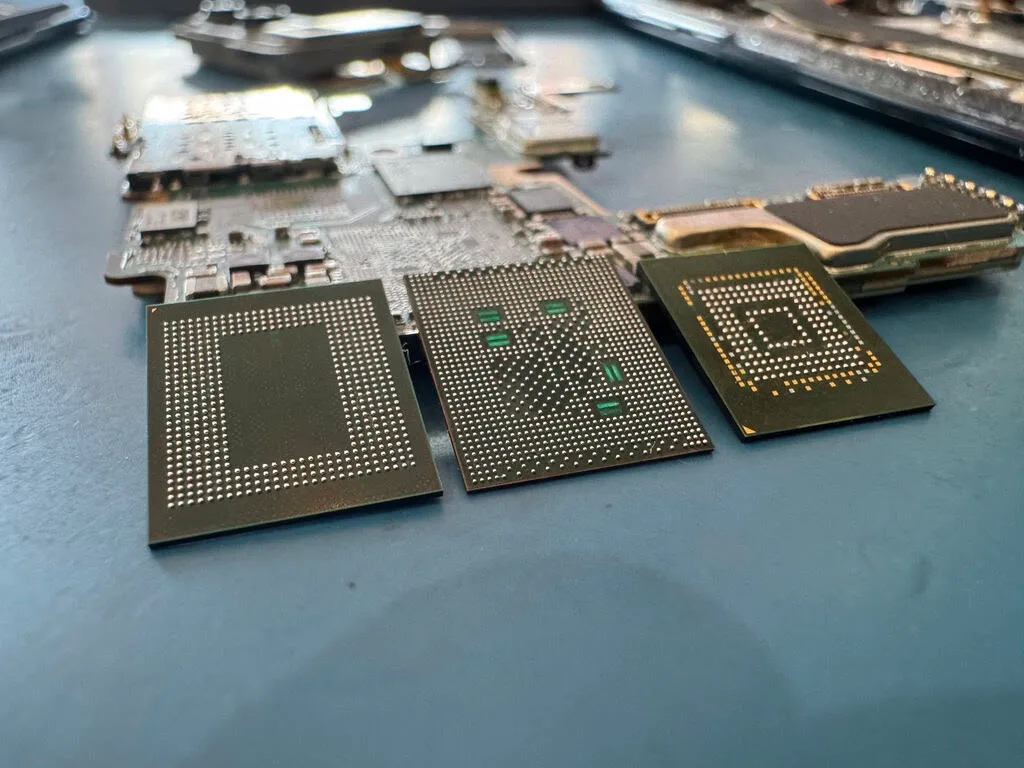
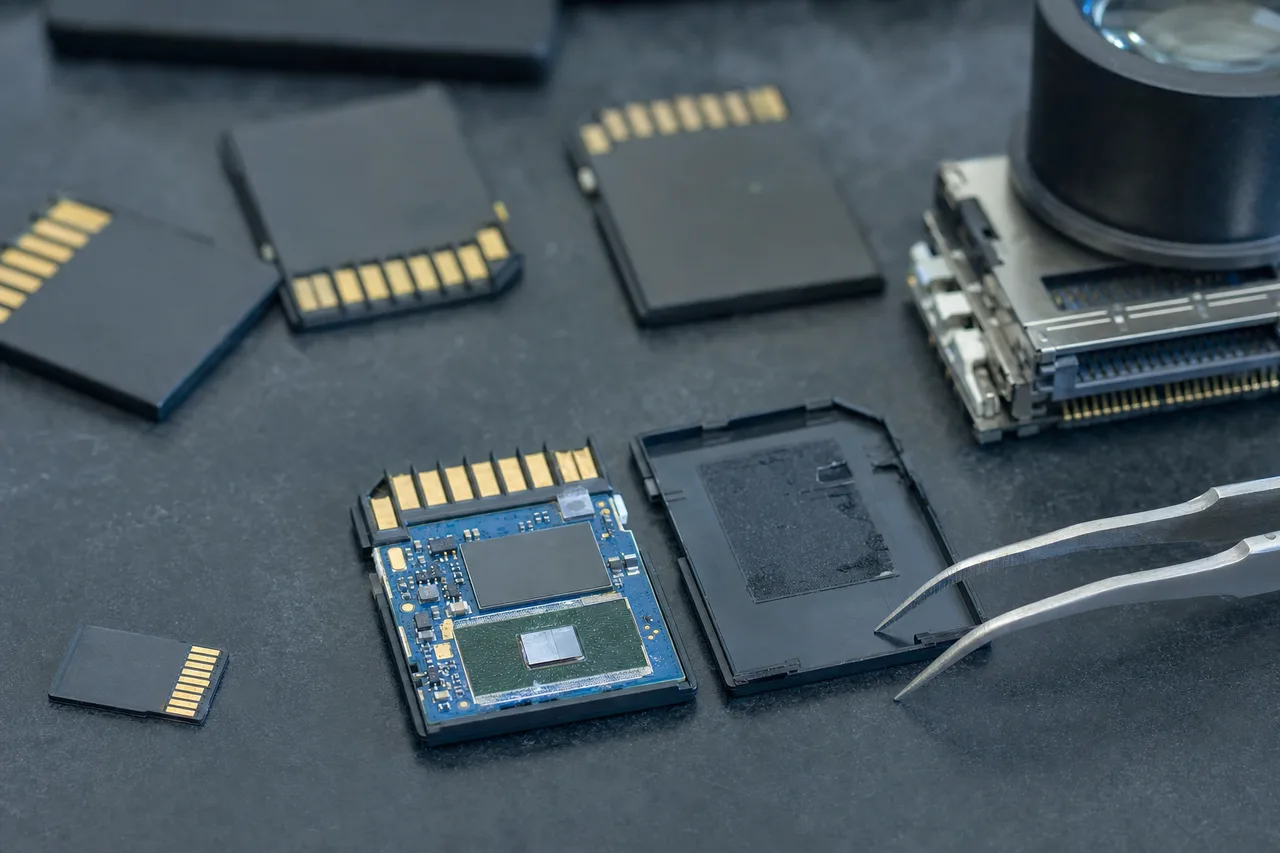
Three NAND flash memory chips removed from storage devices on a data recovery bench
02 Card types & capacity classes

SD vs SDHC vs SDXC: Understanding SD Card Types and Capacity Classes

The alphabet soup of SD card designations (SD, SDHC, SDXC, SDUC, miniSD, microSD) confuses a lot of people, but understanding these categories matters because each type uses a different file system, has different capacity limits, and requires compatible host devices. Mismatched cards and devices are a surprisingly common source of data loss that brings customers to our lab.

Standard SD (Secure Digital) was the original format, introduced in 1999 as a successor to MultiMedia Cards (MMC). Standard SD cards support capacities up to 2GB and use the FAT12 or FAT16 file system. These cards are now considered legacy products and are rarely manufactured, but we still occasionally receive them for recovery. They typically contain irreplaceable photos from early digital cameras like the Canon PowerShot, Nikon Coolpix, and Kodak EasyShare models that were popular in the early 2000s. Recovery from standard SD cards is straightforward because their simple controllers and low-density SLC or MLC NAND make chip-off extraction relatively simple.

SDHC (SD High Capacity) was introduced in 2006 and supports capacities from 4GB to 32GB using the FAT32 file system. SDHC cards are physically identical to standard SD cards but require SDHC-compatible devices. Inserting an SDHC card into an older device that only supports standard SD will result in the card not being recognized. This isn't a card failure, just a compatibility issue. SDHC cards remain widely used today in entry-level cameras, older dashcams, and devices that don't require large capacity. FAT32's maximum individual file size of 4GB means that 4K video clips recorded on SDHC cards are automatically split into multiple files by the camera. This is important to understand during recovery because a single continuous video recording may show up as several separate files.

SDXC (SD Extended Capacity) is the current mainstream standard, supporting capacities from 64GB to 2TB using the exFAT file system. SDXC is by far the most common SD card type in professional cameras, drones, and high-capacity phone storage today. The exFAT file system removes the 4GB file size limit, which is essential for cameras recording 4K and 8K video as single continuous files. SDXC cards require exFAT-compatible devices, which includes virtually all cameras and devices manufactured since 2010.

MiniSD was a smaller form factor SD card introduced in 2003 for early smartphones and PDAs. MiniSD cards are 21.5mm x 20mm x 1.4mm, fitting between the full-size SD and microSD in physical dimensions. MiniSD was short-lived and was quickly superseded by microSD. These cards are now rare, but we still see them occasionally when someone finds an old phone or PDA with data they need recovered.

MicroSD (originally TransFlash) is the smallest SD form factor at just 15mm x 11mm x 1mm. MicroSD cards use the same capacity classes as full-size SD cards (microSDHC up to 32GB, microSDXC from 64GB to 2TB). Despite their tiny size, modern microSDXC cards offer up to 1TB of storage with UHS-I or UHS-II interface speeds. The small size of microSD cards makes chip-off recovery more challenging because many modern microSD cards use a monolithic design where the controller and NAND are integrated into a single die. These require even more specialized techniques than discrete-chip designs.

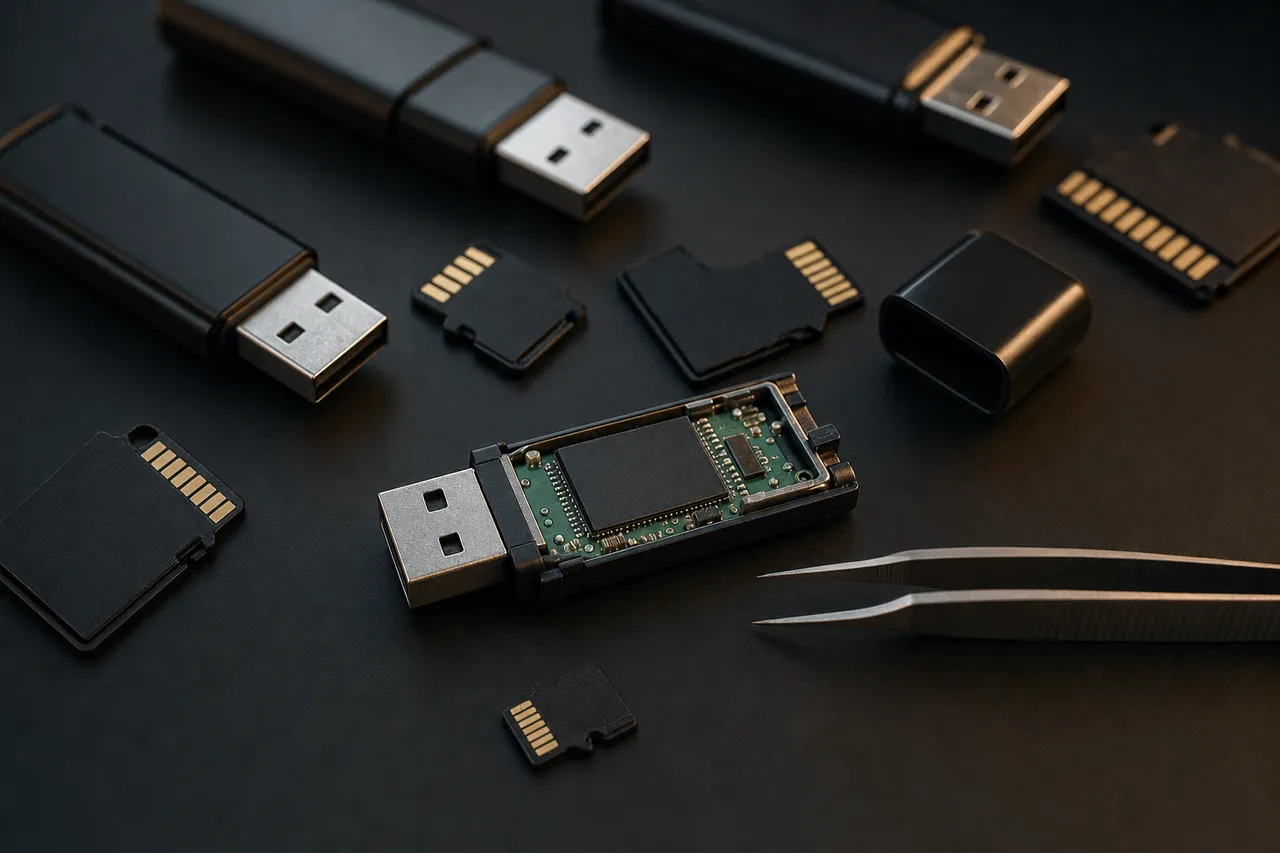
Full-size SD, microSD and USB flash storage arranged on a dark lab bench with tweezers
03 Phones, Switch, dashcams

MicroSD Card Recovery: Phones, Tablets, Nintendo Switch, and Dashcams

MicroSD cards are the most widely used removable storage format in the world, found in billions of devices across nearly every category of consumer electronics. Their tiny form factor makes them incredibly versatile, but it also makes them physically fragile and easy to forget about until something goes wrong. A lot of microSD card users don't realize how much irreplaceable data is stored on their card until the moment it fails and everything vanishes from their phone's gallery, their dashcam goes blank, or their Nintendo Switch reports a corrupted card.

Smartphone microSD recovery is one of our most emotionally significant case types. Android phones with expandable storage slots let users store photos, videos, app data, WhatsApp conversations, and even entire app installations on a microSD card. Many users configure their phone's camera to save directly to the microSD card without realizing it, which means their entire photo library exists only on that tiny removable chip. When the card fails (and microSD cards in phones fail frequently due to constant read/write activity, temperature swings inside the phone chassis, and accidental bumps during phone case changes) years of family photos, baby milestones, and personal memories can seem to vanish instantly.

The most common smartphone microSD failure shows up as a sudden "SD card is blank or has unsupported filesystem" notification. The phone detects the card's physical presence but can't read its file system. This typically means the file allocation table (FAT/exFAT) got corrupted rather than the actual data being lost. The photos and videos are still physically present on the NAND flash. The card just can't tell the phone where to find them. Our recovery process reads the raw NAND data and reconstructs the file index, recovering photos with their original timestamps, folder organization, and EXIF metadata. We routinely recover 10,000+ photos from a single smartphone microSD card.

Nintendo Switch microSD recovery is another common case type. The Switch uses microSD cards for game downloads, updates, screenshots, and video captures. When a Switch microSD card corrupts, the user loses all their downloaded games (which need to be re-downloaded from the Nintendo eShop) plus screenshots and captured gameplay videos that can't be re-downloaded. Game save data is stored on the Switch's internal memory by default, but screenshots and captures exist only on the microSD card. We recover the complete Nintendo directory structure so content can be transferred to a new card.

Dashcam microSD recovery presents unique challenges because dashcams continuously overwrite old footage with new recordings. When a customer needs dashcam footage (usually after a car accident, hit-and-run, road rage incident, or theft) the critical question is whether the target footage has been overwritten by newer recordings. If the dashcam was removed from the vehicle immediately after an incident, recovery chances are good. If the dashcam continued recording for days or weeks afterward, earlier footage may have been partially or fully overwritten. Dashcam cards also endure heavy write cycles because they record continuously. A 128GB microSD card in a dashcam recording at 20 Mbps fills in roughly 14 hours, meaning the card goes through over 300 full write cycles per year. That approaches the endurance limit of consumer-grade TLC NAND within 3-5 years.

Physical damage to microSD cards is disproportionately common relative to their usage because of their extremely small size. A microSD card is just 15mm x 11mm x 1mm. These tiny cards get dropped, stepped on, bent during insertion, caught in phone case closures, and chewed on by pets. They also frequently go through the laundry in pockets. In most cases, the NAND die inside (a tiny silicon chip roughly 8mm x 6mm) survives the physical damage because silicon is harder and more resilient than the surrounding plastic housing and copper traces. Physical damage to microSD cards almost always involves the controller circuit or contact fingers rather than the NAND storage itself.

04 DSLRs & camcorders

Full-Size SD Card Recovery: DSLR Cameras and Camcorders

Full-size SD cards remain the primary storage medium for DSLR cameras, many mirrorless cameras, consumer camcorders, and professional video equipment. Despite the shift toward CFexpress and microSD in some camera categories, the full-size SD slot continues to be the most common memory card slot in cameras at every price point from entry-level to professional. At MDrepairs, full-size SD card recoveries from cameras represent one of our highest-volume case types, and the emotional weight of these cases is significant because they typically contain wedding photos, once-in-a-lifetime event coverage, professional assignment work, or years of accumulated personal photography.

DSLR and mirrorless camera SD card failures follow several distinct patterns. The most common is mid-shoot corruption, where the photographer is shooting normally and the camera suddenly displays a card error and stops saving images. This typically happens during burst shooting when the camera buffer is writing to the card at maximum speed, and a momentary electrical glitch, static discharge, or controller hiccup interrupts the write process. The result is a corrupted file allocation table that makes all images on the card inaccessible, even though only the most recently written image may actually be damaged. We recover the complete shoot by reading the raw NAND and bypassing the corrupted file system.

Another common DSLR failure involves cards that worked fine in the camera but become unreadable when inserted in a computer card reader. Some cameras create non-standard file system structures or use proprietary directory layouts that Windows or Mac can't interpret correctly. This isn't a card failure. It's a compatibility issue between the camera's file system implementation and the operating system's file system driver. We handle these cases by reading the card at the raw block level and interpreting the file system using camera-specific parsers that understand each manufacturer's quirks.

Full-size SD cards have a physical write-protect switch, a small sliding tab on the left side of the card. If this switch gets bumped to the lock position, the camera will refuse to write new photos and may display a "Card Locked" error. This is a mechanical issue, not a data problem. However, if the write-protect mechanism breaks internally, the card can enter a permanent read-only state at the firmware level. In this state, existing data is still readable until the controller or NAND fails for an unrelated reason. We can extract all data from cards stuck in write-protect mode.

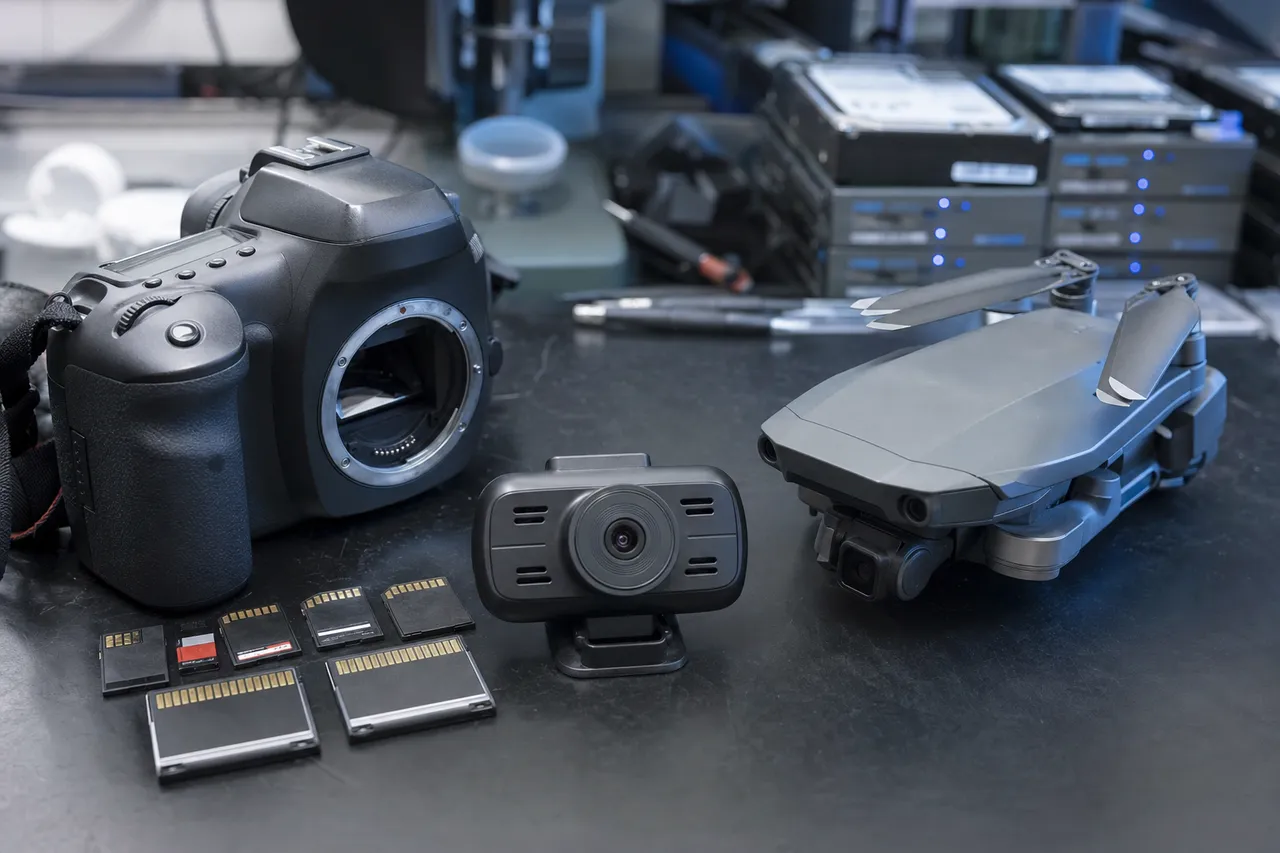
A DSLR camera, dashcam, folding drone and several memory cards laid out for data recovery
05 Canon, Nikon, Sony, Fujifilm

Camera SD Card Recovery: Canon, Nikon, Sony, and Fujifilm

Camera manufacturers use SD cards differently, with each brand creating its own directory structure, file naming conventions, and storage formats. Understanding these differences is essential for data recovery because our file system reconstruction must match the specific camera manufacturer's implementation to recover files with their original names, timestamps, and organizational structure.

Canon cameras store images in a DCIM folder with subfolders numbered 100CANON, 101CANON, and so on. Canon RAW files use the CR3 format (newer mirrorless cameras) or CR2 format (DSLRs). Canon cameras are the most popular brand among our recovery clients, with the Canon EOS R5, R6, R7, 5D Mark IV, and Rebel series generating the most cases. Canon cameras are known for creating multiple DCIM subfolders as the image counter increments, and recovering the correct folder assignment for each image matters for wedding and event photographers who use folder numbering as part of their workflow. Canon's CRAW (compressed RAW) format creates smaller files than standard CR3 RAW, which means more images fit on a single card but the compression adds a layer of complexity to file carving during recovery.

Nikon cameras use a similar DCIM/100NCD70 (or similar model-specific) folder structure. Nikon RAW files use the NEF format, which is based on TIFF and contains the full sensor data along with extensive EXIF metadata including the lens used, autofocus point selected, and Nikon-specific shooting parameters. Nikon cameras are popular among nature and wildlife photographers who shoot massive burst sequences. A Nikon Z9 can shoot 120 RAW frames per second, filling an SD card at an extraordinary rate. Recovering burst sequences from corrupted Nikon cards requires careful attention to file sequence numbering to ensure all frames come back in the correct order.

Sony cameras use the DCIM folder structure with subfolders like 100MSDCF and store RAW files in the ARW format. Sony mirrorless cameras (A7 series, A9 series, A1) are the fastest-growing segment of our camera SD card recoveries. Sony cameras that record 4K video use XAVC S and XAVC S-I formats, which create very large files. A single minute of 4K XAVC S-I video at 600 Mbps generates approximately 4.5GB of data, so cards in Sony video-heavy workflows fill quickly.

Fujifilm cameras use the DCIM folder structure and store RAW files in the RAF format, which is unique among camera manufacturers. Fujifilm's X-Trans sensor creates a distinctive RAF file structure that requires Fujifilm-aware recovery tools to properly reconstruct. The Fujifilm X-T5, X-H2, X-S20, and GFX medium format cameras are the models we see most frequently. Fujifilm cameras use a unique folder and numbering system that includes movie directories with multi-chapter video files. Long recordings get split into multiple sequential clips, so recovering Fujifilm video requires reassembling these chapters in the correct order.

06 DJI Mavic, Air, Mini, Phantom

Drone SD Card Recovery: DJI Mavic, Air, Mini, and Phantom

Drone footage is among the most valuable and irreplaceable data we recover at MDrepairs. Aerial photography and videography create one-of-a-kind perspectives that simply can't be recreated. The exact lighting conditions, weather, seasonal foliage, construction progress, or event timing that made the shot valuable will never be identical again. When a drone SD card fails, the footage is often needed for a commercial client deliverable, an insurance claim, a real estate listing, an environmental survey, or a personal milestone like a destination wedding filmed from above. The urgency and irreplaceability of drone footage makes these cases among our highest-priority recoveries.

DJI dominates the consumer and prosumer drone market, and the vast majority of drone SD card recoveries at MDrepairs involve DJI aircraft. The DJI Mavic 3 Pro, Mavic 3, Air 3, Mini 4 Pro, Mini 3 Pro, and Avata 2 are the models we see most frequently. DJI cameras record in D-Cinelike, Normal, and HLG color profiles in resolutions up to 5.4K at bitrates that push microSD cards to their performance limits. A DJI Mavic 3 recording 5.1K at its maximum bitrate writes approximately 200 Mbps of continuous data. Any interruption in that data stream, whether from a battery warning, GPS glitch, signal loss, return-to-home activation, or crash, can leave the video file in a partially written state with a corrupted file header.

The most common DJI drone SD card failure we see is power-loss corruption. DJI drones have multiple automated safety features (return to home, low battery landing, signal loss protocols) that can interrupt recording abruptly. When the drone's software triggers an emergency procedure, it prioritizes flight safety over data safety, which means the camera may not properly close the current video file before the drone changes behavior. The result is a video file with valid data throughout but an incomplete or corrupted file header that prevents any standard media player from opening it. We rebuild the video container headers and recover the complete footage.

Crash recovery is another common drone SD card scenario. When a drone crashes, whether from a collision with an obstacle, loss of GPS signal, bird strike, or mechanical failure, the impact can physically damage the microSD card inside. The card slot in most DJI drones offers minimal physical protection, and a hard landing or crash can crack the microSD card, dislodge it from the slot, or cause pin damage. Even water crashes (common with drones flying over lakes, rivers, and ocean coastline) don't immediately destroy the NAND flash data. The concern is corrosion on the controller and contact pins, which is why we always tell customers to get us the card as quickly as possible after a water crash.

For commercial operators who depend on drone SD card footage for client deliverables (real estate photography, construction progress, infrastructure inspection, cinematography), we understand that lost footage has direct financial consequences. We offer priority and emergency turnaround options specifically because drone footage often has a deadline attached to it.

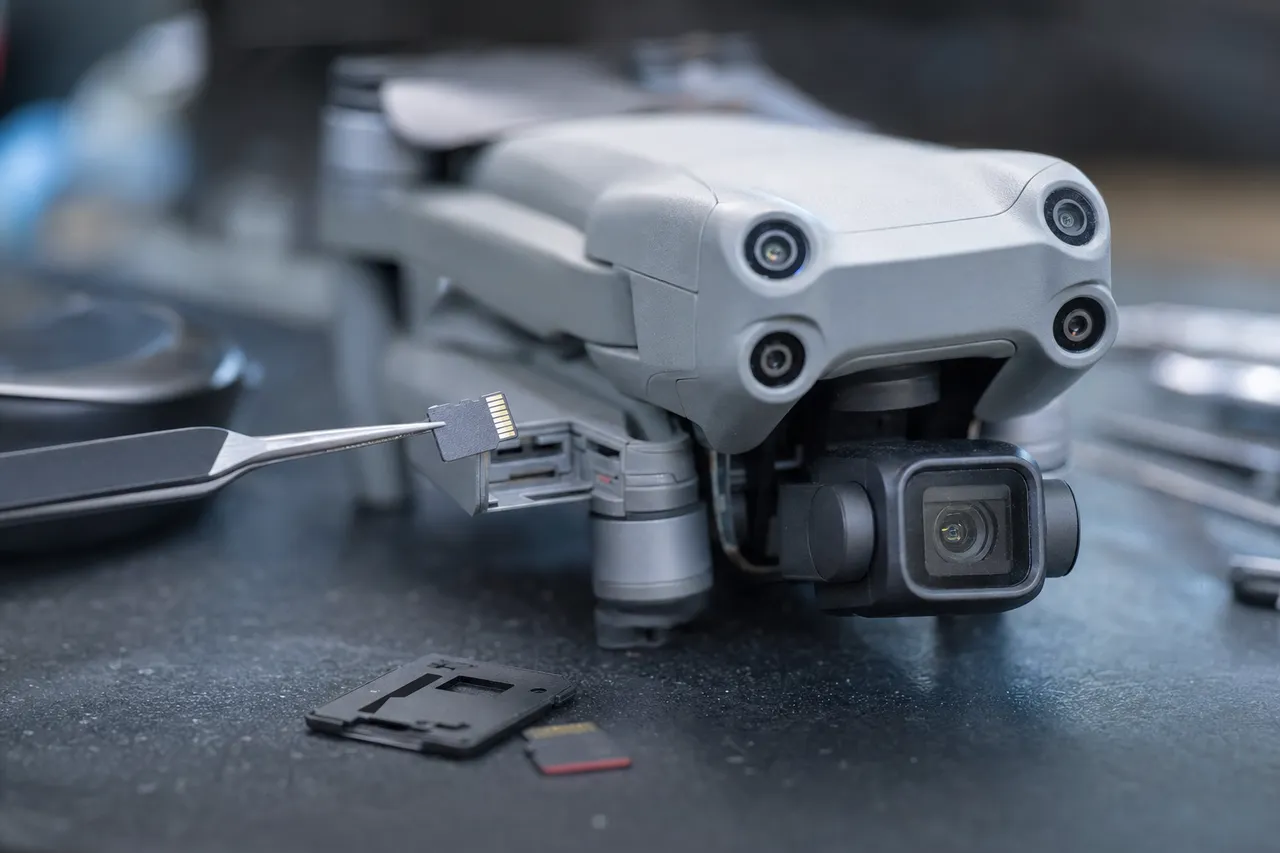
A folded camera drone with its microSD card lifted from the slot by tweezers on a lab bench
07 The world's most popular brand

SanDisk SD Card Recovery: The World's Most Popular SD Card Brand

SanDisk is the most popular SD card manufacturer in the world by a wide margin, and SanDisk cards represent the largest portion of our SD card recovery caseload. Understanding the specific SanDisk product lines, their internal architectures, and their common failure modes lets us achieve higher recovery rates and faster turnaround on SanDisk cases than labs without this specialized knowledge.

The SanDisk Extreme Pro is the flagship SD card line, used predominantly by professional photographers and videographers who need guaranteed V30/V60/V90 write speeds for 4K and 8K video recording. Extreme Pro cards use SanDisk's fastest controllers with advanced error correction, large write buffers, and higher-grade NAND binned for performance and endurance. When an Extreme Pro card fails, it's typically controller firmware corruption rather than NAND degradation. The high-grade NAND in these cards outlasts the controller in most scenarios. Our recovery approach for Extreme Pro cards focuses on bypassing the locked controller firmware and reading the NAND directly, which produces excellent recovery rates because the NAND data is usually in pristine condition.

The SanDisk Extreme line sits below the Pro in performance, targeting enthusiast photographers and action camera users. Extreme cards are the most popular SD card among GoPro and DJI drone users because they offer V30 speeds at a more accessible price point. We frequently recover Extreme cards from action cameras where the card experienced sudden power loss during recording, a common scenario when a GoPro battery dies mid-shoot or a drone's return-to-home function interrupts recording. The Extreme line shares many controller families with the Extreme Pro, and our controller-specific recovery modules handle both lines with equal proficiency.

The SanDisk Ultra is the entry-level SD card line, designed for casual photographers, point-and-shoot cameras, and phone storage. Ultra cards use slower controllers and lower-grade NAND than the Extreme lines. They are adequate for JPEG photography and standard video recording but struggle with sustained 4K video writes. We see Ultra cards fail when users put them in applications they weren't designed for, like continuous video recording in dashcams, GoPros, or drones. The lower-grade NAND wears out faster under heavy write workloads, and the controllers don't handle error correction as aggressively as the Extreme Pro controllers.

The SanDisk High Endurance and MAX Endurance lines are designed specifically for continuous recording in dashcams and security cameras. These cards use NAND optimized for write endurance rather than read/write speed, and their controllers manage wear leveling more aggressively. When High Endurance cards eventually fail, it's typically because the NAND cells have reached the end of their write cycle life. We read the NAND using techniques that can recover data from cells that are near the end of their usable life, something consumer card readers can't do. This institutional knowledge, accumulated across thousands of SanDisk recovery cases, directly translates to higher success rates and faster turnaround.

An SD card opened to expose its controller and NAND flash under a magnifier loupe on a bench
08 EVO, PRO & Endurance lines

Samsung SD Card Recovery: EVO, PRO, and Endurance Lines

Samsung is the world's largest NAND flash memory manufacturer and the second-most popular consumer SD card brand behind SanDisk. Samsung's SD card lineup spans from budget-friendly EVO Select cards to professional-grade PRO Ultimate cards, and each product line uses Samsung's own NAND flash and controller technology. Because Samsung manufactures the NAND in-house rather than purchasing it from a third party, their cards have tight vertical integration between the controller firmware and the NAND characteristics. That's generally a positive thing for reliability but creates specific recovery considerations when failures do occur.

The Samsung EVO Select is Samsung's most affordable SD card line, sold primarily through Amazon. EVO Select cards offer respectable performance with A2 and V30 ratings at budget prices, making them popular for phones, tablets, and entry-level cameras. The EVO Select is functionally identical to the EVO Plus but with different packaging and distribution (EVO Select is Amazon-exclusive). We see EVO Select cards from phone users most frequently, with failures typically showing up as sudden filesystem corruption where the phone reports the card as blank or unsupported without any warning.

The Samsung EVO Plus is Samsung's mainstream consumer card, widely available at retail stores and online. EVO Plus cards use Samsung's V-NAND technology and are designed for general consumer photography, video, and phone storage. These cards are reliable for their intended use cases but can fail when pushed beyond their design parameters: continuous dashcam recording, professional video work, or heavy app installation and update activity on Android phones.

The Samsung PRO Plus is Samsung's high-performance SD card line, designed for professional photography and 4K video recording. PRO Plus cards offer faster read/write speeds than EVO cards and use higher-grade NAND with better endurance. Available in both full-size SD and microSD form factors, the PRO Plus is popular among professional photographers, content creators, and drone operators who need consistent write performance.

The Samsung PRO Endurance is designed specifically for dashcams, security cameras, and body cameras that record continuously 24/7. The PRO Endurance uses high-endurance NAND rated for up to 140,160 hours of continuous Full HD recording, over 16 years. When a PRO Endurance card eventually fails, the higher-quality NAND benefits from fewer bit errors and better data retention, which results in cleaner data reads during recovery and fewer uncorrectable errors compared to consumer-grade cards with the same level of wear.

09 When all else fails

Chip-Off Recovery for SD Cards: When All Else Fails

Chip-off recovery is the most advanced and invasive data recovery technique available for SD cards, and it's the method we turn to when conventional approaches (logical recovery, controller bypass, and firmware repair) can't access your data. In chip-off recovery, we physically remove the NAND flash memory chip from the SD card's circuit board, read the raw data directly from the chip using specialized hardware, and then reconstruct your files from the raw binary data using software tools that understand the specific controller's data layout algorithms. It's the most complex, time-consuming, and expensive SD card recovery method, but it gets results in cases where everything else has failed.

When is chip-off recovery needed? The primary scenarios are: severe physical damage where the SD card's circuit board is cracked, burned, or corroded beyond repair; catastrophic controller failure where the controller chip is dead and can't be powered on or communicated with through any means; electrically shorted components that prevent the card from being powered safely; and situations where the controller has encrypted or scrambled the data in a way that can't be bypassed without reading the raw NAND directly. In our lab, approximately 20-30% of SD card recovery cases need chip-off techniques because the controller is too damaged or corrupted for any less invasive approach.

The physical extraction process begins with removing the SD card's housing to expose the circuit board inside. For full-size SD cards, this involves carefully separating the plastic shell to reveal the PCB. For microSD cards, the process is more challenging because many modern microSD cards use a monolithic design where the controller and NAND are integrated into a single die package, rather than having separate chips that can be individually desoldered. Monolithic microSD cards require precision grinding or chemical processing to expose the NAND die's bond pads for direct reading. These are techniques that require specialized equipment and extensive experience.

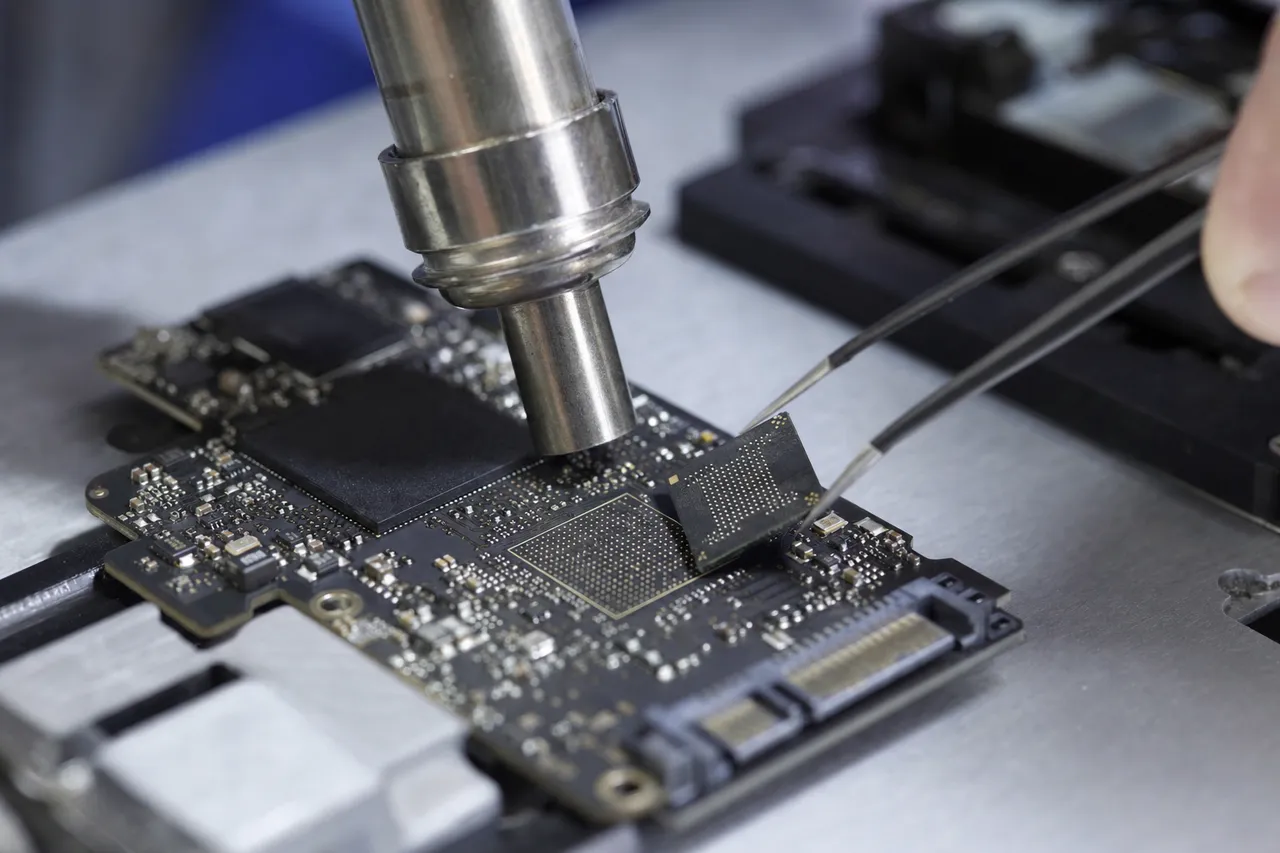
For non-monolithic SD cards with discrete NAND chips, we use a hot-air rework station to desolder the NAND chip from the PCB. The temperature profile must be carefully managed because too much heat can damage the NAND's stored data while too little heat won't release the solder joints. Once the NAND chip is removed, it's placed in a specialized NAND reader (such as a VNR or PC-3000 Flash) that makes direct electrical contact with each pin on the chip. The reader dumps the raw binary contents of every page, block, and plane in the NAND array.

Raw NAND data is not usable as-is. The controller doesn't store data in a way that any computer can just understand. The data is scrambled according to the controller's proprietary algorithms, including page mapping, block interleaving, ECC encoding, and wear leveling tables. Reversing these transformations requires knowing (or reverse-engineering) the specific controller model's data layout. Our lab maintains a library of controller-specific reconstruction profiles that we've built and refined over years of SD card recovery work. For common controllers (SanDisk, Samsung, Kingston, Lexar), we have well-established profiles that allow rapid reconstruction. For unusual or new controllers, reconstruction requires manual analysis and custom work, a process that can take days of skilled labor.

Chip-off recovery success rates depend on the condition of the NAND memory itself. If the NAND is healthy (which it usually is, since most failures are controller-related), recovery rates are very high, typically 90-95%. If the NAND chip has physical damage like a crack through the silicon die, extensive cell degradation from wear, or thermal damage from a fire, recovery rates decrease proportionally to the extent of the NAND damage. We always inform you of expected recovery rates during the diagnostic phase before any chip-off work begins.

A NAND flash chip being desoldered from a circuit board with a hot-air rework station and tweezers
10 Liquid, breaks, corrosion

Water and Physical Damage to SD Cards

Physical damage is one of the leading causes of SD card data recovery cases at MDrepairs. SD cards are small, thin, portable objects that go everywhere with people: into the field for photography, onto drones for aerial filming, into phones that get dropped and splashed, and into pockets where they go through washing machines. The good news is that SD cards have no moving parts, making them inherently more impact-resistant than hard drives. The bad news is that the electronics inside are delicate, and physical abuse can disable the controller, break the contact pins, crack the circuit board, or in the worst cases, fracture the NAND die itself.

Water damage is the most common physical damage type. SD cards and microSD cards get wet through all sorts of scenarios: falling into puddles, pools, lakes, and oceans; going through washing machines and dryers in clothing pockets; getting caught in rainstorms during outdoor photography; being inside cameras that fall into water; and exposure to spilled drinks on desks. The immediate threat from water exposure isn't the water itself. Pure water isn't conductive enough to damage semiconductor electronics. The danger comes from dissolved minerals, salts, and chemicals in the water that create conductive paths between circuit traces and cause short circuits when power is applied.

When an SD card gets wet, follow these steps: Do not insert it into any device. Applying power to a wet circuit board accelerates corrosion through electrolytic chemical reactions that are far more destructive than passive air corrosion. Gently shake out any visible water and pat the card dry with a soft lint-free cloth. Place the card in a dry, open-air location. Do not put it in rice (rice dust can cause additional problems and doesn't speed up drying meaningfully compared to open air). Send the card to our lab as soon as possible.

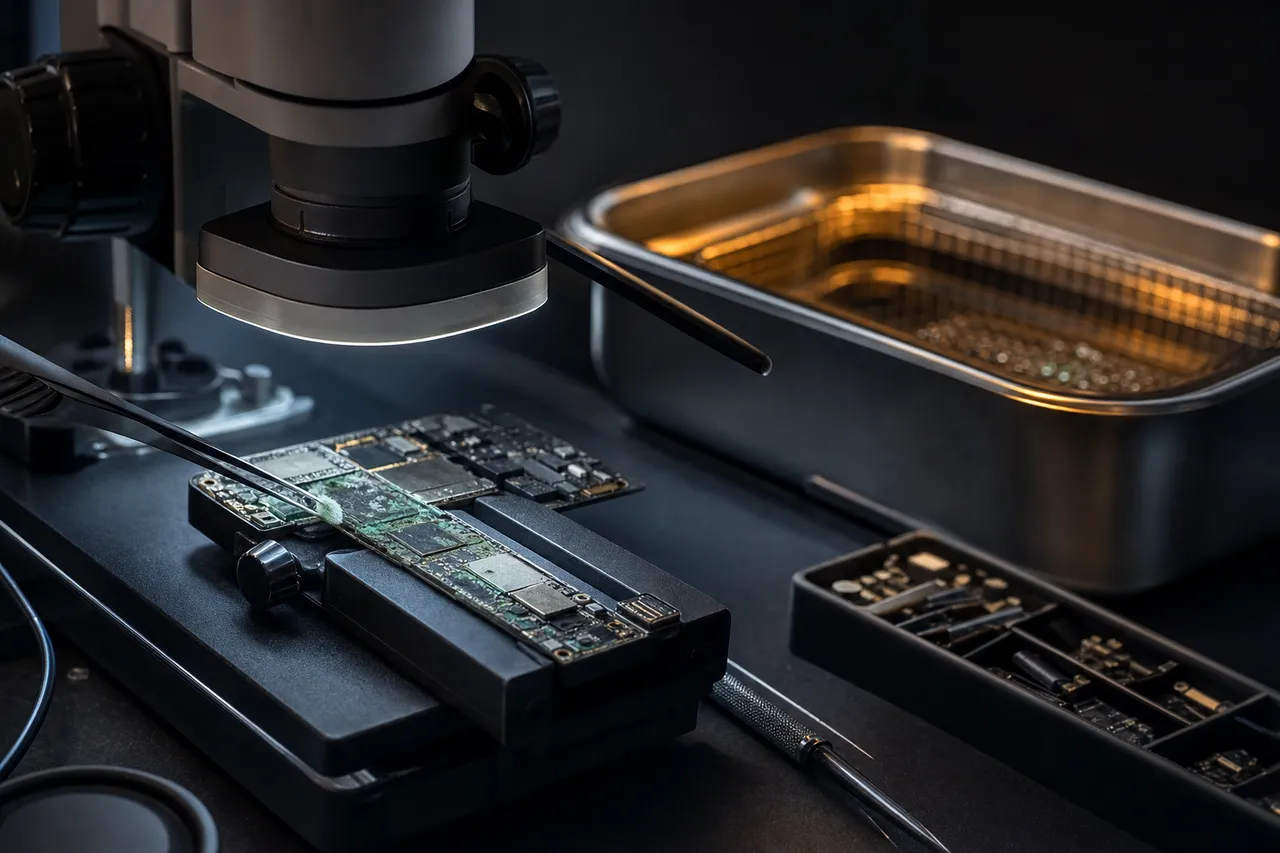
Our water damage recovery begins with ultrasonic cleaning to remove all mineral deposits, corrosion products, and contaminants from the circuit board and contact pins. We use specialized cleaning solutions in an ultrasonic bath that removes corrosion without damaging the NAND or controller chips. After cleaning, we dry the card in a controlled environment, inspect every connection under magnification, and test whether the controller can be revived. If the controller sustained permanent corrosion damage, we proceed to chip-off NAND extraction.

Broken and cracked SD cards are another frequent physical damage case. Full-size SD cards are 2.1mm thick, barely thicker than two credit cards. Snapping a full-size SD card in half by bending, stepping on it, or slamming a laptop lid on one is surprisingly easy. MicroSD cards are even more fragile at 1mm thick, with the NAND die and controller mounted on a thin fiberglass PCB. In most cases (roughly 80-85% of physically broken SD cards we receive) the NAND die is intact. The break propagates through the PCB and plastic housing without reaching the silicon, allowing chip-off recovery to extract the data successfully.

Heat damage from fires, car interiors in direct sunlight, or electronic shorts can affect SD cards, but the thermal thresholds for data loss are higher than many people expect, typically above 150-200 degrees Celsius for short exposures. NAND data cells begin losing stored charges at extended exposures to temperatures above 125 degrees Celsius, but brief exposures to higher temperatures (like a house fire where the card was inside a camera bag that provided some insulation) often leave the NAND data intact. We evaluate heat-damaged cards under magnification and test the NAND for readability before attempting a full recovery.

Bent or corroded contact pins on full-size SD cards prevent the card from making electrical connection with readers or camera slots. Pins get bent when cards are inserted at an angle or forced into readers. Corroded pins from humidity, fingerprint oils, or brief water exposure may also fail to make reliable contact. We repair or bypass damaged pins to access the controller and NAND.

A corroded circuit board inspected under a microscope beside an ultrasonic cleaning bath
11 Accidental & full formats

Formatted SD Card Recovery: Accidental and Intentional Formatting

Accidentally formatting an SD card is one of the most common reasons customers contact MDrepairs. It happens more often than you'd think: a photographer reformats the wrong card in a dual-slot camera, a phone user taps "Format" instead of "Unmount" in the storage settings, a parent formats the camera's SD card before checking if the photos were backed up, or a camera club member accidentally formats the communal card that contains the group's photos from a weekend workshop. The good news is that formatting, whether quick format or full format, does not immediately destroy your data in most cases, and professional recovery is highly effective when the card is handled correctly after the format.

What happens when you format an SD card? Formatting creates a new, empty file system on the card. A quick format (the default on most cameras and computers) simply writes a new file allocation table (FAT) and root directory, essentially erasing the index that tells the operating system where each file begins and ends on the card. The actual file data remains untouched on the NAND flash memory. A full format additionally writes zeros to every data sector on the card and checks for bad blocks, which takes much longer and can overwrite file data. But even a full format may not overwrite all data on the NAND because the controller's wear leveling may redirect writes away from some physical blocks.

The critical rule after accidental formatting: stop using the card immediately. Every new photo or video written to a formatted card overwrites the NAND sectors that previously contained your lost files. The more new data written, the less recoverable your original files become. If you realize you formatted the wrong card, remove it from the camera immediately. Don't take "just a few test shots" to see if the camera still works. Don't attempt to recover files using software on the camera or phone. Place the card in a protective case and contact our lab.

Recovery after quick format is the most straightforward scenario. Since quick format only overwrites the file allocation table and root directory (a tiny portion of the card's data area) virtually all of your original files remain intact on the NAND. With zero new data written after the format, recovery rates in this scenario approach 100%. We scan every sector of the NAND for file signatures, as each file type has a characteristic byte pattern at its beginning. JPEG files start with FF D8 FF, Canon CR3 files have their own unique header, MP4 video files start with an ftyp box, and so on. This carving technique locates and extracts every recoverable file regardless of the file system state.

Recovery after continued use is more complex but often still successful. If you shot new photos after formatting, each new file occupies NAND sectors that previously held old files. Files whose sectors have not been overwritten are fully recoverable. Files that have been partially overwritten may be recoverable with some corruption. We provide a complete file listing showing recovery status for each file.

One important note: file carving after formatting may not recover original filenames or folder structure because that information was stored in the file allocation table that got overwritten during formatting. We recover files with generic sequential names (RECOVERED_0001.jpg, etc.) but the photo contents and EXIF metadata (timestamps, camera settings) are fully intact.

Recovery after full format depends on how much data was actually overwritten. If the full format was interrupted partway through, only the sectors written up to the interruption point are affected. Modern SD cards with wear leveling may redirect some write operations during a full format, leaving data in unmapped physical sectors. Recovery after full format is possible but recovery may be partial, with some photos complete and some truncated (the top half of the photo renders but the bottom half is gray). We always attempt recovery and provide an honest assessment of what's recoverable.

12 Safe eject, backup, best practice

Preventing SD Card Data Loss: Safe Eject, Backup Strategies, and Best Practices

While MDrepairs is always here to recover your data when disaster strikes, prevention is always better than recovery. SD cards are reliable storage devices when used within their design parameters and handled with appropriate care. The majority of SD card failures we see in our lab were caused by avoidable user behaviors, preventable environmental exposures, or inadequate backup practices. Following the best practices below will dramatically reduce your risk of experiencing SD card data loss.

Always safely eject before removing. The single most common cause of SD card corruption is removing the card while data is being written. On cameras: turn the camera completely off and wait for the activity light to stop blinking before removing the SD card. Many cameras write to the card for several seconds after the last photo is taken, especially during burst shooting or video recording. On Windows computers: right-click the SD card drive and select "Eject" or use the "Safely Remove Hardware" icon in the system tray. On Mac: drag the SD card icon to the Trash or click the eject icon in Finder. On Android phones: go to Settings, Storage, and tap "Unmount SD card" before physically removing it. On dashcams: turn off the dashcam and disconnect power before removing the card. These steps ensure all pending write operations complete and the file system is properly closed.

Buy genuine cards from authorized retailers. Counterfeit SD cards are epidemic in online marketplaces. Fake cards use low-quality NAND that fails prematurely, false-capacity controllers that cause data overwriting, and unlicensed firmware that lacks proper error correction. Buy SD cards from authorized retailers: Amazon (sold by Amazon directly, not third-party marketplace sellers), Best Buy, B&H Photo, Adorama, Costco, and directly from manufacturer websites. Verify new cards immediately after purchase using H2testw (Windows) or F3 (Mac/Linux) to confirm the actual capacity matches the advertised capacity.

Format in the device, not on a computer. Always format your SD card in the camera or device you plan to use it in, not on your computer. Each camera manufacturer optimizes the file system layout (cluster size, directory structure, allocation table position) for their specific hardware. Formatting in a computer creates a generic file system that may work but isn't optimized for your camera. Formatting in the camera ensures the optimal configuration and reduces the risk of compatibility-related corruption.

Replace cards proactively. SD cards don't last forever. If you use a card heavily for professional photography, dashcam recording, or drone work, consider replacing it every 2-3 years even if it appears to be working fine. A dashcam card recording 24/7 can accumulate 100+ complete write cycles per year, reaching concerning endurance territory within 3-5 years depending on the NAND type. Professional photographers who shoot thousands of images per week should replace cards annually as a preventive measure.

Use the right card for the job. Not all SD cards are created equal, and using the wrong card for your application increases failure risk. Use V30/V60/V90-rated cards for 4K video recording because slower cards will cause dropped frames, buffer overflows, and potential corruption. Use High Endurance or MAX Endurance cards for dashcams and security cameras since standard consumer cards will wear out within a year under continuous recording. Use A2-rated cards for smartphone app storage because A1 or non-Application Performance rated cards may cause app performance issues and storage errors.

Handle cards carefully. Store SD cards in protective cases when not in use, not loose in camera bags, pockets, or desk drawers where they can be crushed, scratched, or exposed to debris. Do not touch the gold contact pins because fingerprint oils can cause corrosion over time. Insert and remove cards gently, aligned correctly with the slot. Keep cards away from extreme temperatures, strong magnets (though NAND flash is not magnetic-sensitive like hard drives, extreme magnetic fields can affect the controller electronics), and moisture. When traveling, keep a backup card in a waterproof case separate from your camera bag.

Back up immediately after shooting. The best protection against SD card data loss is not having a single copy of your data on a single card. Professional photographers follow the 3-2-1 rule: 3 copies of your data, on 2 different media types, with 1 copy offsite or in the cloud. At minimum, back up your SD card to a laptop, external hard drive, or cloud storage at the end of every shooting day. Don't wait until the card is full. Don't rely on your SD card as your only copy of important photos and videos. When you need data recovery, it means your backup strategy had a gap. We're glad to help, but we'd rather you never need us.

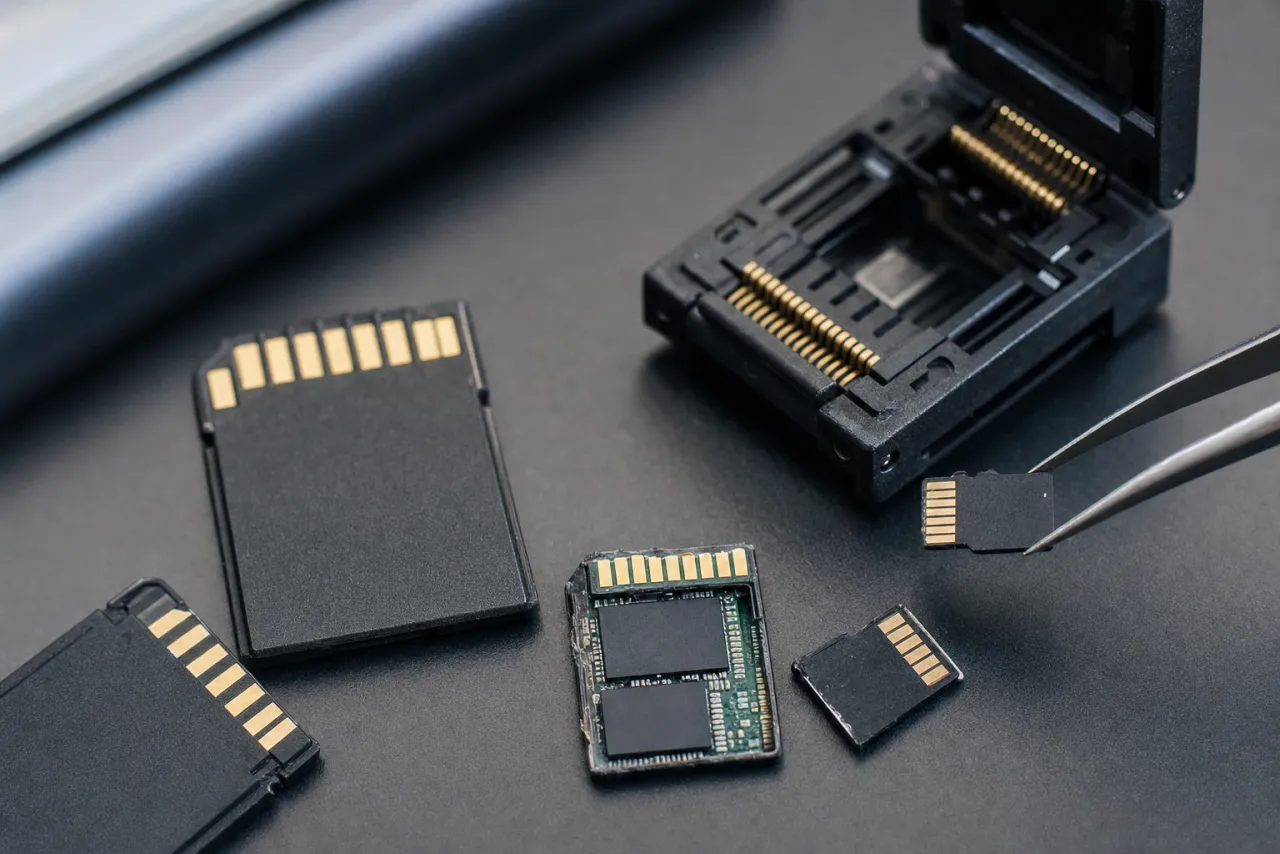
Several SD cards beside an opened card and a NAND reader socket on a dark recovery bench

Talk to the technician who reads the NAND - not a call center.

FAQ

Frequently Asked Questions

Straight answers on cost, turnaround, chip-off recovery, and how we get your photos and files back from a failed SD card.

  • Yes, in most cases. Corruption is usually file system damage, not destroyed data - your photos and videos are still sitting in the NAND flash memory, the card just lost the index that says where they are. If the card still mounts on a computer, recovery software can often rebuild that picture on its own. If the card reads 0 bytes, keeps demanding to be formatted, or stops being detected entirely, the controller is involved and the card needs hardware-level recovery in a lab. Either way, stop writing to the card immediately.
  • Yes. SD cards store data as electrical charges in NAND flash, and that data survives deletion, formatting, corruption, controller failure, and in most cases physical damage. The right method depends on the failure: recovery software for logical problems on a card that still reads, controller repair or chip-off NAND extraction in a lab for cards that are dead, broken, or not detected. The genuinely unrecoverable cases are rare: a shattered NAND die, or data that has already been overwritten by new files.
  • If you deleted photos or formatted the card and the card still reads normally in a computer, free recovery software genuinely works - PhotoRec is a free, open-source tool that carves photos straight off the card, and we honestly recommend trying it before paying anyone, including us. Use a card reader, recover to a different drive, and never install anything onto the card itself. Free tools fail when the card is not detected, shows 0 bytes, is physically broken, or the controller has died - software cannot reach the NAND at that point, and repeatedly powering a failing card can make things worse. That is when a lab is worth it.
  • SD card data recovery starts with a $100 diagnostic evaluation. Logical recovery (deleted files, formatting, corruption) ranges from $200 to $500. Chip-off NAND recovery for physically damaged and dead cards ranges from $1,000 to $1,750; controller and firmware work typically lands between the two tiers depending on the labor involved. The $100 diagnostic fee is applied toward your final recovery cost. If we cannot recover your data, you pay only the diagnostic fee.
  • Yes, in most cases. When an SD card is cracked, bent, or broken, the NAND flash memory chip inside often survives because silicon is harder than the surrounding plastic housing and PCB. We extract the NAND chip from the damaged card and read it directly using chip-off recovery techniques, recovering the photos and videos stored on it. Approximately 80-85% of physically broken SD cards are successfully recoverable.
  • Yes. When an SD card is not recognized by your camera, computer, or card reader, the issue is almost always a controller failure or firmware corruption rather than NAND memory damage. Our lab bypasses the failed controller and reads the NAND flash memory directly, recovering your photos, videos, and files without needing the controller to function. This is the most common SD card recovery scenario we handle.
  • Yes. Formatting an SD card erases the file system directory but does not immediately overwrite the actual photo data on the NAND memory. Recovery is most successful when no new photos have been taken after the format. Stop using the card immediately and send it to our lab. We scan the raw NAND for file signatures and recover photos in their original formats including Canon CR3, Nikon NEF, Sony ARW, Fujifilm RAF, and JPEG.
  • Yes. SD cards that have been submerged in water, gone through the washing machine, or been exposed to liquid are recoverable in most cases. Do not attempt to use the wet card. This causes additional corrosion damage. Send it to our lab where we perform ultrasonic cleaning, remove corrosion, and extract data from the NAND chip. The NAND memory itself is sealed inside its chip package and is often unaffected by water exposure.
  • Standard turnaround is 4-5 weeks from the time we receive your SD card. Priority rush service ($250 additional) completes in 5-7 days. Urgent rush ($500 additional) guarantees 1-2 business days. Emergency same-day service ($1,000 additional) is available for time-critical cases. Turnaround begins after diagnostic approval, not from the date of receipt.
  • Yes. DJI drone footage stored on SD cards is one of our most common recovery types. Drone cards frequently corrupt when the battery dies mid-flight, during return-to-home sequences, or after crash landings. We recover 4K and 5.4K video files, reconstruct partially written clips that were recording at the moment of failure, and preserve DJI flight logs and telemetry data alongside the video footage.
  • No. Do not format the card. When your computer or camera asks you to format an SD card, it means the file system is corrupted but your data is likely still on the card. Formatting will create a new empty file system that could overwrite your existing data. Remove the card, store it safely, and contact our lab. We recover data from cards with corrupted file systems without formatting.
  • If we cannot recover your target files from your SD card, you pay only the $100 diagnostic fee. No data, no charge applies to the recovery cost. You're never charged for a recovery that doesn't succeed. We provide a detailed diagnostic report explaining what was attempted and why recovery was not possible.
  • We recover data from every SD card brand including SanDisk, Samsung, Kingston, Lexar, Sony, Transcend, PNY, Delkin, Verbatim, Gigastone, and all other manufacturers. We also recover data from counterfeit SD cards that use unknown controller and NAND combinations. Our lab has controller-specific recovery modules for every major SD card manufacturer.
  • Yes. A microSD card that suddenly shows as blank or empty in your phone typically has a corrupted file system rather than erased data. Your photos, WhatsApp messages, app data, and other files are still physically present on the NAND memory. We read the NAND directly and reconstruct the file system to recover your complete photo library. Do not format the card. Send it to our lab as-is.
  • Yes. Camera error messages like 'Card Error,' 'Memory Card Err,' or 'Card requires formatting' indicate file system corruption or controller issues, not permanent data destruction. Your photos are still on the NAND memory. Remove the card from the camera, do not format it, and send it to our lab. We recover data regardless of what error message your camera displays.
  • Chip-off recovery involves physically removing the NAND flash memory chip from the SD card and reading it directly with specialized equipment. It is needed when the card has severe physical damage, catastrophic controller failure, water or fire damage, or when the controller has encrypted the data. We desolder the NAND chip, read its raw contents, and reconstruct your files using controller-specific data layout algorithms.
  • Yes. Video files that were actively being recorded when the SD card failed or lost power are recoverable in most cases. The video data is written sequentially to the NAND, and even though the file header may be incomplete, we reconstruct a valid video container around the data stream. We recover MOV, MP4, AVCHD, and other video formats from cameras, drones, GoPros, and dashcams.
  • Yes. We provide free insured shipping labels for sending your SD card to our Lincroft, NJ lab. Pack the card in a small padded envelope. SD cards are lightweight and ship easily. We return your recovered data and original card with free insured shipping. All devices are handled in our secure lab and all copies are erased within 30 days of returning your data.
  • Yes. We recover RAW photos in every camera manufacturer's format including Canon CR3 and CR2, Nikon NEF, Sony ARW, Fujifilm RAF, Panasonic RW2, Olympus ORF, and Hasselblad 3FR. Our file carving tools understand the internal structure of each RAW format and recover complete files with full metadata including EXIF data, shooting settings, lens information, and GPS coordinates.
  • Yes. A stuck write-protect switch prevents writing but does not affect data recovery. However, a stuck switch often indicates other issues with the card. We extract all data from the card regardless of the write-protect switch status. If the card is still readable through the switch, we copy the data directly. If the controller has failed alongside the switch issue, we perform chip-off NAND recovery.
  • Yes. Dashcam footage from all SD and microSD card brands is recoverable. Dashcams write and overwrite data continuously, so recovery success depends on how long the card continued recording after the target footage was captured. If you need specific footage from an accident or incident, remove the card from the dashcam immediately and contact us. The sooner the card is removed, the better the chances.
  • Yes. We recover data from counterfeit SD cards regularly. Fake cards often fail prematurely due to low-quality NAND or falsified capacity reporting. We identify the actual NAND chip inside the counterfeit card and perform recovery based on what hardware is truly present. If the card reports false capacity, we recover whatever data exists on the actual NAND and inform you of the counterfeit status during the diagnostic.
  • Yes. We recover data from microSD cards used in the Nintendo Switch including downloaded games, game updates, screenshots, and captured video. Note that game save data is primarily stored on the Switch's internal memory. We preserve the Nintendo directory structure so recovered content can be transferred to a new card and recognized by the Switch.
  • Yes. GoPro cameras are demanding on SD cards due to high-bitrate 4K and 5.3K video recording. We recover GoPro footage from corrupted microSD cards, reassemble multi-chapter video files into complete recordings, and recover both the high-resolution video and the low-resolution proxy files (LRV). Battery-death corruption during recording is the most common GoPro card failure we see.
  • Yes. Emergency same-day service is available for $1,000 additional and guarantees completion within the same business day. This service is designed for time-critical situations like wedding photographers needing client deliverables, legal professionals with court deadlines, or commercial drone operators with project deadlines. Call 732-933-7717 to arrange emergency service.
  • Yes. NAND flash memory retains data for years without power, though retention decreases as the NAND ages. We regularly recover data from SD cards unused for 5-10+ years. Older cards with SLC or MLC NAND have better long-term retention than modern TLC cards. If the card worked when you last used it and was stored in reasonable conditions, recovery chances are excellent.
  • Data recovery software only works when your SD card is recognized by your computer and the NAND memory is readable through the controller. If the card is not detected, physically damaged, or has a controller failure, software cannot help. MDrepairs performs hardware-level recovery. We bypass failed controllers, repair physical damage, and read NAND chips directly. We also handle cases where software made things worse by writing to the card during a failed recovery attempt.
  • Yes. We recover from full-size SD, miniSD, microSD, SDHC, SDXC, UHS-I, UHS-II, and all capacity and speed classes from every manufacturer.
Ready When You Are

Ready to Recover Your Data?

Lost your data? We'll get it back. Send us your SD card and our lab will diagnose it, quote you a firm price, and recover your photos, videos, and files. No data, no charge - you only pay the $100 diagnostic if we can't recover your target files.

Call (732) 933-7717

$100 diagnostic, credited toward recovery · Free insured shipping both ways · All 50 states