2M+ followers watch us recover data on YouTube, TikTok & Instagram - watch real cases ↗

Hitachi Hard Drive Data Recovery

We recover data from every Hitachi and HGST hard drive - Deskstar desktop, Travelstar laptop, Ultrastar high-capacity enterprise, CinemaStar DVR and media drives, and HGST high-capacity drives. Hitachi's ARM-based Renesas firmware needs tools most labs don't have, and we have them. The brand is now owned by Western Digital, but we keep a full Hitachi donor inventory for drives that are long out of production.

Every recovery is done in our own New Jersey lab - never shipped to a middleman. Clicking, beeping, not detected, or formatted, we image your drive sector-by-sector on PC-3000 with matched donor parts, then rebuild your files from the clone. We serve clients nationwide through our secure mail-in program.

Professional Data Recovery Lab Backed By 2M+ Followers

MDrepairs has built one of the largest data recovery followings on the internet, with over 2 million followers across YouTube, TikTok, and Instagram. Our founder Joseph Montanti films real recovery cases in our Lincroft, NJ lab, showing exactly how we diagnose and recover failed drives. This transparency is what sets us apart from other data recovery companies. When you watch our videos, you see the actual tools, techniques, and clean room procedures we use on every Hitachi drive that comes through our door. Our audience trusts us because we show our work, and that same commitment to honesty carries through to every customer interaction. No hidden fees, no bait-and-switch pricing, just honest data recovery from a team that puts their process on camera for the world to see.

Real Recovery Cases

Hitachi Data Recovery - Recovery Cases

See how our lab handles real data recovery cases - from initial diagnosis through final data delivery.

  • Hard Drive Data Recovery - Hitachi Deskstar Clicking Drive

    Drive
    Hitachi Deskstar 7K1000 (1TB desktop)
    Failure
    Failed read/write heads causing repetitive clicking on power-up. The Hitachi ARM-based controller kept resetting as the heads could not read servo data from the platters. Customer had 10+ years of family photos and documents.
    Recovery
    MDrepairs sourced a matching Hitachi Deskstar donor, performed a full head stack replacement in our clean room, and imaged the drive sector-by-sector. All data recovered including photos, documents, and video files spanning over a decade.
  • Bent Chassis Recovery - Internal Structural Damage

    Drive
    Western Digital WD10JMVW (1TB portable)
    Failure
    Physical impact bent the internal chassis, causing head-to-platter misalignment that can lead to progressive platter scratching if the drive is powered on. Another lab declared this unrecoverable.
    Recovery
    We transplanted the platter stack into a matched donor chassis to restore proper head alignment before any further surface damage occurred. Nearly all data recovered.
  • Stiction Recovery - Head Bonded to Platter Surface

    Drive
    Seagate Rosewood (portable)
    Failure
    The drive was disconnected while actively reading, causing the heads to land on the spinning platters and bond through stiction. If forced to spin, the heads would have scratched across the platter surface, destroying data tracks.
    Recovery
    We carefully separated each head slider from the platter surface under magnification without scoring the magnetic coating. After reassembly with verified head clearance, we imaged the drive completely. All data recovered - no platter scratching occurred.
  • Clicking Drive - Preventing Platter Damage from Failed Heads

    Drive
    Western Digital My Passport (5TB portable)
    Failure
    Failed read/write heads clicking repeatedly against the platters. Every power cycle risks the degraded heads scraping the platter surface, turning a head swap into a far more expensive scratched platter recovery.
    Recovery
    We performed a head stack swap immediately without further power cycles, preventing platter surface damage. Clean imaging completed with full data recovery - acting quickly saved this from becoming a scratched platter case.
Reviews

What Our Customers Say

  • My Hitachi Deskstar 7K1000 started clicking after a power outage. MDrepairs recovered all 750GB of data including 15 years of family photos and videos. Joseph walked me through the whole process. These guys are the real deal.

    Brian C. Google Review
  • Had an old Hitachi Travelstar 5K500 from my ThinkPad that died with my entire dissertation on it. Three years of research. MDrepairs got everything back in under two weeks. I cannot thank them enough.

    Natalie S. Google Review
  • Sent in a Hitachi Deskstar 7K2000 from my old desktop. Drive was not spinning up at all. MDrepairs diagnosed a seized motor, did a platter transplant, and recovered 1.8TB of data. Fair price too considering the complexity.

    Tom W. Google Review
  • My Hitachi Ultrastar A7K2000 from our small business server failed with critical accounting data. MDrepairs treated it as a rush case and had everything recovered within 5 days. Professional and transparent the whole way.

    Rachel M. Google Review
  • Found MDrepairs on YouTube. Shipped my clicking Hitachi Travelstar 7K500 from Oregon. They replaced the heads and recovered all my music production files. The free shipping both ways really made the decision easy.

    Derek P. Google Review
  • Old Hitachi Deskstar P7K500 with bad sectors everywhere. My local shop said data was gone. MDrepairs used their professional imaging tools and pulled off 98% of my files. Wish I had gone to them first instead of wasting time elsewhere.

    Vanessa K. Google Review
  • Had a Hitachi CinemaStar 5K1000 from my DVR with surveillance footage I needed for an insurance claim. MDrepairs recovered the video files even though the drive had been overwriting in a loop. They really know their stuff.

    Greg L. Google Review
  • My Hitachi Travelstar Z7K500 just stopped being detected one day. Turned out to be a firmware issue. MDrepairs fixed it without even needing to open the drive and had my data back to me in a week. Incredible service.

    Angela D. Google Review
  • Two Hitachi Deskstar 7K3000 drives failed in my RAID 0 array. I thought everything was lost. MDrepairs rebuilt the array and recovered all 4TB of my video editing projects. Worth every penny.

    James H. Google Review
  • Dropped my laptop with a Hitachi Travelstar 5K750 inside while it was running. Drive started making a terrible grinding noise. MDrepairs said there was minor platter scoring but still recovered 95% of my files including all my tax documents. Great communication throughout.

    Michelle R. Google Review
Models We Recover

Hitachi Models We Recover

MDrepairs maintains an extensive donor drive library and firmware database covering every Hitachi hard drive family. From the consumer Deskstar and Travelstar lines to enterprise Ultrastar and specialized CinemaStar drives, our technicians have hands-on experience with the unique ARM-based firmware, head configurations, and platter compositions that distinguish Hitachi drives from other manufacturers. Below is a partial list of Hitachi models we regularly recover.

Deskstar

3.5" Desktop
  • Deskstar 7K1000 (HDS721010CLA332)
  • Deskstar 7K1000.B (HDT721010SLA360)
  • Deskstar 7K1000.C (HDS721010CLA632)
  • Deskstar 7K1000.D (HDS721010DLE630)
  • Deskstar 7K2000 (HDS722020ALA330)
  • Deskstar 7K3000 (HDS723020BLA642)
  • Deskstar 7K3000 (HDS723030ALA640)
  • Deskstar P7K500 (HDP725050GLA360)
  • Deskstar P7K500 (HDP725025GLA380)
  • Deskstar 7K160 (HDS721616PLA380)
  • Deskstar 7K250 (HDS722525VLAT80)
  • Deskstar 7K500 (HDS725050KLA360)
  • Deskstar 5K1000 (HDS5C1010CLA382)
  • Deskstar 5K3000 (HDS5C3020ALA632)
  • Deskstar E7K500 (HDE721010SLA330)
  • Deskstar T7K500 (HDT725050VLA360)

Travelstar

2.5" Laptop
  • Travelstar 7K500 (HTS725050A9A364)
  • Travelstar 7K500 (HTS725032A9A364)
  • Travelstar 7K750 (HTS727575A9E364)
  • Travelstar 7K320 (HTS723232L9A360)
  • Travelstar 5K500 (HTS545050B9A300)
  • Travelstar 5K500.B (HTS545050B9SA00)
  • Travelstar 5K750 (HTS547575A9E384)
  • Travelstar 5K750 (HTS547550A9E384)
  • Travelstar 5K1000 (HTS541010A9E680)
  • Travelstar 5K1000 (HTS541075A9E680)
  • Travelstar Z7K500 (HTS725050A7E630)
  • Travelstar Z7K320 (HTS723232A7A364)
  • Travelstar Z5K500 (HTS545050A7E380)
  • Travelstar Z5K320 (HTS543232A7A384)

CinemaStar

DVR & Media
  • CinemaStar 5K1000 (HCS5C1010CLA382)
  • CinemaStar 5K1000.B (HCS5C1010DLE630)
  • CinemaStar C5K750 (HCC547575A9E380)
  • CinemaStar C5K500 (HCC545050B9A300)
  • CinemaStar 7K1000 (HCS721010CLA332)

Ultrastar

Enterprise
  • Ultrastar A7K2000 (HUA722020ALA331)
  • Ultrastar A7K1000 (HUA721010KLA330)
  • Ultrastar 7K3000 (HUA723020ALA641)
  • Ultrastar 7K4000 (HUS724040ALE641)
  • Ultrastar 15K600 (HUS156060VLS600)
  • Ultrastar C10K900 (HUC109090CSS600)

Specialty

Rugged & Microdrive
  • Endurastar J4K50 (HEJ423020F9AT00)
  • Microdrive 3K8 (HMS361008M5CE00)

Don't see your exact model? We recover every Hitachi family. Send us your model number for a fast assessment.

$100 diagnostic · No data, no charge · Free shipping
Failure Types

Common Hitachi Drive Failures

Hitachi drives fail in recognizable ways. Here are the failure modes we see most often, what they mean, and how we recover your data from each.

  • Clicking and Ticking Sounds

    Clicking is the most common failure symptom in Hitachi Deskstar and Travelstar drives. The read/write heads have failed and are repeatedly attempting to initialize against the platter surface. Hitachi drives use ARM-based controllers that produce a distinctive rapid clicking pattern when heads fail. Power the drive off immediately - continued operation risks platter scoring. MDrepairs replaces the failed head stack assembly in our clean room using compatible Hitachi donor heads matched by model and firmware revision.

  • Firmware Corruption

    Hitachi drives store firmware modules in a reserved System Area on the platters, managed by their ARM-based Renesas microcontrollers. When these modules become corrupted, the drive may spin up normally but fail to be detected, report incorrect capacity, or enter a busy state. Hitachi firmware corruption is particularly common in older Deskstar 7K1000 and P7K500 models. MDrepairs uses specialized tools to access the Hitachi System Area, read individual firmware modules, and repair or reconstruct damaged entries to restore full data access.

  • Head Crash and Platter Damage

    A head crash occurs when the read/write heads make direct contact with the spinning platter surface, scraping off the magnetic coating that stores your data. Hitachi Travelstar laptop drives are especially vulnerable to head crashes from laptop drops because of their portable nature. MDrepairs handles Hitachi head crash cases in our clean room, carefully assessing platter damage under magnification before installing donor heads and imaging around damaged zones. Our success rate on Hitachi head crash cases exceeds 85%.

  • PCB and Electrical Failure

    Power surges, faulty adapters, and static discharge can damage the printed circuit board on Hitachi drives. Hitachi PCBs use Renesas ARM-based controller chips paired with a separate ROM chip containing drive-specific calibration data. Simply swapping the PCB from another drive will not work because each ROM contains unique adaptive parameters. MDrepairs transfers the original ROM data to a compatible donor PCB, restoring full functionality and data access without risking the platter contents.

  • Motor Seizure and Stiction

    When a Hitachi drive's spindle motor seizes, the platters cannot spin and the drive may produce a faint buzzing sound or no sound at all. Stiction occurs when the heads become physically stuck to the platter surface, preventing rotation. Both failures are common in Hitachi drives that have been stored for long periods without use. MDrepairs resolves motor failures by transplanting the platters into a healthy donor chassis in our clean room, maintaining precise platter alignment throughout the procedure.

  • Bad Sectors and Media Degradation

    Bad sectors develop when portions of the platter surface become unreadable due to magnetic degradation or wear. Hitachi drives with growing bad sectors become increasingly slow, freeze during file access, or trigger S.M.A.R.T. warnings. Older Hitachi Deskstar models from the 2005-2010 era are particularly prone to progressive sector degradation. MDrepairs uses specialized imaging hardware that reads around bad sectors with multiple passes at varying speeds to extract maximum data from degraded Hitachi media.

  • Logical and File System Corruption

    Accidental formatting, partition table corruption, virus damage, and operating system crashes can make your Hitachi drive's data inaccessible even when the hardware is perfectly functional. These logical failures affect all Hitachi models and all file systems including NTFS, HFS+, ext4, and APFS. MDrepairs employs advanced file carving and reconstruction techniques that go far beyond consumer recovery software, recovering files even from formatted or partially overwritten Hitachi drives.

  • Water and Physical Damage

    Hitachi drives exposed to water, fire, or physical crushing require specialized treatment before any recovery attempt. Water causes corrosion on the heads, platters, and PCB components that worsens rapidly over time. MDrepairs has recovered data from Hitachi drives pulled from flooded basements, fire-damaged offices, and crushed laptops. Our clean room technicians carefully disassemble, clean, and dry all internal components before attempting to image the platters.

If your Hitachi drive is clicking, beeping, grinding, or not detected, power it off immediately and call 732-933-7717. Continued operation on a physically failing drive destroys data with every second.

Our Process

How We Recover Your Data

A clear, five-step path from your first call to your files back in hand - with a firm quote and our no data, no charge guarantee before any work begins.

  1. Free Consultation

    Contact MDrepairs by phone at 732-933-7717 or submit a free quote form. Describe your Hitachi drive's symptoms and we will provide an initial assessment and cost estimate. We offer free insured shipping labels for mail-in cases nationwide.

  2. Professional Diagnostic

    Once we receive your Hitachi drive, our technicians perform a comprehensive diagnostic in our Lincroft, NJ lab. We identify the exact failure mode - whether it is a head failure, firmware corruption, motor issue, or logical problem - and provide a firm quote before any work begins. The $100 diagnostic fee applies to all cases.

  3. Data Recovery

    After you approve the quote, our engineers begin the recovery process. For physical failures, work is performed in our clean room using Hitachi-compatible donor parts from our extensive inventory. For firmware and logical failures, we use specialized tools to repair the drive's ARM-based firmware and extract every recoverable file.

  4. Verification and Review

    Once recovery is complete, we compile a full file listing for your review. You can verify that your critical files have been recovered before making any payment. We operate on a strict no data, no charge policy. If we cannot recover your target files, you owe nothing beyond the diagnostic fee.

  5. Data Return

    Your recovered data is transferred to a new external drive or cloud storage, whichever you prefer. We ship your data back with free insured shipping and securely erase all copies from our systems after 30 days. Your original Hitachi drive is returned alongside the recovery media.

Transparent Pricing

Hitachi Recovery Pricing

MDrepairs offers transparent, flat-rate pricing for all Hitachi data recovery cases. Your quote is based on the type and severity of failure, not the amount of data recovered. Every case includes our no data, no charge guarantee and free insured shipping both ways. The $100 diagnostic fee is credited toward your recovery cost if you proceed.

  • Logical / Firmware Recovery

    $650 - $1,200

    Data recovery from Hitachi drives with logical errors, accidental deletion, formatting, file system corruption, or firmware failures. Includes ARM firmware module repair and sector-level imaging.

    • Accidental deletion recovery
    • File system corruption repair
    • Hitachi firmware module restoration
    • Partition table reconstruction
    • Bad sector bypass imaging

    $100 diagnostic applied to cost

  • Head Swap / Mechanical Recovery

    $1,000 - $2,000

    Recovery from clicking, buzzing, or non-spinning Hitachi drives requiring clean room work - head replacements, motor repair, stiction recovery, or spindle motor service.

    • Failed read/write head replacement
    • Motor failure and stiction repair
    • Platter transplant to donor chassis
    • Clean room head transplant with donor
    • Selective head imaging

    $100 diagnostic applied to cost

  • Platter / Severe Damage Recovery

    $999 - $2,500+

    Recovery from Hitachi drives with platter surface damage, contamination, head crash scoring, or drives that failed at other labs. Complex multi-platter transplants included.

    • Scratched platter recovery
    • Contamination and debris removal
    • Head crash damage recovery
    • Multi-platter transplant
    • Conservative imaging around damaged zones

    $100 diagnostic applied to cost

All pricing includes the $100 diagnostic fee. No data, no charge - if we can't recover your target files, you only pay the diagnostic fee. Fill out the quote form for a more accurate estimate based on your specific situation.

See full pricing

Free insured shipping nationwide - $100 diagnostic credited - no data, no charge.

Timeline

How Long Does Hard Drive Data Recovery Take?

Diagnostic turnaround depends on your selected service tier. Rush options are available when you need answers faster. Recovery time is quoted after diagnostics are complete - the tiers below are how soon we begin, not the full recovery time.

  • 4 - 5 weeks

    Standard

    No surcharge

    Full assessment with recovery options and pricing. The typical wait before your drive reaches our bench in the standard queue, measured from receipt.

  • 5 - 7 days

    Priority Rush

    +$250

    Your drive jumps to the front of the queue. Ideal for business-critical data where a few days matter.

  • 1 - 2 days

    Urgent Rush

    +$500

    Dedicated technician for time-sensitive cases, with expedited handling from the moment it lands.

  • Fastest

    Same Day

    Emergency

    +$1,000

    Immediate start. Highest priority, mission-critical situations that can’t wait.

The times above are how soon we begin diagnosing your drive - not the full turnaround. Recovery time is quoted after diagnostics, and depends on the failure (see below). Mail-in adds free 2nd-Day-Air UPS each way (USA, excluding islands).

Recovery Time

What Affects Hard Drive Recovery Time?

Once work starts, the failure type sets how long the recovery itself takes

  • Logical & Firmware

    Fastest

    Accidental deletion, formatting, corrupted partitions, and Seagate F3 / service-area faults. No mechanical intervention - typically the quickest turnaround once on the bench.

  • Electronic / PCB

    Moderate

    Burned or shorted controller boards from power surges. We repair the PCB and transfer the unique ROM - quicker than a head swap, slower than a clean logical case.

  • Mechanical / Head Swap

    Longest

    Clicking drives, crashed heads, seized motors, and scratched-platter cases need matched donor parts, controlled-environment work, and careful imaging. Parts for Seagate, WD, Toshiba and Hitachi are typically in stock.

  • Shipping Time

    Free · 2nd-day air

    Mail-in ships free 2nd-Day-Air UPS both ways (USA, excluding islands) - you print the prepaid label right on the mail-in form. Local New Jersey customers who drop off at our Lincroft lab skip transit entirely.

Call 732-933-7717
Mail-In Service

Secure Mail-In Hard Drive Recovery from Anywhere

Free 2nd-Day-Air prepaid labels to all 50 states - the same in-house cleanroom expertise as our in-person service, with real-time status updates. Your drive is typically in our Lincroft, New Jersey lab within 2 - 3 business days, and return shipping is free too.

  • Free prepaid label, both ways
  • Fully insured, 2nd-Day-Air UPS
  • Real-time status updates
Mail-In Your Drive

Free 2nd-Day-Air UPS shipping covers the USA, excluding islands.

How Mail-In Works
  1. 1

    Contact Us

    Request a free quote and we’ll send you a prepaid, insured shipping label - printed right on the mail-in form.

  2. 2

    Ship Your Drive

    Pack your drive securely and drop it at any UPS location. Shipping is free both ways - free 2nd-Day-Air UPS, fully insured.

  3. 3

    We Recover Your Data

    Your drive is diagnosed and recovered by our lead technician Joseph Montanti using PC-3000 and DeepSpar tools in our professional clean-bench environment.

  4. 4

    Data Returned

    Your recovered data ships back on a new drive - free 2nd-Day-Air UPS, insured, and verified before it leaves our lab.

Security Protocol

Data Privacy & Chain of Custody

Your data is handled under strict chain-of-custody procedures from intake to secure destruction.

  1. Intake Logging

    Every drive is photographed and logged with a unique case number, serial, model, and condition on arrival.

  2. Restricted Access

    Only your assigned technician handles your drive. No shared workstations, no exceptions.

  3. No Browsing Data

    We never open or view your files. Integrity is verified through checksums and file structure only.

  4. Secure Delivery

    Data is transferred to a new drive and shipped back to you. All copies are purged after confirmation.

  5. Drive Return

    Your new drive is returned with your recovered data.

After Recovery

What You Receive After Recovery

  • Your Recovered Data

    Your files are delivered on a new external hard drive shipped directly to you, or we send you a password-protected download link for secure retrieval. We include a file listing so you can verify everything before we purge our copies.

  • Your Original Drive

    After recovery is complete, you choose what happens to your original drive - we can return it to you, hold it for a specified period, or securely destroy it. All copies of your data on our systems are purged after you confirm receipt.

  • Ongoing Support

    Need help accessing your recovered files, transferring data to a new device, or setting up backups to prevent future data loss? Our team is available after delivery to help you get back on track.

The Complete Guide

Everything You Need to Know About Hitachi Data Recovery

From the IBM and Deskstar heritage to the Western Digital acquisition, the ARM-based firmware architecture, and the clean room procedures behind every recovery - here is the full picture of how Hitachi drives work, how they fail, and how we get your data back.

Heritage

Hitachi Hard Drive History and Legacy

Hitachi's involvement in the hard drive industry began in 2003 when Hitachi Ltd., one of Japan's largest multinational conglomerates, acquired IBM's hard disk drive division in a landmark $2.05 billion deal. IBM had been a pioneer in hard drive technology since inventing the first hard disk drive - the RAMAC 305 - in 1956, and the acquisition gave Hitachi access to decades of engineering expertise, manufacturing facilities, and a massive patent portfolio. The newly formed Hitachi Global Storage Technologies (HGST) immediately became one of the world's top three hard drive manufacturers alongside Seagate and Western Digital. Under Hitachi's ownership, the company continued developing drives under both the Hitachi and HGST brands. The Deskstar, Travelstar, Ultrastar, and CinemaStar product lines that IBM had established were carried forward and expanded with new technologies and higher capacities. Hitachi invested heavily in research and development, producing breakthrough technologies including perpendicular magnetic recording (PMR), which dramatically increased storage density by aligning magnetic bits vertically rather than horizontally on the platter surface.
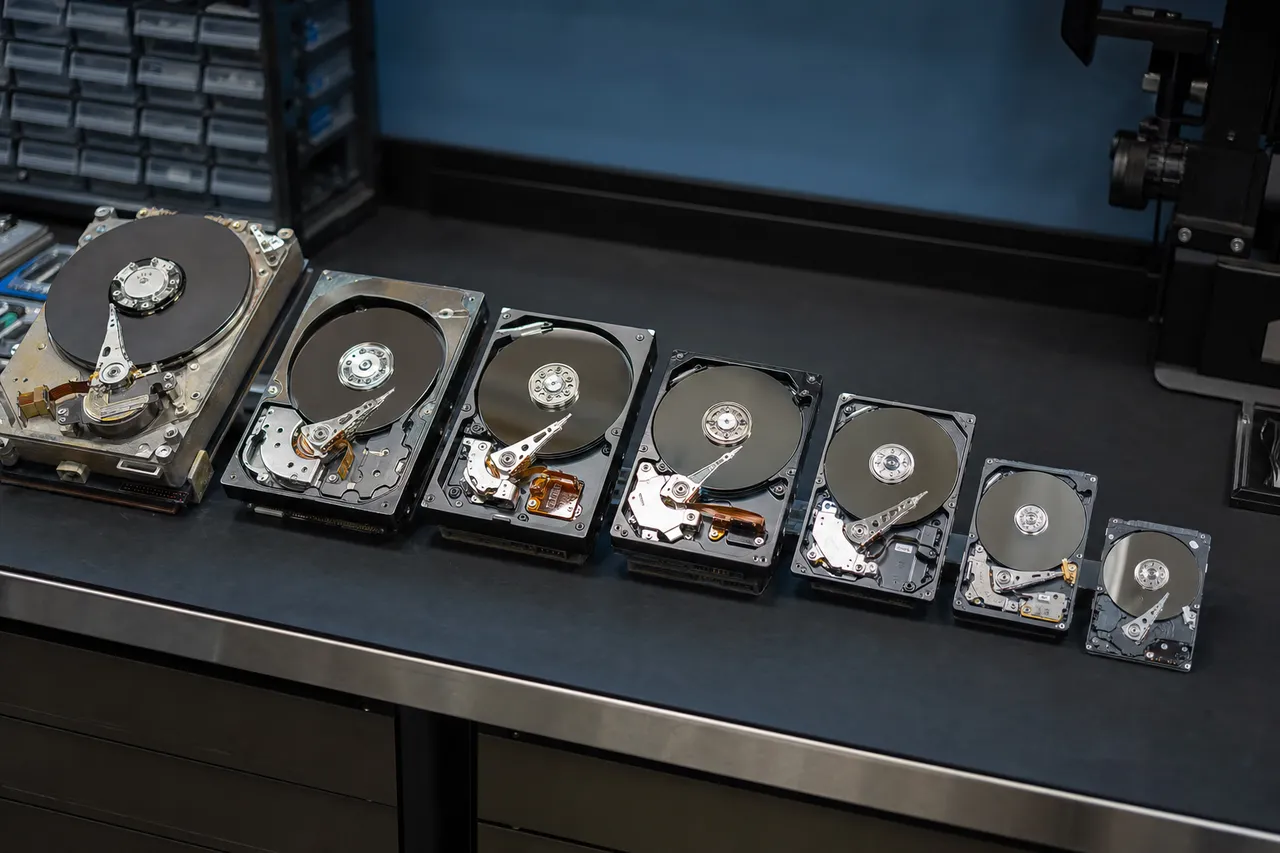
A heritage lineup of vintage and modern internal hard drives staged on the data recovery bench, from 3.5-inch desktop to 2.5-inch laptop models

The IBM Legacy and Deskstar Heritage

The Deskstar name carries both prestige and notoriety in the hard drive world. IBM's Deskstar 75GXP, released in 2000, suffered from a widespread reliability issue that earned it the unfortunate nickname "Deathstar" among technology enthusiasts. The 75GXP's glass platters were prone to a failure mode where the magnetic coating would delaminate from the platter surface, causing catastrophic data loss. IBM faced a class-action lawsuit over the defect, and the reputation damage contributed to IBM's decision to sell the division to Hitachi. Hitachi worked aggressively to rebuild the Deskstar brand's reputation after the acquisition. The Deskstar 7K250, 7K400, and subsequent models showed dramatic improvements in reliability. By the time Hitachi released the Deskstar 7K1000 - one of the first 1TB consumer hard drives on the market - the reliability issues of the IBM era were firmly in the past. The 7K1000 became one of the most popular desktop hard drives of its generation and established Hitachi as a serious competitor in the consumer storage market.

The Western Digital Acquisition

In March 2012, Western Digital completed its acquisition of Hitachi Global Storage Technologies for approximately $4.3 billion. The acquisition was one of the largest in the storage industry's history and reduced the number of major hard drive manufacturers from three to two - Western Digital and Seagate. Regulatory requirements from the European Commission, the U.S. Federal Trade Commission, and the Chinese Ministry of Commerce required Western Digital to operate HGST as a separate subsidiary for a transitional period and to divest certain manufacturing assets to Toshiba. After the acquisition, Western Digital gradually integrated HGST's technology and product lines into its own portfolio. The HGST brand continued on enterprise products through 2018, but consumer drives were transitioned to Western Digital branding. However, millions of Hitachi-branded Deskstar, Travelstar, and CinemaStar drives remain in active use worldwide, and many continue to arrive at MDrepairs for recovery. The engineering heritage of these drives - from IBM through Hitachi to HGST and Western Digital - means that recovering data from them requires understanding firmware architectures and hardware designs that span multiple corporate generations.

Why Hitachi Drives Still Need Recovery Today

Despite being out of production since 2012, Hitachi drives are far from obsolete in the data recovery world. These drives were built during an era when storage was transitioning from gigabytes to terabytes, and many users stored their most important data - family photos from the early digital camera era, business records, creative projects, and academic work - on Hitachi Deskstar and Travelstar drives that may have been sitting in a closet or running in an aging desktop computer for over a decade. When these drives finally fail, the data they hold is often irreplaceable, and the owners turn to MDrepairs for professional recovery. MDrepairs has maintained a comprehensive inventory of Hitachi donor drives and firmware documentation specifically to serve these customers. While other recovery labs may have reduced their Hitachi parts inventory as the drives aged out of production, we recognize that data has no expiration date, and the need for Hitachi recovery will continue for years to come. Whether your Hitachi drive is from 2004 or 2012, we have the parts, tools, and expertise to recover your data.
Deskstar

Deskstar Series Recovery

The Hitachi Deskstar series was the company's flagship desktop hard drive line, encompassing dozens of models spanning nearly a decade of production from 2003 through 2012. Deskstar drives were 3.5-inch form factor drives designed for desktop computers, workstations, and external enclosures, offering capacities from 80GB in the earliest models to 3TB in the final generation. MDrepairs has recovered data from every Deskstar model ever produced, and our technicians understand the specific hardware and firmware characteristics that make each generation unique.

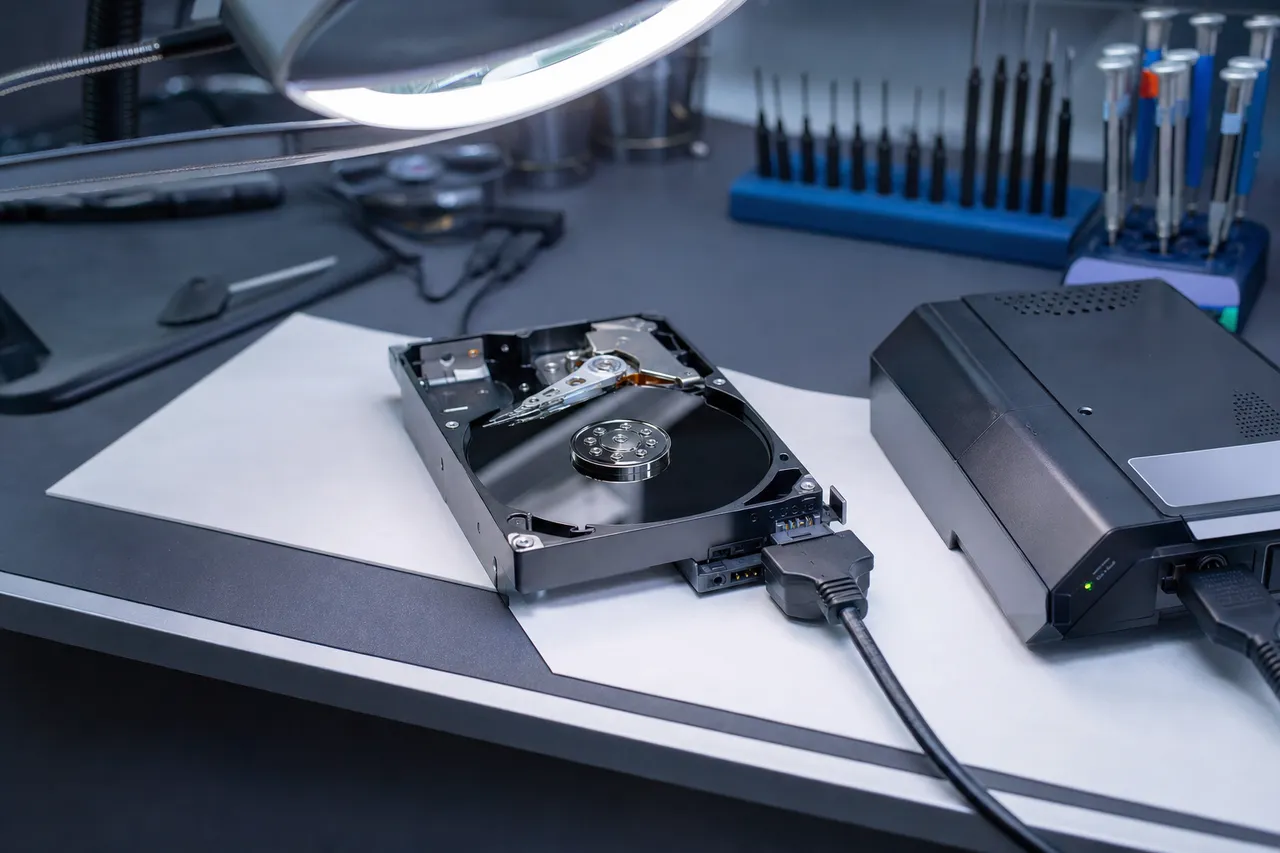
An opened 3.5-inch Hitachi Deskstar desktop hard drive connected to a hardware imaging device under a magnifier lamp on the MDrepairs bench

Deskstar 7K Series (7200 RPM Desktop Drives)

The 7K series was Hitachi's mainstream desktop product line, with models designated by their capacity class:

  • Deskstar 7K160 and 7K250: Early Hitachi-era drives from 2004-2005 using perpendicular magnetic recording. These drives use 1-2 platters and older firmware revisions. Common failures include head degradation due to age and PCB component failure. MDrepairs maintains donor drives for these legacy models.
  • Deskstar 7K500: A popular mid-range drive from 2006-2007 available in 250GB and 500GB capacities. The 7K500 introduced improved head technology and was one of Hitachi's most reliable consumer drives. Failures at this age are typically age-related head degradation or motor bearing wear.
  • Deskstar P7K500: A value-oriented variant of the 7K500 with slightly different firmware tuning. The P7K500 (model numbers starting with HDP) is one of the most common Hitachi drives we recover at MDrepairs. Common issues include firmware translator corruption and gradual bad sector accumulation.
  • Deskstar 7K1000: Hitachi's first terabyte-class desktop drive, released in 2007. Available in 500GB and 1TB capacities across multiple sub-variants (7K1000.B, 7K1000.C, 7K1000.D). The 7K1000 used 3-5 platters depending on capacity and firmware variant, making head replacement more complex due to the higher head count. MDrepairs has extensive experience with all 7K1000 sub-models.
  • Deskstar 7K2000: A 2TB drive from 2009 using five 400GB platters. The 7K2000 was widely used in desktop computers and external enclosures during the peak of the terabyte storage era. Five-platter designs require particular precision during platter transplant procedures, and MDrepairs has the specialized tools for this operation.
  • Deskstar 7K3000: The final generation of Hitachi Deskstar desktop drives, available in 2TB and 3TB capacities. Released in 2011 just before the Western Digital acquisition, the 7K3000 represented the pinnacle of Hitachi consumer drive engineering with improved areal density and Advanced Format 4K sectors. These drives are among the newest Hitachi-branded drives in circulation and frequently arrive at MDrepairs with age-related head failures.

Deskstar 5K Series (5400 RPM Desktop Drives)

Hitachi also produced lower-RPM Deskstar models optimized for quiet operation, lower heat output, and reduced power consumption:

  • Deskstar 5K1000: A 1TB drive running at 5400 RPM, popular in media center PCs and always-on desktop applications where noise and heat were concerns.
  • Deskstar 5K3000: A high-capacity 5400 RPM drive available in 2TB and 3TB configurations, often used in external enclosures and backup systems.

The 5K series drives share the same fundamental architecture as their 7K counterparts but run at lower rotational speeds, which generally results in longer operational lifespans but lower sequential transfer rates. Recovery techniques are identical, though the lower RPM means motor-related failures are slightly less common than in the 7K series.

Deskstar Recovery Challenges

Recovering data from Hitachi Deskstar drives presents several challenges that set them apart from drives made by other manufacturers. The ARM-based Renesas controller architecture used in Deskstar drives requires specific firmware tools and knowledge that differ from the Marvell-based controllers used in most Seagate and Western Digital drives. MDrepairs has invested years in mastering Hitachi firmware architecture, maintaining tools and documentation that allow us to access, diagnose, and repair the Hitachi System Area with precision. Additionally, as Hitachi drives age, the availability of compatible donor parts becomes increasingly limited. MDrepairs has strategically stockpiled Hitachi donor drives across all model families and firmware revisions, ensuring we can source compatible heads, PCBs, and chassis for any Deskstar model that comes through our lab. This parts availability is a critical advantage when choosing a recovery provider for your Hitachi drive - many labs no longer maintain Hitachi donor inventory and must source parts externally, adding days or weeks to the recovery timeline.

Travelstar

Travelstar Laptop Drive Recovery

The Hitachi Travelstar series was one of the most widely used laptop hard drive lines in the world, installed by major OEMs including Lenovo, HP, Dell, Toshiba, and Apple in millions of notebook computers. Travelstar drives are 2.5-inch form factor drives designed for the demanding environment of portable computing - shock resistance, low power consumption, and compact dimensions were critical design priorities. Despite these engineering considerations, Travelstar drives are inherently vulnerable to physical damage from drops and impacts because they travel with the laptop and are frequently subjected to forces that desktop drives never experience.

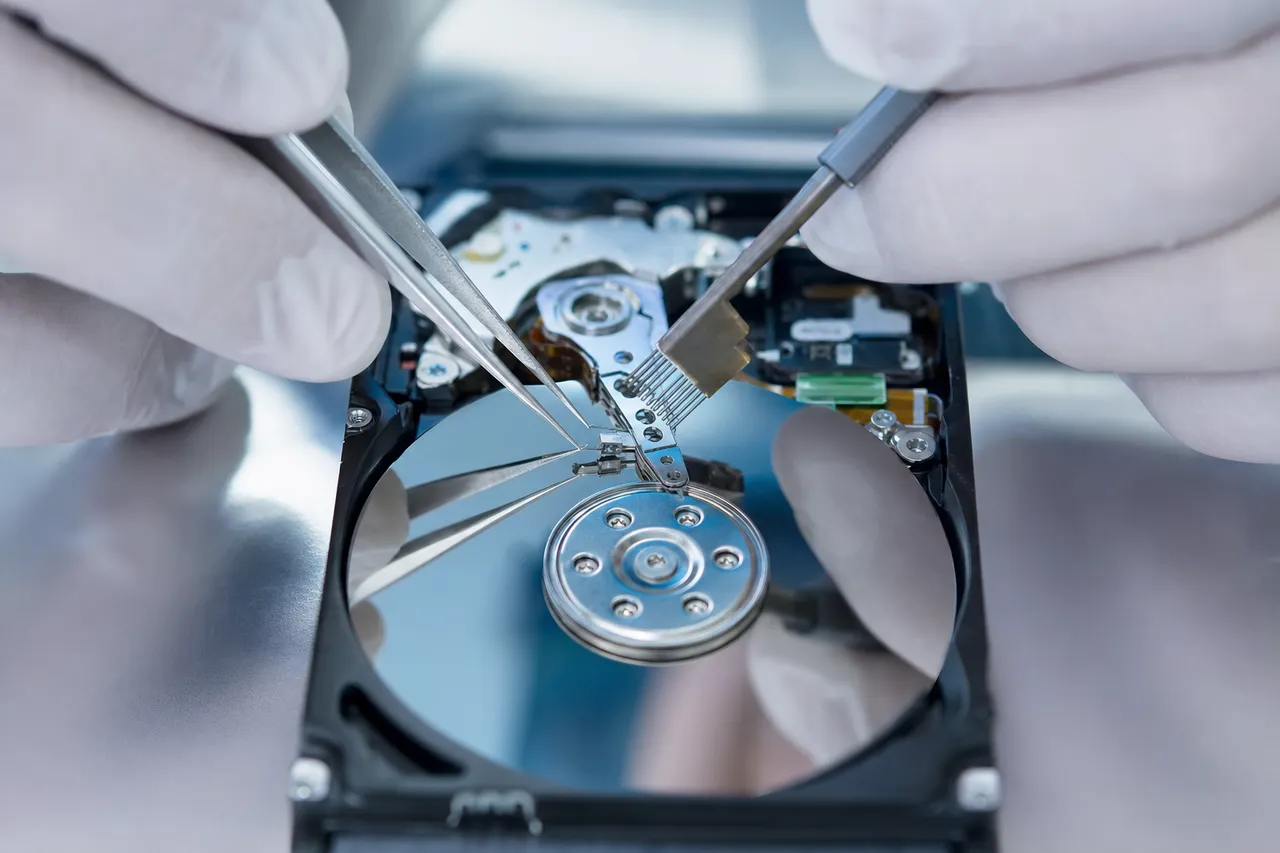
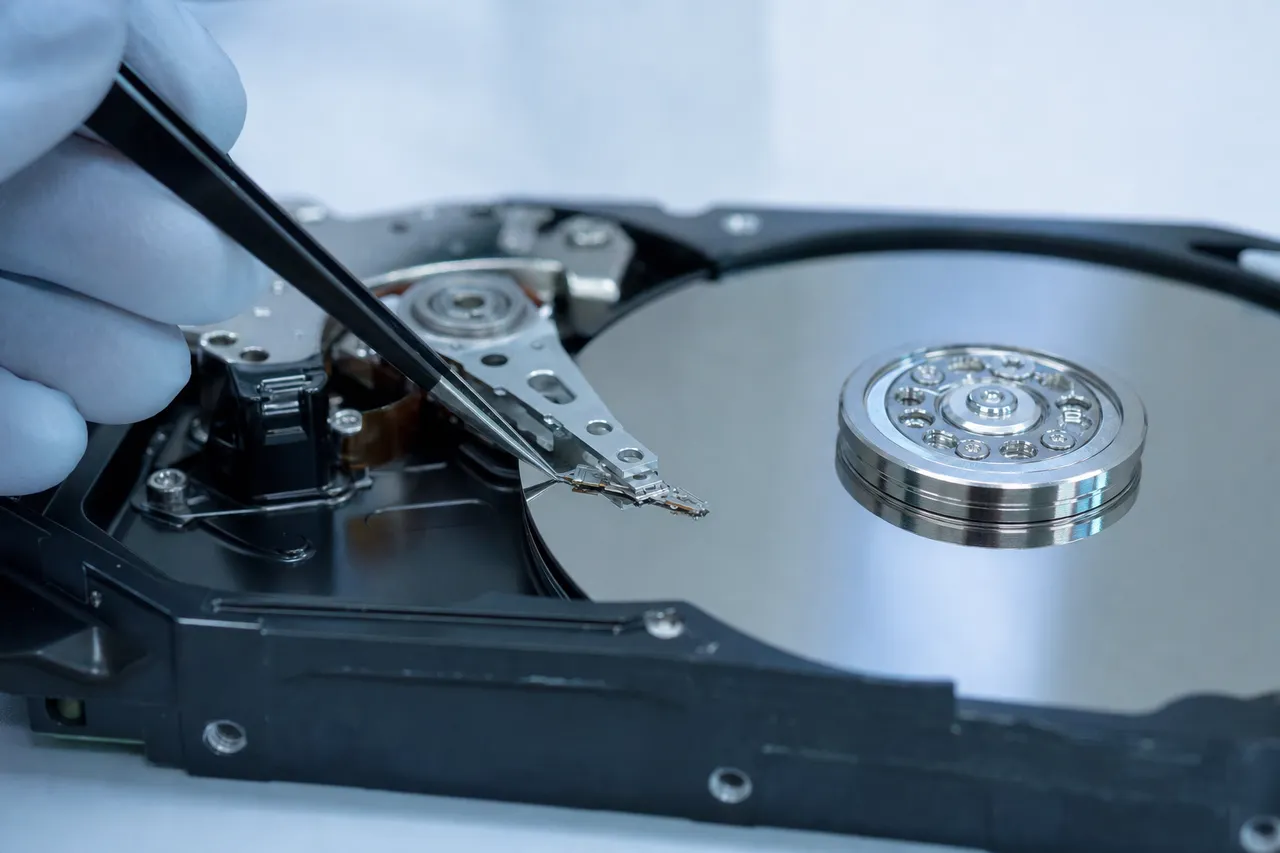
A gloved technician lifting the read/write head assembly off the platter of an opened 2.5-inch laptop hard drive during a clean room head swap

Travelstar Product Lines

Hitachi produced several Travelstar sub-families, each optimized for different performance and capacity requirements:

  • Travelstar 7K Series (7200 RPM): High-performance laptop drives for users who prioritized speed over battery life. The Travelstar 7K200, 7K320, 7K500, and 7K750 were popular choices in business laptops and mobile workstations. The higher rotational speed made these drives slightly more susceptible to damage from drops because the platters' rotational energy increases with RPM.
  • Travelstar 5K Series (5400 RPM): The mainstream laptop drive line balancing performance, power consumption, and capacity. The 5K250, 5K320, 5K500, 5K750, and 5K1000 models were among the most widely deployed laptop drives of their generation. MDrepairs recovers more Travelstar 5K-series drives than any other Hitachi product.
  • Travelstar Z Series (Slim Profile): Ultra-thin drives designed for ultrabooks and slim notebooks. The Z7K500, Z7K320, Z5K500, and Z5K320 use 7mm height profiles instead of the standard 9.5mm, achieved through single-platter designs and reduced internal clearances. The thinner construction makes these drives more fragile and more susceptible to damage from flexing or impact.

Common Travelstar Failure Scenarios

The most common Travelstar failure we see at MDrepairs is head damage from physical impact. A laptop dropped from desk height onto a hard floor while the drive is spinning will almost certainly cause head damage and potentially platter scoring. The impact forces the heads away from their normal flying position, and contact with the platter surface at 5400 or 7200 RPM generates enough friction to destroy the head slider and scrape the magnetic coating from the platter. The second most common Travelstar failure is bad sector accumulation from age and wear. Many Travelstar drives arriving at MDrepairs in 2024-2026 are 10-15 years old and have been running continuously in laptops that were used daily throughout their operational life. The magnetic coating on the platters gradually degrades over time, and sectors that were once readable become corrupted. S.M.A.R.T. data on these drives typically shows steadily increasing reallocated sector counts and pending sector counts stretching back years. Firmware corruption is the third most common Travelstar issue. The Hitachi firmware stored in the System Area can become corrupted from power interruptions during write operations to the SA, from bad sectors developing in the firmware zone, or from age-related degradation of the sectors that store the firmware modules. MDrepairs repairs Travelstar firmware using the same ARM-based firmware tools we use for all Hitachi products, restoring access to the user data area without any physical intervention.

Travelstar Recovery in Our Clean Room

When a Travelstar drive requires physical recovery, the smaller 2.5-inch form factor adds complexity to the procedure. The heads and platters in laptop drives are physically smaller than their 3.5-inch desktop counterparts, requiring more delicate handling during head replacement. Additionally, 2.5-inch Hitachi drives have tighter internal tolerances, meaning even slight contamination or misalignment during a head swap can prevent successful imaging. MDrepairs uses specialized 2.5-inch head combs and platter extraction tools designed specifically for Travelstar drives. Our technicians have performed thousands of Travelstar head replacements and understand the nuances of each model's internal layout, head parking mechanism, and platter configuration. Whether your Travelstar is a single-platter Z-series slim drive or a dual-platter 7K750, our clean room team has the tools and experience to recover your data. If your laptop's Hitachi Travelstar drive has failed, the most important step is to power off the laptop immediately. Do not attempt to boot the laptop repeatedly or run diagnostic software. Every power cycle on a drive with damaged heads causes additional platter damage. Remove the drive from the laptop if possible, or simply keep the laptop powered off, and contact MDrepairs at 732-933-7717 for a free recovery consultation.

CinemaStar

CinemaStar Media Drive Recovery

The Hitachi CinemaStar series was purpose-built for digital video recording, media streaming, and set-top box applications. These drives were designed for the unique workload patterns of continuous video recording and playback - sustained sequential writes and reads with minimal random access. CinemaStar drives were installed by major DVR manufacturers including TiVo, Dish Network, DirecTV, and numerous security camera DVR systems. When a CinemaStar drive fails, the recorded video footage it contains may be irreplaceable, whether it is years of recorded television programming or critical surveillance footage needed for legal proceedings.

CinemaStar Product Variants

Hitachi produced CinemaStar drives in both 3.5-inch desktop and 2.5-inch laptop form factors:

  • CinemaStar 7K1000: A 3.5-inch, 7200 RPM drive available in 500GB and 1TB capacities. Used primarily in DVR set-top boxes and media center PCs. Features SilenTrek acoustic management for quiet operation during video playback.
  • CinemaStar 5K1000: A 3.5-inch, 5400 RPM drive optimized for low noise, low heat, and continuous operation. Available in 500GB and 1TB capacities. The most common CinemaStar model we recover at MDrepairs, frequently found in home DVR systems.
  • CinemaStar C5K750: A 2.5-inch, 5400 RPM drive for portable media players and compact DVR systems. Available in 500GB and 750GB capacities.
  • CinemaStar C5K500: An earlier 2.5-inch model available in 250GB and 500GB capacities. Common in set-top boxes and media players from the 2008-2010 era.

DVR and Surveillance Footage Recovery

CinemaStar recovery presents unique challenges beyond standard hard drive data recovery. DVR systems typically use proprietary file systems and video encoding formats that are not readable on a standard Windows or Mac computer. The video data is stored in a continuous stream format optimized for real-time recording, and the file system metadata that tracks recording dates, channels, and event markers is specific to each DVR manufacturer. MDrepairs has experience recovering video footage from CinemaStar drives used in all major DVR platforms. Our recovery process for CinemaStar drives includes:

  • Physical recovery: If the drive has a physical failure, we perform the necessary clean room work (head replacement, motor repair, platter transplant) using CinemaStar-compatible donor parts.
  • Sector-level imaging: We create a complete sector-by-sector clone of the CinemaStar drive to preserve all data, including the proprietary file system structures.
  • Video extraction: Using specialized DVR analysis tools, we parse the proprietary file system and extract individual video recordings with their associated metadata (timestamps, channel information, event flags).
  • Format conversion: Recovered video files are converted to standard formats (MP4, AVI, MOV) that can be played on any computer or submitted as evidence in legal proceedings.

Surveillance Footage Recovery for Legal Purposes

A significant portion of CinemaStar recovery cases at MDrepairs involve surveillance footage needed for insurance claims, criminal investigations, or civil litigation. Time-sensitivity is critical in these cases because surveillance systems typically operate on circular recording buffers that overwrite the oldest footage as new footage is recorded. Even if the DVR has been powered off, the filesystem metadata that indexes the footage may be damaged, making it impossible to access specific date ranges without professional recovery. MDrepairs can recover surveillance footage from CinemaStar drives even when the DVR's own interface reports the footage as unavailable or deleted. Our sector-level analysis can locate video data that the DVR firmware considers overwritten but that has not yet been physically replaced on the platter surface. This capability has proven invaluable for customers who need footage from specific dates that the DVR no longer displays in its recording history. If you need video footage recovered from a Hitachi CinemaStar drive, contact MDrepairs immediately at 732-933-7717. Time is critical - if the DVR system is still recording, it may be overwriting the footage you need. Power off the DVR and call us for instructions on preserving the evidence.

Renesas ARM Firmware

Hitachi Firmware Architecture

One of the most distinctive technical characteristics of Hitachi hard drives is their firmware architecture. While Seagate and Western Digital drives of the same era predominantly used Marvell-based controller chips, Hitachi chose ARM-based Renesas microcontrollers for their drive electronics. This fundamental architectural difference means that the firmware tools, diagnostic procedures, and repair techniques used for Hitachi drives are substantially different from those used for other drive manufacturers. MDrepairs has invested years in mastering Hitachi firmware architecture, and this expertise is critical to our high success rate on Hitachi recovery cases.

A Hitachi drive PCB with diagnostic jumper wires and a serial terminal adapter clipped to its test pads, hexadecimal firmware data on a screen behind it

The Renesas ARM Controller Platform

Hitachi drives from the 2003-2012 era use Renesas (formerly Hitachi Semiconductor) ARM-based controller chips. These controllers manage all aspects of drive operation including motor control, head positioning, read/write channel processing, cache management, error correction, and host interface communication. The Renesas platform was chosen by Hitachi partly because Renesas was itself a Hitachi subsidiary, giving the drive division tight integration between hardware and software development teams. The ARM-based architecture gives Hitachi drives several distinctive characteristics that affect the recovery process:

  • Firmware module structure: Hitachi firmware is organized into discrete modules stored in the System Area (SA) of the platters. Key modules include the translator (which maps logical block addresses to physical platter locations), the defect list (which tracks manufacturing defects and grown defects), the adaptive parameters (which store head-specific calibration data), and the SMART logs (which record operational statistics and error counts).
  • Serial diagnostic interface: Like other drive manufacturers, Hitachi drives include a serial diagnostic port on the PCB that provides low-level access to the firmware and controller. However, the command syntax and protocol used by Hitachi drives differs from the terminal interfaces used by Seagate and Western Digital. MDrepairs uses specialized Hitachi terminal adapters and software to communicate with the diagnostic port.
  • Adaptive parameter sensitivity: Hitachi drives store extensive adaptive calibration data that is unique to each individual drive. This data includes head flying height adjustments, servo offset corrections, and read channel equalization parameters tuned during manufacturing. If this data is lost or corrupted, the drive cannot read its own platters even with healthy heads. MDrepairs preserves and backs up adaptive parameters before beginning any recovery procedure.

Common Hitachi Firmware Failures

Firmware failures account for approximately 15-20% of all Hitachi recovery cases at MDrepairs. The most common firmware issues include:

  • Translator corruption: The translator module maps logical block addresses (LBAs) used by the operating system to physical locations on the platters. When the translator becomes corrupted, the drive cannot locate data on the platters even though the data itself is intact. Symptoms include the drive spinning up normally but not being detected, or being detected with incorrect capacity. MDrepairs can rebuild corrupted Hitachi translators using backup copies stored in the SA or by reconstructing the translation tables from scratch.
  • Defect list overflow: As a Hitachi drive ages and accumulates bad sectors, entries are added to the grown defect list (G-List). If the G-List grows beyond the allocated space in the SA, the firmware can become unstable or refuse to initialize. MDrepairs can trim oversized defect lists, relocate the G-List to free SA space, or bypass the defect management system entirely to image the drive in a degraded mode.
  • SMART module corruption: Corrupted SMART data can prevent the drive from completing its initialization sequence, similar to the Seagate BSY bug but with different technical underpinnings. MDrepairs can clear or rebuild the SMART module to restore drive operation.
  • Microcode failure: In rare cases, the drive's operational microcode - the program that runs on the ARM controller - can become corrupted, usually due to a power interruption during a firmware update or SA write operation. MDrepairs can reflash the microcode from known-good copies matched to the drive's model and firmware revision.

Why Firmware Expertise Matters

Many data recovery companies lack the tools and knowledge to repair Hitachi firmware because the ARM-based platform requires different equipment and techniques than the more common Marvell-based drives. A recovery lab that can only handle Seagate and Western Digital firmware may misdiagnose a Hitachi firmware failure as a physical problem, leading to unnecessary clean room work, higher costs, and potentially worse outcomes. MDrepairs correctly identifies firmware failures during our initial diagnostic and applies the appropriate firmware repair techniques, often resolving the issue faster and at lower cost than a physical recovery would require.

Head Failure

Common Hitachi Head Failures

Read/write head failure is the single most common physical failure mode in Hitachi hard drives, accounting for approximately 40% of all physical recovery cases at MDrepairs. The heads in a Hitachi drive are precision-engineered electromagnetic transducers mounted on a spring-loaded actuator arm that positions them over the spinning platters with nanometer-level accuracy. When any component in this assembly fails - the head slider, the suspension arm, the preamp chip, or the voice coil motor - the drive loses its ability to read data from the platters and typically produces the clicking or ticking sounds that are the hallmark of head failure.

Extreme close-up of a technician using a head comb tool to lift the read/write head stack off the mirrored platters of an opened Hitachi laptop drive

Hitachi Head Design Characteristics

Hitachi head assemblies have several design characteristics that distinguish them from heads used by other manufacturers:

  • Head slider geometry: Hitachi used proprietary air bearing surface (ABS) designs on their head sliders that control the flying height above the platter surface. The ABS design determines how the head responds to changes in air pressure, temperature, and humidity, and it affects the drive's tolerance for altitude changes - an important consideration for laptop Travelstar drives that may be used at various elevations.
  • Preamp integration: The preamplifier chip, which boosts the extremely weak signals read from the platter surface, is mounted directly on the head stack assembly in Hitachi drives. This chip is specific to each head count and model variant, meaning donor heads must come from a drive with the same number of heads and compatible preamp specifications.
  • Suspension technology: Hitachi used a variety of suspension technologies across different product generations, including traditional stainless steel suspensions in earlier models and more advanced micro-actuator designs in later drives. The suspension type affects how the head responds to vibration and shock, and it determines the specific head replacement tools required.

Head Failure Symptoms in Hitachi Drives

When the heads fail in a Hitachi drive, the symptoms depend on the nature and severity of the failure:

  • Rapid clicking: The most recognizable symptom. The drive powers on, the motor spins up, and then a rapid clicking sound begins as the heads repeatedly attempt to read the servo tracks that guide head positioning. The ARM controller detects that the heads cannot read valid servo data and resets the positioning attempt, creating the repetitive click pattern. This cycle continues until the drive powers off or enters a fault state.
  • Single click then spin-down: In some cases, the heads fail so completely that the drive makes a single click as the heads deploy, immediately detects the failure, and spins down. This pattern often indicates a catastrophic preamp failure or completely severed head connections.
  • Scratching or grinding: If the head slider's air bearing surface has been damaged, the head may be in partial contact with the platter surface. This produces a high-pitched scratching or grinding sound that indicates active platter damage. Power off the drive immediately if you hear this sound - every second of operation is destroying more data.
  • Beeping: On some Hitachi models, a beeping sound can indicate heads that are stuck to the platter surface (stiction). The motor attempts to spin the platters, but the adhesion between the heads and the platter surface prevents rotation, causing the motor to stall and produce a beeping tone.

MDrepairs Hitachi Head Replacement Process

Replacing the heads in a Hitachi drive is a delicate procedure performed entirely in our clean room:

  • Donor selection: We identify a compatible donor drive from our Hitachi inventory. The donor must match the patient drive's model number, head count, firmware revision, and ideally the manufacturing date range. Hitachi drives are particularly sensitive to donor matching because the ARM firmware stores head-specific calibration data that must be compatible with the replacement heads.
  • Patient drive preparation: The patient drive is opened in our clean room and the platter surfaces are inspected under magnification for any damage. If debris from the failed heads is present on the platters, it is carefully removed before new heads are installed.
  • Head stack removal: Using model-specific head combs, we carefully separate the original heads from the platters and remove the failed head stack assembly. The head combs keep the heads separated during removal to prevent them from touching each other or the platters.
  • Donor head installation: The donor head stack assembly is installed into the patient drive using head combs to guide the heads onto the platter surfaces without contact. The actuator is reassembled and the drive is sealed.
  • Firmware adaptation: In many Hitachi recovery cases, the adaptive parameters stored in the firmware need to be updated to match the characteristics of the new heads. MDrepairs adjusts head-specific calibration values in the SA to optimize read performance with the donor heads.
  • Imaging: With the new heads installed and firmware adapted, the drive is connected to our imaging hardware and read sector by sector. Weak or damaged areas are handled with specialized read retry algorithms that adjust parameters like head positioning offsets, read channel gain, and error correction aggressiveness to extract maximum data.

If your Hitachi drive is clicking, do not attempt home remedies like freezing the drive, tapping it, or repeatedly powering it on. These actions cause additional damage and reduce the chances of successful recovery. Contact MDrepairs at 732-933-7717 for professional Hitachi head replacement and data recovery.

PCB / Electronics

PCB and Power Issues in Hitachi Drives

The printed circuit board (PCB) on a Hitachi hard drive is the external electronic assembly that controls all aspects of drive operation. It houses the main controller chip, motor driver, read/write channel processor, cache memory, voltage regulators, and the ROM chip that stores drive-specific calibration data. When the PCB fails - whether from a power surge, static discharge, faulty power supply, or component aging - the drive becomes completely non-functional. The platters inside the drive are typically unaffected by PCB failures, meaning your data is intact but inaccessible until the electronics are repaired or replaced.

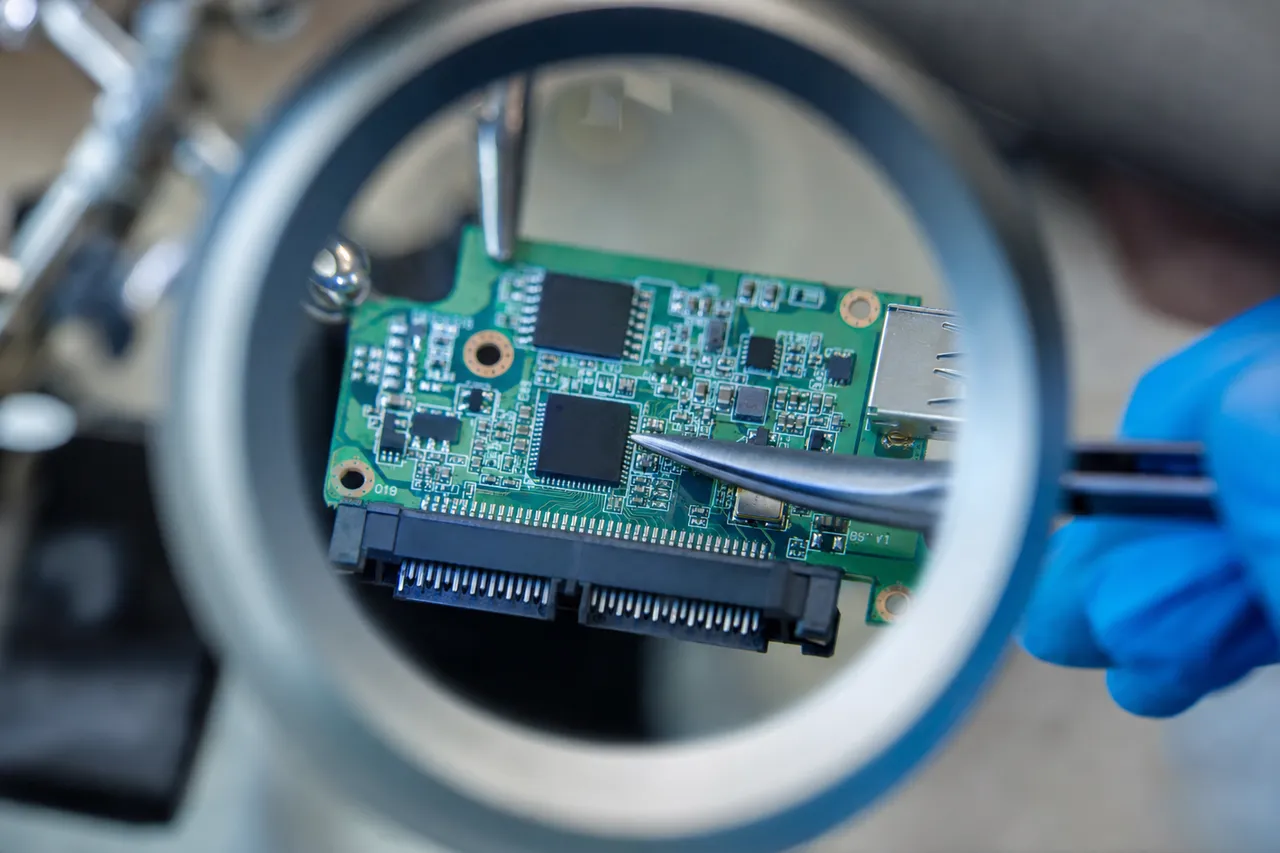
A hard drive printed circuit board removed from the drive on the bench, showing the controller chip, motor driver and ROM chip during board-level diagnosis

Hitachi PCB Architecture

Hitachi PCBs are built around the Renesas ARM-based controller chip, which serves as the central processor for all drive operations. The key components on a typical Hitachi PCB include:

  • Main controller (Renesas ARM): The primary processor that executes the drive's firmware, manages the read/write channel, controls head positioning via the voice coil motor, and handles communication with the host computer over the SATA or PATA interface.
  • Motor driver chip: Controls the spindle motor speed and the voice coil motor that positions the heads. This chip manages the precise current waveforms required to spin the platters at exactly 5400 or 7200 RPM and to move the heads to specific track positions.
  • ROM chip: A small serial flash memory chip that stores drive-specific calibration data, including adaptive parameters, servo offset values, and the unique identifier that links the PCB to the specific set of platters and heads inside the drive. This data is unique to each individual drive.
  • Cache memory (DRAM): Typically 8MB to 64MB of DDR memory used as a buffer for read and write operations. The cache stores recently accessed data and pending write data to improve performance.
  • TVS diodes: Transient voltage suppression diodes that protect the drive electronics from power surges. These are the first components to fail during a voltage spike, and their failure is often the only damage sustained - though their failure may short circuit the power supply rail, preventing the drive from receiving power.

Common PCB Failure Causes

The most frequent causes of Hitachi PCB failure that we see at MDrepairs include:

  • Power surges: Lightning strikes, power grid fluctuations, and faulty UPS systems can send voltage spikes through the power supply to the drive. The TVS diodes are designed to absorb these spikes, but severe surges can overwhelm them and damage downstream components including the motor driver and main controller.
  • Faulty power supplies: Desktop computers with failing or low-quality power supplies can deliver unstable or incorrect voltages to the hard drive. Over-voltage on the 12V or 5V rails can damage PCB components even without a dramatic surge event.
  • Static discharge: Handling a bare hard drive without proper grounding can transfer static electricity to the PCB, potentially damaging the controller chip or other sensitive components. This is a common cause of PCB failure during do-it-yourself drive installations or data recovery attempts.
  • Component aging: Electrolytic capacitors and other passive components on the PCB degrade over time, especially in drives exposed to heat and humidity. As these components drift out of specification, the power regulation on the PCB becomes unstable, eventually leading to controller or driver failure.

Why PCB Swaps Do Not Work on Hitachi Drives

A common misconception is that a failed PCB can be fixed by simply swapping it with a PCB from an identical model drive. This approach does not work on Hitachi drives (or any modern hard drive) because of the ROM chip. Each Hitachi drive's ROM contains calibration data that is specific to the individual drive's platters and heads. If you install a PCB from a different drive, the calibration data will not match, and the drive will either refuse to initialize or will attempt to use incorrect head positioning parameters, potentially causing additional damage to the platters. MDrepairs resolves Hitachi PCB failures by transplanting the ROM chip from the original failed PCB to a compatible donor PCB. This preserves the drive-specific calibration data while providing new, functioning electronics. In cases where the ROM chip itself has been damaged by the same event that killed the PCB, we can sometimes reconstruct the necessary calibration data using firmware tools and our knowledge of Hitachi adaptive parameter structures. This capability is rare in the data recovery industry and is one of the reasons MDrepairs achieves high success rates on Hitachi PCB failure cases.

Diagnosing PCB Failures

If your Hitachi drive shows no signs of life when powered on - no spinning, no clicking, no LED activity - a PCB failure is likely. Other signs include a burning smell from the drive, visible burn marks or discoloration on the PCB components, or the drive causing your computer's power supply to shut down when connected. Do not continue attempting to power on a drive with a suspected PCB failure, as each attempt may cause additional damage if a short circuit is present. Contact MDrepairs at 732-933-7717 for a free consultation and professional PCB diagnosis.

Ultrastar / RAID

Hitachi RAID and Server Recovery

Hitachi Ultrastar drives were the company's enterprise-class product line, designed for servers, storage arrays, and data center applications demanding the highest levels of reliability and performance. Ultrastar drives featured heavier-duty components, higher workload ratings, and enterprise firmware optimizations compared to the consumer Deskstar and Travelstar lines. MDrepairs provides comprehensive recovery services for all Hitachi Ultrastar models and for RAID arrays built with Hitachi drives of any product family.

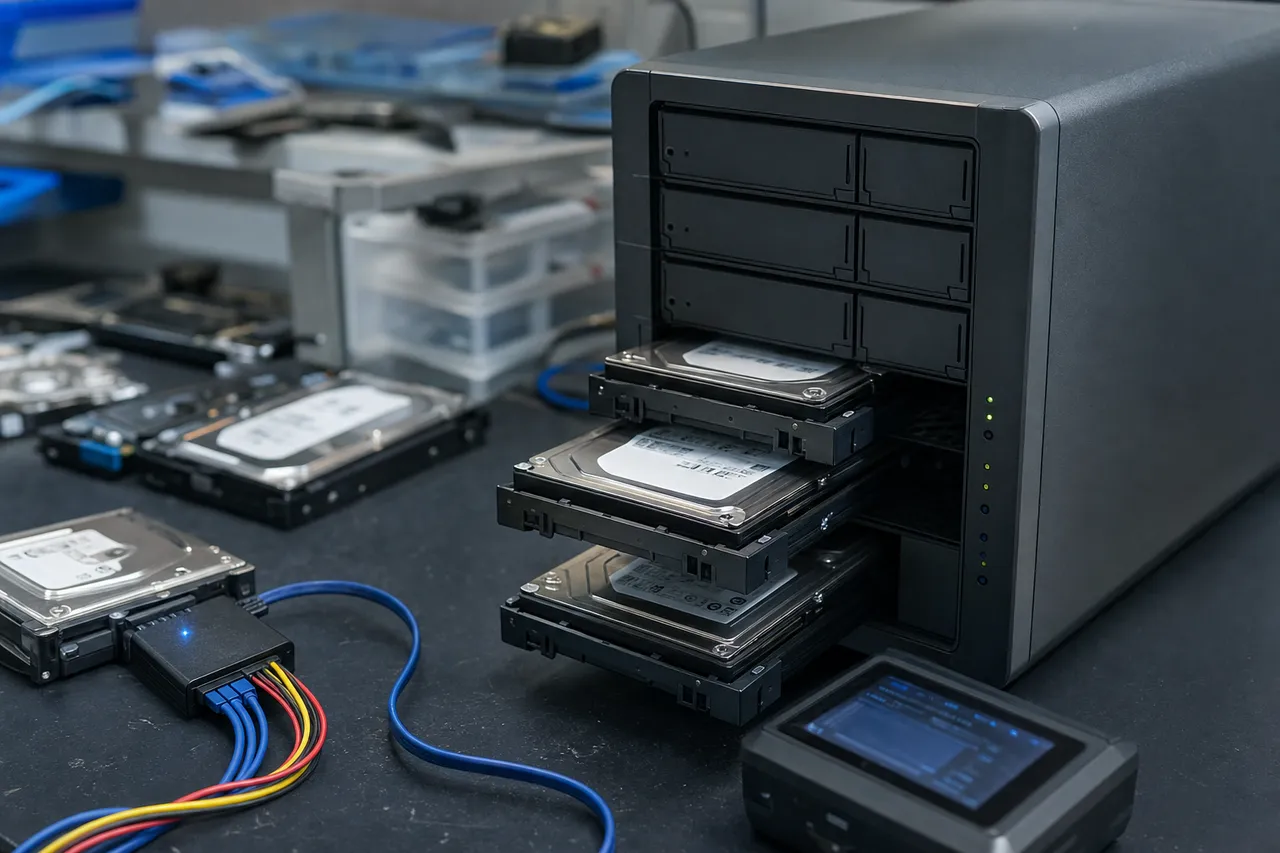
A multi-bay NAS and RAID enclosure on a workbench with several enterprise Hitachi Ultrastar drives pulled from their caddies for multi-drive array recovery

Hitachi Ultrastar Product Lines

The Ultrastar family encompassed several product lines tailored to different enterprise applications:

  • Ultrastar A7K Series (SATA): Enterprise SATA drives including the popular A7K1000 and A7K2000 models. These drives offered enterprise reliability with SATA interface compatibility, making them popular in cost-sensitive server and NAS deployments. Available in capacities from 500GB to 2TB.
  • Ultrastar 7K Series: The mainstream enterprise line including the 7K3000 and 7K4000 models. These drives supported both SATA and SAS interfaces and were widely deployed in Dell, HP, Lenovo, and Supermicro servers. Capacities ranged from 2TB to 4TB.
  • Ultrastar 15K Series (SAS): High-performance 15,000 RPM SAS drives designed for transaction-intensive applications like database servers and email systems. The Ultrastar 15K600 was a popular model in enterprise environments requiring maximum random I/O performance. Available in 300GB and 600GB capacities.
  • Ultrastar C10K Series (SAS): 10,000 RPM SAS drives offering a balance of performance and capacity for mid-range enterprise applications. The C10K900 and C10K600 were widely used in tiered storage configurations.

RAID Array Recovery with Hitachi Drives

Hitachi drives were frequently deployed in RAID configurations for data protection and performance. MDrepairs handles recovery from all RAID levels including RAID 0, 1, 5, 6, 10, 50, and 60 built with Hitachi drives. Our RAID recovery process involves:

  • Individual drive assessment: Every drive in the RAID array is individually evaluated. We test each drive's health, identify failed or degraded drives, and determine which drives can be imaged immediately and which require repair first.
  • Drive repair and imaging: Failed Hitachi drives are repaired using the appropriate technique - head replacement, firmware repair, PCB transplant, or motor service - before imaging. Each drive is imaged sector by sector using hardware that handles slow reads and bad sectors without causing further damage.
  • RAID parameter detection: We analyze the drive images to determine the RAID level, stripe size, drive order, parity rotation pattern, and any controller-specific metadata used by the RAID controller. Hitachi drives in hardware RAID controllers from Dell (PERC), HP (Smart Array), LSI, and Adaptec each store RAID metadata differently.
  • Array reconstruction: Using the detected parameters, we virtually reconstruct the RAID array from the individual drive images and extract the logical volume.
  • File system and data extraction: The file system (NTFS, ext4, XFS, ZFS, VMFS, etc.) is parsed and all recoverable files and folders are extracted with their original directory structure, permissions, and timestamps intact.

Enterprise SAS Drive Recovery

Hitachi Ultrastar 15K and C10K SAS drives require specialized imaging hardware because the SAS interface is not compatible with standard SATA connections used by consumer computers and most recovery tools. MDrepairs operates SAS-capable imaging hardware that can communicate directly with Hitachi SAS drives using the full SCSI command set, including vendor-specific commands needed for firmware access and diagnostics. SAS drives also present unique head replacement challenges because of their higher rotational speeds (10,000 or 15,000 RPM). The increased centrifugal forces and tighter head flying heights at these speeds mean that donor head matching must be even more precise than with standard 7200 RPM drives. MDrepairs maintains donor inventory for Hitachi Ultrastar SAS drives and has the clean room tools designed for these high-speed drive models.

Enterprise Service Options

MDrepairs offers several service options tailored to enterprise customers recovering Hitachi Ultrastar and RAID arrays:

  • Emergency service: Same-day start with a dedicated technician for mission-critical data. Available 7 days a week.
  • NDA agreements: We sign non-disclosure agreements for organizations handling sensitive data.
  • Compliance support: We can work within HIPAA, SOX, and other regulatory frameworks that govern data handling.
  • Multi-drive pricing: Volume pricing for RAID arrays with multiple failed drives.
  • Remote consultation: Our engineers can consult with your IT team to assess the array configuration and recovery options before any drives are shipped.

Contact MDrepairs at 732-933-7717 to discuss your Hitachi enterprise recovery needs. We understand that server downtime is costly, and we prioritize getting your data back as quickly as possible.

Brand Lineage

Hitachi vs HGST - What Changed

The relationship between Hitachi, HGST, and Western Digital is a source of confusion for many drive owners, and understanding the corporate history is important because it directly affects which data recovery techniques, donor parts, and firmware tools are needed for your drive. MDrepairs recovers drives from all three eras of this corporate lineage, and this section clarifies the timeline, the technical differences, and how the transition affects your recovery options.

The Timeline

The Hitachi-to-HGST-to-Western Digital transition happened in several stages:

  • 2003: Hitachi Ltd. acquires IBM's hard disk drive division for $2.05 billion. The new entity is named Hitachi Global Storage Technologies (HGST). Drives are branded as "Hitachi" for consumer products and begin appearing with HGST branding on enterprise products.
  • 2003-2011: HGST operates as a subsidiary of Hitachi Ltd., producing drives under both Hitachi and HGST brands. Consumer drives (Deskstar, Travelstar, CinemaStar) carry the Hitachi name, while enterprise products (Ultrastar) transition to HGST branding.
  • 2012: Western Digital acquires HGST for $4.3 billion. Regulatory conditions require WD to operate HGST as a separate subsidiary and divest certain assets to Toshiba.
  • 2012-2018: HGST continues operating semi-independently under Western Digital ownership. HGST-branded drives continue to be produced, primarily for enterprise markets. Consumer drives transition to Western Digital branding.
  • 2018-present: Western Digital fully integrates HGST operations. The HGST brand is discontinued, and all drives are sold under Western Digital branding. However, HGST technology and engineering continue to influence WD products, particularly in the Ultrastar enterprise line.

Technical Differences Between Eras

From a data recovery perspective, the most important distinction is the firmware and controller platform used in each era:

  • Hitachi era (2003-2012): Drives use ARM-based Renesas controllers with Hitachi-proprietary firmware. This is the platform covered by this page. Recovery requires Hitachi-specific firmware tools and diagnostic techniques. Donor parts must come from Hitachi-branded drives of the same generation.
  • HGST era (2012-2018): Drives transition to a hybrid platform that incorporates elements of both Hitachi and Western Digital firmware architecture. Later HGST drives use Marvell-based controllers similar to Western Digital's platform but with HGST-specific firmware customizations. Recovery requires a different set of tools and donor parts than Hitachi-era drives.
  • Western Digital era (2018-present): Drives use Western Digital's standard firmware platform. Former HGST product lines like the Ultrastar continue under WD branding with WD firmware. Recovery uses Western Digital techniques and tools. See our Western Digital Data Recovery page.

How to Identify Your Drive's Era

If you are not sure whether your drive is a Hitachi, HGST, or Western Digital product, look at the label on the drive:

  • Hitachi-era drives: Will say "Hitachi" or "Hitachi Global Storage Technologies" on the label. Model numbers typically start with H (e.g., HDS, HTS, HUA, HCS for Deskstar, Travelstar, Ultrastar, and CinemaStar respectively).
  • HGST-era drives: Will say "HGST" on the label, sometimes with "a Western Digital company" underneath. Model numbers may start with H or use HGST-specific prefixes.
  • WD-era drives: Will say "Western Digital" or "WD" on the label. Even former HGST product lines like Ultrastar will carry WD branding.

Why This Matters for Your Recovery

The era of your drive determines which recovery tools, firmware techniques, and donor parts MDrepairs will use. Sending a Hitachi-era drive to a recovery lab that only has Western Digital firmware tools will likely result in a failed recovery attempt. Conversely, trying to use Hitachi firmware tools on a WD-era Ultrastar will not work because the firmware platform is fundamentally different. MDrepairs has the tools, knowledge, and donor inventory covering all three eras, ensuring that your drive receives the correct treatment regardless of when it was manufactured or which corporate name appears on the label. Not sure which era your drive belongs to? Call MDrepairs at 732-933-7717 and provide the model number from the drive label. We will identify your drive immediately and advise on the appropriate recovery approach.

Motor / Platter Transplant

Motor Failures and Platter Transplants

Spindle motor failure is a serious but recoverable condition that affects Hitachi drives across all product lines. The spindle motor is the component that spins the platters at their designated rotational speed - 5400 RPM for Travelstar and CinemaStar drives, 7200 RPM for Deskstar models, and up to 15,000 RPM for Ultrastar enterprise drives. When the motor fails, the platters cannot rotate, and the heads cannot read any data. Motor failure is distinct from head failure because the data on the platters is typically undamaged - the challenge is gaining physical access to the platters by restoring rotation.

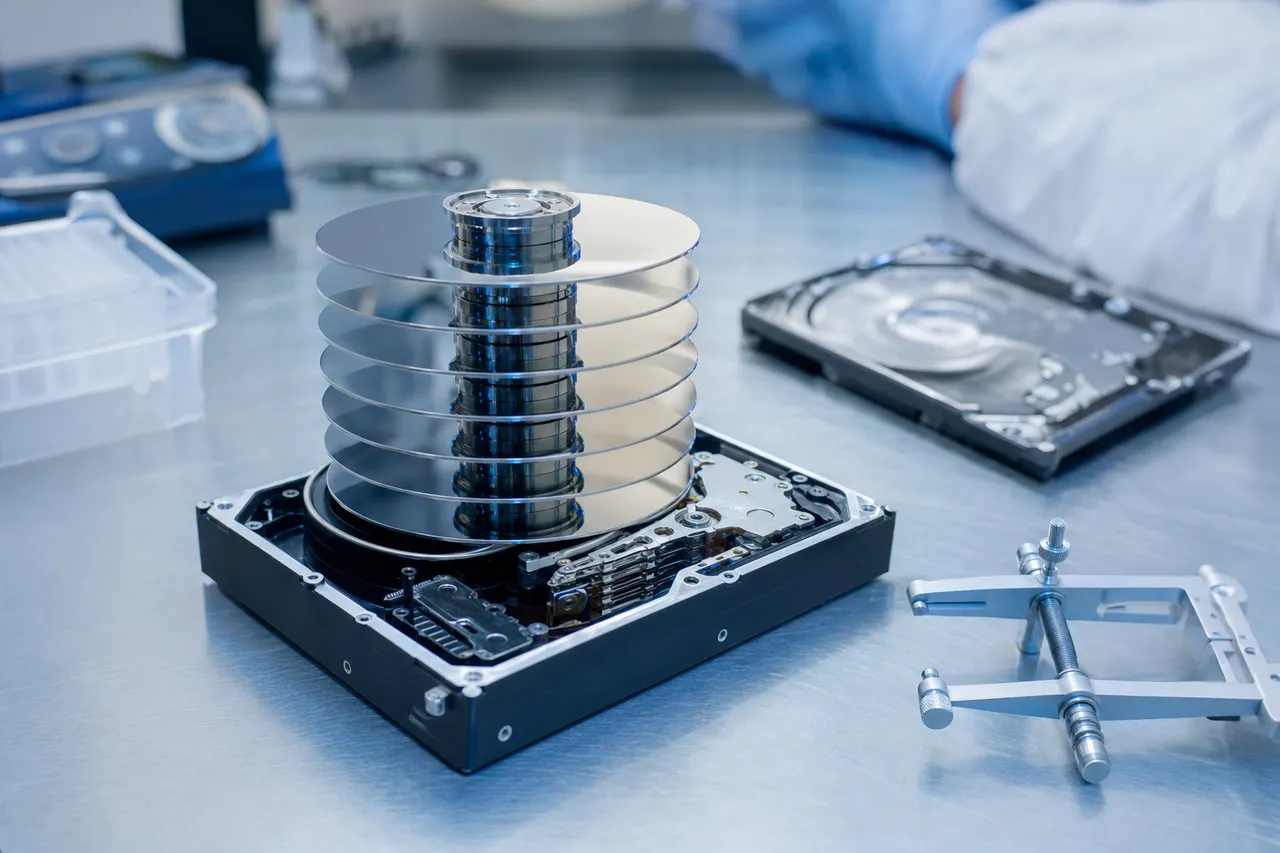
A disassembled multi-platter hard drive showing a stack of mirrored platters with aluminum spacer rings and a platter-removal alignment tool on a clean room bench

Types of Motor Failure in Hitachi Drives

Motor failures in Hitachi drives can be categorized into several distinct types:

  • Bearing seizure: The fluid dynamic bearings (FDB) that support the spindle shaft can seize due to lubricant degradation, contamination, or mechanical wear. A seized motor produces a buzzing or humming sound when power is applied - the motor tries to spin but cannot overcome the friction. This is the most common motor failure in Hitachi drives that have been stored for extended periods, as the bearing lubricant can dry out or redistribute unevenly during storage.
  • Motor winding failure: The electromagnetic coils that drive the spindle motor can develop open circuits, short circuits, or insulation breakdown. Winding failures are typically caused by power surges, sustained overheating, or manufacturing defects. The drive may produce no sound at all when powered on, or the motor may spin erratically before stopping.
  • Spindle shaft damage: Physical impact can bend or damage the spindle shaft, preventing smooth rotation. Even a slight bend in the shaft causes wobble that throws the platters out of alignment with the heads, making data reading impossible. This failure is most common in Travelstar laptop drives that have been dropped.
  • Stiction (heads stuck to platters): While technically not a motor failure, stiction produces similar symptoms. The heads become physically adhered to the platter surface, and the motor cannot generate enough torque to break the adhesion. The result is a beeping sound as the motor stalls against the stuck heads. Stiction is common in Hitachi drives that have been powered off for months or years.

The Platter Transplant Procedure

When a Hitachi drive's motor fails, the only reliable recovery method is a platter transplant - removing the platters from the failed drive and installing them in a healthy donor drive chassis with a working motor. This is one of the most complex procedures in data recovery, requiring extreme precision and a controlled clean room environment. Here is how MDrepairs performs Hitachi platter transplants:

  • Donor drive preparation: We select a donor Hitachi drive that matches the patient drive's model, platter count, and firmware revision. The donor drive's own platters and heads are removed, leaving an empty chassis with a working motor, bearing assembly, and voice coil motor. The donor drive must be in excellent mechanical condition - any vibration or bearing noise in the donor motor will compromise the recovery.
  • Patient drive disassembly: The patient Hitachi drive is opened in our clean room. The heads are carefully parked using head combs, and the platter clamp is removed. Each platter must be lifted individually from the spindle without any lateral movement that could scratch the surface or shift the platter's rotational alignment relative to the other platters in a multi-platter stack.
  • Platter transfer: The platters are transferred from the patient drive's spindle to the donor drive's spindle one at a time. The rotational alignment between platters must be precisely maintained because the servo tracks on each platter surface are written in alignment during manufacturing. If the platters are rotated relative to each other during the transplant, the heads will be unable to follow the servo tracks correctly, and data reading will fail.
  • Reassembly: The platter clamp is installed and torqued to specification. The donor heads are positioned over the platters using head combs, and the drive is sealed. The completed assembly now contains the patient's original platters (with all the data) in a healthy donor chassis with a working motor and fresh heads.
  • Firmware adaptation: The donor drive's ROM chip is replaced with the patient drive's original ROM chip, or the necessary calibration data is transferred electronically. The firmware may also require adaptation to account for differences between the patient and donor head characteristics.
  • Imaging: The reassembled drive is powered on in a controlled manner and connected to our imaging hardware. If the transplant is successful, the platters spin up smoothly and the heads begin reading data from the platter surfaces. The drive is imaged sector by sector to extract all recoverable data.

Multi-Platter Transplant Challenges

Many Hitachi drives use multiple platters to achieve their rated capacity - the Deskstar 7K2000 uses five platters, for example, and the Deskstar 7K3000 uses up to five platters as well. Multi-platter transplants are significantly more complex than single-platter procedures because every additional platter adds another rotational alignment that must be maintained. A five-platter Hitachi drive has ten data surfaces (both sides of each platter), and the servo tracks on all ten surfaces must be in precise rotational alignment for the heads to function correctly. MDrepairs uses specialized platter alignment tools designed for multi-platter Hitachi drives. These tools maintain the rotational position of each platter during removal and installation, ensuring that the angular relationship between platter surfaces is preserved throughout the transplant. Our technicians have performed hundreds of multi-platter Hitachi transplants and understand the specific torque requirements, clamp geometry, and alignment tolerances for each Hitachi model family. If your Hitachi drive is not spinning, buzzing, or beeping, do not attempt to free a stuck motor yourself. Opening the drive outside of a clean room exposes the platters to contamination, and applying force to the motor shaft can scratch the platters or damage the bearing assembly. Contact MDrepairs at 732-933-7717 for professional motor failure diagnosis and platter transplant recovery.

Pro vs DIY

When to Choose Professional Recovery vs DIY

When a Hitachi hard drive fails, the natural first instinct for many people is to try fixing the problem themselves using free or inexpensive data recovery software. In some cases, this is a reasonable approach. In others, it is a recipe for disaster that can turn a recoverable situation into a permanent data loss. Understanding when DIY recovery is appropriate and when professional help is essential can save your data, your money, and your time. MDrepairs provides this guide to help you make an informed decision. If your drive sounds healthy and the loss is logical, you can also try our free DIY HDD Recovery Tool to assess the situation first.

When DIY Recovery May Work

Software-based data recovery can be effective when the following conditions are all true:

  • The drive sounds normal: The Hitachi drive spins up without clicking, beeping, grinding, or buzzing. The motor sounds smooth and steady, identical to how it sounded when the drive was working properly.
  • The drive is detected by the computer: The drive appears in BIOS/UEFI, Disk Management (Windows), or Disk Utility (Mac). It may show as unformatted, wrong capacity, or inaccessible, but the computer can see that a drive is connected.
  • The issue is purely logical: The data loss was caused by accidental deletion, formatting, partition table corruption, virus damage, or file system errors. No physical event (drop, surge, water exposure) preceded the data loss.
  • The drive does not freeze or slow down: The drive responds to commands at normal speed. There is no excessive heat, no freezing, and no access delays that were not present before.

If all four conditions are met, you can try data recovery software like R-Studio, DMDE, or TestDisk. These tools scan the drive at the file system level and can often recover deleted files, reconstruct damaged partitions, and extract data from formatted drives. However, even in logical-only cases, stop immediately if the drive starts behaving abnormally during the scan - software recovery puts read stress on the drive that can trigger latent physical problems.

When You Must Use Professional Recovery

Professional recovery is mandatory when any of the following apply:

  • The drive makes abnormal sounds: Clicking, ticking, beeping, buzzing, grinding, or scratching sounds indicate a physical failure. Running software on a drive with failed heads or a seized motor causes additional damage with every second of operation. Power off the drive immediately and contact MDrepairs.
  • The drive is not detected: If your Hitachi drive spins up but is not recognized by any computer, the issue is likely a firmware failure or severe head degradation. Software recovery cannot work on a drive that the computer cannot communicate with. Professional tools are needed to access the firmware directly and repair the issue.
  • The drive does not spin: If the motor does not start at all, or the drive makes a faint buzzing sound, the motor has failed or the heads are stuck to the platters. This requires clean room disassembly and either motor service or platter transplant - procedures that are impossible without professional equipment.
  • The drive is physically damaged: Drops, water exposure, fire damage, or visible PCB damage all require professional handling. These conditions will not improve with software and can worsen dramatically if the drive is powered on.
  • The drive was previously opened: If you or someone else opened the Hitachi drive outside of a clean room, contamination particles are now on the platter surfaces. A professional clean room environment is needed to clean the platters and attempt recovery before the contamination causes permanent damage.
  • The data is irreplaceable: If the data on your Hitachi drive cannot be recreated or obtained from another source - family photos, business records, creative work, academic research - the risk of making the situation worse with a DIY attempt outweighs the cost savings. Professional recovery providers like MDrepairs have a no data, no charge policy, meaning you only pay if we succeed.

Common DIY Mistakes That Ruin Hitachi Drives

MDrepairs regularly receives Hitachi drives that were recoverable before the owner attempted DIY techniques that caused additional damage:

  • Freezer trick: Putting a Hitachi drive in a freezer is an internet myth that causes condensation on the platters and PCB when the drive is removed and warms up. The moisture causes corrosion and can short-circuit PCB components. In rare historical cases, freezing temporarily contracted a seized motor bearing enough to allow a brief spin-up, but modern drives with fluid dynamic bearings do not respond to this treatment, and the condensation damage far outweighs any potential benefit.
  • Opening the drive: Opening a Hitachi drive outside of a clean room introduces dust, skin cells, and other particles onto the platter surfaces. These particles cause head crashes the moment the drive is powered on, potentially destroying data that was previously intact.
  • PCB swapping: Swapping the PCB from another Hitachi drive without transferring the ROM chip results in a drive with mismatched calibration data. The drive will either refuse to work entirely or will attempt to use incorrect head positioning parameters, risking platter damage.
  • Repeated power cycling: When a Hitachi drive is clicking, each power cycle causes the failed heads to scrape against the platters as they attempt to initialize. Customers who power cycle a clicking drive dozens of times trying to "get it to work" often arrive at MDrepairs with platter damage that would not have existed if they had powered off after the first click.
  • Tapping or shaking: Physical impacts on a running drive with failed heads can cause the heads to bounce off the platter surface, creating multiple impact points of platter damage. Never apply force to a hard drive as a troubleshooting technique.

The Cost Comparison

DIY data recovery software typically costs $50-$100. Professional Hitachi data recovery at MDrepairs ranges from $650 to $2,500 depending on the failure type. The cost difference is significant, which is why we encourage DIY approaches when they are safe and appropriate. But when a physical or firmware failure is present, the $50 software cannot help, and using it wastes time and often causes additional damage that increases the professional recovery cost. MDrepairs offers a $100 diagnostic that tells you exactly what is wrong with your Hitachi drive, what recovery will cost, and what the chances of success are - before any recovery work begins. If we cannot recover your data, you pay only the $100 diagnostic fee. This risk-free quote lets you make an informed decision about proceeding with professional recovery. Call 732-933-7717 for a free consultation before making any decisions about your failing Hitachi drive.

Prevention

Preventing Hitachi Drive Failure

While all mechanical hard drives will eventually fail, proper handling, environment, and monitoring can significantly extend the lifespan of your Hitachi drive and reduce the risk of sudden data loss. MDrepairs has analyzed thousands of Hitachi drive failures, and many of them could have been prevented or mitigated with simple precautions. This guide covers the most effective strategies for protecting your data on Hitachi Deskstar, Travelstar, CinemaStar, and Ultrastar drives.

A hard drive connected to a hardware imaging station whose screen shows a sector map and SMART health data during a multi-pass read on the bench

Temperature Management

Hitachi drives, like all hard drives, are sensitive to operating temperature. The optimal temperature range for most Hitachi drives is 25-45 degrees Celsius (77-113 degrees Fahrenheit). Operating consistently above 50 degrees Celsius accelerates bearing wear, lubricant degradation, and magnetic coating instability. Operating below 15 degrees Celsius can cause bearing lubricant to thicken, increasing startup torque requirements and potentially causing motor failure.

For Hitachi Deskstar drives in desktop computers, ensure adequate case ventilation with at least one intake fan and one exhaust fan. Position the hard drive in a drive bay with airflow, not stacked against other heat-generating components. For Travelstar drives in laptops, keep vents clear and use a laptop cooling pad during extended use. Monitor drive temperatures using S.M.A.R.T. monitoring software and address any temperatures consistently above 45 degrees Celsius.

Physical Protection

Physical impact is the leading cause of catastrophic failure in Hitachi Travelstar laptop drives. A laptop dropped from desk height onto a hard floor while the drive is running has a high probability of head crash damage. Follow these guidelines to minimize impact risk:

  • Never move a desktop computer while the Hitachi Deskstar drive is powered on.
  • Use a laptop sleeve or case with padding to absorb minor impacts during transport.
  • Place laptops on stable surfaces - avoid using them on couch armrests, bed edges, or uneven surfaces where they might slide off.
  • If possible, configure your laptop's power settings to park the Hitachi drive heads after short idle periods. Modern operating systems can spin down the drive after 1-2 minutes of inactivity, which parks the heads in the safe landing zone.
  • For external drives with Hitachi mechanisms, keep the drive on a flat, stable surface and avoid moving it while the access light is blinking.

Power Protection

Power surges are a leading cause of Hitachi PCB failures. Protect your drives with these precautions:

  • Connect desktop computers to a quality surge protector or uninterruptible power supply (UPS). A UPS provides both surge protection and battery backup, protecting against both voltage spikes and sudden power loss.
  • Use the power supply that came with external drive enclosures. Third-party adapters may deliver incorrect voltages or lack proper regulation.
  • Avoid connecting external Hitachi drives to unpowered USB hubs, which may provide insufficient power for drive startup and cause repeated spin-up attempts that stress the motor.
  • Shut down your computer properly using the operating system's shutdown command rather than cutting power at the wall.

S.M.A.R.T. Monitoring

Hitachi drives support the S.M.A.R.T. (Self-Monitoring, Analysis and Reporting Technology) system that tracks drive health metrics. Key S.M.A.R.T. attributes to monitor on Hitachi drives include:

  • Reallocated Sector Count (attribute 5): Tracks the number of bad sectors that have been replaced with spare sectors. A rising count indicates platter surface degradation. Back up your data immediately if this value exceeds 50.
  • Spin Retry Count (attribute 10): Tracks failed spindle motor start attempts. Any non-zero value suggests bearing wear or motor issues.
  • Current Pending Sector Count (attribute 197): Tracks sectors that the drive cannot read but has not yet reallocated. Rising values indicate developing bad sectors.
  • Temperature (attribute 194): Real-time drive temperature. Monitor for sustained readings above 45 degrees Celsius.

Free S.M.A.R.T. monitoring tools include CrystalDiskInfo (Windows), DriveDx (Mac), and smartmontools (Linux). Set up automatic alerts so you are notified when any critical attribute changes.

Backup Strategy

The most important protection against Hitachi drive failure is a comprehensive backup strategy. No amount of preventive care can guarantee that a mechanical drive will not fail - it is a matter of when, not if. Follow the 3-2-1 backup rule:

  • 3 copies of your important data (the original plus two backups)
  • 2 different media types (e.g., hard drive and cloud storage)
  • 1 off-site copy (cloud backup or a drive stored at a different location)

If your Hitachi drive is showing any signs of impending failure - unusual sounds, slowness, freezing, S.M.A.R.T. warnings - back up your data immediately and contact MDrepairs at 732-933-7717. Early intervention on a failing drive dramatically improves recovery outcomes and may avoid the need for expensive clean room recovery.

Talk to the engineer working on your Hitachi drive - not a call center.

Questions & Answers

Hitachi Data Recovery FAQ

Straight answers on cost, turnaround, donor parts, firmware, and how we recover your data from Hitachi Deskstar, Travelstar, CinemaStar, and Ultrastar drives.

  • No. Hitachi no longer makes hard drives at all - its storage division became HGST and was acquired by Western Digital in 2012, and today's Hitachi companies do not offer a consumer data recovery service or honor data claims on those legacy drives. Recovering files from a Deskstar, Travelstar, CinemaStar, or Ultrastar means using an independent professional lab. MDrepairs stocks matched Hitachi donor drives across every family and recovers them daily in our Lincroft, NJ clean room, backed by our no data, no charge guarantee.
  • Hitachi data recovery at MDrepairs ranges from $650 to $2,500 depending on the type and severity of failure. Logical and firmware failures typically fall in the $650-$1,200 range. Physical failures requiring clean room work such as head replacement range from $1,000 to $2,000. Severe cases involving platter damage or motor transplant range from $999 to $2,500+. Every case includes a $100 diagnostic fee that is credited toward the recovery cost, and our no data, no charge guarantee means you never pay unless we recover your files.
  • Yes, clicking is the most common Hitachi failure we recover from at MDrepairs. Clicking typically indicates a failed read/write head assembly. Our technicians replace the heads in our clean room using compatible Hitachi donor drives matched by model and firmware revision, then image the platters to extract your data. We have a success rate exceeding 90% on clicking Hitachi drives. Power off the drive immediately when you hear clicking.
  • Standard turnaround at MDrepairs is 4 to 5 weeks with no surcharge. Priority Rush is 5-7 days (+$250), Urgent Rush is 1-2 days (+$500), and Emergency Same-Day service (+$1,000). Firmware-only repairs can often be completed within hours. Complex physical recoveries with platter transplants may require multiple days of clean room work and imaging.
  • No, Hitachi-branded hard drives have not been manufactured since Western Digital acquired HGST in 2012. Drives produced after 2012 carry the HGST brand, and drives after 2018 carry the Western Digital brand. However, millions of Hitachi-branded drives remain in active use, and MDrepairs maintains a full inventory of donor parts for all Hitachi models.
  • Hitachi and HGST drives come from the same corporate lineage but use different technology platforms. Hitachi-branded drives (2003-2012) use ARM-based Renesas controllers. HGST-branded drives (2012-2018) transitioned to different controller platforms. MDrepairs recovers data from both, but the recovery tools and techniques differ. Check the label on your drive - if it says "Hitachi," this page applies. If it says "HGST," visit our HGST Data Recovery page.
  • Yes. A Hitachi drive that does not spin typically has a seized motor, stuck heads (stiction), or a PCB failure. Motor seizure and stiction require a platter transplant in our clean room. PCB failures are resolved by transferring the ROM chip to a compatible donor board. All three failure types have high recovery success rates at MDrepairs.
  • Absolutely. The Hitachi Deskstar is one of the most common Hitachi drives we recover at MDrepairs. We have extensive experience with all Deskstar models including the 7K160, 7K250, 7K500, P7K500, 7K1000, 7K2000, and 7K3000 series. Whether your Deskstar has a head failure, firmware corruption, motor seizure, or bad sectors, we have the tools, parts, and expertise to recover your data.
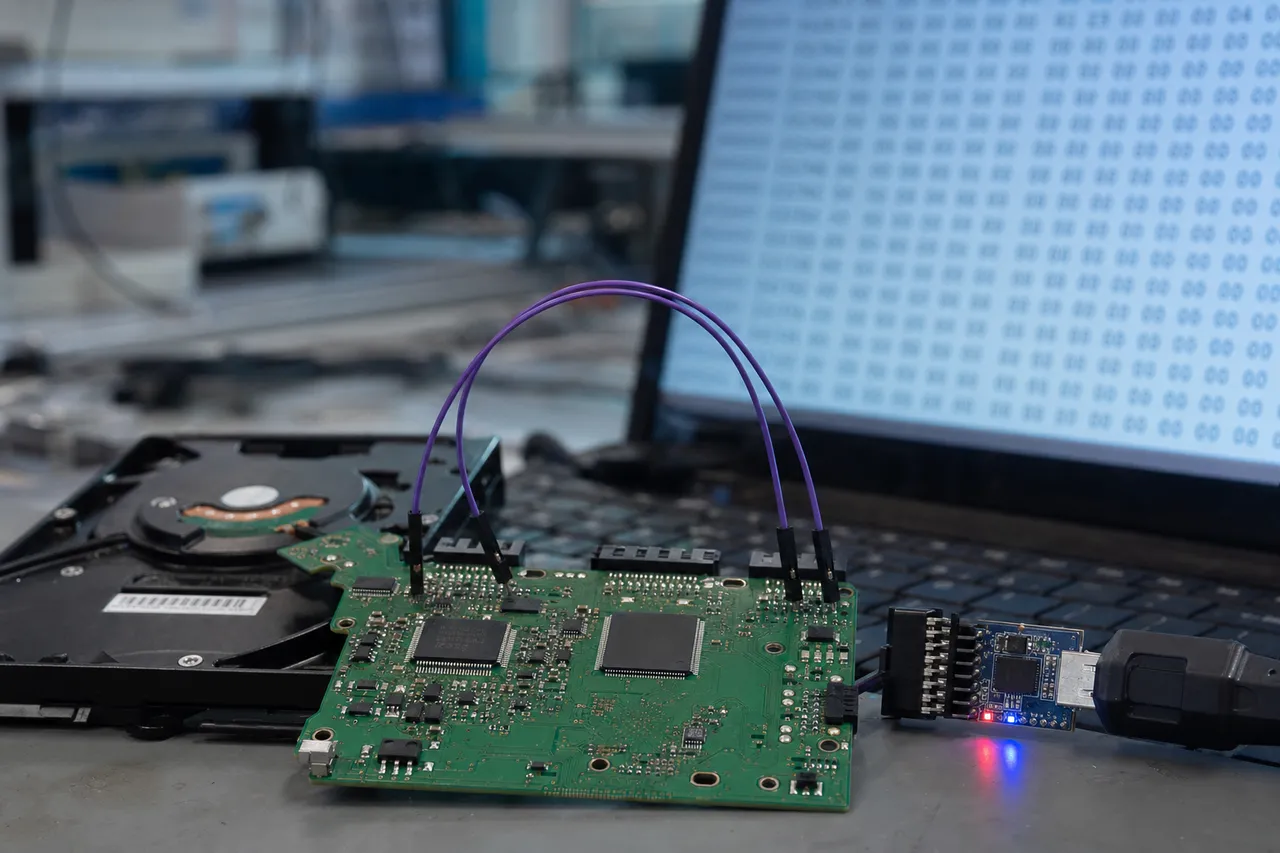
  • Yes, MDrepairs specializes in Hitachi Travelstar recovery. We recover data from all Travelstar models including the 5K500, 5K750, 5K1000, 7K320, 7K500, 7K750, and the Z-series slim drives. Travelstar failures from laptop drops are among our most common cases, and our clean room team has the specialized 2.5-inch tools needed for these compact drives.
  • A beeping Hitachi drive typically indicates a seized spindle motor or heads stuck to the platter surface (stiction). The beeping is the motor attempting to spin but being unable to rotate freely. Power it off immediately. Do not shake, tap, or freeze the drive. Contact MDrepairs at 732-933-7717 for professional diagnosis. We resolve these failures through platter transplants in our clean room.
  • Yes, dropped Hitachi drives are one of our most common recovery cases, especially Travelstar laptop drives. Dropping a running drive typically causes head crash damage and potentially platter scoring. We recover data by replacing damaged heads in our clean room and imaging around any platter damage. Our success rate on dropped Hitachi drives exceeds 85%, even in cases with visible platter scoring.
  • Yes, MDrepairs offers a no data, no charge guarantee on every Hitachi recovery case. If we cannot recover your target files, you pay only the $100 diagnostic fee. We define success based on your target files, not a percentage of sectors recovered. Before we charge for the recovery, we provide a complete file listing so you can verify your files have been recovered.
  • Yes, MDrepairs maintains an extensive inventory of Hitachi donor drives covering all product families including Deskstar, Travelstar, CinemaStar, and Ultrastar. Since Hitachi drives are no longer manufactured, donor availability is a critical concern. We have strategically stockpiled donors across all model families and firmware revisions so we can begin your recovery immediately without waiting for parts.
  • MDrepairs is located in Lincroft, NJ and serves customers nationwide through our free mail-in recovery program. We provide free insured shipping labels for sending your Hitachi drive to our lab, and we ship your recovered data back at no additional cost. Most of our customers are located outside of New Jersey and use our mail-in service. Contact us at 732-933-7717 for a free shipping label.
  • MDrepairs has a 96% success rate on Hitachi data recovery cases across all models and failure types. This success rate reflects our extensive experience with Hitachi ARM-based firmware, our comprehensive donor drive inventory, and our professional clean room capabilities. The 4% of cases where recovery is not possible typically involve severe platter damage from prolonged operation after a head crash or drives opened by unqualified technicians.
  • Yes, Hitachi firmware repair is one of our core specialties. MDrepairs has the specialized tools required to access the ARM-based Renesas firmware platform used in Hitachi drives. Common firmware issues we resolve include translator corruption, defect list overflow, SMART module errors, adaptive parameter damage, and busy state lockups. Firmware repairs are typically faster and less expensive than physical recovery.
  • Only if your Hitachi drive sounds completely normal (no clicking, beeping, or grinding), is detected by your computer, and the data loss was caused by a logical issue like deletion or formatting. If the drive makes any unusual sounds or is not detected, do not run software - power it off immediately and contact MDrepairs at 732-933-7717. Running software on a physically failing drive causes additional damage.
  • Shipping is free and easy. Contact us by phone at 732-933-7717 or submit a free quote form, and we email you a prepaid, insured shipping label. Pack your Hitachi drive in a box with plenty of bubble wrap or packing material. Do not use anti-static bags on the outside of the drive. Once we receive your drive, we begin the diagnostic and contact you with a firm recovery quote.
  • Your recovered data is transferred to a new external drive or cloud storage of your choice. Your original Hitachi drive is returned alongside the recovery media. All copies of your data on our systems are securely erased after 30 days. We never share or access your files beyond what is necessary for recovery. NDA agreements are available upon request.
  • Yes, in most cases. When files are deleted, the data remains on the platters until overwritten by new data. Our tools scan the drive at the sector level using file signature detection and file carving techniques to locate and reconstruct deleted files. Stop using the Hitachi drive immediately after deletion for the best recovery chances.
  • In most cases, yes. Formatting typically only erases file system metadata, not actual data. MDrepairs uses file carving and signature-based scanning to recover files from formatted Hitachi drives. Quick format has a very high recovery rate. Full format that writes zeros significantly reduces chances. Stop using the drive immediately after accidental formatting.
  • Yes, MDrepairs recovers video footage from Hitachi CinemaStar drives used in DVR and security camera systems. We handle the proprietary file systems and video formats used by TiVo, Dish Network, DirecTV, and security DVR platforms. We can extract video recordings with timestamps and convert them to standard playable formats. Critical for insurance claims and legal evidence.
  • Yes, MDrepairs provides enterprise-grade recovery for all Hitachi Ultrastar models including the A7K1000, A7K2000, 7K3000, 7K4000, 15K600, and C10K series. We support both SATA and SAS interfaces and have experience with RAID arrays using Hitachi drives in Dell, HP, Lenovo, and Supermicro servers. Emergency same-day turnaround is available.
  • Yes, MDrepairs has recovered data from Hitachi drives exposed to floods, spills, and water damage. Do not dry the drive with heat or attempt to power it on. Our clean room technicians carefully disassemble water-damaged Hitachi drives, clean all internal components to remove corrosion, and replace damaged parts before imaging the platters.
  • Check the label on your drive. Hitachi-era drives say "Hitachi" or "Hitachi Global Storage Technologies" and have model numbers starting with H (HDS, HTS, HUA, HCS). HGST-era drives say "HGST" on the label. If you are unsure, call MDrepairs at 732-933-7717 with your model number and we will identify it immediately.
  • Remote recovery is only possible for purely logical issues where the Hitachi drive is physically healthy and detected by your computer. For physical failures, firmware corruption, or any case where the drive is not functioning normally, the drive must be sent to our lab in Lincroft, NJ. We provide free insured shipping labels for all mail-in cases nationwide.
Talk To A Technician

Ready to Recover Your Data?

Every Hitachi recovery starts with a free quote and our no data, no charge guarantee. Call us directly at 732-933-7717 or get started online - we provide free insured shipping both ways from anywhere in the country.

$100 diagnostic, credited toward recovery · No data, no charge · Free 2nd-Day-Air shipping both ways