
My SanDisk Extreme Pro 128GB SD card stopped being recognized in my Canon R5 right in the middle of a wedding shoot. I had 2,000+ photos on it. MDrepairs recovered every single image - even the ones I shot right before the card died. Joseph was incredible throughout the process.
- 4.6 Google Reviews
- 2M+ Social Media Followers
- Nationwide service
SanDisk Data Recovery
Lost data on your SanDisk device? MDrepairs is a professional data recovery lab in Lincroft, NJ specializing in the full range of SanDisk products - from Extreme Pro SD cards and Ultra microSD cards used in cameras and phones to Cruzer and Ultra USB flash drives to Extreme Portable SSDs. SanDisk is the world's most popular flash storage brand, and we see more SanDisk devices in our lab than any other manufacturer. Whether your SanDisk card is corrupted, your USB drive is not recognized, or your portable SSD has stopped responding, our chip-level NAND recovery tools handle failures that software and other labs cannot.
Every case starts with a $100 professional diagnostic that gives you a detailed assessment of controller health, NAND condition, and recovery options before any work begins. We serve customers across all 50 states through our secure mail-in program with free insured shipping both ways. No data, no charge on the recovery - if we cannot get your files back, you pay only the diagnostic fee.
Follow Our Work
Watch a Real SanDisk SD Card Recovery
This Short shows a SanDisk-style SD card recovery where the card would not mount and important photos were at risk. Joseph removes the protective coating with a laser, exposes copper data pads, solders wires to a reader adapter, and reads the flash directly. With over 2 million followers across YouTube, TikTok, and Instagram, MDrepairs has built its reputation on showing real recoveries on camera. If your SanDisk Extreme Pro, Ultra microSD, Cruzer USB drive, or portable SSD is not recognized, our $100 diagnostic identifies whether logical repair, pad access, controller bypass, or chip-off recovery is the right path before you approve the quote.
- 1.1M+YouTube Subscribers
- 400K+TikTok Followers
- 290K+Instagram Followers
- 470K+Facebook Followers
Real SanDisk Recoveries, Real People
Photographers, drone operators, small business owners, and families - here is what they say after we got their files back.
SanDisk Products We Recover
MDrepairs recovers data from every SanDisk product ever manufactured - from vintage Cruzer USB drives to the latest Extreme Pro portable SSDs. SanDisk has been the dominant name in flash storage for over three decades, and our lab has the controller-specific tools and NAND expertise to handle every generation and form factor. Below is a partial list of the SanDisk models we service regularly.
- SanDisk Extreme Pro SDXC 64GB (V30, U3)
- SanDisk Extreme Pro SDXC 128GB (V30, U3)
- SanDisk Extreme Pro SDXC 256GB (V30, U3)
- SanDisk Extreme Pro SDXC 512GB (V30, U3)
- SanDisk Extreme Pro SDXC 1TB (V30, U3)
- SanDisk Extreme SDHC 32GB (V30, U3)
- SanDisk Extreme SDXC 64GB (V30, U3)
- SanDisk Extreme SDXC 128GB (V30, U3)
- SanDisk Extreme SDXC 256GB (V30, U3)
- SanDisk Ultra SDHC 32GB (Class 10)
- SanDisk Ultra SDXC 64GB (Class 10)
- SanDisk Ultra SDXC 128GB (Class 10)
- SanDisk Ultra SDXC 256GB (Class 10)
- SanDisk MAX Endurance microSDXC 64GB
- SanDisk MAX Endurance microSDXC 128GB
- SanDisk MAX Endurance microSDXC 256GB
- SanDisk Extreme Pro microSDXC 64GB (A2, V30)
- SanDisk Extreme Pro microSDXC 128GB (A2, V30)
- SanDisk Extreme Pro microSDXC 256GB (A2, V30)
- SanDisk Extreme Pro microSDXC 512GB (A2, V30)
- SanDisk Extreme Pro microSDXC 1TB (A2, V30)
- SanDisk Extreme microSDXC 64GB (A2, V30)
- SanDisk Extreme microSDXC 128GB (A2, V30)
- SanDisk Extreme microSDXC 256GB (A2, V30)
- SanDisk Ultra microSDHC 32GB (A1)
- SanDisk Ultra microSDXC 64GB (A1)
- SanDisk Ultra microSDXC 128GB (A1)
- SanDisk Ultra microSDXC 256GB (A1)
- SanDisk Ultra microSDXC 512GB (A1)
- SanDisk Ultra microSDXC 1TB (A1)
- SanDisk High Endurance microSDXC 64GB
- SanDisk High Endurance microSDXC 128GB
- SanDisk High Endurance microSDXC 256GB
- SanDisk Nintendo Switch microSDXC 64GB
- SanDisk Nintendo Switch microSDXC 128GB
- SanDisk Nintendo Switch microSDXC 256GB
- SanDisk Nintendo Switch microSDXC 512GB
- SanDisk Cruzer Glide USB 2.0 16GB
- SanDisk Cruzer Glide USB 2.0 32GB
- SanDisk Cruzer Glide USB 2.0 64GB
- SanDisk Cruzer Glide USB 2.0 128GB
- SanDisk Cruzer Glide USB 2.0 256GB
- SanDisk Cruzer Blade USB 2.0 16GB
- SanDisk Cruzer Blade USB 2.0 32GB
- SanDisk Cruzer Blade USB 2.0 64GB
- SanDisk Cruzer Blade USB 2.0 128GB
- SanDisk Ultra Fit USB 3.1 32GB
- SanDisk Ultra Fit USB 3.1 64GB
- SanDisk Ultra Fit USB 3.1 128GB
- SanDisk Ultra Fit USB 3.1 256GB
- SanDisk Ultra Fit USB 3.1 512GB
- SanDisk Ultra Dual Drive USB Type-C 32GB
- SanDisk Ultra Dual Drive USB Type-C 64GB
- SanDisk Ultra Dual Drive USB Type-C 128GB
- SanDisk Ultra Dual Drive USB Type-C 256GB
- SanDisk Ultra Flair USB 3.0 32GB
- SanDisk Ultra Flair USB 3.0 64GB
- SanDisk Ultra Flair USB 3.0 128GB
- SanDisk Ultra Flair USB 3.0 256GB
- SanDisk Extreme Go USB 3.2 64GB
- SanDisk Extreme Go USB 3.2 128GB
- SanDisk Extreme Go USB 3.2 256GB
- SanDisk iXpand Flash Drive 64GB
- SanDisk iXpand Flash Drive 128GB
- SanDisk iXpand Flash Drive 256GB
- SanDisk iXpand Flash Drive Luxe 64GB
- SanDisk iXpand Flash Drive Luxe 128GB
- SanDisk iXpand Flash Drive Luxe 256GB
- SanDisk Extreme Portable SSD V2 500GB
- SanDisk Extreme Portable SSD V2 1TB
- SanDisk Extreme Portable SSD V2 2TB
- SanDisk Extreme Portable SSD V2 4TB
- SanDisk Extreme Pro Portable SSD V2 1TB
- SanDisk Extreme Pro Portable SSD V2 2TB
- SanDisk Extreme Pro Portable SSD V2 4TB
- SanDisk Professional PRO-G40 SSD 1TB
- SanDisk Professional PRO-G40 SSD 2TB
- SanDisk Professional PRO-G40 SSD 4TB
$100 diagnostic · No data, no charge · Free shipping
Common SanDisk Device Failures
If your SanDisk device shows any of these, stop using it and contact our lab. In most cases the NAND flash - where your data lives - is intact.
-
Not Recognized by Computer or Camera
Your computer, camera, or phone does not detect the SanDisk device at all - no drive letter, no notification, nothing. This is the most common SanDisk failure we see, typically caused by controller failure, firmware corruption, or damaged contact pins. SanDisk controllers from specific generations are prone to sudden failure without warning. Our lab communicates directly with the NAND memory to recover data without needing a working controller.
-
Corrupted or Missing Files
Your SanDisk card or drive appears in the computer but shows 0 files, asks you to format, or displays corrupted filenames. Common with SanDisk cards used in cameras and drones when the card is removed during a write operation or when the camera loses power mid-write. We rebuild the file system structure and recover your complete directory tree including RAW photos, 4K video files, and nested folder hierarchies.
-
Broken USB Connector
SanDisk Cruzer and Ultra USB drives are particularly vulnerable to connector damage - the retractable slider on Cruzer Glide models can break internally, and the metal USB connector can snap or bend when bumped while plugged in. The NAND chip inside is usually undamaged. We repair or bypass the broken connection and extract your data directly from the memory chip.
-
Water and Liquid Damage
SanDisk flash drives that go through the washing machine, SD cards dropped in puddles, or portable SSDs exposed to rain. Corrosion attacks the controller chip and contact pins within hours of exposure. We clean corrosion at the component level, stabilize the circuit board, and perform chip-off recovery when the controller is too damaged to repair. The SanDisk Extreme Portable SSD has IP65 water resistance, but submersion can still cause failure.
-
Bent or Snapped SD Card
SanDisk SD cards and microSD cards are thin plastic housings with a delicate circuit board inside. They crack when sat on, snap when forced into readers at the wrong angle, or bend inside camera slots. Even a cracked SanDisk card often has intact NAND memory inside. We extract the NAND chip from the damaged housing and read it directly to recover your files.
-
Counterfeit SanDisk Card Issues
SanDisk is the most counterfeited flash storage brand in the world. Fake SanDisk cards purchased from third-party sellers often use low-quality NAND that fails prematurely, or report false capacities that cause data to overwrite itself. We recover data from counterfeit cards using chip-off techniques and can confirm whether your card is genuine or fake during the diagnostic.
-
NAND Wear-Out and Cell Degradation
Every SanDisk flash device has a limited number of write cycles. SD cards and USB drives used heavily in dashcams, security cameras, or as portable working drives can wear out their NAND cells over time. Symptoms include increasing read errors, corrupted files, and eventually complete device failure. Our lab reads degraded NAND cells at multiple voltage thresholds to extract data that standard readers cannot.
-
Firmware Failure and Bad Block Overflow
SanDisk controllers maintain internal firmware that manages wear leveling, bad block mapping, and error correction. When the firmware becomes corrupted or the bad block table overflows, the device stops functioning even though the NAND memory still holds your data. We bypass the failed firmware and read the NAND directly, then reconstruct the file system from the raw data using the controller's known data layout algorithms.
How We Recover Your Data
Five clear steps from your first call to your recovered files back in your hands.
-
Free Consultation
Call 732-933-7717 or submit our online form. Tell us what happened to your SanDisk device - the specific model, when it stopped working, what device it was used in, and what files you need recovered. We provide an initial assessment, expected timeline, and free insured shipping labels for mail-in service nationwide.
-
$100 Diagnostic Evaluation
Once your SanDisk device arrives at our Lincroft, NJ lab, we perform a comprehensive diagnostic. We examine the physical condition, identify the exact controller and NAND configuration, test electrical connectivity, and assess the NAND memory health. You receive a detailed report with recovery likelihood, a firm price quote, and a list of recoverable files before any work begins.
-
Recovery Execution
After you approve the quote, our technicians begin recovery using the appropriate method for your SanDisk device - logical recovery for file system issues, controller-level repair for firmware failures, or chip-off NAND extraction for physical damage. Each SanDisk controller family requires specific recovery procedures that our lab has refined across thousands of cases.
-
Verification and File List
Every recovered file is verified for integrity - photos are checked for corruption, videos are tested for playback, and documents are confirmed openable. We provide a complete file listing so you can verify your critical data before finalizing. If we cannot recover your target files, you owe nothing beyond the diagnostic fee.
-
Secure Data Return
Your recovered data is transferred to a new USB drive, external hard drive, or cloud storage - your choice. We ship it back with free insured shipping and securely erase all copies from our systems within 30 days. Your original SanDisk device is returned along with your recovered data.
Pricing
SanDisk Data Recovery Pricing
Pricing depends on the failure type, device category, and complexity. Every case starts with our $100 diagnostic - if we can't recover your data, you only pay the diagnostic fee. No hidden fees, no surprises. SanDisk SD cards and USB flash drives are generally less expensive to recover than SanDisk portable SSDs due to their simpler architecture and smaller capacity.
Every case starts here
All pricing includes the $100 diagnostic fee. No data, no charge - if we can't recover your target files, you only pay the diagnostic fee.
Logical Recovery
Data recovery from SanDisk SD cards, microSD cards, USB drives, and portable SSDs with accidental deletion, formatting, file system corruption, or partition damage. Includes raw NAND scanning and file signature carving for photos, videos, and documents.
- Accidental deletion recovery
- Formatted card/drive recovery
- File system corruption repair
- RAW photo and video carving
- Directory structure reconstruction
- $100 diagnostic applied to cost
Controller / Firmware Recovery
Most CommonRecovery from SanDisk devices with failed controllers, firmware corruption, or hardware that is not recognized by any computer, camera, or phone. Includes controller-level diagnostics, firmware repair, and SanDisk-specific recovery procedures.
- Controller failure recovery
- Firmware corruption repair
- Unrecognized device recovery
- Bad block management restoration
- Contact pin bypass
- $100 diagnostic applied to cost
Chip-Off NAND Recovery
Physical extraction of the NAND flash memory chip from SanDisk SD cards, USB drives, or portable SSDs with severe physical damage, broken connectors, cracked housings, or catastrophic controller failure. The NAND chip is desoldered and read directly.
- NAND chip desoldering
- Direct chip reading
- Raw NAND data reconstruction
- XOR/scrambler key recovery
- ECC error correction
- $100 diagnostic applied to cost
Final price confirmed after diagnostic - no surprises.
How Fast Can You Get Your Data Back?
Every SanDisk data recovery case at MDrepairs begins with a $100 diagnostic evaluation - physical inspection, controller identification, NAND health assessment, and a detailed report with recovery likelihood and pricing. The $100 is applied toward your final recovery cost. Standard turnaround is 4-5 weeks at no additional charge. Priority rush service (+$250) moves your case to the front of the queue with 5-7 day completion. Urgent rush (+$500) guarantees 1-2 business day turnaround. Emergency same-day service (+$1,000) is available for critical data that cannot wait. If we cannot recover your target files, you pay only the $100 diagnostic fee - no data, no charge.
- Standard 4 - 5 weeks No surcharge
Full assessment with recovery options and pricing.
- Priority Rush 5 - 7 days +$250
Jumps to the front of the queue.
- Urgent Rush 1 - 2 days +$500
Dedicated technician for time-sensitive cases.
- Emergency Same Day +$1,000
Immediate start. Highest priority, mission-critical.
Free insured shipping nationwide - $100 diagnostic credited - no data, no charge.
Data Privacy & Chain of Custody
Your data is handled under strict chain-of-custody procedures from intake to secure destruction.
-
Intake Logging
Every drive is photographed and logged with a unique case number, serial, model, and condition on arrival.
-
Restricted Access
Only your assigned technician handles your drive. No shared workstations, no exceptions.
-
No Browsing Data
We never open or view your files. Integrity is verified through checksums and file structure only.
-
Secure Delivery
Data is transferred to a new drive and shipped back to you. All copies are purged after confirmation.
-
Drive Return
Your new drive is returned with your recovered data.
What You Receive After Recovery
-
Your Recovered Data
Your files are delivered on a new external hard drive shipped directly to you, or we send you a password-protected download link for secure retrieval. We include a file listing so you can verify everything before we purge our copies.
-
Your Original Drive
After recovery is complete, you choose what happens to your original drive - we can return it to you, hold it for a specified period, or securely destroy it. All copies of your data on our systems are purged after you confirm receipt.
-
Ongoing Support
Need help accessing your recovered files, transferring data to a new device, or setting up backups to prevent future data loss? Our team is available after delivery to help you get back on track.
SanDisk Data Recovery - Our Lab & Expertise
See how our professional data recovery lab handles real cases - the same equipment, techniques, and expertise we use for every recovery.
-
SanDisk SD Card Direct Flash Recovery
OverviewThe featured Short shows an SD card that would not mount and contained important photos. Joseph removes the protective coating with a laser, exposes the copper data pads, solders wires to a reader adapter, and reads the flash directly.
In the labThat is the same type of direct flash access we use on failed SanDisk SD, microSD, and USB devices when the controller, contacts, or board stop normal access. The diagnostic determines whether the safest path is logical repair, controller bypass, pad access, or chip-off recovery.
-
SanDisk Recovery Tools and Diagnostics
OverviewSanDisk recovery is not one generic process. We identify the device family, controller behavior, NAND layout, and physical condition first, then choose the recovery method that gives the data the best chance.
In the labFor SanDisk SD cards, flash drives, and portable SSDs, that may mean microscope inspection, electrical testing, PC-3000 Flash work, soldered pad access, NAND reads, ECC correction, and file system reconstruction. You get the findings and quote before recovery work begins.
- SanDisk Cruzer Blade 32GB USB Flash Drive
Dead SanDisk Cruzer - USB Controller Failure & Chip-Off Recovery
FailureA small business owner's SanDisk Cruzer Blade stopped being recognized by any computer after being used at a hotel business center. Device Manager displayed "Unknown USB Device (Device Descriptor Request Failed)" - the classic sign of a dead USB controller chip. The drive contained the only copies of 7 years of QuickBooks company files, payroll records, vendor contracts, and tax documents needed for an upcoming IRS audit. Two local computer repair shops had already told the owner the data was gone and the drive was beyond repair.
RecoveryOur diagnostic confirmed the SM3267 USB controller chip had suffered an irreversible electrical failure, but the TSOP48 NAND flash memory chip remained intact and readable. We carefully desoldered the NAND chip from the PCB using our BGA rework station, then mounted it on our PC-3000 Flash reader for a full raw dump. Using Visual Nand Reconstructor, we rebuilt the ECC correction parameters, reconstructed the logical-to-physical page mapping specific to SanDisk's firmware layout, and reassembled the FAT32 file system. Every QuickBooks file, all payroll records, every vendor contract, and the complete tax document archive were recovered intact - 28GB of irreplaceable business data. The client received their recovered data on an encrypted external drive 3 business days before their IRS audit deadline.
- SanDisk Ultra 256GB microSDXC (SDSQUAC-256G)
SanDisk Ultra MicroSD - Monolithic Chip-Off for Family Photos
FailureA microSD card from a Samsung Galaxy S22 suddenly displayed "SD card is blank or has unsupported filesystem" after 4 years of reliable use. The card held the family's entire photo and video archive - first steps, birthday parties, holidays, and irreplaceable footage of a newborn's first year that had never been backed up to the cloud. The owner tried three different data recovery apps (Recuva, Disk Drill, PhotoRec) on both Windows and Mac, but none could even detect the card as a valid storage device. A local repair shop attempted recovery but returned the card saying the damage was "beyond what software can handle."
RecoveryThe microSD's monolithic design - where the controller and NAND are integrated into a single tiny chip - required an extremely precise chip-off approach. Using our BGA rework station and a microscope at 40x magnification, we carefully exposed the NAND bond pads on the monolithic die without damaging the flash cells. We connected directly to the NAND array using our specialized probe adapter, bypassing the dead controller entirely. After reading the raw flash dump, we performed ECC error correction across all pages, decoded SanDisk's proprietary scrambling algorithm, and reconstructed the exFAT file system from the ground up. Final result: 12,847 photos and 634 videos recovered - including every milestone moment from the baby's first year. Total recovered data: 237GB with zero file corruption. The family was in tears when they received the recovery drive.
SanDisk Data Recovery, In Depth
Everything we know about recovering SanDisk flash media - brand history, every product line, controller architecture, chip-off, and prevention.
The Company
SanDisk Brand Overview: The World Leader in Flash Storage
SanDisk is not just another storage brand - it is the company that invented flash storage as we know it. Founded in 1988 by Eli Harari, Sanjay Mehrotra, and Jack Yuan, SanDisk pioneered the development of NAND flash memory and introduced the first flash-based storage products to the consumer market. The company's innovations include the original CompactFlash card in 1994, the SD card standard co-developed with Matsushita and Toshiba in 1999, and the first high-capacity USB flash drives in the early 2000s. In 2016, Western Digital acquired SanDisk for approximately $19 billion, making it one of the largest technology acquisitions in history and cementing SanDisk's position as the flash storage division of one of the world's largest storage companies.
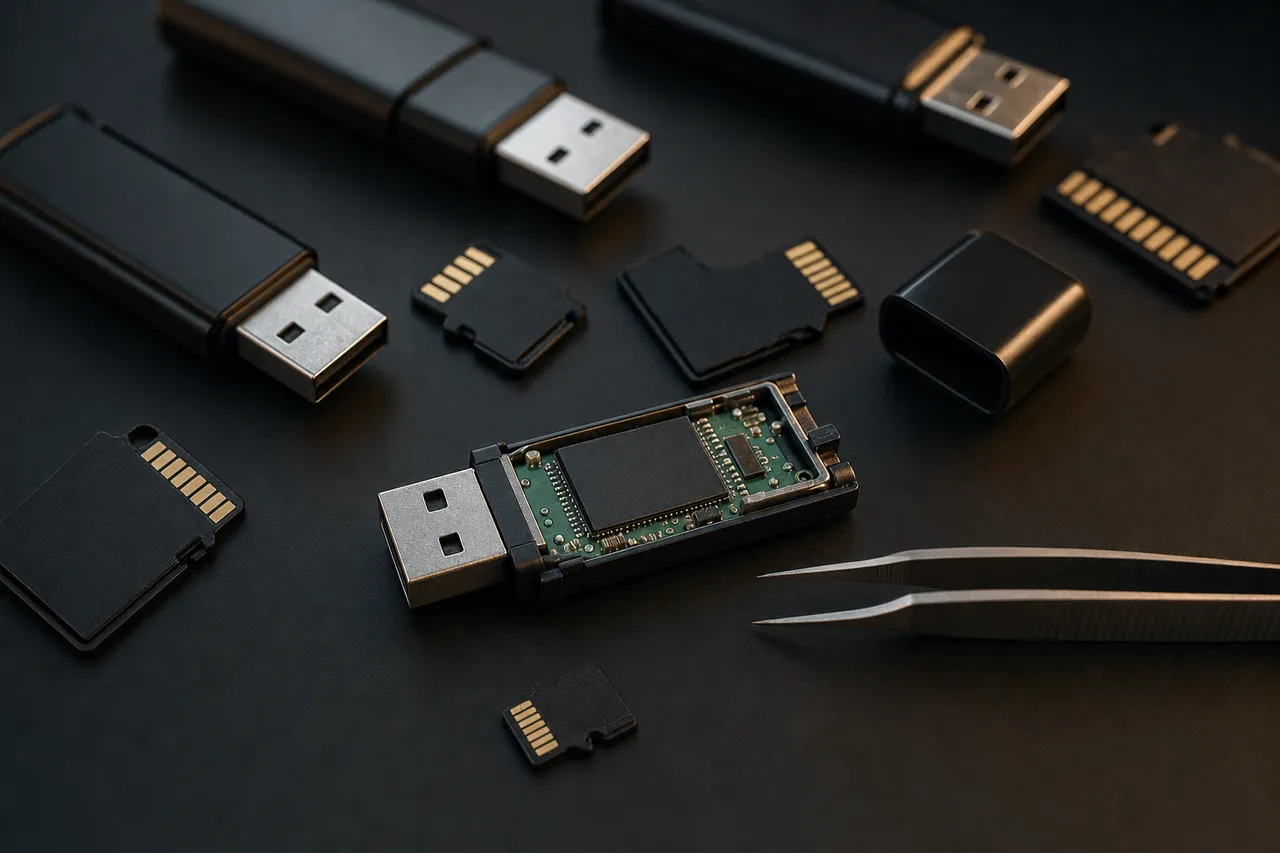
Today, SanDisk products are manufactured in Western Digital's own fabrication facilities using proprietary BiCS FLASH 3D NAND technology. This vertical integration means SanDisk controls every aspect of the manufacturing process from the raw silicon wafer to the finished retail product. SanDisk's product lineup spans the entire flash storage market: SD and microSD cards for cameras and mobile devices, USB flash drives for portable file transfer, and external portable SSDs for high-performance mobile storage. The brand holds the largest market share in consumer flash storage globally, with their Extreme Pro line becoming the de facto standard for professional photographers and videographers worldwide.
From a data recovery perspective, SanDisk's dominance means we see more SanDisk devices in our lab than any other single brand. This extensive experience gives MDrepairs deep familiarity with every SanDisk controller family, NAND generation, and firmware version - knowledge that directly translates to higher recovery success rates and faster turnaround times. We have recovered data from SanDisk products spanning every generation, from original Cruzer USB drives with single-die SLC NAND to the latest Extreme Pro cards with 176-layer BiCS5 TLC NAND.
Extreme Pro / Extreme / Ultra
SanDisk SD Card Recovery: Extreme Pro, Extreme, and Ultra
SanDisk SD cards represent the core of the SanDisk product lineup and account for the majority of SanDisk devices we recover in our lab. The SD card family breaks down into three primary tiers, each using different controller chips, NAND configurations, and firmware - and each requiring specific recovery approaches when they fail.
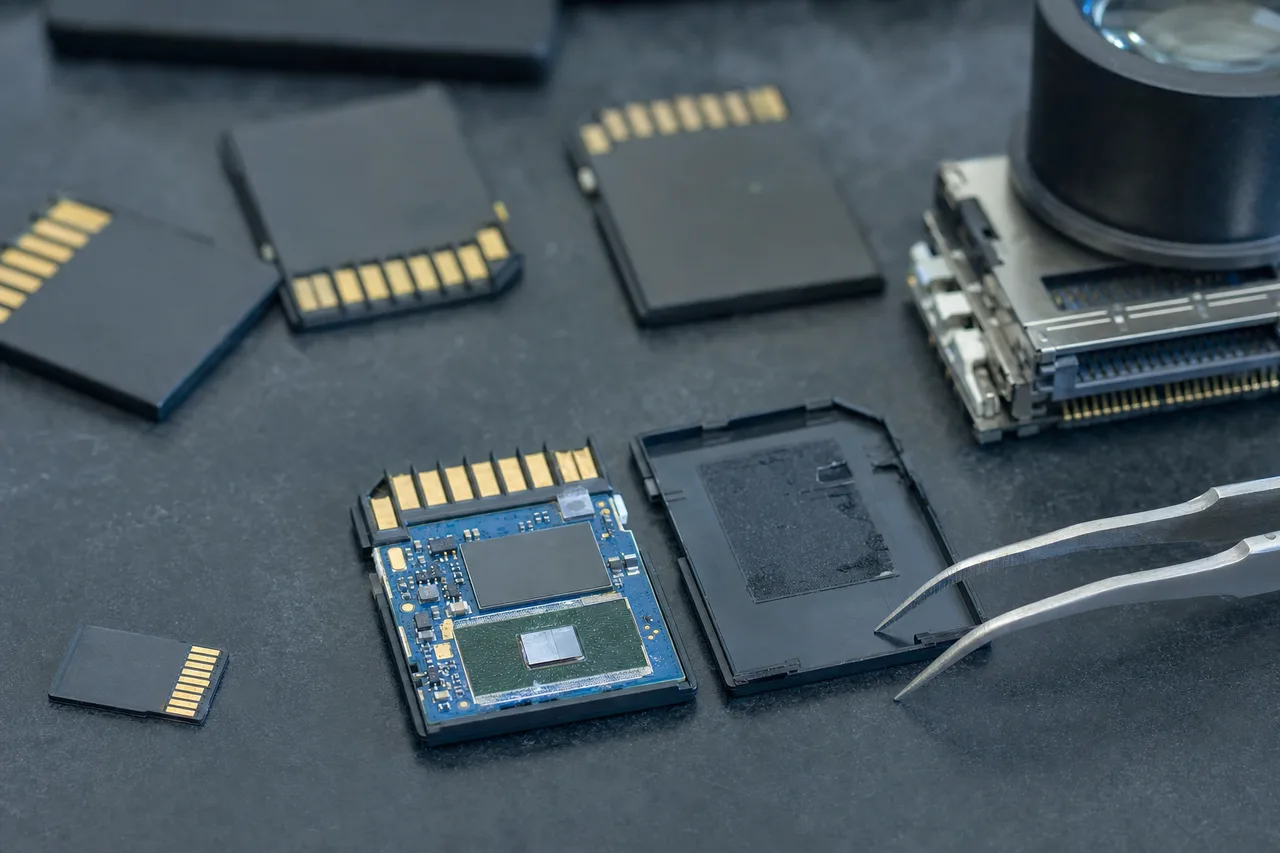
The SanDisk Extreme Pro is the flagship SD card line, designed for professional cameras shooting 4K and 8K video, high-speed burst photography, and demanding applications that require sustained write speeds exceeding 90 MB/s. Extreme Pro cards use SanDisk's fastest controllers with advanced error correction and wear leveling algorithms. These cards are built with higher-grade NAND binned for performance and reliability. When an Extreme Pro card fails, it is typically due to controller firmware corruption rather than NAND degradation, because the NAND in these cards is selected for endurance. Recovery involves communicating directly with the NAND using the controller's known data layout, bypassing the failed firmware entirely.
The SanDisk Extreme line sits just below the Pro in performance, targeting enthusiast photographers and action camera users. Extreme cards share many controller families with the Extreme Pro but use slightly lower-binned NAND. They are the most popular SD card among GoPro and DJI drone users because they offer V30 write speeds at a lower price than the Extreme Pro. We frequently recover Extreme cards from action cameras where the card experienced sudden power loss during recording - a common scenario when a GoPro battery dies mid-shoot or a drone loses power unexpectedly.
The SanDisk Ultra is the entry-level line, aimed at casual photographers, point-and-shoot cameras, and general file storage. Ultra cards use simpler controllers with less aggressive error correction, and they typically use higher-density TLC or QLC NAND that prioritizes capacity over endurance. Ultra cards have a higher failure rate than Extreme Pro cards in our experience, particularly in write-intensive applications like continuous video recording that they were not designed for. Recovery from Ultra cards sometimes requires more extensive NAND-level work because the simpler error correction means more uncorrectable bit errors when the NAND begins to degrade.
Regardless of the tier, all SanDisk SD cards share a common physical form factor with the same vulnerability: the thin plastic housing that protects the circuit board and NAND chip inside. SD cards are 2.1mm thick - barely thicker than two credit cards stacked together - and microSD cards are even thinner. This makes them susceptible to cracking, bending, and snapping, especially when forced into card readers at the wrong angle or when stepped on. In our lab, we regularly receive SanDisk SD cards that have been physically broken in half, and in many cases, the NAND memory chip inside is still intact and fully recoverable through chip-off extraction.
SanDisk SD cards use a variety of controllers depending on the generation and capacity. Older cards used Marvell-based controllers, while newer models use controllers designed in-house by Western Digital. Each controller family has its own data layout algorithm that determines how logical addresses map to physical NAND locations. Our recovery tools include controller-specific modules for every SanDisk SD card controller family, allowing us to reconstruct the logical data structure directly from raw NAND reads without needing the controller to be functional.
Phones / Drones / Dashcams
SanDisk microSD Recovery: Phones, Cameras, Drones, and Dashcams
SanDisk microSD cards are the most widely used expandable storage in the world, found in smartphones, tablets, action cameras, drones, dashcams, baby monitors, security cameras, Nintendo Switch consoles, and dozens of other devices. Their tiny form factor - just 15mm by 11mm and less than 1mm thick - makes them incredibly versatile but also exceptionally fragile and easy to lose or damage.
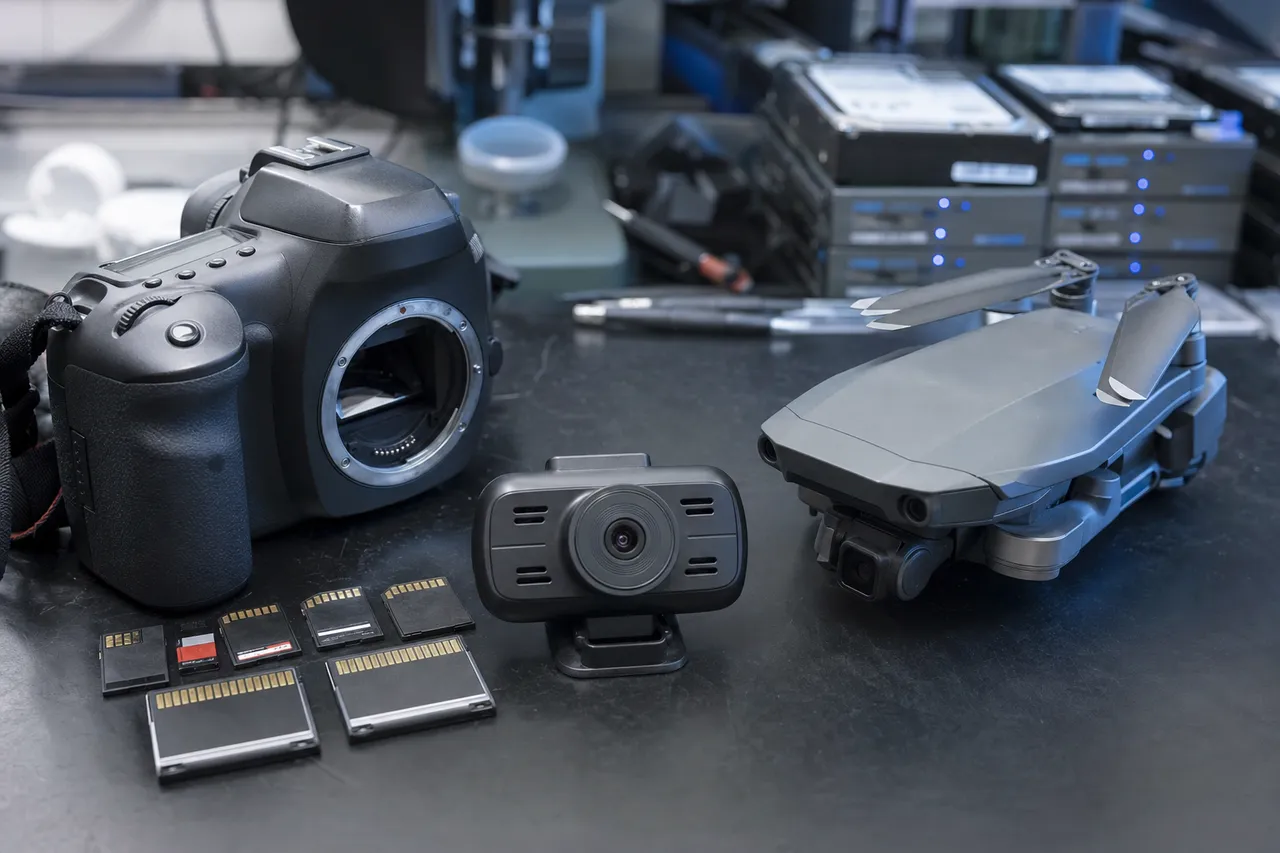
The most common SanDisk microSD failure we see involves smartphones and tablets. Android phones use microSD cards for photo storage, app data, and sometimes as adopted storage that functions as internal memory. When a SanDisk microSD card fails in a phone, it can take years of photos, contact backups, WhatsApp conversations, and app data with it. The failure often happens without warning - one day the phone simply stops recognizing the card, or the gallery app shows corrupted thumbnails. Many phone users do not realize their photos are stored on the microSD card rather than the phone's internal storage until the card fails and everything disappears.
SanDisk microSD cards in drones present unique recovery challenges. DJI drones write 4K and 5.4K video at extremely high bitrates, pushing the card's write speed to its limit during flight. When a drone loses GPS signal, enters return-to-home mode, or experiences a battery warning, the abrupt power change can leave the card in a partially written state with corrupted file system structures. We recover SanDisk microSD cards from DJI Mavic, Air, Mini, and Phantom series drones regularly, reconstructing fragmented video files that were being written at the moment of power loss.
In dashcams and security cameras, SanDisk microSD cards face a different challenge: continuous write endurance. A dashcam running 24/7 writes and overwrites the card hundreds of times more than a camera used for occasional photography. SanDisk's High Endurance and MAX Endurance microSD lines are designed for this use case, but even endurance-rated cards eventually wear out their NAND cells. When a dashcam card fails, the critical footage is often from a specific incident - an accident, a break-in, or a traffic violation - and the customer needs that exact time window recovered. Our NAND-level recovery can target specific file fragments and reconstruct video from partially overwritten sectors.
SanDisk's Nintendo Switch microSD cards are cosmetically branded versions of their standard Ultra and Extreme lines with Nintendo-themed packaging. They use the same controllers and NAND as the regular consumer versions. Recovery procedures are identical, though the data structures on Switch cards include the Nintendo file system layout that stores game saves, screenshots, and downloaded games in a specific directory hierarchy.
The physical fragility of microSD cards is a significant factor in recovery. At less than 1mm thick, these cards can crack from the pressure of being inserted into a tight card slot, break when a fingernail pushes too hard during removal, or shatter if dropped on a hard surface and stepped on. We have recovered data from SanDisk microSD cards that arrived at our lab in two or more pieces. The key factor is whether the NAND memory die inside the card survived the physical damage - in most cases it does, because the NAND die is a small silicon chip that is more resilient than the plastic housing and thin PCB around it.
Cruzer / Ultra / iXpand
SanDisk USB Flash Drive Recovery: Cruzer, Ultra, and iXpand
SanDisk USB flash drives have been a staple of portable storage since the early 2000s, and the Cruzer line is one of the most recognizable USB drive brands in the world. SanDisk's USB drive portfolio spans from budget-friendly Cruzer models to high-performance Extreme Go drives, plus the unique iXpand line designed specifically for Apple device users. Each product family uses different internal architectures that affect both failure modes and recovery approaches.
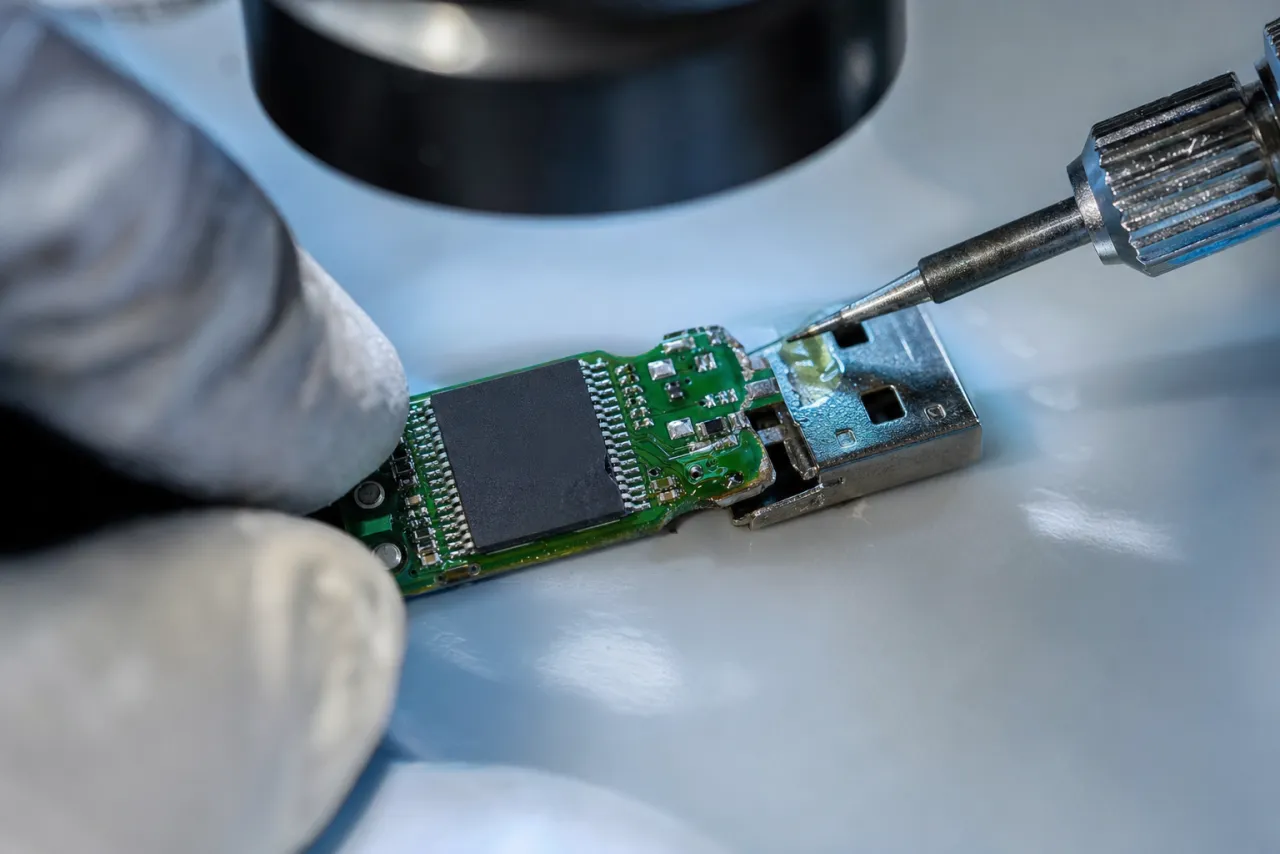
The SanDisk Cruzer Glide is the best-selling USB flash drive in history, recognizable by its retractable slider mechanism that protects the USB connector when not in use. The slider mechanism is also the Cruzer Glide's biggest weakness - the plastic rails that guide the slider wear down over time, and the internal solder joints that connect the USB connector to the PCB can fracture when the slider is forced. We see Cruzer Glide drives where the slider still moves but the drive is not recognized because the solder connection has cracked internally. In these cases, we open the housing, repair the solder joint or bypass it entirely, and extract the data from the NAND chip.
The SanDisk Cruzer Blade is a compact, low-profile USB drive designed to be left plugged into a laptop or TV. Its small size makes it easy to forget it is plugged in, which leads to the most common Cruzer Blade failure: the drive gets snapped off when the laptop is placed in a bag or when someone bumps into it. The USB connector breaks away from the PCB, often tearing the traces that carry data signals. Our technicians rebuild these connections under a microscope, soldering fine wire to the remaining traces to restore the data path to the NAND chip.
The SanDisk Ultra Fit is an extremely small USB 3.1 drive designed to be nearly flush with a USB port. Its tiny form factor means the entire circuit board, controller, and NAND are packed into a space smaller than a thumbnail. Recovery from Ultra Fit drives requires precise micro-soldering work because the components are so densely packed. The Ultra Fit also runs hot during sustained data transfers because its small body has minimal surface area for heat dissipation, and this heat stress can accelerate controller and NAND degradation over time.
The SanDisk Ultra Dual Drive features both a USB-A and USB-C connector, designed for transferring files between phones, tablets, and computers. The dual-connector design adds mechanical complexity and more potential failure points. We see Ultra Dual Drives where one connector works but the other does not, or where the internal switch that routes signals between the two connectors has failed.
The SanDisk Ultra Flair has an all-metal housing that offers better durability than plastic Cruzer models but introduces a different failure mode: the metal body conducts static electricity more readily, and we have seen Ultra Flair drives with ESD (electrostatic discharge) damage to the controller chip. The metal body also makes it harder to open the drive for chip-off recovery, requiring careful cutting rather than simple plastic prying.
The SanDisk Extreme Go is the performance-oriented USB drive, using USB 3.2 Gen 1 with read speeds up to 400 MB/s. It uses a more advanced controller with larger DRAM cache than budget Cruzer models. Recovery from Extreme Go drives benefits from the higher-quality components - the controller firmware is more robust, and the NAND is higher grade, which means fewer bit-level errors during chip-off recovery.
The SanDisk iXpand line is unique in the USB flash drive market. Designed for iPhone and iPad users, the iXpand has a Lightning or USB-C connector on one end and a standard USB-A connector on the other. It includes a companion iOS app for backing up photos, contacts, and videos directly from an Apple device. When an iXpand fails, it often contains the only backup of irreplaceable iPhone photos and videos, because many users relied on the iXpand as their primary backup method instead of iCloud. Recovery from iXpand drives follows the same chip-level procedures as other SanDisk USB drives, though the file system may contain the iXpand app's proprietary directory structure that we reconstruct during recovery.
Extreme / Professional SSD
SanDisk Portable SSD Recovery: Extreme and Professional Lines
SanDisk's portable SSD lineup represents the high-performance segment of their product range, designed for photographers, videographers, and creative professionals who need fast external storage that can handle the demands of field work. These devices use the same fundamental NAND flash technology as SanDisk's SD cards and USB drives but with more complex controllers, higher capacities, and additional features like hardware encryption and IP-rated environmental protection.
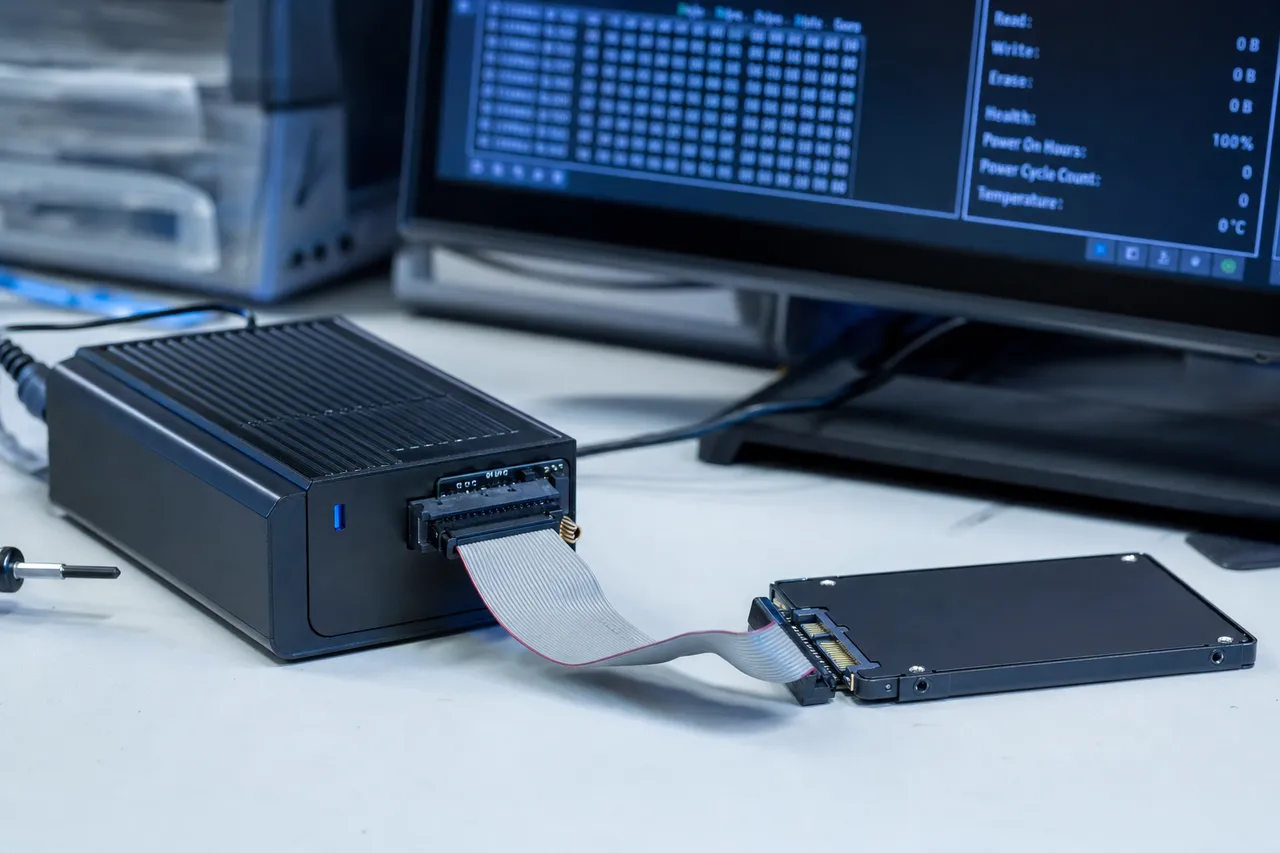
The SanDisk Extreme Portable SSD is the mainstream portable SSD, offering USB 3.2 Gen 2 speeds up to 1050 MB/s in a compact, rubberized housing with IP65 water and dust resistance. It uses NVMe protocol internally with a USB bridge chip, similar to a small internal NVMe SSD inside an external enclosure. When an Extreme Portable SSD fails, the failure can originate in multiple layers: the USB-C port, the USB-to-NVMe bridge chip, the NVMe controller, the NAND flash, or the firmware that coordinates all of these components. Our diagnostic identifies exactly which layer has failed before we begin recovery.
The SanDisk Extreme Pro Portable SSD adds higher speeds (up to 2000 MB/s with USB 3.2 Gen 2x2), a forged aluminum core for heat dissipation, and hardware AES 256-bit encryption with password protection. The encryption adds a significant complication for data recovery: if the SSD's controller or firmware fails while encryption is enabled, the data on the NAND is encrypted and cannot be read without the controller's encryption key. Our lab has procedures for extracting encryption keys from failed SanDisk Extreme Pro Portable SSD controllers in many failure scenarios, but encryption does reduce recovery options when the controller is catastrophically damaged.
The SanDisk Professional PRO-G40 SSD is the top-tier portable SSD, designed for professional video workflows. It supports both Thunderbolt 3 and USB 3.2 Gen 2 and delivers speeds up to 3000 MB/s over Thunderbolt. The PRO-G40 uses a different internal architecture than the consumer Extreme line, with enterprise-grade NAND and more sophisticated error correction. Recovery from PRO-G40 drives requires Thunderbolt-aware diagnostic tools and familiarity with the professional-grade controller firmware.
Portable SSD failures differ from SD card and USB drive failures in several important ways. The higher capacity means more data at risk - a 4TB Extreme Portable SSD can hold an entire production company's video archive. The more complex controller architecture means more potential failure points but also more redundancy and error correction. And the physical durability features (IP65 rating, rubberized housing, aluminum cores) mean that physical damage failures are less common than with SD cards, but when physical damage does occur - a drop onto concrete from desk height, a vehicle running over the drive, or submersion beyond the IP65 rating - the recovery is more complex because the components are more tightly integrated and harder to access.
One failure mode specific to SanDisk portable SSDs is firmware corruption during a macOS or Windows update. We have seen cases where a computer restarts during an OS update while the SanDisk SSD is connected, and the restart interrupts a firmware handshake between the OS and the SSD's controller. The SSD subsequently refuses to mount on any computer. This is a firmware-level failure that does not affect the data stored on the NAND - the files are all intact, but the controller's firmware state prevents it from presenting the NAND contents to the host computer. Our lab resolves these cases by repairing the firmware state or bypassing the controller entirely to read the NAND directly.
Fake & Capacity-Faked
Counterfeit SanDisk Products and Recovery Challenges
SanDisk is the most counterfeited flash storage brand on the planet. The combination of strong brand recognition, premium pricing, and a product form factor that is easy to replicate makes SanDisk the primary target for counterfeit manufacturers. Fake SanDisk products are sold through online marketplaces, auction sites, social media advertisements, and even brick-and-mortar retailers who unknowingly stock counterfeit inventory purchased from unauthorized distributors.
Counterfeit SanDisk products create unique data recovery challenges that differ fundamentally from recovering genuine SanDisk devices. The most common counterfeit scheme involves capacity faking - a counterfeit card contains a small amount of actual NAND (typically 4GB to 32GB) but the controller firmware has been reprogrammed to report a much larger capacity to the host device. A fake "512GB" SanDisk card might contain only 16GB of real NAND. When the device fills past its actual capacity, new data begins overwriting old data in a circular pattern, and the file system becomes hopelessly corrupted because the controller is lying about which sectors exist. Recovery from capacity-faked cards is possible but limited to whatever data physically exists on the actual NAND present in the device.
Another counterfeit approach involves speed faking - the card is genuine flash memory at the advertised capacity, but it uses slow, low-grade NAND rather than the high-speed NAND found in genuine SanDisk Extreme Pro products. These cards work fine for casual use but fail catastrophically when used in applications that demand sustained write speeds, like 4K video recording. The camera begins writing at a speed the card cannot sustain, buffers overflow, and the card enters an error state that corrupts the file system. We recover data from these situations by working directly with whatever NAND is actually present in the device, regardless of what the label says.
The third category of counterfeits uses recycled or rejected NAND - flash memory chips that failed quality control at legitimate factories, were supposed to be destroyed, but were instead sold to counterfeit manufacturers. This NAND has known defects including bad blocks, unreliable cells, and reduced endurance. Devices built with recycled NAND fail much earlier and more unpredictably than genuine products. Recovery requires extensive bad block management and multi-pass reads at varying voltage thresholds to extract data from degraded cells.
During our diagnostic process, we can definitively determine whether a SanDisk device is genuine or counterfeit. We check the controller chip identity, NAND manufacturer markings, firmware signatures, and actual versus reported capacity. If your SanDisk device is counterfeit, we inform you during the diagnostic and adjust our recovery approach accordingly. Many customers are surprised to learn their card is fake - they purchased it from what appeared to be a legitimate seller and had no reason to suspect it was counterfeit until it failed prematurely.
The best protection against counterfeit SanDisk products is purchasing from authorized retailers and checking SanDisk's official list of authorized sellers. If a deal seems too good to be true - a 1TB Extreme Pro microSD card for $30 when the genuine product retails for $130 - it is almost certainly counterfeit. We also recommend testing new cards immediately after purchase using free tools like H2testw (Windows) or F3 (Mac/Linux) that verify the actual writable capacity matches the advertised capacity.
Controller-Level
SanDisk Controller Architecture and Recovery Implications
The controller chip inside a SanDisk device is the brain that manages every aspect of data storage and retrieval. Understanding SanDisk's controller architecture is critical for data recovery because the controller determines how data is physically organized on the NAND flash memory - and when the controller fails, knowledge of its data layout algorithms is the key to recovering the data directly from the raw NAND.
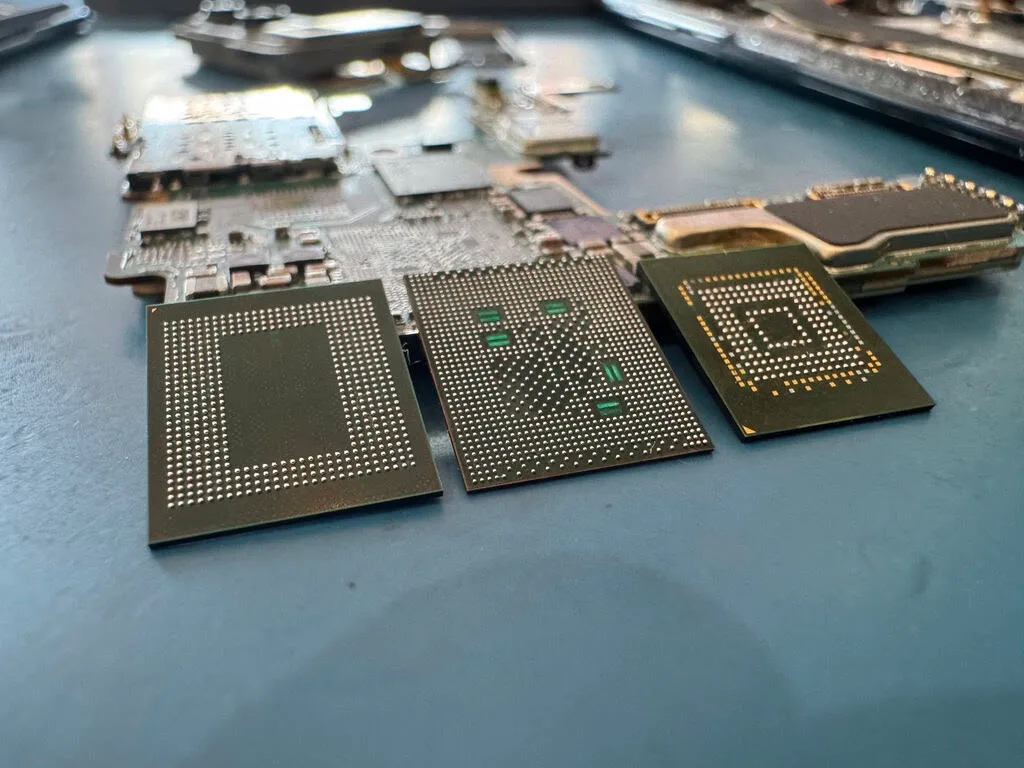
SanDisk has used controllers from several manufacturers over the years, and has increasingly moved toward in-house controller designs since the Western Digital acquisition. Early SanDisk SD cards and USB drives used controllers from Marvell, Phison, and Silicon Motion - the same controller vendors used by many other storage brands. However, SanDisk's firmware running on these controllers was always proprietary, which means the data layout, wear leveling, and error correction algorithms differ from other brands using the same controller hardware.
Modern SanDisk SD cards primarily use Western Digital's own controller designs. These controllers implement advanced features including multi-plane NAND operations that write to multiple NAND planes simultaneously for higher performance, adaptive read/write management that adjusts voltage levels and timing based on NAND wear, and progressive error correction that applies increasingly powerful ECC algorithms as NAND cells degrade. These features improve real-world reliability but add complexity to raw NAND recovery because the data layout depends on the specific firmware version's implementation of these features.
The wear leveling algorithm is particularly important for recovery. Wear leveling distributes write operations evenly across all NAND cells to prevent any single cell from wearing out before others. SanDisk uses dynamic wear leveling on most consumer products, which only moves data between blocks that are actively being written. Higher-end products use static wear leveling, which also periodically moves static (rarely changed) data to equalize wear across all blocks. When we read raw NAND from a SanDisk device, we must reverse the wear leveling algorithm to reconstruct the logical address mapping - otherwise the data appears scrambled because physical NAND addresses do not correspond to the logical addresses the host device uses.
SanDisk controllers also implement data scrambling using XOR operations with a key derived from the page address. This scrambling ensures that the voltage distribution across NAND cells remains balanced regardless of the data content, which improves NAND reliability but means raw NAND reads appear encrypted until the scrambling pattern is removed. Our recovery tools include the known XOR scrambling keys for every SanDisk controller family, allowing us to de-scramble raw NAND data and reconstruct the original file system.
The bad block management system maintained by SanDisk controllers is another critical recovery consideration. When a NAND block develops too many bit errors, the controller marks it as bad and remaps the logical address to a spare block. The bad block table - a record of which blocks are bad and where their data has been remapped - is stored in a specific location on the NAND. If the bad block table itself becomes corrupted, the controller cannot find data that has been remapped, leading to the device appearing empty or unreadable even though the data is physically present on the NAND. Our lab reconstructs corrupted bad block tables by analyzing the raw NAND for block markers and remap entries.
Chip-Off NAND
Chip-Off Recovery for SanDisk Devices
Chip-off recovery is the most advanced data recovery technique in our arsenal, and it is the method of last resort when a SanDisk device's controller has failed beyond repair, the circuit board is physically destroyed, or the device has been so severely damaged that no electrical connection to the controller is possible. In chip-off recovery, we physically remove the NAND flash memory chip from the SanDisk device and read its contents directly using specialized equipment, completely bypassing the controller.
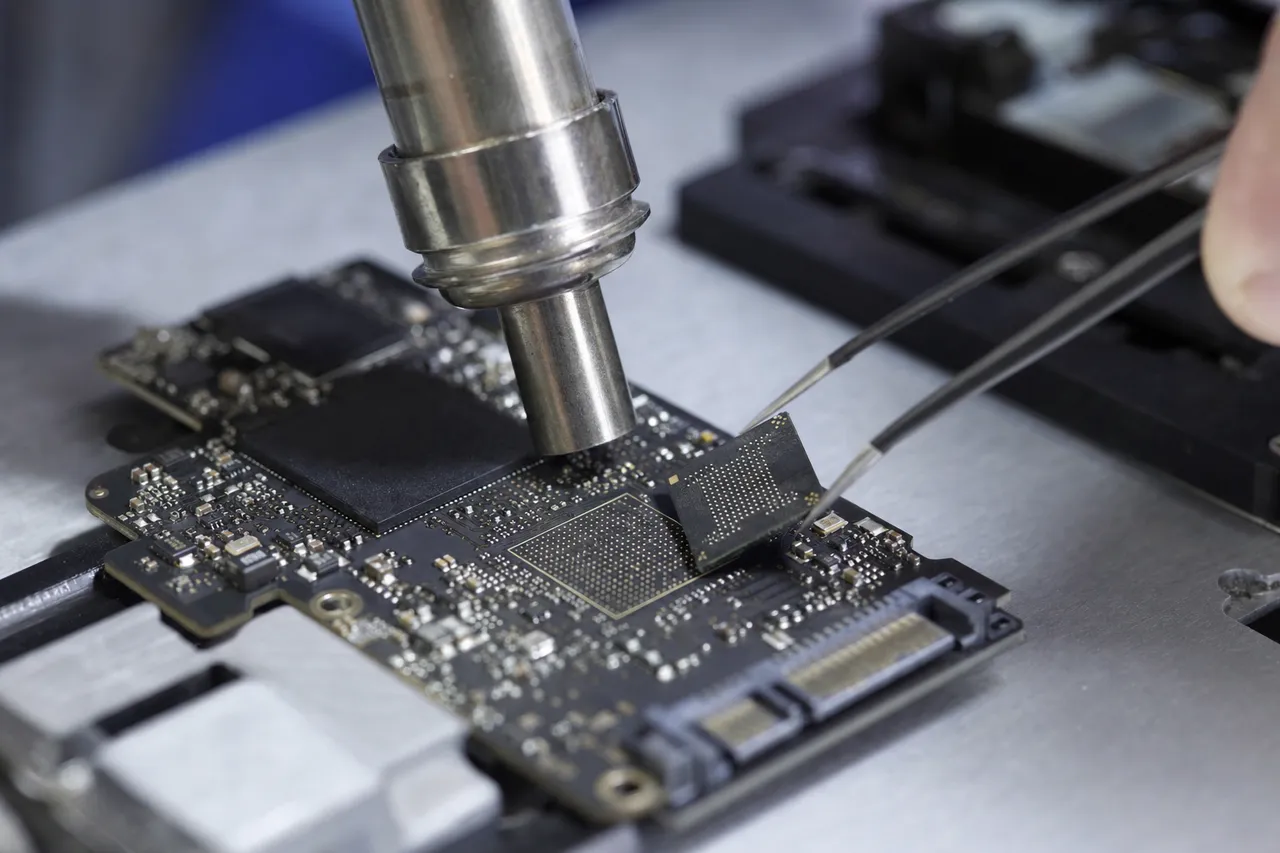
The chip-off process for SanDisk SD cards begins with carefully opening the card's plastic housing to expose the internal circuit board. SanDisk SD cards are assembled with the NAND die wire-bonded to a thin substrate, and the entire assembly is potted in epoxy resin inside the plastic shell. We dissolve or mechanically remove the potting material to expose the NAND die, then use a BGA rework station to desolder the die from the substrate. The die is cleaned, inspected under a microscope for damage, and placed in a specialized chip reader that connects to each NAND pin individually.
For SanDisk USB flash drives, the chip-off process varies by model. Cruzer and Ultra drives typically use a TSOP (Thin Small Outline Package) or BGA (Ball Grid Array) NAND package soldered to a small PCB. We desolder the NAND chip using hot air at precisely controlled temperatures - too much heat can damage the die inside the package, while too little heat will not melt the solder. Once removed, the chip is placed in a socket adapter that connects to our NAND reader. The reader communicates directly with the NAND chip using raw NAND commands, bypassing all controller logic.
Reading raw NAND from a SanDisk device produces a data dump that is not immediately usable - it is a binary image of the physical NAND contents, organized according to the controller's internal data layout algorithm. This raw dump must be processed through several stages to reconstruct usable files. First, we identify and remove the ECC (Error Correction Code) bytes that the controller uses for error detection. Then we apply the XOR descrambling key specific to the SanDisk controller family. Next, we reconstruct the logical-to-physical block mapping by analyzing wear leveling tables and bad block records. Finally, we assemble the logical blocks in the correct order to reconstruct the file system - FAT32, exFAT, or NTFS depending on how the card was formatted.
The success of chip-off recovery depends heavily on two factors: the physical condition of the NAND die and the accuracy of our controller-specific data layout algorithms. SanDisk NAND dies are manufactured to high quality standards, and they can survive physical abuse that destroys the controller, PCB, and housing. We have recovered data from SanDisk cards that were run over by cars, melted in fires, and submerged in salt water for extended periods - in each case, the NAND die inside was intact enough for a successful chip-off extraction.
Chip-off recovery for SanDisk portable SSDs is more complex than for SD cards or USB drives because portable SSDs contain multiple NAND chips - typically two to eight packages depending on capacity - plus a sophisticated NVMe controller with its own DRAM. Each NAND package must be desoldered and read individually, and the data from all packages must be interleaved in the correct order according to the controller's RAID-like striping algorithm. Our lab maintains detailed documentation of the NAND interleaving patterns for every SanDisk portable SSD model, enabling accurate reconstruction even when the controller is completely non-functional.
Pro Photo & Video
SanDisk Recovery for Photographers and Videographers
Professional photographers and videographers represent one of the largest customer segments for SanDisk data recovery at MDrepairs. SanDisk Extreme Pro SD cards are the industry standard for professional camera systems from Canon, Nikon, Sony, Fujifilm, and Panasonic, and the Extreme Pro microSD is the go-to choice for mirrorless cameras with UHS-II card slots. When a SanDisk card fails during a paid shoot, the stakes are exceptionally high - wedding photos cannot be re-shot, commercial productions have budgets and deadlines, and a wildlife photographer may have waited weeks for a single shot that now exists only on a corrupted card.
The most common failure scenario for photographers is the mid-shoot card failure. The photographer is shooting a wedding ceremony, a product campaign, or a portrait session when the camera suddenly displays a card error. The camera may show "Card Error," "Cannot Read Card," or simply freeze. This typically happens because the controller encounters an uncorrectable error during a write operation and enters a protective mode that locks the card to prevent further data loss. In many cases, the photos already written to the card before the error are fully recoverable, including the burst sequence that was being written at the moment of failure.
For videographers, SanDisk card failures are particularly devastating because video files are large and continuous. A single 4K video clip at professional bitrates can exceed 50GB, and the file system allocates this space as one contiguous file that is written sequentially over many minutes or hours. If the card fails during recording, the video file's header may be incomplete, which makes the file unplayable even though most of the video data is intact on the card. Our recovery process reconstructs video file headers and recovers complete playable video from SanDisk cards that failed mid-recording, including Cinema DNG sequences, ProRes files, and H.264/H.265 clips.
We also frequently recover SanDisk cards from photographers who accidentally formatted the card in-camera. Camera formatting creates a new empty file system on the card but does not erase the underlying data. Recovery is highly successful when performed before new photos overwrite the formatted data. This is why we always advise photographers to stop using the card immediately after an accidental format - every new photo written reduces the chances of recovering the formatted files. SanDisk cards formatted in Canon cameras use exFAT with Canon's directory structure, Nikon cameras use a different exFAT layout, and Sony cameras may use FAT32 for smaller cards. Our recovery tools understand every camera manufacturer's file system conventions.
Professional photographers often ask about dual card slot workflows as a preventive measure. Many professional cameras offer two card slots - for example, the Canon R5 has one CFexpress slot and one SD slot. By configuring the camera to write to both slots simultaneously, photographers create a real-time backup of every shot. If one card fails, the other contains a complete copy. We strongly recommend this workflow for any paid shoot, and SanDisk Extreme Pro cards are reliable enough that dual-slot failure is extremely rare.
RAW image recovery from SanDisk cards requires format-specific expertise. Each camera manufacturer uses a proprietary RAW format - Canon CR3, Nikon NEF, Sony ARW, Fujifilm RAF - and each format has a different internal structure. Our recovery tools identify and reconstruct these format-specific files during the carving process, ensuring that recovered RAW files retain full metadata including shooting settings, lens information, color profiles, and GPS coordinates when available.
GoPro / DJI / Insta360
SanDisk in GoPro, DJI, and Action Cameras
SanDisk microSD cards are the recommended and most widely used storage media for GoPro cameras, DJI drones, Insta360 cameras, and virtually every action camera on the market. These devices push microSD cards to their performance limits with sustained high-bitrate 4K, 5.3K, and 8K video recording in extreme environments - underwater housings, high-altitude drone flights, high-speed motorsports, and impact-heavy activities like mountain biking and skateboarding. The combination of demanding write speeds and harsh operating conditions makes SanDisk microSD cards in action cameras one of the most common recovery scenarios at MDrepairs.
GoPro cameras are particularly demanding on SanDisk microSD cards. The GoPro Hero 12 and 13 record 5.3K video at bitrates exceeding 120 Mbps, which requires sustained write speeds that only UHS-I V30 or faster cards can maintain. SanDisk Extreme and Extreme Pro microSD cards are on GoPro's official recommended card list because they meet these speed requirements. However, GoPro cameras have a known issue with card corruption when the battery dies during recording - the camera does not properly close the video file before power is lost, leaving an incomplete file header and a partially written data stream on the card. We recover these incomplete GoPro files by analyzing the raw data stream and reconstructing valid video containers around the data, producing playable video files from what appeared to be unrecoverable corrupted data.
DJI drones add another dimension of risk: when something goes wrong during a flight, the SD card often contains the only record of what happened. DJI Mavic, Air, Mini, and Avata drones all use SanDisk microSD cards, and drone operators frequently need recovery after crash landings, fly-aways, water landings, or mid-air power failures. In many cases, the drone itself is damaged or destroyed, but the microSD card inside can be recovered. We have extracted SanDisk microSD cards from DJI drones pulled out of lakes, recovered from crash sites in forests, and found days after a fly-away incident. The SanDisk cards in these situations may have physical damage from impact, water exposure, or both - but the NAND die inside often survives, and chip-off recovery extracts the flight footage and telemetry data.
DJI cameras also create flight logs and telemetry files alongside the video footage. These files contain GPS coordinates, altitude data, gimbal angles, battery voltage, and control inputs for every moment of the flight. For drone operators who need footage for insurance claims, commercial projects, or accident documentation, recovering both the video and the telemetry data is critical. Our recovery process preserves the DJI directory structure so that flight logs remain associated with their corresponding video files.
Insta360 cameras and other 360-degree cameras write to SanDisk microSD cards at extremely high bitrates because they are recording from multiple lenses simultaneously. An Insta360 X4 recording 8K 360-degree video can write data at over 200 Mbps sustained. Cards that can maintain this write speed under normal conditions may struggle in extreme temperatures - cold weather slows NAND write performance, and hot environments accelerate controller throttling. We see Insta360 card failures from users recording in desert heat, tropical humidity, and sub-zero cold, where the environmental conditions pushed the card past its thermal operating limits.
Action camera users should always use SanDisk cards rated for their camera's requirements and keep a spare card on hand. The most reliable SanDisk options for action cameras are the Extreme Pro microSDXC (A2, V30) for GoPro and DJI, and the MAX Endurance for dashcams and security cameras that record continuously. Formatting the card in the camera (not the computer) before each use also helps prevent file system inconsistencies that can lead to corruption.
Liquid & Impact
Water and Physical Damage to SanDisk Media
Physical damage is a leading cause of SanDisk data recovery cases at MDrepairs. Flash storage devices are small, portable, and used everywhere - which means they are dropped, stepped on, crushed, submerged, laundered, and subjected to every form of physical abuse imaginable. The good news is that flash storage devices have no moving parts, which means they are inherently more resistant to physical damage than hard drives. The bad news is that the circuit boards, controllers, and contact pins inside these devices are delicate electronic components that can fail from surprisingly minor physical impacts.
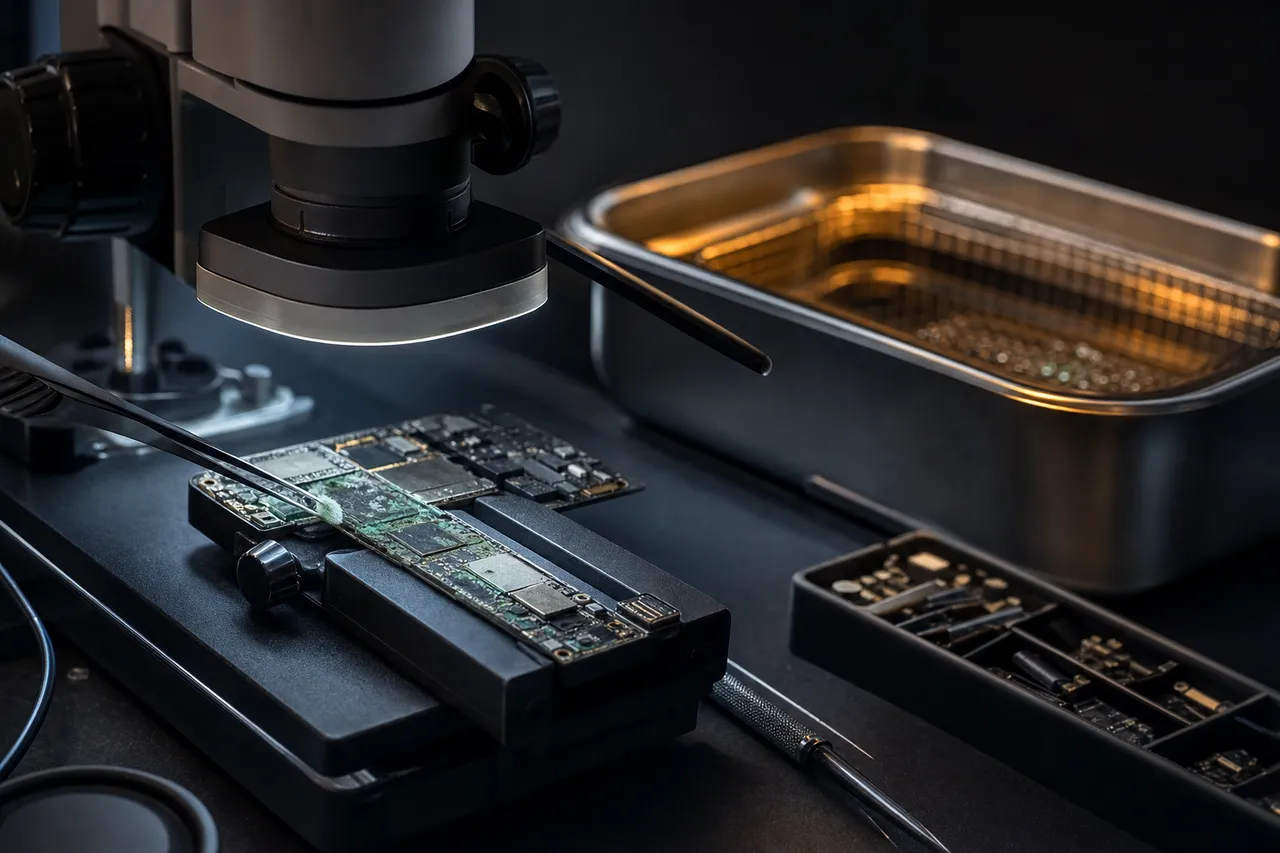
Water damage is the most common form of physical damage to SanDisk devices. USB flash drives left in pockets go through the washing machine multiple times per week across our customer base. SD cards fall into puddles, pools, and drinks. Portable SSDs get caught in rainstorms. The immediate danger from water exposure is not the water itself - pure water is not conductive enough to damage electronics. The danger comes from minerals and contaminants dissolved in the water, which create conductive paths between circuit traces and cause short circuits. Tap water, laundry detergent, salt water, and chlorinated pool water are all significantly more damaging than distilled water.
When a SanDisk device gets wet, the clock starts ticking. Corrosion begins forming on exposed metal contacts and solder joints within hours of exposure, and this corrosion progresses rapidly in humid environments. The most important step a customer can take is to not attempt to power on the wet device. Applying power to a wet circuit board causes electrolytic corrosion that is far more destructive than passive corrosion from air exposure alone. Instead, gently pat the device dry with a soft cloth, place it in a dry container, and send it to our lab as soon as possible.
Our water damage recovery process begins with a thorough cleaning using ultrasonic baths and specialized electronics cleaning solvents that remove corrosion, mineral deposits, and contaminant residue without damaging the PCB or components. We then inspect the board under high magnification to identify corroded traces, failed components, and broken connections. Depending on the extent of the damage, we may repair the PCB and attempt to power the device normally, or we may proceed directly to chip-off recovery if the controller and supporting circuitry are too damaged to restore.
SanDisk's Extreme Portable SSD carries an IP65 rating, which means it is protected against dust ingress and low-pressure water jets. This rating does not protect against submersion - dropping an Extreme Portable SSD in a pool or lake can still cause water ingress through the USB-C port seal or housing seams. The IP65 rating provides peace of mind for field use in rain and dusty environments, but it is not waterproof in the sense that many customers assume.
Impact damage to SanDisk SD cards and microSD cards typically manifests as cracks, bends, or complete breaks. A full-size SD card can crack from the pressure of being forced into a tight card reader slot or from being sat on in a back pocket. MicroSD cards are even more fragile - we have seen them crack from thumbnail pressure during insertion into a phone's card tray. When an SD card breaks, the critical question is whether the NAND die inside was damaged by the break. If the die is intact, chip-off recovery extracts the data successfully. If the die itself is cracked - which happens in roughly 15-20% of physically broken cards - recovery options are extremely limited because the silicon wafer that stores the data has been fractured.
Heat damage from fires, overheated vehicles, and direct flame exposure is less common but presents serious recovery challenges. NAND flash memory retains data as electrical charges in floating-gate transistors, and extreme heat can cause these charges to dissipate, leading to irreversible data loss at the cell level. However, the temperatures required to cause NAND data loss (above 150-200 degrees Celsius sustained) are higher than many consumers expect. We have recovered data from SanDisk devices pulled from house fires where the plastic housing had melted completely but the NAND die inside survived because the fire exposure was brief enough that the die's internal temperature stayed below the critical threshold.
Best Practices
Preventing SanDisk Data Loss: Best Practices
While MDrepairs is always here to recover your data when disaster strikes, prevention is always preferable to recovery. SanDisk flash storage devices are reliable when used within their design parameters, and following best practices can dramatically reduce the likelihood of data loss. Here are the most important steps you can take to protect the data on your SanDisk devices.
Always safely eject before removing. The single most common cause of file system corruption on SanDisk SD cards and USB drives is removing the device while data is being written. On Windows, use "Safely Remove Hardware" in the system tray. On Mac, drag the drive to the trash or click the eject button in Finder. On cameras, turn the camera off completely before removing the SD card. On phones, use the "Unmount" option in storage settings before pulling the microSD card. These steps ensure that all pending write operations complete and the file system is properly closed before the device loses power.
Buy from authorized retailers only. As discussed in detail in our counterfeit section, fake SanDisk products are rampant in online marketplaces. Purchase SanDisk products from Amazon (sold by Amazon, not third-party sellers), Best Buy, B&H Photo, Adorama, or other authorized retailers listed on Western Digital's website. If you buy online, verify the product by checking the serial number on Western Digital's verification page. The few dollars saved buying from an unknown seller are not worth the risk of a counterfeit product that will fail prematurely and potentially destroy your data.
Replace cards on a regular schedule. NAND flash memory has a finite number of write cycles. A SanDisk Extreme Pro SD card used by a professional photographer who fills and reformats the card several times per week may approach its write endurance limit within 3-5 years of heavy use. Dashcam and security camera cards endure even more write cycles. Replace SanDisk cards used in high-write applications on a regular schedule - annually for dashcam cards, every 2-3 years for camera cards used professionally, and when the card begins showing any unusual behavior like slow write speeds or occasional errors.
Format in the device, not the computer. When you need to erase a SanDisk SD card, format it in the camera or device that will use it - not in your computer. Each camera manufacturer optimizes the file system layout for their specific hardware, and formatting in-camera ensures the correct file system type (FAT32, exFAT), cluster size, and directory structure. Formatting a camera SD card on a computer may create a file system configuration that causes compatibility issues or suboptimal performance in the camera.
Maintain backups before every session. Before using a SanDisk card for a new camera shoot or project, copy the existing contents to your computer or cloud storage. Do not rely on the card as your only copy of any data. Professional photographers should implement a 3-2-1 backup strategy: three copies of every photo, on two different types of media, with one copy stored off-site. Cloud backup services like Backblaze, Google One, and iCloud can serve as the off-site copy for personal users.
Use the right card for the right application. SanDisk makes different cards for different use cases, and using the wrong card in a demanding application is a common cause of failure. Use Extreme Pro or Extreme for 4K video recording - Ultra cards may not sustain the required write speed. Use High Endurance or MAX Endurance for dashcams and security cameras - standard cards will wear out much faster in continuous recording. Use Nintendo Switch branded cards or Extreme microSD for gaming consoles - they are tested for the Switch's specific I/O patterns. Matching the card to the application prevents premature failure and data loss.
Store cards properly when not in use. SD cards and microSD cards should be stored in their original plastic cases or in a dedicated card wallet when not inserted in a device. Do not leave loose SD cards in pockets, bags, or desk drawers where they can be bent, crushed, or exposed to static electricity. USB flash drives should have their caps on or their sliders retracted when not in use. Portable SSDs should be stored in a padded pouch or their original case. Keep all flash storage devices away from extreme temperatures, direct sunlight, and strong magnetic fields (though flash memory is not affected by magnets, the controller circuitry can be).
Monitor card health with SanDisk's tools. Western Digital offers a free Memory Zone app for Android that can monitor the health and remaining capacity of SanDisk microSD cards. For SanDisk portable SSDs, the Western Digital Dashboard software (Windows/Mac) provides health monitoring, firmware updates, and diagnostic information. Running these tools periodically can alert you to a failing card before it completely dies, giving you the opportunity to back up your data proactively.
SanDisk card or drive not detected? Talk to the engineer who does the work.
Frequently Asked Questions
Straight answers on cost, turnaround, counterfeit cards, chip-off, and how we get your data back - drawn from the questions we hear every day.
-
How much does SanDisk data recovery cost?
SanDisk data recovery starts with a $100 diagnostic evaluation. Logical recovery (deleted files, formatting, corruption) ranges from $250 to $600. Controller and firmware recovery ranges from $400 to $900. Chip-off NAND recovery for physically damaged devices ranges from $600 to $1,500. The $100 diagnostic fee is applied toward your final recovery cost. If we cannot recover your data, you pay only the diagnostic fee. -
Can MDrepairs recover data from a SanDisk SD card that is not recognized by any device?
Yes. When a SanDisk SD card is not recognized by your camera, computer, or card reader, the issue is almost always a controller failure or firmware corruption rather than NAND memory damage. Our lab bypasses the failed controller and reads the NAND flash memory directly, recovering your photos, videos, and files without needing the controller to function. This is the most common SanDisk recovery scenario we handle. -
Can you recover photos from a formatted SanDisk SD card?
Yes. Formatting a SanDisk SD card - whether done in a camera, phone, or computer - erases the file system directory but does not immediately erase the underlying photo data on the NAND memory. Recovery is most successful when no new photos have been taken after the format. Stop using the card immediately and send it to our lab. We scan the raw NAND for file signatures and recover photos in their original formats including Canon CR3, Nikon NEF, Sony ARW, and JPEG. -
Is my SanDisk Cruzer USB drive recoverable if the connector is broken?
In most cases, yes. A broken USB connector on a SanDisk Cruzer drive does not mean your data is lost. The NAND flash memory chip that stores your data is separate from the connector. We repair the broken solder connections, bypass the damaged connector, or perform a chip-off NAND extraction depending on the severity of the damage. Cruzer Glide slider mechanism failures are especially common and highly recoverable. -
Can you recover data from a water-damaged SanDisk flash drive?
Yes. SanDisk flash drives that have gone through the washing machine, fallen in water, or been exposed to liquid are recoverable in most cases. Do not attempt to plug in the wet drive - this causes additional damage. Send it to our lab where we perform ultrasonic cleaning, remove corrosion, and extract data from the NAND chip. The NAND memory itself is sealed inside its chip package and is often unaffected by water exposure. -
How long does SanDisk data recovery take?
Standard turnaround is 4-5 weeks from the time we receive your device. Priority rush service ($250 additional) completes in 5-7 days. Urgent rush ($500 additional) guarantees 1-2 business days. Emergency same-day service ($1,000 additional) is available for time-critical cases. Turnaround begins after diagnostic approval, not from the date of receipt. -
Can you recover data from a counterfeit SanDisk SD card?
Yes, we recover data from counterfeit SanDisk cards regularly. Fake SanDisk cards often fail prematurely due to low-quality NAND or falsified capacity reporting. We identify the actual NAND chip inside the counterfeit card and perform recovery based on what hardware is truly present, not what the label claims. If the card has fake capacity, we recover whatever data exists on the actual NAND and inform you of the counterfeit status during the diagnostic. -
Do you recover data from SanDisk Extreme Portable SSDs?
Yes. We recover data from all SanDisk portable SSDs including the Extreme Portable, Extreme Pro Portable, and Professional PRO-G40. These devices use NVMe controllers internally with a USB bridge chip, and we have recovery procedures for failures at every level - USB port damage, bridge chip failure, NVMe controller malfunction, firmware corruption, and NAND-level issues. Encrypted Extreme Pro Portable SSDs require additional procedures but are recoverable in many scenarios. -
My SanDisk microSD card from my phone shows as blank - can you recover my photos?
Yes. A SanDisk microSD card that suddenly shows as blank or empty in your phone typically has a corrupted file system rather than erased data. Your photos, WhatsApp messages, and other files are still physically present on the NAND memory. We read the NAND directly and reconstruct the file system to recover your complete photo library and app data. Send the card to our lab - do not format it or attempt to write new data to it. -
Can you recover drone footage from a corrupted SanDisk microSD card?
Yes. DJI drone footage stored on SanDisk microSD cards is one of our most common recovery types. Drone cards frequently corrupt when the battery dies mid-flight or during an emergency landing. We recover 4K and 5.4K video files, reconstruct partially written clips that were recording at the moment of failure, and preserve DJI flight logs and telemetry data alongside the video footage. -
What is chip-off recovery and when is it needed for SanDisk devices?
Chip-off recovery involves physically removing the NAND flash memory chip from the SanDisk device and reading it directly with specialized equipment. It is used when the device has severe physical damage (broken in half, fire damage, crushed), when the controller chip has catastrophically failed, or when the circuit board is too damaged for any other recovery method. We desolder the NAND chip, read its raw contents, and reconstruct your files using SanDisk-specific data layout algorithms. -
Can you recover video from a SanDisk card that was recording when it failed?
Yes. Video files that were actively being recorded when the SanDisk card failed or lost power are recoverable in most cases. The video data is written sequentially to the NAND, and even though the file header may be incomplete, we reconstruct a valid video container around the data stream. We recover MOV, MP4, Cinema DNG, and other video formats from cameras, drones, GoPros, and dashcams. -
Is it safe to mail my SanDisk device for recovery?
Yes. We provide free insured shipping labels for sending your SanDisk device to our Lincroft, NJ lab. Pack the device in a small padded envelope or box - SD cards and USB drives are small and lightweight. We return your recovered data and original device with free insured shipping. All devices are handled in our secure lab and all copies are erased within 30 days of returning your data. -
Can you recover data from a SanDisk iXpand that is not recognized by my iPhone?
Yes. The SanDisk iXpand Flash Drive and iXpand Flash Drive Luxe use the same NAND flash technology as other SanDisk USB drives. When the iXpand stops being recognized by your iPhone, iPad, or computer, we recover data using the same chip-level techniques - controller bypass, firmware repair, or chip-off extraction. We also reconstruct the iXpand app's backup directory structure so your photos and videos are organized as originally backed up. -
My SanDisk card says it needs to be formatted - should I format it?
No. Do not format the card. When your computer or camera asks you to format a SanDisk SD card, it means the file system is corrupted but your data is likely still on the card. Formatting will create a new empty file system that could overwrite your existing data. Remove the card, store it safely, and contact our lab. We recover data from cards with corrupted file systems without formatting. -
Do you recover data from SanDisk Nintendo Switch microSD cards?
Yes. SanDisk Nintendo Switch branded microSD cards use the same hardware as standard SanDisk Ultra and Extreme microSD cards. We recover game save data, screenshots, captured video, and downloaded game files. Note that some Switch game saves are stored on the console's internal memory rather than the microSD card - we can advise which data types are recoverable from the card during the diagnostic. -
How can I tell if my SanDisk SD card is counterfeit?
Common signs of a counterfeit SanDisk card include a purchase price significantly below retail, packaging with spelling errors or poor print quality, transfer speeds much slower than advertised, and premature failure within months of purchase. You can verify capacity using free tools like H2testw (Windows) or F3 (Mac). We can definitively confirm whether a SanDisk product is genuine or counterfeit during our diagnostic by examining the controller chip, NAND markings, and firmware signatures. -
Can you recover data from a SanDisk card used in a dashcam?
Yes. Dashcam footage from SanDisk High Endurance, MAX Endurance, and regular microSD cards is recoverable. Dashcams write and overwrite data continuously, so recovery success depends on how long the card continued recording after the target footage was captured. If you need specific footage - such as an accident or incident - contact us as soon as possible. The sooner the card is removed from the dashcam, the better the chances of recovering the footage you need. -
What happens if you cannot recover my data?
If we cannot recover your target files from your SanDisk device, you pay only the $100 diagnostic fee. No data, no charge applies to the recovery cost - you are never charged for a recovery that does not succeed. We provide a detailed diagnostic report explaining what was attempted and why recovery was not possible, so you have a complete understanding of your case. -
Can you recover RAW photos from a SanDisk card used in a professional camera?
Yes. We recover RAW photos in every camera manufacturer's format including Canon CR3 and CR2, Nikon NEF, Sony ARW, Fujifilm RAF, Panasonic RW2, and Olympus ORF. Our file carving tools understand the internal structure of each RAW format and recover complete files with full metadata including EXIF data, shooting settings, lens information, and GPS coordinates when available. -
Is encrypted data recoverable from a SanDisk Extreme Pro Portable SSD?
It depends on the failure type. If the SSD's controller and encryption engine are partially functional, we can often extract the encryption key and decrypt the data. If the controller is catastrophically destroyed, encrypted data recovery is significantly more difficult because the AES 256-bit encryption key may be inaccessible. During the diagnostic, we assess the encryption status and provide an honest assessment of recovery likelihood for encrypted data. -
Can you recover deleted files from a SanDisk USB flash drive?
Yes. When you delete files from a SanDisk USB drive, the file system marks the space as available but does not immediately erase the data. Recovery is most successful when performed before new files are written to the drive. Our lab scans the NAND at the chip level, finding deleted files by their file signatures regardless of what the file system directory reports. We recover documents, photos, videos, and all other file types from SanDisk Cruzer, Ultra, Extreme Go, and all other USB drive models. -
Do you offer emergency same-day recovery for SanDisk devices?
Yes. Emergency same-day service is available for $1,000 additional and guarantees that your SanDisk recovery is completed within the same business day we receive your device. This service is designed for time-critical situations like wedding photographers who need photos delivered to clients, legal professionals with court deadlines, or businesses with irreplaceable records. Call 732-933-7717 to arrange emergency service. -
Can you recover data from an old SanDisk card that has been sitting in a drawer for years?
Yes. NAND flash memory retains data for years without power, though data retention decreases as the NAND ages and cells lose their charge over very long periods. We regularly recover data from SanDisk cards that have been unused for 5-10+ years. Older SanDisk cards that used SLC or MLC NAND actually have better long-term data retention than modern TLC cards. If the card worked when you last used it and has been stored in reasonable conditions, recovery chances are excellent. -
Why should I choose MDrepairs for SanDisk data recovery instead of using software?
Data recovery software only works when your SanDisk device is recognized by your computer and the NAND memory is readable through the controller. If the device is not detected, physically damaged, or has a controller or firmware failure, software cannot help. MDrepairs performs hardware-level recovery - we bypass failed controllers, repair physical damage, and read NAND chips directly. We also handle the cases where software made things worse by writing to the card during a recovery attempt, overwriting the very data you were trying to save.
Ready to Recover Your Data?
$100 professional diagnostic on every case. No data, no charge. Free insured shipping nationwide.