
Our Synology DS920+ with four Seagate IronWolf drives in RAID 5 went offline after a power outage. Two drives had issues and the array wouldn't rebuild. MDrepairs recovered all 12TB of our architecture firm's project files. They understood the Synology RAID structure immediately. Worth every dollar.
- 4.6 319 reviews
- 2M+ followers
- Nationwide service
RAID Data Recovery
Lost data from a RAID array? MDrepairs is a professional hard drive data recovery lab in Lincroft, NJ with deep expertise in RAID 0, RAID 1, RAID 5, RAID 6, and RAID 10 recovery. Whether your NAS has gone offline, your server array has degraded, or a failed rebuild has wiped your data, our engineers reconstruct RAID configurations and recover data that other labs cannot.
Every case starts with a $100 professional diagnostic that includes array analysis, drive health assessment, and a firm recovery quote. We serve businesses and individuals nationwide through our secure mail-in program with free insured shipping. Our full range of data recovery services operates on a strict no data, no charge policy.
What Our Customers Say
4.6
Verified Google reviews No data, no charge - every case earns its rating
RAID Configurations and Devices We Recover
MDrepairs recovers data from every RAID configuration and every NAS, server, and DAS device on the market. Our engineers understand the stripe sizes, parity algorithms, drive ordering, and metadata structures unique to each platform. Whether you have a two-drive NAS or a 24-bay enterprise server, we have the tools and expertise to reconstruct your array and recover your data.
- RAID 0 Striped
- RAID 1 Mirrored
- RAID 5 Distributed Parity
- RAID 6 Double Parity
- RAID 10 Mirrored + Striped
- RAID 50 Striped RAID 5
- RAID 60 Striped RAID 6
- JBOD Just a Bunch of Disks
- SHR / SHR-2 Synology Hybrid RAID
Supported Models Show More Models Show Fewer Models
NAS
- Synology DS920+
- Synology DS1621+
- Synology DS1821+
- Synology DS220+
- Synology DS420+
- Synology RS1221+
- QNAP TS-453D
- QNAP TS-453Be
- QNAP TS-251D
- QNAP TS-873A
- QNAP TVS-672XT
- Buffalo TeraStation 3210DN
- Buffalo TeraStation 5210DN
- Buffalo LinkStation 220
- NETGEAR ReadyNAS 424
- NETGEAR ReadyNAS 524X
- Drobo 5N2
- Drobo 5D3
- Western Digital My Cloud EX4100
- Western Digital My Cloud PR4100
Servers
- Dell PowerEdge R740
- Dell PowerEdge R640
- Dell PowerEdge T440
- HP ProLiant DL380 Gen10
- HP ProLiant DL360 Gen10
- HP ProLiant ML350 Gen10
- Lenovo ThinkSystem SR650
- Lenovo ThinkSystem SR630
- Supermicro SuperServer
RAID Controllers
- LSI MegaRAID Controller
- Adaptec RAID Controller
- Dell PERC H730 / H740
- HP Smart Array P408i
- Broadcom MegaRAID 9460
- Areca ARC-1883
Get a Free Quote
$100 diagnostic · No data, no charge · Free shipping
Common RAID Failure Scenarios
RAID failures rarely come from a single drive. When redundancy runs out, the array goes offline as a whole - and the path back to your data depends on exactly how it failed.
-
Multiple Drive Failure
The most devastating RAID failure occurs when more drives fail than the array’s redundancy can handle - two drives in a RAID 5, three in a RAID 6, or any single drive in a RAID 0. Multiple drive failures often happen simultaneously because drives in the same array are typically the same age, model, and batch, making them susceptible to the same wear patterns. When a second or third drive fails, the array goes offline completely and no data is accessible through normal means. MDrepairs recovers data from multi-drive failures by individually imaging each drive, analyzing the RAID metadata, and reconstructing the virtual disk using specialized tools that can compensate for missing parity and stripe data.
-
RAID Controller Failure
Hardware RAID controllers store configuration data including stripe size, parity rotation, drive order, and virtual disk mappings. When a controller fails, simply installing a replacement often does not restore access to the array because the new controller may not recognize the existing configuration. Worse, some replacement controllers attempt to initialize the drives, destroying the existing RAID metadata in the process. MDrepairs bypasses the controller entirely by reading raw data from each individual drive and reconstructing the RAID configuration from the data patterns themselves, regardless of what hardware originally managed the array.
-
Rebuild Failure
RAID rebuild is one of the most dangerous operations for data integrity. When a failed drive is replaced in a RAID 5 or RAID 6 array, the controller must recalculate and rewrite parity data across every stripe. This process puts extreme stress on the remaining drives, and it is common for a second drive to fail during rebuild - especially in large-capacity arrays where rebuilds can take 24 to 72 hours. A failed rebuild can leave the array in a worse state than the original failure. MDrepairs has extensive experience recovering data from partially rebuilt arrays where the rebuild process corrupted existing data or triggered additional drive failures.
-
Degraded Array Collapse
A degraded RAID array is running without its full complement of healthy drives, relying on parity or mirroring to reconstruct missing data on the fly. While many administrators allow degraded arrays to continue operating - sometimes for weeks or months - this is extremely risky. The remaining drives are under increased load, and any additional failure will bring the array offline entirely. Many RAID recovery cases at MDrepairs begin with a degraded array that finally collapsed. We image all drives in the degraded state and reconstruct the array using whatever parity and redundancy data remains available.
-
Virtual Disk Offline
A virtual disk going offline means the RAID controller has lost the ability to present the array as a logical volume to the operating system. This can happen due to metadata corruption, a controller firmware bug, a battery backup unit failure, or intermittent drive connectivity issues. The data on the individual drives is typically intact, but the controller refuses to assemble the array. MDrepairs reads the raw data from each member drive, identifies the RAID parameters from the on-disk metadata, and rebuilds the virtual disk independently of the original controller hardware.
-
Stripe Corruption
Stripe corruption occurs when the data striped across multiple drives becomes inconsistent - meaning the data blocks and their corresponding parity blocks no longer match. This can result from a write operation that was interrupted by a power failure, a controller cache that was not properly flushed, or firmware bugs that wrote data to the wrong stripe location. Stripe corruption can cause silent data corruption where files appear intact but contain scrambled data. MDrepairs detects stripe inconsistencies by analyzing parity calculations across the entire array and identifies which stripes contain valid data versus corrupted blocks.
-
Accidental RAID Reconfiguration
One of the most common causes of RAID data loss in NAS devices is accidentally reconfiguring the array through the management interface - changing RAID levels, adding or removing drives, or performing a factory reset. Synology, QNAP, Buffalo, and NETGEAR devices all store RAID configuration in specific metadata locations on the member drives. When the array is reconfigured, the new metadata overwrites the old, but the actual user data often remains largely intact on the platters. MDrepairs has recovered data from hundreds of accidentally reconfigured NAS arrays by locating the original data beneath the new metadata and reconstructing the original array layout.
Can Data Be Recovered From a Failed RAID Array?
Yes - in most cases. The data on a failed array still exists on the individual member drives; what actually failed is the machinery that assembles those drives into one volume. We image every drive individually, solve the array's stripe order and parity layout, and rebuild the volume from the images - your original drives are never written to.
That holds for the hard cases too: two failed drives in a RAID 5, a dead hardware controller, an interrupted rebuild, or a NAS that reset its own configuration. The genuine exceptions are severe platter damage across multiple members and data that has been fully overwritten - which is exactly why what you do in the first hour after a failure matters more than anything else on this page.
What is the difference between RAID recovery and data recovery?
Standard data recovery deals with one drive: repair or image it, then extract the file system. RAID recovery adds an entire second layer - after each member is imaged, the array itself has to be reconstructed by solving stripe size, drive order, parity rotation, and data offset before any files exist at all. That second layer is why arrays cost more to recover, and why single-drive tools and repair shops routinely fail on them: imaging the drives is only half the job.
Should I Rebuild a Degraded RAID Array?
No - never force a rebuild, and never start one without a verified backup. A rebuild reads every sector of every surviving drive for hours or days, and the drives still standing in a degraded array are usually the same age, model, and wear level as the one that already failed. If a second drive drops out mid-rebuild, a very recoverable case becomes a much harder and more expensive one.
Never force a rebuild on an array you have not backed up
- Do not force the array back online or force a rebuild with a stale or "foreign" disk - forcing writes new metadata over the layout we need to reconstruct your volume.
- Do not pull drives out to "test them one by one" or reshuffle their order. If you must remove them, label every drive with its slot number first.
- Do not run CHKDSK, fsck, or any repair utility against a degraded volume - repair tools rewrite file system structures on an array that is already inconsistent.
- Do not start a rebuild without a verified, up-to-date backup. If the data on the array matters, recovery comes before rebuilding.
The safe move is boring: power the array down, label the drive order, and or call 732-933-7717 before anything touches those disks.
Degraded array - rebuild from parity RAID 5 - 4 drives
DISK 1
A1B2Cp
DISK 2
A2BpC1
FAILED - REBUILT FROM PARITY DISK 3
ApB1C2
DISK 4
A3B3C3
Data Parity Rebuilt from parity
NAS Data Recovery - Synology, QNAP, and WD My Cloud
A NAS is a small Linux computer wrapped around a RAID array - the volume on the drives is EXT4 or Btrfs on mdadm or Synology SHR, not anything Windows or macOS can mount. When a NAS dies, the data is usually still sitting intact on the member drives; nearly every NAS case we see that went from recoverable to expensive got there because someone mounted the disks in Windows, forced a rebuild, or reinitialized the unit first.
-
Do not mount the disks in Windows
NAS volumes are EXT4 or Btrfs on Linux mdadm or Synology SHR - Windows cannot read them. Plug one into a Windows PC and Disk Management pops "You must initialize a disk before Logical Disk Manager can access it." Click OK and Windows writes a new partition signature over the RAID metadata we need to reconstruct your volume. Cancel that dialog every time.
-
Do not rebuild or hot-swap drives
Replacing a drive and letting the NAS rebuild reads every sector of every surviving disk for hours or days. In a degraded array those survivors are the same age and batch as the disk that already failed - rebuilds are exactly when second drives die. If the data is not backed up, do not start one.
-
Do not initialize, reset, or reinstall
A factory reset or a DSM/QTS reinstall rewrites the system partitions and can re-create the data volume - overwriting the array metadata and sometimes the data itself. The same goes for "repair" prompts in the NAS interface when a volume shows as crashed. Power the unit down instead.
SHR / DSM
Synology
Synology data recovery means understanding SHR (Synology Hybrid RAID) - Linux mdadm underneath, but with Synology's own partition layout and volume manager on top, which is why generic RAID tools mis-assemble SHR volumes. We reconstruct SHR and SHR-2 across DSM versions on everything from a 2-bay DS220+ to rack-mounted RS units. Pull the drives, label the bay order, and send the drives only - the NAS chassis can stay home.
Synology recovery guide mdadm / QTS
QNAP
QNAP arrays are closer to standard Linux mdadm, but the volume configuration lives partly on an internal flash module - a known failure point on older TS models. When that module dies, the NAS forgets its own array while every drive is still healthy. We read the mdadm superblocks straight off the members and assemble the volume manually, no working QNAP required.
QNAP recovery guide Single-bay / EX / PR
WD My Cloud
Single-bay My Cloud units are one EXT4 drive behind a Linux board - when the enclosure dies the drive is usually fine, but Windows still cannot read it. Multi-bay EX2/EX4100/PR4100 units run mdadm RAID like the others. Both fail the same way people lose them: the drive gets pulled, plugged into a PC, and "initialized." Skip that step and recovery odds stay high.
NAS recovery guideWhatever the brand: power the unit down, pull the drives, label each one with its bay number, and mail in the bare drives with free insured shipping - or read more in our NAS data recovery guide. The $100 diagnostic covers the whole array, and the no data, no charge guarantee applies to every NAS case.
How We Recover Your Data
Every RAID case follows the same disciplined path - from your first call to your data back in hand. You see a firm quote and a full file listing before you ever pay for recovery.
-
Free Consultation
Contact MDrepairs by phone at 732-933-7717 or submit a free quote form. Describe your RAID configuration, the number of drives, device make and model, and what symptoms you are experiencing. We provide an initial assessment and cost estimate. We offer free insured shipping labels for all drives in your array.
-
Professional Diagnostic
Once we receive your drives, our engineers perform a comprehensive diagnostic on each individual drive and analyze the RAID metadata. We identify the exact failure mode for each drive, assess the array configuration, and determine recovery feasibility. You receive a detailed report and firm quote before any recovery work begins. The $100 diagnostic fee applies to all cases.
-
Array Reconstruction
After you approve the quote, our engineers image each drive individually using specialized hardware that can read around bad sectors and failing heads. We then analyze the RAID parameters - stripe size, parity rotation, drive order, and data offset - and reconstruct the virtual disk. For multi-drive failures, we use parity recalculation and cross-referencing to fill in missing data.
-
Verification and Review
Once the array is reconstructed, we extract the file system and compile a full file listing for your review. You can verify that your critical files, databases, virtual machines, and folders have been recovered before making any payment. We operate on a strict no data, no charge policy - if we cannot recover your target data, you owe nothing beyond the diagnostic fee.
-
Data Return
Your recovered data is transferred to a new external drive, NAS device, or cloud storage - whichever you prefer. We ship your data back with free insured shipping and securely erase all copies from our systems after 30 days. Your original drives are returned alongside the recovery media.
Transparent Pricing
RAID Recovery Pricing
RAID recovery pricing at MDrepairs is based on the number of drives in the array, the RAID level, and the severity of the failure. Every case begins with a $100 diagnostic that is applied toward the final recovery cost.
Every case starts here
Our no data, no charge guarantee means you only pay if we successfully recover your data. The $100 diagnostic is credited toward your final recovery cost.
Fill out the Get a Quote form for a more accurate estimate based on your specific array.
2-Drive RAID (RAID 0 / RAID 1)
$1,000 - $2,000
Recovery from two-drive configurations including RAID 0 striped arrays and RAID 1 mirrored sets. Includes individual drive imaging, stripe or mirror reconstruction, and full file system extraction.
- Individual drive imaging and health assessment
- RAID 0 stripe reconstruction
- RAID 1 mirror rebuild from degraded drives
- File system extraction and verification
- Free insured shipping both ways
- $100 diagnostic applied to cost
Multi-Drive RAID (RAID 5 / RAID 6)
$1,500 - $3,500
Recovery from parity-based RAID arrays with three or more drives. Includes multi-drive imaging, parity recalculation, stripe order analysis, and virtual disk reconstruction. Covers Synology, QNAP, Buffalo NAS, and software RAID configurations.
- Multi-drive imaging with bad sector bypass
- Parity recalculation for missing drives
- Stripe size and drive order determination
- NAS-specific metadata analysis (Synology, QNAP)
- Virtual disk and file system reconstruction
- $100 diagnostic applied to cost
Enterprise / Complex RAID
$2,500 - $5,000+
Recovery from enterprise server arrays (Dell PowerEdge, HP ProLiant, Lenovo ThinkSystem), RAID 10/50/60 configurations, SAS drive arrays, hardware RAID controller failures, and virtual machine recovery from RAID. Includes priority handling.
- Enterprise SAS and NL-SAS drive imaging
- Hardware RAID controller bypass and reconstruction
- RAID 10 / 50 / 60 nested array recovery
- Virtual machine (VM) extraction and verification
- Priority turnaround available
- $100 diagnostic applied to cost
All pricing includes the $100 diagnostic fee. No data, no charge. If we can’t recover your target files, you only pay the diagnostic fee.
Ship every drive free and insured - $100 diagnostic covers the whole array - no data, no charge.
Turnaround Times
Every RAID recovery case at MDrepairs begins with a $100 diagnostic evaluation - individual drive health assessment, RAID metadata analysis, and array configuration identification. You receive a detailed report covering each drive’s condition, the identified RAID parameters, and a firm recovery quote before any work begins.
Standard RAID recoveries are completed in 5 to 10 business days depending on the number of drives and total capacity. Priority service is available for business-critical systems with turnaround as fast as 48 to 72 hours. The diagnostic fee is always applied toward your final recovery cost, and our no data, no charge guarantee applies to every RAID case regardless of complexity.
-
4 - 5 weeks
Standard
No surcharge
Full assessment with recovery options and pricing. The typical wait before your array reaches our bench in the standard queue, measured from receipt.
-
5 - 7 days
Priority Rush
+$250
Jumps to the front of the queue. Ideal for business-critical arrays where a few days matter.
-
1 - 2 days
Urgent Rush
+$500
Dedicated technician for time-sensitive cases, with expedited handling from the moment it lands.
-
Same Day
Emergency
+$1,000
Immediate start. Highest priority, mission-critical situations that can’t wait.
The times above are how soon we begin diagnosing your array - not the full turnaround. Recovery time is quoted after diagnostics, and depends on the number of drives, total capacity, and the failure. Mail-in adds free insured shipping each way.
RAID Data Recovery - Recovery Cases
See how our lab handles real data recovery cases - from initial diagnosis through final data delivery.
Documented Cases
Representative RAID, NAS, and mechanical recoveries our lab handled from intake through delivery.
- CASE-001 RESOLVED
RAID NAS Recovery - Multiple Drive Failure in Synology DS920+
- Drive
- Synology DS920+ (4x Seagate IronWolf 8TB, RAID 5)
- Failure
- Two drives in this four-drive Synology NAS RAID 5 array developed bad sectors simultaneously after a power surge. The Synology reported the volume as crashed with no repair option available. The business owner had 22TB of client files and project data inaccessible.
- Recovery
- MDrepairs imaged all four drives individually, bypassing bad sector clusters on both failed drives using specialized imaging hardware. By combining good sectors from all drives and recalculating parity for the damaged regions, the complete RAID 5 volume was reconstructed and all 22TB of data recovered intact.
- CASE-002 RESOLVED
Bent Chassis Recovery - Internal Structural Damage
- Drive
- Western Digital WD10JMVW (1TB portable)
- Failure
- Physical impact bent the internal chassis, causing head-to-platter misalignment that can lead to progressive platter scratching if the drive is powered on. Another lab declared this unrecoverable.
- Recovery
- We transplanted the platter stack into a matched donor chassis to restore proper head alignment before any further surface damage occurred. Nearly all data recovered.
- CASE-003 RESOLVED
Stiction Recovery - Head Bonded to Platter Surface
- Drive
- Seagate Rosewood (portable)
- Failure
- The drive was disconnected while actively reading, causing the heads to land on the spinning platters and bond through stiction. If forced to spin, the heads would have scratched across the platter surface, destroying data tracks.
- Recovery
- We carefully separated each head slider from the platter surface under magnification without scoring the magnetic coating. After reassembly with verified head clearance, we imaged the drive completely. All data recovered - no platter scratching occurred.
- CASE-004 RESOLVED
Clicking Drive - Preventing Platter Damage from Failed Heads
- Drive
- Western Digital My Passport (5TB portable)
- Failure
- Failed read/write heads clicking repeatedly against the platters. Every power cycle risks the degraded heads scraping the platter surface, turning a head swap into a far more expensive scratched platter recovery.
- Recovery
- We performed a head stack swap immediately without further power cycles, preventing platter surface damage. Clean imaging completed with full data recovery - acting quickly saved this from becoming a scratched platter case.
RAID Levels & Recovery Explained
How each RAID level stores data, how it fails, and how MDrepairs reconstructs it - across NAS, server, software, and hardware arrays.
01
How Arrays Work
RAID Technology Overview - How Arrays Store and Protect Data
RAID - Redundant Array of Independent Disks - is a storage technology that combines multiple physical hard drives into a single logical unit. Originally developed at the University of California, Berkeley in 1988, RAID was designed to solve two fundamental problems in data storage: performance limitations of individual drives and the risk of data loss from single-drive failures. Today, RAID is used in everything from home NAS devices to enterprise data centers, and understanding how it works is essential to understanding how RAID data recovery works.
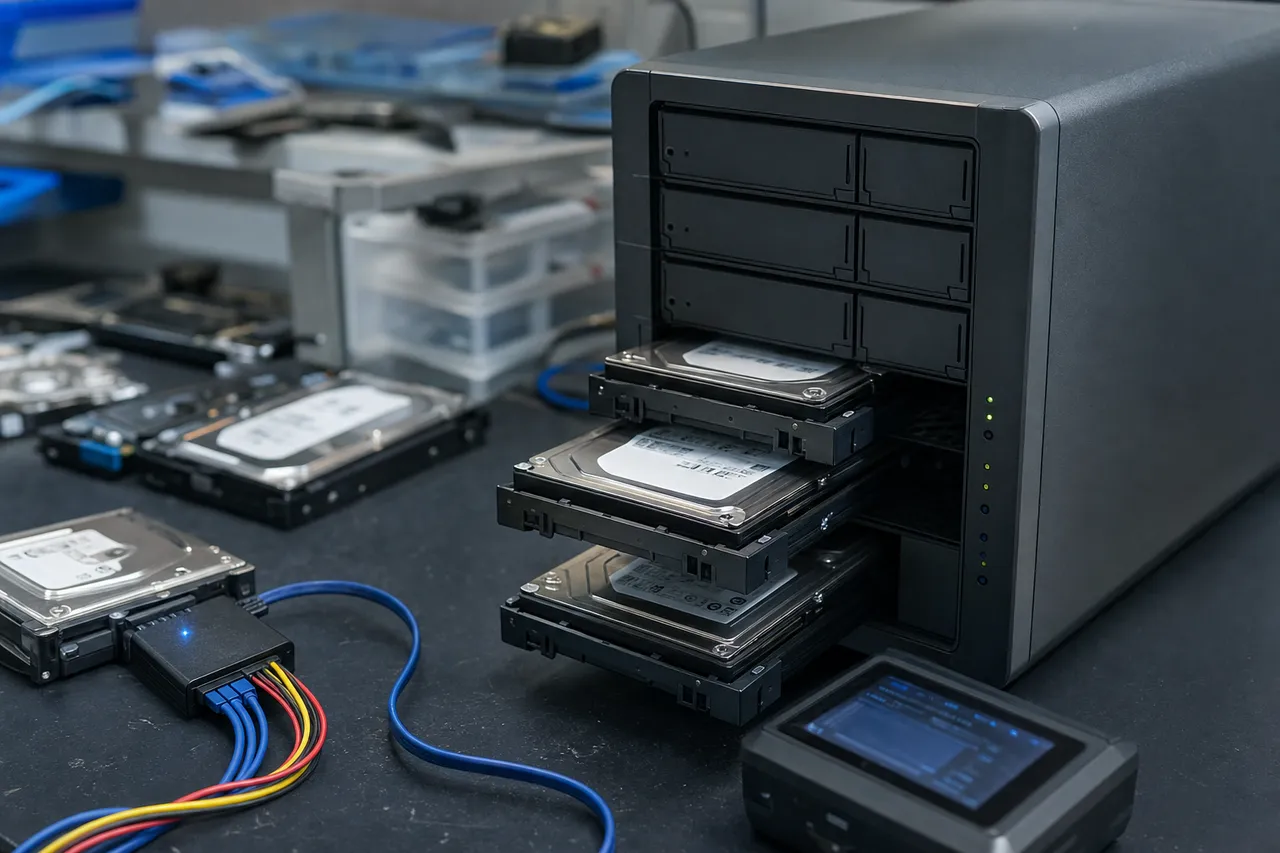
At its core, RAID distributes data across multiple drives using one of several strategies. Striping splits data into blocks and writes each block to a different drive in the array, allowing multiple drives to read and write simultaneously for improved performance. Mirroring writes identical copies of data to two or more drives, providing redundancy at the cost of usable capacity. Parity calculates mathematical checksums that allow the array to reconstruct data if one or more drives fail, providing redundancy without requiring a full duplicate copy of all data. The way these strategies are combined defines the RAID level.
RAID 0 uses striping only - maximum performance but zero redundancy. RAID 1 uses mirroring - full redundancy but only half the total capacity is usable. RAID 5 uses striping with distributed parity - good balance of performance, capacity, and redundancy with tolerance for a single drive failure. RAID 6 adds a second parity calculation for tolerance of two simultaneous drive failures. RAID 10 combines mirroring and striping for both redundancy and performance. Each level has different recovery implications that we address in detail in the sections below.
Every RAID array stores metadata that defines its configuration - the stripe size (typically 64KB to 256KB), the parity algorithm and rotation direction, the order in which drives are numbered, the offset at which user data begins, and the boundaries of the logical volume. This metadata is critical for recovery because without it, the raw data on the individual drives cannot be reassembled into a meaningful file system. Hardware RAID controllers store this metadata on the drives and sometimes on the controller itself. Software RAID systems (including those in Synology, QNAP, and Linux mdadm) store metadata in superblocks on each member drive. When RAID metadata is lost, corrupted, or overwritten, the array cannot be assembled - and this is one of the most common scenarios we see at MDrepairs.
The concept of stripe size is particularly important for RAID recovery. A stripe is the amount of contiguous data written to a single drive before the controller moves to the next drive in the array. If the stripe size is 64KB, the first 64KB of a file goes to drive 0, the next 64KB to drive 1, and so on. If the stripe size was 256KB, those same blocks would be distributed differently. Recovering data from a RAID array requires knowing the exact stripe size - using the wrong value produces garbled, unusable data. MDrepairs determines stripe size through systematic analysis of data patterns across member drives, even when no metadata is available to indicate the correct value.
02
Striped, No Redundancy
RAID 0 Recovery - Striped Arrays With No Redundancy
RAID 0 distributes data across two or more drives using striping with no parity and no mirroring. This makes RAID 0 the fastest RAID level for sequential read and write operations because all drives work in parallel, but it also means there is absolutely zero fault tolerance. If any single drive in a RAID 0 array fails, the entire array becomes inaccessible because every drive holds fragments of every file. There is no redundancy data that can be used to reconstruct the missing blocks.
DISK 1
A1A3A5
DISK 2
A2A4A6
RAID 0 is commonly used in workstations where performance matters more than redundancy - video editing rigs, audio production stations, gaming PCs, and scratch disk configurations for applications like Adobe Premiere Pro, DaVinci Resolve, and Pro Tools. Many users choose RAID 0 because they have backups elsewhere, but in practice, backups are often outdated or incomplete when disaster strikes.
Recovering data from a failed RAID 0 array requires imaging the failed drive (or drives) and then reconstructing the stripe order and stripe size. The challenge with RAID 0 recovery is that every single block of data must be accounted for - there is no parity to fill in gaps. If the failed drive has bad sectors, those specific blocks of data are permanently lost. However, the rest of the data on the array - which can be the vast majority - is fully recoverable as long as the stripe parameters can be determined.
MDrepairs approaches RAID 0 recovery by first performing a thorough health assessment of every drive in the array. If a drive has a physical failure - failed heads, firmware corruption, motor seizure - we address that failure first to get the drive to a state where it can be imaged. Once all drives are imaged, we analyze the data patterns to determine the stripe size and drive order. Common stripe sizes for RAID 0 are 64KB, 128KB, and 256KB, and getting this value wrong by even one setting produces completely garbled output. We verify the stripe configuration by checking that known file structures span correctly across the reconstructed volume before finalizing the recovery.
One important consideration for RAID 0 recovery is that the data on the remaining healthy drives is completely useless without the failed drive. You cannot extract partial data from a single drive in a RAID 0 array because each file's data blocks are interleaved across all member drives. This is why it is critical to power off the array immediately when a drive fails and send all drives - healthy and failed - to a professional lab. Attempting to access or rebuild the array with consumer tools can overwrite existing data and reduce the chances of a successful recovery.
At MDrepairs, our RAID 0 recovery success rate exceeds 90% when the failed drive does not have severe platter damage. Even in cases where the failed drive has some bad sectors, we can typically recover 95% or more of the total data, with losses limited to the specific files or file fragments that resided on the unreadable sectors of the failed drive.
03
Mirrored Drives
RAID 1 Recovery - Mirrored Drives and Simultaneous Failures
RAID 1 mirrors data across two or more drives, maintaining identical copies of all data on every member drive. In theory, RAID 1 provides the strongest redundancy of any RAID level because every drive contains a complete copy of all data. If one drive fails, the other continues operating with zero data loss. However, RAID 1 failures still require professional recovery more often than most people expect.
DISK 1
A1A2A3
DISK 2
A1A2A3
MIRROR The most common RAID 1 recovery scenario at MDrepairs involves both drives failing in close succession. Because mirrored drives are the same model, same age, and subjected to the same workload and environmental conditions, they tend to develop similar wear patterns. It is not uncommon for both drives in a RAID 1 to develop bad sectors in different locations within weeks of each other. When this happens, the array may go offline even though neither drive has failed completely. In these cases, MDrepairs images both drives and combines the readable sectors from each to reconstruct a complete dataset - reading a sector from drive A when drive B has a bad sector in that location, and vice versa.
Another common RAID 1 failure scenario involves the mirror becoming desynchronized - known as a split-brain condition. This can occur after a power failure, a cable issue, or a controller malfunction that causes both drives to continue operating independently, each accepting different writes. When the array is reassembled, the controller may not know which drive has the most current version of each block. MDrepairs analyzes timestamps, file system journals, and write patterns to determine which version of the data is most recent and construct a consistent, up-to-date dataset from the two divergent mirrors.
RAID 1 is also commonly used in NAS devices configured for maximum data protection rather than capacity. Synology and QNAP devices often ship with a default RAID 1 configuration for two-bay models. These NAS implementations use Linux mdadm or their own RAID management layer, and the metadata format differs from hardware RAID controllers. MDrepairs is experienced with both the Synology SHR (Synology Hybrid RAID) implementation of mirroring and the QNAP standard mdadm-based mirror configuration.
Recovery from a RAID 1 array where one drive is healthy and one has failed is straightforward in most cases - the healthy drive contains a complete copy of all data. However, customers often come to us after attempting to rebuild the mirror and encountering problems. A failed rebuild on a RAID 1 can overwrite good data on the surviving drive with bad data from the failed drive, or a controller error during rebuild can corrupt the file system. In these situations, MDrepairs works from the pre-rebuild image of the surviving drive to recover the most complete and consistent dataset possible.
04
Distributed Parity
RAID 5 Recovery - Distributed Parity and Single-Drive Tolerance
RAID 5 is the most popular RAID level for both NAS devices and business servers because it offers a practical balance of performance, capacity, and redundancy. RAID 5 requires a minimum of three drives and uses distributed parity - meaning parity information is spread across all drives in the array rather than stored on a single dedicated parity drive. This allows RAID 5 to survive the failure of any single drive without data loss, while using only one drive's worth of capacity for parity overhead.
DISK 1
A1B2Cp
DISK 2
A2BpC1
DISK 3
ApB1C2
The way RAID 5 parity works is mathematically straightforward but operationally complex. For each stripe across the array, one drive holds the parity block while the remaining drives hold data blocks. The parity block is calculated using an XOR operation across all data blocks in that stripe. If any single drive fails, the missing data can be recalculated by XORing the remaining data blocks with the parity block. The parity drive rotates with each stripe - this is the ‘distributed’ part - so that no single drive bears the entire parity write burden.
RAID 5 recovery becomes necessary when two or more drives fail, rendering the array unable to reconstruct the missing data through parity calculations alone. This is the single most common RAID recovery scenario we see at MDrepairs, accounting for roughly 40% of all RAID cases. The typical sequence of events is: one drive fails, the array continues operating in degraded mode, and then a second drive fails before the first can be replaced and rebuilt. The second failure can happen minutes, hours, or days after the first, but it is more likely during a rebuild because the rebuild process puts extreme read stress on every remaining drive.
Recovering a RAID 5 array with two failed drives requires imaging all drives individually and then reconstructing the array without relying on parity for the missing data. If both failed drives can be imaged - even with some bad sectors - MDrepairs can often achieve a complete recovery by cross-referencing the data and parity information from all drives. The recovery process involves determining the stripe size, identifying the parity rotation direction (left-synchronous, left-asymmetric, right-synchronous, or right-asymmetric), establishing the correct drive order, and then assembling the virtual disk.
Parity rotation direction is a detail that trips up many DIY recovery attempts. There are four standard parity rotation algorithms, and using the wrong one produces data that appears partially valid but contains systematic corruption. MDrepairs determines the parity rotation by analyzing the data patterns in the first several hundred stripes of the array, looking for the characteristic signature of each algorithm. This analysis requires deep familiarity with RAID internals and cannot be performed by standard consumer recovery software.
RAID 5 arrays using Synology SHR (Synology Hybrid RAID) present an additional layer of complexity. SHR uses Linux mdadm under the hood but adds its own partition layout and metadata structure. A standard RAID 5 reconstruction tool will not correctly handle an SHR volume because the partition boundaries and superblock locations differ from a standard mdadm configuration. MDrepairs maintains detailed documentation on the SHR implementation across every Synology DSM version and can reconstruct SHR volumes even when the Synology superblocks are damaged or missing.
05
Double Parity
RAID 6 Recovery - Double Parity for Maximum Protection
RAID 6 extends the parity concept of RAID 5 by adding a second independent parity calculation, allowing the array to survive the simultaneous failure of any two drives. This makes RAID 6 the preferred choice for large arrays where the statistical probability of a second drive failing during a rebuild is significant. RAID 6 requires a minimum of four drives and uses two drives' worth of capacity for parity overhead.
DISK 1
A1BpCq
DISK 2
A2B1Cp
DISK 3
ApB2C1
DISK 4
AqBqC2
The second parity calculation in RAID 6 uses a different mathematical algorithm than the first. While the P parity (same as RAID 5) uses a simple XOR operation, the Q parity uses Galois Field arithmetic - specifically, calculations over GF(2^8). This means that RAID 6 recovery requires not only understanding XOR-based parity reconstruction but also implementing the Reed-Solomon error correction mathematics that underpin the Q parity. This is significantly more complex than RAID 5 recovery and is one reason why RAID 6 recovery costs more at every professional lab, including MDrepairs.
RAID 6 recovery becomes necessary when three or more drives fail, when the array metadata is corrupted, or when a rebuild operation fails. While three-drive failures in a RAID 6 are relatively rare, metadata corruption and rebuild failures are not. We see RAID 6 arrays most often in enterprise environments - Dell PowerEdge servers with PERC controllers, HP ProLiant servers with Smart Array controllers, and large Synology or QNAP NAS units configured for maximum protection. These environments often run virtual machines, databases, and business applications where data loss is unacceptable.
One scenario unique to RAID 6 is a partial rebuild failure that leaves the array in an inconsistent state between two different configurations. During a rebuild, the controller is rewriting parity data across the array. If the rebuild fails partway through, some stripes have updated parity while others retain the old parity values. Recovering data from this state requires identifying exactly where the rebuild reached - the boundary between updated and original stripes - and using the appropriate parity values for each region. MDrepairs maps this boundary by analyzing parity consistency across every stripe in the array, a process that is computationally intensive but critical for a complete recovery.
RAID 6 arrays with hardware RAID controllers present an additional challenge because the controller may use a proprietary implementation of the dual parity algorithms. Dell PERC controllers, HP Smart Array controllers, and LSI MegaRAID controllers each have slightly different implementations of the Q parity calculation and parity rotation patterns. MDrepairs maintains a database of controller-specific RAID implementations that allows our engineers to correctly reconstruct arrays from any major hardware controller without needing the original controller hardware.
For customers considering RAID 6 for their storage needs, it is worth noting that RAID 6 is not immune to data loss. While it tolerates two-drive failures, scenarios like RAID controller failure, accidental reconfiguration, ransomware, and firmware corruption can still render a RAID 6 array inaccessible. The dual parity provides excellent protection against hardware failures but does not protect against logical or human errors. Regular backups remain essential even with RAID 6.
06
Mirrored Stripes
RAID 10 Recovery - Mirrored Stripes for Performance and Redundancy
RAID 10, also written as RAID 1+0, combines mirroring and striping to deliver both high performance and strong redundancy. A RAID 10 array consists of mirrored pairs of drives, with data striped across the pairs. A minimum of four drives is required - two mirrored pairs - and the array can tolerate one drive failure per mirrored pair without data loss. RAID 10 is favored for database servers, virtualization hosts, and high-performance applications where both speed and reliability are critical.
DISK 1
A1A2A3
PAIR 1 DISK 2
A1A2A3
PAIR 1 DISK 3
B1B2B3
PAIR 2 DISK 4
B1B2B3
PAIR 2 The key advantage of RAID 10 for data recovery is that each mirrored pair contains a complete copy of its portion of the data. If one drive in a pair fails, the mirror partner has all the data. However, if both drives in the same mirrored pair fail - which is less common but does happen - the entire array goes offline because one complete stripe set is missing and there is no parity to reconstruct it.
RAID 10 recovery at MDrepairs typically involves one of three scenarios. First, a dual failure within the same mirror pair, where both drives holding the same data have failed. In this case, we must recover at least one of the two failed drives to restore the missing stripe data. Second, a controller failure that prevents the array from being assembled despite all drives being healthy. Third, a rebuild failure where replacing a failed drive and initiating a rebuild caused corruption or triggered a secondary failure.
The recovery process for RAID 10 requires identifying which drives form each mirrored pair and then determining the stripe order across the pairs. Hardware RAID controllers number drives internally, and this numbering may not match the physical slot positions or the order in which the drives are connected. MDrepairs determines the correct mirror pairings and stripe order by analyzing the data content of each drive - looking for matching data between mirrors and consistent stripe patterns across pairs.
RAID 10 is commonly deployed on Dell PowerEdge and HP ProLiant servers using hardware RAID controllers with battery-backed cache. When the battery backup unit (BBU) fails or loses charge, the controller may switch from write-back to write-through caching, dramatically reducing write performance. More critically, a BBU failure during a power outage can cause uncommitted writes in the cache to be lost, resulting in file system corruption even though the drives themselves are healthy. MDrepairs recovers data from cache-loss scenarios by repairing the file system structures and recovering any files damaged by the incomplete write operations.
Enterprise RAID 10 arrays using SAS drives present unique imaging challenges. SAS (Serial Attached SCSI) drives use a different interface than SATA drives and require specialized hardware to image. Many consumer and even professional data recovery tools do not support direct SAS drive imaging. MDrepairs uses enterprise-grade SAS controllers and imaging hardware that can directly read SAS drives at the sector level, including drives with proprietary formatting from specific server platforms. Our SAS imaging capabilities extend to 512e sector drives, 4Kn native sector drives, and drives with non-standard sector sizes used by specific controller firmware versions.
07
Synology / QNAP / Buffalo
NAS RAID Recovery - Synology, QNAP, Buffalo, and NETGEAR
Network Attached Storage devices from Synology, QNAP, Buffalo, and NETGEAR are among the most common RAID platforms we recover at MDrepairs. These devices make RAID accessible to small businesses and home users who need shared storage with redundancy but lack the technical expertise to configure a traditional server. While NAS devices simplify RAID management, they also introduce platform-specific challenges that complicate recovery when things go wrong.
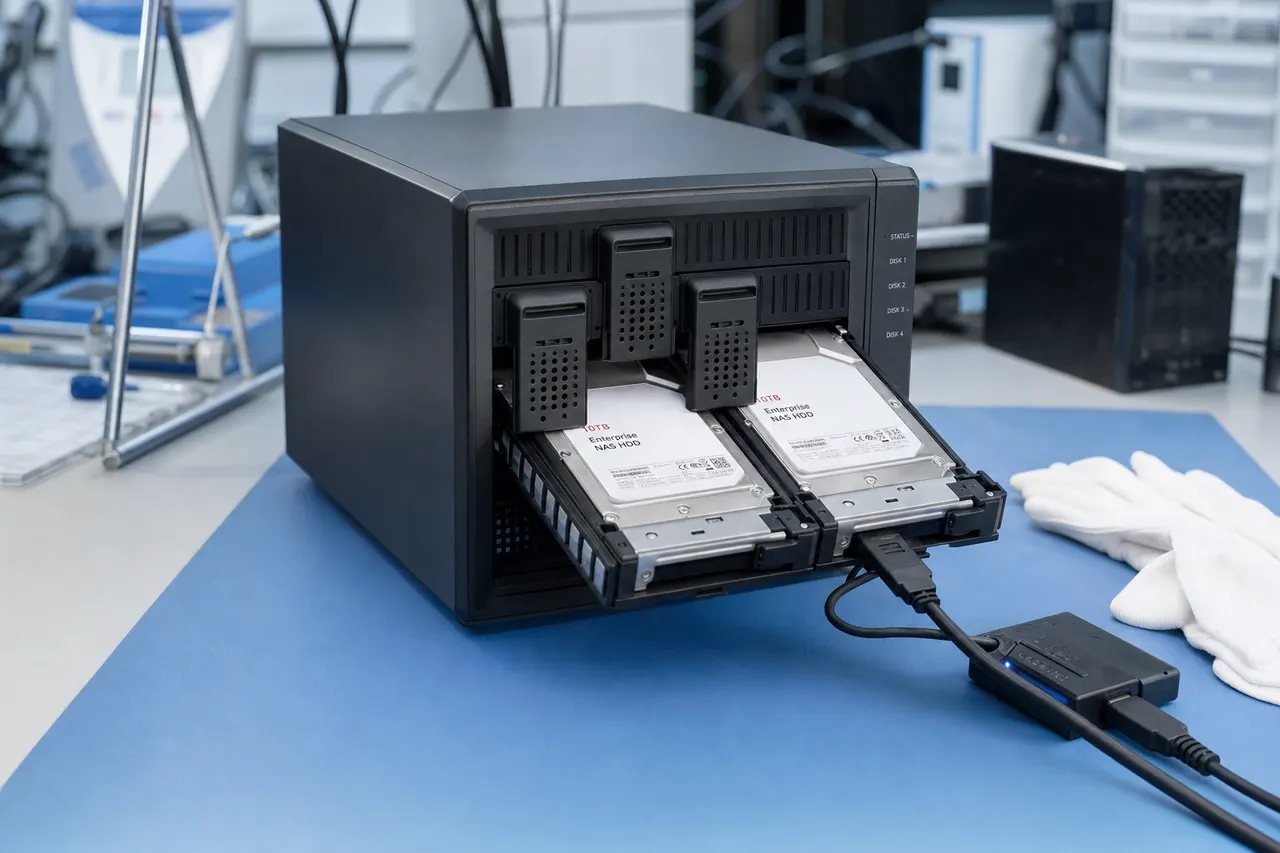
Synology NAS devices are the most popular platform in our RAID recovery caseload. Synology uses its own Synology Hybrid RAID (SHR) system by default, which is based on Linux mdadm and LVM but with a proprietary partition layout. An SHR volume typically consists of multiple mdadm RAID arrays combined through LVM to create a single logical volume. The partition table on each drive divides the disk into several partitions - a small system partition, a swap partition, and one or more data partitions that participate in the RAID. Understanding this layout is critical for recovery because simply scanning the drives for a standard RAID superblock will not correctly identify the SHR configuration. MDrepairs has documented the SHR partition layout for every major Synology DSM version from DSM 5 through DSM 7, and our tools can automatically detect and reconstruct SHR volumes.
QNAP NAS devices use a more standard Linux mdadm configuration but with their own management layer and metadata format. QNAP devices store RAID configuration in the mdadm superblock on each drive and in a configuration database on an internal flash module. When the flash module fails - which is a known issue on older QNAP models - the NAS may lose its volume configuration even though all drives are healthy. MDrepairs recovers data from QNAP devices with flash failures by reading the mdadm superblocks directly from the member drives and assembling the array manually.
Buffalo TeraStation and LinkStation devices use a Linux-based operating system with XFS or ext4 file systems on top of mdadm RAID. Buffalo devices are known for a failure mode where the device displays an error code on its LCD screen and refuses to boot. Common error codes include E04 (disk failure), E14 (RAID degraded), E16 (RAID not mountable), and E30 (replace disk). These error codes often cause unnecessary panic because the underlying data is frequently recoverable. MDrepairs has a comprehensive guide to Buffalo error codes and the corresponding recovery procedures for each.
NETGEAR ReadyNAS devices present their own unique challenges. Older ReadyNAS models used a proprietary implementation called X-RAID that automatically manages RAID configuration and can dynamically expand the array when new drives are added. X-RAID volumes use a non-standard partition layout and metadata format that generic RAID reconstruction tools cannot handle. MDrepairs has reverse-engineered the X-RAID metadata format and can reconstruct X-RAID volumes from the raw drive data, even when the ReadyNAS device itself is non-functional.
Regardless of the NAS manufacturer, one of the most important factors in a successful NAS RAID recovery is preserving the original drive order. NAS devices assign internal numbering to drives based on their physical slot positions, and this numbering determines the drive order in the RAID array. If drives are removed from the NAS and reconnected in different positions - or connected to a different NAS unit - the drive order may change, causing the array to be assembled incorrectly. MDrepairs always asks customers to label each drive with its original slot number before shipping, and we use metadata analysis to verify drive ordering even when labels are unavailable.
08
Dell / HP / Lenovo
Server RAID Recovery - Dell, HP, and Lenovo Hardware RAID
Enterprise servers from Dell, HP (Hewlett Packard Enterprise), and Lenovo use dedicated hardware RAID controllers that manage the array independently of the operating system. These controllers - Dell PERC, HP Smart Array, and Lenovo ThinkSystem RAID - provide performance, reliability, and management features that software RAID cannot match. However, they also introduce unique recovery challenges because the RAID configuration is tied to specific controller hardware and firmware.
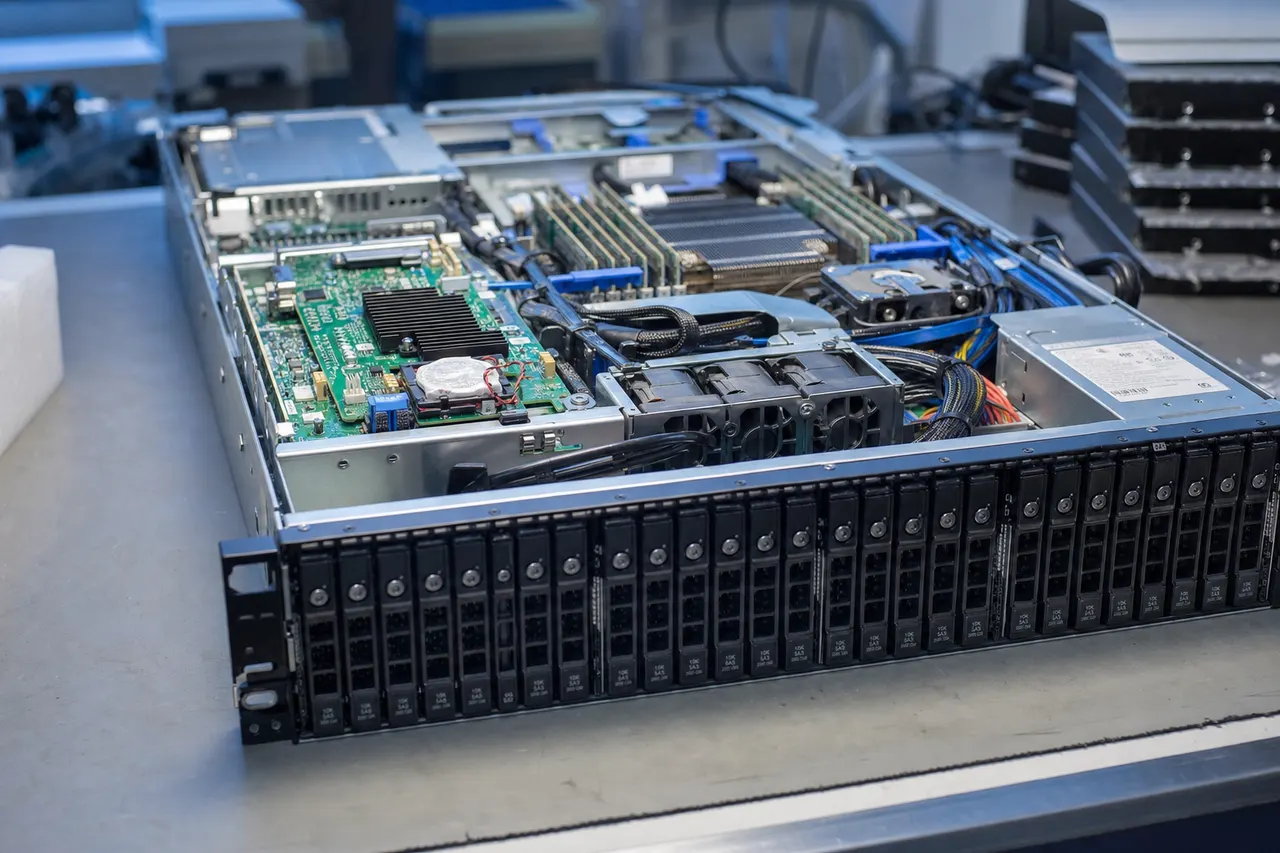
Dell PowerEdge servers use PERC (PowerEdge RAID Controller) cards, with models ranging from the PERC H310 and H710 in older servers to the PERC H730, H740, and H745 in current models. PERC controllers store RAID metadata in a proprietary format on the drives, and the metadata includes the virtual disk configuration, drive group assignments, stripe size, caching policy, and controller serial number. When a PERC controller fails, the replacement controller must be the same model family to recognize the existing metadata. If a different controller model is installed, or if the metadata is cleared during troubleshooting, the drives become ‘foreign’ and the virtual disk cannot be imported. MDrepairs recovers data from PERC-managed arrays by reading the raw data and reconstructing the RAID configuration independently of the controller, eliminating the dependency on specific hardware.
HP ProLiant servers use Smart Array controllers, including the P408i, P816i, E208i, and their predecessors. Smart Array controllers use their own metadata format called the Array Configuration Metadata (ACM), stored at specific locations on each member drive. HP Smart Array controllers are known for a behavior where a failed controller or failed battery backup unit can cause the controller to mark all drives as ‘not configured’ even though the drives and their data are perfectly intact. This is a protective measure but it effectively locks users out of their data. MDrepairs bypasses this lockout by reading the ACM metadata directly from the drives and reconstructing the virtual disk without needing a functioning Smart Array controller.
Lenovo ThinkSystem servers use Broadcom-based RAID controllers that share the MegaRAID architecture with LSI and Avago controllers. These controllers are widely used across many server brands and store metadata in the DDF (Disk Data Format) standard or a proprietary variant. MegaRAID controllers provide a management interface called the MegaRAID Storage Manager and a command-line tool called StorCLI for array management. One common failure scenario is an administrator accidentally running a StorCLI command that clears or modifies the array configuration. MDrepairs can recover from these situations because the DDF metadata on the drives contains enough information to reconstruct the original configuration, even after the controller's in-memory configuration has been cleared.
SAS drives used in enterprise servers require specialized imaging equipment. Unlike SATA drives that can be imaged with widely available tools, SAS drives use the SCSI command set and a different physical connector. MDrepairs uses enterprise-grade SAS host bus adapters and specialized imaging software that can handle SAS-specific features including dual-port access, T10 Protection Information (PI), and non-512-byte sector sizes. Our imaging hardware supports both 12Gb/s and 6Gb/s SAS drives as well as legacy 3Gb/s models found in older server platforms.
09
Key Differences
Software RAID vs Hardware RAID Recovery - Key Differences
RAID can be implemented in software by the operating system or in hardware by a dedicated controller card. Both approaches create multi-drive arrays with striping, mirroring, or parity, but the way they store data and metadata differs significantly, and these differences directly impact the recovery process. Understanding whether your array uses software or hardware RAID is one of the first things MDrepairs determines during the diagnostic phase.
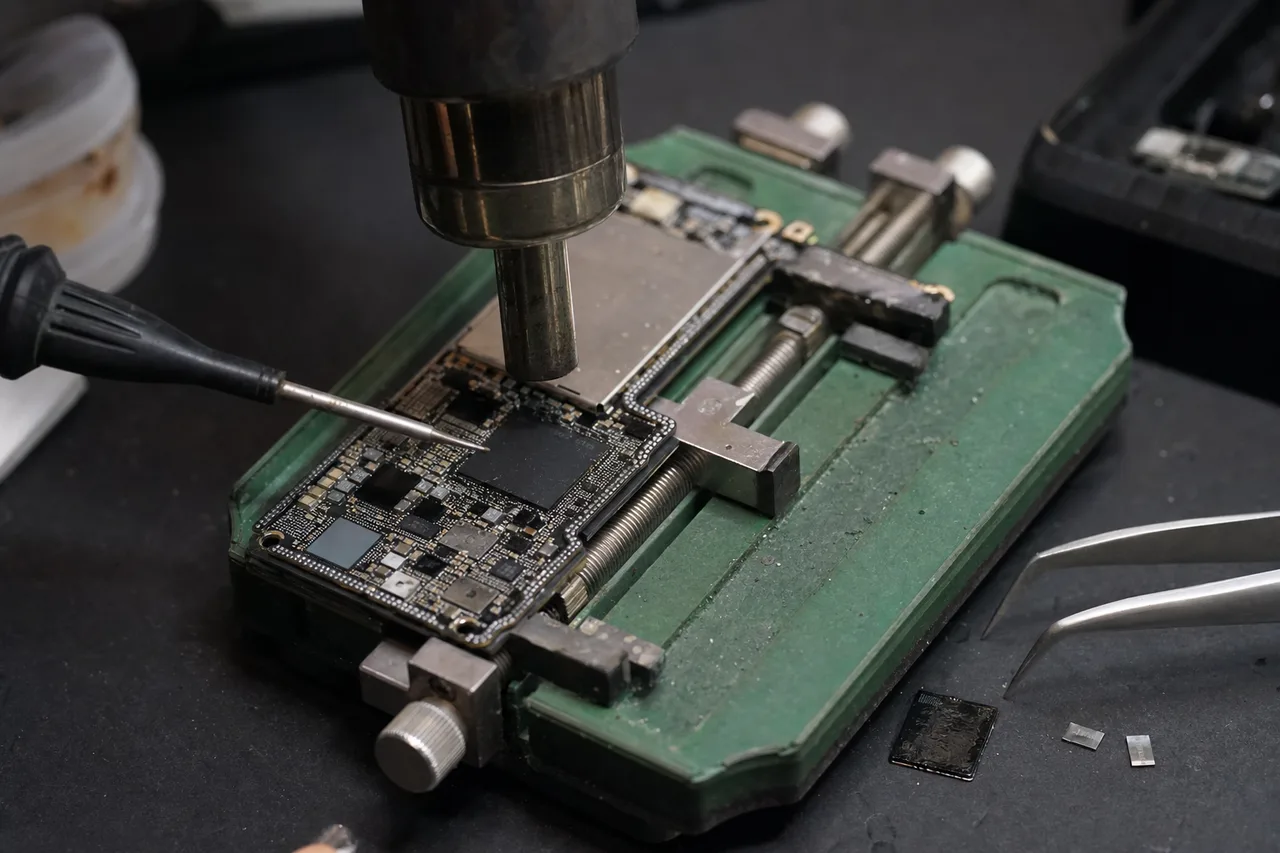
Hardware RAID uses a dedicated controller card with its own processor, memory, and often a battery-backed cache. The controller manages all RAID operations transparently - the operating system sees a single virtual disk and has no knowledge of the individual member drives or the RAID configuration. Hardware RAID metadata is stored in a proprietary format specific to the controller manufacturer. Dell PERC, HP Smart Array, LSI MegaRAID, and Adaptec controllers all use different metadata formats and different RAID parameter implementations. This means that recovering from a hardware RAID requires knowledge of the specific controller's metadata format, which is not publicly documented by most manufacturers.
Software RAID is managed by the operating system itself. Linux uses mdadm to create and manage software RAID arrays, with metadata stored in a standardized superblock format on each member drive. Windows uses Storage Spaces or Dynamic Disks for software RAID functionality. macOS used Apple RAID in earlier versions, though this has been deprecated. NAS devices from Synology, QNAP, and Buffalo all use Linux mdadm under the hood, making them technically software RAID implementations despite being managed through a hardware appliance.
From a recovery perspective, software RAID is generally easier to recover than hardware RAID for several reasons. First, the metadata formats are well-documented. The mdadm superblock format is open-source and thoroughly documented, meaning recovery tools can reliably parse and interpret the metadata. Second, software RAID does not depend on specific hardware - the array can be assembled on any system running the same operating system. Third, software RAID metadata is stored redundantly on every member drive, so losing one drive does not mean losing the configuration information.
Hardware RAID recovery is more challenging because of the proprietary metadata formats, controller-specific RAID implementations, and the dependency on specific hardware. However, hardware RAID controllers typically offer better write performance due to battery-backed cache, and they offload RAID calculations from the CPU. For enterprise environments running databases and virtual machines, the performance benefits of hardware RAID often outweigh the recovery complexity.
MDrepairs recovers data from both software and hardware RAID with equal proficiency. For software RAID, we parse the mdadm superblocks, LVM metadata, and file system structures to reconstruct the array. For hardware RAID, we analyze the data patterns on the raw drives to determine the RAID parameters and reconstruct the virtual disk without requiring the original controller hardware. In both cases, the recovery produces the same result - a complete reconstruction of the file system and all recoverable user data.
One hybrid approach worth mentioning is the use of RAID cards in ‘IT mode’ or ‘JBOD mode,’ where the controller passes individual drives through to the operating system without any RAID functionality. This is common in systems using ZFS, which implements its own software RAID (RAIDZ, RAIDZ2, RAIDZ3). ZFS stores extensive metadata including checksums, transaction groups, and redundant copies of the metadata tree, making it one of the more recoverable file systems when drives fail. MDrepairs has extensive experience recovering ZFS pools from NAS devices, servers, and custom-built storage systems.
10
When Rebuilds Go Wrong
RAID Rebuild Failures - When Rebuilds Go Wrong
The RAID rebuild process is statistically the most dangerous period in the life of a RAID array. When a drive fails and is replaced, the controller must read every sector from every remaining drive to recalculate the missing data and write it to the replacement drive. This process subjects the surviving drives to sustained, intense read operations for hours or even days - and it is during this period that latent drive problems most commonly surface and cause a second failure that brings the entire array offline.
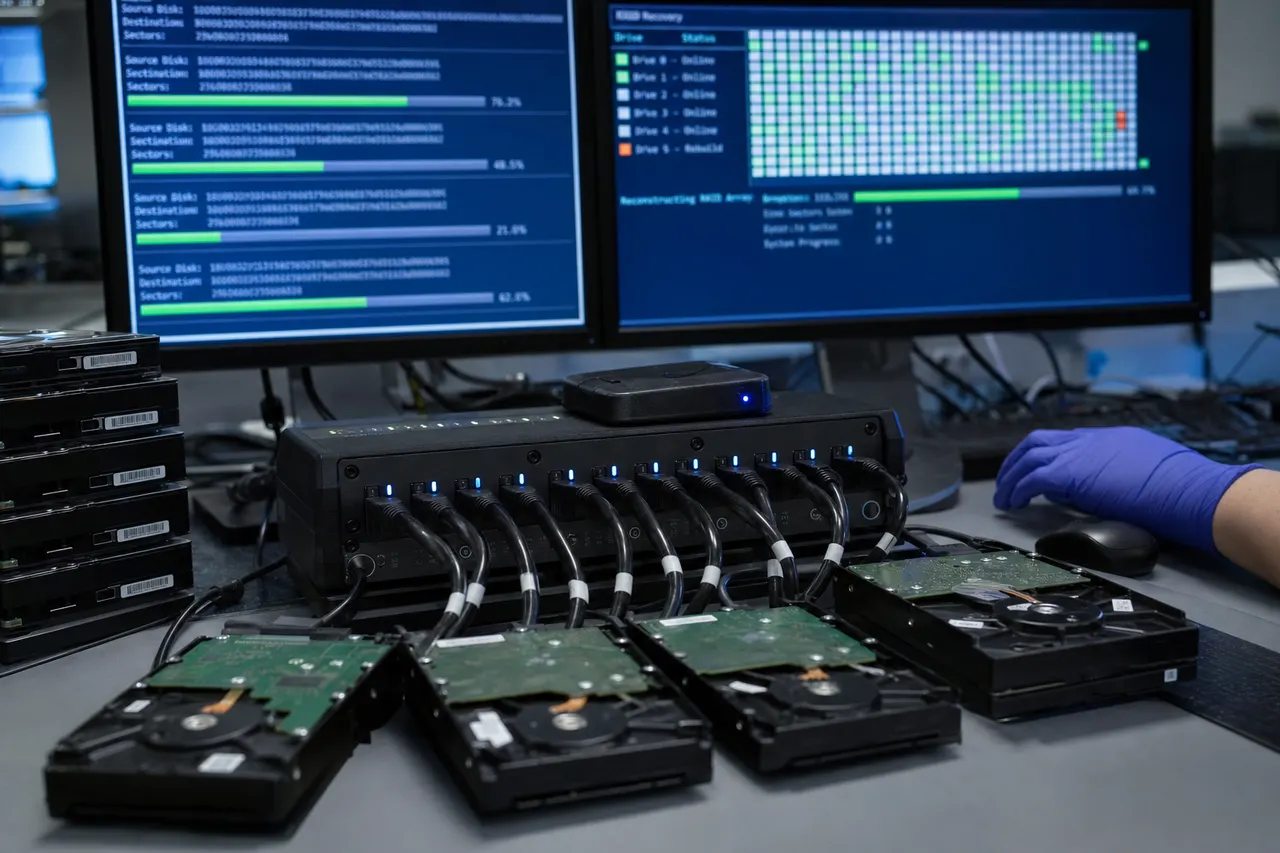
The mathematics behind rebuild risk are sobering. In a RAID 5 array with four 8TB drives, a rebuild requires reading approximately 24TB of data from three drives. At a sustained read speed of 200MB/s per drive, this takes roughly 12 hours under ideal conditions. Enterprise drives have a specified unrecoverable bit error rate (UBER) of approximately 1 in 10^15 bits read. At 24TB (approximately 2.1 x 10^14 bits), there is roughly a 20% chance of encountering an unrecoverable read error during the rebuild. With consumer drives, which have a higher UBER of 1 in 10^14 bits, the probability approaches certainty for large arrays. This is why enterprise NAS drives like the Seagate IronWolf Pro and Western Digital Red Pro are rated for RAID use - they have lower error rates and TLER (Time Limited Error Recovery) firmware that prevents the controller from dropping them during the rebuild process.
When a rebuild fails, the consequences depend on how far the rebuild had progressed and what caused the failure. If the rebuild failed due to an unrecoverable read error on one of the surviving drives, the data in that specific location is lost - but the rest of the array's data is typically intact and recoverable. If the rebuild failed because the replacement drive itself failed, the array is in the same state it was before the rebuild started, and recovery proceeds as a standard multi-drive failure case. The worst outcome is when the rebuild fails and the controller marks the array as failed, preventing any further access and sometimes overwriting metadata in the process.
MDrepairs sees rebuild failures in roughly 30% of RAID 5 and RAID 6 recovery cases. Our approach to recovering from a failed rebuild is to image all drives - including the partially rebuilt replacement drive - and determine exactly where the rebuild stopped. The replacement drive contains valid rebuilt data up to the point of failure and invalid or unwritten data beyond that point. We use the partially rebuilt data where it is valid and fall back to parity reconstruction for the remainder, maximizing the amount of recoverable data.
Several best practices can reduce rebuild failure risk. Using enterprise-grade drives with appropriate UBER ratings and TLER firmware is essential. Keeping a hot spare configured in the array allows rebuilds to begin immediately after a failure, reducing the window during which the array operates in a degraded state. Monitoring drive health with S.M.A.R.T. data and replacing drives proactively when they show early warning signs - reallocated sectors, pending sectors, increased read error rates - can prevent failures before they occur. And perhaps most importantly, having a verified backup means that even a complete rebuild failure does not result in permanent data loss.
11
VMware / Hyper-V / Proxmox
Virtual Machine Recovery from RAID Arrays
RAID arrays in enterprise environments frequently host virtualization platforms including VMware ESXi, Microsoft Hyper-V, and Proxmox VE. When a RAID array hosting virtual machines fails, the recovery process involves multiple layers - first reconstructing the RAID array, then recovering the virtual disk format (VMDK, VHDX, or QCOW2), and finally extracting the file systems and data from within each virtual machine. MDrepairs has extensive experience with every major virtualization platform and can recover individual virtual machines from failed RAID arrays.
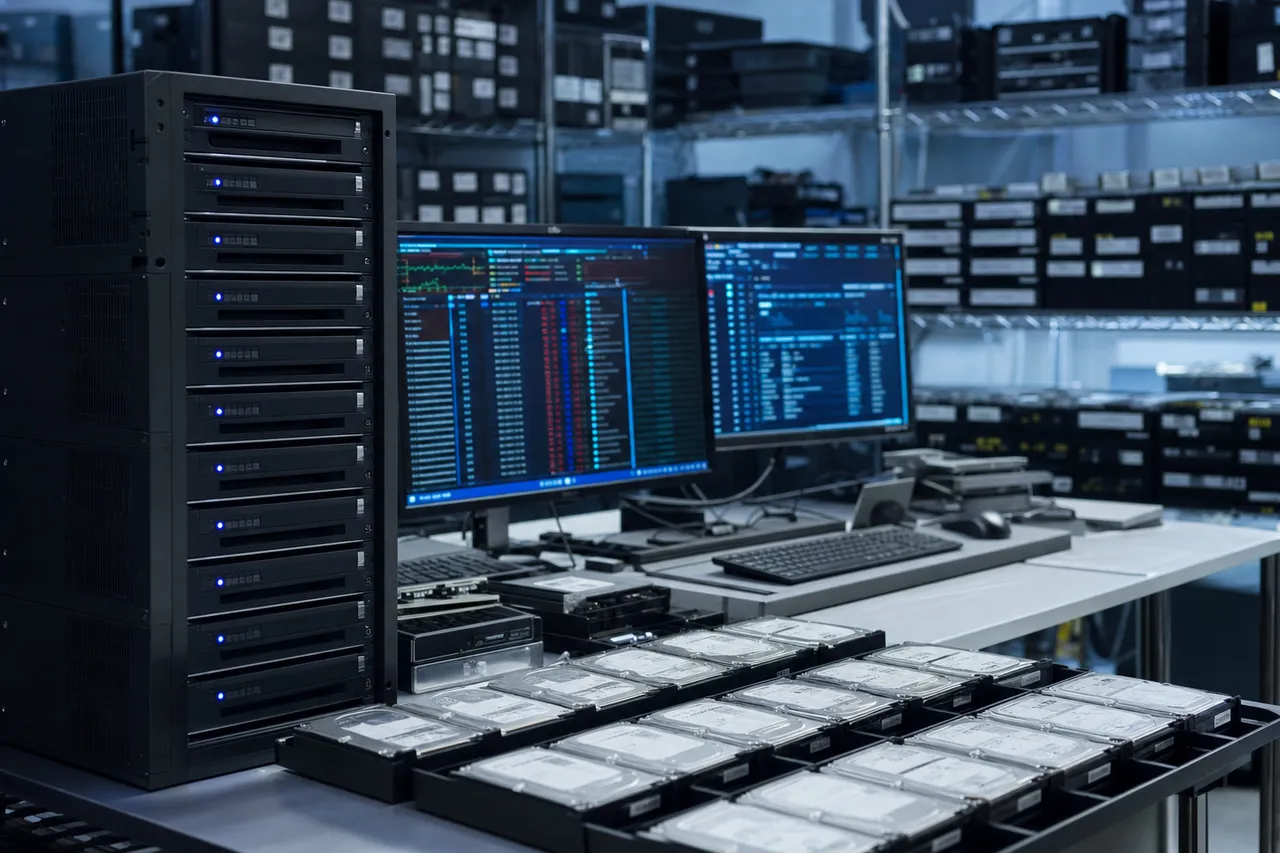
VMware ESXi stores virtual machines on VMFS (Virtual Machine File System) datastores. VMFS is a clustered file system designed for storing large virtual disk files and is not natively readable by Windows or standard Linux installations. When a RAID array hosting a VMFS datastore fails, the recovery process requires first reconstructing the RAID volume, then parsing the VMFS file system to locate the VMDK (Virtual Machine Disk) files, and finally mounting each VMDK to access the virtual machine's internal file system and data. MDrepairs uses specialized tools that can parse VMFS datastores from raw disk images, including VMFS versions 5 and 6, and extract individual VMDK files along with their associated configuration files, snapshots, and delta disks.
Microsoft Hyper-V stores virtual machines as VHDX (Virtual Hard Disk) files on standard NTFS or ReFS volumes. While the outer file system is more accessible than VMFS, Hyper-V introduces its own recovery challenges. VHDX files can be dynamically expanding (growing as data is written), differencing (storing only changes from a parent disk), or fixed (pre-allocated to full size). Differencing disks are particularly challenging for recovery because the current state of the virtual machine depends on a chain of parent-child relationships, and all disks in the chain must be recovered and correctly linked for the VM data to be accessible.
Proxmox VE, which is increasingly popular in small and medium business environments, stores virtual machines on local storage (LVM, ZFS, or directory-based) or on shared storage (Ceph, NFS, iSCSI). Proxmox uses QCOW2 format for disk images when stored on directory-based storage and LVM logical volumes for block-based storage. Recovering Proxmox VMs from a failed RAID array requires understanding the specific storage backend in use and the corresponding data layout on the physical drives.
In all virtualization recovery cases, MDrepairs provides customers with multiple delivery options. We can return the recovered data as complete virtual machine files (VMDK, VHDX, or QCOW2) that can be directly imported into a new virtualization host, or we can extract the files from within each virtual machine and deliver them as standard file-and-folder structures. For customers who need to restore a complete server environment, we can also deliver bootable VM images that include the operating system, applications, and data in a ready-to-run state.
Database recovery from virtual machines on RAID arrays adds another layer of complexity. SQL Server, MySQL, PostgreSQL, and Oracle databases stored in virtual machines require not only recovering the VMDK or VHDX file but also ensuring the database files within are in a consistent state. An unclean shutdown - which is almost always the case during a RAID failure - can leave database transaction logs in an incomplete state. MDrepairs includes database consistency checking and repair as part of our VM recovery service, ensuring that recovered databases are fully functional and not just structurally intact.
12
Array Maintenance
Preventing RAID Data Loss - Best Practices for Array Maintenance
RAID is not a backup. This is the single most important concept that every RAID user must understand. RAID protects against specific types of hardware failure - primarily individual drive failures - but it does not protect against accidental deletion, ransomware, file corruption, controller failures, natural disasters, theft, or any number of other data loss scenarios. Every RAID array, regardless of the level, should have a comprehensive backup strategy that includes at least one offsite or cloud backup copy.
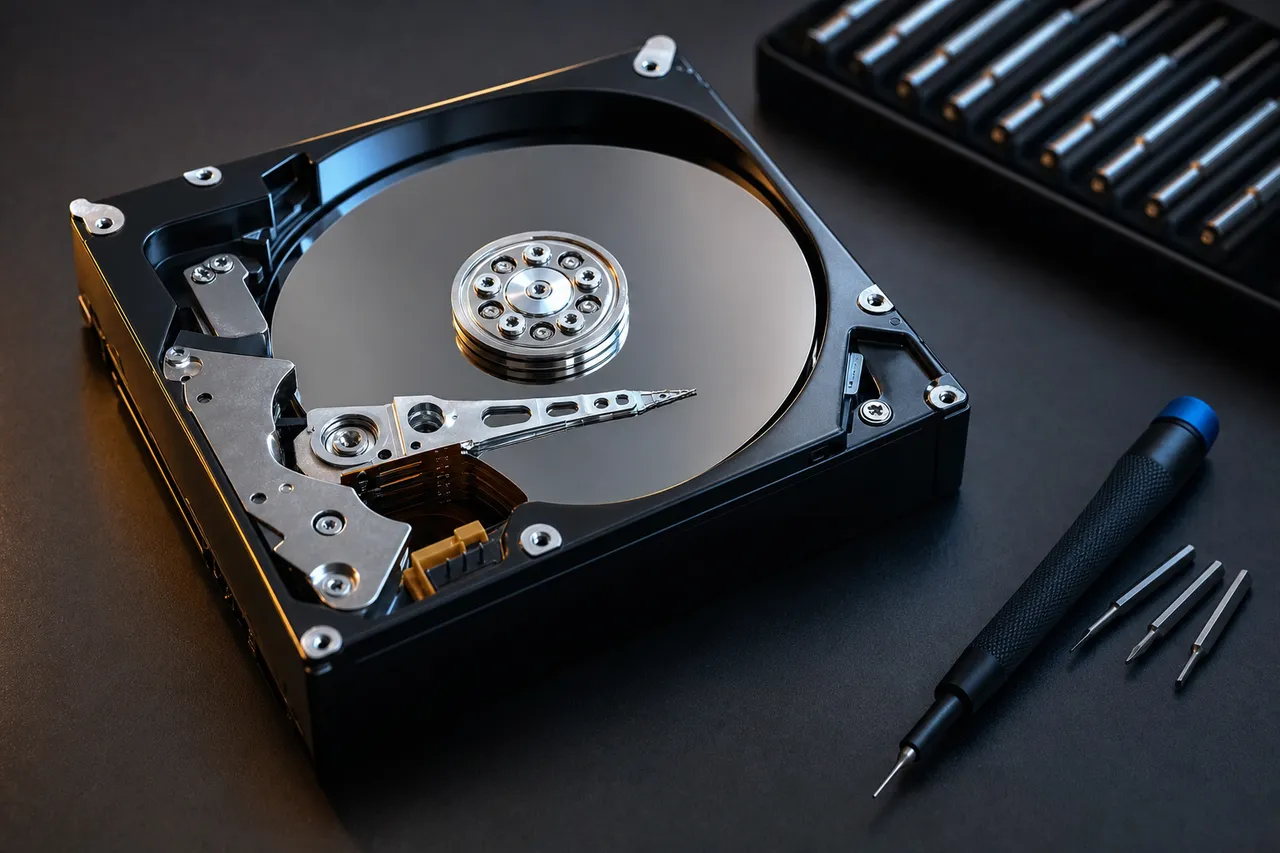
The most effective preventive measure for RAID arrays is proactive drive health monitoring. Every modern hard drive reports its health status through S.M.A.R.T. (Self-Monitoring, Analysis, and Reporting Technology) attributes. Key S.M.A.R.T. values to monitor include Reallocated Sector Count, Current Pending Sector Count, Uncorrectable Sector Count, and Spin Retry Count. When any of these values begin to increase, the drive is showing early signs of failure and should be replaced preemptively during a planned maintenance window rather than waiting for a catastrophic failure that triggers an emergency rebuild.
NAS devices from Synology, QNAP, and Buffalo all include built-in S.M.A.R.T. monitoring and can send email alerts when drives show warning signs. Enterprise servers with Dell PERC, HP Smart Array, or Lenovo ThinkSystem controllers provide similar monitoring through their management interfaces (iDRAC, iLO, XClarity). MDrepairs strongly recommends enabling these alerts and acting on them immediately - a warning about increasing reallocated sectors today can prevent a multi-drive failure and a five-figure recovery bill tomorrow.
Regular RAID consistency checks are another important maintenance task. A consistency check (also called a verify or patrol read) reads every block on every drive in the array and verifies that the data and parity are in agreement. If an inconsistency is found, the controller can correct it using the parity data before the inconsistency leads to data loss. Most RAID controllers and NAS operating systems can schedule automatic consistency checks - we recommend running them monthly. The check does impact array performance while running, so schedule it during off-peak hours.
UPS (Uninterruptible Power Supply) protection is critical for any RAID system. Power failures are one of the leading causes of RAID array corruption because interrupted write operations can leave the data and parity in an inconsistent state. A UPS provides battery backup that keeps the system running during short outages and allows a clean shutdown during extended outages. For enterprise servers with hardware RAID controllers that use battery-backed write cache, UPS protection is doubly important because a power failure can cause both the array data and the write cache to become inconsistent.
Firmware updates for RAID controllers and NAS devices should be applied judiciously. While firmware updates often fix bugs and improve reliability, they can also introduce new issues or change the RAID metadata format. MDrepairs recommends reading the release notes for any firmware update before applying it, maintaining a current backup before any update, and avoiding firmware updates on arrays that are operating in a degraded state. A firmware update that fails or causes unexpected behavior on a degraded array can turn a recoverable single-drive failure into an unrecoverable disaster.
Finally, document your RAID configuration. Record the RAID level, stripe size, number of drives, drive order (which drive is in which slot), controller model and firmware version, and the operating system or NAS platform. Store this documentation separately from the RAID array itself - in a cloud document, on a USB drive, or printed on paper. If the array fails and you need professional recovery, this documentation allows the recovery engineers to verify their analysis against known values, speeding up the recovery and improving the outcome. MDrepairs can determine all of these parameters through analysis, but having the documentation as a starting point saves time and provides confirmation that the reconstruction is correct.
Talk to the engineer who rebuilds the array - not a call center.
RAID Data Recovery FAQ
Straight answers on cost, turnaround, RAID levels, NAS devices, and how we reconstruct your array - drawn from the questions we hear every day.
-
How much does RAID data recovery cost?
RAID data recovery at MDrepairs ranges from $1,000 to $5,000+ depending on the number of drives, RAID level, and severity of the failure. Two-drive RAID 0 and RAID 1 recoveries typically range from $1,000 to $2,000. Multi-drive RAID 5 and RAID 6 recoveries range from $1,500 to $3,500. Enterprise server arrays and complex configurations can exceed $5,000. Every case begins with a $100 diagnostic that provides a firm quote before any work begins. -
Can data be recovered from a failed RAID array?
Yes, in most cases. A failed array is rarely a dead end because your data still exists on the individual drives - what failed is the machinery that assembles them into one volume. MDrepairs images every member drive individually, repairs any drive that needs physical work first, then reconstructs the stripe order, parity rotation, and metadata to rebuild the virtual volume. Arrays with multiple failed drives, dead controllers, and interrupted rebuilds are routinely recoverable. The genuine exceptions are severe platter damage across multiple members and data that has been fully overwritten. -
Can RAID 5 be recovered with two failed drives?
Yes, this is the most common RAID recovery scenario we handle. RAID 5 can tolerate one drive failure, but when a second drive fails, the array goes offline. MDrepairs images all drives individually and uses parity data combined with data from the remaining drives to reconstruct the array. If both failed drives can be imaged even partially, recovery rates are very high. -
Should I rebuild a degraded RAID array?
No - never force a rebuild, and never start one without a verified backup. A rebuild reads every sector of every surviving drive for hours or days, and the remaining drives in a degraded array are usually the same age, model, and wear level as the one that already failed. If a second drive drops out mid-rebuild, a very recoverable situation becomes a much harder and more expensive one. Power the array down, label each drive with its slot number, and get the array assessed first. If the data matters, recovery comes before rebuilding. -
What is the difference between RAID recovery and data recovery?
Standard data recovery deals with one drive: repair or image it, then extract the file system. RAID recovery adds an entire second layer - after each member drive is imaged, the array itself must be reconstructed by solving the stripe size, drive order, parity rotation, and data offset before any files exist at all. That extra layer is why RAID recovery costs more than single-drive recovery, and why generic recovery software and shops that only handle single drives routinely fail on arrays: imaging the drives is only half the job. -
Can you recover data from a Synology NAS?
Yes, MDrepairs has extensive experience with Synology NAS devices including the DS220+, DS420+, DS920+, DS1621+, DS1821+, and RS series rack-mounted units. We understand the Synology Hybrid RAID (SHR) implementation, partition layout, and DSM-specific metadata. Remove the drives from your Synology, label them with their slot numbers, and ship them to us. -
Can you recover data from a QNAP NAS?
Yes, we recover data from all QNAP NAS models including the TS-x51, TS-x53, TS-x73, TVS series, and enterprise TES and TDS models. QNAP uses Linux mdadm for RAID management, and we can reconstruct QNAP arrays even when the NAS device itself is non-functional. Send us the drives labeled with their slot positions. -
How long does RAID recovery take?
Standard RAID recovery at MDrepairs takes 5 to 10 business days depending on the number of drives, total capacity, and whether any drives require physical repair before imaging. Priority service is available for business-critical systems with turnaround as fast as 48 to 72 hours. The $100 diagnostic is typically completed within 1 to 2 business days. -
Do I need to send all drives from my RAID array?
Yes, always send all drives from the array, including any drives that appear healthy. Every drive in a RAID array contains unique data that is needed to reconstruct the complete dataset. Even RAID 1 mirrored drives should both be sent, as one may have more readable sectors than the other. Label each drive with its original slot number before shipping. -
My RAID controller failed. Can you recover the data without the original controller?
Yes. MDrepairs recovers data from hardware RAID arrays without needing the original controller. We read the raw data from each drive, analyze the RAID metadata and data patterns, and reconstruct the virtual disk independently. We support all major controller families including Dell PERC, HP Smart Array, LSI MegaRAID, Adaptec, and Areca. -
Can you recover data from a RAID 0 with a failed drive?
Yes. While RAID 0 has no redundancy, the data on the failed drive is often recoverable if the failure is not caused by severe platter damage. MDrepairs repairs or images the failed drive, then reconstructs the stripe pattern to reassemble the complete dataset. Our RAID 0 recovery success rate exceeds 90% when the failed drive does not have physical platter damage. -
What RAID levels do you support?
MDrepairs recovers data from all RAID levels including RAID 0 (striped), RAID 1 (mirrored), RAID 5 (distributed parity), RAID 6 (double parity), RAID 10 (mirrored+striped), RAID 50 (striped RAID 5), RAID 60 (striped RAID 6), JBOD, Synology SHR/SHR-2, and ZFS RAIDZ/RAIDZ2/RAIDZ3. We also recover from proprietary implementations like NETGEAR X-RAID and Drobo BeyondRAID. -
Is RAID recovery covered by your no data, no charge policy?
Yes, our no data, no charge guarantee applies to all RAID recovery cases. If we cannot recover your target data, you owe nothing beyond the $100 diagnostic fee. We provide a complete file listing for your review before you make any payment, so you can verify that your critical files have been recovered. -
Should I try to rebuild my RAID before contacting a recovery lab?
No. If your RAID array has lost more drives than its redundancy allows (two drives in RAID 5, three in RAID 6), do not attempt a rebuild. Rebuilds put extreme stress on remaining drives and frequently cause additional failures. Power off the array, do not remove or swap any drives, and contact MDrepairs for a professional assessment. -
What should I do if my NAS shows a degraded array warning?
A degraded array warning means one drive has failed but the array is still operational. Immediately back up all critical data to an external location. Then either replace the failed drive and initiate a rebuild (if you have a current backup), or contact MDrepairs for guidance before attempting any changes. Do not ignore a degraded array - the remaining drives are under increased stress and a second failure will cause total data loss. -
Can you recover data from a RAID that was accidentally reconfigured?
Yes. Accidental reconfiguration - such as changing the RAID level, performing a factory reset, or clearing the controller configuration - overwrites the RAID metadata but typically leaves the user data intact on the drives. MDrepairs can locate the original data beneath the new metadata and reconstruct the original array layout to recover your files. -
Can you recover virtual machines from a failed RAID array?
Yes, MDrepairs recovers virtual machines from VMware ESXi (VMFS/VMDK), Microsoft Hyper-V (VHDX), and Proxmox (QCOW2/LVM). We reconstruct the RAID array, extract the virtual disk files, and can deliver either the complete VM files for import or the extracted contents as a standard file structure. -
What is the difference between RAID 5 and RAID 6 recovery?
RAID 5 uses single parity and tolerates one drive failure, while RAID 6 uses double parity and tolerates two drive failures. RAID 6 recovery is more complex because it involves Galois Field mathematics for the second parity calculation. RAID 6 recovery typically costs more but has a higher success rate for multi-drive failures because of the additional parity data available for reconstruction. -
Do you recover data from SAS drives?
Yes, MDrepairs has enterprise-grade SAS imaging hardware that supports 12Gb/s, 6Gb/s, and legacy 3Gb/s SAS drives. We handle both 512-byte and 4K native sector SAS drives, including drives with T10 Protection Information and non-standard formatting from specific server platforms. -
Can you recover from a Buffalo TeraStation failure?
Yes. MDrepairs recovers data from Buffalo TeraStation and LinkStation devices with all error codes including E04, E14, E16, and E30. Buffalo devices use Linux mdadm with XFS or ext4 file systems. Remove the drives, label them with their slot numbers, and ship them to us. The NAS unit itself is not needed for recovery. -
How do you determine the RAID stripe size and drive order?
MDrepairs uses multiple analysis techniques to determine RAID parameters. We check on-disk metadata (mdadm superblocks, controller-specific metadata) first. If metadata is unavailable or damaged, we analyze data patterns across all drives - looking for file system structures, stripe boundary signatures, and parity consistency - to determine the stripe size, drive order, parity rotation, and data offset through systematic analysis. -
Is my data kept confidential during RAID recovery?
Yes. MDrepairs maintains strict confidentiality for all customer data. Your drives are handled only by authorized technicians in our secure lab. We do not access, view, or copy any customer data beyond what is necessary for the recovery and verification process. All data is securely erased from our systems within 30 days of returning your recovered files. NDAs are available upon request for businesses with compliance requirements. -
Can you recover SQL Server or MySQL databases from a RAID failure?
Yes. MDrepairs recovers databases from failed RAID arrays including SQL Server (.mdf/.ldf), MySQL/MariaDB (InnoDB/MyISAM), PostgreSQL, and Oracle databases. We reconstruct the RAID array, extract the database files, and perform consistency checking and repair to ensure the recovered databases are functional, not just structurally intact. -
Can I ship my entire NAS or server to MDrepairs?
We recommend removing the drives and shipping them individually in anti-static packaging rather than shipping the entire device. The drives are all we need for recovery - the NAS or server hardware is not required. Shipping individual drives is safer (less risk of shipping damage), less expensive, and faster. Label each drive with its slot number before removal. -
What happens if only some of my data is recoverable?
MDrepairs provides a complete file listing after recovery so you can review exactly what was recovered before making any payment decision. If we recover your target files, you pay the quoted price. If we cannot recover your critical data - for example, the specific database or folder you need - you owe only the $100 diagnostic fee under our no data, no charge policy. Partial recoveries are discussed with you before any charges are applied. -
Do you offer emergency or rush RAID recovery?
Yes. MDrepairs offers priority RAID recovery for business-critical systems with turnaround as fast as 48 to 72 hours. Priority cases are handled ahead of standard queue and may involve extended work hours to meet the deadline. Priority service carries an additional fee that varies based on the complexity and number of drives. Contact us at 732-933-7717 to discuss emergency options. -
Why is RAID recovery more expensive than single-drive recovery?
RAID recovery involves imaging and analyzing multiple drives, each of which may require its own physical repair. Beyond the individual drive work, the recovery engineer must determine the RAID configuration parameters (stripe size, drive order, parity rotation), reconstruct the virtual disk, and extract the file system. This multi-layered process requires specialized tools and expertise that go beyond single-drive recovery, resulting in higher costs that reflect the additional complexity and time involved. -
Can a RAID array be recovered after a ransomware attack?
It depends on the extent of the encryption. If the ransomware encrypted files but did not overwrite the original data (which is common), MDrepairs can often recover the pre-encryption versions of files from the raw drive data. If the ransomware encrypted the entire volume or overwrote the original data, recovery may be limited. Contact us immediately after discovering ransomware - do not pay the ransom, do not attempt to decrypt, and do not wipe or rebuild the array.
Related Resources
Guides and related services to help you understand RAID data recovery and plan your next step.
- Understanding RAID Controllers
- How to Recover Data from RAID Drives
- RAID 5 Data Recovery
- NAS Data Recovery
- Synology NAS Data Recovery
- QNAP NAS Data Recovery
- Server Data Recovery
- Hard Drive Data Recovery
- Data Recovery Pricing
- How Much Does Data Recovery Cost?
Related Data Recovery Services
Talk To A Technician
Ready to Recover Your Data?
$100 professional diagnostic on every case. No data, no charge. Free insured shipping nationwide.