
Dropped my WD My Passport off a table and it started clicking. MDrepairs recovered every single file - 4 years of photography work. Joseph kept me updated throughout and the turnaround was faster than quoted. Cannot recommend them enough.Tyler M. Google Review
- 4.6 Customer Rating
- 2M+ Social Followers
- All 50 States
External Hard Drive Data Recovery
Lost data on your external hard drive? MDrepairs is a professional hard drive data recovery lab in our own Lincroft, NJ lab specializing in all external drive brands - from Western Digital My Passport and Seagate Backup Plus portables to Toshiba Canvio, LaCie Rugged, and Samsung T7 portable SSDs. Whether your external drive was dropped, is clicking, won't power on, or isn't recognized by your computer, our technicians recover data other labs cannot.
Every case starts with a $100 professional diagnostic that gives you a detailed report on the issue, recovery likelihood, and exact pricing. We serve customers nationwide through our secure mail-in program with free insured shipping. No data, no charge on the recovery.
The First Thing We Check
The Enclosure Usually Failed - Not the Drive
Every external drive is two independent things in one box: a small USB bridge board and a standard hard drive. When an external "dies", it is very often the bridge or the enclosure electronics that failed - while the drive holding your data is perfectly healthy. That is why our diagnostic starts by separating the two: we open the enclosure and test the internal drive on its own, exactly like an internal hard drive recovery case.
If the bare drive images cleanly over SATA, you get one of the simplest recoveries we do. If the drive itself is clicking or beeping, that is a mechanical failure and it goes to the clean bench instead. Two warnings from the bench: a WD My Passport should never be shucked at home - its data is hardware-encrypted and the key lives on that USB board - and a drive that clicks should never be powered on "one more time to check".
Follow Our Work
Professional Data Recovery Lab Backed By 2M+ Followers
MDrepairs has built one of the largest data recovery followings on the internet, with over 2 million followers across YouTube, TikTok, and Instagram. Our founder Joseph Montanti films real recovery cases in our Lincroft, NJ lab, showing exactly how we diagnose and recover failed drives.
External hard drives are the single most common type of device we receive for recovery - from college students who dropped a My Passport to businesses with failed Seagate desktop drives containing years of financial records. Our audience trusts us because we show our work, and that same commitment to transparency carries through to every customer interaction. No hidden fees, no bait-and-switch pricing, just honest data recovery from a team that puts their process on camera for the world to see.
- 1.1M+ YouTube Subscribers
- 400K+ TikTok Followers
- 290K+ Instagram Followers
- 470K+ Facebook Followers
What Our Customers Say
Real Google reviews from external drive recoveries - dropped portables, dead bridge boards, encrypted WD drives and more.
External Drive Models We Recover
MDrepairs maintains an extensive donor drive library and replacement parts inventory covering every major external hard drive brand and model. From portable bus-powered USB drives to desktop externals with dedicated power supplies, our technicians have hands-on experience with the unique enclosure designs, USB bridge boards, and encryption configurations that make external drive recovery different from standard internal drive recovery.
-
Western Digital
- My Passport 1TB
- My Passport 2TB
- My Passport 4TB
- My Passport 5TB
- My Passport Ultra 2TB
- My Passport Ultra 4TB
- My Passport for Mac 4TB
- My Passport SSD 1TB
- My Passport SSD 2TB
- My Book 4TB
- My Book 6TB
- My Book 8TB
- My Book 10TB
- My Book 12TB
- My Book Duo 16TB
- My Book Duo 24TB
- Elements Portable 1TB
- Elements Portable 2TB
- Elements Portable 4TB
- Elements Desktop 8TB
- Elements Desktop 12TB
- Easystore 1TB
- Easystore 5TB
- Easystore Desktop 14TB
- Black P10 Game Drive 2TB
- Black P10 Game Drive 5TB
- Black D10 Game Drive 8TB
-
Seagate
- Backup Plus Slim 1TB
- Backup Plus Slim 2TB
- Backup Plus Portable 4TB
- Backup Plus Hub 8TB
- Backup Plus Hub 10TB
- Expansion Portable 1TB
- Expansion Portable 2TB
- Expansion Desktop 5TB
- Expansion Desktop 8TB
- One Touch 1TB
- One Touch 2TB
- One Touch 4TB
- One Touch 5TB
- One Touch SSD 1TB
- One Touch Hub 10TB
- Game Drive for PS4 2TB
- Game Drive for PS5 2TB
- Game Drive for Xbox 2TB
-
Toshiba
- Canvio Basics 1TB
- Canvio Basics 2TB
- Canvio Advance 2TB
- Canvio Advance 4TB
- Canvio Flex 2TB
- Canvio Flex 4TB
- Canvio Ready 1TB
- Canvio Slim 2TB
- Canvio Gaming 4TB
-
LaCie
- Rugged Mini 1TB
- Rugged Mini 2TB
- Rugged Mini 4TB
- Rugged Mini SSD 1TB
- Rugged Mini SSD 2TB
- Rugged USB-C 2TB
- Rugged USB-C 4TB
- Rugged RAID Pro 4TB
- d2 Professional 10TB
- d2 Professional 16TB
- 1big Dock 16TB
- 2big RAID 8TB
- 2big RAID 16TB
-
Samsung & SanDisk Portable SSD
- Samsung T5 500GB
- Samsung T5 1TB
- Samsung T5 2TB
- Samsung T7 500GB
- Samsung T7 1TB
- Samsung T7 2TB
- Samsung T7 Shield 1TB
- Samsung T7 Shield 2TB
- Samsung T7 Touch 1TB
- Samsung T9 2TB
- Samsung T9 4TB
- SanDisk Extreme Portable 1TB
- SanDisk Extreme Portable 2TB
- SanDisk Extreme Pro 2TB
- SanDisk Extreme Pro 4TB
-
G-Technology
- G-Drive 4TB
- G-Drive 6TB
- G-Drive 10TB
- G-Drive Mobile 2TB
- G-RAID 8TB
- G-RAID 16TB
- ArmorATD 2TB
- ArmorATD 4TB
$100 diagnostic · No data, no charge · Free shipping
Common External Hard Drive Failures
Every external drive failure falls into one of a handful of patterns. Here is what each symptom means - and why powering the drive off is almost always the right first move.
-
Dropped Drive - Physical Impact Damage
Dropping an external hard drive is the number one cause of data loss we see at MDrepairs. When a portable drive hits the ground, the impact can damage the read/write heads, scratch the platters, or dislodge internal components from their precise alignment. Even a fall from desk height onto carpet can be catastrophic if the drive was actively reading or writing data. Symptoms after a drop include clicking, beeping, or the drive not being detected at all. Power the drive off immediately and do not attempt to run data recovery software. MDrepairs recovers dropped external drives daily in our clean room by replacing damaged heads, realigning platters, and imaging the media surface with specialized hardware.
-
Clicking and Beeping Sounds
Clicking and beeping from an external hard drive indicate a serious mechanical problem. Clicking typically means the read/write heads have failed and are repeatedly attempting to initialize. Beeping usually indicates the motor cannot spin the platters, often because the heads are stuck to the platter surface in a condition called stiction. These sounds are especially common in WD My Passport and Seagate Backup Plus models after drops or extended use. Running the drive in this state risks further damage. MDrepairs has recovered data from thousands of clicking and beeping external drives by performing head replacements and stiction recovery procedures in our clean room environment.
-
Drive Not Detected via USB
When your external hard drive isn't showing up in Windows Disk Management or macOS Disk Utility, the problem could be the USB bridge board, the internal drive itself, or both. External drives use a small circuit board to translate between the internal SATA interface and the external USB connection. When this bridge board fails, the drive becomes invisible to any computer even though the internal drive may be perfectly healthy. MDrepairs bypasses failed USB bridge boards by removing the internal drive from the enclosure and connecting it directly to professional imaging hardware, allowing us to access your data without relying on the failed electronics.
-
Hardware Encryption and Password Issues
Many modern external drives, particularly Western Digital My Passport and My Book models, include hardware-level AES 256-bit encryption that is always active - even if you never set a password. The encryption key is stored on the USB bridge board's controller chip, which means a failed bridge board can make encrypted data permanently inaccessible if not handled correctly. MDrepairs has extensive experience with WD hardware encryption, Seagate's encryption implementation, and third-party encryption tools. We can recover data from encrypted external drives by extracting encryption keys from damaged controllers and applying them during the imaging process.
-
Power Surge and Electrical Damage
Desktop external hard drives with separate power adapters are particularly vulnerable to power surges from lightning strikes, faulty outlets, and unstable power sources. A surge can fry the external enclosure's power regulator, the USB bridge board, the internal drive's PCB, or all three simultaneously. Symptoms include a burning smell, the drive not powering on at all, or the drive spinning up but immediately shutting down. MDrepairs diagnoses electrical damage at the component level, replacing damaged circuits and transferring drive-specific calibration data to restore functionality and access your data.
-
Water and Liquid Damage
External drives exposed to water, coffee, soda, or other liquids require immediate professional attention. Liquid causes rapid corrosion on the drive's internal components, PCB, and connector pins. The longer a wet drive sits without treatment, the more corrosion develops and the lower the chances of successful recovery. MDrepairs handles liquid-damaged external drives by carefully disassembling the enclosure, cleaning all components with specialized solutions, and performing controlled dry-out procedures before attempting to power on and image the drive. Our success rate on liquid-damaged external drives exceeds 85% when customers send the drive quickly.
-
USB Connector and Cable Damage
The micro-USB 3.0, USB-C, or proprietary connectors on external drives are common failure points. Repeated plugging and unplugging, yanking the cable at an angle, or tripping over the cord can damage the connector on the drive's circuit board, breaking solder joints or cracking the PCB traces. When the connector is damaged, the drive may connect intermittently, disconnect randomly during file transfers, or not connect at all. MDrepairs repairs damaged connectors at the board level or bypasses the USB interface entirely by removing the internal drive for direct SATA imaging.
-
Logical Corruption and Accidental Formatting
File system corruption, accidental formatting, accidental deletion, virus damage, and improper ejection can all make data on your external drive inaccessible even when the hardware is functioning perfectly. These logical failures are especially common with external drives that are frequently moved between Windows and Mac computers, as the different operating systems can occasionally corrupt each other's file system structures. MDrepairs employs advanced file system reconstruction, partition recovery, and deep file carving techniques that go far beyond consumer recovery software, recovering data even from drives that have been reformatted or partially overwritten.
How We Recover Your Data
A clear, five-step path from first call to recovered data - with a firm quote before any chargeable work begins.
-
Free Consultation
Contact MDrepairs by phone at 732-933-7717 or submit a free quote form. Describe your external drive's symptoms - clicking, not detected, dropped, encrypted - and we will provide an initial assessment and cost estimate. We offer free insured shipping labels for mail-in cases nationwide.
-
Professional Diagnostic
Once we receive your external drive, our technicians perform a comprehensive diagnostic in our Lincroft, NJ lab. We open the enclosure, test the internal drive independently from the USB bridge board, identify the exact failure mode, and provide a firm quote before any work begins. The $100 diagnostic fee applies to all cases.
-
Data Recovery
After you approve the quote, our engineers begin the recovery process. For physical failures, work is performed in our clean room using brand-specific donor parts. For USB bridge or encryption issues, we bypass the enclosure electronics entirely. For logical failures, we use specialized imaging and file reconstruction tools to extract every recoverable file.
-
Verification and Review
Once recovery is complete, we compile a full file listing for your review. You can verify that your critical files have been recovered before making any payment. We operate on a strict no data, no charge policy. If we cannot recover your target files, you owe nothing beyond the diagnostic fee.
-
Data Return
Your recovered data is transferred to a new external drive or cloud storage, whichever you prefer. We ship your data back with free insured shipping and securely erase all copies from our systems after 30 days. Your original drive is returned alongside the recovery media.
How Much Does External Hard Drive Recovery Cost?
Logical, firmware and USB-bridge failures run $650 to $1,200; mechanical failures needing clean-room head swaps run $1,000 to $2,000; and severe platter-level damage runs up to $2,500. Pricing depends on the type and severity of the failure, not the brand or capacity of the drive. Every case begins with a $100 diagnostic that is applied toward the final recovery cost. Below are our standard pricing tiers for external hard drive recovery.
-
Logical / Firmware Recovery
$650 - $1,200
Data recovery from external drives with logical errors, accidental deletion, formatting, file system corruption, firmware failures, or USB bridge board bypass. Includes direct SATA imaging and file system reconstruction.
- Accidental deletion recovery
- File system corruption repair
- USB bridge board bypass
- Partition table reconstruction
- Bad sector bypass imaging
- $100 diagnostic applied to cost
- Most common
Head Swap / Mechanical Recovery
$1,000 - $2,000
Recovery from clicking, buzzing, or non-spinning external drives requiring clean room work - head replacements, motor repair, stiction recovery, or spindle motor transplant. Includes encryption key extraction when applicable.
- Failed read/write head replacement
- Motor failure repair
- Stiction recovery (heads stuck to platter)
- Clean room environment
- Encryption key extraction
- $100 diagnostic applied to cost
-
Platter / Severe Damage Recovery
$999 - $2,500
Recovery from drives with platter scratching, scoring, contamination, or severe physical damage from drops, crushing, water exposure, or fire. Includes full platter transplant when necessary.
- Platter surface damage recovery
- Full platter transplant procedure
- Water and fire damage treatment
- Contamination cleaning
- Multi-pass imaging with head optimization
- $100 diagnostic applied to cost
How Fast Can You Get My Data Back?
Every data recovery case at MDrepairs begins with a $100 diagnostic evaluation - external enclosure inspection, USB bridge board testing, internal drive assessment, motor current analysis, and controlled spin-up with head monitoring. You receive a detailed report within 48 hours with recovery likelihood, expected data yield, and timeline. The $100 is applied toward your final recovery cost. We understand that external drives often contain the only copy of irreplaceable files, so we prioritize clear communication at every stage of the process.
- 4 - 5 Weeks Standard No surcharge
Full assessment with recovery options and pricing.
- 5 - 7 Days Priority Rush +$250
Jumps to the front of the queue.
- 1 - 2 Days Urgent Rush +$500
Dedicated technician for time-sensitive cases.
- Same Day Emergency +$1,000
Immediate start. Highest priority, mission-critical.
Free insured shipping nationwide - $100 diagnostic credited - no data, no charge.
External Hard Drive Recovery Cases
See how our lab handles real data recovery cases - from initial diagnosis through final data delivery.
- WD My Passport 4TB Portable
Dropped WD My Passport
FailureCustomer dropped the drive from a desk during an active file transfer. The impact damaged the read/write heads and caused them to crash into the platter surface, leaving the drive clicking repeatedly and undetectable by any computer.
RecoveryMDrepairs opened the drive in our clean room, replaced the damaged head stack assembly with compatible donor heads from our WD inventory, and imaged the drive around minor contact marks on the outer tracks. Nearly all data recovered including thousands of photos and documents.
- Western Digital WD10JMVW (1TB portable)
Bent Chassis - Internal Structural Damage
FailurePhysical impact bent the internal chassis, causing head-to-platter misalignment that can lead to progressive platter scratching if the drive is powered on. Another lab declared this unrecoverable.
RecoveryWe transplanted the platter stack into a matched donor chassis to restore proper head alignment before any further surface damage occurred. Nearly all data recovered.
- Seagate Rosewood (portable)
Stiction - Head Bonded to Platter Surface
FailureThe drive was disconnected while actively reading, causing the heads to land on the spinning platters and bond through stiction. If forced to spin, the heads would have scratched across the platter surface, destroying data tracks.
RecoveryWe carefully separated each head slider from the platter surface under magnification without scoring the magnetic coating. After reassembly with verified head clearance, we imaged the drive completely. All data recovered - no platter scratching occurred.
- Western Digital My Passport (5TB portable)
Clicking - Preventing Platter Damage from Failed Heads
FailureFailed read/write heads clicking repeatedly against the platters. Every power cycle risks the degraded heads scraping the platter surface, turning a head swap into a far more expensive scratched platter recovery.
RecoveryWe performed a head stack swap immediately without further power cycles, preventing platter surface damage. Clean imaging completed with full data recovery - acting quickly saved this from becoming a scratched platter case.
External Drive Recovery, In Depth
Deep dives on how external drives differ from internal drives, brand-by-brand recovery, encryption, dropped drives, external SSDs and more.
The Architecture
External Hard Drive Architecture - What Makes Recovery Different
An external hard drive is fundamentally an internal hard drive packaged inside an enclosure with a USB bridge board that translates between the drive's native SATA or NVMe interface and the USB connection your computer uses. Understanding this architecture is critical because it means there are two independent potential points of failure - the internal drive itself and the enclosure electronics - and recovery approaches differ dramatically depending on which component has failed.
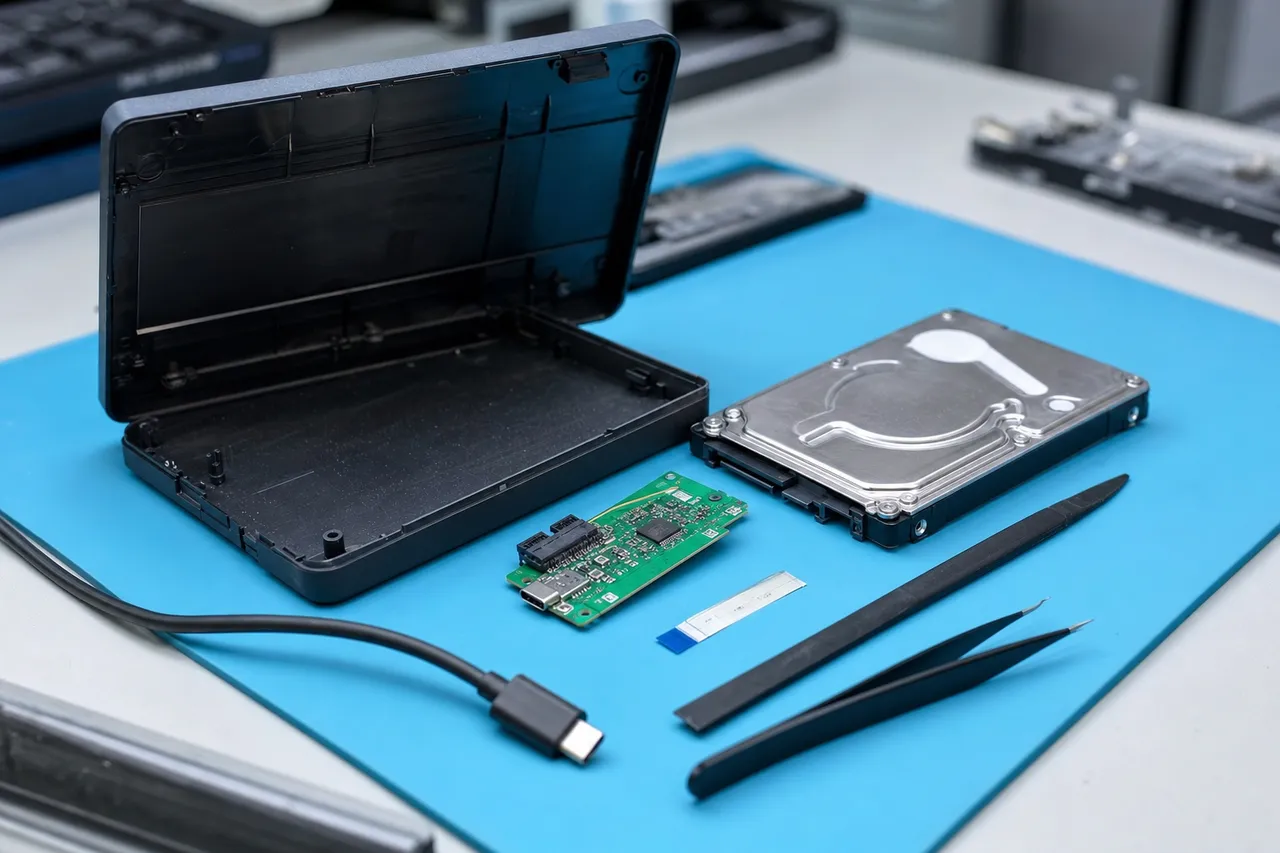
The USB bridge board is a small circuit board inside the enclosure that contains a controller chip, voltage regulators, and the physical USB connector. Common bridge board chipsets include ASMedia ASM1153e, JMicron JMS578, and Realtek RTL9210B. When the bridge board fails, the internal drive is typically unaffected and can be removed from the enclosure and connected directly to a SATA port or professional imaging device to access the data. This is one of the simplest and least expensive forms of data recovery.
However, modern external drives - particularly Western Digital My Passport and My Book models manufactured after 2015 - have complicated this simple architecture by integrating the USB bridge controller directly onto the hard drive's PCB as a single combined board. These drives cannot be simply removed and connected via SATA because they lack a standard SATA connector. Recovery from these integrated designs requires either repairing the existing USB controller, transplanting the PCB to access the SATA pathways, or using specialized tools that can communicate through the USB interface with proprietary commands.
The internal drive inside an external enclosure is mechanically identical to any other hard drive. It contains spinning platters coated with a thin magnetic layer, read/write heads mounted on actuator arms that float nanometers above the platter surface, a spindle motor that rotates the platters at 5,400 or 7,200 RPM, and a printed circuit board with the drive controller, cache memory, and motor driver chips. All the same mechanical and electronic failures that affect internal drives - head failure, motor seizure, firmware corruption, bad sectors, platter damage - can and do affect the drives inside external enclosures.
What makes external drive recovery unique is the additional layer of complexity introduced by the enclosure. Portable external drives are bus-powered, meaning they draw all their power from the USB port. This makes them more susceptible to damage from underpowered USB ports, faulty hubs, and voltage fluctuations. Desktop external drives use dedicated power adapters that can fail independently or deliver damaging voltage spikes during power surges. And the physical portability of external drives means they are far more likely to be dropped, knocked off desks, or damaged during transport than internal drives mounted securely inside a computer case.
Western Digital
WD My Passport and My Book Recovery
Western Digital's My Passport and My Book product lines are among the most popular external hard drives in the world, and consequently they are the drives we recover most frequently at MDrepairs. The My Passport series includes portable, bus-powered drives in capacities from 1TB to 5TB, while the My Book series includes desktop drives with dedicated power adapters in capacities from 3TB to 22TB. Both product lines have evolved significantly over the years, and the recovery approach varies depending on the generation of drive you own.
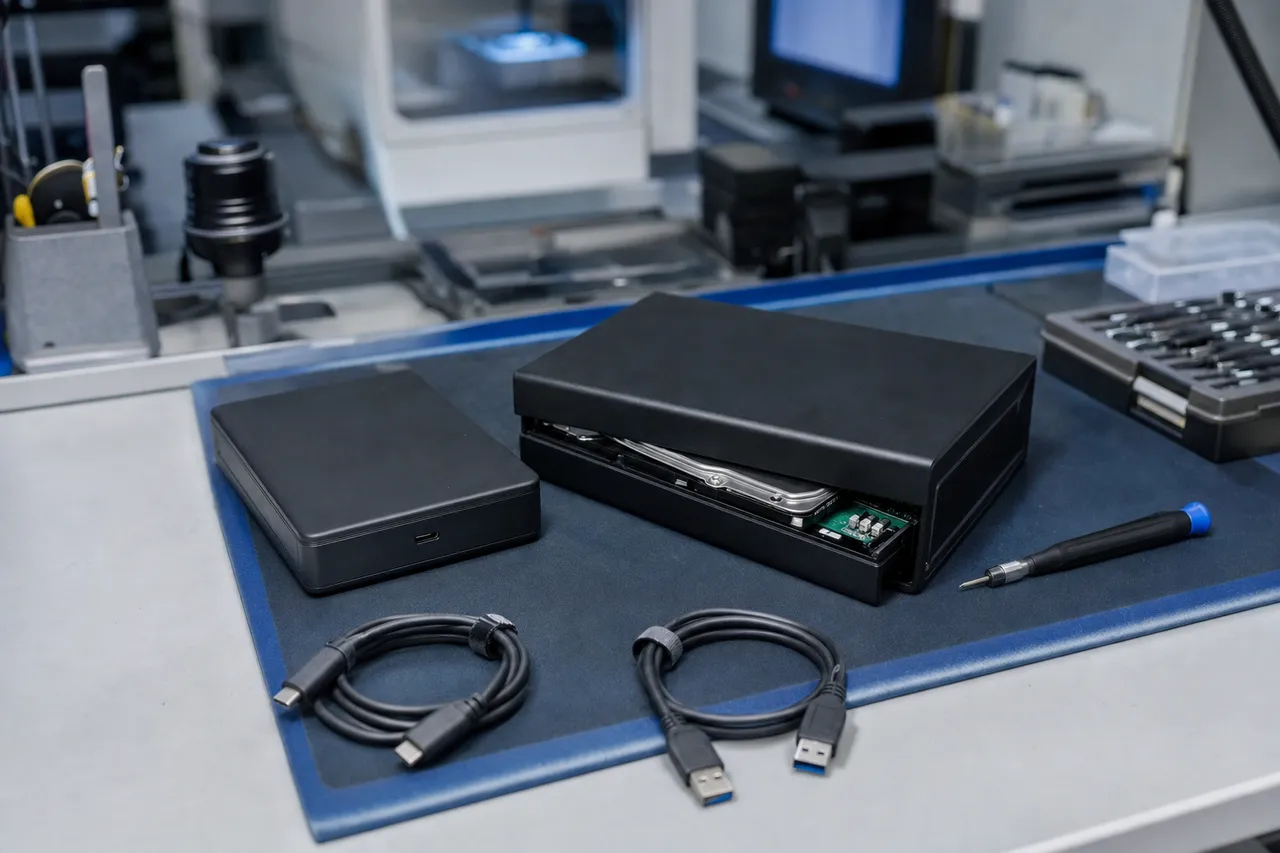
Older WD My Passport drives manufactured before 2015 used a conventional architecture with a standard 2.5-inch SATA hard drive inside a plastic enclosure, connected to a separate USB bridge board. These drives are relatively straightforward to recover - if the bridge board fails, we simply remove the internal drive and connect it directly via SATA. If the internal drive has a mechanical failure, we perform standard head replacement or other clean room procedures using WD donor drives from our extensive inventory.
Starting around 2016, Western Digital introduced a unified PCB design for the My Passport line where the USB bridge controller is integrated directly onto the hard drive's main circuit board. These drives use a proprietary USB connector rather than a standard SATA interface, which means you cannot simply remove the drive from the enclosure and connect it to a SATA port. The integrated design also means that a PCB failure requires a more complex repair - the entire combined board must be replaced, and the original firmware ROM and encryption keys must be transferred to the new board to maintain data access.
The most critical issue with modern WD My Passport drives is hardware encryption. Every My Passport manufactured since approximately 2011 includes always-on AES 256-bit hardware encryption. Even if you never set a password, the drive encrypts all data written to the platters using a key stored in the USB controller chip. This means the data on the platters is meaningless without the corresponding encryption key from the original controller. If the PCB or USB controller is damaged, recovering the encryption key becomes the first critical step before any data can be read. MDrepairs has developed specialized techniques for extracting encryption keys from damaged WD controllers, including direct chip-off reading of the controller's EEPROM when necessary.
WD My Book desktop drives share similar encryption concerns but add the complication of larger capacity drives with more platters and heads, increasing the complexity of head replacement procedures. My Book drives are also more commonly affected by power surge damage since they use external AC adapters. We frequently see My Book drives with blown TVS diodes, failed voltage regulators, or completely fried PCBs after electrical events. Our technicians repair these at the component level, transplanting the essential ROM and encryption data to compatible donor boards to restore access.
Common failure modes specific to WD external drives include the slow response bug where the drive takes increasingly longer to respond to read requests until it eventually becomes unresponsive, heads parking repeatedly with an audible tick-tick-tick pattern, the drive appearing in Device Manager but not in File Explorer, and the drive showing as uninitialized in Disk Management despite previously working normally. MDrepairs has standardized recovery procedures for each of these WD-specific failure patterns, resulting in consistently high success rates across all My Passport and My Book generations.
Western Digital data recovery details Seagate
Seagate External Drive Recovery
Seagate's external drive lineup - including the Backup Plus, Expansion, One Touch, and Game Drive series - represents the other half of the external drive market alongside Western Digital. Seagate external drives use their own internal drive platforms inside third-party or proprietary enclosures, and they come with their own set of common failure modes and recovery considerations that differ from their WD counterparts.
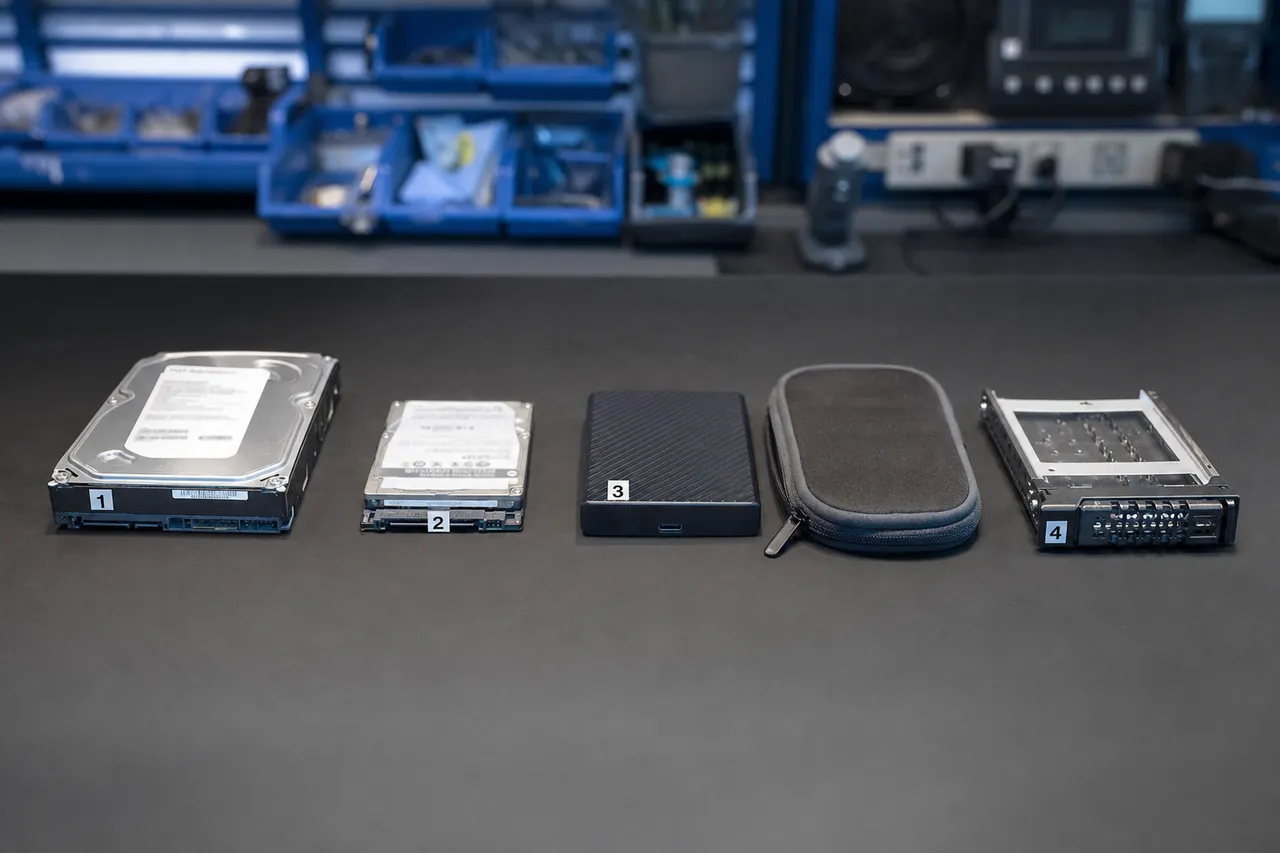
The Seagate Backup Plus line, available in Slim, Portable, and Hub configurations, uses standard 2.5-inch Seagate mobile drives internally. Most Backup Plus models use a conventional architecture with a separate USB bridge board, which means the internal drive can typically be removed and connected directly via SATA if the bridge board fails. This makes bridge board failures on Seagate Backup Plus drives among the most straightforward recoveries we perform. However, the internal Seagate drives themselves are prone to the same firmware and mechanical failures that affect all Seagate products.
Seagate Expansion drives are the company's budget-oriented external line and use the same internal drive platforms as the Backup Plus but with simpler enclosures and no included backup software. The Expansion Desktop series uses 3.5-inch Barracuda drives internally and has a dedicated power adapter, making these drives susceptible to the same power surge issues as WD My Book drives. We frequently see Seagate Expansion Desktop drives with PCB damage from electrical events, and recovery follows the same approach - component-level repair with ROM chip transfer to a compatible donor board.
Seagate One Touch drives are the company's premium portable line, featuring fabric-covered enclosures and optional hardware encryption via the Seagate Toolkit software. When encryption is enabled on a One Touch drive, the data is protected by the Seagate Secure controller on the USB bridge board. Unlike WD's always-on encryption, Seagate encryption is optional and only active if the user specifically enables it through the Toolkit application. This means most One Touch drives we receive are not encrypted, simplifying recovery. For encrypted One Touch drives, we work with the Seagate Secure controller to authenticate and decrypt the data during the imaging process.
Seagate Game Drives for PlayStation and Xbox are essentially rebranded Backup Plus or Expansion drives in gaming-themed enclosures. They use the same internal drives and the same USB bridge boards. The unique consideration with game drives is the file system - PS4 and PS5 format external drives with a modified ext4 file system, while Xbox uses a proprietary format. MDrepairs has experience recovering data from both console-formatted external drives, including saved games, screenshots, video captures, and installed game data.
Common Seagate external drive failures include the drive spinning up and then repeatedly clicking before spinning down, firmware corruption causing the drive to appear as the wrong capacity or report a BSY error, the USB bridge board failing with no symptoms from the internal drive, and progressive bad sector growth causing increasing file access errors. Our Seagate recovery procedures leverage our extensive library of Seagate donor drives and our deep knowledge of Seagate firmware architecture to achieve high success rates across all Seagate external product lines.
Seagate data recovery details Toshiba Canvio
Toshiba Canvio External Drive Recovery
Toshiba's Canvio series of portable external drives - including the Canvio Basics, Canvio Advance, Canvio Flex, Canvio Ready, Canvio Slim, and Canvio Gaming - represents a significant share of the external drive market, particularly in the budget-friendly segment. These drives use Toshiba (now Kioxia) internal 2.5-inch hard drives inside compact plastic enclosures with USB 3.0 micro-B connectors.
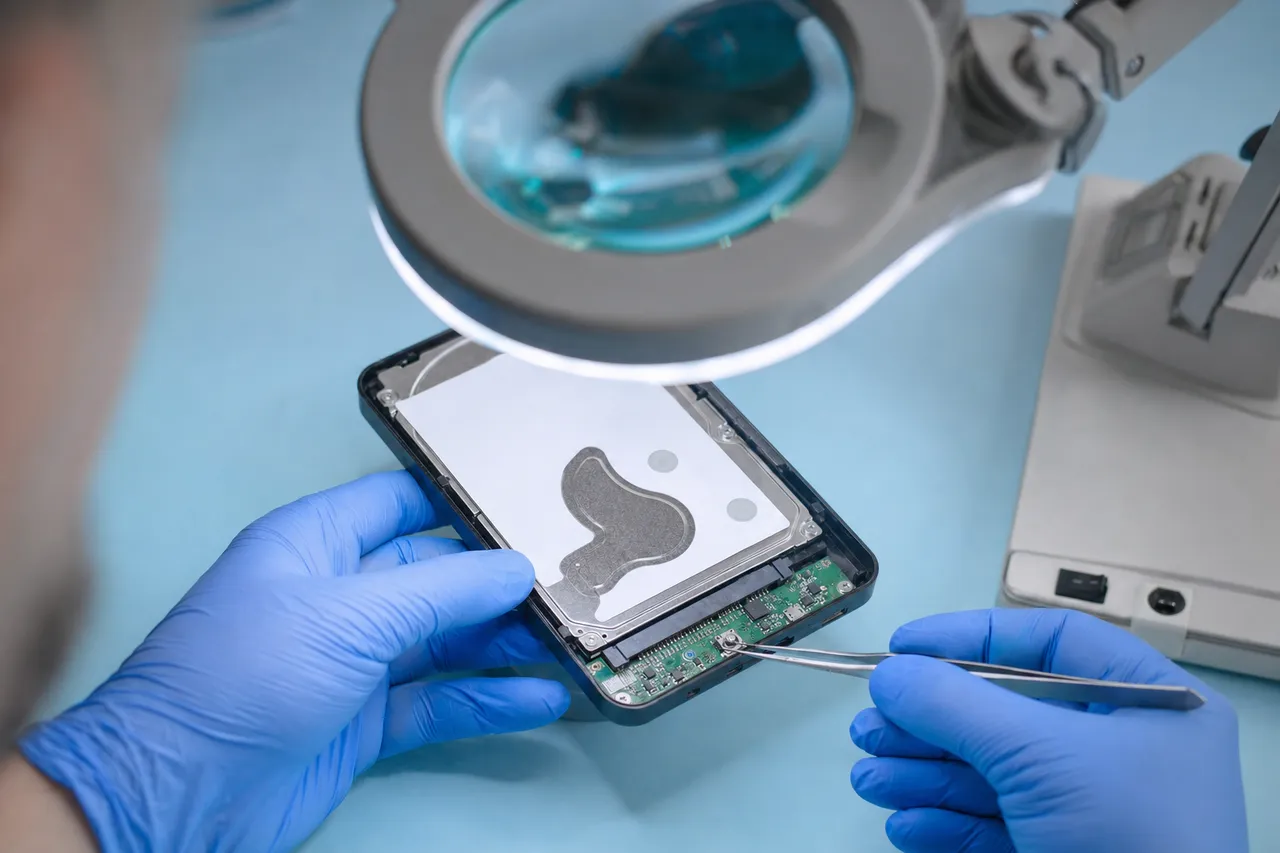
Toshiba Canvio drives use a conventional architecture with a standard internal SATA drive and a separate USB bridge board. This means that when the USB bridge fails - a common occurrence, especially with the micro-USB 3.0 connector that is prone to physical damage - the internal drive can be removed and connected directly via SATA for straightforward data access. Many Canvio recovery cases at MDrepairs are resolved simply by bypassing the failed USB bridge, making these among our quickest and most affordable recoveries.
When the internal Toshiba drive itself has failed, recovery follows standard hard drive recovery procedures with some Toshiba-specific considerations. Toshiba drives use their own proprietary firmware architecture that differs from both Seagate and Western Digital. Head replacement requires Toshiba-specific donor drives with matching head maps, and Toshiba firmware repairs require specialized tools that can access the Toshiba System Area. MDrepairs maintains a comprehensive Toshiba donor drive inventory specifically for Canvio recovery cases.
The Canvio Flex deserves special mention because it is designed for cross-platform compatibility between Windows, Mac, and iPad. It ships formatted in exFAT, which is compatible across platforms but offers no journaling, making it more vulnerable to file system corruption from improper ejection. We see a higher rate of logical failures on Canvio Flex drives compared to other Canvio models, typically caused by users unplugging the drive without safely ejecting it first. MDrepairs recovers data from corrupted exFAT partitions using specialized tools that can reconstruct the file allocation table and directory structure even from severely corrupted file systems.
The Canvio Gaming is Toshiba's game drive for PlayStation and Xbox consoles. Like Seagate's Game Drives, these are standard Canvio drives in a slightly different enclosure. PS4 and PS5 formatting creates a modified ext4 file system on the drive, which requires Linux-compatible tools to read. MDrepairs routinely recovers data from game-formatted Canvio drives including installed games, saved game data, screenshots, and video captures.
Toshiba data recovery details LaCie
LaCie External Drive Recovery
LaCie, now a Seagate subsidiary, produces premium external storage solutions targeted at creative professionals - photographers, videographers, music producers, and graphic designers. The LaCie Rugged, d2 Professional, 1big Dock, and 2big RAID series are fixtures in creative workflows, and data loss from these drives often means losing irreplaceable project files, raw footage, and client deliverables with tight deadlines.
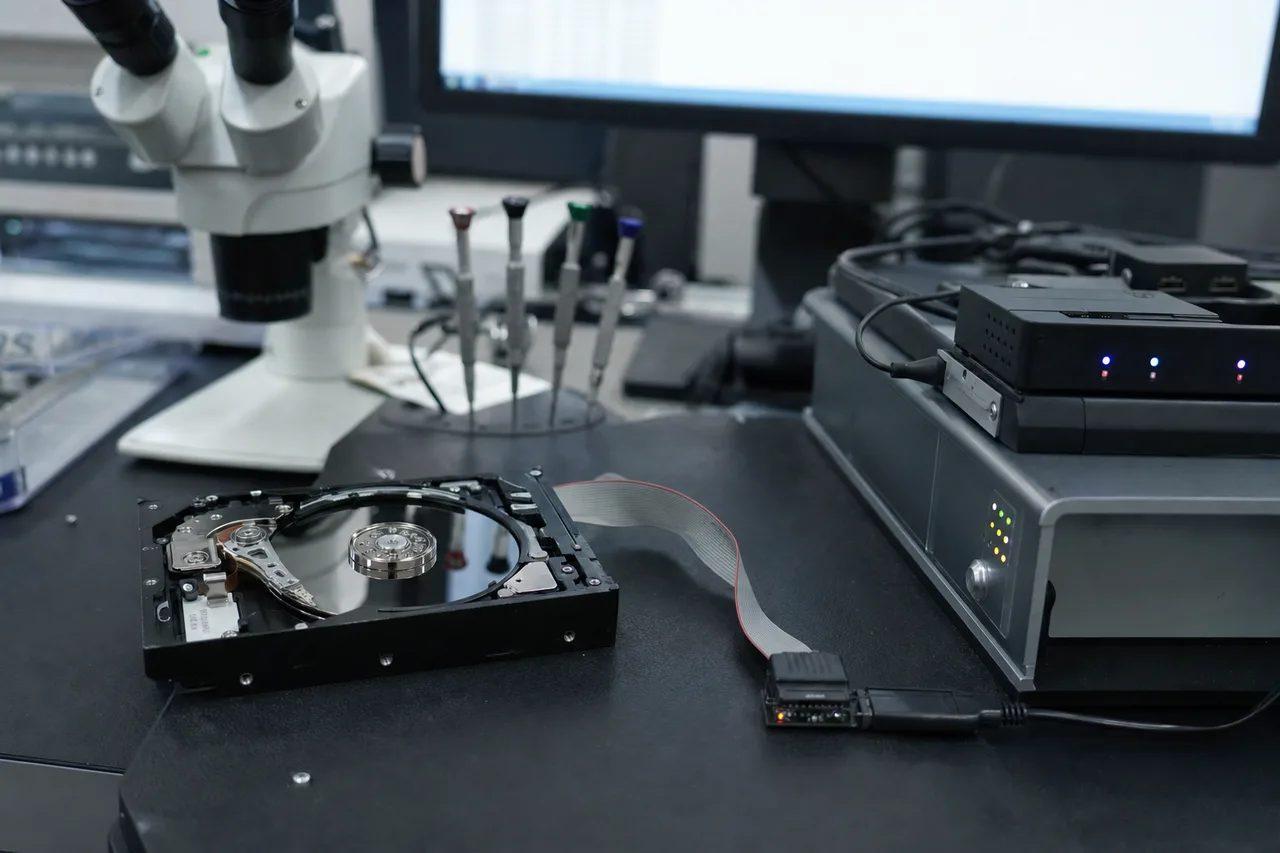
The LaCie Rugged series is perhaps the most recognizable external drive on the market with its distinctive orange rubber bumper designed to withstand drops up to 1.2 meters, two-ton crush resistance, and IP54 dust and water resistance. Despite this rugged design, the internal drive is still a standard 2.5-inch hard drive or SSD (depending on the model) that is subject to the same failure modes as any other drive. The Rugged's protective shell does reduce the incidence of drop-related failures compared to unprotected portables, but it does not eliminate them entirely - we regularly recover data from LaCie Rugged drives that have exceeded their drop rating or suffered impacts while the drive was actively spinning.
LaCie Rugged drives use Seagate internal drives (since LaCie is owned by Seagate), which means recovery procedures follow Seagate-specific protocols for head replacement, firmware repair, and platter imaging. The Rugged's enclosure uses a USB-C or Thunderbolt interface with a bridge board that typically contains an ASMedia or JMicron controller. Bridge board failures on Rugged drives are recoverable by removing the internal drive and connecting it directly via SATA.
The LaCie d2 Professional is a desktop external drive used extensively in video post-production environments. These drives contain enterprise-class 3.5-inch Seagate drives (typically IronWolf Pro or Exos models) in aluminum enclosures with USB-C and Thunderbolt 3 connectivity. The d2 Professional's enterprise-grade internals make it more reliable than consumer external drives, but when failures do occur, they often involve large volumes of high-value data - 10TB or more of raw video footage, After Effects projects, or Premiere Pro timelines. MDrepairs prioritizes d2 Professional recoveries for creative professionals facing project deadlines.
The LaCie 2big RAID uses two internal drives in RAID 0 or RAID 1 configurations. RAID 0 stripes data across both drives for performance, meaning a single drive failure results in total data loss. RAID 1 mirrors data to both drives for redundancy. MDrepairs recovers data from failed LaCie 2big RAID arrays by imaging each drive independently and reconstructing the RAID array configuration using our RAID reconstruction tools. For RAID 0 failures where one drive has a mechanical issue, we recover the failed drive first, then combine the data from both drives to reconstruct the complete file system.
LaCie data recovery details Enclosure vs. SATA
USB Enclosure vs. Direct SATA Access - Why It Matters
One of the most important concepts in external hard drive recovery is the distinction between the USB enclosure and the internal drive it contains. Understanding this distinction can save you significant time and money because many external drive failures are actually enclosure failures - the internal drive is perfectly healthy, but the USB bridge board that connects it to your computer has failed.
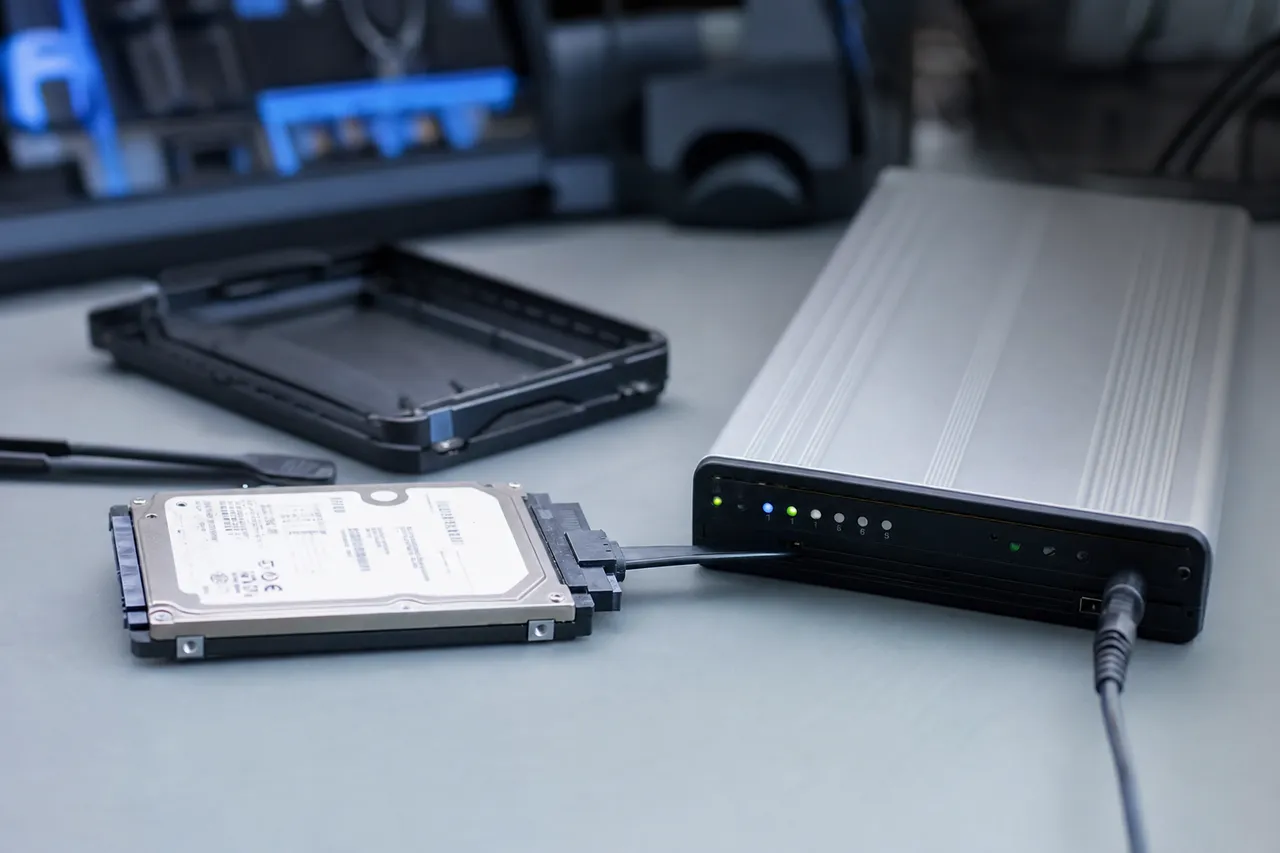
When an external hard drive stops being detected by your computer, the first question our technicians ask is whether the problem is with the enclosure or the internal drive. We answer this by opening the enclosure, removing the internal drive, and connecting it directly to a SATA port on our diagnostic workstation. If the drive works perfectly via SATA, the problem was the USB bridge board and we can simply image the drive through the SATA connection. If the drive exhibits the same symptoms via SATA - clicking, not spinning, not being detected - then the internal drive itself has failed and more extensive recovery procedures are needed.
This diagnostic step is critical because it determines the entire recovery approach and cost. A USB bridge board failure is typically a straightforward recovery in the $300 - $650 range. A mechanical failure requiring clean room work starts at $1,000 and can exceed $2,000 for severe cases. Attempting to run recovery software through a failing USB bridge board wastes time and can actually cause further damage by forcing the struggling drive to perform unnecessary read operations.
There is one significant exception to the simple remove-and-connect approach: Western Digital My Passport drives manufactured after approximately 2016. These drives use an integrated PCB design where the USB bridge controller is built directly onto the hard drive's circuit board. There is no separate USB bridge board and no standard SATA connector. The drive can only communicate through its USB interface. If the USB controller portion of this integrated board fails, the drive cannot be connected via SATA - it requires either board-level repair of the USB controller, a complete PCB replacement with ROM and encryption key transfer, or the use of specialized tools that can communicate with the drive controller through alternative pathways.
Another exception applies to drives with hardware encryption. Even on external drives where the internal drive can be physically removed and connected via SATA, if the USB bridge board's controller was handling encryption, the data on the platters will be encrypted and unreadable without the encryption key from the original controller. This is why MDrepairs always tests for encryption before assuming a simple bridge board bypass will work. We check the drive's model number against our database of encrypted models, examine the bridge board controller for encryption capabilities, and verify that the data read via SATA is not encrypted before proceeding with imaging.
For customers considering whether to attempt removing the drive from the enclosure themselves, we generally advise against it. While the physical disassembly is not complex, there are risks: static discharge can damage the drive's electronics, improper handling can damage the SATA connector pins, and in the case of WD drives with integrated boards, applying force to remove a nonexistent SATA connector can physically damage the PCB. Professional recovery services like MDrepairs have the tools, environment, and experience to perform this disassembly safely and correctly.
AES 256-bit
Hardware Encryption on External Drives
Hardware encryption is one of the most critical factors in external hard drive recovery, and it is also one of the most misunderstood. Many external drive owners do not realize their data is being encrypted at all because the encryption happens transparently at the hardware level - the user never enters a password or enables any encryption setting. This always-on encryption is a feature of many Western Digital external drives and some models from other manufacturers, and it has profound implications for data recovery.
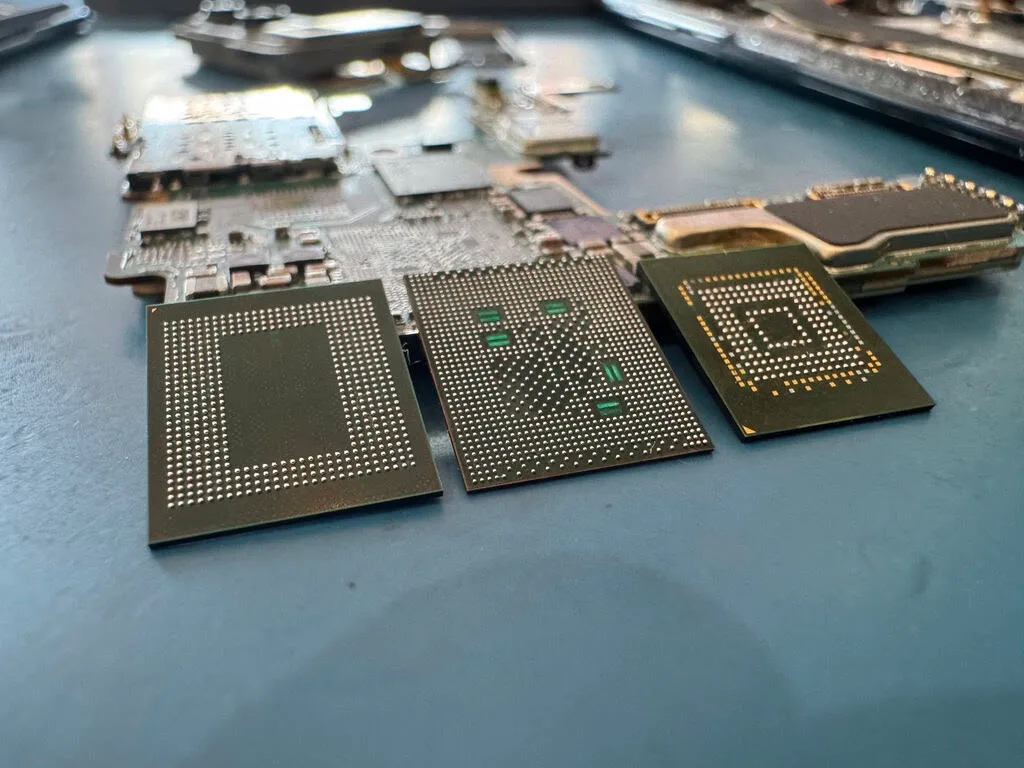
Western Digital's hardware encryption implementation, which they market as WD Security, uses AES 256-bit encryption with a Data Encryption Key (DEK) stored in the USB bridge controller chip. Every block of data written to the drive's platters is encrypted before it is stored. When you read data back, the controller decrypts it on the fly before sending it to your computer. This process is invisible to the user - the drive appears to work like any normal unencrypted drive. But the data on the platters is scrambled, and without the DEK from the original controller, it is impossible to decrypt.
This creates a critical problem when the USB bridge board or its integrated controller fails. On a non-encrypted external drive, a bridge board failure is trivial - remove the internal drive, connect it via SATA, and read the data directly. On an encrypted WD drive, bypassing the failed bridge board gives you access to encrypted data that is completely useless without the decryption key. The key must be extracted from the original controller chip before it can be applied during imaging.
MDrepairs has invested heavily in the tools and expertise needed to handle encrypted external drive recovery. Our process for encrypted WD drives involves first attempting to read the DEK from the controller chip on the failed board using direct chip communication protocols. If the chip is too damaged for electronic reading, we perform chip-off extraction - physically removing the controller's EEPROM and reading its contents with specialized chip readers. Once the DEK is extracted, we apply it during the imaging process to decrypt the data as it is read from the platters.
Seagate's approach to encryption on their external drives is different from WD's. Most Seagate external drives do not have always-on encryption. Instead, Seagate offers optional encryption through their Seagate Toolkit software, which uses the drive's controller to implement password-based encryption that the user must explicitly enable. This means that the vast majority of Seagate external drives we receive are not encrypted, and bridge board bypass works without any encryption considerations. For Seagate drives where the user did enable encryption, recovery requires the original password or working with the Seagate Secure controller to authenticate access.
Toshiba Canvio drives generally do not include hardware encryption, and LaCie drives follow Seagate's optional encryption model. Samsung portable SSDs like the T7 include optional password protection with AES 256-bit encryption, but like Seagate, it must be explicitly enabled by the user. Third-party encryption solutions like BitLocker, VeraCrypt, and FileVault add software-level encryption that is independent of the drive's hardware encryption, and recovering data from drives with these solutions requires the encryption password or recovery key in addition to any hardware recovery work.
The key takeaway for external drive owners is this: if you have a Western Digital My Passport or My Book drive, your data is encrypted whether you know it or not. If the drive fails, do not attempt to remove the internal drive and connect it via SATA yourself - you will get encrypted gibberish. Send the complete drive with its original enclosure and circuit board to a professional recovery lab like MDrepairs that has the tools to extract the encryption key and apply it during recovery.
Drops & Impacts
Dropped External Hard Drive Recovery
Dropped external hard drives account for a larger share of our caseload than any other single failure type. The portable, go-anywhere design that makes external drives so convenient also makes them inherently vulnerable to drops, falls, and impacts. A 2.5-inch portable drive dropped from desk height - roughly three feet - hits the ground with enough force to slam the read/write heads into the platter surface, bend the actuator arm, crack the head slider, or dislodge the platters from the spindle hub.
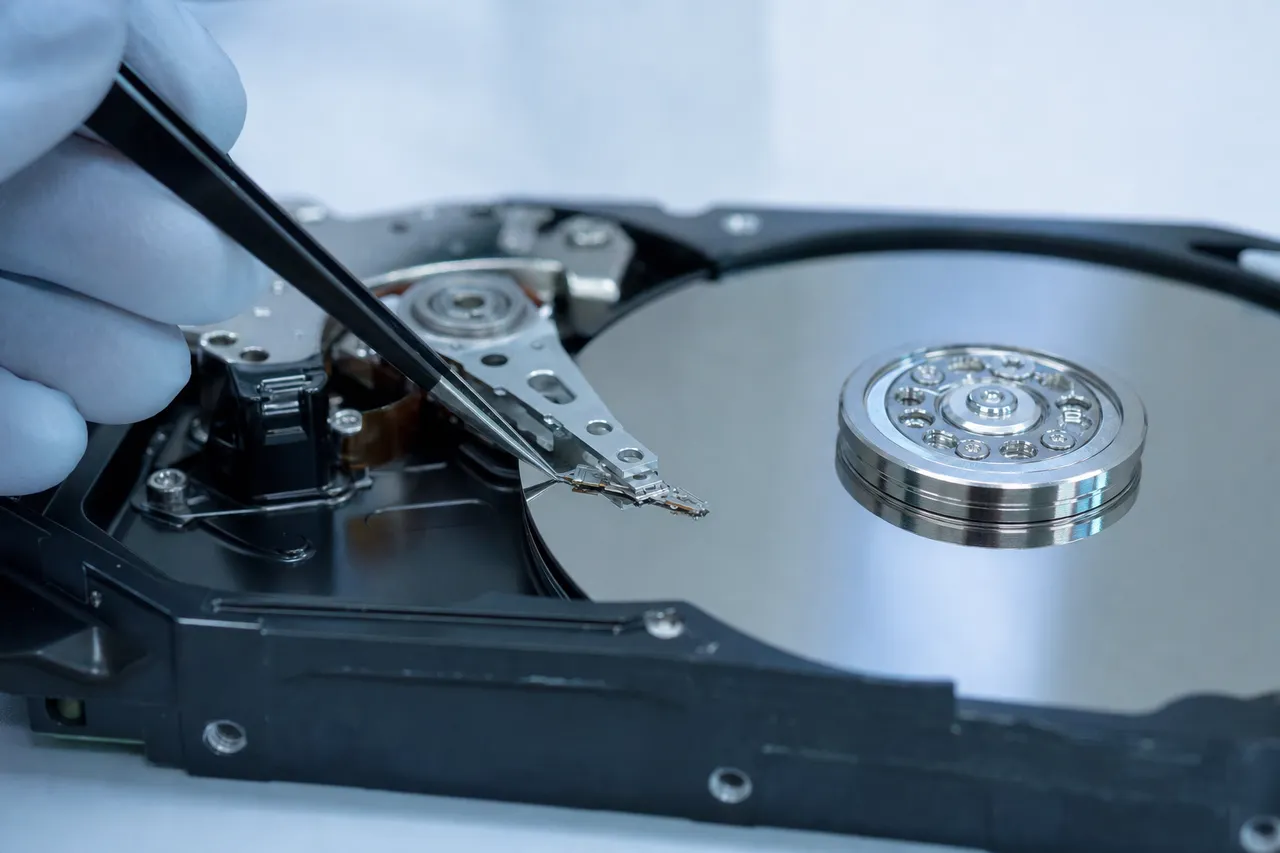
The outcome depends on whether the drive was spinning at the time of impact. A drop while the drive is powered off and the heads are parked in the landing zone is typically less severe. The heads are secured in a safe position away from the data area, and the impact force must be strong enough to overcome the parking mechanism before any platter damage occurs. Many drives survive modest drops while powered off with no data loss at all.
However, drops while the drive is actively reading or writing data are far more dangerous. The heads are floating above the platter surface on a cushion of air just 5 - 10 nanometers thick, and any impact can drive them into the platter, creating a head crash that scrapes the magnetic coating off the platter surface and destroys the data stored in that area.
When a customer brings us a dropped external drive, our diagnostic process follows a specific protocol. We first listen for any sounds the drive makes during a controlled power-up - clicking indicates head damage, beeping indicates motor stiction or heads stuck to the platter, and grinding indicates possible platter damage. We then open the drive in our clean room and visually inspect the platters under magnification for scratches, scoring, or contamination from head debris. This visual assessment tells us the severity of the damage and the likely recovery percentage before we begin any recovery work.
For dropped drives with head damage but clean platters, recovery involves replacing the failed head stack assembly with a compatible donor head from our inventory. Head replacement on portable 2.5-inch drives requires extremely precise work because these drives typically have two to four platters with four to eight head surfaces, and each head must be aligned correctly to read its corresponding platter surface. Our technicians have performed thousands of head replacements and maintain an extensive donor drive library with models matching every generation of WD, Seagate, Toshiba, and Hitachi portable drives.
For dropped drives with platter damage, the prognosis depends on the extent and location of the scratching. Minor scratching limited to the outer tracks, which typically store less critical system data, may still allow recovery of 95% or more of the user's files from the undamaged inner tracks. Extensive scratching across multiple platter surfaces from a severe drop or from running a damaged drive for an extended period can reduce recovery rates significantly. In the worst cases, the debris from the head crash contaminates the drive's interior and causes secondary damage to heads and platters alike.
The single most important piece of advice for anyone who drops an external hard drive is this: power it off immediately and do not turn it back on. Every second a damaged drive runs, the heads can cause additional damage to the platters. Do not plug it into different computers hoping it will work. Do not run data recovery software. Do not open the drive yourself. Contact MDrepairs for a free consultation and ship the drive to our lab for professional evaluation. Our success rate on dropped external drives where the customer powered off immediately exceeds 95%. That rate drops significantly for drives that were run extensively after a drop.
Portable SSDs
External SSD Recovery - Samsung T7, SanDisk Extreme, and More
External solid-state drives have rapidly gained market share over traditional spinning external hard drives, with popular models including the Samsung T7, Samsung T9, SanDisk Extreme Portable, SanDisk Extreme Pro, WD My Passport SSD, LaCie Rugged Mini SSD, and Seagate One Touch SSD. These drives offer dramatic speed improvements and better physical durability than traditional external HDDs, but they introduce entirely different data recovery challenges when they fail.
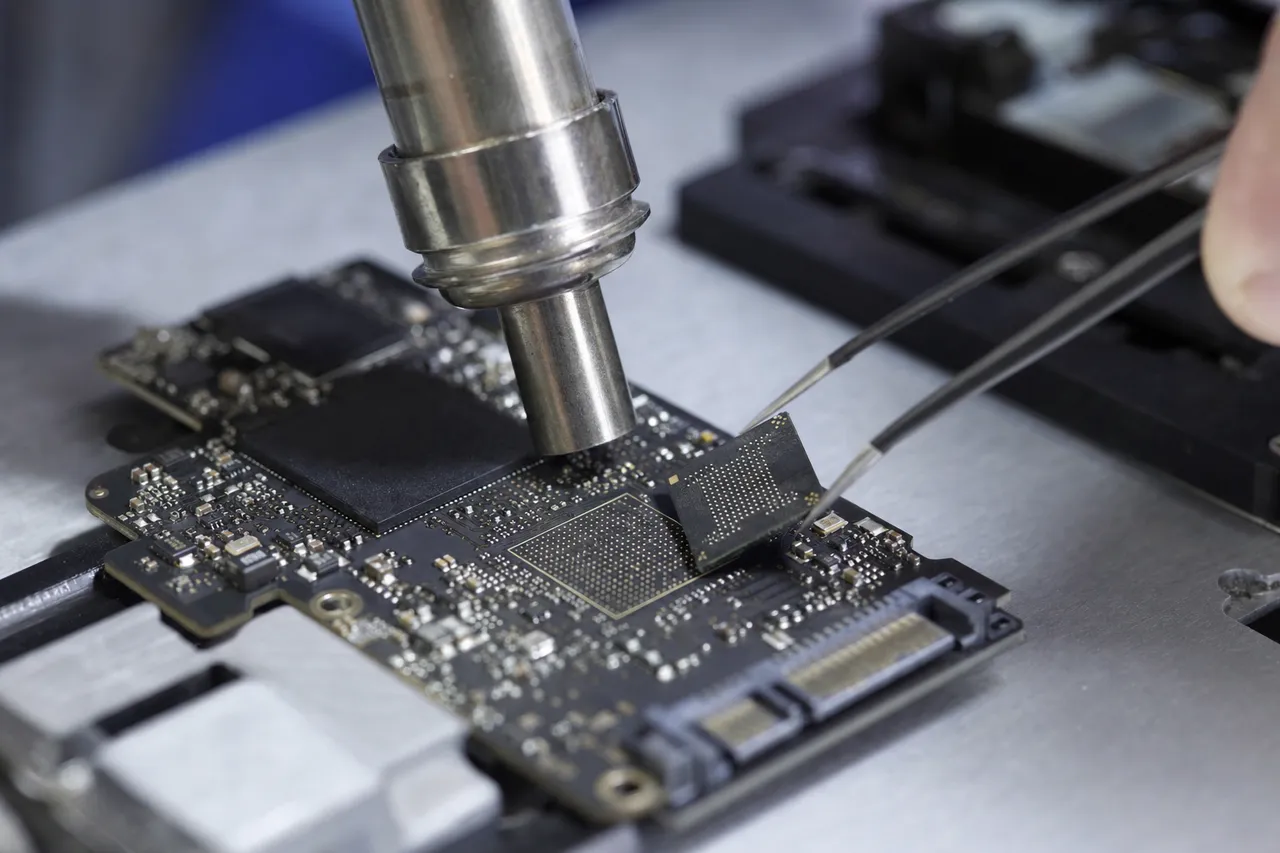
Unlike hard drives that store data magnetically on spinning platters, SSDs store data as electrical charges in NAND flash memory chips. There are no moving parts, which eliminates mechanical failure modes like head crashes and motor failures. However, SSDs are subject to their own set of failure modes including controller chip failure, NAND cell wear-out, firmware bugs, sudden power loss corruption, and solder joint failures from physical impacts or thermal stress.
Controller failure is the most common cause of external SSD failure we see at MDrepairs. The SSD controller is a complex processor that manages all data operations including wear leveling, garbage collection, error correction, and the Flash Translation Layer that maps logical addresses to physical NAND locations. When the controller fails, the drive becomes completely unresponsive - it may not even appear as a connected device. Unlike hard drives where the data exists physically on platters regardless of the controller's status, SSD data requires the controller or its equivalent to make sense of the data spread across multiple NAND chips.
Recovery from a failed external SSD often requires chip-off recovery - physically desoldering the NAND flash chips from the drive's circuit board and reading them individually with specialized NAND readers. The raw data from the NAND chips must then be processed to reverse the controller's data scrambling, error correction coding, and wear leveling algorithms. This is among the most technically complex forms of data recovery and requires deep knowledge of the specific controller's data management architecture. MDrepairs invests in the latest NAND reading and reconstruction tools to handle these cases.
Samsung T7 and T9 drives use Samsung's own controller and V-NAND chips. When these drives fail, the failure mode is typically controller-related - the drive may become unresponsive, show up as the wrong capacity, or disappear entirely from the system. Samsung's controller uses a proprietary data scrambling algorithm that must be reversed during chip-off recovery. MDrepairs has experience with Samsung's portable SSD architecture and maintains the tools needed to process Samsung NAND data.
SanDisk Extreme and Extreme Pro drives use Western Digital controllers (SanDisk is owned by WD) with WD's TLC or QLC NAND flash. These drives are popular with photographers and videographers for their fast transfer speeds and IP55 or IP65 water and dust resistance ratings. Despite the rugged exterior, the internal circuit board can still fail from controller issues, overheating, or firmware bugs. Recovery follows similar chip-off procedures when the controller fails, with WD-specific data reconstruction algorithms applied to the raw NAND data.
One important difference between external SSD recovery and external HDD recovery is the role of the TRIM command. When files are deleted from an SSD and the operating system sends a TRIM command, the SSD controller immediately marks those NAND blocks as available for reuse and may erase them proactively during garbage collection. This means deleted file recovery from SSDs is significantly more difficult than from HDDs, where deleted data typically remains on the platters until physically overwritten. If you accidentally delete files from an external SSD, disconnect it immediately to prevent garbage collection from erasing the deleted data, and contact a professional recovery service as quickly as possible.
HFS+ & APFS
Mac-Formatted External Drive Recovery
External hard drives used with Apple Mac computers are typically formatted with either HFS+ (Mac OS Extended) or APFS (Apple File System), both of which are proprietary Apple file systems that Windows computers cannot natively read. When a Mac-formatted external drive fails, recovery requires specialized tools that can parse these Apple-specific file systems and reconstruct their unique metadata structures.
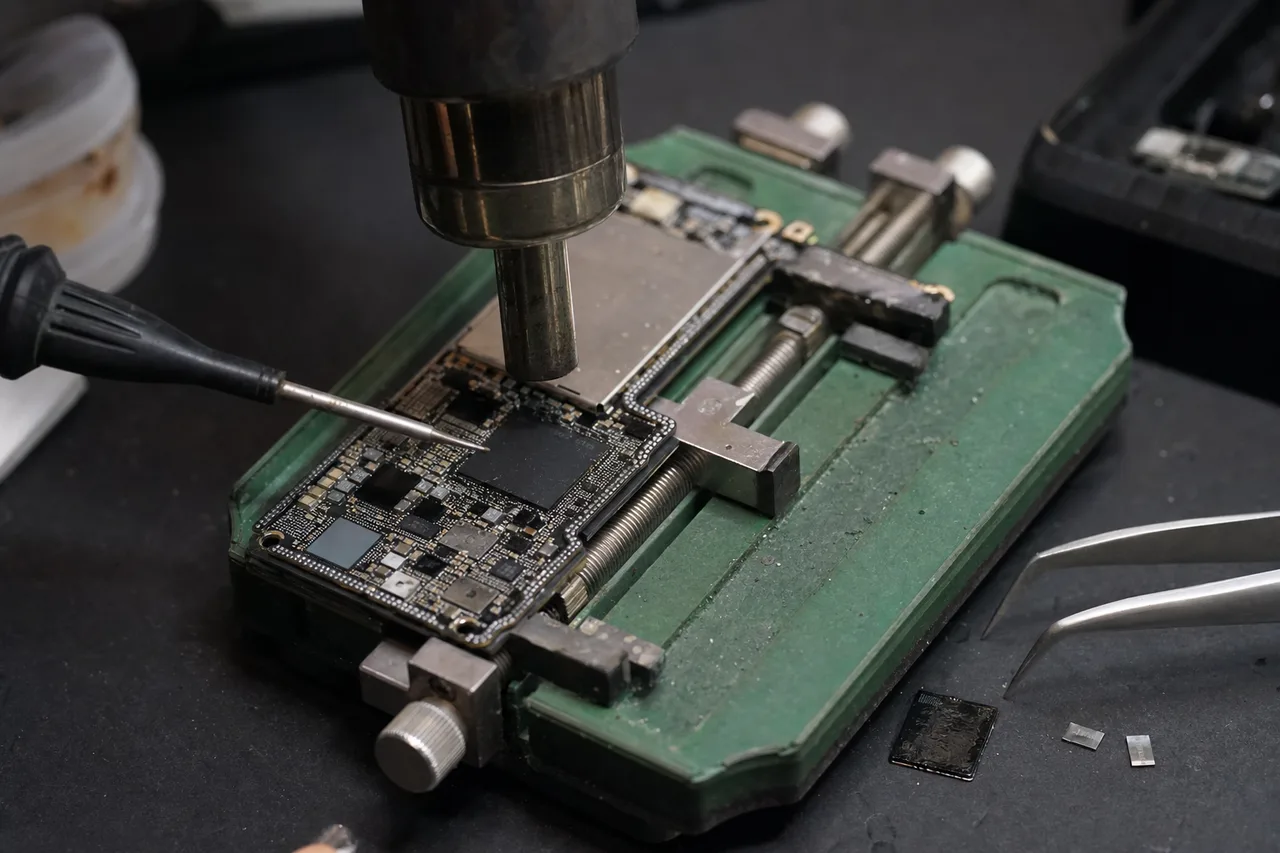
HFS+ has been the standard Mac file system since 1998 and is still used on many external drives, particularly those formatted with macOS versions prior to High Sierra. HFS+ uses a B-tree structure for its catalog file and extent allocation, and it supports journaling to protect against corruption from improper ejection or power loss. When an HFS+ volume becomes corrupted, our recovery tools can reconstruct the catalog B-tree from journal data, alternate volume headers, and orphaned file extents to recover the complete directory structure including original file names, folder hierarchy, and metadata.
APFS, introduced with macOS High Sierra in 2017, is a more modern file system designed for SSDs and flash storage with features including snapshot support, space sharing between volumes, native encryption, and copy-on-write metadata. APFS is more resilient than HFS+ in many ways, but it also has unique failure modes. APFS volume corruption can affect the container superblock, volume superblocks, object maps, or B-tree nodes, each requiring different reconstruction approaches. MDrepairs uses professional recovery tools with full APFS support, including the ability to recover data from APFS volumes with damaged container maps and corrupted volume metadata.
Time Machine backup drives present a special recovery scenario. Many Mac users dedicate an external drive to Time Machine, Apple's built-in backup utility. Time Machine creates hard-linked directory structures on HFS+ drives that allow multiple backup snapshots to share common files without duplication. When a Time Machine drive fails, recovering the data requires understanding this hard-link structure to properly reconstruct the backup history. On APFS-formatted Time Machine drives (used with macOS Big Sur and later), backups use APFS snapshots instead of hard links, requiring APFS-specific snapshot recovery capabilities.
Fusion Drive configurations - where macOS pairs an internal SSD with an internal HDD as a single logical volume using Core Storage - can also involve external drives when users create external Fusion Drive pairs or when internal Fusion Drives are placed into external enclosures after a computer failure. Recovering data from a Fusion Drive requires both the SSD and HDD components because data is distributed between them by the Core Storage volume manager. MDrepairs can reconstruct Fusion Drive configurations and recover data from both the SSD and HDD components even when one component has partially failed.
For Mac users whose external drives are formatted for cross-platform use, exFAT is the most common file system choice. exFAT is supported by both macOS and Windows and does not have the 4GB file size limitation of FAT32. However, exFAT lacks journaling, making it more vulnerable to corruption from improper ejection. We see a significant number of exFAT recovery cases from Mac users who unplug their external drives without ejecting them first, causing file allocation table corruption that makes the drive appear empty or request formatting.
PlayStation & Xbox
External Drive Recovery for Gaming Consoles
Gaming consoles including the PlayStation 4, PlayStation 5, Xbox One, and Xbox Series X/S support external hard drives for expanded game storage, and these drives are among the most commonly used external storage devices worldwide. When a console-formatted external drive fails, the recovery process differs from standard PC recovery because consoles use proprietary or modified file systems that require specialized handling.
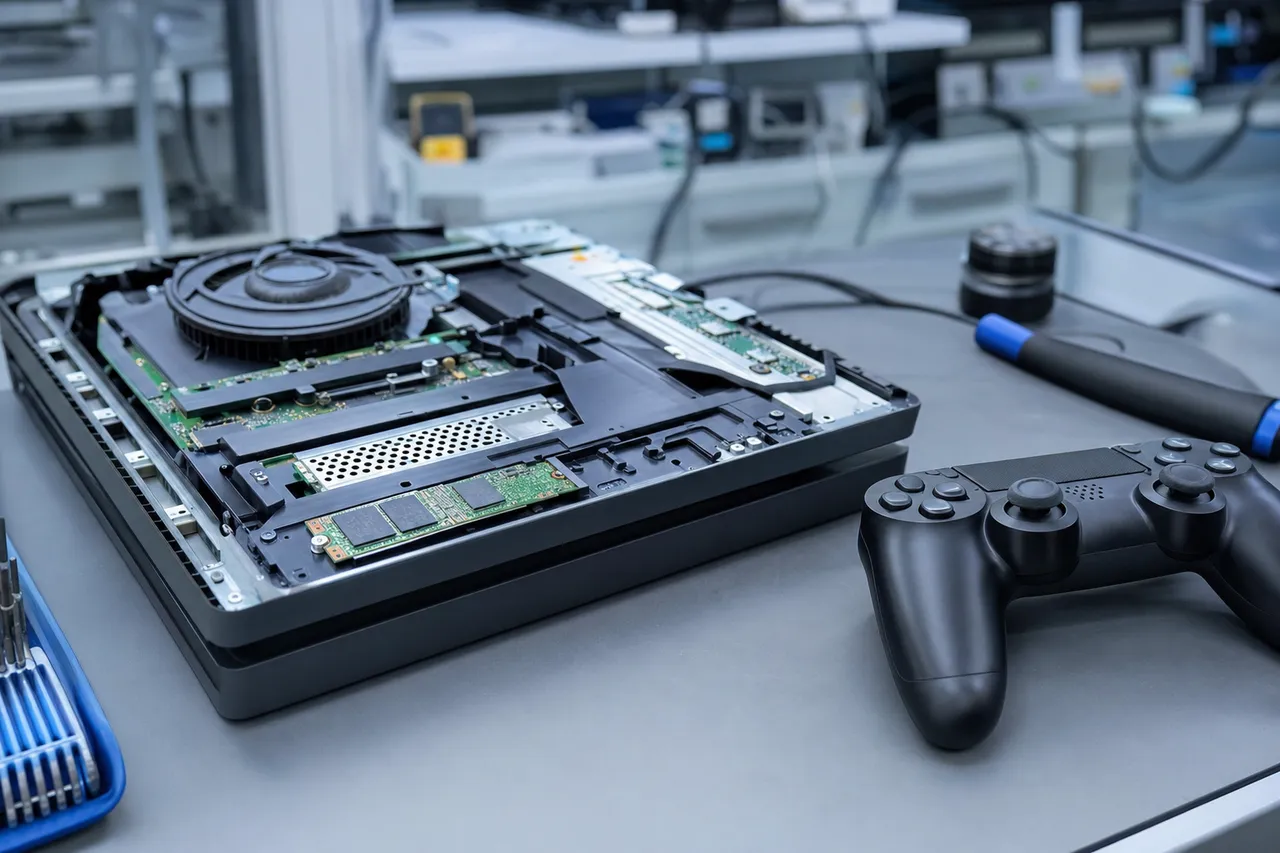
PlayStation 4 and PlayStation 5 format external USB drives with a modified ext4 file system that is encrypted with console-specific keys. The PS4 uses a per-console encryption key tied to the specific console's hardware, which means data recovered from a PS4-formatted external drive can only be decrypted and used with the original console. If the original console is also broken or no longer available, the recovered data - while technically intact - cannot be restored to a different PS4. MDrepairs can recover the raw data from failed PS4 and PS5 external drives and, if the original console is available, assist with restoring the data to that console.
Xbox One and Xbox Series X/S use a proprietary file system for external drives that is not natively readable by Windows or any standard file system tools. When an Xbox-formatted external drive is connected to a Windows PC, the drive appears as unformatted or requests formatting. MDrepairs uses specialized tools that can parse the Xbox file system structure and extract installed games, saved game data, screenshots, and game clips from failed Xbox external drives.
The most common failure modes for console external drives are identical to PC external drives - drops, clicking, USB bridge failures, and logical corruption from improper disconnection. Many console gamers use bus-powered portable drives that sit on top of or beside the console, making them vulnerable to being knocked off by pets, children, or controller cables. We recommend console gamers use larger desktop external drives with stable bases and dedicated power adapters when possible, as they are less likely to be accidentally knocked over and less susceptible to power-related issues from the console's USB ports.
Saved game data is typically the most valuable content on a console external drive because it represents hundreds or thousands of hours of gameplay progress. While games themselves can be re-downloaded from the PlayStation Store or Xbox Store, saved data is often irreplaceable. MDrepairs understands the emotional value of gaming saves and treats console recovery cases with the same urgency and care as any other recovery, ensuring that saved game files receive priority during the recovery process.
Protect Your Data
Preventing External Hard Drive Failure
While MDrepairs is here whenever data loss strikes, preventing external drive failure in the first place is always better than recovering from one after the fact. External hard drives face unique risks compared to internal drives, and understanding these risks allows you to take simple precautions that dramatically reduce the likelihood of data loss.
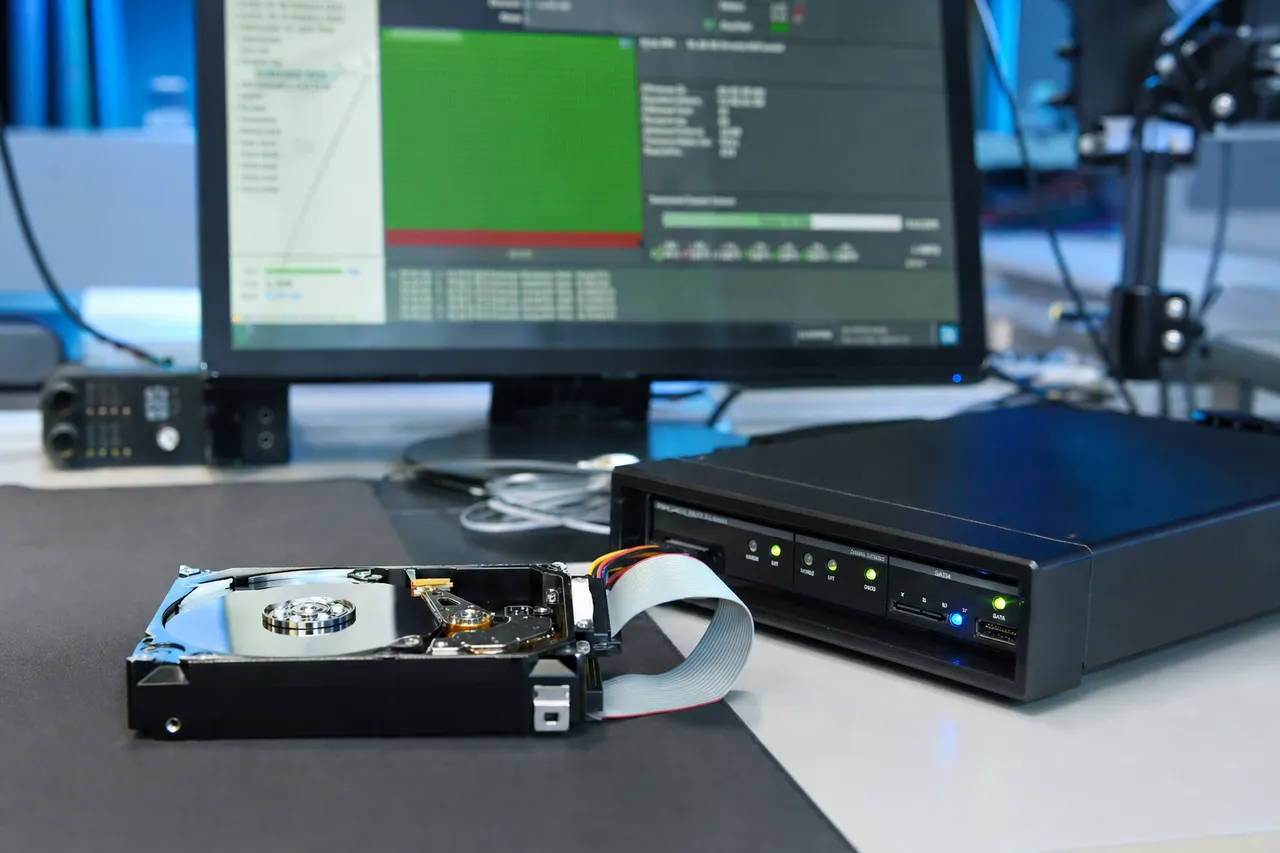
The single most effective way to protect your external hard drive is to always use the Safely Remove Hardware function before unplugging it. When you disconnect an external drive without properly ejecting it, the operating system may still be writing data to the drive's cache or updating the file system's metadata structures. An abrupt disconnection during these operations can corrupt the file system, making the drive appear empty, unformatted, or inaccessible. On Windows, click the Safely Remove Hardware icon in the system tray. On macOS, right-click the drive icon and select Eject, or drag it to the trash. This simple habit prevents the majority of logical data loss events on external drives.
Physical protection is equally important, especially for portable drives. Use a padded carrying case when transporting your external drive. Never leave a portable drive on the edge of a desk where it can be knocked off. Avoid using the drive on surfaces where it might vibrate off an edge, such as on top of a running appliance. When the drive is connected and in use, route the cable so it cannot be tripped over or snagged - a yanked cable is a common cause of both connector damage and drops. Consider investing in a rugged external drive like the LaCie Rugged if your use case involves frequent travel or outdoor work.
Power protection matters for desktop external drives with dedicated power adapters. Plug your desktop external drive into a quality surge protector or uninterruptible power supply (UPS), not directly into a wall outlet. Power surges from lightning strikes, utility grid switching, and appliance cycling can damage the drive's electronics. A UPS also protects against brown-outs and power flicker events that can interrupt drive operations mid-write and cause corruption. This investment is especially important if you use your external drive as a primary backup destination.
Temperature management affects external drive lifespan. Hard drives operate best between 20C and 50C (68F to 122F). Avoid leaving your external drive in a hot car, in direct sunlight on a desk, or near heat-producing equipment like a gaming console or space heater. Excessive heat accelerates lubricant degradation in the drive's spindle bearings and can cause thermal expansion of the platters that leads to read/write errors. If your desktop external drive runs hot during extended use, ensure adequate airflow around the enclosure and consider adding a small USB fan for cooling.
The most critical prevention measure is maintaining proper backups. An external hard drive, no matter how reliable, should never be your only copy of important data. Follow the 3-2-1 backup rule: maintain at least three copies of your important data, on at least two different types of storage media, with at least one copy stored offsite or in the cloud. If your external drive is your primary backup, make sure you have a secondary backup elsewhere - whether that is a second external drive, a NAS device, or a cloud storage service. This way, when your external drive eventually fails - and all drives fail eventually - your data is still safe on another copy.
Regular monitoring of your external drive's health can also provide early warning of impending failure. Tools like CrystalDiskInfo (Windows) or DriveDx (macOS) can read the drive's S.M.A.R.T. (Self-Monitoring, Analysis, and Reporting Technology) attributes, which track metrics like reallocated sector count, current pending sector count, and power-on hours. Rising reallocated sector counts or pending sector counts are early indicators of media degradation that will eventually lead to drive failure. If your monitoring tool shows these values increasing, immediately back up your data to another drive and replace the failing external drive before it suffers a catastrophic failure.
Talk to the engineer who opens the enclosure - not a call center.
External Hard Drive Data Recovery FAQ
Straight answers on external drives, USB bridge boards, encryption, brands, cost and turnaround - drawn from the questions we hear every day.
-
Can data be recovered from a dead external hard drive?
Yes, in the large majority of cases - and "dead" is usually less dead than it looks. Very often the drive inside is perfectly healthy and only the USB bridge board or enclosure electronics failed; we bypass the enclosure and image the drive directly over SATA. When the internal drive itself has failed - clicking heads, seized motor, fried PCB - it is recovered the same way as any internal hard drive recovery: donor parts and clean-bench work in our NJ lab. The one thing that genuinely kills data is running a mechanically failing drive over and over, so power it off and leave it off. -
How can I recover data from a corrupted external drive without losing files?
One rule protects you: stop writing to the drive. Don't run CHKDSK or First Aid repair passes on the corrupted volume, don't format when Windows offers to, and don't install recovery software onto the drive itself - every write can overwrite the files you are trying to save. If the drive is mechanically healthy, read-only recovery software can rebuild the file system picture safely. In our lab we go one step further: we image the drive sector-by-sector first and do all recovery work on the clone, so your original is never written to at all. -
How much does external hard drive recovery cost?
Logical, firmware and USB-bridge failures run $650 to $1,200. Mechanical failures needing clean-room head swaps run $1,000 to $2,000, and severe platter-level damage runs up to $2,500. Every case starts with a $100 diagnostic that is credited toward the recovery, and the quote is firm before any work begins - see our full pricing breakdown. No data, no charge: if we can't recover your target files, the diagnostic is all you pay. -
Is it worth paying for data recovery?
Honest answer: it depends entirely on what is on the drive. If the files are replaceable - re-downloadable games, backed-up media, installers - no, put the money toward a new drive. If the drive holds the only copy of wedding photos, family video, business records, or years of work, recovery is usually worth far more than it costs, because a failed drive gives you exactly one good shot: botched DIY attempts and repeated power-ons measurably reduce what a lab can get back. The $100 diagnostic exists for exactly this decision - you find out what is recoverable and what it costs before you commit to anything. -
How do I get data off a drive that isn't detected?
First rule out the cheap stuff: try a different cable, a different port, and check Disk Management (Windows) or Disk Utility (Mac) - drives sometimes mount without a drive letter. If it shows up nowhere on any computer, the failure is the USB bridge board or the drive itself, and that is lab territory: bridge failures are among the simplest recoveries we do. One critical warning: if it is a WD My Passport, do not pull the drive out of the enclosure and try it on SATA yourself - those drives are hardware-encrypted and the key lives on the USB board, so a bare SATA read returns scrambled data. And if the drive is clicking, stop powering it on entirely. -
Do I need to send the whole external hard drive or just the internal drive?
Sending the whole external enclosure is usually better for three reasons: (a) we can test the USB bridge controller for encryption chips - some Western Digital My Passport models use hardware encryption handled by the USB bridge, and we need that chip to access your data; (b) the enclosure model and serial number help us identify the internal drive without opening it, speeding up donor matching; (c) you avoid the risk of damaging the drive during removal, especially on enclosures with tight or clip-based designs. If you've already removed the internal drive, that works too - just wrap it in an anti-static bag with 2 - 3 inches of bubble wrap cushioning on all sides. Either way, include a note with your name, phone number, and description of the problem, and ship to our Lincroft, NJ lab using our free prepaid insured shipping label. -
How do you recover data from a Western Digital My Passport?
Western Digital My Passport drives use hardware encryption on the USB bridge board. Even if the internal drive is healthy, connecting it directly via SATA produces only encrypted data because the encryption key lives on the USB bridge chip. If the bridge fails, we desolder the encryption chip and pair it with a working donor PCB to preserve the encryption key, or use PC-3000 Portable to work through the USB bridge directly. Common My Passport failures include drops causing stuck or damaged heads, cable yanks that damage the USB connector or bridge board, and PCB shorts from power surges. Older My Passport models manufactured before 2014 generally do not have hardware encryption, making recovery more straightforward - we remove the drive from the enclosure and image via SATA with PC-3000. We stock WD My Passport donors at our Lincroft, NJ lab for all common models. -
Can you recover data from an encrypted hard drive?
It depends on the encryption type. For hardware encryption - common on Western Digital My Passport drives where the USB bridge chip handles encryption - we transplant the encryption chip from your original USB board to a working donor board, preserving the encryption key and allowing full data access. For software-based encryption like BitLocker (Windows), FileVault (macOS), or VeraCrypt, we recover the encrypted data at the raw sector level - the data comes back encrypted, and you provide the password or recovery key to decrypt after extraction. Encryption does not affect our ability to image the raw drive. The mechanical recovery process (head swap, PCB repair, firmware repair) is the same whether the drive is encrypted or not. If your drive uses hardware encryption and the USB bridge chip is physically destroyed, the encryption key may be unrecoverable, making decryption impossible even if platter data is intact. -
My hard drive was dropped - can you recover the data?
In most cases yes. Dropped drives typically have stuck or damaged read/write heads. If the drive was running when dropped, the heads may have been knocked into the platter surface, potentially scoring it - the severity depends on how long the drive ran after impact. If the drive was powered off when dropped, the heads likely stuck to the platter surface via stiction or the parking ramp mechanism broke - both recoverable with a clean bench head swap. Critical: do NOT power the drive on after a drop if it makes any unusual sounds (clicking, beeping, grinding). Each power attempt with damaged heads risks scoring the platters and escalating from a $1,000 - $2,000 head swap to a $2,500+ scratched platter case. Ship it unpowered to our Lincroft, NJ lab using our free insured 2nd Day Air shipping label. -
How long does hard drive data recovery take?
Turnaround depends on the failure type. Logical recoveries (deleted files, formatting, corruption) typically take 3 - 5 business days of active work. Firmware repairs take 5 - 7 business days. Mechanical recoveries requiring head swaps take 7 - 14 business days depending on donor drive availability for your specific model. Rush options are available: Priority Rush 5 - 7 days (+$250), Urgent Rush 1 - 2 days (+$500), Emergency Same-Day (+$1,000). If using our nationwide mail-in program, your drive typically arrives at our Lincroft, NJ lab within 2 - 3 business days via free 2nd Day Air shipping. We communicate throughout the process so you always know your case status. Total turnaround including shipping both ways is typically 2 - 3 weeks for standard cases. -
Do you offer a no data no charge guarantee?
Yes. If we cannot recover your target files, there is zero charge for the recovery attempt - you only pay the $100 diagnostic fee. We never charge for unsuccessful recovery work. Before beginning any recovery, we provide a detailed quote with our honest assessment of recovery likelihood, expected data yield, and the specific failures identified. You decide whether to proceed - no pressure, no obligation beyond the diagnostic. Before delivering recovered data, we provide a complete file listing so you can verify that your important files were recovered before approving payment. For scratched platter cases requiring controlled-environment inspection, the diagnostic deposit is $500. This guarantee applies to all recovery types at our Lincroft, NJ lab. -
Should I try data recovery software before sending my drive?
Only if your drive is mechanically healthy - spinning normally, appears in Disk Management or Disk Utility, and makes no abnormal sounds. Software tools like Recuva, R-Studio, PhotoRec, or Disk Drill work well for deleted files, formatted partitions, and corrupted file systems on functioning drives. For the safest approach, clone the drive first using ddrescue: boot from a SystemRescue USB, clone to an equal-or-larger target drive withddrescue --force -nfor a fast pass, thenddrescue --force -r3for retries. Recover files from the clone, not the original. Do NOT use software if the drive clicks, beeps, grinds, or isn't detected - software cannot fix hardware failures, and forcing read operations on a mechanically failing drive accelerates damage. What could be a $1,000 head swap becomes a $2,500 scratched platter case. Try our free HDD Diagnostic Tool first to check if DIY is safe for your situation. -
How much does hard drive data recovery cost?
Hard drive data recovery pricing at MDRepairs is broken into five tiers based on failure type: Logical/Firmware/Electrical failures $650 - $1,200, Crashed Heads/Head Swap $1,000 - $2,000, Helium Drive Recovery $2,000 - $3,500+, Scratched/Contaminated Platters $1,500 - $2,500+, and RAID/Multi-Drive Arrays by quote. Every case begins with a $100 diagnostic evaluation that is applied toward the final cost if you proceed. If we cannot recover your data, you only pay the diagnostic fee. We provide a detailed quote after diagnostics - you approve the price before any recovery work begins. For comparison, corporate data recovery chains typically charge $2,000 - $7,000+ for the same work. We also offer financing through Affirm (split payments up to 12 months) and Afterpay (4 interest-free payments). Call 732-933-7717 or request a free quote. -
Can you recover data from a clicking hard drive?
Yes - clicking is one of our most common recovery scenarios. Hard drives click when the read/write heads can no longer locate the servo tracks on the platter surface. This happens due to head degradation from drops or wear, preamplifier damage on the head stack assembly, or contamination on the platter surface. The heads repeatedly try to load, fail to read servo data, and retract - creating the rhythmic click pattern. We perform head swaps using matched donor drives on our laminar flow clean bench, and use PC-3000 head mapping to disable any remaining failing heads while imaging from the healthy ones. This maximizes data yield even from partially degraded head stacks. Critical: every power cycle with damaged heads risks platter scoring as the failing heads sweep across the surface. Power off immediately after hearing the first click and contact us for a quote. Head swap recovery typically costs $1,000 - $2,000 at our Lincroft, NJ lab, with free insured shipping nationwide. -
Can you recover data from a dead hard drive?
Yes. A "dead" hard drive typically means one of three things: it won't power on (PCB failure), it won't spin (stuck heads or seized motor), or it powers on but isn't detected by any computer (firmware corruption). All three are recoverable - learn more in our guide to recovering data from a dead hard drive. PCB failure requires desoldering the ROM chip from the original board and transplanting it to a compatible donor PCB. Stuck heads require careful separation from the platter surface on a laminar flow clean bench, followed by a donor head swap. Seized motors require a platter transplant to a working donor motor assembly. Firmware corruption requires PC-3000 terminal access to repair corrupted service area modules. In all cases, the platters holding your data are rarely damaged - the access mechanism has failed, not the storage medium. Stop powering the drive and ship it to our Lincroft, NJ lab for a free quote using our free insured shipping. -
Is hard drive data recovery worth the cost?
When data is irreplaceable, professional recovery is almost always worth the investment. For businesses: lost client records, financial data, intellectual property, and compliance-required documents can cost far more to recreate (if possible at all) than recovery. For individuals: family photos, personal videos, creative work, and years of documents often have value that can't be measured in dollars. Our no data, no charge policy removes the financial risk - you only pay if we successfully recover your data. We provide a free quote with an honest assessment of recovery likelihood before you commit. With financing through Affirm (split payments up to 12 months) and Afterpay (4 interest-free payments), the cost becomes more manageable. Compare our pricing ($650 - $2,500) to corporate labs charging $2,000 - $7,000+ for the same work. -
Can you recover data from an external hard drive that is not detected?
Yes - and the first diagnostic step is determining whether the problem is the USB enclosure or the internal drive. We remove the drive from its enclosure and connect it directly to PC-3000 via SATA. If the drive works on SATA, the problem was a failed USB bridge controller - recovery is simple and inexpensive. If the drive also fails on SATA, we proceed with diagnostics for firmware corruption, PCB damage from power surges, or mechanical failure. Important for Western Digital My Passport drives: many models use hardware encryption handled by the USB bridge chip. If the bridge chip fails, we transplant it to a donor board to preserve the encryption key. Common external brands we recover include Seagate Backup Plus, WD My Passport and Elements, Toshiba Canvio, LaCie Rugged, and G-Technology G-Drive. Ship yours to our Lincroft, NJ lab using free insured shipping, or start with our guide on troubleshooting a USB drive that is no longer recognized. -
Does data recovery void my hard drive warranty?
Opening a hard drive breaks the tamper-evident seal. However, the Magnuson-Moss Warranty Act (15 U.S.C. 2302) prohibits manufacturers from voiding a warranty solely because an independent service provider performed work on the product. The FTC reinforced this in 2018 guidance stating that warranty-void-if-removed stickers are unenforceable. In practice, most drives needing data recovery are already out of warranty - standard warranties are 2 - 5 years. More importantly, manufacturer warranties only cover hardware replacement - they send you a refurbished drive, erasing your data in the process. They do not recover data. If your drive has failed and you need the data, professional recovery is the only option regardless of warranty status. We do not modify firmware in ways that would affect legitimate warranty claims. -
Why is data recovery so expensive at some companies?
Three main factors drive inflated pricing. Advertising costs: companies spending $50,000 - $100,000+ per month on Google Ads pass those costs directly to customers in higher fees. Outsourcing markup: middleman companies (including many local shops and big-box stores) accept drives, ship them to a partner lab for actual recovery, and add 30 - 50% markup. You pay more for the same work with slower turnaround. Overhead: SOC 2 audits ($50,000+/year), full ISO cleanroom maintenance, enterprise sales teams, and corporate office space all add cost without improving recovery outcomes. We keep costs lower at MDRepairs by performing all work in-house at our Lincroft, NJ lab, leveraging organic reach through our 2M+ social media following instead of expensive paid advertising, and investing in equipment and technician expertise over certifications and overhead. -
What's included in your $100 hard drive evaluation?
Our $100 diagnostic evaluation includes: visual inspection of the drive exterior for physical damage (dents, cracks, water marks), PCB inspection for burnt components, blown TVS diodes, or corrosion, listening for mechanical sounds to identify failure type, firmware-level diagnosis with PC-3000 if the drive can be safely powered on, determining the specific failure category (logical, firmware, or mechanical), and providing a firm price quote with our honest assessment of recovery likelihood and expected data yield. We do NOT attempt recovery during the evaluation - diagnosis first, firm quote second. You approve the price before any chargeable work begins. If we determine recovery is unlikely to succeed or not worth the cost, we tell you honestly. The $100 diagnostic fee is applied toward the final recovery cost if you proceed. -
What happens to my original hard drive after data recovery?
After recovery is complete, you choose what happens to your original drive. We can return it to you along with the recovered data (delivered on a new external drive or via secure download link), hold it for a specified retention period in case you need to verify anything, or securely destroy it at your request. Your original drive is your property - we never dispose of a customer's drive without explicit written permission. We strongly recommend not reusing a failed hard drive, as once a drive has experienced mechanical failure, it will fail again. All copies of your data on our recovery systems are securely purged after you confirm receipt of the recovered data. We maintain strict chain of custody documentation throughout the process. -
Can you recover data from a beeping hard drive?
Yes. Beeping specifically means the read/write heads are stuck to the platter surface - a condition called stiction. The spindle motor tries to spin the platters but physically cannot because the heads are bonded to the surface through molecular adhesion. This is especially common on 2.5-inch Seagate Rosewood drives (ST1000LM035, ST2000LM007) and Backup Plus Slim portables after drops or sudden disconnections. The motor generates the beeping sound as it strains against the stuck heads. Do not tap the drive, power-cycle it, or attempt to open it - tapping can cause the stuck heads to scrape the platter surface when they release, and each power attempt puts additional stress on the motor. Recovery involves carefully separating the heads from the platter surface under magnification on our laminar flow clean bench, then replacing damaged heads with matched donors. Pricing typically ranges from $1,000 - $2,000 at our Lincroft, NJ lab. -
What brands of hard drives do you recover?
We recover data from every hard drive manufacturer: Seagate (Barracuda, Rosewood, IronWolf, Exos, Backup Plus, Expansion, FireCuda), Western Digital (My Passport, Elements, My Book, Red, Blue, Black, Purple, Ultrastar, G-Drive), Toshiba (Canvio, MQ series, MG series, P300, N300, X300), Hitachi/HGST (Deskstar, Travelstar, Ultrastar, Touro), Samsung (SpinPoint, Story Station, M-series), Maxtor (DiamondMax, OneTouch), LaCie (Rugged, d2, 2big), and G-Technology (G-Drive, G-RAID). We maintain donor drive inventory for all major brands, model families, and firmware revisions at our Lincroft, NJ lab to ensure we can match heads and components correctly. Our technicians have firmware-level expertise across all vendor platforms - Seagate F3, Western Digital ATA, Toshiba, and Samsung - using PC-3000 diagnostic tools. -
Can you recover data from a water-damaged hard drive?
Yes - and time is critical. Water-damaged drives experience rapid corrosion that begins within hours. Fresh water causes moderate corrosion over days, but salt water and fire suppression water are far worse - salt accelerates PCB oxidation and conductive residue deposits destroy traces. Do not power on a wet drive - this causes short circuits across corroded components that were otherwise salvageable. Do not use a hair dryer, heat gun, or rice - heat warps head assemblies, and rice introduces fine particles that contaminate platters. Recovery involves cleaning PCB corrosion, transplanting the ROM chip to a compatible donor board if the original PCB is too damaged, and imaging the drive using PC-3000 with controlled timeouts to work around degraded sectors. Success rates range from 60 - 80% when the drive is brought in quickly without powering on. The faster you ship it to our Lincroft, NJ lab, the better the outcome. Wrap the drive in an anti-static bag and use our free insured shipping. -
What is the difference between logical and mechanical hard drive failure?
There are three categories of hard drive failure. Logical failures are software-level issues - deleted files, formatting, file system corruption, partition table damage - where the drive hardware works normally. Pricing: $650 - $1,200. Firmware failures are a middle category - the drive spins but isn't detected, shows wrong capacity, or misidentifies its model. This happens when the service area modules on the platters become corrupted. PC-3000 terminal access is used to repair firmware using vendor-specific protocols. Pricing: $650 - $1,200. Mechanical failures involve physical component damage - failed read/write heads (clicking), seized spindle motors (beeping), or damaged platters (grinding). These require physical intervention on a laminar flow clean bench with matched donor parts. Pricing: $1,000 - $2,500+. Important: do not run CHKDSK or Disk Utility on a drive with a mechanical failure - these utilities force intensive read operations that accelerate head degradation and can turn a recoverable head swap into a scratched platter case. -
Do I need a clean room for hard drive data recovery?
You need a controlled, particle-filtered environment whenever the drive is opened and platters are exposed. Clean rooms are rated under ISO 14644-1 - a Class 5 clean room allows a maximum of 3,520 particles per cubic meter at 0.5 micrometers. MDRepairs uses a laminar flow clean bench with HEPA filtration that achieves localized ISO Class 4 equivalent conditions in the work zone directly above the open drive. The critical zone is the 12 inches directly above the platters where airborne particles could land on the magnetic surface and cause head crashes. A full room-sized clean room is not required for hard drive data recovery because only the localized work area needs filtration. Most professional data recovery labs worldwide use laminar flow benches for this reason. Large corporate labs sometimes market full clean rooms as a differentiator, but the particle standard achieved at the platter surface is what matters, not the size of the room. Learn more in our data recovery clean room guide. -
Can you recover a drive that another lab said was unrecoverable?
Often yes. We regularly receive drives declared "unrecoverable" by other labs, and in many cases recover the data successfully. Common reasons other labs fail: they lack PC-3000 firmware tools for the specific drive family, they used an incorrect donor for the head swap (wrong head map or firmware revision), they don't have experience with advanced cases like scratched platters or Seagate Rosewood firmware locks, or they opened the drive without proper contamination control. Opening a drive outside a particle-filtered environment introduces contamination but doesn't always make recovery impossible - we can often clean the platters and proceed. We have documented multiple second-opinion recoveries on our YouTube channel with over 2 million followers, including a Western Digital 1TB drive another lab declared unrecoverable due to a bent chassis - we transplanted the platters to a donor chassis and recovered nearly all data. Send it for a free quote - the $100 diagnostic tells us exactly what's possible. -
Can you recover data from a scratched platter?
Scratched platter recovery is the most complex form of hard drive data recovery. Light scratches from brief head contact allow 80 - 95% data recovery by imaging around the damaged zones with PC-3000 configured to skip bad areas. Severe circular scoring - sometimes called the "ring of death" - means data in the scored zone is permanently destroyed, but undamaged tracks between and outside the scored areas can still be recovered. The earlier you stop powering a clicking drive, the less scoring accumulates. Recovery involves cleaning all particulate debris from the drive interior, installing clean donor heads, and using DeepSpar and PC-3000 to carefully image the platter surfaces while avoiding damaged zones. Pricing ranges from $1,500 - $2,500+ depending on extent of damage, with a $500 diagnostic deposit. We provide an honest assessment of expected data yield before you decide to proceed. -
How expensive is hard drive data recovery compared to other devices?
Hard drive recovery is mid-range in the data recovery spectrum. Typical pricing: hard drives $650 - $2,500+, SSDs $300 - $1,500, iPhones $1,500, RAID arrays $1,500 - $5,000+, NAS devices $1,000 - $4,000, flash drives $150 - $500, SD cards $150 - $500. Hard drives are generally more recoverable from physical damage than other storage devices because magnetic data persists on the platters independently of the electronics - even with a completely dead PCB, seized motor, or failed heads, the data is usually still physically present on the platters. SSDs and flash storage store data electronically in NAND chips, and certain controller failures can make data permanently inaccessible. This physical recoverability is why hard drive recovery often has the highest success rates among storage devices. For detailed pricing on other devices, see our guides on SSD data recovery costs and iPhone data recovery. -
How long does it take to recover a 1TB hard drive?
The drive capacity primarily affects the imaging phase, not the repair phase. A mechanically healthy 1TB drive images in 3 - 4 hours at full read speed. A 1TB drive with degraded heads may take 2 - 7 days because PC-3000 uses controlled retries, slower read speeds, and careful head temperature management to maximize data extraction. The repair itself - head swap, PCB work, firmware repair - takes the same time regardless of capacity. Head swaps also require time for donor sourcing, finding an exact-match donor with the correct head map and firmware revision. Total turnaround including free 2nd Day Air shipping both ways to our Lincroft, NJ lab is typically 7 - 14 business days for straightforward cases, or 3 - 5 weeks for complex recoveries requiring multiple donor attempts or extensive imaging passes. -
Can Geek Squad or a local computer shop recover my hard drive data?
For basic logical recoveries on mechanically healthy drives, some competent local shops can help using consumer software. For any mechanical failure - clicking, beeping, not detected, dropped drive - local shops and Geek Squad cannot perform recovery in-house. They lack PC-3000 firmware tools, laminar flow clean bench, donor drive inventory, and specialized training. They typically accept your drive, ship it to a third-party lab, and charge markup. Questions to ask any recovery provider: Do you have PC-3000? Do you perform head swaps in-house? Can I speak directly to the technician? Do you have a laminar flow bench? If the answers are no, they're middlemen. Ship directly to a specialized lab like MDRepairs through our mail-in program - cutting out the middleman saves time, money, and gives you direct communication with the technicians who actually handle your case. -
Why is my Seagate hard drive beeping?
Seagate drives beep when the spindle motor cannot spin the platters. This is most common on Seagate Rosewood models (ST1000LM035, ST2000LM007), Backup Plus Slim, and Backup Plus Portable drives, especially after drops. The beeping is caused by stiction - the read/write heads physically adhered to the platter surface during impact, and the motor strains against them trying to spin. This is a mechanical fault, not a cable or power issue - swapping cables will not fix it. Do not shake, tap, or freeze the drive. Each attempt risks the stuck heads scraping the platter surface when they release. Recovery involves carefully separating the heads on our laminar flow clean bench, then installing matched donor heads. After the physical repair, PC-3000 with Seagate F3 terminal access is used to stabilize the firmware and image the drive with controlled head management parameters. -
Does the freezer trick work for hard drive recovery?
No - the "freezer trick" is an outdated myth from the early 2000s that originated with older drives using ball-bearing motors. The idea was that cooling would contract swollen bearings enough to temporarily spin. On modern drives with fluid dynamic bearings and nanometer-level head clearances, freezing causes three problems: condensation forms on platters and PCB when removed from the freezer, causing corrosion and head contamination; thermal contraction causes platters to shrink unevenly, misaligning data tracks; and fluid bearing lubricant can thicken or freeze entirely. Modern drives are sealed with desiccant packs specifically to keep moisture out - introducing condensation defeats this protection. We've received multiple drives at our Lincroft, NJ lab with freezer-induced water damage compounding their original failure. If your drive has a mechanical failure, power it off and contact a professional data recovery lab. -
Can I swap the PCB from another hard drive to fix mine?
Not on modern drives manufactured after approximately 2003. Each PCB contains a ROM chip with unique calibration data specific to that individual drive - adaptive parameters (per-head positioning calibration), SMART data, defect tables, and configuration settings. A generic PCB swap without transferring the ROM data will cause the drive to either fail to initialize or spin up but fail to read data because the head calibration values are wrong. Incorrect calibration can cause misaligned heads to physically damage the platter surface. Professional PCB recovery involves desoldering the original ROM chip from your failed PCB and transplanting it to a compatible donor PCB, or using PC-3000 to read the ROM data electronically and rewrite it to the donor. This is a standard procedure at our lab requiring specialized soldering equipment, ROM readers, and firmware expertise. -
What is firmware corruption and how does it cause hard drive failure?
Hard drive firmware is stored in a reserved area on the platters called the Service Area (SA), plus a ROM chip on the PCB. The SA contains critical modules: the translator module (maps logical block addresses to physical platter locations), adaptive parameters (per-head calibration data), P-list and G-list (primary and grown defect tables tracking bad sectors), and SMART logs. When SA sectors develop read errors - from bad sectors, power loss, or head degradation - these firmware modules become corrupted. Depending on which module is affected, the drive may show 0GB capacity, display the wrong model name, enter a permanent busy state, or not be detected at all. Firmware corruption is especially common on Seagate F3 family drives and Western Digital SMR models. Recovery requires PC-3000 terminal access using vendor-specific protocols - Seagate F3 terminal commands, Western Digital ATA vendor commands - to directly read, edit, and rebuild corrupted firmware modules. -
What should I do if my hard drive is making strange noises?
Power off immediately. Every second a mechanically failing drive remains powered risks additional platter damage. Here's what different sounds indicate: Rhythmic clicking/ticking = failing read/write heads that cannot locate servo tracks - severity: high, do not power cycle. High-pitched beeping/buzzing = stuck heads (stiction) or seized motor - severity: high, do not shake or tap. Grinding/scraping = heads physically dragging across platters, a head crash in progress - severity: critical, every second causes permanent data destruction. Intermittent soft ticking = degrading heads beginning to fail - severity: moderate but escalating quickly. For any abnormal sound: do not power the drive on again, do not run diagnostics, do not shake or tap it. Package with cushioning and ship to our Lincroft, NJ lab via free insured mail-in, or call 732-933-7717. -
What is a head swap and why is it the most common mechanical recovery?
A head swap replaces a hard drive's failed read/write heads with working heads from a compatible donor drive. It's the most common mechanical recovery because heads are the most delicate and failure-prone component - they fly only 3 - 5 nanometers above spinning platters and are vulnerable to drops, wear, and power events. The procedure is performed on a laminar flow clean bench: the drive is opened, the damaged head stack assembly (HSA) is removed, and a matching donor HSA is installed. "Exact matching" means same drive model, same firmware revision, same head count, and ideally same head map - the specific manufacturer and part number of the heads installed at the factory. Incorrect head matching is a leading cause of failed recovery attempts by less experienced labs. After the swap, PC-3000 is used to create a head map, configure read parameters, and image the drive with controlled timeouts and head temperature management to maximize data yield from the new heads. -
How do I recover data from a crashed hard drive for free?
If your hard drive has mechanically crashed (clicking, beeping, grinding, or not spinning), there is no free method - physical repair requires specialized equipment and controlled-environment conditions. No software can fix failed heads or a seized motor. However, if your drive is mechanically healthy (spinning normally, no sounds, detected by your computer) and data loss is from deletion or formatting, try the ddrescue method: boot from a SystemRescue USB, clone the failing drive to an equal-or-larger target usingddrescue --force -nfor a fast first pass, thenddrescue --force -r3for retries on problem sectors. Recover files from the clone, not the original. Free software includes PhotoRec (file carving), TestDisk (partition recovery), and Recuva. This only works if the drive spins and is detected. If it clicks, beeps, or grinds, stop and contact our lab. Also try our free HDD Diagnostic Tool. -
Does removing a hard drive from a computer erase the data?
No. Data stored on a hard drive persists on the magnetic platters whether the drive is connected to a computer or not. Physically removing a hard drive does not erase, delete, or modify any data. This is the same principle that makes forensic data recovery possible - law enforcement and legal discovery routinely recover data from removed and discarded drives. You can safely remove a hard drive from a desktop, laptop, or external enclosure and ship it to our Lincroft, NJ lab for recovery. The only actions that erase hard drive data are: writing new data over existing sectors, performing a verified full secure erase (overwriting every sector), degaussing (exposing the drive to a powerful magnetic field that randomizes the platters), or physical destruction. This is why we advise against continuing to use a drive after data loss - new writes can overwrite recoverable files. -
What's your data recovery success rate?
We don't publish a single success rate number because it would be misleading - recovery outcomes vary significantly by failure type and drive condition. Logical failures on healthy drives have very high success rates, typically 95%+. Standard head swaps on drives with clean platters also achieve high recovery rates. Firmware corruption depends on the specific modules affected. Scratched platter cases are the most variable - light scoring may allow 80 - 95% recovery, while severe damage limits what can be extracted. Rather than marketing an inflated blanket number, we provide honest, case-specific assessments during diagnostics. Our YouTube channel with over 2 million followers documents real recovery cases from start to finish - including the outcomes - so you can see exactly what to expect. The $100 diagnostic exists specifically so we can evaluate your drive and give you a realistic expectation before you commit. -
How do you recover data from a hard drive that won't spin?
A non-spinning hard drive has three possible causes, each with a different repair approach and price range. Dead PCB - the circuit board has failed, preventing power from reaching the motor. We fix this with a PCB swap and ROM chip transplant. Pricing: $650 - $1,200. Seized spindle motor - the bearings have failed and the motor physically cannot rotate. We perform a platter transplant, moving platters from the failed motor to a working donor assembly with extreme precision. Pricing: $2,000+. Stiction - the read/write heads are stuck to the platter surface, physically preventing rotation. We carefully separate the heads under magnification, then replace them with donor heads if damaged. Pricing: $1,000 - $2,000. Diagnosis starts by listening for motor attempt sounds and electrically testing the PCB. In all three cases, the data on the platters is typically intact since no read/write operations occurred during the failure. -
Can you recover data from a Seagate Barracuda hard drive?
Yes. Seagate Barracuda 7200 RPM desktop drives - including the ST1000DM010, ST2000DM008, and ST4000DM004 - are among our most commonly recovered models. They frequently develop firmware issues, head failures, and progressive bad sector growth. We handle all Barracuda failure modes with PC-3000 using Seagate F3 terminal commands: firmware module repair for non-detection or busy states, head swaps for clicking drives, and controlled sector-level imaging with DeepSpar for drives with growing bad sectors. Barracuda Pro and Barracuda Compute variants use the same F3 firmware architecture and respond to the same recovery techniques. We maintain Seagate Barracuda donor drives across all major revisions at our Lincroft, NJ lab. Pricing ranges from $650 - $1,200 for firmware cases to $1,000 - $2,000 for head swaps. Free insured shipping nationwide through our mail-in program. -
How do you recover data from a WD Elements drive?
WD Elements drives are budget external hard drives that generally do NOT use hardware encryption on the USB bridge board, unlike the WD My Passport. This makes recovery more straightforward. We remove the drive from the enclosure and connect it via SATA for direct PC-3000 imaging, bypassing the USB interface entirely. Common WD Elements failures include drops causing stuck or damaged heads, USB port physical damage, and age-related bad sector growth from degrading heads. Because there is no encryption layer, a healthy Elements drive removed from a failed enclosure can often be imaged quickly at lower cost. When mechanical repair is needed, we perform head swaps using matched WD donors from our inventory at our Lincroft, NJ lab. Pricing: $650 - $1,200 for logical or enclosure-only failures, $1,000 - $2,000 for head swaps. Free insured shipping nationwide. -
Can you recover LaCie external hard drive data?
Yes. LaCie external drives - including the Rugged, d2 Professional, and Mobile Drive - contain Seagate mechanisms internally since Seagate acquired LaCie in 2012. LaCie Rugged drives are popular with photographers, videographers, and creative professionals, and commonly arrive at our lab after drops despite the orange rubber bumper (which protects against light impacts but not the internal head clearances from hard falls). We treat LaCie recoveries as standard Seagate recoveries using PC-3000 with F3 terminal access, head swaps from our Seagate donor inventory, and firmware repair as needed. LaCie Rugged RAID models (2big) require individual drive recovery followed by RAID reconstruction. LaCie d2 Professional drives use enterprise-class Seagate mechanisms with similar recovery approaches. Ship your LaCie to our Lincroft, NJ lab using free insured shipping. -
What's different about Toshiba hard drive recovery?
Toshiba drives have a unique firmware architecture requiring Toshiba-specific modules in PC-3000 for terminal access and firmware repair. MQ series 2.5-inch laptop drives (MQ01ABD, MQ04ABF) commonly fail from head parking mechanism failures after years of use - the parking ramp deteriorates and heads don't retract properly during power-off, leading to stiction or head crashes. Toshiba Canvio external drives contain standard Toshiba 2.5-inch mechanisms inside a USB enclosure, and most Canvio models do not use hardware encryption, making enclosure bypass straightforward. We maintain Toshiba donor stock at our Lincroft, NJ lab for common MQ and MG series models. The main challenge with Toshiba recovery is donor availability for less common desktop models - some may require extended sourcing time. Pricing follows our standard tiers: $650 - $1,200 for firmware, $1,000 - $2,000 for mechanical. -
Can you recover data from a Hitachi or HGST hard drive?
Yes. Hitachi/HGST drives (now owned by Western Digital) are generally well-built but fail from bearing wear and head degradation over time like all mechanical drives. Deskstar 7K series desktop drives and Travelstar laptop drives have known firmware issues on certain revisions that cause sudden non-detection. HGST Ultrastar enterprise drives used in servers and NAS devices need specialized service area-level firmware work when they fail - these are high-capacity, high-reliability drives that require precise donor matching. We stock Hitachi/HGST donors at our Lincroft, NJ lab and use PC-3000 with Hitachi-specific firmware modules for terminal access. Recovery techniques include head swaps on a laminar flow clean bench, firmware module repair, and PCB swap with ROM transplant. Pricing follows standard tiers based on failure type. -
How do you handle Samsung hard drive recovery?
Samsung exited the HDD market in 2011 when Seagate acquired their hard drive division, but Samsung SpinPoint drives remain common in older systems. Models like the HD103SJ and HD154UI had known firmware bugs that cause sudden non-detection even when hardware is healthy. We repair Samsung firmware using PC-3000's Samsung module, which provides terminal access to the Samsung service area for module repair and translator rebuilding. For mechanical failures, we stock compatible Samsung donors for the most common SpinPoint models. Samsung SpinPoint F3 and M8 series drives generally respond well to standard head swap and firmware techniques. Because Samsung drives are no longer manufactured, donor sourcing can take longer for uncommon variants. Recovery pricing follows our standard tiers at our Lincroft, NJ lab with free insured shipping nationwide. -
Can you recover data from a formatted hard drive?
Yes, in most cases. A quick format only erases the file system index (the table that tells the OS where files are located) - the actual file data remains on the platters until new data is written over those sectors. We clone the drive with PC-3000 or DeepSpar, then use specialized tools to carve files from the raw image by scanning for file signatures (JPEG headers, document markers, video containers). Success depends heavily on how much new data was written to the drive after formatting. If you formatted and immediately stopped using the drive, recovery rates are very high. A full format (which overwrites every sector with zeros) is harder, but partial recovery is often possible because the overwrite may not have completed. The critical step: stop using the drive immediately after an accidental format and ship it to our Lincroft, NJ lab. -
Can data be recovered from a hard drive after a power surge?
Usually yes - and surge-damaged drives are among our highest-success recoveries because the data on the platters is rarely affected. Power surges typically damage the PCB (circuit board) and sometimes the head preamplifier, but the platters and the magnetic data on them remain intact. Recovery involves transplanting the ROM chip from the damaged PCB to a compatible donor board, or in some cases repairing the PCB directly. If the surge also damaged the preamplifier (built into the head stack assembly), a head swap may be required. PC-3000 is used to verify firmware integrity and image the drive after the PCB is restored. Pricing: $650 - $1,200 for PCB/firmware-only cases, $1,000 - $2,000 if heads were also damaged. Prevent future surges with a quality surge protector or UPS battery backup for important drives. -
Can data be recovered from a hard drive after a fire?
Often yes. Hard drive platter data is stored as magnetic orientation patterns in a cobalt alloy coating. The Curie temperature of cobalt alloy (the point at which magnetic data is destroyed) is approximately 1,115°C. Most residential and office fires reach 600 - 800°C at ceiling level, with lower temperatures at desk and floor level where drives typically sit. The greater threat is water from fire suppression systems, which causes rapid PCB corrosion and potential head contamination. We clean fire-damaged drives on our laminar flow bench, transplant ROM chips from corroded PCBs to donor boards, and image the platters with PC-3000. External enclosure melting and PCB char are common but often leave the platters and heads intact inside the sealed drive housing. Ship fire-damaged drives to our Lincroft, NJ lab as quickly as possible to minimize corrosion. -
Can you recover data from a hard drive with bad sectors?
Yes - this is one of the most common and recoverable failure types. Bad sectors are areas of the platter surface that can no longer be reliably read, typically caused by degrading head performance, minor platter surface defects, or age-related magnetic weakening. PC-3000 and DeepSpar image the drive with controlled read retries, adjustable timeouts, and head disabling to work around bad areas methodically. Scattered bad sectors across a drive typically yield 95 - 100% file recovery because the affected areas are small relative to total capacity. Growing bad sector zones may indicate actively degrading heads. Important: do NOT run CHKDSK or fsck on a drive with bad sectors - these utilities make write operations that stress weakened heads and can turn a recoverable imaging case into a head swap or scratched platter case. Ship the drive to our Lincroft, NJ lab for controlled professional imaging. -
Can data be recovered after running CHKDSK or Disk Utility?
Usually yes, but these tools make recovery harder and more expensive. CHKDSK (Windows) and Disk Utility First Aid (macOS) write to the disk to "repair" the file system - relocating sectors, rebuilding directory structures, and sometimes moving data blocks. On a physically failing drive with degrading heads, this forces extensive read/write operations that stress weakened components, potentially causing head failure or platter scoring. On logically corrupted drives, CHKDSK may orphan files by removing directory entries it considers damaged. We recover by cloning the raw drive with PC-3000 using controlled parameters, then carving files from the image using signature-based recovery. Prevention: always clone the drive first with ddrescue, then run repair utilities on the clone - never the original. If you've already run CHKDSK and the drive is worse, stop and ship it to our Lincroft, NJ lab. For more background, see our guide on how to fix a corrupted hard drive. -
What is a head crash and can data be recovered?
A head crash occurs when the read/write heads physically contact the spinning platter surface, scraping off the magnetic coating that stores your data. This creates visible circular scoring and generates metallic debris that contaminates the drive interior. Recovery depends on severity: a brief head crash with quick power-off typically leaves most data outside the contact zone recoverable - we perform a head swap, clean the debris, and image around the damaged areas with PC-3000 and DeepSpar. Extended operation with crashed heads (hours of clicking or grinding) creates extensive scoring across multiple platter surfaces, limiting recovery to undamaged zones. The key factor is how quickly you powered off. Every second of operation with crashed heads means more platter area destroyed. Pricing: $1,500 - $2,500+ depending on severity. The $500 diagnostic deposit covers our controlled-environment inspection. -
Can overwritten data be recovered from a hard drive?
On modern hard drives, no. Once data has been overwritten with new data, the original magnetic pattern is destroyed and cannot be recovered by any technology. The myth that overwritten data can be recovered comes from Peter Gutmann's 1996 paper studying old MFM and RLL drives with very low track densities. Modern drives use perpendicular magnetic recording at 500,000+ tracks per inch - a single overwrite pass completely replaces the magnetic orientation. NIST Special Publication 800-88 confirms that a single-pass overwrite - along with methods like degaussing - is sufficient for permanent data sanitization on modern drives. However, files in sectors that have NOT yet been overwritten CAN be recovered via file carving. After deletion, data remains until the OS writes new data to those sectors. This is why we advise stopping all use of a drive immediately after data loss - every new file written reduces what can be recovered. -
What is PC-3000 and why does it matter for data recovery?
PC-3000 is professional data recovery hardware and software manufactured by ACE Laboratory. It is the industry standard tool used by virtually every legitimate data recovery lab worldwide, including DriveSavers and Ontrack. PC-3000 communicates with hard drive firmware through vendor-specific terminal commands: Seagate F3 terminal, Western Digital ATA vendor commands, Toshiba UART, and Samsung service protocols. It can repair corrupted service area modules, extract and rewrite ROM data from PCB chips, disable failing heads via head maps to image from healthy heads only, and control sector-level read timeouts for degraded media. Without PC-3000-class tools, a lab is limited to software-only approaches that cannot address firmware corruption or mechanical failures. We use the PC-3000 Portable III at our Lincroft, NJ lab. If a recovery provider does not have PC-3000, they cannot perform professional-grade hard drive data recovery. -
What file systems can you recover data from?
We recover data from all common file systems: NTFS and FAT32 (Windows), HFS+ and APFS (macOS), ext2, ext3, ext4, and XFS (Linux), UFS (FreeBSD), and ZFS. We also handle RAID-specific file systems and NAS configurations including Synology DSM (Btrfs/ext4), QNAP QTS (ext4/ZFS), and TrueNAS (ZFS). File system type affects our reconstruction approach but does not determine whether recovery is possible. We image the raw drive first at the sector level using PC-3000, completely bypassing the file system. Once we have a complete image, we reconstruct the file system and extract files. Even if the file system is completely destroyed - reformatted, corrupted beyond repair, or missing entirely - we can still recover files using file carving, which identifies and extracts files by their binary signatures (headers and footers) regardless of file system metadata. -
What causes hard drive failure?
Hard drive failure has four main categories. Mechanical wear: head crashes from drops or vibration, spindle bearing seizure from age, motor failure, and parking ramp breakage. Electronic damage: power surges destroying PCB components, TVS diode failure, motor controller shorts, and preamplifier damage. Firmware corruption: ROM errors, translator module bugs, service area degradation from bad sectors, and defect table overflow. Logical errors: file system corruption from improper shutdowns, accidental deletion, partition damage, and malware. According to Backblaze Drive Stats monitoring over 340,000 drives, the annualized failure rate across all models is approximately 1.5 - 1.6%. Environmental factors that accelerate failure include overheating (above 45°C), excessive humidity, physical impacts, and unstable power supplies. Regular SMART monitoring with tools like CrystalDiskInfo can provide early warning of developing failures. -
What do S.M.A.R.T. errors mean for data recovery?
S.M.A.R.T. (Self-Monitoring, Analysis, and Reporting Technology) errors indicate active drive degradation. Key indicators to watch: Reallocated Sector Count (ID 5) - spare sectors replacing bad ones, rising counts mean the drive is actively degrading. Current Pending Sector (ID 197) - sectors waiting for reallocation, indicating active bad sector growth. Uncorrectable Sector Count (ID 198) - sectors that cannot be read even with retries. If you see these warnings, back up your data immediately. If you cannot back up because the drive is too slow or freezing, send it for professional imaging with PC-3000 before the heads fail completely. A drive showing SMART warnings will almost certainly fail - the question is when, not if. Free monitoring tools: CrystalDiskInfo (Windows) and DriveDx (Mac). Do not ignore SMART warnings or continue using a degrading drive without a current backup. -
What's the difference between Level 1, 2, and 3 data recovery?
Data recovery is classified into three levels based on complexity. Level 1 (Logical, $650 - $1,200): The drive works physically - spins normally, no unusual sounds, detected by computer - but data is lost from deletion, formatting, file system corruption, or partition damage. Recovery is software-based from a cloned image. Level 2 (Firmware, $650 - $1,200): The drive spins but isn't detected, shows wrong capacity, or enters a busy state. The service area firmware on the platters has corrupted. PC-3000 terminal access is required to repair firmware modules. Level 3 (Mechanical, $1,000 - $2,500+): Physical component damage - failed or stuck heads, seized motor, damaged platters, or failed PCB. Requires laminar flow clean bench, donor parts, and hands-on physical repair. Each level requires progressively more specialized equipment. Our Lincroft, NJ lab handles all three with PC-3000, DeepSpar, and laminar flow bench. -
How long does data last on hard drive platters?
Magnetic data on hard drive platters can persist for decades under proper storage conditions - cool, dry environment away from strong magnetic fields. Modern platters use cobalt alloys with high coercivity - the magnetic orientation that stores your data resists change even without power. Drives stored unpowered for 10 - 20+ years typically have fully recoverable data on the platters. The practical risk is not data decay but mechanical degradation of the drive itself: spindle bearing lubricant dries out over years, head parking ramp material becomes brittle, PCB capacitors can leak, and rubber gaskets deteriorate. Important: do NOT simply power on an old drive that has been stored for years. Dried bearing lubricant can cause the motor to seize on first spin, potentially damaging the platters. Instead, send it to our Lincroft, NJ lab for controlled spin-up with proper monitoring using PC-3000. -
What is the difference between HDD and SSD data recovery?
HDD and SSD recovery require fundamentally different approaches. HDD recovery focuses on mechanical repair (head swaps, motor work, platter transplants) and firmware correction. Data is stored magnetically on spinning platters and persists even when the drive is completely dead - we repair the access mechanism to read intact data. SSD recovery targets controller repair, firmware reconstruction, and flash translation layer (FTL) rebuilding. Data is stored electrically in NAND flash cells and accessed through a controller chip - if the controller fails, data becomes inaccessible even though it still exists in the NAND chips. HDDs are generally more recoverable from physical damage because magnetic data persists independently of electronics. SSD chip-off recovery - desoldering individual NAND chips and reading them directly - is a last resort for unencrypted drives. We use PC-3000 Portable III for HDD and PC-3000 SSD for solid state recovery at our Lincroft, NJ lab. -
How do I ship my hard drive safely for mail-in recovery?
We provide free prepaid insured 2nd Day Air shipping labels to all 50 states through our mail-in recovery program. To ship safely: wrap the drive in anti-static bubble wrap or place it in an anti-static bag. Place the wrapped drive in a box with at least 2 - 3 inches of cushioning (bubble wrap or foam) on all sides - the drive should not shift when you shake the box. Do NOT use loose packing peanuts alone, as the drive can settle through them. Mark the box FRAGILE. Include a note with your name, email, phone number, and a description of the problem (clicking, beeping, not detected, etc.). Do NOT include cables, power adapters, or accessories unless specifically requested. Ship to MDRepairs at our Lincroft, NJ facility. Your drive typically arrives within 2 - 3 business days. We begin diagnostics promptly and contact you with findings. -
How do I know my data is secure during recovery?
Your drive never leaves our Lincroft, NJ lab - we do not subcontract, outsource, or ship drives to partner labs. Only your assigned technician accesses your data during the recovery process. We maintain chain of custody documentation tracking every step from intake to delivery. NDA agreements are available on request for sensitive business, legal, or medical data. After you confirm receipt of your recovered data, we securely purge all working copies from our recovery systems. We do not retain customer data after confirmation. Our recovery process is transparent - we document real cases on video for our YouTube channel with over 2 million followers, showing exactly how drives are handled in our lab. This level of transparency is uncommon in the data recovery industry and reflects our commitment to accountability. -
Can you recover data from a RAID array or NAS?
Yes. RAID and NAS recovery involves imaging each drive individually with PC-3000, then virtually reconstructing the RAID configuration and file system from the combined images. We handle RAID 0 (striped), RAID 1 (mirrored), RAID 5 (single parity), RAID 6 (double parity), RAID 10 (striped mirrors), and Synology Hybrid RAID (SHR). Synology NAS devices use mdadm software RAID with Btrfs or ext4. QNAP uses mdadm with ext4 or ZFS. TrueNAS/FreeNAS typically uses ZFS. Critical: do NOT attempt a RAID rebuild on a degraded array if remaining drives show S.M.A.R.T. warnings - the rebuild forces intensive read/write operations across every sector, and this stress frequently kills the next weakest drive, turning a single-drive failure into a multi-drive failure. RAID recovery pricing depends on drive count and failure complexity - contact us for a quote. -
Can you recover photos and videos from a failed hard drive?
Yes - recovering irreplaceable family photos, videos, and creative work is one of our most common cases. We recover all standard media formats including JPEG, PNG, TIFF, RAW camera files (CR2, NEF, ARW, DNG), HEIC, MP4, MOV, AVI, MKV, and audio files. We also recover professional creative projects: Adobe Lightroom catalogs, Premiere Pro project files, Final Cut Pro libraries, Photoshop PSD files, and After Effects projects. Even if the file system is completely destroyed, file carving can identify and extract media files by their binary signatures - JPEG files start with specific header bytes, MP4 files have identifiable container structures. Before delivering recovered data, we provide a detailed file listing so you can verify your photos and videos were successfully recovered before approving payment. No data, no charge. Ship your drive to our Lincroft, NJ lab using free insured shipping. -
How does MDRepairs compare to DriveSavers?
MDRepairs and DriveSavers use the same class of professional tools - PC-3000, DeepSpar, and laminar flow clean benches - and achieve comparable recovery results on hard drives. The primary difference is pricing: MDRepairs charges $650 - $2,500 across published tiers, while DriveSavers typically ranges from $2,000 - $7,000+ depending on case complexity. DriveSavers has over 40 years of experience and holds SOC 2 Type II certification, which matters for enterprise clients with strict compliance requirements. We keep our pricing significantly lower by performing all recovery work in-house at our Lincroft, NJ lab, avoiding expensive paid advertising (we leverage organic reach through our 2M+ social media following instead), and investing in equipment over certification overhead. Both labs are legitimate, professional operations with real PC-3000 hardware. For individual drives and small business cases where transparent pricing matters, MDRepairs offers the same technical capability at a lower cost. Call 732-933-7717 for a free quote. -
How does MDRepairs compare to Ontrack?
MDRepairs and Ontrack both use PC-3000 and DeepSpar - the same industry-standard tools for professional data recovery. Our pricing runs $650 - $2,500 across transparent, published tiers, while Ontrack typically charges $800 - $3,000+ on a quote-by-quote basis. Key differences: we offer direct communication with your technician throughout the process (Ontrack routes communication through account managers), we publish our pricing tiers upfront on our website (Ontrack provides quotes after evaluation), and we document our recovery processes on YouTube for our 2M+ followers so you can see exactly how we work before sending your drive. Ontrack has 35+ years of experience and may be a better fit for complex enterprise RAID arrays and large-scale corporate disaster recovery projects. For individual hard drive recovery and small business cases where cost transparency and direct technician communication matter, MDRepairs delivers the same technical results. free quote at our Lincroft, NJ lab. -
How does MDRepairs compare to Secure Data Recovery?
Both MDRepairs and Secure Data Recovery perform legitimate in-house data recovery work. Our pricing runs $650 - $2,500, while Secure Data Recovery typically ranges from $500 - $3,000+ depending on complexity. Secure Data Recovery operates multiple physical locations across the country, which can be convenient for local drop-off. We operate from our Lincroft, NJ lab with nationwide mail-in service using free prepaid insured 2nd Day Air shipping labels. Secure Data Recovery emphasizes ISO certifications and cleanroom classifications in their marketing. We emphasize transparent published pricing, YouTube-documented recovery processes visible to our 2M+ followers, and direct technician communication - you speak with the person working on your drive, not an account manager. Both companies use PC-3000 and perform head swaps, firmware repair, and platter-level imaging. The best choice depends on whether you prioritize certifications or pricing transparency and direct communication. No data, no charge at both labs. -
Why choose MDRepairs over a local computer repair shop?
Most local computer repair shops do not have PC-3000 hardware, DeepSpar imaging tools, or a laminar flow clean bench - the three essential tools for professional hard drive data recovery. Without these, they are limited to software-only recovery attempts, which fail on firmware corruption, mechanical failures, and any drive that isn't detected by the computer. Many shops that advertise data recovery actually ship your drive to a partner lab and add 30 - 50% markup on top of the lab's price - you pay more, wait longer, and lose direct communication with the technician. Before choosing any shop, ask three questions: Do you have PC-3000? Do you perform head swaps in-house? Can I speak directly to the technician who will work on my drive? If the answers are no, they are middlemen, not a recovery lab. We do all work in-house at our Lincroft, NJ lab with PC-3000 Portable III, DeepSpar, and a professional clean bench. Call 732-933-7717. -
Can data be recovered from an SSD after TRIM?
Once the TRIM command has been processed by the SSD controller, the affected NAND flash pages are zeroed and that data cannot be recovered by any technology. TRIM tells the controller which data blocks are no longer in use, and the controller erases them to prepare for future writes. However, there are important exceptions. If your SSD has a controller failure, firmware corruption, or simply won't power on, the TRIM queue has not been executed - raw data still exists in the NAND chips. We can repair SSD controller firmware using PC-3000 SSD at our Lincroft, NJ lab, potentially restoring access before any pending TRIM operations complete. On unencrypted SSDs with dead controllers, chip-off recovery (desoldering and reading individual NAND chips) may recover data that was queued for TRIM but never actually erased. Time is critical - if you've deleted files from a working SSD, every second the drive remains powered on allows TRIM to process. -
Can you recover data from a Mac hard drive or Fusion Drive?
Yes. Mac hard drives use HFS+ (older Macs) or APFS (macOS 10.13 and later), and both file systems are fully supported by our recovery tools. Fusion Drives combine a small SSD with a larger HDD into a single logical volume managed by macOS Core Storage. We image both the SSD and HDD components separately with PC-3000, then reconstruct the Fusion Drive volume to access files as macOS intended. Macs with Apple T2 security chips (2018 - 2020 models) require your login password or FileVault recovery key to decrypt the data after physical recovery - without the key, the recovered data remains encrypted. Pre-2017 Macs without T2 chips are straightforward since there is no hardware encryption layer. The mechanical recovery process (head swap, firmware repair, PCB work) is identical regardless of whether the drive came from a Mac or PC. Ship your Mac drive to our Lincroft, NJ lab using our free insured shipping label. -
Can you recover data from a surveillance DVR hard drive?
Yes. Surveillance DVR systems from Hikvision, Dahua, Swann, Lorex, and other manufacturers use standard SATA hard drives internally - typically WD Purple or Seagate SkyHawk drives designed for 24/7 continuous recording. The DVR formats the drive with a modified Linux file system or proprietary format optimized for sequential video writes. We image the drive with PC-3000, then reconstruct the proprietary file system to extract video footage with timestamps intact. Common DVR drive failures include head degradation from 24/7 operation (these drives run nonstop for years), power surge damage to the PCB, and firmware corruption causing the DVR to report no hard drive detected. We recover individual clips, date ranges, or entire recording archives depending on what you need. Pricing follows our standard tiers at our Lincroft, NJ lab: $650 - $1,200 for logical/firmware failures, $1,000 - $2,000 for mechanical. Free insured shipping nationwide. -
Is hard drive data recovery safe? Will it damage my drive further?
Professional data recovery at a properly equipped lab is designed to preserve your data, not risk it. Every imaging operation we perform uses write-blocking - nothing is ever written to your original drive during the recovery process. PC-3000 and DeepSpar control read parameters at the individual sector level: adjustable timeouts, controlled retry counts, and head disabling allow us to extract data without stressing damaged components beyond safe limits. If a drive is too unstable to image safely (severe platter scoring, catastrophic head damage), we stop the process and discuss options honestly rather than pushing through and causing further damage. The real risk to your data comes from DIY recovery attempts: running CHKDSK on a failing drive, opening the drive outside a clean environment, or taking it to a shop that attempts recovery with consumer software instead of professional tools. Our Lincroft, NJ lab uses PC-3000 Portable III and DeepSpar with laminar flow clean bench protection. -
Can you recover data from a hard drive with clicking sounds that stops and starts?
Yes, and intermittent clicking is often a better scenario than constant clicking. Intermittent clicking typically means some read/write heads in the stack are partially functional - they can read certain platter areas but fail on others, causing the drive to click, pause, attempt again, and occasionally succeed. We use PC-3000 head mapping to identify exactly which heads are failing and which are still functional. Our approach: disable the failing heads first and image all data accessible from the healthy heads, then attempt the zones served by failing heads using DeepSpar's controlled retry parameters with strict timeouts. This targeted approach maximizes data recovery while minimizing stress on degrading components. Important: intermittent clicking almost always progresses to complete head failure, often within days or weeks. Every power-on cycle accelerates degradation. Stop using the drive and ship it to our Lincroft, NJ lab immediately using our free insured 2nd Day Air shipping label. Pricing: $1,000 - $2,000 for head-related recovery. -
Do you recover data from hard drives used in gaming consoles (PS4, PS5, Xbox)?
Yes. PlayStation 4 uses a standard 2.5-inch SATA hard drive with a modified file system based on FreeBSD. PlayStation 5 uses an internal NVMe SSD. Xbox One uses a standard 2.5-inch SATA HDD, and Xbox Series X/S uses a proprietary NVMe SSD. We remove the drive from the console, image it with PC-3000, and extract save game files, screenshots, video captures, recorded gameplay, and downloaded content. The physical recovery process (head swap, firmware repair, PCB work) is identical to any laptop or desktop drive - the console simply uses a different file system to organize files. One important note: some console-specific content may be encrypted or tied to your account and require re-downloading after recovery. Personal saves and media captures are typically recoverable. Standard pricing applies at our Lincroft, NJ lab with free insured shipping nationwide through our mail-in program.
Ready to Recover Your Data?
$100 professional diagnostic on every case. No data, no charge. Free insured shipping nationwide.