
Professional hard drive recovery service. They recovered all my data from a clicking Seagate drive in under two weeks. Transparent pricing and great communication throughout.
Crucial SSD Data Recovery
MDrepairs recovers data from failed, corrupted, and undetected Crucial SSDs - every model, every form factor. Whether your MX500 shows up as "SATAFIRM S11", your T700 died after a power surge, or you need to recover deleted files from a Crucial drive, our Lincroft, NJ lab has the firmware-level and chip-off expertise to get your data back.
We work with Micron NAND, Silicon Motion and Phison (E21T, E18, E26) controllers, and Marvell-era drives across the MX, BX, M, P, T and X series - SATA, NVMe, and portable. Professional diagnostics, no data no charge, and fast turnaround on every Crucial SSD.
Reviews
What Our Customers Say
4.6
Crucial SSD Models We Recover
MDrepairs recovers data from every Crucial SSD ever manufactured - SATA, NVMe, and portable models. Whether your drive uses a Silicon Motion, Phison, or custom Micron controller, our lab has the tools and firmware-level expertise to get your data back. Below is a partial list of Crucial SSD models we service regularly.
MX Series
SATASilicon Motion controllers, Micron 3D TLC, hardware AES-256.
- Crucial MX500 250GB
- Crucial MX500 500GB
- Crucial MX500 1TB
- Crucial MX500 2TB
- Crucial MX500 4TB
- Crucial MX300 275GB
- Crucial MX300 525GB
- Crucial MX300 1TB
- Crucial MX200 250GB
- Crucial MX200 500GB
- Crucial MX100 256GB
- Crucial MX100 512GB
BX Series
SATADRAM-less Silicon Motion SM2259XT, Micron TLC NAND.
- Crucial BX500 240GB
- Crucial BX500 480GB
- Crucial BX500 1TB
- Crucial BX500 2TB
- Crucial BX500 4TB
- Crucial BX300 120GB
- Crucial BX300 240GB
- Crucial BX200 240GB
- Crucial BX200 480GB
P Series
NVMePhison E21T / E18 controllers, PCIe Gen3/Gen4 M.2 2280.
- Crucial P3 500GB
- Crucial P3 1TB
- Crucial P3 2TB
- Crucial P3 4TB
- Crucial P3 Plus 500GB
- Crucial P3 Plus 1TB
- Crucial P3 Plus 2TB
- Crucial P3 Plus 4TB
- Crucial P5 Plus 500GB
- Crucial P5 Plus 1TB
- Crucial P5 Plus 2TB
T Series
NVMeFlagship Phison E26, Micron 232-layer TLC, PCIe Gen5 x4.
- Crucial T700 1TB
- Crucial T700 2TB
- Crucial T700 4TB
- Crucial T500 500GB
- Crucial T500 1TB
- Crucial T500 2TB
X Series Portable
USB-CNVMe module inside a USB-C enclosure - bypassable bridge.
- Crucial X9 1TB
- Crucial X9 2TB
- Crucial X9 4TB
- Crucial X9 Pro 1TB
- Crucial X9 Pro 2TB
- Crucial X9 Pro 4TB
- Crucial X10 Pro 1TB
- Crucial X10 Pro 2TB
- Crucial X10 Pro 4TB
M Series
SATALegacy Marvell-era drives, planar (2D) MLC NAND.
- Crucial M550 128GB
- Crucial M550 256GB
- Crucial M500 120GB
Don't see your exact model? We recover every Crucial SSD - call to confirm.
Common Crucial SSD Failures
Crucial SSDs fail at the controller, firmware, or NAND level - there is no clicking or beeping because there are no moving parts. Here are the failures we see most often on Crucial drives and what each one means for your data.
-
SATAFIRM S11 / Not Detected
The most common Crucial failure. A corrupted Silicon Motion module table drops the MX500 (and other SM-based drives) into a minimal safe mode - it disappears from BIOS or shows up as "SATAFIRM S11" with 0MB capacity. The NAND is almost always healthy; repairing the firmware module table restores access.
Firmware module repair -
Wrong Capacity / 0MB
Your Crucial SSD is detected but reports 0MB, 8MB, or a fraction of its true size. The controller has lost its configuration and FTL mapping tables - usually after sudden power loss - and reverted to a raw factory state. The data is intact but the drive can no longer present it.
FTL reconstruction -
Dead After Power Surge
Lightning, a bad PSU, or a failed UPS can overwhelm even the MX500's power-loss-immunity circuitry, damaging the controller or interface ICs. NVMe drives like the T700 are especially exposed at PCIe Gen5 speeds. The NAND typically survives, making chip-off extraction the recovery path.
Chip-off likely needed -
Thermal Damage (NVMe)
High-performance Phison drives like the T700 push up to 12.4 GB/s and run hot. Without adequate cooling the E26 controller can reach temperatures that cause permanent damage. We manage temperature carefully during recovery and use active cooling for sustained NVMe reads.
Controller-level work -
Read-Only / End of Wear Life
When a Crucial SSD exhausts its spare blocks it enters a protective read-only mode - reads still work, writes are blocked. Back up immediately. Forcing writes or a firmware update can push the drive from read-only to completely unresponsive.
Back up now, recovery if locked -
Failed Firmware Update
An interrupted Storage Executive update - a power loss, crash, or disconnect mid-flash - can leave the drive with partially written firmware that prevents it from initializing. On Phison NVMe drives this often means rebuilding individual firmware modules while preserving the FTL.
Service-area repair
Recognize your Crucial SSD's symptoms? Don't keep powering it on - every attempt can overwrite recoverable data. Get a free quote, or call 732-933-7717 to speak with a technician.
How We Recover Your Data
A clear five-step process from your first call through secure data return - with a firm quote and a file list before any recovery work begins.
-
Free Consultation
Call 732-933-7717 or submit our online form. Describe what happened to your Crucial SSD and we'll provide an initial assessment, expected timeline, and shipping instructions. Free insured shipping labels provided nationwide.
-
$100 Diagnostic Evaluation
Once your Crucial SSD arrives at our Lincroft, NJ lab, we perform a comprehensive diagnostic. We identify the exact failure - controller, firmware, NAND, or logical - and provide a firm quote with a detailed list of recoverable files before any work begins.
-
Recovery Execution
After you approve the quote, our technicians begin the recovery using specialized SSD tools, chip-off equipment, and proprietary firmware repair utilities. We work at the controller and NAND level to extract every recoverable byte from your Crucial drive.
-
Verification and File List
Every recovered file is verified for integrity. We provide a complete file listing so you can confirm your critical data has been recovered before finalizing. If we cannot recover your target files, you owe nothing beyond the diagnostic fee.
-
Secure Data Return
Your recovered data is transferred to a new external drive or cloud storage, your choice. We ship it back with free insured shipping and securely erase all copies from our systems within 30 days. Your original Crucial SSD is returned with your data.
Call 732-933-7717 Free insured shipping labels provided nationwide.
Pricing
Crucial SSD Recovery Pricing
Crucial SSD recovery pricing depends on the failure type, drive architecture, and recovery method required. Every case starts with a $100 diagnostic that is applied toward your recovery cost.
Every case starts here
All pricing includes the $100 diagnostic fee. No data, no charge - if we cannot recover your target files, you pay only the diagnostic fee.
View our full data recovery pricing or read the complete SSD cost guide for detailed pricing by brand and failure type.
Logical Recovery
Accidental deletion, formatting, file system corruption, or partition damage on a functionally healthy Crucial SSD. Data is recovered through sector-level imaging and file carving techniques.
- Deleted file and folder recovery
- Formatted Crucial SSD recovery
- NTFS, APFS, ext4, HFS+ reconstruction
- RAW partition recovery
Firmware & Controller Recovery
Most CommonCrucial SSD not detected, shows wrong capacity, SATAFIRM S11, or enters a busy/read-only state due to firmware corruption or controller malfunction. Requires Silicon Motion / Phison service tools and firmware-level intervention.
- SATAFIRM S11 module repair
- Silicon Motion / Phison firmware rebuild
- Translator (FTL) reconstruction
- Bad block management rebuild
- TRIM damage assessment
Chip-Off NAND Recovery
Catastrophic controller or board failure requiring physical removal of the Micron NAND flash chips. Chips are desoldered, read individually on specialized hardware, and data is reconstructed from raw NAND dumps.
- Micron NAND desoldering and reading
- LDPC ECC error correction
- Interleave / XOR reconstruction
- AES-256 decryption (DEK from service area)
- Wear leveling table rebuild
Final price confirmed after diagnostic - no surprises.
Crucial SSD down? $100 diagnostic credited, free insured shipping, no data, no charge.
SSD Data Recovery Turnaround Times
SSD recovery turnaround depends on the complexity of the failure and recovery method required. Chip-off cases require additional time for NAND reading and data reconstruction. Rush options are available for all service tiers - the tiers below are how soon we begin, not the full recovery time.
-
4 - 5 weeks
Standard
No surcharge
Full assessment with recovery options and pricing. The typical wait before your SSD reaches our bench in the standard queue, measured from receipt.
-
5 - 7 days
Priority Rush
+$250
Your SSD jumps to the front of the queue. Ideal for business-critical data where a few days matter.
-
1 - 2 days
Urgent Rush
+$500
Dedicated technician for time-sensitive cases, with expedited handling from the moment it lands.
-
Same Day
Emergency
+$1,000
Immediate start. Highest priority, mission-critical situations that can’t wait.
The times above are how soon we begin diagnosing your SSD - not the full turnaround. Recovery time is quoted after diagnostics, and depends on the failure (see below). Mail-in adds free 2nd-Day-Air UPS each way (USA, excluding islands).
What Affects SSD Recovery Time?
Once work starts, the failure type sets how long the recovery itself takes
-
Logical & Firmware
FastestAccidental deletion, formatting, corrupted partitions, and controller firmware/translator faults. No physical NAND work - typically the quickest turnaround once on the bench.
-
Controller Failure
ModerateA failed SSD controller blocks access to otherwise-healthy NAND. We use PC-3000 SSD and controller-specific firmware tools to restore communication and image the drive - more involved than a logical case, faster than full chip-off.
-
Chip-Off / NAND
LongestWhen the controller cannot be revived, we read the raw NAND directly - desoldering the chips, dumping each one, then reconstructing the data through XOR, ECC, and interleave de-scrambling. Chip-off cases need the most time for NAND reading and data reconstruction.
-
Shipping Time
Free · 2nd-day airMail-in ships free 2nd-Day-Air UPS both ways (USA, excluding islands) - you print the prepaid label right on the mail-in form. Local New Jersey customers who drop off at our Lincroft lab skip transit entirely.
Secure Mail-In SSD Recovery from Anywhere
Free 2nd-Day-Air prepaid labels to all 50 states - the same in-house lab expertise as our in-person service, with real-time status updates. Your SSD is typically in our Lincroft, New Jersey lab within 2 - 3 business days, and return shipping is free too.
- Free prepaid label, both ways
- Fully insured, 2nd-Day-Air UPS
- Real-time status updates
Free 2nd-Day-Air UPS shipping covers the USA, excluding islands.
How Mail-In Works
- 1
Contact Us
Request a free quote and we’ll send you a prepaid, insured shipping label - printed right on the mail-in form.
- 2
Ship Your SSD
Pack your SSD securely in an anti-static bag and drop it at any UPS location. Shipping is free both ways - free 2nd-Day-Air UPS, fully insured.
- 3
We Recover Your Data
Your SSD is diagnosed and recovered by our lead technician Joseph Montanti using PC-3000 SSD, chip-off equipment, and specialized NAND reading tools in our professional lab.
- 4
Data Returned
Your recovered data is shipped back on a new drive - free 2nd-Day-Air UPS, insured, fast and secure, and verified before it leaves our lab.
Professional SSD Data Recovery Lab in Lincroft, NJ
Located at 644 Newman Springs Road, Suite A in Lincroft, Monmouth County, New Jersey - our lab is equipped with PC-3000 SSD, chip-off NAND extraction hardware, and controller-specific firmware tools. Walk-in drop-off available for local NJ customers.
Data Privacy & Chain of Custody
Your data is handled under strict chain-of-custody procedures from intake to secure destruction.
-
Intake Logging
Every SSD is photographed and logged with a unique case number, serial, model, controller type, and condition on arrival.
-
Restricted Access
Only your assigned technician handles your SSD. No shared workstations, no exceptions.
-
No Browsing Data
We never open or view your files. Integrity is verified through checksums and file structure only.
-
Secure Delivery
Data is transferred to a new drive and shipped back to you. All copies are purged after confirmation.
-
SSD Return or Destruction
Your original SSD is returned or securely destroyed per your instructions. Recovered data ships on new media.
Real Recovery Cases
Every recovery we perform is documented from intake through data delivery. These representative cases - captured on video in our lab - illustrate the board-level expertise we bring to even the toughest devices, regardless of brand.
- CASE-001 RECOVERED
When Other Labs Say No Device Rejected by Another Lab
- Failure
- Some recoveries start after another data recovery company declares the device unrecoverable and returns it to the client. When the owner contacts MDrepairs for a second opinion, our first job is to run a fresh diagnostic instead of trusting the prior conclusion.
- Recovery
- Our technician performed a thorough board-level diagnostic that revealed the failure was recoverable with the right equipment and expertise. Using precision micro-soldering and advanced imaging techniques, we successfully recovered the client's data - proving that a second opinion from an experienced lab can make all the difference.
- CASE-002 RECOVERED
Multi-Stage Recovery Multi-Step Technical Process
- Failure
- Complex SSD recovery often requires multiple diagnostic and repair stages. The initial assessment can reveal compound failures that need to be handled in sequence, with each step building on the previous one.
- Recovery
- Our technician methodically worked through each failure stage, using different diagnostic tools and repair techniques at each step. The multi-stage approach shown here demonstrates why professional data recovery requires both technical expertise and patience - rushing any step could compromise the entire recovery.
- CASE-003 RECOVERED
Precision Component Repair Component-Level Failure
- Failure
- Component-level recovery starts with precision diagnostics under high magnification. That same board-level expertise matters when a Crucial SSD has damaged power circuitry, failed support components, or a controller path that needs careful testing before data access is attempted.
- Recovery
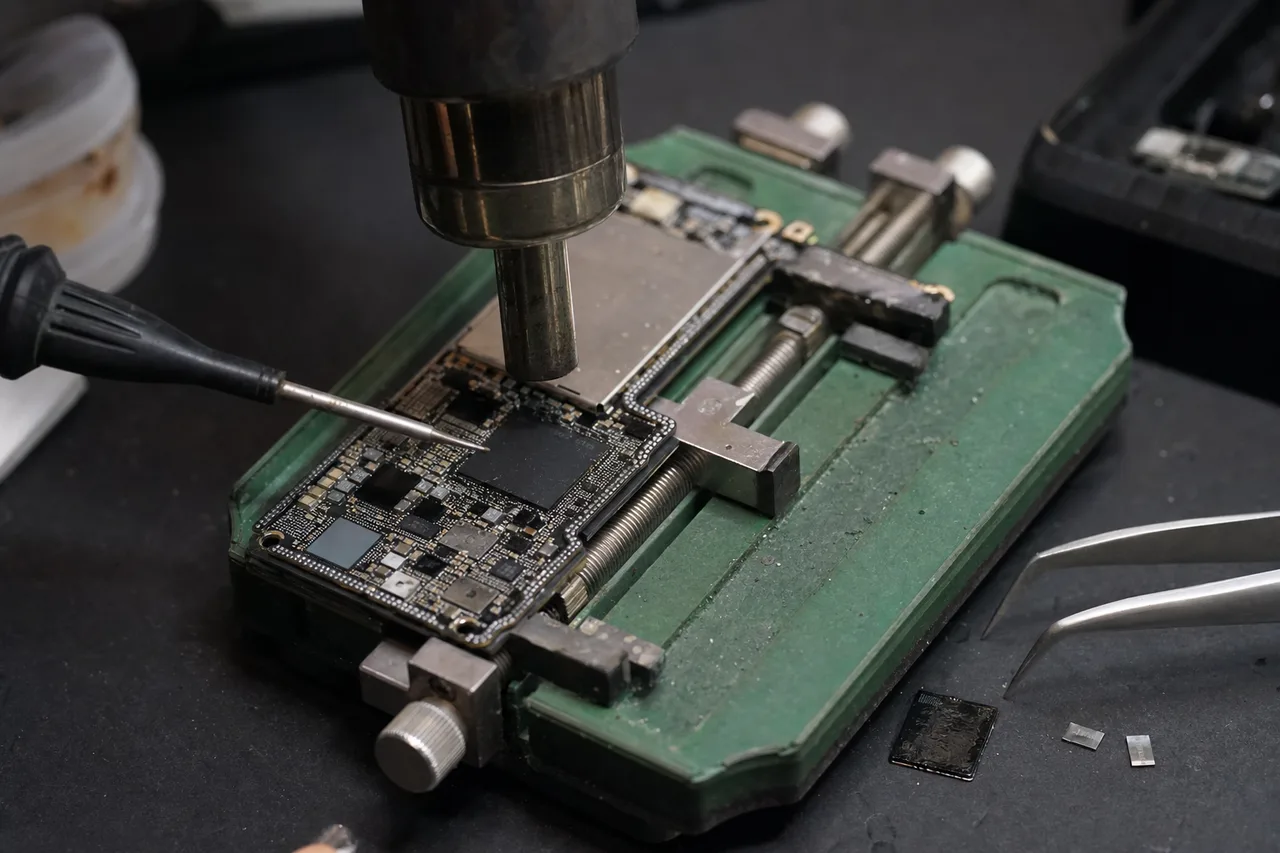
- Using our stereo microscope and precision soldering station, our technician identified and replaced the failed components, restoring access to the storage media. The same micro-soldering skills and diagnostic methodology shown here are applied across all device types we recover - from storage drives to mobile devices and everything in between.
- CASE-004 RECOVERED
Careful Two-Pass Recovery Staged Imaging Strategy
- Failure
- For partial media failure, our lab may use a careful two-pass imaging strategy. Rather than attempting a single aggressive read that could worsen the condition, the first pass prioritizes the most critical data areas.
- Recovery
- By using a patient two-pass approach - first capturing the easily readable sectors, then going back for the more challenging areas - our technician maximized the total data yield. This strategic imaging methodology is standard practice in our lab for any case where the storage media shows signs of degradation.
Crucial SSD Data Recovery - Our Lab & Expertise
In-depth, brand-specific knowledge built from thousands of Crucial recoveries. How Micron NAND, Silicon Motion and Phison controllers, firmware, encryption, and TRIM actually work - and how we recover your data when they fail.
Micron NAND
Crucial and Micron: Understanding the Technology Behind Your SSD
Crucial is the consumer brand of Micron Technology, one of only three companies in the world that manufactures NAND flash memory (alongside Samsung and SK Hynix). This distinction matters enormously when it comes to data recovery because it means Crucial SSDs use Micron-fabricated NAND - and understanding Micron's specific NAND architecture is essential for successful recovery.
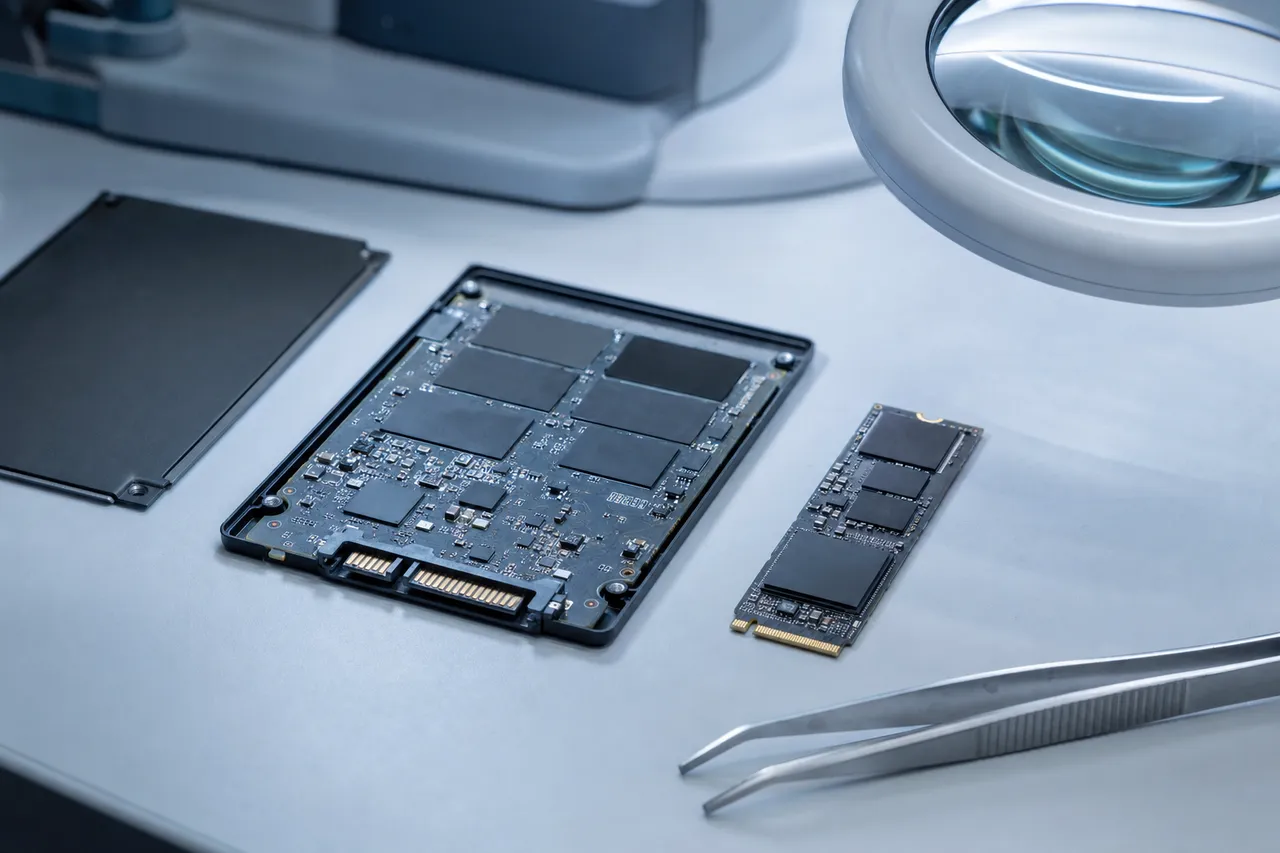
Micron's NAND flash has evolved through several generations. Early Crucial drives like the M500 and MX100 used 16nm and 20nm planar (2D) MLC NAND, which was relatively straightforward to work with during recovery operations. These older drives stored data in a flat, single-layer cell structure that data recovery tools could read predictably. As Micron transitioned to 3D NAND technology - stacking memory cells vertically in 32, 64, 96, 176, and now 232 layers - the complexity of data recovery increased substantially.
The current generation of Crucial SSDs, including the MX500 (which has been refreshed multiple times with newer NAND), the P3 series, and the T700, use Micron's most advanced 176-layer and 232-layer 3D TLC (Triple-Level Cell) and QLC (Quad-Level Cell) NAND. TLC stores three bits per cell while QLC stores four bits per cell, which means each cell has 8 or 16 possible voltage states respectively. When cells begin to degrade or the controller loses its calibration data, distinguishing between these tightly packed voltage states becomes extremely difficult - and that is where professional data recovery expertise becomes critical.
At MDrepairs, we maintain detailed knowledge of Micron's NAND architecture across every generation. Our lab has reference images and firmware maps for Crucial's complete product lineup, which allows us to identify the exact NAND configuration, page size, block structure, and ECC scheme used in your specific drive. This level of understanding is not something you will find at a general computer repair shop - it requires years of dedicated SSD recovery experience and ongoing research as new Crucial models are released.
Micron's vertical integration also means that Crucial SSDs use proprietary error correction algorithms and wear leveling strategies that differ from Samsung or Western Digital drives. When we recover data from a Crucial SSD, we are not applying generic recovery techniques - we are using Crucial-specific methods that account for how Micron NAND stores, shuffles, and protects data at the physical level. This is why MDrepairs achieves consistently high recovery rates on Crucial drives that other labs fail on.
The partnership between Micron's NAND fabrication and Crucial's drive engineering means these SSDs are generally reliable. But when they do fail - whether from age, manufacturing variance, power events, or physical damage - recovering the data requires understanding both the NAND technology and the specific controller firmware that manages it. Joseph Montanti and the MDrepairs team bring that dual expertise to every Crucial SSD recovery case.
Chip-Off NAND
NAND Flash Recovery: How We Extract Data from Failed Crucial SSDs
NAND flash memory is the storage medium inside every Crucial SSD, and understanding how it works is fundamental to understanding how data recovery works. Unlike traditional hard drives that store data magnetically on spinning platters, SSDs store data as electrical charges trapped in microscopic floating-gate transistors arranged in a three-dimensional grid of cells, pages, and blocks.
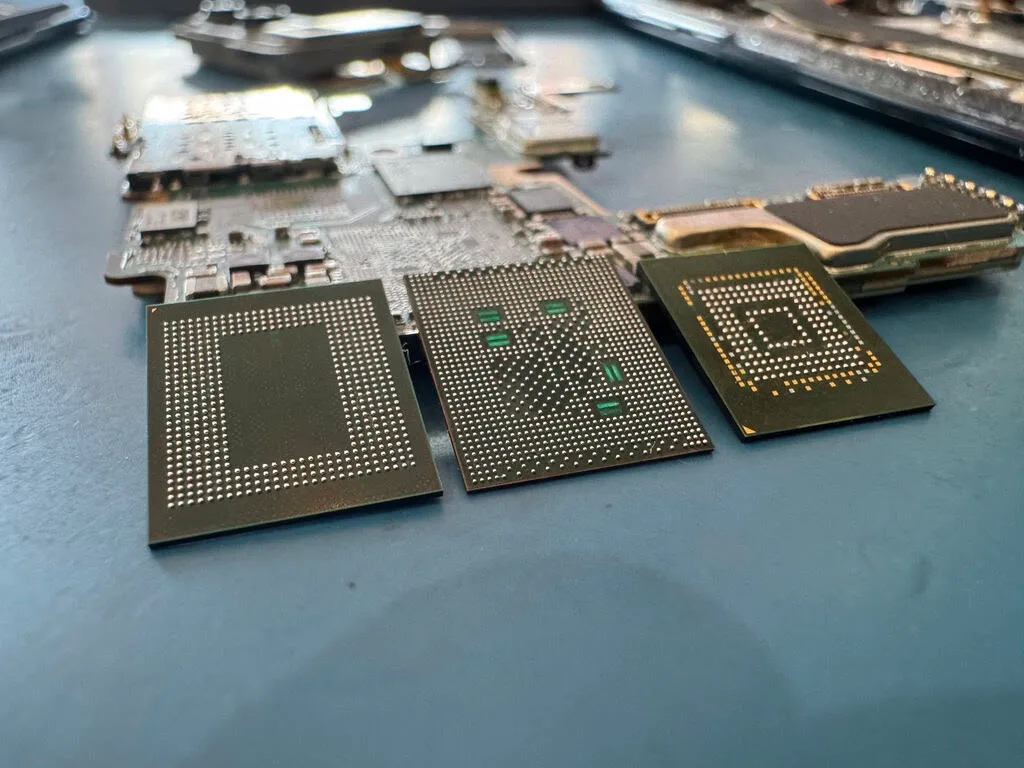
When a Crucial SSD fails and conventional methods cannot access the data, our recovery process often involves reading the NAND flash chips directly - bypassing the controller entirely. This technique, commonly called "chip-off" recovery, requires physically removing the NAND packages from the SSD's circuit board and reading them with specialized hardware. For Crucial drives, this means working with Micron's specific NAND packaging, which uses BGA (Ball Grid Array) connections that must be carefully desoldered without damaging the silicon die inside.
Once the NAND chips are removed and placed into our reader, the raw data we obtain is not immediately usable. NAND flash does not store data in a simple linear format. Instead, the data is scrambled, interleaved across multiple chips, and protected by complex error correction codes (ECC). The controller firmware maintains a Flash Translation Layer (FTL) that maps logical block addresses (what your operating system sees) to physical NAND locations (where the data actually lives). When the controller fails, that mapping is lost - and reconstructing it is the most technically challenging part of SSD data recovery.
For Crucial SSDs specifically, we must account for Micron's NAND page sizes (which have grown from 8KB in older drives to 16KB and even 18KB in newer ones), the specific interleaving pattern used across NAND dies, and the ECC algorithm (typically LDPC - Low-Density Parity-Check codes) that protects each page. Our tools are calibrated for every Crucial model we encounter, with pre-built configurations for the MX500's Silicon Motion SM2258 controller, the BX500's SM2259XT controller, the P3's Phison PS5021-E21T, and the T700's Phison PS5026-E26.
The reconstruction process involves several stages. First, we perform a full raw read of every NAND chip, typically producing hundreds of gigabytes of raw data even from a relatively small SSD. Next, we identify the page structure and remove the ECC overhead. Then we determine the interleaving order - how data is distributed across chips and dies. After that, we locate and parse the FTL tables (or reconstruct them if they are damaged) to map logical addresses to physical locations. Finally, we assemble the logical image and mount the file system to extract your files.
This process can take days or even weeks depending on the complexity of the failure and the size of the drive. A 256GB Crucial MX500 with a simple controller failure might be straightforward - the NAND is healthy and the FTL just needs to be rebuilt from backup copies stored in the NAND itself. A 4TB Crucial T700 with degraded NAND and no valid FTL backups is a much more intensive project requiring manual correlation of data patterns to reconstruct the mapping.
MDrepairs invests continuously in the tools and knowledge required for NAND-level recovery. Our chip-off success rate on Crucial SSDs exceeds 90% for cases where the NAND flash itself is not severely degraded. When cells have worn out or been damaged by electrical events, we apply advanced signal processing techniques to recover marginal reads, often pushing the recovery rate well above what a single pass would yield.
If you have been told your Crucial SSD is "unrecoverable" by another shop, it is worth getting a second opinion from a lab that specializes in NAND-level work. Many shops lack the equipment or expertise for chip-off recovery and default to declaring a drive unrecoverable when they simply cannot access the data through the controller. At MDrepairs, controller failure is a starting point, not a dead end.
Controller Repair
Controller Failures in Crucial SSDs: Causes, Symptoms, and Recovery
The controller is the brain of every SSD - a specialized processor that manages all read and write operations, handles error correction, performs wear leveling, executes TRIM commands, manages the flash translation layer, and coordinates data flow between your computer and the NAND flash chips. When the controller fails, your Crucial SSD effectively becomes a collection of NAND chips with no way to access the data stored on them.
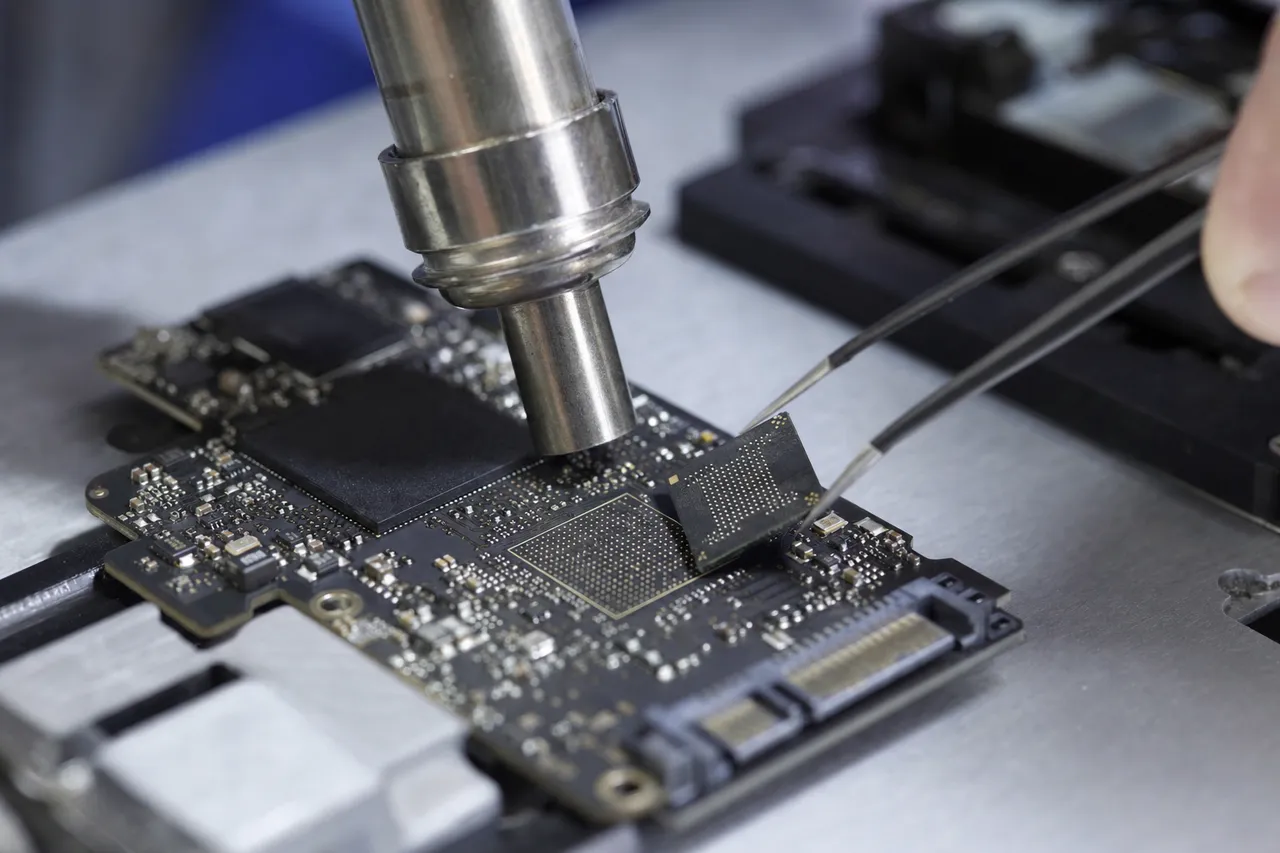
Crucial SSDs use controllers from two primary manufacturers: Silicon Motion and Phison. The SATA lineup (MX500, BX500, and older MX/BX models) predominantly uses Silicon Motion controllers - the SM2258 in the MX500 and SM2259XT (DRAM-less) in the BX500. The NVMe lineup uses Phison controllers: the PS5021-E21T in the P3 and P3 Plus, the PS5018-E18 in the P5 Plus, and the PS5026-E26 in the T700 and T500. Each controller family has its own failure modes, firmware structure, and recovery approach.
Controller failures typically present with one of several symptoms. The most common is the drive simply disappearing - your BIOS and operating system do not detect it at all. In some cases, the drive may be detected but report an incorrect capacity (often 0MB or a fraction of its actual size). Other times, the drive enters a "busy" state where it is detected but hangs any system it is connected to. Some controller failures cause the drive to enter a manufacturer-specific safe mode where it identifies itself with a generic model string rather than its proper name.
The causes of controller failure vary. Power surges and sudden power loss are among the most common - when the controller loses power mid-operation, its internal state machine can become corrupted, and in severe cases, the controller chip itself can be physically damaged by voltage spikes. Overheating is another significant cause, particularly for NVMe drives like the T700 that operate at very high speeds and generate substantial heat. The T700's PCIe Gen5 interface pushes data at up to 12.4 GB/s, and the Phison E26 controller can reach temperatures that cause permanent damage without adequate cooling.
Manufacturing defects, while rare with Crucial's quality control, can also cause premature controller failure. Certain firmware versions have had known bugs that, under specific conditions, could brick the controller. Crucial has issued firmware updates to address these issues, but drives that experienced the failure before the update was available may still need professional recovery.
At MDrepairs, our approach to controller failures depends on the specific failure mode. For firmware-level controller failures where the chip itself is functional but running corrupted code, we can often repair the firmware in-place using specialized service tools that communicate with the controller through vendor-specific commands. This is the fastest and least invasive recovery method, and it works well for many MX500 and BX500 failures.
For physical controller failures where the chip is non-functional, we proceed to NAND chip-off recovery. We remove the NAND packages, read them directly, and reconstruct the data without the controller's involvement. This approach requires detailed knowledge of how the specific controller organized data on the NAND, which is why our controller-specific expertise matters. The way a Silicon Motion SM2258 interleaves data across NAND chips is different from how a Phison E26 does it, and using the wrong reconstruction parameters produces garbage instead of files.
We have recovered data from thousands of SSD controller failures across every Crucial model, and we maintain an actively updated database of controller configurations and firmware versions. Whether your MX500 died after a power outage or your T700 overheated during a workload, MDrepairs has the expertise and equipment to recover your data. Call 732-933-7717 for a free consultation about your Crucial SSD controller failure.
Service Area
Firmware Corruption in Crucial SSDs: What Happens and How We Fix It
Firmware is the low-level software that runs on your Crucial SSD's controller, managing everything from the flash translation layer to error correction, wear leveling, thermal management, and the interface protocol (SATA or NVMe) that communicates with your computer. When firmware becomes corrupted, the consequences range from degraded performance to complete drive failure - and unlike a software application that you can simply reinstall, SSD firmware corruption often locks you out of your data entirely.
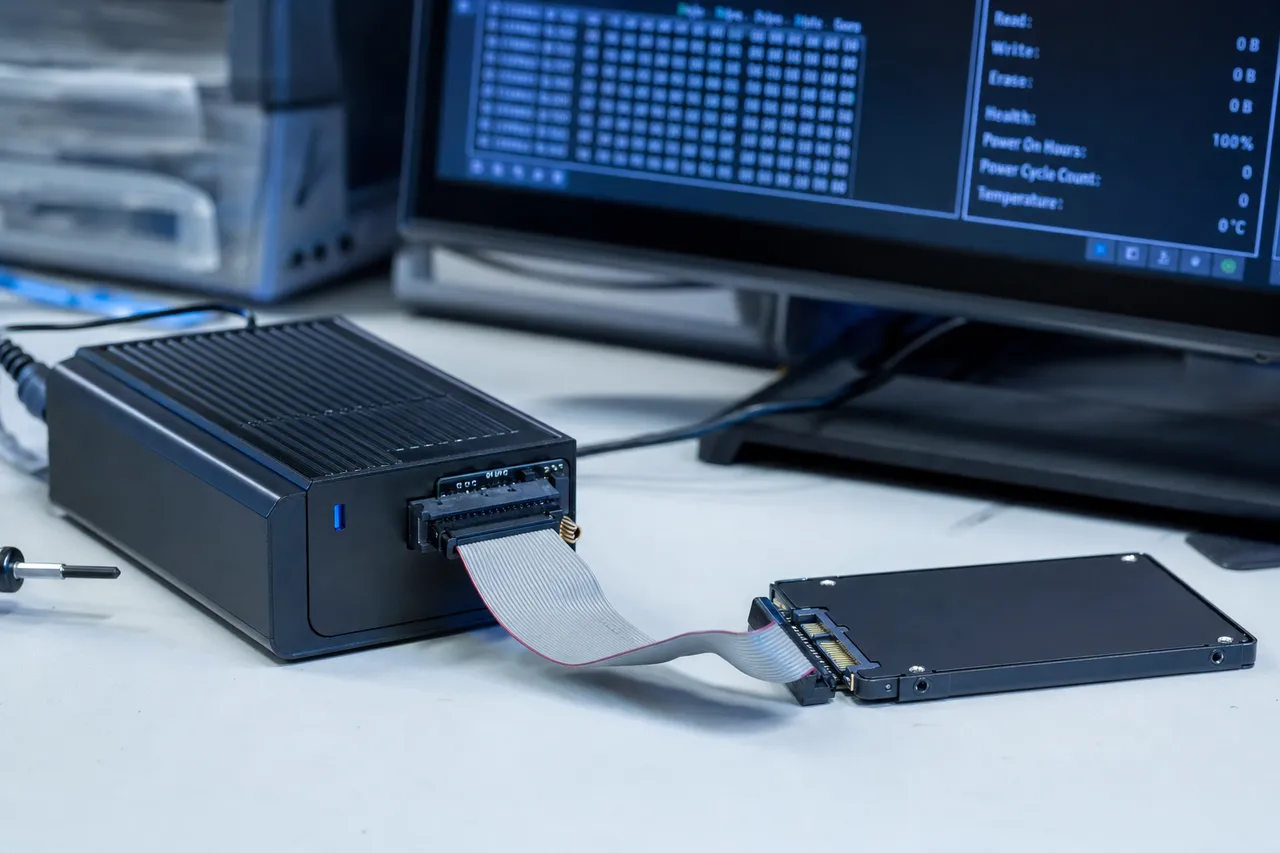
Crucial SSD firmware is stored in a dedicated area of the NAND flash called the service area (sometimes called the system area or ROM area). This area contains the firmware code itself, configuration tables, the flash translation layer maps, bad block tables, SMART data, and various calibration parameters specific to your individual drive. The service area is not accessible through normal means - it requires vendor-specific ATA or NVMe commands to read or modify, and these commands are not publicly documented.
Firmware corruption in Crucial SSDs most commonly occurs during three scenarios. First, a failed firmware update - if the update process is interrupted by a power loss, system crash, or disconnection, the drive can be left with partially written firmware that prevents it from initializing. Crucial's firmware update tool, Storage Executive, is generally reliable, but unexpected interruptions during the flash process can be catastrophic. Second, sudden power loss during normal operation can corrupt the firmware's runtime tables, particularly the FTL mapping data and the bad block management tables. Third, gradual NAND degradation in the service area itself can cause firmware corruption over time - the NAND pages storing firmware data are subject to the same wear as user data pages, and if they develop uncorrectable errors, the firmware becomes corrupted.
The symptoms of firmware corruption can mimic other failures. A drive with corrupted firmware might not be detected at all, might be detected with wrong capacity, might show up with a generic model name (like "SATAFIRM S11" on Silicon Motion-based drives), or might cause the system to freeze during boot. In some cases, the drive is detected correctly but returns I/O errors on every read or write attempt.
At MDrepairs, firmware repair is one of our core competencies for Crucial SSD recovery. For Silicon Motion-based drives (MX500, BX500), we use professional service tools that can communicate with the controller at the factory level, reading and rewriting the service area contents. We maintain firmware backups for every Crucial model and firmware revision, which allows us to restore a clean firmware image while preserving the drive-specific calibration data and FTL maps that point to your data.
For Phison-based NVMe drives (P3, P3 Plus, P5 Plus, T700, T500), the firmware repair process is different due to the Phison architecture. Phison controllers use a complex multi-module firmware structure with separate boot loader, main firmware, and table sections. Corrupted Phison firmware often requires rebuilding individual modules while preserving others - a process that demands detailed knowledge of the specific Phison platform (E21T, E18, or E26) and the Crucial-specific firmware customizations built on top of it.
The most critical aspect of firmware repair is preserving the flash translation layer data. The FTL is what maps your files' logical addresses to their physical locations on the NAND chips. If we simply reflash generic firmware without preserving the FTL, we restore the drive to a working state but lose all references to where your data is stored - effectively the same as formatting the drive. Our firmware repair process specifically targets the corrupted components while leaving the FTL and user data mapping intact.
Firmware corruption recovery success rates at MDrepairs are among the highest in the industry - over 95% for cases where the NAND itself is healthy and only the firmware/service area is affected. The key to this success rate is our library of Crucial firmware versions and our experience with the specific corruption patterns that affect each controller family. If your Crucial SSD is showing signs of firmware corruption, contact MDrepairs at 732-933-7717 before attempting any DIY recovery - incorrect firmware operations can overwrite the very data you are trying to save.
TRIM & GC
TRIM and Garbage Collection: Why SSD Data Recovery Is Time-Sensitive
TRIM and garbage collection are two related processes that make SSD data recovery fundamentally different from hard drive data recovery - and understanding them explains why acting quickly when you lose data on a Crucial SSD can mean the difference between a full recovery and permanent data loss.
When you delete a file on a traditional hard drive, the operating system simply marks the file's directory entry as deleted and frees the space in the file system. The actual data remains on the platters until new data is written over it, which is why hard drive data recovery after deletion is often straightforward - the data is still physically present. SSDs work differently because of a fundamental characteristic of NAND flash memory: you cannot overwrite data in place. To write new data to a previously used location, the SSD must first erase the entire block containing that location, and NAND blocks are large - typically 256 pages or more.
This is where TRIM comes in. TRIM is a command that the operating system sends to the SSD when files are deleted, telling the drive which logical blocks are no longer in use. The SSD's controller uses this information to proactively erase the underlying NAND blocks, preparing them for future writes. Without TRIM, the SSD would need to perform read-modify-write operations every time it needs to write to a previously used block, which would dramatically reduce performance. TRIM allows the SSD to erase blocks in the background during idle time, maintaining consistent write performance.
Garbage collection is the SSD's internal process of consolidating valid data from partially used blocks, freeing up fully empty blocks for new writes. The controller continuously moves valid pages from blocks that contain a mix of valid and invalid (TRIMmed) data into new blocks, then erases the source blocks entirely. This process runs autonomously on the controller - your operating system has no visibility into or control over it.
For data recovery, the implications are significant. When you delete files on a Crucial SSD with TRIM enabled (which is the default on all modern operating systems), the SSD receives TRIM commands and begins zeroing out the physical NAND locations where your data was stored. Once garbage collection processes those blocks, the data is physically gone - not just logically marked as deleted, but actually erased from the NAND cells. No recovery technique, no matter how advanced, can recover data that has been physically erased from NAND flash.
However, there are important nuances that create recovery opportunities. TRIM and garbage collection are not instantaneous - there is a window of time between when you delete a file and when the data is physically erased. This window varies depending on the drive's workload, the controller's garbage collection aggressiveness, and how much free space is available on the SSD. On a lightly used Crucial SSD with plenty of free space, garbage collection may not process recently TRIMmed blocks for hours or even days. On a nearly full SSD under heavy write load, the window can be minutes.
Additionally, TRIM may not be active in all configurations. RAID arrays often do not pass TRIM commands. Some older operating systems or external USB enclosures do not support TRIM. If your Crucial SSD was in one of these configurations when data was lost, the recovery prospects are much better because the NAND still contains the data. This is also why we always advise customers to immediately stop using the SSD and not to attempt any DIY recovery software - every additional write to the drive triggers garbage collection activity that can overwrite the very data you want to recover.
At MDrepairs, the first thing we do when a Crucial SSD arrives for recovery of deleted data is assess the TRIM state. We examine the drive at a low level to determine which NAND blocks have been zeroed by TRIM and which still contain data. We then work to recover as much as possible from blocks that have not yet been processed by garbage collection. In many cases, especially when the customer acted quickly and powered down the SSD immediately after data loss, we achieve significant recovery even from TRIMmed drives.
The bottom line: if you have accidentally deleted important files from a Crucial SSD, power off the drive immediately and contact MDrepairs at 732-933-7717. Every minute the SSD remains powered on gives garbage collection more time to permanently erase your data. Do not run recovery software on the SSD itself - this creates write activity that accelerates data destruction. We can evaluate your drive and give you an honest assessment of what is recoverable.
MX500 SATA
Crucial MX500: The Most Popular SATA SSD and Its Common Recovery Scenarios
The Crucial MX500 is one of the best-selling SATA SSDs of all time, and it is the Crucial model we see most frequently in our data recovery lab. Launched in 2018 and still in production with updated NAND revisions, the MX500 has earned its popularity through a combination of strong performance, competitive pricing, and features typically reserved for higher-end drives - including integrated power-loss immunity, hardware AES 256-bit encryption, and a five-year warranty.
The MX500 is built around a Silicon Motion SM2258 controller paired with Micron's 3D TLC NAND. Over the years, Crucial has refreshed the MX500 several times with newer NAND generations while keeping the same model name. Early MX500 units used 64-layer NAND, while current production units use 96-layer or newer Micron NAND. From a data recovery perspective, this means that two MX500s with the same model number and capacity can have different internal architectures - and our recovery approach must account for the specific NAND revision installed in each drive.
The most common MX500 failure we see is what the recovery community calls the "SATAFIRM S11" bug, where the drive stops identifying itself as a Crucial MX500 and instead shows up in BIOS as "SATAFIRM S11" with 0MB capacity. This is a firmware issue related to the Silicon Motion SM2258 controller - the firmware's module table becomes corrupted, and the drive boots into a minimal safe mode. The good news is that this failure mode is well understood, and we have a very high success rate recovering data from drives in this state. The NAND is typically healthy, and once we repair the firmware module table, the drive returns to normal operation with all data intact.
Power-loss related failures are another common scenario. Despite the MX500's integrated power-loss immunity feature, severe electrical events - lightning strikes, power supply failures, or faulty UPS units - can overwhelm the protection circuitry. In these cases, we may see a controller that is partially functional (the drive is detected but hangs during access) or completely non-functional (no detection at all). The MX500's power-loss protection helps preserve the integrity of data that was already written to NAND, so even when the controller is damaged, the data on the NAND chips is usually intact and recoverable through chip-off techniques.
NAND wear is becoming a more common issue as early MX500 units age. Drives purchased in 2018 and 2019 that have been under continuous heavy workloads are now approaching their endurance limits. Symptoms include increasing SMART warnings, slower write speeds, occasional I/O errors, and eventually the drive going read-only or becoming unresponsive. For drives in this condition, our recovery process involves reading the NAND with adjusted voltage thresholds to correctly identify the charge state of worn cells - a technique that requires both specialized hardware and experience with Micron's TLC voltage distribution characteristics.
The MX500 also uses a feature called SLC caching, where a portion of the TLC NAND is operated in SLC mode (one bit per cell instead of three) to accelerate writes. When the SLC cache fills up and data is folded into TLC mode, there is a brief vulnerability window. If the drive loses power during a cache-folding operation, data can be left in an inconsistent state across SLC and TLC regions. Our recovery tools understand the MX500's specific SLC cache implementation and can reconstruct data that was in transit between cache modes at the time of failure.
If you have a Crucial MX500 showing any of these symptoms - not detected, wrong capacity, SATAFIRM S11 identification, read-only mode, SMART errors, or intermittent I/O failures - contact MDrepairs for a free consultation. The MX500 is a drive we know extremely well, and our recovery success rate on this model is among the highest for any SSD we service. Call 732-933-7717 or submit a free quote through our website.
NVMe vs SATA
NVMe vs. SATA Crucial SSD Recovery: Key Differences
Crucial manufactures SSDs in both SATA and NVMe form factors, and while the fundamental storage technology (NAND flash) is the same, the recovery process differs significantly between the two interfaces. Understanding these differences helps explain why NVMe recovery often requires more specialized expertise and sometimes commands higher pricing.
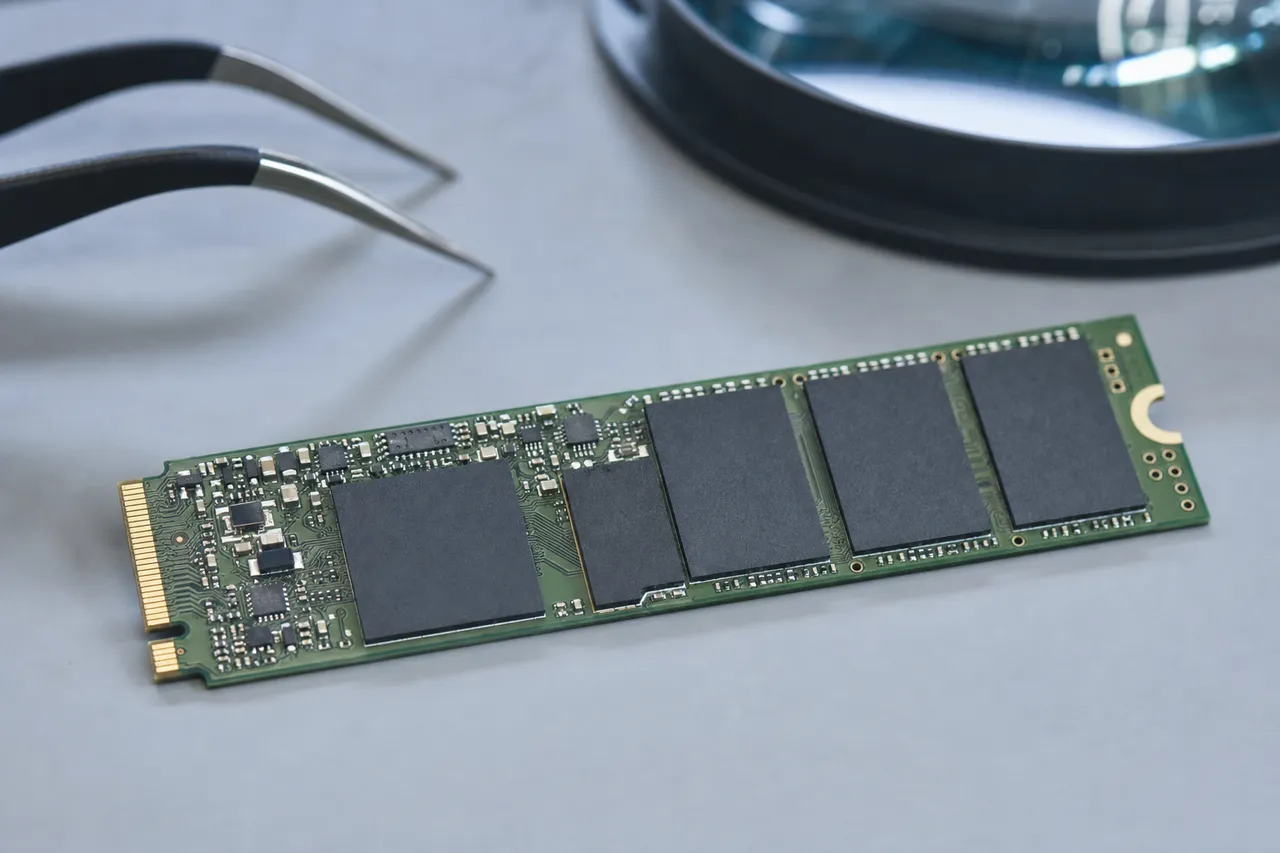
SATA SSDs - the Crucial MX500 and BX500 lineup - use the older AHCI (Advanced Host Controller Interface) protocol over a SATA III (6 Gbps) connection, typically in a 2.5-inch form factor. These drives are electrically simpler, with well-documented command sets and a mature ecosystem of recovery tools. The SATA interface has been used for SSDs for over 15 years, and the data recovery industry has developed robust techniques for every failure mode. Silicon Motion controllers used in Crucial SATA drives (SM2258, SM2259XT) have been thoroughly reverse-engineered by the recovery community, and professional tools support comprehensive firmware access and repair.
NVMe SSDs - the Crucial P3, P3 Plus, P5 Plus, T700, and T500 - use the NVMe protocol over a PCIe connection, typically in an M.2 2280 form factor. NVMe is a much newer and more complex protocol designed specifically for flash storage, and it supports features like multiple command queues, higher throughput, and lower latency. From a recovery standpoint, NVMe drives present several additional challenges compared to their SATA counterparts.
First, NVMe controllers are significantly more complex processors. The Phison PS5026-E26 in the Crucial T700, for example, is an ARM-based dual-core processor with a dedicated RISC co-processor for error correction, running firmware that manages PCIe Gen5 x4 data flow at up to 12.4 GB/s. The complexity of these controllers means more potential failure modes, more complex firmware structures, and more sophisticated data organization on the NAND. Recovery tools must understand the Phison firmware architecture in detail, including its multi-module boot sequence, its FTL structure, and its specific NAND interleaving patterns.
Second, NVMe drives use more advanced NAND configurations. Crucial's NVMe drives generally use newer, denser NAND with higher layer counts and more bits per cell. The T700 uses Micron's 232-layer TLC NAND, which has different page sizes, block sizes, and ECC requirements compared to the 96-layer TLC in the MX500. When chip-off recovery is required, reading and reconstructing data from 232-layer NAND is more complex than from earlier NAND generations because the physical characteristics of the cells - voltage thresholds, error rates, retention behavior - are different.
Third, NVMe drives typically use more NAND chips in more complex interleaving configurations to achieve their higher performance. While a 1TB Crucial MX500 might use 4-8 NAND packages, a 1TB Crucial T700 might use a different number of packages with different die configurations, and the data interleaving pattern across those dies is optimized for maximum throughput rather than simplicity. Reconstructing the correct interleaving order during chip-off recovery requires testing multiple configurations - and with more chips and more complex interleaving, the number of possible configurations increases exponentially.
Fourth, thermal management is a real concern with NVMe recovery. High-performance NVMe drives like the T700 generate significant heat during operation. When we are performing extended diagnostic or recovery operations, we must manage the drive's temperature carefully to prevent further damage. Some recovery operations require sustained reads that would trigger thermal throttling under normal conditions, so our lab uses active cooling solutions specifically designed for NVMe recovery.
Despite these additional challenges, MDrepairs has invested heavily in NVMe recovery capabilities. We have dedicated NVMe diagnostic and recovery hardware, Phison-specific firmware tools, and extensive experience with every Crucial NVMe model from the P1 through the T700. Our success rates on NVMe Crucial drives are comparable to our SATA recovery rates because we apply the same systematic, thorough approach - just with tools and techniques calibrated for the NVMe architecture. Whether your Crucial SSD is a $40 BX500 or a $400 T700, MDrepairs has the expertise to recover your data.
AES-256 / SED
Encryption Challenges in Crucial SSD Data Recovery
Every modern Crucial SSD includes hardware-based AES 256-bit encryption, and this encryption is always active - even if you have never set a password or enabled any encryption feature in your operating system. This is known as Self-Encrypting Drive (SED) technology, and it works by encrypting all data as it is written to the NAND and decrypting it as it is read back. The encryption key is stored on the drive itself and is managed transparently by the controller, so under normal operation you never know it is there. However, during data recovery, this encryption adds a critical layer of complexity.
Here is how it works in practice: when a Crucial SSD is manufactured, the controller generates a random AES 256-bit encryption key called the Data Encryption Key (DEK). Every byte of user data written to the NAND is encrypted with this DEK before being stored. When data is read back, the controller decrypts it using the same DEK before sending it to the host computer. The DEK is stored in a protected area of the NAND, typically within the firmware's service area, and it never leaves the controller during normal operation.
For data recovery purposes, this means that if we can repair the controller or firmware and restore normal drive operation, the encryption is transparent - the controller handles decryption automatically, and the recovered data comes out unencrypted. This is the ideal recovery scenario and is how most Crucial SSD recoveries work. The encryption does not add any additional difficulty when the controller is functional or can be repaired to functionality.
The challenge arises during chip-off recovery. When we remove the NAND chips and read them directly, bypassing the controller entirely, we obtain encrypted data. Without the DEK, this data is effectively unrecoverable - AES 256-bit encryption cannot be brute-forced with current (or foreseeable) technology. Therefore, during chip-off recovery of a Crucial SSD, we must also recover the DEK from the controller's service area on the NAND.
In most cases, the DEK is stored redundantly in the service area, and even when the firmware is corrupted enough to prevent the drive from booting, the DEK itself is usually intact and recoverable. Our tools know exactly where to look for the DEK in Silicon Motion and Phison controller architectures, and we extract it as part of our standard chip-off procedure. Once we have the DEK, we apply it to the raw NAND dump to decrypt the data before file system reconstruction.
There are scenarios where encryption becomes a significant barrier. If the user enabled TCG Opal or IEEE 1667 security features (available on the MX500 and some NVMe models), the DEK is protected by an additional authentication key tied to a user password. If the user has forgotten this password and the controller is non-functional, recovering the authentication key adds considerable complexity. We have tools and techniques for working with TCG Opal-locked drives, but success depends on the specific implementation and failure mode.
BitLocker encryption on Windows adds another layer. When BitLocker is used with a Crucial SSD's hardware encryption capability (eDrive/IEEE 1667), the encryption key management involves both the SSD's controller and Windows' own key storage. If both the SSD controller and the Windows installation are damaged, recovering the BitLocker key can require the user's BitLocker recovery key (a 48-digit code generated when BitLocker was enabled). Without this recovery key, the data may be technically recoverable from the NAND but permanently encrypted.
Our recommendation for Crucial SSD users: keep a record of any encryption passwords or recovery keys associated with your drive. If you use BitLocker, save your recovery key to a Microsoft account, a USB drive, or a printed document stored securely. If you use TCG Opal or any third-party encryption, document the password separately from the encrypted drive. These precautions can make the difference between a successful and unsuccessful recovery if your Crucial SSD ever fails.
At MDrepairs, we handle encrypted Crucial SSD recovery regularly and understand the encryption architecture of every Crucial model. If you are unsure whether your drive has encryption enabled or what type it uses, we can determine this during our diagnostic evaluation. Call 732-933-7717 to discuss your specific situation.
Wear & Endurance
Wear Leveling, Over-Provisioning, and Their Impact on Crucial SSD Data Recovery
Wear leveling and over-provisioning are two essential SSD technologies that extend the life of your Crucial SSD but also influence how data recovery works. Understanding these mechanisms helps explain both why modern SSDs last as long as they do and why recovering data from them requires specialized knowledge that goes beyond traditional data recovery techniques.
NAND flash memory cells have a finite lifespan measured in program/erase (P/E) cycles - the number of times a cell can be written and erased before it becomes unreliable. For the TLC (Triple-Level Cell) NAND used in most current Crucial SSDs, this is typically around 1,000 to 3,000 P/E cycles depending on the NAND generation and process node. For QLC (Quad-Level Cell) NAND, the endurance is even lower, around 500 to 1,000 cycles. These numbers sound small, but wear leveling ensures that these cycles are distributed evenly across all available NAND cells rather than concentrated on frequently written locations.
Crucial SSDs implement two types of wear leveling. Dynamic wear leveling distributes writes across free blocks, choosing the block with the lowest erase count for each new write operation. Static wear leveling goes further - it periodically moves static data (data that is written once and rarely changed, like operating system files) from low-wear blocks to higher-wear blocks, freeing up the low-wear blocks for active write duty. This ensures that even blocks holding static data eventually share the write burden.
For data recovery, wear leveling has a significant implication: your data is not stored in the same physical location for the entire life of the drive. The controller continuously moves data around the NAND to balance wear, which means the flash translation layer (FTL) mapping between logical addresses and physical NAND locations is constantly changing. When we perform chip-off recovery and need to reconstruct the FTL, we must work with the most recent version of these mappings - older FTL snapshots might point to physical locations that no longer contain the expected data because wear leveling has moved it.
Over-provisioning is the practice of reserving a portion of the SSD's total NAND capacity for internal use, making it unavailable to the user. A Crucial MX500 1TB, for example, has more than 1TB of physical NAND but presents exactly 1TB (953.87 GiB) to the user. The extra NAND serves several purposes: it provides spare blocks to replace blocks that have worn out, it gives the garbage collection and wear leveling algorithms room to work efficiently, and it stores redundant copies of critical firmware and FTL data.
The over-provisioned area is particularly important for data recovery because it often contains previous versions of FTL maps, firmware backups, and even copies of user data that were moved during wear leveling but not yet erased. When the primary FTL is corrupted, we can sometimes find a recent backup in the over-provisioned space that allows us to reconstruct the data mapping without a full chip-off procedure. This is one of the reasons our recovery success rate is higher than labs that do not examine the over-provisioned area.
The Crucial BX500 is worth special mention here because it is a DRAM-less SSD - it does not have a dedicated DRAM cache chip to store the FTL. Instead, it uses a portion of the NAND itself (plus a small SRAM buffer on the controller) to cache the FTL, using a technology Silicon Motion calls NANDXtend. This design choice reduces cost but means that the FTL is more vulnerable to corruption during power loss events because it is being managed in the slower NAND rather than in fast, power-independent DRAM. The MX500, by contrast, has a dedicated DRAM chip that holds the complete FTL and can flush it to NAND quickly during power loss - this is part of its power-loss immunity feature.
When a Crucial SSD reaches the end of its wear life, it typically enters a read-only mode as a protective measure. The controller detects that the available spare blocks have been exhausted and that further writes might cause data loss, so it blocks all write operations while still allowing reads. If you see your Crucial SSD suddenly become read-only, it is critical to immediately copy all accessible data and contact us if any files are inaccessible. Do not attempt to force-write to the drive or update its firmware - this can push the drive from read-only to completely unresponsive.
At MDrepairs, we factor wear leveling and over-provisioning into every Crucial SSD recovery. Our diagnostic process includes reading the SMART attributes to assess the drive's wear state, examining the over-provisioned area for recoverable data and FTL backups, and using our understanding of Crucial's specific wear leveling implementation to optimize our recovery approach. This attention to the drive's internal management mechanisms is part of what sets professional SSD recovery apart from generic data recovery software.
Choosing a Lab
Choosing a Crucial SSD Data Recovery Provider: What to Look For
When your Crucial SSD fails and your data is at stake, choosing the right recovery provider is one of the most important decisions you will make. Not all data recovery companies are equal - especially when it comes to SSD recovery, which requires fundamentally different tools, techniques, and expertise compared to traditional hard drive recovery. Here is what you should evaluate when selecting a provider for your Crucial SSD recovery, and why MDrepairs stands out in each area.
SSD-Specific Expertise
Many data recovery companies built their reputation on hard drive recovery and have only recently added SSD recovery to their service list. Ask specifically about their experience with SSD controller repairs, firmware-level recovery, NAND chip-off procedures, and flash translation layer reconstruction. At MDrepairs, SSD recovery is a core capability - not an afterthought. Joseph Montanti and the team have performed thousands of SSD recoveries across every major brand, with particular depth of experience on Crucial drives thanks to Micron's market-leading position in the NAND flash industry.
Crucial-Specific Knowledge
Generic SSD recovery skills are not sufficient for the most complex Crucial failures. The best recovery providers understand the specific controllers (Silicon Motion SM2258, SM2259XT, Phison E21T, E18, E26), firmware architectures, NAND configurations, and failure patterns unique to Crucial drives. They maintain libraries of firmware versions and NAND configuration maps. MDrepairs has detailed technical profiles for every Crucial SSD from the M500 through the T700, updated continuously as new models and firmware revisions are released.
Transparent Pricing
Beware of providers that quote extremely low prices to get your drive in the door, then inflate the quote once they have your data hostage. A reputable provider will give you a clear pricing structure upfront. At MDrepairs, our Crucial SSD recovery pricing is straightforward: a $100 diagnostic fee that applies to every case, with total recovery costs ranging from $300-$500 for logical failures, $500-$900 for firmware and controller issues, and $900-$1,500 for chip-off and complex hardware failures. We provide a firm quote after the diagnostic, and you decide whether to proceed before any recovery work begins.
No Data, No Charge Policy
This is non-negotiable. A confident recovery provider stands behind their work with a clear no-data-no-charge guarantee. If they cannot recover your target files, you should owe nothing beyond the diagnostic fee. MDrepairs operates on this principle for every case - including the most challenging Crucial SSD recoveries. If we cannot get your data, you pay only the $100 diagnostic.
Proper Equipment
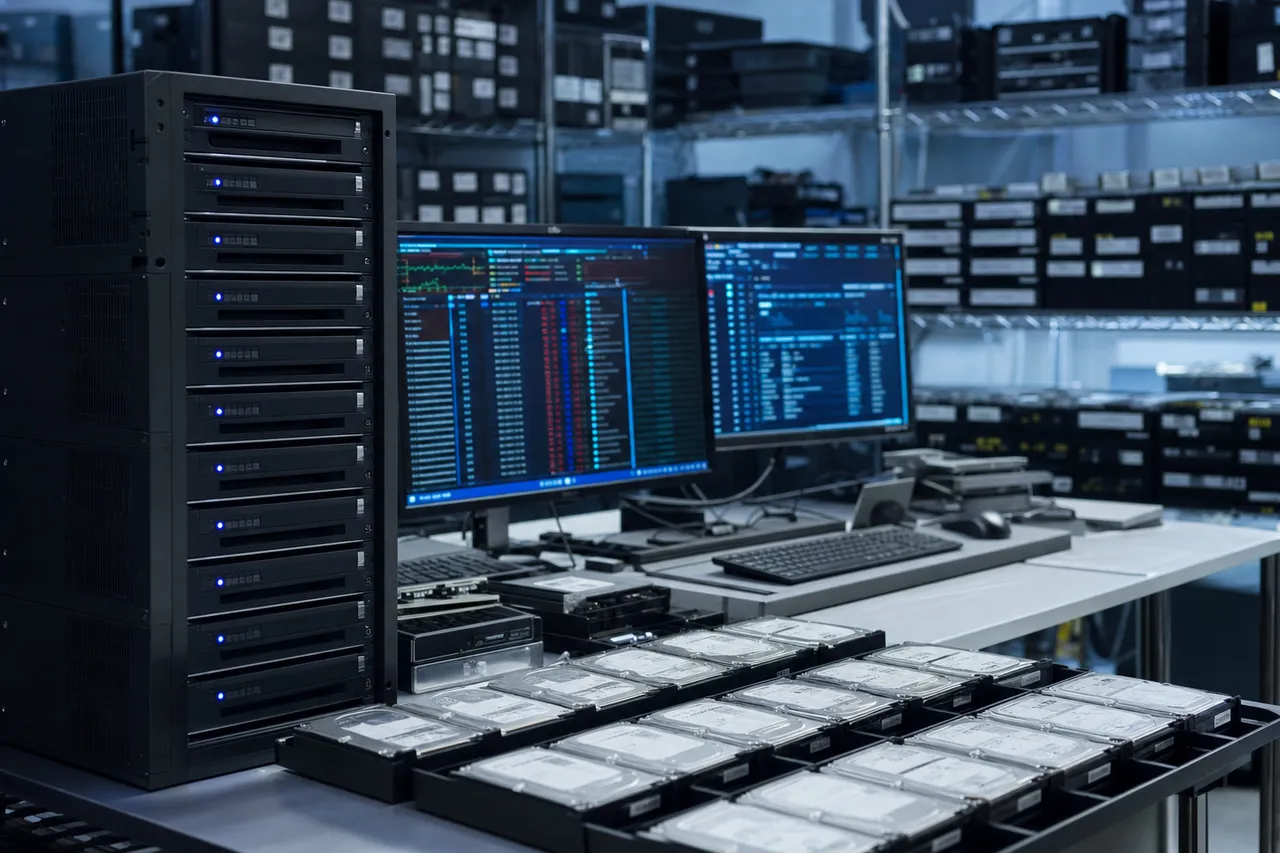
Professional SSD recovery requires specialized hardware that costs tens of thousands of dollars - NAND chip readers, BGA rework stations, protocol analyzers, and proprietary recovery platforms that communicate with SSD controllers at the vendor level. Ask your potential provider about their equipment. If they rely solely on software-based recovery tools, they cannot handle hardware failures, controller issues, or chip-off procedures. MDrepairs maintains a fully equipped SSD recovery lab with commercial-grade chip-off hardware, multiple NAND reader platforms, and professional forensic tools.
Track Record and Reviews
Look for verified customer reviews, case studies, and a demonstrated history of successful SSD recoveries. MDrepairs has a 4.6-star average rating across Google and other review platforms, with hundreds of verified reviews specifically mentioning SSD recoveries. Our YouTube, TikTok, and Instagram channels document real recovery cases - including Crucial SSD recoveries - so you can see our work firsthand before sending your drive.
Communication
Data recovery can be stressful, and you deserve a provider who communicates clearly and promptly. How long does the diagnostic take? When will you receive a quote? How will you be notified of progress? At MDrepairs, Joseph Montanti personally oversees communication with clients, providing updates at each stage of the recovery process. You will never be left wondering about the status of your drive.
Security and Privacy
Your data is personal and potentially sensitive. Ask about the provider's data handling policies, facility security, and data destruction procedures. MDrepairs operates from a secure facility in Lincroft, NJ. All recovered data is stored on encrypted media, access is restricted to recovery technicians, and all copies are securely erased within 30 days of data return. We never share, sell, or access client data for any purpose beyond the recovery itself.
Nationwide Service with Free Shipping
Geography should not limit your choice of recovery provider. MDrepairs serves all 50 states with free insured shipping both ways. We provide prepaid shipping labels, and your Crucial SSD is fully insured during transit. Whether you are in New York or California, you get the same expert service as a local client walking into our Lincroft, NJ lab.
Choosing the right recovery provider for your Crucial SSD is not about finding the cheapest option - it is about finding the provider most likely to get your data back safely and completely. MDrepairs combines Crucial-specific expertise, professional-grade equipment, transparent pricing, and a genuine commitment to customer service that has earned the trust of over 2 million followers and hundreds of five-star reviews. Call 732-933-7717 for a free consultation about your Crucial SSD recovery case.
Talk to the engineer who reads the NAND - not a call center.
Crucial SSD Data Recovery FAQ
Straight answers on cost, turnaround, SATAFIRM S11, TRIM, encryption, and how we recover data from a failed Crucial SSD - drawn from the questions we hear every day.
-
Can you recover data from a Crucial MX500 that is not detected?
Yes. A Crucial MX500 that is not detected is typically caused by a controller failure or firmware corruption, often presenting as "SATAFIRM S11" in BIOS. MDrepairs has extensive experience with Silicon Motion SM2258 controller issues and maintains firmware maps for every MX500 revision. We recover the data by repairing the firmware service area or, if necessary, performing a NAND chip-off. Call 732-933-7717 for a $100 professional diagnostic.
-
How much does Crucial SSD data recovery cost?
Crucial SSD data recovery at MDrepairs ranges from $300 to $1,500 depending on the failure type. Logical failures like corrupted file systems cost $300-$500. Firmware corruption and controller issues run $500-$900. Complex hardware failures requiring NAND chip-off recovery cost $900-$1,500. Every case starts with a $100 diagnostic fee, and if we cannot recover your data, you only pay the diagnostic.
-
What causes a Crucial SSD to suddenly stop working?
The most common causes are controller failure (often from power surges), firmware corruption (from interrupted updates or sudden shutdowns), NAND degradation (from age and heavy use), and physical damage (drops, liquid, heat). Less common causes include manufacturing defects and failed firmware updates. MDrepairs diagnoses the exact cause during our $100 evaluation.
-
Should I try data recovery software before sending my Crucial SSD to you?
We generally advise against it. Running recovery software on a failing Crucial SSD can worsen the condition - additional read attempts can stress a degrading controller, and writing recovered files to the same drive will overwrite data. If the drive has a hardware or firmware failure, software will not help anyway. Power down the drive and contact MDrepairs at 732-933-7717 for professional evaluation.
-
Can deleted files be recovered from a Crucial SSD?
It depends on whether TRIM has processed the deleted data. If TRIM has already zeroed the NAND blocks, the data is permanently erased. However, if you act quickly and power down the SSD immediately after deletion, there is often a window before garbage collection processes the TRIMmed blocks. The sooner you contact MDrepairs, the better your recovery chances for deleted files on a Crucial SSD.
-
What is the SATAFIRM S11 error on Crucial SSDs?
SATAFIRM S11 is a common firmware failure on Silicon Motion-based Crucial SSDs, particularly the MX500. When the firmware's module table becomes corrupted, the drive boots into a minimal safe mode and identifies itself as "SATAFIRM S11" with 0MB capacity. MDrepairs specializes in repairing this specific failure - we restore the firmware module table and recover your data without needing chip-off procedures in most cases.
-
Can you recover data from a Crucial BX500?
Absolutely. The Crucial BX500 uses a Silicon Motion SM2259XT DRAM-less controller with Micron TLC NAND. We regularly recover data from BX500 drives affected by controller failures, firmware corruption, power surge damage, and NAND degradation. The BX500's lack of DRAM makes it slightly more susceptible to power-loss related corruption, but our recovery tools handle this architecture effectively.
-
Do you recover data from Crucial NVMe SSDs like the P3 and P5 Plus?
Yes. MDrepairs recovers data from all Crucial NVMe models including the P3, P3 Plus, P5 Plus, T500, and T700. These drives use Phison controllers (E21T, E18, E26) with Micron NAND, and our lab has the Phison-specific tools needed for firmware repair, controller-level diagnostics, and chip-off recovery when required.
-
How long does Crucial SSD data recovery take?
Standard turnaround is 4-5 weeks. Priority rush service (5-7 days) is available for $250 extra, urgent rush (1-2 days) for $500 extra, and emergency same-day service for $1,000 extra. Complex NVMe recoveries or chip-off cases may require additional time at standard priority. We provide an estimated timeline during the diagnostic phase.
-
Can you recover data from an encrypted Crucial SSD?
All modern Crucial SSDs use hardware AES 256-bit encryption that is always active. When we repair the controller or firmware, decryption is handled automatically. For chip-off recovery, we extract the encryption key from the NAND service area and apply it to decrypt the raw data. If you have enabled TCG Opal or BitLocker with your Crucial SSD, additional authentication credentials may be needed.
-
What is chip-off recovery and when is it needed for Crucial SSDs?
Chip-off recovery involves physically removing the NAND flash chips from the Crucial SSD's circuit board and reading them directly with specialized hardware. It is used when the controller is physically damaged beyond repair and cannot be fixed through firmware methods. The raw NAND data is then decrypted, descrambled, and reconstructed into usable files. MDrepairs performs chip-off recovery on all Crucial models.
-
What happens if you cannot recover my data?
MDrepairs operates on a no data, no charge policy. If we cannot recover your target files from your Crucial SSD, you only pay the $100 diagnostic fee. We provide a detailed report explaining the failure and why recovery was not possible, so you have complete transparency regardless of the outcome.
-
Is shipping free for Crucial SSD recovery?
Yes. MDrepairs provides free insured shipping both ways for all Crucial SSD recovery cases nationwide. We send you a prepaid shipping label, and your drive is fully insured during transit. Your recovered data and original drive are shipped back to you at no additional cost.
-
Can you recover data from a Crucial T700 NVMe SSD?
Yes. The Crucial T700 uses a Phison PS5026-E26 controller with Micron 232-layer TLC NAND over a PCIe Gen5 x4 interface. We have the tools and expertise to recover data from T700 drives affected by controller failures, firmware corruption, thermal damage, and NAND degradation. The T700 is one of the fastest consumer SSDs available, and our lab is equipped to handle its advanced architecture.
-
Can you recover data from a Crucial portable SSD (X9 or X10 Pro)?
Yes. Crucial's portable SSDs - the X9, X9 Pro, and X10 Pro - use NVMe controllers with Micron NAND inside a USB-C enclosure. We recover data from portable Crucial SSDs affected by drop damage, connector failures, controller issues, and NAND degradation. We can work with the internal NVMe drive directly, bypassing the USB bridge if needed.
-
Do you offer emergency same-day Crucial SSD recovery?
Yes. Our emergency service (+$1,000) provides same-day priority for time-critical Crucial SSD recovery cases. A dedicated technician begins work immediately upon arrival of your drive. This service is ideal for business-critical data situations where every hour of downtime has significant consequences. Call 732-933-7717 to arrange emergency service.
-
Can you recover data from a Crucial SSD that was formatted?
It depends on the format type and whether TRIM was active. A quick format on a TRIM-enabled SSD will trigger TRIM commands that may erase the data. A full format is even more destructive. However, if TRIM was not active (e.g., the drive was in a USB enclosure that does not support TRIM, or it was part of a RAID), recovery chances are good. Contact MDrepairs immediately after an accidental format for the best chance of recovery.
-
Is my data kept confidential during recovery?
Absolutely. MDrepairs takes data privacy seriously. All recovered data is stored on encrypted media with access restricted to recovery technicians. We never share, view, or use your data for any purpose beyond the recovery itself. All copies are securely erased from our systems within 30 days of returning your data. Our facility in Lincroft, NJ maintains strict physical and digital security protocols.
-
Can you recover data from an old Crucial SSD like the M500 or MX100?
Yes. MDrepairs maintains support for every Crucial SSD generation, including legacy models like the M500, M550, MX100, MX200, MX300, BX200, and BX300. These older drives use earlier Marvell and Silicon Motion controllers with planar (2D) NAND that we have extensive experience recovering. Older drives are actually somewhat simpler to recover from a NAND perspective due to their less dense cell structure.
-
What information should I provide when contacting MDrepairs about my Crucial SSD?
Provide the exact Crucial model (e.g., MX500 1TB, P5 Plus 2TB), what happened when the drive failed (symptoms, any events like power surges), what data you need recovered (specific files or everything), and your timeline requirements. This helps us give you an accurate initial assessment. If you are unsure of the model, the part number on the drive label will help us identify it.
-
Can a Crucial SSD be repaired and reused after data recovery?
Sometimes, depending on the failure. If the issue was firmware corruption that we repair, the drive may function normally afterward. However, we always recommend replacing a drive that has experienced a failure - once a drive fails, the underlying issue (NAND wear, manufacturing defect, controller weakness) often leads to repeat failures. We return your original Crucial SSD with your recovered data so you can make that decision.
-
Do you recover data from Crucial SSDs used in RAID arrays?
Yes. MDrepairs handles RAID recovery involving Crucial SSDs, including RAID 0, 1, 5, and 10 configurations. RAID recovery with SSDs has an advantage: RAID controllers typically do not pass TRIM commands, so deleted data is more likely to be preserved on the NAND. We can recover data from individual failed Crucial drives and rebuild the RAID array to restore your complete data set.
-
Why is Crucial SSD recovery more expensive than hard drive recovery?
SSD recovery requires different, often more expensive equipment (NAND chip readers, BGA rework stations, controller-specific tools) and more specialized expertise than traditional hard drive recovery. The complexity of modern SSD controllers, NAND architectures, encryption, and data organization means each recovery requires significant technical skill. However, MDrepairs keeps pricing competitive - our Crucial SSD recovery starts at $300 for logical failures.
-
What is the success rate for Crucial SSD data recovery at MDrepairs?
Our overall success rate for Crucial SSD recovery exceeds 90% for cases involving controller failures, firmware corruption, and logical issues. For chip-off cases where the NAND itself is healthy, success rates are similarly high. Cases involving severe NAND degradation or post-TRIM deletion have lower but still meaningful recovery rates depending on the specific circumstances. We provide an honest assessment during the diagnostic phase.
-
How do I ship my Crucial SSD to MDrepairs?
Contact us at 732-933-7717 or submit a free quote on our website, and we will email you a prepaid insured shipping label. Pack your Crucial SSD in an anti-static bag inside a padded box - we can provide packing instructions if needed. Ship it to our lab at 644 Newman Springs Road, Suite A, Lincroft, NJ 07738. We begin the diagnostic evaluation as soon as your drive arrives.
Ready When You Are
Ready to Recover Your Data?
Power down your Crucial SSD and get it to our Lincroft, NJ lab. We provide a free insured shipping label, a $100 diagnostic with a firm quote and file list, and a no data, no charge guarantee. Call 732-933-7717 or get a free quote to start.
No data, no charge Free insured shipping both ways All 50 states