
My WD My Passport fell off my nightstand onto hardwood floor. I was devastated - 10 years of family photos. MDrepairs recovered every single file. Joseph kept me updated the whole time. Cannot recommend enough.
- ★ 4.6 Customer Rating
- 2M+ Social Media Followers
- All 50 States
Dropped Hard Drive Data Recovery
Dropped your hard drive? Stop - do not power it on again. Every power cycle after a drop can cause the damaged heads to scratch the platter surfaces, escalating a $1,000 head swap recovery into a $2,500+ scratched platter case.
MDrepairs in Lincroft, NJ specializes in drop-damaged drives from all brands - Western Digital, Seagate, Toshiba, LaCie, and more. Every case starts with a $100 professional diagnostic that assesses the internal damage without risking further data loss. We serve customers nationwide through our secure mail-in program. No data, no charge on the recovery.
- ★ 4.6 Google Reviews
- 2M+ Social Media Followers
- $100 Flat Diagnostics
- 50 States Nationwide Service
- In-House, Never Outsourced
- No Data, No Charge
First, Stop
Do not power on a dropped hard drive
If the read/write heads were damaged by the impact, powering the drive on forces them to drag across the spinning platters - destroying data and generating debris that causes more damage every second. Unplug it, set it on a flat surface, and call us. The $100 diagnostic tells you exactly what happened inside without risking any further data loss.
Reviews
What Our Customers Say
Drives We Recover After Drops
We recover data from every major brand and model of hard drive after physical drop damage. Whether you have a compact portable drive or a full-size desktop external, our clean bench and donor library allow us to perform head swaps, motor repairs, and platter-level recovery on all of the following drives and more.
- WD My Passport
- WD My Passport Ultra
- WD Elements Portable
- WD Elements Desktop
- WD My Book
- WD My Book Duo
- WD Easystore
- Seagate Backup Plus Slim
- Seagate Backup Plus Portable
- Seagate Expansion Portable
- Seagate Expansion Desktop
- Seagate One Touch
- Seagate Game Drive
- Toshiba Canvio Advance
- Toshiba Canvio Basics
- Toshiba Canvio Flex
- Toshiba Canvio Ready
- LaCie Rugged Mini
- LaCie Rugged USB-C
- LaCie d2 Professional
- LaCie Mobile Drive
- Samsung M3 Portable
- G-Technology G-Drive
- G-Technology ArmorATD
- HGST Touro Mobile
- Maxtor M3 Portable
- Buffalo MiniStation
- Transcend StoreJet
- Silicon Power Armor
- Iomega eGo Portable
$100 diagnostic · No data, no charge · Free shipping
What Happens When You Drop a Hard Drive
-
Head Crash
The most common result of a drop. The read/write heads slam into the spinning platters, causing physical scoring on the magnetic surface and destroying the heads themselves. This requires a clean bench head transplant to recover data from undamaged areas of the platters.
-
Platter Scratches
When heads crash into spinning platters during a drop, they can carve circular scratches into the magnetic coating. Scratched areas are permanently unreadable, but data on undamaged sections can often be recovered through careful imaging around the damaged zones.
-
Motor / Spindle Damage
A hard impact can knock the spindle motor out of alignment or seize the bearings entirely. The drive may refuse to spin up or produce a faint buzzing sound. In many cases, platters can be transferred to a donor chassis with a working motor to continue recovery.
-
PCB Damage
External drives that land on their circuit board side can crack or short-circuit the PCB. While the platters inside may be perfectly fine, the electronics needed to communicate with them are damaged. PCB repair or transplant from a matching donor can restore access.
-
Head Stiction
If a drive was not spinning when it was dropped, the heads may have been parked on or near the platters. The impact can cause them to stick to the platter surface, a condition called stiction. The drive will not spin up because the heads physically hold the platters in place. Manual head unsticking in a clean environment resolves this.
-
Firmware Corruption
Sometimes a drop causes the heads to briefly touch the platters in the system area where firmware modules are stored. Even minor damage to these tracks can render the drive unbootable. Specialized tools like PC-3000 can rebuild firmware modules and restore access to user data.
-
Connector / Interface Damage
Dropping an external hard drive can crack the USB or Thunderbolt connector, snap the internal SATA bridge board, or sever the ribbon cable between the drive and its enclosure. The drive mechanism may be completely fine, but the interface is broken. Removing the drive from its enclosure and connecting it directly often bypasses this issue.
-
Internal Debris Contamination
A head crash generates microscopic debris inside the sealed drive chamber. These particles circulate on the air bearing and cause additional damage to both heads and platters every second the drive is powered on. This is why powering on a dropped drive is so dangerous and why clean bench work is critical for safe recovery.
How We Recover Your Data
-
Ship or Drop Off Your Drive
Pack your dropped drive securely and ship it free to our lab in Lincroft, NJ using our prepaid insured label, or drop it off in person. We accept drives from all 50 states.
-
$100 Diagnostic Evaluation
We perform a thorough physical and electronic assessment in our clean bench environment. We identify the exact type of drop damage - head crash, motor failure, platter damage, or PCB issue - and determine recovery feasibility.
-
Recovery Plan & Approval
You receive a detailed report explaining the damage, recovery approach, cost, and estimated timeline. We only proceed with your written approval. No surprises, no hidden fees.
-
Clean Bench Recovery
Using our clean bench workstation and professional tools including PC-3000 and donor drives, we perform head swaps, motor repairs, or platter-level imaging as needed to extract your data safely.
-
Data Verification & Return
We verify all recovered files for integrity, transfer them to a new external drive, and ship it back to you with insured shipping. You review a file listing before we finalize the case.
Dropped Drive Recovery Pricing
Every dropped hard drive recovery begins with a $100 diagnostic evaluation. This fee is applied toward your total recovery cost if you proceed. If we cannot recover your target data, you pay only the $100 diagnostic - no data, no charge. Below are our pricing tiers based on the type of drop damage and the complexity of the recovery required.
-
Logical / Firmware Recovery
$650 - $1,200
Data recovery from drives with logical errors, accidental deletion, formatting, file system corruption, or firmware failures. Includes PC-3000 firmware module repair and sector-level imaging.
- Accidental deletion recovery
- File system corruption repair
- Firmware module restoration
- Partition table reconstruction
- Bad sector bypass imaging
$100 diagnostic applied to cost
- Most common after a drop
Head Swap / Mechanical Recovery
$1,000 - $2,000
Recovery from clicking, buzzing, or non-spinning drives requiring clean bench work - head replacements, motor repair, stiction recovery, or spindle motor service.
- Failed read/write head replacement
- Motor failure repair
- Stiction recovery (heads stuck to platter)
- Clean bench head transplant with donor
- PC-3000 selective head imaging
$100 diagnostic applied to cost
-
Platter / Severe Damage Recovery
$999 - $2,500+
Recovery from drives with platter surface damage, contamination, scoring from head crashes, or drives that failed at other labs. Includes helium drive recovery ($2,000 - $3,500+).
- Scratched platter recovery
- Contamination and debris removal
- Head crash damage recovery
- Multi-platter transplant
- Conservative imaging around damaged zones
$100 diagnostic applied to cost
All pricing includes the $100 diagnostic fee. No data, no charge - if we can't recover your target files, you only pay the diagnostic fee.
Turnaround Times
Every data recovery case at MDrepairs begins with a $100 diagnostic evaluation - external inspection, PCB testing, motor current analysis, and controlled spin-up with head monitoring. You receive a detailed report within 48 hours with recovery likelihood, expected data yield, and timeline. The $100 is applied toward your final recovery cost. Standard turnaround is 5-10 business days at no additional charge. Priority service (+$250) moves your case to the front of the queue with 3-5 day completion. Rush service (+$500) guarantees 1-3 business day turnaround for urgent recoveries. Emergency same-day service (+$1,000) is available for critical business data that cannot wait. If we cannot recover your target files, you pay only the $100 diagnostic fee - no data, no charge.
-
4 - 5Weeks
Standard
No surcharge
Full assessment with recovery options and pricing.
-
5 - 7Days
Priority Rush
+$250
Jumps to the front of the queue.
-
1 - 2Days
Urgent Rush
+$500
Dedicated technician for time-sensitive cases.
- Fastest
Same Day
Emergency
+$1,000
Immediate start. Highest priority, mission-critical.
Dropped Hard Drive Data Recovery - Recovery Cases
See how our lab handles real data recovery cases - from initial diagnosis through final data delivery.
-
Dropped Drive Recovery - Bent Internal Chassis
- Drive
- Western Digital WD10JMVW (1TB portable)
- Failure
- A drop bent the internal chassis, throwing off the precise alignment between read/write heads and platter surfaces. The drive clicked on every power attempt. Another recovery lab declared it unrecoverable.
- Recovery
- MDrepairs identified chassis deformation as the root cause, transplanted the platter stack into a matched donor chassis to restore alignment, and imaged the drive. Nearly all data recovered.
-
Dropped External Drive - Clicking from Impact Damage
- Drive
- Western Digital My Passport (5TB portable)
- Failure
- The portable drive was knocked off a desk, causing the read/write heads to crash into the platters. The drive clicked repeatedly on power-up - failed heads unable to read servo tracks.
- Recovery
- We performed a full head stack assembly swap with a matched donor after converting USB to SATA for PC-3000 access. Clean imaging, all data recovered - family photos and years of files intact.
-
Drop Damage - Platter Scratching from Head Crash
- Drive
- Seagate Backup Plus Slim (portable)
- Failure
- A fall caused the heads to crash into the platters, leaving visible scratches on the magnetic surface. This is the worst-case drop scenario - most labs decline scratched platter cases entirely.
- Recovery
- We cleaned debris from the drive interior, used modified donor heads with adjusted firmware parameters to read around damaged zones. Significant data recovered from a case most labs would refuse.
-
Dropped While Connected - Stiction After Sudden Disconnect
- Drive
- Seagate Rosewood (portable)
- Failure
- The drive was yanked from its cable while reading, causing the heads to land directly on the spinning platters. The heads bonded to the surface through stiction - molecular adhesion that locks heads in place.
- Recovery
- We carefully separated each head from the platter surface without scratching the magnetic coating. After reassembly with verified clearance, the drive imaged completely. All data recovered.
Dropped it? Leave it powered off - $100 diagnostic credited, free insured shipping, no data, no charge.
Secure Mail-In Hard Drive Recovery from Anywhere
Free 2nd-Day-Air prepaid labels to all 50 states - the same in-house cleanroom expertise as our in-person service, with real-time status updates. Your drive is typically in our Lincroft, New Jersey lab within 2 - 3 business days, and return shipping is free too.
- Free prepaid label, both ways
- Fully insured, 2nd-Day-Air UPS
- Real-time status updates
Free 2nd-Day-Air UPS shipping covers the USA, excluding islands.
How Mail-In Works
- 1
Contact Us
Request a free quote and we’ll send you a prepaid, insured shipping label - printed right on the mail-in form.
- 2
Ship Your Drive
Pack your drive securely and drop it at any UPS location. Shipping is free both ways - free 2nd-Day-Air UPS, fully insured.
- 3
We Recover Your Data
Your drive is diagnosed and recovered by our lead technician Joseph Montanti using PC-3000 and DeepSpar tools in our professional clean-bench environment.
- 4
Data Returned
Your recovered data ships back on a new drive - free 2nd-Day-Air UPS, insured, and verified before it leaves our lab.
Data Privacy & Chain of Custody
Your data is handled under strict chain-of-custody procedures from intake to secure destruction.
-
Intake Logging
Every drive is photographed and logged with a unique case number, serial, model, and condition on arrival.
-
Restricted Access
Only your assigned technician handles your drive. No shared workstations, no exceptions.
-
No Browsing Data
We never open or view your files. Integrity is verified through checksums and file structure only.
-
Secure Delivery
Data is transferred to a new drive and shipped back to you. All copies are purged after confirmation.
-
Drive Return
Your new drive is returned with your recovered data.
What You Receive After Recovery
-
Your Recovered Data
Your files are delivered on a new external hard drive shipped directly to you, or we send you a password-protected download link for secure retrieval. We include a file listing so you can verify everything before we purge our copies.
-
Your Original Drive
After recovery is complete, you choose what happens to your original drive - we can return it to you, hold it for a specified period, or securely destroy it. All copies of your data on our systems are purged after you confirm receipt.
-
Ongoing Support
Need help accessing your recovered files, transferring data to a new device, or setting up backups to prevent future data loss? Our team is available after delivery to help you get back on track.
Talk to the engineer who opens the drive - not a call center.
A Complete Guide to Dropped Hard Drive Recovery
What to do in the first five minutes, how a drop damages a drive, why you must never power it back on, and exactly how we get your data back - written by the team that recovers dropped drives every week in our Lincroft, NJ lab.
01First 5 Minutes
What to Do Immediately After Dropping a Hard Drive
The moments after dropping a hard drive are critical. What you do in the first few minutes can mean the difference between a full recovery and permanent data loss. The single most important thing you can do is stop using the drive immediately. Do not plug it back in. Do not try to see if it still works. Do not shake it or tap it. Every action you take from this point forward either preserves your chances or destroys them.
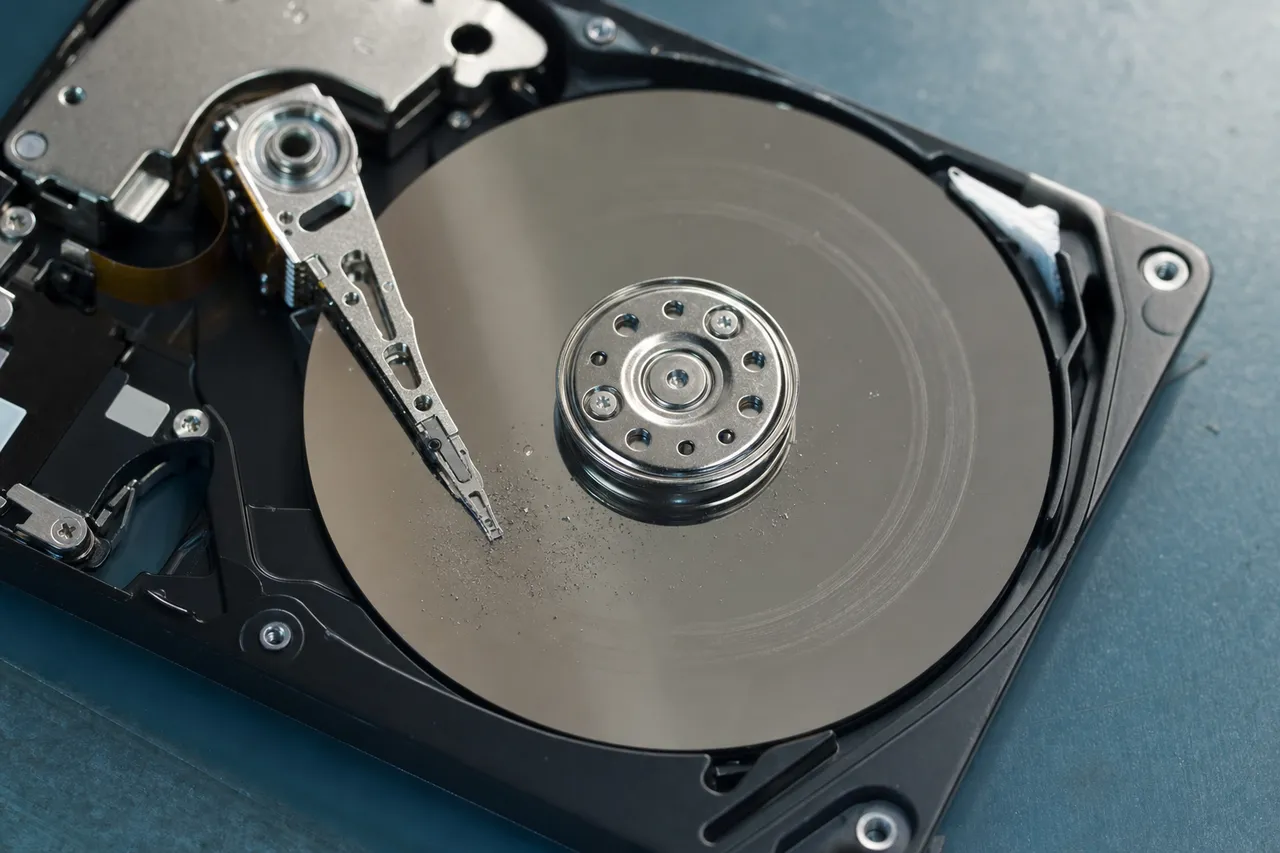
When a hard drive suffers a physical impact, the internal read/write heads - which float just nanometers above the spinning platters - can crash into the platter surface. If the drive was spinning at the time of the drop (which it is whenever it is plugged in and powered on), the heads were actively reading or writing data while hovering on an air bearing thinner than a human hair. A sudden jolt sends them crashing down. This is called a head crash, and it is the most common type of damage we see from dropped drives at MDrepairs.
If you pick the drive back up and plug it in to check if it works, you are forcing those damaged heads to drag across the platter surfaces again. Every second they move, they are grinding off the magnetic coating that holds your data. They are also generating microscopic debris particles that circulate inside the sealed chamber and cause additional damage to areas of the platters that were previously untouched. A drive that might have been 99% recoverable can become 50% recoverable or worse after just a few minutes of operation with damaged heads.
Here is exactly what you should do after dropping a hard drive:
- Unplug it immediately. If the drive was connected to a computer or power source, disconnect it right away. Do not wait for it to eject safely - just pull the cable.
- Do not power it on again. Resist the urge to test it. We understand the anxiety, but every spin-up attempt with damaged heads causes more data loss.
- Set it on a flat, stable surface. Do not carry it around, put it in a bag, or move it more than necessary.
- Do not open the drive. Hard drives require a particle-controlled clean bench environment to open safely. Opening a drive in a normal room exposes the platters to dust particles that are far larger than the head-to-platter gap, causing immediate additional damage.
- Do not put it in a freezer. This is an internet myth that causes more harm than good. We have an entire section on this topic below.
- Contact a professional data recovery lab. Call MDrepairs at 732-933-7717 or submit a free quote through our website. We will walk you through safe packaging and shipping.
When you are ready to ship the drive to our lab, pack it in anti-static material and surround it with cushioning inside a sturdy box. Do not use packing peanuts that can generate static. Bubble wrap or foam padding works best. Our free shipping label includes insurance coverage for transit damage. Once your drive arrives at our lab in Lincroft, NJ, we begin the $100 diagnostic evaluation, typically within one business day of receipt.
02Failure Modes
Types of Drop Damage in Hard Drives
Not all drops cause the same type of damage. The severity and nature of the internal failure depends on several factors: the height of the drop, the surface the drive landed on, whether the drive was powered on at the time, and the angle of impact. Understanding the type of damage helps explain the recovery process and why pricing varies between cases.
Head Crash
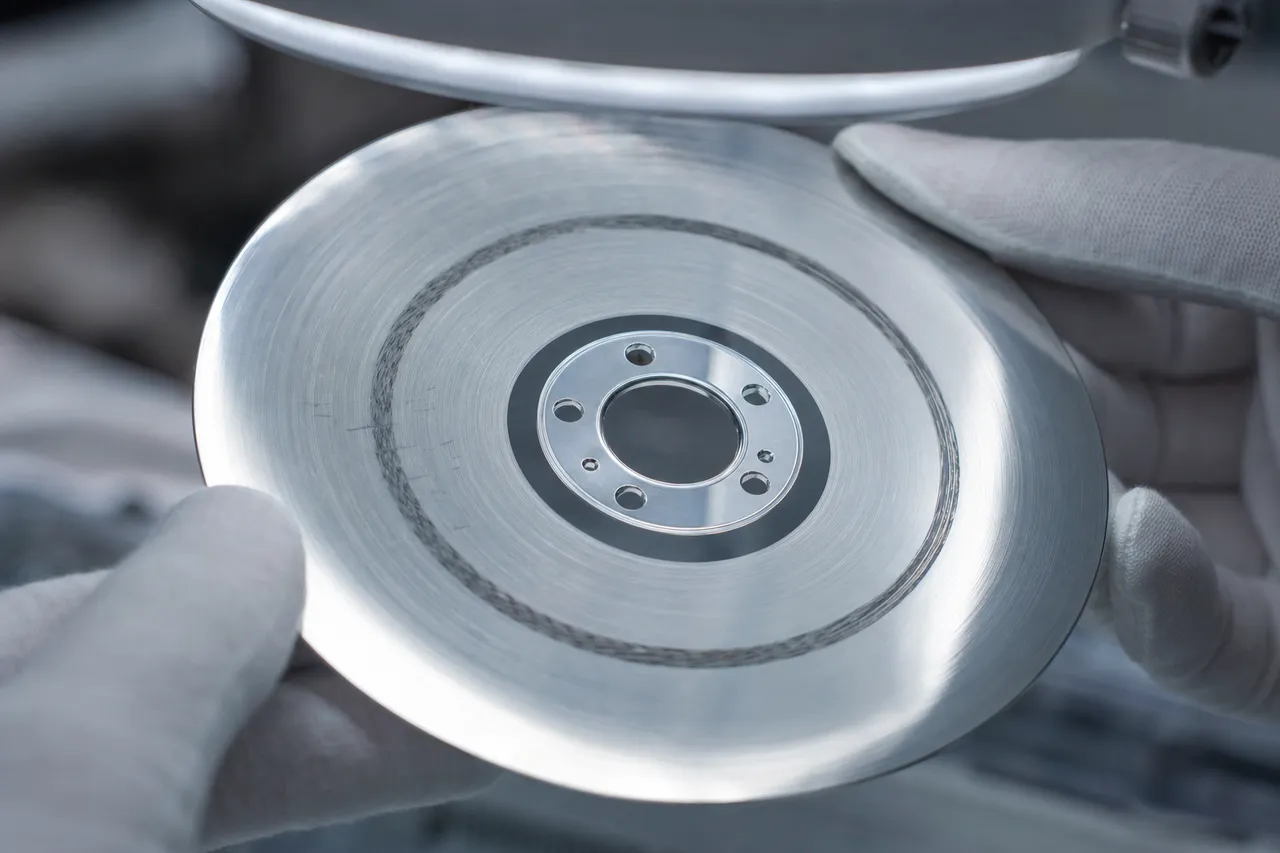
A head crash occurs when the read/write heads physically contact the spinning platters. During normal operation, the heads float approximately 3-5 nanometers above the platter surface on a cushion of air created by the spinning disk. For perspective, a human fingerprint is about 1,000 nanometers. The tolerance is impossibly small. Any sudden physical shock - even a minor bump - can collapse this air bearing and send the heads crashing into the platters.
When heads hit the platter surface, they typically bounce and skip across it, gouging circular arcs into the magnetic coating. This is where your data is physically stored. The areas where the heads contacted the platter are permanently destroyed. However, data on the rest of the platter surface remains intact and recoverable. At MDrepairs, we perform head transplants using matched donor drives to install new, undamaged heads that can safely read the surviving data.
Platter Scratches and Scoring
Platter scratches are a direct consequence of a head crash but represent a more severe level of damage. Light head contact may damage the heads without significantly scratching the platters. Heavier impacts or prolonged operation after a crash creates visible scoring on the platter surface - concentric rings where the magnetic coating has been completely removed.
The severity of platter scratching determines recovery rates. Minor scratches affecting the outer tracks (where less critical data is typically stored) may result in 95%+ recovery. Severe scoring across multiple platter surfaces with extensive debris contamination represents the most challenging scenario. At MDrepairs, we use conservative imaging techniques that work around damaged zones to maximize data extraction without causing additional platter degradation.
Spindle Motor Seizure
The spindle motor sits at the center of the platter stack and spins the disks at 5,400 or 7,200 RPM. A hard impact can knock the motor bearings out of alignment or cause them to seize entirely. When this happens, the drive either refuses to spin up at all (complete silence when powered on) or produces a buzzing or humming sound as the motor tries and fails to reach operating speed.
Motor seizure recovery involves transplanting the platters from the damaged drive into a matching donor chassis with a working motor. This is extremely delicate work that must be done in a clean environment because the platters must maintain their exact alignment and spacing relative to the new heads. We perform this procedure at our clean bench in Lincroft, NJ.
PCB and Electronic Damage
External drives that land on their circuit board can crack solder joints, break traces, or short out components on the PCB. The PCB contains the motor controller, the head preamplifier, and the drive's ROM chip which stores unique calibration data for that specific drive. Simply swapping the PCB from another drive of the same model does not work because each drive's ROM data is unique. At MDrepairs, we transplant the ROM chip from the original PCB to a working donor PCB to restore functionality.
Stiction
Stiction occurs when the heads become physically stuck to the platter surface. This can happen if a drive that was powered off (with heads parked on the platter) receives a hard impact. The force of the drop presses the heads firmly against the platters, and the extremely smooth surfaces create a suction-like bond. The drive cannot spin because the heads are holding the platters in place. Manual head separation in a clean bench resolves stiction without further platter damage in most cases.
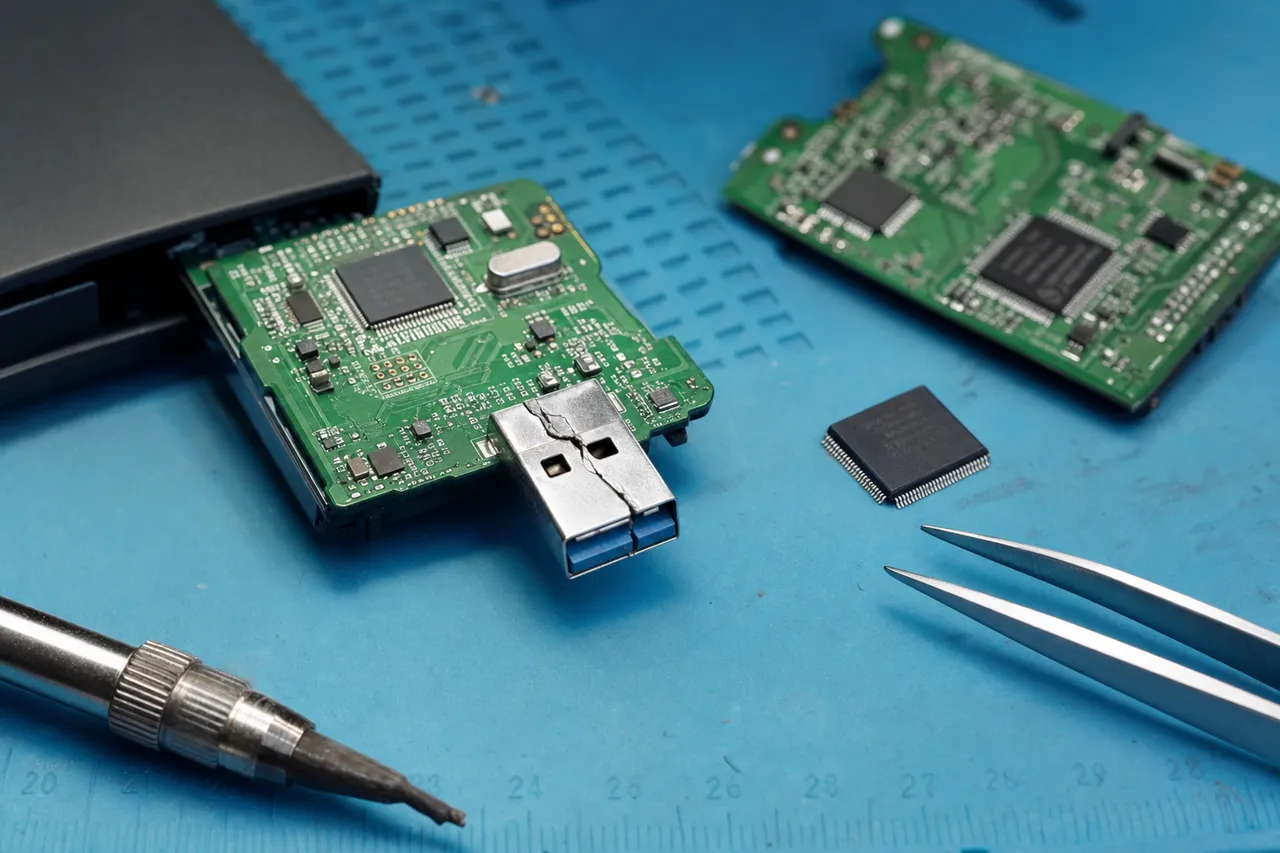
Connector and Enclosure Damage
Many drop-damage cases we see at MDrepairs involve nothing wrong with the hard drive mechanism itself. The USB connector, the SATA-to-USB bridge board inside the enclosure, or the ribbon cable connecting the drive to the interface has been damaged or dislodged by the impact. These are the easiest and least expensive drop cases to resolve. We remove the drive from its enclosure, connect it directly to our imaging systems, and extract the data without any invasive work on the drive itself.
03Critical Warning
Why You Should Never Power On a Dropped Hard Drive
We cannot stress this enough: do not power on a hard drive after it has been dropped. This single piece of advice could save your data. At MDrepairs, we see dozens of cases every month where a customer's recovery outcome was significantly worsened because they plugged the drive back in to see if it still worked. We understand the impulse. You want to know immediately whether your data is okay. But the risk is simply not worth it.
Here is what happens inside a dropped drive when you power it on: If the read/write heads were damaged by the impact (which is the most common outcome of a drop), they are now physically deformed. The smooth, aerodynamic surface that allows them to float above the platters is compromised. When you power the drive on, the platters begin spinning at 5,400 or 7,200 RPM. The damaged heads attempt to fly on the air bearing but cannot maintain proper height. They make contact with the platter surface - not once, but continuously as the disk spins at up to 120 revolutions per second.
Each revolution, the damaged heads are scraping across the magnetic coating. This does two things simultaneously. First, it destroys data. The magnetic coating being removed is literally where your data is stored, bit by bit. Second, it generates debris. Microscopic particles of the magnetic coating and the head material itself are now floating inside the sealed drive chamber, carried by the same air currents that the heads are supposed to fly on. These particles impact other areas of the platter, creating new damage in regions that were previously untouched. This is called a cascading failure, and it can destroy a drive in minutes.
We have opened drives at MDrepairs where the customer said they only plugged it in for 30 seconds to check, and the platters had visible concentric scratches across their entire surface. What might have been a straightforward head swap with 99% recovery became a severe platter damage case with significant data loss.
The clicking sound that many people hear after dropping a drive is the heads trying to calibrate and failing. The drive's firmware commands the heads to move to specific tracks to read servo information. When the heads are damaged, they cannot find the servo data, so the firmware resets and tries again. Each attempt means another pass of damaged heads across the platter surface. Each click is more damage. Each click is less data.
Some people report that a dropped drive seems to work fine for a few minutes before failing. This is actually one of the worst scenarios because it gives a false sense of security. The drive may be operating with partially damaged heads that are still functional enough to read data but are actively degrading the platter surface. By the time the drive fails completely, significant additional damage has been done compared to if the drive had been powered off immediately and sent to a professional lab.
There is also a common misconception that if a drive is not making noise, it is safe to use. This is not true. A drive can have damaged heads that are quietly dragging across the platters without producing any audible clicking or grinding. The damage is happening at a microscopic level that you cannot hear. By the time you notice the drive is slow, dropping files, or producing errors, substantial damage has already occurred.
The bottom line: after dropping a hard drive, unplug it and call MDrepairs at 732-933-7717. The $100 diagnostic will tell you exactly what happened inside the drive without risking any additional data loss. If the drive turns out to be fine, you have spent $100 for peace of mind. If it is damaged, you have preserved your best chance at a full recovery.
04Understand The Difference
Head Crash vs. Platter Damage: Understanding the Difference
Customers often ask us whether their dropped drive has a head crash or platter damage. The answer is usually both, but to different degrees. Understanding the relationship between these two types of damage helps explain recovery outcomes, pricing, and why we are so insistent about not powering on a dropped drive.
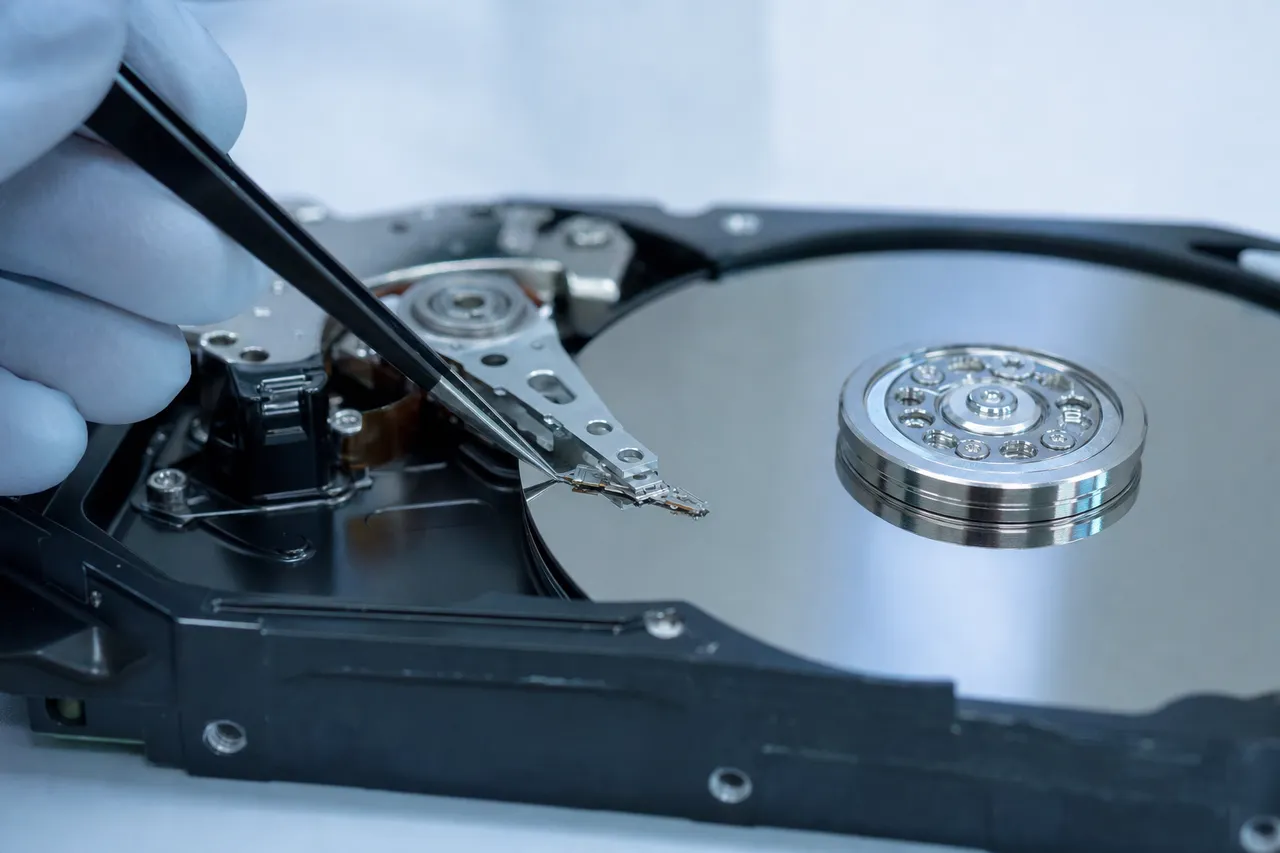
A head crash is the event. Platter damage is the result. When the read/write heads contact the spinning platters, that is a head crash. The marks left on the platters from that contact are platter damage. You cannot have platter scratches without a head crash having occurred, but you can have a head crash with minimal or no visible platter damage - particularly if the contact was brief and the drive was powered off quickly.
Mild Head Crash - Best Recovery Scenario
In a mild head crash, the heads briefly touch the platters and then the drive is powered off (either by the user unplugging it or by the impact disconnecting power). The heads are damaged and need replacement, but the platters may have only minor damage confined to a small area. Recovery rates in these cases are typically 98-100%. This is the ideal scenario and is most common when the drive was not powered on after the drop.
At MDrepairs, we handle mild head crashes by sourcing a compatible donor drive, performing a head swap in our clean bench, and then imaging the drive using PC-3000. The imaging process reads the drive sector by sector, working around any areas where the heads encountered resistance or errors. For a mild head crash, the imaging process is usually complete within 24-48 hours.
Moderate Head Crash - Partial Platter Damage
A moderate head crash involves more significant platter contact, leaving visible scoring on one or more platter surfaces. This typically happens when a drive was powered on after the drop and ran for several seconds to several minutes with damaged heads. The platters will have concentric scratches in the areas where the heads were actively reading or writing.
Recovery rates for moderate head crashes range from 80-97%, depending on which areas of the platters are damaged. If the damage is confined to outer tracks, most user data (which tends to be written from the outer tracks inward) may be in the affected zone. However, file system metadata, directories, and the master file table are also stored in specific platter locations, and if those areas are undamaged, we can reconstruct the file structure and recover files from the intact regions.
These cases require longer imaging times - often 3-7 days - because the PC-3000 must carefully navigate around damaged zones, retry failed sectors, and use head-specific read parameters to extract data from marginal areas. At MDrepairs, we customize the imaging approach for each case based on the damage pattern we observe during diagnostic.
Severe Head Crash - Extensive Platter Scoring
Severe head crashes involve heavy platter scoring across multiple surfaces, often with visible debris rings and darkened areas where the magnetic coating has been completely removed. These cases typically result from a drive that was operated for an extended period after the drop, or from a very high-energy impact.
Recovery rates for severe head crashes range from 30-80%. The platters have significant areas of permanent data loss, and the challenge is maximizing what can be extracted from the remaining intact areas. This requires the most aggressive imaging parameters, multiple head sets, and sometimes custom firmware patches to work around the damaged zones.
At MDrepairs, we are transparent about the expected recovery rate during the diagnostic phase. If we see severe platter damage, we will tell you upfront what percentage of data we expect to recover so you can make an informed decision about whether to proceed. We never sugarcoat outcomes or make promises we cannot keep.
How We Assess the Damage
During the $100 diagnostic at MDrepairs, we open the drive in our clean bench and visually inspect the platters under magnification. We look for scoring patterns, debris, and head condition. We also examine the drive's SMART data and firmware logs (if the drive was functional enough to generate them) for clues about the severity and duration of the head crash. This comprehensive assessment allows us to provide an accurate recovery estimate before you commit to any cost beyond the diagnostic fee.
05Most Common Case
External Hard Drive Drop Recovery
External hard drives are the most common type of drive we see for drop recovery at MDrepairs. Their portability makes them convenient for backup and storage, but it also means they are handled frequently, set on desks and tables, connected and disconnected, and carried in bags and backpacks. Every one of those interactions is an opportunity for a drop.
The most popular external drives on the market - the WD My Passport, Seagate Backup Plus, Toshiba Canvio, and LaCie Rugged - all contain standard 2.5-inch laptop hard drives inside their enclosures. Despite marketing terms like "rugged" and "shock-resistant," the hard drive mechanism inside is the same delicate device with the same ultra-tight tolerances and the same vulnerability to physical impact. Rubber bumpers and reinforced cases can help absorb minor bumps, but a fall from desk height onto a hard floor generates forces that exceed any enclosure's protective capacity.
External drives face some unique challenges compared to internal laptop or desktop drives when it comes to drop damage:
They Are Almost Always Spinning When Dropped
External drives are typically connected to a computer and actively in use when they are knocked off a desk or table. This means the platters are spinning and the heads are flying when the impact occurs. This is the worst-case scenario for head crash risk. Desktop internal drives that are dropped during transport are usually powered off, which means the heads are parked in a safe landing zone and the platters are stationary. External drives rarely get that protection.
USB Enclosure Complications
External drives use a USB-to-SATA bridge board to convert between the drive's native SATA interface and the USB connection to your computer. In many modern external drives - particularly WD My Passport models manufactured after 2016 - this bridge board is integrated into the drive itself and uses hardware encryption. This means the data on the platters is encrypted with a key stored on the bridge board. If the bridge board is damaged in the drop, both the bridge and the drive's own internal electronics may need attention.
At MDrepairs, we have extensive experience with encrypted WD external drives and maintain a library of bridge boards for key extraction and transplant. If your encrypted WD My Passport was dropped, we can recover the encryption keys from the damaged board and use them to decrypt the data after imaging.
They Are Often the Only Copy
One of the most painful aspects of external drive drop cases is that the external drive was frequently the backup - meaning the data exists nowhere else. We regularly see customers who diligently backed up their computer to an external drive, then experienced a drive failure on their laptop, and then dropped the external backup drive while connecting it to restore their files. It is a devastating chain of events, and we treat these cases with the urgency they deserve.
Common External Drive Drop Scenarios We See
- Desk edge falls: Drive sitting on a desk connected to a computer, gets bumped or caught on the USB cable and slides off the edge. This is the single most common scenario.
- Cable yanks: Someone trips over the USB cable or a pet catches it, pulling the drive off the table.
- Bag drops: Backpack or laptop bag is dropped or falls over with the external drive inside. Even soft landings can transfer enough force to damage heads.
- Stacking accidents: Drive stacked on top of books, monitors, or other items topples over.
- Car accidents: Drive in a bag on a car seat slides off during a sudden stop.
Regardless of how your external drive was dropped, the recovery process at MDrepairs is the same. We evaluate the damage during our $100 diagnostic, identify the failure mode, and provide a clear quote before proceeding. If you have a dropped external hard drive, call us at 732-933-7717 or submit a free quote. Do not plug the drive back in.
06Internal Drives
Laptop Hard Drive Drop Recovery
Laptop drops represent a significant portion of the drop-damage recoveries we handle at MDrepairs. Unlike external drives that typically fall from desk height, laptops can experience drops from a wide range of heights and angles, and the internal hard drive takes the full force of the impact along with the rest of the computer's components.
Modern laptops increasingly use solid-state drives (SSDs), which have no moving parts and are essentially immune to physical drop damage. However, millions of laptops still in daily use contain traditional spinning hard drives - particularly budget laptops, older machines, and models with large storage capacities. If your laptop has a spinning hard drive (you can usually tell because it makes a faint whirring sound during use), a drop can cause the same head crash and platter damage issues as any other hard drive.
Laptop-Specific Drop Challenges
Active use during drop: Laptops are almost always powered on and actively being used when they fall. The hard drive is spinning, the heads are reading or writing, and a head crash is likely. Some laptops have accelerometer-based free-fall sensors that attempt to park the heads when a fall is detected, but these systems have limited effectiveness - they need enough fall time to detect the acceleration change and command the heads to park, which requires at least 0.3 seconds of free fall (roughly a 1.5-foot drop). Desk-edge drops often do not provide enough time for the sensor to activate.
Secondary impact damage: When a laptop is dropped, the initial impact is absorbed by the case, keyboard, or screen. The hard drive, mounted inside the chassis, experiences a transmitted shock wave. But if the laptop bounces or slides, the drive can experience multiple sequential impacts. We have seen cases where the initial drop caused a minor head crash, but the laptop sliding across a tile floor caused the severe damage.
Screen and keyboard priority: Many customers focus on whether the laptop screen is cracked or the keyboard still works. The hard drive damage is invisible from the outside. A laptop can look perfectly fine externally and have a completely destroyed drive inside. Conversely, a laptop with a shattered screen might have a drive that is perfectly recoverable.
Removing the Drive for Recovery
When a laptop with a dropped hard drive arrives at MDrepairs, we first remove the drive from the laptop chassis. This eliminates any variables related to the laptop's motherboard, BIOS, or other components. We connect the bare drive directly to our diagnostic equipment to assess the damage independently. On many modern laptops, removing the hard drive requires removing the bottom panel and potentially other components. We have the tools and experience to safely extract drives from all major laptop brands including Dell, HP, Lenovo, ASUS, Acer, Apple (pre-2012 MacBook Pro models with HDDs), and Toshiba/Dynabook.
Data Recovery After Laptop Drop
The recovery process for a laptop drive follows the same procedures as any other dropped drive: diagnostic evaluation, head swap or motor work if needed, and sector-by-sector imaging. Laptop drives use 2.5-inch form factor platters - the same size as most external drives - so our donor library serves both laptop and external drive cases.
One important note for laptop users: if your laptop was dropped and the hard drive is clicking, beeping, or not being detected, do not attempt to reinstall the operating system. We have seen cases where a customer was told by a computer repair shop to reinstall Windows, and the installer overwrote recoverable data on sectors of the platter that were still functional. If your laptop will not boot after a drop, the priority is data recovery, not operating system repair.
If you dropped your laptop and need to recover data from the internal hard drive, call MDrepairs at 732-933-7717. Our $100 diagnostic will determine the exact extent of the damage, and we will provide a clear quote before any recovery work begins.
07In The Lab
Clean Bench Recovery Process for Drop-Damaged Drives
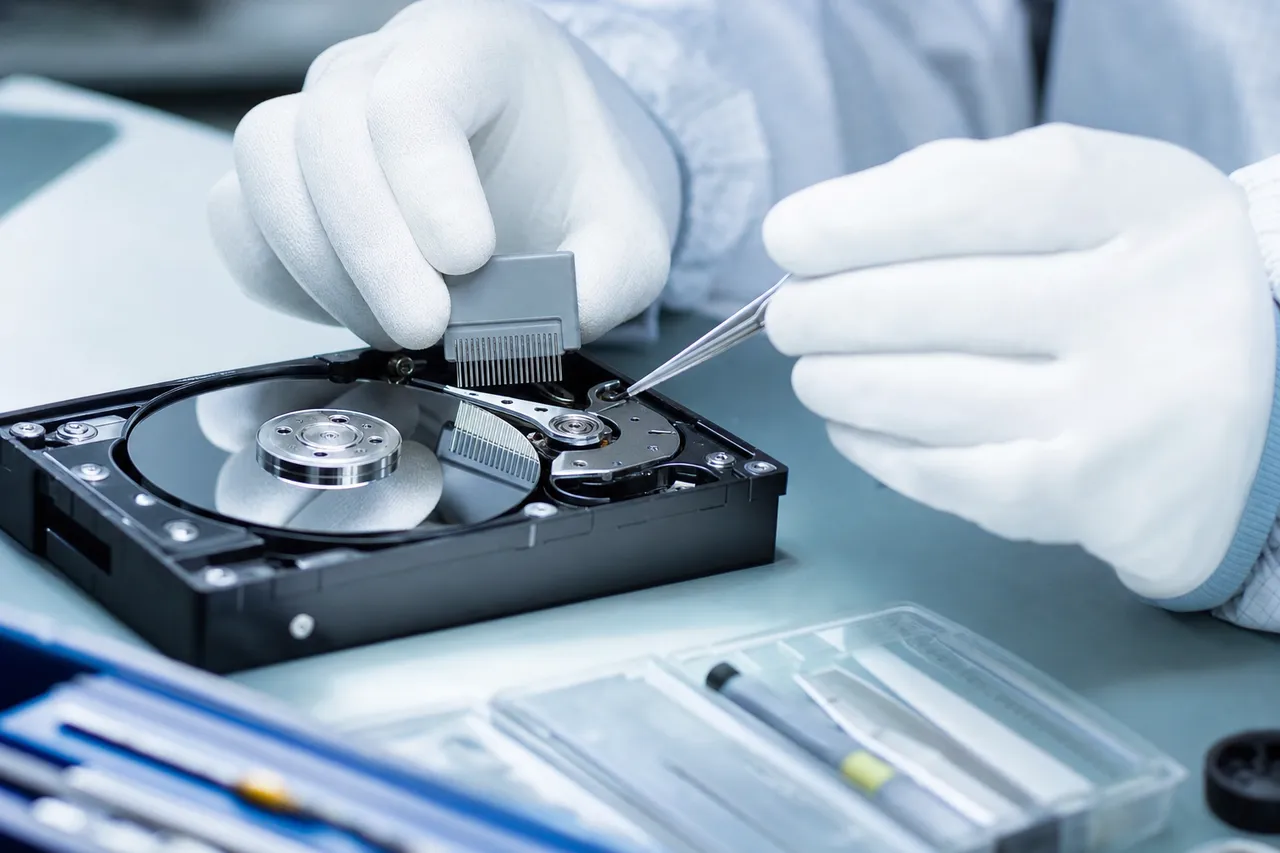
When a hard drive is dropped, the recovery almost always requires opening the drive in a controlled environment. At MDrepairs, we use a professional clean bench workstation that provides ISO-standard particle control over the work surface. This is essential because the gap between the read/write heads and the platter surface is measured in nanometers - far smaller than a particle of dust, a strand of hair, or a fingerprint oil molecule. Any contamination introduced to the platters during the recovery process can cause additional, irreversible data loss.
What Is a Clean Bench?
A clean bench is a workstation with a HEPA-filtered laminar airflow system that constantly pushes ultra-clean air across the work surface. This creates a particle-free zone where we can safely open hard drives, inspect platters, swap heads, and perform other mechanical procedures without introducing contaminants. The airflow is directed from the filter at the back of the bench toward the technician, sweeping any particles generated during work away from the open drive.
Some recovery companies use full clean rooms - sealed rooms with controlled air - but a properly maintained clean bench provides equivalent protection for the specific task of hard drive recovery. The key is that the air above the work surface, where the open drive is located, is particle-free. At MDrepairs, our clean bench is maintained and tested regularly to ensure it meets the particle count standards required for safe drive work.
The Drop-Damage Recovery Workflow
Here is how we approach a typical dropped hard drive recovery in our clean bench:
- Step 1: External inspection. Before opening the drive, we examine the exterior for visible damage - dents, cracks, loose screws, or rattling sounds. We also check the PCB for cracked components or broken solder joints. We photograph everything for documentation.
- Step 2: Drive opening. We remove the drive's top cover in the clean bench. This requires specific Torx drivers and careful technique to avoid jarring the heads or platters during disassembly. Some drives also have internal screws securing the head actuator or platter clamp that must be addressed.
- Step 3: Visual inspection. With the drive open, we inspect the platters under magnification for scratches, debris rings, and scoring patterns. We examine the heads for physical deformation, contamination buildup, and landing zone marks. We check the motor spindle for wobble or resistance. This visual inspection is the most informative part of the diagnostic and drives our recovery plan.
- Step 4: Head removal. If the heads are damaged (which is the case in the vast majority of dropped drives), we carefully remove them using specialized head comb tools. These tools slide between the heads and the platters, keeping them separated and aligned during extraction. Improper head removal can scratch the platters, so this step requires practice and precision.
- Step 5: Platter cleaning (if needed). If the head crash generated debris on the platter surface, we carefully clean the platters using lint-free wipes and specialized cleaning solutions. This must be done gently to avoid disturbing the magnetic coating on undamaged areas. We only clean in the direction of the data tracks (concentrically) to minimize any risk of cross-track damage.
- Step 6: Donor head installation. We select a matching donor drive from our library. The donor must match the original drive's model number, head count, firmware revision, and ideally its head map. We extract the heads from the donor using the same head comb technique and install them into the patient drive. The heads must be positioned precisely on the landing zone ramp before the drive is reassembled.
- Step 7: Reassembly and imaging. We replace the top cover and seal the drive. The drive is then connected to our PC-3000 imaging system, which powers it up and begins reading data sector by sector. The PC-3000 uses configurable parameters for head fly height, read retry counts, and error handling that are critical for maximizing data extraction from damaged drives. A typical imaging session for a dropped drive takes 12-72 hours depending on the extent of damage.
- Step 8: Data extraction and verification. Once imaging is complete, we extract the file system from the disk image, rebuild directories, and verify file integrity. We generate a file listing for the customer to review before copying the recovered data to a new external drive for delivery.
This entire process is performed by Joseph Montanti at our lab in Lincroft, NJ. We do not outsource any step of the recovery to third parties. The same hands that opened your drive are the ones that imaged it and verified your files.
08Honest Outcomes
Recovery Success Rates by Drop Type
One of the most frequent questions we receive at MDrepairs is: what are my chances of getting my data back? The honest answer is that it depends on the specific type and severity of drop damage. We believe in transparent, realistic expectations, so here is a breakdown of recovery success rates based on the types of drop damage we encounter most often.
- 95 - 100%
Drive Was Off During Drop
If your hard drive was powered off and not connected to anything when it was dropped, you are in the best possible position. When a drive is off, the heads are parked in a designated landing zone away from the data area of the platters. The platters are stationary. An impact may damage the head parking mechanism, cause stiction, or jar the motor, but the data-bearing surfaces of the platters are typically untouched. Recovery from these drops is almost always complete.
- 90 - 99%
Drive Was On, Not Powered On After Drop
If your drive was running when it was dropped but you unplugged it immediately and did not try to power it on again, your chances are excellent. The initial head crash from the drop likely damaged the heads and created a small amount of platter scoring at the point of impact. But because the drive was not operated with damaged heads, the damage is confined to a small area. Head swap and imaging typically yield near-complete recovery.
- 85 - 97%
Drive Was Powered On Briefly After Drop (Under 1 Minute)
Plugging a dropped drive back in for a quick check causes additional damage, but if you pulled the plug within the first minute after hearing clicking or abnormal sounds, the additional damage is usually manageable. The heads made additional passes across the platters, expanding the damaged area, but most of the platter surface is likely still intact.
- 60 - 90%
Drive Was Operated After Drop (1 - 30 Minutes)
This is where recovery outcomes start to vary significantly. Running a dropped drive for several minutes to half an hour with damaged heads can cause moderate to severe platter scoring. The longer the drive operated, the more surface area was damaged. Recovery rates in this range depend heavily on which areas of the platters were affected. If the damage is concentrated on outer tracks, much of the data may still be recoverable. If it extends across multiple zones, losses accumulate.
- 30 - 70%
Drive Was Operated Extensively After Drop (Hours or Days)
We occasionally see cases where a customer continued using a dropped drive for days or weeks because it seemed to be working, even though it was slower than usual or making occasional sounds. By the time the drive finally fails completely and reaches our lab, the platters have extensive scoring, heavy debris contamination, and widespread magnetic coating loss. We can still recover data from these drives, but the recovery rate is substantially lower and the process takes longer.
- 50 - 95%
Drive Was Dropped on Concrete From Height
High-energy impacts - drops from several feet onto concrete, asphalt, or stone - cause the most severe mechanical damage. These drops can simultaneously crash the heads, score the platters, seize the motor, and crack the PCB. Recovery from high-energy drops depends entirely on which components failed and whether the platters survived the impact intact. We have seen drives dropped on concrete yield 95% recovery (when the enclosure absorbed most of the shock) and others yield 50% (when the platters were severely scored).
- 85 - 100%
Drive Was Dropped on Carpet
Carpet drops are generally the most favorable scenario for recoveries. The carpet absorbs a significant amount of impact energy, reducing the force transmitted to the drive internals. Head crashes can still occur, but they tend to be less severe. If the drive was not powered on after the carpet drop, recovery rates are typically very high.
At MDrepairs, we provide a specific recovery estimate during the $100 diagnostic based on our visual inspection and testing of your individual drive. The ranges above are generalizations - your actual outcome depends on the unique circumstances of your case. We will always give you an honest assessment before you commit to any cost beyond the diagnostic fee.
09Myth vs Fact
The Freezer Myth: Why Freezing a Hard Drive Does Not Work
If you have searched the internet for how to fix a dropped hard drive, you have almost certainly encountered the advice to put it in a freezer. This is one of the most persistent and damaging myths in data recovery, and we want to address it directly because we see drives at MDrepairs that have been damaged further by well-meaning customers who tried this before contacting us.
The freezer trick supposedly works on the theory that cooling the drive causes the metal components to contract, freeing stuck heads or seized motors. There is a tiny grain of truth buried in this myth - thermal contraction is a real physical phenomenon. But the actual effects of freezing a hard drive are overwhelmingly negative, and any benefit from contraction is far outweighed by the damage caused by condensation, thermal stress, and ice formation.
Why Freezing Damages Hard Drives
Condensation: This is the biggest problem. When you take a cold drive out of the freezer and expose it to room-temperature air, moisture condenses on every surface - including the platters. Water on the platters is catastrophic. The read/write heads cannot fly on a water-coated surface. They hydroplane, crash, and drag through the moisture, which also disrupts the magnetic coating. Even if you seal the drive in a bag before freezing, moisture from the air trapped inside the bag will condense on the platters when temperatures change.
Ice formation: If there is any moisture inside the drive (and there always is - hard drives are not hermetically sealed vacuum chambers; most contain a filtered air pathway, and newer helium-filled drives have a sealed chamber but still contain gas), freezing temperatures will turn it to ice. Ice crystals forming on the platter surface physically damage the magnetic coating at a microscopic level. When the ice melts during power-on, the water causes the condensation problems described above.
Thermal stress on platters: Hard drive platters are made of aluminum or glass coated with an extremely thin layer of magnetic material. Rapid temperature changes cause the substrate and the coating to expand and contract at different rates, which can cause microscopic cracking or delamination of the magnetic layer. This can make previously readable areas of the platter permanently unreadable.
Lubricant thickening: The spindle motor bearings and the head actuator pivot use precision lubricants that are designed to operate at room temperature. Freezing temperatures cause these lubricants to thicken or become viscous, increasing friction and potentially preventing the motor from reaching operating speed or the heads from moving freely.
The operating window is seconds, not minutes: Even proponents of the freezer trick acknowledge that any benefit lasts only seconds after the drive is powered on before it warms back up. In practice, you would need to connect the drive, power it on, and begin copying data in less than 30 seconds - which is not enough time for most drives to even complete their initialization sequence, let alone transfer meaningful amounts of data.
What About the Stories of It Working?
There are anecdotal reports online of people successfully recovering data after freezing a drive. In virtually all of these cases, the drive's problem was a sticky head or a marginal motor - issues that might have been temporarily improved by the contraction effect. But these same issues can be resolved permanently and safely by a data recovery professional without any of the risks associated with freezing. And for every success story, there are many unreported cases where freezing made the situation worse.
We have received drives at MDrepairs that arrived with visible water droplets on the platters from freezer attempts. In one case, a customer froze a Seagate Backup Plus three times, each time causing additional platter corrosion. By the time the drive reached us, areas of the platters that were likely fully recoverable had been damaged by moisture. The recovery was still partially successful, but the customer lost data that could have been saved if they had contacted a professional first.
What to Do Instead
If your hard drive is clicking, not spinning, or not being detected after a drop, the answer is professional data recovery - not home remedies. Call MDrepairs at 732-933-7717. Our $100 diagnostic will identify the exact problem and give you a clear path to recovery without risking further damage to your data. We have the clean bench environment, the donor drives, and the tools to fix the actual mechanical problem rather than applying a temporary and risky workaround.
10After Recovery
Preventing Future Data Loss After a Drop Recovery
If you are reading this page, you are probably dealing with the stress of a dropped hard drive right now. Once we recover your data at MDrepairs, we want to help you make sure you never face this situation again. Data loss from a dropped drive is almost always preventable with the right backup strategy and hardware choices.
The 3-2-1 Backup Rule
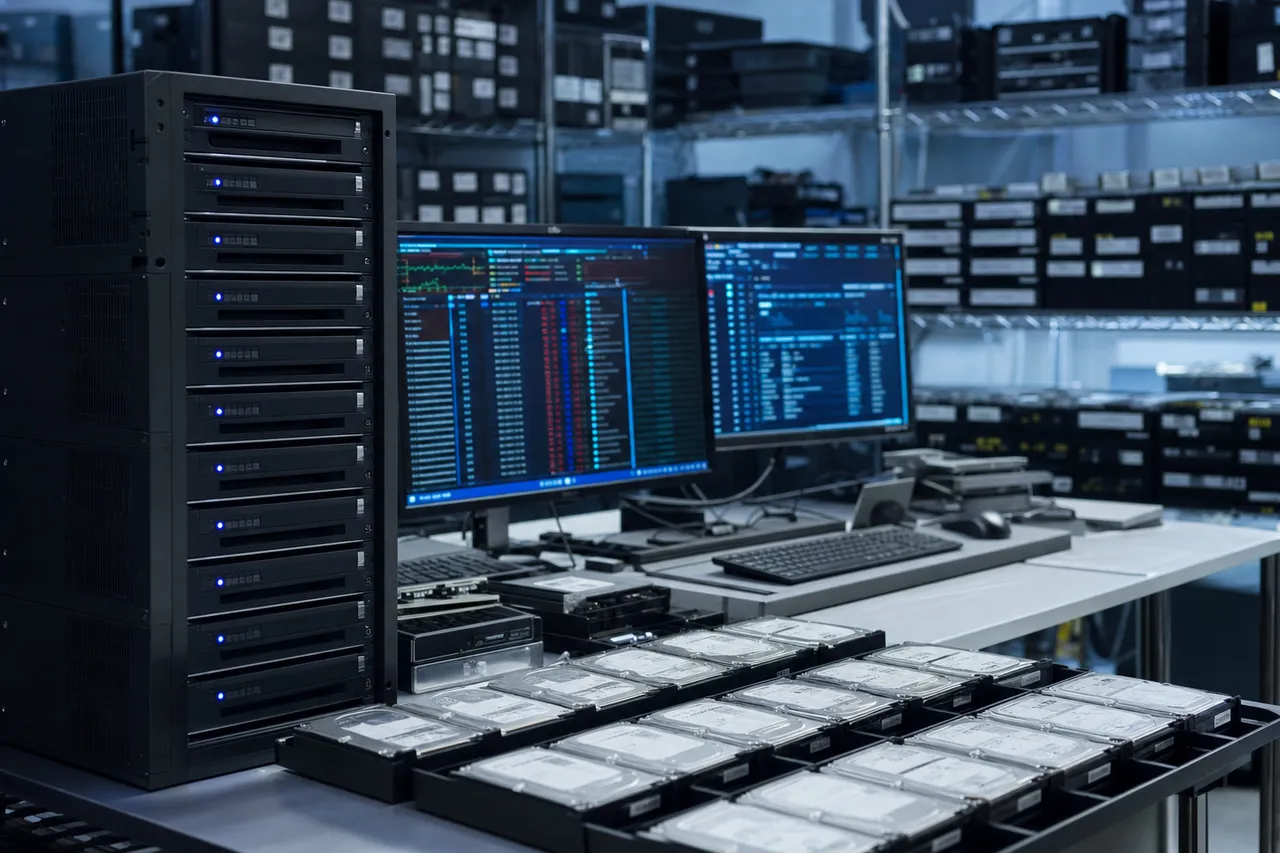
The gold standard for data protection is the 3-2-1 rule: keep at least 3 copies of your important data, on at least 2 different types of media, with at least 1 copy stored offsite (or in the cloud). If your dropped external drive was your only backup, you were one accident away from total data loss. Implementing 3-2-1 ensures that no single hardware failure, theft, fire, or drop can take all your data.
Here is a practical implementation of 3-2-1 for most people:
- Copy 1: Your computer's internal drive. This is your working copy - the data you use every day.
- Copy 2: An external hard drive or NAS. Set up automatic backups using Time Machine (Mac) or File History (Windows). Keep this drive in a stable location where it will not be knocked over.
- Copy 3: Cloud backup. Services like Backblaze, iDrive, Carbonite, or Google One automatically sync your files to remote servers. Even if your house burns down, your data survives.
Consider Switching to SSDs for Portable Storage
If you frequently transport data on portable drives, consider switching from traditional spinning hard drives to solid-state drives (SSDs). Portable SSDs like the Samsung T7, SanDisk Extreme, and WD My Passport SSD have no moving parts, no heads, and no spinning platters. They are virtually immune to drop damage under normal conditions. A fall from desk height that would destroy a spinning hard drive will typically leave an SSD completely unaffected.
SSDs cost more per gigabyte than spinning drives, but the price gap has narrowed significantly. For many users, spending a bit more on an SSD that can survive a drop is far cheaper than paying for data recovery later. At MDrepairs, we frequently recommend portable SSDs to customers after completing their recovery.
Safe Placement and Handling Practices
If you continue using spinning external hard drives (which remain the most cost-effective option for large storage needs), simple habits can dramatically reduce drop risk:
- Place drives away from desk edges. Push the drive at least 12 inches from the edge of any surface. Cable pulls and accidental bumps are less likely to reach it.
- Use short cables. Long USB cables are trip hazards and give the drive more leverage to be pulled off a surface. Use the shortest cable that reaches comfortably.
- Never stack drives. Stacking drives on top of each other or on top of other items creates an unstable tower that is one bump away from falling.
- Use anti-vibration pads. Rubber pads or silicone mats under your drive add friction and absorb small vibrations that could walk the drive toward an edge.
- Disconnect drives when not in use. If you only use your backup drive for scheduled backups, disconnect it and store it in a drawer or on a shelf when the backup is complete. A drive that is stored safely cannot be dropped off a desk.
- Carry drives in padded cases. If you transport a drive in a bag, use a padded case or sleeve designed for portable drives. This provides shock absorption for the inevitable bumps and drops that occur during transport.
Automate Your Backups
The most common reason people lose data to a dropped drive is that the drive was their only copy because they never got around to setting up a proper backup system. The solution is automation. Set up Time Machine, File History, or a cloud backup service once, and then forget about it. Your data is protected without requiring any ongoing effort on your part.
If you need help setting up a backup strategy after your recovery, MDrepairs is happy to provide guidance. We would rather help you prevent data loss than profit from recovering it. Call us at 732-933-7717 with any questions about protecting your data going forward.
Frequently Asked Questions
Straight answers about dropped hard drive recovery - cost, turnaround, what causes the damage, and how we get your data back.
-
Can data be recovered from a dropped hard drive?
Yes. In the vast majority of cases, data can be recovered from a dropped hard drive. At MDrepairs, we recover data from dropped drives every week using clean bench head swaps, motor repairs, and platter-level imaging. Success rates depend on the severity of the damage and whether the drive was powered on after the drop. -
How much does dropped hard drive recovery cost?
Recovery pricing at MDrepairs ranges from $650 to $2,500+ depending on the type of damage. Minor firmware issues start at $650. Head swaps for impact damage range from $1,000 to $2,000. Severe platter damage cases can reach $2,500 or more. Every case begins with a $100 diagnostic that is applied toward the recovery cost. -
Should I power on my hard drive after dropping it?
No. Do not power on a hard drive after dropping it. If the internal heads were damaged by the impact, powering the drive on forces those damaged heads to drag across the spinning platters, destroying data and generating debris that causes additional damage. Unplug the drive and contact MDrepairs at 732-933-7717. -
What does it mean when a dropped hard drive clicks?
Clicking after a drop usually indicates damaged read/write heads. The clicking sound is the head actuator repeatedly trying to calibrate by seeking to specific tracks and failing because the heads can no longer read the servo data on the platters. Power the drive off immediately and contact a professional data recovery lab. -
How long does dropped hard drive recovery take?
Standard turnaround at MDrepairs is 4-5 weeks with no surcharge. Priority Rush (5-7 days) is available for an additional $250. Urgent Rush (1-2 days) adds $500. Emergency same-day service adds $1,000. The actual recovery time depends on the severity of the damage and the imaging duration required. -
Can you recover data from a hard drive with scratched platters?
Yes, but with limitations. Scratched areas of the platters are permanently unreadable because the magnetic coating has been physically removed. However, data on undamaged areas of the platters can be recovered by imaging around the scratched zones. Recovery rates for scratched platters typically range from 50% to 95% depending on the extent of the damage. -
Is it safe to put a hard drive in the freezer?
No. Freezing a hard drive causes condensation on the platters, ice crystal formation, lubricant thickening, and thermal stress on the magnetic coating. These effects cause additional damage that can reduce recovery rates. This is a persistent internet myth that we strongly advise against. Contact MDrepairs instead. -
Can I use data recovery software on a dropped hard drive?
No. Data recovery software is designed for logical failures like deleted files, formatted drives, or corrupted partitions. If your hard drive was dropped and has physical damage (clicking, not spinning, not detected), running software recovery will either fail completely or cause further damage by forcing the damaged heads to operate. Physical damage requires professional hardware-level recovery. -
What is a head crash?
A head crash occurs when the read/write heads inside a hard drive physically contact the spinning platters. During normal operation, heads float 3-5 nanometers above the platter surface. A drop or impact can collapse this air bearing, causing the heads to slam into the platters and potentially scratch the magnetic surface where data is stored. -
Do you recover data from dropped external hard drives?
Yes. External drives are the most common type of dropped drive we recover at MDrepairs. We work with all major brands including WD My Passport, Seagate Backup Plus, Toshiba Canvio, LaCie Rugged, and many more. We handle both the enclosure electronics and the internal drive mechanism. -
Can you recover data from a dropped laptop hard drive?
Yes. We remove the internal hard drive from the laptop and perform recovery directly on the drive using our clean bench and imaging equipment. We work with all laptop brands including Dell, HP, Lenovo, ASUS, Acer, and Apple MacBook models that have spinning hard drives. -
What is the $100 diagnostic fee?
The $100 diagnostic is a thorough physical and electronic evaluation of your dropped drive performed in our clean bench. We identify the exact type of damage, assess the platter condition, and determine recovery feasibility. This fee is applied toward your total recovery cost if you proceed. If we cannot recover your data, you only pay the $100 diagnostic. -
What does no data, no charge mean?
No data, no charge means that if MDrepairs cannot recover your target files from your dropped hard drive, you pay only the $100 diagnostic fee. You are never charged the full recovery cost unless we successfully recover the data you need. This policy protects you from paying for a recovery that does not deliver results. -
How should I ship a dropped hard drive for recovery?
Wrap the drive in anti-static material (an anti-static bag or anti-static bubble wrap), then cushion it with foam padding or regular bubble wrap inside a sturdy box. Do not use loose packing peanuts as they generate static. MDrepairs provides free insured shipping labels for drives being sent to our lab in Lincroft, NJ. -
Can a dropped hard drive be repaired to work normally again?
No. Data recovery and drive repair are different things. When we recover data from a dropped drive, we are extracting your files from the damaged drive and placing them on a new, healthy drive. The original damaged drive is not repaired for continued use. Dropped drives with head crashes or platter damage should never be used again. -
What causes a buzzing sound in a dropped hard drive?
A buzzing or humming sound typically indicates a seized spindle motor. The impact from the drop knocked the motor bearings out of alignment, and the motor is trying to spin the platters but cannot reach operating speed. This requires platter transplant to a donor chassis with a working motor. -
What is stiction in a hard drive?
Stiction occurs when the read/write heads become physically stuck to the platter surface. This can happen when a drive that was powered off receives a hard impact, pressing the parked heads firmly against the platters. The extremely smooth surfaces create a bond that prevents the platters from spinning. Manual head separation in a clean bench resolves this issue. -
What tools do you use for dropped drive recovery?
We use a professional clean bench workstation with HEPA-filtered laminar airflow, PC-3000 by ACE Lab for drive imaging and firmware repair, head comb tools for safe head removal and installation, and a library of donor drives for head and motor transplants. All work is performed in our lab in Lincroft, NJ by Joseph Montanti. -
Can you recover data from a drive that another company failed to recover?
In many cases, yes. We regularly receive drives that other companies could not recover or that were returned as unrecoverable. Our approach, tools, and donor library may differ from the previous company. We evaluate every case with a fresh diagnostic. The $100 diagnostic fee applies, and our no data no charge policy still protects you. -
How do I know if my hard drive has a head crash?
Common signs of a head crash include clicking or ticking sounds, the drive not being recognized by your computer, the drive spinning up briefly and then powering down, or the drive making a single click and going silent. If your drive exhibits any of these symptoms after being dropped, it very likely has a head crash and should not be powered on again. -
Is data on the damaged part of a platter lost forever?
Yes. If the magnetic coating has been physically scratched off the platter surface, the data that was stored in those specific areas is permanently lost. However, files are stored across the platter surface, and partial file recovery is often possible even when some sectors are damaged. The overall recovery rate depends on the extent and location of the damage. -
Can I open my hard drive to check for damage?
No. Never open a hard drive outside of a particle-controlled clean bench environment. Room air contains dust particles that are thousands of times larger than the head-to-platter gap. Even a single particle landing on the platter surface can cause a head crash when the drive is reassembled and powered on. Leave drive opening to a professional lab like MDrepairs. -
What is the difference between a clicking drive and a beeping drive?
Clicking typically indicates a head crash - the heads are trying to calibrate and failing. Beeping usually indicates a seized motor - the drive is trying to spin the platters but the motor cannot turn, and the electrical energy that would normally spin the motor is converted to sound. Both require professional recovery, but they involve different repair procedures. -
Do drop-proof hard drive cases actually protect the drive?
Rugged cases and silicone bumpers help absorb minor impacts and reduce the force transmitted to the drive, but they cannot fully protect against a drop from desk height or higher onto a hard surface. The hard drive mechanism inside has tolerances measured in nanometers, and even with shock absorption, the g-forces from a significant drop can exceed the drive's design limits. -
Where is the MDrepairs lab located?
MDrepairs is located at 644 Newman Springs Road, Suite A, Lincroft, NJ 07738. We accept mail-in recoveries from all 50 states with free insured shipping both ways. Call 732-933-7717.
Talk To A Technician
Ready to Recover Your Data?
$100 professional diagnostic on every case. No data, no charge. Free insured shipping nationwide.