Lost data on your Toshiba hard drive? MDrepairs is a professional hard drive data recovery lab in Lincroft, NJ specializing in all Toshiba drives - from Canvio portable externals and P300 desktop drives to N300 NAS drives and enterprise MG Series storage. Whether your Toshiba drive is clicking, not spinning, showing as unrecognized, or producing read errors, our certified technicians recover data from failures that other labs cannot handle.
Every case starts with a $100 professional diagnostic that gives you a detailed failure analysis, recovery likelihood assessment, and exact pricing before any work begins. We serve customers nationwide through our secure mail-in program with free insured shipping both ways. No data, no charge on the recovery - if we cannot recover your target files, you owe nothing beyond the diagnostic fee.
Professional Data Recovery Lab Backed By 2M+ Followers
MDrepairs has built one of the largest data recovery followings on the internet, with over 2 million followers across YouTube, TikTok, and Instagram. Our founder Joseph Montanti films real recovery cases in our Lincroft, NJ lab, including Toshiba drives with failed heads, seized motors, and corrupted firmware. When your Toshiba Canvio stops being detected or your N300 NAS drive starts clicking, you can watch our channel to see exactly how we approach these failures. This transparency is what sets us apart. No hidden fees, no bait-and-switch pricing - just honest data recovery from a team that puts their process on camera for the world to see.
Customer Reviews
What Our Customers Say
Real Toshiba recovery outcomes from customers across the country - clicking Canvio externals, failed N300 NAS drives, dropped laptops, and enterprise MG servers - recovered in our Lincroft, NJ lab.
“
My Toshiba Canvio Advance 2TB stopped being recognized by any computer after a power surge. MDrepairs diagnosed a fried TVS diode and board issue, repaired it, and recovered every single file. 10 years of family photos saved. Joseph kept me updated through the whole process.
Toshiba Canvio Advance 2TB
“
Had two Toshiba N300 8TB drives fail in my Synology NAS. Other companies quoted insane prices. MDrepairs rebuilt the RAID and recovered all my data for way less than I expected. The free shipping both ways was a huge bonus. Cannot recommend enough.
Toshiba N300 8TB (Synology NAS)
“
My Toshiba P300 3TB desktop drive started clicking out of nowhere. Had irreplaceable wedding videos on it. MDrepairs replaced the head stack in their clean room and got everything back. The whole process took about two weeks with regular updates.
Toshiba P300 3TB
“
Toshiba MG08 16TB from our company server failed mid-week. Critical business data. MDrepairs did an emergency rush and had our data back within 48 hours. Worth every penny for the peace of mind. These guys are the real deal.
Toshiba MG08 16TB
“
Dropped my Toshiba Canvio Basics 1TB off my desk. Started making a grinding noise. MDrepairs found platter damage on the outer tracks but recovered about 95% of my files. Only giving 4 stars because some recent documents were in the damaged area, but overall incredible work.
Toshiba Canvio Basics 1TB
“
Found MDrepairs through their YouTube channel. Sent my clicking Toshiba X300 6TB from California. They recovered everything and shipped it back on a new drive. The whole process from shipping to getting my data back was about 3 weeks. Excellent communication throughout.
Toshiba X300 6TB
“
My Toshiba L200 laptop drive in my old ThinkPad died. Had my entire dissertation and 4 years of research on it. MDrepairs recovered every file. The $100 diagnostic was applied to the final cost. Transparent pricing, no surprises. Highly recommend.
Toshiba L200 (laptop)
“
Toshiba MQ01ABD050 from my laptop had firmware corruption. Drive would spin up but never appear in the BIOS. MDrepairs fixed the firmware and cloned the drive. All my freelance design files recovered. Quick turnaround for the standard tier too.
Toshiba MQ01ABD050
“
Had a Toshiba Canvio Flex 4TB that I accidentally formatted when trying to switch between Mac and PC. MDrepairs recovered all the data even after the format. Their file carving tools found everything. Fair pricing and great communication.
Toshiba Canvio Flex 4TB
“
My son's Toshiba Canvio Gaming 2TB for his PlayStation stopped working. Had years of game saves and captured clips. MDrepairs recovered everything. Found them through TikTok and so glad I did. The no data no charge policy gave us confidence to try.
Toshiba Canvio Gaming 2TB
Documented on Camera
Real Hard Drive Recoveries, Documented on Video
See how our lab handles real data recovery cases - from initial diagnosis through final data delivery. Watch real recoveries from our lab from start to finish - every diagnosis, repair, and data extraction documented on camera. These are the same techniques we apply to clicking, stuck, and physically damaged Toshiba drives.
Inside Our Data Recovery Lab - Toshiba Drive Processing
Drive
Toshiba Canvio Advance 2TB portable
Failure
Complete head stack failure causing repetitive clicking on power-up. The Toshiba Canvio's heads were unable to read servo tracks, causing the drive to click and reset in a continuous loop. This is one of the most common failures we see in Toshiba portable drives.
Recovery
MDrepairs performed a full head stack assembly swap using a matched Toshiba Canvio donor in our clean room. After transplant, the drive was imaged sector-by-sector using PC-3000. All data recovered including irreplaceable family photos and documents.
Bent Chassis Recovery - Internal Structural Damage
Drive
Western Digital WD10JMVW (1TB portable)
Failure
Physical impact bent the internal chassis, causing head-to-platter misalignment that can lead to progressive platter scratching if the drive is powered on. Another lab declared this unrecoverable.
Recovery
We transplanted the platter stack into a matched donor chassis to restore proper head alignment before any further surface damage occurred. Nearly all data recovered.
Stiction Recovery - Head Bonded to Platter Surface
Drive
Seagate Rosewood (portable)
Failure
The drive was disconnected while actively reading, causing the heads to land on the spinning platters and bond through stiction. If forced to spin, the heads would have scratched across the platter surface, destroying data tracks.
Recovery
We carefully separated each head slider from the platter surface under magnification without scoring the magnetic coating. After reassembly with verified head clearance, we imaged the drive completely. All data recovered - no platter scratching occurred.
Clicking Drive - Preventing Platter Damage from Failed Heads
Drive
Western Digital My Passport (5TB portable)
Failure
Failed read/write heads clicking repeatedly against the platters. Every power cycle risks the degraded heads scraping the platter surface, turning a head swap into a far more expensive scratched platter recovery.
Recovery
We performed a head stack swap immediately without further power cycles, preventing platter surface damage. Clean imaging completed with full data recovery - acting quickly saved this from becoming a scratched platter case.
MDrepairs maintains an extensive donor drive library and firmware database for every Toshiba product line. From the consumer Canvio portable series to enterprise MG drives, our technicians have hands-on experience with the unique firmware structures, head configurations, and platter compositions that make each Toshiba model different. Below is a partial list of Toshiba models we regularly recover.
8,000+Toshiba drives recovered
95%success rate
Allfamilies in stock
Canvio Portable
External USB
Canvio Advance 1TB (HDTCA10XK3AA)
Canvio Advance 2TB (HDTCA20XK3AA)
Canvio Advance 4TB (HDTCA40XK3CA)
Canvio Basics 1TB (HDTB510XK3AA)
Canvio Basics 2TB (HDTB520XK3AA)
Canvio Basics 4TB (HDTB540XK3CA)
Canvio Flex 1TB (HDTX110XSCAA)
Canvio Flex 2TB (HDTX120XSCAA)
Canvio Flex 4TB (HDTX140XSCCA)
Canvio Slim 1TB (HDTD310XS3DA)
Canvio Slim 2TB (HDTD320XS3EA)
Canvio Gaming 1TB (HDTX110XK3AA)
Canvio Gaming 2TB (HDTX120XK3AA)
Canvio Gaming 4TB (HDTX140XK3CA)
N300 NAS
Always-on NAS
N300 4TB (HDWQ140XZSTA)
N300 6TB (HDWG160XZSTA)
N300 8TB (HDWG180XZSTA)
N300 10TB (HDWG11AXZSTA)
N300 12TB (HDWG21CXZSTA)
N300 14TB (HDWG21EXZSTA)
N300 16TB (HDWG31GXZSTA)
N300 18TB (HDWG51JXZSTA)
X300 Performance
High-performance desktop
X300 4TB (HDWR440XZSTA)
X300 6TB (HDWR460XZSTA)
X300 8TB (HDWR480XZSTA)
X300 10TB (HDWR41AXZSTA)
X300 12TB (HDWR21CXZSTA)
X300 16TB (HDWR21GXZSTA)
P300 Desktop
Mainstream desktop
P300 1TB (HDWD110XZSTA)
P300 2TB (HDWD120XZSTA)
P300 3TB (HDWD130XZSTA)
P300 4TB (HDWD240XZSTA)
MG Enterprise
Data center SATA / SAS
MG08 8TB (MG08ADA800E)
MG08 16TB (MG08ACA16TE)
MG09 18TB (MG09ACA18TE)
MG10 20TB (MG10ACA20TE)
L200 / MQ Laptop
2.5-inch internal
L200 500GB (HDWL050XZSTA)
L200 1TB (HDWL110XZSTA)
L200 2TB (HDWL120XZSTA)
MQ01ABD050 500GB
MQ01ABD100 1TB
MQ01ABF050 500GB
MQ04ABF100 1TB
MQ04ABD200 2TB
DT01ACA Desktop
Legacy 3.5-inch
DT01ACA100 1TB
DT01ACA200 2TB
DT01ACA300 3TB
S300 Surveillance
DVR / NVR 24/7
S300 Surveillance 4TB
S300 Surveillance 6TB
S300 Surveillance 8TB
S300 Surveillance 10TB
Don’t see your exact model? We recover every Toshiba drive ever made.
$100 diagnostic · No data, no charge · Free shipping
Failure Modes
Common Toshiba Drive Failures
Every Toshiba family fails in characteristic ways. Here are the eight failure modes we see most often, how to recognize them, and how we recover from each.
Power off now
Clicking or Beeping Sounds
Clicking and beeping are among the most common Toshiba failure symptoms, especially in Canvio portable drives and P300 desktop models. These sounds indicate the read/write heads have failed and are repeatedly trying to initialize against the platters. Toshiba drives use a unique head parking ramp design that can cause heads to stick when they fail to unload properly. When you hear clicking, power the drive off immediately - continued operation risks scratching the platter surfaces and causing permanent data loss. MDrepairs has recovered thousands of clicking Toshiba drives by replacing the failed head stack assembly in our clean room using compatible donor heads from matching Toshiba models.
Recoverable
Firmware Corruption
Toshiba drives store critical firmware modules in a reserved System Area on the platters and in ROM on the PCB. When these modules become corrupted, the drive may spin up normally but fail to be recognized, appear as the wrong capacity, or get stuck during initialization. Toshiba firmware architecture differs significantly from Seagate and Western Digital, using a proprietary module structure that requires specialized tools to access. Common firmware failures include translator corruption, G-List overflow, and adaptive parameter damage. MDrepairs uses PC-3000 with Toshiba-specific modules to repair corrupted firmware and restore access to user data without physical intervention.
Power off now
Head Crash & Platter Damage
A head crash occurs when the read/write heads make direct contact with the spinning platter surface, scraping off the magnetic coating that stores your data. This is particularly common in Toshiba portable drives like the Canvio series that are frequently transported and susceptible to drops and impacts. Toshiba platters use glass substrates in many of their 2.5-inch models, which can shatter under severe impact rather than just scratching like aluminum platters. MDrepairs handles head crash cases in our ISO-class clean room, carefully assessing platter damage under magnification before attempting recovery. Our success rate on Toshiba head crash cases exceeds 85%.
Recoverable
PCB & Electrical Failure
Power surges, faulty USB cables, and static discharge can damage the printed circuit board on your Toshiba drive. Symptoms include the drive not spinning at all, a burning smell, or visible scorch marks on board components. Toshiba Canvio drives are particularly vulnerable to USB port power issues because they draw power directly from the USB connection. Simply swapping the PCB from a donor drive does not work on modern Toshiba drives because each board contains unique adaptive data and ROM calibration information. MDrepairs transfers the original ROM data to a compatible donor PCB, restoring full functionality and access to your data.
Recoverable
Motor & Spindle Failure
When a Toshiba drive’s spindle motor fails, the platters cannot spin up and the drive may make a faint humming or buzzing sound, or produce no sound at all. Motor seizure is common in Toshiba drives exposed to moisture, extreme temperatures, or physical impact. The MQ series laptop drives and Canvio portables are particularly susceptible due to their compact form factor. MDrepairs addresses motor failures by transplanting the platters from the failed drive into a healthy donor drive chassis in our clean room. This procedure requires precise alignment of the platters to maintain data integrity, and our technicians have performed thousands of successful Toshiba platter swaps.
Recoverable
Bad Sectors & Media Degradation
Bad sectors develop when portions of the platter surface become unreadable due to magnetic degradation, manufacturing defects, or wear over time. Toshiba drives with growing bad sectors often become increasingly slow, freeze during file access, or trigger S.M.A.R.T. warnings. The DT01ACA desktop series and older MQ01 laptop drives are known for developing progressive bad sector growth once degradation begins. MDrepairs uses specialized imaging tools that can read around bad sectors, adjust head positioning parameters, and perform multiple read passes at varying speeds to extract data from degraded media areas that consumer software cannot access.
Recoverable
Logical & File System Corruption
Accidental formatting, partition table corruption, virus damage, and operating system crashes can make your Toshiba drive’s data inaccessible even though the drive hardware is perfectly functional. These logical failures are common across all Toshiba product lines, especially Canvio external drives that are frequently connected to multiple computers and file systems. MDrepairs employs advanced file carving and reconstruction techniques that go far beyond consumer recovery software, recovering files even from formatted or repartitioned drives across NTFS, HFS+, ext4, APFS, and exFAT file systems.
Power off now
Water & Physical Damage
Toshiba drives exposed to water, fire, or physical crushing require specialized treatment before any recovery attempt can begin. Water damage causes corrosion on the heads, platters, and PCB components that worsens over time. Toshiba laptop drives and Canvio portables are frequently involved in spill and flood incidents due to their proximity to liquids during daily use. MDrepairs has recovered data from Toshiba drives pulled from flooded homes, water-damaged laptops, and crushed enclosures. Our clean room technicians carefully clean and dry all internal components before attempting to image the platters.
Hearing clicking, beeping, or grinding? Power the drive off now and call 732-933-7717. Every second of operation on failed heads risks scratching the platters.
Our Process
How We Recover Your Data
Five clear steps from your first call to your data back in hand - with a firm quote before any work begins and no charge if we can’t recover your target files.
01
Free Consultation
Contact MDrepairs by phone at 732-933-7717 or submit a free quote form. Describe your Toshiba drive’s symptoms and we will provide an initial assessment and cost estimate. We offer free insured shipping labels for mail-in cases nationwide.
02
Professional Diagnostic
Once we receive your Toshiba drive, our technicians perform a comprehensive diagnostic in our Lincroft, NJ lab. We identify the exact failure mode - whether it is a head failure, firmware corruption, motor seizure, or logical issue - and provide a firm quote before any work begins. The $100 diagnostic fee applies to all cases.
03
Data Recovery
After you approve the quote, our engineers begin the recovery process. For physical failures, work is performed in our clean room using Toshiba-compatible donor parts from our extensive inventory. For logical and firmware failures, we use PC-3000 and specialized imaging tools to extract every recoverable file from your Toshiba drive.
04
Verification and Review
Once recovery is complete, we compile a full file listing for your review. You can verify that your critical files have been recovered before making any payment. We operate on a strict no data, no charge policy. If we cannot recover your target files, you owe nothing beyond the diagnostic fee.
05
Data Return
Your recovered data is transferred to a new external drive or cloud storage, whichever you prefer. We ship your data back with free insured shipping and securely erase all copies from our systems after 30 days. Your original Toshiba drive is returned alongside the recovery media.
Transparent Pricing
Toshiba Recovery Pricing
MDrepairs offers transparent, flat-rate pricing for all Toshiba data recovery cases. Your quote is based on the type and severity of failure, not the amount of data recovered. Every case includes our no data, no charge guarantee and free insured shipping both ways. The $100 diagnostic fee is credited toward your recovery cost if you proceed.
Logical / Firmware Recovery
$650 - $1,200
Data recovery from Toshiba drives with logical errors, accidental deletion, formatting, file system corruption, or firmware failures. Includes PC-3000 firmware module repair and sector-level imaging.
Accidental deletion recovery
File system corruption repair
Firmware module restoration
Partition table reconstruction
Bad sector bypass imaging
$100 diagnostic applied to cost
Most common
Head Swap / Mechanical Recovery
$1,000 - $2,000
Recovery from clicking, buzzing, or non-spinning Toshiba drives requiring clean room work - head replacements, motor repair, stiction recovery, or spindle motor service using matched Toshiba donor parts.
Failed read/write head replacement
Motor failure repair
Stiction recovery (heads stuck to platter)
Clean room head transplant with donor
PC-3000 selective head imaging
$100 diagnostic applied to cost
Platter / Severe Damage Recovery
$999 - $2,500+
Recovery from Toshiba drives with platter surface damage, contamination, scoring from head crashes, or drives that failed at other labs. Includes glass platter handling for 2.5-inch Toshiba models.
Scratched platter recovery
Glass platter handling and transplant
Contamination and debris removal
Head crash damage recovery
Multi-platter transplant
$100 diagnostic applied to cost
All pricing includes the $100 diagnostic fee. No data, no charge - if we can’t recover your target files, you only pay the diagnostic fee.
Diagnostic turnaround depends on your selected service tier. Rush options are available when you need answers faster - the tiers below are how soon we begin, not the full recovery time, which is quoted after diagnostics.
4 - 5weeks
Standard
No surcharge
Full assessment with recovery options and pricing in the standard queue.
5 - 7days
Priority Rush
+$250
Your drive jumps to the front of the queue for business-critical data.
1 - 2days
Urgent Rush
+$500
Dedicated technician for time-sensitive cases, expedited from arrival.
Free 2nd-Day-Air prepaid labels to all 50 states - the same in-house cleanroom
expertise as our in-person service, with real-time status updates. Your drive is typically
in our Lincroft, New Jersey lab within 2 - 3 business days, and return shipping is free too.
Free 2nd-Day-Air UPS shipping covers the USA, excluding islands.
How Mail-In Works
1
Contact Us
Request a free quote and we’ll send you a prepaid, insured shipping label - printed right on the mail-in form.
2
Ship Your Drive
Pack your drive securely and drop it at any UPS location. Shipping is free both ways - free 2nd-Day-Air UPS, fully insured.
3
We Recover Your Data
Your drive is diagnosed and recovered by our lead technician Joseph Montanti using PC-3000 and DeepSpar tools in our professional clean-bench environment.
4
Data Returned
Your recovered data ships back on a new drive - free 2nd-Day-Air UPS, insured, and verified before it leaves our lab.
Mail-in routeFree both ways
your drive, insured to the lab
recovered data back on a new drive
Security Protocol
Data Privacy & Chain of Custody
Your data is handled under strict chain-of-custody procedures from intake to secure destruction.
1
Intake Logging
Every drive is photographed and logged with a unique case number, serial, model, and condition on arrival.
2
Restricted Access
Only your assigned technician handles your drive. No shared workstations, no exceptions.
3
No Browsing Data
We never open or view your files. Integrity is verified through checksums and file structure only.
4
Secure Delivery
Data is transferred to a new drive and shipped back to you. All copies are purged after confirmation.
5
Drive Return
Your new drive is returned with your recovered data.
After Recovery
What You Receive After Recovery
Your Recovered Data
Your files are delivered on a new external hard drive shipped directly to you, or we send you a password-protected download link for secure retrieval. We include a file listing so you can verify everything before we purge our copies.
Your Original Drive
After recovery is complete, you choose what happens to your original drive - we can return it to you, hold it for a specified period, or securely destroy it. All copies of your data on our systems are purged after you confirm receipt.
Ongoing Support
Need help accessing your recovered files, transferring data to a new device, or setting up backups to prevent future data loss? Our team is available after delivery to help you get back on track.
In-Depth Guide
The Complete Guide to Toshiba Hard Drive Recovery
Everything we have learned recovering thousands of Toshiba drives - product line architecture, firmware internals, head and PCB failures, RAID, SSD, and how Toshiba recovery differs from every other brand.
01
Toshiba Hard Drive Technology and Product Line Architecture
Toshiba has been manufacturing hard disk drives since 1967, making it one of the oldest and most experienced HDD manufacturers in the world. The company pioneered several key storage technologies including the first 1.8-inch hard drive, the first perpendicular magnetic recording (PMR) drive to reach mass production, and critical advances in energy-efficient spindle motor design. Today, Toshiba's storage division - operating as Toshiba Electronic Devices and Storage Corporation - produces drives across every market segment from consumer portable storage to hyperscale data center infrastructure.
Consumer Product Lines
Toshiba's consumer storage portfolio is anchored by the Canvio family of portable external drives. The Canvio line includes several sub-brands targeting different use cases:
Canvio Advance: Toshiba's mainstream portable drive offering capacities from 1TB to 4TB in a compact 2.5-inch USB 3.0 enclosure. The Advance series uses Toshiba's MQ04 internal mechanism with automatic backup software included. These drives are among the most commonly submitted for recovery at MDrepairs due to their popularity and the inherent risks of portable storage.
Canvio Basics: The entry-level portable drive stripped down to essentials. Uses the same internal mechanism as the Advance but without backup software or the premium enclosure design. Available in black only, capacities from 1TB to 4TB.
Canvio Flex: Designed for cross-platform compatibility between Windows, Mac, and iPad. Pre-formatted in exFAT for universal compatibility. The Flex series targets creative professionals who work across multiple platforms and need seamless file transfer.
Canvio Slim: Toshiba's thinnest portable drive at just 9mm thick, using a 7mm 2.5-inch mechanism. Available in 1TB and 2TB capacities with an aluminum enclosure. The slim form factor makes these drives popular with ultrabook users but also more susceptible to flex damage.
Canvio Gaming: Designed for PlayStation and Xbox console storage expansion with a USB 3.0 interface and pre-formatted for game library storage. Capacities from 1TB to 4TB.
Desktop and Performance Lines
For desktop and workstation applications, Toshiba offers two primary product families:
P300 Desktop PC: Toshiba's mainstream desktop drive available in 1TB, 2TB, 3TB, and 4TB capacities at 5400 and 7200 RPM. The P300 series uses conventional magnetic recording (CMR) technology and is designed for general-purpose desktop computing, home NAS systems, and multimedia storage.
X300 Performance: Toshiba's high-performance desktop line targeting gaming, content creation, and power user applications. The X300 series offers capacities from 4TB to 18TB with 7200 RPM spindle speeds, large 256MB buffers, and Toshiba's Dynamic Cache Technology for sustained transfer rates. These drives use helium-sealed enclosures at higher capacities.
NAS and Surveillance Lines
Toshiba serves the network-attached storage and surveillance markets with purpose-built drive families:
N300 NAS: Designed for always-on NAS environments with capacities from 4TB to 18TB. N300 drives feature built-in RV (Rotational Vibration) sensors for multi-bay NAS enclosures, 180TB/year workload ratings, and MTBF ratings of 1 million hours. These drives are optimized for Synology, QNAP, Asustor, and other NAS platforms.
S300 Surveillance: Optimized for 24/7 video surveillance recording in DVR and NVR systems. S300 drives support up to 64 cameras simultaneously with sustained sequential write optimization and vibration tolerance for multi-drive recorder installations. Available from 1TB to 10TB.
Enterprise Storage
Toshiba's enterprise MG series represents their highest-tier storage products designed for data centers, cloud infrastructure, and enterprise servers:
MG08 Series: Available in 4TB to 16TB capacities with both SATA and SAS interfaces. The MG08 delivers 550TB/year workload ratings and 2.5 million hour MTBF for mission-critical applications.
MG09 Series: 18TB enterprise drives using Toshiba's Flux Control Microwave Assisted Magnetic Recording (FC-MAMR) technology, which is Toshiba's proprietary approach to increasing areal density beyond the limits of conventional PMR recording.
MG10 Series: Toshiba's latest enterprise platform offering 20TB capacity with FC-MAMR technology, 10-platter design, helium-sealed construction, and support for both 512e and 4Kn sector sizes.
Understanding these product lines is essential for data recovery because each family uses different internal mechanisms, firmware platforms, head designs, and platter compositions. A recovery technique that works on a Canvio Advance may be completely wrong for an MG09 enterprise drive. MDrepairs maintains detailed technical documentation and donor inventory for every Toshiba product family, ensuring we can match the right approach and parts to your specific drive model.
02
Complete Guide to Toshiba Canvio Data Recovery
The Toshiba Canvio family represents the bulk of Toshiba drive recovery cases at MDrepairs. As portable external drives, Canvio units face a unique combination of risk factors that make them statistically more likely to fail than desktop or enterprise drives. They are carried in bags, set on unstable surfaces, accidentally knocked off desks, exposed to temperature extremes during transport, and subjected to abrupt disconnections when users unplug them without safely ejecting. Each of these scenarios can cause different types of damage, and understanding the specific vulnerabilities of Canvio drives is key to successful recovery.
Canvio Advance Recovery
The Canvio Advance is Toshiba's best-selling portable drive and the model we see most frequently at MDrepairs. Internally, the Advance uses a Toshiba MQ04ABF series 2.5-inch mechanism with a 5400 RPM spindle speed. The drive is housed in a plastic enclosure with a micro USB 3.0 connector. Common failure modes include:
Dropped drive head crash: The number one failure we see in Canvio Advance drives. When a portable drive is dropped while spinning, the heads can slam into the platter surface with enough force to gouge the magnetic coating. Because the MQ04 mechanism uses glass substrates for the platters, severe impacts can crack the platter entirely, making recovery significantly more difficult than aluminum platter damage. If you drop your Canvio Advance and hear clicking, do not power it on again.
USB connector damage: The micro USB 3.0 port on Canvio Advance drives is a known weak point. Repeated plugging and unplugging, cable tension, and lateral stress on the connector can crack the solder joints connecting the USB port to the PCB. When the USB port fails, the drive appears dead even though the internal mechanism is perfectly healthy. MDrepairs can bypass the USB bridge entirely by connecting directly to the SATA interface of the internal mechanism.
Encryption complications: The Canvio Advance includes Toshiba Storage Security software that encrypts the drive contents. If the encryption key is stored on the USB bridge board and that board fails, recovering the data requires either repairing the original bridge or extracting the encryption parameters. MDrepairs has tools and procedures for dealing with encrypted Canvio drives, but customers should be aware that encryption adds complexity and cost to the recovery process.
Canvio Basics Recovery
The Canvio Basics shares the same internal MQ04 mechanism as the Advance but uses a simpler enclosure without backup software. The primary failure modes mirror those of the Advance - head crashes from drops, USB connector failures, and firmware corruption. One unique issue with the Basics line is that the enclosure design uses a slightly different USB bridge chipset in certain production runs, which affects how we access the drive diagnostically. MDrepairs maintains a database of bridge chipset variants across all Canvio Basics production batches to ensure we use the correct bypass method for each unit.
Canvio Flex Recovery
The Canvio Flex is pre-formatted with exFAT for cross-platform compatibility between Windows, Mac, and iPad. This cross-platform formatting introduces a unique recovery consideration: exFAT lacks the journaling features of NTFS or HFS+, which means that interrupted write operations are more likely to cause file system corruption. We see a higher percentage of logical failures in Canvio Flex drives compared to other Canvio models, often caused by users disconnecting the drive during file transfers between different operating systems. MDrepairs uses specialized exFAT recovery tools that can reconstruct the allocation table and recover files from partially corrupted exFAT volumes.
Canvio Slim Recovery
The Canvio Slim's ultra-thin 9mm profile means it uses a 7mm internal drive mechanism with a single platter. While this makes platter swap procedures slightly simpler (only one platter to transplant and align), the slim enclosure provides less physical protection against impacts and flex stress. We have seen cases where the Canvio Slim's PCB was damaged by the enclosure flexing during transport in a bag with heavy items. The thin aluminum enclosure that gives the Slim its premium feel also conducts heat and cold more readily, making these drives more susceptible to thermal shock when moved from a cold car to a warm office.
Canvio Gaming Recovery
The Canvio Gaming is functionally identical to the Canvio Advance internally but is marketed for PlayStation and Xbox game library expansion. The recovery considerations are the same as the Advance, with one additional factor: game console file systems. PlayStation uses a modified ext4 file system, and Xbox uses a proprietary NTFS variant. MDrepairs has experience recovering data from both console file systems and can extract not just the game installations (which can be redownloaded) but also saved game data, screenshots, and video captures that cannot be replaced.
Universal Canvio Recovery Best Practices
Regardless of which Canvio model you own, there are critical steps that maximize your chances of successful recovery:
Stop using the drive immediately when you notice any problem. Clicking sounds, slow performance, files not opening, or the drive not being recognized are all signals to power off and contact a professional.
Do not open the enclosure. While the internal drive uses standard SATA connections, opening the enclosure in a non-clean environment introduces dust particles that can cause additional head crashes and platter damage.
Do not run consumer recovery software on a drive making unusual sounds. Software recovery tools will stress a failing drive and can accelerate mechanical failures.
Keep the drive at room temperature and handle it gently during shipping. Pack it with ample cushioning material for transit to our lab.
MDrepairs maintains a large inventory of Canvio donor drives across all models and production dates. When your Canvio needs physical recovery, we can typically source a matching donor from our stock within hours rather than waiting days for a special order. This donor inventory advantage directly translates to faster turnaround times for Canvio recovery cases.
03
Toshiba N300 NAS Data Recovery Services
The Toshiba N300 has established itself as a strong contender in the NAS drive market, competing directly with the Seagate IronWolf and Western Digital Red Plus series. Designed for 24/7 operation in multi-bay NAS enclosures, the N300 features rotational vibration sensors, enhanced error recovery controls, and workload ratings up to 180TB per year. When an N300 drive fails, the consequences often extend beyond a single drive - it may trigger RAID degradation, disrupt business operations, or put an entire storage infrastructure at risk. MDrepairs provides specialized N300 recovery services that address both individual drive failures and complex multi-drive NAS recovery scenarios.
N300 Architecture and Design
The N300 series uses Toshiba's 3.5-inch enterprise-derived platform with several NAS-specific optimizations:
Rotational Vibration (RV) Sensors: Built-in vibration sensors detect and compensate for the rotational forces generated by neighboring drives in multi-bay enclosures. Without RV compensation, the vibration from adjacent drives can cause positioning errors and read/write failures. This is one reason why desktop drives like the P300 are not recommended for NAS use.
Error Recovery Control (ERC): The N300 includes configurable ERC settings that limit the time the drive spends attempting to read a bad sector before reporting an error to the RAID controller. This prevents the RAID controller from timing out and dropping the drive from the array. Default ERC is set to 7 seconds for read and write operations.
128MB/256MB Cache Buffer: Larger cache buffers help smooth out the bursty read/write patterns typical of NAS workloads where multiple users and applications access the drive simultaneously.
Helium-Sealed Design (12TB+): N300 drives at 12TB and above use helium filling instead of air to reduce aerodynamic drag on the platters. This allows tighter platter spacing and more platters in the same 3.5-inch form factor. Helium drives require special handling during recovery because opening the drive allows the helium to escape, permanently altering the drive's operating characteristics.
Common N300 Failure Scenarios
While the N300 is designed for reliability, no mechanical drive is immune to failure. The most common N300 failures we see at MDrepairs include:
Head degradation from continuous operation: NAS drives run 24/7, accumulating tens of thousands of power-on hours. Over time, the read/write heads degrade from the constant mechanical stress of positioning over the platters. Head degradation in N300 drives often manifests gradually - increasing reallocated sector counts in S.M.A.R.T. data, occasional read errors, and slowly declining performance before eventual failure.
Firmware module corruption: The N300's firmware handles complex operations including vibration compensation, error recovery timing, and defect management. Corruption in any of these modules can cause the drive to behave erratically or become completely inaccessible. Power interruptions during firmware table updates are a common trigger for module corruption in NAS environments where UPS protection may not be adequate.
RAID rebuild stress failures: One of the most dangerous scenarios for N300 drives is a RAID rebuild operation triggered by the failure of another drive in the array. The rebuild process reads every sector of every remaining drive in the array, placing enormous stress on drives that have been running continuously for years. MDrepairs frequently receives cases where a second N300 drive failed during or shortly after a RAID rebuild, causing the entire array to go offline.
NAS RAID Recovery with N300 Drives
MDrepairs handles complete NAS recovery for all common RAID configurations using N300 drives:
RAID 0: Striped arrays with no redundancy. If any N300 drive in a RAID 0 array fails, the entire array is inaccessible. We image each drive individually and reconstruct the stripe pattern to recover the data.
RAID 1: Mirrored arrays where each drive contains a complete copy of the data. Single-drive RAID 1 failures are typically straightforward recoveries from the surviving mirror.
RAID 5: Striped with distributed parity. Can tolerate one drive failure. Two-drive failures require professional recovery of at least one failed drive before array reconstruction can proceed.
RAID 6: Striped with double parity. Can tolerate two simultaneous drive failures. Three-drive failures in RAID 6 are rare but do occur, especially during rebuild operations.
Synology Hybrid RAID (SHR): Synology's proprietary RAID implementation based on Linux md RAID and LVM. SHR allows mixing drive sizes and provides automatic redundancy management. MDrepairs is experienced with SHR array reconstruction and can recover data even when the Synology volume information is corrupted.
Our NAS recovery process begins with individual assessment and imaging of each N300 drive in the array. We never attempt to rebuild the array using the original drives, as the stress of reconstruction can cause additional failures. Instead, we image each drive to our lab storage, verify the images against the RAID parity data, reconstruct the array virtually, and extract the file system contents to new media for return to the customer.
Helium N300 Recovery Considerations
The N300 models at 12TB and above use helium-sealed enclosures. These drives present unique recovery challenges because the helium environment is critical for proper head flying height. When a helium drive is opened for head replacement or platter transplant, the helium escapes and is replaced by air. The higher density of air changes the aerodynamic properties of the head assembly, typically reducing the flying height and increasing the risk of head-platter contact. MDrepairs has developed specific procedures for helium Toshiba drive recovery that account for these changes, including modified imaging parameters and reduced seek speeds during the post-transplant imaging phase. Our success rate on helium N300 drives remains above 90% despite these additional challenges.
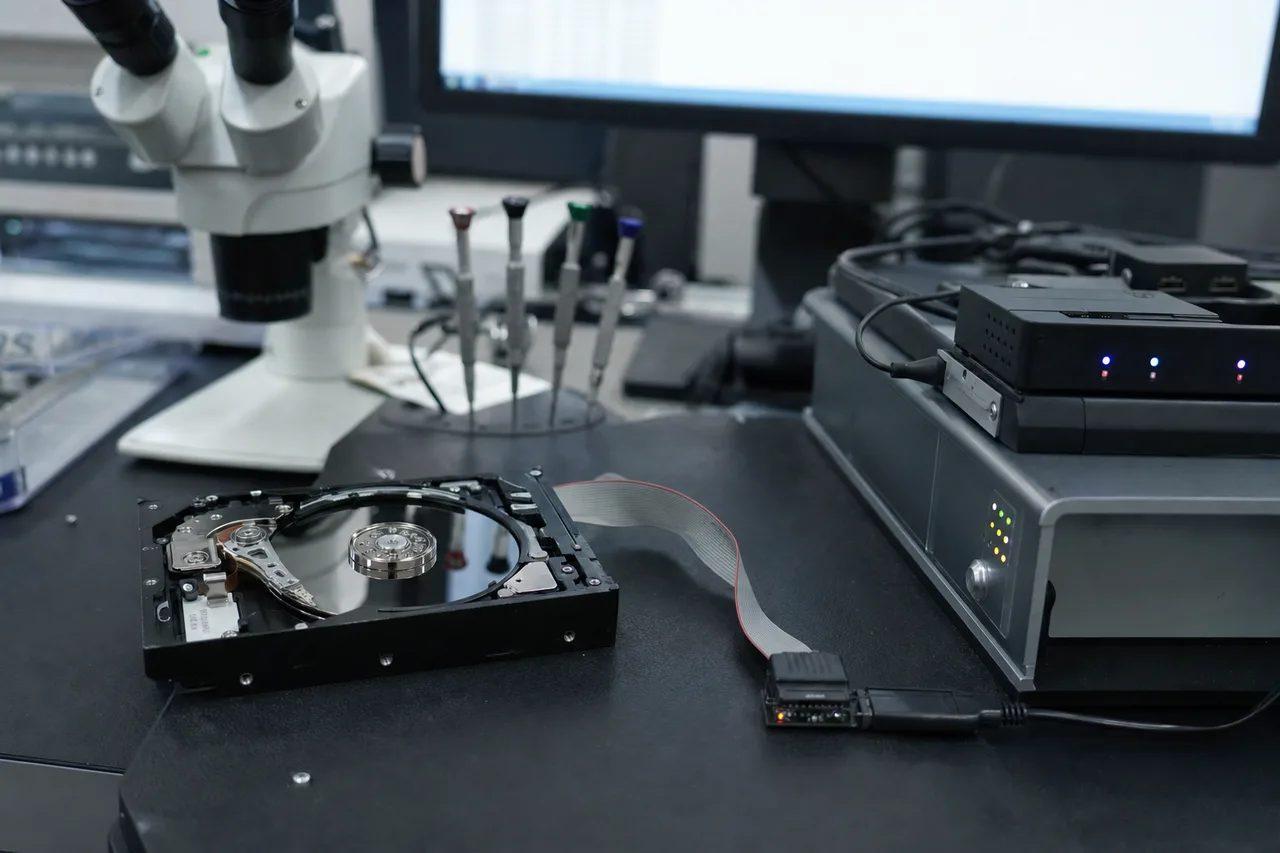
Every drive is imaged sector by sector on PC-3000 in our Lincroft, NJ lab - the same rig that handles Toshiba firmware repair and head-swap imaging.04
Toshiba MG Series Enterprise Data Recovery
Toshiba's MG series enterprise hard drives are deployed in some of the most demanding computing environments in the world - data centers, cloud storage infrastructure, enterprise SAN and NAS systems, and high-performance computing clusters. When an MG series drive fails, the data at stake is often mission-critical, and the cost of downtime can run into tens of thousands of dollars per hour. MDrepairs provides enterprise-grade recovery services for all Toshiba MG models with the urgency, security, and technical capability that enterprise customers require.
MG Series Product Line
The MG series has evolved through several generations, each introducing new technologies and higher capacities:
MG08 Series: Available in capacities from 4TB to 16TB with both SATA 6Gb/s and SAS 12Gb/s interfaces. The MG08 uses conventional magnetic recording (CMR) at lower capacities and Toshiba's proprietary FC-MAMR (Flux Control Microwave Assisted Magnetic Recording) technology at higher capacities. Enterprise features include 550TB/year workload rating, 2.5 million hour MTBF, persistent write cache with power loss protection, and sanitize instant erase (SIE) for secure data destruction.
MG09 Series: 18TB enterprise capacity drive using a 9-disk, 18-head design with helium-sealed construction. The MG09 introduced Toshiba's second-generation FC-MAMR technology, which uses a microwave-generating element integrated into the write head to assist the recording process at higher areal densities. This technology allows more data to be written on each platter surface than conventional PMR alone.
MG10 Series: Toshiba's current flagship enterprise drive offering 20TB capacity with a 10-platter design. The MG10 uses third-generation FC-MAMR and supports both 512e and 4Kn sector formats. With 10 platters and 20 heads, the MG10 represents the most complex Toshiba drive from a recovery perspective.
Enterprise Recovery Challenges
MG series drives present several recovery challenges that differ from consumer Toshiba drives:
High platter counts: The MG09 contains 9 platters and the MG10 contains 10 platters. Head replacement requires sourcing a donor with matching head geometry across all 18 or 20 heads. Even minor compatibility differences between donor and patient heads can cause read errors on specific surfaces. MDrepairs maintains an inventory of MG series donors with documented head characteristics to ensure the best possible match.
Helium environment: All high-capacity MG drives use helium filling. Opening these drives for physical recovery means working in a compromised atmosphere where the original helium has been replaced by air. Our technicians have developed helium-drive-specific imaging protocols that compensate for the changed operating conditions.
SAS interface: Many enterprise MG drives use the SAS (Serial Attached SCSI) interface rather than SATA. SAS drives require different diagnostic hardware and firmware access methods. MDrepairs has full SAS capability with our PC-3000 SAS module and dedicated SAS imaging infrastructure.
FC-MAMR technology: Toshiba's FC-MAMR recording technology is unique to their enterprise and high-capacity drives. The microwave-assisted recording process creates a different magnetic signature on the platters than conventional PMR, which can affect how data is read back during recovery imaging. Our imaging parameters are calibrated specifically for FC-MAMR Toshiba drives.
Encryption and security features: Enterprise MG drives support Trusted Computing Group (TCG) Enterprise and TCG Opal self-encrypting drive (SED) standards. If encryption was enabled and the authentication key is lost, the data is cryptographically inaccessible regardless of the physical condition of the drive. MDrepairs can advise enterprise customers on encryption recovery options during the diagnostic phase.
Enterprise Service Level
MDrepairs offers enhanced service options for enterprise MG series recoveries:
Emergency same-day diagnostic: Your MG drive is assessed within hours of arrival at our lab, not days.
Priority clean room scheduling: Enterprise cases receive dedicated clean room time slots to minimize turnaround.
NDA agreements: We sign non-disclosure agreements for all enterprise recovery cases involving sensitive data.
Secure data handling: Chain of custody documentation, encrypted data return, and certified data erasure after recovery completion.
Direct technician communication: Enterprise customers communicate directly with the engineer working on their drive, not through a support queue.
The combination of enterprise-grade equipment, Toshiba-specific expertise, and flexible service options makes MDrepairs the right choice for MG series recovery. Whether your failed drive contains critical database files, virtual machine images, or years of business data, our technicians have the tools and experience to recover it.
05
Understanding Toshiba Hard Drive Firmware
Every hard drive contains a sophisticated firmware system that controls all aspects of the drive's operation - from motor startup sequencing and head positioning to defect management, read/write optimization, and interface communication. Toshiba's firmware architecture has its own unique structure that differs significantly from Seagate and Western Digital platforms. Understanding this architecture is essential for diagnosing firmware-related failures and performing non-destructive firmware repairs that restore access to user data. MDrepairs has invested extensively in Toshiba firmware research, maintaining up-to-date tools and knowledge for every Toshiba firmware platform from legacy Fujitsu-derived models to the latest MG10 enterprise drives.
Toshiba Firmware History
Toshiba's current HDD firmware has roots in two distinct lineages. When Toshiba acquired Fujitsu's HDD division in 2009, they inherited Fujitsu's 3.5-inch enterprise platform and firmware codebase. Simultaneously, Toshiba continued developing their own 2.5-inch mobile platform that originated from their long history in laptop drive manufacturing. Today, these two firmware lineages have been largely unified, but traces of both architectures persist in current products. The MQ series laptop drives and Canvio portables descend from Toshiba's original mobile platform, while the MG enterprise series and DT desktop series show more influence from the acquired Fujitsu architecture. This dual heritage means that recovery techniques that work on an MQ01 laptop drive may not apply directly to a DT01ACA desktop drive, even though both carry the Toshiba brand.
System Area Structure
Like all modern hard drives, Toshiba drives store their firmware in a reserved area of the platter surfaces called the System Area (SA). The SA is not accessible through normal read commands and requires specialized tools to access. Toshiba's SA contains several critical module categories:
Microcode: The main firmware program that runs on the drive's processor. This includes the servo control algorithms, interface handling code, defect management routines, and all other operational logic.
Adaptive Parameters: Calibration data unique to each individual drive, including head positioning offsets, zone mapping tables, and read/write channel tuning parameters. These values are measured during factory calibration and cannot be recreated without the original drive's specific characteristics.
Translator Tables: The mapping system that converts logical block addresses (LBAs) used by the computer into physical cylinder-head-sector (CHS) positions on the platters. Translator corruption is one of the most common Toshiba firmware failures and causes the drive to appear as the wrong capacity or become completely inaccessible.
Defect Lists: The P-List (Primary defect list, factory-detected defects) and G-List (Grown defect list, defects discovered during use) that tell the firmware which sectors to skip during normal operation. G-List overflow or corruption can cause the drive to hang during initialization as it tries to process an invalid defect table.
S.M.A.R.T. Data: Self-Monitoring, Analysis, and Reporting Technology logs that track drive health metrics. While S.M.A.R.T. corruption alone rarely causes drive failure, it can trigger drive lockouts in some enterprise firmware versions that interpret S.M.A.R.T. threshold violations as critical errors.
Common Toshiba Firmware Failures
The most frequent firmware-related failures we see in Toshiba drives at MDrepairs include:
Translator module corruption: The translator converts logical addresses to physical locations. When this module is corrupted, the drive may spin up and appear in the BIOS but show zero capacity, wrong capacity, or fail to respond to read commands. This is particularly common in the DT01ACA desktop series and older MQ01 laptop drives.
G-List overflow: As a drive ages and develops more bad sectors, the grown defect list expands. Toshiba firmware allocates a fixed amount of SA space for the G-List, and when this space is exhausted, the drive may hang during initialization or begin behaving erratically. G-List overflow is a warning sign that the media is degrading and physical recovery may be needed soon.
Head map corruption: The head map tells the firmware which physical heads are installed and active. If this map becomes corrupted, the firmware may try to access heads that don't exist or skip heads that do, causing the drive to fail initialization or produce read errors on specific surfaces.
Power-loss during SA write: If power is interrupted while the firmware is updating a System Area module, the module can be left in a partially written state. This is particularly damaging when it affects the translator or adaptive parameter modules, as the drive may not be able to complete initialization without valid versions of these modules.
Firmware Repair Process at MDrepairs
When a Toshiba drive arrives with suspected firmware issues, our diagnostic process follows a structured approach:
Terminal connection: We connect to the Toshiba drive's diagnostic serial port to access the firmware console. This gives us direct access to firmware status, error logs, and module management commands.
SA backup: Before any repair attempts, we create a complete backup of the System Area. This ensures we can restore the drive to its pre-repair state if any intervention makes the situation worse.
Module analysis: We examine each critical firmware module for corruption, comparing checksums and structure against known-good references for that firmware version.
Targeted repair: Rather than blanket firmware rewriting, we repair only the corrupted modules while preserving all adaptive data unique to the patient drive. This minimizes risk and preserves the drive's original calibration.
Verification: After firmware repair, we verify that the drive initializes correctly, reports the correct capacity, and can sustain reads across all LBA ranges before beginning the full data imaging process.
Firmware repair is one of the most cost-effective recovery procedures because it does not require clean room work or donor parts. When successful, it restores full access to the user data through non-invasive software-level intervention. MDrepairs resolves hundreds of Toshiba firmware cases annually, and our success rate on firmware-only failures exceeds 98%.
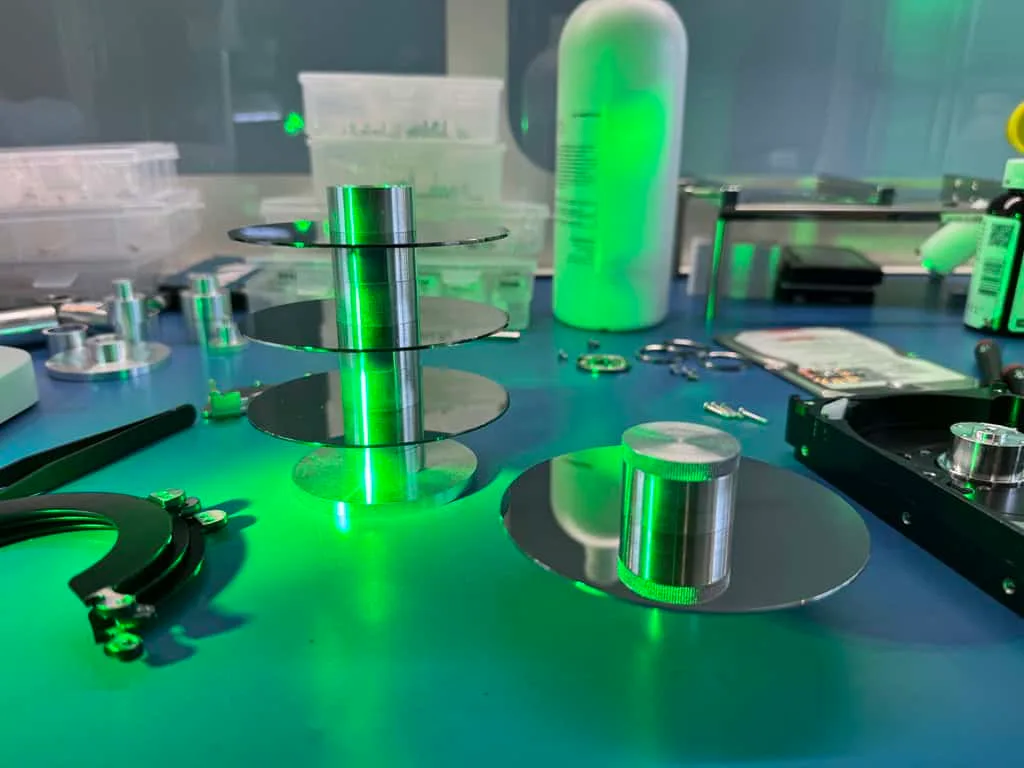
Platters and head combs staged in our clean room. Toshiba 2.5-inch drives often use glass substrates, so head swaps demand exact alignment.06
Toshiba Head Stack Assembly Failures and Recovery
The head stack assembly (HSA) is the most failure-prone component in any hard drive, and Toshiba drives are no exception. The HSA contains the read/write heads mounted on spring-loaded actuator arms that are positioned over the spinning platters by a voice coil motor. Each head floats just 5-10 nanometers above the platter surface on a cushion of air (or helium in sealed drives), reading and writing data through magnetic interaction with the platter's recording layer. When any component of the HSA fails - the heads themselves, the suspension arms, the preamp chip, or the voice coil - the drive can no longer access data, and professional recovery with donor head replacement is typically required.
failed head stack outmatched donor seated - imaging
How Toshiba Heads Differ
Toshiba's head stack assembly design has several characteristics that distinguish it from Seagate and Western Digital heads:
Head parking ramp design: All modern Toshiba drives use a load/unload ramp mechanism where the heads park on a plastic ramp at the outer edge of the platter stack when the drive is powered off. The ramp geometry and head slider design are specific to each Toshiba model family. Seagate drives, by contrast, typically park heads in a dedicated landing zone on the inner platter tracks. The ramp-load design means Toshiba heads must successfully navigate onto and off the ramp during every power cycle, and ramp failures are a common cause of head-related issues.
Preamp integration: The preamplifier chip on Toshiba HSAs is typically located on the actuator arm close to the head gimbal assemblies. The preamp amplifies the tiny signals from the read heads and drives the write heads with the appropriate current patterns. Preamp failures in Toshiba drives can cause symptoms that mimic head failures - clicking, inability to read, or partial head functionality - but require a different diagnostic approach.
Glass platter compatibility: Many Toshiba 2.5-inch drives use glass platters rather than aluminum substrates. Glass platters are smoother and allow tighter head flying heights, but the head design must be precisely matched to the glass surface characteristics. Using donor heads from an aluminum-platter Toshiba drive on a glass-platter model can result in head crashes even if the model numbers appear compatible.
Types of Head Failures in Toshiba Drives
MDrepairs encounters several distinct types of head failures in Toshiba drives:
Complete head stack failure: All heads in the assembly fail simultaneously, typically due to a preamp failure, electrical surge, or severe impact. The drive clicks rapidly as the actuator repeatedly attempts to read servo data and fails. This is the most common head failure type in Toshiba Canvio drives that have been dropped.
Single head failure: One head in the stack fails while the others remain functional. The drive may appear to work intermittently, read some files but not others, or run extremely slowly as the firmware repeatedly retries reads on the failed head's surface. This is common in multi-platter N300 and X300 drives where one head degrades from wear while others continue functioning.
Head degradation: Rather than a sudden failure, the heads gradually lose their ability to read or write reliably. Read errors increase over time, the drive becomes progressively slower, and S.M.A.R.T. reallocated sector counts climb steadily. This type of failure is most common in Toshiba drives with high power-on hour counts, particularly N300 NAS drives running 24/7.
Stiction (heads stuck to platter): When the heads land on the platter surface instead of parking on the ramp, they can bond to the smooth platter surface through molecular adhesion (stiction). The drive may beep, buzz, or produce a faint ticking sound as the motor tries to spin the platters but cannot overcome the stiction force. Stiction is more common in Toshiba drives exposed to temperature extremes or humidity.
Head Replacement Procedure for Toshiba Drives
Replacing the head stack assembly in a Toshiba drive is a precision procedure performed in our clean room environment. The process for a typical Toshiba 2.5-inch drive (such as the MQ04 mechanism used in Canvio drives) involves:
Donor selection: We identify a compatible donor from our inventory. For Toshiba drives, the donor must match the model family, firmware version range, platter count, and ideally the production batch of the patient drive. Our inventory management system tracks all these parameters for rapid donor matching.
Clean room preparation: Both the patient and donor drives are brought to our clean room workstation. The work area is prepared with specialized tools including head combs, actuator locking tools, and ramp removal tools specific to Toshiba's design.
Patient drive disassembly: The patient drive's top cover is removed, the head parking ramp is extracted, and the failed head stack is carefully unloaded from the platters using a head comb tool that separates the heads from each other and prevents them from contacting the platter surfaces.
Donor head extraction: The same procedure is performed on the donor drive to extract its healthy head stack assembly.
Transplant: The donor heads are carefully loaded onto the patient's platters using the head comb, and the parking ramp is reinstalled. The drive cover is replaced and sealed.
Imaging: The rebuilt drive is connected to our PC-3000 imaging system for sector-by-sector extraction. We typically use a cautious multi-pass imaging strategy, starting with healthy areas first and progressively working into potentially damaged zones.
For larger Toshiba drives like the N300, X300, and MG series with multiple platters, the procedure is more complex because more heads must be loaded simultaneously without any of them contacting a platter surface. The 10-platter MG10 with 20 heads is the most challenging Toshiba head swap currently, requiring extreme precision and patience. MDrepairs has successfully completed head replacements on all Toshiba model families, and our technicians maintain their skills through regular practice on non-customer drives.
07
Toshiba PCB and Electrical Failure Recovery
The printed circuit board (PCB) is the drive's control center, containing the main controller processor, motor driver, read/write channel chip, volatile cache memory, and ROM storage for critical firmware parameters. Electrical failures affecting the PCB are among the most common types of hard drive damage, often caused by power surges, faulty USB adapters, static discharge, or manufacturing defects. For Toshiba drives specifically, PCB failures have some unique characteristics that affect the recovery approach, and understanding these differences is essential for successful data retrieval.
Toshiba PCB Architecture
Toshiba PCBs have evolved significantly across product generations, but current models share common architectural elements:
Main controller: Toshiba uses several controller families across their product lines. The consumer MQ and DT series use controllers from the TC58xxx family, while enterprise MG drives use higher-performance controllers with additional features like hardware encryption acceleration and SAS interface support. The controller handles all drive operations including servo processing, read/write channel management, cache algorithms, and host interface communication.
Motor driver IC: This chip controls the spindle motor and voice coil motor. It converts digital positioning commands from the main controller into analog current signals that move the actuator and maintain the spindle at the correct RPM. Motor driver failures can cause the drive to not spin, spin at the wrong speed, or produce unusual sounds.
ROM chip: A small EEPROM or serial flash chip that stores drive-specific adaptive data including the serial number, model identifier, head map, and calibration offsets. This data is unique to each individual drive and must be preserved during any PCB repair or replacement. Simply swapping an entire PCB from a donor drive without transferring the ROM data will result in a non-functional drive.
TVS diodes: Transient voltage suppressor diodes protect the PCB from voltage spikes. Toshiba drives typically have TVS diodes on the motor power input, the 5V logic rail, and the data interface. When a power surge occurs, the TVS diode is designed to short-circuit and clamp the voltage, sacrificing itself to protect the more expensive controller and preamp chips.
Common Electrical Failures in Toshiba Drives
TVS diode short: This is the most benign electrical failure and the easiest to repair. A power surge causes the TVS diode to short permanently, preventing the drive from receiving power. The rest of the PCB and the internal mechanism are typically undamaged. MDrepairs diagnoses this by measuring resistance across the TVS diodes and, if confirmed, removes the shorted diode to restore power. While the drive loses its surge protection, this allows us to image the data before it is transferred to new media.
Controller chip failure: More serious than a TVS failure, controller chip damage renders the drive's processing brain non-functional. The drive will not spin or respond to any commands. Controller chips are model-specific and not available as discrete components, so repair requires a donor PCB with a matching controller. MDrepairs transfers the ROM data from the patient PCB to the donor board before installation.
Preamp damage from electrical surge: In severe surge events, the electrical spike can travel through the PCB, through the flex cable, and into the head stack assembly's preamplifier chip. When the preamp is damaged, a simple PCB repair will not restore the drive - head replacement is also required. This makes the recovery more complex and expensive, which is why we always check for preamp damage before completing a PCB repair.
USB bridge failure (Canvio drives): Toshiba Canvio external drives contain an additional USB bridge board that converts the internal SATA interface to USB. This bridge board can fail independently of the main drive PCB, causing the drive to appear dead even though the internal mechanism is healthy. In many Canvio models, the USB bridge is soldered directly to the drive PCB rather than being a separate board, which complicates bypass procedures. MDrepairs can unsolder the USB bridge components and connect directly to the SATA pads on the PCB to access the drive through our professional tools.
PCB Repair vs. PCB Swap
There is an important distinction between PCB repair and PCB swap that affects both cost and outcome:
PCB Repair involves fixing the damaged component on the original board - removing a shorted TVS diode, replacing a blown fuse, or reflowing a cracked solder joint. This is the preferred approach when possible because it preserves all original firmware data and calibration values. MDrepairs uses precision soldering equipment and component-level diagnostic tools to identify and repair individual PCB failures.
PCB Swap involves replacing the entire circuit board with a compatible donor. This is necessary when the controller chip or other complex ICs are damaged beyond repair. The critical step in a PCB swap is transferring the ROM chip from the original board to the donor. This ROM contains the drive's unique identity and calibration data. Without it, the donor PCB will not communicate properly with the original platters and head assembly. MDrepairs maintains a library of compatible Toshiba PCBs organized by model, firmware version, and board revision for rapid donor matching.
In some cases, the original PCB is so severely damaged that the ROM chip cannot be read. When this happens, we may be able to reconstruct the critical ROM parameters from the drive's System Area firmware stored on the platters, though this adds complexity to the recovery process. MDrepairs has successfully recovered data from Toshiba drives with completely destroyed PCBs by combining ROM reconstruction with compatible donor board preparation.
08
Toshiba Laptop Hard Drive Data Recovery (L200, MQ Series)
Toshiba has a storied history in the laptop hard drive market, having shipped 2.5-inch drives in notebook computers since the early 1990s. The company's laptop drive lineage includes some of the most widely deployed notebook storage in history, from the classic MK series that powered millions of ThinkPads and Satellites to the current L200 consumer line and MQ professional series. Laptop drives face unique stresses that desktop drives never encounter - vibration during use, thermal cycling from sleep/wake cycles, and physical impacts from drops and bumps. These stresses make Toshiba laptop drives some of the most commonly submitted for data recovery at MDrepairs.
Current Toshiba Laptop Drive Models
Toshiba's current 2.5-inch internal drive lineup includes:
L200 Series: Toshiba's consumer laptop drive available in 500GB, 1TB, and 2TB capacities. The L200 uses a 5400 RPM spindle, 128MB buffer, and 7mm height for compatibility with thin laptops. It is the primary mechanism inside Canvio Basics and Canvio Advance external drives, making L200 experience directly transferable to Canvio recovery.
MQ01ABD Series: A legacy but still very commonly encountered 2.5-inch drive. The MQ01ABD was shipped in millions of laptops from HP, Dell, Lenovo, Toshiba, and Acer between 2012 and 2018. Available in 500GB (MQ01ABD050) and 1TB (MQ01ABD100) capacities with a 5400 RPM spindle. These drives are now aging into their failure window, and MDrepairs sees a steady stream of MQ01ABD recovery cases.
MQ01ABF Series: A 7mm-height variant of the MQ01 platform designed for ultrabook laptops. The thinner profile means a single platter, limiting capacity to 500GB but allowing installation in ultra-thin notebook designs.
MQ04ABF/MQ04ABD Series: The successor to the MQ01, used in current-generation laptops and as the internal mechanism in Canvio external drives. The MQ04 features updated firmware, improved power management, and higher areal density for greater capacity per platter.
Common Laptop Drive Failure Scenarios
Toshiba laptop drives fail in ways that are directly related to their mobile operating environment:
Drop damage while operating: The most dangerous scenario for a laptop drive. When a running laptop is dropped or struck, the shock can cause the heads to slam into the platter surface with enough force to create a head crash. In Toshiba 2.5-inch drives with glass platters, the impact can also crack the platter substrate, which is catastrophic for recovery because glass fragments can contaminate the entire head-disk assembly. MDrepairs has developed specific procedures for handling glass platter damage in Toshiba drives, including fragment removal and surface cleaning before imaging attempts.
Thermal failure: Laptop drives operate in cramped, poorly ventilated enclosures where temperatures can spike during heavy CPU or GPU loads. Sustained high temperatures accelerate lubricant degradation on the spindle bearings and head gimbal assemblies, leading to premature mechanical failure. We see this frequently in gaming laptops where the HDD is positioned near the GPU heat pipe, and in laptops where the cooling vents have been blocked by dust accumulation.
Connector and flex cable issues: Laptop drives connect to the motherboard through SATA connectors that can loosen, corrode, or break. In some laptop designs, the HDD cable is a thin flex ribbon that can be damaged during drive swaps or RAM upgrades. While these connector issues do not damage the drive itself, they can be misdiagnosed as drive failures, leading users to attempt unnecessary recovery procedures that cause actual damage.
Age-related degradation: The MQ01ABD series is now 8-14 years old depending on production date, well beyond the typical 5-year design life of a consumer hard drive. These aging drives develop increasing bad sectors, weakening head signals, and bearing noise as their mechanical components wear out. MDrepairs handles these age-related failures with gentle imaging techniques that minimize stress on the aging mechanism while maximizing data extraction.
Toshiba Laptop in External Enclosures
A significant portion of our Toshiba laptop drive recovery cases involve drives that were removed from laptops and placed in USB enclosures for continued use as external storage, or drives from Canvio enclosures that need to be imaged directly. In both cases, we bypass the USB interface entirely and connect the bare drive to our PC-3000 system via SATA. This gives us direct access to the drive's diagnostic interface and firmware, bypassing any USB bridge translation issues that could affect recovery.
For Canvio drives where the USB bridge is integrated into the drive PCB, this bypass requires more involved work - either accessing SATA test pads on the PCB or using specialized adapter boards that interface with the Toshiba USB/SATA combo controller. MDrepairs has the tools and experience for both approaches, and our technicians routinely handle the full range of Toshiba laptop and portable drive configurations.
Data Types and Priorities
Laptop drives typically contain the user's most important personal data - documents, photos, videos, email archives, browser bookmarks, application settings, and the operating system itself. When a laptop drive fails, users often need not just the data files but also the ability to restore their working environment. MDrepairs recovers all data from Toshiba laptop drives and can organize the recovered files in a structure that makes it easy to migrate to a new laptop. We preserve directory structures, file metadata, and timestamps so that your recovered data is as close to its original organization as possible.
09
RAID and Multi-Drive Toshiba Data Recovery
Toshiba drives are widely deployed in RAID arrays across NAS systems, servers, and direct-attached storage configurations. The N300 NAS series is specifically designed for multi-drive environments, and the MG enterprise series powers RAID arrays in data centers worldwide. When multiple Toshiba drives are combined in a RAID array, the recovery process becomes significantly more complex than single-drive recovery because the data is spread across multiple physical drives in patterns determined by the RAID level and configuration parameters. MDrepairs has extensive experience recovering data from RAID arrays built with Toshiba drives across all common RAID levels and storage platforms.
RAID Levels and Toshiba Drive Deployments
Each RAID level presents different recovery requirements:
RAID 0 (Striping): Data is split into blocks (stripes) and distributed evenly across all drives. RAID 0 provides maximum performance but zero redundancy - if any single drive fails, the entire array is inaccessible. Recovery requires imaging all surviving drives and reconstructing the stripe pattern, including the data that was on the failed drive if possible. We see RAID 0 configurations with Toshiba X300 drives in video editing workstations and gaming PCs.
RAID 1 (Mirroring): Each drive contains a complete copy of the data. If one drive fails, the mirror continues operating. Recovery from a single RAID 1 drive is equivalent to single-drive recovery. We commonly see Toshiba N300 drives in two-bay NAS units configured in RAID 1 for small office and home use.
RAID 5 (Striping with Distributed Parity): Data and parity information are distributed across all drives. RAID 5 can tolerate one drive failure. When two or more drives fail, professional recovery is required. This is the most common RAID level we encounter with Toshiba N300 drives in 4-bay and 8-bay NAS systems from Synology, QNAP, and Asustor.
RAID 6 (Striping with Double Parity): Similar to RAID 5 but with two parity blocks per stripe, allowing up to two simultaneous drive failures. RAID 6 is common in enterprise environments using Toshiba MG series drives where data availability is critical.
RAID 10 (Mirrored Stripes): Combines RAID 1 mirroring with RAID 0 striping for both redundancy and performance. Can tolerate multiple drive failures as long as both drives in any single mirror pair do not fail simultaneously.
Multi-Drive Failure Scenarios
The most common scenarios that bring multi-drive Toshiba arrays to MDrepairs include:
RAID rebuild failure: This is the number one cause of complete array failure. When one Toshiba drive in a RAID 5 or RAID 6 array fails, the rebuild process places enormous stress on the remaining drives by reading every sector on every surviving member. If any surviving drive has latent bad sectors or is approaching its own failure point, the rebuild can trigger a second drive failure, bringing the entire array offline. We see this frequently with Toshiba N300 arrays where all drives were purchased together and have similar wear levels.
Controller or NAS failure: Sometimes the drives themselves are healthy, but the RAID controller, NAS unit, or storage server has failed. In these cases, the drives contain valid data but cannot be accessed through the failed hardware. MDrepairs can read the raw drives and reconstruct the RAID array virtually using our software tools, bypassing the failed controller entirely.
Firmware-triggered array degradation: Toshiba firmware issues can cause a healthy drive to become unresponsive, triggering the NAS to drop it from the array. If the error recovery timeout (ERC) is not properly configured, the NAS may interpret a long firmware retry as a drive failure and remove it unnecessarily. This is a recoverable scenario because the drive's data is intact - only the firmware needs repair.
Environmental damage: Power surges, flooding, fire, or temperature extremes can affect multiple drives in an array simultaneously. We handle cases where entire NAS units have been exposed to environmental damage, recovering data from each drive individually before array reconstruction.
RAID Recovery Process
Our RAID recovery process for Toshiba arrays follows a structured methodology:
Individual drive assessment: Each drive is evaluated independently for physical health, firmware integrity, and readability. We document the S.M.A.R.T. data, head condition, and any error patterns for each drive.
Priority imaging: We begin imaging the healthiest drives first to minimize risk. Drives with known issues are imaged using gentle parameters with extended timeouts to maximize data extraction while protecting the fragile mechanism.
RAID parameter detection: Using the imaged data, we determine the RAID level, stripe size, drive order, parity rotation, and offset parameters. For common NAS platforms (Synology DSM, QNAP QTS), we have pre-built profiles that accelerate this detection process.
Virtual array reconstruction: We reconstruct the RAID array in software using the disk images, applying the detected parameters to reassemble the stripe layout and calculate any missing data from parity.
File system extraction: The reconstructed array volume is mounted and the file system (typically ext4, Btrfs, or NTFS) is parsed to extract the directory structure and all recoverable files.
Verification: Recovered files are verified for integrity through structure checks, hash comparisons where reference data is available, and manual spot-checking of critical file types.
MDrepairs invests in dedicated RAID recovery infrastructure including high-speed multi-port imaging systems that can image all drives in an array simultaneously, reducing overall turnaround time. For enterprise customers with large Toshiba MG series arrays, we offer on-site imaging services where our portable equipment is brought to the data center to avoid the risk and delay of shipping multiple enterprise drives.
10
How Toshiba Data Recovery Differs From Other Drive Brands
While the fundamental principles of hard drive data recovery are the same regardless of manufacturer - diagnose the failure, repair or work around it, image the data, reconstruct the files - the specific techniques, tools, and parts required vary significantly between Toshiba, Seagate, and Western Digital. Each manufacturer uses proprietary firmware architectures, unique head and platter designs, different PCB layouts, and distinct failure signatures. A data recovery lab that treats all drives the same is leaving recoverable data on the table. MDrepairs invests in brand-specific expertise and tooling for every major manufacturer, and our Toshiba-specific knowledge is a key advantage when your Toshiba drive arrives at our lab.
Firmware Differences
The most significant difference between brands from a recovery perspective is firmware architecture:
Toshiba vs. Seagate: Seagate firmware is built around a modular architecture with well-documented module types (translators, defect lists, SMART logs, adaptives) stored in the System Area. Seagate's firmware has been extensively reverse-engineered by the data recovery community, and tools like PC-3000 have deep Seagate support. Toshiba firmware, by contrast, uses a different module structure inherited partly from Fujitsu. The diagnostic interface, module addressing, and calibration parameter format all differ from Seagate. Technicians experienced with Seagate firmware may misdiagnose Toshiba firmware issues if they apply Seagate-centric assumptions.
Toshiba vs. Western Digital: Western Digital firmware stores much of its critical data in ROM on the PCB, while Toshiba firmware relies more heavily on System Area storage on the platters. This means that PCB damage on a WD drive can be more immediately catastrophic for firmware access, while Toshiba drives may be more resilient to PCB issues but more vulnerable to platter-surface firmware corruption. The diagnostic interface and command sets are also completely different between the two brands.
Head and Platter Design Differences
Toshiba's head stack assembly design differs from competitors in several recovery-relevant ways:
Head parking mechanism: Toshiba uses ramp-load parking exclusively across their product line. Seagate uses contact-start-stop (CSS) parking in most models, where heads park on a smooth landing zone on the inner platter tracks. Western Digital uses ramp-load on some models and CSS on others. The parking mechanism affects how heads are removed and installed during replacement - the tools and technique for ramp-load HSA removal are different from CSS.
Platter substrate: Toshiba uses glass platters extensively in their 2.5-inch drives, while Seagate and WD primarily use aluminum substrates in both 2.5-inch and 3.5-inch form factors. Glass platters are smoother and lighter but can shatter under severe impact, creating a fundamentally different damage profile than aluminum platters that dent or scratch. A recovery lab must be prepared for both scenarios when working with Toshiba portable drives.
Head compatibility: Donor heads for Toshiba drives must be sourced from the same Toshiba model family and ideally the same firmware revision and production batch. Cross-brand head compatibility does not exist - you cannot use Seagate heads in a Toshiba drive or vice versa. Within the Toshiba brand, compatibility is limited to specific model families (MQ01 heads only work in MQ01 drives, not MQ04). MDrepairs maintains separate donor inventories for each Toshiba model family.
PCB and Electrical Differences
Toshiba PCB architecture has some unique characteristics:
Integrated USB bridges: Unlike Seagate and WD external drives that typically use separate USB-to-SATA bridge boards, many Toshiba Canvio drives integrate the USB bridge directly onto the main drive PCB. This means that USB port damage can affect the main PCB, and bypassing the USB interface to access the SATA data path requires board-level work.
ROM storage format: The ROM chip on Toshiba PCBs stores data in a different format than Seagate or WD ROMs. ROM transfer between patient and donor PCBs requires Toshiba-specific procedures. Using a Seagate ROM transfer technique on a Toshiba drive can result in corrupted adaptive data.
Voltage regulation: Toshiba PCBs use different voltage regulator topologies than their competitors, which affects how power surge damage manifests and how effective component-level repair can be.
Failure Pattern Differences
Each brand has characteristic failure patterns based on their design choices:
Toshiba: Most common failures are head crashes from drops (Canvio portables), translator firmware corruption (DT01ACA desktop drives), and motor bearing degradation (high-hour N300 NAS drives). The glass platter issue in 2.5-inch models is a Toshiba-specific concern that other brands do not share to the same degree.
Seagate: Known for firmware issues (the BSY bug family), preamp failures, and head degradation in high-capacity helium drives. Seagate drives tend to have more firmware-recoverable cases as a percentage of total failures.
Western Digital: Common issues include head parking zone damage in My Passport drives, ROM corruption from USB connection issues, and head failures in high-capacity Red and Ultrastar drives. WD drives tend to have a higher percentage of PCB-related failures.
The bottom line is that effective Toshiba data recovery requires Toshiba-specific knowledge, Toshiba-compatible donor parts, and tools configured for Toshiba firmware platforms. MDrepairs provides all three, ensuring your Toshiba drive receives the specialized treatment it needs rather than a one-size-fits-all approach that may miss recoverable data. We also recover Hitachi and HGST drives in our lab.
11
How to Prevent Toshiba Hard Drive Failure and Protect Your Data
While no hard drive lasts forever, there are practical steps you can take to maximize the lifespan of your Toshiba drive and minimize the risk of catastrophic data loss. Prevention is always better than recovery - both for your stress level and your wallet. MDrepairs has diagnosed tens of thousands of failed drives, and the patterns we see reveal clear, actionable steps that can dramatically reduce your risk of losing data. Here is everything we have learned about keeping Toshiba drives healthy and your data safe.
Physical Protection for Portable Drives
If you use a Toshiba Canvio portable drive, physical damage from drops and impacts is your number one risk factor. Here is how to minimize it:
Never move a connected drive: When your Canvio is connected to a computer and actively reading or writing, the heads are flying over the platters at a distance measured in nanometers. Any sudden movement, bump, or drop in this state can cause the heads to crash into the platter surface. Always safely eject the drive and wait for it to fully power down before moving it.
Use a protective case: A padded carrying case adds a critical layer of shock absorption. Hard-shell cases with foam interiors provide the best protection. The $15-20 investment in a good case is trivial compared to the cost of data recovery.
Store on stable surfaces: When your Canvio is connected and in use, place it on a flat, stable surface away from edges where it could be knocked off. A drive falling even 12 inches onto a hard surface while spinning can cause a head crash.
Avoid extreme temperatures: Toshiba drives are rated for operation between 5 and 35 degrees Celsius. Leaving your drive in a hot car or cold vehicle trunk can cause thermal expansion/contraction that affects the tight mechanical tolerances inside the drive. Let the drive acclimate to room temperature before powering it on.
Best Practices for NAS and Desktop Drives
Toshiba N300 NAS drives and P300/X300 desktop drives face different risks than portables:
Use a UPS (Uninterruptible Power Supply): Power outages and surges are a leading cause of PCB damage and firmware corruption in Toshiba drives. A UPS protects against both by providing clean, conditioned power and battery backup during outages. For NAS systems with N300 drives, a UPS is not optional - it is essential.
Ensure adequate ventilation: Hard drives generate heat during operation, and excessive temperatures accelerate mechanical wear. Make sure your NAS or desktop has adequate airflow around the drives. Clean dust filters regularly and ensure fans are functioning properly. Toshiba N300 drives are rated for continuous operation, but that rating assumes adequate cooling.
Monitor S.M.A.R.T. data: Toshiba drives support Self-Monitoring, Analysis, and Reporting Technology that tracks critical health metrics including reallocated sector count, pending sector count, head flying hours, and temperature. Most NAS platforms (Synology, QNAP) include built-in S.M.A.R.T. monitoring with email alerts. Enable these alerts and take them seriously - a rising reallocated sector count is a warning that the drive is developing bad sectors and should be replaced before it fails completely.
Replace drives proactively: Hard drives are consumable components with finite lifespans. Toshiba consumer drives have a typical design life of 3-5 years, and NAS drives are rated for longer but still degrade over time. If your Toshiba drive is approaching 4-5 years of continuous use and S.M.A.R.T. data shows any concerning trends, replace it proactively while you can still read the data to copy it to the new drive.
Avoid mixing old and new drives in RAID: When adding a new Toshiba N300 to a RAID array, the new drive has a very different wear level than the existing drives. If all the original drives are 4+ years old, adding one new drive does not reduce your risk - the other aged drives can still fail during a rebuild. Consider replacing all drives in a RAID array at roughly the same time, or staggering replacements so no two drives reach end-of-life simultaneously.
The 3-2-1 Backup Rule
No amount of prevention can guarantee a drive will never fail. The only true protection against data loss is having redundant copies of your important files:
3 copies of every important file
2 different storage media (e.g., your Toshiba drive plus a cloud service, or a Toshiba drive plus an SSD)
1 offsite copy (cloud storage or a drive stored at a different physical location)
RAID is not a backup. RAID protects against single-drive failure but does not protect against accidental deletion, ransomware, fire, flood, or theft. If your data matters, back it up independently of whatever RAID or redundancy your storage provides.
Safe Ejection and Handling
Many Toshiba drive failures we see at MDrepairs were caused by improper handling:
Always safely eject USB drives: Use the "Safely Remove Hardware" function in Windows or "Eject" in macOS before disconnecting your Canvio. Unplugging a drive while the operating system is writing to it can corrupt the file system, the drive's write cache, or even the firmware if a System Area update was in progress.
Do not stack drives: When storing multiple Toshiba drives, do not stack them on top of each other. The weight of stacked drives can damage the enclosure and internal mechanism of drives on the bottom.
Use quality cables and power supplies: Cheap USB cables and power adapters are a hidden cause of Toshiba drive failures. A marginal cable can cause intermittent disconnections that corrupt data, and a noisy power adapter can cause electrical damage to the PCB. Use the cable that came with your Canvio drive, or buy a high-quality replacement from a reputable brand.
Following these guidelines will not make your Toshiba drive immortal, but they will significantly reduce the probability and severity of failures. And if a failure does occur despite your best efforts, MDrepairs is here to recover your data with the expertise and care your irreplaceable files deserve.
12
Toshiba and Kioxia SSD Data Recovery
While Toshiba is best known for its hard disk drives, the company has been a major force in flash storage since co-inventing NAND flash memory with Masahiro Mano at Toshiba in 1987. Today, Toshiba's flash storage division operates under the Kioxia brand (a Toshiba spinoff), but millions of SSDs carrying the Toshiba brand name remain in active use worldwide. MDrepairs provides comprehensive data recovery services for all Toshiba and Kioxia solid-state drives, from consumer SATA SSDs to enterprise NVMe storage.
Toshiba/Kioxia SSD Product Lines
Toshiba and Kioxia have produced SSDs across several product families:
Toshiba OCZ Series: When Toshiba acquired OCZ Storage Solutions in 2013, they gained a consumer SSD brand with established market presence. The OCZ-branded Toshiba SSDs include the TR200, RC500, and VX500 series. These drives use Toshiba BiCS FLASH 3D NAND and Phison or Toshiba TC58 controllers. The TR200 SATA SSD was particularly popular and is now aging into its failure window.
Kioxia Exceria Series: The successor to the OCZ consumer line, now branded under Kioxia. Includes the Exceria (SATA), Exceria Plus (NVMe), and Exceria Pro (high-performance NVMe) models. These drives use Kioxia BiCS FLASH 3D TLC NAND and are widely deployed in laptops and desktops.
Toshiba XG Series: OEM NVMe SSDs shipped in millions of laptops from Dell, HP, Lenovo, and other manufacturers. The XG5, XG6, and XG7 series are among the most commonly encountered Toshiba-brand SSDs in the field. Because these are OEM drives, they are not sold at retail and cannot be easily replaced with identical units, making data recovery the only option when they fail.
Kioxia CM/CD Series: Enterprise SSDs designed for data center deployment. The CM6 (NVMe) and CD6 (NVMe) series offer capacities up to 30TB with enterprise features including power loss protection, end-to-end data path protection, and TCG encryption.
SSD Failure Modes
SSD failures are fundamentally different from hard drive failures because SSDs have no moving parts. The failure modes are entirely electronic and logical:
Controller failure: The SSD controller is the brain of the drive, managing all read/write operations, wear leveling, garbage collection, and error correction. When the controller fails, the drive typically becomes completely undetectable by the computer. Controller failures can be caused by power surges, firmware bugs, overheating, or manufacturing defects. Recovery from controller failures may require chip-off techniques where the NAND flash chips are desoldered from the PCB and read individually using specialized equipment.
Firmware corruption: SSD firmware is more complex than HDD firmware, managing NAND-specific functions like wear leveling tables, block mapping, garbage collection schedules, and error correction code (ECC) management. Corrupted firmware can cause the SSD to enter a read-only state, become undetectable, report zero capacity, or brick entirely. Toshiba/Kioxia SSDs use proprietary firmware that requires specialized tools to diagnose and repair.
NAND wear exhaustion: NAND flash cells have a limited number of write/erase cycles before they can no longer reliably store data. TLC (Triple Level Cell) NAND used in most consumer Toshiba SSDs is rated for approximately 1,000-3,000 write/erase cycles per cell. As cells wear out, the error rate increases until the controller's ECC can no longer correct errors, and data becomes corrupted or inaccessible. MDrepairs can often recover data from worn SSDs by reading the raw NAND at lower-level interfaces that bypass the controller's error handling.
Power loss data corruption: Unlike HDDs where power loss primarily risks firmware corruption, SSD power loss can corrupt the Flash Translation Layer (FTL) mapping table - the critical data structure that tells the controller where each logical block is physically stored in the NAND. Without a valid FTL, the SSD cannot locate any data even though the raw NAND cells still contain it. Consumer Toshiba SSDs often lack the power loss protection capacitors found in enterprise models, making them more vulnerable to this failure mode.
Electrical damage: Power surges, static discharge, or motherboard faults can damage the SSD controller, voltage regulators, or the NAND chips themselves. In Toshiba NVMe SSDs that connect directly to the motherboard via M.2 slot, a motherboard failure can potentially send damaging voltages to the SSD.
SSD Recovery Techniques
Recovering data from failed Toshiba SSDs requires different tools and techniques than HDD recovery:
Firmware-level repair: For SSDs with firmware corruption but functional hardware, our engineers use vendor-specific diagnostic modes to access the drive's firmware subsystem, repair corrupted tables, and restore normal operation. This is the least invasive and most cost-effective SSD recovery method.
JTAG and ISP access: When the SSD controller is partially functional, we can sometimes access the drive's diagnostic interface through JTAG (Joint Test Action Group) or ISP (In-System Programming) ports on the PCB. These hardware interfaces bypass the normal drive interface and allow direct communication with the controller chip.
Chip-off recovery: For SSDs with completely failed controllers, the last resort is chip-off recovery. This involves desoldering each NAND flash chip from the PCB, reading the raw data from each chip using a specialized NAND reader, and then reassembling the data using knowledge of the controller's data organization scheme (page layout, block interleaving, XOR parity, and ECC algorithms). Chip-off is the most technically demanding and time-consuming SSD recovery method, but it can recover data from drives that are otherwise unrecoverable.
Toshiba SSD Recovery at MDrepairs
MDrepairs has invested in the specialized equipment and training required for SSD recovery, including NAND flash readers for chip-off procedures, firmware repair tools for Toshiba/Phison/TC58 controller platforms, and the software infrastructure to reassemble raw NAND dumps into coherent file systems. Our success rate on Toshiba SSD recovery depends heavily on the failure type - firmware repairs have a 90%+ success rate, while chip-off cases vary based on the extent of NAND degradation and the complexity of the controller's data organization. We provide honest assessments during the diagnostic phase so you know the likelihood of success before committing to the recovery.
If your Toshiba or Kioxia SSD has failed, contact MDrepairs at 732-933-7717 for a free consultation. Time is often critical with SSD failures - some failure modes can worsen with each power cycle, so it is best to power off the drive and consult a professional before attempting any DIY recovery.
Our donor library spans every Toshiba family - Canvio, N300, X300, MG, and legacy MQ - so most physical recoveries start the same day your drive arrives.13
How to Choose the Right Recovery Provider for Your Toshiba Drive
The data recovery industry has a reputation problem. Unqualified operators, bait-and-switch pricing schemes, and companies that cause additional damage to drives are unfortunately common. When your Toshiba drive contains irreplaceable data, choosing the right recovery provider is one of the most important decisions you will make. MDrepairs believes in complete transparency about our process, pricing, and capabilities, and we encourage potential customers to ask tough questions before trusting anyone with their data.
Red Flags to Watch For
Be cautious of any data recovery company that exhibits these warning signs:
No clean room: Any company claiming to recover physically damaged Toshiba drives without a clean room is either lying about having one or working on drives in uncontrolled conditions. Both scenarios put your data at serious risk. Ask for photos or video of their clean room before sending your drive.
Unrealistically low prices: Data recovery from physically damaged drives requires expensive equipment, skilled technicians, and donor parts. Companies advertising $99 or $199 flat-rate recovery for physical failures are almost certainly using bait-and-switch tactics where the final bill will be much higher, or they lack the capability to handle your case properly.
No diagnostic before quoting: A reputable recovery company will never give you a binding quote before examining your Toshiba drive. The type and severity of failure can only be accurately determined through hands-on diagnostic testing. Companies that quote sight-unseen are guessing, and that guess usually changes after they have your drive.
No success-based pricing: If a company requires full payment before attempting recovery, with no refund if they fail, that is a major red flag. MDrepairs operates on a no data, no charge policy. If we cannot recover your target files, you pay only the $100 diagnostic fee.
No online presence or reviews: Legitimate data recovery companies have verifiable reviews on Google, Yelp, and other platforms. MDrepairs has hundreds of verified reviews and over 2 million followers across social media who have watched us perform recoveries on camera.
What to Look for in a Toshiba Recovery Specialist
When evaluating recovery providers for your Toshiba drive, prioritize these qualities:
Toshiba-specific experience: Ask how many Toshiba drives they have recovered and whether they have experience with your specific model. Different Toshiba families (Canvio, N300, MG, MQ) have different recovery requirements. A lab that primarily works on Seagate drives may not have the donor inventory or firmware expertise needed for Toshiba-specific failures.
Donor drive inventory: Physical recovery from Toshiba drives requires compatible donor parts, often from the exact same model and firmware revision. Companies that must order donors for every case will have significantly longer turnaround times and may have difficulty sourcing older Toshiba models that are no longer in production.
Firmware repair capability: Many Toshiba failures are firmware-related and do not require clean room work. A provider with Toshiba firmware repair tools can resolve these cases faster and at lower cost than one that treats every case as a physical failure.
Transparent process: You should be able to understand exactly what the company will do with your drive, how much it will cost, and what happens if they cannot recover your data. MDrepairs publishes recovery videos showing our actual process, and our pricing is posted publicly on our website.
Communication: During the recovery process, you should receive regular updates about the status of your case. MDrepairs provides direct communication with the technician working on your drive, not a call center or automated system.
Why Customers Choose MDrepairs for Toshiba Recovery
MDrepairs has built a reputation as one of the most trusted data recovery providers in the country. Our advantages for Toshiba recovery include:
Over 8,000 Toshiba drives recovered with a 95% success rate
Comprehensive donor drive library with hundreds of Toshiba models in stock including legacy MQ01, DT01, and MK series
PC-3000 with full Toshiba firmware repair capability for all platforms
Professional clean room facility in Lincroft, NJ
No data, no charge guarantee on every case
Free insured shipping both ways for mail-in cases
Over 2 million social media followers who trust our transparency
Direct communication with your technician throughout the process
Ready to get your Toshiba data back? Contact MDrepairs at 732-933-7717 or submit a free quote through our website. We will evaluate your case, provide an honest assessment, and recover your data with the care and expertise your irreplaceable files deserve. Already seeing symptoms? Try our free HDD Diagnostic Tool.
Talk to the engineer working on your Toshiba drive - not a call center.
Keep 3 copies of your data, on 2 different types of media, with 1 copy stored offsite or in the cloud. This is the industry standard for data protection and guards against drive failure, theft, fire, and ransomware.
Monitor Drive Health
Use free tools like CrystalDiskInfo (Windows) or DriveDx (Mac) to check your hard drive's SMART status regularly. Reallocated sectors and pending errors are early warnings that a drive is failing - back up immediately if you see them. Read our complete guide on how to check hard drive health for step-by-step instructions on Windows, Mac, and Linux.
Replace Aging Drives
Hard drives have a typical lifespan of 3-5 years under normal use. If your drive is older than 4 years or shows any SMART warnings, replace it proactively and clone your data to the new drive before the old one fails completely.
Straight answers on cost, turnaround, models, and how we get your Toshiba data back - drawn from the questions we hear every day.
Does Toshiba have a data recovery service?
No. Toshiba does not operate an in-house data recovery service and does not bundle a recovery plan with its drives the way Seagate does with Rescue on some models. Toshiba's warranty covers replacement of the failed drive, not the data on it. Recovering files from a failed Canvio, P300, N300, or MG drive means using an independent professional lab. MDrepairs recovers Toshiba drives daily in our Lincroft, NJ clean room - matched Toshiba donor parts, firmware tools for every generation, and a no data, no charge guarantee.
How much does Toshiba data recovery cost?
Toshiba data recovery at MDrepairs ranges from $650 to $2,500+ depending on the type and severity of failure. Logical failures like accidental deletion or file system corruption typically fall in the $650-$1,200 range. Physical failures requiring clean room work range from $1,000 to $2,000. Severe cases involving platter damage or emergency turnaround range from $999 to $2,500+. Every case includes a $100 diagnostic fee that is credited toward the recovery cost, and our no data, no charge guarantee means you never pay unless we recover your files.
Can you recover data from a clicking Toshiba drive?
Yes, clicking is one of the most common Toshiba failures we recover from at MDrepairs. Clicking typically indicates a failed read/write head assembly. Our technicians replace the heads in our clean room using compatible Toshiba donor drives and then image the platters to extract your data. We have a success rate exceeding 90% on clicking Toshiba drives. The most important step you can take is to power off the drive immediately when you hear clicking, as continued operation can cause the failed heads to scratch the platter surfaces.
How long does Toshiba data recovery take?
Standard turnaround at MDrepairs is 5 to 10 business days with no surcharge. If you need your data faster, we offer Priority service (3-5 days, +$250), Rush service (1-3 days, +$500), and Emergency Same-Day service (+$1,000). The actual recovery time depends on the type of failure and the condition of your Toshiba drive. Firmware issues can often be resolved in hours, while complex physical recoveries may require multiple days of clean room work and imaging.
Can data be recovered from a dead Toshiba external hard drive?
Yes, in most cases. A dead Canvio - no light, no spin-up, or not appearing on any computer - usually comes down to a failed USB bridge, a damaged PCB, a seized motor, or crashed heads, and the data itself is still on the platters. We open the enclosure, address the actual failure with board-level repair or clean room donor work, and image the drive sector by sector. Avoid repeated reconnection attempts and never open the case yourself: Toshiba 2.5-inch drives use glass platters that are easy to damage permanently.
Do you recover data from Toshiba Canvio external drives?
Absolutely. MDrepairs recovers data from all Toshiba Canvio external drives including the Canvio Advance, Canvio Basics, Canvio Flex, Canvio Slim, and Canvio Gaming series. Canvio drives use standard Toshiba internal mechanisms housed in USB enclosures, so the same recovery techniques apply. Common issues with Canvio externals include USB port damage, PCB failure from power surges, and head crashes from drops. We remove the internal drive from the enclosure and work on it directly using our professional tools and clean room facilities.
Can you recover data from a Toshiba drive that was dropped?
Yes, dropped drives are one of the most common cases we handle at MDrepairs. When a Toshiba drive is dropped while running, the impact typically causes the read/write heads to crash onto the platter surface, resulting in clicking sounds or complete failure. Toshiba 2.5-inch drives with glass platters can suffer platter fracture in severe impacts, which is a more complex recovery than aluminum platter drives. We recover data from dropped Toshiba drives by replacing the damaged head assembly in our clean room and carefully imaging the platters. Our success rate on dropped Toshiba drives exceeds 85%.
Why is my Toshiba drive beeping?
A beeping Toshiba drive typically indicates a seized spindle motor or stuck heads. The beeping sound is caused by the motor attempting to spin up but being unable to rotate freely. Common causes include physical impact that has displaced the heads onto the platter surface, motor bearing failure, or platter warping. If your Toshiba drive is beeping, power it off immediately and do not attempt to shake, tap, or freeze the drive. These home remedies can cause additional damage. Contact MDrepairs at 732-933-7717 for professional diagnosis and recovery.
Can you fix Toshiba firmware issues?
Yes, firmware repair is one of our core specialties. MDrepairs has extensive experience with Toshiba firmware across all platforms, from legacy Fujitsu-derived architectures to current MG enterprise firmware. Common firmware issues we resolve include translator corruption, G-List overflow, head map errors, adaptive parameter corruption, and initialization failures. Firmware repairs are typically faster and less expensive than physical recovery because they do not require clean room work or donor parts.
Does Toshiba warranty cover data recovery?
Toshiba’s standard warranty covers drive replacement but does not cover data recovery. Unlike Seagate which offers a Rescue Data Recovery Plan with some IronWolf Pro models, Toshiba does not include recovery services with any of their consumer or NAS drives. This means data recovery from a failed Toshiba drive requires an independent professional lab like MDrepairs. Sending your drive to MDrepairs does not void your Toshiba warranty, and we can provide documentation of the failure for warranty replacement claims.
Can you recover data from a formatted Toshiba drive?
In most cases, yes. Formatting a Toshiba drive typically only erases the file system metadata, not the actual data on the platters. MDrepairs uses advanced file carving and signature-based scanning to locate and reconstruct files from formatted drives. A quick format has a very high recovery success rate, while a full format that writes zeros to every sector reduces the chances significantly. If you have accidentally formatted your Toshiba drive, stop using it immediately and contact MDrepairs for the best chance of recovery.
Do you offer a no data, no charge guarantee?
Yes, MDrepairs offers a no data, no charge guarantee on every Toshiba recovery case. If we cannot recover your target files, you pay only the $100 diagnostic fee. This guarantee applies to all failure types, all Toshiba models, and all pricing tiers. We define success based on your target files, not a percentage of sectors recovered. Before we charge for the recovery, we provide a complete file listing so you can verify that the files you need have been recovered.
Can you recover data from a Toshiba N300 NAS drive?
Yes, MDrepairs specializes in Toshiba N300 NAS drive recovery. We handle both single-drive failures and multi-drive RAID array recoveries from Synology, QNAP, Asustor, and other NAS platforms. Our process includes individual drive assessment, sector-by-sector imaging, RAID parameter detection, array reconstruction, and file system extraction. We support all RAID levels including RAID 0, 1, 5, 6, 10, and Synology Hybrid RAID.
What Toshiba models do you recover?
MDrepairs recovers data from every Toshiba model ever manufactured. This includes the Canvio portable series (Advance, Basics, Flex, Slim, Gaming), P300 desktop drives, X300 performance drives, N300 NAS drives, S300 surveillance drives, MG series enterprise drives, L200 laptop drives, and legacy models like the MQ01ABD, MQ04ABF, DT01ACA, and MK series. We maintain an extensive donor drive library covering all Toshiba families.
Is there a Toshiba data recovery service near me?
MDrepairs is located in Lincroft, NJ and serves customers nationwide through our free mail-in recovery program. We provide free insured shipping labels for sending your Toshiba drive to our lab, and we ship your recovered data back at no additional cost. Most of our customers are located outside of New Jersey and use our mail-in service. The process is simple: contact us for a free quote, we email you a prepaid shipping label, you pack and ship your drive, and we handle the rest.
What is your success rate on Toshiba drives?
MDrepairs has a 95% success rate on Toshiba data recovery cases across all models and failure types. This high success rate is the result of our extensive experience with Toshiba hardware, comprehensive donor drive inventory, firmware repair capabilities, and professional clean room facility. The 5% of cases where recovery is not possible typically involve severe platter damage from prolonged use after a head crash, shattered glass platters, or drives that were previously opened by unqualified technicians.
Should I try recovery software before sending my Toshiba drive?
It depends on the symptoms. If your Toshiba drive is making clicking, beeping, or grinding sounds, do not run any software. Power it off immediately and contact MDrepairs. Running a failed drive causes additional damage with every second of operation. If the drive sounds normal but files are missing or the drive is not recognized, software recovery may work for simple logical issues. However, running recovery software on a drive with developing bad sectors can accelerate the damage. When in doubt, call us at 732-933-7717 for free advice before attempting anything.
How do I ship my Toshiba drive to MDrepairs?
Shipping your Toshiba drive to MDrepairs is free and easy. Contact us by phone at 732-933-7717 or submit a free quote form on our website, and we will email you a prepaid, insured shipping label. Pack your drive in a box with plenty of cushioning material such as bubble wrap or packing peanuts. Do not use anti-static bags, as they can cause additional damage to exposed components. Once we receive your drive, we begin the diagnostic process and contact you with a firm recovery quote.
Can you recover data from a Toshiba MG enterprise drive?
Yes, MDrepairs provides enterprise-grade recovery services for all Toshiba MG models including the MG08, MG09, and MG10 series. We support both SAS and SATA interface MG drives and have experience recovering data from Dell, HPE, Supermicro, and other enterprise server platforms. Our enterprise service includes RAID reconstruction, virtual machine recovery, database recovery, and NDA agreements for sensitive data. Emergency same-day turnaround is available for mission-critical enterprise cases.
What happens to my Toshiba drive after recovery?
After recovery is complete and your data is verified, we transfer your files to a new external drive or cloud storage of your choice. Your original Toshiba drive is returned to you along with the recovery media. All copies of your data on our systems are securely erased after 30 days. We never share, sell, or access your personal files beyond what is necessary for the recovery process. MDrepairs takes data privacy seriously and will sign NDA agreements upon request.
Can you recover deleted files from a Toshiba drive?
Yes, MDrepairs can recover deleted files from Toshiba drives in most cases. When files are deleted, the data often remains on the platters until it is overwritten by new data. Our tools scan the drive at the sector level and use file signature detection and file carving techniques to locate and reconstruct deleted files. The chances of successful recovery are highest when you stop using the drive immediately after deletion. The more the drive is used after files are deleted, the greater the chance that new data has overwritten the deleted content.
Do you recover Toshiba SSDs and Kioxia drives?
Yes, MDrepairs recovers data from Toshiba-branded SSDs (OCZ TR200, RC500, XG series) and Kioxia-branded SSDs (Exceria, Exceria Plus, Exceria Pro). SSD recovery requires specialized tools and techniques including firmware-level repair, JTAG access, and chip-off NAND extraction for severe controller failures. We have the equipment and expertise to handle the unique challenges of flash storage recovery alongside our traditional hard drive recovery services.
Can you recover data from a water-damaged Toshiba drive?
Yes, MDrepairs has successfully recovered data from Toshiba drives exposed to floods, spills, and other water damage. Water causes corrosion on the heads, platters, and PCB components that worsens over time, so it is critical to get the drive to a professional lab as quickly as possible. Do not attempt to dry the drive with heat, and do not power it on. Our technicians carefully disassemble water-damaged Toshiba drives in our clean room, clean all internal components, and replace any corroded parts before attempting to image the platters.
What is the difference between Toshiba and Kioxia drives?
Kioxia is the rebranded name for Toshiba Memory Corporation, which was spun off as an independent company in 2019. Kioxia produces flash storage (SSDs, SD cards, USB drives) while Toshiba Electronic Devices and Storage Corporation continues to manufacture hard disk drives under the Toshiba brand. From a recovery perspective, Kioxia SSDs use similar controller platforms and NAND flash as late-model Toshiba SSDs, and MDrepairs recovers both brands using the same tools and techniques.
How do I know if my Toshiba drive needs professional recovery?
Your Toshiba drive needs professional recovery if it is making unusual sounds (clicking, beeping, grinding, buzzing), is not detected by any computer, is detected but shows the wrong capacity, freezes your computer when connected, or has been physically damaged by drops, water, or fire. Any of these symptoms indicate a hardware or firmware failure that consumer software cannot fix. Contact MDrepairs at 732-933-7717 for a free consultation. We will assess your symptoms over the phone and advise whether professional recovery is necessary.
Can MDrepairs recover data from Toshiba S300 surveillance drives?
Yes, MDrepairs recovers data from Toshiba S300 surveillance drives. These drives are commonly used in DVR and NVR security camera systems and store video in proprietary formats that standard data recovery software may not recognize. Our technicians are experienced with surveillance video formats and can extract footage from failed S300 drives, including recovering overwritten segments when the drive’s circular recording buffer has cycled. We support S300 drives from all major DVR/NVR manufacturers.
Do you offer remote Toshiba data recovery?
Remote recovery is only possible for purely logical issues where the Toshiba drive is physically healthy and accessible by the computer. For physical failures, firmware corruption, or any case where the drive is not functioning normally, the drive must be sent to our lab in Lincroft, NJ for hands-on recovery. MDrepairs provides free insured shipping labels for mail-in cases, making the process just as convenient as remote recovery. Call 732-933-7717 to discuss whether your case can be handled remotely or requires mail-in service.
Every Toshiba recovery starts with a free quote and our no data, no charge guarantee. Call us directly at 732-933-7717 or get started online - we provide free insured shipping both ways.