
My father passed away last year and his iPod Classic 160GB was the only place he had his entire music collection - over 12,000 songs, many ripped from vinyl records he no longer had. The iPod wouldn't turn on. MDrepairs recovered every single song. I cannot put into words what this means to our family. Hearing his playlists again is like having a piece of him back.
- 4.6 319+ Google reviews
- 2M+ followers
- Serving all 50 states
iPod Data Recovery
Your iPod holds more than music - it holds memories. A deceased parent's curated playlist, a college road trip soundtrack, thousands of songs ripped from CDs you no longer own. When an iPod fails, the data inside is often truly irreplaceable, and that is exactly why MDrepairs exists.
We are a professional data recovery lab in Lincroft, NJ specializing in recovering data from every iPod ever made - iPod Classic with its 1.8-inch Toshiba hard drive, iPod Touch with soldered NAND flash, iPod Nano, iPod Shuffle, and iPod Mini with its Microdrive technology. Many of these devices are 10 to 20 years old, making recovery increasingly urgent as components age and degrade.
Every iPod recovery starts with a $100 professional diagnostic using specialized tools for the unique storage technologies inside Apple's iconic music players. We serve customers in all 50 states through our free insured mail-in program, and for flash-based iPods our techniques overlap with our SD card and flash recovery expertise. No data, no charge on the recovery.
Reviews
What Our Customers Say
Real iPod recoveries, in their own words - from deceased loved ones' music libraries to childhood photos on a cracked iPod Touch.
iPod Models We Recover
MDrepairs recovers data from every iPod model Apple ever manufactured - from the original 2001 iPod Classic with its 5GB mechanical hard drive to the final iPod Touch 7th generation with 256GB of NAND flash. Each iPod generation uses different storage technology, connectors, and internal architectures that require specialized recovery knowledge.
iPod Classic
1.8" Toshiba HDD- 1st Generation 5GB (2001)
- 1st Generation 10GB (2001)
- 2nd Generation 10GB (2002)
- 2nd Generation 20GB (2002)
- 3rd Generation 10GB (2003)
- 3rd Generation 15GB (2003)
- 3rd Generation 20GB (2003)
- 3rd Generation 30GB (2003)
- 3rd Generation 40GB (2003)
- 4th Generation 20GB (2004)
- 4th Generation 40GB (2004)
- 6th Generation 80GB (2007)
- 6th Generation 160GB (2007, dual platter)
- 7th Generation 120GB (2008)
- 7th Generation 160GB (2009)
iPod Photo / Video
1.8" Toshiba HDD- Photo / 4th Gen Color 30GB (2004)
- Photo / 4th Gen Color 40GB (2004)
- Photo / 4th Gen Color 60GB (2004)
- Video 5th Generation 30GB (2005)
- Video 5th Generation 60GB (2005)
- Video 5th Generation 80GB (2006)
iPod Mini
1" Microdrive HDD- 1st Generation 4GB (2004)
- 2nd Generation 4GB (2005)
- 2nd Generation 6GB (2005)
iPod Nano
NAND Flash- 1st Generation 1GB / 2GB / 4GB (2005)
- 2nd Generation 2GB / 4GB / 8GB (2006)
- 3rd Generation 4GB / 8GB (2007)
- 4th Generation 8GB / 16GB (2008)
- 5th Generation 8GB / 16GB (2009)
- 6th Generation 8GB / 16GB (2010)
- 7th Generation 16GB (2012)
iPod Shuffle
NAND Flash- 1st Generation 512MB / 1GB (2005)
- 2nd Generation 1GB / 2GB (2006 - 2008)
- 3rd Generation 2GB / 4GB (2009)
- 4th Generation 2GB (2010)
iPod Touch
NAND Flash- 1st Generation 8GB / 16GB / 32GB (2007 - 2008)
- 2nd Generation 8GB / 16GB / 32GB (2008 - 2009)
- 3rd Generation 32GB / 64GB (2009)
- 4th Generation 8GB / 16GB / 32GB / 64GB (2010)
- 5th Generation 16GB / 32GB / 64GB (2012)
- 6th Generation 16GB / 32GB / 64GB / 128GB (2015)
- 7th Generation 32GB / 128GB / 256GB (2019)
$100 diagnostic - No data, no charge - Free shipping
Common iPod Failures
From a sad iPod icon on a 20-year-old Classic to a water-damaged Nano, here are the failures we diagnose and recover every week.
-
Dead Hard Drive in iPod Classic
The iPod Classic uses a 1.8-inch Toshiba MK series hard drive - a miniature mechanical drive with spinning platters and a read/write head. After 10 to 20 years of use and storage, these tiny drives are extremely prone to failure. Heads seize against the platters, spindle motors burn out, and firmware zones develop bad sectors. When the drive fails, the iPod displays the infamous sad iPod icon or a folder icon with an exclamation mark. Our lab opens the iPod, extracts the 1.8-inch drive, and connects it to our PC-3000 diagnostic platform for professional head-stack replacement or firmware repair to recover your music library.
-
Battery Degradation and Power Failure
Every iPod uses a lithium-ion or lithium-polymer battery that degrades over time, especially when stored for extended periods in discharged states. An iPod that has been sitting in a drawer for five or ten years may have a completely dead battery that prevents the device from powering on at all. While the battery itself is not the storage medium, a dead battery makes it impossible to access the data through normal means. We bypass the battery to power the device directly and access the storage for data extraction.
-
Water and Liquid Damage
iPods exposed to water, coffee, soda, or humidity develop corrosion on internal circuit boards, connector pins, and storage components. Water damage is especially common with iPod Nanos and Shuffles due to their small size - they end up in washing machines, pools, and rain-soaked pockets. Liquid damage can short circuit the logic board while leaving the storage chips intact. We clean corrosion under magnification, bypass damaged circuits, and extract data directly from the NAND flash chips or hard drive platters.
-
Cracked Screen on iPod Touch
iPod Touch models with cracked or shattered screens may appear non-functional, but the internal storage is often completely intact. The challenge is accessing the data when the device cannot be unlocked or navigated due to screen damage. A broken digitizer means you cannot enter your passcode, approve a computer connection, or trust a USB device. Our lab uses specialized techniques to access iPod Touch storage at the hardware level, bypassing the need for screen interaction to extract your photos, videos, music, and app data.
-
iPod Won't Sync or Connect to Computer
Many iPods develop connector issues over time - the 30-pin dock connector on older models and the Lightning connector on newer iPod Touch and Nano models accumulate debris, suffer pin corrosion, or develop broken solder joints from repeated plugging and unplugging. When the connector fails, the iPod cannot communicate with iTunes or any computer. The data is still on the internal storage, but there is no path to access it. We repair or bypass the connector to establish a data connection, or extract the storage directly.
-
Sad iPod Icon and Folder Error
The sad iPod icon (a frowning iPod face) and the folder with exclamation mark are Apple's built-in diagnostic indicators that the iPod cannot read its internal storage. On iPod Classic models, this almost always indicates a hard drive failure - the drive's heads cannot read the platters, the firmware zone is corrupted, or the drive motor has seized. On rare occasions, it indicates a logic board failure or a bad ZIF ribbon cable connection. Our diagnostic identifies the exact cause and we proceed with the appropriate recovery method.
-
Corrupted iTunes Music Library
iPods store music in a proprietary database format (iTunesDB) that maps songs to their physical locations on the storage medium. This database can become corrupted from improper ejection, interrupted syncs, firmware glitches, or storage degradation. When the database is corrupted, the iPod may power on normally but show zero songs, display incorrect track listings, or crash when playing music. We extract the raw audio files from the storage and rebuild the music library with correct metadata including artist names, album art, play counts, and playlist structures.
-
Flash NAND Failure in iPod Touch, Nano, and Shuffle
iPod Touch, iPod Nano, and iPod Shuffle models use NAND flash memory soldered directly to the logic board. Unlike the removable hard drive in an iPod Classic, this flash storage cannot be simply unplugged and connected to a reader. When the NAND chips degrade or the controller fails, the only recovery option is chip-off extraction - carefully desoldering the NAND packages from the circuit board and reading them with specialized equipment. This is the same technique we use for flash-based devices including smartphones, and it can recover data even from iPods that are completely unresponsive.
How We Recover Your Data
-
Free Consultation
Call 732-933-7717 or submit our online form. Describe your iPod model, storage size, symptoms - sad iPod icon, won't power on, clicking sounds, not recognized - and we'll provide an initial assessment, expected timeline, and free insured shipping labels.
-
$100 Diagnostic Evaluation
Once your iPod arrives at our Lincroft, NJ lab, we perform a comprehensive diagnostic. For iPod Classics, we evaluate the 1.8-inch hard drive using PC-3000. For iPod Touch, Nano, and Shuffle, we assess the NAND flash and logic board. You receive a firm quote with a detailed file listing before any recovery work begins.
-
Professional Recovery
Using iPod-specific recovery procedures, we perform hard drive recovery for Classics, chip-off NAND extraction for Touch and Nano models, or Microdrive recovery for iPod Minis. We preserve your complete music library including metadata, playlists, play counts, ratings, and any photos or videos stored on the device.
-
Verification & Return
We verify every recovered file for integrity - songs play correctly, photos display properly, videos are complete. Your recovered data is transferred to a new external drive and shipped back with free insured shipping. No data, no charge - if we can't recover your target files, you pay only the $100 diagnostic.
iPod Recovery Pricing
iPod data recovery pricing depends on the iPod model, storage technology, and failure type. iPod Classic hard drive recovery follows different procedures than iPod Touch or Nano chip-off recovery. Every case includes our $100 diagnostic with a firm quote before recovery begins.
Standard $200 - $500
Logical recovery, firmware repair, and corrupted library rebuild. Covers iPod Classics with minor drive issues, corrupted file systems, and database repair for music library recovery.
- Corrupted iTunesDB repair
- File system recovery
- Firmware zone repair
- Metadata and playlist preservation
- Free return shipping
Advanced $400 - $900
Hard drive recovery for iPod Classic and iPod Mini Microdrive failures. Includes head-stack replacement, platter imaging, and complex mechanical repairs for 1.8-inch and 1-inch drives.
- 1.8" HDD head replacement
- Microdrive recovery
- Platter imaging and extraction
- Bad sector management
- Free return shipping
Critical $600 - $1,500
Chip-off NAND recovery for iPod Touch, iPod Nano, and iPod Shuffle. Direct reading of soldered flash memory chips with full data reconstruction for devices with dead logic boards or severe physical damage.
- Chip-off NAND extraction
- Flash memory chip reading
- Full data reconstruction
- Encrypted storage handling
- Free return shipping
All pricing includes the $100 diagnostic fee. No data, no charge. If we can't recover your target files, you only pay the diagnostic fee.
Turnaround Times
Standard turnaround is 4-5 weeks for iPod data recovery. iPod Classic hard drive recoveries with minor failures may complete faster. Rush options are available for time-sensitive cases - especially meaningful for families recovering a deceased loved one's music collection.
- 4 - 5 Weeks Standard No surcharge
Full assessment with recovery options and pricing.
- 5 - 7 Days Priority Rush +$250
Jumps to the front of the queue.
- 1 - 2 Days Urgent Rush +$500
Dedicated technician for time-sensitive cases.
- Same Day Emergency +$1,000
Immediate start. Highest priority, mission-critical.
iPod Data Recovery - Our Lab & Expertise
See how our professional data recovery lab handles real cases - the same equipment, techniques, and expertise we use for every recovery.
-
iPod Classic Hard Drive Recovery Skills
Related hard drive lab work - head inspection, platter handling, imaging
The case: The related hard-drive Short shows a dropped external drive with a mangled head stack and a missing read head stuck to the platter surface. iPod Classic and iPod Mini models use small mechanical drives, so the same careful handling matters when an iPod drive clicks, seizes, or cannot be read.
How we recover: We diagnose the iPod first, then stabilize and image the internal drive with professional tools. When a mechanical iPod drive needs donor parts or delicate head work, we protect the media first and only proceed after you approve the recovery quote.
-
iPod Touch and Flash Storage Recovery Skills
Related flash lab work - pad access, soldering, direct readout
The case: The related SD-card Short shows direct flash access on a card that would not mount. Joseph removes the coating with a laser, exposes copper pads, solders wires to a reader adapter, and reads the flash directly.
How we recover: For iPod Touch, Nano, and Shuffle models, the storage is flash-based rather than a spinning drive. When board repair alone cannot restore access, the same microscope work, pad mapping, soldering control, and flash-reading discipline guide the recovery path.
iPod Classic 160GB Hard Drive Recovery - Deceased Father's Music Collection
iPod Classic 7th Generation 160GBThe failure: A customer from Portland, Oregon mailed in her late father's iPod Classic 160GB - the final generation Apple produced before discontinuing the iPod Classic line in 2014. Her father had passed away eight months prior and this iPod contained his entire music collection: over 14,000 songs meticulously organized into hundreds of playlists spanning jazz, classical, blues, and folk music. Many tracks were ripped from vinyl records and out-of-print CDs that no longer exist in any digital format. The iPod had been sitting in a box since his passing and would not power on. When we opened the device, we found the 1.8-inch Toshiba MK1634GAL hard drive had seized heads - the read/write heads were stuck to the platter surface after months of inactivity in an uncontrolled storage environment with temperature and humidity fluctuations.
The recovery: Our technician carefully disassembled the iPod Classic's aluminum housing, disconnected the ZIF ribbon cable from the logic board, and removed the 1.8-inch Toshiba hard drive. Under microscope inspection, we confirmed the heads were stuck to platter zero. Using our specialized micro-tools designed for 1.8-inch drives - which are significantly smaller than standard 2.5-inch or 3.5-inch drive tools - we gently freed the seized heads without scoring the platter surface. We then installed a compatible donor head-stack assembly from a matching MK1634GAL drive in our parts inventory. The donor heads initialized successfully and we imaged the entire 160GB drive using PC-3000, working around 847 bad sectors concentrated in the firmware zone. After imaging, we rebuilt the corrupted iTunesDB database and recovered all 14,247 songs with complete metadata - artist names, album titles, genre tags, artwork, play counts, date added, and every playlist her father had created over a decade of careful curation. The customer told us hearing her father's Sunday Morning Jazz playlist brought her family to tears.
iPod Touch 5th Gen Chip-Off Recovery - Family Photos and Videos
iPod Touch 5th Generation 64GBThe failure: A family from Houston, Texas sent us an iPod Touch 5th generation 64GB that their children had used as their primary camera and video recorder from 2013 to 2018. The device contained five years of irreplaceable family photos and home videos - first days of school, birthday parties, holiday celebrations, and everyday moments that were never backed up to any computer or cloud service. The iPod Touch had been dropped on concrete, cracking the screen and damaging the Lightning connector. It sat in a kitchen drawer for six years afterward. When they finally tried to recover the data, the device would not power on at all - no response to charging cables, no vibration, no screen activity. A local repair shop replaced the battery and screen but the device still showed no signs of life, suggesting the logic board itself had sustained damage from the original drop that had gone undetected.
The recovery: After our diagnostic confirmed the logic board had a cracked BGA connection on the A5 processor that prevented the device from booting, we determined that chip-off NAND recovery was the only viable path. Our technician carefully desoldered the two Toshiba NAND flash packages from the logic board using our precision rework station with controlled temperature profiles to avoid thermal damage to the flash cells. Each NAND package was a multi-die stack containing 32GB of storage. We read both packages using our NAND reader, then reconstructed the data by reverse-engineering the controller's interleaving pattern and page mapping scheme specific to the A5-generation iPod Touch. The raw NAND dump required decryption handling since iOS devices encrypt storage at the hardware level, but the iPod Touch 5th generation's encryption implementation allowed us to work with the extracted data. We recovered 11,847 photos and 2,341 videos totaling 58.3GB - virtually the entire storage capacity - along with the family's complete music library of 3,200 songs. The mother told us these were the only copies of her children's early childhood memories and that she had given up hope of ever seeing them again.
Free insured shipping nationwide - $100 diagnostic credited - no data, no charge.
Secure Mail-In Hard Drive Recovery from Anywhere
Free 2nd-Day-Air prepaid labels to all 50 states - the same in-house cleanroom expertise as our in-person service, with real-time status updates. Your drive is typically in our Lincroft, New Jersey lab within 2 - 3 business days, and return shipping is free too.
- Free prepaid label, both ways
- Fully insured, 2nd-Day-Air UPS
- Real-time status updates
Free 2nd-Day-Air UPS shipping covers the USA, excluding islands.
How Mail-In Works
- 1
Contact Us
Request a free quote and we’ll send you a prepaid, insured shipping label - printed right on the mail-in form.
- 2
Ship Your Drive
Pack your drive securely and drop it at any UPS location. Shipping is free both ways - free 2nd-Day-Air UPS, fully insured.
- 3
We Recover Your Data
Your drive is diagnosed and recovered by our lead technician Joseph Montanti using PC-3000 and DeepSpar tools in our professional clean-bench environment.
- 4
Data Returned
Your recovered data ships back on a new drive - free 2nd-Day-Air UPS, insured, and verified before it leaves our lab.
Data Privacy & Chain of Custody
Your data is handled under strict chain-of-custody procedures from intake to secure destruction.
-
Intake Logging
Every drive is photographed and logged with a unique case number, serial, model, and condition on arrival.
-
Restricted Access
Only your assigned technician handles your drive. No shared workstations, no exceptions.
-
No Browsing Data
We never open or view your files. Integrity is verified through checksums and file structure only.
-
Secure Delivery
Data is transferred to a new drive and shipped back to you. All copies are purged after confirmation.
-
Drive Return
Your new drive is returned with your recovered data.
What You Receive After Recovery
-
Your Recovered Data
Your files are delivered on a new external hard drive shipped directly to you, or we send you a password-protected download link for secure retrieval. We include a file listing so you can verify everything before we purge our copies.
-
Your Original Drive
After recovery is complete, you choose what happens to your original drive - we can return it to you, hold it for a specified period, or securely destroy it. All copies of your data on our systems are purged after you confirm receipt.
-
Ongoing Support
Need help accessing your recovered files, transferring data to a new device, or setting up backups to prevent future data loss? Our team is available after delivery to help you get back on track.
iPod Data Recovery: The Complete Guide
Everything we know about recovering data from every iPod ever made - the storage technology inside each generation, the failures we see, and exactly how we get your music and memories back.
0122 Years, Two Technologies
iPod Storage Technology: Hard Drives vs. Flash Across Generations
The iPod's 22-year production run from 2001 to 2022 spans one of the most dramatic technological transitions in consumer electronics history - the shift from mechanical hard drives to solid-state flash memory. Understanding which storage technology lives inside each iPod generation is essential for data recovery because the recovery procedures, tools, success rates, and costs differ fundamentally between mechanical and flash-based storage. At MDrepairs, we maintain expertise and equipment for both technologies, allowing us to recover data from every iPod Apple ever produced.
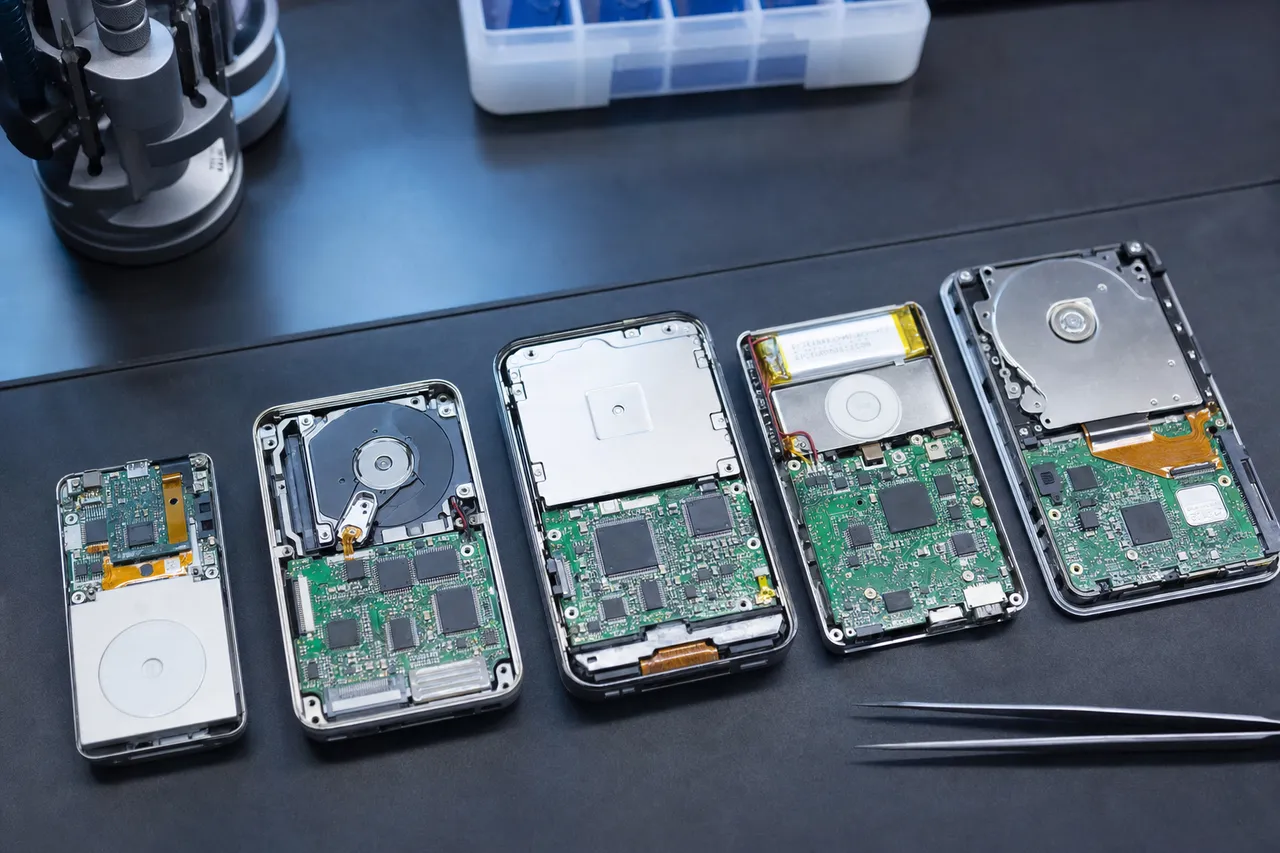
The original iPod, released in October 2001, used a 1.8-inch Toshiba hard drive - a miniaturized version of the same mechanical storage technology found in laptop and desktop computers. This tiny drive contained a single glass or aluminum platter spinning at 4,200 RPM with a microscopic read/write head floating nanometers above the surface on an air bearing. Toshiba manufactured these drives specifically for portable media players, and Apple became their largest customer. Every iPod Classic from the 1st generation through the final 7th generation used a variant of this 1.8-inch Toshiba drive, progressing from the 5GB MK5002MAL in 2001 to the 160GB MK1634GAL in 2009. The storage capacity grew by a factor of 32 over eight years, but the fundamental technology remained the same: spinning platters, moving heads, and mechanical components that are inherently vulnerable to shock, vibration, and age-related wear.
The iPod Mini, introduced in 2004, took miniaturization even further by using a 1-inch Microdrive manufactured by Hitachi (originally IBM). The Microdrive was an engineering marvel - a complete hard drive with spinning platters, heads, and a motor squeezed into a package the size of a CompactFlash card. The iPod Mini 1st generation offered 4GB of storage on this tiny drive, and the 2nd generation added a 6GB option. While impressive for their time, Microdrives were even more fragile than their 1.8-inch counterparts due to their extremely small platters and tighter mechanical tolerances. Recovering data from a failed Microdrive requires specialized donor drives and micro-scale tools that most data recovery labs do not stock.
Apple's transition to flash storage began with the iPod Shuffle in January 2005 and the iPod Nano in September 2005. These devices replaced mechanical hard drives with NAND flash memory chips - solid-state storage with no moving parts. The shift brought massive improvements in shock resistance, power consumption, and physical size, but it also fundamentally changed the data recovery landscape. Flash memory stores data as electrical charges trapped in floating-gate transistors, and these charges can leak over time, especially in devices that have been powered off for years. A NAND flash chip in an iPod Nano that has been sitting in a drawer since 2008 may have experienced significant charge loss, making recovery more challenging than a recently failed device.
The iPod Touch, launched in 2007, combined flash storage with the same iOS operating system used in the iPhone. This means iPod Touch data recovery shares more in common with iPhone recovery than with iPod Classic recovery. The NAND flash chips are soldered to the logic board, the storage is encrypted at the hardware level (starting with certain generations), and the file system is Apple's APFS or HFS+ rather than the simpler FAT32 used on iPod Classics. Recovering data from an iPod Touch requires chip-off NAND extraction followed by complex data reconstruction and potential decryption - a significantly more involved process than imaging a 1.8-inch hard drive from an iPod Classic.
For data recovery purposes, here is the key breakdown: iPod Classic (all generations) and iPod Mini use mechanical drives - recovery involves traditional hard drive techniques including head replacement, platter imaging, and firmware repair. iPod Nano (all generations), iPod Shuffle (all generations), and iPod Touch (all generations) use NAND flash - recovery involves chip-off extraction, NAND reading, data reconstruction, and potentially dealing with encryption. The mechanical drive recoveries tend to have higher success rates for complete data recovery, while flash recoveries can be more complex but are still highly successful in experienced hands. Both categories benefit enormously from acting quickly - the longer a failed iPod sits without professional attention, the harder recovery becomes regardless of storage technology.
02Mechanical Recovery
iPod Classic Data Recovery: 1.8-Inch Toshiba HDD and ZIF Connector
The iPod Classic is the most common iPod model we receive for data recovery, and for good reason - its mechanical hard drive is the component most likely to fail after years of use and storage. Every iPod Classic from the 1st generation (2001) through the 7th generation (2009) uses a 1.8-inch hard drive manufactured by Toshiba, connected to the iPod's logic board via a ZIF (Zero Insertion Force) ribbon cable. Understanding this hardware architecture is crucial because it determines exactly how we approach recovery and what outcomes you can expect.
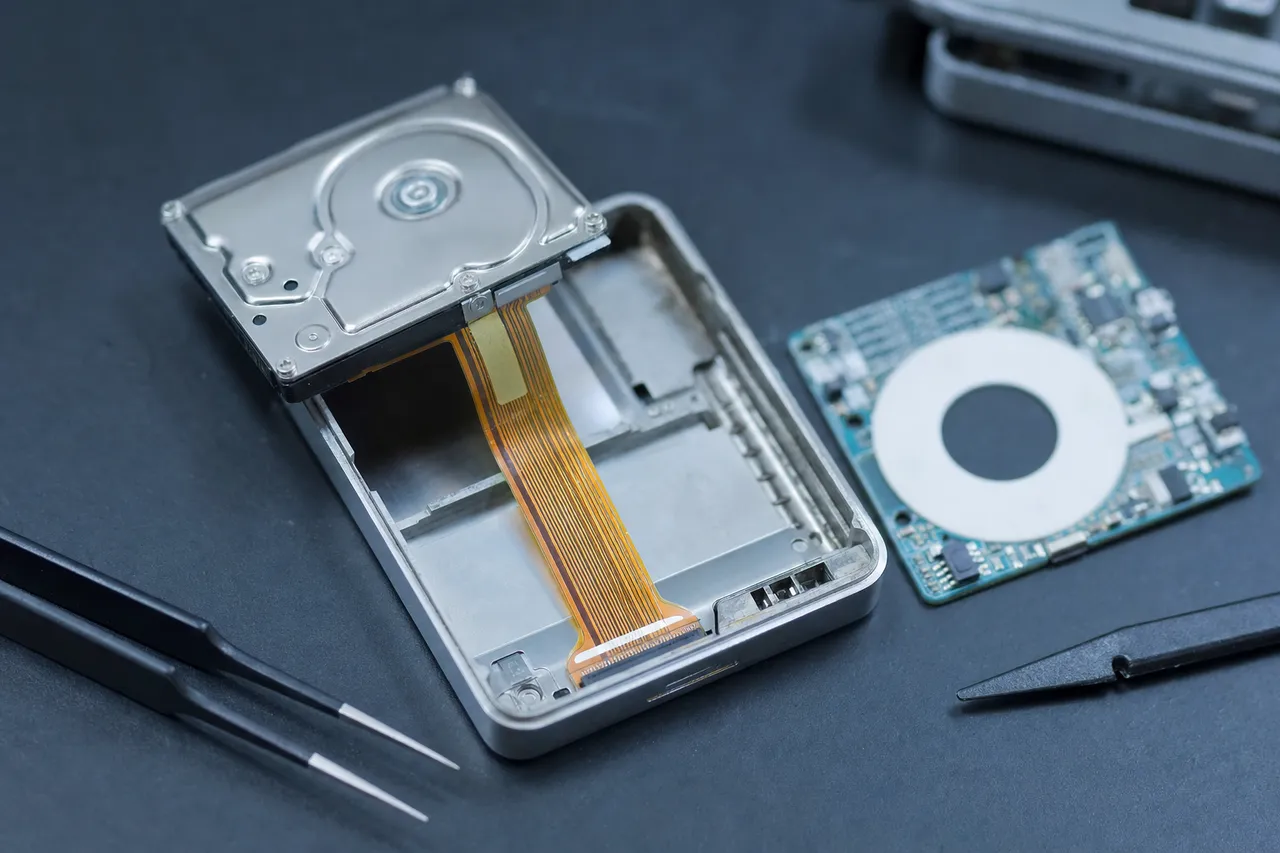
The 1.8-inch form factor Toshiba drives used in iPod Classics are part of Toshiba's MK series: the MK5002MAL (5GB), MK1003MAH (10GB), MK2003GAH (20GB), MK3006GAL (30GB), MK4006GAH (40GB), MK6006GAH (60GB), MK8010GAH (80GB), MK1231GAL (120GB), and MK1634GAL (160GB). These drives use a single or dual platter configuration with 4,200 RPM spindle speed, an 8MB cache buffer, and either a PATA/CE-ATA or ZIF interface. The platters are made of glass or aluminum substrates coated with magnetic material, and data is read and written by a tiny slider assembly that floats on an air bearing just 10-15 nanometers above the spinning platter surface.
The most common failure mode we see in iPod Classic drives is head seizure - also called head stiction. When the iPod is powered off, the drive's actuator is supposed to park the heads in a safe landing zone away from the data area of the platters. However, after years of storage, the heads can drift from the parking zone and come to rest directly on the data surface. The lubricant layer on the platter creates a molecular bond with the slider surface, effectively gluing the heads to the platter. When you try to power on the iPod, the spindle motor cannot spin the platters because the heads are holding them in place. The result is an iPod that powers on briefly, possibly makes a faint clicking or whirring sound, and then displays the sad iPod icon.
Recovering from head stiction on a 1.8-inch drive requires extreme care because these tiny platters are significantly more fragile than the 3.5-inch or 2.5-inch platters found in standard hard drives. We use specialized micro-tools to gently free the seized heads without scoring or scratching the platter surface. Even a microscopic scratch across the data area can destroy thousands of files. Once the heads are freed, we evaluate whether they are still functional - often, heads that have been stuck for months or years are damaged by the stiction event and cannot reliably read data. In those cases, we perform a head-stack replacement using a donor drive from the exact same Toshiba MK model and firmware revision.
Head replacement on 1.8-inch drives is one of the most challenging procedures in data recovery. The components are tiny - the head slider is smaller than a grain of rice - and the tolerances are measured in microns. We maintain an inventory of donor 1.8-inch Toshiba drives specifically for iPod Classic recoveries, but finding compatible donors for older models (particularly the 5GB and 10GB drives from 2001-2002) is becoming increasingly difficult as these drives become rarer. If you have a first or second generation iPod Classic that needs recovery, we strongly recommend sending it sooner rather than later while donor parts are still available.
The ZIF ribbon cable connecting the hard drive to the iPod's logic board is another common failure point. This cable is extremely thin and delicate - a flat flexible circuit (FFC) that carries both data and power signals. Over time, the cable can develop micro-fractures from repeated flexing during iPod use, or the ZIF connector on either end can develop oxidation on its contact pins. A bad ZIF cable or connector results in intermittent detection - the iPod may sometimes recognize the drive and sometimes show the sad iPod icon. We inspect and test the ZIF cable and connectors as part of every iPod Classic diagnostic, replacing the cable if necessary before imaging the drive.
After successfully imaging the 1.8-inch hard drive using PC-3000, we face the data reconstruction phase. iPod Classics use Apple's proprietary firmware and file system to manage music storage. The iTunesDB file - located in a hidden iPod_Control folder - is the database that maps every song to its physical file location and stores all metadata including artist name, album title, track number, genre, artwork, play count, skip count, date added, date last played, and volume normalization data. If this database is intact, we can recover not just the audio files but the complete library structure exactly as it appeared on the iPod. If the database is corrupted, we can still recover the raw audio files and reconstruct metadata from the files' embedded ID3 tags, though playlist structures may be partially or fully lost.
One important note for iPod Classic owners: some later-generation iPod Classics (particularly the 7th generation 120GB and 160GB models) have been modified by their owners to replace the original Toshiba hard drive with a Compact Flash or SD card adapter and solid-state storage. These modified iPods require a different recovery approach since the storage medium is now flash-based rather than mechanical. We handle modified iPod Classics regularly and can recover data from both original hard drives and aftermarket flash storage installations.
03Chip-Off Flash Recovery
iPod Touch Data Recovery: NAND Flash and A-Series Processors
The iPod Touch occupies a unique space in the iPod family - it is essentially an iPhone without cellular capability, running the same iOS operating system and using the same ARM-based processors and NAND flash storage. This makes iPod Touch data recovery fundamentally different from iPod Classic recovery. Instead of extracting a miniature hard drive and imaging it with traditional tools, iPod Touch recovery involves working with encrypted flash storage soldered to a complex logic board running Apple's mobile operating system. The recovery techniques we use for iPod Touch overlap significantly with our iPhone data recovery procedures.
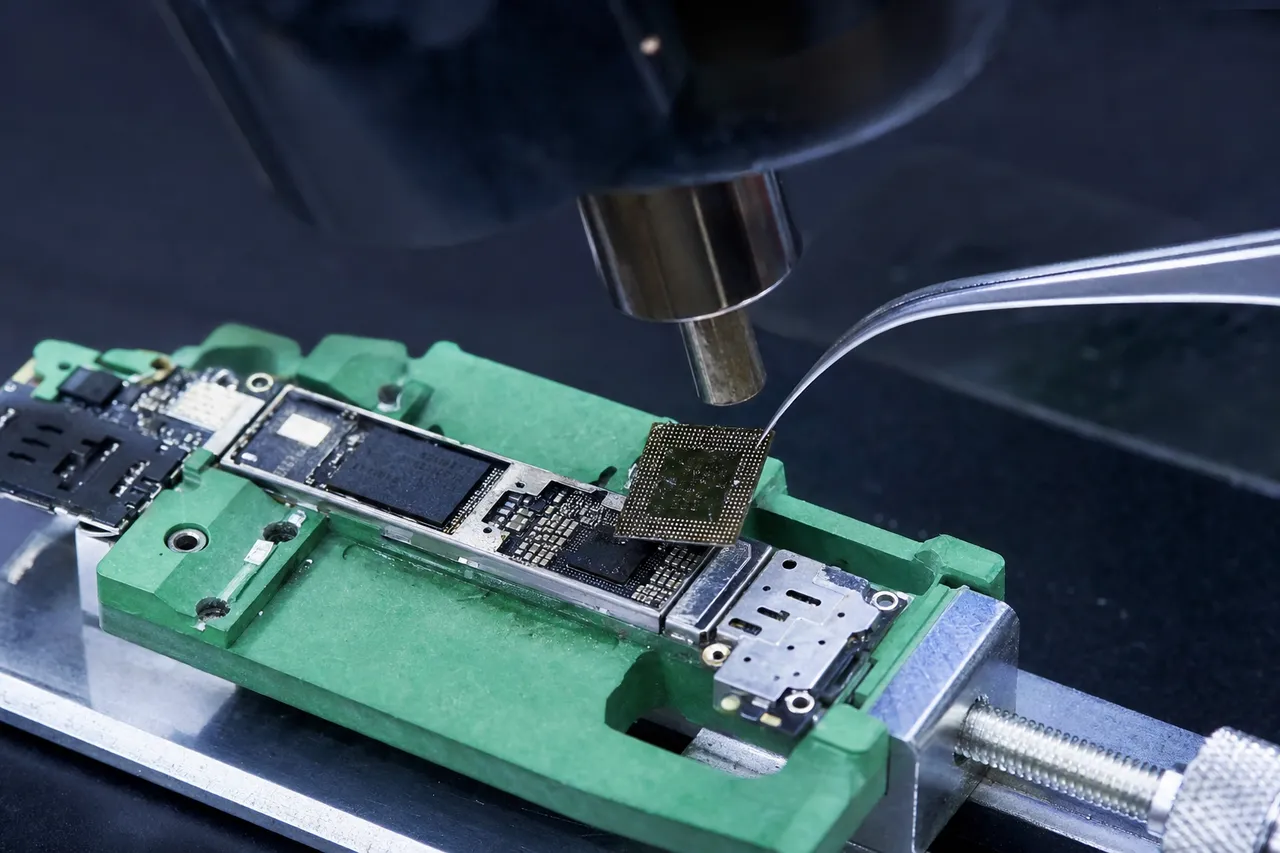
Apple produced seven generations of iPod Touch between 2007 and 2019, each using progressively more advanced processors and storage. The 1st generation used a Samsung ARM processor with separate NAND flash packages. The 2nd and 3rd generations used the Samsung-manufactured ARM Cortex-A8 processor. The 4th generation introduced Apple's custom A4 chip. The 5th generation used the A5 dual-core chip. The 6th generation jumped to the A8 chip (the same processor in the iPhone 6). The 7th and final generation used the A10 Fusion chip (same as iPhone 7). Each processor generation brought increased performance but also increased complexity for data recovery, particularly regarding storage encryption.
Storage encryption is the single biggest factor that differentiates iPod Touch recovery from iPod Classic recovery. Starting with certain hardware generations, Apple implemented hardware-level encryption on the NAND storage. The encryption keys are tied to the specific processor on the logic board, meaning that the data on the NAND chips is meaningless without the corresponding processor to decrypt it. This is why a dead logic board on an iPod Touch creates a much more serious recovery challenge than a dead logic board on an iPod Classic - with the Classic, we simply remove the hard drive and read it independently. With the Touch, the storage and the processor are cryptographically linked.
The most common iPod Touch failure we see is complete non-responsiveness - the device will not power on, will not charge, and shows no signs of life. For a device that may be 7 to 17 years old, this can result from battery death, logic board failure, NAND degradation, or a combination of all three. Our diagnostic process begins with battery bypass - we supply external power directly to the logic board to eliminate the battery as a variable. If the device still does not respond, we inspect the logic board under high magnification for visible damage: cracked BGA solder balls on the processor, corroded traces, blown capacitors, or damaged NAND packages. When the logic board is repairable, we perform micro-soldering repairs to restore functionality. Common repairs include reballing the processor's BGA connections, replacing failed power management ICs, and repairing damaged charge circuits.
If we can get the iPod Touch to boot - even partially - we can extract data through the normal iOS interface using forensic extraction tools. This is the preferred recovery method because it preserves the complete file system, all app data, and the encryption chain. When the logic board is beyond repair, we proceed to chip-off NAND extraction. This involves carefully desoldering the NAND flash packages from the logic board using temperature-controlled reflow equipment. The NAND chips in iPod Touch models are typically multi-die BGA packages manufactured by Toshiba, Samsung, or Hynix, depending on the production batch. We read each NAND chip using our specialized readers, then face the complex task of reassembling the raw data - reverse-engineering the interleaving pattern, page mapping, and error correction scheme used by the specific A-series processor in that generation of iPod Touch.
For iPod Touch models with hardware encryption, chip-off recovery has limitations. If the encryption keys cannot be derived or the processor is completely destroyed, some data may remain encrypted and inaccessible. However, earlier iPod Touch generations (1st through 3rd) have weaker encryption implementations that are more amenable to chip-off recovery. We provide an honest assessment during the diagnostic of what data is likely recoverable given the specific model, failure type, and encryption state of your iPod Touch.
iPod Touch devices also commonly store data beyond music - photos taken with the built-in camera, videos, app data, notes, contacts, and voice memos. Many families used iPod Touch devices as inexpensive cameras and entertainment devices for children, meaning these devices often contain years of irreplaceable family photos and videos that were never synced to a computer or backed up to iCloud. Recovering this non-music data is just as important to our customers as recovering music libraries, and our extraction process captures all data types stored on the device.
04The Smallest Boards
iPod Nano and iPod Shuffle Recovery
The iPod Nano and iPod Shuffle represent Apple's most compact iPod designs, and their small size creates unique challenges for data recovery. Both product lines use NAND flash memory for storage, but the extreme miniaturization of the circuit boards, the tightly packed component layouts, and the sealed enclosures make physical access and chip-off recovery more delicate than working with larger devices. Despite these challenges, MDrepairs has successfully recovered data from every generation of both the Nano and the Shuffle.
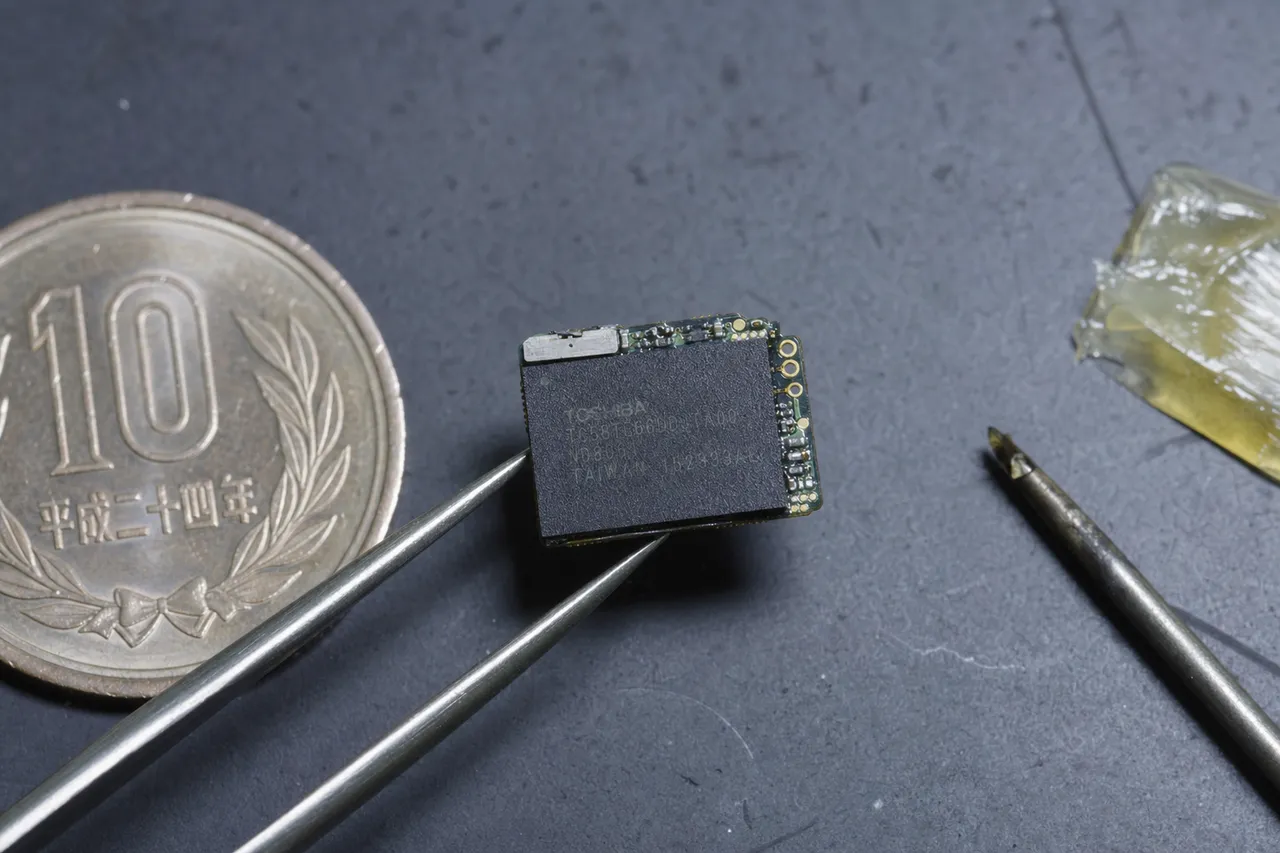
The iPod Nano went through seven distinct generations between 2005 and 2012, with storage capacities ranging from 1GB to 16GB. The form factor changed dramatically across generations - from the tall, thin 1st generation to the square, clip-on 6th generation to the elongated 7th generation with a 2.5-inch multi-touch display. Internally, all Nano generations share the same basic architecture: an ARM processor, one or two NAND flash packages, a small lithium-polymer battery, and a display controller, all packed onto a remarkably small circuit board. The NAND flash chips used in iPod Nanos are typically single-die or dual-die packages in BGA or TSOP form factors, manufactured by Samsung, Toshiba, or Hynix depending on the production batch and generation.
iPod Nano failures typically fall into three categories. The first is battery death - the tiny lithium-polymer batteries in Nanos degrade significantly over time, especially the 1st generation models that Apple recalled due to overheating battery concerns. A dead battery prevents the device from powering on but does not damage the NAND storage. The second category is liquid damage - Nanos are small enough to end up in washing machines, rain puddles, and drink spills. Water exposure corrodes the logic board traces and connector pins, potentially shorting circuits and damaging the NAND controller while leaving the raw flash data intact. The third category is physical damage from drops, bending, or crushing - the slim profiles of certain Nano generations (particularly the 2nd and 7th generations) make them vulnerable to flex damage that can crack the circuit board and sever connections to the NAND chips.
The iPod Shuffle is the smallest iPod Apple ever produced, and it is also the simplest from a storage perspective. All four Shuffle generations use NAND flash memory with no display, no complex operating system, and a straightforward file system. The 1st generation Shuffle used a USB-A connector built directly into the device body. Later generations used a 3.5mm headphone jack with a proprietary adapter or a direct Lightning/dock connection for data transfer and charging. Storage capacities ranged from 512MB (1st gen) to 4GB (3rd and 4th gen).
Recovering data from an iPod Shuffle is primarily a hardware challenge rather than a software challenge. The file system is simple FAT32 in most cases, and there is no encryption to contend with. The difficulty lies in physically accessing the NAND flash chip on such a tiny circuit board. The 4th generation Shuffle, for example, has a circuit board smaller than a postage stamp, and the NAND chip occupies a significant portion of that space. Desoldering the NAND without damaging it or the surrounding components requires precision temperature control and steady hands under high magnification.
One particularly common scenario we encounter is the iPod Shuffle belonging to an elderly or deceased family member. The Shuffle's simplicity - no screen to navigate, just a play button and a clip - made it a favorite among older users who wanted to listen to music, audiobooks, or religious content without dealing with touchscreens. When these family members pass away, the Shuffle may contain the last recordings or playlists they enjoyed, giving it enormous sentimental value despite its tiny storage capacity. We treat every iPod Shuffle recovery with the same care and rigor as a large-capacity iPod Classic recovery because the sentimental value of the data has nothing to do with the number of gigabytes.
For both iPod Nano and iPod Shuffle recoveries, our process begins with an external power test to determine if the device can boot with a fresh power supply. If it can, we extract data through the device's normal interface. If it cannot, we proceed to disassembly and visual inspection under magnification, looking for corrosion, cracked components, and damaged traces. If the logic board can be repaired, we repair it. If not, we move to chip-off NAND extraction - carefully removing the flash memory chip and reading it directly. Because Nano and Shuffle NAND chips are typically simpler (fewer dies, simpler interleaving) than iPod Touch NAND, the data reconstruction phase is generally faster and more straightforward.
051-Inch Hitachi Microdrive
iPod Mini Recovery: Microdrive Technology
The iPod Mini holds a special place in Apple history as the device that made the iPod a mass-market phenomenon. Introduced in January 2004 in five anodized aluminum colors, the Mini was smaller, lighter, and more affordable than the full-size iPod, and it became a cultural icon almost overnight. Inside that colorful aluminum shell was a remarkable piece of technology - a 1-inch Hitachi Microdrive, one of the smallest mechanical hard drives ever mass-produced. This unique storage technology makes iPod Mini data recovery a specialized niche within our lab.
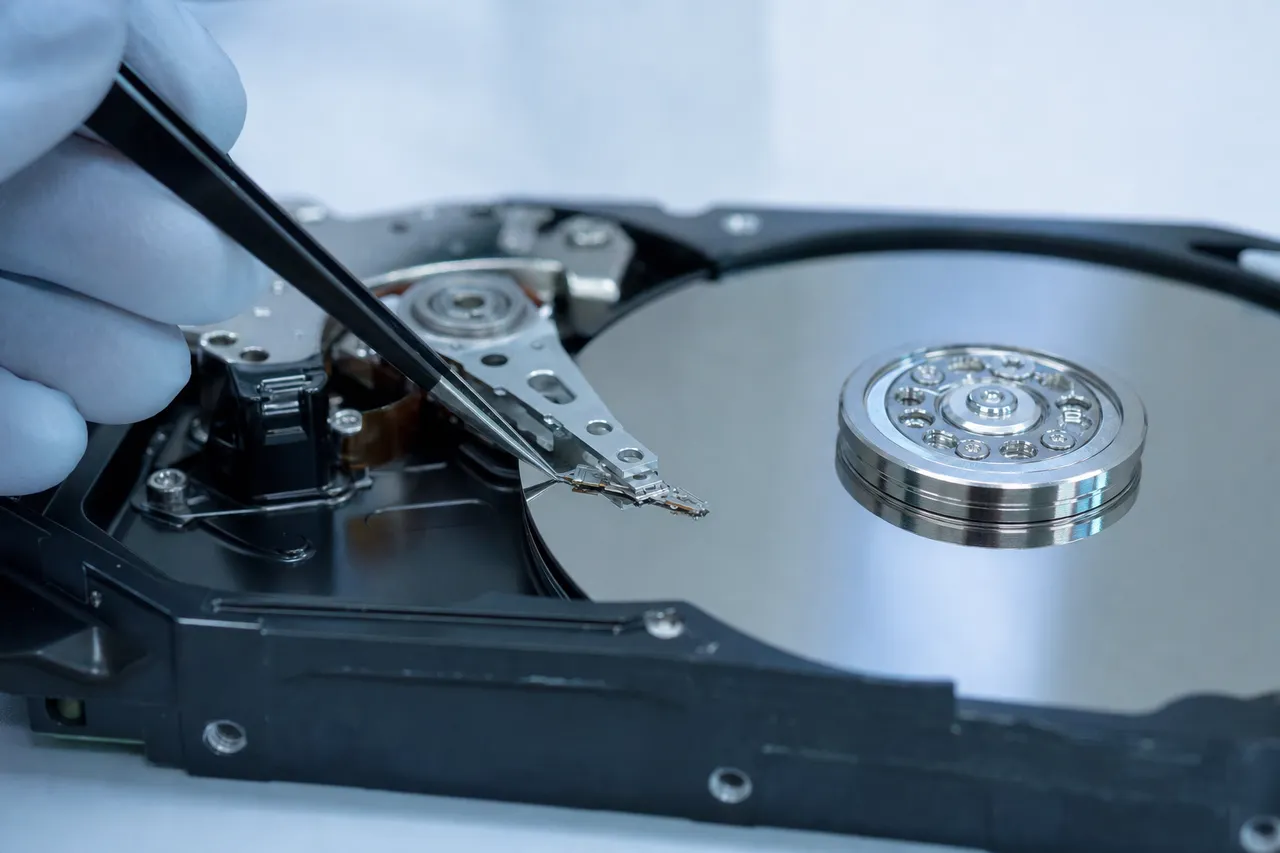
The Microdrive used in the iPod Mini was originally developed by IBM and later manufactured by Hitachi after IBM sold its hard drive division. It is a complete miniature hard drive - spinning platters, read/write heads, actuator arm, and spindle motor - packed into a housing the size of a CompactFlash Type II card. The iPod Mini 1st generation used a 4GB Microdrive, while the 2nd generation offered both 4GB and 6GB options. The Microdrive spins at 3,600 RPM and connects to the iPod Mini's logic board through a CompactFlash-compatible interface, which is actually a variant of the ATA/IDE standard in a much smaller form factor.
Microdrive failures mirror the failure modes of larger hard drives but are amplified by the extreme miniaturization. The platters in a Microdrive are approximately 1 inch (25.4mm) in diameter - about the size of a US quarter coin. The read/write heads are proportionally smaller than those in standard drives, and the air bearing that keeps the heads floating above the platters operates with even tighter tolerances. Head crashes, stiction, spindle motor seizure, and firmware corruption all occur in Microdrives, but the smaller scale makes them more fragile and more challenging to repair.
The most common iPod Mini failure is head stiction combined with motor seizure. After sitting unused for a decade or more - which is the case for virtually every iPod Mini we receive today - the Microdrive's tiny heads bond to the platter surface, and the spindle motor's bearings may have dried out or corroded. When you try to power on an iPod Mini that has been stored for 15+ years, the Microdrive cannot spin up, and the iPod displays the folder icon or sad iPod face.
Recovering data from a failed Microdrive is one of the most technically challenging procedures we perform. The first challenge is simply accessing the drive - the iPod Mini's aluminum shell is held together with internal clips that can bend or break during disassembly, and the Microdrive is connected to the logic board with a delicate ribbon cable. Once we have the Microdrive extracted, we connect it to our diagnostic equipment using a CompactFlash-to-ATA adapter. If the drive initializes and can be imaged, we proceed with standard imaging and data extraction.
If the Microdrive has a mechanical failure requiring head replacement, we face the second and more serious challenge: finding compatible donor parts. Hitachi Microdrives have been out of production since the mid-2000s, and finding a working donor with matching firmware revision and head compatibility is increasingly difficult. Our lab maintains a limited inventory of donor Microdrives specifically for iPod Mini recoveries, but we cannot guarantee donor availability for every case. This is another reason why iPod Mini owners should pursue recovery sooner rather than later - as donor parts become scarcer, some recoveries that would be straightforward today may become impossible in a few years.
An interesting footnote in iPod Mini history: many tech enthusiasts modified their iPod Minis to replace the Microdrive with a Compact Flash card, effectively converting the mechanical storage to flash storage. These modified Minis are actually easier to recover because we can read the CF card directly without any mechanical repair. If you are unsure whether your iPod Mini has its original Microdrive or a CF card replacement, we can determine this during our diagnostic evaluation.
Despite the challenges, iPod Mini recoveries are among the most emotionally rewarding cases we handle. The Mini was the iPod that millions of people received as their first Apple product, often as a birthday or holiday gift during 2004-2005. The music on these devices represents a specific era in people's lives - high school, college, early career - and recovering those playlists brings back powerful memories. We understand the sentimental significance and treat every iPod Mini recovery with appropriate care and attention.
06Handled With Care
Recovering a Deceased Family Member's iPod
Of all the data recovery cases we handle at MDrepairs, none carry more emotional weight than recovering data from a deceased family member's iPod. We receive these requests regularly, and we approach each one with the sensitivity, care, and professionalism that the situation demands. An iPod is not just a music player - it is a deeply personal archive of someone's tastes, memories, and personality, curated over years of careful selection. When that person is gone, their iPod becomes one of the last tangible connections to who they were and what they loved.
The music library on a deceased person's iPod is often truly irreplaceable for multiple reasons. Many songs were ripped from physical CDs that have been lost, sold, or damaged over the years. Some tracks were purchased from the iTunes Store when Apple used DRM (Digital Rights Management) and may not be re-downloadable under a different account. Playlists represent deliberate creative choices - the specific songs someone selected for driving, working out, relaxing, cooking, or falling asleep. Play counts and last-played dates tell a story about which songs brought the most comfort and joy. Voice memos may contain recordings of the person speaking. Photos and videos on iPod Touch models may be the only copies of certain moments.
From a practical standpoint, recovering a deceased family member's iPod often presents unique challenges. The device may have been sitting in storage for months or years since the person's passing. No one may know the iPod's passcode (particularly relevant for iPod Touch models). The charging cable may be lost. Family members may not know the model, capacity, or storage technology. The iPod may have physical damage from the circumstances surrounding the person's death - fire, flood, accident. We are experienced with all of these scenarios and guide families through the process with patience and clarity.
Here is what we recommend if you have a deceased loved one's iPod that you would like to recover. First, do not attempt to charge it or turn it on repeatedly. If the internal storage has degraded during storage, repeated power cycles can cause additional damage. Second, do not attempt to open the iPod yourself - the internal components are delicate and improper disassembly can cause irreversible damage. Third, call us at 732-933-7717 and explain the situation. We provide compassionate, no-pressure consultations and will give you an honest assessment of the recovery likelihood before you send anything. Fourth, take advantage of our free insured shipping - we send you prepaid labels so the iPod is fully insured during transit.
When we receive a deceased family member's iPod, we prioritize it in our workflow and communicate frequently with the family throughout the process. We understand that waiting for results can be emotionally difficult when the device holds such personal significance. Our diagnostic report includes a detailed inventory of what we find on the device - number of songs, any photos or videos, voice memos, playlists, and overall data condition. If recovery is successful, we transfer the complete music library with all metadata, playlists, and any additional content to an external drive that we ship back to the family.
We also help families understand their options for preserving the recovered music library for the long term. We can provide the data in formats compatible with modern music players, streaming services that allow local file uploads, or network-attached storage for family sharing. Some families create memorial playlists from their loved one's collection. Others load the music onto a new iPod or music player that they can listen to whenever they want to feel close to the person they lost. The important thing is that the data is preserved and accessible, rather than locked inside a failing device that will eventually become unrecoverable.
If cost is a concern - and we understand that grieving families often face significant financial pressures - please still call us for a consultation. We assess every case individually and work with families to find solutions. Our no data, no charge policy means you never pay for recovery unless we successfully retrieve your loved one's music and memories. The $100 diagnostic fee is the only cost if recovery proves impossible, and it includes a detailed explanation of what we found and why recovery was not achievable.
We have helped hundreds of families recover iPod data from deceased loved ones, and we consider this work among the most meaningful things we do. A music library is a portrait of a person's soul - their joys, their sorrows, their memories, their aspirations - and preserving that portrait for the people left behind is a privilege we do not take lightly.
07Backup & Modernize
iPod Classic Hard Drive Replacement and Data Migration
The iPod Classic's 1.8-inch Toshiba hard drive is the weakest link in an otherwise remarkably durable device. Apple's industrial design team created an aluminum and polycarbonate shell that can survive years of daily use, pocket carry, and the occasional drop. But the mechanical hard drive inside - with its spinning platters, moving heads, and microscopic tolerances - was always going to be the component that fails first. Understanding the options for hard drive replacement and data migration can help iPod Classic owners preserve their music collections before a catastrophic failure makes recovery necessary.
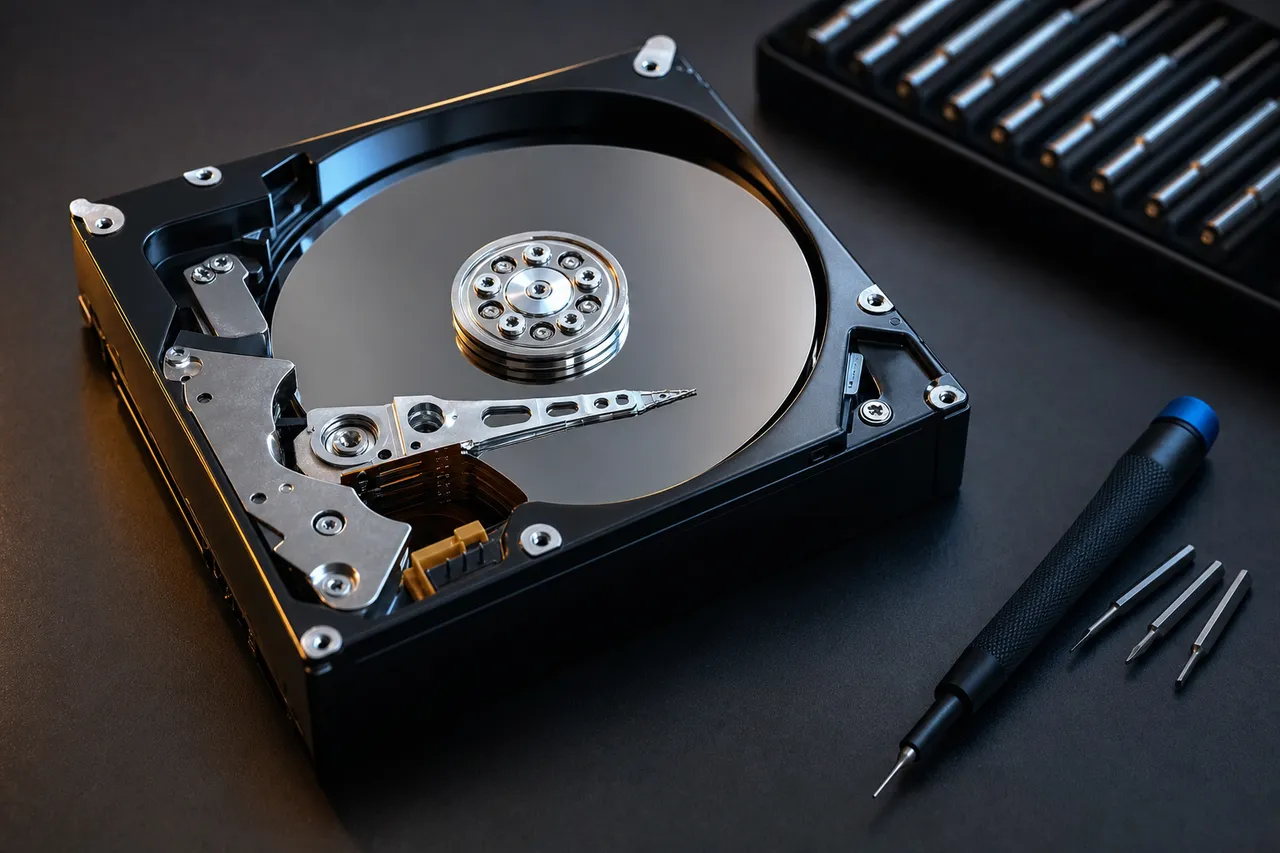
The standard 1.8-inch Toshiba drives used in iPod Classics connect through a ZIF (Zero Insertion Force) interface - a thin ribbon cable that slots into a connector on the iPod's logic board. This interface is the same across all iPod Classic generations that use the thin ZIF drives (5th generation onward), and it is compatible with aftermarket solid-state replacements. The most popular modification is replacing the original Toshiba HDD with a Compact Flash card via a ZIF-to-CF adapter, or with an mSATA or SD card via similar adapters. These solid-state replacements eliminate the mechanical failure point entirely, run cooler, use less battery power, and can offer significantly more storage - some enthusiasts have installed 512GB or even 1TB SD cards in their iPod Classics.
However, data migration from the original hard drive to a replacement is only possible if the original drive is still functional enough to be read. If you are considering this modification as a preventive measure - before your original drive has failed - we strongly recommend first creating a complete image (sector-by-sector copy) of your original drive using professional tools. A simple file copy is not sufficient because it misses the hidden iPod_Control folder, the firmware partition, and the iTunesDB database that your iPod needs to function. Our lab can create a professional image of your working iPod Classic hard drive, transfer it to a solid-state replacement, and return both the original drive (as a backup) and the modified iPod with the new storage installed.
If your original hard drive has already failed, the data migration process necessarily begins with data recovery. We extract the music library from the failed 1.8-inch drive using the recovery techniques described in our iPod Classic section - head replacement if needed, platter imaging through PC-3000, and iTunesDB reconstruction. Once the data is recovered, we can migrate it to a new solid-state storage medium and reinstall it in your iPod Classic so you can continue using the device with its original music library intact.
There are some important caveats about iPod Classic storage modifications. First, not all iPod Classic generations are equally modification-friendly. The 6th and 7th generation models with their thin-profile ZIF drives are the easiest to modify. Earlier generations (1st through 4th) used thicker 1.8-inch drives with different connectors and may require additional adapters or shell modifications. Second, storage capacity limits vary by iPod Classic generation - the firmware in older models may not support large-capacity solid-state drives, and some SD cards have compatibility issues with certain iPod Classic firmware versions. Third, modifications void any remaining Apple support, though this is largely moot for devices that Apple has not serviced for years.
For iPod Classic owners who do not want to modify their device but still want to protect their music library, we offer a data backup service. Send us your working iPod Classic and we create a complete forensic image of the hard drive, transfer all music files with complete metadata and playlist structures to an external drive, and return everything to you. This gives you a safety net - if the iPod's hard drive fails in the future, we already have a complete copy of your music library ready for recovery or migration. Given that most iPod Classic hard drives are now 15 to 25 years old and well past their designed operational lifespan, this preventive backup is one of the best investments an iPod Classic owner can make.
We also see customers who have attempted DIY hard drive replacement and encountered problems. Common issues include installing an incompatible flash adapter, damaging the ZIF connector during installation, breaking the ribbon cable, or failing to properly restore the iPod firmware after the storage swap. If you have a botched iPod Classic modification, send it to us - we can often repair the damage, properly install the new storage, and migrate your data from the original drive if it is still intact.
08Corrosion & Cleaning
Water Damaged iPod Recovery
Water damage is one of the most common reasons iPods end up in our lab, and the recovery approach depends entirely on which iPod model was affected and what type of storage it uses. Water damage to an iPod Classic with a mechanical hard drive creates different challenges than water damage to an iPod Touch or Nano with flash storage. In both cases, the key principle is the same: act quickly, do not try to power on the device, and get it to a professional recovery lab as fast as possible.
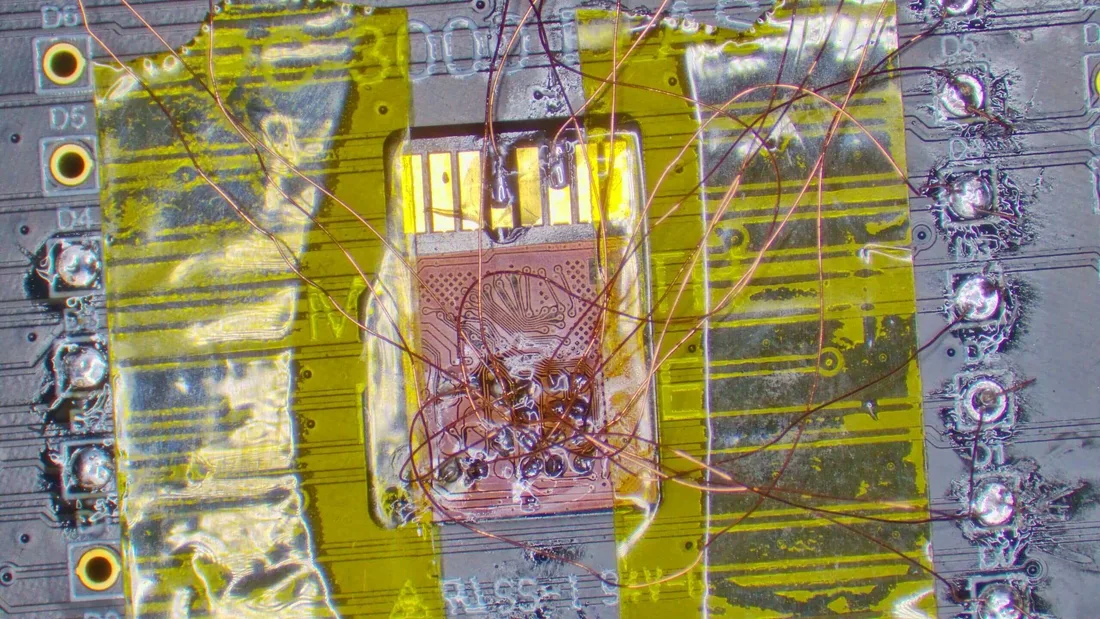
When water enters an iPod, it attacks multiple components simultaneously. Moisture corrodes copper traces on the circuit board, creating green or white oxidation deposits that interrupt electrical connections. Water bridges circuit paths that should be isolated, causing short circuits that can permanently damage processors, controllers, and power management chips. Dissolved minerals in non-distilled water (tap water, pool water, ocean water, coffee, soda) leave conductive residue that continues causing shorts even after the water itself has evaporated. Salt water from ocean exposure or winter road salt is particularly destructive because sodium chloride is highly corrosive to copper and accelerates oxidation dramatically.
For iPod Classic water damage, the immediate concern is the mechanical hard drive. If water reaches the 1.8-inch Toshiba drive, it can contaminate the platters, damage the heads, and corrode the drive's internal electronics. A contaminated platter surface can prevent the heads from reading data, and water-induced corrosion on the head assembly can cause the heads to crash into the platters when the drive attempts to spin up. We have recovered data from water-damaged iPod Classic hard drives, but the success rate depends heavily on the type of water, the duration of exposure, and whether anyone attempted to power on the device after the water event.
For iPod Touch, Nano, and Shuffle water damage, the storage medium itself - NAND flash - is more resilient to moisture than mechanical drives because there are no moving parts or sensitive magnetic surfaces. The NAND chips are packaged in sealed BGA or TSOP housings that provide some degree of moisture protection. The primary damage in water-exposed flash-based iPods occurs on the logic board - corroded traces, shorted components, and damaged controllers. If the NAND flash chips themselves are intact, chip-off recovery can extract the data even if the logic board is completely destroyed by water damage.
Here are the critical steps if your iPod has been exposed to water or any liquid. First and most importantly, do not try to turn it on. Do not plug it in. Do not try to charge it. Every time you apply power to a water-damaged device, you risk causing additional short circuits that can destroy components that were initially undamaged. Second, do not put the iPod in rice. This common myth does nothing to remove minerals and corrosion - it only delays professional treatment while corrosion continues spreading. Third, if the device was exposed to salt water or other corrosive liquid, you can gently rinse it with distilled water (not tap water) to dilute the corrosive minerals. Fourth, place the iPod in a sealed plastic bag and contact MDrepairs immediately.
In our lab, water damage treatment begins with immediate disassembly and ultrasonic cleaning. We disassemble the iPod, remove the battery, and place the logic board and all affected components in an ultrasonic bath with specialized electronics cleaning solution. The ultrasonic vibrations reach into microscopic crevices and under component packages where manual cleaning cannot reach. After ultrasonic cleaning, we inspect the board under high magnification, looking for corrosion damage that may require micro-soldering repair - replacing corroded traces with wire jumpers, replacing damaged capacitors and resistors, and reflowing corroded solder joints.
The washing machine scenario deserves special mention because it is remarkably common with iPod Nanos and Shuffles due to their small size. These tiny devices get left in pockets and go through a full wash cycle - sometimes a dry cycle as well. Surprisingly, the data survival rate from washing machine exposure is quite good for flash-based iPods. The wash cycle is typically with warm (not boiling) water and soap, which is gentler on electronics than salt water or acidic liquids. The tumbling motion can cause physical damage to the display and housing, but the NAND flash is usually unharmed. The bigger concern is the dry cycle - the high heat can damage solder joints and stress the NAND packages. If your iPod went through the wash, skip the dryer and bring it to us instead.
For iPods that have been submerged in flood water or found after an extended period of water exposure, recovery is still possible but the success rate decreases with exposure duration. Flood water often contains sewage, chemicals, silt, and bacteria that accelerate corrosion beyond what clean water would cause. iPods recovered from flood conditions may have extensive board damage, but the NAND flash chips are often still readable through chip-off extraction. We evaluate every water-damaged iPod individually during our $100 diagnostic and provide an honest assessment of recovery likelihood before you commit to the full recovery cost.
09Rebuilding The Database
Corrupted iTunes Library Recovery from iPod
An iPod's music library is more than a collection of audio files - it is a structured database that maps every song to its metadata, artwork, playlists, play counts, ratings, and physical storage location. This database, known as the iTunesDB, is stored in a hidden folder called iPod_Control on the iPod's file system. When this database becomes corrupted, the iPod may power on normally and appear to function, but it shows zero songs, displays incorrect track information, crashes when trying to play music, or shows a garbled library. The audio files themselves are usually still intact on the storage medium - the iPod has simply lost the map that tells it where everything is and what everything is called.
iTunes library corruption can occur for several reasons. The most common cause is interrupted syncing - if the USB cable is disconnected, the iPod's battery dies, or the computer crashes during a sync operation, the iTunesDB may be left in a partially written state. File system corruption from bad sectors on the iPod Classic's hard drive can damage the database. Firmware glitches during iPod software updates can corrupt the library structure. Attempting to use third-party software to manage iPod music can also cause database corruption if the software does not properly handle Apple's proprietary database format.
When we receive an iPod with a corrupted music library, our first step is to image the complete storage medium - creating a sector-by-sector copy of the hard drive or NAND flash. This preserves the current state of the data before we perform any analysis or repair. We then examine the file system structure, looking for the iPod_Control folder and its contents. Inside this folder, the Music subdirectory contains all the actual audio files, organized into subfolders named F00, F01, F02, and so on. The audio files themselves have randomized four-letter filenames (like ABCD.mp3) that bear no relation to the song's actual title - this is by Apple's design, and it is why you cannot simply browse an iPod's file system to find specific songs.
Our recovery process involves multiple approaches depending on the corruption severity. If the iTunesDB file is partially intact, we can repair the damaged sections and restore the library structure with most or all metadata preserved. This gives you back your complete library exactly as it was - same playlists, same play counts, same organization. If the iTunesDB is completely destroyed, we fall back to extracting the raw audio files from the Music subdirectory and rebuilding metadata from the files' embedded ID3 tags (for MP3 files), MP4 atoms (for AAC/M4A files), or Vorbis comments (for other formats). This approach recovers all the music but may lose playlist structures and iPod-specific metadata like play counts and date-added information.
For customers who want to restore the recovered music to a working iPod or import it into Apple Music, iTunes, or another music player, we provide the recovered files in an organized folder structure with all available metadata intact. We can organize files by Artist, Album, and Track Number, making it easy to browse and import into any music management software. Album artwork is preserved when it is embedded in the audio files, and we extract standalone artwork from the iTunesDB when possible.
A related scenario we encounter is customers who want to extract music from a working iPod because they have lost their original computer, had a hard drive failure on their PC or Mac, or no longer have access to their iTunes library. While this is technically not a data recovery scenario - the iPod is functioning normally - we can perform a complete extraction of the iPod's music library as a service. We connect the iPod to our systems, extract all audio files with full metadata, and transfer them to an external drive or USB stick. This is particularly valuable for customers who ripped hundreds or thousands of CDs to their computer years ago, lost the computer, but still have the music on their iPod.
One important caveat regarding DRM-protected content: songs purchased from the iTunes Store before Apple removed DRM in 2009 (when the iTunes Plus program was completed) may be encrypted with Apple's FairPlay DRM. These files are tied to the original Apple ID used to purchase them. While we can recover the encrypted files from the iPod, they can only be played back using the original Apple ID. If the Apple ID is accessible, the files will play normally. If the Apple ID is lost or belongs to a deceased person, Apple may be able to help transfer the account or authorize playback - we can advise on this process.
10Stop Before You Lose More
iPod Diagnostic: Sad iPod Icon and Error Codes
Apple built diagnostic indicators into the iPod firmware that help identify what is wrong when the device fails to boot normally. Understanding these indicators - particularly the infamous sad iPod icon - can help you assess the severity of your iPod's failure before sending it for professional recovery. However, these diagnostics are limited in what they can reveal, and a professional evaluation with specialized tools is always necessary to determine the actual failure cause and recovery outlook.
The sad iPod icon - a cartoon iPod face with X-shaped eyes and a frown - is the most recognized iPod error indicator. On iPod Classic models, this icon appears when the iPod's firmware detects that it cannot communicate with the internal hard drive during the boot process. This can mean the hard drive has completely failed (heads crashed, motor seized, electronics dead), the ZIF ribbon cable is disconnected or damaged, or the drive's firmware zone is corrupted to the point where the drive cannot identify itself. The sad iPod icon does not distinguish between these causes - it is a generic indicator that storage cannot be found. In rare cases, a logic board failure that prevents the iPod from sending power or data signals to the drive can also produce the sad iPod icon even when the drive itself is functional.
The folder icon with an exclamation mark is another common iPod error indicator. This appears when the iPod can detect the hard drive but cannot find a valid iPod operating system on it. This typically indicates file system corruption on the drive - the drive is mechanically functional but the data structures that the iPod needs to boot are damaged or missing. This is often a more favorable diagnostic sign than the sad iPod icon because it means the drive's mechanics are working. File system-level corruption is generally easier and less expensive to recover from than mechanical drive failure.
The connect-to-iTunes screen (a USB cable pointing to the iTunes logo) appears when the iPod's operating system has been corrupted or erased and needs to be restored. This can happen after a failed software update, an interrupted restore, or deliberate formatting. The important thing to understand is that restoring the iPod through iTunes will erase all content on the device. If you see this screen and want to recover your music, do not connect to iTunes and do not restore. Send the iPod to our lab instead - we can often extract the music library from the storage even when the operating system is corrupted.
iPod Classics also have a hidden diagnostic mode that can be accessed through specific button combinations. On click-wheel models, holding Select and Play for 5-10 seconds enters diagnostic mode, which provides tests for the hard drive, display, audio, click wheel, FireWire/USB, and other components. While this diagnostic mode can provide useful information, running the hard drive test on a failing drive can cause additional damage - the test attempts to read sectors across the entire drive surface, which can stress damaged heads and cause a head crash on a drive that is barely functional. We recommend against running iPod diagnostic tests if you suspect a hardware failure and want to maximize your recovery chances.
For iPod Touch models, the diagnostic indicators are the same as iPhone - a red or blue screen during boot indicates a hardware failure, a spinning wheel that never completes indicates an operating system corruption, and a completely black screen (despite charging) indicates a logic board or battery failure. iPod Touch does not have user-accessible diagnostic modes - Apple's diagnostic tools require special hardware connections that are only available in Apple retail stores and authorized service providers.
When your iPod shows any error indicator, the most important thing you can do is stop trying to make it work. Do not repeatedly force-restart the device. Do not attempt hard resets. Do not try restore mode. Every failed boot attempt on an iPod Classic forces the hard drive to spin up and attempt to read, which can cause additional mechanical damage to an already failing drive. For flash-based iPods, repeated boot attempts are less harmful but still not beneficial - if the device cannot boot, continuing to try will not fix the underlying problem. Document the error indicator (take a photo with your phone), power off the device, and contact MDrepairs for professional evaluation.
11Technical Differences
iPod vs. iPhone Recovery: Technical Differences
Customers sometimes ask us whether iPod data recovery is the same as iPhone data recovery, or whether a lab that recovers iPhones can automatically recover iPods. The answer is nuanced - it depends entirely on which iPod model you have. iPod Touch recovery shares significant overlap with iPhone recovery because both devices run iOS and use similar hardware architectures. But iPod Classic, iPod Mini, iPod Nano, and iPod Shuffle recovery are fundamentally different from iPhone recovery and require different tools, techniques, and expertise.
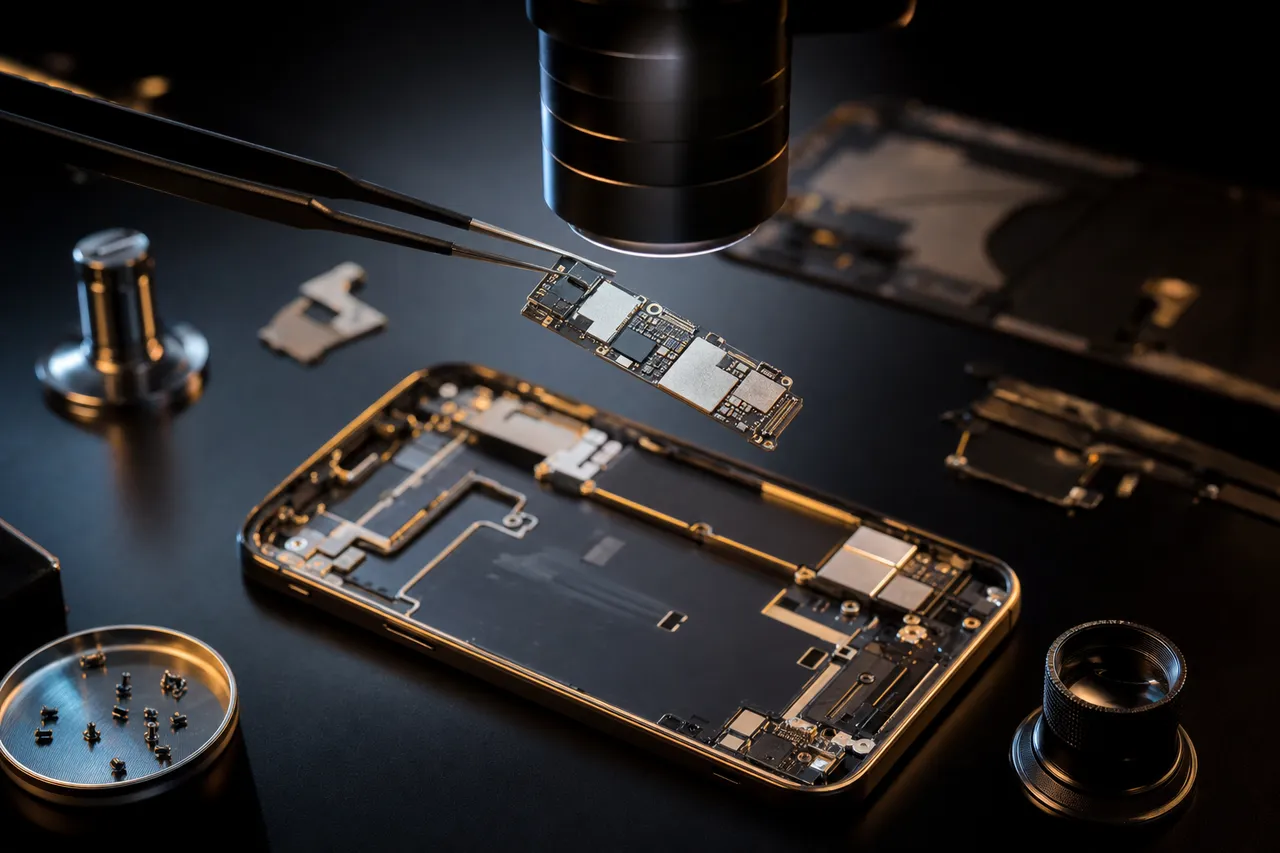
The iPod Classic and iPod Mini use mechanical hard drives - spinning platters with read/write heads. No iPhone has ever used a mechanical hard drive. Recovering data from an iPod Classic requires the same skills and equipment used for laptop and desktop hard drive recovery: PC-3000 diagnostic platforms, donor head-stack assemblies, cleanroom-grade environments for platter work, and expertise in Toshiba and Hitachi drive firmware. A lab that specializes exclusively in mobile device and flash recovery may lack the hard drive recovery capabilities needed for iPod Classic work.
Conversely, the iPod Touch uses the same fundamental architecture as the iPhone: an Apple A-series processor, NAND flash storage, and the iOS operating system. iPod Touch recovery procedures - chip-off NAND extraction, processor reballing, board-level micro-soldering, iOS file system analysis - are nearly identical to iPhone procedures for the corresponding generation. An iPod Touch 5th generation (A5 chip) follows the same recovery path as an iPhone 4S (also A5 chip). An iPod Touch 7th generation (A10 chip) follows the same path as an iPhone 7 (also A10 chip).
The key difference between iPod Touch and iPhone recovery is cellular and security features. iPhones contain a baseband processor for cellular communication that iPod Touch devices lack - this is irrelevant for data recovery. More importantly, newer iPhones have the Secure Enclave processor that manages hardware encryption keys with advanced security features. iPod Touch models also have some of these security features, but the implementation differs between iPod Touch generations and may be less restrictive than the corresponding iPhone generation. This can actually make certain iPod Touch recoveries more feasible than equivalent iPhone recoveries.
The iPod Nano and iPod Shuffle occupy a middle ground. They use NAND flash like the iPhone and iPod Touch, but they run Apple's simpler iPod firmware rather than iOS. There is no complex operating system, no app ecosystem, no hardware encryption (on most models), and no Secure Enclave. The NAND chips are typically read with standard flash recovery tools rather than the iOS-specific forensic tools used for iPhone and iPod Touch. The data structures are simpler - usually a FAT32 file system with an iTunesDB rather than Apple's APFS or HFS+ with iOS file protection.
From a pricing perspective, these technical differences affect cost. iPod Classic recovery that requires hard drive head replacement and platter imaging falls in the $400-$900 range, similar to other small-form-factor hard drive recoveries. iPod Touch chip-off recovery can range from $600-$1,500, comparable to iPhone chip-off recovery for the same processor generation. iPod Nano and Shuffle recoveries are generally less expensive because the NAND configurations are simpler and the data reconstruction is more straightforward.
When choosing a data recovery lab for your iPod, make sure the lab has experience with your specific iPod type. A lab that excels at iPhone recovery may not have the hard drive expertise needed for iPod Classic work. A lab that specializes in hard drive recovery may not have the chip-off and iOS forensic capabilities needed for iPod Touch. MDrepairs maintains full capabilities across all iPod types - our lab recovers everything from traditional hard drives to modern flash storage, and we have handled every iPod generation Apple has produced.
One final technical note: iPod Touch models running iOS 8 or later support activation lock, which ties the device to an Apple ID. If you send us an iPod Touch that is activation-locked, we can still recover the data at the hardware level, but the recovered files may include encrypted content that requires the Apple ID credentials to access. If the iPod Touch belonged to a deceased family member, Apple has a process for inheriting or releasing activation-locked devices with proper documentation (death certificate and proof of ownership).
12Before It Fails
Preserving Your iPod's Music Library for the Future
Apple discontinued the iPod Touch - the last iPod model in production - in May 2022, officially ending the iPod product line after 21 years. Every iPod in existence is now a legacy device running on aging hardware with no manufacturer support for repairs or replacement parts. If you have an iPod with an irreplaceable music collection, the question is not whether the device will eventually fail - it will - but whether you will have preserved the data before that happens. This section provides practical guidance for protecting your iPod's music library now, while the device is still functional, so that professional data recovery becomes a last resort rather than your only option.
The simplest and most effective preservation method is a complete iPod backup to a computer. Connect your iPod to a Mac or PC, and use software designed to extract music from iPods - there are several reputable applications that can copy all songs, playlists, metadata, artwork, and play counts from your iPod to your computer's hard drive. Do not rely on iTunes sync alone, because iTunes sync is designed to push music from your computer to the iPod, not the other way around. If your computer's iTunes library does not contain the songs on your iPod (which is the case for many people who have lost their original computer or hard drive), a standard sync can actually erase your iPod's music and replace it with whatever is currently in your iTunes library.
Once you have extracted your music to a computer, follow the 3-2-1 backup rule: maintain at least 3 copies of your data, on at least 2 different types of media, with at least 1 copy stored off-site or in the cloud. For a music library, this might mean one copy on your computer's internal drive, one copy on an external hard drive stored in a different location, and one copy uploaded to a cloud storage service like iCloud, Google Drive, or Dropbox. The cost of cloud storage for a typical music library (10-50GB) is minimal compared to the cost of professional data recovery.
For iPod Classic owners specifically, the mechanical hard drive inside your device is a ticking clock. These 1.8-inch Toshiba drives were designed for a useful life of 3-5 years of active use, and most are now 15-25 years old. Even if your iPod Classic still works perfectly today, the hard drive is operating well beyond its designed lifespan. Every day you delay backing up is another day closer to a mechanical failure that could make your music inaccessible. If your iPod Classic is still bootable and the hard drive sounds normal (no clicking, grinding, or excessive spinning), back up the music immediately.
If your iPod Classic's hard drive is showing early signs of failure - slow loading times, occasional freezing, intermittent sad iPod icons that resolve after restarting, or songs skipping or cutting out - stop using the device and pursue backup or professional extraction immediately. These symptoms indicate that the hard drive is developing bad sectors or head degradation, and continued use accelerates the failure. A drive that can still be read today may be completely dead tomorrow.
For iPod Touch owners, the concern is different. NAND flash memory does not wear out from reading like mechanical drives, but it can degrade from charge leakage over time, especially when the device is powered off for extended periods. An iPod Touch that has been sitting in a drawer for several years may experience NAND bit rot - the gradual loss of electrical charges that represent your data. The cure is simple: periodically charge and power on your iPod Touch, which allows the device's error correction systems to refresh the NAND cells and correct minor charge loss. If you have an iPod Touch in long-term storage, we recommend powering it on and letting it run for an hour at least once every 6-12 months.
For families holding onto a deceased loved one's iPod, we strongly recommend pursuing data extraction sooner rather than later. The emotional weight of the situation often causes families to delay - the iPod sits in a keepsake box or on a shelf, and months or years pass. During that time, batteries continue to degrade (potentially leaking chemicals onto the circuit board), hard drive lubricants dry out, flash memory charges leak, and recovery becomes progressively more difficult and expensive. The best way to honor the memory preserved on that iPod is to extract the data now, while recovery is still straightforward, and store it in a format that can be enjoyed for generations.
Finally, consider the format of your preserved music. If your iPod contains songs in Apple's older DRM-protected AAC format (purchased before 2009), these files can only be played through an authorized Apple ID. If possible, use iTunes Match or Apple Music to upgrade these files to DRM-free versions. If the music was ripped from CDs, it is likely in MP3 or unprotected AAC format, which will play on any device and platform indefinitely. For maximum archival preservation, consider converting to FLAC (lossless) format, which preserves full audio quality and is supported by virtually every modern music player and streaming platform.
MDrepairs offers both preventive extraction (from working iPods) and recovery extraction (from failed iPods). If your iPod still works, a preventive extraction is faster, less expensive, and guaranteed to recover 100% of your library. If your iPod has already failed, our professional recovery services give you the best possible chance of getting your music back. Either way, do not wait - the clock is ticking on every iPod in existence, and the data inside will only become harder to access as these remarkable devices continue to age.
Talk to the engineer who does the work - not a call center.
Frequently Asked Questions
Straight answers on iPod recovery - cost, turnaround, the sad iPod icon, deceased loved ones' devices, and more.
-
Can you recover music from an iPod Classic with the sad iPod icon?
Yes. The sad iPod icon indicates the iPod cannot communicate with its internal hard drive. This is typically caused by head failure, motor seizure, or firmware corruption in the 1.8-inch Toshiba drive. We extract the drive, diagnose the failure with PC-3000, and perform head replacement or firmware repair to recover your complete music library including playlists and metadata. -
How much does iPod data recovery cost?
iPod recovery ranges from $200 to $1,500 depending on the model and failure type. iPod Classic logical recovery costs $200 - $500. Hard drive mechanical recovery costs $400 - $900. Chip-off NAND recovery for iPod Touch, Nano, and Shuffle costs $600 - $1,500. Every case starts with a $100 diagnostic that includes a detailed assessment and firm quote. No data, no charge. Request a free quote or call 732-933-7717. -
My iPod has been sitting in a drawer for 10 years. Can you still recover it?
Likely yes, but do not delay further. iPod Classics stored for long periods often develop hard drive head stiction where the heads bond to the platter surface. Flash-based iPods experience NAND charge leakage over time. Both conditions worsen with continued storage. The sooner you send the device, the better your recovery chances. -
Can you recover data from a deceased family member's iPod?
Yes, and we handle these cases with special care and sensitivity. We recover music libraries, playlists, photos, videos, and voice memos from iPods belonging to deceased loved ones. The data on these devices is often truly irreplaceable. Contact us at 732-933-7717 for a compassionate consultation - we will guide you through the entire process. -
Can you recover photos and videos from an iPod Touch?
Yes. iPod Touch models store photos, videos, music, app data, voice memos, and more on NAND flash memory. We recover all data types using either logic board repair (if the device can be made to boot) or chip-off NAND extraction (if the logic board is beyond repair). Many families used iPod Touch as a camera for children, making these recoveries particularly important. -
My iPod Classic makes clicking sounds. What does that mean?
Clicking in an iPod Classic indicates the internal 1.8-inch hard drive is failing. The clicking is the actuator arm repeatedly trying to position the read/write heads over the platters and failing. Stop using the iPod immediately - continued use causes additional platter damage. Send it to MDrepairs for professional hard drive recovery before the clicking progresses to complete failure. -
What iPod models do you recover?
Every iPod Apple ever manufactured: iPod Classic 1st through 7th generation, iPod Mini 1st and 2nd generation, iPod Nano 1st through 7th generation, iPod Shuffle 1st through 4th generation, iPod Touch 1st through 7th generation, iPod Photo, and iPod Video. If Apple made it, we recover it. -
Can you extract music from a working iPod to a computer?
Yes. If your iPod still works but you have lost your computer or iTunes library, we can extract your complete music collection with all metadata, playlists, artwork, and play counts. This preventive extraction is faster, less expensive, and guarantees 100% recovery compared to waiting for the device to fail. -
Can you recover an iPod that went through the washing machine?
Yes. Washing machine exposure is surprisingly common with iPod Nanos and Shuffles. The NAND flash storage in these devices often survives wash cycles intact. The main damage is to the logic board from water and detergent exposure. We clean corrosion with ultrasonic cleaning and perform chip-off NAND extraction if the board cannot be repaired. Do not put it in rice - contact us immediately. -
My iPod shows a folder icon with an exclamation mark. What does this mean?
The folder icon with exclamation mark means the iPod can detect its hard drive but cannot find a valid operating system on it. This typically indicates file system corruption rather than mechanical drive failure - which is actually a favorable sign for recovery. Do not restore through iTunes (this erases data). Send the iPod to us for professional data extraction. -
How long does iPod recovery take?
Standard turnaround is 4 - 5 weeks for iPod recovery. iPod Classic recoveries with minor drive issues may complete faster. We offer Priority Rush (5 - 7 days, +$250), Urgent Rush (1 - 2 days, +$500), and Emergency (same day, +$1,000) options for time-sensitive cases, including families recovering a deceased loved one's music collection. -
What happens if you can't recover my iPod's data?
You pay only the $100 diagnostic fee. Our no data, no charge policy means you never pay for recovery unless we successfully retrieve your target files. The diagnostic includes a detailed report explaining what we found and why recovery was not possible. -
Can you recover playlists and play counts, not just the songs?
Yes. iPod stores playlist structures, play counts, skip counts, date added, last played date, ratings, and volume normalization data in the iTunesDB database. When this database is intact, we recover the complete library structure exactly as it appeared on your iPod. If the database is corrupted, we recover songs with metadata from embedded ID3 tags. -
Is iPod Classic recovery different from iPod Touch recovery?
Completely different. iPod Classic uses a mechanical 1.8-inch hard drive recovered with traditional HDD tools and techniques. iPod Touch uses NAND flash memory recovered with chip-off extraction and iOS forensic tools. The pricing, turnaround, and procedures differ significantly. MDrepairs has full capabilities for both technologies. -
Do you offer free shipping for iPod recovery?
Yes. We provide free insured shipping labels for sending your iPod to our lab in Lincroft, NJ, and free insured return shipping for your recovered data on a new external drive. This applies nationwide - all 50 states. Labels are emailed after your initial consultation. -
Can you recover an iPod Mini with a dead Microdrive?
Yes, though iPod Mini recovery is among our most specialized procedures. The 1-inch Microdrive used in iPod Minis is extremely rare, and finding compatible donor parts for head replacement is increasingly difficult. We maintain a limited inventory of donor Microdrives. If you have a failed iPod Mini, we recommend pursuing recovery soon while parts are still available. -
Can you recover DRM-protected iTunes purchases from an iPod?
We can recover the encrypted files from the iPod's storage. DRM-protected songs purchased before 2009 are tied to the original Apple ID. If you have access to that Apple ID, the files will play normally. For deceased family members' Apple IDs, Apple has a process for account inheritance with proper documentation. -
Should I try to fix my iPod myself before sending it?
No. DIY repair attempts are the number one cause of making iPod data unrecoverable. Do not open the iPod, do not try to replace the hard drive, do not run disk repair utilities, and do not restore through iTunes. Every intervention risks additional damage. Power off the device and send it to us as-is. -
Do you recover iPod Shuffles? They are so small.
Yes. Despite their tiny size, iPod Shuffles contain NAND flash memory with your complete music library. The small circuit board makes chip-off recovery more delicate but absolutely possible. We have recovered data from every Shuffle generation, including water-damaged and physically crushed units. -
My iPod Classic hard drive was replaced with an SD card. Can you recover that?
Yes. Many iPod Classic owners replaced the original Toshiba hard drive with a Compact Flash or SD card adapter. We recover data from both original mechanical drives and aftermarket flash storage modifications. The recovery approach differs - flash-based modifications use standard flash recovery rather than hard drive techniques. -
Can you recover voice memos from an iPod?
Yes. iPod models that support voice recording store memo files alongside music. These voice memos are often deeply personal - a parent's voice, a musician's demo, a student's lecture recording. We recover all data types stored on the iPod including voice memos, not just music files. -
How do I ship my iPod safely for recovery?
After your consultation, we email free insured shipping labels. Wrap your iPod in bubble wrap or soft material, place it in a small box with padding to prevent movement, and attach our prepaid label. Do not include charging cables unless requested. The iPod is fully insured during transit both ways. -
Is iPod data recovery worth the cost for just music?
That depends on the music's replaceability. If your iPod contains songs available on Spotify or Apple Music, rebuilding the library is possible (though time-consuming). If it contains ripped CDs you no longer own, out-of-print tracks, or a deceased loved one's personal collection, the music is irreplaceable and recovery is the only option. -
Can you recover an iPod that was in a fire?
Potentially yes. NAND flash chips in iPod Touch, Nano, and Shuffle models can survive significant heat exposure. The mechanical hard drive in an iPod Classic is more vulnerable to extreme heat but may still be recoverable depending on temperature and duration. Send the device for evaluation - we assess fire-damaged iPods during our $100 diagnostic. -
Do you need my iPod's passcode for recovery?
For iPod Classic, Nano, Mini, and Shuffle - no passcode is needed. For iPod Touch, a passcode may be relevant depending on the recovery method. If we can repair the logic board and boot the device, the passcode helps. For chip-off NAND extraction, we work at the hardware level. Provide the passcode if you know it, but do not let a forgotten passcode stop you from pursuing recovery.
Ready to Recover Your Data?
Your iPod's Music and Memories Are Worth Recovering
$100 professional diagnostic on every case. No data, no charge. Free insured shipping nationwide. Call us directly at 732-933-7717 or get started online.