
Professional hard drive recovery service. They recovered all my data from a clicking Seagate drive in under two weeks. Transparent pricing and great communication throughout.
- 4.6 319 reviews
- 2M+ followers
- Nationwide service
Kingston Data Recovery
MDRepairs provides professional Kingston data recovery from failed, corrupted, and unrecognized storage devices - SSDs, USB flash drives, memory cards, and encrypted drives. Whether your Kingston SSD is not showing up in BIOS, your DataTraveler flash drive stopped working, your Canvas SD card asks to be formatted, or you are locked out of an IronKey, we handle it all.
We recover data from Kingston A400, KC600, and UV500 SATA SSDs, KC3000, NV1, NV2, A2000, and Fury Renegade NVMe drives, DataTraveler USB flash drives, Canvas SD and microSD cards, IronKey encrypted drives, and DC600M and DC1500M enterprise SSDs - using vendor-mode firmware reconstruction and chip-off NAND extraction for Phison and Silicon Motion controllers.
Reviews
What Our Customers Say
4.6
Kingston Models We Recover
MDrepairs recovers data from the full range of Kingston storage products. Whether you have a consumer flash drive, a professional-grade SSD, a camera SD card, or a hardware-encrypted IronKey, our Lincroft, NJ lab has the tools and expertise to handle it. Below is a partial list of the Kingston models we service regularly.
-
DataTraveler USB Flash Drives
- Kingston DataTraveler 100 G3
- Kingston DataTraveler Exodia
- Kingston DataTraveler Exodia M
- Kingston DataTraveler Max
- Kingston DataTraveler Kyson
- Kingston DataTraveler SE9 G3
- Kingston DataTraveler 70
- Kingston DataTraveler Duo
- Kingston DataTraveler microDuo 3C
-
IronKey Encrypted Drives
- Kingston IronKey D500S
- Kingston IronKey Keypad 200
- Kingston IronKey Locker+ 50
- Kingston IronKey S1000
- Kingston IronKey D300S
-
NVMe & SATA SSDs
- Kingston KC3000 NVMe SSD
- Kingston NV2 NVMe SSD
- Kingston NV1 NVMe SSD
- Kingston A2000 NVMe SSD
- Kingston A400 SATA SSD
- Kingston KC600 SATA SSD
- Kingston UV500 SATA SSD
- Kingston Fury Renegade SSD
- Kingston Fury Renegade G4 SSD
- Kingston DC600M Enterprise SSD
-
Canvas SD & microSD Cards
- Kingston Canvas Go! Plus SD
- Kingston Canvas Go! Plus microSD
- Kingston Canvas React Plus SD
- Kingston Canvas React Plus microSD
- Kingston Canvas Select Plus SD
- Kingston Canvas Select Plus microSD
- Kingston Industrial microSD
- Kingston High Endurance microSD
-
Portable SSDs
- Kingston XS1000 Portable SSD
- Kingston XS2000 Portable SSD
Do not see your exact model? We recover every Kingston device. or call 732-933-7717.
Common Kingston Drive Failures
Kingston flash drives, SSDs, and memory cards fail differently than mechanical hard drives - there are no moving parts, so there is no clicking or beeping. Here are the failures we see most often and what each one means for your data.
-
Broken USB Connector
The most common DataTraveler flash drive failure - a sideways bump while plugged in cracks the PCB, severs traces, or rips the USB connector off the board. The NAND chip is almost always undamaged; once we restore the physical connection under the microscope, your data reads out.
Connector repair, NAND intact -
Controller Chip Failure
Kingston SSDs and flash drives use Phison and Silicon Motion controllers. When the controller fails the device vanishes from BIOS, shows zero capacity, or reports the wrong name. We communicate through vendor commands or JTAG, or desolder the NAND for chip-off reading.
Controller-level recovery -
Firmware Corruption
Unsafe ejection or power loss during a write can corrupt the flash translation layer, bad block table, or wear-leveling maps. The hardware is fine but the device becomes non-functional, read-only, or reports an incorrect capacity. We repair or rebuild Kingston firmware tables.
Firmware-level repair -
SD Card File System Corruption
When a Canvas SD or microSD card loses power mid-write or is pulled without ejection, it shows as RAW or prompts to format. Your photos and videos are still on the NAND - we scan at the sector level and rebuild files from their signatures, bypassing the damaged file system.
Sector-level recovery -
IronKey Encryption Lockout
IronKey drives use hardware AES-256 and lock - or wipe the keys - after too many failed password attempts. Stop trying passwords. We repair the hardware while preserving the encryption module and recover data for owners who can provide valid credentials.
Stop attempts, call now -
Water, Heat & Physical Damage
Water does not destroy NAND, but corrosion and short circuits do. Do not power on a wet drive. Heat warps PCBs and impact cracks boards and SD cards. We clean corrosion ultrasonically, repair traces, and resort to chip-off NAND reading when a board cannot be revived.
Board repair or chip-off
Recognize your Kingston device's symptoms? Do not keep powering it on - every attempt can overwrite recoverable data. Get a free quote, or call 732-933-7717 to speak with a technician.
How We Recover Your Data
A clear, five-step process with a flat $100 diagnostic and a no-data-no-charge guarantee. Free insured shipping both ways, every step documented.
-
Free Quote
Contact us by phone at 732-933-7717 or submit the quote form above. Describe your Kingston device and the issue. We will provide an initial assessment and a prepaid shipping label so you can send your drive to our Lincroft, NJ lab at no cost.
-
$100 Diagnostic
Once your Kingston device arrives, our technicians perform a thorough diagnostic in our lab. We identify the exact failure - controller, NAND, firmware, physical damage - and determine what data is recoverable.
-
Quote & Approval
You receive a detailed report of findings along with a fixed-price recovery quote. No hidden fees, no surprises. You decide whether to proceed. If you decline, you pay only the $100 diagnostic fee.
-
Data Recovery
After approval, our technicians begin the recovery process using specialized tools for Kingston hardware - from chip-off NAND reading to controller reprogramming and firmware repair. We work until every recoverable file is extracted.
-
Data Return
Your recovered files are transferred to a new external drive and shipped back to you with free insured shipping. We provide a complete file listing so you can verify everything before we securely erase our copies.
Pricing
Kingston Recovery Pricing
Kingston recovery pricing depends on the failure type, device architecture, and recovery method required. Every case starts with a $100 diagnostic that is applied toward your recovery cost.
Every case starts here
All pricing includes the $100 diagnostic fee. No data, no charge - if we cannot recover your target files, you pay only the diagnostic fee.
View our full data recovery pricing or read the complete SSD cost guide for detailed pricing by device and failure type.
Logical SSD Recovery
Accidental deletion, formatting, file system corruption, or a RAW partition on a functionally healthy Kingston SSD, flash drive, or SD card. Recovered through sector-level imaging and file carving.
- Deleted file and folder recovery
- Formatted SSD, USB and SD card recovery
- NTFS, APFS, ext4, exFAT, FAT32 reconstruction
- RAW partition recovery
Firmware / Controller Recovery
Most CommonKingston device not detected, wrong capacity, or stuck in a read-only state from firmware corruption or a failing Phison or Silicon Motion controller. Requires vendor-mode diagnostics and firmware-level intervention.
- Controller failure recovery
- Firmware and FTL table reconstruction
- Translator module repair
- Bad block management rebuild
- TRIM damage assessment
Chip-Off NAND Recovery
Catastrophic controller or board failure requiring physical removal of the NAND flash. Chips are desoldered, read individually on specialized hardware, and data is reconstructed from raw NAND dumps.
- NAND chip desoldering and reading
- ECC error correction
- XOR / interleave reconstruction
- Scrambler and encryption reversal
- Wear leveling table rebuild
Final price confirmed after diagnostic - no surprises.
Kingston drive down? $100 diagnostic credited, free insured shipping, no data, no charge.
SSD Data Recovery Turnaround Times
SSD recovery turnaround depends on the complexity of the failure and recovery method required. Chip-off cases require additional time for NAND reading and data reconstruction. Rush options are available for all service tiers - the tiers below are how soon we begin, not the full recovery time.
-
4 - 5 weeks
Standard
No surcharge
Full assessment with recovery options and pricing. The typical wait before your SSD reaches our bench in the standard queue, measured from receipt.
-
5 - 7 days
Priority Rush
+$250
Your SSD jumps to the front of the queue. Ideal for business-critical data where a few days matter.
-
1 - 2 days
Urgent Rush
+$500
Dedicated technician for time-sensitive cases, with expedited handling from the moment it lands.
-
Same Day
Emergency
+$1,000
Immediate start. Highest priority, mission-critical situations that can’t wait.
The times above are how soon we begin diagnosing your SSD - not the full turnaround. Recovery time is quoted after diagnostics, and depends on the failure (see below). Mail-in adds free 2nd-Day-Air UPS each way (USA, excluding islands).
What Affects SSD Recovery Time?
Once work starts, the failure type sets how long the recovery itself takes
-
Logical & Firmware
FastestAccidental deletion, formatting, corrupted partitions, and controller firmware/translator faults. No physical NAND work - typically the quickest turnaround once on the bench.
-
Controller Failure
ModerateA failed SSD controller blocks access to otherwise-healthy NAND. We use PC-3000 SSD and controller-specific firmware tools to restore communication and image the drive - more involved than a logical case, faster than full chip-off.
-
Chip-Off / NAND
LongestWhen the controller cannot be revived, we read the raw NAND directly - desoldering the chips, dumping each one, then reconstructing the data through XOR, ECC, and interleave de-scrambling. Chip-off cases need the most time for NAND reading and data reconstruction.
-
Shipping Time
Free · 2nd-day airMail-in ships free 2nd-Day-Air UPS both ways (USA, excluding islands) - you print the prepaid label right on the mail-in form. Local New Jersey customers who drop off at our Lincroft lab skip transit entirely.
Secure Mail-In SSD Recovery from Anywhere
Free 2nd-Day-Air prepaid labels to all 50 states - the same in-house lab expertise as our in-person service, with real-time status updates. Your SSD is typically in our Lincroft, New Jersey lab within 2 - 3 business days, and return shipping is free too.
- Free prepaid label, both ways
- Fully insured, 2nd-Day-Air UPS
- Real-time status updates
Free 2nd-Day-Air UPS shipping covers the USA, excluding islands.
How Mail-In Works
- 1
Contact Us
Request a free quote and we’ll send you a prepaid, insured shipping label - printed right on the mail-in form.
- 2
Ship Your SSD
Pack your SSD securely in an anti-static bag and drop it at any UPS location. Shipping is free both ways - free 2nd-Day-Air UPS, fully insured.
- 3
We Recover Your Data
Your SSD is diagnosed and recovered by our lead technician Joseph Montanti using PC-3000 SSD, chip-off equipment, and specialized NAND reading tools in our professional lab.
- 4
Data Returned
Your recovered data is shipped back on a new drive - free 2nd-Day-Air UPS, insured, fast and secure, and verified before it leaves our lab.
Professional SSD Data Recovery Lab in Lincroft, NJ
Located at 644 Newman Springs Road, Suite A in Lincroft, Monmouth County, New Jersey - our lab is equipped with PC-3000 SSD, chip-off NAND extraction hardware, and controller-specific firmware tools. Walk-in drop-off available for local NJ customers.
Data Privacy & Chain of Custody
Your data is handled under strict chain-of-custody procedures from intake to secure destruction.
-
Intake Logging
Every SSD is photographed and logged with a unique case number, serial, model, controller type, and condition on arrival.
-
Restricted Access
Only your assigned technician handles your SSD. No shared workstations, no exceptions.
-
No Browsing Data
We never open or view your files. Integrity is verified through checksums and file structure only.
-
Secure Delivery
Data is transferred to a new drive and shipped back to you. All copies are purged after confirmation.
-
SSD Return or Destruction
Your original SSD is returned or securely destroyed per your instructions. Recovered data ships on new media.
Real Recovery Cases
Every recovery we perform is documented from intake through data delivery. These representative cases - filmed in our lab - show the range of failures we handle and the board-level methods we use, on Kingston devices and beyond.
-
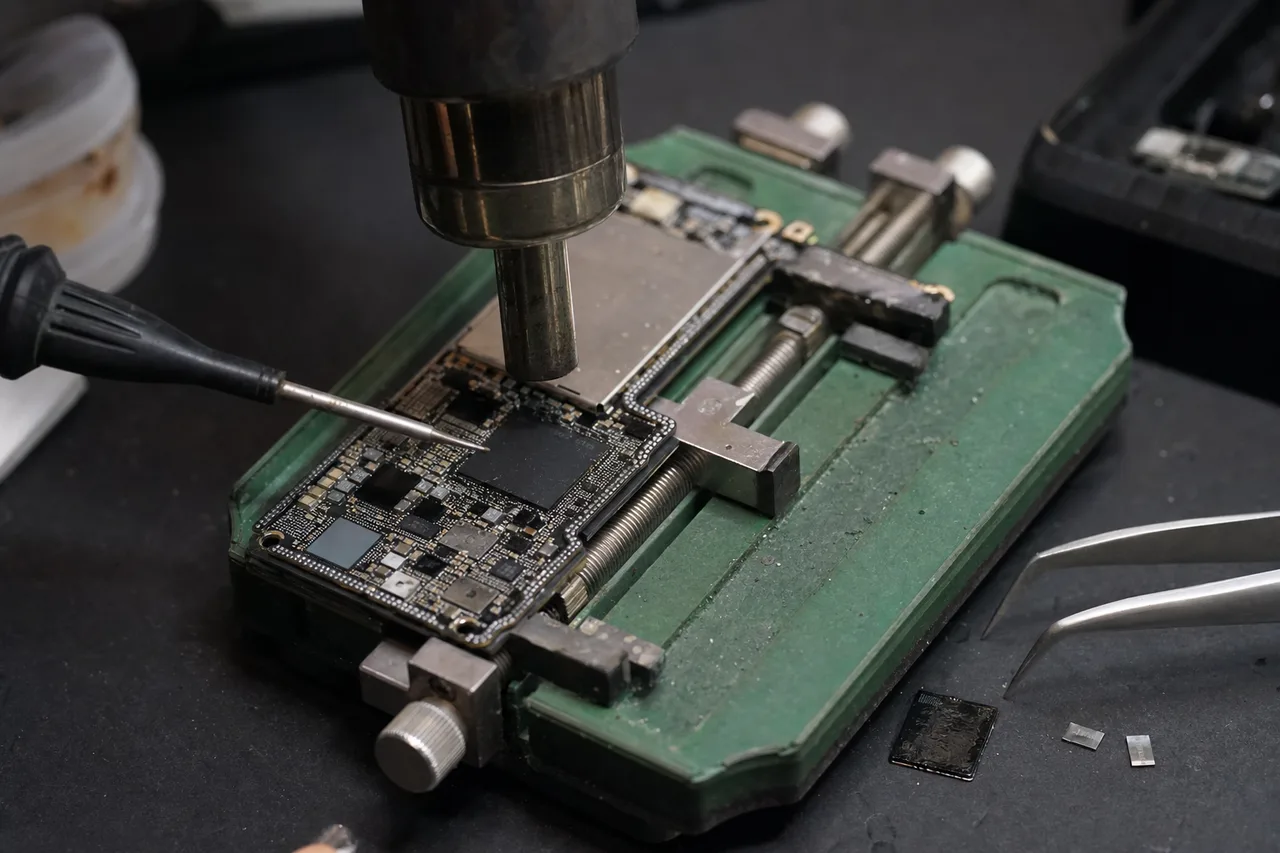 CASE-001 RECOVERED
When Other Labs Say No Device Rejected by Another Lab
- Case
- Some recoveries start after another data recovery company declares the device unrecoverable and returns it to the client. When the owner contacts MDrepairs for a second opinion, our first job is to run a fresh diagnostic instead of trusting the prior conclusion.
- Recovery
- Our technician performed a thorough board-level diagnostic that revealed the failure was recoverable with the right equipment and expertise. Using precision micro-soldering and advanced imaging techniques, we successfully recovered the client's data - proving that a second opinion from an experienced lab can make all the difference.
-
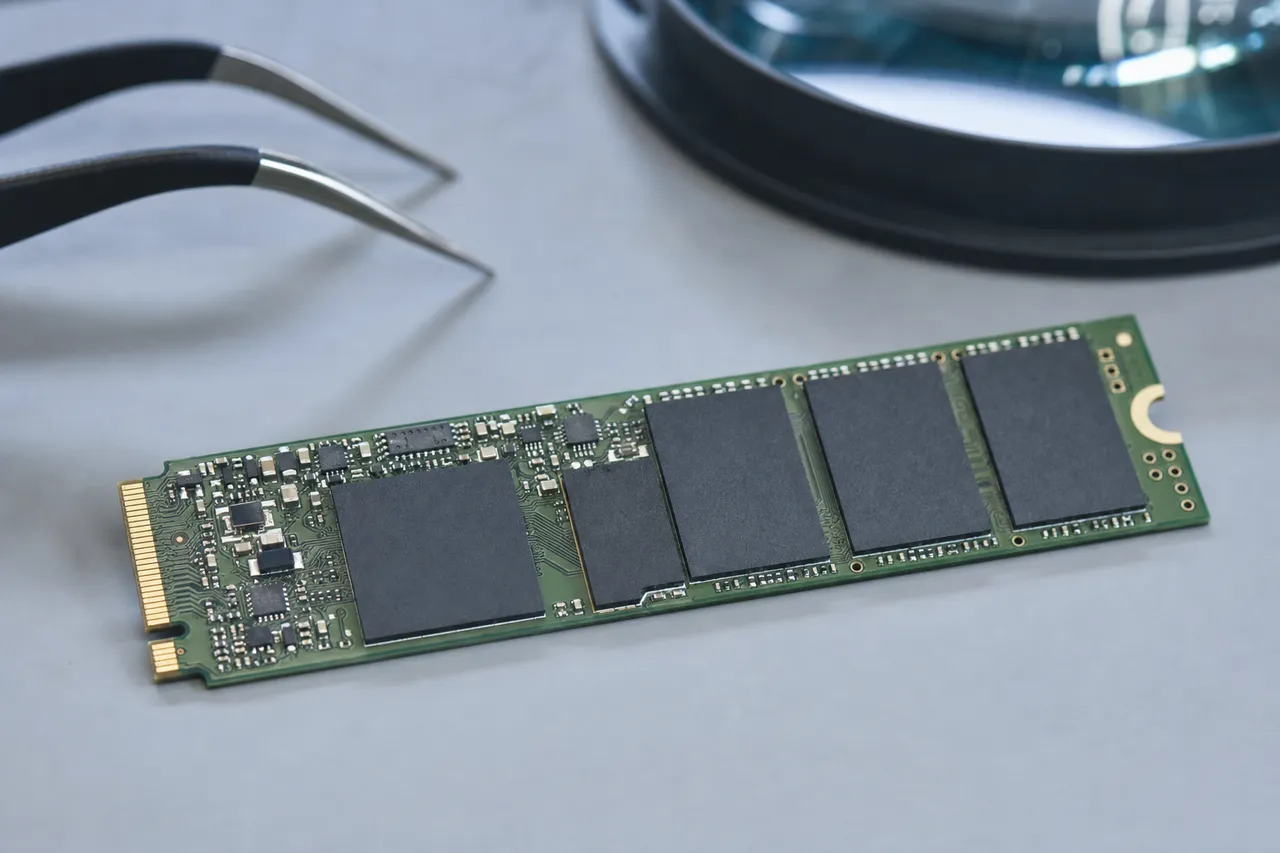 CASE-002 RECOVERED
Multi-Stage Recovery Multi-Step Technical Process
- Case
- Complex recovery can require multiple diagnostic and repair stages. The initial assessment may reveal compound failures that need to be addressed in sequence, with each step building on the previous one.
- Recovery
- Our technician methodically worked through each failure stage, using different diagnostic tools and repair techniques at each step. The multi-stage approach shown here demonstrates why professional data recovery requires both technical expertise and patience - rushing any step could compromise the entire recovery.
-
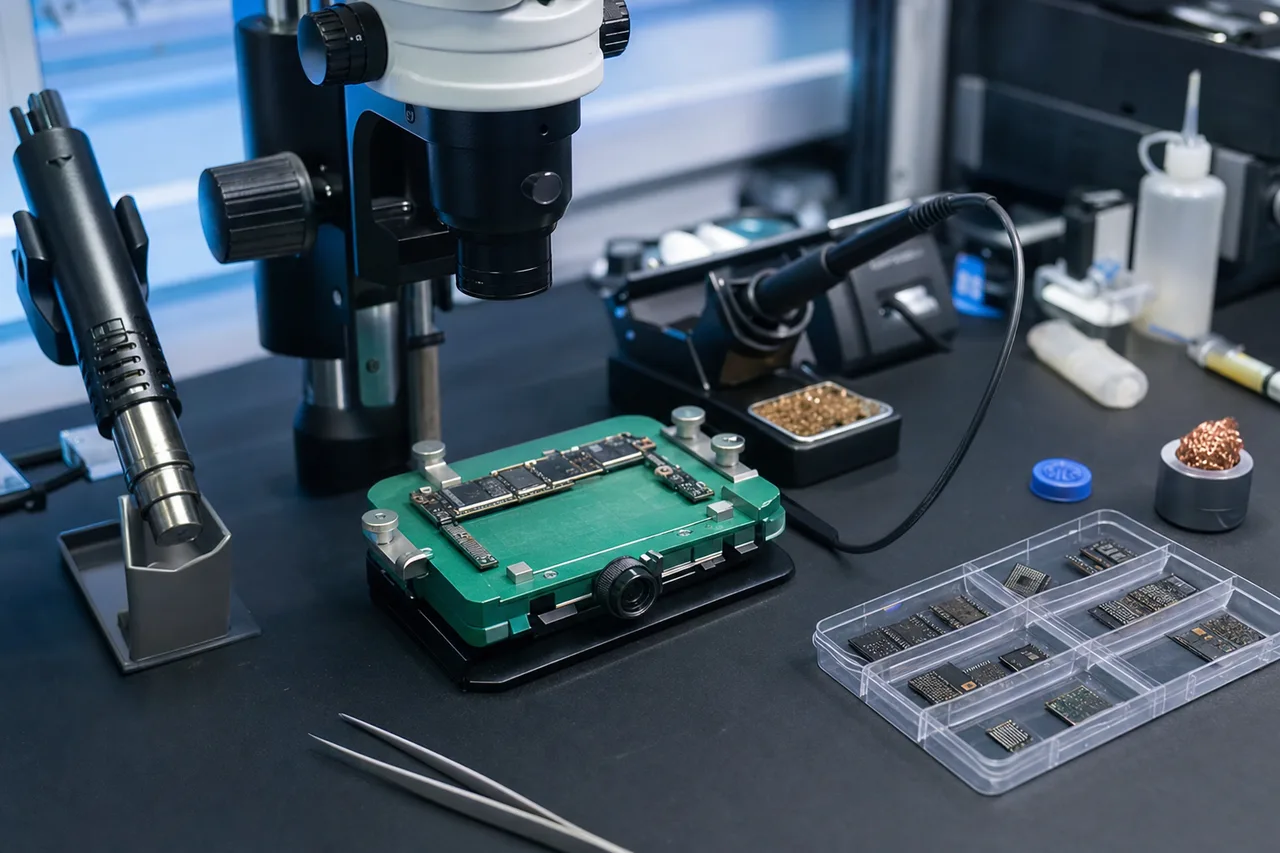 CASE-003 RECOVERED
Precision Component Repair Component-Level Failure
- Case
- Component-level recovery starts with microscope inspection, electrical testing, and controlled micro-soldering when a board failure blocks access to otherwise recoverable storage. This bench workflow shows the kind of board-level expertise our lab brings to Kingston USB, SSD, SD, and encrypted flash cases.
- Recovery
- Using our stereo microscope and precision soldering station, our technician identified and replaced the failed components, restoring access to the storage media. The same micro-soldering skills and diagnostic methodology shown here are applied across all device types we recover - from storage drives to mobile devices and everything in between.
-
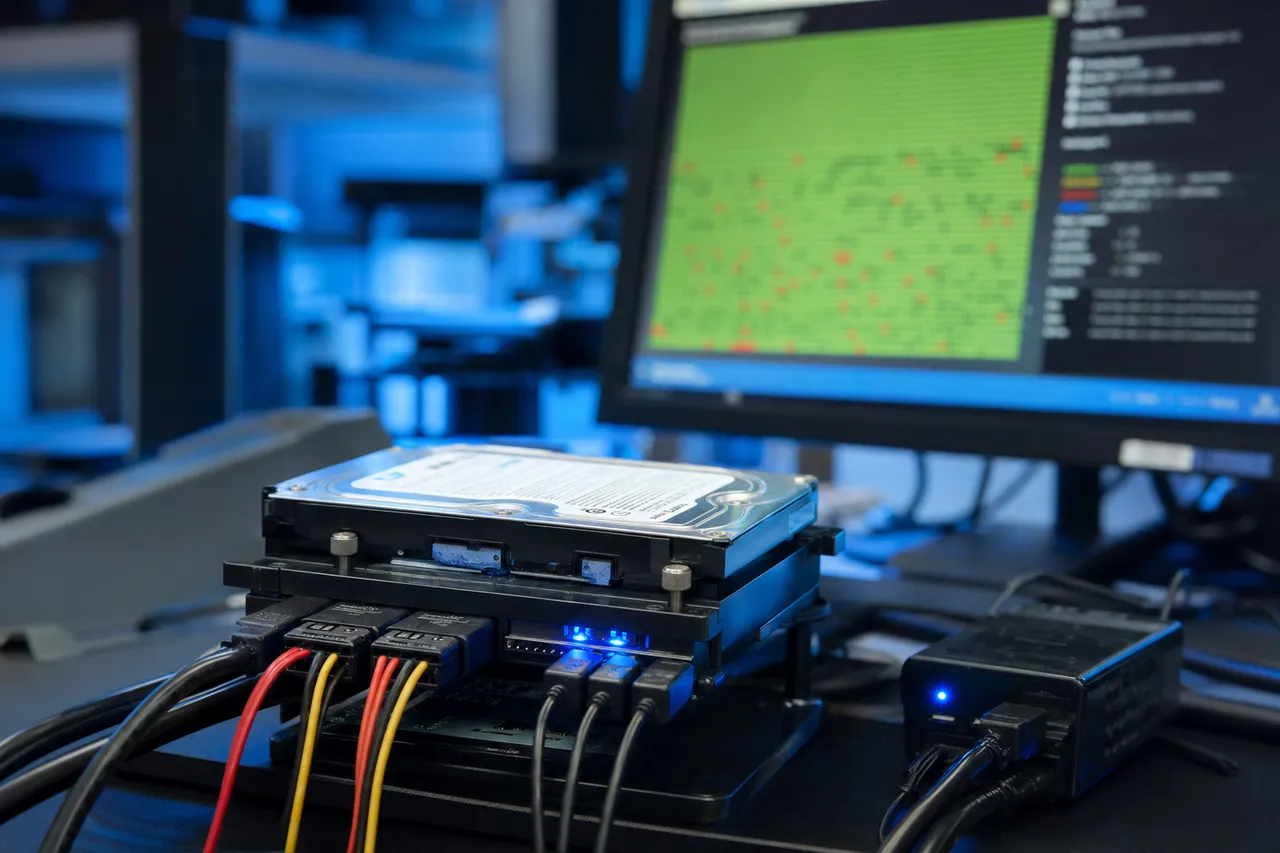 CASE-004 RECOVERED
Careful Two-Pass Recovery Staged Imaging Strategy
- Case
- Partial media failure calls for a careful two-pass imaging strategy. Rather than attempting a single aggressive read that could worsen the condition, our technician prioritizes the most critical data areas first.
- Recovery
- By using a patient two-pass approach - first capturing the easily readable sectors, then going back for the more challenging areas - our technician maximized the total data yield. This strategic imaging methodology is standard practice in our lab for any case where the storage media shows signs of degradation.
Kingston Data Recovery - Our Lab & Expertise
A deep look at how Kingston devices fail and how our Lincroft, NJ lab recovers them - across flash drives, SSDs, SD cards, IronKey encrypted drives, controllers, NAND chip-off, firmware, and physical damage.
The Company
Kingston Technology: A Leader in Storage and Memory
Kingston Technology has been one of the most recognized names in computer memory and storage since its founding in 1987. Headquartered in Fountain Valley, California, the company has grown into the world's largest independent manufacturer of memory products. Kingston's product line spans DRAM modules, solid-state drives, USB flash drives, SD cards, and enterprise storage solutions used by consumers, businesses, and governments around the world.
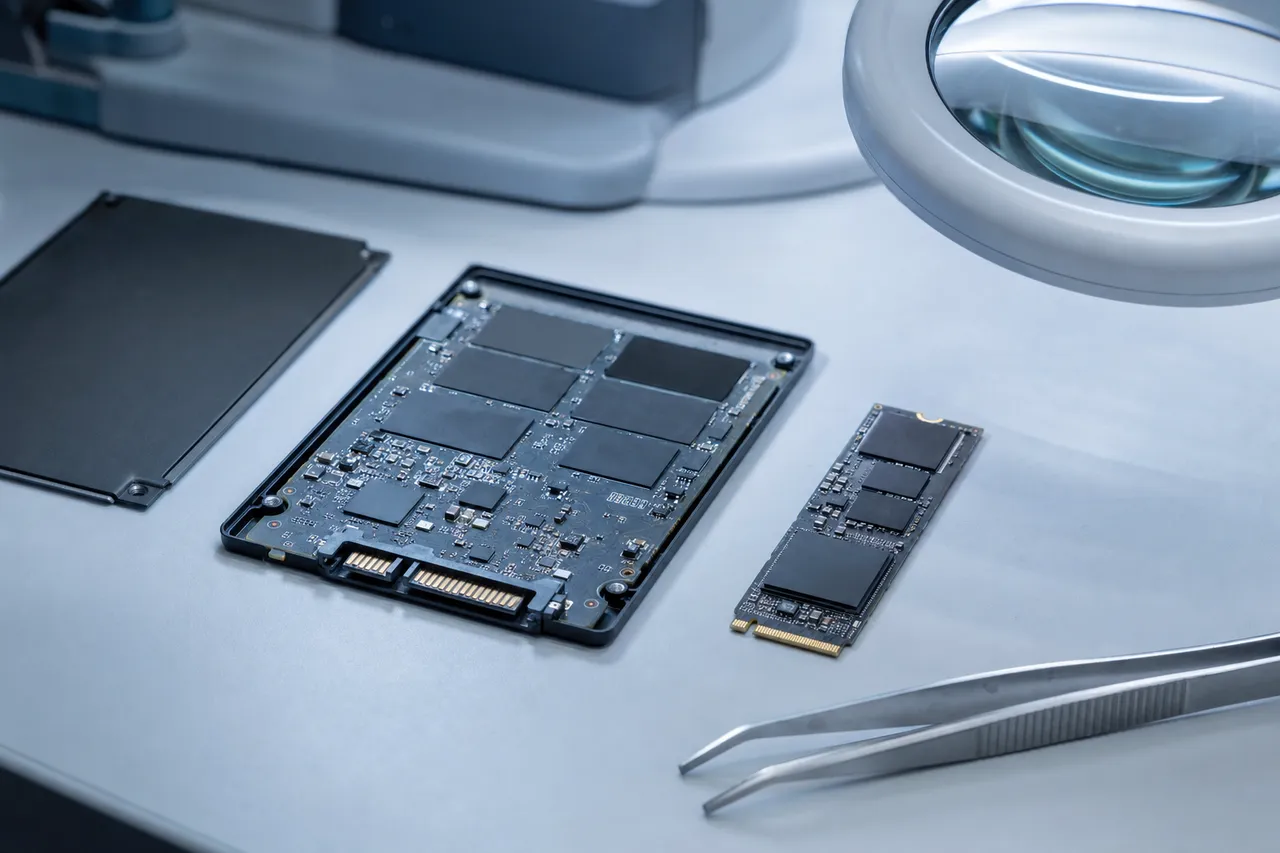
Kingston's success is built on manufacturing reliable, affordable storage products that serve a massive range of use cases. From the student carrying a DataTraveler flash drive to the enterprise server room running DC-series SSDs, Kingston hardware is everywhere. Their consumer SSD lineup - including the A400, KC600, KC3000, NV1, NV2, and Fury Renegade - covers every performance tier from budget SATA to high-end PCIe Gen 4 NVMe. Their flash drive family, anchored by the DataTraveler brand, remains one of the most popular USB storage lines on the market.
What makes Kingston particularly relevant to data recovery is the sheer volume of devices in circulation. With hundreds of millions of Kingston products sold worldwide, the statistical reality is that a significant number of these drives will eventually experience failures. NAND flash memory, by its very nature, has a finite lifespan. Every write cycle degrades the memory cells slightly, and over time, this wear can lead to read errors, bad blocks, and eventually complete drive failure. Kingston uses quality NAND and controllers, but no flash storage device lasts forever.
Kingston also manufactures the IronKey line of hardware-encrypted storage devices, which adds another layer of complexity to data recovery. These devices use AES-256 encryption implemented at the hardware level, meaning the data is encrypted on the NAND chips themselves. Recovering data from a failed IronKey requires not just addressing the physical or logical failure but also working within the constraints of the encryption system - a challenge that demands specialized knowledge and tools.
At MDrepairs, we work with Kingston products daily. Our Lincroft, NJ lab maintains a library of Kingston firmware modules, controller chip references, and NAND configurations that allow us to diagnose and recover Kingston devices efficiently. Whether your Kingston drive failed due to normal wear, a power event, physical damage, or a firmware glitch, we have the experience and equipment to get your data back. Call Joseph Montanti and the MDrepairs team at 732-933-7717 for a $100 professional diagnostic of your Kingston recovery case.
DataTraveler USB
Kingston Flash Drive Data Recovery
Kingston USB flash drives are among the most commonly used portable storage devices in the world. The DataTraveler product line alone includes dozens of models spanning USB 2.0 to USB 3.2 Gen 2, with capacities ranging from 8GB to 512GB. Models like the DataTraveler 100 G3, DataTraveler Exodia, DataTraveler Kyson, and DataTraveler Max serve millions of users who rely on them for daily file transfers, backups, and portable storage.
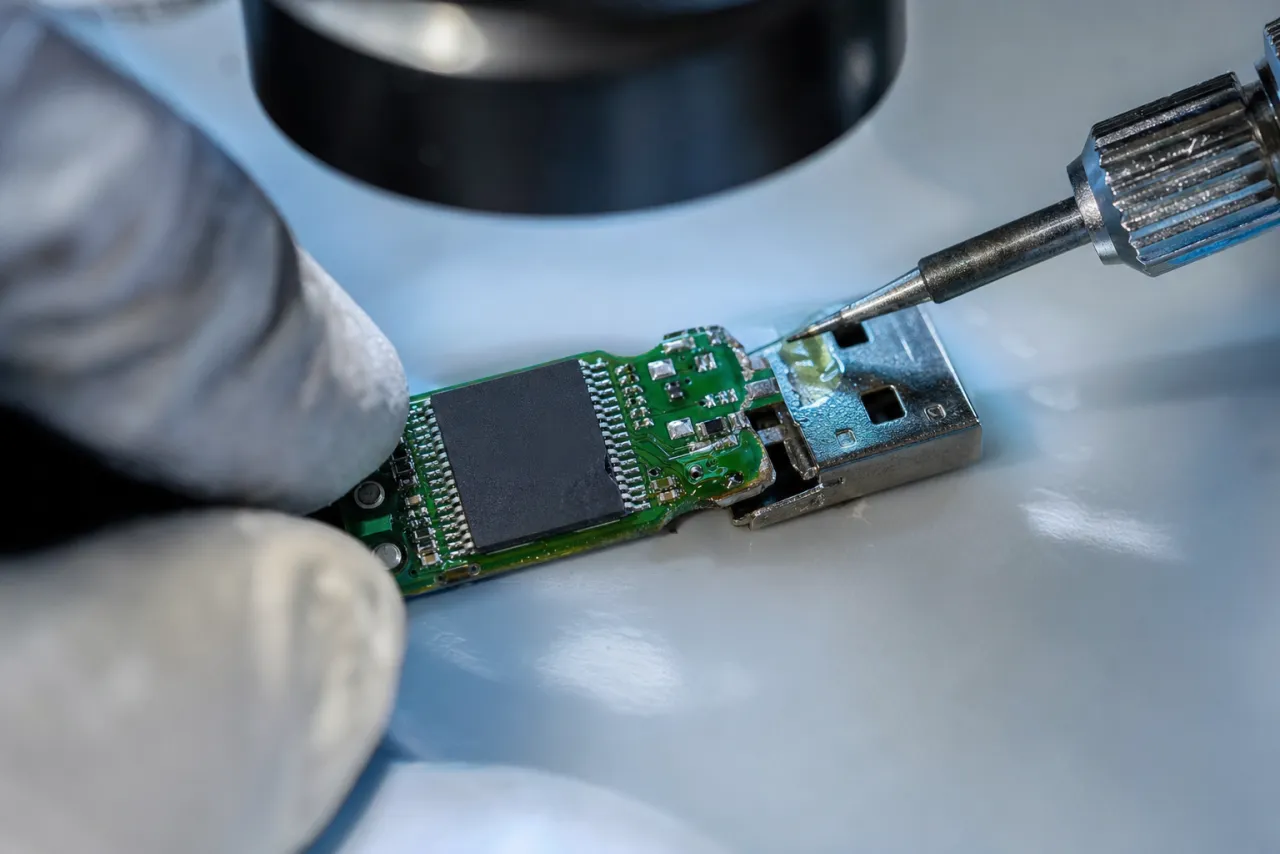
The portability that makes flash drives so useful is also what makes them vulnerable to failure. Kingston flash drives are carried in pockets, attached to keychains, tossed into bags, and plugged into countless different computers. This constant physical handling leads to the most common flash drive failure we see at MDrepairs: broken USB connectors. The solder joints connecting the USB plug to the internal PCB are small and fragile. A sideways bump while the drive is plugged in can crack the PCB, sever trace lines, or rip the connector clean off the board.
Physical connector damage is usually repairable. Our technicians work under high-magnification microscopes to reflow solder joints, repair broken traces with fine wire jumpers, and reattach or replace USB connectors. In most cases, the NAND flash memory chip itself is undamaged - the data is sitting right there on the chip, waiting for a working electrical connection to read it out. Once the physical connection is restored, we can image the entire drive and extract your files.
When a Kingston flash drive fails electronically rather than physically, the situation is different. Controller chip failures are common in flash drives because the controller handles all the complex logic of translating between the host computer's requests and the raw NAND storage. If the controller fails, the drive may not appear in your operating system at all, or it may show up as a device with zero capacity or an incorrect name. In these cases, we may need to desolder the NAND chip and read it directly using specialized equipment - a process called chip-off recovery.
Firmware corruption is another frequent issue with Kingston flash drives. The firmware is the low-level software stored on the controller chip that manages wear leveling, bad block mapping, and error correction. If the firmware becomes corrupted - often due to unsafe ejection or a power interruption during a write operation - the drive can become completely non-functional even though the physical hardware is fine. MDrepairs maintains firmware databases for Kingston controllers that allow us to repair or rebuild corrupted firmware and restore drive functionality.
Logical failures such as accidental deletion, formatting, and file system corruption are the simplest category of flash drive recovery. When you delete files from a Kingston flash drive or accidentally format it, the data is not immediately erased. The file system simply marks the space as available. As long as new data has not overwritten those sectors, recovery is straightforward. The key is to stop using the drive immediately after you realize data has been lost. Every new file written to the drive risks overwriting the data you need.
If your Kingston flash drive has stopped working, do not attempt to open it or run DIY recovery software that writes to the drive. Contact MDrepairs at 732-933-7717 for a $100 professional diagnostic. We recover data from every Kingston DataTraveler model and offer free insured shipping both ways for customers nationwide.
SATA & NVMe SSD
Kingston SSD Data Recovery
Kingston's solid-state drive lineup covers the full spectrum from budget-friendly SATA drives to high-performance NVMe solutions. The Kingston A400 has been one of the best-selling entry-level SSDs worldwide, offering reliable performance at an affordable price point. The KC600 provides a step up with DRAM cache and hardware encryption support. On the NVMe side, the A2000 and NV2 serve mainstream users, while the KC3000 and Fury Renegade target enthusiasts and professionals who need maximum sequential and random I/O performance.
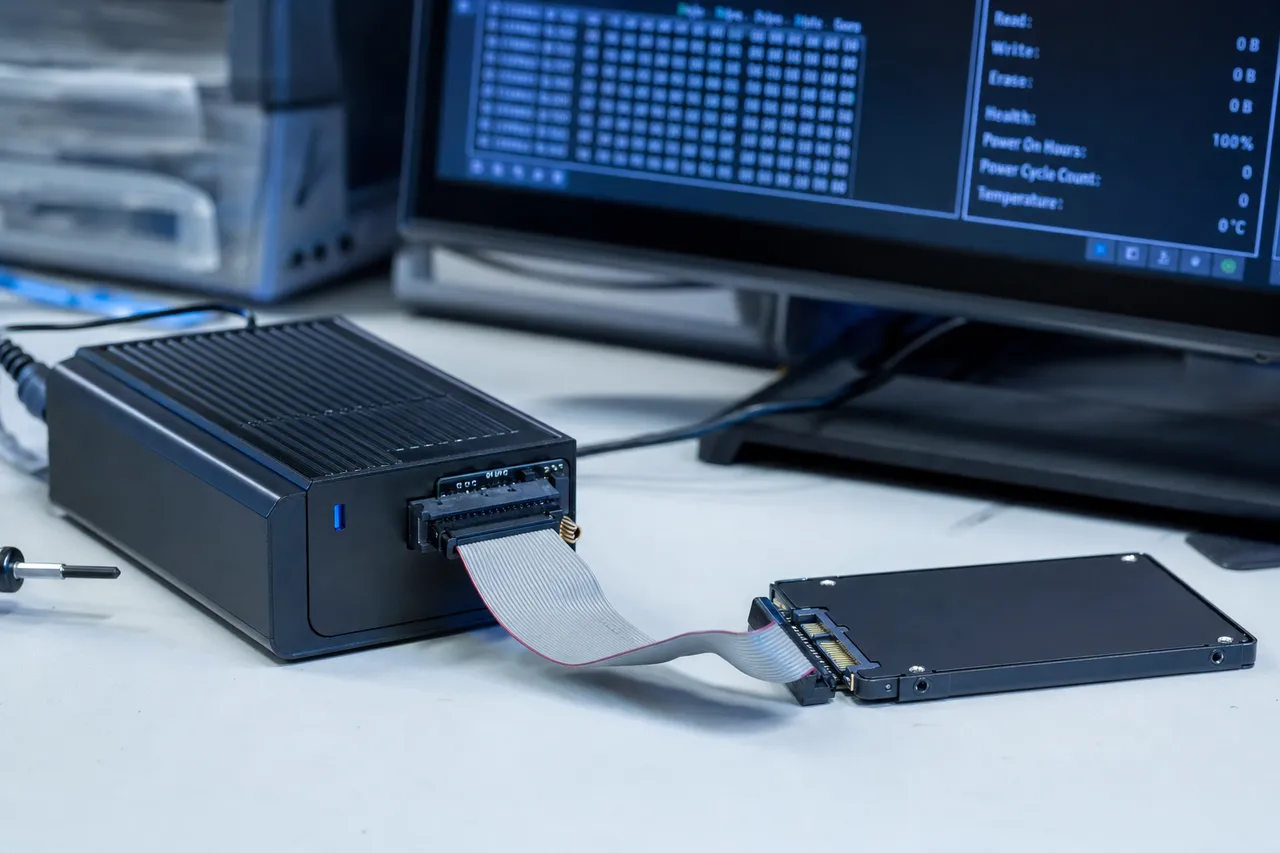
SSD data recovery is fundamentally different from traditional hard drive recovery. There are no spinning platters, no read/write heads, and no mechanical components to fail. Instead, SSDs rely on NAND flash memory chips, a controller ASIC, and firmware to store and manage data. When something goes wrong with any of these three components, the result can range from degraded performance to complete data loss.
Controller failures are the most common catastrophic SSD failure we encounter at MDrepairs. Kingston SSDs use controllers from manufacturers like Phison, Silicon Motion, and Marvell. When the controller chip fails - due to a power surge, manufacturing defect, or simple component aging - the SSD becomes completely invisible to the host computer. The BIOS will not detect it, and no operating system can access it. However, the data stored on the NAND chips is usually intact. Recovery involves working directly with the NAND chips, either through the controller's JTAG interface or by desoldering the chips and reading them in specialized programmers.
NAND degradation is a gradual failure that affects all SSDs over time. Kingston uses TLC (Triple-Level Cell) and QLC (Quad-Level Cell) NAND in many of their consumer drives. These NAND types store three or four bits per cell respectively, which makes them more affordable and higher capacity but also more susceptible to wear than SLC or MLC NAND. As cells wear out, the SSD's error correction becomes increasingly burdened until it can no longer compensate, resulting in read errors, corrupted files, and eventually sectors that return no data at all. MDrepairs can often recover data from worn NAND by reading the chips at lower voltage thresholds and using advanced error correction algorithms.
Firmware issues in Kingston SSDs can manifest in various ways. The drive might report an incorrect capacity, enter a read-only state, or fail to respond to commands entirely. Some Kingston SSDs have a known issue where the firmware can become corrupted during a sudden power loss, leaving the drive in a non-functional state. Our lab has the tools to communicate with Kingston SSD controllers at the firmware level, allowing us to repair translation tables, rebuild mapping structures, and restore access to the stored data.
One important factor that complicates SSD recovery is the TRIM command. Modern operating systems send TRIM commands to SSDs to inform them which blocks of data are no longer in use. The SSD controller then erases those blocks in the background to maintain write performance. This means that when you delete a file from an SSD, the data may be physically erased within seconds - unlike a hard drive where deleted data persists until overwritten. If you have accidentally deleted files from a Kingston SSD, power the drive off immediately and contact MDrepairs. Time is critical.
For Kingston SSD recovery, call MDrepairs at 732-933-7717. Our Lincroft, NJ lab handles every Kingston SSD model from the A400 to the Fury Renegade. We offer a $100 flat diagnostic, no-data-no-charge guarantee, and free insured shipping nationwide.
Canvas SD / microSD
Kingston SD Card Data Recovery
Kingston's Canvas series SD and microSD cards are used by photographers, videographers, drone pilots, gamers, and anyone who needs removable flash storage. The Canvas Select Plus is Kingston's mainstream offering for everyday use. The Canvas Go! Plus targets action cameras and drones with higher sustained write speeds. The Canvas React Plus is designed for professional photographers and videographers who shoot high-bitrate 4K and 8K video and need V90 or V60 speed ratings.
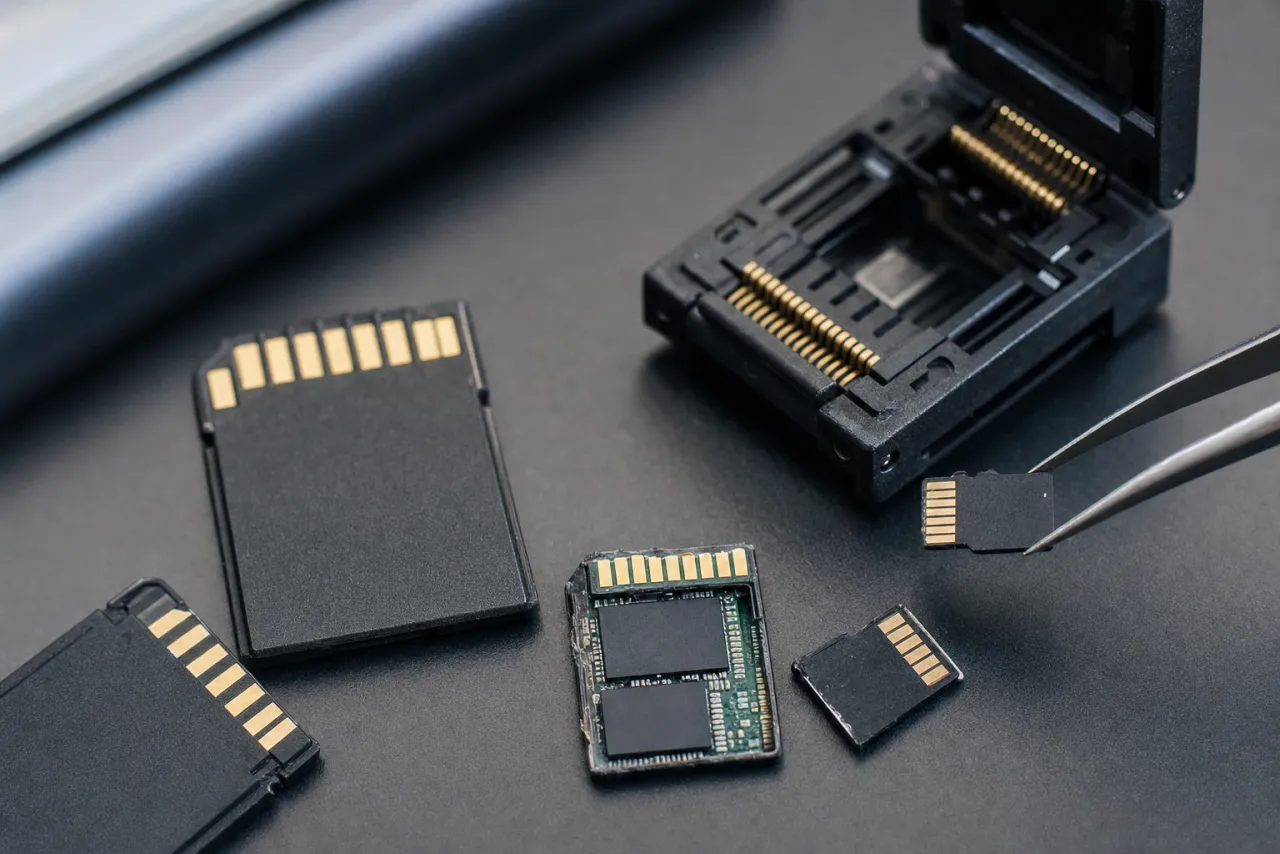
SD card failures are frustrating because they often happen at the worst possible time - during a shoot, while traveling, or after recording an event that cannot be repeated. The most common SD card failure we see at MDrepairs is file system corruption. This typically occurs when a camera or device loses power while writing to the card, when the card is removed without proper ejection, or when the card is used across multiple devices with different file system expectations. The card may show as RAW in Windows, fail to mount on a Mac, or display an error message in the camera saying the card needs to be formatted.
When a Kingston SD card shows file system corruption, the underlying data - your photos and videos - is almost always still present on the NAND chips. The file system is just the index that tells the device where each file starts and ends. When the index is damaged, the device cannot find your files, but the actual data has not been erased. MDrepairs uses sector-level scanning tools that bypass the damaged file system and read the raw NAND data directly, reconstructing files from their data signatures rather than relying on the corrupted file system tables.
Physical SD card failures are more challenging. SD cards are remarkably thin and fragile. We regularly receive Kingston SD cards that have been bent, cracked, or had their contact pads scratched or corroded. MicroSD cards are even more vulnerable due to their tiny size. In cases of physical damage, recovery may require desoldering the NAND chip from the card's PCB and reading it directly - a delicate procedure that demands specialized equipment and experience with the specific NAND type and controller used in that card model.
Kingston microSD cards used in smartphones, dashcams, and security cameras present unique recovery scenarios. These cards are often written to continuously for months or years, which accelerates NAND wear. Dashcam and security camera cards, in particular, can reach their write endurance limits within one to two years of continuous recording. When these cards start failing, symptoms include missing video segments, corrupted files, and eventually the card becoming completely unreadable. MDrepairs can recover data from worn microSD cards using advanced NAND reading techniques that extract data even from partially degraded cells.
If your Kingston SD card or microSD card has failed, the most important thing you can do is stop using it immediately. Do not attempt to format it, do not try to write new data to it, and do not run consumer recovery software that might write to the card during its scanning process. Remove the card from your device, place it in a safe location, and contact MDrepairs at 732-933-7717. Our lab recovers data from every Kingston Canvas model, and we offer free insured shipping for customers anywhere in the United States.
IronKey Encrypted
Kingston IronKey Encrypted Device Recovery
The Kingston IronKey line represents some of the most secure USB storage devices available to consumers and businesses. Models like the IronKey D500S, IronKey Keypad 200, IronKey Locker+ 50, IronKey S1000, and IronKey D300S use hardware-based AES-256 encryption to protect stored data. These devices are designed to meet stringent security standards including FIPS 140-2 and FIPS 140-3 certification, and they incorporate tamper-resistant hardware that makes unauthorized access extremely difficult.
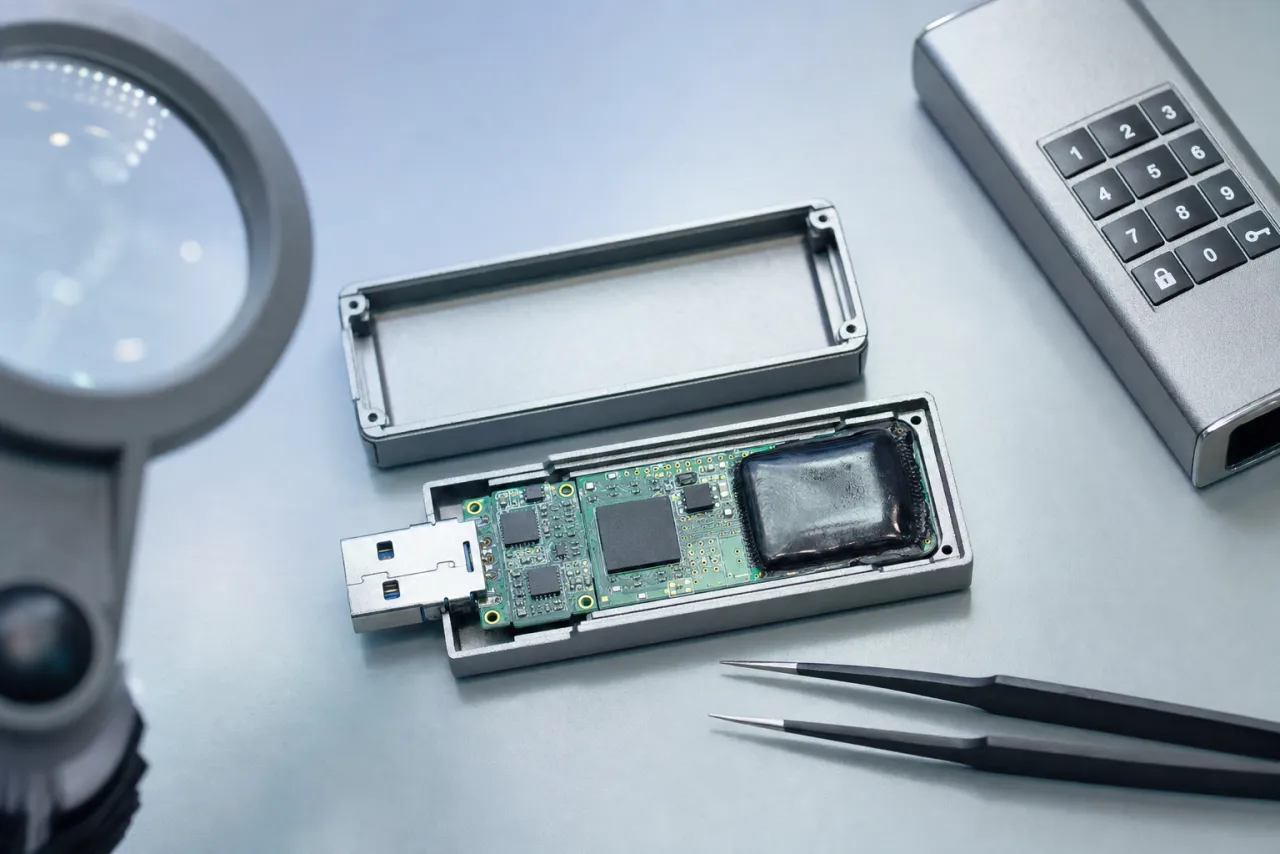
Data recovery from IronKey devices is one of the most complex challenges in the data recovery field. Unlike standard Kingston flash drives where the data on the NAND chips can be read directly, IronKey devices encrypt all data before writing it to NAND. This means that even if we successfully read the NAND chips, the data is encrypted and cannot be accessed without the correct encryption key. The encryption key is derived from the user's password and stored within a secure cryptographic processor on the device.
There are several scenarios where IronKey recovery becomes necessary. The most common is password lockout - the user has forgotten their password or has exceeded the maximum number of failed authentication attempts. Many IronKey models have a brute-force protection mechanism that will lock the device permanently or even erase the encryption keys after a set number of failed password attempts. If you are approaching the lockout limit on your IronKey, stop trying passwords immediately and contact a professional recovery service.
Hardware failures on IronKey devices present another recovery scenario. Even though the data is encrypted, the physical hardware - USB connector, PCB, controller chip, NAND chips - can still fail through the same mechanisms that affect any electronic device. Power surges, physical damage, connector breakage, and component aging can all render an IronKey non-functional. In these cases, the recovery approach involves repairing the hardware failure while preserving the integrity of the encryption module, then using the correct password to decrypt and access the data.
MDrepairs approaches IronKey recovery with the understanding that these devices are designed to resist unauthorized access. We work within the security framework of the device rather than trying to bypass it. Our technicians can repair physical and electronic failures, restore firmware functionality, and recover access for customers who can provide valid authentication credentials. We cannot and do not attempt to break the encryption on IronKey devices without proper authorization and valid credentials from the device owner.
For organizations that use IronKey devices as part of their security infrastructure, MDrepairs offers confidential recovery services with strict chain-of-custody documentation. We understand that the data on these devices is often highly sensitive, and we handle every IronKey recovery with the appropriate level of security and discretion. Contact Joseph Montanti at 732-933-7717 to discuss your IronKey recovery needs.
If your Kingston IronKey has failed or you are locked out, do not continue attempting passwords. Every failed attempt brings you closer to permanent lockout. Call MDrepairs immediately for a $100 professional diagnostic and let our specialists assess your options before it is too late.
Controller-Level
Kingston Controller Chip Failures and Recovery Methods
The controller chip is the brain of every Kingston storage device. Whether it is a DataTraveler flash drive, an A400 SSD, a KC3000 NVMe drive, or a Canvas SD card, the controller manages every aspect of data storage and retrieval. It handles communication with the host device, manages wear leveling across NAND cells, performs error correction, maintains the flash translation layer (FTL), and executes garbage collection to maintain performance. When the controller fails, the entire device becomes non-functional - but the data on the NAND chips typically remains intact.
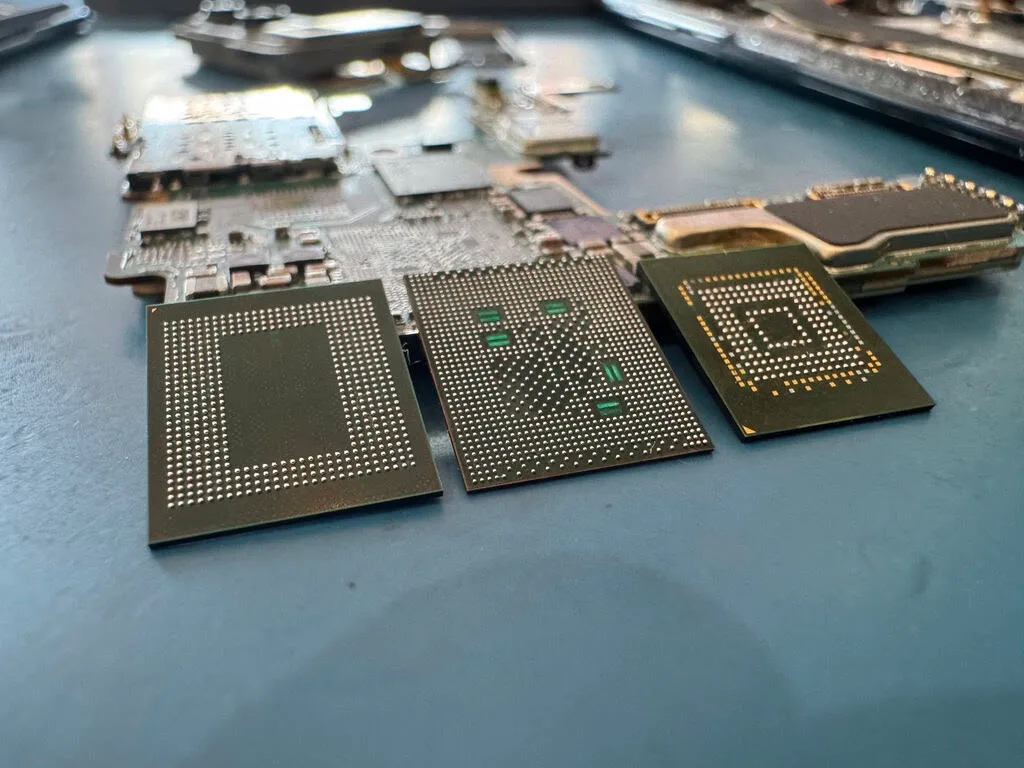
Kingston devices use controllers from several manufacturers depending on the product line and model. Their SSDs commonly use Phison and Silicon Motion controllers. Their flash drives use a variety of controllers from companies like Phison, Silicon Motion, and others. Each controller family has its own architecture, firmware structure, and communication protocols, which means recovery procedures differ significantly between Kingston models even though they share the Kingston brand name.
Controller failures can be caused by several factors. Electrical overstress from power surges, faulty USB ports, or hot-plugging is one of the most common causes. The controller chip can be damaged or destroyed by voltage spikes that exceed its tolerance. Manufacturing defects, while rare in Kingston products, can also lead to premature controller failure. Thermal stress from operating in high-temperature environments over extended periods can degrade controller components over time. And in some cases, controllers simply reach the end of their operational lifespan.
When a Kingston device experiences a controller failure, the recovery approach depends on the severity of the failure and the device type. For some controller failures, it is possible to communicate with the controller through vendor-specific commands or debug interfaces (such as JTAG) to extract data or repair the firmware that runs on the controller. This is the least invasive approach and is always attempted first when feasible.
If the controller is completely non-functional and cannot be communicated with, the next approach is chip-off recovery. This involves carefully desoldering the NAND flash memory chips from the device's PCB using hot air rework equipment. The NAND chips are then placed in specialized readers that can communicate with the raw NAND directly, without a controller. The raw data read from the NAND chips is a scrambled, interleaved mess that must be reconstructed using knowledge of the specific controller's data organization scheme - including its page layout, block interleaving order, ECC algorithm, and encryption methods if applicable.
Chip-off recovery requires extensive knowledge of how each specific controller organizes data across the NAND chips. MDrepairs maintains detailed documentation and software tools for the controller families used in Kingston products. This allows our technicians to accurately reconstruct the logical data structure from raw NAND dumps, producing a complete disk image that contains your files in their original directory structure.
For Kingston controller chip failures, contact MDrepairs at 732-933-7717. Our $100 diagnostic will determine the exact nature of the failure and the best recovery approach for your specific Kingston device. No data, no charge.
Chip-Off NAND
NAND Chip Reading and Chip-Off Recovery for Kingston Devices
Chip-off recovery is the most advanced data recovery technique in our toolkit, and it is sometimes the only option for recovering data from severely damaged Kingston devices. This procedure involves physically removing the NAND flash memory chips from the device's circuit board and reading them directly using specialized NAND programmers. It is used when the controller chip has failed beyond repair, when the PCB is too damaged to function, or when other recovery methods have been exhausted.
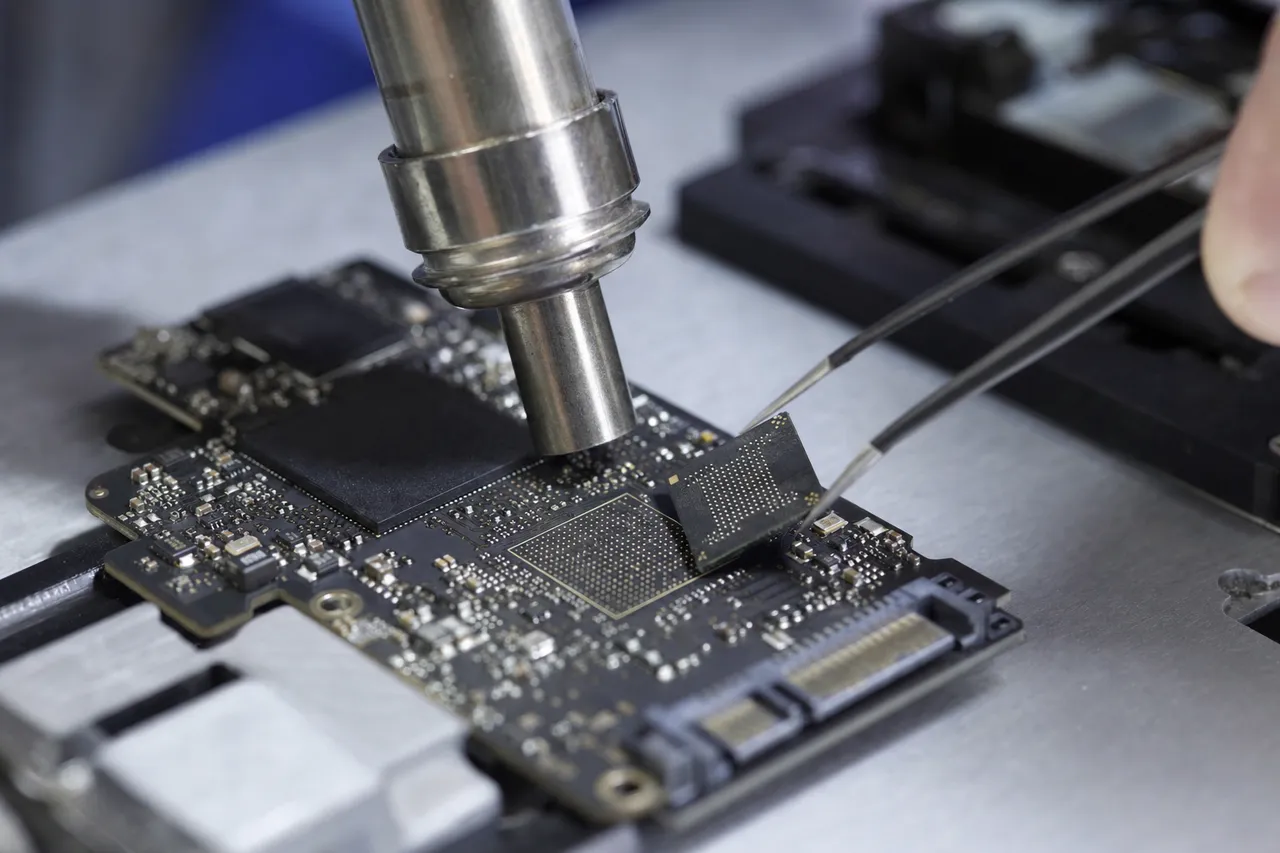
The chip-off process begins with careful documentation and assessment of the Kingston device. Our technicians photograph the PCB, note the NAND chip types and positions, and record the controller model. This information is critical for the reconstruction phase later. The NAND chips used in Kingston devices come in various package types - TSOP-48 (commonly found in older flash drives and SD cards), BGA (Ball Grid Array, used in modern SSDs and flash drives), and LGA (Land Grid Array). Each package type requires a different desoldering technique.
TSOP-48 chips are the most straightforward to remove. They have visible leads along two sides that can be heated with a soldering iron or hot air station. BGA chips are more challenging because their connections are made through an array of tiny solder balls on the underside of the chip that are not visible from the outside. Removing a BGA NAND chip requires precise hot air rework to melt all the solder balls simultaneously without overheating the chip itself, which could damage the stored data. After removal, BGA chips often need reballing - replacing the solder balls - before they can be placed in a reader socket.
Once the NAND chips are removed and prepared, they are placed in a NAND reader/programmer. These devices communicate with the NAND chips using their native interface, reading out the raw page data including spare areas that contain ECC (Error Correction Code) information. Reading a single NAND chip can take anywhere from minutes to hours depending on the chip's capacity and the read speed of the programmer.
The raw data read from Kingston NAND chips is not immediately usable. Kingston's controllers arrange data across NAND chips using complex interleaving schemes. A single logical page of data might be spread across multiple physical pages on multiple NAND chips. The data may also be scrambled using XOR patterns or other obfuscation methods implemented by the controller. Reconstructing usable data from raw NAND dumps requires understanding the exact algorithms used by the specific controller in the specific Kingston device.
MDrepairs has invested significantly in NAND reconstruction tools and controller-specific knowledge bases. Our software can process raw NAND dumps from Kingston devices, apply the correct de-interleaving and descrambling algorithms, perform ECC error correction, and reconstruct a complete logical disk image. From this image, we can extract your files - photos, documents, videos, databases, and everything else that was stored on the device.
Chip-off recovery is not always necessary, and it is not our first-choice approach because of its complexity and cost. However, when a Kingston device has suffered severe physical damage, complete controller failure, or catastrophic PCB damage, chip-off may be the only viable path to recovering your data. If your Kingston device has been physically damaged or is completely unresponsive, contact MDrepairs at 732-933-7717 for a professional assessment. Our $100 diagnostic will determine whether chip-off recovery is needed and provide you with a clear quote before any work begins.
Firmware Repair
Kingston Firmware Issues and Repair Techniques
Firmware is the low-level software that runs on the controller chip inside every Kingston storage device. It manages everything from NAND wear leveling and bad block management to error correction, garbage collection, and the translation between logical addresses (what your computer sees) and physical NAND locations (where data is actually stored). When firmware becomes corrupted, the consequences can range from minor performance issues to complete device failure - even though the hardware and stored data are perfectly fine.
Firmware corruption in Kingston devices most commonly occurs during power interruptions. If a Kingston SSD or flash drive loses power while the controller is updating internal tables - such as the flash translation layer (FTL), bad block table, or wear leveling maps - those structures can be left in an inconsistent state. The next time the device powers on, the controller reads the corrupted tables, cannot make sense of them, and either enters a fault state (making the device invisible to the computer) or reports incorrect information (wrong capacity, wrong device name, or read-only mode).
Another cause of firmware corruption is unsafe ejection. When you pull a Kingston flash drive from a USB port without using the "Safely Remove Hardware" function, any pending write operations - including firmware table updates - are interrupted. Over time, repeated unsafe ejections can accumulate corrupted entries in the firmware tables until the controller can no longer function properly. This is one of the most preventable causes of data loss on Kingston flash drives.
Firmware bugs are a less common but real cause of Kingston device failures. No firmware is perfect, and occasionally a specific sequence of operations or a particular data pattern can trigger a bug that crashes the firmware. Kingston has released firmware updates for several SSD models to address specific bugs, but many users never install these updates. And in some cases, the firmware bug causes a failure that prevents the device from accepting the update, creating a catch-22 situation.
At MDrepairs, our firmware repair process for Kingston devices involves several stages. First, we identify the exact controller chip and firmware version on the device. We then attempt to communicate with the controller using its native vendor-specific commands - these are low-level commands not available through standard operating system interfaces. Many Kingston controllers have diagnostic modes that allow us to read and write firmware areas, dump internal tables, and execute recovery routines built into the controller itself.
If the controller's built-in recovery routines cannot repair the corruption, we may need to manually rebuild the damaged firmware structures. This involves reading the raw NAND data, analyzing the existing firmware tables to understand their structure, and constructing corrected versions. For flash translation layer corruption, this means rebuilding the mapping between logical block addresses and physical NAND pages - a painstaking process that requires detailed knowledge of how the specific Kingston controller organizes its FTL.
In the most severe firmware corruption cases, the controller may be completely unresponsive to any commands. When this happens, we may need to resort to chip-off recovery as described in the NAND chip reading section. However, in many cases, firmware repair is sufficient to restore the Kingston device to a functional state and access the stored data without the need for physical chip removal.
Preventing firmware corruption on Kingston devices is straightforward: always use safe ejection, use a quality surge protector or UPS with desktop systems, and keep your Kingston SSD firmware updated when Kingston releases new versions. If your Kingston device has already suffered a firmware failure, contact MDrepairs at 732-933-7717. Our technicians have extensive experience with Kingston firmware recovery and can often restore access to your data without invasive procedures.
Physical Damage
Water Damage, Heat Damage, and Physical Recovery for Kingston Drives
Kingston flash drives, SD cards, and portable SSDs are designed for portability, which means they are exposed to the full range of environmental hazards that portable electronics face. Water damage, heat exposure, impact damage, and electrical damage from faulty USB ports or chargers are all common reasons Kingston devices arrive at our Lincroft, NJ lab for recovery.
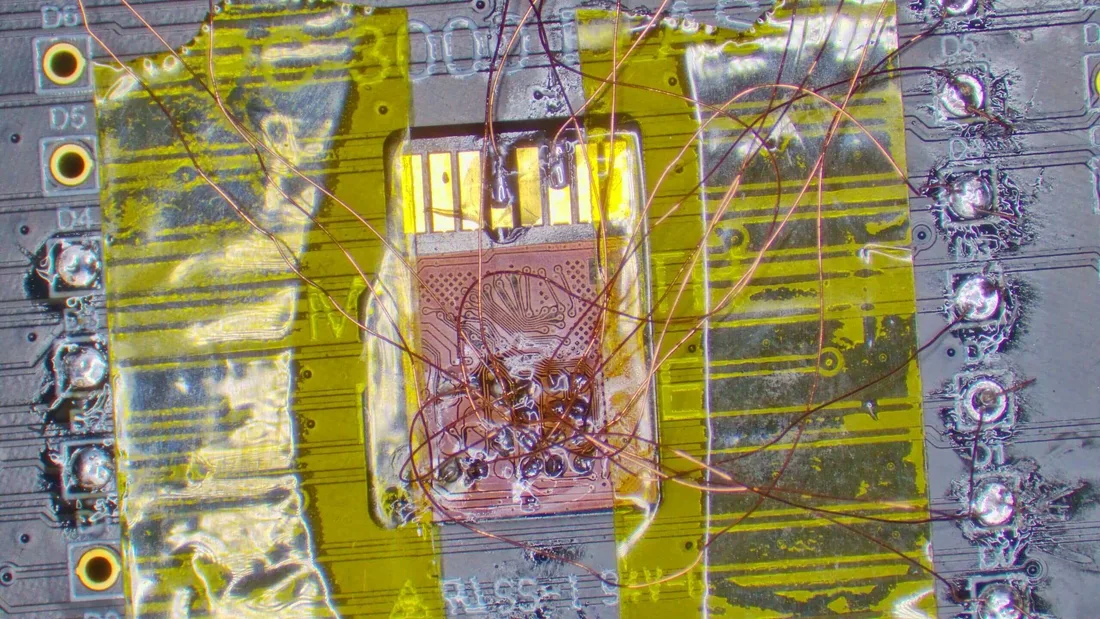
Water damage is one of the most common physical failures we see with Kingston flash drives. These devices end up in washing machines, get dropped in puddles, are exposed to rain, and sometimes take a swim in pools or oceans. The good news is that water alone does not destroy NAND flash memory. Unlike hard drives, which can suffer catastrophic damage from even small amounts of moisture on their platters, flash storage devices store data as electrical charges trapped in semiconductor cells. Those charges are not affected by water exposure.
The danger from water damage comes from two secondary effects: corrosion and short circuits. When water - especially tap water, pool water, or salt water - contacts the PCB and component leads, it can cause corrosion that eats away at copper traces and solder joints. This corrosion can happen within hours of water exposure and worsens over time. If you recover a wet Kingston device, do not plug it in. Powering on a wet device can cause short circuits that damage the controller, NAND chips, or other components. Instead, remove the device from water, do not attempt to dry it with heat (which can cause additional damage), and send it to MDrepairs as soon as possible.
Our water damage recovery process begins with careful disassembly and cleaning. We remove all visible corrosion using specialized cleaning solutions and ultrasonic cleaning equipment. We then inspect the PCB under high magnification to assess the extent of trace and component damage. Minor corrosion can often be cleaned and repaired. Severe corrosion that has destroyed traces or component connections may require trace repair or, in worst cases, chip-off recovery from the NAND chips.
Heat damage to Kingston devices can occur from exposure to direct sunlight, being left in a hot car, proximity to heat sources, or electrical overheating from a faulty USB port. Extreme heat can warp PCBs, damage solder joints, and in severe cases, affect the NAND chips themselves. Kingston devices are rated for operating temperatures typically between 0 and 60 degrees Celsius. Temperatures significantly above this range can cause permanent damage. Recovery from heat-damaged Kingston devices follows a similar approach to other physical damage - assess the extent of damage, repair what can be repaired, and resort to chip-off recovery if necessary.
Impact damage from drops, crushing, and bending is common with Kingston flash drives and SD cards. Flash drives can survive light drops without issue, but a hard impact on a concrete floor can crack the PCB or damage the controller chip. SD cards are thin and fragile - we regularly receive Kingston SD cards that have been bent or cracked, sometimes from being stepped on or from a card slot malfunction. MicroSD cards are even more vulnerable due to their tiny dimensions.
For physically damaged Kingston devices, the recovery strategy depends entirely on which components are damaged. If the NAND chips are intact - which they usually are, since they are the most robust components on the board - recovery is almost always possible through either board repair or chip-off methods. Contact MDrepairs at 732-933-7717 if your Kingston device has suffered any type of physical damage. Our $100 diagnostic will assess the damage and provide a clear path to recovery.
Choosing a Lab
Choosing a Kingston Data Recovery Provider
When your Kingston device fails and your data is at stake, choosing the right recovery provider is one of the most important decisions you will make. The data recovery industry is unregulated, and the quality of service varies enormously between providers. Some companies operate professional labs with skilled technicians and proper equipment. Others are essentially software-only operations that cannot handle hardware failures, or worse, brokers who send your device to a third party while adding their markup to the price.
The first thing to look for in a Kingston data recovery provider is a real, physical lab. Data recovery - especially for hardware failures common in Kingston SSDs and flash drives - requires specialized equipment: hot air rework stations for BGA chip removal, NAND readers and programmers, high-magnification microscopes for PCB repair, clean room facilities for sensitive operations, and a library of firmware tools and controller references. Ask any potential provider about their lab and equipment. MDrepairs operates a fully equipped data recovery lab in Lincroft, New Jersey, and you can see our workspace, tools, and techniques in our videos across YouTube, TikTok, and Instagram where we have built an audience of over 2 million followers.
Transparent pricing is another critical factor. The data recovery industry has historically been plagued by bait-and-switch pricing where companies quote a low price to get your device in the door, then inflate the price once they have your drive. Look for a provider that offers a flat diagnostic fee and a clear, upfront recovery quote before any work begins. MDrepairs charges a flat $100 diagnostic fee for every Kingston recovery case. After the diagnostic, you receive a fixed-price quote. If you decline, you pay only the $100 diagnostic. If we cannot recover your data, you pay only the $100 diagnostic. No data, no charge - it is that simple.
Experience with Kingston hardware specifically is important. Kingston uses a variety of controllers and NAND types across their product line, and each combination requires different recovery techniques, firmware tools, and reconstruction algorithms. A provider who sees Kingston devices regularly will have the controller references, firmware databases, and procedural knowledge needed to handle your specific model efficiently. MDrepairs works with Kingston devices daily and maintains an up-to-date library of Kingston controller configurations.
Turnaround time expectations should be realistic. Quality data recovery takes time, especially for complex hardware failures. Be skeptical of any provider promising same-day results for a controller failure or chip-off case - these are multi-step processes that cannot be rushed without risking your data. MDrepairs offers standard turnaround of four to five weeks, with expedited options available for urgent cases. We would rather take the time to do the job right than rush and risk leaving recoverable data behind.
Customer communication matters throughout the recovery process. You should receive regular updates on the status of your case, a clear explanation of what was found during diagnosis, and a detailed file listing before your data is returned. MDrepairs provides direct communication with the technician handling your case - you can call Joseph Montanti at 732-933-7717 and talk to the person actually working on your Kingston device.
Finally, consider the provider's data security practices. Your Kingston device may contain personal photos, financial records, business documents, medical information, or other sensitive data. A reputable recovery provider will have clear data handling policies, secure storage for devices and recovered data, and a documented process for securely erasing their copies after your data is returned. MDrepairs takes data security seriously - all recovered data is securely erased from our systems after you confirm receipt of your files.
When your Kingston device fails, do not panic and do not hand your data to the first provider you find online. Take the time to evaluate your options, ask questions, and choose a provider with a real lab, transparent pricing, Kingston-specific experience, and a track record of successful recoveries. MDrepairs checks every one of those boxes. Call us at 732-933-7717 or submit a free quote through the form on this page to get started.
Talk to the engineer who reads the NAND - not a call center.
Related Resources
Guides and references to help you understand Kingston and SSD data recovery, pricing, and how to protect your data.
- SSD Data Recovery
- Can You Recover Deleted Files from an SSD?
- How to Recover Data from an SSD
- Recovering Data from a Dead SSD
- SSD Data Recovery Cost Guide
- Data Recovery Pricing
- How Much Does Data Recovery Cost?
Related Data Recovery Services
Kingston Data Recovery FAQ
Straight answers on cost, turnaround, IronKey lockouts, chip-off, SD cards, and how we get your data back from a failed Kingston device - drawn from the questions we hear every day.
-
What Kingston devices does MDrepairs recover data from?
MDrepairs recovers data from all Kingston storage devices including DataTraveler USB flash drives, IronKey encrypted drives, A400/KC600/KC3000 SSDs, NV1/NV2/A2000 NVMe drives, Fury Renegade SSDs, Canvas SD and microSD cards, XS1000/XS2000 portable SSDs, and enterprise DC-series drives.
-
How much does Kingston data recovery cost?
Kingston data recovery at MDrepairs starts with a flat $100 diagnostic fee. Recovery pricing ranges from $200 to $500 for logical failures, $500 to $1,200 for controller and firmware issues, and $1,200 to $2,500 for chip-off and complex hardware recovery. You receive a fixed quote after the diagnostic.
-
Can you recover data from a Kingston flash drive that is not recognized by my computer?
Yes. A Kingston flash drive that is not recognized typically has a controller chip failure or firmware corruption. Our technicians can communicate with the controller using low-level vendor commands or perform chip-off NAND recovery if the controller is completely non-functional. The data on the NAND chips is usually intact.
-
Is it possible to recover data from a Kingston IronKey encrypted drive?
MDrepairs can recover data from Kingston IronKey devices when the hardware has failed but the owner can provide valid authentication credentials. We repair the hardware failure while preserving the encryption module, then use the correct password to decrypt and access the data. We cannot bypass IronKey encryption without proper credentials.
-
My Kingston SSD is not showing up in BIOS. Can you still recover the data?
Yes. A Kingston SSD that does not appear in BIOS usually has a controller failure, firmware corruption, or power delivery issue. Our lab can diagnose the exact failure, attempt firmware repair or controller-level communication, and if necessary, perform chip-off NAND recovery to extract your data.
-
How long does Kingston data recovery take?
Standard Kingston recovery takes four to five weeks. Priority Rush service delivers results in five to seven days for an additional $250. Urgent Rush provides one to two day turnaround for $500. Emergency same-day service is available for $1,000. Call 732-933-7717 to discuss expedited options.
-
Can you recover data from a Kingston SD card that says it needs to be formatted?
Yes. When a Kingston SD card displays a format prompt, the file system is corrupted but the photo and video data is almost always still on the card. Do not format the card. Send it to MDrepairs and we will perform a sector-level scan to recover your files without relying on the damaged file system.
-
What should I do if my Kingston flash drive gets wet?
Do not plug in a wet Kingston flash drive. Remove it from the water, gently pat it dry with a lint-free cloth, and send it to MDrepairs as soon as possible. Do not use a hair dryer or heat source to dry it. Water does not destroy NAND flash memory, but corrosion and short circuits from powering on a wet device can cause additional damage.
-
Can you recover a Kingston flash drive with a broken USB connector?
Yes. Broken USB connectors are one of the most common Kingston flash drive failures we see. Our technicians repair broken connectors, severed traces, and cracked PCBs under high-magnification microscopes. In most cases, the NAND chip is undamaged and all data is recoverable once the physical connection is restored.
-
Do you offer free shipping for Kingston data recovery?
Yes. MDrepairs provides free insured shipping both ways for all Kingston recovery cases. We send you a prepaid shipping label to send your device to our Lincroft, NJ lab, and we ship your recovered data back on a new external drive with full insurance coverage at no extra cost.
-
What is chip-off recovery and when is it needed for Kingston devices?
Chip-off recovery involves desoldering the NAND flash memory chips from a Kingston device and reading them directly with specialized equipment. It is used when the controller chip has failed completely, when the PCB is too damaged to repair, or when other recovery methods have been exhausted. The raw NAND data is then reconstructed into usable files.
-
Can you recover data from a formatted Kingston SSD?
Recovery from a formatted Kingston SSD depends on whether the TRIM command has erased the data. If you formatted the SSD and the operating system sent TRIM commands, the data may be permanently erased. If TRIM was not sent or the drive was formatted in an external enclosure, recovery is often possible. Power off the SSD immediately and contact MDrepairs.
-
What causes Kingston SSD firmware corruption?
Kingston SSD firmware corruption is most commonly caused by sudden power loss during write operations, unsafe ejection, power surges, and occasionally firmware bugs. When firmware is corrupted, the SSD may show incorrect capacity, enter read-only mode, or become completely undetectable. MDrepairs can repair Kingston firmware using vendor-specific tools.
-
Is my data safe during the recovery process?
Yes. MDrepairs handles all Kingston recovery cases with strict data security protocols. Your device is stored securely in our Lincroft, NJ lab. Only authorized technicians access your data. After you confirm receipt of your recovered files, we securely erase all copies from our systems. We also offer confidential handling for IronKey and sensitive business recoveries.
-
Can you recover data from a Kingston NVMe drive that my laptop does not detect?
Yes. Kingston NVMe drives like the NV2, A2000, KC3000, and Fury Renegade can become undetectable due to controller failure, firmware corruption, or NAND degradation. Our lab has the tools to communicate with NVMe controllers at the hardware level and recover data even when the drive is invisible to the host system.
-
What is MDrepairs' no-data-no-charge policy?
If MDrepairs cannot recover your target files from your Kingston device, you pay only the $100 diagnostic fee. You never pay the full recovery price unless we successfully recover the data you need. This policy applies to every Kingston recovery case regardless of the device type or failure severity.
-
Can you recover data from a Kingston microSD card used in a dashcam?
Yes. Kingston microSD cards used in dashcams experience heavy write wear from continuous recording. When they fail, MDrepairs can recover video footage using advanced NAND reading techniques. We regularly recover data from Kingston High Endurance, Industrial, and Canvas series microSD cards used in dashcams and security cameras.
-
How do I send my Kingston device to MDrepairs?
Call 732-933-7717 or submit the free quote form on this page. We will provide a prepaid, insured shipping label. Pack your Kingston device securely with padding to prevent damage during transit. Once it arrives at our Lincroft, NJ lab, we begin the $100 diagnostic and contact you with findings and a recovery quote.
-
Can you recover photos from a Kingston SD card that was accidentally deleted?
Yes. When photos are deleted from a Kingston SD card, the data usually remains on the card until overwritten by new files. Stop using the card immediately to prevent overwriting. MDrepairs can scan the raw NAND and recover deleted photos, including RAW image files from professional cameras.
-
What Kingston SSD models does MDrepairs support?
MDrepairs supports all Kingston SSD models including the A400, KC600, UV500 (SATA), A2000, NV1, NV2, KC3000, Fury Renegade, Fury Renegade G4 (NVMe), XS1000, XS2000 (portable), and DC600M and DC1500M (enterprise). We have controller references and firmware tools for every Kingston SSD family.
-
What happens if I decline the recovery quote?
If you decline the recovery quote after the diagnostic, you pay only the $100 diagnostic fee. Your Kingston device is returned to you at no additional cost via free insured shipping. There is no obligation to proceed with recovery. The diagnostic fee covers the technician's time and use of lab equipment.
-
Can Kingston flash drive data be recovered after a power surge?
Yes. Power surges commonly damage the controller chip in Kingston flash drives while leaving the NAND memory intact. MDrepairs can perform controller-level diagnostics and, if the controller is destroyed, use chip-off NAND reading to recover your data. Do not plug the flash drive into another computer after a power surge.
-
Does MDrepairs recover data from Kingston enterprise SSDs?
Yes. MDrepairs recovers data from Kingston enterprise SSDs including the DC600M and DC1500M series. Enterprise SSD recovery may involve RAID configurations, power-loss protection circuitry, and enterprise-grade encryption. Contact us at 732-933-7717 to discuss your enterprise Kingston recovery needs.
-
Why should I choose MDrepairs for Kingston data recovery?
MDrepairs offers a fully equipped lab in Lincroft, NJ, staffed by experienced technicians who work with Kingston devices daily. We provide transparent pricing with a $100 flat diagnostic, a no-data-no-charge guarantee, free insured shipping, and direct communication with the technician handling your case. Our 2M+ social media following demonstrates our commitment to transparency.
-
Can MDrepairs recover data from a Kingston drive that another company failed to recover?
Yes. MDrepairs regularly receives Kingston devices that other recovery companies could not handle. Our advanced chip-off capabilities, extensive firmware databases, and NAND reconstruction tools allow us to succeed where others fail. We offer the same $100 diagnostic and no-data-no-charge guarantee on second-opinion cases.
Talk To A Technician
Ready to Recover Your Data?
Every Kingston recovery starts with a free quote and our no data, no charge guarantee. Call us directly at 732-933-7717 or get started online - we provide free insured shipping both ways.