
Sent my dead Samsung Galaxy from Texas. These guys got back every single photo and video. Communication was A+ the whole way through. Worth every dollar.
- 4.6 319 reviews
- 2M+ followers
- In-house microsoldering lab NJ
Samsung Galaxy Data Recovery
MDrepairs recovers data from dead, water damaged, and broken Samsung Galaxy phones. Galaxy S24, S23, S22, Note 20, Z Fold, Z Flip, A series - we handle every Samsung model at our Lincroft, NJ microsoldering lab. Photos, texts, contacts, WhatsApp messages, Samsung Notes, and app data pulled directly from the motherboard using chip-level extraction techniques.
Samsung phones use Knox security and hardware encryption that locks your data to the specific processor inside your device. That means software tools, Samsung Cloud, and even Samsung themselves can't get your data off a dead phone. Board-level repair is the only path forward, and MDrepairs does every recovery in-house with no middlemen. We serve all 50 states through our secure mail-in program with free insured shipping. No data, no charge.
Real Recoveries
Real Samsung Galaxy Recoveries, Filmed in Our Lab
MDrepairs films real Samsung Galaxy data recoveries from the moment a device hits the bench through final data extraction. Corroded Galaxy S boards, water damaged Z Flips, dead Note phones with years of family photos trapped inside. Our lead technician Joseph Montanti documents every step so you can see exactly what goes into getting your data back. Over 2 million followers watch these recoveries on YouTube, TikTok, and Instagram.
- 1.1M+YouTube Subscribers
- 400K+TikTok Followers
- 290K+Instagram Followers
- 470K+Facebook Followers
Testimonials
What Samsung Galaxy Customers Say
Pricing
How Much Does Samsung Galaxy Data Recovery Cost?
Samsung Galaxy data recovery pricing depends on the model, the type of damage, and the recovery method required. Newer Galaxy S and Z series phones with UFS storage and Knox security typically need full motherboard repair. Older models with eMMC storage may qualify for chip-off or ISP extraction, which can be less expensive.
Every case starts here
Every case starts with a $100 diagnostic evaluation that tells us exactly what failed and what it will cost. If you move forward, that fee is applied toward your total.
Fill out the Get a Quote form for a personalized estimate based on your Samsung model and damage type. For a complete breakdown of all recovery services, visit our data recovery pricing page.
- Chip-Off / JTAG / ISP (Older Galaxy)
- $800 - $1,200
- Galaxy S Series (S20 - S24 Ultra)
- $1,000 - $1,200
- Galaxy Note Series
- $1,000 - $1,200
- Galaxy Z Flip / Z Fold
- $1,000 - $1,200
- Galaxy A Series
- $1,000 - $1,200
- CPU Swap (cracked board / severe liquid)
- $2,500
CPU swaps are needed when the motherboard is cracked, snapped, or liquid damage has destroyed the board beyond standard repair. The CPU and UFS storage chip are transplanted to a working donor board.
We Accept
- Credit Cards
- PayPal
- Cash App
- ACH
- Apple Pay
Financing Options
- AffirmSplit payments up to 12 months
- Afterpay4 interest-free split payments
Payment is collected only after recovery is complete. We email you proof that your data was successfully recovered before requesting payment.
Types of Data We Recover From Samsung Galaxy Phones
Samsung Galaxy phones store massive amounts of personal data. When your Galaxy dies, all of it stays locked on the UFS storage chip inside the device. Here's what we pull off.
-
Photos & Videos
Your full Samsung Gallery library - photos, videos, screenshots, screen recordings, slow-motion clips, and anything captured with the Samsung camera app. We recover from the DCIM folder, Google Photos local cache, and Samsung Cloud offline storage. For most Galaxy users, this is years of irreplaceable family photos and personal videos that Samsung Cloud doesn't fully back up.
-
Text Messages
Complete SMS and MMS message history, RCS conversations through Samsung Messages or Google Messages, group chats, and all shared media within those threads. We extract directly from the Samsung messaging database stored on the device. Full conversation history with timestamps preserved exactly as they appeared on your Galaxy.
-
WhatsApp & App Data
WhatsApp conversations with all media, Telegram chats, Signal messages, Facebook Messenger history, and data from every installed app. Samsung Galaxy phones store WhatsApp databases locally in internal storage. We extract those databases directly and recover complete chat histories even when cloud backups are outdated or nonexistent.
-
Contacts & Call Logs
Your complete contact list with phone numbers, email addresses, physical addresses, notes, and contact photos. We recover the full call history including incoming, outgoing, and missed calls with timestamps and durations. Samsung stores contacts in both local phone storage and the Samsung account database, and we pull from both sources.
-
Samsung Notes & Documents
Samsung Notes with handwritten content and S Pen drawings, Google Keep notes, voice memos recorded with Samsung Voice Recorder, and any locally saved documents. We also recover PDFs, spreadsheets, and files from the Downloads folder and Samsung My Files storage. Samsung Notes data specifically lives in an encrypted local database that only our extraction process can access from a dead device.
-
Samsung Health & Other Data
Samsung Health fitness data, Samsung Calendar events, browser bookmarks and history, Samsung Pass saved passwords, Samsung Wallet passes, Samsung Secure Folder contents, and social media caches from Instagram, Snapchat, TikTok, and Facebook. When we create a full data extraction, it captures virtually everything stored locally on the Galaxy's internal storage.
For Samsung Galaxy phones, we provide a complete file dump of all recoverable data organized by category. Photos and videos come as standard files you can open on any device. Messages, contacts, and app data are exported in formats compatible with common Android backup tools. Visit our recovered data portal for instructions on accessing your files.
Our service recovers data from physically damaged or non-functional Samsung phones, not from undeleting intentionally removed files. Samsung Galaxy devices running Android 10 and above use file-based encryption that makes deleted files permanently inaccessible once the storage blocks are rewritten. If your Galaxy is still working and you deleted files, check Samsung Cloud or Google Photos first. If the phone is dead, broken, or water damaged, that's exactly what we specialize in.
Why Samsung Galaxy Data Recovery Requires Board-Level Repair
-
Samsung Knox Security
Every Samsung Galaxy phone ships with Knox, Samsung's defense-grade security platform. Knox creates a hardware-backed encryption chain that ties your data to the specific processor and storage chip inside your device. The encryption keys are generated during initial setup and stored in a dedicated secure area of the processor called the TrustZone. You can't simply remove the UFS storage chip and read it on another device. The phone must boot with its original processor to unlock the data.
-
Exynos & Snapdragon Processors
Samsung uses two different processor families depending on the region and model. US Galaxy phones typically run Qualcomm Snapdragon chips, while international models use Samsung's own Exynos processors. Each chip architecture handles encryption differently, which means recovery techniques need to be adapted per device. The Snapdragon and Exynos platforms also use different board layouts, different power management configurations, and different boot sequences. Our lab has donor boards and schematics for both.
-
UFS vs. eMMC Storage
Samsung Galaxy phones use two types of internal storage depending on the model generation. Newer flagship models (Galaxy S20 and later) use UFS (Universal Flash Storage) chips that are fast but tightly integrated with Knox encryption. Older and budget models use eMMC storage, which sometimes allows chip-off extraction as an alternative recovery path. Understanding which storage type your Galaxy uses determines whether we need a full board repair or can use a faster extraction method. We identify this during diagnostics.
-
Microsoldering Is the Only Path
Because Knox ties your data to the physical hardware, recovering data from a dead Samsung Galaxy means repairing the original motherboard. We use thermal cameras, oscilloscopes, and high-powered microscopes to locate the exact failed component, then perform precision microsoldering to fix it. This gets the phone powered on long enough to bypass Knox, authenticate with your PIN or pattern, and extract a complete backup of everything stored on the device.
How Long Does Samsung Galaxy Data Recovery Take?
Standard turnaround is 3-5 weeks. Need it faster? Choose a rush tier and your Galaxy moves to the front of the queue.
- Standard Included3-5 Weeks
Included with every recovery. Your Samsung enters our queue and is worked on in the order received.
- Priority Rush +$2505-7 Days
Your Galaxy jumps ahead in the queue and work begins within 1-5 business days.
- Urgent Rush +$5001-2 Days
Work begins immediately. Ideal for emergencies where time matters most.
- Emergency Same Day +$1,000Same Day
Highest priority. Your Samsung is worked on the same day it arrives at our lab.
How Samsung Galaxy Data Recovery Works
-
Submit a Quote & Ship Your Galaxy
Fill out our quote form or call us directly. We'll email you a free prepaid insured shipping label via UPS. Wrap your Samsung in padding, place it in a small box, and drop it at any UPS location. Your Galaxy typically arrives at our Lincroft, NJ lab in 2-3 business days.
-
Samsung Board Diagnostics
Our technicians disassemble your Galaxy and run component-level diagnostics on the motherboard. We use thermal cameras to find short circuits, oscilloscopes to trace power rails, and microscopes to inspect solder joints under the Snapdragon or Exynos processor. We check Knox status, evaluate storage chip integrity, and map out the recovery approach. This is covered by the $100 diagnostic fee.
-
Recovery Quote & Your Approval
After diagnostics, we send you a detailed assessment explaining what failed and an exact recovery quote. You decide whether to proceed. If you approve, the diagnostic fee is applied toward the total cost. No hidden fees, no surprises. If you decline, we ship your Samsung back and you only owe the diagnostic.
-
Board Repair & Data Extraction
We perform motherboard repair through microsoldering to get your Samsung Galaxy powered on. Once the device boots into One UI, we authenticate with your PIN, pattern, or biometrics, then extract a complete backup of all data stored on the device. For severely damaged boards, we transplant the processor and UFS storage chip together to a working donor Galaxy motherboard.
-
Data Delivered
We send proof of recovery before requesting payment. Your recovered Samsung data is delivered through our secure data delivery portal or shipped on an external drive. Photos, videos, messages, contacts, app data - everything organized by category. All data is securely wiped from our systems once you confirm receipt.
Common Causes of Samsung Galaxy Data Loss
Understanding what happened to your Samsung helps us plan the most effective recovery strategy from the start.
-
Water & Liquid Damage
Samsung markets IP68 water resistance on Galaxy S and Z series phones, but that rating degrades after drops, screen replacements, and normal wear. We see water damaged Galaxy phones every week from pools, toilets, oceans, rain, spilled drinks, and washing machines. Liquid reaches the motherboard fast and corrosion starts immediately, especially under the Snapdragon processor and UFS storage chip. Don't charge or try to turn on a wet Samsung.
-
Physical Impact & Drops
A hard drop can crack the Galaxy's motherboard, break microscopic solder connections under the processor, or damage the UFS storage chip. Samsung's glass sandwich design makes the phone vulnerable to drops from any angle. Galaxy Z Flip and Z Fold devices have an additional weak point at the hinge where the flex cable connects the two halves. Phones run over by cars, crushed in doors, or dropped from balconies are all recoverable if the processor and storage chip survive.
-
Battery & Power Failure
A dead or swollen battery can leave your Samsung completely unresponsive, but the data on the UFS chip is usually untouched. The real problem comes when a failing battery causes voltage surges that damage the power management IC or charging circuitry. Samsung Galaxy phones are especially prone to PMIC (power management integrated circuit) failures that can cascade into dead boot conditions. These require microsoldering to fix.
-
Short Circuits
Electrical shorts on the Samsung motherboard happen from liquid exposure, cheap third-party chargers, or degraded components. A short draws too much current, generates heat, and blocks the phone from booting. Samsung Galaxy phones using USB-C fast charging are particularly vulnerable to shorts caused by non-certified charging accessories. We use thermal cameras to locate the shorted component and perform precision microsoldering to remove or replace it.
-
Failed Repairs
A big chunk of our Samsung caseload comes from phones damaged by other repair shops. Torn display flex cables during screen replacements, scratched motherboard traces from improper disassembly, overheated processors from botched chip rework, and shorted charging ports from sloppy soldering. Samsung Galaxy phones have increasingly compact board layouts that are unforgiving of mistakes. If another shop already worked on your Galaxy, let us know so we can adjust our approach.
-
One UI & Update Failures
A failed One UI update, botched Android OTA, or Samsung firmware flash can brick a Galaxy completely. Common symptoms include the phone stuck on the Samsung logo, endless restart cycles, or dropping into Download Mode and never progressing. While this looks like a software problem, it's frequently caused by an underlying hardware issue - a failing UFS storage chip or a marginal solder joint that finally gives out during the intensive read/write process of a firmware update.
No matter how your Samsung was damaged, the central question is always the same: are the processor and UFS storage chip still intact? If both survive, recovery is possible. If either chip is physically cracked or corroded through, the data is gone because Knox encryption makes the data unreadable without both chips working together. We verify this during diagnostics and give you a straight answer before you spend a dime beyond the diagnostic fee.
We work on Samsung Galaxy phones damaged in every way imaginable - devices that went through washing machines, phones crushed by vehicles, Galaxy Z Flips snapped at the hinge. If you're not sure whether your Samsung is recoverable, submit a free quote and describe what happened.
Free insured shipping nationwide - $100 diagnostic credited - no data, no charge.
Samsung Galaxy Data Recovery, In Depth
Everything that goes into recovering a dead, water damaged, or broken Galaxy - from Knox encryption and board-level repair to how your files come home. Jump to any topic.
Common Scenario
Samsung Galaxy Water Damage Data Recovery
Water damaged Samsung Galaxy data recovery is one of the most common jobs in our lab. Pool drops, toilet dunks, ocean submersion, washing machine cycles, rain exposure - we see it all. Samsung's IP68 rating gives people a false sense of security. That rating is tested under controlled lab conditions with a brand new phone. After drops, screen replacements, charging port wear, or just normal aging, the seals degrade and water gets in.
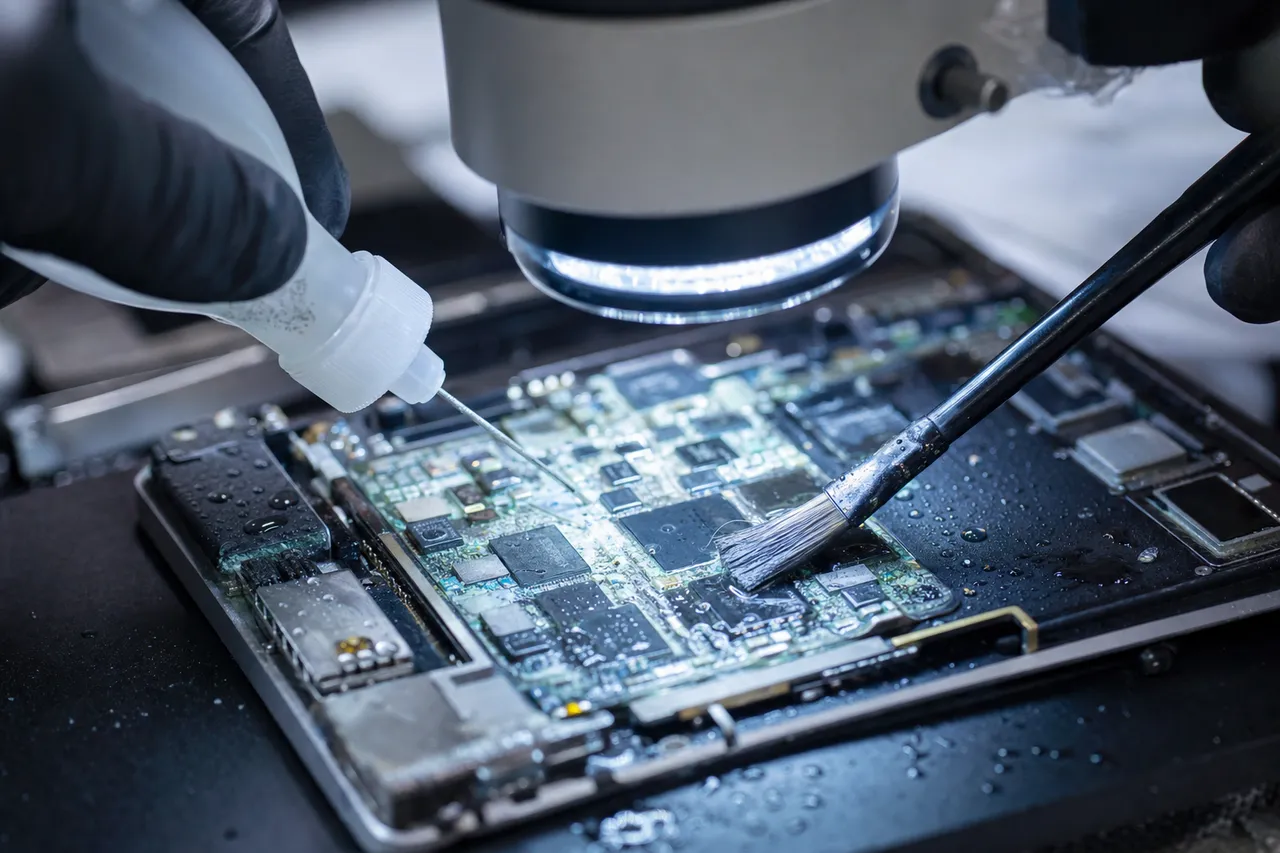
Corrosion starts the moment liquid reaches the motherboard. It spreads fastest under the Snapdragon or Exynos processor and UFS storage chip where your data lives. Saltwater and sugary drinks cause the most aggressive damage. We use thermal cameras and microscopes to locate short circuits and corroded traces, then perform microsoldering to repair the Samsung board and bring it back to life long enough to pull all your data.
The type of liquid and exposure time both matter. Clean pool water causes less damage than ocean saltwater. But in every case, speed matters. The longer a wet Samsung sits without professional treatment, the more corrosion spreads across the board.
Critical: If your Samsung Galaxy got wet, do not try to charge it or turn it on. Don't put it in rice - that's a myth that wastes valuable time while corrosion keeps eating through your motherboard. Ship it to our lab as quickly as possible.
Dead Galaxy
Dead Samsung Galaxy? Your Data Is Still There
If your Samsung Galaxy is completely dead - black screen, no vibration, no response to the charger - the data is almost certainly still sitting on the UFS storage chip. A dead Samsung doesn't mean lost data. The processor and storage chip are usually fine. Something else on the motherboard has failed and is preventing the phone from powering on.
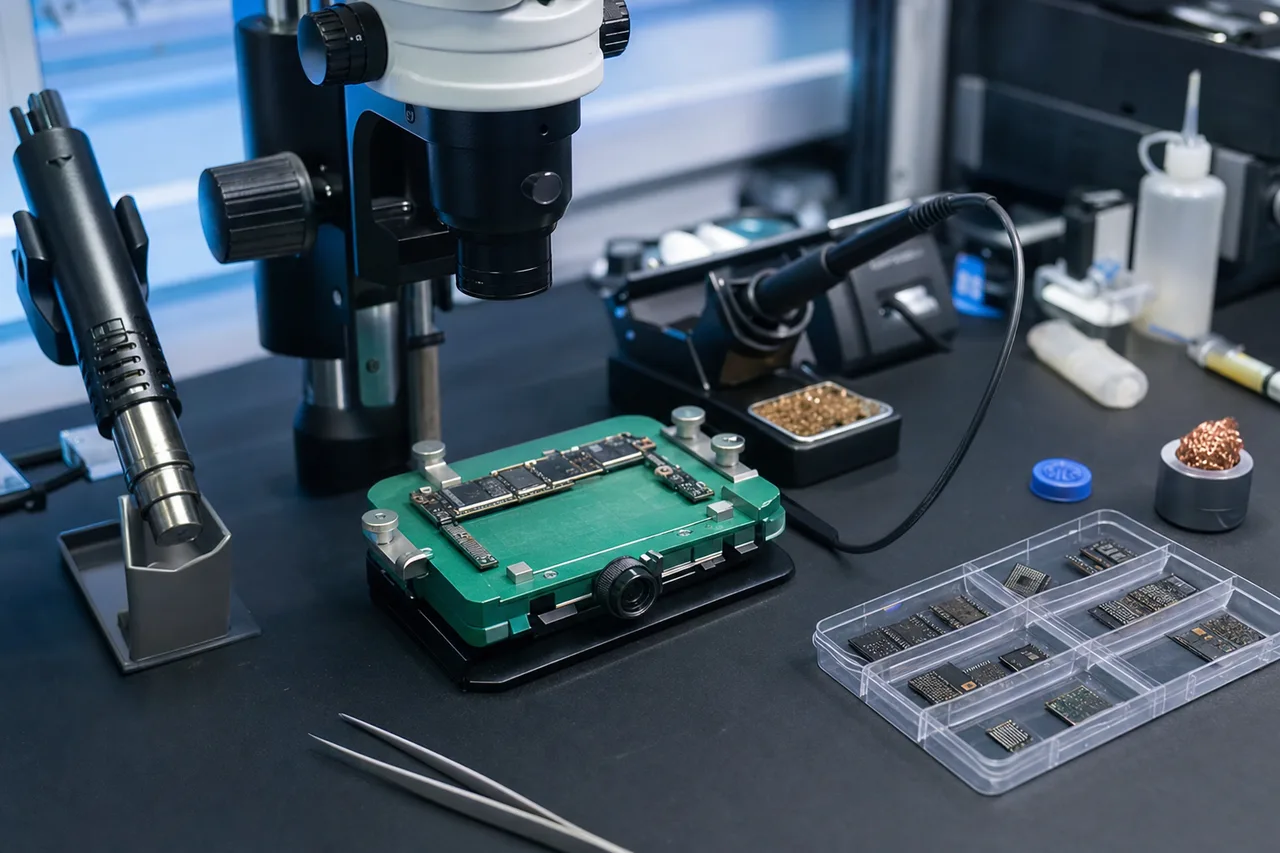
We don't just swap the battery and hope for the best. We run full board-level diagnostics to find the exact failed component. Common culprits on Samsung Galaxy phones include blown power management ICs, failed charging circuits (especially the Maxim or Qualcomm PMICs), corroded voltage regulators, and broken connections under the processor.
Galaxy S series phones commonly develop PMIC failures that look like a completely dead phone but are actually a single $2 component on the motherboard. Galaxy Note devices can have baseband processor issues that prevent boot. Galaxy Z Flip and Z Fold phones sometimes fail at the hinge flex cable connection. Each model has its own common failure patterns, and we've seen them all.
Many Samsung phones that seem completely dead are actually one microsoldering repair away from booting. Once we fix the fault, we boot the device into One UI, authenticate with your PIN or pattern, and extract everything.
Samsung Galaxy Data Recovery by Model
Every Samsung Galaxy model has its own board layout, processor configuration, and storage architecture. Here's how we approach recovery across the Samsung lineup.
-
Galaxy S Series (S20 - S24 Ultra)
The Galaxy S series is Samsung's flagship line and the most common Samsung phone in our lab. Models from the S20 through S24 Ultra all use UFS 3.1 or UFS 4.0 storage with Knox 3.x encryption. US models run Qualcomm Snapdragon processors (865 through 8 Gen 3), while international models use Samsung Exynos chips. Recovery always requires motherboard repair to boot the device and create a backup through One UI. The S21 and S22 have particularly compact stacked board designs that demand precision. Pricing ranges from $1,000 to $1,200.
-
Galaxy Note Series (Note 8 - Note 20 Ultra)
The Galaxy Note line was Samsung's productivity powerhouse before being folded into the S Ultra series. Note 8 through Note 20 Ultra all use Knox encryption with Snapdragon or Exynos processors. These devices often contain extensive Samsung Notes data, S Pen drawings, and business documents that don't exist in any cloud backup. The Note 10 and Note 20 have unique motherboard layouts compared to their S series counterparts. Older Notes (8, 9) sometimes allow ISP extraction as a faster path. Pricing ranges from $1,000 to $1,200.
-
Galaxy Z Flip & Z Fold
Samsung's foldable phones present unique recovery challenges. The Z Flip and Z Fold series have a flex cable running through the hinge that connects the two halves of the motherboard. This cable is a common failure point, especially after drops or when the hinge mechanism wears. The Z Fold's larger internal display also means more flex cable connections that can break. Recovery from foldables requires the same Knox bypass through motherboard repair, plus careful handling of the hinge assembly. Pricing ranges from $1,000 to $1,200.
-
Galaxy A Series (A14, A54, A71, etc.)
Samsung's A series phones are their best sellers worldwide. The Galaxy A14, A54, A71, and similar models use MediaTek or mid-range Snapdragon processors with Knox security. While they use Knox encryption like flagships, some A series models use eMMC storage instead of UFS, which can open up chip-off or ISP extraction as a recovery option. This means faster turnaround and lower cost for certain models. We determine the best method during diagnostics. Pricing ranges from $800 to $1,000.
-
Older Galaxy Models (S5 - S10, Note 4-7)
We regularly receive Samsung Galaxy phones that are 5 to 10 years old. Galaxy S5 through S10, Note 4 through Note 7, and older J and On series devices often contain data that was never backed up. Many of these older models use eMMC storage without the aggressive Knox encryption found in modern Galaxy phones, which means chip-off extraction is sometimes possible as an alternative to full board repair. This can be faster and less expensive. Pricing starts at $600 to $1,000.
-
Samsung Galaxy Tab
Samsung Galaxy Tabs use the same Knox security and storage architecture as their phone counterparts. Galaxy Tab S series tablets follow the same recovery process as Galaxy S phones - motherboard repair, boot into One UI, and data extraction. The main physical difference is that tablets have larger boards with more spread-out components, which can make certain repairs slightly easier. Galaxy Tab A series models may support chip-off extraction if they use eMMC storage. Pricing follows the same structure as the equivalent phone tier.
Not sure which Samsung model you have? Don't worry about it. Just describe the device when you submit a quote - approximate size, color, and age. Our technicians identify the exact model from the internal model number on the logic board during diagnostics. Every modern Samsung Galaxy uses Knox encryption, which is why board-level repair is always the starting point for data recovery.
Chip-Off, JTAG & ISP Recovery for Samsung Galaxy
For certain Samsung Galaxy models, we have recovery methods beyond standard motherboard repair.
-
Chip-Off
Chip-off recovery involves physically removing the eMMC storage chip from the board, placing it in a specialized reader, and extracting the raw data. This works on older Galaxy phones (S5, S6, S7, J series, A series budget models) that use eMMC storage without Knox file-based encryption.
-
JTAG
JTAG recovery connects directly to test points on the Samsung motherboard to access the phone's storage through its debug interface. This method doesn't require removing any chips and works on many Galaxy devices where the board is partially functional but the phone won't boot normally.
-
ISP (In-System Programming)
ISP (In-System Programming) connects directly to the storage chip's data lines while it's still soldered to the board. This gives us read access to the raw storage without requiring the Samsung to boot. ISP works well on Galaxy A series and older S series models.
Chip-off bench eMMC / UFS EXTRACTION
- 01 Controlled heat A precise thermal profile frees the BGA solder without cooking the die.
- 02 Lift the chip The eMMC comes off the board whole - pads intact.
- 03 Seat it in the reader The bare chip drops into a dedicated eMMC reader socket.
- 04 Raw dump, then decode The full raw image comes off first; files are rebuilt from the image.
Illustrative bench sequence - chip-off suits eMMC-era Galaxys; Knox 3.x UFS flagships take the boot-and-backup path instead.
These methods don't work on newer Galaxy S20+ or Z series models with UFS storage and Knox 3.x because the encryption is too tightly tied to the processor. But for older Samsung devices and budget models, chip-off, JTAG, and ISP can be faster, less expensive, and more reliable than full board repair. We determine the best approach during diagnostics.
Chip Transplant
Samsung Galaxy CPU Repair & Chip Transplant
The Snapdragon or Exynos processor is the gatekeeper of your Samsung data. Knox stores encryption keys in the processor's TrustZone, and those keys are required to decrypt every file on the UFS storage chip. If the processor can't communicate with the storage chip, your data stays locked.
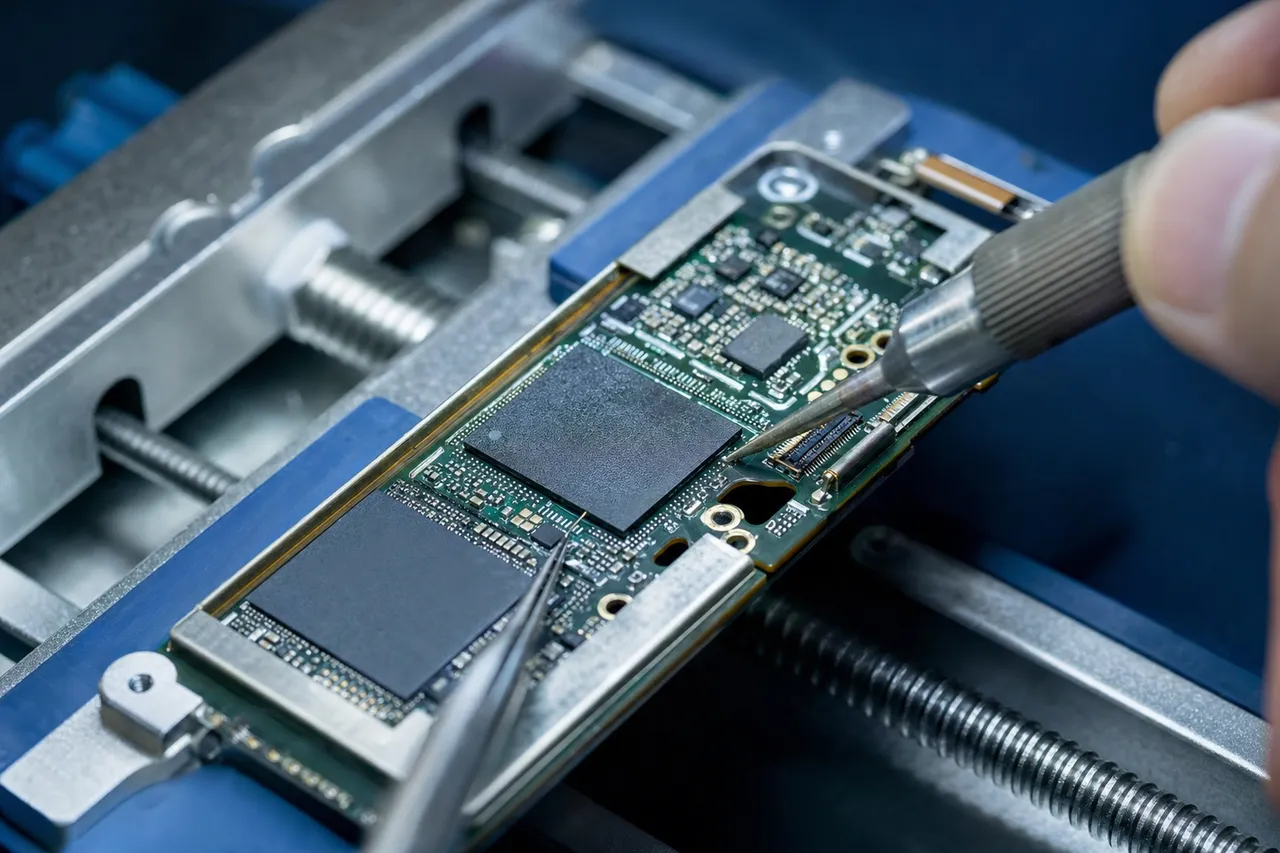
CPU damage on Samsung Galaxy phones happens from hard drops, liquid corrosion eating through the BGA pads underneath the chip, or failed repair attempts by other shops. When another technician removes the processor without proper technique, they can rip or destroy the tiny copper pads that connect the chip to the motherboard. This breaks critical signal paths that Knox needs to authenticate.
MDrepairs specializes in Samsung CPU pad restoration and chip transplant. For damaged pads, we rebuild traces directly on the chip or the board using micro-jumper wires under a microscope. For boards damaged beyond repair, we transplant the processor and UFS storage chip together to a compatible donor Samsung motherboard, preserving the Knox cryptographic relationship between the two chips. These jobs can take several hours to a full day depending on the severity.
Boot Loop
Samsung Galaxy Stuck on Logo or Boot Loop
When your Samsung Galaxy keeps restarting, freezes on the Samsung logo, or gets stuck in an endless boot loop, it usually isn't a simple software glitch. In most cases, a hardware fault on the motherboard is causing the instability.
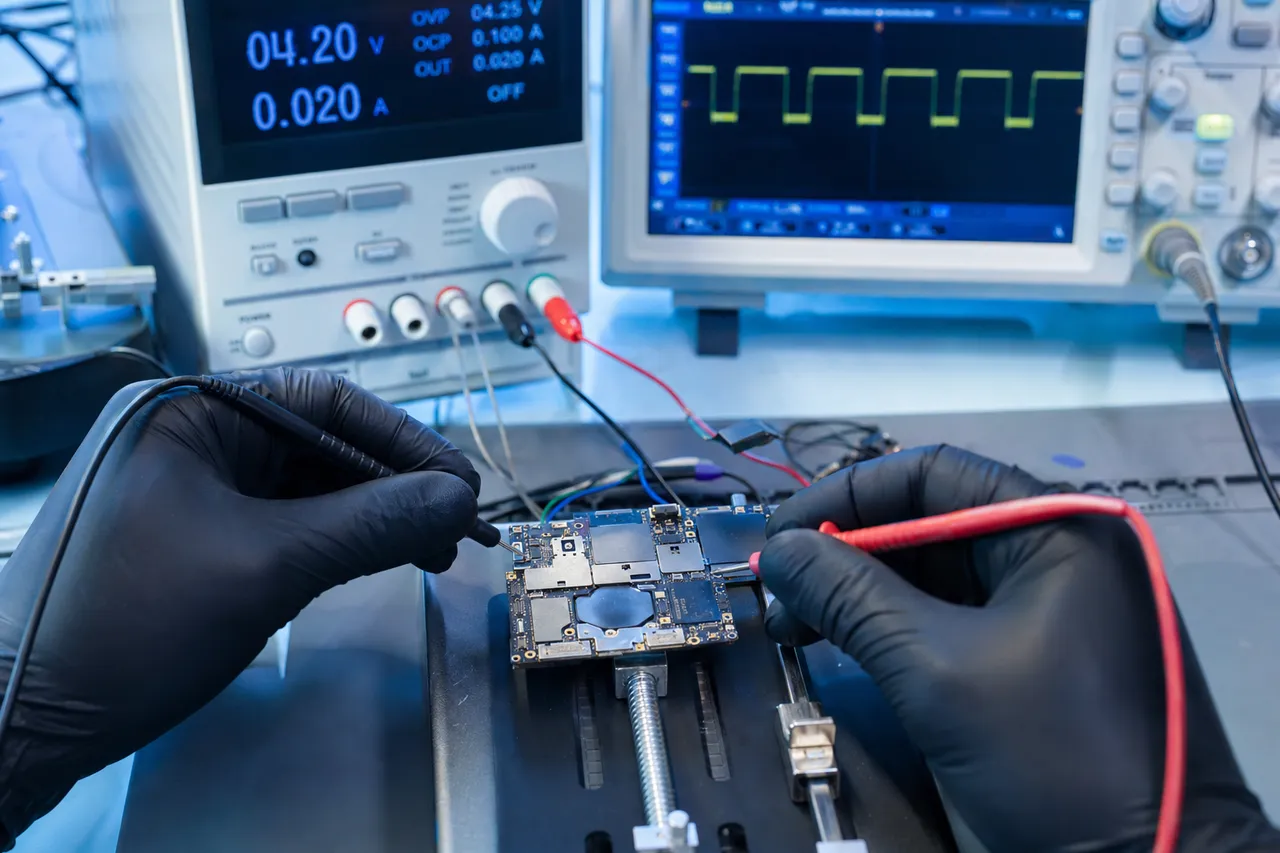
A Samsung Galaxy that powers down randomly or restarts during use is often dealing with a compromised power management system. The phone might show the Samsung logo for a few seconds, vibrate, and then go black again. Over time, these cycles get shorter until the phone stops booting entirely.
Boot loops on Samsung devices can also be caused by a failing UFS storage chip, corrupted firmware partitions, or a Knox trip that prevents the phone from completing its security check during boot. Some Galaxy models are known for specific boot issues - the S10 series had widespread eMMC degradation problems, and certain S21 models developed UFS controller failures.
We diagnose the root cause using thermal imaging, power rail analysis, and Samsung board schematics, then repair the specific component at fault. Don't try factory resetting through Samsung's recovery mode - that will wipe your data permanently. And don't flash firmware through Odin unless you know exactly what you're doing.
What to Do When Your Samsung Galaxy Dies
The actions you take right after your Samsung stops working directly affect whether recovery will be successful.
Do This
- Stop using it immediately.If your Samsung got wet, took a hard fall, or stopped working out of nowhere, set it down and leave it alone. Every attempt to power it on risks causing more damage to the motherboard.
- Keep it powered off.Don't plug it into a charger, connect it to a computer, or hold down any buttons. Charging a liquid-damaged or shorted board can fry the processor, storage chip, or power management circuitry permanently.
- Store it somewhere dry and room temperature.Don't leave your Galaxy in a hot car, in direct sunlight, or in freezing conditions. Extreme temperatures accelerate corrosion on a wet board and can stress already-damaged solder joints.
- Contact a professional lab.The sooner a qualified technician looks at your Samsung, the better your chances. Submit a quote request to get started - we'll send a free shipping label and give you an initial assessment at no obligation.
- Write down what happened.Record the details - dropped in water, fell from a height, stopped working overnight, got hot and shut off. This context helps our technicians plan their diagnostic approach and focus on the most likely failure points first.
Don't Do This
- Don't put it in rice.This is the most persistent myth in phone repair. Rice doesn't pull moisture out of a Samsung's internals. It can introduce starch particles into ports and connectors, and it gives people false confidence while corrosion keeps eating through the board.
- Don't use a hair dryer or heat source.Blowing hot air on a damaged Samsung can reflow solder joints unpredictably, warp the logic board, or push moisture deeper into the device. Thermal work belongs in a professional lab with proper equipment and temperature control.
- Don't factory reset through recovery mode.Don't try to fix a stuck Galaxy by factory resetting through Samsung's recovery mode - that will wipe your data permanently. And don't flash firmware through Odin unless you know exactly what you're doing.
- Don't take it to a phone repair shop.Most Samsung repair shops handle screen replacements and battery swaps. They don't have the equipment or training for motherboard microsoldering. Many will attempt basic fixes that can make your data permanently unrecoverable.
- Don't wait.Corrosion spreads every day a water-damaged Samsung sits untreated, and a marginal board can fail completely with time. The sooner we receive your Galaxy, the better the recovery outcome.
Losing access to your Samsung Galaxy is stressful, but the good news is that in most cases, your data is still there on the UFS chip. The processor and storage chip are built to last - it's the surrounding power circuitry that usually fails. Our job is to repair that circuitry well enough to boot the phone one last time and pull everything off. If you're not sure about your situation, call us at 732-933-7717 for a free phone consultation.
Success Rates
Samsung Galaxy Data Recovery Success Rates
100%success when the processor & UFS storage chip are intact
When the Snapdragon/Exynos processor and UFS storage chip are intact, our success rate is 100%. The vast majority of broken Samsung Galaxy phones we receive have working storage - it's the surrounding power circuitry, charging components, or corroded traces that have failed. This is precisely the type of problem our motherboard repair process is built to solve.
Samsung recovery success also benefits from the variety of extraction methods available. Modern Galaxy flagships require the boot-and-backup approach through Knox, but older and budget Samsung models sometimes allow chip-off, JTAG, or ISP extraction - giving us multiple paths to your data even when the board is heavily damaged.
Cases where Samsung data recovery isn't possible include physically cracked or shattered processors, UFS storage chips corroded through the chip packaging, and phones destroyed in fires hot enough to damage the silicon inside the chips. We always give you a direct assessment during diagnostics. If recovery isn't viable, we'll explain exactly why, return your Galaxy, and you only pay the diagnostic fee.
Knox Security
Samsung Knox: Why You Can't Recover Galaxy Data Without Professional Help
Defense-grade hardware encryption
Samsung Knox is one of the most robust mobile security platforms in the industry. Originally developed for government and enterprise use, Knox is now built into every Samsung Galaxy phone sold worldwide. It creates a hardware-backed chain of trust that starts at the processor level and protects every file on the device.
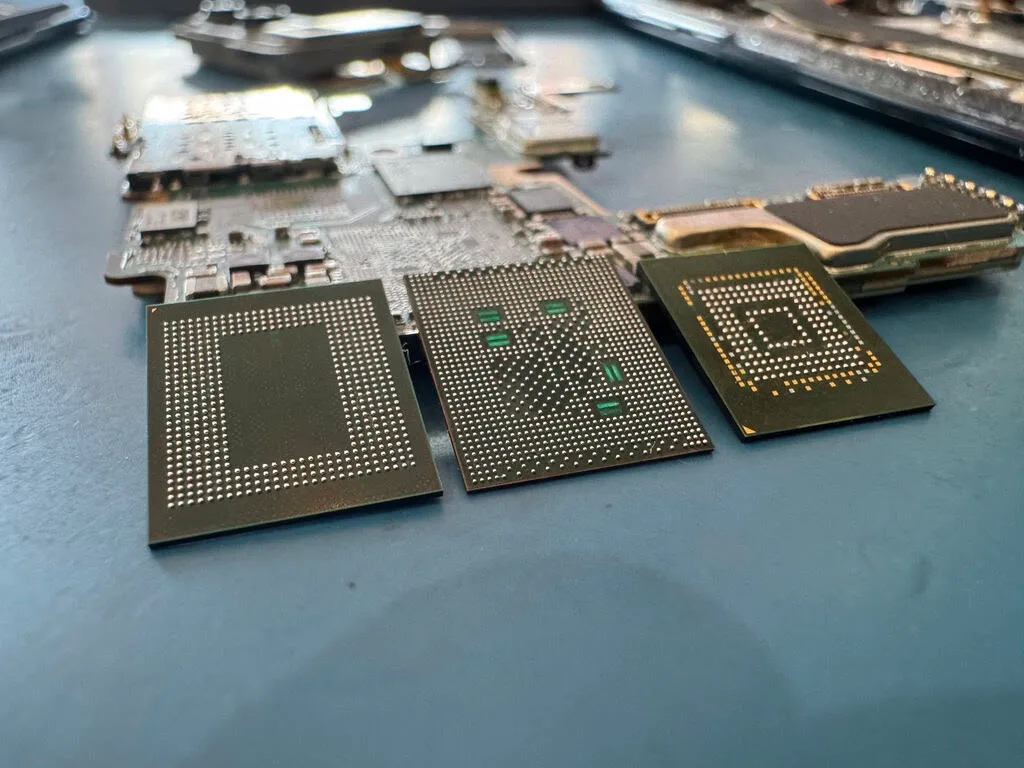
Knox uses ARM TrustZone technology to create a secure execution environment inside the Snapdragon or Exynos processor. Encryption keys are generated during initial device setup and stored in this protected area. The keys never leave the processor - not even Samsung has access to them. This means desoldering the UFS storage chip and reading it on external hardware produces nothing but encrypted noise.
Knox also includes a tamper detection system called the Knox Warranty Bit (sometimes called the Knox trip counter or e-fuse). If the system detects unauthorized firmware modifications, certain security features can be permanently locked. This is why flashing custom ROMs or using Odin incorrectly can make recovery significantly harder.
Our recovery process works around Knox by fixing the phone itself. We repair the motherboard, boot into One UI, authenticate with your PIN or biometrics, and extract data while the phone is alive and Knox is satisfied that the hardware chain of trust is intact. If the original board is too damaged, we transplant the processor and UFS chip together to a donor board, preserving their Knox cryptographic pairing. This is the only legitimate path to recovering data from a dead encrypted Samsung Galaxy.
Samsung Galaxy Data Recovery Lab - Tools & Equipment
Samsung Galaxy data recovery demands specialized equipment designed for component-level phone repair and data extraction. Our Lincroft, NJ lab is outfitted with everything needed to work on every Samsung model from the Galaxy S5 through the latest S24 Ultra and Z Fold 5.
-
Thermal Imaging Cameras
Pinpoint short circuits and failing components by visualizing heat patterns on Samsung Galaxy motherboards, regardless of the model or processor type.
-
Oscilloscopes & Multimeters
Board-level electrical testing to trace power rails, verify Snapdragon/Exynos signal integrity, and identify Samsung-specific component failures.
-
High-Powered Microscopes
Precision inspection of microscopic BGA pads, traces, and solder joints for Samsung CPU pad restoration and micro-jumper work.
-
Rework Stations
Chip-level reflow, reballing, and component removal with precise temperature profiles calibrated for Samsung's lead-free BGA solder.
-
JTAG, ISP & Chip-Off Tools
Specialized hardware for eMMC and UFS chip reading, JTAG test point connections, and ISP extraction across Samsung Galaxy models.
-
Programmable Power Supplies
Controlled power delivery to boot damaged Samsung boards safely without triggering shorts or damaging the Snapdragon/Exynos processor.
Choosing a Lab
Choosing the Right Samsung Galaxy Data Recovery Service
Searching for Samsung Galaxy data recovery near me? Here's the reality: most local phone repair shops can't do this work. Pulling data from a broken Samsung requires advanced microsoldering equipment, deep knowledge of Knox encryption, experience with both Snapdragon and Exynos board layouts, and years of hands-on practice. Very few labs in the country are actually proficient at Samsung board-level recovery.
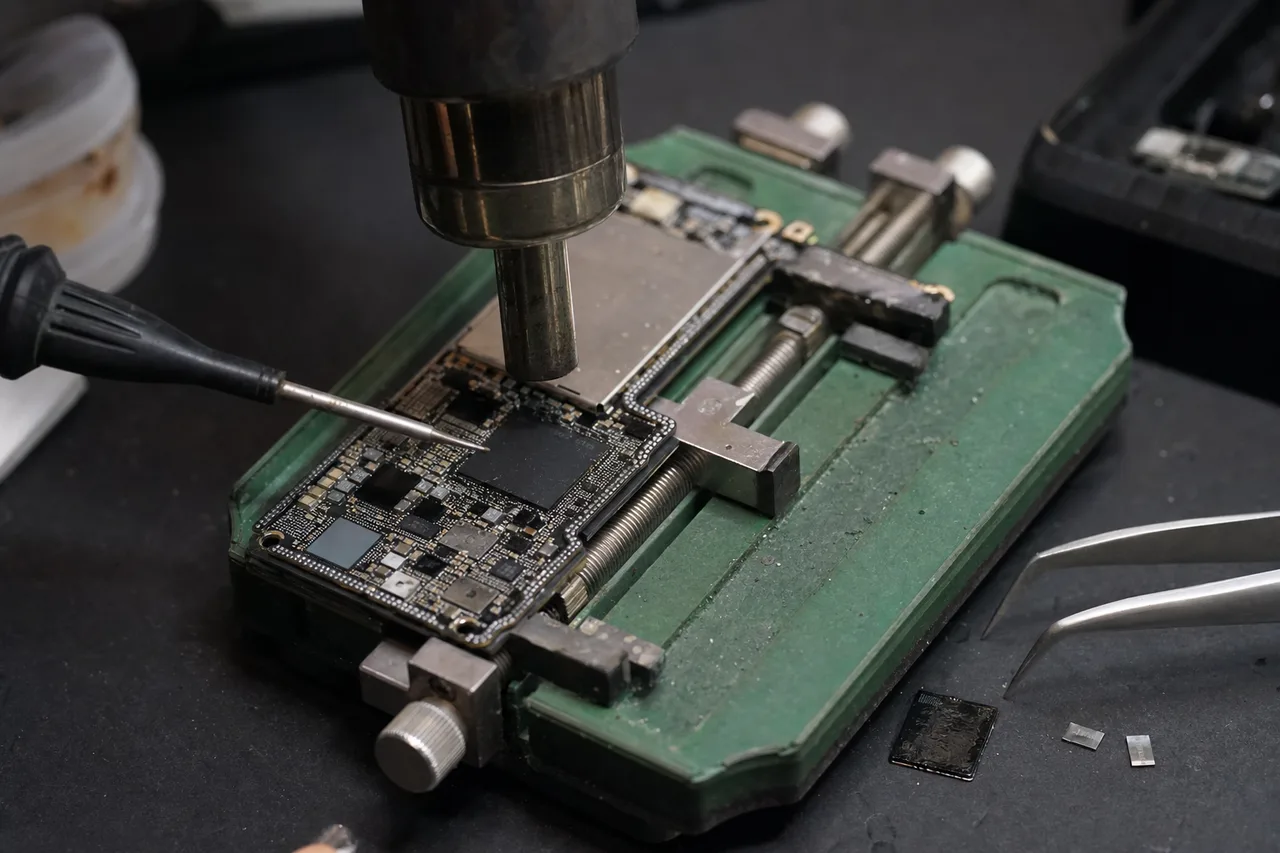
Most phone repair shops and many "data recovery" companies operate as middlemen. They accept your Samsung, mark up the price, and ship it to someone else who does the actual work. This adds cost, slows things down, and puts your data at unnecessary risk. Watch out for companies that don't show their lab, can't explain how Knox works, or quote prices far below what this work actually costs.
Be especially cautious of anyone claiming they can recover deleted data from a working Samsung or bypass your pattern lock. Knox encryption makes both impossible. Companies making these claims either don't understand Samsung security or are being deliberately misleading.
At MDrepairs, we perform every Samsung Galaxy recovery in-house. We diagnose, repair, and extract the data ourselves at our Lincroft, NJ lab. Our mail-in program gives you direct access to the technicians doing the actual work. No middlemen, no outsourcing.
If your Samsung data matters, work with a team that documents their recoveries publicly and has over 2 million followers watching real cases on YouTube.
Software Myth
Samsung Data Recovery Software Doesn't Work on Dead Phones
If you've searched for "how to recover data from a dead Samsung Galaxy," you've probably found software tools like Dr.Fone, iMyFone, Tenorshare, FonePaw, and DroidKit promising to extract data from broken Samsung phones. None of them work if your Samsung won't power on.
Every Samsung recovery software tool communicates with the phone through USB while the phone is running One UI. The Galaxy has to be powered on, connected via USB debugging (ADB), and usually unlocked for any of these tools to do anything. If your Samsung is dead, water damaged, or stuck in a boot loop, there's nothing for the software to connect to.
These tools are only useful in one narrow scenario: recovering recently deleted files from a working, unlocked Samsung. And even then, results are limited because Knox-encrypted file-based encryption discards keys for deleted storage blocks, making the data permanently unreadable.
Samsung Smart Switch has the same limitation. It requires the phone to be on and responsive. Samsung Cloud only has what was synced before the phone died, and Samsung's free cloud tier is limited to 5GB. Samsung Find My Mobile can locate your phone but can't extract data from a dead device.
Real Samsung Galaxy data recovery from dead, damaged, and non-functional phones requires physical motherboard repair and microsoldering. There are no software shortcuts around Knox encryption. Our $100 diagnostic gives you an honest expert assessment, and if we can't recover your data, that's all you'll ever pay.
Cloud Limits
Samsung Cloud & Find My Mobile Won't Save Your Data
Samsung Cloud and Samsung Find My Mobile are useful tools when your phone is working, but they can't help when your Galaxy is dead or broken. Samsung Cloud only backs up what you've explicitly configured it to sync, and Samsung's basic plan includes just 5GB of free storage. Most Galaxy users don't have their full photo library, WhatsApp conversations, or app data backed up to Samsung Cloud.
Samsung Find My Mobile can remotely locate, lock, and wipe your Galaxy, but it requires the phone to be powered on and connected to the internet. It cannot extract or back up data from a dead device. If your Samsung is completely unresponsive, Find My Mobile offers nothing.
Google Drive backups face the same limitation. Google Photos only syncs what was uploaded before the phone died, and many Samsung users don't enable full-resolution backup due to storage limits. The data that matters most - recent photos, new messages, unsaved contacts, app-specific data - is often the data that wasn't backed up anywhere.
If your Samsung Galaxy died with data that isn't in any cloud backup, professional board-level recovery is the only path forward. That's what MDrepairs specializes in.
Business & Enterprise
Business & Enterprise Samsung Galaxy Data Recovery
Samsung Galaxy phones are the most popular Android devices in enterprise environments worldwide. When a business-critical Galaxy fails, the data loss extends beyond personal photos. It can include client communications, contract details, proprietary documents, financial records, two-factor authentication codes, and evidence needed for legal proceedings.
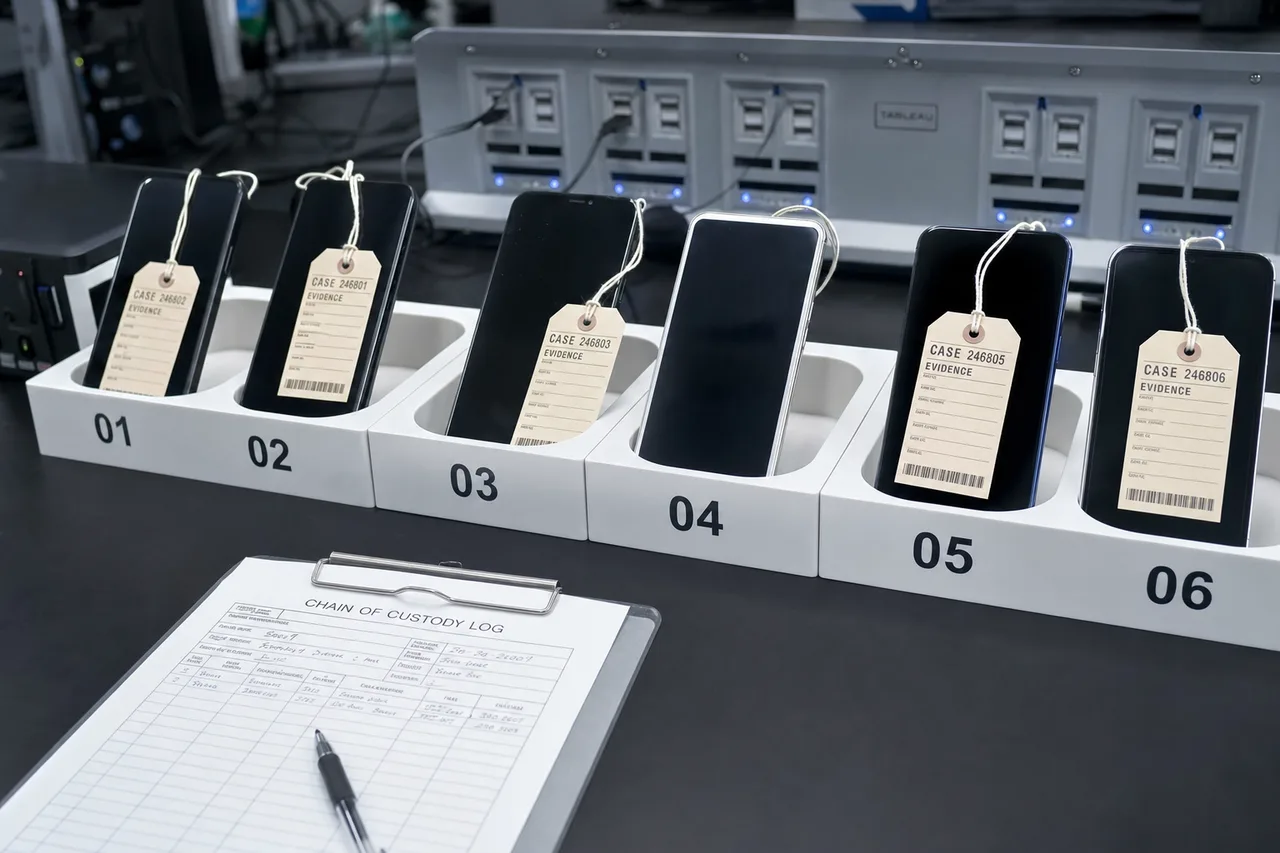
MDrepairs provides Samsung data recovery for businesses of all sizes, from freelancers running their entire operation from a single Galaxy to corporate IT departments managing fleets of Samsung devices through Knox Manage or Microsoft Intune. We understand the urgency and offer Priority Rush and Emergency Same-Day service tiers to minimize downtime.
Our business recovery service includes everything in our standard consumer service, plus additional options for corporate environments. We provide formal chain-of-custody documentation for legal or compliance needs. We handle Samsung devices managed by MDM platforms including Samsung Knox Manage, Microsoft Intune, Jamf, and VMware Workspace ONE. Samsung Secure Folder data is recovered alongside standard data when the device boots successfully.
For law firms, insurance companies, and organizations that need Samsung data for litigation or investigation, we provide detailed reports covering the recovery process, device condition upon receipt, and extraction methods used. All work is performed at our Lincroft, NJ facility with strict security protocols.
If your business has multiple Samsung devices that need recovery, or you'd like to set up an ongoing priority service relationship, learn more about our partnership program for businesses and repair shops.
Samsung Galaxy Data Recovery vs. Other Services
How Samsung Galaxy data recovery compares to other services we offer at MDrepairs.
-
Samsung vs. iPhone Recovery
Samsung Galaxy and iPhone data recovery are similar in principle - both require motherboard repair to bypass hardware encryption. The main difference is that Samsung offers more recovery method options. Older Galaxy models may support chip-off or JTAG extraction, while iPhones always require the boot-and-backup approach. Samsung uses Knox while Apple uses the Secure Enclave. Both demand the same level of microsoldering expertise, but Samsung boards vary more across models.
-
Samsung Phone vs. Hard Drive Recovery
Hard drive data recovery and Samsung Galaxy recovery are fundamentally different disciplines. Hard drives have mechanical components - platters, read/write heads, motors. Samsung phones have solid-state UFS storage with Knox encryption. The tooling, techniques, and skill sets are completely different. MDrepairs handles both at our Lincroft, NJ lab, but they're performed by technicians with specialized expertise in each area.
-
Samsung Recovery vs. Samsung Repair
Samsung data recovery and Samsung phone repair have different goals. Standard phone repair makes the device usable again for daily use. Data recovery has one goal: repair the motherboard enough to boot One UI one time and extract a complete backup. The Galaxy may not be suitable for continued use after recovery. If your Samsung just needs a screen, battery, or charging port, our repair service is faster and far less expensive.
-
Can Samsung Recover Data From a Dead Galaxy?
No. Samsung does not offer data recovery services. Samsung stores and authorized service centers handle screen replacements, battery swaps, and trade-ins. They do not perform motherboard repair, microsoldering, or chip-level data extraction. Their service model is to replace the entire device, which means your data stays on the old motherboard and ends up recycled. This doesn't mean your data is gone - it means Samsung doesn't have the tools or business model to retrieve it. That's exactly what MDrepairs exists for.
-
Mail-In vs. Local Samsung Recovery
Many people assume they need a local shop for Samsung data recovery, but almost no local shops have microsoldering capability for Samsung boards. Most that accept Galaxy recovery jobs are quietly shipping your phone to a specialist lab, adding cost and delay. Our nationwide mail-in program connects you directly to the lab doing the work. Free insured UPS shipping, 2-3 day delivery, same expert service whether you're in New Jersey, California, Texas, or anywhere else.
Whether you've got a Galaxy S24 Ultra, a Note 20, a Z Flip 5, or an older Galaxy A series, MDrepairs has the component-level expertise to recover your data. If you're not sure which service you need, submit a quote with a description of your Samsung and the problem, and we'll point you in the right direction.
Talk to the technician who does the board work - not a call center.
After Recovery
After Recovery: How You Receive Your Samsung Galaxy Data
Once we get your Samsung booted and extract the data, we email you proof of recovery - typically a screenshot or file listing showing photo counts, message threads, and app data. Payment is only collected after you've confirmed the recovery was successful.
Your data is then delivered through our secure data delivery portal or shipped on a USB drive for larger recoveries.
For Samsung Galaxy phones, we provide an organized file dump containing your photos, videos, messages, contacts, Samsung Notes, documents, and app data in their original formats. Photos and videos come as standard image and video files you can open on any computer or transfer to a new phone. Messages and contacts are exported in formats compatible with Samsung Smart Switch and Google account import.
After you confirm receipt, all copies are securely wiped from our systems. Switching from Samsung to iPhone or vice versa? Check our data transfer guide for help moving your recovered data to a new device.
Samsung Galaxy Data Recovery - Frequently Asked Questions
Straight answers on cost, turnaround, Knox, model support, and how we get your data back - drawn from the questions we hear every day.
-
How much does Samsung Galaxy data recovery cost?
Pricing depends on the Samsung model and severity of damage. Chip-off, JTAG, and ISP recovery for older Galaxy models costs $600-$1,000. Galaxy S series recovery ranges from $1,000-$1,200. Galaxy Z Flip and Z Fold recovery is $1,000-$1,200. Galaxy A series is $800-$1,000. CPU swaps for severely damaged boards are $2,500 flat. Our $100 diagnostic determines the exact issue and we provide a firm quote before you commit. -
Can you recover data from a dead Samsung Galaxy?
Yes. As long as the Snapdragon/Exynos processor and UFS storage chip are physically intact, we can recover all your data - photos, messages, contacts, Samsung Notes, and app data - even if the Galaxy shows absolutely no signs of life and won't respond to charging. -
How do I get data off a Samsung with a broken screen?
If the phone still powers on, try the free routes first: plug in a USB-OTG mouse (or a USB-C hub with a mouse) to unlock the phone and drive the screen, then copy files to a computer or run Samsung Smart Switch for a full backup. If the display is dead but the phone vibrates and boots, a temporary screen swap often gets you to the same place. If the phone is completely dead - no vibration, no charging response - no cable trick can help, and board-level lab recovery is the path. We do both the honest triage and the lab work. -
Does Smart Switch work with a broken screen?
Only if the phone still boots and you can authorize the connection. Smart Switch talks to a running One UI - so with a broken screen you'll usually need a USB-OTG mouse to unlock the phone and tap Allow. If touch and display are both gone but the phone powers on, an OTG mouse plus a monitor (on models that support display-out) can still get a Smart Switch backup. If the Galaxy won't power on at all, Smart Switch has nothing to connect to - that's board-level recovery territory. -
Does Knox encryption prevent data recovery?
Knox doesn't prevent recovery, but it dictates the method. Knox ties encryption keys to the specific processor in your Galaxy, which means we can't simply read the storage chip externally. Instead, we repair the original motherboard, boot the phone, and authenticate with your PIN or pattern. This satisfies Knox and gives us full access to your data. -
Can you recover data from a water damaged Samsung?
Yes. Water damage is the most common Samsung recovery scenario in our lab. We recover data from Galaxy phones dropped in pools, toilets, oceans, and washing machines every week. The key is getting the phone to our lab quickly - corrosion spreads every day. Don't charge it, don't try to turn it on, and don't put it in rice. -
Does Samsung offer data recovery?
No. Samsung stores, carrier shops, and Samsung authorized service centers do not offer data recovery. They handle screen replacements, battery swaps, and trade-ins. They don't perform motherboard repair or microsoldering. For actual data recovery from a dead Samsung, you need a specialized lab like MDrepairs. -
How long does Samsung Galaxy data recovery take?
Standard turnaround is 3-5 weeks. Priority Rush (+$250) starts work within 1-5 business days. Urgent Rush (+$500) begins immediately. Emergency Same-Day (+$1,000) is our fastest tier. The specific timeline depends on the complexity of the board repair needed for your Samsung model. -
Can you recover deleted files from a Samsung Galaxy?
No. Samsung Galaxy phones use Knox encryption with file-based encryption (FBE). Once data is deleted, the encryption keys for those storage blocks are discarded, making the data permanently unreadable. Our service recovers data from damaged or non-functional Samsung phones, not from intentional deletion. Check Samsung Cloud or Google Photos first for deleted files. -
Can you recover data from a Galaxy Z Flip or Z Fold?
Yes. Samsung's foldable phones are a growing part of our caseload. The Z Flip and Z Fold series have unique failure points related to the hinge flex cable, but the recovery process follows the same Knox bypass through motherboard repair. We have donor boards for all Z series models. -
What if you can't recover my data?
You only pay the $100 diagnostic fee. If we determine that the processor or UFS storage chip is damaged beyond repair, we explain our findings, return your Galaxy, and that's all you pay. No data, no charge beyond the diagnostic. -
Can you recover WhatsApp messages from a Samsung Galaxy?
Yes. We recover full WhatsApp conversations with all media attachments from Samsung Galaxy phones, even without a cloud backup. Samsung stores WhatsApp databases locally in internal storage. Once the phone boots and we extract the data, all locally stored app data including WhatsApp is included. -
Can you recover Samsung Notes and S Pen data?
Yes. Samsung Notes data including handwritten notes, S Pen drawings, and attached images are stored in an encrypted local database. We recover this data as part of the full extraction. This is especially important for Galaxy Note users who relied on the S Pen for business notes and sketches. -
Do older Samsung models support chip-off recovery?
Yes. Older Samsung models often allow chip-off, JTAG, or ISP extraction, which can be faster and less expensive than full board repair. These models use eMMC storage and earlier versions of Knox that are more accessible through alternative recovery methods. Pricing starts at $600. -
Do you offer mail-in Samsung Galaxy data recovery?
Yes. We serve all 50 states through our secure mail-in program with free prepaid insured UPS shipping labels. Fill out our quote form, ship your Samsung Galaxy to our Lincroft, NJ lab, and we handle everything from there. Your device typically arrives within 2-3 business days. -
Is my data kept private during recovery?
Absolutely. Your data never leaves our facility, and we never access, view, or copy any of your personal information. All Samsung recovery work is performed in-house at our Lincroft, NJ lab with strict chain-of-custody protocols. Data is securely wiped from our systems after you confirm receipt. -
Do I need to provide my PIN or pattern?
Yes. Due to Knox encryption, we need the device to be unlocked to extract data. You'll provide your PIN, pattern, or password. Samsung's biometric data (fingerprint, face) is tied to the specific hardware and usually can't be used after board repair, so the PIN/pattern is essential. -
My Samsung was opened by another shop. Can you still recover it?
We can still recover data from previously opened Samsung devices. However, failed repair attempts can increase the difficulty. A significant portion of our Samsung caseload comes from phones that other shops couldn't fix or made worse. Let us know if your Galaxy has been worked on before so we can adjust our approach. -
Can you fix a Samsung stuck in a boot loop?
Yes. A boot loop where the Samsung logo repeats is usually caused by hardware failure - a failing UFS chip, PMIC issue, or marginal solder joint. We diagnose the root cause and repair accordingly. Don't use Samsung recovery mode to factory reset - that will erase your data. -
How do I get my recovered data?
We deliver recovered data through our secure data delivery portal. You receive an organized file dump with photos, videos, messages, contacts, Samsung Notes, and app data in their original formats. You can also request delivery on a USB drive shipped to your address. -
Can I transfer recovered data to a new phone?
Yes. Photos and videos are standard files you can transfer directly to any phone. Contacts can be imported through Google Contacts or Samsung Smart Switch. For help moving data between devices, see our data transfer guide. -
What is the difference between Samsung repair and data recovery?
Standard Samsung phone repair makes the device usable again for daily use. Data recovery has a different goal: we repair the motherboard just enough to boot One UI one time and extract your data. The Samsung may not be suitable for continued use after recovery. -
Is there Samsung data recovery near me?
Unless you're near one of the few labs in the country with Samsung-specific microsoldering capability, the best option is our mail-in service. Most "Samsung data recovery near me" results are shops that outsource the work. With MDrepairs, you ship directly to the lab doing the repair - free insured shipping, 2-3 day delivery. -
What should I do if my Samsung got wet?
Stop trying to power it on or charge it immediately. Don't put it in rice. Each power-on attempt can worsen short circuits on the Samsung motherboard. Keep the Galaxy powered off, store it in a dry place, and ship it to our lab as soon as possible. Corrosion spreads every day. -
How do I ship my Samsung to you?
After you submit a quote form, we email you a free prepaid insured shipping label via UPS. Place your Samsung in a small box with padding and drop it at any UPS location. The package is fully insured during transit. Your Galaxy typically arrives at our Lincroft, NJ lab within 2-3 business days. -
Can you recover data from a bent or broken Samsung?
A bent or broken Samsung is one of the most serious scenarios because the motherboard may be fractured. If the processor and UFS chip are on opposite sides of the break, or if either chip is cracked, we perform a chip transplant to a donor board. This is priced at $2,500 flat due to the extreme precision required. -
Do you recover data from Samsung Galaxy tablets?
Yes. Samsung Galaxy Tabs use the same Knox security and UFS/eMMC storage as Galaxy phones. The recovery process is identical - motherboard repair, boot into One UI, data extraction. Galaxy Tab S series follows the same path as Galaxy S phones, and Galaxy Tab A series may support chip-off extraction for older models.
Ready When You Are
Ready to Recover Your Samsung Galaxy Data?
Get started with a free quote. We'll evaluate your situation, send you a prepaid shipping label, and begin diagnostics as soon as your Samsung arrives.
Samsung Galaxy Data Recovery - All 50 States
You don't need a local Samsung Galaxy data recovery service. MDrepairs serves customers in all 50 states through our secure mail-in program with free insured shipping. Your Samsung arrives at our NJ lab in 2-3 business days.
Northeast
Southeast
Midwest
Sources & References
The technical details, standards, and methods referenced on this page come from publicly available documentation. We cite our sources so you can verify independently.
- Samsung Knox Security Platform
Samsung's defense-grade security platform documentation covering hardware-backed encryption, real-time kernel protection, TrustZone architecture, and device integrity verification on Galaxy devices. Referenced for our discussion of Knox-specific recovery challenges.
- Android Open Source Project - Security Documentation
Google's official documentation on Android encryption implementation, file-based encryption (FBE), verified boot, and hardware-backed keystore. Referenced for our explanation of how Samsung Galaxy encryption works at the Android platform level.
- NIST Special Publication 800-88 Rev. 1
U.S. National Institute of Standards and Technology guidelines covering data sanitization methods for all media types including mobile device flash storage. Referenced for our discussion of factory reset effectiveness on Samsung devices.
- IEEE 1149.1 - JTAG / Boundary Scan Standard
The IEEE standard defining the Test Access Port and boundary scan architecture used in JTAG data extraction from Samsung Galaxy phones with compatible test points.
- Cellebrite UFED
Industry-standard mobile forensic extraction platform used by law enforcement and data recovery labs. Referenced as one of the primary tools we use for Samsung Galaxy logical and advanced extractions.
- JEDEC UFS Standard
The Joint Electron Device Engineering Council standard for Universal Flash Storage used in Samsung Galaxy flagship phones. Referenced for our explanation of UFS storage architecture and its relationship to Knox encryption.
- iFixit Samsung Galaxy Teardowns
Detailed component-level teardowns of Samsung Galaxy phones showing internal layouts, chip placements, and board designs. Referenced for understanding Samsung-specific internals and storage chip locations.