
My WD My Passport Ultra stopped being recognized by any computer. Tried everything - different cables, different PCs, disk management. MDrepairs recovered every single file including 10 years of family photos. Joseph kept me updated throughout the process. Worth every penny.
- 4.6 319+ Google reviews
- 2M+ followers
- Serving all 50 states
WD My Passport Data Recovery
Lost data on your WD My Passport portable drive? MDrepairs is a professional hard drive data recovery lab in Lincroft, NJ specializing in the entire WD My Passport product family - My Passport, My Passport Ultra, My Passport for Mac, My Passport SSD, My Passport Go, My Passport Wireless, and My Passport Wireless Pro.
Whether your portable drive was dropped, is clicking, won't show up on your computer, or is locked behind WD Security encryption, our certified technicians recover data other labs cannot. Every case starts with a $100 professional diagnostic, and we serve customers nationwide through our secure mail-in program with free insured shipping both ways. No data, no charge - if we can't recover your files, you only pay the diagnostic fee.
What Our Customers Say
WD My Passport Models We Recover
MDrepairs recovers data from every WD My Passport variant ever produced - from the original single-platter 500GB models to the latest 5TB USB-C drives. Our lab maintains a comprehensive inventory of WD My Passport donor drives for parts compatibility across all generations.
My Passport (standard)
- WD My Passport 500GB (WDBACY5000ABK)
- WD My Passport 1TB (WDBYNN0010BBK)
- WD My Passport 1TB (WDBYVG0010BBK)
- WD My Passport 2TB (WDBYFT0020BBK)
- WD My Passport 2TB (WDBYVG0020BBK)
- WD My Passport 2TB (WDBY8L0020BBK)
- WD My Passport 4TB (WDBYFT0040BBK)
- WD My Passport 4TB (WDBPKJ0040BBK)
- WD My Passport 5TB (WDBPKJ0050BBK)
- WD My Passport 1TB USB-C (WDBYVG0010BBK-WESN)
- WD My Passport 2TB USB-C (WDBYVG0020BBK-WESN)
- WD My Passport 4TB USB-C (WDBPKJ0040BBK-WESN)
- WD My Passport 5TB USB-C (WDBPKJ0050BBK-WESN)
My Passport Ultra
- WD My Passport Ultra 1TB (WDBGPU0010BBK)
- WD My Passport Ultra 1TB (WDBC3C0010BSL)
- WD My Passport Ultra 2TB (WDBC3C0020BSL)
- WD My Passport Ultra 2TB (WDBMWV0020BBK)
- WD My Passport Ultra 4TB (WDBFKT0040BGY)
- WD My Passport Ultra 5TB (WDBWBS0050BBK)
- WD My Passport Ultra for Mac 2TB (WDBKYJ0020BSL)
- WD My Passport Ultra for Mac 4TB (WDBPMV0040BSL)
- WD My Passport Ultra for Mac 5TB (WDBPMV0050BSL)
My Passport for Mac
- WD My Passport for Mac 1TB (WDBJBS0010BSL)
- WD My Passport for Mac 2TB (WDBA2D0020BBL)
- WD My Passport for Mac 2TB (WDBP6J0020BBK)
- WD My Passport for Mac 4TB (WDBA2F0040BBL)
- WD My Passport for Mac 5TB (WDBA2F0050BBL)
My Passport SSD & Go
- WD My Passport SSD 500GB (WDBAGF5000AGY)
- WD My Passport SSD 1TB (WDBAGF0010BGY)
- WD My Passport SSD 2TB (WDBAGF0020BGY)
- WD My Passport SSD 4TB (WDBAGF0040BGY)
- WD My Passport Go 500GB (WDBMCG5000ABT)
- WD My Passport Go 1TB (WDBMCG0010BBT)
My Passport Wireless
- WD My Passport Wireless 1TB (WDBK8Z0010BBK)
- WD My Passport Wireless 2TB (WDBDAF0020BBK)
- WD My Passport Wireless Pro 1TB (WDBSMT0010BBK)
- WD My Passport Wireless Pro 2TB (WDBP2P0020BBK)
- WD My Passport Wireless Pro 3TB (WDBSMT0030BBK)
- WD My Passport Wireless Pro 4TB (WDBSMT0040BBK)
- WD My Passport Wireless SSD 250GB (WDBAMJ2500AGY)
- WD My Passport Wireless SSD 500GB (WDBAMJ5000AGY)
- WD My Passport Wireless SSD 1TB (WDBAMJ0010BGY)
- WD My Passport Wireless SSD 2TB (WDBAMJ0020BGY)
Older & specialty editions
- WD My Passport Edge 500GB (WDBK6Z5000ATT)
- WD My Passport Essential 500GB (WDBAAF5000ABK)
- WD My Passport Essential SE 1TB (WDBACX0010BBK)
- WD My Passport Essential 320GB (WDBAAA3200ABK)
- WD My Passport Studio 1TB (WDBALG0010BSL)
- WD My Passport AV-TV 1TB (WDBHDK0010BBK)
- WD My Passport X 2TB (WDBCRM0020BBK)
$100 diagnostic · No data, no charge · Free shipping
Common WD My Passport Failure Types
-
Clicking or Ticking After a Drop
WD My Passport drives are frequently dropped due to their portable nature. Impact damage dislodges or bends the read/write heads, causing a repetitive clicking sound on power-up. The drive cannot read its firmware zone and enters a reset loop. Requires cleanroom head replacement with compatible WD donor heads from the same head map family.
-
Drive Not Recognized / Not Detected
Your My Passport shows up as an unknown device, doesn't appear in Disk Management, or your computer makes no response when plugged in. Common causes include USB bridge board failure, firmware corruption, or partial head failure. WD My Passport drives use USB-only PCBs that often require conversion to SATA interface for professional recovery tool access.
-
USB Port / Connector Damage
The micro-USB or USB-C port on WD My Passport drives is a frequent point of failure. Repeated plugging and unplugging, cable strain, or accidental yanking damages the port's solder joints or breaks the connector entirely. If the port damage extends to the PCB traces connected to the USB bridge chip, data may still be recoverable through direct SATA conversion.
-
WD Security Encryption Issues
WD My Passport drives feature hardware-level AES 256-bit encryption enabled through WD Security software. If the encryption metadata becomes corrupted, or if the password is lost or the WD Security software malfunctions, access to all data is blocked at the hardware level. Recovery requires specialized knowledge of WD's encryption key storage in the drive's service area.
-
Firmware Corruption
WD My Passport firmware resides in both the ROM chip on the PCB and the service area on the platters. Power surges, unsafe ejection, or simply age can corrupt firmware modules that the drive needs to initialize. Symptoms include the drive spinning up but not being detected, or showing the wrong capacity. Requires PC-3000 firmware-level repair to rebuild corrupted modules.
-
Motor Seizure / Spindle Failure
The spindle motor in a WD My Passport drives the platters at 5,400 RPM. Bearing degradation from wear, impact damage, or liquid exposure can seize the motor entirely. The drive produces no spin-up sound or makes a brief whining noise before stopping. Recovery requires platter transplant into a compatible donor chassis - an extremely delicate cleanroom procedure.
-
Bad Sectors & Degraded Media
Years of use, heat exposure, or manufacturing defects create bad sectors - areas on the platter surface that can no longer reliably store data. Your My Passport may become extremely slow, freeze during file access, or produce read errors. Recovery involves sector-by-sector imaging that strategically works around damaged areas, collecting readable data first before targeting bad regions.
-
Accidental Formatting or Deletion
Accidentally formatting your My Passport or deleting critical files is one of the most common data loss scenarios. Whether you ran a quick format, full format, or deleted files from the Recycle Bin, the data often remains on the platters until overwritten. Recovery success depends heavily on how much new data has been written since the formatting or deletion occurred. Stop using the drive immediately for the best outcome.
How We Recover Your Data
-
Free Quote
Ship your WD My Passport to our lab using our prepaid shipping label or drop it off in person. We perform a comprehensive evaluation to determine the failure type - whether it's a mechanical issue, firmware corruption, USB bridge failure, or encryption problem specific to your My Passport model.
-
$100 Diagnostic
Our technicians perform a professional diagnostic using PC-3000 and specialized WD tools. For My Passport drives, this includes USB bridge board testing, head health analysis, firmware module integrity checks, and encryption status assessment. You receive a detailed report with exact pricing.
-
Data Recovery
Upon approval, we proceed with recovery. For My Passport drives, this often involves converting the USB-only interface to SATA, cleanroom head swaps with compatible WD donors, firmware reconstruction, or encryption key extraction. Every byte is imaged to our secure servers before file extraction.
-
Data Return
Once recovery is complete, you verify your files through our secure file listing. We transfer your recovered data to a new external drive or cloud storage. Return shipping is free and insured. If we cannot recover your data, you only pay the $100 diagnostic fee - no data, no charge.
WD My Passport Recovery Pricing
Transparent pricing for WD My Passport data recovery. Every case includes a $100 diagnostic fee applied toward the total cost. No data recovered, no recovery charge - guaranteed.
-
Standard Recovery
$300 - $500
Logical data recovery from WD My Passport drives with accidental deletion, formatting, file system corruption, or minor firmware issues. Includes partition repair, file system reconstruction, and sector-level imaging.
- Accidental deletion recovery
- Quick/full format recovery
- File system corruption repair
- Partition table reconstruction
- Minor firmware module repair
- $100 diagnostic applied to cost
- Most common
Priority Recovery
$500 - $800
Advanced recovery for WD My Passport drives with firmware failures, USB bridge board issues, encryption complications, or bad sector damage requiring specialized imaging techniques and extended processing time.
- USB-to-SATA interface conversion
- Firmware module reconstruction
- WD Security encryption handling
- Bad sector bypass imaging
- PCB repair or replacement
- $100 diagnostic applied to cost
-
Emergency Recovery
$800 - $1,500
Cleanroom mechanical recovery for WD My Passport drives with head crashes, motor seizure, platter damage, or severe physical trauma. Includes donor head transplant, platter transfer, and multi-pass imaging.
- Cleanroom head stack replacement
- Motor/spindle bearing replacement
- Platter transplant to donor chassis
- Multi-pass head isolation imaging
- Expedited 3-5 day turnaround
- $100 diagnostic applied to cost
All pricing includes the $100 diagnostic fee. No data, no charge. If we can't recover your target files, you only pay the diagnostic fee.
Turnaround Times
Every WD My Passport recovery at MDrepairs begins with a $100 diagnostic evaluation - external inspection, USB bridge board testing, motor current analysis, and controlled spin-up with head monitoring. For encrypted My Passport drives, we also assess the encryption key integrity in the service area. You receive a detailed report within 24-48 hours of your drive arriving at our lab. Standard recoveries complete in 5-10 business days. Priority and emergency cases can be expedited to 3-5 business days. We provide updates throughout the recovery process and never proceed without your approval on pricing.
- 4 - 5 Weeks Standard No surcharge
Full assessment with recovery options and pricing.
- 5 - 7 Days Priority Rush +$250
Jumps to the front of the queue.
- 1 - 2 Days Urgent Rush +$500
Dedicated technician for time-sensitive cases.
- Same Day Emergency +$1,000
Immediate start. Highest priority, mission-critical.
Free insured shipping nationwide - $100 diagnostic credited - no data, no charge.
WD My Passport Data Recovery - Recovery Cases
See how our lab handles real data recovery cases - from initial diagnosis through final data delivery.
-
WD My Passport 1TB - Rejected by Another Lab as Unrecoverable
- Drive
- Western Digital My Passport WD10JMVW (1TB portable)
- Failure
- Physical impact bent the internal chassis, throwing off the precise alignment between the read/write heads and platter surfaces. Another lab examined this drive and declared it unrecoverable.
- Recovery
- We identified the chassis deformation as the root cause, transplanted the platter stack into a matched donor chassis to restore proper head alignment, and imaged the drive. Nearly all data recovered from a case another lab turned away.
-
WD My Passport 5TB - Clicking from Failed Head Stack
- Drive
- Western Digital My Passport (5TB portable)
- Failure
- Repetitive clicking on power-up - the classic symptom of a failed read/write head stack. The heads could no longer read the servo tracks needed to position themselves over data, causing the drive to click and reset in a loop.
- Recovery
- We converted the USB-only PCB to a SATA interface for compatibility with our PC-3000 diagnostic platform, then performed a full head stack assembly swap using a matched donor. Clean imaging with no complications. All data recovered - irreplaceable family photos and years of personal files intact.
-
WD My Passport Ultra 4TB - Encrypted Drive with Firmware Corruption
- Drive
- Western Digital My Passport Ultra WDBFKT0040BGY (4TB portable)
- Failure
- The drive's firmware translator module became corrupted after an unsafe ejection during a Windows update. The encrypted drive was showing 0 bytes capacity in Disk Management and could not be accessed through any standard method.
- Recovery
- We performed a USB-to-SATA conversion with ROM extraction, rebuilt the corrupted translator module using PC-3000 firmware tools, extracted the hardware encryption key from the service area, and decrypted the full image. All 3.6TB of business data recovered - accounting records, contracts, and client files spanning 8 years.
-
WD My Passport for Mac 2TB - Head Crash with Platter Scoring
- Drive
- Western Digital My Passport for Mac WDBA2D0020BBL (2TB portable)
- Failure
- The drive was knocked off a table while connected to a MacBook, causing a head crash that left visible scoring on the outer tracks of the platter. The drive produced a harsh grinding sound on power-up and was completely unresponsive.
- Recovery
- In the cleanroom, we replaced the damaged head stack and performed selective imaging, starting from the inner tracks (where most user data resides) and working outward toward the damaged zone. By strategically avoiding the scored areas during initial passes and making careful final passes on the damaged region, we recovered 94% of the HFS+ file system - over 1.7TB of 4K video footage and Lightroom catalogs.
Data Privacy & Chain of Custody
Your data is handled under strict chain-of-custody procedures from intake to secure destruction.
-
Intake Logging
Every drive is photographed and logged with a unique case number, serial, model, and condition on arrival.
-
Restricted Access
Only your assigned technician handles your drive. No shared workstations, no exceptions.
-
No Browsing Data
We never open or view your files. Integrity is verified through checksums and file structure only.
-
Secure Delivery
Data is transferred to a new drive and shipped back to you. All copies are purged after confirmation.
-
Drive Return
Your new drive is returned with your recovered data.
What You Receive After Recovery
-
Your Recovered Data
Your files are delivered on a new external hard drive shipped directly to you, or we send you a password-protected download link for secure retrieval. We include a file listing so you can verify everything before we purge our copies.
-
Your Original Drive
After recovery is complete, you choose what happens to your original drive - we can return it to you, hold it for a specified period, or securely destroy it. All copies of your data on our systems are purged after you confirm receipt.
-
Ongoing Support
Need help accessing your recovered files, transferring data to a new device, or setting up backups to prevent future data loss? Our team is available after delivery to help you get back on track.
The Complete WD My Passport Recovery Reference
Everything our technicians know about recovering data from WD My Passport drives - hardware architecture, encryption, head swaps, firmware repair, USB-to-SATA conversion, and prevention. Expand any section below.
Start Here
Complete Guide to WD My Passport Data Recovery
The WD My Passport is Western Digital's flagship portable external hard drive series and one of the most widely sold portable storage devices in the world. Since its introduction, the My Passport line has become synonymous with portable storage for consumers and professionals alike, offering compact form factors, large capacities, and hardware encryption across its entire product range. At MDrepairs, WD My Passport drives represent one of our highest-volume recovery categories, and our technicians have developed specialized expertise in every failure mode these drives exhibit.
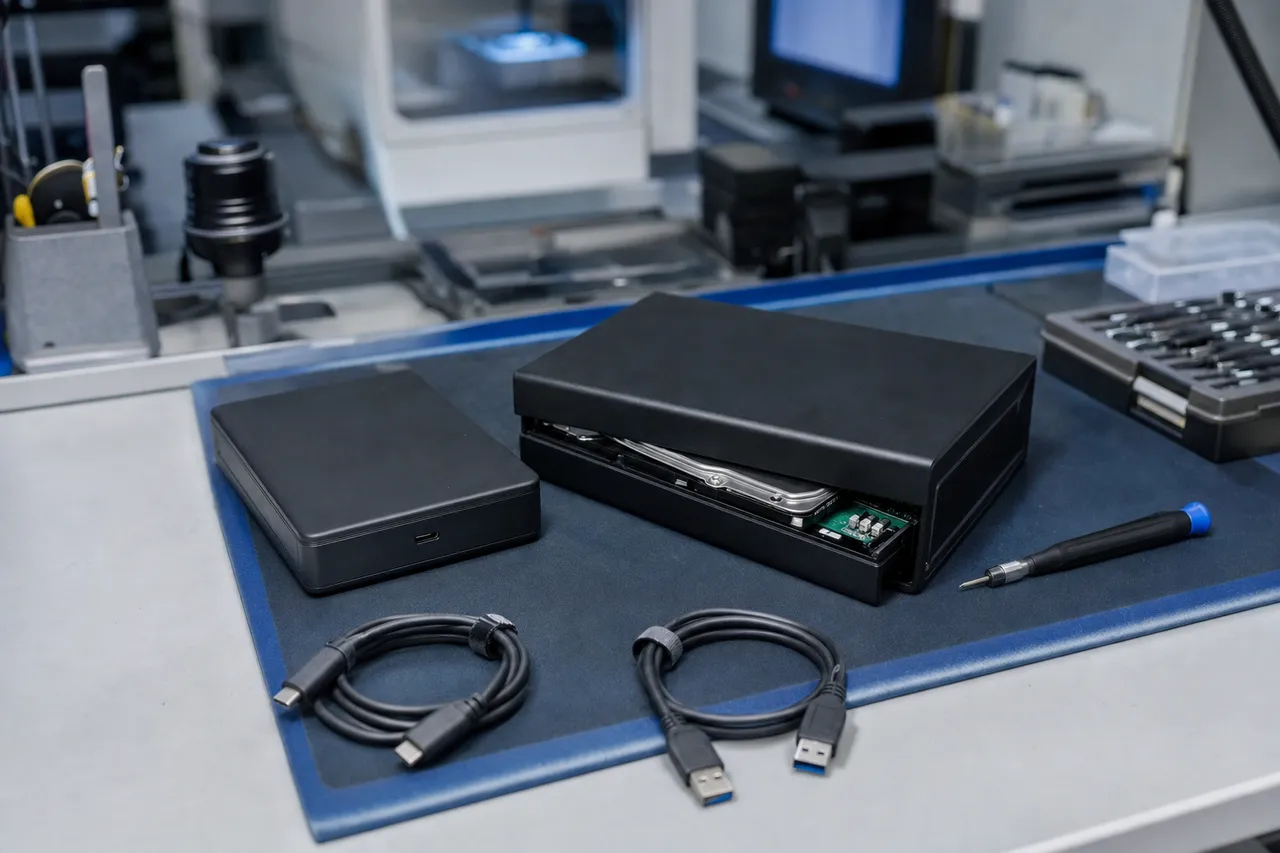
Understanding what makes My Passport recovery unique begins with the hardware architecture. Unlike standard desktop or internal laptop hard drives that use a SATA interface, WD My Passport drives use a USB-only printed circuit board. The USB bridge controller - which translates between the USB protocol your computer speaks and the SATA protocol the internal hard drive mechanism uses - is soldered directly onto the main PCB. There is no separate SATA connector. This design choice is a key factor in My Passport data recovery because professional data recovery platforms like the PC-3000 from ACE Laboratory communicate with drives over SATA or SAS interfaces, not USB.
When a My Passport arrives in our lab, one of the first steps is often converting the USB-only interface to SATA so our diagnostic tools can communicate directly with the drive mechanism. The conversion process involves extracting the ROM (Read-Only Memory) chip from the original PCB, which contains the drive's unique adaptive parameters - calibration data specific to that individual drive's heads and platters. This ROM data is then written to a compatible SATA-interface PCB, effectively giving us a direct SATA connection to the drive's internal mechanism. Without this conversion, many professional recovery operations - firmware repair, head map editing, selective head imaging - would be impossible. This is one of the reasons consumer-level data recovery software often fails on My Passport drives: software running over USB simply cannot access the low-level firmware commands needed to recover data from a failing drive.
The WD My Passport product line spans multiple generations and configurations. The standard My Passport has evolved from the original models with separate USB bridge boards and exposed SATA connectors (which were easier to recover from) to the current generation with fully integrated USB-only PCBs and hardware encryption enabled by default. The My Passport Ultra adds a premium metal design and comes in both Windows and Mac-formatted variants. The My Passport for Mac is pre-formatted in HFS+ or APFS for Apple systems. The My Passport SSD replaces the spinning hard drive with NAND flash storage for faster performance and drop resistance, but introduces completely different failure modes. The My Passport Wireless and Wireless Pro add Wi-Fi connectivity, an SD card slot, and a built-in battery, creating additional points of failure. Each variant requires specific knowledge and donor parts for successful recovery.
One of the most critical factors in WD My Passport recovery is the hardware encryption that Western Digital has built into every My Passport drive since approximately 2012. Even if you never set a password using WD Security software, the data on your My Passport is always encrypted at the hardware level. The encryption key is stored in the drive's service area - a reserved section of the platters that contains firmware, calibration data, and security information. During normal operation, the USB bridge controller handles encryption and decryption transparently. But when the bridge controller fails, or when we need to bypass the USB interface for recovery, we must extract this encryption key and apply it during the data reconstruction phase. If the encryption key is lost or the service area where it is stored is damaged, recovery becomes significantly more complex. This is why we always prioritize preserving the service area when working on My Passport drives.
The Full Range
WD My Passport Product Lines and Capacities
The WD My Passport ecosystem encompasses a surprisingly broad range of products, each with distinct hardware configurations that affect how data recovery is approached. Understanding these product lines helps explain why My Passport recovery requires specialized expertise rather than a one-size-fits-all approach.
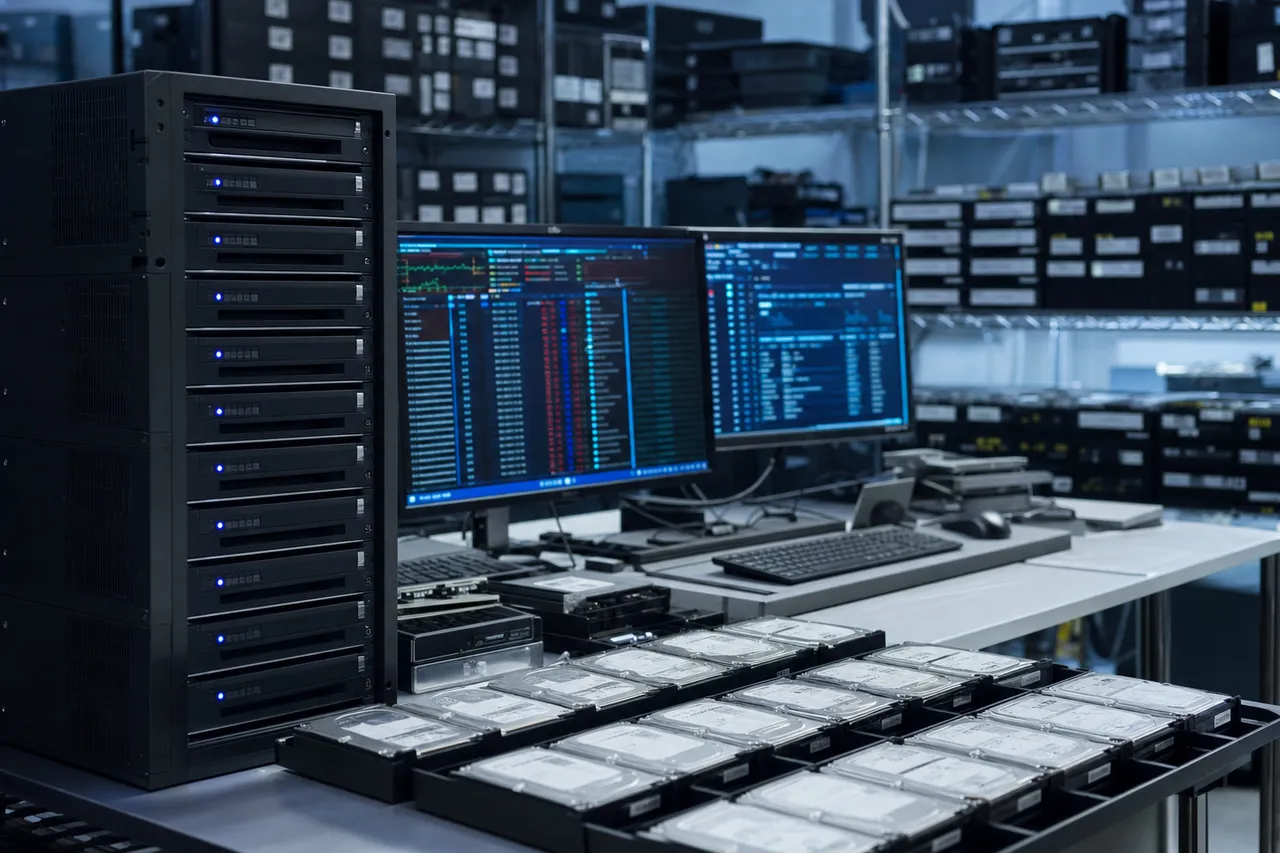
The standard WD My Passport is the best-selling portable hard drive in the world. Current models are available in 1TB, 2TB, 4TB, and 5TB capacities, featuring a USB 3.0 micro-B or USB-C connector, 256-bit AES hardware encryption, and WD Backup software. Internally, these drives use 2.5-inch laptop-form-factor hard drive mechanisms manufactured by Western Digital - typically single-platter designs for 1TB and 2TB models, and dual-platter configurations for 4TB and 5TB models. The dual-platter 5TB drives are among the most complex portable drives to recover because they pack two high-density platters into the same compact enclosure, using a specialized four-head stack where each head is calibrated to a specific platter surface. If even one head fails, recovery requires a compatible four-head donor stack with matching head map characteristics.
The WD My Passport Ultra is the premium version of the standard My Passport, featuring a metal enclosure, USB-C connectivity, and slightly higher retail pricing. From a data recovery perspective, the Ultra is nearly identical to the standard My Passport internally - same drive mechanisms, same encryption implementation, same USB-only PCB architecture. However, the metal enclosure does provide marginally better shock protection than the plastic standard model, so we see slightly fewer impact-related head crashes on Ultra drives compared to standard Passports.
The WD My Passport for Mac is functionally identical to the standard My Passport but comes pre-formatted in HFS+ (older models) or APFS (newer models) for Apple Mac computers. The hardware is the same - same WD drive mechanism, same USB-only PCB, same hardware encryption. The recovery implications are in the file system layer: HFS+ and APFS file systems have different data structures than NTFS, and our recovery tools must support Apple's file system formats. APFS in particular uses a unique copy-on-write architecture with space sharing that requires specialized reconstruction when the file system metadata is corrupted.
The WD My Passport SSD replaces the spinning hard drive with NAND flash storage, offering significantly faster read/write speeds and better drop resistance since there are no moving mechanical parts. However, SSD recovery is fundamentally different from hard drive recovery. When the NAND controller fails, we cannot simply attach the storage to a different controller - the data is distributed across multiple NAND flash chips using a proprietary interleaving algorithm, XOR parity, and wear-leveling tables specific to that controller. Recovery requires reading each NAND chip individually using specialized flash readers and then reconstructing the original data using the controller's specific algorithm parameters. My Passport SSDs use SanDisk/WD controller chips, and our lab has developed reconstruction profiles for each controller variant.
The WD My Passport Go is a ruggedized SSD variant with an integrated USB cable and rubber bumper for extra drop protection. It uses the same SanDisk/WD NAND controller technology as the My Passport SSD, so the recovery approach is identical. The integrated cable design means that if the cable or its internal connection fails, the entire device needs board-level repair - the cable cannot simply be replaced like a standard detachable cable.
The WD My Passport Wireless and Wireless Pro add Wi-Fi capability, an SD card reader, and a rechargeable battery to the standard My Passport hard drive mechanism. These additional components introduce new failure points: the battery can swell and physically damage the internal drive, the Wi-Fi module can create electrical interference with the drive's sensitive read/write electronics, and the additional complexity of the integrated system means more potential points of failure. When these drives fail, we focus on the internal hard drive mechanism itself, which uses the same WD 2.5-inch drives found in other My Passport models. The wireless features are irrelevant to data recovery - we care only about the platters and heads inside.
The WD My Passport Wireless SSD combines the wireless functionality with NAND flash storage instead of a spinning drive. This is one of the most complex My Passport variants to recover because it combines the challenges of NAND flash reconstruction with the additional electronic complexity of the wireless system. Failed battery cells in these units can also cause power delivery issues that corrupt the NAND controller's mapping tables, adding another layer of complexity.
Across all these product lines, capacities range from 250GB (Wireless SSD) to 5TB (standard My Passport and Ultra). Higher-capacity drives generally present more complex recoveries because they use higher-density platters with more data tracks per surface, tighter head positioning tolerances, and in the case of 4TB and 5TB models, multiple platters that must be precisely aligned relative to each other for the heads to read data correctly.
AES-256 by Default
WD My Passport Hardware Encryption and Data Recovery
Hardware encryption is one of the defining characteristics of the WD My Passport product line and one of the most important factors in successful data recovery. Since approximately 2012, every WD My Passport drive ships with hardware-level AES 256-bit encryption enabled by default. This means that every byte of user data written to the platters is encrypted - regardless of whether the user has ever opened WD Security software or set a password. Understanding how this encryption works is essential for anyone considering My Passport data recovery.
The encryption architecture in WD My Passport drives operates through the USB bridge controller chip on the PCB. When data flows from your computer to the drive, the bridge controller encrypts it in real-time using a Data Encryption Key (DEK) before passing it to the hard drive mechanism for writing to the platters. When data is read back, the bridge controller decrypts it before sending it to your computer over USB. This all happens transparently - from the user's perspective, the drive simply works like any other USB storage device.
The DEK itself is stored in the drive's service area, an internal region of the platters reserved for firmware, calibration parameters, and security data. When a user sets a password using WD Security software, they are not encrypting the drive - the drive is already encrypted. What the password does is encrypt the DEK itself using a Key Encryption Key (KEK) derived from the user's password. Without the correct password, the DEK cannot be decrypted, and without the DEK, the data on the platters cannot be decrypted. This two-layer encryption architecture means that password recovery and data recovery are two separate challenges.
For data recovery purposes, the encryption creates several critical implications. First, when we need to bypass the USB interface and access the drive through a SATA conversion (which is necessary for nearly all professional-level recoveries), we lose access to the USB bridge controller that normally handles decryption. We must extract the DEK from the drive's service area before the conversion and apply it during post-imaging data reconstruction. If the service area is damaged or the DEK is corrupted, we may need to repair the service area first, which requires specialized firmware-level tools like the PC-3000.
Second, if the PCB is damaged and we need to use a donor PCB, the donor board's bridge controller will have a different DEK. Simply swapping PCBs will not grant access to the data - the encrypted data on the platters can only be decrypted with the original DEK from the original PCB's service area. This is why we always attempt to salvage the original PCB's ROM and bridge controller chip whenever possible, even when the PCB has suffered physical damage.
Third, for drives where the user has set a WD Security password and forgotten it, recovery depends on whether the password was set using the older or newer version of WD Security. Older implementations had certain weaknesses that could be exploited for key recovery. Newer implementations use stronger key derivation that makes password recovery without the correct password extremely difficult. In cases where the password is truly lost and cannot be recovered through any known method, we inform the customer honestly about the limitations before proceeding.
Fourth, the encryption complicates even straightforward logical recoveries. If a My Passport's file system is corrupted but the drive is otherwise physically healthy, we cannot simply image the drive and run file system repair tools on the encrypted image. We must either work through the USB bridge controller (if it is functional) to get decrypted data, or extract the DEK and decrypt the image before file system reconstruction can begin.
At MDrepairs, our technicians have extensive experience with WD's encryption implementation across multiple generations of My Passport hardware. We maintain a library of known encryption configurations for different My Passport PCB revisions and have developed streamlined procedures for DEK extraction that minimize risk to the drive's service area. When we quote a recovery price for an encrypted My Passport drive, the encryption handling is included in the price - we do not charge extra for dealing with WD's hardware encryption on drives where no user password was set.
Cleanroom Work
Physical Recovery: WD My Passport Head Swaps and Mechanical Repair
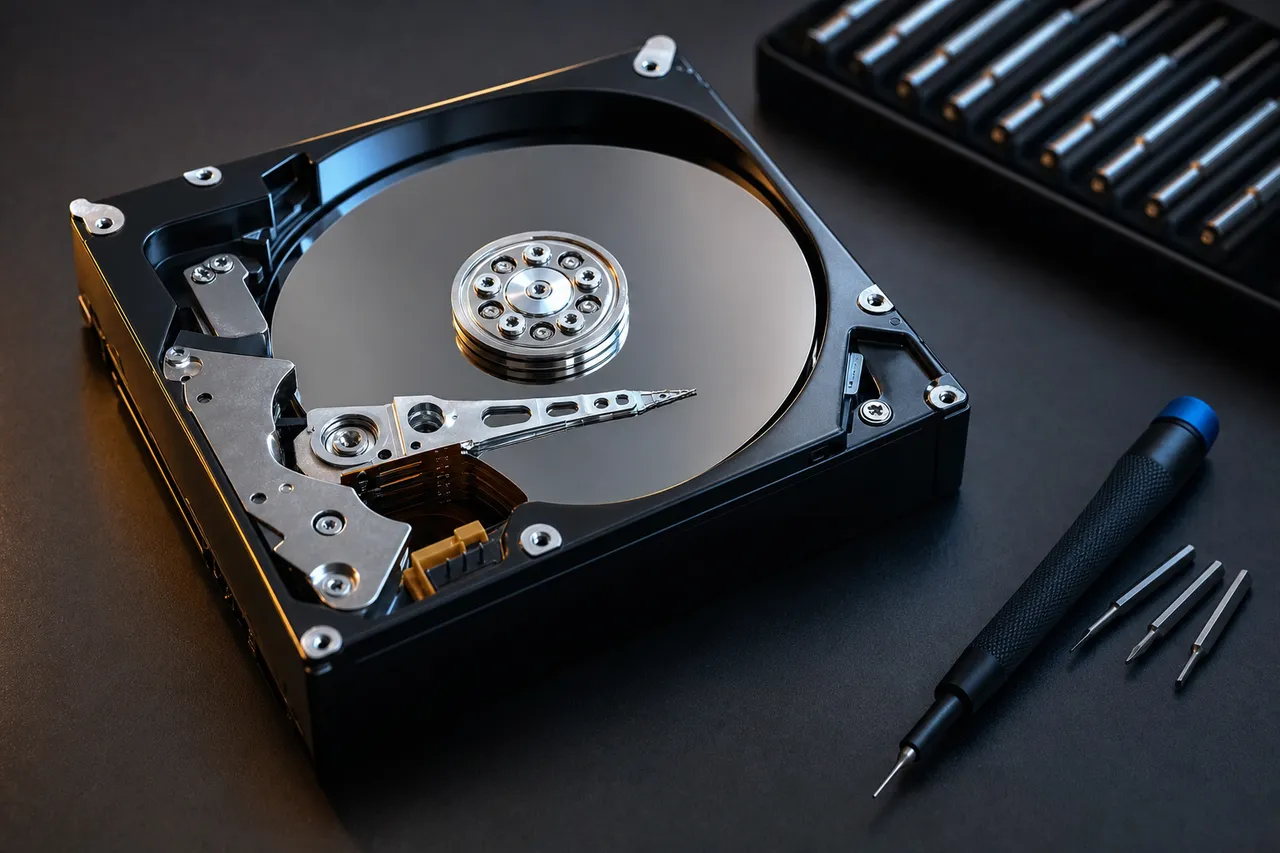
Physical data recovery from WD My Passport drives involves hands-on cleanroom procedures that address mechanical failures - the most common being damaged or failed read/write heads. Because My Passport drives are portable and frequently transported, they are far more prone to physical shock damage than desktop hard drives that sit stationary. A drop of even 12-18 inches onto a hard surface while the drive is powered on can dislodge the read/write heads from their landing zone and cause them to contact the spinning platter surface, resulting in immediate head damage and potentially platter scratches.
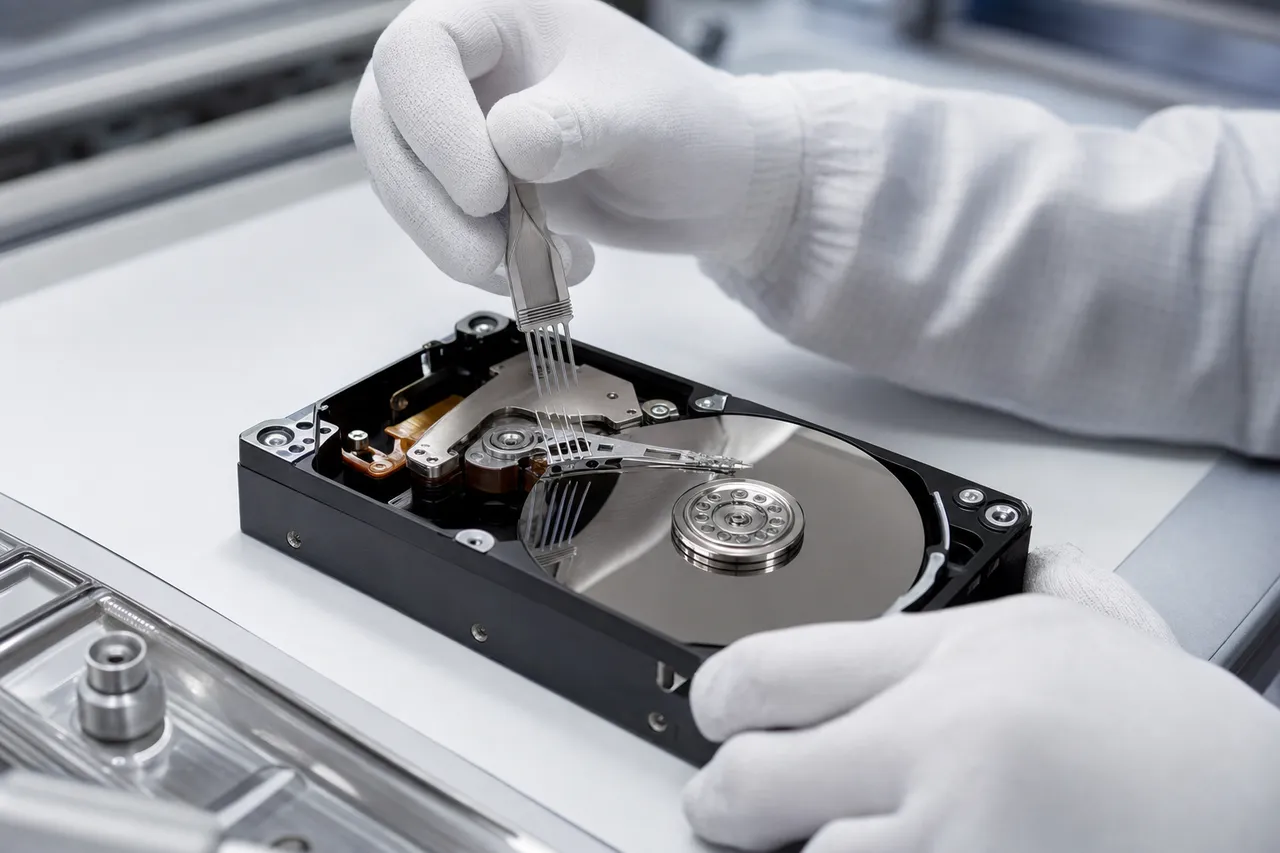
Head replacement - commonly called a head swap - is the primary mechanical recovery procedure for clicking WD My Passport drives. The process begins in our ISO-rated cleanroom where we open the drive's hermetically sealed enclosure. We inspect the platters under magnification for any signs of physical contact - scoring, debris, or concentric ring patterns that indicate head crash damage. If the platters are clean, we remove the damaged head stack assembly and install a compatible donor head stack from our WD parts inventory.
Compatible donor selection is critical and is one of the areas where experience makes the difference between successful and failed recoveries. WD My Passport drives use head stacks that vary by model number, manufacturing date, head map, and firmware revision. A head stack from the wrong donor family - even if it physically fits - will not read data correctly because each head stack has unique characteristics that are calibrated and recorded in the drive's firmware adaptive parameters. Our lab maintains an extensive inventory of WD 2.5-inch donor drives specifically for My Passport recoveries, organized by model family, head map, and firmware revision. When a customer's drive arrives, we identify the exact head map requirements and match them to a compatible donor before beginning the cleanroom work.
For 5TB My Passport drives that use dual platters and four heads, the head swap is significantly more complex. All four heads must be compatible, and the relationship between each head and its corresponding platter surface must match the original configuration. If the original drive used heads from a specific manufacturing batch, we need donor heads from the same or compatible batch. The tolerance for head compatibility on high-density 5TB drives is much tighter than on lower-capacity single-platter models.
After installing the donor heads, we reassemble the drive in the cleanroom and connect it to our PC-3000 platform through the SATA conversion interface. The first operation is always to read and back up the service area - the firmware and calibration data that defines how the drive stores and retrieves information. With the service area safely preserved, we begin the imaging process, which creates a sector-by-sector copy of the entire platter surface. For drives with platter damage (scratches from the head crash), we use selective imaging strategies - first collecting all data from undamaged areas, then making carefully controlled passes over damaged zones to extract as much additional data as possible without risking further platter degradation.
Motor seizure is another physical failure we encounter in WD My Passport drives, though less frequently than head failure. When the spindle motor seizes - due to bearing failure, corrosion from liquid exposure, or severe impact damage that deforms the motor shaft - the platters cannot spin. Recovery requires a platter transplant: removing the platters from the failed drive's chassis and installing them into a compatible donor chassis with a working motor. This is one of the most delicate cleanroom procedures in data recovery because the platters must maintain their exact rotational alignment relative to each other (for multi-platter drives) and must be seated perfectly on the new motor spindle. Even a fraction of a degree of misalignment can prevent the heads from reading data tracks that are mere nanometers apart.
For My Passport drives with damaged USB ports, the recovery approach depends on the extent of the damage. If the port is physically broken but the PCB traces are intact, we can often repair or bypass the port. If the PCB itself is cracked or has damaged traces, we may need to transplant the ROM chip to a compatible donor PCB. In cases where the USB bridge controller chip is damaged, we extract the ROM and perform a SATA conversion, bypassing the USB bridge entirely. Each scenario requires different tooling and expertise, which is why professional assessment is essential before any recovery attempt.
Format / Deletion / Corruption
Logical Data Recovery from WD My Passport Drives
Logical data recovery addresses software-level and file-system-level problems on WD My Passport drives where the hardware is physically functional but the data is inaccessible due to corruption, accidental deletion, formatting, or partition damage. These are generally less expensive recoveries than mechanical or cleanroom cases, but they still require professional tools and expertise - especially on encrypted My Passport drives where the encryption layer adds complexity to every recovery operation.
Accidental formatting is one of the most common logical recovery scenarios for WD My Passport drives. A user connects their Passport to a new computer, Windows prompts them to format the drive, and they accidentally click 'Format' before realizing the drive contained important data. What happens during a quick format is that the file system's metadata structures - the Master File Table (MFT) on NTFS, the Catalog file on HFS+, or the Container Superblock on APFS - are cleared or overwritten. However, the actual file data remains on the platters until new data is written over it. Professional recovery tools can scan the formatted drive's raw sectors, identify file signatures and fragment boundaries, and reconstruct files even without the original file system metadata. The success rate for recovering data from a quick-formatted My Passport that has not been used since the format is typically 95-100%.
Full format presents a greater challenge because modern operating systems write zeros to every sector during a full format, effectively overwriting all existing data. However, many users abort the full format partway through - either because they realized their mistake or because the process was taking too long. In these cases, we can often recover all data from the sectors that were not yet overwritten. We image the drive and analyze which sectors contain zero-fills versus which contain actual data, then reconstruct files from the surviving areas.
File system corruption is another frequent logical failure on My Passport drives. This typically occurs when a drive is disconnected without proper ejection - the operating system may have been in the middle of updating file system metadata when the connection was interrupted, leaving the metadata in an inconsistent state. Symptoms include the drive showing as RAW in Windows, prompting to be formatted, showing incorrect capacity, or displaying corrupted folder structures. Our recovery approach involves imaging the drive first (to preserve the current state), then using specialized file system repair and reconstruction tools to rebuild the damaged metadata structures. For NTFS drives, this means reconstructing the MFT entries. For HFS+/APFS drives on Mac-formatted My Passports, it means rebuilding the Catalog B-tree or APFS container structures.
Accidental deletion recovery on My Passport drives depends on the file system and how much time has passed since deletion. On NTFS, deleted files have their MFT entries marked as available but the actual data remains until overwritten. On HFS+, the Catalog B-tree entry is removed but the allocation blocks containing file data persist. On APFS, the situation is more complex because APFS's copy-on-write design means that deleted file metadata may be recoverable from older transaction checkpoints, but the window for recovery is smaller. In all cases, the key factor is whether new data has been written to the drive since the deletion - this is why we always advise customers to stop using their My Passport immediately after accidental deletion.
Partition loss - where the drive's partition table is corrupted or overwritten - can make the entire drive appear empty or unallocated. This is recoverable in most cases because the partition table is a relatively small data structure, and the actual partitions and their contents remain intact on the platters. We reconstruct the partition table by scanning for file system signatures at known offset positions and rebuilding the partition map accordingly.
Virus and ransomware recovery is an increasingly common scenario we encounter with My Passport drives. Ransomware that encrypts files on connected external drives can render an entire My Passport's contents inaccessible. Recovery approaches vary depending on the ransomware variant - some use weak encryption that can be broken, while others use strong encryption where recovery depends on finding unencrypted remnants in slack space, deleted file recovery, or volume shadow copies. For My Passport drives that were connected when ransomware struck, we always check for file remnants that were not yet encrypted when the ransomware process was interrupted or the drive was disconnected.
Throughout all logical recovery procedures on My Passport drives, we must account for the hardware encryption layer. When working through the USB interface (if the bridge controller is functional), decryption happens automatically. But when we need to image the drive via SATA conversion for more reliable data acquisition, we must handle the DEK extraction and decryption as described in the encryption section above. This additional step is routine for our lab but represents a significant technical barrier for less experienced recovery providers.
ROM + Service Area
WD My Passport Firmware Architecture and Recovery Techniques
The firmware architecture of WD My Passport drives is a layered system that governs every aspect of how the drive stores, retrieves, and manages data. Understanding this architecture is fundamental to professional data recovery because firmware failures account for a significant percentage of My Passport recovery cases - drives that spin up normally, may even be partially detected by the computer, but cannot provide access to user data due to corrupted or damaged firmware modules.
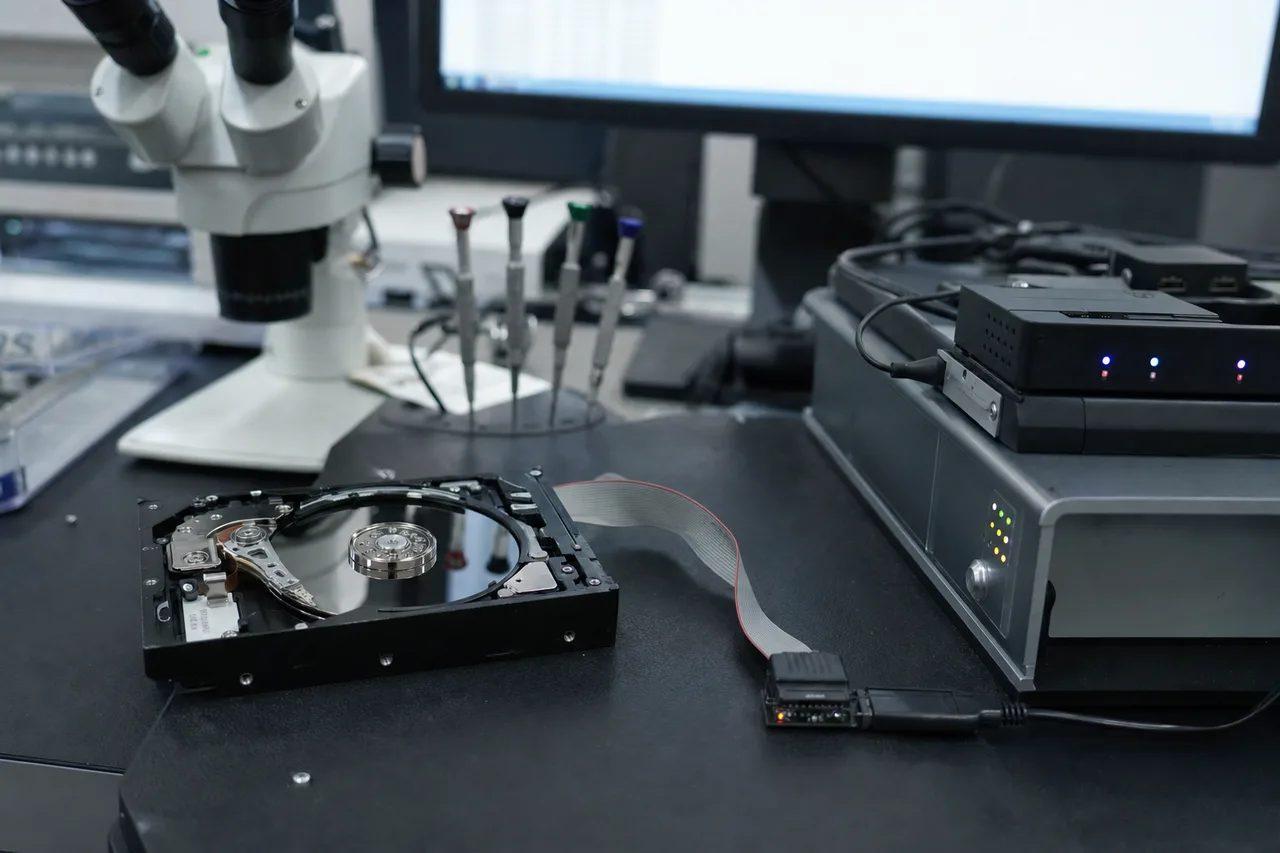
WD My Passport firmware exists in two locations. The first is the ROM chip soldered to the PCB, which contains boot code and the drive's unique adaptive parameters. The adaptive parameters include the head profile data (calibration values for each read/write head), servo parameters (positioning accuracy data), and the drive's unique identifier information. The ROM is read first when the drive powers on and provides the initial instructions for the drive's microprocessor to begin the boot sequence. The second firmware location is the service area (SA) on the platters - a reserved zone that is not accessible through normal read commands. The service area contains dozens of firmware modules that handle everything from defect management to translator tables (which map logical block addresses to physical platter locations) to the encryption keys discussed earlier.
When a My Passport develops firmware corruption, the symptoms vary depending on which module is affected. If the boot code or SA directory is corrupted, the drive may not spin up at all, or it may spin up and immediately click down - not because of physical head damage, but because the firmware cannot locate its own modules. If the translator module (which maps logical sectors to physical locations on the platters) is corrupted, the drive may appear to work but return garbage data, wrong files, or read errors at seemingly random locations. If the defect management modules are corrupted, the drive may slow down dramatically as it encounters sectors that should be remapped but cannot be because the defect tables are damaged.
Firmware recovery on WD My Passport drives using the PC-3000 platform involves several sophisticated techniques. The first step is always to read and back up whatever firmware modules are still accessible - even corrupted modules contain partial data that may be useful for reconstruction. If specific modules are unreadable, we can often access them through alternative read methods that bypass the drive's normal firmware loading sequence, reading the raw service area tracks directly.
For translator failures - one of the most insidious firmware problems - we use the PC-3000's translator regeneration capabilities. The translator is essentially a massive lookup table that tells the drive where each logical block address (LBA) physically resides on the platter. When this table is corrupted, the drive cannot find the data your computer is requesting. Regeneration involves rebuilding this table either from backup copies stored elsewhere in the service area, or by scanning the platter surfaces and reconstructing the mapping based on the servo sector information embedded in the drive's tracks. This process can take many hours for high-capacity My Passport drives but is essential for recovering data from drives with translator failures.
SMART data (Self-Monitoring, Analysis, and Reporting Technology) stored in the firmware can also provide valuable diagnostic information. While SMART data is normally accessed through software on the host computer, our tools can read SMART data directly from the service area even when the drive is not functioning normally. Elevated reallocated sector counts, high pending sector counts, or unusual seek error rates can all point us toward the underlying failure mechanism and guide our recovery strategy.
One firmware-related failure specific to WD My Passport drives involves the USB bridge controller firmware - separate from the hard drive firmware discussed above. The bridge controller has its own firmware that manages the USB communication protocol, encryption, and power management. If this firmware becomes corrupted (often from power surges or failed firmware update attempts), the drive may not enumerate on the USB bus at all. In these cases, bypassing the bridge controller entirely through SATA conversion is the fastest path to recovery, since the underlying hard drive mechanism and its firmware may be perfectly healthy.
At MDrepairs, our PC-3000 UDMA platform includes Western Digital-specific firmware utilities that support the full range of WD 2.5-inch drive families used in My Passport products. Our technicians maintain current knowledge of WD firmware revisions and known issues, including manufacturer-acknowledged firmware bugs that can cause data loss on specific model/firmware combinations. This specialized knowledge allows us to diagnose firmware failures accurately and apply the most effective recovery techniques for each specific situation.
The Signature Step
USB-to-SATA Conversion for WD My Passport Recovery
USB-to-SATA conversion is one of the most fundamental and frequently performed procedures in WD My Passport data recovery. Unlike desktop hard drives or standard 2.5-inch laptop drives that have native SATA connectors, WD My Passport drives use USB-only PCBs where the USB bridge controller is integrated directly onto the main circuit board. There is no SATA port to connect to. This design creates a significant challenge for professional data recovery because the industry-standard recovery platforms - particularly the PC-3000 UDMA from ACE Laboratory, which is the gold standard for hard drive data recovery - communicate with drives through SATA or SAS interfaces, not USB.
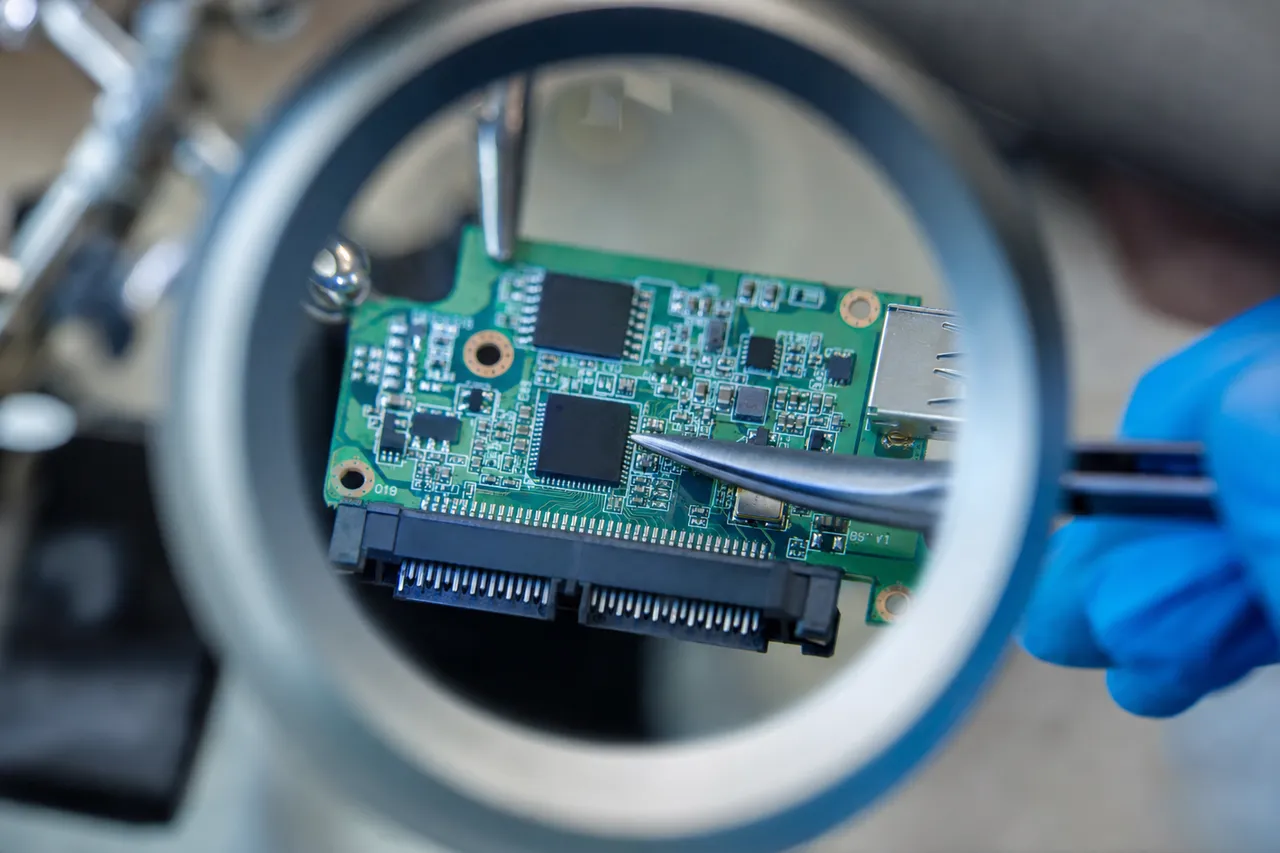
The USB interface presents multiple limitations for data recovery work. USB was designed as a consumer-level connectivity standard optimized for ease of use, not for the kind of low-level hardware access that data recovery requires. Through USB, you cannot send vendor-specific commands (VSCs) to access the drive's service area. You cannot manipulate firmware modules, disable specific heads, or control the imaging process at the granular level needed for professional recovery. You also cannot bypass the drive's normal error-handling routines that cause the drive to retry failed reads endlessly - behavior that can be destructive to a failing drive. Through SATA, all of these capabilities are available, making SATA access essential for any serious recovery operation.
The conversion process begins by identifying the specific WD 2.5-inch drive mechanism inside the My Passport enclosure. We open the external case (which is non-destructive - the case is designed with snap-fit or screw-on enclosures) and identify the drive model, family, and ROM chip type. The ROM chip - a small serial flash memory IC soldered to the USB-only PCB - stores the drive's unique adaptive parameters including head calibration data, servo parameters, and the drive's unique identifier. This ROM data is specific to each individual drive and cannot be substituted with ROM data from a different drive.
We desolder the ROM chip from the original USB-only PCB and read its contents using a specialized programmer. The ROM data is then written to a compatible SATA-interface PCB - a PCB designed for the same WD drive family but equipped with a standard SATA connector instead of (or in addition to) the USB bridge. The matching criteria for the donor SATA PCB include the drive's family designation, ROM chip type and pinout, main controller chip model, and motor driver configuration. Using a mismatched PCB can result in the drive not initializing at all, or worse, writing incorrect calibration data to the drive that could damage the heads or platters.
Once the ROM is transferred to the compatible SATA PCB and the PCB is connected to the drive mechanism, we power up the drive on our PC-3000 platform. The drive should initialize using its own unique adaptive parameters (from the transferred ROM) but now through a SATA interface that gives us full professional-level access. We verify initialization by checking that the drive reports the correct model, serial number, and capacity, and that the service area modules are accessible.
For encrypted My Passport drives (which is effectively all of them produced since 2012), the SATA conversion introduces an additional consideration: the data on the platters is encrypted with a DEK that was managed by the original USB bridge controller. Now that we have bypassed the bridge controller, the data we read through the SATA interface will be encrypted. We must extract the DEK - either from the service area of the drive or from a backup of the original PCB's security data - and apply it during post-imaging reconstruction to decrypt the recovered data. Our lab has streamlined procedures for DEK extraction that are performed during the service area backup phase of every My Passport recovery.
The entire USB-to-SATA conversion process typically takes 30-60 minutes for straightforward cases. For drives with damaged PCBs where the ROM chip is also at risk, the process takes longer and requires more careful handling - damaged ROM chips may need special equipment to read, and in some cases we may need to reconstruct partial ROM data from the drive's service area. This conversion is a standard procedure at MDrepairs and is included in our quoted recovery pricing for all WD My Passport cases that require it.
Stay Backed Up
Preventing Data Loss on Your WD My Passport
While MDrepairs specializes in recovering data after failure, we believe in educating our customers about prevention. WD My Passport drives are well-built portable storage devices, but they are still mechanical hard drives (or flash storage in the SSD variants) with inherent vulnerabilities. Understanding these vulnerabilities and adopting good practices can significantly reduce your risk of data loss.
The single most important principle is that your My Passport should never be your only copy of important data. A portable external hard drive is a convenient storage and backup device, but it is not a substitute for a complete backup strategy. The 3-2-1 backup rule - three copies of your data, on two different types of media, with one copy stored off-site - remains the gold standard. Your My Passport can serve as one of those copies, but you should also maintain backups on a second drive, a NAS device, or a cloud storage service. If your My Passport is the only place your important files exist, you are one drop, one power surge, or one firmware glitch away from total data loss.
Physical handling is the leading cause of WD My Passport failure that we see in our lab. These drives are designed to be portable, but portable does not mean indestructible. The internal hard drive mechanism contains spinning platters and read/write heads that float mere nanometers above the platter surface. Any sudden impact - dropping the drive onto a hard surface, knocking it off a desk, slamming a laptop bag containing the drive - can cause the heads to contact the platter surface. This head crash can happen in milliseconds and can cause permanent physical damage to both the heads and the platter surface. If you must transport your My Passport, keep it in a padded case, and never move or jostle the drive while it is connected and active (the activity LED will be blinking).
Always use the 'Safely Remove Hardware' or 'Eject' function before disconnecting your My Passport. When your computer is actively reading from or writing to the drive, disconnecting it can corrupt the file system metadata, leave files in a partially written state, and potentially damage the drive's firmware. Windows, macOS, and Linux all provide a mechanism to safely eject USB devices - use it every time. If the operating system says the drive is in use and cannot be ejected, close all open files and applications that may be accessing the drive, then try again. Do not simply unplug the cable.
Keep your WD My Passport away from extreme temperatures, direct sunlight, and moisture. Hard drives are designed to operate within specific temperature ranges (typically 5C to 35C). Leaving your My Passport in a car during summer, where temperatures can exceed 60C, or in freezing conditions during winter, can cause thermal expansion/contraction that affects the drive's calibration. Moisture and humidity can cause corrosion on the PCB and internal components. If your My Passport gets wet, do not power it on - bring it to a professional recovery lab immediately.
USB cable quality and connection matters more than most users realize. A damaged, frayed, or low-quality USB cable can cause intermittent power delivery to the drive, which is one of the leading causes of firmware corruption. When the drive loses power during a firmware write operation - which happens during normal background maintenance - the firmware module being written can be left in a corrupted state. Always use the cable that came with your My Passport, or a high-quality replacement rated for data transfer (not a charge-only cable). Avoid USB hubs for your My Passport - connect directly to your computer's built-in USB port for the most stable power delivery.
If your My Passport starts showing warning signs - unusual sounds (clicking, beeping, whining), slower than normal performance, intermittent disconnections, or files that cannot be opened - stop using the drive immediately and seek professional help. These symptoms indicate that the drive is failing, and continued use accelerates the failure. Every additional power cycle on a drive with failing heads risks further platter damage. Every read attempt on a drive with bad sectors risks expanding the damaged area. Copy any accessible critical files to another drive as quickly as possible, then stop using the My Passport and contact a professional recovery lab for evaluation.
For WD My Passport SSD owners, the prevention advice differs somewhat. SSDs do not have moving parts, so drop damage is less of a concern for the storage media itself (though the USB connector can still break). However, SSDs have a finite number of write cycles, and NAND flash cells can wear out over time. More importantly, SSD failures tend to be sudden and total - unlike hard drives that often show gradual warning signs, an SSD can go from working perfectly to completely dead in an instant when the controller fails. Regular backups are even more critical for SSD storage because the warning window before failure may be nonexistent.
Seagate / Toshiba / LaCie
WD My Passport vs Other Portable Drive Recovery
Customers often ask how WD My Passport data recovery compares to recovery from other portable external hard drives - particularly Seagate Backup Plus, Toshiba Canvio, and LaCie Rugged. While the fundamental data recovery principles are similar across all portable drives, there are important differences in hardware architecture, encryption implementation, and firmware design that make each brand's recovery process unique. Understanding these differences helps explain why choosing a lab with specific WD expertise matters.
The most significant differentiator for WD My Passport recovery is the hardware encryption. As detailed earlier, every My Passport produced since approximately 2012 encrypts all user data at the hardware level using AES 256-bit encryption. Seagate Backup Plus drives, by contrast, do not implement hardware encryption by default - the data on the platters is stored in plaintext unless the user specifically enables Seagate Secure. Toshiba Canvio drives also lack default hardware encryption on most models. This means that a basic recovery on a Seagate or Toshiba portable drive - where you simply need to image the platters and extract the file system - does not require dealing with an encryption layer. On a My Passport, even the simplest recovery must account for encryption if the USB bridge controller is bypassed. This adds complexity and time to every WD My Passport case.
The USB-only PCB architecture is another area where My Passport drives differ from some competitors. While many modern portable drives use USB-only PCBs (it is an industry-wide trend driven by cost reduction and slimmer designs), some Seagate and Toshiba portable models still use drives with accessible SATA connectors under the external enclosure. These drives can be removed from the enclosure and connected directly to recovery equipment without the USB-to-SATA conversion process. WD My Passport drives almost universally require conversion, which adds a step to the recovery process but does not affect the final outcome.
From a mechanical reliability standpoint, WD My Passport drives use Western Digital's own 2.5-inch drive mechanisms, which have different characteristics than the mechanisms used in Seagate or Toshiba portable drives. WD's 2.5-inch drives tend to use a specific head parking mechanism and platter coating that, in our experience, provides relatively good resistance to minor impacts when the drive is powered off. However, the 5TB models - which pack two platters into a slim 2.5-inch form factor - are more sensitive to impact than lower-capacity single-platter models across all manufacturers. Seagate's highest-capacity portable drives also use two platters and share similar impact vulnerability.
Firmware complexity varies across manufacturers. WD's firmware is well-understood in the data recovery community thanks to extensive documentation in the PC-3000 platform and years of collective experience. Seagate firmware is also well-supported by recovery tools, though it uses a fundamentally different architecture. Toshiba firmware is generally considered simpler but is less well-documented in recovery tools, which can make certain Toshiba firmware repairs more challenging. For My Passport-specific firmware issues - particularly those involving the translator module, encryption key storage, or USB bridge interaction - WD-specific expertise is essential.
In terms of donor part availability, WD My Passport drives benefit from being the best-selling portable hard drive brand in the world. This means that compatible donor drives for head swaps and PCB replacements are relatively easy to source. At MDrepairs, we maintain a large inventory of WD 2.5-inch donor drives specifically for My Passport recoveries. Less popular drive brands can sometimes present challenges in sourcing compatible donors, which can delay recovery timelines.
The bottom line is that WD My Passport recovery requires specific expertise in WD's encryption implementation, USB-to-SATA conversion procedures, and WD firmware architecture. While any competent data recovery lab should be able to handle straightforward My Passport recoveries, complex cases involving encrypted drives, firmware corruption, or multi-platter head swaps benefit significantly from a lab with deep WD experience. At MDrepairs, WD drives - and My Passport models specifically - are among our highest-volume recovery categories, which means our technicians encounter and resolve these specific challenges on a daily basis.
Decode the Symptom
Common WD My Passport Error Messages and What They Mean
When a WD My Passport drive fails, your computer often displays error messages or behaves in ways that can help diagnose the underlying problem. Understanding these symptoms can help you make informed decisions about whether professional recovery is needed and how urgently you should act. Below is a comprehensive guide to the most common error messages and behaviors associated with failing WD My Passport drives.
'You need to format the disk in drive before you can use it' - This Windows error appears when the file system on your My Passport has become corrupted to the point where Windows cannot recognize it. Common causes include unsafe ejection during a write operation, power loss during file transfer, or gradual file system degradation from bad sectors. Do NOT click 'Format' - this will overwrite the file system metadata and make recovery more difficult. This is typically a logical recovery case where the drive is physically healthy but the file system structures need reconstruction. Recovery success rate is very high - typically 95-100% of files recovered.
'USB Device Not Recognized' - Windows displays this when the USB bridge controller on the My Passport's PCB fails to properly enumerate on the USB bus. This can indicate a failed USB bridge chip, corrupted bridge controller firmware, damaged USB port, or a faulty cable. It can also occur when the internal hard drive mechanism has failed so severely that the bridge controller cannot complete its initialization sequence. First, try a different cable and a different USB port (preferably a USB 3.0 port directly on the computer, not through a hub). If the error persists with multiple cables and ports, the drive likely needs professional attention. The prognosis depends on whether the issue is with the bridge controller (often recoverable by SATA conversion) or the internal mechanism (may require cleanroom work).
'The request could not be performed because of an I/O device error' - This error indicates that Windows attempted to read data from the drive and the operation failed. I/O errors on My Passport drives can stem from bad sectors on the platter surface, failing read/write heads, firmware corruption, or a degrading USB connection. If you hear clicking sounds accompanying the I/O errors, the drive likely has mechanical head damage and needs cleanroom recovery. If the drive sounds normal but produces I/O errors, it may be a bad sector or firmware issue that can be resolved through specialized imaging techniques.
'Location is not available. [Drive letter] is not accessible. The parameter is incorrect' - This Windows error typically indicates file system corruption at the partition or volume level. The drive may still be recognized in Disk Management and show the correct capacity, but the logical structures needed to navigate files and folders are damaged. This is almost always a logical recovery case with excellent prognosis. Do not attempt to run chkdsk or any repair utility - these tools can sometimes cause additional damage to the file system structures that would have been recoverable in their corrupted state.
'Access is denied' - On a WD My Passport, this error can have multiple causes. If the drive was encrypted with WD Security and the password prompt is not appearing, the WD Security software may need to be reinstalled or the USB bridge controller may be partially failing. If the drive is formatted for Mac (HFS+ or APFS) and you are connecting it to a Windows PC, Windows cannot natively read Apple file systems - this is not a failure, just a compatibility issue. If the drive was previously used on one Windows account with NTFS permissions set, another Windows account may not have permission to access the files - again, not a drive failure.
Drive appears in Device Manager but not in File Explorer - This scenario indicates that the USB connection is working and the drive is communicating with Windows at the hardware level, but the drive cannot be mounted as a readable volume. Check Disk Management - if the drive shows as 'Not Initialized' or 'Unallocated,' the partition table is corrupted. If it shows with a partition but no drive letter, right-click and assign a letter. If it shows as RAW, the file system is corrupted (see the 'format' error above). If it shows with 0 bytes capacity, this may indicate a firmware lock or encryption issue specific to WD drives that requires professional tools to resolve.
Slow performance and freezing during file access - If your My Passport has become extremely slow, takes minutes to open folders that used to open instantly, or causes File Explorer to freeze when you try to browse its contents, the drive likely has developing bad sectors. The drive's internal error-handling is spending excessive time retrying reads on damaged sectors, which manifests as slowness and freezing from the user's perspective. This is a warning sign that the drive is deteriorating. Back up any accessible files immediately to another drive, then stop using the My Passport. Continued use can expand the bad sector damage and make eventual recovery more difficult and expensive.
Drive makes clicking, beeping, or whining sounds - Unusual sounds from a My Passport indicate mechanical failure. Repetitive clicking means the heads are failing and cannot read the firmware tracks. A high-pitched beeping usually indicates the motor is seized or the heads are stuck on the platter surface (stiction). A whining or grinding sound indicates the motor bearings are failing or there is physical contact between the heads and platters. In all of these cases, power off the drive immediately and do not attempt to power it on again. Every power cycle on a drive with mechanical failure risks additional platter damage. These drives require cleanroom recovery.
Daily WD Volume
Why Choose MDrepairs for WD My Passport Recovery
Choosing the right data recovery lab for your WD My Passport is one of the most important decisions you will make when facing data loss. The data recovery industry ranges from software-only operators working from home offices to fully equipped professional labs with cleanrooms, specialized hardware, and years of experience. For My Passport recovery specifically, several factors distinguish MDrepairs from other options.
First, WD My Passport drives are one of our highest-volume recovery categories. Our technicians work on My Passport drives every single day - not occasionally, not once a month, but daily. This volume of experience means we have encountered virtually every failure scenario that exists for these drives: every model variant, every firmware revision, every encryption configuration, every type of physical damage. When your My Passport arrives at our lab, our technicians do not need to research how to handle it or experiment with approaches - they have refined, proven procedures for every failure type based on thousands of prior successful recoveries.
Second, our lab is equipped with the professional-grade tools required for My Passport recovery. Our primary recovery platform is the PC-3000 UDMA from ACE Laboratory, which is the global standard for professional hard drive data recovery. This platform provides the low-level access to WD firmware, encryption keys, and diagnostic functions that are essential for complex My Passport recoveries. We also maintain a certified cleanroom for mechanical recoveries requiring head swaps and platter transplants. Consumer-grade recovery software and non-cleanroom environments are insufficient for mechanical My Passport failures and can actually make recovery impossible by causing additional damage.
Third, our donor drive inventory for WD My Passport parts is one of the most comprehensive of any independent lab. Head compatibility is one of the most critical factors in mechanical recovery success, and having the right donor available means the difference between a same-week recovery and waiting weeks for parts. We stock WD 2.5-inch drives spanning multiple generations, model families, head maps, and firmware revisions - specifically to support My Passport recoveries.
Fourth, our pricing structure is transparent and customer-friendly. Every case starts with a $100 flat-rate diagnostic that provides a detailed assessment and exact recovery pricing before you commit. If you decide not to proceed, you owe only the $100 diagnostic fee. If we proceed and cannot recover your data, you owe only the $100 diagnostic fee - no data, no charge on the recovery itself. WD My Passport standard recoveries range from $300-$500, priority recoveries from $500-$800, and emergency cleanroom recoveries from $800-$1,500. There are no hidden fees, surprise charges, or tiered pricing gimmicks. The price quoted after diagnostic is the price you pay.
Fifth, MDrepairs founder Joseph Montanti has built one of the largest data recovery audiences on social media, with over 2 million followers across YouTube, TikTok, and Instagram. These channels showcase real recoveries performed in our lab - including numerous WD My Passport cases - giving you the opportunity to see our work, our equipment, and our results before you ever ship a drive to us. This level of transparency is rare in the data recovery industry, where many companies operate behind closed doors. When you watch Joseph diagnose a clicking My Passport, perform a head swap in the cleanroom, and deliver recovered data to a relieved customer, you can trust that the same expertise will be applied to your drive.
Sixth, we serve customers nationwide through our secure mail-in program. You do not need to be local to Lincroft, NJ to use our services. We provide free insured shipping both ways - a prepaid shipping label to send your My Passport to us, and insured return shipping for your recovered data. The entire process is tracked and documented, and we provide regular updates throughout the recovery. Many of our My Passport recovery customers found us through social media and mailed their drives from across the country.
Finally, our turnaround times are among the fastest in the industry. Standard My Passport recoveries typically complete in 5-10 business days from when we receive the drive. Priority and emergency cases can be expedited to 3-5 business days. We understand that data loss creates urgency - whether it is business documents needed for a deadline, irreplaceable family photos, or academic work with a submission date - and we prioritize accordingly.
Nationwide, Free Shipping
Mail-In WD My Passport Data Recovery Process
The majority of our WD My Passport recovery customers use our mail-in service, which provides the same professional recovery capabilities available to local customers but accessible from anywhere in the United States. The mail-in process has been refined through thousands of successful recoveries and is designed to be simple, secure, and transparent from start to finish.
The process begins when you contact MDrepairs through our website, phone (732-933-7717), or email. We gather basic information about your My Passport - the model, capacity, symptoms, and the type of data you are trying to recover. This initial conversation helps us provide a preliminary assessment and set expectations before you ship anything. For example, if you describe your My Passport as clicking after a drop, we can tell you that this is likely a head failure requiring cleanroom work in the $800-$1,500 range. If your drive is not being recognized but makes no unusual sounds, it could be a firmware or USB bridge issue in the $300-$800 range. These preliminary estimates help you decide whether to proceed.
Once you decide to proceed, we provide a prepaid shipping label (UPS or FedEx) so you can ship your My Passport to our lab at no cost. We recommend packing the drive in a small box with bubble wrap or foam padding on all sides - the drive should not be able to move within the box. Do not use packing peanuts, which can generate static electricity. Do not wrap the drive in newspaper, which provides insufficient padding. A snug fit with 1-2 inches of bubble wrap on every side is ideal. Include a note with your name, phone number, email, and a brief description of the issue.
When your My Passport arrives at our lab, we log it into our tracking system, assign a case number, and send you a confirmation email with your case details. We then perform the $100 professional diagnostic, which includes visual inspection of the drive and enclosure for physical damage, USB port testing with multiple cables, controlled power-up with acoustic monitoring (listening for clicks, beeps, or abnormal motor sounds), PCB inspection under magnification, and if the drive initializes, preliminary assessment of firmware health and encryption status. For drives that require SATA conversion for full diagnostics, we perform the ROM extraction and conversion as part of the diagnostic process.
Within 24-48 hours of receiving your drive, you receive a detailed diagnostic report by email and/or phone. This report includes the identified failure type, the recovery approach we recommend, the estimated success probability, the exact recovery price, and the estimated turnaround time. You then decide whether to approve the recovery. There is no pressure and no deadline - take as long as you need to make your decision. If you decline, we securely return your drive and you owe only the $100 diagnostic fee.
If you approve the recovery, our technicians proceed with the appropriate recovery procedure. For logical recoveries, this typically involves imaging the drive through either the USB interface or SATA conversion, then performing file system reconstruction and data extraction. For mechanical recoveries, this involves cleanroom work - head swaps, motor repair, or platter transplants - followed by imaging and data extraction. Throughout the recovery process, we provide email or phone updates on progress and any developments that affect the outcome or timeline.
When recovery is complete, we prepare a file listing that shows all recovered files organized by their original folder structure. You review this listing to verify that your important files are present. We can also provide a sample of specific files if you need to confirm that they open correctly. Once you confirm satisfaction, we transfer your recovered data to a new external drive (which we provide at cost) or to cloud storage if you prefer. Your recovered data is shipped back to you free of charge via insured carrier.
After you confirm receipt of your recovered data, we securely erase all copies of your data from our systems within 30 days. We take data privacy seriously - your files are stored on encrypted, access-controlled servers during the recovery process and are never shared with or accessible to anyone outside the recovery team handling your case. The entire mail-in process - from shipping your drive to receiving your recovered data - typically takes 7-14 business days for standard recoveries. Expedited turnaround is available for urgent cases. Customers consistently report that the mail-in process is smoother and more transparent than they expected, and our reviews reflect the care and communication we bring to every case.
Talk to the engineer working on your My Passport - not a call center.
Frequently Asked Questions
Straight answers on WD My Passport cost, turnaround, encryption, and how we get your data back.
-
Can a dead WD My Passport be recovered?
Yes, almost always. A dead My Passport - no light, no spin-up, not appearing on any computer - usually means a failed USB bridge board, a damaged PCB, a seized motor, or crashed heads, and the data is still sitting on the platters. Because every modern My Passport is hardware-encrypted by the bridge, recovery also preserves or extracts the AES key so the recovered image can be decrypted. We handle every step in our Lincroft, NJ lab and document cases exactly like this on our YouTube channel. Power it off, stop plugging it in and out, and get it diagnosed.
-
How much does WD My Passport data recovery cost?
WD My Passport data recovery at MDrepairs ranges from $300-$500 for standard logical recoveries (deleted files, formatting, corruption) to $500-$800 for priority recoveries (firmware, encryption, USB bridge issues) to $800-$1,500 for emergency cleanroom recoveries (head swaps, motor failure, platter transplants). Every case starts with a $100 diagnostic fee that is applied toward the total recovery cost.
-
Can you recover data from a clicking WD My Passport?
Yes. Clicking is the most common symptom we see in WD My Passport drives - usually caused by damaged read/write heads from a drop or impact. Recovery requires a cleanroom head swap using compatible WD donor parts. Stop using the drive immediately to prevent further platter damage. Our success rate for clicking My Passport drives with clean platters is over 95%.
-
My WD My Passport is not recognized by my computer. Can you recover the data?
Yes. A My Passport that is not detected can indicate a USB bridge board failure, firmware corruption, or partial head failure. We diagnose the exact cause during our $100 diagnostic. Most "not recognized" cases are recoverable - often through USB-to-SATA conversion and firmware repair, or cleanroom head replacement for physical failures.
-
Can you recover data from an encrypted WD My Passport?
Yes. All WD My Passport drives produced since approximately 2012 use hardware-level AES 256-bit encryption. Our lab has extensive experience extracting the encryption keys from the drive's service area and applying them during data reconstruction. If you set a WD Security password and remember it, recovery is straightforward. If the password is forgotten, recovery depends on the specific encryption implementation used in your drive model.
-
My WD My Passport was dropped. What should I do?
Stop using the drive immediately. Do not power it on to 'check if it still works' - each power cycle on a drive with damaged heads risks additional platter scratching. If the drive was powered on during the drop, there is a high likelihood of head damage. Package the drive carefully with bubble wrap and ship it to our lab, or contact us for a free prepaid shipping label. Dropped My Passport recovery is one of our most common cases with excellent success rates when the drive is not used after the drop.
-
How long does WD My Passport data recovery take?
Standard recoveries typically complete in 5-10 business days from when we receive your drive. Priority and emergency cases can be expedited to 3-5 business days. The diagnostic report is provided within 24-48 hours of receiving your drive. Total turnaround including shipping is typically 7-14 business days.
-
I accidentally formatted my WD My Passport. Can the data be recovered?
Yes, in most cases. A quick format only clears the file system metadata - the actual data remains on the platters until overwritten. If you have not written significant new data to the drive since formatting, recovery success is typically 95-100%. Stop using the drive immediately and contact us for a diagnostic. A full format is more destructive but may still be partially recoverable if it was interrupted before completion.
-
Can you recover data from a WD My Passport that beeps?
Yes. A beeping My Passport typically indicates either motor seizure (the spindle motor cannot spin the platters) or stiction (the read/write heads are stuck to the platter surface). Both conditions require cleanroom intervention - motor replacement or manual head unsticking. These are emergency-tier recoveries but have good success rates when performed by experienced technicians with proper cleanroom equipment.
-
My WD My Passport shows wrong capacity or 0 bytes. What does this mean?
A My Passport showing incorrect capacity (like 0 bytes, 32MB, or a completely wrong size) typically indicates a firmware lock or corruption. The drive's firmware modules that report capacity to the host computer are damaged or in an error state. This is usually a firmware-level recovery that involves repairing the corrupted modules using our PC-3000 platform. The data on the platters is typically intact - the drive just cannot communicate its contents correctly due to the firmware issue.
-
What is the difference between WD My Passport and WD Elements?
WD My Passport and WD Elements use the same internal WD 2.5-inch hard drive mechanisms, but My Passport includes hardware encryption (AES 256-bit), WD Security password protection software, and WD Backup software. WD Elements is the budget model without encryption or bundled software. From a data recovery perspective, the main difference is that My Passport drives have encrypted data requiring key extraction during recovery, while Elements drives store data in plaintext. Recovery procedures and pricing are otherwise similar.
-
What is the 'no data, no charge' guarantee?
If we cannot recover your data, you only pay the $100 diagnostic fee - you are not charged for the recovery itself. This guarantee applies to every WD My Passport recovery case. The $100 diagnostic fee covers the professional evaluation, which you receive regardless of outcome, and is applied toward the total cost if you proceed with a successful recovery.
-
What is the success rate for WD My Passport data recovery?
Our overall success rate for WD My Passport data recovery is approximately 98%. Logical recoveries (formatting, deletion, corruption) have near 100% success rates. Mechanical recoveries (clicking, head failure) succeed at over 95% when the platters are undamaged. The most challenging cases involve severe platter scratches from prolonged use after a head crash, which is why we emphasize stopping drive use immediately after failure.
-
Do you recover data from WD My Passport SSD models?
Yes. WD My Passport SSD recovery requires different techniques than traditional hard drive recovery - specifically NAND flash chip reading and data reconstruction using controller-specific algorithms. Our lab has the specialized equipment and expertise to handle SSD recoveries including controller failures, NAND degradation, and firmware corruption on My Passport SSD models.
-
Can you recover data from a WD My Passport for Mac?
Yes. WD My Passport for Mac drives are the same hardware as standard My Passport drives but pre-formatted with Apple's HFS+ or APFS file systems. Our recovery tools fully support both Apple file systems. Whether your Mac-formatted Passport has file system corruption, was accidentally reformatted, or has mechanical failure, we recover data from it using the same professional procedures as any other My Passport.
-
Do I need to send my WD My Passport to your lab?
For most recovery scenarios, yes - professional data recovery requires specialized equipment that cannot be replicated remotely. We offer free insured shipping both ways through our mail-in program. You can also drop your drive off in person at our Lincroft, NJ lab. We do not recommend attempting recovery with consumer software on a failing drive, as this can make the situation worse.
-
What if my WD My Passport USB port is broken?
A broken USB port is a very common issue with My Passport drives. Depending on the extent of the damage, we may repair the port directly, bypass it through board-level rework, or convert the drive to SATA interface entirely. USB port damage does not affect the data on the platters - your files are intact, they just need an alternate path to be accessed. This is typically a standard or priority recovery.
-
Is my data private during the recovery process?
Absolutely. Your data is stored on encrypted, access-controlled servers during recovery and is accessible only to the technician assigned to your case. We do not browse, copy, or share your personal files. After you confirm receipt of your recovered data, all copies are securely erased from our systems within 30 days. We can sign a non-disclosure agreement (NDA) upon request for business-sensitive recoveries.
-
Can you recover specific file types from my My Passport?
Yes. Our recovery process preserves the original file structure including all file types - documents, photos, videos, databases, project files, and any other file format. If the file system is intact, files are recovered with their original names, folder structure, and metadata. If the file system is severely damaged, we use file signature-based (file carving) recovery that identifies files by their internal structure, recovering them by type even without the original file names.
-
Do you recover data from WD My Passport Wireless drives?
Yes. WD My Passport Wireless and Wireless Pro drives use the same WD 2.5-inch hard drive mechanisms found in standard My Passport models, with additional wireless and battery components. We focus on recovering data from the internal hard drive, using the same techniques as any other My Passport recovery. The wireless functionality and battery are not relevant to data recovery - we access the drive through its standard data interface.
-
What tools does MDrepairs use for WD My Passport recovery?
Our primary platform is the PC-3000 UDMA from ACE Laboratory - the industry standard for professional hard drive data recovery. For WD My Passport drives, we also use specialized ROM programmers for USB-to-SATA conversion, donor PCBs and head stacks from our extensive WD parts inventory, and a certified cleanroom for mechanical procedures. For My Passport SSD models, we use dedicated flash readers for NAND chip reading and reconstruction software for controller-specific data rebuilding.
-
Can I attempt data recovery on my WD My Passport myself?
For mechanical failures (clicking, beeping, not spinning), absolutely not - opening a hard drive outside a cleanroom introduces contaminants that can scratch the platter surfaces and make recovery impossible. For logical issues (formatting, deletion), consumer software can sometimes work but carries risks: running recovery software on a failing drive can accelerate the failure, and incorrect software settings can overwrite the very data you are trying to recover. If your data is important, professional recovery is always the safer choice.
-
How do I ship my WD My Passport for recovery?
Contact us and we will provide a free prepaid shipping label. Pack your My Passport in a small box with 1-2 inches of bubble wrap on all sides. The drive should not be able to move within the box. Include a note with your name, phone number, email, and a brief description of the problem. Do not include the USB cable unless the cable itself may be part of the issue. Ship via the carrier on the prepaid label and keep the tracking number.
-
What if another lab already attempted recovery on my My Passport?
We regularly recover data from drives that other labs have attempted and failed on - or worse, damaged further. If another lab opened your drive, the recovery may be more complex (potential contamination, mishandled parts), but it is often still possible. Send us the drive along with any documentation from the previous lab about what they attempted. Our $100 diagnostic will assess the current state and provide an honest evaluation of what is recoverable.
-
Can you recover data if I deleted the WD Security password?
If you removed the WD Security password through the normal software process before the drive failed, the data should be accessible normally (though still hardware-encrypted transparently). If the password was not properly removed and the drive subsequently failed, recovery depends on whether we can access the encryption key in the service area. During our diagnostic, we assess the encryption status and key integrity as part of our standard evaluation for all My Passport drives.
-
Does MDrepairs offer a warranty on recovered data?
We guarantee that the data we deliver to you is an accurate copy of what was recovered from your drive. We retain a backup of your recovered data for 30 days after delivery, so if there are any issues with the returned media, we can provide a replacement copy at no charge. However, we strongly recommend immediately backing up your recovered data to multiple locations (another drive and cloud storage) once you receive it - do not rely on any single storage device as your only copy.
Ready to Recover Your Data?
$100 professional diagnostic on every case. No data, no charge. Free insured shipping nationwide.